1
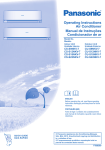
Operating Instructions Air Conditioner Outdoor Unit CU-C9PKV CU-C12PKV CU-C18PKV CU-C24PKV CU-C28PKV Operating Instructions Air Conditioner Thank you for purchasing Panasonic Air conditioner. Installation instructions attached. Before operating the unit, read these operating instructions thoroughly and keep them for future reference. Manual de funcionamiento Aire acondicionado Muchas gracias por elegir una unidad de aire acondicionado Panasonic. Instrucciones de instalación adjuntas. Antes de utilizar la unidad, sírvase leer atentamente estas instrucciones de funcionamiento y conservarlas como futuro elemento de consulta. F568956 English CS-C9PKV CS-C12PKV CS-C18PKV CS-C24PKV CS-C28PKV Español (LE) Model No. Indoor Unit Provide maximum comfort, clean air and optimise energy saving ECONAVI and AUTO COMFORT Equipped with the human activity sensor, the air conditioner ensures to deliver cool air to you, and keeps the room consistently comfortable with minimum energy consumption. Furthermore, the sunlight sensor detects the sunlight intensity and helps control cooling temperatures to provide optimum comfort. See “To learn more...” for details. nanoe-G Deactivates harmful micro-organisms such as viruses, bacteria, etc. to keep air clean. It also deactivates viruses and bacteria on the filter to keep inside of the unit clean. 2 Quick guide Table of contents Inserting the batteries 1 2 3 1 Pull out the back cover of remote control 2 Insert AAA or R03 batteries (can be used ~ 1 year) 3 Close the cover 2 1 2 OFF 1 SET 3 3 3 Confirm Accessories RESET 1 Select the desired mode AUTO FAN SPEED AIR SWING 2 ECONAVI 3 MODE 1 OFF/ON NANOE-G POWERFUL/ AIR SWING QUIET FAN SPEED 1 SET 2 OFF SET 3 CANCEL CLOCK • Remote control • AAA or R03 batteries × 2 • Remote control holder • Screws for remote control holder × 2 COOL 2 Start/stop the operation AUTO COMFORT TEMP TIMER ON DRY Cleaning instructions ................ 10 Information.................Back cover Basic operation AUTO COOL DRY To learn more... ......................8-9 Troubleshooting ....................... 11 2 Set the time CANCEL CLOCK Clock setting 1 Press CLOCK SET How to use...............................6-7 RESET 8m POWER • Please note that the OFF indication is on to start. 3 Select the desired temperature • Selection range: 16 °C ~ 30 °C. • Operating the unit within the recommended temperature may save energy. COOL: 26 °C ~ 28 °C. DRY : 1 °C ~ 2 °C lower than room temperature. English TIMER ON Safety precautions ...................4-5 • To dim or restore the unit’s indicator brightness, press and hold for 5 seconds. • Use remote control within 8 m from the remote control receiver of the indoor unit. The illustrations in this manual are for explanation purposes only and may differ from the actual unit. They are subject to change without notice for future improvement. 3 Safety precautions To prevent personal injury, injury to others or property damage, please comply with the following: Incorrect operation due to failure to follow instructions below may cause harm or damage, the seriousness of which is classified as below: WARNING This sign warns of death or serious injury. CAUTION This sign warns of injury or damage to property. The instructions to be followed are classified by the following symbols: This symbol denotes an action that is PROHIBITED. These symbols denote actions COMPULSORY. Power supply Indoor unit Air inlet This appliance is not intended for use by persons (including children) with reduced physical, sensory or mental capabilities, or lack of experience and knowledge, unless they have been given supervision or instruction concerning use of the appliance by a person responsible for their safety. Children should be supervised to ensure that they do not play with the appliance. Please consult authorised dealer or specialist to clean the internal parts, repair, install, remove and reinstall the unit. Improper installation and handling will cause leakage, electric shock or fire. Confirm with authorised dealer or specialist on usage of any specified refrigerant type. Using refrigerant type other than the specified may cause product damage, burst and injury etc. Do not install the unit in a potentially explosive or flammable atmosphere. Failure to do so could result in fire. Do not insert your fingers or other objects into the air conditioner indoor or outdoor unit, rotating parts may cause injury. Do not touch the outdoor unit during lightning, it may cause electric shock. Do not expose yourself directly to cold air for a long period to avoid excess cooling. Do not sit or step on the unit, you may fall down accidentally. Do not allow infants and small children to play with the remote control to prevent them from accidentally swallowing the batteries. Air inlet Outdoor unit Indoor unit and outdoor unit Remote control Air outlet Remote control WARNING Power supply Air outlet Do not use a modified cord, joint cord, extension cord or unspecified cord to prevent overheating and fire. To prevent overheating, fire or electric shock: • Do not share the same power outlet with other equipment. • Do not operate with wet hands. • Do not over bend the power supply cord. • Do not operate or stop the unit by inserting or pulling out the power plug. 4 Red Black Green/Yellow wires live neutral earth colours (GB Standard) brown blue green-yellow Wiring colour may vary depending on a country wiring code’s standard. Do not touch the sharp aluminium fin, sharp parts may cause injury. Do not switch ON the indoor unit when waxing the floor. After waxing, aerate the room properly before operating the unit. Do not install the unit in oily and smoky areas to prevent damage to the unit. Do not dismantle the unit for cleaning purpose to avoid injury. Do not step onto an unstable bench when cleaning the unit to avoid injury. Do not place a vase or water container on the unit. Water may enter the unit and degrade the insulation. This may cause an electric shock. Do not open window or door for long time during COOL/DRY mode operation. Prevent water leakage by ensuring drainage pipe is: - Connected properly, - Kept clear of gutters and containers, or - Not immersed in water After a long period of use or use with any combustible equipment, aerate the room regularly. After a long period of use, make sure the installation rack does not deteriorate to prevent the unit from falling down. Remote control This equipment must be earthed to prevent electrical shock or fire. Do not use rechargeable (Ni-Cd) batteries. It may damage the remote control. Prevent electric shock by switching off the power supply and unplug: - Before cleaning or servicing, - When extended non-use, or - During abnormally strong lightning activity. To prevent malfunction or damage of the remote control: • Remove the batteries if the unit is not going to be used for a long period of time. • New batteries of the same type must be inserted following the polarity stated. CAUTION Indoor unit and outdoor unit Safety precautions Terminals Do not use for preservation of precise equipment, food, animals, plants, artwork or other objects. This may cause quality deterioration, etc. Do not use any combustible equipment in front of the airflow outlet to avoid fire propagation. Do not expose plants or pet directly to airflow to avoid injury, etc. English If the supply cord is damaged, it must be replaced by the manufacturer, service agent or similarly qualified persons in order to avoid a hazard. It is strongly recommended to be installed with Earth Leakage Circuit Breaker (ELCB) or Residual Current Device (RCD) to prevent electric shock or fire. To prevent overheating, fire or electric shock: • Insert the power plug properly. • Dust on the power plug should be periodically wiped with a dry cloth. Stop using the product if any abnormality/ failure occurs and disconnect the power plug or turn off the power switch and breaker. (Risk of smoke/fire/electric shock) Examples of abnormality/failure • The ELCB trips frequently. • Burning smell is observed. • Abnormal noise or vibration of the unit is observed. • Water leaks from the indoor unit. • Power cord or plug becomes abnormally hot. • Fan speed cannot be controlled. • The unit stops running immediately even if it is switched on for operation. • The fan does not stop even if the operation is stopped. Contact your local dealer immediately for maintenance/repair. Replacement or installation of power plugs shall be performed by authorised/qualified personnel only. The wires in this mains lead are coloured in accordance with the following code: Power supply Do not disconnect the plug by pulling the cord to prevent electric shock. Do not wash the indoor unit with water, benzine, thinner or scouring powder to avoid damage or corrosion at the unit. 5 How to use ECONAVI To optimise energy saving ECONAVI MODE To select operation mode AUTO - For your convenience • Unit selects the operation mode according to the room temperature. • Once AUTO mode is selected, the unit will operate at the standard setting temperature. Room temperature Operation mode Human activity sensor and indicator Sunlight sensor and remote control receiver Remote control display Standard setting temperature 23˚C & above COOL 25˚C Below 23˚C DRY 22˚C • Press for “HI” to +2˚C or for “LO” to -2˚C to the standard setting temperature. COOL - To enjoy cool air • To reduce power consumption during COOL mode, use curtains to screen off sunlight and outdoor heat. DRY - To dehumidify the environment • Unit operates at low fan speed to give a gentle cooling operation. AUTO COOL DRY To switch between powerful & quiet POWERFUL QUIET NORMAL POWERFUL: To reach temperature quickly POWERFUL • This operation will stop automatically after 15 minutes. QUIET: To enjoy quiet operation QUIET • This operation reduces airflow noise. Indicator (Green) TIMER (Orange) ECONAVI (Green) AUTO COMFORT (Green) NANOE-G (Blue) POWERFUL/QUIET (Orange/ Green) FAN SPEED AIR SWING ECONAVI OFF/ON MODE AUTO COMFORT NANOE-G TEMP POWERFUL// AIR SWING QUIET FAN SPEED POWERFUL/ QUIET POWER TIMER ON 1 SET 2 OFF SET 3 CANCEL CLOCK Press and hold for approximately 10 seconds to show temperature setting in °C or °F. Press to restore the remote control to default setting. RESET Not used in normal operations. FAN SPEED To select fan speed (Remote control display) • For AUTO, the indoor fan speed is automatically adjusted according to the operation mode. Auto OFF/ON button Use when remote control is misplaced or a malfunction occurs. Raise the front panel: • To use in AUTO mode, press the button once. • To use in COOL mode, press and hold the button until 1 beep is heard, then release. • Press the button again to turn off. 6 See "To learn more..." for details. AUTO COMFORT To maximise comfort To set the timer To turn ON or OFF the unit at a preset time. AUTO COMFORT 1 NANOE-G To purify the air NANOE-G 1 • nanoe-G starts automatically when the unit is turned on with OFF/ON . • Can be activated even when the unit is turned off. In this condition, the unit will operate as a fan with AUTO fan speed and louver swing. 2 3 TIMER ON SET 3 2 OFF CANCEL AC RC 1 Select ON or OFF timer Example: OFF at 22:00 OFF To deactivate viruses/bacteria on the filter AIR SWING To adjust airflow direction (Remote control display) 2 Set the time 2 3 Confirm SET TIMER ON • To cancel ON or OFF timer, press or OFF then press CANCEL. • If timer is cancelled manually or due to power failure, you can restore the previous setting SET (once power is resumed) by pressing . • When ON Timer is set, the unit may start earlier (up to 15 minutes) before the actual set time in order to achieve the desired temperature on time. • Timer operation is based on the clock set in the remote control and repeats daily once set. For clock setting, please refer to Quick guide. How to use POWER English NANOE-G • After the unit is turned off, the nanoe-G in-filter deactivation may activate up to 150 minutes. Turning on the unit cancels this operation. • To disable this operation in the future, press and NANOE-G hold until a short beep sound is heard. This will not disable the nanoe-G to purify the air. • To restore the nanoe-G in-filter deactivation, NANOE-G press and hold until a long beep sound is heard. • Keeps the room ventilated. • In COOL/DRY mode, if AUTO is set, the louver swings left/right and up/down automatically. • Do not adjust the louver by hand. Note ECONAVI POWERFUL/ QUIET AUTO COMFORT NANOE-G , , , • Can be activated in all modes and can be cancelled by pressing the respective button again. ECONAVI POWERFUL/ QUIET AUTO COMFORT , , • Cannot be selected at the same time. 7 To learn more... Operation mode COOL: Use curtains to screen off sunlight and outdoor heat to reduce power consumption during COOL mode. DRY: Unit operates at low fan speed to give a gentle cooling operation. nanoe-G in-filter deactivation Depending on the unit’s accumulated operation time, nanoe-G in-filter deactivation may activate only once a day after the unit turned off. To remove the moisture left in the internal parts, the fan will operate for 30 minutes with louver opened slightly. This process only applicable when the unit is operated in COOL/DRY mode before turned off. Then, nanoe-G deactivates viruses/bacteria on the filter for 2 hours with fan stopped and louver closed. Do not turn off the power supply during this operation. After power failure, this operation will not resume. ECONAVI and AUTO COMFORT ECONAVI or AUTO COMFORT Note AIR SWING The human activity sensor and the sunlight sensor will start to detect. The unit will start to initialise (for approximately 1 minute) When manual AIR SWING is selected, the ECONAVI and AUTO COMFORT operations will be cancelled. Human activity sensor operation ECONAVI ; Detecting human presence and activity, the unit controls room temperature to save energy. Mode Human Low activity Normal activity High activity Absent +2 °C COOL/DRY Set temperature +1 °C AUTO COMFORT ; Detecting human presence and activity, the unit controls room temperature to keep e human comfortable consistently. Mode Human Low activity Normal activity High activity Absent +2 °C COOL/DRY Set temperature Set Fan Speed +1 °C -1 °C +1 tap * During low activity, fan speed 1 tap up for first 15 minutes or until set temperature is reached. ** During human absence, maximum fan speed for COOL/DRY mode is medium fan. 8 The human activity sensor will also scan for area of heat source and movement in a room. Detection area Human activity indicator 120º 7m At left area At center / multiple area At right area The unit judges human activity area for a few seconds before indicator updates. Based on area activeness horizontal airflow direction louver will adjust either fix at predetermined position or swing left/right periodically. • The human activity sensor performance is influenced by indoor unit location, movement speed, temperature range, etc. • The human activity sensor may: - mistakenly detect an object with heat source & movement similar to human, such as pets, etc. - mistakenly detect as non-heat source & movement if a human stays motionless for certain period of time. • Do not place large objects near the sensor and keep away heating units or humidifier from the sensor’s detection area. They may cause sensor malfunction. ECONAVI ; Detecting sunlight intensity, the unit adjust temperature to save energy. Ambient condition Mode +1 °C COOL/DRY Set temperature ECONAVI is activated, the unit maintains set temperature until a high sunlight intensity is detected. The sunlight sensor detects sunlight intensity during weather or day/night changes, and the unit adjusts temperature. To learn more... Sunlight Sensor operation • In a room without window or with thick curtain, the sunlight sensor will judge as cloudy/night. English Operation conditions Use this air conditioner under the following temperature range. DBT : Dry bulb temperature WBT : Wet bulb temperature Indoor Temperature (°C) COOL Outdoor DBT WBT DBT WBT Max. 32 23 43 26 Min. 16 11 16 11 9 Cleaning instructions To ensure optimal performance of the unit, cleaning has to be carried out at regular intervals. Please consult authorised dealer. • Switch off the power supply and unplug before cleaning. • Do not touch the aluminium fin, sharp parts may cause injury. • Do not use benzine, thinner or scouring powder. • Use only soap ( pH 7) or neutral household detergent. • Do not use water hotter than 40 °C. Indoor unit Indoor unit Front panel Aluminium fin POWER TIMER ECONAVI AUTO COMFORT NANOE-G QUIET POWERFUL/ Human activity sensor nanoe-G Generator Air filters nanoe-G Generator Wipe the unit gently with a soft, dry cloth. Human activity sensor Do not hit or violently press or poke it with a sharp object. This can lead to damage and malfunction. Every 6 months • Clean with dry cotton bud. • Do not touch during operation. Air filters Every 2 weeks • Wash/rinse the filters gently with water to avoid damage to the filter surface. • Dry the filters thoroughly under shade, away from fire or direct sunlight. • Replace any damaged filters. Front panel Wash gently and dry. Remove the front panel 2 Pull out Remove air filter 1 Raise Attach air filter POWER TIMER ECONAVI AUTO COMFORT NANOE-G UIET POWERFUL/Q Close it securely 1 Insert at both sides 3 Press both ends of the front panel POWER TIMER ECONAVI AUTO COMFORT Insert into the unit For seasonal inspection after extended non-use • Checking of remote control batteries. • No obstruction at air inlet and air outlet vents. • After 15 minutes of operation, it is normal to have the following temperature difference between air inlet and air outlet vents: NANOE-G UIET POWERFUL/Q 2 Close down 4 For CS-C18PKV, CS-C24PKV, CS-C28PKV: Press at center of the front panel. 10 COOL: ≥ 8 °C For extended non-use • Activate nanoe-G operation for 2~3 hours as an alternative to remove moisture left in the internal parts thoroughly to prevent mould growth. • Turn off the power supply and unplug. • Remove the remote control batteries. Troubleshooting The following symptoms do not indicate malfunction. Symptom Cause Check the following before calling for servicing. Symptom Operation in COOL mode is not working efficiently. Noisy during operation. Remote control does not work. (Display is dim or transmission signal is weak.) The unit does not work. The unit does not receive the signal from the remote control. Check • Set the temperature correctly. • Close all doors and windows. • Clean or replace the filters. • Clear any obstruction at the air inlet and air outlet vents. • Check if the unit has been installed at an incline. • Close the front panel properly. • Insert the batteries correctly. • Replace weak batteries. • Check if the circuit breaker is tripped. • Check if timers have been set. • Make sure the receiver is not obstructed. • Certain fluorescent lights may interfere with signal transmitter. Please consult authorised dealer. English • Condensation effect due to cooling process. • Refrigerant flow inside the unit. • This may be due to damp smell emitted by the wall, carpet, furniture or clothing. Indoor fan stops occasionally during automatic • This helps to remove the surrounding odour. fan speed setting. Operation is delayed a few minutes after • The delay is a protection to the unit’s compressor. restarting. Outdoor unit emits water/steam. • Condensation or evaporation occurs on pipes. TIMER indicator is always on. • The timer setting repeats daily once set. Cracking sound during operation. • Changes of temperature caused the expansion/ contraction of the unit. 2 or more human activity indicator turns on • Judgement of heat source and movement area in simultaneously. progress. Cleaning instructions / Troubleshooting Mist emerges from indoor unit. Water flowing sound during operation. The room has a peculiar odour. NON SERVICEABLE CRITERIAS TURN OFF POWER SUPPLY AND UNPLUG then please consult authorised dealer under the following conditions: • Abnormal noise during operation. • Circuit breaker switches off frequently. • Water/foreign particles have entered the remote • Power cord becomes unnaturally warm. control. • Switches or buttons are not functioning properly. • Water leaks from Indoor unit. 11 Proporcione el máximo confort, limpie el aire y optimice el ahorro de energía ECONAVI y AUTO COMFORT Equipado con el sensor de actividad humana, la unidad de aire acondicionado le proporciona aire frío y mantiene la habitación a una temperatura confortable con un consumo de energía mínimo. Además, el sensor de luz solar detecta la intensidad de la luz solar y ayuda a controlar las temperaturas de enfriamiento para proporcionar un confort óptimo. Para más detalles, consulte “Saber más...”. nanoe-G Desactiva microorganismos peligrosos como lo son virus, bacterias, etc. para mantener el aire limpio. Además desactiva virus y bacteria en el filtro para mantener limpio el interior de la unidad. 12 Guía rápida Contenido Inserción de las baterías 1 2 3 1 Retire la cubierta trasera del control remoto 2 Coloque baterías AAA o R03 (Se puede utilizar aproximadamente 1 año) 3 Cierre la cubierta 2 TIMER ON 1 1 CANCEL CLOCK Saber más... ........................18-19 Intrucciones de lavado ............... 20 Información .......... Cubierta trasera 2 Ajuste la hora 3 Modo de empleo ...................16-17 Solución de problemas .............. 21 Ajuste del reloj 1 Pulse RELOJ SET 2 OFF SET 3 Precauciones de seguridad ...14-15 Accesorio 3 Confirme RESET Funcionamiento básico • Control remoto • Pilas AAA o R03 × 2 • Soporte del control remoto • Tornillos para el soporte del control remoto × 2 1 Seleccione el modo deseado AUTO AUTO COOL DRY FAN SPEED AIR SWING 2 ECONAVI 3 MODE 1 OFF/ON DRY COOL 2 Inicie/detenga el funcionamiento AUTO COMFORT NANOE-G POWER TEMP POWERFUL/ AIR SWING QUIET FAN SPEED 1 OFF SET 3 Seleccione la temperature SET 2 3 CANCEL CLOCK RESET 8m deseada • Gama de selección: 16 °C ~ 30 °C. • El funcionamiento de la unidad dentro de la temperatura recomendada puede ahorrar energía. COOL (FRÍO): 26 °C ~ 28 °C. DRY (DESHUMIDIFICACIÓN): 1°C ~ 2°C menos que la temperatura ambiente. • Para oscurecer o restablecer el brillo del indicador de la unidad, mantenga durante 5 segundos. pulsado • Utilice el control remoto a no más de 8 m del receptor de la unidad interior. Español (LE) TIMER ON • Tenga en cuenta que la indicación de apagado está encendida para iniciar. Las ilustraciones de este manual sirven únicamente para describir las explicaciones y pueden no coincidir exactamente con las del aparato suministrado. Están sujetas a cambios sin previo aviso con el fin de mejorar el producto. 13 Precauciones de seguridad Para evitar lesiones personales, lesiones a otras personas o daños a la propiedad, respete las siguientes indicaciones: La operación incorrecta por no seguir las instrucciones puede provocar daños o lesiones de diferente gravedad, según la clasificación que se incluye a continuación: ADVERTENCIA Esta señal advierte sobre lesiones graves o la muerte. PRECAUCIÓN Esta señal advierte sobre lesiones o daños a la propiedad. Las instrucciones que usted debe seguir se clasifican por medio de los siguientes símbolos: Este símbolo indica una acción PROHIBIDA. Estos símbolos indican acciones OBLIGATORIAS. Suministro de energía Unidad interna Entrada de aire Este equipo no ha sido diseñado para ser utilizado por personas (incluidos los niños) con capacidad física, sensorial o mental disminuida, o que no posean la experiencia y los conocimientos necesarios, a menos que una persona responsable de su seguridad los supervise o les dé instrucciones sobre el uso del equipo. Es necesario supervisar a los niños para asegurarse de que no jueguen con el equipo. Por favor consulte un distribuidor o especialista autorizado para limpiar las partes internas, reparar, instalar, sacar o reinstalar la unidad. La instalación y la manipulación inadecuadas pueden provocar filtraciones, descargas eléctricas o incendios. Confirme con un distribuidor o especialista autorizado el uso de cualquier tipo de refrigerante especificado. Usar un tipo de refrigerante distinto al especificado puede provocar daños, quemaduras, lesiones, etc. No instale la unidad en una atmósfera potencialmente explosiva o inflamable. Si lo hace podría provocar un incendio accidental. No coloque los dedos ni objetos en la unidad interna o externa del aire acondicionado. Las piezas giratorias podrían provocarle lesiones. No toque la unidad externa durante una tormenta eléctrica ya que podría haber una descarga eléctrica. No se exponga directamente al aire frío durante un período prolongado para evitar un enfriamiento excesivo. No se siente o pare sobre la unidad, se podría caer accidentalmente. No permita que los bebés y los niños pequeños jueguen con el control remoto a fin de evitar que se traguen accidentalmente las baterías. Suministro de energía Entrada de aire Unidad externa 14 Unidad interna y unidad externa Control remoto Salida de aire Control remoto ADVERTENCIA Salida de aire No utilice cables modificados, cables empalmados, alargues o cables no especificados para evitar el recalentamiento e incendios. Para evitar el sobrecalentamiento, un incendio o descarga eléctrica: • No comparta el mismo tomacorriente con otros equipos. • No ponga a funcionar la unidad mientras tenga las manos mojadas. • No doble demasiado el cable de alimentación. • No ponga a funcionar al introducir el cable de alimentación, ni la detenga al halar el cable de alimentación. Rojo Negro Verde/Amarillo cables colores (Estándar de con corriente Gran Bretaña) marrón neutral azul tierra verde-amarillo El color de los cables podría variar dependiendo de las normas de los códigos de cableado del país. Este equipo debe conectarse a tierra para evitar descargas eléctricas o un incendio. Evite una descarga eléctrica apagando la fuente de alimentación y desconectando la unidad: - Antes de limpiar o de reparar, - Si no se va a usar durante un tiempo prolongado, o - Si están cayendo relámpagos de una manera anormalmente intensa. PRECAUCIÓN No toque las chapas de aluminio delgadas, las partes afiladas podrían provocarle lesiones. No ENCIENDA la unidad cuando esté encerando el piso. Después de encerar, ventile correctamente la habitación antes de encender el equipo. No instale la unidad en áreas grasientas o con humo para evitar daños a la unidad. No desmantele la unidad con la finalidad de limpiarla para evitar daños físicos. No se pare sobre un banco inestable al limpiar la unidad para evitar daños físicos. No coloque floreros o un recipiente con agua sobre la unidad. Puede que entre agua en la unidad y que la misma degrade el aislamiento. Esto podría provocar una descarga eléctrica. No abra la ventana o la puerta durante un tiempo prolongado mientras funcione el modo COOL(FRÍO)/DRY(DESHUMIDIFICACIÓN). Evite escapes de agua asegurándose de que el tubo de drenaje está: - Correctamente conectado, - Libre de canaletas y recipientes, o - No sumergido en agua Después de usarse durante un período prolongado o de usarse con cualquier equipo que use combustible, airee la habitación regularmente. Después de un período prolongado de uso, asegúrese de que el estante de instalación no esté deteriorado para evitar que el equipo se caiga. Control remoto No utilice baterías recargables (Ni-Cd). Podrían dañar al control remoto. Para evitar el funcionamiento inadecuado o daños al control remoto: • Extraiga las pilas si no va a utilizar la unidad durante un periodo prolongado de tiempo. • Deben introducirse baterías nuevas del mismo tipo de acuerdo a la polaridad indicada. Precauciones de seguridad Terminales No use para la preservación de equipos de precisión, alimentos, animales, plantas, trabajos artísticos u otros objetos. Esto podría provocar deterioro en la calidad, etc. No utilice equipo combustible frente a la salida del flujo de aire para evitar la propagación del fuego. No exponga las plantas o las mascotas directamente al flujo del aire para evitar daños físicos, etc. Español (LE) Para evitar riesgos, si el cable de alimentación está dañado y es necesario cambiarlo, deberá hacerlo el fabricante, un representante del servicio técnico o una persona calificada. Se recomienda firmemente instalar este equipo con un Interruptor de circuito de fuga a tierra o un Dispositivo de corriente residual a fin de evitar las descargas eléctricas o incendios. Para evitar el sobrecalentamiento, un incendio o descarga eléctrica: • Introduzca el cable correctamente. • El polvo presente en el cable de alimentación debe limpiarse periódicamente con un paño seco. Deje de usar el producto cuando ocurra cualquier anomalía/falla y desconecte el enchufe o apague el interruptor y disyuntor. (Riesgo de humo/fuego/descarga eléctrica) Ejemplos de anomalía/falla • El ELCB se dispara frecuentemente. • Huele a quemado. • La unidad emite un ruido anormal o vibra. • Gotea agua desde la unidad interior. • El cable de alimentación o enchufe se calienta anormalmente. • No se puede controlar la velocidad del ventilador. • La unidad deja de funcionar inmediatamente aunque esté encendida. • El ventilador no se detiene aunque se haya apagado la unidad. Contacte inmediatamente su distribuidor local para mantenimiento/reparaciones. El reemplazo o instalación de los enchufes debe ser realizado por personal autorizado/calificado. Los alambres de este cable de alimentación tienen colores de acuerdo al siguiente código: Suministro de energía Unidad interna y unidad externa No lave la unidad interior con agua, benceno, solvente o pulidor en polvo para evitar daños a la unidad o corrosión en la unidad. No desconecte el enchufe tirando del cable, así evitará una descarga eléctrica. 15 Modo de empleo ECONAVI Para optimizar el ahorro de energía ECONAVI MODE Para seleccionar el modo de operación AUTO - Para su comodidad • La unidad selecciona automáticamente el modo de funcionamiento según la temperatura ambiental. • Una vez seleccionado el modo AUTO, la unidad funcionará a la temperatura estándar ajustada. Temperatura ambiente Modo de operación Temperatura estándar programada 23°C y más FRÍO 25˚C Menos de 23°C DESHUMIDIFICACIÓN 22˚C • Pulse para “HI” a +2°C o para “LO” a -2°C para la temperatura estándar. FRÍO - Para disfrutar del aire fresco • Para reducir el consumo eléctrico durante el modo COOL (FRÍO), use cortinas para proteger de la luz solar y el calor exterior. DESHUMIDIFICACIÓN - Para deshumidificar el ambiente • La unidad funciona con el ventilador en la velocidad baja para ofrecer una operación de refrigeración suave. POWERFUL/ QUIET Para cambiar entre potente y tranquilo POWERFUL QUIET Sensor de actividad e indicador humana Sensor de luz solar y receptor de control remoto Visor del control remoto AUTO COOL DRY POWERFUL • Esta operación se parará automáticamente después de 15 minutos. TRANQUILO: Para disfrutar del funcionamiento silencioso QUIET • Esta operación reduce el ruido de corriente de aire. Indicador (Verde) TIMER (Naranja) ECONAVI (Verde) AUTO COMFORT (Verde) NANOE-G (Azul) POWERFUL/QUIET (Naranja/ Verde) FAN SPEED AIR SWING ECONAVI OFF/ON MODE AUTO COMFORT NANOE-G TEMP POWERFUL// AIR SWING QUIET FAN SPEED TIMER ON 1 OFF SET Pulse y mantenga pulsado durante aproximadamente 10 segundos para mostrar la configuración de la temperatura en ºC o en ºF. SET 2 3 CANCEL CLOCK Presione para restablecer el ajuste de fábrica del control remoto. RESET No se utiliza en las operaciones normales. NORMAL POTENTE: Para alcanzar temperatura rápidamente POWER FAN SPEED Para seleccionar la velocidad del ventilador (Visor del control remoto) • En el modo AUTO, la velocidad del ventilador se ajusta de manera automática según el modo de operación. Botón de ENCENDIDO/APAGADO automático (Auto OFF/ON) Use cuando el control remoto esté extraviado o cuando la unidad no funcione adecuadamente. Suba el panel frontal: • Para utilizar la unidad en modo AUTO, presione el botón una vez. • Para usar la unidad en modo COOL (FRÍO), presione y mantenga el botón hasta que escuche un pitido, luego suéltelo. • Presione el botón de nuevo para apagar. 16 Para más detalles, consulte “Saber más...”. AUTO COMFORT NANOE-G Para ajustar el temporizador Conectar o desconectar la unidad a una hora predeterminada. 1 Para purificar el aire 2 3 TIMER ON NANOE-G • nanoe-G se inicia de manera automática cuando la unidad se enciende con OFF/ON . 1 SET 3 2 OFF CANCEL AC • Puede activarse aunque la unidad esté apagada. En esta condición, la unidad funcionará como un ventilador sin velocidad de ventilador ni cambio de rejilla automáticos (AUTO). Para desactivar virus/bacterias en el filtro NANOE-G 1 Seleccione el temporizador de ENCENDIDO o APAGADO POWER • Luego de que se apague la unidad, la desactivación del filtro interno nanoe-G puede activarse hasta 150 minutos. Al encender la unidad se cancela esta operación. • Para deshabilitar esta operación en el futuro, NANOE-G presione y sostenga hasta que escuche un pitido corto. Esto no deshabilitará la función de purificar el aire de nanoe-G. • Para restablecer la desactivación del fiNANOE-G ltro interior nanoe-G, presione y sostenga hasta que escuche un pitido largo. AIR SWING RC Para ajustar la dirección del flujo del aire (Visor del control remoto) • Mantiene la habitación ventilada. • En el modo COOL(FRÍO)/DRY (DESHUMIDIFICACIÓN), si se configura AUTO, la rejilla oscilará de izquierda a derecha y de arriba hacia abajo de manera automática. • No ajuste la rejilla manualmente. Ejemplo: Apagar a las 22:00 OFF 2 Ajuste la hora 2 3 Confirme SET TIMER • Para cancelar el temporizador de ON ENCENDIDO o APAGADO, pulse o OFF y después, pulse CANCEL. • Si el temporizador es cancelado manualmente o por una caída en el suministro eléctrico, puede restaurar el ajuste anterior (cuando SET vuelva la electricidad) presionando . • Cuando el temporizador de ENCENDIDO está ajustado, es posible que la unidad arranque (hasta 15 minutos) antes de la hora real establecida a fin de alcanzar la temperatura deseada a tiempo. • La operación del temporizador se basa en el reloj que se ajusta en el control remoto y se repite diariamente una vez programada. Para ajustar el reloj, consulte la Guía rápida. Modo de empleo Para maximizar la comodidad Español (LE) AUTO COMFORT Nota ECONAVI POWERFUL/ QUIET AUTO COMFORT NANOE-G , , , • Se puede activar en todos los modos y se puede cancelar pulsando de nuevo el botón respectivo. ECONAVI POWERFUL/ QUIET AUTO COMFORT , , • No se puede seleccionar al mismo tiempo. 17 Saber más... Modo de operación FRÍO: Use cortinas para proteger de luz solar y el calor exterior y así reducir el consumo eléctrico durante el modo COOL (FRÍO). DESHUMIDIFICACIÓN: La unidad funciona con el ventilador en la velocidad baja para ofrecer una operación de refrigeración suave. Desactivación del filtro interior nanoe-G Dependiendo del tiempo de operación acumulado de la unidad, la desactivación del filtro interior nanoe-G puede activarse solamente una vez al día después de apagar la unidad. Para eliminar la humedad que queda en las piezas internas, el ventilador funcionará durante 30 minutos con la rejilla levemente abierta. Este proceso se aplica solamente cuando la unidad se opera en modo COOL (FRÍO)/DRY (DESHUMIDIFICACIÓN) antes de apagarse. Después, nanoe-G desactiva los virus/bacterias en el filtro durante 2 horas con el ventilador detenido y la rejilla cerrada. No desactive la fuente de alimentación durante esta operación. Después de una caída del suministro eléctrico, esta operación no se reanudará. ECONAVI y AUTO COMFORT ECONAVI o AUTO COMFORT Nota AIR SWING La unidad empezará a inicializarse (durante aproximadamente 1 minuto) El sensor de actividad humana y el sensor de luz solar empezarán a detectar. Cuando se seleccione AIR SWING (CAMBIO DE AIRE) manual, se cancelarán las operaciones de ECONAVI y AUTO COMFORT. Funcionamiento del sensor de actividad humana ECONAVI ; Detección de presencia y actividad humana, la unidad controla la temperatura ambiente para ahorrar energía. Modo Humano Actividad baja Actividad normal Actividad alta Ausente +2 °C +1 °C COOL (FRÍO)/ Temperatura DRY ajustada (DESHUMIDIFICACIÓN) AUTO COMFORT ; Detección de presencia y actividad humana, la unidad controla la temperatura ambiente para mantener el confort de forma constante. Modo Humano Actividad baja Actividad normal Actividad alta Ausente +2 °C +1 °C Temperatura ajustada COOL (FRÍO)/ DRY (DESHUMIDIFICACIÓN) Definir la velocidad del ventilador -1 °C +1 punto* +1 punto 9HQWLODGRUPHGLR * En condiciones de baja actividad, velocidad del ventilador 1 nivel más arriba durante los 15 primeros minutos o hasta que se llegue a la temperatura ajustada. ** Durante la ausencia de presencia humana, la velocidad máxima del ventilador para el modo COOL (FRÍO)/DRY (DESHUMIDIFICACIÓN) es el ventilador medio. 18 El sensor de actividad humana también escaneará el área para detectar la fuente de calor y el movimiento en la habitación. Área de detección Indicador de actividad humana 120º 7m En el área izquierda En el área central / múltiples áreas En el área derecha La unidad determina el área de actividad humana durante unos segundos antes de que se actualice el indicador. En función de la actividad del área, la rejilla de dirección de corriente de aire horizontal se ajustará fija en una posición predeterminada u oscilando a la izquierda/derecha de forma periódica. • El rendimiento del sensor de actividad humana dependerá de la ubicación de la unidad interior, de la velocidad de movimiento, del intervalo de temperatura, etc. • El sensor de actividad humana podría: - detectar de manera errónea un objeto con una fuente de calor y movimientos similares a los de los humanos, como es el caso de mascotas, etc. - erróneamente no detectar como fuentes de calor y movimiento una persona que permanezca inmóvil durante cierto tiempo. • No coloque objetos grandes cerca del sensor y mantenga unidades de calefacción y humidificadores lejos del área de detección del sensor. Puede dar lugar a un mal funcionamiento del sensor. Funcionamiento del sensor de luz solar Condición del medio ambiente Modo +1 °C COOL (FRÍO)/ Temperatura DRY predeterminada (DESHUMIDIFICACIÓN) ECONAVI se activa, la unidad mantiene la temperatura ajustada hasta que se detecta una elevada intensidad de luz solar. El sensor de luz solar detecta la intensidad de la luz solar durante cambios de tiempo o de día/noche, y la unidad ajusta la temperatura. • En una habitación sin ventanas o con una cortina gruesa, el sensor de luz solar determinará si está nublado o si es de noche. Condiciones de funcionamiento Saber más... ECONAVI ; Detección de intensidad de la luz solar, la unidad ajusta la temperatura para ahorrar energía. DBT : Temperatura de bulbo seco WBT : Temperatura de bulbo húmedo Temperatura (°C) FRÍO Interior Exterior DBT WBT DBT WBT Máxima 32 23 43 26 Mínima 16 11 16 11 Español (LE) Utilice este aparato de aire acondicionado dentro del siguiente intervalo de temperaturas. 19 Intrucciones de lavado Para garantizar un desempeño óptimo de la unidad, la limpieza se debe realizar en intervalos regulares. Consulte al distribuidor autorizado. • Apague la unidad y desenchúfela antes de limpiarla. • No toque las chapas de aluminio, las partes afiladas podrían provocarle lesiones. • No utilice bencina, disolvente o limpiador en polvo. • Utilice únicamente jabón ( pH 7) o detergente neutro de uso doméstico. • No utilice agua caliente a más de 40°C. Unidad interna Unidad interna Panel Frontal Aleta De Aluminio POWER TIMER ECONAVI AUTO COMFORT NANOE-G /QUIET POWERFUL Sensor de actividad humana Filtro de aire Generador nanoe-G Generador nanoe-G Limpie suavemente la unidad con un paño suave y seco. Sensor de actividad humana No lo golpee o presione con violencia, ni lo golpee con objetos afilados. Esto puede causar daños y fallas. Panel Frontal Lávelo con cuidado y séquelo. Retire el panel frontal 2 Quite Cada 6 meses • Límpielos con un bastoncillo de algodón seco. • No toque durante el funcionamiento. Filtro de aire Cada 2 semanas • Lave/enjuague los filtros con agua, con cuidado para evitar dañar la superficie del mismo. • Secar minuciosamente los filtros a la sombra, lejos del fuego o la luz solar directa. • Reemplace los filtros dañados. Retire los filtro de aire Instale el filtro de aire 1 Suba POWER TIMER ECONAVI AUTO COMFORT NANOE-G UIET POWERFUL/Q Ciérrelo herméticamente 1 Introduzca en ambos lados 3 Presione ambos extremos del panel frontal POWER TIMER ECONAVI AUTO COMFORT NANOE-G UIET POWERFUL/Q 2 Cierre 4 Para CS-C18PKV, CS-C24PKV, CS-C28PKV: Presione en el centro del panel frontal. 20 Insértelo en la unidad Inspección estacional después de un período extenso sin uso • Verificación de las baterías del control remoto (control remoto inalámbrico). • Ausencia de obstrucción en los orificios de entrada y salida de aire. • Después de 15 minutos de operación, es normal que exista la siguiente diferencia de temperatura entre los orificios de entrada y salida de aire: FRÍO: ≥8 °C Falta de uso prolongada • Active la operación nanoe-G por 2~3 horas como una alternativa para eliminar la humedad existente en las partes internas de manera exhaustiva para evitar el crecimiento de hongos. • Apague la unidad y desenchúfela. • Quite las baterías del control remoto. Solución de problemas Los siguientes síntomas no indican ningún desperfecto. Síntoma El ventilador interno se detiene ocasionalmente durante el ajuste automático de la velocidad del ventilador. La operación se retrasa unos minutos después de volver a encender la unidad. La unidad externa emite agua/vapor. El indicador TEMPORIZADOR (TIMER) siempre está encendido. Crujido durante el funcionamiento. 2 o más indicadores de actividad humana se encienden simultáneamente. • El retraso es una protección del compresor de la unidad. • Presencia de condensación o evaporación en los caños. • El ajuste del temporizador se repite diariamente una vez que se lo ajusta. • Los cambios de temperatura provocan la expansión/ contracción de la unidad. • Análisis de fuente de calor y movimiento en curso. Verififique lo siguiente antes de solicitar un servicio. Síntoma El modo COOL (FRÍO) no funciona eficientemente. Ruido durante el funcionamiento. El control remoto no funciona. (La pantalla está oscura o la señal de transmisión es débil.) La unidad no funciona. La unidad no recibe la señal del control remoto. Verifique • Ajuste correctamente la temperatura. • Cierre todas las puertas y ventanas. • Limpie o reemplace los filtros. • Despeje cualquier obstrucción en las aberturas de entrada y salida de aire. • Compruebe si la unidad ha sido instalada en una inclinación. • Cierre el panel delantero correctamente. • Coloque correctamente las baterías. • Reemplace las baterías descargadas. • Verifique si se activó el interruptor de circuito. • Verifique si se han ajustado los temporizadores. • Asegúrese de que no haya una obstrucción en el receptor. • Ciertas luces fluorescentes puede interferir con el transmisor de señal. Consulte con un distribuidor autorizado. CRITERIOS PARA NO USAR EL EQUIPO Intrucciones de lavado / Solución de problemas Ruido de agua durante la operación. La habitación tiene un olor peculiar. Causa • Efecto de condensación debido al proceso de enfriamiento. • El flujo del refrigerante dentro de la unidad. • Esto se puede deber al olor a humedad que emiten las paredes, las alfombras, los muebles o la vestimenta. • Esto ayuda a eliminar los olores circundantes. Español (LE) La unidad interna despide vapor. APAGUE Y DESENCHUFE EL SUMINISTRO DE ENERGÍA Y luego consulte con el distribuidor autorizado bajo las siguientes condiciones: • Ruido anormal durante el funcionamiento. • Activación frecuente del interruptor de circuito. • Ingreso de agua o partículas extrañas en el • El cable de alimentación se calienta. control remoto. • Los botones o interruptores no funcionan • Filtraciones de agua desde la Unidad interna. correctamente. 21 Memo Memo Information/Información English Information for Users on Collection and Disposal of Old Equipment and used Batteries [Information on Disposal in other Countries outside the European Union] These symbols are only valid in the European Union. If you wish to discard these items, please contact your local authorities or dealer and ask for the correct method of disposal. Note for the battery symbol (bottom two symbol examples): This symbol might be used in combination with a chemical symbol. In this case it complies with the requirement set by the Directive for the chemical involved. Pb Español (LE) Información para usuarios sobre la recolección y la disposición de equipos viejos y baterías usadas [Información sobre la Disposición en otros países fuera de la Unión Europea] Estos símbolos son únicamente válidos en la Unión Europea. Si desea descartar estos artículos, comuníquese con las autoridades locales o con el distribuidor local y averigüe cuál es el método adecuado de disposición. Pb Nota sobre el símbolo de la batería (ejemplos de los dos símbolos inferiores): Este símbolo se puede utilizar en combinación con un símbolo químico. En este caso, cumple con los Pb requisitos establecidos por la Directiva para la sustancia química involucrada. Panasonic Corporation Website: http://panasonic.net/ © Panasonic Corporation 2012 Printed in Malaysia F568956 FT0812-0