1
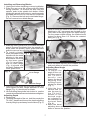
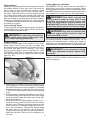
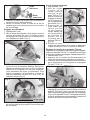
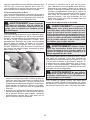
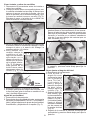
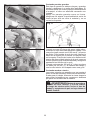
6.After finishing a cut, be sure the lower guard
closes and the blade comes to a complete stop
before setting the saw down.
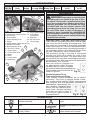
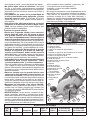
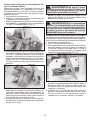
Fig. 14
Troubleshooting
If the blade does not follow a straight line:
•Teeth are dull. This is caused by hitting a hard
object such as a nail or stone, dulling teeth on one
side. The blade tends to cut to the side with the
sharpest teeth.
•Shoe is out of line or bent
•Blade is bent
•Rip fence or guide is not being used
If the blade binds, smokes or turns blue from friction:
•Blade is dull
•Blade is on backwards
•Blade is bent
•Blade is dirty
•Workpiece is not properly supported
•Incorrect blade is being used
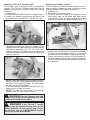
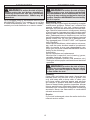
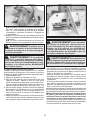
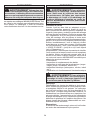
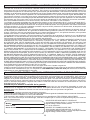
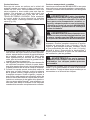
Fig. 15
applications
WARNING To reduce the risk of injury,
always unplug tool before attaching or removing accessories or making adjustments. Use
only specifically recommended accessories.
Others may be hazardous.
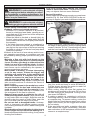
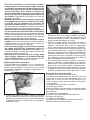
Fig. 16
WARNING To reduce the risk of injury,
wear safety goggles or glasses with side shields.
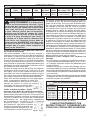
Selecting Tilt-Lok™ Handle Positions
The Tilt-Lok™ handle is a feature which allows the
user to adjust the angle of the handle for optimum
cutting positions. The Tilt-Lok™ handle has eight (8)
detents which allow the handle to snap into position
(Fig.14). See “Adjusting Tilt-Lok™ Handle” for
instuctions on adjusting the handle. Refer to the
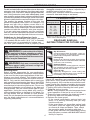
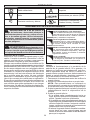
chart below for suggested handle positions.
* These are only suggested positions; the actual optimum
cutting position may vary depending on the actual application and user preference.
APPLICATION
For cuts made
at or near waist
level
For shallow cuts
made at or near
waist level
Suggested Tilt-Lok
Positions*
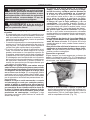
Handle in lower positions (Fig. 15)
allows for more leverage when
pushing the saw through the
workpiece.
Handle in lower positions allows
the user to apply increased downward force during shallow cuts.
For cuts made
below the waist,
as in flooring applications
Handle in higher positions
(Fig. 16) reduce the amount of
“bending over” by the user. Higher
handle positions allow the user
to apply an increased downward
force on the saw.
For cuts made
overhead, as in
ceiling applications
Handle in higher positions reduce
the amount of extended reach by
the user for overhead cuts. Higher
handle positions allow the user to
apply an increased upward force
on the saw.
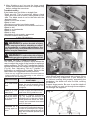
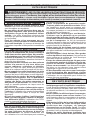
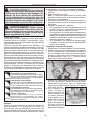
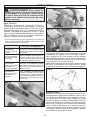
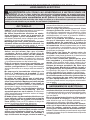
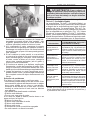
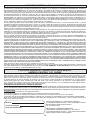
Cutting Large Panels
Large panels and long boards sag or bend if they
are not correctly supported. If you attempt to
cut without leveling and properly supporting the
workpiece, the blade will tend to bind, causing
kickback.
Support large panels. Be sure to set the depth of
the cut so that you only cut through the workpiece,
not through the supports.
Fig. 17
10