1
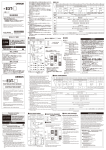
fig.01(パネル図)
fig. 1
1
10
12
7. 기 준 피 치 표 시 : 연 주 시 기 준 음 정 이 되 는 A4 ( 피 아 노 에 서 는 건 반 중 앙 의 라 소 리 ) 의
주 파 수 를 " 기 준 피 치 " 라 고 합 니 다 . 기 준 피 치 의 변 경 범 위 는 A4 = 435 ~ 446 Hz 입 니 다
stabilizes within a range of three cents above or below the correct pitch. The beeping sound that tells you that a
string is precisely in tune will have the pitch of a note from C5 to B5, depending on the string being tuned.
You can switch the AccuPitch function on (displayed) or off (not displayed). Holding down [TUNER] while
turning on the power sets the TU-80 to the opposite mode from the one currently active.
9
5
4
7. Reference Pitch Indicator: The frequency of the A4 pitch (the middle A on a piano keyboard) that is
used in tuning for performances is called the "reference pitch." You can adjust the reference pitch to any value
from A4=435 Hz to A4=446 Hz.
」 가 점등합니다 .
• Metronome Screen (fig. 3)
1. Guide Indicators: Flashes in time with the metronome tempo.
2. 리 듬 스 타 일 표 시 : 다 음 0-7 에 서 리 듬 스 타 일 ( 메 트 로 놈 의 십 분 ) 을 선 택 합 니 다 .
0:
3
4:
6
(4 분 음표) 、 1:
(쉽표 팔분음효) 、 2:
(중간쉼셋잇단음표) 、 5:
(8 분음표) 、 3:
(셋잇단음) 、
(16 분음표) 、 6:
The “
7:
1
1
3
7
6
4
5
2
0:
(Quarter note), 1:
한 박자 할 때의 박자 ( 비트 ) 를 표시합니다 . 설정된 박자의 1 박자 박에 엑센트가준
소리가 납니다 . 설정 범위는 0 ~ 9 입니다 .
3:
(Triple), 4:
※ 비 트 를 "0" 으 로 설 정 한 경 우 에 는 일 정 한 소 리 로 들 립 니 다 .
※ 리 듬 스 타 일 이 "6" 또 는 "7" 의 경 우 ( 베 의 경 우 ) 은 기 본 패 턴 의 반 복 횟 수 를 설 정 합 니 다 .
6:
2. 템 포 표 시 : 설 정 범 위
5
4
fig. 2
fig. 3
■ 각부의 명칭 및 기능
■ 튜너를 사용하기
(fig. 1)
1. [ POWER ] 버 튼 : 전 원 의 온 / 오 프 를 전 환 합 니 다 .
전 원 을 켠 후 , 마 지 막 버 튼 조 작 으 로 부 터 아 무 것 도 조 작 하 지 않 고 약 10 분 이 상 경 과 하 면 자 동 으 로 전 원
이 꺼 집 니 다 ( 오 토 파 워 오 프 기 능 ).
오 토 파 워 오 프 기 능 을 설 정 / 해 제 할 수 있 습 니 다 . VALUE [
]와 [
] 를 동시에 누른 상태에
서 POWER 를 눌 러 전 원 을 켜 면 , 자 동 파 워 오 프 기 능 은 취 소 ( 오 프 ) 됩 니 다 . 다 시 전 원 을 켜 면 , 자 동 파
워 오프 기능이 설정됩니다 .
2. [TUNER] 버 튼 : 튜 너 로 전 환 합 니 다 .
3. [METRONOME] 버 튼 : 메 트 로 놈 으 로 전 환 합 니 다 . 메 트 로 놈 을 시 작 / 정 지 합 니 다 .
4. OUTPUT 잭 : INPUT 잭 에 연 결 된 악 기 의 신 호 가 출 력 됩 니 다 . 또 한 전 원 을 끄 면 , 튜 너
회로가 완전히 분리되어 음질 변화 없이 악기의 신호가 출력됩니다 . 헤드폰은 지원하지
않습니다 .
※ 메트로놈 소리는 나지 않습니다 .
5. [SOUND] 버 튼 : TU-80 의 소 리 켜 기 / 끄 기 를 전 환 합 니 다 . ※ 볼 륨 은 고 정 입 니 다 .
튜 너 작 동 시 : 크 로 매 틱 모 드 는 반 음 마 다 12 개 의 기 준 음 이 납 니 다 .
기타 / 베이스 모드는 개방현의 음정이 날 수 있습니다 .
튜 닝 계 이 름 / 현 번 호 를 변 경 하 려 면 , [SOUND] 를 눌 러 VALUE [
]또 는 [
번 호 를 선 택 합 니 다 . 한 번 더 [SOUND] 를 누 르 면 소 리 가 멈 춥 니 다 .
※ 소 리 를 내 는 동 안 은 튜 닝 할 수 없 습 니 다 ( 미 터 가 진 동 하 지 않 습 니 다 ).
메트로놈 작동시 : 메트로놈 소리를 온 / 오프합니다 .
]/ [
]로 설정합니다 .
메 트 로 놈 템 포 를 설 정 하 려 면 VALUE [
] 또는 [
6. 악 기 를 튜 닝 합 니 다 .
원 하 는 계 이 름 / 현 번 호 가 디 스 플 레 이 에 표 시 되 고 튜 닝 가 이 드 의 "" 와 "" 가 모 두 점 등 하 고
미터의 바늘이 0 ( 중앙 ) 을 가리키도록 악기를 튜닝합니다 .
안정 피치가 맞으면 " 삐핏 " 하고 소리로 튜닝 완료를 알려줍니다 . ( 아큐 피치 기능 켜짐 )
■ 메트로놈 사용하기
1. [POWER] 를 눌 러 전 원 을 켭 니 다 .
2. [METRONOME] 을 눌 러 메 트 로 놈 으 로 전 환 합 니 다 .
1 박자마다 좌우로 바늘 표시가 이동합니다 .
[METRONOME] 를 누 를 때 마 다 메 트 로 놈 이 시 작 / 정 지 합 니 다 .
필 요 에 따 라 SELECT 및 VALUE [
]또는 [
]로 리듬 스타일 , 비트 , 템포를 설정합니다 .
템 포 를 설 정 하 려 면 VALUE [
] 또는 [
]를 누르면 값이 빠르게 변합니다 .
] 를 누르면 값이 빠르게 변합니다 .
8. INPUT 잭 : 튜 닝 할 기 타 나 베 이 스 기 타 등 의 악 기 를 연 결 합 니 다 .
9. 마 이 크 : 어 쿠 스 틱 악 기 를 튜 닝 할 때 사 용 합 니 다 .
2.
10. 스 피 커 11. 가 이 드 인 디 케 이 터 12. 디 스 플 레 이
※ 배 터 리 의 극 성 (+ / -) 를 틀 리 지 않 도 록 주 의 하 십 시 오 .
4. 전 지 뚜 껑 를 밀 어 확 실 히 닫 으 십 시 오 .
■ 디스플레이 표시
* 튜 너 화 면 (fig. 2)
1. 가 이 드 인 디 케 이 터 : 튜 닝 의 기 준 을 표 시 기 점 등 으 로 표 시 합 니 다 .
「
」 켜짐:피치가 낮음
「
」 켜짐:피치가 높음
「
」 와 「
」 이 점등:피치가 정확함 ( ± 3 센트 )
2. 튜 닝 모 드 표 시 : 3 개 의 튜 닝 모 드 가 있 습 니 다 .
CHROMATIC : 반 음 마 다 12 개 전 부 음 정 을 조 정 할 수 있 습 니 다 .
GUITAR : 기 타 줄 번 호 로 조 정 할 수 있 습 니 다 .
BASS : 베 이 스 기 타 줄 번 호 로 조 정 할 수 있 습 니 다 .
3. 플 랫 튜 닝 표 시 : 일 반 튜 닝 ( 레 귤 러 튜 닝 ) 보 다 실 제 의 음 정 을 전 체 적 으 로 낮 춘 ( 반 음
에서 5 반음 = 2 소리 세미 톤까지 ) 튜닝을 일반 표시 상태로 쉽게 수행할 수 있습니다 .
화면에는 ( 반음 )
,..
( (5 반 음 ) 로 표 시 됩 니 다 . 레 귤 러 의 경 우 도
과
이
교대로 깜박입니다
4. 계 이 름 / 현 번 호 : 크 로 매 틱 모 드 는 " 계 이 름 "+ " 옥 타 브 " 를 , 기 타 / 베 이 스 모 드 는 "
현 번 호 "+ " 소 리 이 름 " 을 표 시 합 니 다 .
5. 미 터 : 표 시 된 계 이 름 , 현 번 호 에 대 한 피 치 의 차 이 를 표 시 합 니 다 .
6. 아 큐 피 치 기 능 온 / 오 프 표 시 : 안 정 ± 3 센 트 범 위 에 포 함 되 면 소 리 튜 닝 완 료 를 알
려 줍 니 다 ( 아 큐 피 치 기 능 ). 튜 닝 완 료 소 리 는 튜 닝 하 는 소 리 의 높 이 에 맞 춰 , C5 ~ B5 의
오래된 배터리를 제거합니다 .
After the TU-80 is turned on, if approximately ten minutes passes without any button being pushed, the power is
then turned off automatically (Auto Power Off function).
You can turn the Auto Power Off function on and off. Simultaneously hold down VALUE [
] and [
]
and press [POWER] to turn on the power; the Auto Power Off function is then cancelled (switch off). The next
time the power is on, Auto Power Off function will once again activated.
5. [SOUND] Button: Switches the TU-80’s sound on and off. * The volume is not adjustable.
When in tuner mode: In CHROMATIC mode, you can play any of the twelve notes in the chromatic scale.
In GUITAR/BASS mode, pitches corresponding to the open strings are played. When changing the name of the
note or the number for the string being tuned, press [SOUND] and then press VALUE [
] or [
] to select
the note name or string number. Press the [SOUND] once again to stop playing the reference sound.
* The tuning function is disabled unless the TU-80’s sound is muted. (the meter does not fluctuate).
When in metronome mode: Switches the metronome sound on and off.
6. [SELECT] Button: The parameter to be set switches each time this is pressed.
7. VALUE [
] [
button is pressed.
Holding down VALUE [
rapidly.
X g
b v E z
_
■ 주요 사양
● 튜 너 ○ 기 준 피 치 : A4 = 435 - 446Hz
○ 측 정 범 위 : E0 (20.6 Hz) ~ C8 (4186.0 Hz) ○ 내 부 측 정 정 밀 도 : ± 1 센 트
● 메 트 로 놈 ○ 템 포 : 30 - 250 ○ 리 듬 스 타 일 : 4 분 음 표 , 쉼 표 8 분 음 표 , 8 분 음 표 , 셋 잇 단 음 표 ,
중 간 쉼 셋 잇 단 음 표 , 16 분 음 표 , 크 라 베 (3-2,2-3) ○ 비 트 : 0 - 9
● 입 력 임 피 던 스 : 680k Ω ● 표 시 : LCD 디 스 플 레 이 , 튜 닝 가 이 드 LED
● 접 속 단 자 : 인 풋 잭 , 아 웃 풋 잭 ● 전 원 : AA 건 전 지 × 2
● 소 비 전 류 : 3mA ( 메 트 로 놈 사 용 시 ), 8mA ( 튜 너 사 용 시 , A4 = 440Hz 입 력 )
○ 연 속 사 용 시 의 전 지 의 수 명 ( 망 간 전 지 사 용 시 ) : 약 100 시 간 (A4 = 440Hz 연 속 입 력 시 ) ※ 사 용 조 건 에 따 라 다 릅 니 다
있 습 니 다 . ● 외 형 치 수 : 122 ( 폭 ) × 68 (D) × 21 ( 높 이 ) mm ● 질 량 : 117g ( 건 전 지 포 함 )
● 부 속 품 : AA 형 망 간 건 전 지 (R6 1.5V) 2 개 , 설 명 서 , 광 고 지 ( 안 전 상 주 의 사 항 , 사 용 상 주 의 사 항 , AS 안 내 )
※ 제품의 사양 및 외관은 개량을 위해 예고없이 변경 될 수 있습니다 .
이 기 기 는 가 정 용 (B 급 ) 전 자 파 적 합 기 기 로 서 주 로 가 정 에 서 사 용 하 는 것 을 목 적 으 로 하 며 , 모 든 지 역 에 서 사 용 할 수 있
습니다 .
* 공 식 수 입 원 : ( 주 ) 코 스 모 스 악 기 cosmosmusic.com
• Panel Descriptions (fig. 1)
1. [POWER] Button: Switches the power on and off.
Use VALUE [
]/[
] to make settings for the flashing parameter.
In tuner mode: Selects whether it is the tuning mode, flat tuning, or reference pitch that is indicated.
In Metronome mode: Selects whether it is the rhythm style, beat, or tempo that is indicated.
3. 같 은 종 류 의 AA 새 건 전 지 2 개 를 넣 습 니 다 .
※ 배터리를 한 번 사용한 배터리 나 종류가 다른 전지를 혼용하지
마십시오 . 전지의 용액이 흐르는 원인이 됩니다 .
- 본체 바닥의 틈새에 동전 등을 꽂으면 스탠드로 사용할 수 있습니
다.
- 그림의 스트랩 홀더에 스트랩을 통해 걸 수 있습니다 .
Owner’s Manual
Thank you, and congratulations on your choice of the BOSS TU-80 Tuner & Metronome.
Before using this unit, carefully read the sections entitled: “USING THE UNIT SAFELY” and
“IMPORTANT NOTES” (separate sheet).
These sections provide important information concerning the proper operation of the unit. Additionally, in order
to feel assured that you have gained a good grasp of every feature provided by your new unit, this manual should
be read in its entirety. The manual should be saved and kept on hand as a convenient reference.
As shipped, the TU-80’s batteries are not yet installed. Be sure to read “Changing the
Batteries” and then follow the instructions to install the batteries.
Copyright © 2003 BOSS CORPORATION
All rights reserved. No part of this publication may be reproduced in any form without the
written permission of BOSS CORPORATION.
tuner’s circuitry is completely bypassed once you switch the power off, so your instrument’s signal is output
without any change in the tone quality. This jack is not for headphone use.
* The metronome sound will not be output.
전 지 가 소 모 되 면 디 스 플 레 이 및 LED 표 시 가 어 두 워 집 니 다 .
최대한 빨리 배터리를 교체하십시오 .
※ 전지는 전원을 끌 때의 기억유지 용 전원으로 사용되고 있습니다. 배터리를 본체에서 분리하거나 배
터리가 방전 된 경우에는 메모리 기능으로 기억시킨 각종 설정은 공장출하시 상태로 돌아갑니다 .
1. 본 체 하 단 의 전 지 뚜 껑 을 누 른 채 밀 어 분 리 합 니 다 .
마 이 크 를 악 기 에 접 근 시 키 십 시 오 . 마 이 크 를 사 용 할 때 INPUT 잭 , OUTPUT 잭 에 아 무 것 도 연 결 하 지 마
십시오 .
*
2. [TUNER] Button: Switches the tuner mode.
3. [METRONOME] Button: Switches the metronome mode. Starts and stops the metronome.
4. OUTPUT Jack: The signal of the instrument connected to the INPUT jack is output from this jack. The
배터리를 넣어두면 , 전원을 끄고도 각종 설정을 기억하게 할 수 있습니다 .
배터리를 떼면 공장 설정으로 돌아갑니다 .
※ 오 토 파 워 오 프 기 능 설 정 , SOUND 버 튼 온 / 오 프 는 기 억 되 지 않 습 니 다 .
공장 설정은 다음과 같습니다 .
튜 너 튜 닝 모 드 : CHROMATIC 기 준 피 치 : 440 Hz,
아큐 피치 기능 : 온 , 플랫 튜닝 : 레귤러 [ 메트로놈 ]
템 포 : 120, 리 듬 ? 스 타 일 : 0 (4 분 음 표 ), 비 트 : 4
■ 전지 교환하기
]: 누 를 때 마 다 파 라 미 터 의 값 이 1 씩 감 소 / 증 가 합 니 다 .
1.
3. [TUNER] 를 눌 러 튜 너 로 전 환 합 니 다 .
5. 악 기 를 단 음 으 로 소 리 냅 니 다 .
난 소리에 가까운 계이름 / 현 번호가 디스플레이에 표시됩니다 . 정확한 음정과의 엇갈림이 미터와
튜닝 가이드 표시됩니다 .
(Sixteenth note)
(Clave-Based Pattern (2-3))
=30 to
=250.
• Using the Tuner
2. [POWER] 를 눌 러 전 원 을 켭 니 다 .
4. [SELECT] 및 VALUE [
]또는 [
] 에 서 튜 닝 모 드 (CHROMATIC, GUITAR, BASS) 을 선
택합니다 .
필 요 에 따 라 SELECT 및 VALUE [
]또는 [
]에서 튜플랫 튜닝과 기준 피치의 설정을합
니다 .
(Triple with center rest), 5:
(Eighth note),
(Clave-based pattern (3-2)), 7:
4. Needle: Moves in time with the tempo.
5. Tempo Indicator: This can be set within a range from
※ 다른 기기와 연결할 때 오동작이나 스피커 등의 파손을 방지하기 위해 반드시 모든 기기의 음량을
줄인 상태에서 전원을 끄십시오 .
■ 메모리 기능
]에 서 계 이 름 / 현
6. [SELECT] 버 튼 : 누 를 때 마 다 설 정 하 는 파 라 미 터 가 전 환 됩 니 다 .
깜 박 이 는 파 라 미 터 값 을 VALUE [
]또는 [
튜너시 : 튜닝 모드 , 플랫 튜닝 , 기준 피치입니다 .
메트로놈시 : 리듬 스타일 , 비트 , 템포의 깁니다 .
= 30 ~ 250 입 니 다 .
1. 튜 닝 악 기 를 INPUT 잭 에 연 결 합 니 다 .
어 쿠 스 틱 악 기 의 튜 닝 에 는 내 장 마 이 크 를 사 용 하 기 때 문 에 , INPUT / OUTPUT 잭 에 아 무 것 도 연 결
하 지 않 고 악 기 근 처 에 TU-80 을 놓 습 니 다 .
BOSS 튜 너 & 메 트 로 놈 TU-80 을 구 입 해 주 셔 서 진 심 으 로 감 사 드 립 니 다 .
이 기기를 제대로 사용하기 위해 사용 전에 별지 " 안전상 주의사항 " 와 " 사용상 주의사항 " 을 잘 읽어 보
시기 바랍니다 . 또한 이 기기의 뛰어난 기능을 충분히 이해할 수 있도록 , 취급 설명서를 잘 읽어보십시오
. 취급 설명서는 필요할 때 즉시 볼 수 있도록 하십시오 .
구입시 배터리는 설정되어 있지 않습니다 . 반드시 " 배터리 교체 방법 " 에 따라 배터리를 장착하십시오 .
© 2003 보 스 주 식 회 사 본 서 의 일 부 또 는 전 부 를 무 단 으 로 복 사 ? 전 재 하 는 것 을 금 지 합 니 다 .
(Eighth rest and eighth note), 2:
3. Beat Indicator: This indicates the beat setting when
is equivalent to one beat. The first beat in the
setting is played as the down beat. This can be set within a range from 0 to 9.
* When the beat is set to “0,” a fixed, steady sound is played.
* When the rhythm style is set to “6” or “7” (when set to claves), this sets the number of times the basic
pattern is repeated.
1. 바 늘 : 템 포 에 맞 추 어 이 동 합 니 다 .
3
” lights up on the off beats.
from 0 to 7.
(클라베기본패턴 (2-3))
3. 비 트 표 시 :
2
” for the selected beat lights up on the down beats; the “
2. Rhythm Style Indicator: Select one of the following rhythm styles (the way the metronome sounds)
(클라베기본패턴 (3-2)) 、
8
7
fig.02(LCD 図)
7. VALUE [
5. Meter: This shows the difference in pitch from the indicated note name or string number.
6. Accu-Pitch On/Off Indicator: The Accu-Pitch function plays a beeping sound when the pitch
* 메 트 로 놈 화 면 (fig. 3)
1. 가 이 드 인 디 케 이 터 : 메 트 로 놈 의 박 자 에 맞 춰 깜 박 입 니 다 .
설정한 비트의 강박에서 「 」 가 점등하고 , 약박에서 「
11
2
범위에서 " 삐핏 " 입니다 . 아큐 피치 기능 설정 ( 표시 있음 ) / 오프 ( 없음 ) 을 전환 할 수
있 습 니 다 .[TUNER] 를 누 른 상 태 에 서 전 원 을 켜 면 , 현 재 의 반 대 상 태 로 설 정 됩 니 다 .
]: The selected parameter value decreases or increases each time the respective
] or [
] when setting the metronome tempo causes the values to change more
8. INPUT Jack: Connect the guitar, bass guitar, or other instrument to be tuned here.
9. MIC: Use this when tuning acoustic instruments. Position the mic as closely as possible to the instrument.
Do not connect anything to the INPUT or OUTPUT jacks when using the mic.
10. Speaker 11. Guide Indicators 12. Display
• Display
• Tuner Screen (fig. 2)
1. Guide Indicators: These light to show how close you are to the target pitch.
When “
When “
” lights: pitch is flat (low). When “
” lights: pitch is sharp (high).
” and “
” light: in tune (±3 cents).
2. Tuning Mode Indicator: There are three tuning modes.
CHROMATIC: Allows tuning any of the twelve pitches in the chromatic scale.
GUITAR: Allows tuning by guitar string number.
BASS: Allows tuning by bass guitar string number.
3. Flat Tuning Indicator: This lowers the actual pitch of all notes below the regular tuning (from one to
five semitones, or two and a half steps), and can be accomplished simply without changing the regular display.
The flat (“ ”) indicator will vary from “ ” (one semitone down) to “
” and so on to “
” (5
semitones down). With the regular setting, “
” and “
” alternately flash.
2.
3.
4.
5.
6.
Connect the instrument to be tuned to the INPUT jack.
The built-in mic is used for tuning acoustic instruments. When using the mic, make sure that nothing is
connected to the INPUT or OUTPUT jacks, and place the TU-80 near the instrument.
To prevent malfunction and/or damage to speakers or other devices, always turn down the volume, and turn
off the power on all devices before making any connections.
Press the [POWER] to switch the power on.
Press the [TUNER] to swtich the tuner mode.
Use the [SELECT] and the VALUE [
] or [
] to select the tuning mode (CHROMATIC, GUITAR
or BASS).
In necessary, use [SELECT] and VALUE [
] or [
] to set the flat tuning and reference pitch.
Play a single note on the instrument.
The note name/string number for the note that is playing appears in the display.
The meter and Tuning Guide show how far the note is from the correct pitch.
Tune the instrument.
With the intended note name/string number appearing in the display, tune the instrument so that both “
” and
“
” of the Tuning Guide are lit, and the meter needle points to 0 (center position).
When a stable pitch is achieved, the tuner makes a beeping sound, informing you that the tuning is
completed (when the Accu-Pitch function is set to on).
• Using the Metronome
1.
2.
Press the [POWER] to switch the power on.
Press the [METRONOME] to swtich the metronome mode.
With each beat, the needle alternately moves to the left and right.
The metronome alternately starts and stops each time you press [METRONOME].
In necessary, use [SELECT] and VALUE [
] or [
] to set the rhythm style, beat and tempo.
Holding down VALUE [
] or [
] when setting the tempo causes the values to change more rapidly.
• Memory Function
Once batteries are installed in the TU-80, a number of different settings can be stored in memory, where they'll
be preserved even while the power is turned off.
Removing the batteries returns the TU-80 to its original factory settings.
* The settings for the Auto Power Off function and the [SOUND] button On/Off are not saved.
The original factory settings are listed below.
[Tuner] Tuning Mode: CHROMATIC, Reference Pitch: 440 Hz, Accu-pitch Function: On,
Flat Tuning: Regular
[Metronome] Tempo: 120, Rhythm Style: 0 (Quarter note), Beat: 4
• Changing the Batteries
The display and LED indicators dim when the batteries begin to run down.
Replace the batteries as soon as possible.
* The settings stored by the memory function are reset to the default factory settings if the batteries are
removed from the tuner, or if the batteries get completely depleted.
1. Press down and slide off the lid of the batteries compartment (located
on the bottom of the unit).
2. Remove the old batteries from the compartment.
3. Insert two of the same type of fresh AA batteries.
* Make sure the “+” and “-” ends of the batteries are oriented
correctly.
4. Slide the lid back into place.
* Do not mix fresh batteries with used ones, or mix batteries of different types. Doing so can result in fluid leakage.
• You can insert a coin in the slit on the bottom of the unit and use the
Hole
coin as a stand.
• The strap can be passed through the hole shown in the figure.
• Main Specifications
• Tuner - Reference Pitch: A4=435 Hz-446 Hz (1 Hz steps)
- Tuning Range: E0 (20.6 Hz)-C8 (4186.0 Hz) - Internal Tuning Accuracy: ±1 cent
• Metronome - Tempo: 30-250 - Rhythm Style: Quarter note, Eighth rest and eighth note, Eighth note, Triple, Triple with
center rest, Sixteenth note, Clave (3-2, 2-3) - Beat: 0-9 • Input Impedance: 680 k¾ • Indicator: LCD Display, Tuning
Guide LED • Connectors: Input Jack, Output Jack • Power Supply: Dry Battery (R6/LR6 (AA) Type) x 2
• Power Consumption: 3 mA (Metronome mode), 8 mA (Tuner mode and A4=440 Hz input) - Expected battery life
under continuous use (Carbon): Approximately 100 hours (A4 continuous input) * These figures will vary depending on the
actual conditions of use. • Dimensions: 122 (W) x 68 (D) x 21 (H) mm / 4-13/16 (W) x 2-11/16 (D) x 7/8 (H) inches • Weight:
117 g / 5 oz (including batteries) • Accessories: Dry Battery (R6 (AA) Type) x 2, Owner's Manual, Leaflet ("USING THE
UNIT SAFELY" and "IMPORTANT NOTES" ), Information (sepalate sheet)
* In the interest of product improvement, the specifications and/or appearance of this unit are subject to change without prior notice.
4. Note Name/String Number Indicator: In CHROMATIC mode, this indicates the “note name” and
“octave”; in GUITAR/BASS mode, it indicates the “string number” and “note name.”
17041001
*
1
7
0
4
1
0
0
1
-
0
3
*
3SX
Bedienungsanleitung
Copyright © 2003 BOSS CORPORATION Alle Rechte vorbehalten. Dieses Dokument darf nicht, weder ganz noch teilweise, in
irgendeiner Weise reproduziert werden, wenn nicht die ausdrückliche schriftliche Genehmigung von BOSS Corporation vorliegt.
• Bedienfeldbeschreibungen (Abb. 1)
1. [POWER]-Taste: Schaltet das Gerät ein bzw. aus.
Wenn das TU-80 eingeschaltet ist und ca. zehn Minuten ohne Tastenbedienung vergehen, schaltet sich das Gerät
automatisch aus (automatische Ausschaltfunktion).
Sie können die automatische Ausschaltfunktion aktivieren und deaktivieren. Halten Sie VALUE [
] und
[
] gleichzeitig gedrückt und drücken Sie [POWER] zum Einschalten; die automatische Ausschaltfunktion
wird dann annuliert (deaktiviert). Beim nächsten normalen Einschalten wird die automatische Ausschaltfunktion
wieder aktiviert.
2. [TUNER]-Taste: Schaltet auf Stimm-Modus.
3. [METRONOME]-Taste: Schaltet auf Metronom-Modus. Startet und stoppt das Metronom.
4. OUTPUT-Buchse: Das Signal des an die INPUT-Buchse angeschlossenen Instruments wird von dieser
Buchse ausgegeben. Die Tuner-Schaltung wird vollständig umgangen, sobald das Gerät ausgeschaltet wird, so
dass Ihr Instrumentensignal dann ohne jegliche Klangbeeinflussung ausgegeben wird. Diese Buchse ist nicht für
den Anschluss eines Kopfhörers geeignet.
* Der Metronomklang wird nicht ausgegeben.
5. [SOUND]-Taste: Schaltet die Stimmtöne des TU-80 ein und aus.
Wenn im Stimm-Modus: Im CHROMATIC-Modus können Sie jede der zwölf Noten in der chromatischer Tonleiter
als Stimmton vom TU-80 spielen lassen. Im GUITAR/BASS-Modus werden Tonhöhen entsprechend der offenen Saiten
gespielt. Beim Ändern des Namens der Note oder der Nummer für die zu stimmende Saite drücken Sie [SOUND] und
anschließend VALUE [
] oder [
] zum Wählen der Notenbezeichnung oder Saitennummer. Drücken Sie
[SOUND] erneut einmal, um den Referenzton zu stoppen.
* Die Stimmfunktion per Nadel wird deaktiviert, wenn die Soundausgabe des TU-80 aktiv ist. (Die Nadel-Anzeige bewegt sich nicht.)
Wenn im Metronom-Modus: Schaltet den Metronomklang ein und aus.
6. [SELECT]-Tasten: Der einzustellende Parameter schaltet bei jedem Drücken dieser Taste um.
Verwenden Sie VALUE [
]/[
], um Einstellungen für den blinkenden Parameter vorzunehmen.
Im Tuner-Modus: Wählt den Stimm-Modus, Flat-Tuning oder die angezeigte Referenz-Tonhöhe.
Im Metronom-Modus: Wählt, ob Rhythmus-Stil, Takt oder Tempo angezeigt wird.
7. VALUE [
][
]: Der gewählte Parameterwert nimmt bei jedem Drücken der betreffenden Taste zu
bzw. ab. Durch Gedrückt halten von VALUE [
] oder [
] beim Einstellen des Metronomtempos ändert
sich der Wert schneller.
8. INPUT-Buchse: Hier wird die Gitarre, Bassgitarre oder ein anderes zu stimmende Instrument angeschlossen.
9. MIC: Wird zum Stimmen von akustischen Instrumenten verwendet.
Bringen Sie das Mikrofon so nahe wie möglich an das Instrument. Schließen Sie keine Geräte an die Buchsen
INPUT oder OUTPUT an, während das Mikrofon verwendet wird.
10. Lautsprecher 11. Richtanzeigen 12. Display
• Display
• Stimm-Anzeige (Abb. 2)
1. Richtanzeigen: Diese leuchten auf, um zu zeigen, wie nahe das zu stimmende Instrument der Zieltonhöhe ist.
Wenn "
" leuchtet: Die Tonhöhe ist zu niedrig (flat). Wenn "
" leuchtet: Die Tonhöhe ist zu hoch (sharp).
Wenn "
" und "
" leuchten: korrekt gestimmt (±3 Cent).
2. Stimm-Modus-Anzeige: Es gibt drei Stimm-Modi: CHROMATIC: Ermöglicht das Stimmen jeder der
zwölf Noten in der chromatischen Tonleiter. GUITAR: Ermöglicht das Stimmen nach der Saitennummer der
Gitarre. BASS: Ermöglicht das Stimmen nach der Saitennummer des Basses.
3. Flat-Tuning-Anzeige: Die Gitarre kann von einem bis zu fünf Halbtönen tiefer gestimmt werden, ideal für
Hardrock/Heavy Metal. Dies wird ausgeführt, ohne die normale Anzeige zu ändern. Das Flat-Zeichen (" ")
variiert von " " (einen Halbton niedriger) bis "
" und so weiter bis "
" (5 Halbtöne niedriger). Bei
normaler Einstellung blinken "
" und "
" abwechselnd.
4. Notenbezeichnung/Saitennummer-Anzeige: Im CHROMATIC-Modus wird hier der "Notenname" und
"Oktave" angezeigt; im GUITAR/BASS-Modus wird die "Saitennummer" und der "Notenname" angezeigt.
5. Nadelanzeige: Zeigt den Unterschied der Tonhöhe von dem angezeigten Notennamen oder Saitennummer an.
6. Accu-Pitch Ein/Aus-Anzeige: Die Accu-Pitch-Funktion spielt einen Signalton ab, wenn die Tonhöhe in
einem Bereich von drei Cent über oder unter der korrekten Tonhöhe erreicht ist.
Sie können die Accu-Pitch-Funktion einschalten oder ausschalten. Durch Gedrückt halten der Taste [TUNER]
beim Einschalten wird das TU-80 auf den jeweils anderen als den momentan aktiven Modus geschaltet.
7. Referenztonhöhen-Anzeige: Sie können die Referenztonhöhe auf einen Wert von A=435 Hz bis A=446 Hz einstellen.
• Metronom-Anzeige (Abb. 3)
1. Richtanzeigen: Blinkt im Tempo des Metronoms. Das "
" für den gewählten Takt leuchtet bei
Abwärtsschlägen (Hauptzählzeiten) auf; das "
" leuchtet bei Offbeats auf.
2. Rhythmusstil-Anzeige: Wählen Sie einen der folgenden Rhythmusstile für das Metronom von 0 bis 7.
0:
, 1:
, 2:
, 3:
, 4:
, 5:
, 6:
, 7:
3. Taktanzeige: Zeigt die Takteinstellung ein
die einem Takt entspricht.
Der erste Schlag in der wird als betonte Zählzeit gespielt. Dieser kann in einem Bereich von 0 bis 9 eingestellt
werden.
* Wenn "0" eingestellt ist, wird ein statischer Sound gespielt.
* Wenn der Rhythmusstil auf "6" oder "7" gestellt ist (bei Einstellung auf Claves), stellt dieses die Anzahl der
Wiederholungen des Grundmusters an.
4. Nadel 5. Tempoanzeige: Kann in einem Bereich von
=30 bis
=250 eingestellt werden.
• Speicherfunktion
Durch Entfernen der Batterien wird das TU-80 auf seine ursprüngliche werkseitige Einstellung zurückgesetzt.
Die ursprünglichen werkseitigen Einstellungen sind wie folgt:
[Tuner] Stimm-Modus: CHROMATIC, Referenztonhöhe: 440 Hz, Accu-Pitch-Funktion: Ein, Flat-Tuning:
Normal
[Metronome] Tempo: 120, Rhythmusstil: 0 (Viertelnote), Takt: 4
• Batteriewechsel
Die Leuchtkraft des Displays und der LED-Anzeigen lässt nach, wenn die Leistung der Batterien erschöpft sind.
Ersetzen Sie dann die Batterien so bald wie möglich.
* Die mit der Speicherfunktion gesicherten Einstellungen werden automatisch auf die werkseitigen
Einstellungen zurückgesetzt, zurückgesetzt, wenn die Batterien aus dem Stimmgerät genommen werden, oder
wenn die Batterien vollständig verbraucht sind.
1. Nehmen Sie den Batteriefachdeckel ab (an der Unterseite des Gerätes).
Loch
2. Nehmen Se die alten Batterien aus dem Fach.
3. Setzen Sie zwei frische Mignonzellen (AA, R6) des gleichen Typs ein.
* Stellen Sie sicher, dass die "+" und "-" Seiten der Batterien richtig ausgerichtet sind.
4. Befestigen Sie den Batteriefachdeckel wieder.
* Verwenden Sie nicht neue und alte Batterien gemischt bzw. Batterien
verschiedener Sorten. Dadurch kann Austreten von Batterieflüssigkeit verursacht werden.
• Sie können eine Münze in den Schlitz unten am Gerät stecken und die Münze als Stativ verwenden.
• Die Schlaufe kann durch das in der Abbildung gezeigte Loch geführt werden.
• Technische Daten
• Stimmgerät - Referenztonhöhe: A4=435 Hz-446 Hz (1-Hz-Schritt) - Stimmbereich: E0 (20,6 Hz)-C8 (4186,0 Hz) - Interne
Stimmgenauigkeit: ±1 Cent • Metronom - Tempo: 30-250, Rhythmusstil: Viertelnote, Achtel-Pause und Achtelnote,
Achtelnote, Triole, Triole mit Pause, Sechzehntelnote, Clave (3-2, 2-3) - Takt: 0-9 • Eingangsimpedanz: 680 k¾
• Anzeige: LCD-Display, Stimm-LED • Anschlüsse: Eingangsbuchse, Ausgangsbuchse • Betriebsstromversorgung:
Trocken-Mignonzelle (R6/LR6, AA) x 2 • Leistungsaufnahme: 3 mA (Metronom-Modus), 8 mA (Stimmgerät-Modus und
A4=440 Hz Eingang) - Ungefähre Batterielebensdauer bei Dauerbetrieb (Karbon): Ca 100 Stunden (A4 kontinuierliches
Eingangssignal) * Diese Werte sind je nach den tatsächlichen Umgebungsbedingungen unterschiedlich.
• Abmessungen: 122 (B) x 68 (T) x 21 (H) mm • Gewicht: ca. 117 g (einschließlich Batterien) • Beigefügtes Zubehör:
Trockenbatterie (Typ R6, AA, Mignon) x 2, Bedienungsanleitung, Broschüre ("SICHERE VERWENDUNG DES GER GERÄTS"
und "WICHTIGE HINWEISE" ), Information (separates Blatt)
* Änderungen der technsichen Daten und des Designs bleiben vorbehalten. Für Druckfehler wird keine Haftung übernommen.
Manuale dell'utente
Diritto d‘autore © 2003 BOSS CORPORATION Tutti i diritti riservati. Nessuna parte di questa pubblicazione può essere
riprodotta in qualsiasi forma senza il consenso scritto di BOSS CORPORATION.
• Descrizioni del pannello (fig. 1)
1. Pulsante [POWER]: Accende e spegne l‘unità.
Dopo che TU-80 è acceso, se passano circa 10 minuti senza che venga premuto alcun pulsante, l’unità viene
spenta automaticamente (Funzione di Spegnimento Automatico).
È possibile attivare o disattivare la funzione di Spegnimento automatico. Premere simultaneamente VALUE
[
]e[
] e premere [POWER] per accendere l‘unità; la funzione di Spegnimento automatico viene allora
eliminata (disattivata). La prossima volta che l’unità è accesa, la funzione Spegnimento automatico verrà
nuovamente attivata.
2. Pulsante [TUNER] : Attiva la modalità accordatore.
3. Pulsante [METRONOME] : Attiva la modalità metronomo. Avvia e interrompe il metronomo.
4. Presa USCITA: Il segnale dello strumento collegato alla presa di entrata viene poi indirizzato a questa presa.
La circuiteria dell’ accordatore è completamente bypassata una volta che si spegne l‘unità, in questo modo il
segnale del vostro strumento viene emesso senza subire alcuna modifica a livello timbrico. Questa presa non è
concepita per essere utilizzata con cuffie
* Il suono del metronomo non verrà emesso.
5. Pulsante [SOUND] : Attiva e disattiva il suono del TU-80.
In modalità sintetizzaccordatore: In modalità CROMATICA, è possibile suonare qualsiasi delle 12 note nella
scala cromatica. In modalità CHITARRA/BASSO, vengono suonati gradi di tonalità che corrispondono alle corde aperte.
Quando si cambia il nome della nota o il numero delle corde che si stanno accordando, premere [SOUND] e poi premere su
VALUE [
]o[
]selezionare il nome della nota o numero di corda. Premere [SOUND] ancora una volta per
interrompere la riproduzione del tono di riferimento.
* La funzione accordatura è disabilitata finchè il TU-80 è in mute. (Il meter è immobile).
In Modalità metronomo: Attiva o disattiva il suono del metronomo.
6. Pulsante [SELECT] : Il parametro da impostare si attiva ogni volta che il pulsante è premuto.
Utilizzare VALUE [
]/[
] per impostare il parametro che lampeggia.
In modalità accordatore: Seleziona la modalità accordatore, accordatura flat o pitch di riferimento.
In modalità Metronomo: Seleziona lo stile ritmico, battuta, o tempo.
7. VALUE [
] [
]: Il parametro selezionato diminuisce o aumenta il valore ogni volta che viene
premuto il rispettivo pulsante. Tenendo premuto VALUE [
] o [
] quando si imposta il tempo del
metronomo i valori cambiano in modopiù veloce.
8. Ingresso INPUT: Collegare qui la chitarra, il basso, o altro strumento da accordare.
9. MIC (microfono): Da utilizzare quando si accordano strumenti acustici. Posizionare il microfono il più
vicino possibile allo strumento. Non collegare niente alle prese di Input o di Output quando si utilizza il
microfono.
10. Speaker 11. Indicatori di riferimento 12. Display
• Display
• Display accordatore (fig. 2)
1. Indicatori di riferimento : L’accensione delle luci mostra la vicinanzaal pitch desiderato.
Quando si accende “
”: il pitch è basso. Quando “
” si accende: il pitch è alto.
Quando “
”e“
” si accendono: il pitch è corretto (± 3 cent).
2. Indicatore modalità accordatura: Ci sono tre modalità di accordatura. CROMATICA: Permette
l’accordatura di uno qualsiasi dei dodici toni nella scala cromatica. CHITARRA: Permette l‘accordatura per
numero di corda della chitarra. BASSO: Permette l’accordatura per numero di corda del basso .
3. Indicatore di accordatura: Abbassa il pitch effettivo di tutte le note al di sotto dell‘accordatura regolare (da
uno a cinque semitoni, o due passi e mezzo) e può essere effettuato semplicemente senza cambiare la normale
visualizzazione. L’indicatore (“ ”) piatto varierà da “ ” (un semitono in giù) fino a “
” e così via fino a
“
” (giù di cinque semitoni). Con l‘impostazione regolare “
”e“
” lampeggiano automaticamente.
4. Nome della Nota /Indicatore numero corda: In modalità CROMATICA, questo indica il “nome della nota” e
l’“ottava”; nella modalità CHITARRA/BASSO indica il “numero di corda” e “nome della nota”.
5. Meter: Mostra la differenza in pitch per nome della nota indicata o numero di corda.
6. Indicatore Acceso/spento Accu-pitch: La funzione Accu-Pitch emette un suono di avviso quando il pitch si
stabilizza all‘interno di una gamma di tre cent al di sopra o al di sotto del pitch corretto.
È possible attivare la funzione AccuPitch (visualizzata) o disattivare (non visualizzata). Tenendo premuto
[TUNER] mentre si accende l’unità imposta il TU-80 nella modalità opposta da quella cattualmente attiva.
7. Indicatore di pitch di riferimento: È possible regolare il pitch di riferimento a qualsiasi valore da A=435
Hz fino a A=446 Hz
• Schermata metronomo (fig. 3)
1. Indicatori guida: Lampeggia a tempo con il tempo del metronomo. “
” indica i battere ; “
levare.
2. Indicatore stile ritmico: Selezionare uno dei seguenti stili ritmici (il modo in cui suona il metronomo) da 0 a 7.
0:
, 1:
, 2:
, 3:
, 4:
, 5:
, 6:
” indica i
, 7:
3. Indicatore battuta: Questo indica le impostazione della battuta quando una nota di un quarto equivale a una
battuta.
Questa prima battuta nelle impostazioni viene suonata come un down beat. Questo può essere impostato in una
serie da 0 a 9.
* Quando la battuta è impostata a “0”, viene emesso un suono continuo.
* Quando lo stile del ritmo è impostato a “6” o “7” imposta il numero delle volte che questo motivo base viene ripetuto.
4. Ago 5. Indicatore tempo: Questo può essere impostato all‘interno di una serie che va da
=30 a
= 250.
• Funzione memoria
Rimuovere le batterie riporta il TU-80 alle impostazioni originali di fabbrica.
Le impostazioni di fabbrica originali sono elencate di sotto.
[TUNER] Modalità accordatura: Pitch di riferimento CROMATICO: 440 Hz, Funzione Accu-pitch: Acceso,
Accordatura flat: Suono normale
[Metronome] Spento: Stile ritmo 120: Battuta 0 (quarto nota): Suono 4
• Cambiare le batterie
Il visualizzatore e gli indicatori a cristalli liquidi si attenuano quando le batterie iniziano a essere scariche.
Sostituire le batterie il prima possibile.
* Le impostazioni memorizzate ritornano alle impostazioni di default di fabbrica se le batterie vengono
rimosse dall’ accordatore, o se le batterie si esauriscono.
1. Premere ed estrarre il coperchio del compartimento delle batterie (in fondo all’unità)
2. Rimuovere le vecchie batterie dal compartimento.
3. Inserire due batterie nuove dello stesso tipo di batterie AA.
* Assicurarsi che le estremità “+” e “-“ delle batterie siano orientate
Foro
correttamente.
4. Rimettere il coperchio.
* Non mescolare le batterie nuove con quelle usate, o mescolare batterie di tipi
diversi. Ciò potrebbe danneggiare il prodotto.
• È possibile inserire una moneta nella fenditura alla fine dell‘unità e utilizzare la moneta come sostegno.
• La cinghia può essere passata attraverso il foro mostrato nella figura.
• Caratteristiche
• dell’ accordatore – Pitch di riferimento: A4=435 Hz-446 Hz (1 Hz step) – Gamma di accordatura: E0 (20.6 Hz)-C8
(4186.0 Hz) – Precisione di accordatura interna: ±1 cent • Metronomo – Tempo: 30-250 – Stile ritmo: Quarta, Ottava
riposo e ottava, ottava, triplo, triplo con riposo al centro, sedicesimo, clava (3-2,2-3) – Battuta: 0-9
• Impedenza entrata: Indicatore 680 k¾ • Visualizzatore: Visualizzatore a cristalli liquidi, Visualizzatore Guida
accordatore • Connettori: Presa di entrata, uscita • Alimentazione: Pile (R6/LR6 Tipo (AA) ) x 2 • Consumo energetico:
(Modalità metronomo) 3 mA, 8 mA (modalità accordatore e entrata A4=440 Hz)
– Durata della batteria con uso continuo (Carbone): Approssimativamente 100 ore (alimentazione continua A4)
* Queste cifre varieranno a seconda delle attuali condizioni d’uso. • Dimensioni: 122 (L) x 68 (P) x 21 (A) mm / 4-13/16 (L) x 211/16 (P) x 7/8 (A) pollici • Peso: 117 g (incluse le batterie) / 5 oncia • Accessori: Batteria (R6 tipo (AA) x2, Manuale
dell‘utente, libretto (“COME USARE L’UNITÀ) e “NOTE IMPORTANTIA'”), Informazione (foglio separato)
* Nell‘interesse del miglioramento del prodotto, le caratteristiche tecniche e/o l’aspetto di questa unità sono soggetti a cambiamenti
senza pravviso.
Manual del Propietario
Copyright © 2003 BOSS CORPORATION Reservados todos los derechos. Ninguna parte de esta publicación se puede
reproducir de ninguna manera sin el permiso por escrito de BOSS CORPORATION.
• Descripciones del Panel (fig. 1)
Copyright © 2003 BOSS CORPORATION Todos os direitos reservados. Nenhuma parte desta publicação pode ser
reproduzida em qualquer forma sem permissão por escrito de BOSS CORPORATION.
1. Botón [POWER]: Enciende y apaga la unidad.
Si después de encender el TU-80, pasan aproximadamente diez minutos sin que se pulse ningún botón, la
alimentación de energía se apagará automáticamente (función de Apagado Automático).
Puede activar o desactivar la función de Apagado Automático. Mantenga pulsados de forma simultánea VALUE
[
]y[
] y pulse [POWER] para encender la unidad; La función de Apagado Automático se cancelará
(interruptor apagado). La siguiente vez que se encienda la unidad, la función de Apagado Automático se
reactivará.
2. Botón [TUNER] : Conmuta el modo de afinador.
3. Botón [METRONOME] : Conmuta el modo de metrónomo. Inicia y detiene el metrónomo.
4. Jack OUTPUT: La señal del instrumento conectado a jack INPUT sale de este jack.
Los circuitos del afinador se pasan por alto una vez que se apaga la alimentación eléctrica, así que la señal de su
instrumento sale sin ningún cambio en la calidad de la afinación. Este jack no debe usarse con auriculares.
* El sonido del metrónomo no se producirá.
5. Botón [SOUND] : Conmuta el sonido del TU-80 de encendido a apagado.
En modo de afinador: En modo CHROMATIC, puede reproducir cualquiera de las doce notas en la escala
cromática. En modo GUITAR/BASS suenan las afinaciones correspondientes a las cuerdas abiertas que se tocan.
Al cambiar el nombre de la nota o el número para la cuerda que se afina, pulse [SOUND] y luego pulse VALUE
[
]o[
] para seleccionar el nombre de nota o número de cuerda. Presione [SOUND] una vez más para
detener la reproducción del sonido de referencia.
* La función de afinado estará desactivada a menos que se enmudezca el sonido del TU-80. (El medidor no
fluctúa).
En modo de metrónomo: Conmuta el sonido del metrónomo de encendido a apagado.
6. Botón [SELECT]: El parámetro a establecer se conmuta cada vez que se pulsa este botón.
Utilice VALUE [
]/[
] para establecer los ajustes del parámetro que parpadea.
En modo de afinador: Selecciona si lo que se indica es el modo de afinación, la afinación bemol o la
afinación de referencia.
En modo de metrónomo: Selecciona si lo que se indica es el estilo de ritmo, el compás o la velocidad relativa.
7. VALUE [
][
]: El valor del parámetro seleccionado disminuye o aumenta cada vez que se pulsa el
botón respectivo. Mantener pulsados VALUE [
]o[
] al ajustar la velocidad relativa del metrónomo
hace que los valores cambien más rápidamente.
8. Jack INPUT: Conecte aquí la guitarra, el bajo u otro instrumento que desee afinar.
9. MIC: Use esta opción al afinar instrumentos acústicos. Coloque el micrófono tan cerca del instrumento como sea
posible. No conecte nada en los jacks INPUT o OUTPUT cuando use el micrófono.
10. Altavoz 11. Indicadores Guía 12. Pantalla
• Descrição do painel (fig. 1)
1. Botão [POWER]: para ligar ou desligar a unidade.
Quando ligado, o TU-80 desliga-se automaticamente depois da passagem de cerca de dez minutos sem que seja
pressionado algum de seus botões (função de Desligamento Automático).
A função de Desligamento Automático pode ser ativada ou desativada. Pressione simultaneamente VALUE
[
]e[
], e pressione [POWER] para ligar a unidade; a função de Desligamento Automático é então
desativada (desligada). Na próxima vez que a unidade for ligada, a função de Desligamento Automático será
reativada.
2. Botão [TUNER]: para comutar o modo do afinador.
3. Botão [METRONOME]: para comutar o modo do metrônomo. Ativa ou desativa o metrônomo.
4. Saída OUTPUT: O sinal do instrumento conectado à entrada INPUT é emitido através deste terminal.
O circuito de afinação é inteiramente desativado com o desligamento da unidade, assim o sinal de seu instrumento é
emitido sem mudança na qualidade de tom. Esta saída não se destina ao uso de fones de ouvido.
* O som de metrônomo não será emitido.
5. Botão [SOUND]: para ativar ou desativar o som do TU-80.
Com a unidade no modo do afinador: No modo CHROMATIC, pode-se tocar qualquer uma das doze
notas da escala cromática. No modo GUITAR/BASS, são tocados tons correspondentes ao das cordas vazias.
Para mudar o nome da nota ou o número da corda a ser afinada, pressione [SOUND] e em seguida VALUE
[
] ou [
] até selecionar o nome de nota ou o número da corda. Pressione outra vez [SOUND] para parar
de tocar o som de referência.
* A função de afinação permanece desativada a menos que o som do TU-80 seja emudecido (a agulha do
medidor não se move).
Com a unidade no modo do metrônomo: para ativar ou desativar o som do metrônomo.
6. Botão [SELECT]: o parâmetro a ajustar muda cada vez que se pressiona este botão.
Use VALUE [
]/[
] para fazer ajustes no parâmetro indicado intermitentemente.
No modo do afinador: para selecionar a indicação dentre modo de afinação, afinação uniforme e tom de referência.
No modo do metrônomo: para selecionar a indicação dentre estilo de ritmo, batida ou tempo.
7. VALUE [
][
]: o valor do parâmetro selecionado diminui ou aumenta cada vez que se pressiona o
respectivo botão. Quando se pressiona continuamente VALUE [
] ou [
] durante o ajuste do tempo do
metrônomo, os valores mudam mais rapidamente.
8. Entrada INPUT: para conexão de guitarra, baixo ou outro instrumento a ser afinado.
9. MIC: para a afinação de instrumentos acústicos. Posicione o microfone o mais próximo possível do
instrumento. Não conecte nada aos terminais INPUT ou OUTPUT durante o uso do microfone.
10. Alto-falante 11. Indicadores-guias 12. Visor
• Pantalla
• Visor
• Pantalla del Afinador (fig. 2)
• Exibição de afinação (fig. 2)
1. Indicadores Guía: Estas luces indican lo cerca que está de la afinación deseada.
Al iluminarse "
": La afinación es bemol (bajo). Al iluminarse "
": La afinación es sostenido (alto).
Al iluminarse "
"y"
": en afinación (±3 centésimas).
2. Indicador de Modo de Afinación: Existen tres modos de afinación.
CHROMATIC : Permite afinar cualquiera de los doce tonos en la escala cromática. GUITAR: Permite afinar
por número de cuerda de la guitarra. BASS: Permite afinar por número de cuerda del bajo.
3. Indicador de afinación bemol: Esto baja la afinación real de todas las notas por debajo de la afinación normal (de uno
a cinco semitonos, o dos y medio pasos), y puede lograrse simplemente al no cambiar la pantalla normal. El indicador
bemol (" ") variará de " " (un semitono abajo) a "
" y así sucesivamente hasta "
" (5 semitonos abajo).
Con el ajuste normal, "
"y"
" parpadearán alternativamente.
4. Indicador de Nombre de Nota/Número de Cuerda: En modo CHROMATIC, este indica el "nombre de la nota"
y "octava". En modo GUITAR/BASS indica el "número de cuerda" y "nombre de nota".
5. Medidor: Este muestra la diferencia en afinación desde el nombre de nota o número de cuerda indicados.
6. Indicador de Encendido/Apagado de Afinación Precisa: La función de Afinación Precisa reproduce un
sonido agudo cuando la afinación se estabiliza dentro de un rango de tres centésimas por encima o por debajo de
la afinación correcta.
Puede activar (se muestra en pantalla) la función de Afinación Precisa o apagarla (no se muestra en pantalla).
Mantener pulsado [TUNER] mientras se enciende la unidad ajusta el TU-80 en el modo opuesto al que se
encuentra activo en ese momento.
7. Indicador de Referencia de Afinación: Puede ajustar la afinación de referencia a cualquier valor de A=435
Hz a A=446 Hz.
1. Indicadores-guias: luzes que indicam a proximidade do tom-alvo.
Quando “
” se ilumina: o tom é bemol (baixo). Quando “
” se ilumina: o tom é sustenido (alto).
Quando “
”e“
” se iluminam: afinado (±3 centésimos).
2. Indicador do modo de afinação: há três modos de afinação. CHROMATIC: Permite a afinação com
qualquer um dos doze tons da escala cromática. GUITAR: Permite a afinação pelo número da corda da guitarra.
BASS: Permite a afinação pelo número da corda da guitarra-baixo.
3. Indicador de afinação uniforme: para abaixar o tom real de todas as notas em relação à afinação regular (de
um a cinco semitons, ou dois e meio semitons), o que se pode obter simplesmente sem alterar a visualização
normal do visor. O indicador bemol (“ ”) varia de “ ” (um semitom abaixo) para “
” e assim por diante
até “
” (cinco semitons abaixo). Com o ajuste regular, “
”e“
” aparecem intermitentemente.
4. Indicador do nome de nota/número de corda: no modo CHROMATIC, indica o “nome de nota” e
“oitava”; no modo GUITAR/BASS, indica o “número de corda” e o “nome de nota.”
5. Medidor: mostra a diferença em tom do nome de nota ou número de corda indicado.
6. Indicador de accu-pitch ativada/desativada: a função Accu-Pitch emite um sinal sonoro quando o tom
estabiliza-se dentro de uma gama de três centésimos acima ou abaixo do tom correto.
A função Accu-Pitch pode ser ativada (aparece no visor) ou desativada (não aparece no visor). Pressionar
continuamente [TUNER] ao ligar a unidade faz com que o TU-80 se coloque no modo contrário ao que havia
sido ativado.
7. Indicador de tom de referência: o tom de referência é ajustável a qualquer valor de A=435 Hz a A=446 Hz.
• Exibição do Metrônomo (fig. 3)
• Pantalla de Metrónomo (fig. 3)
1. Indicadores-guias: aparecem intermitentemente com o tempo do metrônomo.
1. Indicadores Guía: Parpadea al unísono con el tempo del metrónomo. El "
" para el tiempo seleccionado
se ilumina en los tiempos fuertes; El "
" se ilumina en los tiempos débiles.
2. Indicador de Estilo de Ritmo: Seleccione una de los estilos de ritmo siguientes (la forma en que suena el
metrónomo) de 0 a 7.
O“
” da batida selecionada ilumina-se nos tempos fortes; o “
” ilumina-se nos tempos fracos.
2. Indicador de estilo de ritmo: selecione um dos seguintes estilos de ritmo (o som emitido pelo metrônomo),
de 0 a 7.
0:
, 1:
, 2:
, 3:
, 4:
, 5:
, 6:
, 7:
3. Indicador de Tiempo: Esto indica el parámetro del tiempo cuando es equivalente a un compás.
El primer tiempo en el parámetro se reproduce como el compás bajo. Esto se puede ajustar dentro del rango de 0 a 9.
* Cuando el compás se ajusta a "0", se reproduce un sonido fijo y estable.
* Cuando el estilo de ritmo se ajusta a "6" ó "7" (cuando se ajusta a claves), esto ajusta el número de veces
que el patrón básico se repite.
4. Aguja 5. Indicador de Tempo: Esto puede establecerse dentro de un rango de =30 a
=250.
• Función de Memoria
Al retirar las pilas el TU-80 regresa a los parámetros de fábrica originales.
Los parámetros de fábrica se enumeran a continuación.
[Tuner] Modo de Afinación: CHROMATIC, Afinación de Referencia: 440 Hz, Función de Afinación Preciso:
Encendido, Afinado Plano: Normal
[Metronome] Tempo: 120, Estilo de Ritmo: 0 (Negra), Compás: 4
• Cambio de Pilas
Los indicadores de pantalla y LED se atenúan cuando las pilas empiezan a agotarse.
Reemplace las pilas tan pronto como sea posible.
* Los parámetros que almacena la función de memoria se restablecen a los parámetros predeterminados de
fábrica si las pilas se retiran del afinador, o si las pilas se agotan por completo.
1. Presione hacia abajo y deslice la tapa del compartimiento de las pilas (ubicado en
Orificio
la parte inferior de la unidad).
2. Retire las pilas anteriores del compartimiento.
3. Inserte dos pilas nuevas del mismo tipo AA.
* Asegúrese de que los extremos "+" y "-" de las pilas estén orientados correctamente.
4. Deslice la tapa de nuevo en su lugar.
* No combine pilas nuevas con pilas usadas ni combine pilas de tipos diferentes. Hacerlo podría causar
derrame de líquido.
• Puede insertar una moneda en la ranura en la parte inferior de la unidad y usar la moneda como soporte.
• La correa se puede hacer pasar por el orificio que se muestra en la figura.
• Características Principales
• Afinador - Afinación de referencia: A4=435 Hz-446 Hz (paso de 1 Hz) - Rango de afinado: E0 (20.6 Hz)-C8 (4186.0
Hz) - Afinación Precisa interna: ±1 centésima • Metrónomo - Tempo: 30-250 - Estilo de Ritmo: Negra, Silencio de
Corchea y Corchea, Corchea, Tresillo, Tresillo con Silencio Intermedio, Doble Corchea, Clave (3-2, 2-3) - Tiempo: 0-9
• Impedancia de Entrada: 680 k¾ • Indicador: Pantalla LCD, LED de guía de afinación • Conectores: Jack de Entrada,
Jack de Salida. • Fuente de Alimentación Eléctrica: 2 Pilas Secas [Tipo R6/LR6 (AA)]
• Consumo de Energía: 3 mA (modo metrónomo), 8 mA (modo afinador y entrada A4=440 Hz)
- Vida útil prevista de la batería bajo uso continuo (Carbón): Aproximadamente 100 horas (entrada continua A4)
* Estas cifras variarán dependiendo de las condiciones reales de uso. • Dimensiones: 122 (W) x 68 (D) x 21 (H) mm
• Peso: 117 g (incluidas pilas) • Accesorios: 2 pilas secas [Tipo R6 (AA)], Manual del Propietario, Folleto ("USO SEGURO
DE LA UNIDAD" y "NOTAS IMPORTANTES" ), Información (hoja por separado)
*Debido a la política de mejora continua de los productos, las especificaciones y/o apariencia de la unidad están sujetas a cambio sin previo
aviso.
Manual de Instruções
0:
, 1:
, 2:
, 3:
, 4:
, 5:
, 6:
, 7:
3. Indicador de batida: indica o ajuste de batida quando é equivalente a uma batida.
A primeira batida no ajuste é tocada como tempo forte. É ajustável em uma gama de 0 a 9.
* Quando a batida é ajustada a “0”, toca-se um som fixo, constante.
* Quando o estilo de ritmo é ajustado a “6” ou “7” (uma vez ajustado a claves), estabelece o número de vezes
em que o padrão básico é repetido.
4. Agulha 5. Indicador de tempo: ajustável em uma gama de
=30 a
=250.
• Função de memória
A remoção das pilhas faz o TU-80 restaurar seus ajustes originais de fábrica.
Os ajustes originais de fábrica são os seguintes:
[Afinador] modo de afinação: CHROMATIC; tom de referência: 440 Hz; função Accu-Pitch: ativada; afinação
uniforme: regular
[Metrônomo] tempo: 120; estilo de ritmo: 0 (semínima); batida: 4
• Troca das pilhas
O visor e os indicadores LED enfraquecem quando a carga das pilhas começa a se esgotar.
Substitua as pilhas o mais depressa possível.
* Os ajustes armazenados pela função de memória serão restaurados aos ajustes standard de fábrica se as
pilhas forem removidas do afinador, ou se a carga das pilhas se esgotar completamente.
1. Pressione para baixo e deslize para fora a tampa do compartimento de pilhas (atrás da unidade).
2. Remova as pilhas gastas do compartimento.
Buraco
3. Coloque no interior duas pilhas AA novas de mesmo tipo.
* Certifique-se de que os pólos das pilhas “+” e “–” estejam na posição correta.
4. Deslize a tampa de volta à posição original.
* Não misture pilhas novas com usadas nem misture pilhas de tipos diferentes, pois há
risco de vazamento de fluido.
• Pode-se inserir uma moeda na ranhura existente atrás da unidade para uso como suporte.
• A correia pode ser passada pelo buraco mostrado na figura.
• Características principais
• Afinador – tom de referência: A4=435 Hz-446 Hz (passo de 1 Hz) – gama de afinação: E0 (20,6 Hz) – C8 (4.186,0 Hz)
– precisão de afinação interna: ±1 centésimo • Metrônomo – tempo: 30–250 – estilo de ritmo: semínima, pausa de
oitava e oitava, oitava, compasso ternário, compasso ternário com pausa de centro, semicolcheia, clave (3–2, 2–3)
– batida: 0–9 • Impedância de entrada: 680 k¾ • Indicador: visor LCD, guia LED de afinação • Conectores: entrada,
saída • Alimentação: pilha seca do tipo R6/LR6 (AA) x 2 • Consumo: 3 mA (modo do metrônomo), 8 mA (modo do afinador
e entrada A4=440 Hz) – duração estimada da pilha em uso contínuo (carbono): aprox. 100 horas (entrada contínua A4)
* Estes números variam, dependendo das condições reais de uso. • Dimensões: 122 (larg.) x 68 (prof.) x 21 (alt.) mm / 4–13/16
(larg.) x 2–11/16 (prof.) x 7/8 (alt.) pol. • Peso: 117 g (com pilhas) / 5 oz
• Acessórios: Pilha Seca do tipo R6 (AA) x 2, Manual de Instruções, Folhetos (“USO DA UNIDADE COM SEGURANÇA” e
“NOTAS IMPORTANTES”), Informação (folha avulsa)
* Para aperfeiçoamento do produto, as especificações e/ou o projeto da unidade estão sujeitos a alterações sem comunicação
prévia.