1
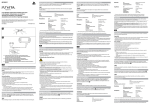
4-539-741-61(1) 2 Нажмите кнопку Индикатор Personal Audio Systeml (BLUETOOTH) PAIRING. (BLUETOOTH) начнет мигать белым светом. Краткое руководство пользователя Quick Start Guide Guía de inicio rápido 4 Коснитесь данным устройством смартфона. Help Guide Перед этим разблокируйте экран смартфона. Продолжайте касаться смартфоном в области с отметкой N, пока смартфон не ответит. Если при выключенном устройстве происходит его касание смартфоном и устанавливается подключение BLUETOOTH, то устройство включится. Мигает (белым) Read the Help Guide on your computer or smartphone, when you want to know how to use the unit in greater detail. The Help Guide also contains a troubleshooting guide which provides you with remedies for the problems you might encounter. URL: http://rd1.sony.net/help/speaker/srs-x3/h_zz/ Ответ смартфона (устройство распознано) Two-dimensional code: При первом использовании функции BLUETOOTH во время нажатия только кнопки (BLUETOOTH) PAIRING индикатор (BLUETOOTH) начнет мигать белым светом быстрее и устройство перейдет в режим сопряжения автоматически. SRS-X3 ©2014 Sony Corporation Printed in China Нажмите и удерживайте кнопку (BLUETOOTH) PAIRING, 3 пока не раздастся звуковой сигнал и индикатор Charging the Unit (BLUETOOTH) не начнет быстро мигать белым. Для установки подключения следуйте инструкциям на экране. После установки подключения BLUETOOTH индикатор (BLUETOOTH) на устройстве будет гореть непрерывно. Для отключения коснитесь устройства смартфоном еще раз. Устройство войдет в режим сопряжения. Русский Быстро мигает (белым) Прилагаемые руководства Подсказка Если не удается выполнить подключение к устройству, выполните следующие действия. ˎˎ Запустите приложение на смартфоне и медленно подведите смартфон к отметке N на устройстве. ˎˎ Если смартфон находится в чехле, извлеките его из чехла. ˎˎ Убедитесь, что на смартфоне отображается окно приложения. Краткое руководство пользователя (данный документ) Содержит инструкции по подключению устройства к устройствам BLUETOOTH и описание базовых операций. Руководство по применению Содержит меры предосторожности и технические характеристики устройства. Выполните сопряжение на устройстве BLUETOOTH для 4 обнаружения данного устройства. Когда на дисплее устройства BLUETOOTH отобразится список обнаруженных устройств, выберите “SONY:SRS-X3”. Если на экране требуется ввести пароль для устройства BLUETOOTH, введите “0000”. Справочное руководство Ознакомьтесь со Справочным руководством на компьютере или смартфоне, чтобы получить подробную информацию по использованию устройства. Справочное руководство также содержит руководство по устранению неисправностей, в котором приводятся способы устранения основных неисправностей. URL-адрес: http://rd1.sony.net/help/speaker/srs-x3/h_zz/ Двумерный код: Создайте подключение BLUETOOTH с устройства 5 BLUETOOTH. После установки подключения BLUETOOTH индикатор (BLUETOOTH) на устройстве будет гореть непрерывно. Индикатор Зарядка устройства Устройство имеет встроенный литий-ионный аккумулятор. Перед первым использованием устройства зарядите аккумулятор. USB-адаптер переменного тока (прилагается) DC IN Кабель микро-USB (прилагается) Зарядка начинается при подключении устройства к розетке переменного тока с помощью USB-адаптера переменного тока. При этом индикатор CHARGE горит оранжевым. Через пять часов зарядка будет завершена и индикатор отключится. Выполняйте зарядку устройства, когда оно выключено. Создание беспроводного подключения с устройствами BLUETOOTH Выберите необходимый вариант из 3 типов сопряжения, представленных ниже. Устройства BLUETOOTH должны быть сопряжены друг с другом заранее. Сопряжение и подключение к устройствам BLUETOOTH Устройство может быть сопряжено с восемью устройствами BLUETOOTH. При сопряжении двух или более устройств BLUETOOTH выполните следующую процедуру сопряжения для каждого устройства. 1 Нажмите кнопку / (питание) для включения устройства. Индикатор / (питание) загорится зеленым светом. Горит (зеленым) Micro-USB cable (supplied) Работа с устройством после установки подключения BLUETOOTH с помощью устройства BLUETOOTH. Charging starts when the unit is connected to an AC outlet via the USB AC adaptor, and the CHARGE indicator lights up orange. Charging is completed in about five hours and the indicator goes off. Charge the unit while it is turned off. Прослушивание музыки Профиль: A2DP, AVRCP Начало воспроизведения на устройстве BLUETOOTH и регулировка громкости. Настройте необходимый уровень громкости на подключенном устройстве и настройте громкость с помощью кнопок VOL –/+ на устройстве. How to Make Wireless Connection with BLUETOOTH Devices Select your case from the 3 pairing types, below. BLUETOOTH devices need to be “paired” with each other beforehand. Pairing and connecting with a BLUETOOTH device The unit can be paired with up to eight BLUETOOTH devices. When pairing with two or more BLUETOOTH devices, perform the following pairing procedure for each device. Совершение и прием вызовов Профиль: HSP, HFP 1 Press the / (power) button to turn on this unit. The / (power) indicator lights up green. Lit (green) Подключение к смартфону с помощью функции одним касанием (NFC) При касании устройства смартфоном устройство перейдет в режим сопряжения и подключения BLUETOOTH, затем включится автоматически после установки подключения. Горит (оранжевым) USB AC adaptor (supplied) DC IN (BLUETOOTH) начнет мигать белым светом. После установки подключения BLUETOOTH индикатор (BLUETOOTH) на устройстве будет гореть непрерывно. Lit (orange) Прослушивание музыки и выполнение вызовов Подключение с помощью сопряженного устройства BLUETOOTH 1 Включите данное устройство. 2 Нажмите кнопку (BLUETOOTH) PAIRING. Создайте подключение BLUETOOTH с устройства 3 BLUETOOTH. This unit has a built-in lithium-ion rechargeable battery. Charge the battery before using the unit for the first time. Микрофон Примечание ˎˎ Если ваш смартфон переходит в режим ожидания при воздействии магнитной силы, подключение к NFC может быть невозможно. Совместимые смартфоны Совместимые с NFC смартфоны на базе Android 2.3.3 или более поздней версии NFC NFC (Near Field Communication) - это технология, обеспечивающая беспроводное подключение с малой дальностью между различными устройствами, например смартфонами и метками IC. Благодаря функции NFC передача данных, например сопряжение BLUETOOTH, может быть настроена простым касанием устройств, совместимых с NFC, друг о друга (т.е. в месте, где стоит символ N, или в другой отмеченной области). 1 Совершение вызовов с помощью смартфона. Для завершения вызова нажмите кнопку Нажмите кнопку вызова. При использовании смартфона на базе Android 2.3.3 или более поздней версии, но не выше Android 4.1, перейдите к шагу 2. ˎˎ При использовании смартфона на базе Android 4.1 или выше, перейдите к шагу 4. “Быстро подключить NFC” является бесплатным приложением Android, которое можно загрузить с Google Play. Загрузите приложение, выполнив поиск “Быстро подключить NFC” или используя двумерный код. За загрузку приложения может взиматься плата. Для загрузки двумерного кода используйте приложение для считывания двумерного кода. Примечание ˎˎ Приложение может быть недоступно в некоторых странах и регионах. Запустите на смартфоне приложение “Быстро подключить 3 NFC”. Убедитесь, что отображается экран приложения. (BLUETOOTH) PAIRING button. (BLUETOOTH) indicator begins to flash white. на устройстве при поступлении входящего Flashing (white) Те же действия необходимо выполнить при поступлении входящего вызова, когда вы прослушиваете музыку. Отметка BLUETOOTH® и логотипы принадлежат компании Bluetooth SIG, Inc. и используются Sony Corporation по лицензии. ˎˎ Отметка N является торговой маркой или зарегистрированной торговой маркой NFC Forum, Inc. в США и других странах. ˎˎ Android™ и Google Play™ являются торговыми марками Google Inc. ˎˎ Другие торговые марки и торговые названия принадлежат соответствующим владельцам. ˎˎ English ˎˎ и установите приложение “Быстро подключить 2 Загрузите NFC”. The на устройстве. Включите на смартфоне функцию NFC. Для получения дополнительной информации см. инструкции по эксплуатации, прилагаемые к смартфону. 2 Press the Manuals supplied Quick Start Guide (this document) Provides you with instructions on how to connect the unit with BLUETOOTH devices and basic operations. When you use the BLUETOOTH function for the first time, and when you only press the (BLUETOOTH) PAIRING button, the (BLUETOOTH) indicator will begin to flash white quickly and the unit enters pairing mode automatically. Press and hold the (BLUETOOTH) PAIRING button until 3 beeps are heard and the (BLUETOOTH) indicator begins to flash white quickly. The unit enters pairing mode. Fast flashing (white) Reference Guide Provides you with precautions and product specifications. the pairing procedure on the BLUETOOTH device to 4 Perform detect this unit. When a list of detected devices appears on the display of the BLUETOOTH device, select “SONY:SRS-X3.” If passkey input is required on the display of a BLUETOOTH device, input “0000.” 5 Make the BLUETOOTH connection from the BLUETOOTH device. When the BLUETOOTH connection is established, the (BLUETOOTH) indicator on the unit stays lit. Connecting with a paired BLUETOOTH device 1 Turn on this unit. 2 Press the (BLUETOOTH) PAIRING button. 3 Make the BLUETOOTH connection from the BLUETOOTH device. The 2 Presione el botón Making a call/Receiving a call El indicador Profile: HSP, HFP (BLUETOOTH) PAIRING. (BLUETOOTH) muestra una luz intermitente de color blanco. 4 Apoye esta unidad sobre el teléfono inteligente. Primero desbloquee la pantalla del teléfono. Mantenga presionado el teléfono inteligente sobre parte N marcada de la unidad hasta que el teléfono responda. Si apoya el teléfono inteligente sobre la unidad y se establece la conexión BLUETOOTH cuando esta se encuentra apagada, la unidad se encenderá. Luz intermitente (blanca) (BLUETOOTH) indicator begins to flash white. Respuesta del teléfono inteligente (unidad reconocida) When the BLUETOOTH connection is established, the (BLUETOOTH) indicator on the unit stays lit. Connecting with a smartphone by Onetouch (NFC) By touching the unit with a smartphone, the unit proceeds to pairing and BLUETOOTH connection, then turns on automatically after connection is established. Microphone To terminate a call, press the Press the button on the unit. button on the unit when an incoming call arrives. Operate in the same way when an incoming call arrives while you are listening to music. Note ˎˎ If your smartphone is the type that goes into standby mode in response to a magnetic force, it may be unable to be connected by NFC. Compatible smartphones NFC-compatible smartphones with Android 2.3.3 or later installed Cuando use la función BLUETOOTH por primera vez y cuando presione solamente el botón (BLUETOOTH) PAIRING, el indicador (BLUETOOTH) mostrará una luz blanca intermitente rápida, y la unidad ingresará automáticamente en modo de conexión. Operate your smartphone to make a call. Presione y mantenga apretado el botón (BLUETOOTH) 3 PAIRING hasta que se escuchen los pitidos y el indicador (BLUETOOTH) comience a parpadear con luz blanca rápidamente. The BLUETOOTH® word mark and logos are owned by the Bluetooth SIG, Inc. and any use of such marks by Sony Corporation is under license. ˎˎ The N Mark is a trademark or registered trademark of NFC Forum, Inc. in the United States and in other countries. ˎˎ Android™ and Google Play™ are trademarks of Google Inc. ˎˎ Other trademarks and trade names are those of their respective owners. ˎˎ La unidad ingresa en el modo de conexión. 1 Manuales suministrados Guía de inicio rápido (este documento) Le brinda instrucciones sobre cómo conectar la unidad con dispositivos de BLUETOOTH y operaciones básicas. For details, refer to the operating instructions supplied with the smartphone. If your smartphone OS is Android 2.3.3 or later, and less than Android 4.1: proceed to step 2. ˎˎ If your smartphone OS is Android 4.1 or later: proceed to step 4. ˎˎ Proporciona precauciones y especificaciones del producto. “NFC Easy Connect” is a free Android app you can download from Google Play. Download the app by searching for “NFC Easy Connect” or access it by using the following two-dimensional code. Fees may be charged for downloading the app. Guía de ayuda Lea la Guía de ayuda en su computadora o teléfono inteligente cuando requiera información más detallada sobre como usar la unidad. La Guía de ayuda también incluye una guía de resolución de problemas la cual ofrece remedios para los problemas que podría afrontar. To download by the two-dimensional code, use a two-dimensional code reader app. URL: http://rd1.sony.net/help/speaker/srs-x3/h_zz/ Código bidimensional: Note The app may not be available in some countries and/or regions. 4 Cuando aparezca una lista de dispositivos detectados en la pantalla del dispositivo BLUETOOTH, seleccione “SONY:SRS-X3”. Si el dispositivo BLUETOOTH solicita la clave de ingreso en su pantalla ingrese “0000”. la conexión de BLUETOOTH desde el dispositivo 5 Realice BLUETOOTH. Cuando se establece la conexión de BLUETOOTH, el indicador (BLUETOOTH) en la unidad permanece encendido. 1 Cambie a esta unidad. 2 Presione el botón (BLUETOOTH) PAIRING. Realice la conexión de BLUETOOTH desde el dispositivo 3 BLUETOOTH. Esta unidad se ha fabricado con baterías recargables de ion-litio. Cargue las baterías antes de usar la unidad por primera vez. (BLUETOOTH) muestra una luz intermitente de color blanco. Aviso Encendido (naranja) ˎˎ Adaptador USB de CA (suministrado) Cable micro-USB (suministrado) If you cannot connect the unit, try the following. Start the app on the smartphone, and move the smartphone slowly over the N marked part of the unit. ˎˎ If the smartphone is in a case, remove it from the case. ˎˎ Make sure that the app screen is displayed on the smartphone. Listening and Calling Operate the unit after making BLUETOOTH connection with your BLUETOOTH device. Listening to music Profile: A2DP, AVRCP Start playback on the BLUETOOTH device, and adjust the volume. La carga comienza cuando la unidad se conecta a una toma de CA a través del adaptador USB de CA, y el indicador de CHARGE muestra una luz naranja. La carga se completa en aproximadamente cinco horas y el indicador se apaga. Cargue la unidad mientras esté apagada. Set the volume at an appropriate level on the connected device, and adjust the volume with the VOL –/+ buttons on the unit. Cómo realizar una conexión inalámbrica con dispositivos de BLUETOOTH Seleccione su caso de los 3 tipos de vinculaciones debajo. Los dispositivos de BLUETOOTH deben estar “conectados” entre sí de antemano. Conectar con un dispositivo de BLUETOOTH La unidad puede conectarse con hasta ocho dispositivos de BLUETOOTH. Cuando se conecta con dos o más dispositivos de BLUETOOTH, realice el siguiente procedimiento de conexión para cada dispositivo. 1 Si su teléfono inteligente es del tipo que pasa a modo de espera cuando se lo expone a una fuerza magnética, no podrá conectarse mediante NFC. Teléfonos inteligentes compatibles Teléfonos inteligentes compatibles NFC con Android 2.3.3 o posterior instalado Entrada de CC ˎˎ Perfil: A2DP, AVRCP Inicie la reproducción en el dispositivo BLUETOOTH y ajuste el volumen. Configure el volumen a un nivel adecuado en el dispositivo conectado y ajuste el volumen con los botones VOL –/+ en la unidad. Llamar/Recibir una llamada Perfil: HSP, HFP Conexión con un teléfono inteligente por One-touch (NFC) Si apoya la unidad sobre un teléfono inteligente, la unidad procede a conectarse mediante BLUETOOTH y, luego de que se establece la conexión, se enciende automáticamente. Smartphone responds (unit recognized) Hint Escuchar música Cuando se establece la conexión de BLUETOOTH, el indicador (BLUETOOTH) en la unidad permanece encendido. Carga de la unidad Follow the on-screen instructions to establish the connection. When the BLUETOOTH connection is established, the (BLUETOOTH) indicator on the unit stays lit. To disconnect, touch the unit with the smartphone again. Utilice la unidad después de realizar la conexión de BLUETOOTH con su dispositivo de BLUETOOTH. Conexión con un dispositivo BLUETOOTH conectado El indicador Make sure that the app screen is displayed. Unlock the screen of the smartphone beforehand. Keep touching the smartphone on the N marked part of the unit until the smartphone responds. When the unit is off, if the smartphone touches it and BLUETOOTH connection is established, then the unit will turn on. Escuchar y llamar Realice el procedimiento de conexión en el dispositivo BLUETOOTH para detectar esta unidad. Guía de referencia 2 Download and install the app “NFC Easy Connect.” 3 Start “NFC Easy Connect” on the smartphone. 4 Touch this unit with the smartphone. Si no puede conectar la unidad, intente lo siguiente. ˎˎ Inicie la aplicación sobre el teléfono inteligente y mueva el teléfono lentamente sobre la parte N marcada de la unidad. ˎˎ Si el teléfono se encuentra en un estuche, quítelo del estuche. ˎˎ Asegúrese de visualizar la pantalla de la aplicación en el teléfono inteligente. Español Set the NFC function of the smartphone to on. ˎˎ Sugerencia Luz intermitente rápida (blanca) NFC NFC (Near Field Communication) is a technology enabling short-range wireless communication between various devices, such as smartphones and IC tags. Thanks to the NFC function, data communication - for example, BLUETOOTH pairing - can be achieved easily by simply touching NFC compatible devices together (i.e., at the N-Mark symbol or location designated on each device). Siga las instrucciones sobre la pantalla para establecer la conexión. Cuando se establece la conexión de BLUETOOTH, el indicador (BLUETOOTH) en la unidad permanece encendido. Para desconectarla, vuelva a apoyar la unidad sobre el teléfono inteligente. Presione el botón / (encendido) para encender esta unidad. El indicador / (encendido) muestra una luz verde. NFC NFC (Comunicación cerca del campo) es una tecnología que permite tener comunicaciones inalámbricas de corto alcance entre varios dispositivos, como teléfonos inteligentes y etiquetas IC. Gracias a la función NFC, es posible realizar la transmisión de datos, por ejemplo, el emparejamiento BLUETOOTH, con simplemente tocar los dispositivos compatibles con NFC (por ejemplo, en el símbolo N o en la ubicación correspondiente de cada dispositivo). 1 Configure la función NFC sobre el teléfono inteligente en on (encendido). Para obtener más detalles, consulte las instrucciones suministradas con el teléfono inteligente. Si el SO de su teléfono es Android 2.3.3 o posterior y anterior al Android 4.1: proceda al paso 2. ˎˎ Si el SO de su teléfono es Android 4.1 o posterior: proceda al paso 4. ˎˎ 2 Descargue e instale la aplicación “Conexión fácil NFC”. “Conexión fácil NFC” es una aplicación gratis de Android que puede descargar desde Google Play. Puede descargar la aplicación a través de “Conexión fácil NFC” o puede acceder a ella mediante el siguiente código bidimensional. Es posible que se apliquen cargos por la descarga de la aplicación. Al descargar el código bidimensional, use la aplicación del lector (Reader App). Encendido (verde) Aviso ˎˎ Puede que esta aplicación no esté disponible para ser descargada en algunos países o regiones. 3 Inicie “Conexión fácil NFC” en el teléfono inteligente. Asegúrese de visualizar la pantalla de la aplicación. Micrófono Utilice el teléfono inteligente para realizar una llamada. Al finalizar la llamada, presione el botón Presione el botón entrante. en la unidad. en la unidad cuando reciba una llamada Realice el mismo procedimiento cuando reciba una llamada entrante mientras está escuchando música. La marca y los logotipos de BLUETOOTH® son de propiedad de Bluetooth SIG, Inc. y cualquier tipo de uso de esas marcas por parte de Sony Corporation se realiza bajo licencia. ˎˎ La marca N es una marca comercial o una marca comercial registrada de NFC Forum, Inc. en los Estados Unidos y en otros países. ˎˎ Android™ y Google Play™ son marcas comerciales de Google Inc. ˎˎ Otras marcas comerciales y nombres comerciales pertenecen a sus respectivos dueños. ˎˎ