1
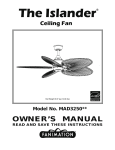
The Islander R Ceiling Fan Net Weight 6.37 kg (14.04 lbs) Model No. MAD3250** OWNER’S MANUAL READ AND SAVE THESE INSTRUCTIONS Important Safety Instructions WARNING: To avoid fire, shock and serious personal injury, follow these instructions. 1. Read your owner’s manual and safety information before installing your new fan. Review the accompanying assembly diagrams. 2. Before servicing or cleaning unit, switch power off at service panel and lock service panel disconnecting means to prevent power from being switched on accidentally. When the service disconnecting means cannot be locked, securely fasten a warning device, such as a tag, to the service panel. 3. Be careful of the fan and blades when cleaning, painting, or working near the fan. Always turn off the power to the ceiling fan before servicing. 4. Do not insert anything into the fan blades while the fan is operating. 5. Do not operate reversing switch until fan blades have come to a complete stop. Additional Safety Instructions 1. To avoid possible shock, be sure electricity is turned off at the fuse box before wiring, and do not operate fan without blades. 2. All wiring and installation procedures must satisfy National Electrical Codes (ANSI/ NFPA 70-1999) and Local Codes. The ceiling fan must be grounded as a precaution against possible electrical shock. Electrical installation should be made or approved by a licensed electrician. 3. The fan base must be securely mounted and capable of reliably supporting at least 35 lbs. Consult a qualified electrician if in doubt. 4. The fan must be mounted with the fan blades at least 7 feet from the floor to prevent accidental contact with the fan blades. 5. Follow the recommended instructions for the proper method of wiring your ceiling fan. If you do not have adequate electrical knowledge or experience, have your fan installed by licensed electrician. 6. Suitable for use with solid-state speed controls. WARNING: TO REDUCE THE RISK OF ELECTRIC SHOCK, THIS FAN MUST BE INSTALLED WITH A GENERAL USE, ISOLATING WALL CONTROL/ SWITCH. WARNING: This product is designed to use only those parts supplied with this product and/or accessories designated specifically for use with this product. Using parts and/or accessories not designated for use with this product could result in personal injury or property damage. WARNING: To reduce the risk of personal injury, do not bend the blade bracket (flange or blade holder) when installing the brackets, balancing the blades, or cleaning the fan. Do not insert foreign objects in between rotating fan blades. This device complies with Part 15 of the FCC Rules. Operation is subject to the following two conditions: (1) This device may not cause harmful interference, and (2) this device must accept any interference received, including interference that may cause undesired operation. If the intentional radiator can be classified as a Class B digital device or a PC peripheral, then shall include the following or equivalent: Note: This equipment has been tested and found to comply with the limits for Class B digital device, pursuant to part 15 of the FCC Rules. These limits are designed to provide reasonable protection against harmful interference in a residential installation. This equipment generates, uses and can radiate radio frequency energy and, if not installed and used in accordance with the instructions, may cause harmful interference to radio or television reception, which can be determined by turning the equipment off and on, the user is encouraged to try to correct the interference by one or more of the following measures: - Reorient or relocate the receiving antenna. - Increase the separation between the equipment and the receiver. - Connect the equipment into an outlet on a circuit different from that to which the receiver is connected. Consult the dealer or an experienced radio/TV technician for help. Note: For a Class A digital device, statements of 15. 105(a) must be included when appropriate for the device in question. LIMITED LIFETIME WARRANTY Extends to the original purchaser of a Fanimation Fan 1. LIMITED LIFETIME MOTOR WARRANTY - If any part of your fan motor fails, due to a defect in materials or workmanship during the lifetime of the original purchaser, Fanimation will provide the replacement part free of charge, when the defective fan is returned to our national service center. Proof of purchase is required. Customer shall be responsible for all costs incurred in the removal or reinstallation and shipping of the product for repairs or replacement. 2. ONE YEAR MOTOR LABOR WARRANTY - If your fan motor fails at any time within one year from the original purchase, due to defects in materials or workmanship, labor to repair the motor will be provided free of charge at our national service center. Purchaser will be responsible for labor charges after this one-year period. Customer shall be responsible for all costs incurred in the removal or reinstallation and shipping of the product for repairs or replacement. 3. If any other part of your fan fails at any time within one year after original purchase, due to a defect in materials or workmanship, we will repair, or replace, at our option, the defective part free of charge for parts and labor performed at our national service center. 4. Because of varying climate conditions, this warranty does not cover changes in the finish, including rusting, pitting, corroding, tarnishing, or peeling. 5. This warranty is void and does not apply to damage from improper installation, neglect, accident, misuse, exposure to extremes of heat or humidity, or as a result of any modification to the original product. 6. All costs of removal and reinstallation of the fan are the sole responsibility of the owner of the fan and not the store that sold the fan or Fanimation. 7. Fanimation reserves the right to modify or discontinue any product at any time and may substitute any part under this warranty. 8. Under no circumstances may a fan be returned without prior authorization from Fanimation. The receipt of purchase must accompany authorized returns and must be sent freight prepaid to Fanimation. The fan to be returned must be properly packed to avoid damage in transit; Fanimation will not be responsible for any damage resulting from improper packaging. 9. It is understood that any repair or replacement is the exclusive remedy available from Fanimation. There is no other expressed or implied warranty. Fanimation hereby disclaims any and all implied warranties, including, but not limited to those of merchantability and fitness for a particular purpose to the extent permitted by law. Some states do not allow limitations on implied warranties. Fanimation will not be liable for incidental, consequential, or special damages arising out of or in conjunction with product use or performance, except as may otherwise be accorded by law. This warranty gives you special legal rights and you may also have other rights that vary from state to state. 10. A certain amount of wobble is normal and should not be considered a problem or a defect. Table of Contents Unpacking Instructions. . . . . . . . . . . . . . . . . . . . . . . . . . . . . . . . . . . . . . . 4 Energy Efficient Use of Ceiling Fans. . . . . . . . . . . . . . . . . . . . . . . . . . . . 5 Electrical and Structural Requirements . . . . . . . . . . . . . . . . . . . . . . . . . 5 How to Assemble Your Ceiling Fan . . . . . . . . . . . . . . . . . . . . . . . . . . . . . 7 How to Hang Your Ceiling Fan . . . . . . . . . . . . . . . . . . . . . . . . . . . . . . . . . 9 How to Wire Your Ceiling Fan. . . . . . . . . . . . . . . . . . . . . . . . . . . . . . . . . 10 Installing the Canopy Housing. . . . . . . . . . . . . . . . . . . . . . . . . . . . . . . . 11 Assembling and Mounting the Fan Blades . . . . . . . . . . . . . . . . . . . . . 11 How to Operate Your Ceiling Fan . . . . . . . . . . . . . . . . . . . . . . . . . . . . . 13 Maintenance. . . . . . . . . . . . . . . . . . . . . . . . . . . . . . . . . . . . . . . . . . . . . . . 14 How to Clean Your Ceiling Fan Blades . . . . . . . . . . . . . . . . . . . . . . . . . 14 Parts List . . . . . . . . . . . . . . . . . . . . . . . . . . . . . . . . . . . . . . . . . . . . . . . . . 15 Exploded-View Illustration . . . . . . . . . . . . . . . . . . . . . . . . . . . . . . . . . . . 16 Trouble Shooting. . . . . . . . . . . . . . . . . . . . . . . . . . . . . . . . . . . . . . . . . . . 17 This manual is designed to make it as easy as possible for you to assemble, install, operate, and maintain your ceiling fan Tools Needed for Assembly 2QH3KLOOLSVKHDGVFUHZGULYHU 2QHVWHSODGGHU 2QHó´ blade screwdriver Materials 2QHZLUHVWULSSHU Four wire connectors (supplied) Wiring outlet box and box connectors must be of type required by local code. The minimum wire would be a 3conductor (2-wire with ground) of the following size: WARNING Before assembling your ceiling fan, refer to section on proper method of wiring your fan (page 10). If you feel you do not have enough wiring knowledge or experience, have your fan installed by a licensed electrician. Installed Wire Length Wire Size A.W.G. Up to 50 ft. 50 - 100 ft. 14 12 NOTE: Place the parts from the loose parts bags in a small container to keep them from being lost. If any parts are missing, contact your local retailer. Unpacking Instructions For your convenience, check-off each step. As each step is completed, place a check mark. This will ensure that all steps have been completed and will be helpful in finding your place should you be interrupted. +DUGZDUHEDJ )DQ0RWRU Assembly +DQJHU%UDFNHW$VVHPEO\ ±(OHYHQó´[PP 'RZQURG+DQJHU%DOO (blade holder to fan motor hub) Assembly screws with lockwashers &HLOLQJ&DQRS\ – Eleven 316-24 x 10 mm (blade 0RWRU&RXSOLQJ&RYHU$VVHPEO\ to blade holder) phillips-head &DQRS\6FUHZ&RYHU$VVHPEO\ screws 6ZLWFK+RXVLQJ&DS$VVHPEO\ – Three wire connectors %ODGH+ROGHU Set ±3KLOLSV6FUHZGULYHU´ ±%DODQFH.LW %ODGH+ROGHU&RYHU6HW 5HPRWH+DQG+HOG ±%DJ$VVHPEO\6DIHW\&DEOH WARNING Do not install or use fan if any part is damaged or missing. This product is designed to use only those parts supplied with this product and/or any accessories designated specifically for use with this product by Fanimation. Substitution of parts or accessories not designated for use with this product by Fanimation could result in personal injury or property damage. Contact your retail store for missing or damaged parts. 1. Check to see that you have received the following parts: NOTE: If you are uncertain of part description, refer to exploded view illustration. Hanger Bracket Assembly Ceiling Canopy Motor Coupling Cover Assembly Downrod/ Hanger Ball Assembly Hardware Bag Canopy Screw Cover Assembly Blade Holder Cover Set Remote Hand Held Fan Motor Assembly Switch Housing Cap Assembly Blade Holder Set 4 Energy Efficient Use of Ceiling Fans Ceiling fan performance and energy savings rely heavily on the proper installation and use of the ceiling fan. Here are a few tips to ensure efficient product performance. Using the Ceiling Fan Year Round Summer Season: Use the ceiling fan in the counterclockwise direction. The airflow produced by the ceiling fan creates a wind-chill effect, making you “feel” cooler. Select a fan speed that provides a comfortable breeze, lower speeds consume less energy. Winter Season: Reverse the motor and operate the ceiling fan at low speed in the clockwise direction. This produces a gentle updraft, which forces warm air near the ceiling down into the occupied space.Remember to adjust your thermostat when using your ceiling fan - additional energy and dollar savings could be realized with this simple step! Choosing the Appropriate Mounting Location Ceiling fans should be installed, or mounted, in the middle of the room and at least 7 feet above the floor and 18 inches from the walls. If ceiling height allows, install the fan 8 - 9 feet above the floor for optimal airflow. Consult your Fanimation Retailer for optional mounting accessories. Turn Off When Not in the Room Ceiling fans cool people, not rooms. If the room is unoccupied, turn off the ceiling fan to save energy. Electrical and Structural Requirements Your new ceiling fan will require a grounded electrical supply line of 120 volts AC, 60 HZ, 15 Amp Circuit. Electrical code requires use of a fan-rated outlet box to support the extra weight and motion associated with a ceiling fan. A fan-rated box will be labeled as such and typically supports up to a 70lb ceiling fan. Fan-Rated Outlet Boxes vary in ratings and design. Ensure the ratings of your ceiling fan outlet box meet the requirements for the ceiling fan being installed. Figure 1, Figure 2 and Figure 3 depicts different structural configurations that may be used for mounting the outlet box. CEILING JOIST 2" x 4" CEILING Low profile box (Figure 1) $»LQGHHSSDQFDNHER[LVPHDQWWREHVFUHZHGWRD joist or block. It’s used if only one cable is coming into the box. It is also available in a saddle-mount configuration. OUTLET BOX Figure 1 Deep box (Figure 2) $»LQGHHSER[FDQEHDWWDFKHGWREORFNLQJ between joists and is roomy enough to handle more than one cable. CEILING JOIST 2" x 4" CEILING 5 Figure 2 OUTLET BOX Electrical and Structural Requirements (Continued) Deep box with brace (Figure 3) Paired with a deep box, this hanger is meant to span between two joists and takes the place of wooden blocking. CEILING JOIST WARNING To reduce the risk of fire, electric shock, or personal injury, mount to outlet box marked acceptable for fan support of 15.9 kg (35 lbs) or less and use mounting screws provided with the outlet box. Most outlet boxes commonly used for the support of luminaires are not acceptable for fan support and may need to be replaced, consult a qualified electrician if in doubt. CEILING If your fan is to replace an existing light fixture, turn electricity off at the main fuse box at this time and remove the existing light fixture. OUTLET BOX Figure 3 WARNING Turning off wall switch is not sufficient. To avoid possible electrical shock, be sure electricity is turned off at the main fuse box before wiring. All wiring must be in accordance with National and Local codes and the ceiling fan must be properly grounded as a precaution against possible electrical shock. WARNING To avoid fire or shock, follow all wiring instructions carefully. Any electrical work not described in these instructions should be done or approved by a licensed electrician. 6 How to Assemble Your Ceiling Fan 1. Prior to assembly, set aside and save the hardware bags packed in the packing. Remove the hanger ball by loosening the setscrew in the hanger ball until the ball falls freely down the downrod. Remove the pin from the downrod, then remove the hanger ball. Retain the pin and hanger ball for reinstallation in Step5. (Figure1) Pin Hanger Ball Setscrew Figure 1 2. The fan comes with black and white wires and safety cable. Separate and untwist the two wires and cable and route them through the downrod. NOTE: You will be using either the 6” downrod supplied with your fan or an optional downrod purchased separately. Loosen the two setscrews in the downro d support. Install downrod into coupler. Align the clevis pin holes in the downrod with the holes in the downrod support. (Figure 2) Downrod Set Screws Figure 2 3. Install the clevis pin, hairpin clip and tighten set screws. The clevis pin and hair pin clip must be properly installed to prevent the set screws from working loose. (Figure 3) Set Screw w/Hex Nut WARNING Hairpin Clip It is critical that the clevis screw in the downrod support is properly installed and the setscrews and nuts are securely tightened. Failure to verify that the clevis screw, nuts, hairpin clip and setscrews are properly installed could result in the fan falling. Figure 3 7 How to Assemble Your Ceiling Fan (continued) 4. Route wires through motor coupling cover, canopy screw cover and ceiling canopy. (Figure 4) Ceiling Canopy Canopy Screw Cover Motor Coupling Cover Figure 4 5. Reinstall the hanger ball on the downrod as follows. Route the two 80 in. wires and safety cable through the hanger ball. Position the pin through the two holes in the downrod and align the hanger ball so the pin is captured in the groove in the top of the hanger ball. Pull the hanger ball up tight against the pin. Securely tighten the set screw in the hanger ball. A loose set screw could create fan wobble. (Figure 5) Figure 5 6. Cut off excess lead wire approximately 6 to 9 inches above top of the top of the downrod. Strip insulation off 1/2 inch from the end of each lead wire. (Figure 6) NOTE: All set screws must be checked, and retightened where necessary, before installation. Figure 6 8 How to Hang Your Ceiling Fan WARNING To avoid possible re or shock, be sure electricity is turned off at the main fuse box before hanging. (Figure 7) MAIN FUSE BOX NOTE: If you are not sure if the outlet box is grounded, contact a licensed electrician for advise, as it must be grounded for safe operation. Figure 7 WARNING CEILING The fan must be hung with at least 7’ of clearance from oor to blades. (Figure 8) 1. Securely attach the hanger bracket to the outlet box using the outlet box screws and washers supplied with the outlet box. (Figure 9) NO LESS THAN 7 FEET FLOOR 2. Drill a ¼” pilot hole into the building structure to prevent splitting or cracking with installation of the lag washer, attach bolt. Using the ” x 2” lag bolt and safety cable to ceiling joist or wood structural member. The lag bolt will pass through the washer, safety cable loop, and into the building structure. (Figure 9) NOTE: Ceiling support cable cannot be secured to junction box only, it must be directly secured to ceiling joist or structural member using the ” x 2” lag bolt Figure 8 WOOD MEMBER (2” X 4” APPROX.) 3. Make sure the electrical supply wires, including the hanger bracket grounding wire and safety cable are pulled through the downrod, between the hanger bracket and the junction box so that electrical connections can be made later. CEILING JOIST CEILING JUNCTION BOX CEILING SUPPORT CABLE WARNING HANGER BRACKET Figure 9 The outlet box must be securely anchored. Hanger bracket must seat rmly against outlet box. If the outlet box is recessed, remove wall board until bracket contacts box. If bracket and /or outlet box are not securely attached, the fan could wobble or fall. 4. Carefully lift the fan and seat the downrod/hanger ball assembly on the hanger bracket that was just attached to the outlet box. Be sure the groove in the ball is lined up with tab on the hanger bracket (Figure 10) ATTACH SAFETY CABLE TO CEILING SUPPORT CABLE WARNING Failure to seat tab in groove could cause damage to electrical wires and possible shock or re hazard. TAB NOTE: SUPPLY WIRES AND FAN WIRES OMITTED FOR CLARITY WARNING To avoid possible shock, do not pinch wires between the hanger ball assembly and the hanger bracket. Figure 10 DOWNROD/HANGER BALL ASSEMBLY HARDWARE USED: 5. Attach the safety cable to ceiling support cable. Slide cable clamp onto safety cable (from fan). Place the end of cable through the loop of ceiling support cable. Pull as much cable through loop as possible. Feed end of cable ly tighten screw (Figure 10). into clamp hole and CEILING SUPPORT CABLE CLAMP W/SCREW 9 X 1 How to Wire Your Ceiling Fan WARNING To avoid possible electrical shock, be sure electricity is turned off at the main fuse box before hanging (Figure 11). MAIN FUSE BOX NOTE: If you are not sure if the outlet box is grounded, contact a licensed electrician for advice, as it must be grounded for safe operation. Figure 11 1. Connect the green grounding lead from the downrod/hanger ball assembly and the green grounding lead from the hanger bracket to the supply grounding conductor (this may be a bare wire or wire with green colored insulation). Securely connect wires with wire connectors. Securely connect the white fan motor wire to the white supply (neutral) wire using wire connector. Securely connect the black fan motor wire to the black supply wire using wire connector (Figure 12). Green Wire from Supply (Ground) White Wire from Supply Listed Outlet Box Household Supply White Wire from Fan Black Wire from Supply Green Wire from Hanger Bracket (Ground) NOTE: If you feel that you do not have enough electrical wiring knowledge or experience, have your fan installed by a licensed electrician. Green Wire from Hanger Ball (Ground) Black Wire from Fan WARNING Figure 12 Check to see that all connections are tight, including ground, and that no bare wire is visible at the wire connectors except for the ground wire. Do not operate fan until the blades are in place. Noise and motor damage could result. HARDWARE USED: WIRE CONNECTORS 2. After connections have been made, turn leads upward and carefully push leads into the outlet box, with the white and green leads to one side of the box and the black leads toward the other side. The wires should be spread apart with the grounded conductor and the equipment-grounding conductor on one side of the outlet box and the ungrounded conductor on the other side of the outlet box. (Figure 13) Green Wire from Supply (Ground) White Wire from Supply White Wire from Fan Listed Outlet Box Household Supply Black Wire from Supply Green Wire from Hanger Bracket (Ground) Green Wire from Hanger Ball (Ground) Black Wire from Fan Figure 13 10 x 3 Installing the Canopy Housing NOTE: This step is applicable after the necessary wiring is completed. WARNING To avoid possible fire or shock, make sure that the electrical wires are completely inside the canopy housing and not pinched between the housing and the ceiling. 1. Remove one of the two shoulder screws in the hanger bracket. Loosen the second shoulder screw without fully removing it. Assemble canopy by rotating key slot in canopy over shoulder screw in hanger bracket. Tighten shoulder screw. Fully assemble and tighten second shoulder screw that was previously removed (Figure 14a). Figure 14a Figure 14b 2. Securely attach and tighten the canopy screw cover over the shoulder screws in the hanger bracket utilizing the keyslot twist-lock feature (Figure 14b). Assembling and Mounting the Fan Blades 1. Lay flat side of blade holder arm on a flat surface with the inside of the blade holder arm facing up. This is the side with the threaded posts and pitched foot. Position the blade over the blade holder with the threaded posts showing. Make sure the bottom edge of the blade is fully seated against the blade holder arm. Place blade holder cover on top of the blade, positioning the holes over the threaded posts. With a Philips screwdriver, thread both screws into the posts but do not fully tighten.Prior to final tightening, position the centerline of the blade holder with the center of the end of the blade. Tighten both screws to secure the blade. (Figure 15) NOTE: You will find the fan blade set packed in its own carton and the blade holders and hardware bag in the fan box. CAUTION Do not connect fan blades until the fan is completely installed. Installing the fan with blades assembled may result in damage to the fan blades. 11 Blade Holder Cover Blade Holder Figure 15 HARDWARE USED: 3/16-24 x 10 mm PHILLIPS HEAD SCREWS x 10 Assembling and Mounting the Fan Blades (Continued) 2. Attach blade holders to the bottom of the fan motor hub using the ¼–20 x 14 mm screws w/lockwashers. Make sure the screws with lockwashers securing the blade holders to the fan motor hub are tight and that the blade holders are properly seated. (Figure 16) NOTE: Periodically check Blade Holder hardware and resecure if necessary. (see Maintenance below) Socket-Head Screw with Lockwasher (2 per blade holder) WARNING To reduce the risk of personal injury, do not bend the blade holders when installing, balancing the blades or cleaning the fan. Do not insert foreign objects in between the rotating blades. Figure 16 HARDWARE USED: 1/4-20 x 14 mm SCREWS Switch Housing Cup Assembly: 3. Disassemble the Switch Housing Cup Assembly by removing three screws. (Figure 17) Figure 17 4. Remove one of the three screws in the support bracket at the bottom of the motor assembly. Slightly loosen the remaining two screws. Assemble the light plate assembly to the support bracket using the two key slots in the socket plate Replace the third screw and securely tighten all three screws (Figure 18). Figure 18 12 x 10 Assembling and Mounting the Fan Blades (Continued) 5. Assemble the Housing Switch Cup onto the assembled Adapter with three screws. (Figure 19) Figure 19 How to Operate Your Ceiling Fan 1. Restore electrical power to the outlet box by turning the electricity on at the main fuse box (Figure 20). WARNING MAIN FUSE BOX Check to see that all connections are tight, including ground, and that no bare wire is visible at the wire connectors, except for the ground wire. Do not operate fan until the blades are in place. Noise and fan damage could result. Figure 20 NOTE: Receiver in controllers system features an automatic learning function. There are no frequency switches on the receiver unit. The receiver will automatically scan the frequency from the hand held control if an changes are made. the frequency settings should be changed only in the case of interference or if multiple ceiling fans with the same type of control system are installed in the same structure. 2. To make fan operational, install 23A/12V battery (included) in hand-held remote transmitter, with fan power off. Then follow the remote code setting process. (If not used for long periods of time, remove battery to prevent damage to transmitter). Store the remote away from excessive heat or humidly (Figure 21). Figure 21 3. Remote Control Setting and Speed (RPM) Setting Process : (Figure 22) 1. After installing the unit and restoring power to your fan, press and hold the “SET” button 1~5 seconds. You must press the “SET” button within 60 seconds of restoring power to the fan. 2.The fan will start to run and begin the control setting process. The fan will run in both directions for a total of approximately 5 minutes. 3. When the fan stops after approximately 5 minutes the control and speed setting process is complete. The fan is now ready for normal use. NOTE: If you want to change the blades: turn 13 Figure 22 How to Operate Your Ceiling Fan (continued) 4. The remote buttons instruct as below: Fan speed: I = minimum speed II = low speed III = medium low speed IV = medium speed V = medium high speed VI = high speed Button: This button turns the fan off. Reverse button: This button is to control fan direction. Light button: The button is to control light, Infinite light levels are available by holding the light on/off button (Figure 23). Figure 23 5. “D” and “ON” dip switch: The “ON” selection is the light dimmable selection and is to be used with all bulbs other than CFL. The “D” selection is the light on only (no dimming function) and is to be used with CFL bulbs (as CFL bulbs cannot be dimmed). The receiver provides the following protective function: (Figure 24) Lock position: The DC motor has a built-in safety feature against blade obstruction against obstruction during operation. If something obstructs the fan blades the motor will stop operating after 30 seconds of interruption. Please remove obstacles and reset. Over 80W protection: When the receiver detects motor power consumption which is greater than 80W, the receiver power will shut down and fan operation will cease. Disconnect the power supply and after 5 seconds return power on to the fan. Figure 24 Maintenance 1. Periodic cleaning of your new ceiling fan is the only maintenance that is needed. When cleaning, use only a soft brush or lint free cloth to avoid scratching the finish. Abrasive cleaning agents are not required and should be avoided to prevent damage to finish. CAUTION Do not use solvents when cleaning your ceiling fan. It could damage the motor or the blades and create the possibility of electrical shock. RECOMENDED: Periodically check that the blade holders to motor hub screws are secure and tight. How to Clean Your Ceiling Fan Blades Periodic light dusting of the blades is recommended. A feather duster will work best. Avoid using water, cleansers, or harsh rags, which can warp and ruin the blades. 14 Parts List Model #MAD3250** Ref.# Description Part # 1 +DQJHU%UDFNHW6FUHZ$VVHPEO\ $3%/ 2 %DOO'RZQURG$VVHPEO\ ADR1-6** 3 3 Canopy 4 CDQRS\6FUHZ&RYHU$VVHPEO\ 5 0RWRU&RXSOHU&RYHU$VVHPEO\ 6 0RWRU$VVHPEO\ AMA3250** 7 %ODGH+ROGHU&RYHU6HW $3 8 %ODGH+ROGHU6HW $3 9 6ZLWFK+RXVLQJ&DS$VVVHPEO\ $3 10 Remote Hand Held 11 ReFeiver $3 $3 TR39 RECA11256-65 Hardware Bag Containing: %DODQFH.LW%$/.7 :LUH&RQQHFWRUV %DJ$VVHPEO\6DIHW\&DEOH Blade Mounting Hardware Bag Containing: 12 HDWMAD3250** 3KLOLSV6FUHZGULYH´ ´±[PP3KLOOLSV+HD d6FUHZVSFV Blade Holder Mounting Hardware Bag Containing: ó´±[PP/RFNZDVKHUV 3KLOOLSV6FUHZVZLWKSFV Refer to fan model number located on down rod support Before discarding packaging materials, be certain all parts have been removed How To Order Parts When ordering repair parts, always give the following information: 3DUW1XPEHU 3DUW'HVFULSWLRQ )DQ0RGHO1XPEHU &RQWDFW\RXUUHWDLOVWRUHIRUUHSDLUSDUWV 15 MAD3250** Exploded-View Illustration 1 10 2 3 4 5 7 11 6 9 8 12 NOTE: The illustration shown is not to scale or its actual parts configuration may var.y 16 Trouble Shooting ʆWARNING For your own safety turn off power at fuse box or circuit breaker before trouble shooting your fan. Trouble 1. FAN WILL NOT START 2. FAN SOUNDS NOISY Probable Cause Suggested Remedy 1. Fuse or circuit breaker blown. 1. Check main and branch circuit fuses or circuit breakers. 2. Loose power line connections to the fan, or loose switch wire connections in the switch housing. 2. Check line wire connections to fan and switch wire connections in the switch housings. 3. Codes not sync. CAUTION: Make sure main power is turned off ! 4. Dead battery in remote control. 3. Make sure reversing switch position is all the way to one side. 1. Blades not attached to fan. 1. Attach blades to fan before operating. 2. Loose screws in motor housing. 2. Check to make sure all screws in motor housing are snug (not over-tight). 3. Screws securing fan blade holders to motor hub are loose. 3. Check to make sure the screws which attach the fan blade holders to the motor hub are tight. 4. Wire connectors inside housing rattling. 4. Check to make sure wire connectors in switch housing are not rattling against each other or against the interior wall of the switch housing. CAUTION: Make sure main power is turned off ! 3. FAN WOBBLES EXCESSIVELY 5. Motor noise caused by solid state variable speed control. 5. Some fan motors are sensitive to signals from solid-state variable speed controls. Solid-state controls are not recommended, choose an alternative control method. 6. Screws holding blades to blade holders are loose. 6. Tighten screws securely. 1. Setscrew and nut in downrod support is loose. 1. Tighten both setscrews and nuts securely in downrod support. 2. Setscrew in downrod/hanger ball assembly is loose. 2. Tighten the setscrew in the downrod/hanger ball assembly. 3. Screws securing fan blade holders to motor hub are loose. 3. Check to be sure screws which attach the fan blade holders to the motor hub are tight. 4. Blade holders not seated properly. 4. Check to be sure the fan blade holders seat firmly and uniformly to the surface of the motor housing. If holders are seated incorrectly, loosen the screws and retighten. 5. Hanger bracket and/or ceiling outlet box is not securely fastened. 5. Tighten the hanger bracket screws to the outlet box, and secure outlet box. 6. Fan blades out of balance. 6. Interchanging position of fan blades can redistribute the weight and result in a smoother operation. For example, exchange blades in positions 1 and 3 or 1 and 4. If this does not improve wobble, exchange 2 and 4 or 2 and 5. 1. If possible, consider using a longer downrod. For example, use a 12” downrod instead of the 6” downrod that comes with your fan. 4. NOT ENOUGH AIR MOVEMENT 2. Consider using a narrow blade instead of the wide oval. Narrow blades are available in the palm leaf and woven bamboo series. 17 Copyright 2014 Fanimation 10983 Bennett Parkway Zionsville, IN 46077 (888) 567-2055 FAX (866) 482-5215 Outside U.S. call (317) 733-4113 Visit Our Website @ www.fanimation.com 2014/03 V.01 The Islander R Ventilador de techo Peso neto 6,37 kg (14,04 lb) Modelo N.º MAD3250** MANUAL DEL PROPIETARIO LEA Y GUARDE ESTAS INSTRUCCIONES Instrucciones de seguridad importantes ADVERTENCIA: Siga estas instrucciones para prevenir incendios, descargas eléctricas y lesiones personales graves. 1. Lea el manual del propietario y la información de seguridad antes de instalar su nuevo ventilador. Observe los diagramas de ensamblaje adjuntos. 2. Antes de llevar a cabo el mantenimiento o la limpieza de la unidad, desconecte la electricidad en el panel de servicio y bloquee los medios de desconexión del mismo para evitar que se active accidentalmente. Si no se pueden bloquear los medios de desconexión del servicio, coloque un dispositivo de advertencia, como una etiqueta, en el panel de servicio. 3. Tenga cuidado con la estructura y las aspas del ventilador cuando limpie, pinte o trabaje cerca del mismo. Desconecte siempre la electricidad del ventilador de techo antes de llevar a cabo el mantenimiento. 4. No coloque nada en las aspas del ventilador cuando éste se encuentra en funcionamiento. 5. No accione el conmutador inversor hasta que las aspas del ventilador se hayan detenido por completo. Instrucciones de seguridad adicionales 1. Para evitar posibles descargas eléctricas, asegúrese de que la electricidad esté desconectada en la caja de fusibles antes de realizar la instalación eléctrica, y no haga funcionar el ventilador sin las aspas. 2. Todos los procedimientos de conexión eléctrica e instalación deben cumplir con los Códigos eléctricos nacionales (ANSI/NFPA 70-1999) y Códigos locales. El ventilador de techo debe estar conectado a tierra a fin de prevenir posibles descargas eléctricas. La instalación eléctrica debe ser llevada a cabo o aprobada por un electricista autorizado. 3. Se debe fijar bien la base del ventilador; ésta debe ser capaz de soportar sin problemas al menos 15,9 kg (35 lb). Consulte la página 23 del manual del propietario para ver los requisitos de soporte. Si tiene dudas, consulte a un electricista calificado. 4. Las aspas del ventilador deben instalarse por lo menos a 2 m (7 pies) del suelo, a fin de evitar un contacto accidental con las mismas. 5. Siga las recomendaciones sobre el método correcto de instalación eléctrica de su ventilador de techo. Si no posee la experiencia o los conocimientos eléctricos adecuados, contrate a un electricista autorizado para instalar el ventilador. 6. Apto para usar con controles de velocidad de estado sólido. ADVERTENCIA: PARA REDUCIR EL RIESGO DE DESCARGAS ELÉCTRICAS, ESTE VENTILADOR SE DEBE INSTALAR CON UN CONTROL/INTERRUPTOR DE PARED AISLADO. ADVERTENCIA: Este producto está diseñado para ser usado sólo con las piezas suministradas o los accesorios indicados específicamente para el mismo. Si utiliza piezas o accesorios que no están indicados para su uso con este producto, podría sufrir lesiones personales o dañar el ventilador. ADVERTENCIA: Este producto está diseñado para ser usado sólo con las piezas suministradas o los accesorios indicados específicamente para el mismo. Si utiliza piezas o accesorios que no están indicados para su uso con este producto, podría sufrir lesiones personales o dañar el ventilador. ADVERTENCIA: Para reducir el riesgo de lesiones personales, no doble los soportes de las aspas (borde o soporte de aspas) al instalar los soportes, balancear las aspas o limpiar el ventilador. No coloque objetos extraños entre las aspas del ventilador en funcionamiento. (1) Este equipo no causará interferencias perjudiciales y (2) este equipo tolerará cualquier interferencia recibida, incluidas las linterferencias que puedan provocar un funcionamiento no deseado. Si el radiador intencional puede ser clasificado como un dispositivo digital de clase B o un periférico del ordenador, entonces se deberán incluir los siguientes o equivalentes: Nota: Tras someterlo a las pruebas correspondientes, se ha determinado que este equipo cumple con los límites establecidos para dispositivos digitales de Clase B de conformidad con la parte 15 de la Normativa FCC. Estos límites se han establecido con el objetivo de aportar una protección razonable contra interferencias perjudiciales cuando el equipo se utiliza en el hogar. Este equipo genera, utiliza y puede emitir energía de radiofrecuencia y, a menos que se instale y se utilice de acuerdo con el manual de instrucciones, puede provocar interferencias perjudiciales en las comunicaciones por radio y televisión. Si el equipo produce interferencias perjudiciales en la recepción de radio o televisión, lo cual puede probarse encendiendo y apagando el equipo, se recomienda al usuario corregir dichas interferencias tomando una o varias de las siguientes medidas: - Modificar la orientación o ubicación de la antena de recepción; - Aumentar la separación entre el equipo y el receptor; - Conectar el equipo a una toma de corriente o circuito diferente al del receptor; Consulte al distribuidor o a un técnico especialista de radio o TV para obtener más ayuda. Nota: Para un dispositivo digital de clase A, la declaración de 15. 105(a) debe ser incluida cuando sea apropiada para el dispositivo en cuestión. GARANTÍA LIMITADA DE POR VIDA Se extiende al comprador original de un ventilador Fanimation 1. GARANTÍA LIMITADA DE POR VIDA DEL MOTOR - Si se produjera una falla en alguna de las partes del motor de su ventilador debido a un defecto en los materiales o en la fabricación durante el tiempo de vida del comprador original, Fanimation proporcionará la pieza de repuesto sin cargo una vez que el ventilador defectuoso sea devuelto a nuestro centro de servicios nacional. Se requiere comprobante de venta. El cliente se hará responsable de todos los gastos de remoción o reinstalación y envío del producto para reparaciones o sustitución. 2. GARANTÍA DE MANO DE OBRA DEL MOTOR POR UN AÑO - Si el motor de su ventilador fallara antes de cumplirse un año a partir del momento de su compra original debido a defectos en los materiales o en la fabricación, se le efectuará la reparación del mismo sin cargo en nuestro centro de servicios nacional. El comprador se hará responsable de los gastos de mano de obra luego del período de un año. El cliente se hará responsable de todos los gastos de remoción o reinstalación y envío del producto para reparaciones o sustitución. 3. Si otra pieza del ventilador fallara dentro del período de un año a partir de la fecha de compra original debido a un defecto en los materiales o en la fabricación, repararemos o sustituiremos, según creamos conveniente, la pieza defectuosa sin cargo alguno en nuestro centro de servicios nacional. 4. Debido a las diversas condiciones climáticas, esta garantía no cubre cambios en la terminación, incluidos oxidación, corrosión, falta de brillo o peladuras. 5. Esta garantía es nula y no se aplica a daños por instalación incorrecta, negligencia, accidentes, uso indebido, exposición al calor o a la humedad en exceso, o como resultado de cualquier modificación realizada al producto original. 6. Todos los gastos de remoción y reinstalación del ventilador son responsabilidad exclusiva del propietario, y no de la tienda que vendió el ventilador ni de Fanimation. 7. Fanimation se reserva el derecho de modificar o discontinuar un producto en cualquier momento, o sustituir cualquier pieza según lo establecido por esta garantía. 8. En ningún caso se podrá devolver un ventilador sin previa autorización por parte de Fanimation. Las devoluciones autorizadas deberán ir acompañadas del recibo de venta y deberán enviarse a Fanimation, previo pago del flete. El ventilador que se devuelva deberá estar embalado en forma adecuada a fin de evitar daños durante el transporte. Fanimation no se hará responsable de los daños que resulten del embalaje incorrecto del producto. GARANTÍA LIMITADA DE POR VIDA Se extiende al comprador original de un ventilador Fanimation 9. Se entiende que las reparaciones y las sustituciones son el único recurso disponible de Fanimation. No existe ninguna otra garantía expresa o implícita. Por la presente, Fanimation niega todas las garantías implícitas, que incluyen, entre otras, la comerciabilidad y la aptitud para determinado fin hasta donde la ley lo permita. Algunos estados no permiten limitaciones sobre las garantías implícitas. Fanimation no se hará responsable por daños accidentales, resultantes o especiales derivados del uso o el rendimiento del producto o en conjunción con éste, excepto en los casos en los que la ley así lo disponga. Esta garantía le otorga derechos legales especiales y es posible que también goce de otros derechos que pueden variar según el estado. 10. Es normal que se produzca un cierto movimiento oscilante y esto no debe considerarse un problema o defecto. Tabla de contenidos Instrucciones para el desempaque. . . . . . . . . . . . . . . . . . . . . . . . . . . . .22 . . . . . . . . . . . . . . 23 Requisitos eléctricos y estructurales. . . . . . . . . . . . . . . . . . . . . . . . . . .23 . . . . . . . . . . . . . . . . . . . . . . . .25 . . . . . . . . . . . . . . . . . . . . . . . . . . . .27 Cómo realizar la instalación eléctrica del entilador de tec o . . . . . . 28 29 . . . . . . . . . . . . . . . .29 . . . . . . . . . . . . . . . . . . . . . . . . . . .31 Mantenimiento . . . . . . . . . . . . . . . . . . . . . . . . . . . . . . . . . . . . . . . . . . . . .33 Cómo limpiar las palas de su ventilador de techo . . . . . . . . . . . . . . . . 33 Lista de piezas . . . . . . . . . . . . . . . . . . . . . . . . . . . . . . . . . . . . . . . . . . . . .34 Ilustración del despiece. . . . . . . . . . . . . . . . . . . . . . . . . . . . . . . . . . . . . .35 Solución de problemas . . . . . . . . . . . . . . . . . . . . . . . . . . . . . . . . . . . . . .36 Este manual está diseñado para facilitar al máximo el ensamblaje, la instalación, el funcionamiento y el mantenimiento de su ventilador de techo. Herramientas necesarias para el ensamblaje 'HVWRUQLOODGRU3KLOOLSV (VFDOHUDGHWLMHUD 'HVWRUQLOODGRUGHóÝ Materiales 3HODFDEOHV TUHVFRQHFWRUHVGH FDEOHVLQFOXLGRV ADVERTENCIA Antes de ensamblar el ventilador de techo, consulte la sección sobre el método correcto de instalación eléctrica del ventilador (página 28). Si siente que no posee la experiencia o los conocimientos eléctricos necesarios, contrate a un electricista autorizado para instalar el ventilador. LD FDMD GH GLVWULEXFLyQ HOéFWULFD \ ORV FRQHFWRUHV GH OD FDMD GHEHQ VHU GHO WLSR UHTXHULGR SRU HO FyGLJR ORFDO(O FDEOH PiV SHTXHñR GHEH VHU XQ FDEOH GH WUHV FRQGXFWRUHV GH GRV FRQGXFWRUHV FRQ FRQHxLyQ D WLHUUD GHO VLJXLHQWH WDPDñR: WDPDxRGHOFDEOHVHJ~QHO $W* ORQJLWXGGHOFDEOHLQVWDODGR &DOLEUHGH $ODPEUH(VWDGRXQLGHQVH KDVWDPSLHV 14 GHDPDSLHV 12 NOTA: coloque las piezas de las bolsas de piezas individuales en un contenedor pequeño para evitar que se extravíen. Si faltan piezas, póngase en contacto con su proveedor local. Instrucciones para el desempaque 3DUD VX FRPRGLGDG, PDUTXH FDGD XQR GH ORV SDVRV$PHGLGD TXH FRPSOHWD FDGD SDVR, FRORTXH XQD PDUFD GHYHUL¿FDFLyQ &RQHVWRVHDVHJXUDUiGHFRPSOHWDUWRGRVORVSDVRV\SRGUiVDEHUGHVGHGyQGHUHWRPDUVLIXHUDLQWHUUXPSLGR ADVERTENCIA No instale ni utilice el ventilador si falta alguna pieza o si hay piezas dañadas. Este producto está diseñado para ser usado sólo con las piezas suministradas o los accesorios indicados por Fanimation específicamente para el mismo. La sustitución de piezas o accesorios no designados por Fanimation para usar con este producto podría ocasionar lesiones personales o daños en el ventilador. Póngase en contacto con su tienda si faltan piezas o hay piezas dañadas. 8QLGDGGHOPRWRUGHOYHQWLODGRU %ROVDGHDFFHVRULRV 8QLGDGGHOVRSRUWHGH ±2QFH7RUQLOORVGHó±[ VXVSHQVLyQ PPFRQDUDQGHODVGHVHJXULGDG 8QLGDGGHOEDUUDOGHOD VRSRUWHGHDVSDVDEXMHGHOPRWRU VHPLHVIHUD ±RQFH3KLOOLSVWRUQLOORV &DSXFKyQGHWHFKR GH[PP &XELHUWDGHXQLyQGHOPRWRU DVSDDVRSRUWHGHDVSDV &XELHUWDSDUDHOWRUQLOORGHO ±7UHVFRQHFWRUHVGHORVFDEOHV FDSXFKyQ ±'HVWRUQLOODGRU3KLOOLSVGH´ &DMDGHOLQWHUUXSWRU&DS ±NLWGHEDODQFHR $VDPEOHD ±&DEOHGHVHJXULGDG\%ROVD 6RSRUWHVGHDVSDV &XELHUWDVGHVRSRUWHGHDVSDV 0DQGRDGLVWDQFLD 1. VHUL¿TXHTXHKD\DUHFLELGRODVVLJXLHQWHVSLH]DV NOTA: Si no está seguro de la descripción de una pieza, consulte la ilustración del despiece. Unidad del soporte de suspensión Capuchón de techo Cubierta de unión del motor Unidad del barral/de la semiesfera Bolsa de accesorios Cubierta para el tornillo del capuchón Cubiertas de soporte de aspas Mando a distancia Unidad del motor del ventilador Caja del interruptor Cap Asamblea Soportes de aspas 22 8VRHÀFLHQWHGHODHQHrJtDHQvHQWLODGRrHVGHWHcho El nivel de rendimiento y ahorro de energía de los ventiladores de techo dependen de su correcta instalación yuso.Acontinuaciónlepresentamosalgunassugerencias para asegurar un rendimiento eficiente del producto. Uso del ventilador de techo todo el año En verano: Use el ventilador de techo en sentido contrario a las agujas del reloj. El flujo de aire que produce el ventilador creará un efecto frío del aire que lo refrescará más. Seleccione una velocidad que le proporcione una brisa confortable. Las velocidades más bajas consumen menos energía. Selección del lugar de montaje adecuado Los ventiladores de techo se deben instalar en el centro de la habitación, a 2,13 m (7 pies) de altura del piso como mínimo y 0,5 m (18 pulgadas) de las paredes. Si la altura del techo lo permite, instale el ventilador a 2,5 m (8-9 pies) por encima del suelo para un flujo de aire óptimo. Consulte en su tienda minorista de Fanimation para obtener accesorios de montaje opcionales. En invierno: Invierta el motor y haga funcionar el ventilador de techo a velocidad baja y en el sentido de las agujas del reloj. Esto produce una suave corriente ascendente, que obliga al aire cálido que se acumula cerca del techo a bajar al espacio ocupado. No olvide ajustar el termostato cuando utilice el ventilador de techo. Con este sencillo paso puede ahorrar energía adicional y dinero. Apague el ventilador cuando no se encuentre en la habitación Los ventiladores son para refrescar a la gente, no a las habitaciones. Si la habitación está vacía, apague el ventilador de techo para ahorrar energía. Requisitos eléctricos y estructurales Su nuevo ventilador de techo requiere una línea de suministro eléctrico con conexión a tierra de 120 voltios de CA, 60 Hz, circuito de 15 amperios. La normativa eléctrica requiere el uso de una caja de distribución eléctrica para ventiladores que soporte el peso extra y el movimiento asociado a un ventilador de techo. La caja de distribución eléctrica será etiquetada como tal y soportará un ventilador de techo de un peso de hasta 70 libras. Dichas cajas varían en tipos y diseños. Asegúrese d que el tipo de su caja reúne los criterios para el ventilador que se está instalando. Las ilustraciones 1, 2 y 3 muestran las diferentes configuraciones estructurales que pueden ser utilizadas para dicha caja de distribución eléctrica. Vigas del techo 2" x 4" Techo Figura 1 Caja de perfil bajo (Figura 1) La caja lisa de 1/2 pulgada de profundidad será atornillada a una viga o bloque. Se utilizará si solo un cable va a ser introducido en la caja. También está disponible en una configuración de montaje endosado. Vigas del techo Caja profunda (Figura 2) La caja de 2-1/4 pulgada será atornillada a un bloque entre vigas que tenga suficiente espacio para colocar más de un cable. 2" x 4" Techo 23 Caja de distribución eléctrica Figura 2 Caja de distribución eléctrica Requisitos eléctricos y estructurales (cont.) Profunda caja con aparato ortopédico (Figura 3) Conectado a una caja de distribución eléctrica, este colgador sirve para abarcar el espacio entre dos vigas y ocupar el lugar de bloqueo de la madera. Vigas del techo ADVERTENCIA Para reducir el riesgo de incendio, descargas eléctricas o lesiones personales, monte el ventilador en una caja de salida marcada como “Apta para sostener ventiladores de 15,88 kg o menos” y use los tornillos de montaje provistos con la caja de salida. La mayoría de las cajas de salida que se usan comúnmente para sostener ensambles de iluminación no son aptas para sostener un ventilador y puede ser necesario reemplazarlas. Si tiene dudas, FRQVXOWHDXQHOHFWULFLVWDFDOL¿FDGR Techo Si su ventilador va a sustituir una instalación de iluminación existente, desconecte la electricidad de la caja del fusible principal en esta ocasión y extraiga la unidad de iluminación. ADVERTENCIA Apagar el interruptor de pared no es suficiente. Para evitar posibles descargas eléctricas, asegúrese de que la electricidad esté desconectada en la caja de fusibles principal antes de realizar la instalación eléctrica. Toda instalación eléctrica debe cumplir con los códigos nacionales y locales y el ventilador de techo debe tener la conexión a tierra adecuada como forma de precaución ante posibles descargas eléctricas. ADVERTENCIA A fin de evitar incendios o descargas eléctricas, siga con cuidado todas las instrucciones de instalación eléctrica. Cualquier trabajo eléctrico que no se describa en estas instrucciones deberá ser realizado o aprobado por un electricista autorizado. 24 Figura 3 Caja de distribución eléctrica Cómo ensamblar el ventilador de techo 1. Antes de realizar el ensamblaje, separe y guarde las bolsas de accesorios en el empaque. Afloje el tornillo de fijación de la semiesfera para lograr que ésta pueda desplazarse libremente por el barral. Retire el pasador del barral y luego extraiga la semiesfera. Conserve el pasador y la semiesfera para su reinstalación en el Paso 5 (Figura 1). Pasador Bola para colgar Tornillo de fijación Figura 1 2. El ventilador viene con cables blancos y negros y con el cable de seguridad. Separe y desdoble dichos cables y colóquelos a través de la varilla hueca. NOTA: Podrá utilizar el barral de 15,24 cm (6”) que viene con el ventilador o un barral opcional comprado por separado. Afloje los dos tornillos de fijación del soporte del barral. Instale el barral en el acoplador. Alinee los orificios del pasador en el barral con los orificios del soporte del mismo. (Figura 2) Barra Vertical Juegos de tornillos Figura 2 3. Instale el pasador y el pasador de horquilla, y apriete los tornillos de fijación. El pasador y el pasador de horquilla deben estar instalados correctamente para evitar que los tornillos de fijación se aflojen. (Figura 3) Juegos de tornillos con tuerca de cabeza hexagonal Clip de horquilla ADVERTENCIA Es de suma importancia que el tornillo Clevis en el soporte del barral esté colocado correctamente y que los tornillos de fijación y las tuercas estén bien ajustados. Si el tornillo Clevis, las tuercas, el pasador de horquilla y los tornillos de fijación no están correctamente colocados, el ventilador podría caerse. Figura 3 25 Cómo ensamblar el ventilador de techo (cont.) 4. Pase los cables a través de la cubierta de unión del motor, la cubierta para el tornillo y el capuchón. (Figura 4) Capuchón de techo la cubierta del tornillo de la base Cubierta de unión del motor Figura 4 5. Vuelva a colocar la semiesfera en el barral como se indica a continuación. Pase los dos cables de PÝ\FDEOHGHVRSRUWHSDUDWHFKRDWUDYpV de la semiesfera. Pase el pasador a través de los dos orificios en el barral y alinee la semiesfera de modo que el pasador quede atrapado en la ranura de la parte superior de la misma. Empuje la semiesfera hacia arriba, bien ajustada contra el pasador. Ajuste firmemente el tornillo de fijación en la semiesfera. Si el tornillo de fijación está flojo, podría provocar oscilación del ventilador. (Figura 5) 6. Corte el exceso de cable aproximadamente de 15 a 23 cm (6 a 9 pulgadas) por encima de la parte superior del barral. Pele 1,2 cm (½Ý) del aislamiento en cada extremo del cable. (Figura 6) NOTA: Se deben revisar todos los tornillos de fijación y volver a ajustarlos cuando sea necesario antes de realizar la instalación. 15, 2 22, 4 cm 86 cm a Figura 5 Figura 6 26 Cómo colgar el ventilador de techo ADVERTENCIA Para evitar una posible descarga eléctrica, asegúrese de cortar la alimentación eléctrica de la caja de fusibles principal antes de colgar el ventilador. (Figura 7) PRINCIPAL CAJA DE FUSIBLES NOTA: Si no está seguro de si la caja de salida tiene conexión a tierra, pida consejo a un electricista certificado, ya que debe tener conexión a tierra para un funcionamiento seguro. Figura 7 EI Techo ADVERTENCIA Debe colgar el ventilador a una distancia mínima de 2,13 m desde las aspas hasta el piso. (Figura. 8) 1. Fije bien la abrazadera para colgar a la caja de salida con los tornillos y las arandelas provistas con la caja de salida. (Figura. 9) 2. Perfore un orificio de 1/4” en la estructura del edificio para evitar grietas con la instalación del tornillo de intervalo. Utilice el tornillo de intervalo de 3/8”x 2” y la arandela plana para fijar el cable de seguridad a la viga del techo o a la estructura de madera. Dicho tornillo pasará a través de arandela plana, la presilla del cable de seguridad y se fijará en la estructura del edificio. (Figura. 9) NOTA: el cable de soporte para techo no se puede asegurar solamente a la caja de conexiones; se debe asegurar directamente a la viga de techo o miembro la arandela plana. (Figura 9) 3. Asegúrese de que los cables de suministro eléctrico, incluido el cable de conexión a tierra del soporte de suspensión y el cable de seguridad, hayan atravesado el barral, entre el soporte de suspensión y la caja de conexiones, de modo que más tarde se pueda realizar la instalación eléctrica. No menos de 2,13 m EI Piso Figura 8 Miembro de madera (5 x 10 cm [2”x 4”] aprox.) Viga del techo Techo Caja de conexiones Cable de soporte para techo Soporte de suspensión Figura 9 ADVERTENCIA La caja de salida debe estar bien asegurada. La abrazadera para colgar debe estar bien asentada contra la caja de salida. Si la caja de salida está empotrada, retire el panel hasta que la abrazadera haga contacto con la caja. Si la abrazadera y/o la caja de salida no están bien aseguradas, el ventilador podría tambalearse o caerse. 4. Levante cuidadosamente el ventilador y coloque el ensamble de la bola para colgar/varilla en la abrazadera para colgar que acaba de fijar a la caja de salida. Asegúrese de que la ranura de la bola esté alineada con la lengüeta de la abrazadera para colgar. (Figura. 10) ADVERTENCIA Si no coloca la lengüeta en la ranura, podrían dañarse los cables eléctricos y podrían ocurrir incendios o descargas eléctricas. Pestaña NOTA: se omiten los cables de suministro y los cables del ventilador para mayor claridad. Unidad del barral/ de la semiesfera Figura 10 Aditamentos utilizados ABRAZADERA DEL CABLE DE SOPORTE DEL TECHO CON TORNILLO ADVERTENCIA Para evitar una posible descarga eléctrica, no apriete los cables entre el ensamble de la bola para colgar y la abrazadera para colgar. Fije el cable de seguridad al cable de soporte para techo 27 X 1 Cómo colgar el ventilador de techo (Cont.) 5. Fije el cable de seguridad al cable de soporte para techo. Deslice la abrazadera de cables por el cable de seguridad (del ventilador). Pase el extremo del cable a través del aro que forma el cable de soporte para techo. Tire lo más posible del cable a través del aro. Inserte el extremo del cable en el orificio de la abrazadera y ajuste firmemente el tornillo (Figura 10). Cómo realizar la instalación eléctrica del ventilador de techo ADVERTENCIA Para evitar una posible descarga eléctrica, asegúrese de cortar la alimentación eléctrica de la caja de fusibles principal antes de colgar el ventilador. (Figura. 11) PRINCIPAL CAJA DE FUSIBLES NOTA: Si no está seguro de si la caja de salida tiene conexión a tierra, pida consejo a un electricista certificado, ya que debe tener conexión a tierra para un funcionamiento seguro. 1. Conecte el conductor verde con conexión a tierra de la bola para colgar y el conductor verde con conexión a tierra de la abrazadera para colgar al conductor de suministro con conexión a tierra (posiblemente un conductor desnudo o un cable con aislante verde). Conecte los cables a los conectores provistos de forma segura. Conecte el conductor blanco del motor del ventilador al conductor blanco (neutro) mediante el conector provisto de forma segura. Conecte el conductor negro del motor del ventilador y el conector azul al conducto negro mediante el conector provisto de forma segura. (Figura. 12) NOTA: Si no está seguro de si la caja de salida tiene conexión a tierra, pida consejo a un electricista certificado, ya que debe tener conexión a tierra para un funcionamiento seguro. Figura 11 Conductor verde (puesta a tierra) Conductor blanco del suministro Caja de salida homologada Suministro eléctrico Conductor blanco del ventilador Conductor negro del suministro Conductor verde de la abrazadera para colgar (puesta a tierra) Conductor verde de la bola para colgar (puesta a tierra) Conductor negro del ventilador Figura 12 ADVERTENCIA Verifique que todas las conexiones estén ajustadas, incluida la conexión a tierra, y que no haya conductores desnudos visibles en los conectores, excepto el conductor con conexión a tierra. No opere el ventilador hasta que las aspas estén instaladas. Podría ocasionar ruidos y daños al motor. Aditamentos utilizados: Conectores de cable 2. Una vez realizadas las conexiones, gire los conductores hacia arriba y, con cuidado, colóquelos dentro de la caja de salida; con los conductores blancos y verdes hacia un lado y los conductores negros hacia el otro. Los cables deben separarse, el conductor con conexión a tierra y el conductor con conexión a tierra del equipo hacia un lado de la caja de salida, y el conductor sin conexión a tierra hacia el otro. (Figura. 13) Conductor verde (puesta a tierra) Conductor blanco del suministro Conductor blanco del ventilador Conductor verde de la abrazadera para colgar (puesta a tierra) Conductor verde de la bola para colgar (puesta a tierra) Caja de salida homologada Suministro eléctrico Conductor negro del suministro Conductor negro del ventilador Figura 13 28 x 3 Instalación de la cubierta del capuchón NOTA: Este paso se debe realizar luego de completar la instalación eléctrica necesaria. ADVERTENCIA Para evitar posibles incendios o descargas eléctricas, asegúrese de que los cables eléctricos se encuentren completamente adentro de la cubierta del capuchón y de que no estén aprisionados entre la cubierta y el techo. 1. Retire uno de los dos tornillos de reborde de la abrazadera para colgar. Afloje el segundo tornillo de reborde sin retirarlo del todo. Ensamble la base girando el chavetero de la base sobre el tornillo de reborde de la abrazadera para colgar. Ajuste el tornillo de reborde. Ensamble por completo el segundo tornillo de reborde que antes había retirado y ajústelo. (Figura. 14a) Figura 14a Figura 14b 2. Coloque y ajuste firmemente la cubierta para el tornillo de la base sobre los tornillos de reborde de la abrazadera para colgar mediante el mecanismo de seguro por giro del chavetero. (Figura. 14b) Ensamblaje y montaje de las aspas del ventilador 1. Apoye el lado liso del soporte de aspas sobre una superficie plana, con la parte interior del soporte mirando hacia arriba. Este es el lado que tiene los pilotes roscados y la base inclinada. Coloque las aspas sobre sus soportes con los postes roscados que se muestran. Asegúrese de que el borde inferior del aspa esté completamente asentado sobre el brazo del aspa. Coloque la cubierta del soporte de aspas sobre el aspa, y alinee los orificios sobre los pilotes roscados. Con un destornillador Phillips, enrosque ambos tornillos en los pilotes pero no los ajuste por completo. Antes de ajustarlos por completo, alinee la línea central del soporte de aspas con el centro del extremo del aspa. Ajuste ambos tornillos para asegurar el aspa. (Figura 15) NOTA: Encontrará que la pala del ventilador viene empaquetada en su propio envoltorio de cartón y que las sujeciones de las palas y la bolsa del hardware vienen en la caja del ventilador. PRECAUCIÓN No conecte las aspas hasta que el ventilador esté totalmente instalado. Instalar el ventilador con las aspas colocadas podría ocasionar daños en las mismas. 29 Cubierta del soporte de aspas Soporte de aspas Figura 15 Aditamentos utilizados: TORNILLOS DE CABEZA PHILLIPS 3/16-24 x 10 mm x 10 Ensamblaje y montaje de las aspas del ventilador (Cont.) 2. Fije las sujeciones de las palas en la parte inferior de la unidad de motor del ventilador utilizando tornillos con arandelas de presión de 1/4-20 x 14 mm. Asegúrese de que los tornillos son fijados con arandelas de presión, que las sujeciones de las palas están bien fijadas a la unidad del motor y que las sujeciones han sido colocadas adecuadamente. (Figura 16) Tornillos de cabeza hueca con arandelas de seguridad (2 por soporte de aspas) NOTA: Periódicamente verifique los aditamentos de los sopo-rtes de las aspas y vuelva a asegurarlos si es necesario. ( see Maintenance below) ! Figura 16 ADVERTENCIA Para reducir el riesgo de lesiones personales, no doble los soportes de aspas al instalarlos, balancear las aspas o limpiar el ventilador. No coloque objetos extraños entre las aspas del ventilador en funcionamiento. Aditamentos utilizados: Tornillos Phillips de ¼ -20 x 14 x 10 Unidad redonda de la carcasa del interruptor: 3. Desmonte la unidad redonda de la carcasa del interruptor extrayendo los tres tornillos. (Figura 17) Figura 17 4. Extraiga uno de los tres tornillos del soporte ubicado en la parte inferior de la unidad del motor. Afloje levemente los otros dos tornillos. Instale la unidad de la placa de luz en el soporte utilizando las dos ranuras principales de la placa de conexión. Vuelva a colocar el tercer tornillo y asegure los tres tornillos. (Figura 18) Figura 18 5. Instale la unidad redonda del interruptor de la carcasa en el adaptador instalado con los tres tornillos. (Figura 19) Figura 19 30 Cómo utilizar su ventilador de techo 1. Restaure la fuente de alimentación de la toma de corriente enciendo la electricidad del fusible principal. (Figura 20) ADVERTENCIA PRINCIPAL CAJA DE FUSIBLES Compruebe que todas las conexiones realizadas correctamente, incluyendo la toma de tierra, y que no se visualizan ningún cable pelado en los conectores de cables, con la excepción del cable de toma de tierra. No utilice el ventilador hasta que las palas estén colocadas en su lugar, ya que de lo contrario se podría causar ruido y daños. Figura 20 NOTA: El receptor del sistema de los controladores se caracteriza por la función de aprendizaje automático. No hay interruptores de frecuencia en la unidad del receptor. El receptor ya que se escaneará automáticamente la frecuencia desde el mando a distancia si se realiza cualquier cambio. Los ajustes de frecuencia deben do modificarse solo en el caso de interferencia o si múltiples ventiladores con el mismo sistema de control son instalados en la misma estructura. 2. Para que el ventilador sea functional, instale las pilas (incluidas) de 23A/12V en el transmisor del mando a distancia. Mientras el ventilador esté apagado. A continuación, siga el proceso de fijación remota de código. Si no se utiliza el ventilador durante un largo periodo de tiempo, extraiga la batería para evitar cualquier daño al transmisor. Almacene el mando a distancia en un lugar alejado del calor o la humedad excesiva. (Figrua 21) 31 Figura 21 Cómo utilizar su ventilador de techo (Cont.) 3. Configuración del mando a distancia y proceso de configuración de la velocidad (RPM): (Figura 22) 1. Tras instalar la unidad y restaurar la electricidad a su ventilador, mantenga pulsado el botón “SET” (Configurar) durante 1-5 segundos. Debe pulsar el botón “SET” durante los 60 segundos después de la restauración de la electricidad al ventilador. Figura 22 2. El ventilador comenzará a funcionar e iniciará el proceso de configuración del NOTA: Si desea cambiar las palas: apague control. El ventilador funcionará en ambas direcciones durante un total de 5 minutos proceso de establecimiento de. aproximadamente. 3. Cuando el ventilador deje de funcionar después de 5 minutos aproximadamente, se habrá completado el proceso de configuración del control y la velocidad. El ventilador ya está listo para su uso normal. Figura 23 4. Los botones del mando a distancia se describen a continuación: Velocidad del ventilador: I = Velocidad mínima II = Velocidad baja III = Velocidad medio baja IV = Velocidad media V = Velocidad medio alta VI = Velocidad alta Botón: Este botón apaga el ventilador. Botón Invertir (Parte posterior del mando a distancia): Este botón controla la dirección del ventilador. Botón Luz: : y niveles de luz infinitos Este botón controla la luz están disponibles manteniendo pulsado el botón de Encendido/Apagado de la luz. (Figura 23) 5. Conmutador “D” y “ON”: La selección “ON” es la selección regulable de luz y debe ser utilizada con todas las bombillas menos con las bombillas CFL. La selección “D” es la encender solo la luz (sin la función de regulación) y debe ser utilizada con bombillas CFL, ya que estas no pueden ser reguladas. El receptor ofrece la siguiente función protectora: (Figura 24) 32 Figura 24 Cómo utilizar su ventilador de techo (Cont.) Posición de bloqueo: El motor CC posee una función de seguridad integrada para evitar la obstrucción de las palas durante el funcionamiento del ventilador. Si algo obstruyera las palas del ventilador, el motor dejaría de funcionar tas 30 segundos de interrupción. Extraiga los obstáculos antes de restaurarlo. Protección sobre 80 W: Cuando el receptor detecta que el consumo de electricidad del motor supere los 80 W, la fuente de alimentación del receptor se apagará y el ventilador dejará de funcionar. Desconecte la fuente de alimentación y tras 5 segundos vuelva a encender el ventilador. Mantenimiento PRECAUCIÓN El único mantenimiento necesario para el ventilador de techo es una limpieza periódica. Al llevar a cabo la limpieza, use sólo un cepillo suave o un paño sin pelusas, para evitar rayar el acabado. No se requieren agentes abrasivos de limpieza; los mismos deben evitarse para prevenir daños en el acabado. No utilice solventes para limpiar el ventilador de techo. Podrían dañar el motor o las aspas y ocasionar posibles descargas eléctricas. SE RECOMIENDA: veri¿car periódicamente que los tornillos que sujetan los soportes de aspas al buje del motor estén bien ajustados. Cómo limpiar las palas de su ventilador de techo Se recomienda limpiar periódicamente el polvo de las palas. Un guardapolvos de pluma será la mejor solución de limpieza. Evite el uso de agua, limpiadores o trapos ásperos que podrían combar o dañar las palas. 33 Lista de piezas Modelo N.° MAD3250** N.° de Ref. Descripción Pieza N.º 1 Unidad del soporte de suspensión AP255BL 2 Unidad del barral/de la semiesfera ADR1-6** P325001** 3 Capuchón de techo 4 Cubierta para el tornillo del capuchón 5 Cubierta de unión del motor 6 Unidad del motor del ventilador AMA3250** 7 Cubiertas de soporte de aspas AP3220** 8 Soportes de aspas AP325005** 9 SCaja del interruptor Cap Asamblea AP325006** 10 Mando a distancia 11 Receptor AP260** AP1115** TR39 RECAN125S-65 Bolsa de accesorios que contiene: kit de balanceo (BALKT) conectores de los cables (3) Cable de seguridad y Bolsa Bolsa de accesorios para el montaje de aspas que contiene: 12 HDWMAD3250** Destornillador Phillips de 4” Tornillos Phillips de 3/16”–24 x 10 mm (11 piezas) Bolsa de accesorios para el montaje de los soportes de aspas que contiene: Tornillos Phillips de ¼" –20 x 14 mm con arandelas de seguridad (11 piezas) Inserte los CÓDIGOS DE ACABADO (consulte el número de modelo del ventilador que se encuentra en el soporte de barral) Antes de desechar los materiales de embalaje, asegúrese de haber extraído todas las piezas Cómo hacer un pedido de piezas Al hacer un pedido de piezas de repuesto, proporcione siempre la siguiente información: 1~PHURGHSLH]D 'HVFULSFLyQGHODSLH]D 1~PHURGHPRGHORGHOYHQWLODGRU Póngase en contacto con su tienda para obtener las piezas de repuesto. 34 MAD3250** Ilustración del Despiece 1 10 2 3 4 5 7 11 6 9 8 12 NOTA: la ilustración que se muestra no está hecha a escala y su con¿guración real puede variar. 35 Solución de problemas ADVERTENCIA Para su propia seguridad, desconecte la electricidad de la caja de fusibles o disyuntor antes de solucionar problemas en su ventilador. Problema 1. EL VENTILADOR NO ARRANCA 2. EL VENTILADOR HACE RUIDO Causa posible Solución sugerida 1. El fusible o el disyuntor están fundidos. 1. Controle los fusibles del circuito principal y derivado o los disyuntores. 2. Las conexiones eléctricas del ventilador o del interruptor en la caja del interruptor están flojas. 2. Controle las conexiones eléctricas del ventilador y del interruptor en las cajas de los interruptores. 3. Los códigos no se sincronizan. PRECAUCIÓN: ¡Asegúrese de que el suministro principal de electricidad esté desconectado! 4. Pila agotada del mando a distancia. 3. Asegúrese de que el conmutador inversor esté completamente a un lado. 1. Las aspas no están sujetas al ventilador 1. Ajuste las aspas al ventilador antes de ponerlo en funcionamiento. 2. Hay tornillos flojos en la caja del motor. 2. Asegúrese de que todos los tornillos de la caja del motor estén bien ajustados (pero no en exceso). 3. Los tornillos que aseguran los soportes de las aspas al buje del motor están flojos. 4. Los conectores de cables dentro de la caja hacen ruido. 3. Asegúrese de que los tornillos que fijan los soportes de aspas al buje del motor del ventilador estén bien ajustados. 4. Asegúrese de que los conectores de cables en la caja del interruptor no produzcan ruido al rozar unos con otros o al rozar la pared interior de la caja del interruptor. PRECAUCIÓN: ¡Asegúrese de que el suministro principal de electricidad esté desconectado! 3. EL VENTILADOR OSCILA EN EXCESO 5. Ruido del motor provocado por el control de velocidad de estado sólido variable. 5. Algunos motores de ventilador son sensibles a las señales de los controles de velocidad de estado sólido variables. Los controles de estado sólido no son recomendables. Escoja un método de control alternativo. 6. Los tornillos que sujetan las aspas a los soportes de aspas están flojos. 6. Ajuste bien los tornillos. 1. El tornillo de fijación y la tuerca del soporte de barral están flojos. 1. Ajuste bien los dos tornillos de fijación y las tuercas en el soporte de barral. 2. El tornillo de fijación en la unidad del barral/de la semiesfera está flojo. 2. Ajuste el tornillo de fijación en la unidad del barral/de la semiesfera. 3. Los tornillos que aseguran los soportes de las aspas al buje del motor están flojos. 3. Asegúrese de que los tornillos que fijan los soportes de aspas al buje del motor del ventilador estén bien ajustados. 4. Los soportes de aspas no están colocados correctamente. 4. Asegúrese de que los soportes de las aspas del ventilador estén colocados firmemente y de manera uniforme en relación con la superficie de la caja del motor. Si los soportes están mal colocados, afloje los tornillos y vuelva a ajustarlos. 5. El soporte de suspensión o la caja de distribución eléctrica del techo no están bien asegurados. 5. Ajuste los tornillos del soporte de suspensión de la caja de distribución eléctrica y asegúrela. 6. Las aspas del ventilador están desbalanceadas. 6. Al intercambiar la posición de las aspas, puede redistribuir el peso y hacer que el ventilador funcione más suavemente. Por ejemplo, intercambie las aspas en las posiciones 1 y 3, o 1 y 4. Si esto no mejora el nivel de oscilación, intercambie la 2 por la 4, o la 2 por la 5. 1. Si es posible, considere el uso de un barral más largo. Por ejemplo, use un barral de 30,5 cm (12”) en lugar del barral de 15 cm (6”) que viene con el ventilador. 4. NO HAY SUFICIENTE MOVIMIENTO DE AIRE 2. Considere utilizar aspas más angostas en lugar de aspas ovaladas y anchas. Las aspas más angostas están disponibles en las series de hoja de palma y bambú tejido. 36 Copyright 2014 Fanimation 10983 Bennett Parkway Zionsville, IN 46077 Llame Sin Cargo al (888) 567-2055 FAX (866) 482-5215 Desde fuera de los EE.UU. llame al (317) 733-4113 Visite nuestro sitio Web en www.fanimation.com 2014/03 V.01