1
Mod.
1092
DS1092-060
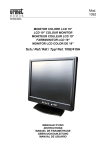
MONITOR COLORE LCD VGA 17”
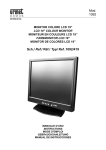
VGA LCD 17” COLOUR MONITOR
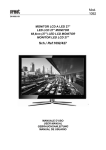
FARBMONITOR 17”
MONITOR COLOR DE 17” LCD VGA
Sch./Ref./Typ/Ref. 1092/407
MANUALE D’USO
INSTRUCTIONS
GEBRAUCHSANLEITUNG
MANUAL DE INSTRUCCIONES
ITALIANO
INDICE
1
Informazioni generali ............................................................................................................................. 3
1.1
Descrizione prodotto e tipo di impiego......................................................................................... 3
1.1.1
1.2
1.2.1
1.3
Alimentazione....................................................................................................................................... 3
Precauzioni per la sicurezza ................................................................................................................ 3
Precauzioni per l’installazione .............................................................................................................. 4
Pulizia del dispositivo ........................................................................................................................... 4
Privacy e Copyright .............................................................................................................................. 4
Comandi e regolazioni ........................................................................................................................... 5
2.1
Controlli diretti .............................................................................................................................. 5
2.2
Controlli con menu OSD .............................................................................................................. 6
2.2.1
2.2.2
2.2.3
2.2.4
2.2.5
3
4
Contenuto della confezione.................................................................................................................. 3
Avvertenze ................................................................................................................................... 3
1.3.1
1.3.2
1.3.3
1.3.4
1.3.5
2
Caratteristiche generali ........................................................................................................................ 3
Apertura della confezione ............................................................................................................ 3
Colori.................................................................................................................................................... 7
Immagine ............................................................................................................................................. 8
Funzioni................................................................................................................................................ 9
Impostazioni Menu ............................................................................................................................. 10
Vari..................................................................................................................................................... 11
Qualità dei monitor LCD e pixel .......................................................................................................... 12
Specifiche prodotto.............................................................................................................................. 12
DS1092-060
2
1
INFORMAZIONI GENERALI
Caro Cliente,
La ringraziamo dell’acquisto di questo prodotto.
Il presente documento descrive come installare ed utilizzare il modello di Monitor LCD VGA 17” URMET Domus S.p.A.
Sch.1092/407.
Prima di usare l’apparecchiatura, leggere il presente manuale che ne descrive l’uso corretto e sicuro.
Conservare questo manuale con attenzione ed in un luogo facilmente reperibile per poterlo consultare prontamente
quando necessario.
1.1
DESCRIZIONE PRODOTTO E TIPO DI IMPIEGO
Il monitor a colori “LCD VGA” Sch.1092/407 ha una struttura molto solida ed è progettato per funzionare in modo
continuativo, per cui può essere impiegato in impianti a TV a circuito chiuso senza rischi di sovra-affaticamento.
Il monitor a schermo piatto dispone di uno schermo a cristalli liquidi (liquid crystal display, LCD) a matrice attiva, con
transistor a pellicola sottile (thin-film transistor, TFT).
eNOTA BENE
Il prodotto URMET Domus S.p.A. Sch.1092/407 è destinato ad impianti TVCC.
1.1.1
1.2
CARATTERISTICHE GENERALI
Area visualizzabile 17”
Comandi frontali
Ingresso e cavo VGA
Ingresso audio su connettore Jack
Ampia inclinazione per consentire la visualizzazione da una posizione seduta o in piedi, o durante gli
spostamenti da un lato all’altro
Menù OSD multilingua per facilitare l’impostazione e l’ottimizzazione della schermata
Dimensioni compatte
APERTURA DELLA CONFEZIONE
Verificare che l’imballo ed il contenuto non presentino danni visibili. Se alcune parti non sono presenti o risultano
danneggiate, contattare immediatamente il rivenditore. In questi casi non tentare di utilizzare il dispositivo. Se il prodotto
dovesse essere rimandato al fornitore, assicurarsi di spedirlo con il suo imballo originale.
1.2.1
CONTENUTO DELLA CONFEZIONE
Monitor LCD
Alimentatore 12VCC; 4A
Cavo di alimentazione
eNOTA BENE
La composizione degli accessori a corredo può essere variata senza alcun preavviso.
1.3
AVVERTENZE
1.3.1
ALIMENTAZIONE
Questo dispositivo deve essere alimentato esclusivamente con l’alimentatore fornito in dotazione. Verificare il
valore della tensione di rete alla quale l’alimentatore dovrà essere collegato.
Per scollegare il cavo di alimentazione dalla presa impugnare la spina evitando di tirare il cavo.
1.3.2
PRECAUZIONI PER LA SICUREZZA
Per prevenire il rischio di incendio e folgorazione evitare di esporre il dispositivo alla pioggia o all'umidità e di
introdurre al suo interno qualsiasi oggetto solido o liquido. Se ciò dovesse avvenire scollegare il dispositivo dalla
rete di alimentazione e farlo controllare da personale qualificato.
In nessun caso il dispositivo deve essere aperto. Per qualsiasi intervento di riparazione rivolgersi a personale
qualificato oppure contattare il centro assistenza tecnico autorizzato.
Conservare questa apparecchiatura lontano dalla portata dei bambini; in caso contrario questi potrebbero
danneggiarla, o danneggiarla accidentalmente.
Non toccare questa apparecchiatura con le mani bagnate per evitare scosse elettriche o danni meccanici.
Se l’apparecchiatura dovesse cadere o il contenitore esterno dovesse risultare danneggiato, cessarne l’utilizzo.
Se si continuasse ad utilizzarla in queste condizioni, potrebbe essere provocata una scossa elettrica. In questo
caso contattare il rivenditore, o l’installatore autorizzato.
Si consiglia di scollegare il cavo di alimentazione qualora il monitor non dovesse essere utilizzato per parecchio
tempo.
DS1092-060
3
1.3.3
PRECAUZIONI PER L’INSTALLAZIONE
Per prevenire il surriscaldamento del dispositivo, collocarlo in una posizione che permetta il passaggio dell'aria
attraverso i fori previsti sullo chassis. Nel caso di installazione all’interno di un rack, assicurarsi che vi siano
almeno 5 cm di spazio libero. Per lo stesso motivo non deve essere installato vicino a fonti di calore come
radiatori o condotti d'aria calda o in posizioni dove sia esposto direttamente all’irradiazione solare, così come
non deve essere installato in locali soggetti a eccessiva polvere, vibrazioni meccaniche o urti.
Non posizionare questa apparecchiatura su alcuna superficie instabile come un tavolo traballante o inclinato. In
caso contrario l’apparecchiatura potrebbe cadere con conseguenti lesioni o guasti meccanici.
Non installare questa apparecchiatura in alcun luogo dove possa essere esposta a umidità o acqua. Non
bagnarla con un getto d’acqua diretto per evitare la possibilità di incendio, scosse elettriche o guasto
meccanico.
Se all’interno dell’apparecchiatura dovesse penetrare acqua o qualche altro materiale estraneo cessarne
l’utilizzo al fine di evitare la possibilità di incendio e scosse elettriche. In questo caso contattare il rivenditore, o
l’installatore autorizzato.
Non posare sul dispositivo oggetti pesanti o che generino calore, dato che ciò può danneggiare il mobile o far
aumentare la temperatura interna, causando anomalie di funzionamento.
Le feritoie e le aperture del monitor servono per la ventilazione e non devono essere ostruite o coperte.
Non usare questa apparecchiatura in ambienti con presenza di fumo, vapore, umidità, polvere, o vibrazioni
intense.
Non mettere in funzione il dispositivo immediatamente dopo il trasporto da un luogo freddo ad un luogo caldo e
viceversa. Attendere mediamente tre ore: questo intervallo di tempo è necessario al dispositivo per adattarsi al
nuovo ambiente (temperatura, umidità, ecc... ).
Il monitor è dotato di una base in plastica con piedini in gomma e può essere posizionato su una superficie
orizzontale come una scrivania o un tavolo. Accertarsi che l’apparecchio sia fissato in maniera solida ed
affidabile e non poggi su supporti o superfici instabili; un’eventuale caduta potrebbe causare seri danni a
persone e all’apparecchiatura stessa.
Ricordarsi di regolare i comandi di luminosità e contrasto per ottenere la migliore immagine.
Il monitor può essere anche installato a parete mediante una staffa (non fornita a corredo).
1.3.4
PULIZIA DEL DISPOSITIVO
Usare un panno asciutto e strofinare leggermente per eliminare polvere e sporcizia.
Nel caso in cui la sporcizia non fosse eliminabile con un panno asciutto, compiere l’operazione con un panno
inumidito con detergente neutro.
Non usare liquidi volatili come benzina, alcool, solventi ecc. o panni trattati chimicamente per pulire il dispositivo
al fine di evitare deformazioni, deterioramenti o graffi della finitura della vernice.
1.3.5
PRIVACY E COPYRIGHT
Il monitor LCD Sch.1092/407 è un dispositivo per sistemi TVCC. La registrazione delle immagini è subordinata
alle leggi vigenti nel paese di utilizzo. È inoltre vietata la registrazione di immagini protette da Copyright.
Gli utenti del prodotto sono responsabili per il controllo ed il rispetto di tutte le norme e gli statuti locali relativi al
monitoraggio e alla registrazione di segnali video. Il produttore NON potrà essere ritenuto responsabile per un
utilizzo di questo prodotto che non sia in conformità con le norme in vigore. Per maggiori informazioni
consultare l’indirizzo web http://www.garanteprivacy.it
DS1092-060
4
2
COMANDI E REGOLAZIONI
6
2
2.1
4
5
1
5
7
8
3
CONTROLLI DIRETTI
CONNETTORE D’ALIMENTAZIONE (DC) [6]
Connettere il cavo d’alimentazione dell’adattatore in dotazione nel rispettivo connettore DC.
TASTO ACCENSIONE/SPEGNIMENTO [1]
Consente l’accensione/spegnimento del monitor. L’illuminazione del led verde (2) indica lo stato d’accensione.
eNOTA BENE
Se dopo aver premuto il tasto (1) sul monitor dovesse apparire il seguente messaggio:
NO SIGNAL
con accensione del led rosso (2), significa che non è disponibile alcun segnale video.
TASTO REGOLAZIONE AUTOMATICA (AUTO) [3]
Consente la regolazione automatica di tutte le impostazioni video.
TASTO MENU [4]
Consente l’accesso e l’uscita dal menu OSD (On Screen Display).
TASTI DI REGOLAZIONE (UP-DOWN) [5]
Consentono la regolazione delle funzioni di controllo.
Premere il tasto “UP” o “DOWN” per diminuire o aumentare il valore del parametro.
INGRESSO VIDEO VGA [7]
Questo cavo permette la connessione VGA all’apparato da collegare.
INGRESSO AUDIO [8]
Questo ingresso a jack permette la connessione di un segnale audio.
DS1092-060
5
2.2
CONTROLLI CON MENU OSD
Tramite la pressione del tasto (4) è possibile accedere ai menù e sottomenù d’impostazione, definendo le funzioni di
controllo.
Premendo il tasto (4), apparirà la seguente videata.
1280 X 1024
60HZ
Colori
Contrasto
55 - ■■■■■■■█■■■ +
Immagine
Luminosità
35 - ■■■■█■■■■■■ +
Funzione
Temp. Colore
9300
6500
User
OSD Menu
Vari
Uscita
Uscita
Procedura
Per selezionare i diversi menù e sottomenù d’impostazione utilizzare i tasti “UP” e “DOWN” e premere “MENU” per
confermare.
Effettuare la regolazione mediante la pressione dei tasti “UP” e “DOWN”.
Per uscire dal menù o dai sottomenù premere il tasto “AUTO”.
DS1092-060
6
2.2.1
COLORI
Selezionando il primo menu e premendo il tasto “MENU” per confermare apparirà la seguente videata:
1280 X 1024
60HZ
Colori
Contrasto
55 - ■■■■■■■█■■■ +
Immagine
Luminosità
35 - ■■■■█■■■■■■ +
Funzione
Temp. Colore
9300
6500
User
OSD Menu
Vari
Uscita
Uscita
CONTRASTO
Consente di modificare il contrasto tra le parti bianche e quelle nere dell'immagine. Regolando
correttamente il contrasto è possibile ottenere una chiara risoluzione delle gradazioni bianche, nere e
grigie. Premere il tasto “UP” per aumentare ed il tasto “DOWN” per diminuire il valore del parametro.
LUMINOSITÀ
Consente di variare la luminosità dell’immagine in funzione della luce ambientale. Premere il tasto “UP”
per aumentare ed il tasto “DOWN” per diminuire il valore del parametro.
TEMP. COLORE
Consente di regolare l’intensità del colore. Premere i tasti “UP” e “DOWN” per selezionare il valore
desiderato.
REGOLAZ. COLORE
Consente di entrare nel sottomenu di regolazione di ciascun colore.
DS1092-060
7
2.2.2
IMMAGINE
Selezionando il secondo menu e premendo il tasto “MENU” per confermare apparirà la seguente videata.
1280 X 1024
60HZ
Colori
Posiz - H
55 - ■■■■■■■█■■■ +
Immagine
Posiz - V
35 - ■■■■█■■■■■■ +
Funzione
Fase
35 - ■■■■█■■■■■■ +
OSD Menu
Clock
35 - ■■■■█■■■■■■ +
Vari
Nitidezza
Uscita
Uscita
1 2 3 4 5
POSIZ-H
Consente di variare la posizione orizzontale dell’immagine ripresa sullo schermo. Premere il tasto “UP” per
spostare l’immagine verso destra ed il tasto “DOWN” per spostare l’immagine verso sinistra.
POSIZ-V
Consente di variare la posizione verticale dell’immagine ripresa sullo schermo. Premere il tasto “UP” per
spostare l’immagine verso l’alto ed il tasto “DOWN”spostare l’immagine verso il basso.
FASE
Consente di minimizzare le componenti di distorsione e instabilità del video. Premere il tasto “UP” per
aumentare ed il tasto “DOWN” per diminuire il valore del parametro
CLOCK
Consente di minimizzare le componenti di barre o strisce verticali presenti a video. Premere il tasto “UP”
per aumentare ed il tasto “DOWN” per diminuire il valore del parametro
NITIDEZZA
Consente di ottimizzare i parametri di nitidezza dell’immagine. Selezionare un valore tra 1 e 5.
DS1092-060
8
2.2.3
FUNZIONI
Selezionando il terzo menu e premendo il tasto “MENU” per confermare apparirà la seguente videata.
1280 X 1024
60HZ
Colori
Auto Regol
SI
NO
Immagine
Auto Colore
SI
NO
Funzione
Uscita
OSD Menu
Vari
Uscita
AUTO REGOL.
Consente di variare automaticamente le regolazioni delle impostazioni video. Premere il tasto “UP” per aumentare
ed il tasto “DOWN” per diminuire il valore del parametro.
AUTO COLORE
Consente di variare automaticamente le regolazioni delle impostazioni dei colori. Premere il tasto “UP” per
aumentare ed il tasto “DOWN” per diminuire il valore del parametro.
DS1092-060
9
2.2.4
IMPOSTAZIONI MENU
Selezionando il quarto menu e premendo il tasto “MENU” per confermare apparirà la seguente videata.
1280 X 1024
60HZ
Colori
Lingua
Immagine
OSD
H
Pos
35 - ■■■■█■■■■■■ +
Funzione
OSD
V
Pos
35 - ■■■■█■■■■■■ +
OSD Menu
OSD
Timer
Vari
Uscita
SI
NO
Uscita
LINGUA
Consente di selezionare la lingua d’uso del menu OSD. Premere i tasti “UP” e “DOWN” per selezionare la lingua da
utilizzare.
OSD H Pos.
Consente di posizionare orizzontalmente la finestra del menu OSD. Premere il tasto “UP” per spostare il menu
verso sinistra ed il tasto “DOWN” per spostare il menu verso destra.
OSD V Pos.
Consente di posizionare verticalmente la finestra del menu OSD. Premere il tasto “UP” per spostare il menu verso
l’alto ed il tasto “DOWN” per spostare il menu verso il basso.
OSD Timer
Consente di determinare se il menu OSD deve scomparire automaticamente (valore “ON”) o rimanere a schermo
(valore “OFF”) sino a che non viene premuto il tasto “AUTO”. Premere i tasti “UP” e “DOWN” per selezionare
l’opzione desiderata.
DS1092-060
10
2.2.5
VARI
Selezionando il quinto menu e premendo il tasto “MENU” per confermare apparirà la seguente videata.
1280 X 1024
60HZ
Colori
Risoluzione
640 X 400
720 X 400
Immagine
Reset
SI
Funzione
Volume
35 - ■■■■█■■■■■■ +
OSD Menu
Uscita
NO
Vari
Uscita
RISOLUZIONE
Menu non applicabile. La risoluzione utilizzata viene determinata dal dispositivo collegato. Le risoluzioni compatibili
con questo monitor sono: 640x480, 800x600, 1024x768 e 1280x1024.
RESET
Consente di caricare i valori di fabbrica del monitor.
VOLUME
Consente di regolare il livello audio.
Premere il tasto “UP” per aumentare ed il tasto “DOWN” per diminuire il valore del parametro.
DS1092-060
11
3
QUALITÀ DEI MONITOR LCD E PIXEL
I monitor TFT (thin-film transistor, con transistor a pellicola sottile) a matrice attiva utilizzano una tecnologia ad alta
precisione, conforme agli standard Urmet, in grado di garantire prestazioni esenti da disturbi.
Tuttavia, lo schermo potrebbe presentare piccole imperfezioni di carattere estetico, come ad esempio punti neri o
brillanti. Si tratta di una accezione comune, connessa con la natura specifica della tecnologia TFT, che determina
l’eventuale presenza di discontinuità sullo schermo e non specifica di Urmet.
Le imperfezioni sono provocate da uno o più pixel o sub-pixel difettosi.
Un pixel è costituito da un sub-pixel rosso, uno verde e uno blu.
Un pixel intero difettoso è sempre acceso (un punto luminoso su uno sfondo scuro), oppure è sempre spento (un
punto scuro su uno sfondo luminoso).
Un sub-pixel difettoso (dot defect) è meno visibile di quanto non sia un pixel intero difettoso, ed è visibile solo su
uno sfondo specifico.
Urmet assicura che i suoi monitor LCD sono conformi agli standard di qualità vigenti, e garantisce dunque non più di:
2 punti (dot) luminosi.
1 punto scuro.
3 punti luminosi e scuri in totale.
Urmet si aspetta, col tempo, di continuare a migliorare la qualità dei display a cristalli liquidi con un numero sempre
inferiore di imperfezioni estetiche.
La presente comunicazione informa il Cliente Urmet relativamente allo standard qualitativo dei display LCD al fine di
rendere un servizio il più trasparente possibile.
4
SPECIFICHE PRODOTTO
LCD Display: .............................................................................................................................................................17” TFT
Tempo di risposta:..........................................................................................................................................................8 ms
Risoluzione massima: ........................................................................................................................................1280 x 1024
Pixel: ................................................................................................................................................................0.264 x 0.264
Visualizzazione colori: ......................................................................................................................................... 16.7 milioni
Rapporto di contrasto: .................................................................................................................................................. 500:1
2
Luminosità:............................................................................................................................................................ 400 cd/m
Frequenza orizzontale:........................................................................................................................................31÷65 kHz
Velocità di refresh verticale: ................................................................................................................................. 56÷75 Hz
Angolo di visuale: .......................................................................................................................... …………140° orizzontale
............................................................................................................................................................. ……….120° verticale
Ingressi audio:................................................................................................................................................................ Jack
Adattatore di alimentazione:....................................................................................... AC Input: 100/240 V ~ 1.0A, 50/60Hz
................................................................................................................................................................DC Output: 12V/4A
Temperatura di funzionamento: .........................................................................................................................0°C÷+40°C
Temperatura di immagazzinamento: .............................................................................................................. -25°C÷+60°C
Controlli pannello frontale:....................................................................................... On/Off - Menù OSD - Tasti di selezione
Comandi OSD: ......................................................Impostazioni di visualizzazione - Impostazioni varie - Impostazioni OSD
Umidità: ................................................................................................................ 10%/90% Senza formazione di condensa
Dimensioni (lung. x larg. x prof.):........................................................................................................... 380 x 380 x 190 mm
Peso netto: .................................................................................................................................................................. 5.8 Kg
Uscite audio: ....................................................................................................................................... 2 altoparlanti – 2,5 W
eNOTA BENE
Le caratteristiche tecniche possono essere soggette a variazione senza alcun preavviso.
DS1092-060
12
ENGLISH
TABLE OF CONTENTS
1
General information ............................................................................................................................. 14
1.1
Product description and type of use .......................................................................................... 14
1.1.1
1.2
1.2.1
1.3
Power ................................................................................................................................................. 14
Safety precautions ............................................................................................................................. 14
Installation precautions....................................................................................................................... 15
Cleaning the device............................................................................................................................ 15
Privacy and copyright ......................................................................................................................... 15
Controls and settings .......................................................................................................................... 16
2.1
Direct controls ............................................................................................................................ 16
2.2
OSD CCTV menu controls......................................................................................................... 17
2.2.1
2.2.2
2.2.3
2.2.4
2.2.5
3
4
Contents of the box ............................................................................................................................ 14
Warnings .................................................................................................................................... 14
1.3.1
1.3.2
1.3.3
1.3.4
1.3.5
2
General features ................................................................................................................................ 14
Opening the box......................................................................................................................... 14
Colour................................................................................................................................................. 18
Image setting...................................................................................................................................... 18
Function ............................................................................................................................................. 19
OSD menu ......................................................................................................................................... 19
Misc.................................................................................................................................................... 20
LCD monitor quality and pixel ............................................................................................................ 21
Product specifications......................................................................................................................... 21
DS1092-060
13
1
GENERAL INFORMATION
Dear Customer,
Thank you for having purchased this Urmet product.
This document describes how to install and use the URMET Domus LCD 17” colour monitor ref. 1092/407.
Read this manual which contains information for correct, safe use carefully.
Keep this manual at hand so that you can refer to it when needed.
1.1
PRODUCT DESCRIPTION AND TYPE OF USE
The LCD colour monitor 1092/407 presents a very rugged structure. It is designed for continuous operation and can be
used in closed circuit TV systems without risks of excessive fatigue.
The Flat Panel Display has an active matrix, thin-film transistor (TFT), liquid crystal display (LCD).
eIMPORTANT NOTE
URMET Domus Ref.1092/417 is a product intended for use in CCTV systems.
1.1.1
1.2
GENERAL FEATURES
17” display area
Front control panel
VGA input and cable
Audio input on Jack connector
Wide inclination to allow viewing either from a seated position or standing up and when moving from one
position to the other
Multilingual OSD menu for easy setting and optimisation of the display
Compact size
OPENING THE BOX
Check that the packing and the contents are not visibly damaged. Contact the retailer immediately if parts are either
missing or damaged. Do not attempt to use the device in this case. Send the product back in its original packing if it is
damaged.
1.2.1
CONTENTS OF THE BOX
LCD monitor
Power unit 12VDC; 4A
Power cable
eIMPORTANT NOTE
Accessories may be changed without prior notice.
1.3
WARNINGS
1.3.1
POWER
Only use the power unit provided to power the device. Check mains rating before plugging the power unit in.
Do not pull the cable to unplug the device.
1.3.2
SAFETY PRECAUTIONS
Keep the device away from rain and humidity to prevent risk of fire and electrocution. Do not introduce material
(solid or liquid) inside. If this should accidentally occur, disconnect the device from the mains and have it
inspected by qualified personnel.
Never open the device. In all cases, contact a qualified personnel or authorised service centre for repairs.
Keep the device away from children, to prevent accidental damage.
Do not touch the device with wet hands to prevent electrical shock or mechanical damage.
Do not use the device if it should fall or the external casing is damaged. Risk of electrocution if the device is
used in such conditions. Contact the retailer or authorised installer.
It is advisable to disconnect the power wire if the monitor is not used for a certain time.
DS1092-060
14
1.3.3
INSTALLATION PRECAUTIONS
To prevent overheating the device, arrange it in a position allowing the flow of air through the slots in the casing.
Ensure at least 5 cm of free space when installing inside a rack. For the same reason, do not install sources of
heat, such as radiators or hot air ducts. Keep away from direct sunlight. Do not install in areas subject to
excessive dust, mechanical vibrations or shocks.
Do not arrange this device on an unstable surface, such as a tottering or slanted table. The device could fall
causing injury or mechanical failures.
Do not install the device in a place where it could be exposed to humidity or water. Do not direct a jet of water
onto the device: risk of fire, electrocution or mechanical failure.
Stop using the device if water or other material should penetrate inside: risk of fire and electrocution. Contact
the retailer or authorised installer.
Slots and openings in the cabinet are provided for ventilation. These openings must not be blocked or covered.
Do not place heavy or heat generating objects on top of the device: this could damage the casing and/or
increase internal temperature causing faults.
Do not cover the device with a cloth while it is running to prevent deforming the external casing and overheating
the internal parts: risk of fire, electrocution and mechanical failure.
Keep magnets and magnetised objects away from the device to prevent faults.
Do not use the device in presence of smoke, vapour, humidity, dust or intense vibrations.
Wait for a while before operating a device immediately after transporting it from a cold place to a warm place
and vice versa. Wait on average for three hours: this will allow the device to adapt to the new ambient
(temperature, humidity, etc.).
The monitor is provided with a plastic base and rubber feet. It can be positioned on a horizontal surface, such
as a desk or a table. Make sure that the device is fastened firmly and that it is not resting on unstable supports
or surfaces. Dropping could cause severe injury and damage the device.
Remember to adjust the brightness and contrast to obtain a perfect image.
The monitor can also be installed on the wall by means of a bracket (not provided).
1.3.4
CLEANING THE DEVICE
Rub delicately with a dry cloth to remove dust and dirt.
Dip the cloth in neutral detergent if dirt cannot be eliminated with a dry cloth alone.
Do not use volatile liquids (such a petrol, alcohol, solvents, etc.) or chemically treated clothes to clean the
device to prevent deformation, deterioration or scratches to the paint finish.
1.3.5
PRIVACY AND COPYRIGHT
The 1092/407 LCD monitor is a device for CCTV systems. Recording of images is subject to the laws in force in
your country. Recording of images protected by copyright is forbidden.
Product users shall be responsible for checking and respecting all local rules and regulations concerning
monitoring and recording video signals. The manufacturing SHALL NOT BE LIABLE for use of this product not
in compliance with the laws in force.
DS1092-060
15
2
CONTROLS AND SETTINGS
6
2
2.1
4
5
1
5
7
8
3
DIRECT CONTROLS
POWER CONNECTOR (DC) [6]
Plug the power wire of the adapter provided into the respective DC.
ON/OFF BUTTON [1]
This is used to switch the monitor on and off. The green LED (2) lights up when the monitor is on.
eIMPORTANT NOTE
If the following message appears on the monitor after pressing the button (1):
NO SIGNAL
and the led (2) becomes red, it means that video signal is missing.
AUTOMATIC ADJUSTMENT BUTTON (AUTO) [3]
Available in “PC” mode only.
ADJUSTMENT BUTTONS (DOWN/- or UP/+) [5]
These are used to select the various input signals and to select control functions.
In “AV” mode, they directly control speaker volume.
Press “DOWN/-” or “UP/+” to decrease or increase the value of the parameter.
OSD MENU BUTTON [4]
This is used to access and quit the OSD (On-Screen Display) menu.
PC SIGNAL INPUT (VGA) [7]
PC input.
PC AUDIO INPUT (PC AUDIO) [8]
Jack socket audio input.
DS1092-060
16
2.2
OSD CCTV MENU CONTROLS
Button (4) can be used to access menus and submenus and to define control functions.
Press button (4), the following screen will appear:
Procedure
Use “UP” and “DOWN” and press “MENU” to confirm to select the various menus and submenus.
Use “UP” and “DOWN” to adjust.
Use “AUTO” to exit.
DS1092-060
17
2.2.1
COLOUR
Select “COLOR” and press “MENU” to confirm. The following screen will appear containing display settings.
CONTRAST
This setting is used to change the contrast between the black and white areas of the
image. Clear resolution of the white, black and grey scales can be obtained by
correctly setting contrast. Press “UP” or “DOWN” to increase or decrease the
parameter setting.
BRIGHTNESS
This setting is used to change the brightness of the image according to ambient
light. Press “UP” or “DOWN” to increase or decrease the parameter setting.
COLOUR TEMPERATURE
This setting is used to adjust the color temperature. Press “UP” or “DOWN” to select
the desired value.
COLOUR ADJUST
This setting is used to enter in the sub-menu of colour adjustments.
2.2.2
IMAGE SETTING
Select “PICTURE” and press “MENU” to confirm. The following screen will appear containing display settings.
H.POSITION
This setting is used to move picture image left and right. “DOWN” moves the screen image left. “UP”
moves the screen image right.
V.POSITION
This setting is used to move picture image up and down. “DOWN” moves the screen image downside. “UP”
moves the screen image upside.
PHASE
This setting is used to minimize distortions and video instability. Press “UP” or “DOWN” to increase or
decrease the parameter setting.
CLOCK
This setting is used to minimize strips on video. Press “UP” or “DOWN” to increase or decrease the
parameter setting.
SHARPNESS
This setting is used to optimise the sharpness of the mage. Select a value among 1 and 5.
DS1092-060
18
2.2.3
FUNCTION
Select “FUNCTION” and press “MENU” to confirm. The following screen containing settings related to image dimensions
and position of the image on the screen will appear.
AUTO ADJUST
This setting is used to automatically adjust the video setup. Press “UP” or “DOWN” to increase or decrease the
parameter setting.
AUTO COLOUR
This setting is used to automatically adjust the colours of the image. Press “UP” or “DOWN” to increase or decrease the
parameter setting.
2.2.4
OSD MENU
Select “OSD MENU” and press “MENU” to confirm. The following screen will appear containing OSD settings.
LANGUAGE
This setting is used to select the language of the controls. Press “UP” or “DOWN” to
select the available options.
OSD H. POS.
This setting is used to change the horizontal position of the OSD panel. Press “UP”
to move the image rightwards. Press “DOWN” to move the image leftwards
OSD V. POS.
This setting is used to change the vertical position of the OSD panel. Press “UP” to
move the image upwards. Press “DOWN” to move the image downwards.
OSD TIMER
This setting can be used to set the time for which the OSD panel appears on the
display (0 to 27 sec). Press “UP” or “DOWN” to increase or decrease the parameter
setting.
DS1092-060
19
2.2.5
MISC
Select “MISC” and press “MENU” to confirm. The following screen will appear:
MODE SELECT
This Menu is not applicable. The resolution is defined by the connected device. The compatible resolutions are:
640x480, 800x600, 1024x768 e 1280x1024.
RESET
Loads factory settings.
VOLUME
This setting is used to adjust the audio volume.
Press “UP” or “DOWN” to increase or decrease the parameter setting.
DS1092-060
20
3
LCD MONITOR QUALITY AND PIXEL
The TFT monitor uses high-precision technology, manufactured according to Urmet standards, to guarantee trouble-free
performance. Nevertheless, the display may have cosmetic imperfections that appear as small bright or dark spots. This
a common matter related to the specific nature of TFT technology which determines the possible presence of
discontinuity on the screen and is not specific to Urmet products.
These imperfections are caused by one or more defective pixels or sub-pixels.
A pixel consists of one red, one green, and one blue sub-pixel.
A defective whole pixel is always turned on (a bright spot on a dark background), or it is always off (a dark spot on
a bright background). The first is the more visible of the two.
A defective sub-pixel (dot defect) is less visible than a defective whole pixel and is small and only visible on a
specific background.
Urmet guarantees that LCD monitors comply to the current quality standards and consequently no more than:
2 bright dots.
1 dark dots.
3 total bright and dark dots.
Urmet expects that the quality of liquid crystal displays will improve in time with a decrease in the number of
imperfections.
With the present communication Urmet wishes to inform customers of the quality standard of the LCD to ensure a
service as transparent as possible.
4
PRODUCT SPECIFICATIONS
LCD Display: .............................................................................................................................................................17” TFT
Response time: ..............................................................................................................................................................8 ms
Resolution: .........................................................................................................................................................1280 x 1024
Pixels: ..............................................................................................................................................................0.264 x 0.264
Colours:................................................................................................................................................................ 16.7 milion
Contrast ratio:............................................................................................................................................................... 500:1
2
Brightness: ............................................................................................................................................................ 400 cd/m
Horizontal frequency: ..........................................................................................................................................31÷65 kHz
Vertical refresh rate:............................................................................................................................................. 56÷75 Hz
Frame angle: ............................................................................................................................................... (140°) horizontal
........................................................................................................................................................................ (120°) vertical
Audio input: .................................................................................................................................................................... Jack
Power adapter:.........................................................................................................AC Input: 100÷240 V ~ 1.0A, 50/60Hz
...............................................................................................................................................................DC Output: 12V/4.A
Working temperature range:...............................................................................................................................0°C÷+40°C
Storage temperature range: ........................................................................................................................... -25°C÷+60°C
Front panel controls: ............................................................................... On/Off - Volume - OSD Menù – Selection buttons
OSD controls:.............................................................................................View settings – Various settings – OSD settings
Humidity: .......................................................................................................................... 10%÷90% Without condensation
Dimensions (L x W x D):........................................................................................................................ 380 x 380 x 190 mm
Net weigh: ................................................................................................................................................................... 5.8 Kg
Audio outputs: ........................................................................................................................................ 2 speakers – 2.5 W
eImportant note:
Product specifications may be subject to change without prior notice.
DS1092-060
21
DEUTSCH
INHALTSVERZEICHNIS
1
ALLGEMEINE INFORMATIONEN ........................................................................................................ 23
1.1
PRODUKTBESCHREIBUNG - EINSATZART........................................................................... 23
1.1.1
1.2
1.2.1
1.3
VERSORGUNG ................................................................................................................................. 23
SICHERHEITSMASSNMAHMEN....................................................................................................... 23
VORSICHTSMASSNAHMEN BEI DER INSTALLATION ................................................................... 24
REINIGUNG DES GERÄTS............................................................................................................... 24
DATENSCHUTZ UND COPYRIGHT.................................................................................................. 24
BESCHREIBUNG DER TEILE .............................................................................................................. 25
2.1
DIREKTE BEDIENUNGEN ........................................................................................................ 25
2.2
BEDIENUNGEN ÜBER MENÜ OSD ......................................................................................... 26
2.2.1
2.2.2
2.2.3
2.2.4
2.2.5
3
4
INHALT DER VERPACKUNG............................................................................................................ 23
WARNHINWEISE ...................................................................................................................... 23
1.3.1
1.3.2
1.3.3
1.3.4
1.3.5
2
ALLGEMEINE MERKMALE ............................................................................................................... 23
ÖFFNEN DER VERPACKUNG ................................................................................................. 23
FARBE ............................................................................................................................................... 27
BILD ................................................................................................................................................... 28
FUNKTION......................................................................................................................................... 29
OSD MENÜ........................................................................................................................................ 30
MISC .................................................................................................................................................. 31
HINWEISE ZU DEFEKTEN PIXELN UND ZUR QUALITÄT DES LCD-MONITORS ........................... 32
TECHNISCHE DATEN DES PRODUKTS ............................................................................................. 32
DS1092-060
22
1
ALLGEMEINE INFORMATIONEN
Lieber Kunde,
wir danken Ihnen für den Kauf dieses Urmet Produkts.
Dieses Dokument beschreibt die Installation und den Gebrauch des des Farbmonitor LCD 17“ URMET Domus S.p.A.
Modell 10932/407.
Bitte lesen Sie sich vor Inbetriebnahme des Geräts die vorliegende Gebrauchsanleitung durch. Sie beschreibt den
sachgemäßen und sicheren Betrieb des Geräts.
Heben Sie diese Gebrauchsanleitung sorgfältig und an einem leicht zugänglichen Ort auf, damit Sie sie bei Bedarf
umgehend konsultieren zu können.
1.1
PRODUKTBESCHREIBUNG - EINSATZART
Der Farbmonitor “LCD” Typ 1092/407 verfügt über einen sehr robusten Aufbau und ist für Dauerfunktion ausgelegt.
Daher kann er in TV-Anlagen mit geschlossenem Kreis ohne Überlastungsrisiken eingesetzt werden.
Der Flachbildmonitor ist ein Aktivmatrix LCD (liquid crystal display) Bildschirm mit TFT (thin film transistor).
eBEACHTEN
Das Produkt URMET Domus S.p.A. Typ 1092/407 ist für CCTV-Systeme bestimmt.
1.1.1
1.2
ALLGEMEINE MERKMALE
Einblendbarer Bereich 17”
Frontale Bedienungen
VGA-Eingang
Audioeingang auf RCA-Anschlüssen
Breiter Neigungswinkel, um die Ansicht aus der sitzenden oder stehenden Position zu gestatten
Mehrsprachiges OSD-Menü, um die Einstellung und die Optimierung der Bildschirmansicht zu vereinfachen
Kompakte Abmessungen
ÖFFNEN DER VERPACKUNG
Überprüfen, ob die Verpackung und der Inhalt keine erkennbaren Schäden aufweisen. Fehlen Teile oder erweisen diese
sich als beschädigt, unmittelbar den Händler kontaktieren. Sollte das Produkt an den Lieferanten zurückgeschickt
werden, vergewissern Sie sich, dass dies in der Originalverpackung erfolgt.
1.2.1
INHALT DER VERPACKUNG
Farbmonitor LCD
Netzteil 12V DC; 4A
Netzkabel
eBEACHTEN
Die Zusammensetzung der in der Lieferung enthaltenen Zubehörteile kann ohne Vorankündigung geämdert werden.
1.3
WARNHINWEISE
1.3.1
VERSORGUNG
Dieses Gerät darf ausschließlich mit dem in der Lieferung enthaltenen Netzteil betrieben werden. Den Wert der
Netzspannung überprüfen, an die das Netzteil angeschlossen werden soll.
Um das Netzkabel aus der Steckdose zu ziehen, den Stecker fassen und vermeiden, am Kabel zu ziehen.
1.3.2
SICHERHEITSMASSNMAHMEN
Um der Gefahr von Bränden und Stromschlägen vorzubeugen, vermeiden, das Gerät Regen oder Feuchtigkeit
auszusetzen und jegliche Gegenstände oder Flüssigkeiten in das Geräteinnere gelangen zu lassen. Sollte dies
dennoch geschehen, das Gerät vom Versorgungsnetz trennen und von Fachpersonal kontrollieren lassen.
Auf keinen Fall darf das Gerät geöffnet werden. Wenden Sie sich wegen jeglicher Reparaturarbeiten an
Fachpersonal oder kontaktieren Sie das autorisierte Kundendienstzentrum.
Das Gerät außerhalb der Reichweite von Kindern aufbewahren, da diese das Gerät versehentlich beschädigen
könnten.
Das Gerät nicht mit nassen Händen berühren, um elektrischen Schlägen und mechanischen Schäden
vorzubeugen.
Sollte das Gerät herunterfallen oder sich das Außengehäuse als beschädigt erweisen, den Gebrauch einstellen.
Bei Weiterverwendung unter diesen Bedingungen kann es zu elektrischen Schlägen kommen. Wenden Sie sich
in diesen Fällen an den Händler oder den autorisierten Installateur.
Es wird empfohlen das Versorgungskabel abzutrennen, sollte der Monitor für einen längeren Zeitraum nicht
benutzt werden.
DS1092-060
23
1.3.3
VORSICHTSMASSNAHMEN BEI DER INSTALLATION
Um einer Überhitzung des Geräts vorzubeugen, dieses so aufstellen, dass Luft durch die Lüftungsöffnungen im
Gehäuse strömen kann. Stellen Sie bei Installation in einem Baugruppenträger sicher, dass mindestens 5 cm
Freiraum vorliegen. Aus demselben Grund darf das Gerät nicht in der Nähe von Wärmequellen wie Heizkörpern
oder Warmluftleitungen, an Orten mit direkter Sonneneinstrahlung oder in Räumen mit übermäßiger
Staubbelastung, mechanischen Erschütterungen oder Stoßgefahr aufgestellt werden.
Gerät nicht auf instabilen Oberflächen wie wacklige Tische oder schräge Tischflächen aufstellen. Andernfalls
könnte das Gerät herunterfallen und dadurch Verletzungen verursachen oder mechanische Defekte
davontragen.
Gerät nicht an Orten aufstellen, wo es Feuchtigkeit oder Spritzwasser ausgesetzt sein könnte. Um einer
möglichen Brandentwicklung, Stromschlägen oder mechanischen Defekten vorzubeugen, Gerät nicht mit
Wasser abspritzen.
Sollten Wasser oder andere Fremdkörper in das Gerät eindringen, Gerät außer Betrieb setzen, um eine
mögliche Brandentwicklung oder Stromschläge zu vermeiden. Wenden Sie sich in diesem Fall an Ihren
Fachhändler oder einen autorisierten Installateur.
Die Schlitze und Öffnungen im Gehäuse dienen der Belüftung. Diese Öffnungen dürfen nicht versperrt oder
abgedeckt werden. Stecken Sie niemals Gegenstände in die Gehäuseschlitze oder andere Öffnungen.
Stellen Sie auf dem Gerät keine schweren oder Wärme erzeugenden Gegenstände ab, da diese das Gehäuse
beschädigen oder die Innentemperatur erhöhen können, wodurch es zu Funktionsstörungen kommen kann.
Gerät während des Betriebs nicht mit einem Tuch abdecken, um Verformungen des Außengehäuses und eine
Überhitzung der innen liegenden Bauteile mit daraus folgender Brandgefahr, Gefahr von Stromschlägen oder
mechanischen Defekten zu vermeiden.
Keine Magneten oder magnetisierte Gegenstände in die Nähe des Geräts bringen, da dies Funktionsstörungen
verursachen könnte.
Gerät nicht in Umgebungen verwenden, in denen Rauch, Dampf, Feuchtigkeit, Staub oder starke Vibrationen
vorhanden sind.
Gerät nicht unmittelbar nach dem Transport von einem kühlen an einen warmen Ort oder umgekehrt in Betrieb
nehmen. Im Durchschnitt sind drei Stunden abzuwarten: dieser Zeitraum ist erforderlich, damit das Gerät sich
an die neue Umgebung anpassen kann (Temperatur, Feuchtigkeit, etc.).
Der Monitor ist mit einem Kunststoffuntersatz mit Gummifüßen ausgestattet und kann auf einer horizontalen
Fläche wie einem Schreibtisch oder einem normalem Tisch positioniert werden. Sicherstellen, dass das Gerät
fest und zuverlässig befestigt ist und nicht auf instabilen Abstützungen oder Flächen ruht. Ein eventuelles
Herunterfallen könnte zu ernsthaften Personenschäden oder Schäden am Gerät führen.
Nicht vergessen, die Einstellung der Helligkeit und des Kontrasts vorzunehmen, um ein besseres Bild zu
erzielen.
Der Monitor kann auch mittels einer Halterung (nicht im Lieferumfang enthalten) an der Wand installiert werden.
1.3.4
REINIGUNG DES GERÄTS
Um Staub und Schmutz zu entfernen, Gerät mit einem trockenen Tuch abreiben.
Sollte der Schmutz mit einem trockenen Tuch nicht zu entfernen sein, Gerät mit einem feuchten Lappen und
Neutralreiniger abwischen.
Um Verformungen, Beschädigungen oder Kratzer im Lack zu verhindern, keine flüchtigen Flüssigkeiten wie
Benzin, Alkohol, Lösungsmittel etc. oder chemisch behandelte Tücher zur Reinigung des Geräts verwenden.
1.3.5
DATENSCHUTZ UND COPYRIGHT
Der Farbmonitor 17“ des Typs 1092/407 ist ein CCTV-Gerät. Die Bildaufzeichnung unterliegt den geltenden
Bestimmungen des Betreiberlandes. Darüber hinaus ist die Aufzeichnung von urheberrechtlich geschützten
Bildern untersagt.
Der Geräteanwender ist für die Kontrolle und Einhaltung aller örtlich in Bezug auf Videoüberwachungen und
Videoaufzeichnungen geltenden Vorschriften und Bestimmungen verantwortlich. Der Hersteller kann nicht für
einen Gebrauch des Geräts haftbar gemacht werden, der nicht mit den geltenden Bestimmungen
übereinstimmt.
DS1092-060
24
2
BESCHREIBUNG DER TEILE
6
2
2.1
4
5
1
5
7
8
3
DIREKTE BEDIENUNGEN
VERSORGUNGSSTECKER (DC) [6]
Das Versorgungskabel des in der Lieferung enthaltenen Adapters an den entsprechenden Stecker DC anschließen.
EIN-/AUS-Taste [1]
Gestattet das Ein-/Ausschalten des Monitors. Die grüne LED (2) leuchtet auf, wenn der Monitor eingeschaltet ist.
eBEACHTEN
Sollte nach dem Betätigen der Taste (1) auf dem Monitor die folgenden Meldung erscheinen:
KEIN SIGNAL
und die LED (2) leuchte rot, bedeutet dieses dass das Videosignal fehlt.
TASTE AUTOMATISCHE REGELUNG (AUTO) [3]
Nur im Modus “PC” verfügbar.
EINSTELLTASTEN (DOWN/- oder UP/+) [5]
Gestattet die Auswahl der Eingangssignale und die Auswahl der Steuerfunktionen.
Im Modus “AV” gestatten sie die direkte Regelung der Lautsprecherlautstärke.
Die Taste “DOWN/-” or “UP/+”drücken, um den Wert des Parameters zu erhöhen oder zu verringern.
TASTE OSD MENÜ [4]
Gestattet den Zugriff auf das OSD-Menü (On-Screen-Display) und das Verlassen desselben.
EINGANG PC SIGNAL (VGA) [7]
PC-Eingang oder Eingang digitaler Videorecorder.
Audioeingang PC (PC AUDIO) [8]
Audioeingänge auf Jack-Buchsen.
DS1092-060
25
2.2
BEDIENUNGEN ÜBER MENÜ OSD
Durch Betätigen der Taste (4) kann auf die Menüs und Untermenüs der Einstellung zugegriffen werden, um die
Steuerfunktionen zu definieren.
Durch Drücken der Taste (4) erscheint die folgende Bildschirmansicht.
1280 X 1024
60HZ
Farbe
Kontrast
55 - ■■■■■■■█■■■ +
Bild
Helligkeit
Funktion
Farbtemperatur
OSD Menu
Colour Adjust
Misc
Ende
35 - ■■■■█■■■■■■ +
9300
6500
Nutzer
Ende
Vorgehensweise
Um die verschiedenen Menüs und Untermenüs der Einstellung auszuwählen, die Tasten “UP” und “DOWN”
verwenden und Zur Bestätigung die Taste “MENU” drücken.
Die Einstellung durch Bestätigen der Tasten “UP” und “DOWN” vornehmen.
Um das Menü oder die Untermenüs zu Verlassen die Taste “AUTO” betätigen.
DS1092-060
26
2.2.1
FARBE
Durch Auswahl von “FARBE” und Betätigen der Taste “MENÜ”, erscheint auf dem Bildschirm folgende Ansicht:
1280 X 1024
60HZ
Farbe
Kontrast
55 - ■■■■■■■█■■■ +
Bild
Helligkeit
Funktion
Farbtemperatur
OSD Menu
Colour Adjust
Misc
Ende
35 - ■■■■█■■■■■■ +
9300
6500
Nutzer
Ende
KONTRAST
Gestattet die Änderung des Kontrastes zwischen weißen und schwarzen Bildteilen. Durch korrektes
Einstellen des Kontrastes ist es möglich, eine klare Auflösung der weißen, schwarzen und grauen
Abstufungen zu erhalten. Die Taste “UP” zum Erhöhen oder die Taste “DOWN” zum Verringern des
Parameterwertes betätigen.
HELLIGKEIT
Gestattet die Änderung der Bildhelligkeit abhängig vom Tageslicht. Die Taste “UP” zum Erhöhen oder
die Taste “DOWN” zum Verringern des Parameterwertes betätigen.
FARBTEMPERATUR
Gestattet die Einstellung der Farbtemperatur. Die Taste “UP” zum Erhöhen oder die Taste “DOWN” zum
Verringern des Parameterwertes betätigen.
COLOUR ADJUST
Gestattet den Zugang zum Untermenü der Farbeinstellungen.
DS1092-060
27
2.2.2
BILD
Durch Auswahl von “BILD” und Betätigen der Taste “MENÜ”, erscheint auf dem Bildschirm folgende Ansicht:
1280 X 1024
60HZ
Farbe
Posit - H
55 - ■■■■■■■█■■■ +
Bild
Posit - V
35 - ■■■■█■■■■■■ +
Funzktion
Phase
35 - ■■■■█■■■■■■ +
OSD Menu
Takt
35 - ■■■■█■■■■■■ +
Misc
Schärfe
Ende
Ende
1 2 3 4 5
H.POSITION
Gestattet die Positionierung des Bildes nach links oder rechts. Die Taste “DOWN” verschiebt das Bild nach
links. Die Taste “UP” verschiebt das Bild nach rechts.
V.POSITION
Gestattet die Positionierung des Bildes nach oben oder unten. Die Taste “DOWN” verschiebt das Bild nach
unten. Die Taste “UP” verschiebt das Bild nach oben.
PHASE
Gestattet die Einstellung der Verzerrung und Instabilität des Videobildes. Die Taste “UP” zum Erhöhen
oder die Taste “DOWN” zum Verringern des Parameterwertes betätigen.
TAKT
Gestattet die Verringerung der Streifenbildung auf der Bildschirmansicht. Die Taste “UP” zum Erhöhen
oder die Taste “DOWN” zum Verringern des Parameterwertes betätigen.
SCHÄRFE
Gestattet die Änderung der Schärfe des Bildschirmansicht. Auswahl des Wertes zwischen 1 und 5.
DS1092-060
28
2.2.3
FUNKTION
Durch Auswahl von “FUNKTION” und Betätigen der Taste “MENÜ”, erscheint auf dem Bildschirm folgende Ansicht:
1280 X 1024
60HZ
Farbe
Auto Einstellung
JA
NEIN
Bild
Auto Farbe
JA
NEIN
Funktion
Ende
OSD Menu
Misc
Ende
AUTO ADJUST
Gestattet die automatische Justierung der Videoeinstellungen. Die Taste “UP” oder die Taste “DOWN” zum Ändern
des Parameterwertes betätigen.
AUTO COLOUR
Gestattet die automatische Justierung der Farbeinstellungen des Bildes. Die Taste “UP” oder die Taste “DOWN”
zum Ändern des Parameterwertes betätigen.
DS1092-060
29
2.2.4
OSD MENÜ
Durch Auswahl von “OSD MENÜ” und Betätigen der Taste “MENÜ”, erscheint auf dem Bildschirm folgende Ansicht:
1280 X 1024
60HZ
Farbe
Sprache
Bild
OSD
H
Pos
35 - ■■■■█■■■■■■ +
Funktion
OSD
V
Pos
35 - ■■■■█■■■■■■ +
OSD Menu
OSD
Timer
Misc
Ende
JA
NEIN
Ende
SPRACHE
Gestattet die Auswahl der Sprache des OSD-Menüs. Die Taste “UP” oder die Taste “DOWN” zum Ändern der
Sprache betätigen.
OSD H Pos.
Gestattet die Änderung der horizontalen Position des OSD-Menüs. Die Taste “DOWN” verschiebt das Bild nach
links. Die Taste “UP” verschiebt das Bild nach rechts.
OSD V Pos.
Gestattet die Änderung der vertikalen Position des OSD-Menüs. Die Taste “DOWN” verschiebt das Bild nach unten.
Die Taste “UP” verschiebt das Bild nach oben.
OSD Timer
Gestattet die Die Änderung der Anzeigezeit des OSD-Menüs auf dem Bildschirm (von 0 bis 27 sek). Die Taste “UP”
zum Erhöhen oder die Taste “DOWN” zum Verringern des Parameterwertes betätigen..
DS1092-060
30
2.2.5
MISC
Durch Auswahl von “MISC” und Betätigen der Taste “MENÜ”, erscheint auf dem Bildschirm folgende Ansicht:
1280 X 1024
Farbe
Auflösung
Bild
Rücksetzen
Funktion
Volume
OSD Menu
Ende
60HZ
640 X 400
JA
720 X 400
NEIN
35 - ■■■■█■■■■■■ +
Misc
Ende
AUFLÖSUNG
Dieser Wert ist nicht änderbar. Die Auflösung wird automatisch nach dem am Monitor angeschlossenen Geräts
gewählt. Kompatible Auflösungen sind: 640x480, 800x600, 1024x768 e 1280x1024 Pixel.
RÜCKSETZEN
Setzt den Monitor auf die Werkseinstellungen zurück.
VOLUME
Gestattet die Regulierung der Lautstärke.
Die Taste “UP” zum Erhöhen oder die Taste “DOWN” zum Verringern des Parameterwertes betätigen.
DS1092-060
31
3
HINWEISE ZU DEFEKTEN PIXELN UND ZUR QUALITÄT DES LCD-MONITORS
Der TFT-Monitor ist mit Hochpräzisiontechnologie ausgestattet und wurde gemäß den Urmet Standards gefertigt, um
einen störungsfreien Betrieb zu gewährleisten. Trotzdem ist es möglich, dass der Monitor leichte Unregelmäßigkeiten
aufweist, die sich in kleinen hellen oder dunklen Punkten auf dem Bildschirm äußern. Es handelt sich um eine normale
Erscheinung, die mit der spezifischen Natur der TFT-Technologie zusammenhängt, die eventuelle Anzeichen von
Diskontinuität auf dem Bildschirm mit sich bringt und nicht für Urmet spezifisch.
Die Unregelmäßigkeiten rühren von einem oder mehreren defekten Pixeln bzw. Subpixel her.
Ein Pixel besteht aus einem roten, einem grünen und einem blauen Subpixel.
Ein defektes Pixel leuchtet entweder ständig (heller Punkt auf dunklem Hintergrund) oder bleibt immer dunkel
(dunkler Punkt auf hellem Hintergrund. Das leuchtende Pixel fällt stärker auf als das dunkle
Ein defektes Subpixel fällt weniger auf als ein defektes Komplettpixel, da es klein und nur auf einem bestimmten
Hintergrund sichtbar ist.
Urmet garantiert, dass seine LCD-Monitor den geltenden Qualitätsstandards entsprechen und garantiert daher nicht
mehr als:
2 helle Punkte.
1 dunkler Punkt.
Zusammen 3 helle und dunkle Punkte.
Urmet erwartet, im Laufe der Zeit die Qualität der Flüssigkristallanzeigen weiterhin verbessern zu können, so dass immer
weniger ästhetische Makel vorhanden sein werden.
Diese Mitteilung zur Informierung der Kunden von Urmet bezüglich des Qualitätsstandards der LCD-Displays dient dem
Zweck, den Dienst am Kunden so transparent wie möglich zu gestalten.
4
TECHNISCHE DATEN DES PRODUKTS
LCD Display: .............................................................................................................................................................17” TFT
Ansprechzeit: .................................................................................................................................................................8 ms
Max. Auflösung: .................................................................................................................................................1280 x 1024
Pixel: ................................................................................................................................................................0.264 x 0.264
Farbanzeige: ................................................................................................................................................... 16.7 Millionen
Kontrastverhältnis: ....................................................................................................................................................... 500:1
Helligkeit:............................................................................................................................................................... 400 cd/m2
Horizontale Frequenz: .........................................................................................................................................31÷65 kHz
Bildwiederholfrequenz: ......................................................................................................................................... 56÷75 Hz
Sichtwinkel: ..................................................................................................................................... …………140° horizontal
............................................................................................................................................................... ……….120° vertikal
Audioeingang: ................................................................................................................................................................ Jack
Versorgungsadapter:............................................................................................. AC Eingang: 100/240 V ~ 1.0A, 50/60Hz
............................................................................................................................................................ DC Ausgang: 12V/4A
Betriebstemperatur:............................................................................................................................................0°C÷+40°C
Lagertemperatur:............................................................................................................................................ -25°C÷+60°C
Bedienungen Frontseite: ..........................................................................................EIN/AUS - Menü OSD - Auswahltasten
OSD Bedienungen: ............................................. Anzeigeinstellungen – Verschiedene Einstellungen – OSD Einstellungen
Luftfeuchtigkeit: ...................................................................................................... 10%/90% Keine Kondenswasserbildung
Abmessungen (Länge x Breite x Tiefe): ................................................................................................ 380 x 380 x 190 mm
Nettogewicht: .............................................................................................................................................................. 5.8 Kg
Audioausgänge: ............................................................................................................................... 2 Lautsprecher – 2,5 W
eBEACHTEN
Die technischen Charakteristiken können Änderungen ohne Vorankündigung unterliegen.
DS1092-060
32
ESPAÑOL
ÍNDICE
1
Información general ............................................................................................................................. 34
1.1
Utilización y descripción del producto........................................................................................ 34
1.1.1
1.2
Apertura de la caja..................................................................................................................... 34
1.2.1
1.3
Alimentación....................................................................................................................................... 34
Precauciones de seguridad................................................................................................................ 34
Precauciones de instalación............................................................................................................... 35
Limpieza del dispositivo ..................................................................................................................... 35
Privacidad y Copyright ....................................................................................................................... 35
Controles y ajustes .............................................................................................................................. 36
2.1
controles..................................................................................................................................... 36
2.2
controles con el menú OSD ....................................................................................................... 37
2.2.1
2.2.2
2.2.3
2.2.4
2.2.5
3
4
Contenido del paquete ....................................................................................................................... 34
Advertencias .............................................................................................................................. 34
1.3.1
1.3.2
1.3.3
1.3.4
1.3.5
2
Características generales................................................................................................................... 34
Color................................................................................................................................................... 38
Ajuste de la imagen............................................................................................................................ 39
Función .............................................................................................................................................. 40
Menú OSD ......................................................................................................................................... 41
Varios ................................................................................................................................................. 42
Calidad del monitor LCD y píxeles ..................................................................................................... 43
Especificaciones del producto ........................................................................................................... 43
DS1092-060
33
1
INFORMACIÓN GENERAL
Estimado cliente:
Le agradecemos que haya comprado este producto.
En este documento se describe cómo instalar y utilizar el monitor de color 17” LCD URMET Domus, ref. 1092/407.
Lea con atención este manual, ya que contiene información sobre el uso correcto y seguro de los dispositivos.
Guarde el manual en un lugar fácilmente accesible para poder consultarlo cuando sea necesario.
1.1
UTILIZACIÓN Y DESCRIPCIÓN DEL PRODUCTO
El monitor de color LCD 1092/407 presenta una estructura robusta, es ideal para aplicaciones de operación continua y
puede usarse en sistemas CCTV sin temor a que sufra una fatiga excesiva.
La pantalla plana de cristal líquido LCD (Liquid Crystal Display) con matriz activa es de tecnología TFT (Thin-Film
Transistor).
eNOTA
El equipo Ref. 1092/417 de URMET Domus es especial para sistemas CCTV.
1.1.1
1.2
CARACTERÍSTICAS GENERALES
Pantalla de 17”
Panel de control frontal
Entrada y cable VGA
Entrada de audio por conector jack
Gran ángulo de visión que permite trabajar sentado, incorporado o mientras está desplazándose
Menú OSD multilingüe en pantalla para configurar y optimizar la pantalla fácilmente
Tamaño compacto
APERTURA DE LA CAJA
Compruebe visualmente que el paquete y su contenido no presentan ningún daño. Si falta algún componente o está
dañado, póngase en contacto con su distribuidor. En este caso, no intente utilizar el dispositivo. Si el producto presenta
daños, devuélvalo en su embalaje original.
1.2.1
CONTENIDO DEL PAQUETE
Monitor LCD
Alimentador 12 VDC, 4 A
Cable de alimentación
eNOTA
Los accesorios están sujetos a modificaciones sin previo aviso.
1.3
ADVERTENCIAS
1.3.1
ALIMENTACIÓN
Utilice únicamente el alimentador suministrado con el equipo. Compruebe la tensión eléctrica AC antes de
conectar el alimentador.
Para desconectar el cable de alimentación del dispositivo, no tire del cable sino del conector.
1.3.2
PRECAUCIONES DE SEGURIDAD
Para evitar cualquier riesgo de incendio y descargas eléctricas, no exponga el equipo a la lluvia o a la humedad
ni introduzca dentro ningún material sólido o líquido. Si esto se produjera de manera accidental, desconecte el
equipo de la red eléctrica y haga que lo inspeccione personal cualificado.
No intente en ningún caso abrir el dispositivo o repararlo por su cuenta. En caso de avería, póngase en
contacto con personal cualificado o con el servicio de asistencia técnica.
Mantenga el equipo alejado de los niños, para evitar daños accidentales.
No opere el equipo con las manos húmedas, para evitar descargas eléctricas o daños mecánicos.
No utilice el equipo si se ha caído o si la carcasa externa está dañada, ya que podría producirse una descarga
eléctrica. En este caso, contacte con el distribuidor o instalador autorizado.
Si no va a utilizar el monitor durante un periodo prolongado, se recomienda desconectar el cable de
alimentación.
DS1092-060
34
1.3.3
PRECAUCIONES DE INSTALACIÓN
Para que el equipo no se sobrecaliente, colóquelo de tal forma que no se obstruya el paso de aire a través de
las ranuras de la carcasa. Si el equipo se instala en un rack, asegúrese de dejar un espacio libre de al menos
5 cm. Asimismo, no lo instale junto a fuentes de calor, como radiadores o conductos de aire caliente, ni lo
exponga a la luz solar directa. No instale el dispositivo en zonas con mucho polvo, o sometidas a vibraciones
mecánicas o choques.
No coloque el dispositivo sobre una superficie inestable, como una mesa tambaleante o inclinada, ya que
podría caerse y causar lesiones o fallos mecánicos.
No instale el dispositivo en un lugar expuesto a la humedad o al agua. No dirija un chorro de agua directamente
sobre el dispositivo ya que podría producirse un incendio, una descarga eléctrica o un fallo mecánico.
Si entra agua o cualquier otro material extraño dentro del dispositivo, desconéctelo inmediatamente a fin de
evitar cualquier riesgo de incendio o descarga eléctrica. En este caso, contacte con el distribuidor o instalador
autorizado.
Las ranuras y aberturas del monitor sirven para la ventilación y no deben quedar obstruidas o cubiertas.
No coloque objetos pesados o que generen calor sobre el equipo, ya que podrían dañar la carcasa o aumentar
la temperatura interna, causando un mal funcionamiento.
No cubra el equipo con una tela mientras esté funcionando para evitar deformar la carcasa y sobrecalentar las
piezas internas, con el consiguiente riesgo de incendio, descarga eléctrica o fallo mecánico.
No deje imanes u objetos magnéticos cerca del equipo ya que podrían causar fallos.
No utilice este equipo en presencia de humo, vapor, humedad, polvo o vibraciones intensas.
No ponga en funcionamiento el dispositivo inmediatamente después de transportarlo de un lugar frío a otro
caliente o viceversa. Espere unas tres horas para que el dispositivo se adapte al nuevo ambiente (temperatura,
humedad, etc.).
El monitor está equipado con una base de plástico con patas de goma y se puede colocar sobre una superficie
horizontal, como una mesa o escritorio. Asegúrese de que el equipo está firmemente colocado sobre una
superficie estable, ya que podría caer y causar lesiones graves a las personas y al propio equipo.
Recuerde que debe ajustar el brillo y el contraste para obtener una imagen optima.
El monitor también se puede instalar en una pared mediante un soporte de montaje (no incluido en el
embalaje).
1.3.4
LIMPIEZA DEL DISPOSITIVO
Frote delicadamente el dispositivo con un paño seco para quitar el polvo y la suciedad.
Si la suciedad no desaparece con el paño seco, utilice un paño humedecido en detergente neutro.
No utilice líquidos volátiles (como gasolina, alcohol, disolventes, etc.) ni paños tratados químicamente en la
limpieza del equipo para evitar la deformación, deterioro o arañazos en su superficie.
1.3.5
PRIVACIDAD Y COPYRIGHT
El monitor LCD 1092/407 es un dispositivo para sistemas CCTV. La grabación de imágenes está sujeta a la
legislación vigente en cada país. Se prohíbe grabar imágenes que estén protegidas por derechos de autor.
Los usuarios del producto son responsables de conocer y cumplir todas las normas y reglamentos locales
relativos a la vigilancia y grabación de señales de vídeo. El fabricante no se hace responsable del uso de este
producto no conforme con la legislación vigente.
DS1092-060
35
2
CONTROLES Y AJUSTES
6
2
2.1
4
5
1
5
7
8
3
CONTROLES
CONECTOR DE ALIMENTACIÓN (DC) [6]
Conecte el cable de alimentación al alimentador suministrado en la toma DC correspondiente.
BOTÓN DE APAGADO/ENCENDIDO [1]
Se utiliza para encender o apagar el monitor. El indicador LED (2) se ilumina de color verde cuando el monitor está
encendido.
eNOTA
Si en el monitor aparece el siguiente mensaje después de pulsar el botón (1):
NO SIGNAL
y el LED (2) se ilumina de color rojo, significa que no hay señal de vídeo.
BOTÓN DE AJUSTE AUTOMÁTICO (AUTO) [3]
Permite el ajuste automático para todas las configuraciones de vídeo.
BOTONES DE AJUSTE ARRIBA Y ABAJO (DOWN/- y UP/+) [5]
Permiten el ajuste de las funciones de control.
Pulse “DOWN/-” o “UP/+” para disminuir o aumentar el volumen.
BOTÓN DEL MENÚ OSD [4]
Se utiliza para entrar y salir del menú OSD (On-Screen Display) en pantalla.
ENTRADA DE LA SEÑAL DE PC (VGA) [7]
Entrada de la señal de vídeo del PC.
ENTRADA DEL AUDIO DEL PC (PC AUDIO) [8]
Esta toma jack permite la entrada de audio.
DS1092-060
36
2.2
CONTROLES CON EL MENÚ OSD
Utilice el botón (4) para entrar en los menús y submenús y definir las funciones de control.
Pulse el botón (4) para que aparezca la siguiente pantalla:
1280 X 1024
60HZ
Color
Contraste
55 - ■■■■■■■█■■■ +
Imagen
Brillo
35 - ■■■■█■■■■■■ +
Función
Temp. Color
9300
Menú OSD
Ajuste del color
Varios
Salir
Salir
Procedimiento
Use los botones “UP” y “DOWN”, y pulse “MENU” para confirmar el menú o submenú.
Use los botones “UP” y “DOWN” para ajustar el valor deseado.
Pulse el botón “AUTO” para salir.
DS1092-060
37
6500
Usuar
2.2.1
COLOR
Seleccione “COLOR” y pulse “MENÚ” para confirmar. Aparecerá el siguiente cuadro de diálogo en el que podrá
modificar los ajustes de la pantalla.
1280 X 1024
60HZ
Color
Contraste
55 - ■■■■■■■█■■■ +
Imagen
Brillo
35 - ■■■■█■■■■■■ +
Función
Temp. Color
9300
Menú OSD
Ajuste del color
Varios
Salir
6500
Usuar
Salir
CONTRASTE
Esta opción se utiliza para cambiar el contraste entre las áreas blancas y negras de la imagen. Mediante el ajuste
adecuado del contraste, es posible obtener una resolución clara de la escala de grises, del blanco al negro. Pulse el
botón “UP” o el botón “DOWN” para aumentar o disminuir, respectivamente, el valor del parámetro.
BRILLO
Esta opción permite cambiar el brillo de la imagen en función de la iluminación ambiente. Pulse el botón “UP” o el botón
“DOWN” para aumentar o disminuir, respectivamente, el valor del parámetro.
TEMP. COLOR
Esta opción permite ajustar la temperatura del color. Pulse el botón “UP” o el botón “DOWN” para seleccionar el valor
deseado.
AJUSTE DEL COLOR
Esta opción se utiliza para entrar en el submenú de ajustes del color.
DS1092-060
38
2.2.2
AJUSTE DE LA IMAGEN
Seleccione “IMAGEN” y pulse “MENÚ” para confirmar. Aparecerá el siguiente cuadro de diálogo en el que podrá
modificar los ajustes de la pantalla.
1280 X 1024
60HZ
Color
Posic - H
55 - ■■■■■■■█■■■ +
Imagen
Posic - V
35 - ■■■■█■■■■■■ +
Función
Fase
35 - ■■■■█■■■■■■ +
Menú OSD
Reloj
35 - ■■■■█■■■■■■ +
Varios
Nitidez
Salir
Salir
1 2 3 4 5
POSIC-H
Esta opción se utiliza para mover la imagen horizontalmente, hacia la izquierda o hacia la derecha. Pulse el botón
“DOWN” para mover la imagen hacia la izquierda y el botón “UP” para moverla hacia la derecha.
POSIC-V
Esta opción se utiliza para mover la imagen verticalmente, hacia arriba o hacia abajo. Pulse el botón “DOWN” para
mover la imagen hacia abajo y el botón “UP” para moverla hacia arriba.
FASE
Esta opción se utiliza para reducir las distorsiones y la inestabilidad de la pantalla. Pulse el botón “UP” o el botón
“DOWN” para aumentar o disminuir, respectivamente, el valor del parámetro.
RELOJ
Esta opción se utiliza para reducir al mínimo las barras o rayas verticales en la pantalla. Pulse el botón “UP” o el botón
“DOWN” para aumentar o disminuir, respectivamente, el valor del parámetro.
NITIDEZ
Esta opción permite optimizar la nitidez de la imagen. Seleccione un valor de 1 a 5.
DS1092-060
39
2.2.3
FUNCIÓN
Seleccione “FUNCIÓN” y pulse “MENÚ” para confirmar. Aparecerá el siguiente cuadro de diálogo en el que podrá
modificar los ajustes de dimensión y posición de la imagen en la pantalla.
1280 X 1024
60HZ
Color
Auto ajuste
SÍ
NO
Imagen
Auto color
SÍ
NO
Función
Salir
Menú OSD
Varios
Salir
AUTO AJUSTE
Esta opción permite ajustar automáticamente la configuración de vídeo. Pulse el botón “UP” o el botón “DOWN” para
aumentar o disminuir, respectivamente, el valor del parámetro.
AUTO COLOR
Esta opción permite ajustar automáticamente los colores de la imagen. Pulse el botón “UP” o el botón “DOWN” para
aumentar o disminuir, respectivamente, el valor del parámetro.
DS1092-060
40
2.2.4
MENÚ OSD
Seleccione “MENÚ OSD” y pulse “MENÚ” para confirmar. Aparecerá el siguiente cuadro de diálogo en el que podrá
modificar los ajustes del menú OSD (On Screen Display).
1280 X 1024
60HZ
Color
Idioma
Imagen
Pos-H OSD
35 - ■■■■█■■■■■■ +
Función
Pos-V OSD
35 - ■■■■█■■■■■■ +
Menú OSD
OSD
Varios
Salir
Temp
SÍ
NO
Salir
IDIOMA
Esta opción permite seleccionar el idioma de los controles. Pulse el botón “UP” o el botón “DOWN” para seleccionar el
valor deseado.
POS-H OSD
Esta opción permite modificar la posición horizontal del menú OSD. Pulse el botón “UP” para mover la imagen hacia la
derecha y el botón “DOWN” para moverla hacia la izquierda.
POS-V OSD
Esta opción permite modificar la posición vertical del menú OSD. Pulse el botón “UP” para mover la imagen hacia arriba
y el botón “DOWN” para moverla hacia abajo.
OSD TEMP
Esta opción se utiliza para definir el tiempo durante el cual el menú OSD se muestra en la pantalla (de 0 a
27 segundos). Pulse el botón “UP” o el botón “DOWN” para aumentar o disminuir, respectivamente, el valor del
parámetro.
DS1092-060
41
2.2.5
VARIOS
Seleccione “VARIOS” y pulse “MENÚ” para confirmar. Aparecerá la siguiente pantalla:
1280 X 1024
60HZ
Color
Resolución
640 X 400
Imagen
Reset
SÍ
Función
Volumen
Menú OSD
Salir
720 X 400
NO
35 - ■■■■█■■■■■■ +
Varios
Salir
RESOLUCIÓN
Menú no aplicable. La resolución la determina el dispositivo conectado. Las resoluciones compatibles son: 640x480,
800x600, 1024x768 y 1280x1024.
RESET
Restablece los valores de fábrica del monitor.
VOLUMEN
Esta opción permite ajustar el volumen de audio.
Pulse el botón “UP” o el botón “DOWN” para aumentar o disminuir, respectivamente, el valor del parámetro.
DS1092-060
42
3
CALIDAD DEL MONITOR LCD Y PÍXELES
El monitor TFT utiliza una tecnología de alta precisión, fabricada de acuerdo con los estándares de Urmet, que garantiza
un funcionamiento correcto. Sin embargo, la pantalla puede presentar pequeñas imperfecciones en forma de pequeños
puntos oscuros o brillantes. Son defectos muy comunes relacionados con la naturaleza específica de la tecnología TFT,
que determina la posible presencia de discontinuidades en la pantalla, y que en ningún caso son específicos de los
productos de Urmet.
Estas imperfecciones son causadas por algún píxel o subpíxel defectuoso.
Un píxel es una combinación de un subpíxel rojo, uno verde y uno azul.
Un píxel completo defectuoso estará permanentemente encendido (un punto brillante sobre un fondo oscuro) o
permanentemente apagado (un punto oscuro sobre un fondo brillante). El primer caso es el más perceptible.
Un subpíxel defectuoso es menos visible que un píxel completo defectuoso y es visible solo sobre un fondo
específico.
Urmet garantiza que los monitores LCD cumplen los estándares de calidad vigentes y, por lo tanto, no presentan más de:
2 puntos brillantes.
1 punto oscuro.
3 puntos brillantes y oscuros en total.
Urmet espera que la calidad de las pantallas de cristal líquido mejoren con el tiempo y se reduzca el número de defectos
perceptibles.
Con la presente comunicación, se informa al cliente de Urmet acerca del estándar de calidad de la pantalla LCD con el
fin de prestar un servicio lo más transparente posible.
4
ESPECIFICACIONES DEL PRODUCTO
Pantalla LCD: ............................................................................................................................................................17” TFT
Tiempo de respuesta: ....................................................................................................................................................8 ms
Resolución: ......................................................................................................................................................1.280 x 1.024
Píxel: ................................................................................................................................................................0,264 x 0,264
Colores:............................................................................................................................................................ 16,7 millones
Contraste:..................................................................................................................................................................... 500:1
2
Brillo: ..................................................................................................................................................................... 400 cd/m
Frecuencia horizontal: .........................................................................................................................................31÷65 kHz
Frecuencia vertical de refresco: ........................................................................................................................... 56÷75 Hz
Ángulo de visión:......................................................................................................................................... (140°) horizontal
.............................................................................................................................................. (120°) vertical
Entrada de audio:........................................................................................................................................................... Jack
Alimentador de tensión: ...................................................................................... Entrada AC: 100÷240 V, 1,0 A, 50/60 Hz
........................................................................................................................ Salida DC: 12 V, 4 A
Temperatura de funcionamiento: .................................................................................................................... 0 °C a +40 °C
Temperatura de almacenamiento: ............................................................................................................... -25 °C a +60 °C
Controles del panel frontal: ................................................Encender/Apagar, Volumen, Menú OSD, Botones de selección
Controles OSD: .....................................................................................................Ver ajustes, Varios ajustes, Ajustes OSD
Humedad:............................................................................................................................... 10% a 90% sin condensación
Dimensiones (An. x Al. x Pr.): ............................................................................................................... 380 x 380 x 190 mm
Peso neto: ....................................................................................................................................................................5,8 kg
Salidas de audio:...................................................................................................................................... 2 altavoces, 2,5 W
eNota:
Las especificaciones del producto pueden sufrir variaciones sin previo aviso.
DS1092-060
43
Prodotto in Cina su specifica URMET Domus
Made in China to URMET Domus specification
DS1092-060
FILIALI
20151 MILANO – V. Gallarate 218
Tel. 02.380.111.75 - Fax 02.380.111.80
00043 CIAMPINO (ROMA) V. L.Einaudi 17/19A
Tel. 06.791.07.30 - Fax 06.791.48.97
80013 CASALNUOVO (NA) V. Nazionale delle Puglie 3
Tel. 081.193.661.20 - Fax 081.193.661.04
30030 VIGONOVO (VE) – Via del Lavoro 71
Tel. 049.738.63.00 r.a. - Fax 049.738.63.11
66020 S.GIOVANNI TEATINO (CH) - Via Nenni 17
DS1092-060
loc. Sambuceto Tel. 085.44.64.851
Tel. 085.44.64.033 - Fax 085.44.61.862
SEDE
URMET DOMUS S.p.A.
10154 TORINO (ITALY)
VIA BOLOGNA 188/C
Telef.
+39.011.24.00.000 (RIC.AUT.)
Fax
+39.011.24.00.300 - 323
Area Tecnica
Servizio Clienti +39.011.23.39.810
http://www.urmetdomus.com
44
e-mail: [email protected]