1
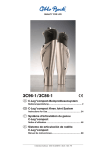
3C98-1/3C88-1
C-Leg® Kniegelenksystem
Bedienungsanleitung ....................................................... 3
C-Leg® Knee Joint System
Instructions for Use ........................................................ 22
Système d’articulation du genou C-Leg®
Notice d’utilisation ......................................................... 42
Sistema de articulación de rodilla C-Leg®
Manual de instrucciones ................................................ 62
© Otto Bock HealthCare · 647H215=D/GB/F/E – 06.06/1 – Printed in Germany
4R57
4R57=ST
4R111=N
4R111
4R116
4R118
4R40
4E50-1
4X150
mit Gewindeanschluss
C-Leg® Kniegelenk
mit Justierkern
4R41
4R43
4R89
4X160=1.2
Kosmetik / Protector
(4X73)
3C98-1 C-Leg®
3C88-1 C-Leg®
Rohradapter
Rohradapter
mit Torsionseinheit
Rohradapter
4X160=5.6
1C40
3R59
Individuelle
Schaumkosmetik
(o. Abb)
2R81
1E40
1E56
4X180
C-Soft
1E57
1C30
1A30
1D35
60X3 BionicLink
60X4 BionicLink PC
1D10
4X81
4X78/ 4X79
C-Soft / BionicLink
Prothesenfuß
4X160=8.3
3S26
Schaumkosmetik
(o. Abb)
2R80
2
Lade- / Netzgerät
4R104=60
4R104=75
4X77
4X83=430-USB
Zubehör
Adapter
757L16-1
Inhaltsverzeichnis
1
1.1
1.2
1.3
1.4
1.5
Wichtige C-Leg® Informationen ................................................................................................4
Medizinischer Zweck .................................................................................................................4
Einsatzgebiet .............................................................................................................................4
Einsatzbedingungen...................................................................................................................5
Qualifikation des Orthopädietechnikers .....................................................................................5
Sicherheitshinweise ...................................................................................................................5
2
2.1
2.2
2.2.1
2.3
2.4
2.5
2.6
2.7
2.7.1
2.7.2
2.8
2.9
2.9.1
2.9.2
2.9.3
2.9.4
2.10
2.11
Aufbau und Einstellung ............................................................................................................7
Rohradapter anschließen ...........................................................................................................7
Geometrische Aufbauempfehlung (mit L.A.S.A.R Assembly 743L200) .......................................8
Überprüfen des Schaftes nach dem sagitalen Aufbau ...............................................................9
Anzugsmomente der Schraubverbindungen .............................................................................10
Laden des C-Leg®-Kniegelenksystems ....................................................................................11
Statischer Aufbau mit Schaftkonstruktion.................................................................................12
BionicLink/ optional: Serielles Datenkabel ...............................................................................13
C-Soft .....................................................................................................................................13
C-Soft in der Otto Bock Datastation (Seite 3) ..........................................................................14
Otto Bock C-Soft (Seite 3) ......................................................................................................14
Optional: Parametereinstellungen mit Schaumstoff-Rohling und C-Soft....................................15
Fernbedienung und Umschaltung in 2nd Mode ........................................................................15
Mode Umschalten mit der Fernbedienung ................................................................................16
Konfiguration von Stehmodus und 1st-Mode mit Fernbedienung .............................................16
Batterie der Fernbedienung wechseln ......................................................................................17
Optional: Umschaltung zwischen 1st-Mode und 2nd-Mode ohne Fernbedienung .....................18
Fertigstellen der Prothese ........................................................................................................18
Wichtige Anwenderhinweise ....................................................................................................18
3
3.1
3.2
3.3
3.3.1
3.3.2
3.4
3.5
3.6
3.7
Ergänzende Informationen.....................................................................................................20
Service-Intervalle .....................................................................................................................20
Schadensfall ...........................................................................................................................20
Technische Infos ......................................................................................................................20
Symbole am Gelenk.................................................................................................................20
Symbole auf der Fernbedienung ..............................................................................................20
Transport .................................................................................................................................20
Garantie ..................................................................................................................................20
Haftung ...................................................................................................................................21
Konformitätserklärung..............................................................................................................21
3
DEUTSCH
Diese Bedienungsanleitung wurde am 01.06.2006 aktualisiert
Erklärung der Symbole in der Bedienungsanleitung
Hinweis:
Wichtiger Hinweis zur Versorgung, Anwendung, Patientenunterweisung und zum Produkt.
Achtung/ Vorsicht:
Warnhinweis auf mögliche technische Schäden / Warnhinweis auf mögliche Unfall- und Verletzungsgefahren.
Hinweis:
Verweis auf eine weitere Bedienungsanleitung.
Empfohlenes Zubehör für den Orthopädietechniker
710D4
710Y2=5
743L100
743L200 / 743L300
60X3
4X180
Drehmoment-Schlüssel
Hex Bit
L.A.S.A.R Posture
L.A.S.A.R Assembly
BionicLink
C-Soft
(Bedienungsanleitung 647H189)
(Bedienungsanleitung 647H193)
(Bedienungsanleitung 647G192)
(Bedienungsanleitung 647G268)
1 Wichtige C-Leg® Informationen
Hinweis:
Vor Inbetriebnahme des C-Leg® lesen Sie bitte diese Anleitung genau durch! Beachten Sie besonders die
angeführten Sicherheitshinweise!
Der Patient muss in die richtige Handhabung, Pflege und Bedienung seiner Prothese unterwiesen werden.
Siehe dazu die folgenden Kapitel: 1.3 Einsatzbedingungen, 1.5 Sicherheitshinweise , 2.4 Laden des
C-Leg®-Kniegelenksystems, 2.9 Fernbedienung und Umschaltung in 2nd Mode, 2.11 Wichtige Anwenderhinweise, 3.1 Service-Intervalle, 3.3 Technische Infos, 3.6 Haftung
1.1 Medizinischer Zweck
Die C-Leg®-Kniegelenke 3C98-1 und 3C88-1 sind ausschließlich zur exoprothetischen Versorgung der unteren
Extremität einzusetzen.
1.2 Einsatzgebiet
Das C-Leg® ist funktionell für ein breites Anwendungsgebiet konzipiert, kann also für Oberschenkelamputierte und
aktive Hüftexartikulierte ebenso eingesetzt werden. Für Knieexartikulierte steht eine Langstumpfversion zur Verfügung (3C88-1).
Einsatzgebiet nach dem Otto Bock Mobilitätssystem MOBIS®:
Empfehlung für die Mobilitätsgrade 3 und 4 (uneingeschränkte Außenbereichsgeher und uneingeschränkte Außenbereichsgeher mit besonders hohen Ansprüchen).
Zugelassen bis 125 kg Patientengewicht.
Ausnahme: Rohradapter 2R80=110 bis 100 kg Patientengewicht zugelassen
4
1.3 Einsatzbedingungen
DEUTSCH
Hinweis:
Geben Sie die Informationen in diesem Kaptitel an den Patienten weiter.
Das C-Leg® wurde für Aktivitäten des täglichen Lebens entwickelt, nicht jedoch für Extremsportarten, wie z.B.
Freiklettern, Fallschirmspringen, Paragleiten, usw. Die erforderlichen Umweltbedingungen sind den technischen
Infos (Kapitel 3.3) zu entnehmen.
Das C-Leg® Beinprothesen-System ist ausschließlich für die Versorgung an einem Patienten vorgesehen. Der Gebrauch des Produktes an einer weiteren Person ist von Seiten des Herstellers nicht zulässig.
1.4 Qualifikation des Orthopädie-Technikers
Die Versorgung eines Patienten mit dem C-Leg® darf nur von Orthopädie-Technikern vorgenommen werden, die
von Otto Bock durch entsprechende Schulung autorisiert wurden.
1.5 Sicherheitshinweise
Hinweis:
Geben Sie die Informationen in diesem Kaptitel an den Patienten weiter.
Achtung:
Eine Nichtbeachtung der nachstehenden Sicherheitshinweise kann zu einer Fehlsteuerung oder Fehlfunktion des C-Leg® und einem daraus resultierenden Verletzungsrisiko für den Patienten sowie zu Zerstörungen am C-Leg® führen.
Allgemeine Sicherheitshinweise
Die Teilnahme an einer Otto Bock Produktschulung für C-Leg® ist vor der ersten Versorgung zwingend vorgeschrieben. Zur Qualifizierung für Produkt-Updates werden unter Umständen weitere Produktschulungen benötigt.
Im Interesse des Patienten (Betriebssicherheit und Garantie) müssen die vorgeschriebenen Serviceintervalle
eingehalten werden.
Die Rohre dürfen nicht abgelängt werden, da die Gefahr einer Beschädigung der integrierten Messeinheit
besteht.
Während der Datenübertragung (PC zu C-Leg®) muss der Patient ruhig stehen und BionicLink bzw. das
Kommunikationskabel darf nicht abgezogen werden.
Wurde die dynamische Einstellung der Maximallast mit Gehhilfen wie Unterarmgehstützen oder Gehstock eingestellt, so ist nach kürzester Zeit eine gesteigerte Aktivität des Patienten zu erwarten. Daher sind Nachkontrollen
von höchster Notwendigkeit. Auch ein Wechsel der Unterarmgehstütze auf Gehstock oder ein komplettes Weglassen der Gehhilfen erfordert eine Nachjustierung des C-Leg®.
Jegliche Änderungen oder Modifikationen am Gerät können zu Nutzungseinschränkungen führen. Den Patienten
anhand der Patienteninfo in den Ladevorgang, die sachgemäße Handhabung der Fernbedienung sowie die
Umschaltung in den 2nd Mode unterweisen. Die nachstehenden Patientenhinweise (Seite 6f) an den Patienten
weitergeben.
Das Öffnen und Reparieren des Gelenkes darf nur vom autorisierten Otto Bock Fachpersonal durchgeführt
werden, die Handhabung des Akkus ist ausschließlich den Otto Bock Servicestellen vorbehalten (Keinen Tausch
durchführen).
Keine Fremdprodukte (Garantieanspruch erlischt) sowie nur die vorgesehenen Prothesenfüße mit C-Leg® verwenden (siehe Komponentenübersicht in der vorderen Aufklappseite).
Zum Transport die Transportverpackung verwenden.
5
Patientenhinweise
Wenn mittels Fernbedienung versehentlich eine ungewollte Aktion eingeleitet wurde (Rückmeldung über Vibrationsmelder oder akustischer Signalgeber), C-Leg® entlasten und Umschaltung korrigieren.
Vermeiden von Aufenthalten in der Nähe von großen magnetischen und elektrischen Störquellen (z.B. Trafostationen, Sender) sowie in Bereichen extrem hoher Luftfeuchtigkeit und Temperatur.
Die Systemkomponenten keinem intensiven Rauch, Staub, mechanischer Vibration oder Stößen aussetzen.
Es sollten weder feste Teilchen noch Flüssigkeiten in die Systemkomponenten eindringen können. Sollte das
Gelenk mit Flüssigkeit in Berührung kommen, den kosmetischen Überzug entfernen und die Komponenten trocknen lassen. Das Gelenk sollte zur Überprüfung zum autorisierten Otto Bock Service gebracht werden. Ansprechpartner ist der Orthopädietechniker.
Sollte das C-Leg® mit Salzwasser in Berührung kommen, muss es sofort mit einem süßwasserfeuchten Tuch
gereinigt und anschließend getrocknet werden. Das Gelenk sollte zur Überprüfung zum autorisierten Otto Bock
Service gebracht werden. Ansprechpartner ist der Orthopädietechniker.
C-Leg® wurde für Alltagsaktivitäten entwickelt und darf nicht für außergewöhnliche Tätigkeiten wie zum Beispiel
Extremsportarten (Freiklettern, Paragleiten, etc.) eingesetzt werden. Sorgfältige Behandlung der Prothese und
Ihrer Komponenten erhöht nicht nur deren Lebenserwartung, sondern dient vor allem der Sicherheit des Patienten. Sollten auf die Prothese extreme Belastungen aufgebracht worden sein (z.B. durch Sturz, o.ä.), so muss diese
umgehend von einem Orthopädie-Techniker auf Schäden überprüft werden. Ansprechpartner ist der zuständige
Orthopädie-Techniker, der die Prothese ggf. an den Otto Bock Service weiterleitet.
Bei ununterbrochen gesteigerter Aktivität (z.B. längeres Bergabgehen) kann es zu einer Überhitzung der Hydraulikeinheit kommen. Einsetzende pulsierende Vibrationssignale zeigen Ihnen die Gefahr einer Überhitzung an. Unmittelbar nach dem Einsetzen dieser pulsierenden Vibrationssignale müssen die Aktivitäten unterbrochen werden,
damit die Hydraulikeinheit abkühlen kann. Beachten Sie auch, dass Sie sich bei Berührung der entsprechenden
Bauteile verbrennen können! Die Beendigung des pulsierenden Vibrationssignals zeigt Ihnen an, dass Sie die Aktivitäten wieder aufnehmen können. Wird die Aktivität trotz einsetzender pulsierender Vibrationssignale fortgesetzt,
kann es zu einer unzulässigen Überhitzung des Hydraulikelementes und im Extremfall zu einer Beschädigung des
C-Leg® kommen. Das Gelenk sollte danach zur Kontrolle zum Service gebracht werden.
Beim Rückwärtsgehen unbedingt auf der Ferse auftreten. Beim Rückwärtsgang mit Zehenauftritt besteht Sturzgefahr, da das C-Leg® in dieser Situation vom hohen Standphasewert in die Flexion umschalten kann.
Auf der Treppe immer Handlauf benutzen. Beim Treppabgehen sollte der Patient immer den Handlauf benutzen,
und mit dem Absatz (max. Schuhmitte) so auf die Stufenkante treten, dass ein Abrollen ermöglicht wird.
Bei Ertönen des akustischen Signalgebers Treppengang sofort abbrechen und testen, ob Standphasensicherung
aktiv ist (siehe dazu Kapitel „2.11 Wichtige Anwenderhinweise“)
Bei längerer Nichtbenutzung des C-Leg® kann es zur Selbstentladung des Akkus kommen. Vor der Benutzung
sicherheitshalber den Ladevorgang durchführen.
Vor dem Betrieb von C-Leg® im 2nd Mode (z.B. Radfahren) sollte aus Sicherheitsgründen der Ladezustand des
Akkus überprüft werden. Das Ladegerät am C-Leg® anstecken, die gelbe LED muss blinken (Akku ist über die
Hälfte geladen) oder sollte nicht leuchten (Akku ist vollständig geladen). Bei Betrieb des C-Leg® im 2nd Mode mit
zu wenig Stromkapazität kann das C-Leg® in den Sicherheitsmodus schalten (siehe dazu Kapitel „2.11. Wichtige
Anwenderhinweise“).
Bei nicht korrekt durchgeführtem Umschaltvorgang von 2nd Mode in 1st Mode besteht Sturzgefahr (siehe dazu
Kapitel „2.9 Fernbedienung und Umschaltung in 2nd Mode“)!
Die vorgeschriebenen Service- und Inspektionsintervalle zur eigenen Sicherheit einhalten.
6
DEUTSCH
Führen eines Fahrzeuges:
Ob und wie weit der Träger einer Beinprothese zum Führen eines Fahrzeuges in der Lage ist, kann pauschal
nicht beantwortet werden. Dies hängt von der Art der Versorgung (Amputationshöhe, einseitig oder beidseitig,
Stumpfverhältnisse, Bauart der Prothese) und den individuellen Fähigkeiten des Trägers der Beinprothese ab.
Beachten Sie unbedingt die nationalen gesetzlichen Vorschriften zum Führen eines Kraftfahrzeuges, und lassen Sie aus versicherungsrechtlichen Gründen Ihre Fahrtüchtigkeit von einer autorisierten Stelle überprüfen und
bestätigen. Generell empfiehlt Otto Bock, das Fahrzeug von einem Fachbetrieb auf die jeweiligen Bedürfnisse
umrüsten zu lassen (z. B.: Automatikschaltung,...). Es muss sichergestellt sein, dass ein risikoloses Fahren auch
ohne funktionsfähige Prothese möglich ist.
Steckerschutzkappen immer verwenden.
Beachten Sie die Vibrationsmeldungen und akustischen Warnsignale (Beepgeräusch) des C-Leg®.
2 Aufbau und Einstellung
2.1 Rohradapter anschließen
1
2
3
4
1 Fuß am Rohradapter montieren (leicht festschrauben).
2 Rohradapterstecker am Kniegelenk anstecken (nur eine Polung möglich).
3 Vorstehende Kabelschlaufe ins Rohr zurückschieben und den Rohradapter ins C-Leg® einschieben, minimale
Einschubtiefe beachten (siehe nachstehende Tabelle)
max. 75 kg
75 kg - 100 kg
50 mm
max. Einstellbereich
45 mm
max. Einstellbereich
100 kg - 125 kg
40 mm
max. Einstellbereich
Vorsicht:
Beim 3C98-1/3C88-1 muss die Skalierung am Rohr anterior positioniert sein (Bei den Vorgängermodellen
3C98/3C88 musste die Skalierung am Rohr posterior positioniert sein)
4 Fuß leicht nach außen drehen (Einstellbereich +/-30°, an die Bedürfnisse des Patienten anpassbar), und die
Schrauben an der Klemmschelle leicht festdrehen.
7
2.2 Grundaufbau im Aufbaugerät (z.B mit L.A.S.A.R Assembly)
Hinweis:
Gehen Sie beim Aufbau in 2 Schritten vor:
Zuerst erfolgt der Grundaufbau im Aufbaugerät (z.B. L.A.S.A.R. Assembly 743L200).
Anschließend erfolgt die statische Aufbauoptimierung mit dem L.A.S.A.R. Posture 743L100 (siehe Kapitel
2.5 “Statische Aufbauoptimierung”).
A
MF
M
30 mm
5 mm
A
5 mm
1
3°- 5°
A
M
MF
32
2
5 mm
4
Bei korrektem Grundaufbau z.B. im L.A.S.A.R. Assembly (743L200) werden die Vorteile des C-Leg® optimal genutzt. Die Stellung des Stumpfes muss zur Positionierung des Schaftanschlusses berücksichtigt werden. Lotlinien
in der Frontal- und Sagittalebene, die bei der Gipsabnahme und bei der Testschaft-Anprobe vom Hüftgelenk-Drehpunkt aus angezeichnet werden, erleichtern das richtige Positionieren von Eingußanker bzw. Schaftadapter.
• Fußmitte (MF) in Bezug zur Aufbaulinie (A) ca. 30 mm vorverlagern. Gilt für alle für das C-Leg® empfohlenen
Fußpaßteile unabhängig von den bisherigen Aufbauangaben in Fuß-Bedienungsanleitungen! (Ausnahme: LuxonMax, Vorverlagerung = 15 mm).
Effektive Absatzhöhe plus 5 mm einstellen. Fußaußenstellung einstellen (Abb. 1)
• Kniegelenk mit montiertem Rohradapter einspannen. Aufbaubezugspunkt (=Knieachse) ca 0-5 mm zur Aufbaulinie vorverlagern. Knie-Boden-Maß und Knie-Außenstellung (ca. 5° werden durch den Haltebit im L.A.S.A.R.
Assembly vorgegeben) berücksichtigen. Empfohlene Positionierung des Aufbaubezugspunktes: 20 mm oberhalb
des Kniespaltes (Abb. 2).
• Fuß mit Modular-Kniegelenk über Rohradapter verbinden. Dazu das Gelenk in die richtige Lage kippen und die
erforderliche Rohrlänge einstellen (Abb. 2).
• Lateral die Mitte des Schaftes durch einen mittigen, proximalen Punkt (M) und einen mittigen, distalen Punkt
kennzeichnen. Beide Punkte zu einer Linie vom Schaftrand bis zum Schaftende verbinden (Abb. 3).
Schaft so positionieren, dass die Aufbaulinie (A) auf den proximalen mittigen Punkt (M) trifft. Die Schaftflexion
auf 3°– 5° einstellen, jedoch individuelle Situation (z.B. Hüftgelenkskontrakturen) und das „Tuber-Boden-Maß“
beachten (Abb. 4).
Achtung!
Bei Nicht-Berücksichtigung der Stumpfflexion befindet sich das Gelenk zu weit anterior. Das führt zu
Funktionsstörungen und insuffizienten Versorgungsergebnis.
8
2.2.1 Überprüfen des Schaftes nach dem Grundaufbau
Achtung:
Die Hydraulik kann bei Berührung mit dem
Schaft zerstört werden!
Der Schaft muss bei maximaler Flexion, sofern
sich Berührung mit dem Rahmen des C-Leg®
nicht vermeiden lässt (bei voluminösen Stümpfen), flächig aufliegen (mit Hilfe weicher Polsterung am Schaft).
3 mm
1/8"
5
5 Bei maximaler Flexion muss der Minimalabstand von 3 mm (1/8“) zwischen Hydraulik und Schaft unbedingt
eingehalten werden,
Achtung:
Die Elektronik kann bei Berührung durch den
Schaft zerstört werden!
5 mm
1/8"
6
6 Bei maximaler Extension (wird unter voller Belastung erreicht!) muss der Minimalabstand von 5mm (1/5“) zwischen Elektronik und Schaft zu Beginn der Dämpfungsphase unbedingt eingehalten werden.
Hinweis:
Bei Versorgungen mit dem C-Leg® Protektor 4X160 muss der Minimalabstand zwischen Elektronik und
Schaft mindestens 10 mm (3/8“) betragen.
9
DEUTSCH
Schaft und Modular-Kniegelenk über entsprechenden Adapter (z. B. Schaftadapter 4R111, 4R41, etc. ) verbinden. Zur Aufbaukorrektur verwenden Sie das Verschiebeadapter-Set 4R112 (Achtung: nur zum temporären Einsatz geeignet). Bei Verwendung von Schaftadaptern mit 4-Loch-Anschluß (wie z.B. 5R1=*, 5R6=*) kann für eine
permanente, zusätzliche Rückverlagerung von 10 – 25 mm der Verschiebeadapter 4R118 verwendet werden.
• Kontrolle des Grundaufbaus und aller Maße.
2.3 Anzugsmomente der Schraubverbindungen
15 Nm
15 Nm
10 Nm
7 Nm
1
2
3
4
Hinweis:
Die Werte der Anzugsmomente für zusätzliche sowie optionale Sytemkomponenten (in Punkt 3) sind aus
den jeweiligen Bedienungsanleitungen dieser Produkte zu entnehmen.
Drehen Sie mittels 710D4 Drehmoment-Schlüssel mit 710Y2=5 Hex Bit mit dem vorgeschriebenen Anzugsmoment
die Schrauben abwechselnd, in mehreren Schritten mit langsamer Steigerung des Anzugsmomentes fest:
1 Rohradapter: 15 Nm
2 Klemmschelle: 7 Nm
Kurzstumpfversorgung
3 Drehadpter oder Verschiebeadapter: 15 Nm
Langstumpfversorgung
4 Eingussanker mit Gewindeanschluss: 10 Nm
10
2.4 Laden des C-Leg®-Kniegelenksystems
1
2
DEUTSCH
Hinweis:
Geben Sie die Informationen in diesem Kaptitel an den Patienten weiter.
3
4
Vorsicht:
Prothese for dem Ladevorgang ablegen.
Achtung:
C-Leg® während des Ladevorganges bis zum Anschlag der Flexion beugen.
Hinweis:
Vor dem Ladevorgang mit Ladegerät 4E50-1 die dazugehörige Bedienungsanleitung 647G262 lesen.
Im Auslieferungszustand ist der Akku leer. Der Akku des C-Leg® muss vor erstmaliger Versorgung des Patienten
unbedingt geladen werden.
1 C-Leg® bis Anschlag beugen.
2 4X73 Steckerschutz für C-Leg® entfernen.
3 4E50-1 Ladegerät anstecken und den Ladevorgang überprüfen (vgl. folgende Abbildungen).
beide LEDs sind aus
beide LEDs leuchten
gelbe LED blinkt
grüne LED leuchtet
gelbe LED ist aus
grüne LED leuchtet
Keine Energieversorgung
(oder defektes Ladegerät)
Akku wird geladen,
Akkukapazität ist geringer
als 50%
Akku wird geladen,
Akkukapazität ist größer
als 50%
Akku ist vollständig
geladen
(oder Verbindung mit
C-Leg® ist unterbrochen).
4 Nach dem Laden Ladestecker entfernen (C-Leg® führt Selbsttest durch und aktiviert 1st Mode) und Steckerschutz wieder anbringen.
Hinweis:
• Die Kapazität des vollständig geladenen Akkus reicht für den Tagesbedarf. Für den alltäglichen Gebrauch der Prothese durch den Patienten wird tägliches Laden über Nacht empfohlen.
• Laden der Gelenke ist nur bei Temperaturen über 0 °C möglich.
11
2.5 Statische Aufbauoptimierung (mit L.A.S.A.R Posture)
Belastungslinie
Belastungslinie
30 mm vor
Aufbaubezugspunkt
Aufbaubezugspunkt
Statische Aufbauoptimierung mit L.A.S.A.R. Posture (743L100)
Der statische Aufbau kann mit Hilfe des L.A.S.A.R. Postures wesentlich optimiert werden. Um eine ausreichende
Sicherheit bei gleichzeitig leichter Einleitung der Schwungphase zu erzielen, gehen Sie beim Aufbau bitte folgendermaßen vor:
1 Zur Messung der Belastungslinie tritt der Oberschenkelamputierte nach der Selbstkalibrierung des L.A.S.A.R.Gerätes mit dem C-Leg® auf die Kraftmessplatte und mit dem anderen Bein auf die Höhenausgleichs-Platte.
Dabei soll die Prothesenseite ausreichend belastet werden (>35% Körpergewicht).
2 Der Aufbau wird ausschließlich durch Änderung der Plantarflexion angepasst, so dass die Belastungslinie/Laserlinie ca. 30 mm vor dem Aufbaubezugspunkt (=Knieachse) des C-Leg® verläuft .
3 Nach Einstellung des C-Leg® mit C-Soft® (s.Kapitel 2.7 C-Soft) dynamische Optimierungen während der Gangprobe durchführen.
12
2.6 BionicLink/optional: Serielles Datenkabel
1
2
3
DEUTSCH
Hinweis:
• Vor dem Anschließen des 60X3 BionicLink die dazugehörige Bedienungsanleitung 647G192 lesen.
4
1 Funkadapter-Kabel (BionicLink) anstecken (optional: Serielles Datenkabel anstecken)
2 Den BionicLink am C-Leg® einrasten und medial (linksseitige Versorgung) bzw. lateral (rechtsseitige Versorgung) am C-Leg® anlegen und befestigen.
2.7 C-Soft
Hinweis:
• Vor der Parametereinstellung mit 4X180=V1.0 C-Soft die dazugehörige Bedienungsanleitung
647G268 lesen.
• Vor der Parametereinstellung mit alter Einstellsoftware Sliders bitte über
www.ottobock.com/en/sliders
die entsprechende Bedienungsanleitung downloaden und lesen, der Rest dieses Kapitels kann dann
übersprungen werden.
Hinweis:
Otto Bock Data Station ist die Plattform für Otto Bock Anwendungen wie z.B. C-Soft, etc..
Otto Bock C-Soft kann somit ohne Otto Bock Data Station nicht verwendet werden. Otto Bock Data
Station wird standardmäßig mit C-Soft mitgeliefert, und wird bei Installation von C-Soft automatisch
mitinstalliert.
13
2.7.1 C-Soft in der Otto Bock Datastation (Ausklappseite hinten)
Ändern der Sprache in der Software (optional):
Im Menü mit linker Maustatse ‚Bearbeiten - Optionen‘ anwählen. Im darauffolgenden Fenster den Reiter ‚Sprache‘
anwählen. Durch Anwählen des Feldes vor der jeweiligen Sprache die gewünschten Sprache selektieren, und mit
dem ‚OK‘-Feld bestätigen.
I
1
Otto Bock Data Station
Patient (Patientenkartei) auswählen/ anlegen:
- Das Symbol oder den Text für „Sanitätshaus“ (Markierung 1) anwählen.
Auswahl eines Patienten:
- Siehe Punkt 3
Neuen Patienten anlegen:
- Im Menü ‚Datei‘ den Unterpunkt ‚Neuer Patient‘ anwählen.
Name und persönliche Daten des Patienten eintragen:
- Im Fenster ‚Patientendaten‘ alle persönlichen Daten des Patienten eintragen.
Durch Anwählen des Feldes ‚Adresse‘ erscheinen weitere Patientendaten. Alle mit ‚*‘ versehenen Felder
müssen ausgefüllt werden.
Die Eingabe durch Klicken des ‚OK‘- Feldes bestätigen.
C-Soft starten:
- Die Patientenkartei (Patient) mit linker Maustaste anwählen (Markierung 2). Mit rechter Maustaste den
selektierten Patienten anwählen, und im folgenden Fenster mit der linken Maustaste ‚Start C-Soft‘ anwählen.
Verbindungsaufbau:
- Durch Anwählen des jeweiligen Reiters die Verbindungsart ‚Bluetooth‘ oder ‚RS232/ USB‘ selektieren, und
den Verbindungsaufbau durch Anwählen des ‚Automatischer Verbindungsaufbau‘- Feldes starten.
2
3
4
2.7.2 Otto Bock C-Soft (Ausklappseite hinten)
Hinweis:
Das Programm nimmt keine automatischen Änderungen an den Einstellungen vor. Die Einstellung fängt
nach erfolgreichem Verbindungsaufbau bei Schritt 1 an. Mittels Text und Bild werden die einzelnen
Schritte erklärt.
II
Otto Bock C-Soft
A Navigationsbereich:
- Alle Einstellungen können schrittweise (1, 2, etc.) durchgeführt werden. Nicht einstellbare Einstellschritte
werden grau hinterlegt.
Hinweis:
Bei jeder Einstellung auch die Zusatzinformation lesen!
Diese wird durch Anwählen des ‚Info‘- Feldes aufgerufen (Markierung 3).
- Sehr erfahrene Anwender können durch Anwählen des ‚Experten Modus‘- Feldes (optional) auch den
Experten Modus verwenden.
B Einstellbereich:
- Alle Einstellschritte (1, 2, etc.) werden mit Bild und Text beschrieben. Den Anweisungen von C-Soft folgen um das Gelenk einzustellen.
- Zwischen den einzelnen Einstellschritten (1, 2, etc.) kann mit dem ‚Weiter‘- und ‚Zurück‘- Feld gewechselt
werden.
C Statusbereich:
- Zur Information wird der Status von Verbindung, Akku, sowie Kniewinkel, Maximallast, Zehen- und Fersenlast
dynamisch in real-time visualisiert.
14
Die Schaumstoff-Überzüge 3S26 oder 3R59 kann zur kosmetischen Aufbereitung der Beinprothese eingesetzt
werden.
Dazu kann eine Ladekabelverlängerung 4X78 in die C-Leg® Versorgung integriert werden. Wird die Ladekabelverlängerung nicht verwendet, ermöglicht eine Anschlusskappe aus 2 mm Pedilin das Herunterschieben des Schaumstoff-Überzuges zum Erreichen der Ladebuchse am C-Leg®.
Beim Ablängen des Schaumstoff-Überzuges 3S26 einen Stauchweg von 60 mm (Unterschenkellänge + 30 mm,
Oberschenkellänge + 30 mm) berücksichtigen.
Der montierte Schaumstoff-Überzug verändert das Dämpfungsverhalten. Mittels 60X3 BionicLink (drahtlose Programmierschnittstelle) die unterhalb des Schaumstoff-Rohlings angebracht wird, kann das Dämpfungsverhalten
durch Anpassung der Parametereinstellungen völlig berücksichtigt werden.
Weiters werden hierfür zur Datenübertragung 60X4 BionicLink PC, zur Parametereinstellung 4X180 C-Soft benötigt
(siehe Kapitel „2.7 C-Soft“ ).
2.9 Fernbedienung und Umschaltung in 2nd Mode
Hinweis:
Geben Sie die Informationen in diesem Kapitel an den Patienten weiter.
C-Leg® kann in normalem Betrieb mit 1st Mode (optional mit Stehmodus) und 2nd Mode verwendet werden. 1st
Mode dient für den alltäglichen Gebrauch, mit 2nd Mode kann eine spezifische Bewegungs- oder Haltungsart individuell vorprogrammiert werden, z.B. Fahrradfahren, Inlineskaten, oder Langlaufen. 2nd Mode kann mit der Einstellsoftware C-Soft 4X180=V1.0 (bzw. Slider) festgelegt sowie adaptiert werden.
Achtung:
• Der Patient muss bei allen Umschaltvorgängen gesichert stehen, und soll mit Vorsicht ausprobieren,
ob die gewünschte Funktion erfolgreich vom C-Leg® eingestellt wurde.
• Die Fernbedienung ist nicht wasserdicht. Bei Wassereintritt kann die Fernbedienung zerstört werden
(Garantieanspruch erlischt). Gegebenfalls die Fernbedienung bei Raumtemperatur trocknen lassen
(mindestens 1 Tag). Bei Defekt die Fernbedienung an den authorisierten Otto Bock Service schicken.
Wichtiger Anwenderhinweis für Umschalt- und Konfigurationsvorgänge:
• Das Gelenk bewusst mit dem Stumpf bewegungslos halten (kein Beugen oder Strecken!).
• Die Fernbedienung muss für alle Umschalt- und Konfigurationsvorgänge vorher aktiviert werden.
• Bei längerer Nichtbetätigung der Fernbedienung schaltet diese automatisch ab; die Umschaltung funktioniert aus Sicherheitsgründen nur ein paar Sekunden nach der Aktivierung.
• Die Reichweite der Fernbedienung ist aus Sicherheitsgründen auf ca. 100 cm begrenzt, jedoch muss
die Fernbedienung mindestens 30 cm vom Gelenk entfernt gehalten werden. Sollte der Umschaltvorgang nicht funktioniert haben, die Fernbedienung in die richtige Reichweite des C-Leg® bringen, und
den Vorgang wiederholen.
15
DEUTSCH
2.8 Optional: Parametereinstellungen mit Schaumstoff-Überzug und C-Soft
2.9.1 Mode umschalten mit der Fernbedienung
1
2
3
4
Aktivierung der Fernbedienung:
1 Taste „3“ gedrückt halten, bis das Gelenk mit einem Vibrationssignal den Vorgang bestätigt.
Umschalten zwischen 1st- und 2nd Mode:
2 1st Mode: Nach Aktivierung der Fernbedienung Taste „1“ gedrückt halten, bis das Gelenk 1 mal piepst und
umschaltet.
3 2nd Mode: Nach Aktivierung der Fernbedienung Taste „2“ gedrückt halten, bis das Gelenk 2 mal piepst und
umschaltet.
4 Stehmodus: Für die Verwendung des Stehmodus muss zuvor die Funktionalität eingeschaltet werden (siehe
Kapitel 2.9.2. Der Stehmodus wird wie folgt aktiviert:
• Das Knie beugen, eine Sekunde lang in dieser Position still halten, und bis zum gewünschten Stehwinkel strecken
• Das Gelenk in dieser Position eine Sekunde lang bewegungslos halten, bis dieses einmal kurz vibriert. Das
Gelenk blockiert in Beugerichtung und kann voll belastet werden.
• Der Stehmodus wird durch Strecken des Gelenks beendet und 1st Mode wird aktiviert.
2.9.2 Konfiguration von Stehmodus und 1st Mode mit Fernbedienung
1
2
3
Hinweis:
Das Konfigurieren ist nur bei aktivem 1st Mode möglich.
1 Konfiguration der Stehmodus-Funktionalität:
Achtung:
Der Patient muss bei diesem Vorgang aus Sicherheitsgründen mit vollständig gebeugtem Gelenk sitzen.
Nach den Beepsignalen kontrollieren, ob sich das Gelenk noch in 1st Mode befindet.
Nach Aktivierung der Fernbedienung Tasten „1“ und „2“ gleichzeitig betätigen bis das Gelenk mittels
• drei kurzer Beepsignale das Einschalten der Funktionalität bestätigt
• eines kurzen Beepsignales das Ausschalten der Funktionalität bestätigt
16
4
2, 3 Optimierung des Dämpfungsverhaltens:
DEUTSCH
Hinweis:
Diese Funktionalität dient nicht zum Einstellen des Gelenkes durch den Orthopädietechniker. Das
Gelenk soll durch den Orthopädietechniker mittels der Einstellsoftware C-Soft (Slider) optimal eingestellt werden. Mit dieser Funktionalität kann der Patient im Alltag das Dämpfungsverhalten geringfügig anpassen (z.B. bei Gewöhnung an die Prothese oder bei verändertem Gehverhalten). Die
Änderungen die der Patient am Dämpfungsverhalten mit der Fernbedienung durchführen kann sind
aus Sicherheitsgründen gering. Änderungen des Dämpfungsverhaltens die mit der Fernbedienung
eingestellt wurden, werden in C-Soft (Sliders) nicht dargestellt.
Achtung:
Der Patient muss bei diesem Vorgang aus Sicherheitsgründen gesichert stehen.
Taste blau (3)
Taste
Taste 2
Komfort
(1x)
Standard
(2x)
Nach Aktivierung der Fernbedienung werden die
Auswahlschritte Komfort - Standard - Dynamisch
bei gedrückter Taste 3 in Kombination der Tasten
1
1 oder 2 eingestellt.
Die erfolgreiche Einstellung der Dämpfungsparameter wird akustisch durch folgende Beepsignale
bestätigt:
Komfort = 1x Beepsignal
Dynamisch
Standard = 2x Beepsignal
(3x) Dynamisch = 3x Beepsignal
4 Pairing (Verbinden von C-Leg® und Fernbedienung):
Im Auslieferungszustand muss kein Pairing durchgeführt werden. Pairing muss durchgeführt werden
• sobald eine neue Fernbedienung (Ersatz) mit C-Leg® verwendet wird.
• falls bei voller Batterie sowohl des Gelenkes als auch der Fernbedienung innerhalb der Reichweite der Fernbedienung (1 m) keine Konfiguration bzw. Modiumschaltung durchgeführt werden kann.
Durchführung:
Achtung:
Da nur ein Gelenk mit einer Fernbedienung verbunden werden darf (Pairing), muss sichergestellt
werden, dass sich beim Pairing im Umkreis von 3 m kein anderes Gelenk befindet.
Mit einem dünnen Gegenstand (z. B. stumpfe Nadel) den Taster durch das kleine Loch in der Fernbedienung
kurz betätigen. Das Gelenk bestätigt den erfolgreichen Pairingvorgang durch 5 kurze Beepsignale.
2.9.3 Batterie der Fernbedienung wechseln
Achtung:
Der Tausch der Batterie der Fernbedienung darf nur vom autorisierten Otto Bock Service durchgeführt
werden. Die Batterie wird bei den 2-jährlichen Service-Intervallen (siehe dazu C-Leg® Garantie-Konzept
646A140) immer getauscht.
Für einen Batterietausch außerhalb des 2-jährlichen Service-Intervalles, die Fernbedienung an das autorisierte Otto Bock Service schicken. Nach Erhalt der Fernbedienung mit neuer Batterie muss das „Pairing“ (Verbinden von Fernbedienung und C-Leg®) durchgeführt werden (siehe Kapitel 2.9.2).
17
2.9.4 Optional: Umschaltung zwischen 1st Mode und 2nd Mode ohne Fernbedienung
1
3 × in 1
Sekunde
2
1 Sekunde
1
2
3
1 Unter ständigem Bodenkontakt mit einer Geschwindigkeit von mindestens 3 x pro Sekunde auf den Vorfuß wippen (Bei diesem Vorgang muss der Fuß mit mindestens 70% der Maximallast belastet werden. Bei der Entlastung dürfen 15 % der Maximallast nicht unterschritten werden).
2 Nach dem Ertönen des akustischen Signals, die Prothese mindestens eine Sekunde lang anheben (kein Bodenkontakt).
3 Beim Ertönen weiterer akustischer Signale bestätigt die Prothese die Erkennung des Umschaltvorganges, und
wechselt in den anderen Modus (1st Mode = 1 Beepsignal oder 2nd Mode = 2 Beepsignale).
2.10 Fertigstellen der Prothese
Nach Beendigung aller Einstellungen müssen alle Schrauben gesichert und mit dem richtigen Drehmoment festgezogen werden.
1 Optional: Die Schaumkosmetik (sowie gegebenenfalls BionicLink) abnehmen.
2 Alle für den Prothesenaufbau relevanten Schrauben (siehe Kapitel 3.4) mit Loctite 636K13 sichern.
3 Alle Schrauben mit dem richtigen Drehmoment (siehe Kap. 3.3) mit dem Drehmomentschlüssel 710D4 festziehen.
4 Optional: Die Schaumkosmetik bzw. C-Leg® Protector 4X160 montieren.
2.11 Wichtige Anwenderhinweise
Hinweis:
Geben Sie die Informationen in diesem Kapitel an den Patienten weiter.
Sicherheitsmodus
Neben den Betriebsmodi (1st- und 2nd Mode) hat das C-Leg® einen Sicherheitsmodus. Sobald ein kritischer Fehler
im System auftritt bzw. wenn der Akku fast leer ist, schaltet C-Leg® automatisch in den Sicherheitsmodus. Die
Prothese stellt in diesem Modus eine hohe Flexionsdämpfung ein (hohe Sicherheit/reduzierter Komfort), was dem
Patienten ermöglicht trotz nicht aktivem System sicher zu gehen.
Das Umschalten in den Sicherheitsmodus wird unmittelbar zuvor durch akustische- sowie Vibrationssignale
signalisiert. Wenn ein leerer Akku Grund für das Einstellen des Sicherheitsmodus war, kann durch Laden des
Gelenkes wieder in den Betriebsmodus (1st Mode) gewechselt werden.
18
Ladezustand
Der Ladezustand des Akkus wird während des normalen Betriebs in den Betriebsmodi (1st und 2nd Mode) durch
verschiedene Vibrationssignale angezeigt:
Ladezustand des Akkus
Vibrationsimpuls
noch ca. 1 Stunde Betrieb
3×
noch ca. 30 min. Betrieb
5×
bei Abschaltung
10 ×, dann Abschaltung
Sicherheitsmeldung bei fehlerhafter Verbindung des Rohradapters
Sobald der Rohradapter in Betriebsbereitschaft des C-Leg®(in 1st, 2nd Mode oder Stehmodus bei ausreichender
Akkukapazität) keine Verbindung hat, meldet C-Leg® mittels kurzer Beepsignale und für die Dauer von ca. fünf
Minuten langsam pulsierende Vibrationssignale. C-Leg® aktiviert die Standphasendämpfung, und bleibt bis zur Behebung der fehlerhaften Verbindung des Rohradapters in diesem Zustand (solange die Akkukapazität ausreichend
ist).
Vorsicht:
Beim Auftreten der Sicherheitsmeldung den Betrieb von C-Leg® einstellen, und den Fehler durch Anstecken
des Rohradapters beheben (durch den Orthopädietechniker oder Servicetechniker).
Sofern ein Kontaktfehler (zwischen Stecker des Rohradapters und C-Leg®) aufgetreten ist (z.B. nach der
Versorgung durch den Orthopädietechniker), das Kniegelenk (incl. Rohradapter) zum authorisierten Otto
Bock Service schicken.
Entlüftung
Bei längerer nicht senkrechter Lagerung des C-Leg® kann sich Luft in der Hydraulik ansammeln. Dies macht sich
durch Geräuschbildung und ungleichmäßiges Dämpfungsverhalten bemerkbar.
Der automatische Entlüftungsmechanismus sorgt dafür, dass nach ca. 10 - 20 Schritten alle Funktionen des
C-Leg® wieder uneingeschränkt verfügbar sind.
19
DEUTSCH
Vorsicht:
Nicht aktiver Sicherheitsmodus!
Falls der Sicherheitsmodus nicht mehr vom C-Leg® eingestellt werden konnte (z.B. bei Kurzschluss durch
Wassereintritt), muss der Patient das C-Leg®-Kniegelenk bis zum Erreichen des Orthopädietechnikers bzw.
bis zum Prothesenwechsel bei Fersenauftritt aktiv mit seiner Stumpfmuskulatur sichern und umgehend den
Orthopädietechniker aufsuchen.
Sicherheitsmodus wird aktiviert!
Sobald der akustische Signalgeber mit Vibrationsmelder wahrnehmbar ist, muss der Patient alle Aktivitäten
in Verbindung mit der Beinprothese sofort einstellen. Nach ca. 10 Sek. in sicherer Standposition durch wiederholte leichte Beugung des C-Leg® und unter kontrollierter Belastung prüfen, ob der Sicherheitsmodus
mit der hohen Beugedämpfung aktiv ist.
Sicherheitsmodus nicht deaktivierbar!
Wenn durch Laden des Akkus der Sicherheitsmodus nicht deaktiviert werden konnte, handelt es sich hierbei
um einen Fehler. Zur Fehlerbehebung mit dem Orthopädietechniker in Verbindung setzen.
3 Ergänzende Informationen
3.1 Service-Intervalle
Zur Sicherstellung der Funktionalität und zur Sicherheit des Patienten ist jedes zweite Jahr ein Service erforderlich.
Dieser Service beinhaltet die Überprüfung der Sensorik und den Austausch von Verschleißteilen.
Zum Service ist das Kniegelenk mit montiertem C-Leg®-Rohradapter und Fernbedienung sowie komplettem Ladegerät inkl. Netzteil einzuschicken.
3.2 Schadensfall
Zur einfacheren Fehlersuche bzw. Problemlösung aufgetretene Störungen genau beschreiben und Patientenaussage genau dokumentieren.
Im Schadensfall ist zur Feststellung der Schadensursache, sofern der Fehler nicht eindeutig geortet werden kann,
auch das komplette Zubehör einzuschicken.
3.3 Technische Infos
Betriebs- und Lagertemperatur
Gewicht des Gelenks
Gewicht der Rohradapter 2R80
Gewicht der Rohradapter 2R81
max. Beugewinkel
Betriebsspannung des Ladegerätes:
Betriebsfrequenz des Ladegerätes:
0 °C bis + 60 °C
1145 g
178 g bis 256 g
438 g bis 482 g
125°
90 V bis 264 V Wechselstrom
47 Hz bis 63 Hz
3.3.1 Symbole am Gelenk
Konformitätserklärung gemäß der europäischen Richtlinie für Medizinprodukte 93/42/EWG und
1999/5/EG.
„Federal Communications Commision“ - Logo
3.3.2 Symbole auf der Fernbedienung
0681
Konformitätserklärung gemäß der europäischen Richtlinie für Medizinprodukte 93/42/EWG und
1999/5/EG mit der Nummer der benannten Stelle (0681).
Anwendungsteil des Typs BF
3.4 Transport
Verwenden Sie für jeden Transport Ihres elektronischen Gelenksystems und des Servicegelenkes 3C88=S/
3C98=S die Transportverpackung X-3C100 .
3.5 Garantie
Otto Bock bietet Ihnen gemäß der Bedingungen des aktuellen C-Leg® Garantie-Konzeptes (siehe 646D130)
weitgehende Garantieleistungen. Bitte halten Sie die vorgeschriebenen Service-Intervalle ein (siehe Kapitel „3.1
Service-Intervalle“). Bitte lassen Sie sich im eigenen Interesse die Unterweisung und die Übergabe vom Patienten
bestätigen.
20
Das Produkt ist nur unter den vorgegebenen Bedingungen und zu den vorgesehenen Zwecken, sowie mit den für
die Prothese geprüften Modular-Bauteil-Kombinationen, entsprechend des Otto Bock Mobilitätssystems MOBIS®
zu verwenden, und es entsprechend der Bedienungsanleitung zu pflegen. Für Schäden, die durch Passteile verursacht werden, die nicht vom Hersteller im Rahmen der Verwendung des Produktes freigegeben wurden, haftet der
Hersteller nicht.
3.7 Konformitätserklärung
Hiermit erklärt Otto Bock Healthcare Products GmbH, dass sich das elektronische Kniegelenksystem C-Leg®
3C88-1/ 3C98-1 in Übereinstimmung mit den grundlegenden Anforderungen und den übrigen einschlägigen Bestimmungen der Richtlinien 1999/5/EG und 93/42/EWG befindet. Eine Kopie der Konformitätserklärung kann unter der
Adresse des Herstellers (siehe Rückseite der Bedienungsanleitung) angefordert werden.
Service-Telefon
Deutschland:
Österreich:
(+49) 55 27-848 13 33
(+43) 1-5 23 37 86 430
21
DEUTSCH
3.6 Haftung
4R111=N
4R111
4R116
4R40
4R118
4E50-1
4X150
with threaded connector
C-Leg® Knee Joint
with adjustment pyramid
4R41
4R43
4R89
(4X73)
3C98-1 C-Leg®
Tube adapter
with torsion unit
Tube Adapters
4X160=5.6
1C40
3R59
Individual
cosmetic foam cover
(no figure)
2R81
1E40
1E56
4X180
C-Soft
1E57
1C30
1A30
1D35
60X3 BionicLink
60X4 BionicLink PC
1D10
4X81
4X78/ 4X79
C-Soft / BionicLink
Prosthetic Feet
4X160=8.3
3S26
Cosmetic foam
cover
(no figure)
2R80
22
4X160=1.2
3C88-1 C-Leg®
Tube adapter
Charger/
AC adapter
4R57
4R57=ST
Cosmetic Cover / Protector
4R104=60
4R104=75
4X77
4X83=430-USB
Accessories
Adapters
757L16-1
These Instructions for Use were updated on June 1, 2006
1
1.1
1.2
1.3
1.4
1.5
Important C-Leg® Information ................................................................................................24
Medical purpose ......................................................................................................................24
Field of application ..................................................................................................................24
Operational conditions.............................................................................................................25
Qualification of the prosthetist .................................................................................................25
Safety instructions ...................................................................................................................25
2
2.1
2.2
2.2.1
2.3
2.4
2.5
2.6
2.7
2.7.1
2.7.2
2.8
2.9
2.9.1
2.9.2
2.9.3
2.9.4
2.10
2.11
Alignment and Adjustment .....................................................................................................27
Connecting the tube adapter .................................................................................................27
Bench alignment with the alignment tool (e.g. with LASAR Assembly)......................................28
Checking the socket after bench alignment..............................................................................29
Torque values of the screw connections ..................................................................................30
Charging the C-Leg® knee joint system ...................................................................................31
Static alignment optimization (with LASAR Posture).................................................................32
BionicLink/optional: Serial data cable ......................................................................................33
C-Soft .....................................................................................................................................33
C-Soft in the Otto Bock Data Station (back folded page) ........................................................34
Otto Bock C-Soft (back folded page) ......................................................................................34
Optional: Parameter settings with foam cover and C-Soft........................................................35
Remote control and switching into 2nd mode ............................................................................35
Switching modes with the remote control .................................................................................36
Configuration of the standing mode and the 1st mode with remote control ................................36
Changing the battery of the remote control ..............................................................................37
Optional: Switching between 1st mode and 2nd mode without the remote control ......................38
Finalizing the prosthesis ...........................................................................................................38
Important user instructions .......................................................................................................38
3
3.1
3.2
3.3
3.3.1
3.3.2
3.4
3.5
3.6
3.7
Additional Information............................................................................................................40
Service intervals ......................................................................................................................40
Damage events .......................................................................................................................40
Technical information ...............................................................................................................40
Symbols on the joint.................................................................................................................40
Symbols on the remote control .................................................................................................40
Transport .................................................................................................................................40
Warranty .................................................................................................................................40
Liability ....................................................................................................................................41
Declaration of conformity .........................................................................................................41
23
ENGLISH
Table of Contents
Explanation of symbols used in these Instructions for Use
Information:
Important information about the fitting, use, patient instructions and the product.
Attention/Caution:
Warning signal for possible technical damages / Warning signal for possible risk of accident or injury.
Note:
Reference to another instructions for use.
Recommended accessories for prosthetists:
710D4
710Y2=5
743L100
743L200 / 743L300
60X3
4X180
Torque Wrench
Hex Bit
LASAR Posture
LASAR Assembly
BionicLink
C-Soft
(647H189 Instructions for Use)
(647H193 Instructions for Use)
(647G192 Instructions for Use)
(647G268 Instructions for Use)
1 Important C-Leg® Information
Information:
Before using the C-Leg®, please read these Instructions for Use thoroughly! Please pay special attention
to the safety instructions!
The patient must be taught how to handle, care for and operate his/her prosthesis properly. Please see
the following sections: 1.3 Operational conditions, 1.5 Safety instructions, 2.4 Charging the C-Leg®
knee joint system, 2.9 Remote control and switching into 2nd mode, 2.11 Important user instructions,
3.1 Service intervals, 3.3 Technical information, 3.6 Liability
1.1 Medical purpose
The C-Leg® knee joints 3C98-1 and 3C88-1 are to be used exclusively for the exoprosthetic fitting of the lower
extremity.
1.2 Field of application
The C-Leg® was designed for a broad field of application and can be used by transfemoral amputees as well as by
active hip disarticulation amputees. For knee disarticulation amputees, a version for long residual limbs is available
(3C88-1).
Field of application according to the Otto Bock MOBIS® Mobility System:
Recommended for mobility grades 3 and 4 (unrestricted outdoor walkers and unrestricted outdoor
walkers with especially rigorous demands).
Approved for a patient weight of up to 125 kg (275 lbs).
Exception:
The 2R80=110 Tube Adapter is approved for a patient weight of up to 100 kg (220 lbs).
24
1.3 Operational conditions
Information:
Advise your patients of the information in this section.
The C-Leg® was developed for everyday activities and not for extreme sports such as free climbing, parachuting or
paragliding. For the necessary environmental conditions, please see Section 3.3 “Technical information”.
The C-Leg® prosthesis system is designed exclusively for use on one patient. Use of the product by a further person
is not approved by the manufacturer.
1.4 Qualification of the prosthetist
The fitting of a patient with a C-Leg® may only be carried out by prosthetists who have been authorized with the
corresponding Otto Bock training.
ENGLISH
1.5 Safety instructions
Information:
Advise your patients of the information in this section.
Attention:
Failure to follow the below-mentioned safety instructions can lead to a faulty control or malfunction of the
C-Leg® and result in risk of injuries for the patient as well as damages to the C-Leg®.
General Safety Instructions
Participation in an Otto Bock product training course for the C-Leg® is obligatory before the first fitting. Additional
product training courses may become necessary to qualify for fitting product updates.
In the interest of the patient (operational safety and warranty), the C-Leg® should be sent in for maintenance at
the specified service intervals.
Do not shorten the tubes as that may damage the integrated strain gauges.
During the data transfer (PC to C-Leg®), the patient must remain still and the BionicLink or the communication
cable must not be removed.
Patients who have been using forearm crutches or a cane during the dynamic adjustment of the maximum load
generally become more active within a very short time. For that reason it is indispensable to check and possibly
readjust the settings. A readjustment of the C-Leg® settings is also required for patients who switch from forearm
crutches to a cane or to no walking aid at all.
Any changes or modifications of the device can lead to restrictions of usage. Patients are to be advised about
the charging procedure, the proper handling of the remote control as well as the switching into the 2nd mode. The
following patient information (pages 6 f.) should be handed to the patient.
The opening and repairing of the joint may only be performed by authorized Otto Bock technicians and the
handling of the battery may only be carried out by Otto Bock service centers (exchanges are not permissible).
The C-Leg® may only be used with the specified prosthetic feet and must not be used with components from other
manufacturers (warranty will become void). (Please see component overview on the folded front page).
Always use the shipping case for transport.
25
Patient Information
In the case that you commanded an unwanted action with the remote control by mistake (vibration or sound signal), relieve the C-Leg® of any load and rectify the command.
Avoid proximity to strong magnetic and electric interference sources (e.g. transformer stations, high-powered
radio or television transmitters) as well as areas with extreme temperatures or humidity.
Do not subject the system components to intensive smoke, dust, or mechanical vibrations or jolts.
Neither solid particles nor liquids should penetrate the system components. Should the joint come into contact
with liquid, remove the cosmetic cover and let the components dry. The joint should then be sent to an authorized
Otto Bock service for inspection. Your prosthetist is the contact person.
Should the C-Leg® come into contact with salt water, clean it immediately with a cloth moistened with freshwater
and let it dry. The joint should then be sent to an authorized Otto Bock service for inspection. Your prosthetist is
the contact person.
The C-Leg® has been developed for everyday use and must not be used for unusual activities such as extreme
sports (i.e. free climbing, paragliding, etc.). Careful handling of the prosthesis and its components not only
increases their service life but, above all, ensures the patient’s safety. Should the prosthesis be subjected to unusual stress (e.g. a fall), contact your prosthetist immediately and have the prosthesis inspected for any damage.
If necessary, the responsible prosthetist will pass the prosthesis on to the Otto Bock Service.
The hydraulic unit may overheat during extended, continuous use (e.g. lengthy downhill walks). In that case, the alarm
will repeatedly vibrate to alert you of the risk of overheating. As soon as these vibrations begin, stop all activities and
allow the hydraulic unit to cool down. Avoid touching the hot parts! You may resume your activities once the vibration
signals stop. If activities are continued despite the vibration signals, the hydraulic element may overheat and, in
extreme cases, lead to a damage to the C-Leg®. The joint should be serviced following a case of overheating.
When walking backwards, always put your heel down first. Putting down the toe first when walking backwards
results in the risk of falling, because the C-Leg® can then switch from the high stance phase value to flexion.
When walking up or down stairs, always use the banister or handrail. When walking down stairs the prosthetic
foot should be placed on the step so that the heel and posterior half of the foot contact the tread surface; the forefoot may extend beyond the riser to make knee flexion easier.
Stop walking up or down the stairs immediately whenever the sound warning beeps. Make careful tests to verify if
the stance phase stabilization is active (see Section “2.11 Important user instructions“).
When the C-Leg® is not in use for an extended period of time, the battery may become discharged. We therefore
recommend recharging prior to use.
Prior to using the C-Leg® in the 2nd mode (e.g. bike riding), check the battery status. To do so, attach the charger
to the C-Leg®. The yellow LED should flash (battery is charged more than a half) or should not be lit (battery is
fully charged). Using the C-Leg® in the 2nd mode with insufficient power supply may cause the joint to switch into
the safety mode (see Section “2.11 Important user instructions“).
An incorrect switch from the 2nd mode into the 1st mode creates the risk of falling (see Section 2.9 “Remote control
and switching into the 2nd mode“)!
For your own safety, comply with the specified service and inspection intervals.
Driving a vehicle:
The ability of leg prosthesis users to drive a vehicle is determined on a case-by-case basis. Criteria include the type
of fitting (amputation level, unilateral or bilateral, residual limb conditions, design of the prosthesis) and the amputee’s individual abilities. All persons are required to observe their country’s national and state driving laws when
operating vehicles. For insurance purposes, drivers should have their driving ability examined and approved by an
authorized test center. Otto Bock recommends that the vehicle be professionally retrofitted to the user’s individual
needs (e.g. automatic shift). Risk-free driving must be ensured even when the prosthesis is not functioning.
Always use the protective plugs.
Pay attention to the vibration and sound warnings (beeps) of the C-Leg®.
26
2 Alignment and Adjustment
2.1 Connecting the tube adapter
2
3
4
1 Mount the foot to the tube adapter (lightly tighten the screws).
2 Plug the tube adapter plug onto the knee joint (only one polarity possible).
3 Push the protruding cable into the tube and push the tube adapter into the C-Leg®. In doing so, take care to
achieve the minimum insertion depth (see following table).
max. 75 kg / 165 lbs
50 mm
max. adjustment range
75 kg - 100 kg /165 lbs - 220 lbs
100 kg - 125 kg /220 lbs - 275 lbs
45 mm
max. adjustment range
40 mm
max. adjustment range
Caution:
With the 3C98-1 and 3C88-1 models, the scaling must be positioned in front of the tube (With the former
models 3C98 and 3C88, the scaling had to be on the back of the tube).
4 Turn the foot slightly outward (adjustment range +/-30° to suit the needs of the patient) and pre-fasten the
screws lightly at the clamp.
27
ENGLISH
1
2.2 Bench alignment with the alignment tool (e.g. with LASAR Assembly)
Information:
Proceed with the alignment in two steps:
The prosthesis is first aligned using the alignment tool (e.g. 743L200 LASAR Assembly).
In a second step, the static alignment is optimized with the 743L100 LASAR Posture (see Section 2.5
“Static alignment optimization”).
A
MF
M
30 mm
5 mm
A
5 mm
1
3°- 5°
A
M
MF
32
2
5 mm
4
A correct bench alignment (e.g. using the 743L200 LASAR Assembly) ensures that the user can benefit from all the
advantages of the C-Leg®. The residual limb position must be considered when positioning the socket connector.
Plumb lines in the frontal and sagittal planes (drawn from the hip joint’s center of rotation and marked during plaster
cast taking and trial fitting of the test socket) will facilitate the correct positioning of the lamination anchor or socket
adapter.
• Position the middle of the foot (MF) approx. 30 mm in front of the alignment reference line (A). This applies to all
feet that are recommended for the C-Leg®, independently of former specifications in instruction manuals of those
feet! (Exception: LuxonMax, anterior placement = 15 mm).
Add 5 mm to the required heel height. Set correct outward rotation of the foot (Fig. 1).
• Clamp the knee joint with the mounted tube adapter into the alignment tool. Place alignment reference point
(=knee axis) approx. 0-5 mm in front of the alignment reference line. Consider the knee-floor distance and
outward rotation of the knee (approx. 5° are provided for by the adapter insert in the LASAR Assembly). Recommended positioning of the alignment reference point: 20 mm above the MTP (Fig. 2).
• Connect the foot to the modular knee joint via the tube adapter. To do so, tilt the joint in the correct position and
set the required tube length (Fig. 2).
• Mark the center of the socket proximally (M) and distally on the lateral side. Connect both points to a line from
the socket brim to the socket end (Fig. 3).
Position the socket so that the alignment reference line (A) meets the central proximal point (M). Set the socket
flexion to 3°– 5°, all the while considering the individual situation (e.g. hip joint contractures) and the ischial
tuberosity-to-floor distance (Fig. 4).
Attention!
If the residual limb flexion is not taken into account, the joint will be positioned too far to the front. That
leads to malfunctions and insufficient fitting results.
28
Connect the socket and modular knee joint via the corresponding adapter (e.g. 4R111, 4R41 Socket Adapter).
For alignment correction, use the 4R112 Sliding Adapter (Attention: only for temporary use!). When using
socket adapters with a 4-hole connection (e.g. 5R1=*, 5R6=*), the 4R118 Sliding Adapter can be used for a
permanent, additional posterior placement of 10 – 25 mm.
• Control of the bench alignment and all measurements.
Attention:
The hydraulic unit may become damaged by
contact with the socket!
At maximum flexion and insofar as contact with
the frame of the C-Leg® cannot be avoided (for
voluminous residual limbs), there must be a flat
contact surface between the socket and the
C-Leg® frame. Soft cushioning at the socket
will assist in getting a flat contact surface.
3 mm
1/8"
5
5 At maximum flexion, it is essential that the minimum distance of 3 mm (1/8“) is maintained between the hydraulic
unit and the socket.
Attention:
The electronic unit may become damaged by
contact with the socket!
5 mm
1/8"
6
6 At maximum extension (is reached under full capacity load!) the minimum distance of 5 mm (1/5“) must be
maintained between the electronic unit and the socket at the beginning of the dampening phase.
Information:
For fittings with the 4X160 C-Leg® Protector, the minimum distance between the electronic unit and the
socket must be at least 10 mm (3/8“).
29
ENGLISH
2.2.1 Checking the socket after bench alignment
2.3 Torque values of the screw connections
15 Nm
15 Nm
10 Nm
7 Nm
1
2
3
4
Information:
The torque values for additional as well as optional system components (in item 3 below) are indicated in
the instructions for use of those products.
Using the 710D4 Torque Wrench with the 710Y2=5 Hex Bit, turn the screws alternatively to the prescribed torque
so that the torque is gradually increased:
1 Tube adapter: 15 Nm
2 Clamp: 7 Nm
Fitting for short residual limb
3 Rotation adapter or sliding adapter: 15 Nm
Fitting for long residual limb
4 Lamination anchor with threaded connector: 10 Nm
30
2.4 Charging the C-Leg® knee joint system
Information:
Advise your patients of the information in this section.
2
3
4
ENGLISH
1
Caution:
Take off the prosthesis prior to charging.
Attention:
During charging, keep the C-Leg® fully flexed.
Note:
Prior to charging with 4E50-1 Charger, read the corresponding 647G262 Instructions for Use.
The battery is empty upon delivery. The battery of the C-Leg® must therefore be charged prior to the first fitting of
the patient.
1 Bend the C-Leg® until it hits the stop.
2 Remove the 4X73 Protective Plug for the C-Leg®.
3 Connect the 4E50-1 Charger and verify the charging status (see following figures).
Both LEDs are off.
Both LEDs are lit.
Yellow LED flashes.
Green LED is lit.
Yellow LED is off.
Green LED is lit.
No power supply (or
defective charger)
Battery is being charged.
Battery capacity is lower
than 50%.
Battery is being charged.
Battery capacity is above
50%.
Battery is fully
charged
(or connection with
C-Leg® is interrupted).
4 After charging, remove the charging plug (C-Leg® performs self-test and activates 1st mode) and reattach the
protective plug.
Information:
• The capacity of a fully charged battery is sufficient for one full day. We recommend charging the battery
over night when using the prosthesis on a daily basis.
• Charging is only possible at temperatures above 0 °C.
31
2.5 Static alignment optimization (with LASAR Posture)
Load line
Load line 30 mm in
front of alignment
reference point
Alignment reference
point
Static alignment optimization with LASAR Posture (743L100)
The static alignment can be considerably optimized with the help of the LASAR Posture. In order to ensure an
appropriate stability and at the same time an easy swing phase initiation, proceed as follows:
1 After the self-calibration of the LASAR device, the load line can be measured. For that, the transfemoral amputee steps onto the force sensing plate with the C-Leg® and onto the height compensation plate with the other
leg. The prosthesis side must be sufficiently loaded (>35% of body weight).
2 The alignment is adapted exclusively by modifying the plantar flexion so that the load line/laser line runs approximately 30 mm in front of the alignment reference point (=knee axis) of the C-Leg®.
3 After adjusting the C-Leg® with C-Soft® (see Section 2.7 “C-Soft“) perform dynamic optimizations during trial
walking.
32
2.6 BionicLink/optional: Serial data cable
Note:
• Prior to connecting the 60X3 BionicLink, read the corresponding 647G192 Instructions for Use.
2
3
4
1 Connect the wireless adapter cable (BionicLink) (optional: connect serial data cable).
2 Engage the BionicLink into the C-Leg® and attach it medially (for left fittings) or laterally (for right fittings) at the
C-Leg®.
2.7 C-Soft
Note:
• Prior to the parameter adjustment with 4X180=V1.0 C-Soft, read the corresponding 647G268 Instructions for Use.
• Prior to the parameter adjustment with the old Sliders adjustment software, download and read
the corresponding instructions for use at www.ottobock.com/en/sliders. The remainder of this section can then be skipped.
Information:
Otto Bock Data Station is the platform for Otto Bock applications such as C-Soft and others.
Otto Bock C-Soft cannot be used without the Otto Bock Data Station. The Otto Bock Data Station is a
standard component of C-Soft and is automatically installed when installing C-Soft.
33
ENGLISH
1
2.7.1 C-Soft in the Otto Bock Data Station (back folded page)
Changing the language in the software (optional):
In the menu, select “Edit - Options“ with the left mouse key. In the next window, select the tab “language“. Select
the desired language (by selecting the field in front of the language) and confirm with “OK“.
I
1
Otto Bock Data Station
Selecting or creating a patient file:
- Select the symbol or text for “Company“ (Marking 1).
Selecting a patient:
- See point 3
Creating a new patient file:
- In the menu “File“ select the sub-category “New patient“.
Entering the patient’s name and personal data:
- In the window “Patient data“ enter all personal data of the patient.
When selecting the field “Address“, further patient data appears. All fields marked with an asterisk “*“ must
be filled out.
Confirm the entry by clicking “OK“.
Starting C-Soft:
- Select the patient file (patient) with the left mouse button (Marking 2). With right mouse button, click on the
selected patient, and in the following window, click on “Start C-Soft” with the left mouse button.
Establishing the connection:
- By clicking on the corresponding tab, select the type of connection (Bluetooth or RS232/ USB). Then
establish the connection by selecting “Autoconnect“ (Automatic Establishment of Connection).
2
3
4
2.7.2 Otto Bock C-Soft (back folded page)
Information:
The program does not effect any automatic changes to the settings. The adjustment begins following the
successful connection establishment with Step 1. The individual steps are explained with text and images.
II
Otto Bock C-Soft
A Navigation section:
- All adjustments can be performed in steps (1, 2, etc.). Adjustment steps that are not feasible are highlighted
in gray.
Note:
Read the additional information for every new adjustment!
The information can be viewed by clicking on the “Information“ field (Marking 3).
- Very experienced users can also use the expert mode by clicking on the “Expert mode“ button.
B Adjustment section:
- All adjustment steps (1, 2, etc.) are explained with text and images. Follow the instructions to adjust the joint.
- You can navigate back and forth between the individual adjustment steps (1, 2, etc.) with the “Next“ and
“Back“ buttons.
C Status section:
- The status of the connection, battery, as well as knee angle, maximum load, toe load and heel load are
dynamically visualized in real time.
34
2.8 Optional: Parameter settings with foam cover and C-Soft
ENGLISH
The foam covers 3S26 or 3R59 can be used for the cosmetic enhancement of the leg prosthesis.
For that purpose, a 4X78 Charger Extension Cable can be integrated in the C-Leg® fitting. If the charger extension
cable is not used, a connection cap made of 2 mm Pedilin® allows to pull down the foam cover in order to reach the
charging receptacle at the C-Leg®.
Allow a 60 mm “compression allowance” to minimize the effect of the protective foam cover on the knee function.
When determining the proper cover length, increase the thigh dimension by 30 mm and the shin dimension by the
same amount.
The mounted foam cover changes the damping behavior. With the 60X3 BionicLink (wireless programming interface), which is attached below the pre-shaped foam block, the damping behavior can be completely taken into
account by adapting the parameter settings.
That process furthermore requires the 60X4 BionicLink PC for the data transfer and the 4X180 C-Soft for the parameter adjustment (see Section “2.7 C-Soft“ ).
2.9 Remote control and switching into 2nd mode
Information:
Advise your patients of the information in this section.
For normal operation, the C-Leg® can be used in the 1st mode (optional with standing mode) and in the 2nd mode.
The 1st mode is for daily use while the 2nd mode allows to individually pre-program a specific type of movement or
position (e.g. cycling, inline skating, or jogging). The 2nd mode can be set and adapted with the 4X180=V1.0 C-Soft
adjustment software (or the Slider adjustment software).
Attention:
• The patient must stand securely when performing any switch and must test with caution whether the
desired function was successfully set by the C-Leg®.
• The remote control is not waterproof. If water penetrates the remote control, the device may become
damaged (warranty will become void). The device should then be dried at room temperature for at
least 1 day. If defective, the remote control should be sent to an authorized Otto Bock Service.
Important user information for switches and configurations:
• Deliberately maintain the joint and the residual limb still (no bending or extending!).
• The remote control must be activated prior to any switches or configurations.
• The remote control turns off automatically after prolonged non-use. For safety purposes, the switch will
only be possible a few seconds following the activation.
• For safety purposes, the working range of the remote control is limited to approximately 100 cm.
However, the remote control will only function properly if held at least 30 cm away from the joint. If the
switch was not performed, ensure that the remote control is placed within the right distance range of
the C-Leg® and repeat the command.
35
2.9.1 Switching modes with the remote control
1
2
3
4
Activation of the remote control:
1 Keep key “3“ pressed until the joint confirms the command with a vibration signal.
Switching between 1st and 2nd mode:
2 1st mode: After activation of the remote control, keep key “1“ pressed until the joint beeps once and switches.
3 2nd mode: After activation of the remote control, keep key “2“ pressed until the joint beeps twice and switches.
4 Standing mode: To use the standing mode, the functionality must first be set (see Section 2.9.2). The standing
mode is activated as follows:
• Bend the knee, keep still for one second in that position, then extend to the desired standing angle.
• In that position, keep the joint still for one second until it vibrates once and briefly. The joint blocks in flexion
direction and can then be fully loaded.
• The standing mode is ended when the joint is extended, whereupon the 1st mode is activated.
2.9.2 Configuration of the standing mode and the 1st mode with the remote control
1
2
3
Information:
The configuration is only possible with an active 1st mode.
1 Configuration of the standing mode:
Attention:
For safety purposes, the patient must sit with a fully flexed joint for this configuration. After the beeps,
check whether the joint is still in the 1st mode.
After the activation of the remote control, operate the keys “1“ and “2“ simultaneously until the joint confirms
• the activation of the functionality with three short beeps
• the deactivation of the functionality with one short beep
36
4
2, 3 Optimization of the damping behavior:
Information:
This functionality is not intended for joint adjustment by the prosthetist, who should adjust the joint by
means of the C-Soft (Slider) adjustment software. Rather, this functionality is designed so that the
patient can adapt the damping behavior slightly during everyday use (e.g. when getting used to the
prosthesis or for a changed gait pattern). For safety purposes, the damping behavior can only be
slightly changed with the remote control. Changes to the damping behavior which were effected with
the remote control are not displayed by the C-Soft (Slider).
Attention:
The patient must stand very securely during this procedure.
Key 1
Key 2
Comfort
(1x)
Standard
(2x)
After activation of the remote control, the selection
steps Comfort - Standard - Dynamic must be set
by pressing key 3 in combination with keys 1 or 2.
The successful setting of the damping parameters
is confirmed acoustically with the following beep
signals:
Comfort = 1x beep signal
Standard = 2x beep signals
Dynamic
Dynamic = 3x beep signals
ENGLISH
Blue Key (3)
(3x)
4 Pairing (Connecting the C-Leg® to the remote control):
Pairing does not have to be performed upon delivery. Pairing must be done
• as soon as a new remote control (replacement) is used with the C-Leg®.
• if a configuration or mode switch cannot be effected with a fully charged battery of both the joint and the remote control within the working range of the remote control (1 m).
Execution:
Attention:
Given that only one joint can be paired with a remote control, it must be ensured that no other joint is in
the circumference of 3 m during the pairing.
Briefly press the start button by reaching with a thin object (e.g. a paper clip) through the small hole of the remote control. The joint will confirm the successful pairing with 5 short beep signals.
2.9.3 Changing the battery of the remote control
Attention:
The battery of the remote control may only be changed by an authorized Otto Bock Service. The battery is
automatically replaced at the biennial service intervals (see 646A140 C-Leg® Warranty Concept).
To change a battery outside of the biennial service intervals, send the remote control to an authorized
Otto Bock Service. Upon receipt of the remote control with a new battery, the remote control must be
paired with the C-Leg® (see Section 2.9.2).
37
2.9.4 Optional: Switching between 1st mode and 2nd mode without the remote control
1
3 × in 1
second
2
1 second
1
2
3
1 Rock up and down on the forefoot while maintaining continuous ground contact and a speed of at least
3 rocking movements per second (The foot must bear at least 70% of the maximum load. When relieving the
foot, the foot must bear at least 15% of the maximum load).
2 Once the acoustic signal beeps, lift the prosthesis for at least one second (no ground contact).
3 With further sound signals, the prosthesis acknowledges receipt of the switch command and switches to the
other mode (1st mode = 1 beep signal or 2nd mode = 2 beep signals).
2.10 Finalizing the prosthesis
Upon finalizing all settings, all screws must be fastened and tightened to the proper torque.
1 Optional: Remove the cosmetic foam cover (and also the BionicLink, if need be).
2 Secure all screws required for the prosthesis alignment (see Section 2.3) with 636K13 Loctite.
3 Fasten all screws to the right torque (see Section 2.3) with the 710D4 Torque Wrench.
4 Optional: Apply the cosmetic foam cover or the 4X160 C-Leg® Protector.
2.11 Important user instructions
Information:
Advise your patients of the information in this section.
Safety mode
Aside from the operation modes (1st and 2nd mode), the C-Leg® has a safety mode. As soon as a critical error
occurs in the system or when the battery is almost empty, the C-Leg® automatically switches to the safety mode. In
that mode, the prosthesis activates a high flexion damping (high safety/reduced comfort), which enables the patient
to walk safely despite a non-active system.
The switch to the safety mode is announced immediately prior to the switch with sound and vibration signals. If the
safety mode was prompted by an empty battery, recharge the battery. The joint will then switch back automatically
to the operation mode (1st mode).
38
Caution:
Non-active safety mode!
If the C-Leg® does not switch to the safety mode (e.g. due to short-circuit due to water penetration), the
amputee must actively stabilize the C-Leg® at heel strike with his/her residual limb muscles until a prosthetist
can be reached or a prosthesis replacement be accomplished.
Safety mode is activated!
As soon as the sound and vibration signals go off simultaneously, the patient must stop all activities with the
leg prosthesis. After approximately 10 seconds, the patient must check if the safety mode is activated with
the high flexion damping in a safe standing position with repeated slight bending of the C-Leg® and under
controlled weight bearing.
Safety mode cannot be deactivated!
If the safety mode could not be deactivated by recharging the battery, an error has occured. Contact your
prosthetist for troubleshooting.
Battery capacity
Vibration impulse
Approx. 1 hour of operation remains
3×
Approx. 30 min. of operation remains
5×
when turning off
10 ×, then turns off
ENGLISH
Battery capacity
During normal operation in the 1st and 2nd modes, the battery capacity is indicated with different vibration signals:
Safety signal for incorrect connection to the tube adapter
As soon as the tube adapter has no connection when the C-Leg® is in operation (i.e. 1st, 2nd or standing mode with
sufficient battery capacity), the C-Leg® emits short beeps and, for the duration of approximately five minutes, slowly
pulsing vibration signals. The C-Leg® activates the stance phase damping, which it maintains until the connection of
the tube adapter is properly reset (provided the battery capacity remains sufficient).
Caution:
In the case of such a safety warning, stop any operation of the C-Leg® and resolve the error by properly
connecting the tube adapter (by the prosthetist or service technician).
Insofar as a contact failure has occured between the plug of the tube adapter and the C-Leg® (e.g. following
the fitting by the prosthetist), send the knee joint (incl. tube adapter) to an authorized Otto Bock Service.
Ventilation
After extended non-vertical storage of the C-Leg®, air may accumulate in the hydraulic unit. This is noticeable
through sounds and irregular damping behavior.
The automatic ventilation mechanism ensures that all functions of the C-Leg® are again intact after approximately
10 - 20 steps.
39
3 Additional Information
3.1 Service intervals
To ensure proper function and the safety of the patients, a maintenance service is required every two years. This
service includes the inspection of the sensors and the replacement of worn parts.
To obtain the service, send in the knee joint with mounted C-Leg® tube adapter and remote control as well as the
complete charger unit including the AC adapter.
3.2 Damage event
To simplify problem resolution, describe damage events in detail and document patient statements.
Unless the cause of a damage is very apparent, send in all accessories.
3.3 Technical information
Operating and storage temperature range
Weight of the joint
Weight of the 2R80 Tube Adapter
Weight of the 2R81 Tube Adapter
Max. flexion angle
Operating voltage of the battery charger:
Operating frequency of the battery charger:
0 °C to + 60 °C
1145 g
178 g - 256 g
438 g - 482 g
125°
90 V - 264 V AC
47 Hz - 63 Hz
3.3.1 Symbols on the joint
Declaration of conformity according to the European Directive for Medical Devices 93/42/EEC and
1999/5/EU.
“Federal Communications Commision“ logo
3.3.2 Symbols on the remote control
0681
Declaration of conformity according to the European Directive for Medical Devices 93/42/EEC and
1999/5/EC with the number of the specified authority (0681).
Type BF Applied Part
3.4 Transport
Always use the X-3C100 Shipping Case when transporting your electronic joint system and the 3C88=S/
3C98=S Service Joint.
3.5 Warranty
Otto Bock offers an extensive warranty service on the basis of the current C-Leg® warranty concept (see
646D130). Please comply with the prescribed service intervals (see Section 3.1 “Service Intervals“). For your own
interest, we also recommend obtaining a confirmation from your patients for the provision of instructions and the
handing over of the device.
40
3.6 Liability
The device is only to be used under the specified conditions and for the intended purposes. The device must
be maintained according to the Instructions for Use. The device must only be operated with tested modular
components in accordance with the Otto Bock Mobility System. The manufacturer is not liable for damage caused
by component combinations that were not authorized by the manufacturer.
3.7 Declaration of Conformity
ENGLISH
Otto Bock Healthcare Products GmbH herewith declares that the electronic 3C88-1/ 3C98-1 C-Leg® Knee Joint
System complies with the basic requirements and the respective provisions of the directives 1999/5/EC and
93/42/EEC. A copy of the declaration of conformity can be requested from the manufacturer (see back side of the
Instructions for Use).
C-Leg® Service
USA
Canada
Great Britain
800-328-4058
800-665-3327
1784 744 900
41
4R41
4R43
4R89
4R40
4R118
4E50-1
4X150
avec raccord fileté
Articulation du genou C-Leg®
avec noyau d’ajustage
4R111=N
4R111
4R116
(4X73)
3C98-1 C-Leg®
Adaptateur tubulaire
Adaptateur tubulaire
avec unité de torsion
4X160=5.6
1C40
3R59
Protection esthétique
en mousse (sans ill.)
2R81
1E40
1E56
4X180
C-Soft
1E57
1C30
1A30
1D35
60X3 BionicLink
60X4 BionicLink PC
1D10
4X81
4X78/ 4X79
C-Soft / BionicLink
Pied prothétique
4X160=8.3
3S26
mousse esthétique
(sans ill.)
2R80
42
4X160=1.2
3C88-1 C-Leg®
Adaptateur tubulaire
Chargeur / bloc
d’alimentationt
4R57
4R57=ST
Esthétique / protection
4R104=60
4R104=75
4X77
4X83=430-USB
Accessoires
Adaptateurs
757L16-1
La présente notice d’utilisation a été actualisée le 01.06.2006.
1
1.1
1.2
1.3
1.4
1.5
Informations importantes relatives au C-Leg®.........................................................................4
Champ d’application médical ....................................................................................................4
Domaine d’application ...............................................................................................................4
Conditions d’utilisation ...............................................................................................................5
Qualification du technicien orthopédiste.....................................................................................5
Consignes de sécurité ...............................................................................................................5
2
2.1
2.2
2.2.1
2.3
2.4
2.5
2.6
2.7
2.7.1
2.7.2
2.8
2.9
2.9.1
2.9.2
2.9.3
2.9.4
2.10
2.11
Alignement et réglage ..............................................................................................................7
Connexion de l’adaptateur tubulaire ..........................................................................................7
Alignement de la base dans l’appareil d’alignement (L.A.S.A.R Assembly par ex.) ....................8
Vérification de l’emboîture après l’alignement de la base ...........................................................9
Couple de serrage des vissages................................................................................................9
Chargement du système d’articulation du genou C Leg ...........................................................10
Alignement statique avec assemblage par emboîture...............................................................11
BionicLink / en option: Câble de données sériel .......................................................................12
C-Soft .....................................................................................................................................12
C-Soft dans la station de données d’Otto Bock (page 3) .........................................................12
Otto Bock C-Soft (page 3) ......................................................................................................13
En option: Réglages des paramètres avec la housse en mousse et C-Soft ..............................14
Télécommande et commutation en mode 2 ..............................................................................14
Commuter d’un mode à l’autre avec la télécommande.............................................................15
Configuration du mode station debout et du mode 1 avec la télécommande ............................15
Remplacer la batterie de la télécommande ..............................................................................16
En option: Commutation entre le mode 1 et le mode 2 sans télécommande .............................17
Assemblage de la prothèse .....................................................................................................17
Consignes importantes pour l’utilisateur ..................................................................................17
3
3.1
3.2
3.3
3.3.1
3.3.2
3.4
3.5
3.6
3.7
Informations complémentaires ..............................................................................................19
Intervalles de révision...............................................................................................................19
Dommage ................................................................................................................................19
Informations techniques ...........................................................................................................19
Pictogrammes sur l’articulation ................................................................................................19
Pictogrammes sur la télécommande ........................................................................................19
Transport .................................................................................................................................19
Garantie ..................................................................................................................................20
Responsabilité .........................................................................................................................20
Déclaration de conformité ........................................................................................................20
43
FRANÇAIS
Sommaire
Signification des pictogrammes utilisés dans la notice d’utilisation
Remarque:
Remarque importante concernant l’appareillage, l’utilisation, les consignes destinées au patient et le
produit.
Attention / Prudence:
Mise en garde contre de possibles dommages techniques / contre les risques d’accidents et de blessures.
Remarque:
Renvoie à une autre notice d’utilisation.
Accessoires recommandés pour le technicien orthopédiste
710D4
710Y2=5
743L100
743L200 / 743L300
60X3
4X180
Clé dynamométrique
à 6 pans
L.A.S.A.R Posture
L.A.S.A.R Assembly
BionicLink
C-Soft
(Notice d’utilisation 647H189)
(Notice d’utilisation 647H193)
(Notice d’utilisation 647H192)
(Notice d’utilisation 647H268)
Informations importantes relatives au C-Leg®
Remarque:
Veuillez lire cette notice avant la mise en service du C-Leg® ! Respectez tout particulièrement les consignes de sécurité mentionnées !
Il faut expliquer au patient comment manipuler, entretenir et se servir correctement de sa prothèse. Reportez-vous pour cela aux chapitres suivants: 1.3 Conditions d’utilisation, 1.5 Consignes de sécurité, 2.4
Chargement du système d’articulation du genou C-Leg®, 2.9 Télécommande et commutation en mode 2,
2.11 Consignes importantes pour l’utilisateur, 3.1 Intervalles de révision, 3.3 Informations techniques, 3.6
Responsabilité
1.1 Champ d’application médical
Les articulations du genou C-Leg® 3C98-1 et 3C88-1 sont exclusivement destinées à l’appareillage exoprothétique
des membres inférieurs.
1.2 Domaine d’application
Le C-Leg® est conçu pour être utilisé de manière fonctionnelle dans de nombreux domaines. Il peut ainsi être utilisé
par des patients actifs ayant subi une amputation de la cuisse et une désarticulation de la hanche. En cas de désarticulation du genou, il existe une version pour moignon long (3C88-1).
Les domaines d’application selon le système de mobilité MOBIS® d’Otto Bock sont:
Recommandé pour les degrés de mobilité 3 et 4 (marcheur illimité en extérieur et marcheur illimité
en extérieur avec des exigences très élevées).
Autorisé pour les patients dont le poids n’excède pas 125 kg.
Exception: avec un adaptateur tubulaire 2R80=110, autorisé pour les patients dont le
poids n’excède pas 100kg
44
1.3 Conditions d’utilisation
Remarque:
Transmettez au patient les informations contenues dans ce chapitre.
Le C-Leg® a été conçu pour des activités de la vie quotidienne et non pas pour des sports extrêmes comme par exemple l’escalade libre, le parachutisme, le parapente etc. Vous pouvez consulter les conditions environnementales
nécessaires dans les informations techniques (chapitre 3.3).
Le système de prothèse de jambe C-Leg® est conçu exclusivement pour l’appareillage d’un seul patient.
L’utilisation de cette prothèse sur une autre personne n’est pas autorisée par le fabricant.
1.4 Qualification du technicien orthopédiste
Seuls des techniciens orthopédistes formés par Otto Bock à cet effet sont autorisés à appareiller un patient avec le
C-Leg®.
1.5 Consignes de sécurité
Remarque:
Transmettez au patient les informations contenues dans ce chapitre.
FRANÇAIS
Attention:
Le non-respect des consignes de sécurité suivantes peut entraîner un contrôle ou un fonctionnement
défectueux du C-Leg® et présenter par conséquent un risque de blessure pour le patient ainsi que provoquer la détérioration de certaines pièces du C-Leg®.
Consignes de sécurité
Le technicien orthopédiste doit impérativement suivre une formation Otto Bock sur la prothèse C-Leg® avant le
premier appareillage. Il se peut qu’il doive suivre d’autres formations pour se qualifier sur les mises à jour du
produit.
Dans l’intérêt du patient (sécurité du fonctionnement et garantie), il est obligatoire de respecter les intervalles de
révision prescrits.
Les tubes ne doivent pas être sectionnés, car cela risquerait d’endommager l’unité de mesure inscrite dessus.
Pendant le transfert de données (de l’ordinateur vers le C-Leg®), le patient doit se tenir debout dans une position
stable et le BionicLink, c’est-à-dire le câble de communication, ne doit pas être retiré.
Si le réglage dynamique de la charge maximale a été déterminé avec des appuis pour avant bras ou des cannes
de marche, il faut s’attendre à une activité accrue du patient dans un très court délai. C’est pourquoi il est absolument nécessaire d’effectuer un suivi. Le remplacement des appuis pour avant bras par une canne de marche
ou l’abandon total des aides à la marche nécessite également de réajuster le C-Leg®.
Tous les changements et toutes les modifications effectués sur l’appareil peuvent entraîner des restrictions
d’utilisation. Expliquer au patient à l’aide de l’information relative au chargement comment manipuler correctement la télécommande et comment commuter en mode 2. Transmettre au patient les consignes suivantes qui lui
sont destinées (page 6).
L’ouverture et la réparation de l’articulation ne peuvent être exécutées que par du personnel qualifié et autorisé
par Otto Bock. L’accumulateur doit être exclusivement manipulé par le service après-vente d’Otto Bock (ne pas
effectuer d’échange).
Ne pas utiliser de produits ne provenant pas d’Otto Bock (le droit à garantie expire) et n’utiliser que les pieds prothétiques fournis avec le C-Leg® (reportez-vous à la présentation de l’ensemble des composants sur la deuxième
de couverture).
Pour le transport, utiliser les emballages de transport.
45
Consignes destinées au patient
Si une action involontaire a été accidentellement engagée par l’intermédiaire de la télécommande (rétrosignal via
le relais de vibrations ou le transmetteur acoustique des signaux), décharger le C-Leg® et corriger la commutation.
Éviter de rester à proximité d’importantes sources d’interférence magnétiques et électriques (par exemple des stations de transformateurs, des émetteurs) ainsi que dans des lieux soumis à des températures et à une humidité de
l’air extrêmement élevées.
Ne pas exposer les composants du système à une fumée dense, de la poussière, des vibrations mécaniques ou
des chocs.
Aucune particule solide ni aucun liquide ne devraient pouvoir s’introduire à l’intérieur des composants du système. Si l’articulation entrait en contact avec un liquide, retirer le revêtement esthétique et laisser sécher les
composants. L’articulation devra ensuite être apportée à un service après-vente agréé par Otto Bock pour y être
contrôlée. Votre interlocuteur est votre technicien orthopédiste.
Si le C-Leg® entre en contact avec de l’eau de mer, il faut immédiatement la nettoyer avec un chiffon imbibé
d’eau douce, puis le faire sécher. L’articulation devra ensuite être apportée à un service après-vente agréé par
Otto Bock pour y être contrôlée. Votre interlocuteur est votre technicien orthopédiste.
Le C-Leg® a été conçu pour des activités quotidiennes et ne doit pas, par conséquent, être utilisé pour des activités inhabituelles comme par exemple les sports extrêmes (escalade libre, parapente, etc.). Un entretien minutieux
de la prothèse et de ses composants permet de prolonger sa durée de vie, mais sert avant tout à assurer la
sécurité du patient. Si la prothèse est exposée à des sollicitations extrêmes (par ex. une chute), faire contrôler
immédiatement par un technicien orthopédiste les dégâts subis par la prothèse. Le cas échéant, celui-ci aura en
charge d’expédier la prothèse au service après-vente d’Otto Bock.
Dans le cas d’une activité croissante et ininterrompue (par ex. une longue marche en montagne), l’unité hydraulique peut connaître une surchauffe. Des signaux émis sous la forme de vibrations pulsées vous préviennent du
danger d’une surchauffe. Vous devez cesser vos activités immédiatement après l’émission de ces signaux sous
forme de vibrations pulsées afin que l’unité hydraulique puisse refroidir. Sachez également que vous pouvez vous
brûler au contact des éléments d’assemblage correspondants ! La fin des signaux émis sous forme de vibrations
pulsées vous indique que vous pouvez reprendre vos activités. La poursuite de l’activité malgré le déclenchement
des signaux émis sous la forme de vibrations pulsées peut entraîner une surchauffe non autorisée de l’élément
hydraulique et dans un cas extrême une détérioration du C-Leg®. L’articulation devra ensuite être apportée au
service après-vente pour y être contrôlée.
Pour reculer, il est obligatoire de prendre appui sur le talon. En cas de marche arrière avec appui sur les orteils,
vous risquez de chuter car dans cette situation il se peut que le C-Leg® commute de la phase d’appui sur la flexion.
Toujours utiliser la main courante dans l’escalier. Il est fortement recommandé que le patient utilise la main courante dans l’escalier, et pose le talon (au maximum jusqu’au milieu de la chaussure) sur le bord de la marche afin
qu’il puisse déplier la jambe.
Lorsque le transmetteur acoustique des signaux retentit, arrêter immédiatement de monter ou descendre les escaliers et vérifier que la sécurité de la phase d’appui est bien activée (reportez-vous à ce sujet au chapitre « 2.11
Consignes importantes pour l’utilisateur »
Si le C-Leg® n’est pas utilisé pendant une durée prolongée, il se peut que l’accumulateur se décharge automatiquement. Avant toute utilisation, vérifier par mesure de précaution le niveau de charge de l’accumulateur.
Avant d’activer le mode 2 du C-Leg® (par ex. pour faire de la bicyclette), vous devriez d’abord vérifier le niveau de
chargement de l’accumulateur pour des raisons de sécurité. Connectez le chargeur au C-Leg®, si la diode jaune
clignote, l’accumulateur est chargé à moitié et si elle ne clignote pas, l’accumulateur est complètement chargé. Si
le C-Leg® fonctionne en mode 2 avec une capacité électrique trop faible, il peut commuter en mode de sécurité
(reportez-vous à ce sujet au chapitre « 2.11 Consignes importantes pour l’utilisateur ».
Si la commutation du mode 2 en mode 1 ne s’est pas effectuée correctement, il existe un risque de chute (reportez-vous à ce sujet au chapitre « 2.9 Télécommande et commutation en mode 2 »!
Respectez les intervalles de révision et de contrôle prescrits pour votre propre sécurité.
46
Conduite d’un véhicule:
La question de savoir dans quelle proportion l’utilisateur d’une prothèse de jambe est apte à conduire un véhicule
requiert une réponse nuancée. En effet, cela dépend du type d’appareillage (degré d’amputation, unilatérale ou
bilatérale, caractéristiques du moignon, construction de la prothèse) et des capacités individuelles de l’utilisateur
de la prothèse de jambe. Respectez absolument les consignes légales en vigueur dans votre pays et relatives à
la conduite d’une automobile et, pour des raisons concernant le droit des assurances, faites vérifier et attestez
votre capacité à conduire par une instance autorisée. D’une manière générale, Otto Bock recommande de faire
adapter le véhicule par une entreprise spécialisée aux besoins particuliers du porteur de la prothèse (par ex. boîte
automatique). Il faut absolument s’assurer qu’une conduite sans risque est possible même sans prothèse en état
de fonctionnement.
Toujours utiliser des capuchons de sécurité pour les fiches.
Tenez compte des messages de vibrations et des signaux d’avertissement acoustiques (bips sonores) du C-Leg®.
2 Alignement et réglage
1
2
3
4
1 Monter le pied sur l’adaptateur tubulaire (visser sans serrer fermement).
2 Insérer la fiche de l’adaptateur tubulaire dans l’articulation du genou (une seule polarité possible)
3 Enfoncer la boucle formée par le câble dans le tube et introduire l’adaptateur tubulaire dans le C-Leg®, respecter la profondeur minimale d’introduction (reportez-vous au tableau ci-dessous)
max. 75 kg
75 kg - 100 kg
Zone de réglage maxi.
50 mm
Zone de réglage maxi.
45 mm
100 kg - 125 kg
Zone de réglage maxi.
40 mm
Attention:
Avec les articulations du genou 3C98-1 et 3C88-1, il faut d’abord positionner l’échelle de mesure sur le
tube en (avec les précédents modèles 3C98 et 3C88, l’échelle de mesure devait être positionnée sur le
tube ultérieurement)
4 Tourner légèrement le pied vers l’extérieur (zone de réglage adaptable de +/- 30º en fonction des besoins du
patient), et visser les vis sur le collier de serrage sans les serrer fermement.
47
FRANÇAIS
2.1 Connexion de l’adaptateur tubulaire
2.2 Alignement de la base dans l’appareil d’alignement (L.A.S.A.R Assembly par ex.)
Remarque:
Pour l’alignement, procédez en deux temps:
Commencez par monter la base dans l’appareil d’alignement (par ex. L.A.S.A.R Assembly 743L200).
Puis optimisez l’alignement statique avec l’appareil L.A.S.A.R Posture 743L100 (reportez-vous au chapitre 2.5 « Alignement statique avec assemblage par emboîture »).
A
MF
M
30 mm
5 mm
A
5 mm
1
3°- 5°
A
M
MF
32
2
5 mm
4
Si la base a été correctement montée dans l’appareil L.A.S.A.R Assembly (743L200), les avantages du C-Leg®
seront utilisés de manière optimale. La position du moignon doit être prise en compte pour le positionnement du
raccord de l’emboîture. Lors du démoulage du plâtre et de l’essayage de l’emboîture d’essai, il est recommandé de
tracer à partir du point de rotation de l’articulation de la hanche des lignes verticales dans l’axe frontal et sagittal
afin de faciliter le positionnement de l’ancre à coulée et/ou de l’adaptateur de l’emboîture.
•
Placer le milieu du pied (MF) environ 30 mm devant la ligne d’alignement (A). Ceci est valable pour tous les types de pied
recommandés pour le C-Leg®, indépendamment des données d’alignement indiquées jusqu’à présent dans les notices
d’utilisation pour les pieds. (Exception: LuxonMax, 15 mm devant la ligne d’alignement).
Surélever la hauteur effective du talon de 5mm. Régler la position extérieure du pied (ill. 1)
•
Serrer l’articulation du genou équipée de l’adaptateur tubulaire. Placer le point de référence de l’alignement (=axe du genou)
environ 0 à 5 mm devant la ligne d’alignement. Tenir compte de la distance entre le sol et le genou et du positionnement
extérieur du genou (environ 5º sont fixés par le bit de retenue dans l’appareil L.A.S.A.R. Assembly). Positionnement recommandé du point de référence de l’alignement: 20 mm au dessus du pli du genou (ill. 2).
•
Attacher le pied à l’articulation du genou modulaire avec l’adaptateur tubulaire. Ensuite, inclinez l’articulation pour qu’elle se
trouve dans la position correcte et régler les tubes à la longueur requise (ill. 2).
•
Repérer latéralement le milieu de l’emboîture au moyen d’un point centré proximal (M) et d’un point centré distal. Relier ces
deux points par une ligne allant du bord de l’emboîture au point centré distal (ill. 3).
Positionner l’emboîture de telle sorte que la ligne d’alignement (A) passe par le point centré proximal (M). Fléchir l’emboîture
de 3º à 5º en tenant compte malgré tout des situations individuelles (par ex. contractures de l’articulation des hanches) et de
la « distance entre l’extrémité du moignon et le sol »
Attention !
Si la flexion du moignon n’est pas prise en compte, l’articulation se trouve trop en avant. Cela entraîne
des dysfonctionnements et des insuffisances dans le rendement de l’appareillage.
48
Relier l’emboîture et l’articulation du genou modulaire au moyen de l’adaptateur correspondant (par ex.
l’adaptateur d’emboîture 4R111, 4R41, etc.). Pour corriger l’alignement, utilisez le kit d’adaptateur de translation 4R112 (Attention: ne convient qu’à une utilisation temporaire). Si vous utilisez des adaptateurs d’emboîture
avec une fixation à quatre trous (comme par ex le 5R1=* ou 5R6=*), ils peuvent permettre en outre de déplacer
l’adaptateur de translation 4R118 de façon permanente de 10 à 25 mm vers l’arrière.
• Procéder au contrôle du montage de base et de toutes les mesures.
2.2.1 Vérification de l’emboîture après l’alignement de la base
Attention:
Le système hydraulique peut être endommagé
s’il entre en contact avec l’emboîture !
En cas de flexion maximale, et dans la mesure
où il n’est pas possible d’empêcher un contact
avec le bord du C-Leg® (avec des moignons
volumineux), l’emboîture doit reposer de tout
son long (et être pour cela recouverte d’un rembourrage mou).
3 mm
1/8"
5
Attention:
Le système électronique peut être endommagé
s’il entre en contact avec l’emboîture !
5 mm
1/8"
6
6 En cas d’extension maximale (ce qui se produit avec une charge complète !), il faut observer une distance d’au
moins 5 mm (1/5“) entre le système électronique et l’emboîture au début de la phase d’amortissement.
Remarque:
Dans le cas d’un appareillage du C-Leg® avec la protection 4X160, la distance minimale entre le
système électronique et l’emboîture doit être au moins de 10 mm (3/8“).
49
FRANÇAIS
5 En cas de flexion maximale, il faut observer une distance d’au moins 3 mm (1/8“) entre le système hydraulique et
l’emboîture
2.3 Couple de serrage des vissages
15 Nm
15 Nm
10 Nm
7 Nm
1
2
3
4
Remarque:
Vous trouverez les valeurs des couples de serrage des composants supplémentaires ou optionnels du
système (point 3) dans leur notice d’utilisation respective.
Utilisez la clé dynamométrique 710D4 à 6 pans 710Y2=5 pour visser chacune à leur tour les vis au couple de serrage prescrit. Effectuez un serrage progressif et lent:
1 Adaptateur tubulaire: 15 Nm
2 Collier de serrage: 7 Nm
Appareillage sur un moignon court
3 Adaptateur rotatif ou adaptateur de translation: 15 Nm
Appareillage sur un moignon long
4 Ancre à couler avec raccord fileté: 10 Nm
50
2.4 Chargement du système d’articulation de genou C Leg
Remarque:
Transmettez au patient les informations contenues dans ce chapitre.
1
2
3
4
Attention !:
Retirer la prothèse avant de procéder au chargement.
Attention:
Fléchir le C-Leg® jusqu’à la butée pendant le chargement.
L’accumulateur du C-Leg® est livré déchargé. Il est obligatoire de le charger avant d’appareiller le patient pour la
première fois.
1 Fléchir le C-Leg® jusqu’à la butée.
2 Retirer la protection de la fiche 4X73 pour le C-Leg®.
3 Brancher le chargeur 4E50-1 et vérifier que le chargement s’effectue correctement (voir les illustrations ci-dessous).
les deux diodes sont
éteintes
les deux diodes sont
allumées
la diode jaune clignote
la diode verte est allumée
la diode jaune est éteinte
la diode verte est allumée
Pas d’alimentation en
énergie
(ou chargeur défectueux)
L’accu est en cours de
chargement, la capacité de
l’accu est inférieure à 50%
L’accu est en cours de
chargement, la capacité
de l’accu est supérieure
à 50%
L’accu est complètement
chargé (ou bien la liaison
avec le C-Leg® est
interrompue).
4 Après le chargement, retirer la fiche de chargement (le C-Leg® effectue un autocontrôle et active le mode 1) et
replacer la protection de la fiche.
Remarque:
• La capacité de l’accumulateur complètement chargé suffit pour les besoins quotidiens. Si le patient
utilise la prothèse quotidiennement, il lui est recommandé de recharger l’accumulateur pendant la nuit.
• Le chargement de l’articulation n’est possible que par une température surpérieure à 0° C.
51
FRANÇAIS
Remarque:
Lire la notice d’utilisation 647G262 avant de procéder au chargement avec le chargeur 4E50-1.
2.5 Alignement statique avec assemblage par emboîture
Ligne de charge
Ligne de charge
30 mm devant
le point de référence de
l’alignement
Le point de référence
de l’alignement
Optimisation de l’alignement statique avec l’appareil L.A.S.A.R Posture (743L100)
Il est possible d’optimiser sensiblement l’alignement statique à l’aide de l’appareil L.A.S.A.R Posture. Pour obtenir
une sécurité suffisante lors d’une légère introduction simultanée de la phase pendulaire, veuillez procéder comme
indiqué ci-dessous pour effectuer l’alignement:
1 Pour mesurer la ligne de charge, la personne ayant été amputée de la jambe doit, après l’étalonnage automatique de l’appareil L.A.S.A.R, poser le C-Leg® sur la plate-forme de mesure et l’autre jambe sur la plate-forme
de rééquilibrage de la hauteur. Le côté de la prothèse doit alors être suffisamment chargé (>35 % du poids
corporel).
2 L’alignement est ajusté exclusivement en modifiant la flexion plantaire de telle sorte que la ligne de charge / ligne
laser se trouve environ 30 mm devant le point de référence de l’alignement (=axe du genou) du C-Leg®.
3 Après avoir réglé le C-Leg® avec le C-Soft® (reportez-vous au chapitre 2.7 C-Soft), effectuer une optimisation
dynamique pendant le test de marche.
52
2.6 BionicLink / en option: Câble de données sériel
Remarque:
• Lire la notice d’utilisation 647G192 avant de connecter le BionicLink 60X3.
1
2
3
4
1 Insérer le câble de l’adaptateur radio (BionicLink) (en option: insérer le câble de données sériel)
2 Encliqueter le BionicLink sur le C-Leg® et le fixer en le plaçant du côté médial (appareillage à gauche) ou du
côté latéral (appareillage à droite).
Remarque:
• Lire la notice d’utilisation 647G268 avant de régler les paramètres avec le C-Soft 4X180=V1.0.
• Avant de régler les paramètres avec l’ancien logiciel d’installation Sliders, veuillez télécharger la notice
d’utilisation correspondante sur
www.ottobock.com/en/sliders
et la lire, il n’est alors plus nécessaire de lire le reste de ce chapitre.
Remarque:
La station de données d’Otto Bock est la plate-forme d’accès aux applications d’Otto Bock telles que
C-Soft etc.
Il n’est donc pas possible d’utiliser Otto Bock C-Soft sans la station de données d’Otto Bock. La station
de données d’Otto Bock est livrée avec C-Soft et est automatiquement installée lors de l’installation de
C-Soft.
53
FRANÇAIS
2.7 C-Soft
2.7.1 C-Soft dans la station de données d’Otto Bock (quatrième de couverture)
Modifier la langue du logiciel (optionnel):
Dans le menu, sélectionnez « Édition – Options » en cliquant sur le bouton gauche de la souris. Dans la
fenêtre suivante, cliquez sur l’onglet « langue ». Sélectionnez la langue de votre choix en cliquant sur la langue
correspondante et confirmez en cliquant sur « OK ».
I
1
Station de données d’Otto Bock
Choix / création d’une fiche Patient:
- Cliquez sur le symbole ou sur le texte correspondant à « centre sanitaire » (marque 1).
Choix d’un patient:
- Reportez-vous au point 3
Créer de nouvelles fiches Patient:
- Dans le menu « Fichier », cliquez sur « Nouveau Patient ».
Saisie du nom et des données personnelles du patient:
- Dans la fenêtre « Données relatives au patient », saisissez toutes les données concernant le patient.
Si vous cliquez sur « Adresse », vous aurez accès à d’autres données concernant le patient. Les champs
contenant un « * »doivent tous être renseignés.
Confirmez votre saisie en cliquant sur « OK ».
Lancement de C-Soft:
- Sélectionnez la fiche Patient en cliquant sur le bouton gauche de la souris (marque 2). Cliquez avec le
bouton droit de la souris sur le patient sélectionné et, dans la fenêtre suivante, sélectionnez « Lancer C-Soft »
en cliquant sur le bouton gauche de la souris.
Établissement de la connexion:
- Sélectionnez le type de connexion en cliquant sur l’onglet « Bluetooth » ou « RS232/ USB » correspondant
à la connexion de votre choix et lancez la connexion en cliquant sur « Établissement automatique de la
communication ».
2
3
4
2.7.2 Otto Bock C-Soft (quatrième de couverture)
Remarque:
Le programme n’effectue aucune modification automatique sur les réglages. Une fois la connexion
établie, le réglage commence par l’étape 1. Chaque étape est expliquée à l’aide de texte et d’images.
II
C-Soft d’Otto Bock
A Zone de navigation:
- Tous les réglages peuvent être effectués étape par étape (1, 2, etc.). Les étapes ne donnant pas lieu à des
réglages possibles sont grisées.
Remarque:
Lors de chaque réglage, lisez les informations complémentaires !
Pour y accéder, cliquez sur « info » (marque 3).
- Les utilisateurs très expérimentés peuvent également utiliser le mode expert en cliquant sur « Mode expert »
(en option).
B Zone de réglage:
- Toutes les étapes de réglages (1, 2, etc.) sont expliquées à l’aide de texte et d’images. Suivent des
recommandations de C-Soft permettant de régler l’articulation.
- Cliquer sur « suivant » et « précédent » permet de passer à l’étape de réglage (1,2, etc.) suivante ou de
revenir à la précédente.
C Zone d’état:
- L’état de la connexion, de l’accumulateur, ainsi que de l’angle du genou, de la charge maximale, de la
charge des orteils et du talon sont affichés en temps réel à titre informatif.
54
2.8 En option: réglages des paramètres avec la housse en mousse et C-Soft
Les housses en mousse 3S26 ou 3R59 peut être utilisées comme revêtement esthétique de la prothèse de jambe.
Pour cela, il est possible d’intégrer à l’appareillage C-Leg® une rallonge pour le câble de chargement 4X78. Si la
rallonge n’est pas utilisée, une calotte de 2 mm en Pedilin permet de repousser la housse en mousse afin d’accéder
au connecteur de chargement du C-Leg®.
Au moment de découper la housse en mousse 3S26, prévoir un rabat de 60 mm (longueur de jambe + 30 mm,
longueur de cuisse + 30 mm).
La housse en mousse utilisée modifie le comportement de l’amortissement. À l’aide du BionicLink 60X3 (interface
de programmation sans fil) placé sous la housse en mousse, il est possible de prendre complètement en compte le
comportement de l’amortissement en adaptant le réglage des paramètres.
À cet effet, il est nécessaire d’utiliser BionicLink PC 60X4 pour le transfert de données et C-Soft 4X180 pour le
réglage des paramètres (reportez-vous au chapitre « 2.7 C-Soft »).
2.9 Télécommande et commutation en mode 2
Remarque:
Transmettez au patient les informations contenues dans ce chapitre.
Attention:
• Lors de tous les processus de commutation, le patient doit se tenir debout dans une position stable et
il faut vérifier avec prudence si la fonction souhaitée a pu être configurée avec succès par le C-Leg®.
• La télécommande n’est pas étanche à l’eau. L’introduction d’eau peut endommager définitivement la
télécommande (le droit à garantie expire). Le cas échéant, laisser sécher la télécommande à température ambiante (pendant une journée au minimum). En cas de dysfonctionnement de la télécommande,
l’envoyer au service après-vente agréé par Otto Bock.
Consigne importante pour l’utilisateur concernant les processus de commutation et de
configuration:
• Tenir consciemment le moignon immobile (pas de fléchissement ou d’étirement !).
• La télécommande doit toujours être activée avant de procéder à la commutation et à la configuration.
• Si la télécommande n’est pas actionnée pendant une longue période, celle-ci s’éteint automatiquement; pour des raisons de sécurité la commutation ne fonctionne que pendant quelques secondes
après l’activation.
• Le rayon d’action de la télécommande est limité pour des raisons de sécurité à une distance d’env.
100 cm , toutefois la télécommande doit être maintenue à au moins 30 cm de distance de l’articulation.
Si le processus de commutation n’a pas fonctionné, placer la télécommande dans le rayon d’action du
C-Leg® et recommencer le processus.
55
FRANÇAIS
Le C-Leg® peut être utilisé en fonctionnement normal avec le mode 1 (en option, avec le mode station debout) et
avec le mode 2. Le mode 1 sert à un usage quotidien ; avec le mode2 il est possible de préprogrammer individuellement un type de mouvement ou d’attitude spécifiques, comme par ex. faire de la bicyclette, du roller ou du ski de
fond. Le mode 2 peut être déterminé et adapté avec le logiciel de configuration C-Soft 4X180=V1.0 (ou Slider).
2.9.1 Commuter d’un mode à l’autre avec la télécommande
1
2
3
4
Activation de la télécommande:
1 Garder la touche « 3 » enfoncée jusqu’à ce que l’articulation confirme le processus avec un signal vibrant.
Commuter du mode 1 au mode 2:
2 Mode 1: Après avoir activé la télécommande, garder la touche « 1 » enfoncée jusqu’à ce que l’articulation émette 1 bip sonore et commute.
3 Mode 2: Après avoir activé la télécommande, garder la touche « 2 » enfoncée jusqu’à ce que l’articulation émette 2 bips sonores et commute.
4 Mode station debout: Pour pouvoir utiliser le mode station debout, cette fonctionnalité doit avoir été activée au
préalable (reportez-vous au chapitre 2.9.2). Pour activer le mode station debout, procéder de la sorte:
• Fléchir le genou, maintenir cette position une seconde calmement, puis le tendre jusqu’à l’angle souhaité
• Maintenir l’articulation dans cette position sans bouger pendant une seconde jusqu’à ce que celle-ci vibre une
fois brièvement. L’articulation est bloquée en position fléchie et peut être pleinement chargée.
• L’étirement de l’articulation met fin au mode station debout et le mode 1 est activé.
2.9.2 Configuration du mode station debout et du mode 1 avec la télécommande
1
2
3
Remarque:
La configuration ne peut être effectuée que si le mode 1 est activé.
1 Configuration de la fonctionnalité « mode station debout »:
Attention:
Pour des raisons de sécurité, le patient doit être assis avec les genoux complètement fléchis pendant ce
processus. Après l’émission des bips sonores, contrôler que l’articulation se trouve encore en mode 1.
Après avoir activé la télécommande, appuyer simultanément sur les touches « 1 » et « 2 » jusqu’à ce que
l’articulation confirme
• par trois bips sonores que cette fonctionnalité a été activée
• par un bip sonore court que cette fonctionnalité a été désactivée.
56
4
2.3 Optimisation du comportement d’amortissement:
Remarque:
Cette fonctionnalité n’est pas destinée au réglage de l’articulation par le technicien orthopédiste.
Pour un réglage optimal de l’articulation, le technicien orthopédiste doit utiliser le logiciel de configuration C-Soft (Slider). Cette fonctionnalité permet au patient d’adapter quotidiennement le comportement
d’amortissement en procédant à de légères modifications (par ex. en cas d’accoutumance à la prothèse ou en cas de modification du comportement de marche). Pour des raisons de sécurité, le patient
ne peut effectuer que de légères modifications sur le comportement d’amortissement avec la télécommande. Les modifications du comportement d’amortissement effectuées avec la télécommande ne
figurent pas dans C-Soft (Sliders).
Attention:
Pour des raisons de sécurité, le patient doit se tenir dans une position debout stable lors de ce processus.
Après l’activation de la télécommande, le type de
pas: Confort, Standard, Dynamique, peut être
sélectionné en appuyant sur la touche 3 en combiTouche 1
naison avec la touche 1 ou 2.
2
La réussite du réglage des paramètres
d’amortissement est confirmée acoustiquement
par les bips sonores suivants:
Confort = 1 bip sonore
Standard
Dynamique
Standard = 2 bips sonores
(2x)
(3x) Dynamique = 3 bips sonores
Touche
Confort
(1x)
4 Pairing (connexion du C-Leg® et de la télécommande):
A l’état de livraison aucun pairing ne doit être effectué. Il faut effectuer un pairing
• dès qu’une nouvelle télécommande est utilisée (remplacement) avec le C-Leg®.
• dans l’éventualité où, alors que la batterie de l’articulation et de la télécommande sont complètement chargées,
aucune configuration ou commutation de mode ne peuvent être effectuées à l’intérieur du rayon d’action de la
télécommande (1 m)
Réalisation:
Attention:
Etant donné que la télécommande ne doit être connectée qu’à une seule articulation (pairing), il faut
s’assurer qu’aucune autre articulation ne se trouve dans un rayon de 3 m pendant le pairing.
Activer brièvement le bouton poussoir à travers le petit orifice de la télécommande avec un objet fin (par ex. une
épingle émoussée). L’articulation confirme que le pairing a été effectué avec succès en émettant 5 bips sonores
courts.
2.9.3 Remplacer la batterie de la télécommande
Attention:
Seuls des techniciens d’un service après-vente agréé par Otto Bock sont autorisés à procéder au remplacement de la batterie de la télécommande. La batterie est toujours remplacée lors des intervalles de
révision qui ont lieu tous les 2 ans (voir à ce sujet les termes de la garantie 646A140 du C-Leg®).
Pour remplacer la batterie en dehors de ces intervalles de révision tous les deux ans, envoyer la télécommande au service après-vente agréé par Otto Bock. Après réception de la télécommande équipée de la
nouvelle batterie, il faut procéder au « pairing », c’est-à-dire à la connexion de la télécommande avec le
C-Leg® (voir le chapitre 2.9.2).
57
FRANÇAIS
Touche bleue (3)
2.9.4 En option: Commutation entre le mode 1 et le mode 2 sans télécommande
1
3 × en 1
seconde
2
1 seconde
1
2
3
1 En gardant en permanence le contact avec le sol, se balancer sur l’avant-pied à une vitesse d’au moins 3 x
par seconde. (Pendant ce processus, le pied doit supporter au moins 70% de la charge maximale. Lors de la
décharge, il ne faut pas descendre en dessous de 15 % de la charge maximale.
2 Après le retentissement du signal acoustique, soulever la prothèse pendant au moins une seconde (pas de contact avec le sol).
3 En émettant d’autres signaux acoustiques, la prothèse confirme la reconnaissance du processus de commutation et change de mode (mode 1 = 1 bip sonore ou mode 2 = 2 bips sonores).
2.10 Assemblage de la prothèse
Une fois tous les réglages terminés, les vis doivent être vissées fermement et serrées au couple correspondant.
1 En option: Retirer le revêtement esthétique en mousse (ainsi que BionicLink le cas échéant).
2 Bloquer toutes les vis importantes pour l’assemblage de la prothèse (voir chapitre 3.4) avec le produit Loctite
636K13.
3 Serrer fermement toutes les vis au couple correspondant (voir chapitre 3.3) à l’aide de la clé dynamométrique
710D4.
4 En option: Poser le revêtement cosmétique en mousse ou la protection 4X160 pour C-Leg®.
2.11 Consignes importantes pour l’utilisateur
Remarque:
Transmettez au patient les informations contenues dans ce chapitre.
Mode de sécurité
En plus des modes de fonctionnement (1 et 2), le C-Leg® est également doté d’un mode de sécurité. Dès qu’un
dysfonctionnement critique apparaît dans le système ou si l’accumulateur est presque vide, le C-Leg® commute automatiquement en mode de sécurité. Dans ce mode, l’amortissement se règle sur un amortissement de flexion élevé
(sécurité élevée/confort réduit), ce qui permet au patient de marcher bien que le système ne soit pas activé.
La commutation en mode de sécurité est signalée juste avant par des signaux acoustiques et vibrants. Si le mode
de sécurité a été activé parce que l’accumulateur était vide, il est possible de repasser au mode de fonctionnement
(mode 1) en rechargeant l’articulation.
58
Attention:
Mode de sécurité non activé !
Dans l’éventualité où le mode de sécurité ne pourrait plus être activé par le C-Leg®, (par ex. en cas de
court-circuit suite à une introduction d’eau), l’articulation de genou C-Leg® doit être sécurisée activement,
en appuyant sur le talon avec la musculature du moignon, jusqu’à ce que le technicien orthopédiste puisse
être joint ou jusqu’à que la prothèse soit remplacée. Contacter immédiatement le technicien orthopédiste.
Le mode de sécurité est activé !
Dès que le transmetteur acoustique des signaux est perceptible avec le relais de vibrations, le patient doit
configurer immédiatement toutes les activités liées à la prothèse de jambe. Après 10 secondes dans une
position debout sûre, vérifier en fléchissant légèrement le C-Leg® à plusieurs reprises et en contrôlant la
charge, que le mode de sécurité soit activé avec l’amortissement de flexion élevé.
Le mode de sécurité ne peut pas être désactivé !
Si en chargeant l’accu, le mode de sécurité n’a pas pu être désactivé, il s’agit dans ce cas d’un
dysfonctionnement. Pour y remédier, s’adresser au technicien orthopédiste.
Niveau de chargement de
l’accumulateur
Impulsion de vibration
encore env. 1 heure de fonctionnement
3×
encore env. 30 minutes de fonctionnement
5×
en cas de mise hors service
10 ×, puis mise hors service
Message de sécurité en cas de liaison défectueuse de l’adaptateur tubulaire
Dès que l’adaptateur tubulaire en état de marche du C-Leg® (en mode 1 ou 2 ou en mode station debout en cas de
capacité suffisante de l’accumulateur) n’est plus connecté, le C-Leg® le signale par l’intermédiaire de bips sonores
courts et de signaux émis sous la forme de vibrations pulsées lentement pendant environ cinq minutes. Le C-Leg®
active l’amortissement de la phase de station debout et reste dans cet état jusqu’à la réparation de la connexion
défectueuse de l’adaptateur tubulaire (tant que la capacité de l’accumulateur le permet).
Attention:
En cas d’apparition du message de sécurité, suspendre le fonctionnement du C-Leg® et éliminer le
dysfonctionnement en connectant l’adaptateur tubulaire (cette action doit être effectuée par un technicien
orthopédiste ou un technicien de maintenance).
Dans la mesure où une erreur de contact est apparue (entre la fiche de l’adaptateur tubulaire et le C-Leg®),
par ex. après l’appareillage par le technicien orthopédiste, envoyer l’articulation de genou (ainsi que
l’adaptateur tubulaire) au service après-vente agréé par Otto Bock.
Purge
Si le C-Leg® est conservé longtemps dans une position non verticale, il se peut que de l’air s’accumule dans le
système hydraulique. Cela s’exprime par l’apparition de bruits et par un comportement d’amortissement irrégulier.
Le mécanisme de purge automatique veille à ce qu’après environ 10 à 20 pas toutes les fonctions du C-Leg® soient
de nouveau disponibles sans limitation.
59
FRANÇAIS
Niveau de chargement
Pendant le fonctionnement normal en mode 1 ou 2, le niveau de chargement de l’accumulateur est indiqué par différents signaux vibrants:
3 Informations complémentaires
3.1 Intervalles de révision
Une révision est nécessaire tous les deux ans pour garantir la fonctionnalité de l’appareil et la sécurité du patient.
Cette révision comprend le contrôle du système de capteurs et des pièces d’usure.
Pour réaliser la révision, envoyer l’articulation de genou équipée de l’adaptateur tubulaire du C-Leg®, la télécommande, ainsi que le chargeur complet, y compris le bloc d’alimentation.
3.2 Dommage
Pour effectuer un diagnostique de panne simple ou pour résoudre des dysfonctionnements, en faire une description
précise et rapporter très précisément les déclarations du patient.
En cas de panne, pour en déterminer la cause, et dans la mesure où le dysfonctionnement ne peut pas être localisé
clairement, envoyer également l’ensemble des accessoires.
3.3 Informations techniques
Température de fonctionnement et de stockage
Poids de l’articulation
Poids de l’adaptateur tubulaire 2R80
Poids de l’adaptateur tubulaire 2R81
Angle de flexion maxi
Tension de fonctionnement du chargeur:
Fréquence de fonctionnement du chargeur:
0 °C à +60 °C
1 145 g
178 g à 256 g
438 g à 482 g
125°
90 V à 264 V courant alternatif
47 Hz à 63 Hz
3.3.1 Pictogrammes sur l’articulation
Déclaration de conformité conforme à la directive européenne relative aux dispositifs médicaux 93/42/
CEE et 1999/5/CE.
« Federal Communications Commision » - logo
3.3.2 Pictogrammes sur la télécommande
0681
Déclaration de conformité conforme à la directive européenne relative aux dispositifs médicaux 93/42/
CEE et 1999/5/CE avec le numéro du passage cité (0681).
Partie appliquée de type BF
3.4 Transport
Utiliser l’emballage de transport X-3C100 à chaque fois que vous devez transporter votre système d’articulation
électronique 3C88=S/ 3C98=S .
3.5 Garantie
Conformément aux conditions indiquées dans les termes actuels de la garantie du C-Leg® (voir 646D130), Otto
Bock assure des prestations de garantie très étendues. Veuillez respecter les intervalles de révision prescrits (voir
chapitre « 3.1 Intervalles de révision »). Demander au patient, dans son propre intérêt, de confirmer qu’il a bien
bénéficié des explications et la livraison du produit.
60
3.6 Responsabilité
Ce produit doit être utilisé uniquement dans les conditions indiquées et aux fins précisées, ainsi qu’avec les associations d’éléments modulaires agréées pour la prothèse et conformes au système de mobilité Otto Bock MOBIS®,
et doit être entretenu conformément aux instructions. Le fabricant décline toute responsabilité pour les dommages
découlant de l’utilisation de pièces non autorisées par le fabricant sur le produit.
3.7 Déclaration de conformité
Par la présente, Otto Bock Healthcare Products GmbH déclare que le système électronique d’articulation du genou
C-Leg® 3C88-1 / 3C98-1 est conforme aux exigences fondamentales et aux autres spécifications de la directive
1999/5/CE et 93/42/CEE s’y rapportant. Une copie de la déclaration de conformité peut être demandée par courrier auprès du fabricant (voir l’adresse figurant au dos de la notice d’utilisation).
Assistance téléphonique
01 69 18 88 30
FRANÇAIS
Pour la France:
61
4R41
4R43
4R89
4R40
4R118
4E50-1
4X150
con racor de rosca
Articulación de rodilla C-Leg®
con núcleo de ajuste
4R111=N
4R111
4R116
(4X73)
3C98-1 C-Leg®
Adaptador tubular
Adaptador tubular
con unidad de torsión
4X160=5.6
1C40
3R59
Elemento cosmético
de espuma individual (ilust. sup.)
2R81
1E40
1E56
4X180
C-Soft
1C30
1E57
1A30
1D35
60X3 BionicLink
60X4 BionicLink PC
1D10
4X81
4X78/ 4X79
C-Soft / BionicLink
Pie protésico
4X160=8.3
3S26
Elemento cosmético de espuma
(ilust. sup.)
2R80
62
4X160=1.2
3C88-1 C-Leg®
Adaptador tubular
Cargador /
alimentador
4R57
4R57=ST
Elemento cosmético / Protector
4R104=60
4R104=75
4X77
4X83=430-USB
Accesorios
Adaptador
757L16-1
Este manual de instrucciones ha sido actualizado el 01.06.2006
1
1.1
1.2
1.3
1.4
1.5
Información importante sobre C-Leg® ...................................................................................64
Finalidad médica .....................................................................................................................64
Ámbito de aplicación ...............................................................................................................64
Condiciones de aplicación.......................................................................................................65
Cualificación del técnico ortopédico ........................................................................................65
Advertencias de seguridad ......................................................................................................65
2
2.1
2.2
2.2.1
2.3
2.4
2.5
2.6
2.7
2.7.1
2.7.2
2.8
2.9
2.9.1
2.9.2
2.9.3
2.9.4
2.10
2.11
Montaje y ajuste .....................................................................................................................67
Fijación del adaptador tubular .................................................................................................67
Recomendación de montaje geométrico (con L.A.S.A.R Assembly 743L200) ..........................68
Comprobación del tallo después del montaje sagital ...............................................................69
Pares de apriete de las uniones atornilladas ............................................................................70
Carga del sistema de articulación de rodilla C-Leg®................................................................71
Montaje estático con construcción de tallo ..............................................................................72
BionicLink / opcional: Cable de datos de serie ........................................................................73
C-Soft .....................................................................................................................................73
C-Soft en la Otto Bock Datastation (página 3) ........................................................................74
Otto Bock C-Soft (página 3)....................................................................................................74
Opcional: Ajustes de parámetros con pieza en bruto de plástico celular y C-Soft ....................75
Mando a distancia y conmutación en 2º modo .........................................................................75
Modo conmutación con mando a distancia ..............................................................................76
Configuración del modo en pie y 1er modo con mando a distancia .........................................76
Cambio de la pila del mando a distancia .................................................................................77
Opcional: Conmutación entre 1er modo y 2º modo sin mando a distancia ...............................78
Preparación de la prótesis .......................................................................................................78
Indicaciones importantes para el usuario .................................................................................78
3
3.1
3.2
3.3
3.3.1
3.3.2
3.4
3.5
3.6
3.7
Informaciones complementarias ...........................................................................................80
Intervalos de servicio ...............................................................................................................80
En caso de daños....................................................................................................................80
Informaciones técnicas ............................................................................................................80
Símbolos en la articulación ......................................................................................................80
Símbolos en el mando a distancia ...........................................................................................80
Transporte ...............................................................................................................................80
Garantía ..................................................................................................................................80
Responsabilidad ......................................................................................................................81
Declaración de conformidad ....................................................................................................81
63
ESPAÑOL
Índice
Explicación de los símbolos en el manual de instrucciones
Indicación:
Indicación importante sobre la protetización, aplicación e instrucción del paciente y sobre el producto.
Atención / Precaución:
Indicación de advertencia sobre posibles daños técnicos / indicación de advertencia sobre posibles peligros de accidente y lesiones.
Indicación:
Referencia a otro manual de instrucciones.
Accesorios recomendados para los técnicos ortopédicos
710D4
710Y2=5
743L100
743L200 / 743L300
60X3
4X180
Llave dinamométrica
Broca hexagonal
L.A.S.A.R Posture
L.A.S.A.R Assembly
BionicLink
C-Soft
(Manual de instrucciones
(Manual de instrucciones
(Manual de instrucciones
(Manual de instrucciones
647H189)
647H193)
647G192)
647G268)
1 Información importante sobre C-Leg®
Indicación:
¡Lea atentamente este manual antes de poner en funcionamiento el C-Leg®! Preste especial atención a
las indicaciones de seguridad mencionadas.
El paciente debe recibir la adecuada instrucción para la manipulación, el cuidado y el manejo correctos
de su prótesis. Vea los siguientes capítulos: 1.3 Condiciones de aplicación, 1.5 Indicaciones de seguridad, 2.4 Carga del sistema de articulación de rodilla C-Leg®, 2.9 Mando a distancia y conmutación a 2º
modo, 2.11 Indicaciones importantes para el usuario, 3.1 Intervalos de servicio, 3.3 Información técnica,
3.6 Responsabilidad
1.1 Finalidad médica
Las articulaciones de rodilla C-Leg® 3C98-1 y 3C88-1 deben aplicarse exclusivamente para la exoprotetización de
la extremidad inferior.
1.2 Ámbito de aplicación
El C-Leg® está concebido funcionalmente para un amplio ámbito de aplicación y puede utilizarse para amputados
de muslo y desarticulados de cadera activos. Se dispone de una versión de muñón largo para desarticulados de
rodilla (3C88-1).
Ámbito de aplicación conforme al sistema de movilidad MOBIS® de Otto Bock:
Recomendación para los grados de movilidad 3 y 4 (usuarios sin limitaciones en espacios exteriores y usuarios sin limitaciones en espacios exteriores con exigencias especialmente elevadas).
Admisible para pacientes de hasta 125 kg de peso.
Excepción: Adaptador tubular 2R80=110 admisible para pacientes de hasta 100 kg de peso
64
1.3 Condiciones de aplicación
Indicación:
Transmita la información contenida en este capítulo a los pacientes.
El C-Leg® ha sido desarrollado para las actividades cotidianas y no es apropiado para deportes extremos, como
p. ej., escalada libre, paracaidismo, parapente, etc. Las condiciones ambientales necesarias pueden consultarse
en la información técnica (capítulo 3.3).
El sistema de prótesis de pierna C-Leg® está previsto exclusivamente para la protetización de un solo paciente. El
uso del producto por otra persona distinta no está permitido por parte del fabricante.
1.4 Cualificación del técnico ortopédico
El protetización de un paciente con el C-Leg® sólo puede ser realizada por técnicos ortopédicos que hayan sido
autorizados por Otto Bock mediante la correspondiente formación.
1.5 Indicaciones de seguridad
Indicación:
Transmita la información contenida en este capítulo a los pacientes.
Atención:
La inobservancia de las siguientes indicaciones de seguridad puede llevar a un control incorrecto o un
funcionamiento erróneo del C-Leg® con el consiguiente riesgo de lesiones para los pacientes y de averías
en el C-Leg®.
Indicaciones generales de seguridad
Se requiere obligatoriamente la participación en un curso de formación de producto Otto Bock para C-Leg®
antes de realizar la primera protetización. Para la cualificación destinada a las actualizaciones de producto se
requieren en determinadas circunstancias otros cursos de formación de producto.
En interés de los pacientes (seguridad de funcionamiento y garantía) deben cumplirse los intervalos de servicio
prescritos.
Durante la transmisión de datos (PC a C-Leg®) el paciente debe permanecer quieto de pie y no debe retirarse el
BionicLink o el cable de comunicación.
Si el ajuste dinámico de la carga máxima se ha configurado con accesorios para facilitar la marcha como muletas o bastones, cabe esperar un aumento de la actividad de los pacientes en un tiempo mínimo. Por eso son absolutamente necesarios los controles complementarios. El cambio de muleta a bastón o un abandono completo
de los accesorios para facilitar la marcha requieren un reajuste del C-Leg®.
Cualquier cambio o modificación en el equipo pueden provocar limitaciones de uso. Instruir a los pacientes conforme a la información de producto sobre el proceso de carga, el manejo adecuado del mando a distancia y la
conmutación a 2º modo. Transmitir a los pacientes las siguientes indicaciones (página 6 y s.).
La apertura y reparación de la articulación sólo debe ser llevada a cabo por personal técnico autorizado de Otto
Bock, la manipulación del acumulador está reservada exclusivamente a los puntos de servicio de Otto Bock (no
realizar ningún cambio).
No utilizar productos ajenos (se extinguiría el derecho a garantía) y emplear únicamente los pies protésicos previstos con C-Leg® (véase la sinopsis de componentes en el lado de plegado delantero).
Utilizar para el transporte el embalaje adecuado.
65
ESPAÑOL
Los tubos no deben prolongarse, ya que existe el peligro de una avería de la unidad de medida integrada.
Indicaciones para los pacientes
Cuando se produce erróneamente una acción no deseada mediante el mando a distancia (realimentación mediante señalizador de vibraciones o emisor de señales acústico), aliviar de carga el C-Leg® y corregir la conmutación.
Evitar la permanencia en la proximidad de grandes fuentes de interferencias magnéticas y eléctricas (p. ej.
estaciones de transformadores, emisores), así como en áreas con humedad atmosférica y temperatura extremadamente altas.
No exponer de modo intenso los componentes del sistema al humo, al polvo, a las vibraciones mecánicas o a los
golpes.
No deben introducirse pequeñas partículas sólidas ni líquidos en los componentes del sistema. Si la articulación
entrase en contacto con líquido, retirar el revestimiento cosmético y dejar que los componentes se sequen. La
articulación debe llevarse después al servicio técnico autorizado de Otto Bock para su revisión. El interlocutor
competente es el técnico ortopédico.
Si el C-Leg® entrase en contacto con agua salada, debe limpiarse inmediatamente con un paño humedecido en
agua dulce y, a continuación, secarse. La articulación debe llevarse después al servicio técnico autorizado de
Otto Bock para su revisión. El interlocutor competente es el técnico ortopédico.
C-Leg® ha sido desarrollado para la vida cotidiana y no debe utilizarse para realizar actividades extraordinarias,
como por ejemplo, deportes extremos (escalada libre, parapente, etc.). El tratamiento cuidadoso de la prótesis
y sus componentes no sólo prolonga su vida útil, sino que contribuye decisivamente a la seguridad del paciente.
Cuando la prótesis se ve sometida a esfuerzos extremos (por ejemplo por caídas o similares), se debe encargar
su revisión inmediata a un técnico ortopédico para que compruebe si presenta daños. El interlocutor competente
es el técnico ortopédico responsable que, en caso necesario, enviará la prótesis al servicio técnico de Otto Bock.
En caso de una elevada actividad ininterrumpida (p. ej. al dar un largo paseo por la montaña), puede producirse
el sobrecalentamiento de la unidad hidráulica. La activación de señales vibratorias pulsantes le indica el peligro
de un sobrecalentamiento. Las actividades deben interrumpirse inmediatamente después de la activación de
estas señales vibratorias pulsantes para que la unidad hidráulica pueda enfriarse. ¡Tenga también en cuenta que
puede sufrir quemaduras en caso de contacto con los componentes correspondientes! La finalización de la señal
vibratoria pulsante le indica que puede retomar las actividades. Si se continúa la actividad a pesar del inicio de
las señales de vibración pulsantes, puede producirse un sobrecalentamiento inadmisible del elemento hidráulico
y, en casos extremos, un deterioro del C-Leg®. En tal caso, la articulación debe llevarse al servicio técnico para
su revisión.
Al caminar hacia atrás debe pisarse necesariamente con el talón. Si se camina hacia atrás apoyándose sobre los
dedos del pie, existe peligro de caída, ya que el C-Leg® puede cambiar en esta situación del elevado valor de la
fase de apoyo a la flexión.
Utilice siempre la barandilla cuando suba o baje escaleras. Para bajar escaleras, el paciente debe utilizar siempre la barandilla y pisar con el talón (como máx. la mitad del pie) sobre el borde del escalón de modo que se
permita un desarrollo óptimo.
En caso de que suene el emisor de señales acústico al subir o bajar escaleras, debe detenerse inmediatamente
la actividad y comprobarse si el seguro de la fase de apoyo está activo (véase para ello el capítulo “2.11 Indicaciones importantes para el usuario”)
En caso de que no se utilice el C-Leg® durante un período prolongado, puede producirse una autodescarga del
acumulador. Antes de utilizarlo de nuevo, realizar el proceso de carga para mayor seguridad.
Antes del funcionamiento del C-Leg® en 2º modo (p. ej. para ir en bicicleta), debe comprobarse el estado de carga del acumulador por motivos de seguridad. Acoplar el cargador en el C-Leg®, el LED amarillo debe parpadear
(el acumulador está cargado por encima de la mitad) o podría no iluminarse (el acumulador está completamente
cargado). En caso de funcionamiento del C-Leg® en 2º modo con una capacidad de corriente demasiado baja,
el C-Leg® puede conmutarse al modo de seguridad (véase para ello el capítulo “2.11. Indicaciones importantes
para el usuario”).
En caso de un proceso de conmutación de 2º modo a 1er modo realizado incorrectamente, existe peligro de
caída (véase a este respecto el capítulo “2.9 Mando a distancia y conmutación a 2º modo”).
66
Respete los intervalos de servicio e inspección por su propia seguridad.
Conducción de un vehículo:
Las cuestiones sobre la idoneidad y el grado de la misma de un portador de prótesis de pierna para conducir un
vehículo no pueden contestarse de una manera global. Ésta depende del tipo de protetización (altura de amputación, a un lado a ambos lados, condiciones del muñón, clase de prótesis) y las capacidades individuales del
portador de la prótesis de pierna. Tenga en cuenta necesariamente las prescripciones legales nacionales para
la conducción de un vehículo a motor y acuda a un centro autorizado para la comprobación y confirmación de su
capacidad para la conducción a efectos de validez del seguro. Por lo general, Otto Bock recomienda encargar
a una empresa especializada la readaptación del vehículo a las condiciones correspondientes (p. ej.: cambio
automático, ...). Debe garantizarse la posibilidad de una conducción exenta de riesgo también en caso de que la
prótesis no esté operativa.
Utilice siempre tapas protectoras de conectores.
Tenga en cuenta los avisos de vibración y las señales de advertencia acústicas (pitidos) del C-Leg®.
2 Montaje y ajuste
2.1 Fijación de adaptador tubular
1
2
3
4
1 Montar el pie en el adaptador tubular (atornillarlo ligeramente).
2 Acoplar el conector del adaptador tubular en la articulación de rodilla (sólo es posible una polaridad).
3 Empujar hacia atrás el lazo de cables saliente dentro del tubo e introducir el adaptador tubular en el C-Leg®
prestando atención a la profundidad de inserción mínima (véase la siguiente tabla)
75 kg - 100 kg
100 kg - 125 kg
ESPAÑOL
max. 75 kg
50 mm
de margen de
ajuste máx.
45 mm
de margen de
ajuste máx.
40 mm
de margen de
ajuste máx.
Precaución:
En el 3C98-1/3C88-1, la escala debe encontrarse en la parte anterior del tubo (en los modelos anteriores
3C98/3C88, la escala debía encontrarse en la parte posterior del mismo)
4 Girar el pie ligeramente hacia fuera (margen de ajuste +/-30°, adaptable a las necesidades del paciente), y
apretar ligeramente los tornillos en la abrazadera de sujeción.
67
2.2 Montaje básico en el dispositivo de montaje (p. ej. con L.A.S.A.R Assembly)
Indicación:
El montaje debe realizarse en dos fases:
En primer lugar, se realiza el montaje básico en el dispositivo de montaje (p. ej. B. L.A.S.A.R. Assembly
743L200).
A continuación, se realiza la optimización de montaje estático con el L.A.S.A.R. Posture 743L100 (véase
el capítulo 2.5 “Optimización de montaje estática”).
A
MF
M
30 mm
5 mm
A
5 mm
1
3°- 5°
A
M
MF
32
2
5 mm
4
Las ventajas del C-Leg® sólo se podrán aprovechar óptimamente en caso de montaje básico correcto, p. ej., en el
L.A.S.A.R. Assembly (743L200). La posición del muñón tiene que tenerse en cuenta para el posicionamiento de la
conexión del tallo. Las líneas de soldadura en los niveles frontal y sagital, marcados en el momento de la retirada
del yeso y en el ensayo de tallo de prueba partiendo del punto de giro de la articulación de la cadera, hacen más
fácil el posicionamiento correcto de los anclajes de entrada o del adaptador de tallo.
• Desplazar el centro del pie (MF) en relación a la línea de montaje (A) aprox. 30 mm. ¡Esto es válido para todas
las piezas de ajuste del pie recomendadas para el C-Leg® independientemente de las indicaciones de montaje
mencionadas hasta ahora en el manual de instrucciones del pie! (Excepción: LuxonMax, desplazamiento previo
= 15 mm).
Ajustar la altura de talón efectiva con 5 mm más. Ajustar la postura externa del pie (ilustr. 1)
• Sujetar la articulación de rodilla con el adaptador tubular montado. Desplazar el punto de referencia de montaje
(=eje de la rodilla) aprox. de 0 a 5 mm respecto a la línea de montaje. Tener en cuenta la medida rodilla-suelo
y la postura externa de la rodilla (se determinan aprox. 5° mediante la broca de retención en el L.A.S.A.R. Assembly). Posicionamiento recomendado del punto de referencia de montaje: 20 mm por encima de la ranura de
la rodilla (ilustr. 2).
• Unir el pie con la articulación de rodilla modular mediante el adaptador tubular. Inclinar para ello la articulación
hacia la posición correcta y ajustar la longitud de tubo necesaria (ilustr. 2).
• Marcar lateralmente el centro del tallo mediante un punto centrado proximal (M) y un punto centrado distal. Unir
ambos puntos en una línea desde el borde del tallo hasta el extremo del tallo (ilustr. 3). Posicionar el tallo de
modo que la línea de montaje (A) alcance el punto centrado proximal (M). Ajustar la flexión del tallo a 3°– 5°,
prestando atención a la situación individual del paciente (p. ej. contracturas de la articulación de la cadera) y la
“medida de tubérculo-suelo” (ilustr. 4).
68
¡Atención!
En caso de que no se considere la flexión del muñón, la articulación se encuentra en posición demasiado anterior. Esto provoca anomalías de funcionamiento y un resultado insuficiente de la protetización.
Unir el tallo y la articulación de rodilla modular mediante el correspondiente adaptador (p. ej. adaptador de tallo
4R111, 4R41, etc. ). Para la corrección de montaje, utilice el juego de adaptador deslizante 4R112 (Atención: Apropiado únicamente para una aplicación temporal). En caso de utilización de adaptadores de tallo con
conexión de 4 orificios (como p. ej. 5R1=*, 5R6=*), puede emplearse el adaptador deslizante 4R118 para una
prolongación permanente y adicional de 10 a 25 mm.
• Control del montaje básico y de todas las medidas.
2.2.1 Comprobación del tallo después del montaje básico
Atención:
El sistema hidráulico puede romperse en caso
de contacto con el tallo.
El tallo en flexión máxima, siempre que no
pueda evitarse el contacto con el bastidor del
C-Leg® (en caso de muñones voluminosos),
debe apoyarse en posición plana (con ayuda
de un acolchado blando en el tallo).
3 mm
1/8"
5
5 Con flexión máxima, debe respetarse necesariamente la distancia mínima de 3 mm (1/8“) entre sistema hidráulico y tallo.
5 mm
1/8"
6
6 Con extensión máxima (se alcanza bajo esfuerzo máximo), debe respetarse necesariamente la distancia mínima
de 5 mm (1/5“) entre sistema electrónico y tallo al comienzo de la fase de amortiguación.
Indicación:
En caso de protetizaciones con el C-Leg® Protector 4X160, la distancia mínima entre sistema electrónico
y tallo debe ser como mínimo de 10 mm (3/8“).
69
ESPAÑOL
Atención:
El sistema electrónico puede deteriorarse en
caso de contacto con el tallo.
2.3 Pares de apriete de las uniones atornilladas
15 Nm
15 Nm
10 Nm
7 Nm
1
2
3
4
Indicación:
Los valores de los pares de apriete para componentes de sistema adicionales y opcionales (en el punto
3) pueden consultarse en los manuales de instrucciones correspondientes de estos productos.
Apriete alternadamente los tornillos con la llave dinamométrica 710D4 con broca hexagonal 710Y2=5 hasta el par
de apriete prescrito aumentando lentamente el par en varias fases:
1 Adaptador tubular: 15 Nm
2 Abrazadera de sujeción: 7 Nm
Protetización en muñones cortos
3 Adaptador giratorio o adaptador deslizante: 15 Nm
Protetización en muñones largos
4 Anclajes de entrada con racor de rosca: 10 Nm
70
2.4 Carga del sistema de articulación de rodilla C-Leg®
Indicación:
Transmita la información contenida en este capítulo a los pacientes.
1
2
3
4
Precaución:
La prótesis debe quitarse para el proceso de carga.
Atención:
Flexionar el C-Leg® durante el proceso de carga hasta llegar al tope de la flexión.
Ambos LED están apagados
Ambos LED están iluminados
LED amarillo parpadea
LED verde iluminado
LED amarillo está apagado
LED verde iluminado
No hay suministro de
El acumulador se está
El acumulador se está
El acumulador está
energía (o el cargador está
cargando,
cargando,
completamente cargado
defectuoso)
la capacidad del acumula- la capacidad del acumula- (o la conexión con C-Leg®
dor es inferior al 50%
se ha interrumpido).
dor es superior al 50%
4 Una vez finalizada la carga, retirar el cargador (C-Leg® realiza una autocomprobación y activa el 1er modo) y
colocar de nuevo la protección de conector.
Indicación:
• La capacidad del acumulador completamente lleno es suficiente para la necesidad diaria. Para el uso
diario de la prótesis por parte de los pacientes, se recomienda la carga diaria durante la noche.
• La carga de las articulaciones sólo es posible con temperaturas superiores a los 0 °C.
71
ESPAÑOL
Indicación:
Leer el correspondiente manual de instrucciones 647G262 antes de iniciar del proceso de carga con el
cargador 4E50-1.
El acumulador se encuentra vacío en el momento de la entrega. El acumulador del C-Leg® debe cargarse necesariamente antes de la primera colocación de la prótesis al paciente.
1 Flexionar el C-Leg® hasta llegar al tope.
2 Flexionar el C-Leg® hasta llegar al tope.
3 Acoplar el cargador 4E50-1 y comprobar el proceso de carga (cp. siguientes ilustraciones).
2.5 Optimización de montaje estático (con L.A.S.A.R Posture)
Línea de carga
Línea de carga
30 mm antes del
punto de referencia
de montaje
Punto de referencia de
montaje
Optimización de montaje estático con L.A.S.A.R Posture (743L100)
El montaje estático puede optimizarse considerablemente con ayuda del L.A.S.A.R. Posture. Para lograr simultáneamente una suficiente seguridad y un inicio sencillo de la fase de rotación, proceda durante el montaje de la
siguiente manera:
1 Para la medición de la línea de carga, el amputado femoral pisa sobre la placa de fuerzas después de la autocalibración del equipo L.A.S.A.R. con el C-Leg® y con la otra pierna pisa sobre la placa de compensación de
altura. Durante este proceso debe cargarse suficientemente el lado de la prótesis (>35% al peso del cuerpo).
2 El montaje se adapta exclusivamente mediante la modificación de la flexión plantar, de modo que la línea de
carga/línea de láser pase aprox. 30 mm delante del punto de referencia de montaje (=eje de la rodilla) del
C-Leg®.
3 Después del ajuste del C-Leg® con C-Soft® (v. capítulo 2.7 C-Soft), realizar las optimizaciones dinámicas durante la prueba de marcha.
72
2.6 BionicLink opcional: Cable de datos de serie
Indicación:
• Leer el correspondiente manual de instrucciones 647G192 antes de la conexión del BionicLink 60X3.
1
2
3
4
1 Conectar el cable de radioadaptador (BionicLink) (opcional: acoplar el cable de datos de serie)
2 Encajar el BionicLink en el C-Leg®, colocarlo central (protetización en el lado izquierdo) o lateralmente (protetización en el lado derecho) en el C-Leg® y fijarlo.
2.7 C-Soft
Indicación:
• Antes del ajuste de parámetros con 4X180=V1.0 C-Soft, leer el correspondiente manual de instrucciones 647G268.
• Antes del ajuste de parámetros con el antiguo software de ajuste Sliders, descargar en
www.ottobock.com/en/sliders
el correspondiente manual de instrucciones y leerlo, el resto de este capítulo puede pasarse por alto.
ESPAÑOL
Indicación:
Otto Bock Data Station es la plataforma para aplicaciones de Otto Bock, como p. ej., C-Soft, etc..
Otto Bock C-Soft no puede utilizarse sin la Otto Bock Data Station. Otto Bock Data Station se suministra
de modo estándar con C-Soft y se instala automáticamente durante la instalación de C-Soft.
73
2.7.1 C-Soft en la Otto Bock Datastation (página desplegable detrás)
Modificación del idioma en el software (opcional):
Seleccionar en el menú con el botón izquierdo del ratón “Editar – Opciones”. Seleccionar en la ventana que
aparece la pestaña “Idioma”. Seleccionar el idioma deseado marcando el campo situado delante del idioma
correspondiente y confirmar la selección con el campo “Aceptar”.
I
1
Otto Bock Data Station
Seleccionar/crear paciente (ficha de paciente):
- Seleccionar el símbolo o el texto para “Empresa sanitaria” (marca 1).
Selección de un paciente:
- Véase el punto 3
Crear nuevos pacientes:
- En el menú “Archivo”, seleccionar la opción “Nuevo paciente”.
Registrar el nombre y los datos personales del paciente:
- Registrar en la ventana “Datos de paciente” todos los datos personales del paciente..
Marcando el campo “Dirección”, aparecen otros datos del paciente. Deben completarse todos los campos
marcados con ‘*’.
Confirmar la entrada pulsando el campo “Aceptar”.
Iniciar C-Soft:
- Seleccionar la ficha Paciente con el botón izquierdo del ratón (marca 2). Seleccionar el paciente elegido con
el botón derecho del ratón y seleccionar “Iniciar C-Soft” en la siguiente ventana con el botón izquierdo del
ratón.
Establecimiento de conexión:
- Seleccionar el tipo de conexión “Bluetooth” o “RS232/ USB” marcando la correspondiente ficha e iniciar el
establecimiento de conexión marcando el campo “Establecimiento de conexión automático”.
2
3
4
2.7.2 Otto Bock C-Soft (página desplegable detrás)
Indicación:
El programa no realiza ninguna modificación automática en los ajustes. El ajuste comienza después de
establecida satisfactoriamente la conexión en la fase 1. Las fases individuales se explican mediante texto
e imagen.
II
Otto Bock C-Soft
A Área de navegación:
- Todos los ajustes pueden realizarse progresivamente (1, 2, etc.). Las fases de ajuste no configurables
adquieren un color de fondo gris.
Indicación:
En cada ajuste, leer también la información adicional.
Se accede a ella marcando el campo “Información” (marca 3).
- Los usuarios muy experimentados pueden utilizar también el modo de expertos marcando el campo ”Modo
expertos”(opcional).
B Ámbito de ajuste:
- Todas las fases de ajuste (1, 2, etc.) se describen con imágenes y texto. Seguir las instrucciones de C-Soft
para ajustar la articulación.
- Se puede cambiar entre las fases de ajuste individuales (1, 2, etc.) con los campos “Siguiente” y “Atrás”.
C Área de estado:
- El estado de la conexión, el acumulador, el ángulo de rodilla, la carga máxima, la carga sobre puntera y la
carga sobre talón se visualiza a efectos informativos dinámicamente y en tiempo real.
74
2.8 Opcional: Ajustes de parámetros con revestimiento de plástico celular y C-Soft
Los revestimientos de plástico celular 3S26 ó 3R59 pueden utilizarse para tratamiento cosmético de la prótesis de
pierna.
Además, puede integrarse una prolongación de cable de carga 4X78 en el suministro del C-Leg®. Si no se utiliza la
prolongación del cable de carga, una tapa de conexión de 2 mm de Pedilin permite el desplazamiento hacia abajo
del revestimiento del plástico celular para acceder a la toma de carga en el C-Leg®.
En caso de acortado del revestimiento de plástico celular 3S26, tener en cuenta una carrera de recalcado de 60
mm (longitud de la parte inferior de la pierna + 30 mm, longitud de muslo + 30 mm).
El revestimiento de plástico celular montado modifica el comportamiento de amortiguación. Mediante 60X3 BionicLink (interfaz de programación inalámbrica) instalada debajo de la pieza en bruto de plástico celular, puede tenerse totalmente en cuenta el comportamiento de amortiguación mediante adaptación de los ajustes de parámetros.
Además se requiere 60X4 BionicLink PC para la transmisión de datos y 4X180 C-Soft para el ajuste de parámetros (véase el capítulo “2.7 C-Soft” ).
2.9 Mando a distancia y conmutación a 2º modo
Indicación:
Transmita la información contenida en este capítulo a los pacientes.
C-Leg® puede utilizarse en funcionamiento normal con 1er modo (opcional con modo en pie) y 2º modo. El 1er
modo sirve para el uso diario, con el 2º modo puede preprogramarse individualmente un tipo específico de movimiento y posición, p. ej., para ir en bici, practicar patinaje en línea o esquí de fondo. El 2º modo puede especificarse y adaptarse con el software de ajuste C-Soft 4X180=V1.0 (o Slider).
Indicaciones importantes para el usuario en procesos de conmutación y configuración:
• Sujetar sin movimiento la articulación con el muñón (sin flexión o extensión).
• El mando a distancia debe activarse con anterioridad para todos los procesos de conmutación y configuración.
• En caso de inactividad prolongada del mando a distancia, éste se desconecta automáticamente; la
conmutación funciona por motivos de seguridad sólo unos segundos después de la activación.
• El alcance del mando a distancia está limitado por motivos de seguridad a aprox. 100 cm, aunque el
mando a distancia debe mantenerse alejado de la articulación como mínimo 30 cm. Si el proceso de
conmutación no funcionase, situar el mando a distancia dentro del alcance correcto del C-Leg® y repetir el proceso.
75
ESPAÑOL
Atención:
• El paciente debe estar de pie en posición segura durante todos los procesos de conmutación de
modo y debe comprobarse cuidadosamente si la función deseada ha sido satisfactoriamente ajustada
por el C-Leg®.
• El mando a distancia no es estanco al agua. El mando a distancia puede averiarse en caso de que
entre agua en él (se extinguirá el derecho a garantía). Llegado el caso, dejar que el mando a distancia se seque a temperatura ambiente (mínimo 1 día). En caso de que el mando a distancia esté
defectuoso, enviarlo al servicio técnico autorizado de Otto Bock.
2.9.1 Modo conmutación con mando a distancia
1
2
3
4
Activación del mando a distancia:
1 Mantener pulsada la tecla “3” hasta que la articulación confirme el proceso con una señal vibratoria.
Conmutación entre 1er y 2º modo:
2 1er modo: Después de la activación del mando a distancia, mantener pulsada la tecla “1” hasta que la articulación 1 emita un pitido y conmute.
3 2º modo: Después de la activación del mando a distancia, mantener pulsada la tecla “2” hasta que la articulación 2 emita un pitido y conmute.
4 Modo en pie: Para la utilización del modo en pie debe conectarse con anterioridad la funcionalidad (véase el
capítulo 2.9.2. El modo en pie se activa del siguiente modo:
•Flexionar la rodilla, mantenerla quieta en esta posición durante un segundo y extenderla hasta el ángulo de
posición en pie deseado
• Mantener la articulación inmóvil en esta posición durante un segundo hasta que vibre brevemente una vez. La
articulación se bloquea en la dirección de flexión y puede cargarse completamente.
• El modo en pie finaliza mediante la extensión de la articulación y se activa el 1er modo.
2.9.2 Configuración del modo en pie y 1er modo con mando a distancia
1
2
3
4
Indicación:
La configuración sólo es posible con el 1er modo activo.
1 Configuración de la funcionalidad del modo en pie:
Atención:
Por motivos de seguridad, el paciente debe estar sentado durante este proceso con la articulación totalmente flexionada. Controlar después de los pitidos si la articulación todavía se encuentra en 1er modo.
Después de la activación del mando a distancia, pulsar simultáneamente las teclas “1” y “2” hasta que la articulación
• confirme mediante tres pitidos cortos la conexión de la funcionalidad
• confirme con un pitido corto la desconexión de la funcionalidad
76
2.3 Optimización del comportamiento de amortiguación:
Indicación:
Esta funcionalidad no sirve para el ajuste de las articulaciones por parte del técnico ortopédico. La
articulación debe ser ajustada óptimamente por el técnico ortopédico mediante el software de ajuste
C-Soft (Slider). Esta funcionalidad es útil para adaptar de foma casi insignificante el comportamiento
de amortiguación en el día a día por parte del paciente (p. ej. durante la habituación a la prótesis o en
caso de comportamiento de marcha modificado). Las modificaciones que el paciente puede realizar
en el comportamiento de amortiguación con el mando a distancia son únicamente muy pequeñas por
motivos de seguridad. Las modificaciones del comportamiento de amortiguación que han sido ajustadas con el mando a distancia no se representan en C-Soft (Sliders).
Atención:
Por motivos de seguridad, el paciente debe encontrarse de pie en posición segura durante este proceso.
Tecla azul (3)
Tecla 1
Tecla 2
Confort
(1x)
Estándar
(2x)
Después de la activación del mando a distancia,
se ajustan las fases de selección Confort – Estándar – Dinámica pulsando la tecla 3 en combinación con las teclas 1 ó 2.
Después de la activación del mando a distancia,
se ajustan las fases de selección Confort – Estándar – Dinámica pulsando la tecla 3 en combinación con las teclas 1 ó 2.
Dinámica Confort = 1x pitido
(3x) Estándar = 2x pitidos
Dinámica = 3x pitidos
4 Emparejado (conexión entre C-Leg® y mando a distancia):
En el estado de entrega no debe realizarse ningún emparejado. El emparejado debe realizarse
• tan pronto como se emplee un nuevo mando a distancia (sustitución) con C-Leg®.
• en caso de que con la batería llena tanto de la articulación como del mando a distancia, no pueda realizarse
ninguna modificación o conmutación de modo dentro del alcance del mando a distancia (1 m).
Realización:
Presionar brevemente el pulsador a través del pequeño orificio situado en el mando a distancia ayudándose de
un objeto fino (p. e. B. una aguja roma). La articulación confirma mediante 5 pitidos breves que el proceso de
emparejado ha sido satisfactorio.
2.9.3 Cambio de la pila del mando a distancia
Atención:
El cambio de la pila del mando a distancia sólo puede realizarse por parte del servicio técnico autorizado
de Otto Bock. La pila se cambia siempre en los intervalos de servicio que se realizan cada 2 años (véase
a este respecto el concepto de garantía 646A140 del C-Leg®).
Para realizar un cambio de pila fuera del intervalo de servicio realizado cada 2 años, el mando a distancia debe enviarse al servicio técnico autorizado de Otto Bock. Cuando reciba el mando a distancia
con la nueva pila, debe realizarse el “Emparejado” (conexión de mando a distancia y C-Leg®) (véase el
capítulo 2.9.2).
77
ESPAÑOL
Atención:
Puesto que una articulación sólo debe comunicarse con un mando a distancia (emparejado), debe
garantizarse que en el momento del emparejado no se encuentre ninguna otra articulación en un
perímetro de 3 m.
2.9.4 Opcional: Conmutación entre 1er modo y 2º modo sin mando a distancia
1
3 pitidos en
1 segundo
2
1 segundo
1
2
3
1 En contacto permanente con el suelo, realizar un balanceo sobre el antepié con una velocidad de mínimo 3
veces por segundo (Durante este proceso, el pie debe someterse a un esfuerzo de como mínimo el 70% de la
carga máxima. Durante el alivio de carga, no debe bajarse de un nivel de carga máxima del 15 %).
2 Una vez que se emite la señal acústica, elevar la prótesis como mínimo durante un segundo (sin contacto con el
suelo).
3 Con la emisión de otras señales acústicas, la prótesis confirma el reconocimiento del proceso de conmutación y
cambia al otro modo (1er modo = 1 pitido o 2º modo = 2 pitidos).
2.10 Preparación de la prótesis
Una vez finalizados los ajustes, deben retenerse todos los tornillos y apretarse con el par de apriete correcto.
1 Opcional: Retirar el elemento cosmético de espuma (y, llegado el caso, el BionicLink).
2 Retener todos los tornillos relevantes para el montaje de la prótesis (véase el capítulo 3.4) con Loctite 636K13.
3 Apretar todos los tornillos con el par de apriete correcto (véase el cap. 3.3) con ayuda de la llave dinamométrica 710D4.
4 Opcional: Montar el elemento cosmético de espuma o el C-Leg® Protector 4X160.
2.11 Indicaciones importantes para el usuario
Indicación:
Transmita la información contenida en este capítulo a los pacientes.
Modo de seguridad
Además de los modos de funcionamiento (1er y 2º modo), el C-Leg® dispone de un modo de seguridad. Tan pronto
como aparece un fallo crítico en el sistema o cuando el acumulador está casi vacío, el C-Leg® conmuta automáticamente al modo de seguridad. La prótesis ajusta en este modo una elevada amortiguación de flexión (seguridad
elevada/confort reducido), lo que permite al paciente caminar de modo seguro a pesar de que el sistema pueda no
estar activo.
La conmutación al modo de seguridad se señaliza inmediatamente antes mediante señales acústicas y vibratorias.
Cuando un acumulador vacío es la causa de la conmutación al modo de seguridad, puede cambiarse de nuevo al
modo de funcionamiento (1er modo) cargando la articulación.
78
Precaución:
¡Modo de seguridad no activo!
En caso de que el modo de seguridad no pudiera ajustarse desde el C-Leg® (p. ej. en caso de cortocircuito
por entrada de agua), el paciente debe bloquear activamente la articulación de rodilla C-Leg® con su musculatura del muñón al pisar con el talón hasta localizar al técnico ortopédico o hasta el cambio de prótesis
y consultar inmediatamente con el técnico ortopédico.
¡El modo de seguridad se activa!
Tan pronto como se sea perceptible el emisor de señales activo con señalizador de vibraciones, el paciente
debe ajustar inmediatamente todas las actividades en combinación con la prótesis de pierna. Después de
aprox. 10 seg. en posición de apoyo segura mediante ligera flexión repetida del C-Leg® y bajo carga controlada, comprobar si el modo de seguridad con la elevada amortiguación de flexión está activo.
¡Modo de seguridad no desactivable!
La imposibilidad de desactivación de modo de seguridad debida a la carga del acumulador, es signo de
que se ha producido un fallo. Ponerse en contacto con el técnico ortopédico para realizar la correspondiente
eliminación del fallo.
Estado de carga
El estado de carga del acumulador se muestra durante el funcionamiento normal en los modos de funcionamiento
(1er y 2º modo) mediante distintas señales vibratorias:
Estado de carga del acumulador
Impulso vibratorio
Todavía aprox. 1 hora de funcionamiento
3
Todavía aprox. 30 min. de funcionamiento
5
Desconexión
10, luego desconexión
Precaución:
En caso de que aparezca el mensaje de seguridad, ajustar el funcionamiento desde C-Leg® y eliminar el
fallo acoplando el adaptador tubular (por parte del técnico ortopédico o el técnico de servicio).
En el caso de que aparezca un error de contacto (entre el conector del adaptador tubular y el C-Leg®) (p.
ej. después de la protetización por parte del técnico ortopédico), enviar la articulación de rodilla (incl. el
adaptador tubular) al servicio técnico autorizado de Otto Bock.
Purga de aire
En caso de almacenamiento prolongado y no vertical del C-Leg®, puede acumularse aire en el sistema hidráulico,
cosa perceptible por la generación de ruido y por un comportamiento de amortiguación irregular.
El mecanismo automático de purga de aire permite que después de aprox. entre 10 y 20 pasos, todas las funciones del C-Leg® estén de nuevo disponibles sin ninguna limitación.
79
ESPAÑOL
Mensaje de seguridad en caso de conexión defectuosa del adaptador tubular
El C-Leg® avisa mediante breves pitidos y durante aprox. 5 minutos con señales vibratorias de pulsaciones lentas,
tan pronto como el adaptador tubular en disponibilidad de servicio del C-Leg® (en 1er, 2º modo o modo en pie con
suficiente capacidad del acumulador) deja de tener conexión. C-Leg® activa la amortiguación de la fase de apoyo
y permanece en este estado hasta la reparación de la conexión errónea del adaptador tubular (siempre y cuando
la capacidad del acumulador sea suficiente).
3 Informaciones complementarias
3.1 Intervalos de servicio
Para garantizar la funcionalidad y para la seguridad del paciente, es necesario realizar cada dos años un servicio
de mantenimiento. Este servicio incluye la comprobación del sistema de sensores y la sustitución de las piezas
sometidas a desgaste.
Para realizar el servicio debe enviarse la articulación de rodilla con el adaptador tubular de C-Leg® montado, así
como el cargador completo, incluido el bloque de alimentación.
3.2 En caso de daños
Para simplificar la búsqueda de fallos y la solución de problemas, es importante describir exactamente las anomalías surgidas y documentar con precisión la declaración del paciente.
En caso de daños, es necesario enviar también los accesorios completos para determinar la causa de los mismos,
siempre que el fallo no pueda localizarse de manera clara.
3.3 Información técnica
Temperatura de funcionamiento y almacenamiento
Peso de la articulación
Peso del adaptador tubular 2R80
Peso del adaptador tubular 2R81
Ángulo de flexión máx.
Tensión de servicio del cargador:
Tensión de servicio del cargador:
0 °C a + 60 °C
1145 g
178 g hasta 256 g
438 g hasta 482 g
125°
90 V hasta 264 V de corriente alterna
47 Hz hasta 63 Hz
3.3.1 Símbolos en la articulación
Declaración de conformidad según la Directiva Europea de productos sanitarios 93/42/CEE y 1999/5/CE.
Logotipo de la “Federal Communications Commision”
3.3.2 Símbolos en el mando a distancia
0681
Declaración de conformidad según la Directiva Europea de productos sanitarios 93/42/CEE y 1999/5/
CE con el número del organismo designado.
Parte de aplicación del tipo BF
3.4 Transporte
Utilice el embalaje de transporte X-3C100 para realizar cualquier transporte de su sistema de articulación electrónico y de la articulación de servicio 3C88=S/ 3C98=S.
3.5 Garantía
Otto Bock le ofrece amplias prestaciones de garantía según las condiciones del actual concepto de garantía del
C-Leg® (vea 646D130). Respete los intervalos de servicio prescritos (véase el capítulo “3.1 Intervalos de servicio”).
Por su propio interés, haga confirmar la instrucción y la entrega a los pacientes.
80
3.6 Responsabilidad
El producto sólo debe emplearse bajo las condiciones previstas y para las finalidades estipuladas, así como con
las combinaciones modulares de elementos aprobadas para la prótesis, y de acuerdo con el sistema de movilidad
MOBIS® de Otto Bock, siguiendo las recomendaciones para el cuidado en las instrucciones de uso. El fabricante
no se responsabiliza de daños causados por componentes no aprobados por Otto Bock.
3.7 Declaración de conformidad
Por la presente Otto Bock Healthcare Products GmbH declara que el sistema de articulación de rodilla electrónico
C-Leg® 3C88-1/ 3C98-1 cumple las exigencias básica y el resto de disposiciones pertinentes de las directivas
1999/5/CE y 93/42/CEE. Puede solicitarse una copia de la declaración de conformidad en la dirección del fabricante (véase el dorso del manual de instrucciones).
Teléfonos Servicio Técnico
609 410 980
ESPAÑOL
España:
81
I
1
2
II
A
B
C
3
FCC-Statement:
This device complies with part 15 of the FCC Rules. Operation is subject to the following two conditions:
1) This device may not cause harmful interference, and
2) this device must accept any interference received, including interference that may cause undesired
operation. This device and its antenna must not be co-located or operating in conjunction with any other
antenna or transmitter. Modifications not expressly approved by Otto Bock could void the user’s authority
to operate
the equipment.
Note:
This equipment has been tested and found to comply with the limits for a Class B digital device, pursuant
to part 15 of the FCC Rules. These limits are designed to provide reasonable protection against harmful
interference in a residential installation. This equipment generates, uses and can radiate radio frequency
energy and, if not installed and used in accordance with the instructions, may cause harmful interference
to radio communications. However, there is no guarantee that interference will not occur in a particular installation. If this equipment does cause harmful interference to radio or television reception, which can be
determined by turning the equipment off and on, the user is encouraged to try to correct the interference
by one or more of the following measures:
• Reorient or relocate the receiving antenna.
• Increase the separation between the equipment and receiver.
• Connect the equipment into an outlet on a circuit different from that to which the receiver is connected.
• Consult the dealer or an experienced radio/ TV technician for help.
Patents:
European Patent No. 0 549 855 (B, D, GB, F, I, L, NL, A, P, S, CH, E),
patented in Canada 1991 No. 2 057 108, patented in Russia No. 2 089 138, R.O.C.
Invention Patent No. 076 088,
patented in Japan No. 3 131 933, patented in Korea No. 176 977
Otto Bock Healthcare Products GmbH
Kaiserstraße 39 · 1070 Wien · Austria
Tel. (+43-1) 526 95 48 · Telefax (+43-1) 526 79 85
[email protected] · www.ottobock.at
Otto Bock has been certified by the German Society for the Certification of Quality Assurance Systems (DQS)
in accordance with DIN EN ISO 9001, Reg. No. 779 (Management System).