1
T990ML
rev.0104
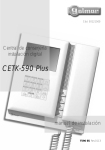
Centrales de conserjería
instalación digital
CE-990 Plus
CE-941 Plus
[email protected]
www.golmar.es
Golmar se reserva el derecho a cualquier modificación sin previo aviso.
Golmar se réserve le droit de toute modification sans préavis.
Golmar reserves the right to make any modifications without prior notice.
manual de instalación
version français (page 36)
english version (page 72)
1
INTRODUCCIÓN
Ante todo le agradecemos y felicitamos por la adquisición de este producto fabricado por
Golmar.
Nuestro compromiso por conseguir la satisfacción de clientes como usted queda manifiesto
por nuestra certificación ISO-9001 y por la fabricación de productos como el que acaba de adquirir.
La avanzada tecnología de su interior y un estricto control de calidad harán que, clientes y
usuarios disfruten de las innumerables prestaciones que este equipo ofrece. Para sacar el mayor
provecho de las mismas y conseguir un correcto funcionamiento desde el primer día, rogamos lea
detenidamente este manual de instrucciones.
CONSEJOS PARA LA PUESTA EN MARCHA
O No apretar excesivamente los tornillos de la regleta del alimentador.
O Cuando se instale o modifique el equipo, hacerlo sin alimentación.
O Antes de conectar el equipo, verificar todos los conexionados. Siga en todo momento las
instrucciones de este manual.
O Al poner en marcha el equipo por primera vez, o tras una modificación, el sistema se bloqueará
durante 45 segundos.
NOTAS PARA EQUIPOS CON PLACAS
ÍNDICE
Introducción .........................................1
Índice ..................................................1
Novedades de la versión 5.00.................1
Notas para equipos con placas ...............2
Consejos para la puesta en marcha .........2
Funcionamiento del sistema...............3 a 4
Centrales de conserjería...........................
Regletas de conexión......................5 a 6
Descripción de las centrales .................7
Pulsadores de función..........................8
Etiqueta identificativa ..........................8
Ajustes internos...................................9
Programación de las centrales...................
Menú de programación ..............10 a 17
Entrada de datos con el teclado ..........18
Desplazamiento rápido .....................18
2
Instalación del alimentador ..................19
Enlace de varios alimentadores .............19
Teléfono T-940 Plus .................................
Descripción......................................20
Pulsadores de función........................20
Sujeción del teléfono .........................21
Programación ..................................22
Conexionados opcionales........................
Intercomunicación entre teléfonos ......23
Conexión al timbre de puerta..............23
Dos centrales de conserjería ...............24
Esquemas de instalación ..........................
Portero electrónico.....................25 a 26
Videoportero con coaxial.............27a 28
Videoportero sin coaxial .............29 a 30
Placa general de videoportero .....31 a 34
NOVEDADES DE LA VERSIÓN 5.00
O Gestión de hasta 255 edificios interiores con 1000 apartamentos cada uno de ellos.
O Nueva estructura del menú de programación.
O 2ª tabla de llamada que permite llamar a los apartamentos mediante la introducción de un
código distinto al código grabado en los monitores o teléfonos (pág. 12).
O Función 'agenda:insertar', que permite mantener ordenado el contenido de la agenda (pág. 16).
O Transmisión del contenido de la agenda a otras placas o centrales de conserjería a través de los
cables de la instalación (pág. 17).
O Edición de texto con el teclado a modo de teléfono móvil (pág. 18).
O Las versiones de software anteriores son totalmente compatibles, siempre y cuando no
se active la 2º tabla de llamada ni el número de edificios interiores sea superior a 99.
O Programar los monitores o teléfonos desde las placas, tal y como se indica en los manuales de
instrucciones adjuntos a las mismas. Una vez programados, realizar una llamada a la central de
conserjería para saber el código asignado a cada apartamento.
O Utilizar este manual de instrucciones para la programación de la central de conserjería y para el
cableado del equipo.
O Para la localización de posibles averías, refiérase al manual de instrucciones adjunto con la
placa.
O En equipos con placas generales, la(s) central(es) de conserjería deben ser también generales
(comunes para todos los edificios interiores), no pudiendo ser conectadas después de los
edificios interiores (uso particular de un edificio), tal y como se muestra en el esquema de
instalación de lás páginas 31 a 34.
FUNCIONAMIENTO DEL SISTEMA
3
Llamada desde una placa a un monitor o teléfono.
O El procedimiento para realizar la llamada desde una placa a un monitor o teléfono se encuentra
detallado en el manual de instrucciones de la placa.
O Si la central de conserjería tiene activada la función de captura de llamadas (página 11), todas las
llamadas realizadas en la placa serán intervenidas por la central de conserjería, con la posibilidad
de transferir la llamada al vecino, previa consulta. En el caso de que la central de conserjería se
encuentre apagada, las llamadas se recibirán directamente en las viviendas.
Llamada desde una placa a la central de conserjería.
O La central de conserjería puede ser programada con un código de llamada directo (ver página 11).
Para llamar a la central de conserjería directamente, el procedimiento será el mismo que si se
tratase de un monitor o teléfono.
En equipos combinados con placa(s), esta(s) quedará(n) automáticamente desconectada(s). En
equipos con placa(s) general(es), será(n) ésta(s) la que quede(n) desconectada(s).
O Una vez realizada la llamada, la pantalla del teclado de la central de conserjería mostrará el mensaje
llamando placa y aparecerá la imagen transcurridos unos 3 segundos sin que el visitante
lo perciba. Si la llamada no es atendida antes de 45 segundos, el canal quedará libre.
O Para establecer comunicación, descolgar el auricular de la central.
O La comunicación tendrá una duración de un minuto y medio o hasta colgar el auricular. Durante la
comunicación la pantalla del teclado mostrará el mensaje comunicacion. Finalizada la
comunicación, el canal quedará libre.
O Si se desea abrir la puerta, presionar el pulsador de abrepuertas en cualquier momento: una sola
pulsación activa el abrepuertas durante tres segundos. Durante la apertura de puerta la central
emitirá un tono de advertencia y mostrará el mensaje puerta abierta.
Transferencia de llamadas desde la central de conserjería.
O Durante el proceso de comunicación con la placa de calle, la central de conserjería podrá transferir
la comunicación a un vecino. Una vez en comunicación, introducir el código de la vivienda a
llamar, o buscarlo en la agenda mediante las flechas de desplazamiento, seguido de la tecla
campana. En este instante, el monitor (teléfono) de la vivienda recibe la llamada, apareciendo la
imagen en el monitor principal (caso de existir) unos 3 segundos después de recibir la llamada sin
que el visitante lo perciba. Una vez establecida la comunicación entre el vecino y la central, la
pantalla de esta última visualizará el siguiente mensaje:
PV <> VECINO
PV <> central
Para que el vecino se ponga en comunicación con la placa, bastará con que la central cuelgue el
auricular o pulse la tecla de flecha arriba. En ese instante, la pantalla de la central mostrará el
mensaje canal ocupado. Si el vecino no desea atender al visitante, bastará con que
cuelgue su auricular o que el conserje pulse la tecla flecha abajo en la central, recuperando la
comunicación con la placa.
Durante los procesos de llamada y comunicación entre la central de conserjería y el vecino, la
placa de calle quedará en espera, no pudiendo escuchar conversación alguna.
Realización de llamadas usando la agenda.
O Si desconoce el código de la vivienda a llamar, utilice las flechas del teclado para buscar el código
en la agenda. Una vez aparezca el código en pantalla, pulse la tecla campana para realizar la
llamada. En la página 18 se detalla la forma de desplazarse rápidamente a través de la agenda.
4
FUNCIONAMIENTO DEL SISTEMA
Llamada desde la central a un monitor o teléfono.
O Para realizar la llamada, el conserje deberá descolgar el auricular de la central e introducir el código
correspondiente a la vivienda con la que desea establecer comunicación, visualizándose en la
pantalla del teclado la secuencia de marcación. Una vez introducido el código pulsar la tecla
campana para realizar la llamada: unos tonos acústicos advertirán de que la llamada se está
realizando y la pantalla del teclado mostrará el mensaje llamando. En este instante, el
monitor (teléfono) de la vivienda recibe la llamada. Si se ha introducido un código erróneo,
utilizar la tecla de borrado CANCEL.
En equipos con varias placas, ésta(s) quedará(n) automáticamente desconectada(s): si un visitante
desea llamar, unos tonos telefónicos le advertirán de que el canal está ocupado.
La llamada tiene una duración de 45 segundos. Si la llamada no es atendida antes de 45
segundos, el canal quedará libre.
O Para establecer comunicación, descolgar el auricular del (monitor) teléfono.
La comunicación tendrá una duración de un minuto y medio o hasta colgar el auricular. Durante
la comunicación la pantalla del teclado mostrará el mensaje comunicacion. Finalizada la
comunicación, el canal quedará libre.
Llamada desde un monitor o teléfono a la central.
O Para realizar la llamada, descolgar el auricular del monitor o teléfono y presionar el pulsador de
abrepuertas: unos tonos acústicos en el auricular confirmarán que la llamada se está realizando o
que la central se encuentra en comunicación. En este instante, la central recibe la llamada,
mostrando la pantalla del teclado la información del vecino que llama. Si la llamada no es
atendida antes de 45 segundos, esta quederá retenida en la memoria de la central.
O Para establecer comunicación, descolgar el auricular de la central.
La comunicación tendrá una duración de un minuto y medio o hasta colgar uno de los dos
auriculares. Durante la comunicación la pantalla del teclado mostrará el mensaje
comunicacion. Finalizada la comunicación, el canal quedará libre.
O Si la llamada se realiza sin descolgar el auricular del monitor o teléfono, la central reconocerá que se
trata de una llamada de pánico, mostrando en la pantalla el mensaje panico y la información
del vecino que llama. Para que la central reconozca las llamadas de pánico, se debe haber
activado la correspondiente opción en el menú de configuración (página 12). Las llamadas de
pánico sólo se pueden atender desde la pantalla de retenciones.
Memoria de retenciones de llamada.
O La central dispone una memoria para la retención de las últimas 32 llamadas no atendidas, bien
sean llamadas normales o de pánico. Para disponer de esta función, deberá estar activada la
correspondiente opción del menú de configuración (página 12). En el estado de reposo, la
pantalla de la central muestra de forma cíclica el número de retenciones en memoria.
O Para consultar las llamadas retenidas en la central de conserjería, pulsar la tecla flecha abajo,
mostrando la pantalla del teclado la última llamada no atendida. Utilizar las flechas de
desplazamiento para visualizar las llamadas no antendidas retenidas con anterioridad. La pantalla
del teclado muestra el tipo de llamada retenida (pánico o retención de llamada normal), la hora
en la que se realizó y la información del vecino que la realizó.
O Para atender una llamada retenida descolgar el auricular de la central y posicionarse sobre la
retención deseada, tal y como se explica en el apartado anterior. Seguidamente pulsar la tecla
campana para llamar al vecino correspondiente. Una vez es atendida la retención, ésta queda
borrada de la memoria.
O Las llamadas no atendidas realizadas por un mismo vecino de forma consecutiva no son memorizadas.
O Para borrar una retención de llamada, posicionarse sobre la retención a borrar y pulsar la tecla llave.
Equipos con dos centrales de conserjería.
O El funcionamiento de los equipos con dos centrales de conserjería se detalla en la página 24.
5
DESCRIPCIÓN DE LAS REGLETAS
D
escripción mecánica de las regletas de conexión.
6
INSTALACIÓN DE LAS REGLETAS
F
ijar la regleta en la pared.
a
Para una ubicación correcta utilice la plantilla suministrada
con la regleta; evite emplazamientos cercanos
a fuentes de calor, polvorientos o con mucho humo.
La regleta puede ser instalada directamente sobre la pared
realizando dos agujeros de 6mm. de diámetro y
utilizando los tornillos suministrados. Si lo prefiere,
puede fijar la regleta a una caja de material eléctrico.
b
c
a. Tornillo de sujeción de la central.
b. Enganche guía sujeción (x4).
c. Orificio sujeción vertical (x2).
d. Zócalo conector de la central.
e. Orificio sujeción horizontal (x2).
d
e
c
Si una vez instalada la regleta quedan por finalizar
trabajos de albañilería o pintura, coloque la
central acabados dichos arreglos.
Para evitar daños en la regleta, utilice el embalaje
para protegerla, tal y como muestra el dibujo.
D
escripción de los terminales de conexión
de las regletas.
Existen dos modelos de regletas de conexión:
RCSH Plus, para centrales de conserjería CE-990 Plus con cable coaxial
RCSH Plus, y centrales CE-941Plus de portero electrónico
RCSH Plus/2H, para centrales de conserjería CE-990 Plus con par trenzado.
M
anipulación de la resistencia o puente de
final de línea.
OA1
SA
HZ- IA1
SA
HZ- IA1
CTO
INT
+
A D 2C A1
Vin 75W Vout
Terminales comunes:
–,+:
negativo, positivo.
A,D:
comunicación audio, digital.
no conectar.
(*) 2C :
no conectar.
(*) A1 :
no conectar.
(*) HZ- :
SA :
salida sonería auxiliar.
CTO :
salida activación distribuidor.
INT :
intercomunicación.
IA1, OA1 :no conectar.
Terminales específicos para instalación
con cable coaxial
Vin , Vout : entrada, salida de video.
borne malla cable coaxial.
resistencia final de línea.
75W:
RCSH Plus/2H
VP MP
JP1
A D 2C A1
OA1
SA INT CTO OA1 IA1 HZ-
+
RCSH Plus
C
olocar la central.
Terminales específicos para instalación
con par trenzado
VP , MP : señal de video balanceada.
JP1 :
No cortar la resistencia (o quitar el puente)
si el cable de vídeo finaliza en la central.
Cortar esta resistencia (o quitar el puente)
si el cable de vídeo continúa después
de la central.
puente final de línea.
Conectar el cable plano de la central
a la regleta de conexión.
Orientar la central con
los enganches de colgado
de la regleta y fijarla mediante
el tornillo de sujeción.
CTO
VP MP
JP1
INT
Vin 75W Vout
INT CTO OA1 IA1 HZ-
RCSH Plus
RCSH Plus/2H
7
DESCRIPCIÓN DE LAS CENTRALES
D
escripción de las centrales de conserjería
CE-941Plus y CE-990Plus.
b
Central de conserjería
Porter's exchange
1
4
7
C
ancel
c
2 3
5 6
8 9
0
DESCRIPCIÓN DE LAS CENTRALES
P
ulsadores de función.
a. Pantalla (sólo modelo CE-990 Plus).
b. Indicador de encendido.
c. Pulsadores de función.
d. Teclado y pantalla LCD.
e. Conector RS-232, que permite programar la
central mediante un ordenador y el programa
MEMEDIT, siendo posible realizar copias
de seguridad de las instalaciones. En caso de
que el contenido de la memoria del equipo se
viera dañada, se podría restaurar la configuración
mediante la conexión a un ordenador.
f. Brazo auricular.
g. Cordón.
a
o.k.
8
d
e
f
Pulsador de encendido-apagado. Si la función "Modo protegido" está activada (pág. 11),
será preciso introducir el código de usuario para encender la central.
Con el auricular colgado no realiza ninguna función. Con el auricular descolgado,
permite realizar la función de intercomunicación con la otra central (caso de existir).
Esta función se describe en la página 24.
Este pulsador no tiene ninguna función asignada.
Con el auricular colgado permite visualizar la imagen procedente de la placa
configurada como principal. Con el auricular descolgado, permite establecer
comunicación de audio y vídeo con la placa que tiene activada la función de
autoencendido. Sólo es operativo si no existe una comunicación en curso.
70
g
h
h. Ajuste de contraste.
i . Ajuste de brillo.
(sólo modelo CE-990Plus)
Estos dos últimos pulsadores sólo son operativos en caso de que el sistema disponga
de placa(s). Las prestaciones de señal de vídeo sólo están disponibles en la central
CE-990Plus.
230
i
En el estado de reposo e independientemente de la posición del auricular, activa el
abrepuertas de la placa configurada como principal. Durante los procesos de
recepción de llamada o comunicación con una placa, permite activar el abrepuertas
de la placa que realiza la llamada.
200
j
D
escripción de la etiqueta identificativa.
18Vdc ± 2V
Standby 15mA
Máximo 450mA
10ºC + 50ºC
Nº serie
0000000000
CE-990-PLUS
ATENCIÓN
Alta tensión. No abrir la tapa.
Manipular sólo por personal
del servicio técnico.
PRINCIPAL
m
M. PROTEGIDO
CAPTURA PLACA
PANICO
2 TABLA
RETENCIONES
DIRECCION
Made in Spain
WARNING
High voltage. Don't open cover.
Handle only by technical service.
j. Pasador tornillo sujeción.
k. Conector regleta RCSH Plus.
l. Guía de sujeción (x4).
m. Etiqueta identificativa.
n. Ranura manguera.
Central
Modelo
18Vdc ± 2V
Standby 15mA
Máximo 450mA
10ºC + 50ºC
Nº serie
0000000000
CE-990-PLUS
ATENCIÓN
Alta tensión. No abrir la tapa.
Manipular sólo por personal
del servicio técnico.
WARNING
High voltage. Don't open cover.
Handle only by technical service.
n
PRINCIPAL
M. PROTEGIDO
CAPTURA PLACA
PANICO
2 TABLA
RETENCIONES
DIRECCION
Sistemas de comunicación S.A.
Central
Modelo
Made in Spain
l
Sistemas de comunicación S.A.
k
Para facilitar la reparación o sustitución de una
central existente en una instalación,
complete los datos de la etiqueta identificativa.
PRINCIPAL: central principal (pág. 11).
M. PROTEGIDO: candado electrónico (pág. 11).
CAPTURA PLACA: captura llamadas de placa (pág. 11).
2 TABLA: segunda tabla de llamada activada (pág. 12).
PANICO: reconoce llamadas de pánico (pág. 12).
RETENCIONES: retiene llamadas perdidas (pág. 12).
DIRECCION: código de llamada directo (pág. 11).
9
AJUSTES DE LA CENTRAL
A
D
escripción de los puentes de configuración
y de los bancos de memoria.
Los puentes de configuración JP1 y JP2 están ubicados
en la parte superior izquierda de la central,
junto al pulsador de colgado.
El puente JP3 se encuentra en la parte central del circuito
impreso, debajo del banco de memoria BK0.
ANCEL
1
3
1
5
ó
1
1
1
1
Desactivada.
*
Reinicio.
C
Para entrar en el menú de programación, pulsar
la tecla llave seguida del código secreto
de gestor (valor de fábrica 1315)
o de usuario (valor de fábrica 1111).
16:30
Mínimo.
codigo secreto
codigo:____
Activada.
enú de programación.
Para configurar los parámetros del sistema se deberá acceder al menú de programación.
Los menús marcados con un asterisco se deben configurar para que el sistema funcione
correctamente. Existen dos menús de programación: gestor, que permite modificar
todos los parámetros del sistema y usuario, que sólo permite cambiar parámetros
que no afectan al funcionamiento. Los parámetros de programación con texto negro
sobre fondo blanco están disponibles en ambos menús de programación; los parámetros
con texto blanco sobre fondo negro sólo están disponibles en el menú de gestor.
La cumplimentación de los registros de la agenda no es necesaria para el funcionamiento
de la central, siempre y cuando esté desactivada la opción de 2ª tabla de llamada (pág. 12).
Si una vez dentro del menú de programación, no se realiza ninguna pulsación durante 2 min.,
la central saldrá del menú.
Para desplazarse a través de las opciones de los distintos menús utilizar las flechas.
En cualquiera de estos menús, los cambios de opción se guardan cada vez que se pulsa
la tecla OK, independientemente de que seguidamente se pulse la tecla CANCEL.
Utilizar la tecla CANCEL para salir del menú de programación.
golmar
Máximo.
La central dispone de dos bancos de memoria para la ubicación
de dos módulos de 256Kb. Cada módulo permite guardar
el texto asignado a 1000 usuarios.
El equipo se suministra con un módulo de memoria instalado
en el banco 0 (BK0), en el cual se graban los parámetros
de configuración del sistema.
En el caso de centrales con dos módulos de memoria
no intercambiar los módulos de banco una vez grabados.
Para que el equipo funcione correctamente,
siempre debe haber un módulo en BK0.
M
O.K.
El puente JP1 selecciona el volumen de llamada.
Si tras la puesta en marcha del equipo considera que
el volumen es alto, modificar la posición del puente.
Valor de fábrica: volumen máximo.
El puente JP3 permite reiniciar el código secreto de gestor e
instalador (ver página 10) a los códigos asignados en fábrica.
Utilizar esta función sólo en caso de haber olvidado el código.
Con el equipo en marcha, cambiar la posición del puente
para reiniciar y devolverlo a su posición inicial.
PROGRAMACIÓN DE LA CENTRAL
brir la central.
Las centrales han sido ajustadas en fábrica
con los parámetros más usuales.
Si precisa cambiar alguno de los parámetros,
utilice un destornillador plano para abrir
la central, tal y como muestra el dibujo.
El puente JP2 carga la instalación con una resistencia de
comunicaciones. Para un correcto funcionamiento,
activar esta resistencia sólo en instalaciones que
no dispongan de placa.
Valor de fábrica: activada.
10
configuracion
Permite cambiar los parámetros de
configuración del sistema. Para acceder
al menú de configuración pulsar OK.
Reposo.
BK1
agenda
Permite configurar los parámetros de
la agenda. Para acceder al menú
de agenda pulsar OK.
BK0
JP3
Continúa
11
PROGRAMACIÓN DE LA CENTRAL
Viene de la página anterior
M
enú de configuración.
configuracion
O.K.
Para acceder al menú de configuración,
siga los pasos que se describen en la
página 10 y pulse OK cuando visualice el
mensaje CONFIGURACION.
Permite escoger el idioma que presentarán
los mensajes en pantalla y los menús
de configuración. Para cambiar de idioma
pulsar OK hasta encontrar el idioma.
castellano
12
PROGRAMACIÓN DE LA CENTRAL
Viene de la página anterior
*
M
enú de configuración.
panico activo
si
*
retenciones
si
*
ce principal
si
*
direccion 00-99
:00
O.K.
nuevos datos
:00
1
5
O.K.
Determina si la central es principal o secundaria.
Cada sistema debe tener una sola central
principal; caso de existir otra central,
configurarla como secundaria.
Para cambiar el valor pulsar OK.
Determina el código de llamada directa
a la central. Colocar un valor entre 0 y 99.
Este valor se deberá corresponder con
el del pulsador de llamada a la central
de la placa correspondiente y no podrá
coincidir con el de un monitor o teléfono
existente en la instalación.
Para cambiar el valor pulsar OK, apareciendo
el mensaje NUEVOS DATOS; introducir
el código de llamada directa con el teclado
numérico y validar pulsando OK.
Si se pulsa CANCEL se restaurará el valor
anterior.
*
2a tabla llamada
si
ajustar hora
16:24
O.K.
nuevos datos
16:24
1
7
3
0
O.K.
direccion 00-99
:15
*
modo protegido
no
*
capturar placa
si
ajustar hora
17:30
Permite la activación de un candado electrónico
que obliga a introducir el código de usuario
(pág. 10) para poder encender la central.
Para cambiar el valor pulsar OK.
muestra reloj
si
Determina si la central recibe las llamadas
de pánico realizadas desde los monitores
o teléfonos, o cuando se introduce el
código de pánico del control de accesos
de una placa codificada de la instalación.
Para cambiar el valor pulsar OK.
Determina si la central retiene las llamadas
no atendidas, ya sean normales o de pánico.
El número máximo de llamadas retenidas
es de 32.
Para cambiar el valor pulsar OK.
Posibilita la asignación de un código de
llamada diferente a la dirección real del
monitor; este código se define en la
agenda (pág. 15).
Para cambiar el valor pulsar OK.
El sistema dispone de un reloj interno que
muestra la hora en la pantalla del teclado
cuando el equipo se encuentra en reposo.
Esta función se puede desactivar desde los
menús de opciones y usuario.
Una batería interna mantiene el sistema
en hora incluso con el equipo apagado
durante un periodo de tiempo prolongado.
Para poner en hora el reloj pulsar OK,
apareciendo el mensaje NUEVOS DATOS;
introducir la hora (0 a 23) y los minutos
(0 a 59) mediante el teclado numérico y
validar pulsando OK. Si se pulsa CANCEL
se restaurará el valor anterior.
Determina si la pantalla del teclado muestra
el reloj durante el estado de reposo.
Para cambiar el valor pulsar OK.
Permite que las llamadas realizadas desde una
placa sean capturadas por la central.
En caso de que la central esté apagada,
la llamada se recibirá en el apartamento.
Para cambiar el valor pulsar OK.
Continúa
Continúa
13
PROGRAMACIÓN DE LA CENTRAL
Viene de la página anterior
M
enú de configuración.
mENSAJE PANTALLA
golmar
O.K.
mENSAJE PANTALLA
golmar
codigo gestor
:1315
O.K.
nuevos datos
:1315
9
8
7
6
O.K.
El mensaje de pantalla es el que se muestra en
la pantalla del teclado cuando el equipo
se encuentra en reposo.
Este mensaje puede ser útil para mostrar
el nombre o la dirección del edificio.
Para modificar el mensaje pulsar OK y
proceder tal y como se describe en la
página 18.
Finalizada la modificación aparecerá el
mensaje datos grabados, volviendo
a la pantalla inicial.
Permite cambiar el código para acceder al
menú de programación. Este código
sólo debería ser conocido por la persona
encargada de mantener el sistema;
en caso contrario, cualquier manipulación
de los parámetros podrían hacer que el
sistema dejase de funcionar.
Para cambiar el código pulsar OK,
apareciendo el mensaje NUEVOS DATOS;
introducir el código secreto mediante el
teclado numérico y validar pulsando OK.
Si se pulsa CANCEL se restaurará el valor
anterior.
El código debe ser de cuatro cifras.
codigo gestor
:9876
codigo usuario
:1111
O.K.
nuevos datos
:1111
5
4
3
2
O.K.
Permite cambiar el código para acceder al
menú de usuario (ver página 10) o
encender la central cuando la función
modo protegido (página 11) está activada.
Este código permite cambiar parámetros
que no afectan al funcionamiento del
sistema.
Para cambiar el código pulsar OK,
apareciendo el mensaje NUEVOS DATOS;
introducir el código secreto mediante el
teclado numérico y validar pulsando OK.
Si se pulsa CANCEL se restaurará el valor
anterior.
El código debe ser de cuatro cifras.
codigo usuario
:5432
Continúa
14
PROGRAMACIÓN DE LA CENTRAL
Viene de la página anterior
version 5.00
M
enú de configuración.
Indica la versión de software de la placa.
Fin del menú de configuración. Utilizar la flecha "ARRIBA” para acceder a las opciones
anteriores. Pulsar CANCEL una vez para salir del menú de configuración y volver
al menú principal, o dos veces para salir del menú de programación.
15
PROGRAMACIÓN DE LA CENTRAL
M
agenda
O.K.
agenda:nuevo
O.K.
entrar direccion
:000000
0
0
0
1
0
2
O.K.
entrar codigo
:000000
0
0
3
4
0
9
O.K.
entrar nombre
_
datos grabados
enú de agenda.
Para acceder al menú de agenda, siga los
pasos que se describen en la página 10
y pulse OK cuando visualice el mensaje
agenda.
Permite añadir los datos de un nuevo usuario
al final de la agenda. Si desea añadir los
datos en una posición determinada, utilice
la opción agenda:insertar.
Pulsar OK, apareciendo en pantalla el mensaje
entrar direccion; introducir el código
del monitor mediante el teclado numérico
y validar pulsando OK.
Introducir un código de seis dígitos: los tres
primeros corresponden al código del edificio
interior y los tres últimos al del monitor.
Si se trata de un único edificio, asegurarse
de que la(s) placa(s) del edificio han sido
configuradas con el código cero.
IMPORTANTE: si se ha activado la 2ª tabla
de llamada (ver pág. 12), aparecerá
el mensaje entrar codigo; introducir
el código de seis dígitos que se desea utilizar
para realizar la llamada a este usuario y
pulsar OK para validarlo.
Pulsar OK para asignar un texto al código,
procediendo tal y como se describe en la
página 18.
Finalizada la entrada del registro aparecerá el
mensaje datos grabados, volviendo
a la pantalla inicial. Repetir el proceso para
añadir tantos registros como se deseen.
16
PROGRAMACIÓN DE LA CENTRAL
Viene de la página anterior
M
enú de agenda.
agenda:insertar
O.K.
jose perez
:000012
:000041
O.K.
insertando...
agenda:modificar
O.K.
jose perez
:000012
:000041
agenda:borrar
jose perez
:000012
:000041
O.K.
borrando...
Continúa
Permite modificar los datos de un usuario
existente en la agenda.
Pulsar OK, apareciendo en pantalla la primera
posición de la agenda: si no existe ningún
registro en la agenda, la pantalla mostrará
el mensaje AGENDA VACÍA. Utilizar las
flechas de desplazamiento hasta encontrar
la posición que se desea modificar
y pulsar OK.
Proceder tal y como se muestra en el apartado
agenda:nuevo.
O.K.
O.K.
NOTA: los ceros introducidos a la izquierda de un código no será necesario
introducirlos durante la realización de una llamada.
Permite insertar los datos de un usuario nuevo
en cualquier posición de la agenda.
A diferencia de la opción agenda:nuevo,
permite mantener la agenda ordenada.
Pulsar OK, apareciendo en pantalla la primera
posición de la agenda: si no existe ningún
registro en la agenda, la pantalla mostrará
el mensaje AGENDA VACÍA. Utilizar las
flechas de desplazamiento hasta encontrar
la posición antes de la cual se desea
insertar el nuevo usuario y pulsar OK.
Proceder tal y como se muestra en el apartado
agenda:nuevo.
Finalizada la entrada de datos, la pantalla
mostrará el mensaje insertando hasta
finalizar la operación.
Permite borrar los datos de un usuario
existente en la agenda.
Pulsar OK, apareciendo en pantalla la primera
posición de la agenda: si no existe ningún
registro en la agenda, la pantalla mostrará
el mensaje AGENDA VACÍA. Utilizar las
flechas de desplazamiento hasta encontrar
la posición que se desea borrar. Pulsar OK
para confirmar la operación.
El mensaje borrando aparecerá en pantalla
durante unos segundos, para después
mostrar el registro siguiente al borrado.
Repetir el proceso para borrar tantos registros
como se deseen.
Continúa
17
PROGRAMACIÓN DE LA CENTRAL
Viene de la página anterior
M
agenda:enviar
O.K.
EnviaNDO...
095
agenda:recibir
O.K.
recibiendo...
borrando...
095
18
PROGRAMACIÓN DE LA CENTRAL
E
enú de agenda.
Permite enviar los datos de la agenda a otra
placa o central de conserjería de la misma
instalación. Antes de comenzar el envío,
el equipo receptor debe estar en modo
recepción (ver apartado siguiente).
Para comenzar el envío pulsar OK. La pantalla
mostrará el mensaje enviando y el
número de registro en envío.
Finalizada esta operación, los equipos saldrán
del menú de configuración.
Permite recibir los datos de la agenda de otra
placa o central de conserjería de la misma
instalación.
Para comenzar la recepción pulsar OK y
colocar el equipo emisor en modo envío
(ver apartado anterior). La pantalla mostrará
el mensaje recibiendo y el número de
registro en recepción.
Una vez se han recibido todos los registros,
el equipo receptor borra el resto de la
agenda, visualizándose el mensaje
borrando.
Finalizada esta operación, los equipos saldrán
del menú de configuración.
IMPORTANTE: la transferencia de registros sólo se puede realizar entre dos puntos:
NO colocar más de un equipo en modo envío o recepción.
Durante el periodo de transmisión, es posible que otros equipos conectados
en la instalación entren en funcionamiento aleatorio (recepción de llamadas,
aperturas de puerta, ...): no se trata de ninguna anomalía.
dición con el teclado.
Para introducir o editar texto durante la programación, utilizar las teclas tal y como se muestra.
El número máximo de caracteres en una línea de texto es de 16.
La introducción de caracteres se realiza mediante el teclado numérico: pulsar repetidamente
sobre la tecla correspondiente hasta que aparezca el carácter deseado según la tabla.
Utilizar las flechas de desplazamiento para moverse
a lo largo de la línea de texto.
Utilizar la llave para borrar el caracter situado sobre
el cursor, desplazando una posición hacia atrás
el texto situado a continuación.
O.K.
C
ANCEL
Utilizar la tecla OK para validar el texto introducido.
La pantalla mostrará el mensaje datos grabados.
Utilizar la tecla CANCEL para abandonar la edición.
Los cambios realizados quedarán omitidos.
1
2
3
4
5
6
7
8
9
0
Fin del menú agenda. Utilizar la flecha "ARRIBA” para acceder a las opciones
anteriores. Pulsar CANCEL una vez para salir del menú agenda y volver
al menú principal, o dos veces para salir del menú de programación.
D
esplazamiento rápido por la agenda.
Para avanzar de forma rápida por la agenda basta con pulsar la flecha de avance,
seguida del número de registros que se desean avanzar. Si se selecciona el número 0,
el avance se realizará en saltos de 10 y se selecciona la tecla llave en saltos de 100.
5
El avance se realiza de 5 en 5 registros. Las teclas flecha quedarán
memorizadas para avanzar de 5 en 5 cada vez que se pulse
una de ellas.
19
INSTALACIÓN DEL ALIMENTADOR
20
DESCRIPCIÓN DEL TELÉFONO
D
D
escripción del teléfono T-940 Plus.
etalle de la instalación de los alimentadores FA-PLUS y FA-PLUS/C.
b
f3,5 x 25
DIN-7971
f3,5 x 25
DIN-7971
Instale el alimentador en un lugar seco y protegido.
Recuerde que la normativa vigente obliga a
proteger el alimentador con un interruptor
magnetotérmico y a conectarlo a una toma
de tierra.
a
c
Para instalar el alimentador en pared, realizar dos agujeros
de 6mm. de diámetro, e introducir los tacos. Sujetar el
alimentador mediante los tornillos especificados.
El alimentador puede instalarse en guía DIN 46277
realizando una leve presión. Para sacar el alimentador
de la guía utilizar un destornillador plano
y hacer palanca tal y como muestra el dibujo.
El modelo FA-Plus/C precisa de 6 elementos en la guía
y el modelo FA-Plus de 10.
e
a. Brazo auricular.
b. Rejilla difusión sonido.
c. Orificio micrófono.
d. Hueco de sujeción.
e. Conectores para cordón telefónico.
f. Pulsadores de función.
g. Indicador luminoso de encendido.
h. Regulador de volumen de llamada.
i. Pulsador de colgado.
f
g
DIN 46277
IMPORTANTE: el número máximo de unidades que se pueden conectar a un alimentador
IMPORTANTE:
FA-Plus/C es de 10, siendo 50 en el caso del modelo FA-Plus.
IMPORTANTE:
Para obtener un número superior de unidades enlace alimentadores,
IMPORTANTE:
tal y como se muestra en el siguiente apartado.
E
d
e
h
El teléfono dispone de un conmutador, ubicado en la parte
inferior del teléfono (junto al conector del cordón telefónico),
que permite regular el volumen de la señal de llamada
en los niveles de máximo, medio y mínimo.
i
nlace de varias fuentes de alimentación.
P
ulsadores de función.
Conectar el primer el primer alimentador a la central o placa (caso de existir)
y al primer grupo de monitores o teléfonos; los siguientes grupos
se conectarán al positivo de su alimentador de ampliación.
Para enlazar los alimentadores basta con unir el borne negativo de los mismos;
NO unir los bornes positivos de alimentadores diferentes.
1er FA-Plus
a. Pulsador de encendido-apagado del teléfono.
Después de cualquier reinicialización del teléfono y durante
los 45 segundos siguientes, no se podrá realizar ninguna
operación con el mismo, a excepción de la recepción
de llamadas.
2º FA-Plus/C o FA-Plus
b. Con el auricular descolgado, permite realizar una llamada de
intercomunicación. Esta función se describe en la página 23.
PRI
~ ~
Red
SEC
+ + - -
PRI
~ ~
Red
SEC
+ + - -
a
Al segundo grupo de
monitores o teléfonos.
A la placa o central y primer
grupo de monitores
o teléfonos.
b
c
c. Con el auricular colgado realiza una llamada de pánico a
las centrales de conserjería configuradas para recibir
este tipo de llamada. Con el auricular descolgado,
permite realizar una llamada normal a la central principal.
Durante los procesos de recepción de llamada o
o comunicación, activa el abrepuertas.
21
DESCRIPCIÓN DEL TELÉFONO
D
escripción de los bornes de conexión.
+ _ A D INT SA HZ-
PROGRAMACIÓN DE LOS TELÉFONOS
P
rogramación de teléfonos.
+,–:
A,D:
INT :
SA :
HZ- :
positivo, negativo.
comunicación audio, digital.
intercomunicación.
salida sonería auxiliar.
entrada pulsador timbre de puerta.
INSTALACIÓN DEL TELÉFONO
F
22
En caso de tratarse de una instalación con placas, programar los monitores o teléfonos
desde las placas, tal y como se indica en los respectivos manuales de instrucciones.
Finalizada la programación, realizar una llamada a la central desde cada vivienda,
visualizando en la pantalla de la central el código asignado a cada monitor o teléfono.
Si se trata de una instalación sin placas, programar los teléfonos tal y como se muestra.
Realizar la programación con el auricular de la central descolgado.
golmar
13:15
Para que la central entre en el modo de programación,
pulsar la tecla llave seguida del código secreto
de instalador (valor de fábrica 1315), tal y como
se indica en la página 10.
Apagar el teléfono a programar.
Una vez se encuentre apagado, presionar el pulsador
de abrepuertas.
ijar el teléfono a la pared.
Para conexionar el teléfono y fijarlo a la pared,
será necesario abrirlo. Para ello, realizar levemente
palanca con un destornillador plano en las ranuras
dispuestas para ello, tal y como muestra el dibujo.
Mantenga presionado el pulsador de abrepuertas
y sin soltarlo, encienda el teléfono.
Para indicar que el equipo está listo para la programación,
la central emitirá unos tonos y mostrará en la pantalla del
teclado el mensaje programación, pudiendo soltar
el pulsador de abrepuertas del teléfono.
Para establecer comunicación de audio con la central,
descolgar los auriculares.
Evitar emplazamientos cercanos a fuentes
de calor, polvorientos o con mucho humo.
El teléfono puede fijarse en caja universal,
o directamente a pared. Para la sujeción
directa a pared, realizar dos taladros de
6mm. de diámetro en las posiciones
especificadas, utilizando tacos de 6mm.
y tornillos Ø3,5 x 25mm.
Pasar los cables por el orificio dispuesto a tal efecto,
y conectarlos a la regleta según los esquemas de instalación.
Cerrar el teléfono tal y como muestra el dibujo. Una vez cerrado,
conectar el auricular mediante el cordón telefónico y colocarlo
en la posición de colgado.
1
0
O.K.
Introducir el código del teléfono a programar,
seguido de la tecla campana.
En dicho instante, la central emitirá unos
tonos y parpadeará el indicador
luminoso del teléfono.
Para programar el teléfono como principal,
apagarlo y volverlo a encender.
Para programarlo como secundario,
pulsar el botón de abrepuertas.
Para programarlo como secundario con
intercomunicación, pulsar el botón central.
Cada vivienda debe tener una sola unidad principal; si existen unidades en paralelo
se deberán configurar como secundarias, ya sean monitores o teléfonos.
Programar el resto de teléfonos de la misma forma. Finalizada la programación salir del
menú de configuración pulsando la tecla CANCEL: caso de olvidarse, la central saldrá
automáticamente transcurridos 2 minutos sin realizar ninguna pulsación.
CONEXIONADOS OPCIONALES
I
23
24
CONEXIONADOS OPCIONALES
E
ntercomunicación entre dos puntos
de la misma vivienda.
El teléfono T-940 Plus incorpora de serie la intercomunicación entre dos puntos de la misma
vivienda. Para habilitar esta función será necesario que:
- Uno de los equipos haya sido configurado como principal y el otro como
secundario con intercomunicación, según se describe en la página 22.
- El borne INT de los equipos a intercomunicar esté unido (ver esquema adjunto).
Para intercomunicarse, descolgar el auricular y presionar el pulsador de intercomunicación;
unos tonos acústicos en el auricular confirmarán que la llamada se está realizando, o
que la unidad llamada está en comunicación con la central. Para establecer comunicación,
descolgar el auricular de la unidad llamada. Si durante un proceso de intercomunicación
se recibe una llamada de la central, se escucharán unos tonos acústicos en auricular de la
unidad principal; para establecer comunicación con la central presionar el pulsador de
intercomunicación de la unidad configurada como principal.
Los tonos de llamada reproducidos son diferentes en función del lugar desde el que se
realizó la llamada, lo cual permite al usuario distinguir su procedencia.
+ _ A D INT
+ _ A D INT
P
quipos con dos centrales de
conserjería.
El número máximo de centrales de conserjería dentro de un sistema es de dos, debiéndose
configurar una de ellas como principal y la otra como secundaria, tal y como se describe
en la página 11.
Las llamadas realizadas desde monitores o teléfonos mediante el pulsador de abrepuertas,
serán siempre recepcionadas por la central de conserjería principal. Si la central principal
se encuentra apagada, las llamadas serán desviadas a la central de conserjería secundaria
(funcionamiento día-noche). La captura de llamadas de placa también se recepcionará en
la central principal. No obstante, cada central de conserjería podrá tener su propio código
directo de llamada (ver página 11).
Sólo en el caso de los monitores Shiner Plus y Platea Plus se podrá realizar una llamada
selectiva a la central secundaria mediante el segundo pulsador auxiliar. Esta función
requiere la modificación interna de los monitores, tal y como se describe en el manual de
instrucciones de la placa.
Las centrales de conserjería CE-941 Plus y CE-990 Plus incorporan de serie la prestación de
intercomunicación entre dos centrales. Para habilitar esta función será necesario que el
borne INT de las centrales esté unido (ver esquema adjunto).
Para intercomunicarse, descolgar el auricular y presionar el pulsador de intercomunicación;
unos tonos acústicos en el auricular confirmarán que la llamada se está realizando, o
que la unidad llamada está en comunicación, mostrando la pantalla del teclado los
mensajes llama a central o canal ocupado respectivamente. La pantalla
de la central llamada mostrará el mensaje central >central. Para establecer
comunicación, descolgar el auricular de la unidad llamada, mostrando las pantallas de
ambas centrales el mensaje intercom central. Si durante un proceso de
intercomunicación se recibe una llamada de la placa, se escucharán unos tonos acústicos
en auricular de la central principal, apareciendo la imagen y mostrando la pantalla el
mensaje llamando placa; para establecer comunicación con la placa presionar
el pulsador de auto-encendido, o presionar el pulsador de abrepuertas si sólo se desea
abrir la puerta. En el caso de que la llamada se halla realizado desde una vivienda, la
central llamada visualizará la retención de llamada una vez finalizada la intercomunicación.
ulsador para recepción de llamadas desde la puerta del rellano.
El teléfono T-940 Plus incorpora de serie la recepción de llamada desde la puerta del rellano.
Esta prestación permite ahorrar el uso de un timbre, colocando un pulsador
entre los bornes 'HZ–' y '–' del teléfono.
Los tonos de llamada reproducidos son diferentes en función del lugar desde el que se
realizó la llamada, lo cual permite al usuario distinguir su procedencia. Si durante una
conversación con la central se produce una llamada desde la puerta del rellano,
unos tonos en el auricular advertirán de esta circunstancia.
HZ- -
Central de conserjería
Central de conserjería
Porter's exchange
o.k.
1 2 3
4 5 6
7 8 9
C 0
ancel
_ + A D 2C A1 V
in
Porter's exchange
75W
Vout INT
o.k.
1 2 3
4 5 6
7 8 9
C 0
ancel
_ + A D 2C A1 V
in
75W
Vout INT
El esquema muestra el conexionado de dos centrales de conserjería CE-990Plus (videoportero).
Caso de tratarse de centrales CE-941Plus (portero electrónico), sustituir el cable coaxial por
un negativo (línea discontínua).
25
T-940 Plus
26
ESQUEMAS DE INSTALACIÓN
T-940 Plus
+ _ A D
P
ortero electrónico.
+ _ A D
El esquema de instalación muestra el conexionado de un equipo de portero electrónico con
una o varias placas para acceder al edificio y una central de conserjería.
Si su equipo no dispone de placa, o sólo de una, no tenga en cuenta tales conexiones.
Si por el contrario tiene más de una placa, conecte la segunda tal y como muestra el
esquema. En el caso de más de dos placas, conecte las restantes igual que la segunda.
La central de conserjería se conecta igual que si se tratase de un teléfono.
TABLA DE SECCIONES
CE-941 Plus
RCSH Plus
T-940 Plus
Secciones hasta
Borne
50m.
150m.
Central de conserjería
Porter's exchange
o.k.
1 2 3
4 5 6
7 8 9
C 0
ancel
_ + A D V
in
+ _ A D
75W
+, –, CV+, CV–
1,00mm²
2,50mm²
Vout CTO
Ain, Aout, A, D
0,25mm²
0,25mm²
Para distancias superiores consulte con nuestros servicios
de asistencia técnica.
Placa principal
Placa secundaria
*Colocar este alimentador
lo más cerca posible
del primer teléfono.
JP
SW1
FA-Plus/C o FA-Plus
PRI
~ ~
Red
SEC
+ + - -
1
2
JP
SW1
3
FA-Plus/C
4
CN1
CV- CV+ - + D Aout Ain Vin- Vin+ Malla Vout+ Vout-
PRI
~ ~
Red
SEC
+ + - -
1
2
3
4
CN1
CV- CV+ - + D Aout Ain Vin- Vin+ Malla Vout+ Vout-
27
* Sacar el puente JP1 de
todos los distribuidores
excepto del último.
28
ESQUEMAS DE INSTALACIÓN
v
D4L-PLUS
ideoportero con cable coaxial.
CN4
JP1
S
+ _ Vin Malla Vout A D
D1
E
CN4
D2
+ _ Vin Malla Vout A D
El esquema de instalación muestra el conexionado de un equipo de videoportero con
una o varias placas para acceder al edificio y una central de conserjería.
Si su equipo sólo dispone de una placa, no tenga en cuenta la conexión hacia las otras.
Si por el contrario tiene más de una placa, conecte la segunda tal y como muestra el
esquema. En el caso de más de dos placas, conecte las restantes igual que la segunda.
+
La central de conserjería se conecta igual que si se tratase de un monitor.
TABLA DE SECCIONES
Secciones hasta
Borne
D4L-PLUS
CE-990 Plus
RCSH Plus
CN4
Central de conserjería
JP1
S
Porter's exchange
o.k.
1 2 3
4 5 6
7 8 9
C 0
75W
ancel
+ _ Vin Malla Vout A D
D1
E
D2
+ A D Vin
50m.
150m.
+, –, CV+, CV–
1,00mm²
2,50mm²
Ain, Aout, A, D
0,25mm²
0,25mm²
RG-59
RG-59
Vin+, Vout+, Vin, Vout
Vout CTO
Para distancias superiores consulte con nuestros servicios
de asistencia técnica.
+
Placa principal
Placa secundaria
*Colocar este alimentador
lo más cerca posible
del primer distribuidor.
JP
SW1
FA-Plus/C o FA-Plus
PRI
~ ~
Red
SEC
+ + - -
1
2
JP
SW1
3
FA-Plus/C
4
CN1
CV- CV+ - + D Aout Ain Vin- Vin+ Malla Vout+ Vout-
PRI
~ ~
Red
SEC
+ + - -
1
2
3
4
CN1
CV- CV+ - + D Aout Ain Vin- Vin+ Malla Vout+ Vout-
EL561
JP1
29
EL561
JP1
* Sacar el puente JP1 de
todos los distribuidores
excepto del último.
+ _ A D Vp Mp
Md1
Vd1
+ _ A D Vpo Mpo
+
_
A
D
CT
JP1
+ _ A D Vpi Mpi
ESQUEMAS DE INSTALACIÓN
+ _ A D Vp Mp
v
ideoportero sin cable coaxial.
D2L-Plus/2H
Md2
Vd2
El esquema de instalación muestra el conexionado de un equipo de videoportero con
una o varias placas para acceder al edificio y una central de conserjería.
Si su equipo no dispone de placa, o sólo de una, no tenga en cuenta tales conexiones.
Si por el contrario tiene más de una placa, conecte la segunda tal y como muestra el
esquema. En el caso de más de dos placas, conecte las restantes igual que la segunda.
La central de conserjería se conecta igual que si se tratase de un monitor.
IMPORTANTE: Este tipo de instalación precisa que las placas dispongan del módulo EL560,
IMPORTANTE:
los monitores del módulo EL561 y las centrales de la regleta RCSH-Plus/2H.
IMPORTANTE: La conexión del borne CTO permite que sólo funcione el distribuidor
IMPORTANTE:
conectado al monitor llamado. Para activar esta función cambie la posición
IMPORTANTE:
del puente JP2 de los distribuidores.
+
_
JP2
30
A
D
CT
CE-990 Plus
RCSH Plus/2H
EL561
JP1
Central de conserjería
Porter's exchange
o.k.
1 2 3
4 5 6
7 8 9
C 0
JP1
ancel
+ _ A D Vp Mp
_ + A D V M CTO
p
p
TABLA DE SECCIONES
Md1
Vd1
+ _ A D Vpo Mpo
+
_
A
D
CT
D2L-Plus/2H
Md2
Vd2
Borne
+
_
JP2
JP1
+ _ A D Vpi Mpi
Secciones hasta
A
D
CT
50m.
150m.
+, –, CTO, CT, CV+, CV–
1,00mm²
2,50mm²
Ain, Aout, A, D
0,25mm²
0,25mm²
CAT-5
CAT-5
Vin+,-, Vout+,-, Vp,d, Mp,d
Para distancias superiores consulte con nuestros servicios
de asistencia técnica.
Placa principal
Placa secundaria
*Colocar este alimentador
lo más cerca posible
del primer distribuidor.
JP
SW1
FA-Plus/C o FA-Plus
PRI
~ ~
Red
SEC
+ + - -
1
2
JP
SW1
3
FA-Plus/C
4
CN1
CV- CV+ - + D Aout Ain Vin- Vin+ Malla Vout+ Vout-
PRI
~ ~
Red
SEC
+ + - -
1
2
3
4
CN1
CV- CV+ - + D Aout Ain Vin- Vin+ Malla Vout+ Vout-
31
32
ESQUEMAS DE INSTALACIÓN
EDIFICIO 1
EDIFICIO 2
FA-Plus/C o FA-Plus
PRI
~ ~
JP1
E
S
A los monitores
JP
1
2
3
JP
4
1
FA-Plus/C o FA-Plus
SW1
SEC
+ + - -
CN1
CV- CV+ - + D Aout Ain Vin- Vin+ Malla Vout+ Vout-
PRI
~ ~
Red
Red
D4L-PLUS
D4L-PLUS
S1
E
3
SW1
SEC
+ + - -
CN1
CV- CV+ - + D Aout Ain Vin- Vin+ Malla Vout+ Vout-
S
+
Placa general
JP
FA-Plus/C
FA-Plus/C
Central de conserjería
Porter's exchange
o.k.
CE-990 Plus
RCSH Plus
1 2 3 C
4 5 6 0
7 8 9
1
2
3
4
1 2 3
4 5 6
7 8 9
C 0
ancel
PRI
~ ~
Red
SEC
+ + - -
75W
_ + A D V
in
Vout CTO
4
S1
JP1
+
2
Continúa
en la página siguiente
A los monitores
PRI
~ ~
Red
SEC
+ + - -
CN1
CN2
CV- CV+ - + D Aout Ain Vin- Vin+ Malla Vout+ Vout-
33
34
ESQUEMAS DE INSTALACIÓN
EDIFICIO 127
EDIFICIO 128
A los monitores
A los monitores
JP
1
FA-Plus/C o FA-Plus
PRI
~ ~
SEC
+ + - -
2
3
JP
4
SW1
CN1
CV- CV+ - + D Aout Ain Vin- Vin+ Malla Vout+ Vout-
Red
1
FA-Plus/C o FA-Plus
PRI
~ ~
SEC
+ + - -
2
3
4
SW1
CN1
CV- CV+ - + D Aout Ain Vin- Vin+ Malla Vout+ Vout-
Red
D4L-PLUS
JP1
E
S1
+
S
S2
Viene
de la página anterior
v
v
ideoportero con placa general para
grandes complejos residenciales.
NOTAS IMPORTANTES:
Para realizar la instalación y configuración de forma correcta, ayúdese de este manual,
del de la placa codificada y de los que se adjuntan con las placas interiores.
El esquema de instalación muestra el conexionado de un equipo de videoportero con
una placa general, una central de conserjería general y hasta 128 placas interiores.
En el caso de más placas generales, conecte las restantes como se muestra en el manual
de instrucciones de la placa codificada. Si por el contrario el equipo no dispone
de placa general, no tenga en cuenta tales conexiones.
En equipos de videoportero, utilizar un distribuidor de vídeo antes de cada edificio interior
excepto en el último. Todos los distribuidores, excepto el último, deberán tener sacado
el puente de resistencia de final de línea.
Si en lugar de videoportero, se trata de portero electrónico, elimine el cable coaxial y los
distribuidores del montante general de instalación y sustituya el cable coaxial de los
montantes de los edificios interiores por un negativo.
ideoportero con placa general para
grandes complejos residenciales.
TABLA DE SECCIONES
Borne
Secciones hasta
100m.
300m.
+, –, CV+, CV–
1,50mm²
2,50mm²
Ain, Aout, A, D
0,25mm²
0,25mm²
RG-59
RG-59
Vin+, Vout+, Vin, Vout
Para distancias superiores consulte con nuestros servicios
de asistencia técnica.
35
T990ML
rev.0104
Porter's exchanges
digital installation
CE-990 Plus
CE-941 Plus
Instructions manual
73
INTRODUCTION
First of all we would like to thank and congratulate you for the purchase of this product
manufactured by Golmar.
The commitment to reach the satisfaction of our customers is stated through the ISO-9001
certification and for the manufacturing of products like this one.
Its advanced technology and exacting quality control will do that customers and users enjoy with
the legion of features this system offers. To obtain the maximum profit of these features and a properly
wired installation, we kindly recommend you to expend a few minutes of your time to read this manual.
STARTING RECOMMENDATIONS
O Do not use excessive force when tightening the power supply connector screws.
O Install the equipment without the power connected. Disconnect from power before any system
modification. Check that the input voltage is lower than 230Va.c.
O Before to connect the system, check all the connections. Do always follow the enclosed
information.
O Each time the power supply is restarted, or after a modification, the system will remain blocked
during 30 seconds.
NOTES FOR SYSTEMS WITH DOOR PANELS
INDEX
Introduction........................................73
Index .................................................73
Updated features from 5.00 version .......73
Notes for systems with door panels .........74
Starting recommendations....................74
System operation.........................75 to 76
Porter's exchanges ...................................
Wall connectors ........................77 to 78
Description ......................................79
Function push buttons........................80
Identifying label ................................80
Adjustments .....................................81
Porter's exchange programming ................
Programming menues ...............82 to 89
Repertory text writing..........................90
Fast repertory search .........................90
74
Power supply installation.......................91
Power supply linking.............................91
T-940 Plus telephone ...............................
Description ......................................92
Function push buttons........................92
Telephone installation........................93
Programming ...................................94
Optional connections ..............................
Telephones intercommunication .........95
Door bell push button connection........95
Two porter's exchanges systems ...........96
Installation diagrams ...............................
Audio installation ......................97 to 98
Video installation with coaxial ...99 to 100
Video installation w/o coaxial .101 to 102
General entrance installation .103 to 106
UPDATED FEATURES FROM 5.00 VERSION
O Management of up to 255 internal buildings of 1,000 apartments each.
O New programming menu structure.
O Direct Call Code that allows to use a different call code from the one recorded on the monitor or
telephone (page 108).
O 'Repertory:insert' function, that allows to keep sorted the repertory content (page 112).
O Transmission of the repertory content to other panels or porter's exchanges through the
installation wires (page 113).
O Text edition using the keypad as a mobile phone (page 114).
O Previous software versions are fully compatible, except when the Direct Call Code is
activated or the number of internal buildings is bigger than 99.
O Monitors and telephones should be programmed from the door panel, as it's explained on the
corresponding instruction manuals. Once the programming is done, make a call from each
apartment to the porter's exchange: the display will show the assigned code.
O Use this instructions manual to program the porter's exchange and for system wiring purposes.
O Refer to the door panel instructions manual for troubleshooting hints.
O On systems with general entrance door panel(s), the porter's exchange(s) must be also general
(common to all the internal buildings). Consequently, the porter's exchange cannot be connected
in a internal building (for privated use of the internal building), as it's shown on the schematic
diagrams (pages 103 to 106).
SYSTEM OPERATION
75
Calling from the door panel to an apartment.
O This procedure is detailed on the instruction manual included with the door panel.
O If the "capture panel" function (page 83) has been activated, the call will be received on the porter's
exchange: it will be possible to transfer the call to the corresponding apartment after tenant
agreement. If the porter's exchange is switched off, the call will be received at the corresponding
apartment.
Calling from the door panel to the porter's exchange.
O The porter's exchange can be programmed with an address (see page 83), that allows to call to the
porter's exchange as if it was an apartment.
In systems with several access doors, the other(s) door panel(s) will be automatically disconnected.
In systems with general entrance door panel(s), these panels will be disconnected, remaining the
internal building door panels free.
O The porter's exchange display will show the message calling panel: in case of video systems,
the picture will appear on the screen without the visitor being aware of this. If the call is not
answered in 45 seconds, the system will be freed.
O To stablish communication pick up the porter's exchange handset. The communication will last for one
and a half minutes or until the handset is replaced. During the communication the porter's
exchange display will show the message communication. Once the communication has
finished the system will be freed.
O To open the door, press the door release push button at any moment: with one press, the door
release operates during three seconds. During the lock release activation an acoustic tone will be
heard and the porter's exchange display will show the message door opened.
Transferring a door panel call from the porter's exchange.
O During communication with the door panel, the porter's exchange can transfer the communication to
an apartment. While in communication, enter the apartment code or use the arrow keys to look
for the tenant on the repertory: confirm the call by pressing bell key. At this moment the call tone
will be reproduced on the monitor (telephone) during three seconds: after this time (on video
systems only), the picture will appear on the master monitor without the visitor being aware of this.
Once the communication is stablished between the porter's exchange and the apartment, the
porter's exchange display will show the following message:
Panel>handset
Panel>exchange
To communicate the apartement with the door panel, replace the porter's exchange handset or
press the UP arrow. At this moment, the porter's exchange display will show the message busy.
If the tenant don't want to communicate with the visitor, replace the apartment handset or press the
DOWN arrow on the porter's exchange: at this moment the communication will be restored
between the porter's exchange and the door panel.
During call and communication progresses between the porter's exchange and the apartment, the
door panel remains on hold, being not possible to hear any conversation.
Use of the repertory names.
O If the porter don't know the code of the apartment he wishes to contact, he could find it on the
repertory name by searching through the arrow keys. Once the code has been found, the call can
be made by pressing the bell key. Refer to page 90 for details about fast repertory searching.
76
SYSTEM OPERATION
Calling from the porter's exchange to an apartment.
O To make a call, the porter should pick up the hanset and key-in the code corresponding to the
apartment he wishes to contact: the porter's exchange display will show the sequence keyed-in.
Once the code has been introduced, press bell key to confirm the call: acoustic tones will be
heard confirming the call is in progress and the porter's exchange display will show the message
calling. At this moment the call will be received at the monitor (telephone) in the dwelling. If
an incorrect code has been keyed-in, press CANCEL key and try again.
In systems with several access doors, the other(s) door panel(s) will be automatically disconnected:
if a visitor tries to call from other door panel an acoustic tone will be heard confirming the system
is busy.
If the call is not answered in 45 seconds, the system will be freed.
O To establish communication pick up the monitor (telephone) handset. The communication will last for
one and a half minutes or until one of the handsets is replaced. During the communication the
porter's exchange display will show the message communication. Once the communication
has finished the system will be freed.
Calling from an apartment to the porter's exchange.
O To make a call, pick up the apartment handset and press the lock release push button: acoustic tones
will be heard confirming the call is in progress or that a communication is already established. At
this moment, the porter's exchange receives the call: the porter's exchange display will show the
information corresponding to the caller. If the call is not answered in 45 seconds, the lost call will
be memorized on the porter's exchange.
O To establish communication pick up the porter's exchange handset. The communication will last for
one and a half minutes or until one of the handsets is replaced. During the communication the
porter's exchange display will show the message communication. Once the communication
has finished the system will be freed.
O If the call is made with the handset on the craddle, the porter's exchange will recognize the call as a
panic call; the porter's exchange will show the message panic and the information
corresponding to the caller. For panic calls recognition, the corresponding function on the
configuration menu must be activated (page 84). This type of calls must be answered from the
retentions screen.
Calls retention memory.
O The porter's exchange has a memory for up to 32 unattended calls, both panic and normal calls.
For calls retention feature, the corresponding function on the configuration menu must be activated
(page 84). During standby conditions, the porter's exchange display shows the retentions number
cyclically.
O Press DOWN arrow key to check for unattended calls: the display will show the last retained call. Use
arrow keys to look for other lost calls. The display shows the type of call (panic or normal call),
the reception hour and the caller information.
O To answer an unattended call proceed as follows: pick up the handset and look for the desired
retention as it is explained on the previous paragraph. Press the bell key to call to the
corresponding apartment. Once the call is made, the porter's exchange deletes this retention from
memory.
O The consecutive unatended calls, that come from the same apartment, aren't memorized.
O To delete a retained call, look for the desired retention and press KEY button.
Systems with two porter's exchanges.
O The operation of systems with two porter's exchanges is detailed on page 96.
77
CONNECTOR DESCRIPTION
M
echanic description of the connector.
78
CONNECTOR INSTALLATION
F
ix the connector to the wall.
a
For a proper emplacement use the template enclosed with
the connector; avoid to place the exchange near to
heating sources, in dusty locations or smoky environments.
The exchange can be fixed using an electrical embedding box
or directly on the wall, as shown on the picture.
If the exchange will be installed directly over the wall,
drill two holes of Ø6mm. and use the supplied screws.
b
c
a. Porter's exchange fixing screw.
b. Attachment hook (x4).
c. Vertical attachment hole (x2).
d. Porter's exchange base connector.
e. Horizontal attachment hole (x2).
d
e
c
If once the connector has been installed, there is
mason works to be finished (plaster work, paint,
...), place the exchange once these works have
been finished.
To avoid connector damages, use its package to
protect it, as it's shown on the drawing.
D
escription of the installation terminals.
There is 2 types of porter's exchange connectors:
RCSH Plus for CE-941Plus audio model and CE-990Plus video model with coaxial cable
RCSH Plus/2H for CE-990Plus video model with twisted pair cable.
H
andling the end of line resistor or jumper.
OA1
SA
HZ- IA1
SA
HZ- IA1
CTO
INT
+
A D 2C A1
Vin 75W Vout
Common terminals:
–,+:
ground, positive.
A,D:
audio, digital communication.
2C :
not to be connected.
A1 :
not to be connected.
HZ- :
not to be connected.
SA :
auxiliary calling device output.
CTO :
video distributor activation output.
INT :
intercom.
IA1, OA1 :not to be connected.
Terminals for coaxial cable installations.
Vin , Vout : input - output video signal.
coaxial shield terminal.
end of line resistor.
75W:
RCSH Plus/2H
VP MP
JP1
SA INT CTO OA1 IA1 HZ-
Terminals for twisted pair installations.
VP , MP : balanced video signal.
JP1 :
end of line jumper.
F
ix the porter's exchange.
Plug the porter's exchange flat cable
into the connector.
Align the porter's exchange with the
connector attachment hooks
and fix it by using the fixing screw.
VP MP
JP1
INT
Vin 75W Vout
INT CTO OA1 IA1 HZ-
RCSH Plus
A D 2C A1
OA1
+
RCSH Plus
Don't cut the resistor (or don't remove the jumper)
on exchanges where the video cable finish.
Cut this resistor (or remove the jumper)
on exchanges where the video cable continue.
CTO
RCSH Plus/2H
79
PORTER'S EXCHANGE DESCRIPTION
D
escription of the CE-941Plus and CE-990Plus
porter's exchanges.
b
Central de conserjería
Porter's exchange
1
4
7
C
ancel
c
2 3
5 6
8 9
0
PORTER'S EXCHANGE DESCRIPTION
F
unction push buttons.
a. Screen (only CE-990 Plus model).
b. On-Off light indicator.
c. Function push buttons.
d. Keypad and LCD display.
e. RS-232 connector, that allows to program
porter's exchange using a computer.
MEMEDIT software will also allow to save a copy
of each system. In case of memory damage
it will be possible to restore the system configuration
from the computer.
f. Handset.
g. Cord.
a
o.k.
80
d
On-Off push button. If the "Protected Mode" function is enabled (page 83), it shall be
necessary to introduce the user code to switch on the porter's exchange.
If the handset is on the craddle no function is activated. If not, allows to make
an intercom call to the other porter's exchange (if exists).
The intercom function is described on page 96.
This push button has no function.
If the handset is on the craddle allows to see the picture from the master door panel.
If not, allows to establish audio and video communication with the door panel
that has been configurated with the autoswitch-on function. This function is
disabled if a communication is already established.
e
f
70
g
f. Contrast control.
g. Brightness control.
h
h. Contrast control.
i . Brightness control.
(only CE-990Plus model)
Lock release activation is only available when systems with door panel(s).
Video signal function is only available on CE-990Plus model.
230
i
During standby status and with no dependence of the handset position, activates
the lock release of the master door panel. During call reception and communication
progresses allows the lock release activation of the calling door panel.
200
j
D
escription of the identification label.
18Vdc ± 2V
Standby 15mA
Máximo 450mA
10ºC + 50ºC
Nº serie
0000000000
CE-990-PLUS
ATENCIÓN
Alta tensión. No abrir la tapa.
Manipular sólo por personal
del servicio técnico.
PRINCIPAL
m
M. PROTEGIDO
CAPTURA PLACA
PANICO
2 TABLA
RETENCIONES
DIRECCION
Made in Spain
WARNING
High voltage. Don't open cover.
Handle only by technical service.
j. Attachment screw clip.
k. RCSH Plus connector.
l. Fixing guide (x4).
m. Identification label.
n. Cable slot.
Central
Modelo
18Vdc ± 2V
Standby 15mA
Máximo 450mA
10ºC + 50ºC
Nº serie
0000000000
CE-990-PLUS
ATENCIÓN
Alta tensión. No abrir la tapa.
Manipular sólo por personal
del servicio técnico.
WARNING
High voltage. Don't open cover.
Handle only by technical service.
n
PRINCIPAL
M. PROTEGIDO
CAPTURA PLACA
PANICO
2 TABLA
RETENCIONES
DIRECCION
Sistemas de comunicación S.A.
Central
Modelo
Made in Spain
l
Sistemas de comunicación S.A.
k
For an easiest repair or replacement of an existing
porter's exchange, fill the indentifying label
information.
PRINCIPAL: master exchange (page 83).
M. PROTEGIDO: protected mode enabled (page 83).
CAPTURE PANEL: capture door panel calls (page 83).
2 TABLA: direct call code enabled (page 84).
PANICO: show panic calls (page 84).
RETENCIONES: memorize lost calls (page 84).
DIRECCION: porter's exchange address (page 83).
81
PORTER'S EXCHANGE ADJUSTMENTS
O
PORTER'S EXCHANGE PROGRAMMING
P
pen the porter's exchange.
The porter's exhange is adjusted from factory
with the most common parameters.
To change any of these parameters use a plain
screwdriver to open the porter's exchange,
as it is shown on the drawing.
D
escription of the configuration jumpers and
memory banks.
JP1 and JP2 configuration jumpers are placed
on the left side of the bottom porter's exchange part,
closest to the hook switch.
JP3 jumper is placed in the middle of the pcb,
under the BK0 memory bank.
rogramming menu.
It will be necessary to enter into the programming menu to configure the system properties.
For a proper system operation, the menus marked with an asterisk must be configurated.
Two different programming menues are available: installer, that allows to modifiy any of the
system properties and user, that only allows changes that do not affect the system operation.
Programming options with black text and white background are availables in both menues;
options with white text and black background are only availables on installer menu.
The first time you enter into the programming menu, the display messages will appear in spanish.
Press OK when the display shows the message configuracion: the display will show now
castellano. Press OK to change to english or till the desired language appears.
If the option Direct Call Code (page 84) is disabled, it will not be necessary to fill the repertory
name for a proper system operation.
Use the arrow keys to move through the programming menu. Option changes will be validate
by pressing OK key, even if CANCEL key is pressed later.
Use CANCEL key to exit from the configuration menu. The porter's exchange will automatically exit
from the configuration menu after 2 minutes with no operation.
O.K.
Jumper JP1 selects the call reception volume.
If after starting the system it's considered that
the volume is too high, modify the jumper position.
Factory default: maximum.
16:30
Minimum.
Jumper JP2 loads the installation with a communications
resistor. For a proper system operation, activate this resistor
only when installations without door panels.
Factory default: enabled.
1
pin code
C
ANCEL
To enter into the main programming menu,
press key symbol and enter
the installer PIN code (factory default: 1315)
or the user PIN code (factory default: 1111).
golmar
Maximum.
3
1
5
ó
1
1
1
1
pin:____
Enabled.
Jumper JP3 allows to reset the installer PIN code to the factory
default (see page 82).
Use this function only in case to forget this code.
With the system switched on, change the jumper position
to reset the code and return it to the stand by position.
82
Disabled.
*
Reset.
The porter's exchange has two memory banks
to plug 256Kb memory modules in.
Each module allows to record the custom
text for a maximum of 1000 users.
The system is delivered with one memory module
placed in the bank number 0 (BK0), where
BK0
the system configuration will be recorded.
In case of porter's exchanges with two memory modules,
don't change their position once they have been recorded.
BK0 bank module must always have a memory module plugged in.
configuration
On this menu the system configuration options
can be changed.
Press OK to enter into this menu.
Standby.
BK1
repertory
This menu allows to fill the repertory and
to change its options.
Press OK to enter into this menu.
JP3
Continue
PORTER'S EXCHANGE PROGRAMMING
83
C
Coming from previous page
onfiguration menu.
configuraTION
O.K.
To enter into configuration menu, follow
the steps described on the previous page
and press OK when the display shows the
message CONFIGURAtION.
Allows to choose the language of the displayed
messages and the programming menues.
To choose a different language press OK
until the desired language will be displayed.
ENGLISH
84
PORTER'S EXCHANGE PROGRAMMING
C
Coming from previous page
onfiguration menu.
*
panic activated
yes
*
retentions
yes
*
*
MASTER EXCHANGE
YES
address
00-99
:00
O.K.
modify value
:00
1
5
O.K.
Each system must have one master exchange
only; in case of an additional exchange
configure it as slave.
Press OK to change this value.
This code allows the visitor to make a direct
call to the porter's exchange.
Choose a code between 0 and 99.
This code must be equal to the one
assigned on the corresponding door panel
push button and must be different to any
of the monitor or telephone existing codes.
To change this value press OK: the display
will show the message modify value.
Key in the new code and confirm
by pressing OK.
If CANCEL is pressed the former value
will be restored.
*
direct call code
yes
set time
16:24
O.K.
modify value
16:24
1
7
3
0
O.K.
address
00-99
:15
set time
17:30
*
protected mode
no
*
capture panel
yes
Allows the activation of an electronic lock that
requires the introduction of the user pin code
(page 82) to switch the porter's exchange on.
Press OK to enable or disable this feature.
If the option YES is selected, the calls made from
a door panel will be transferred to the porter's
exchange. If the exchange is switched off,
the call will be received on the corresponding
apartment.
Press OK to enable or disable this feature.
Continue
display clock
yes
Allows to receive the panic calls made from
a monitor or telephone, or when the
access control panic code is keyed in on a
coded door panel.
Press OK to enable or disable this feature.
Activates the retention of unattended panic or
normal calls. The maximum number of
call retentions is 32.
Press OK to enable or disable this feature.
Allows the activation of a second call code for
each apartment, that can be different to the
programmed call code. This code must be
assigned on the repertory menu (page 87).
Press OK to disable or enable this feature.
The system has an internal clock that allows
to show the time on the keypad display
when the system is on stand-by position.
This feature can be disabled on the following
step and on the user menu.
An internal battery keep the system on time
even if the power supply is disconnected
during a long period of time.
To set the time press OK: the display will show
the message modify value. Key in
the hour value from 0 to 23 and minutes
value from 0 to 59 and confirm by pressing
OK. If CANCEL is pressed the former value
will be restored.
Allows to show or to hide the display clock
when the system is on stand-by position.
Press OK to disable or enable this feature.
Continue
PORTER'S EXCHANGE PROGRAMMING
C
Coming from previous page
onfiguration menu.
display mESsAgE
golmar
O.K.
display mESsAgE
golmar
installer pin
:1315
O.K.
modify value
:1315
9
8
7
85
6
O.K.
The keypad display shows this message
when the system is on stand-by position.
Use this text to show i.e. the building name
or address.
To change this message press OK and proceed
as described on page 90.
Once the modification has been done the
display will show the message
settings recorded, and will return
to the initial screen.
Allows to change the installer PIN code to enter
into the installer programming menu
(page 106).
Do not let know this code to untrained
people; any change on the programming
menu could produce a system failure.
To change the PIN code press OK: the display
will show the message modify value.
Key in the new code and confirm by pressing
OK. If CANCEL is pressed the former value
will be restored.
Always use a four digits code.
installer pin
:9876
user pin
:1111
O.K.
modify value
:1111
5
4
3
2
O.K.
Allows to change the user PIN code to enter
into the user programming menu (page 82)
or to switch the exchange on when protected
mode function (page 83) is activated.
Any change on this menu will not affect
the system operation.
To change the PIN code press OK: the display
will show the message modify value.
Key in the new code and confirm by pressing
OK. If CANCEL is pressed the former value
will be restored.
Always use a four digits code.
user pin
:5432
Continue
86
PORTER'S EXCHANGE PROGRAMMING
Coming from previous page
version 5.00
C
onfiguration menu.
Displays the porter's exchange software version.
End of the configuration menu. Use "UP" arrow key to move to the previous options.
Press CANCEL to exit from the configuration menu and return to the main menu.
If CANCEL is pressed twice the panel will exit from the programming menu.
87
PORTER'S EXCHANGE PROGRAMMING
R
epertory menu.
repertory
O.K.
repertory:new
O.K.
enter address
:000000
0
0
0
1
0
2
O.K.
enter direct cod
:000000
0
0
3
4
0
9
O.K.
enter name
_
setting recorded
To enter into repertory menu, follow
the steps described on page 82
and press OK when the display shows the
message repertory.
Allows to enter a new entry in the last repertory
position. To choose a specific position,
use the repertory:insert menu.
Press OK to proceed: the display will show
the message enter address; key in the
monitor code and confirm by pressing OK.
A six digits code must be entered:
the three first digits will match the
internal building code and the three last
digits will match the monitor code.
In case of systems with one building only,
confirm that the door panel(s) has been
configurated with zero code.
IMPORTANT: if "Direct Call Code" function
has been enabled (page 84), the display
will show the message enter direct cod;
enter the six digits code that will be used
to call to this apartment.
Press OK to validate it.
To assign a text to this entry press OK and
proceed as described on page 90.
Once the new entry has been recorded
the display will show the message
settings recorded, and will return
to the initial screen. Repeat this procedure
to add as much entries as it is needed.
88
PORTER'S EXCHANGE PROGRAMMING
R
Coming from previous page
epertory menu.
repertory:insert
O.K.
jose perez
:000012
:000041
O.K.
inserting...
repertory:modify
O.K.
jose perez
:000012
:000041
O.K.
repertory:delete
O.K.
NOTE: to make a call it will not be necessary to enter the zero placed on the left side
of the call code. For instance, if the call code is 000100, it will be enough to
enter 100 to make the call.
jose perez
:000012
:000041
Allows to insert a new entry in a specific repertory
position. This function allows to keep the
repertory sorted.
Press OK: the display will show the first repertory
position: in case of no existing entries the
display will show the message repertory
empty. Use the arrow keys to find the
desired position and press OK: the new entry
will be inserted before theselected position.
Proceed as described on repertory:new
menu.
Once the inserted entry has been recorded the
display will show the message inserting...
while sorts the repertoy and will return to
the initial screen. Repeat this procedure
to insert as much entries as it is needed.
Allows to modify the details of an exisiting entry.
Press OK: the display will show the first repertory
position: in case of no existing entries the
display will show the message repertory
empty. Use the arrow keys to find the entry
to be modified and press OK.
Proceed as described on repertory:new.
Once the new entry has been modified
the display will show the message
settings recorded, and will return
to the initial screen. Repeat this procedure
to modify as much entries as it is needed.
Allows to delete an exisiting entry.
Press OK: the display will show the first repertory
position: in case of no existing entries the
display will show the message repertory
empty. Use the arrow keys to find the entry
to be deleted and press OK.
The display will show the message deleting...
Once the entry has been deleted, the display
will show the next entry. Repeat this procedure
to delete as much entries as it is needed.
O.K.
deleting...
Continue
Continue
89
PORTER'S EXCHANGE PROGRAMMING
O.K.
095
repertory:rx
O.K.
deleting...
T
epertory menu.
repertory:tx
receiving...
PORTER'S EXCHANGE PROGRAMMING
R
Coming from previous page
sending...
90
095
It is possible to transfer the repertory content
to other porter's exchange or panel in the
same installation. Before to start with the
transmission, the receiving equipment
must be ready for reception (see next menu).
Press OK to start the transmission. The display
will show the message sending... and
the transmitted position number.
Once the transmission has been finished,
both equipments will exit from their
programming menues.
Allows to receive the repertory content from
other porter's exchange or panel in the
same installation.
Press OK to start with the reception and place
the transmitter in transmission mode
(see previous menu). The display will show
the message receiving... and
the received position number.
Once the reception has been finished,
the receiving equipment will delete the rest
of its repertory and the message deleting...
will be shown on the display.
Finally, both equipments will exit from their
programming menues.
IMPORTANT: the repertory content can be only transmitted between two equipments:
NEVER place more than one system in both transmission or reception modes.
It's possible that, during transmission, other of the installed equipments random
operates (call receptions, lock release activations, ...): that's normal.
ext edit.
To introduce or edit text during programming, use the keypad as described. The maximum
number of characters in one text line is 16.
Use the numeric keys to introduce text: press several times the corresponding key till the
desired character appears on the display, according with the enclosed characters table.
Use the arrow keys to move through the display.
Use the key symbol to delete the actual character. The rest of the text
will be moved one position backward.
O.K.
C
ANCEL
Press OK to record the whole text. The display
will show the message settings recorded.
Press CANCEL key to exit from edition. The former text will be restored
and the display will show the message cancelled.
1
2
3
4
5
6
7
8
9
0
End of the repertory. Use "UP" arrow key to move to the previous options.
Press CANCEL to exit from the repertory menu and return to the main menu.
If CANCEL is pressed twice the panel will exit from the programming menu.
F
ast repertory search.
For fast searching press one of the arrow keys followed by the number of entries to be
skipped. For a faster search use arrow keys followed by number 0 (10 in 10 entries)
or key symbol (100 in 100 entries).
5
The search is realized of 5 in 5 entries. From that moment, each time
an arrow key is pressed the repertory advances 5 in 5 entries.
91
POWER SUPPLY INSTALLATION
I
92
TELEPHONE DESCRIPTION
D
escription of the T-940 Plus telephone.
nstalling the FA-PLUS and FA-PLUS/C power supplies.
f3,5 x 25
DIN-7971
b
The power supply must be installed in a dry and
protected place. It's recommended to protect
the power supply by using a thermo-magnetic
circuit breaker and to use a ground connection.
d
a
c
f3,5 x 25
DIN-7971
To install the power supply directly on the wall, drill two holes
of Ø6mm. and insert the wallplugs.
Fix the transformer with the specified screws.
The power supply can be installed on a DIN 46277 guide
simply pressing it. To disassemble the power supply
from the DIN guide, use a plain screwdriver to lever
the flange as shown on the picture.
The FA-Plus/C model uses 6 units over DIN guide
and 10 units the FA-Plus model.
f
g
DIN 46277
IMPORTANT: the maximum number of units that can be connected to a FA-Plus/C power
supply is 10, and 50 units in case of a FA-Plus model.
IMPORTANT:
Link power supplies to connect more units than the specified as it's shown
IMPORTANT:
IMPORTANT:
on the next paragraph.
L
e
a. Telephone handset.
b. Speaker grille.
c. Microphone hole.
d. Subjection hole.
e. Telephone cord connectors.
f. Function push buttons.
g. On-Off light indicator.
h. Call reception volume control.
i. Hook switch.
e
h
The telephone has a three positions switch placed on the bottom
part of the telephone (closest to the telephone cord connector)
that allows to control the call reception level volume.
i
ink of several power supplies units.
F
unction push buttons.
The first power supply should be connected to the porter's exchange or door panel (if exists)
and to the first group of monitors or telephones; connect the next groups to the positive
terminal of its corresponding power supply.
To wire several power supplies link their ground terminals;
NEVER link positive terminals of different power supplies.
1st FA-Plus
a. On-Off push button.
After any telephone reset, and during the next 45 seconds,
all the telephone functions will be disabled, with the exception
of call reception.
2nd FA-Plus/C or FA-Plus
b. This push button allows to make an intercom call when the handset
is not on the craddle. This function is described on page 95.
PRI
~ ~
Main
SEC
+ + - -
PRI
~ ~
Main
SEC
+ + - -
a
To the second group of
monitors or telephones.
To the exchange or door panel
and to the 1st group of
monitors or telephones.
b
c
c. If the handset is on the craddle sends a panic call to the porter's
exchanges that have enabled the reception of this type of call.
If not, allows to call to the master porter's exchange.
During call reception and communication progresses allows
the lock release activation.
93
TELEPHONE DESCRIPTION
T
erminal connector description.
TELEPHONES PROGRAMMING
P
rogramming the telephones.
+,–:
A,D:
INT :
SA :
HZ- :
+ _ A D INT SA HZ-
positive, ground.
audio, digital communication.
intercom.
auxiliary calling device output.
door bell push button input.
TELEPHONE INSTALLATION
F
94
On systems with door panels, telephones and monitors programming must be done
from the door panels, as described on the corresponding instruction manual.
Once the programming has been finished, make a call from each apartment to the
porter's exchange: the keypad display will show the corresponding assigned codes.
If no door panels are installed, program the telephones as follows.
Program the system with the porter's exchange handset lifted.
golmar
13:15
To enter the porter's exchange into program mode,
press key symbol and enter the installer PIN code
(factory default: 1315), as described on page 82.
Switch off the telephone to be programmed.
Once the telephone is off, press the door release push button.
ix the telephone.
It will be necessary to open the telephone for wiring and
fixing purposes. To open the telephone insert a plain
screwdriver into the slots and rotate it as shown.
With the door release push button pressed
switch on the telephone.
To show that the system is ready for programming, the porter's
exchange will reproduce a sound and the display will show
the message program mode. At this moment, the door
release push button can be released. Lift the handset
to stablish audio communication with the porter's exchange.
Avoid to place the telephone near to
heating sources, in dusty locations or
smoky environments.
The telephone can be fixed using an
electrical embedding box or directly
on the wall, as shown on the picture.
If the telephone will be installed directly
over the wall, drill two holes of Ø6mm.
on the specified positions, using 6mm.
wallplugs and Ø3,5 x 25mm. screws.
Pass the installation wires through the corresponding hole and
connect them as shown on the installation diagrams.
Close the telephone as shown on the picture. Once the telephone
is closed, connect the handset using the telephone cord and
put it on the craddle.
1
0
O.K.
Enter the code that will be used to call to
this telephone and press the bell key.
At this moment the porter's exchange
will reproduce a sound
and the telephone led will blink.
To program the telephone as master,
switch it off and on again.
To program it as slave, press the door
release push button.
To program it as slave with intercom
function press the center push button.
Each apartment must have one master unit only; in case of parallel units configure them
as slaves, both monitors or telephones.
Repeat these steps to program the rest of telephones.
Once the programming has been finished exit from the programming menu by pressing
CANCEL key. If you don't, the door porter's exchange will automatically exit after
two minutes with no operation.
95
OPTIONAL CONNECTIONS
I
96
OPTIONAL CONNECTIONS
S
ntercom function.
ystems with two porter's exchanges.
T-940 Plus telephone have intercom facility between two units of the same apartment .
To enable this function check the following conditions:
- One of the units has been configurated as master and the other unit as slave with
intercom, as described on page 94.
- Link the INT terminal of the units, as it is shown on the enclosed diagram.
To establish an intercom communication lift the handset and press the intercom push button;
acoustic tones will be reproduced on the handset confirming the call is in progress or
that the other unit is communicating with the porter's exchange. To establish communication
lift the handset of the called unit. If during an intercom communication a call is made from
the porter's exchange, acoustic tones will be heard on the master unit handset;
press the intercom push button of the master unit to establish communication with the
porter's exchange.
The reproduced acoustic tones are different depending on their provenance, that allows the
user to distinguish where the call is made from.
+ _ A D INT
+ _ A D INT
The maximum number of porter's exchanges in one system is two; one of them must be
configured as master and the other one as slave, as it is described on page 83.
Calls made from monitors or telephones by using the lock release push button will be always
received on the master porter's exchange. If the porter's exchange is switched off,
the incoming will be transferred to the slave unit (night operation). The incoming door panel
calls will be also received on the master exchange. However, each porter's exchange can
have its own address code (see page 83).
Shiner Plus and Platea Plus monitors can select to which porter's exchange the call will be sent,
by using the second auxiliary push button. This function requires an internal modification
in the monitor, as it is described on the door panel instructions manual.
CE-941 Plus and CE-990 Plus porter's exchanges have intercom facility between two porter's
exchanges. To enable this function, link the INT terminal of the units, as it is shown
on the enclosed diagram.
To establish an intercom communication, lift the handset and press the intercom push button;
acoustic tones will be reproduced on the handset confirming the call is in progress or
that the other unit is communicating. The display of the caller porter's exchange will show
the messages call to exchange or busy. The display of the called porter's
exchange will show the message >exchange. To establish communication lift the handset
of the called unit: both porter's exchanges displays will show the message intercom.
If during an intercom communication a call is made from the door panel, acoustic tones
will be heard on the master unit handset, the picture will appear in case video systems and
and the porter's exchange display will show the message panel calling; press
the autoswitch-on push button of the master unit to establish communication with the
door panel, or press the door release push button to activate the lock release. If the call
has been made from an apartment and once the intercom communication is finished,
the display of the master porter's exchange will show a new retained call.
D
oor bell push button connection.
Central de conserjería
Central de conserjería
Porter's exchange
o.k.
1 2 3
4 5 6
7 8 9
C 0
ancel
T-940 Plus telephone can be used to receive the calls made from the apartment door,
saving the use of a bell. Wire the push button of the apartment to the 'HZ –' and '–'
telephone terminals.
The reproduced acoustic tones are different depending on their provenance, that allows the
user to distinguish where the call is made from. If during a conversation a call is made from
the apartment door, acoustic tones will be reproduced on the hanset to advise that someone
is calling.
HZ- -
_ + A D 2C A1 V
in
Porter's exchange
75W
Vout INT
o.k.
1 2 3
4 5 6
7 8 9
C 0
ancel
_ + A D 2C A1 V
in
75W
Vout INT
The diagram shows the wiring between two CE-990 Plus porter's exchanges (video system).
In case of CE-941Plus porter's exchanges (audio only system), replace the coaxial cable
by a negative wire (dotted line).
97
T-940 Plus
98
INSTALLATION DIAGRAMS
T-940 Plus
+ _ A D
A
+ _ A D
udio installation.
The installation diagram shows the connection of an audio system with one or several door
panels for the same building and one porter's exchange.
If the system has no door panels or only one, override the corresponding wiring.
If the system has more than one door panel, wire the second panel as shown on the
diagram. In case of more than two door panels, wire them as the second is connected.
Wire the porter's exchange as a telephone.
SECTIONS CHART
CE-941 Plus
RCSH Plus
T-940 Plus
Distance
Terminal
50m.
150m.
Central de conserjería
Porter's exchange
o.k.
1 2 3
4 5 6
7 8 9
C 0
ancel
_ + A D V
in
+ _ A D
75W
+, –, CV+, CV–
1,00mm²
2,50mm²
Vout CTO
Ain, Aout, A, D
0,25mm²
0,25mm²
For longer distances than the specified contact with your distributor.
Master door panel
Slave door panel
*Place this power supply
as closest as possible
to the first telephone.
JP
SW1
FA-Plus/C or FA-Plus
PRI
~ ~
Main
SEC
+ + - -
1
2
JP
SW1
3
FA-Plus/C
4
CN1
CV- CV+ - + D Aout Ain Vin- Vin+ Malla Vout+ Vout-
PRI
~ ~
Main
SEC
+ + - -
1
2
3
4
CN1
CV- CV+ - + D Aout Ain Vin- Vin+ Malla Vout+ Vout-
99
* Take off JP1 jumper
of all the distributors
except in the last one.
100
INSTALLATION DIAGRAMS
v
D4L-PLUS
ideo installation with coaxial cable.
CN4
JP1
S
+ _ Vin Malla Vout A D
D1
E
CN4
D2
+ _ Vin Malla Vout A D
The installation diagram shows the connection of a video system with one or several door
panels for the same building and one porter's exchange.
If the system has no door panels or only one, override the corresponding wiring.
If the system has more than one door panel, wire the second panel as shown on the
diagram. In case of more than two door panels, wire them as the second is connected.
+
Wire the porter's exchange as a monitor.
SECTIONS CHART
Distance
Terminal
D4L-PLUS
CE-990 Plus
RCSH Plus
CN4
Central de conserjería
JP1
S
Porter's exchange
o.k.
1 2 3
4 5 6
7 8 9
C 0
75W
ancel
+ _ Vin Malla Vout A D
D1
E
D2
+ A D Vin
50m.
150m.
+, –, CV+, CV–
1,00mm²
2,50mm²
Ain, Aout, A, D
0,25mm²
0,25mm²
RG-59
RG-59
Vin+, Vout+, Vin, Vout
Vout CTO
For longer distances than the specified contact with your distributor.
+
Master door panel
Slave door panel
*Place this power supply
as closest as possible
to the first distributor.
JP
SW1
FA-Plus/C or FA-Plus
PRI
~ ~
Main
SEC
+ + - -
1
2
JP
SW1
3
FA-Plus/C
4
CN1
CV- CV+ - + D Aout Ain Vin- Vin+ Malla Vout+ Vout-
PRI
~ ~
Main
SEC
+ + - -
1
2
3
4
CN1
CV- CV+ - + D Aout Ain Vin- Vin+ Malla Vout+ Vout-
EL561
JP1
101
EL561
JP1
* Take off JP1 jumper
of all the distributors
except in the last one.
+ _ A D Vp Mp
Md1
Vd1
+ _ A D Vpo Mpo
+
_
A
D
CT
JP1
+ _ A D Vpi Mpi
INSTALLATION DIAGRAMS
+ _ A D Vp Mp
v
ideo installation without coaxial cable.
D2L-Plus/2H
Md2
Vd2
The installation diagram shows the connection of a video system with one or several door
panels for the same building and one porter's exchange.
If the system has no door panels or only one, override the corresponding wiring.
If the system has more than one door panel, wire the second panel as shown on the
diagram. In case of more than two door panels, wire them as the second is connected.
Wire the porter's exchange as a monitor.
IMPORTANT: For this type of installation, the door panels must have plugged an EL560 module
IMPORTANT:
in each and the monitors must have an EL561 plugged in each.
IMPORTANT:
The porter's exchange must use the RCSH-Plus/2H connector.
IMPORTANT: If the CTO terminal is wired, only the distributor connected to the called monitor
IMPORTANT:
will be active. Change the JP2 jumper position of the distributors to enable
IMPORTANT:
this function.
+
_
JP2
102
A
D
CT
CE-990 Plus
RCSH Plus/2H
EL561
JP1
Central de conserjería
Porter's exchange
o.k.
1 2 3
4 5 6
7 8 9
C 0
JP1
ancel
+ _ A D Vp Mp
_ + A D V M CTO
p
p
SECTIONS CHART
Md1
Vd1
+ _ A D Vpo Mpo
+
_
A
D
CT
D2L-Plus/2H
Md2
Vd2
Terminal
+
_
JP2
JP1
+ _ A D Vpi Mpi
Distance
A
D
CT
50m.
150m.
+, –, CTO, CT, CV+, CV–
1,00mm²
2,50mm²
Ain, Aout, A, D
0,25mm²
0,25mm²
CAT-5
CAT-5
Vin+,-, Vout+,-, Vp,d, Mp,d
For longer distances than the specified contact with your distributor.
Master door panel
Slave door panel
*Place this power supply
as closest as possible
to the first distributor.
JP
SW1
FA-Plus/C or FA-Plus
PRI
~ ~
Main
SEC
+ + - -
1
2
JP
SW1
3
FA-Plus/C
4
CN1
CV- CV+ - + D Aout Ain Vin- Vin+ Malla Vout+ Vout-
PRI
~ ~
Main
SEC
+ + - -
1
2
3
4
CN1
CV- CV+ - + D Aout Ain Vin- Vin+ Malla Vout+ Vout-
103
104
INSTALLATION DIAGRAMS
BUILDING 1
BUILDING 2
To the monitors
To the monitors
JP
1
FA-Plus/C or FA-Plus
3
JP
4
1
FA-Plus/C or FA-Plus
SW1
SEC
+ + - -
CN1
CV- CV+ - + D Aout Ain Vin- Vin+ Malla Vout+ Vout-
PRI
~ ~
Main
E
S
3
4
SW1
SEC
+ + - -
CN1
CV- CV+ - + D Aout Ain Vin- Vin+ Malla Vout+ Vout-
Main
D4L-PLUS
JP1
2
D4L-PLUS
S1
S1
JP1
E
+
S
+
Continue
on the following page
PRI
~ ~
2
General entrance door panel
JP
FA-Plus/C
FA-Plus/C
Central de conserjería
Porter's exchange
o.k.
CE-990 Plus
RCSH Plus
1 2 3 C
4 5 6 0
7 8 9
1
2
3
4
1 2 3
4 5 6
7 8 9
C 0
ancel
PRI
~ ~
Main
SEC
+ + - -
75W
_ + A D V
in
Vout CTO
PRI
~ ~
Main
SEC
+ + - -
CN1
CN2
CV- CV+ - + D Aout Ain Vin- Vin+ Malla Vout+ Vout-
105
106
INSTALLATION DIAGRAMS
BUILDING 127
BUILDING 128
To the monitors
To the monitors
JP
1
FA-Plus/C or FA-Plus
PRI
~ ~
2
3
SW1
SEC
+ + - -
JP
4
CN1
CV- CV+ - + D Aout Ain Vin- Vin+ Malla Vout+ Vout-
Main
1
FA-Plus/C or FA-Plus
PRI
~ ~
2
3
4
SW1
SEC
+ + - -
CN1
CV- CV+ - + D Aout Ain Vin- Vin+ Malla Vout+ Vout-
Main
D4L-PLUS
JP1
E
S1
+
S
S2
Coming
from previous page
v
v
ideo installation with general entrance door panel
for residential complexes.
ideo installation with general entrance door panel
for residential complexes.
IMPORTANT NOTES:
To wire and configure the system properly, use this instruction manual and the ones enclosed
in the internal building door panels and in the coded panel.
The installation diagram shows the connection of a video system with one general entrance
door panel, a porter's exchange and up to 128 internal building door panels.
In case of more than one general entrance door panel, wire them as it is shown on the
instruction manual of the coded panel. In case of no general entrance door panel,
overrride the corresponding wiring.
In video systems, use a D4L-Plus distributor at each door panel input except on the last one.
Remove the end of line jumper of all the distributors except in the last one.
In case of audio systems only, do not use coaxial cable neither distributors. On the buildings
backbones coaxial cable must be replace by a negative wire.
Refer to the previous installation diagrams for monitors or telephones connection.
SECTIONS CHART
Terminal
Distance
100m.
300m.
+, –, CV+, CV–
1,50mm²
2,50mm²
Ain, Aout, A, D
0,25mm²
0,25mm²
RG-59
RG-59
Vin+, Vout+, Vin, Vout
For longer distances than the specified contact with your distributor.