1
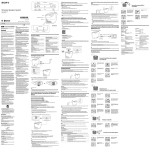
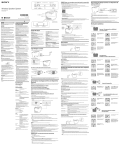
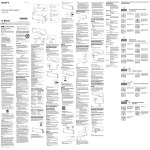
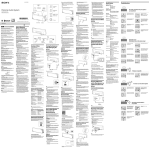
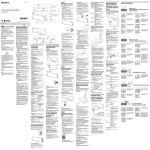
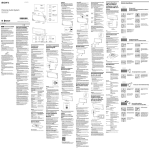
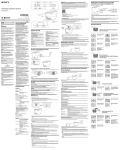
BLUETOOTH / button PAIRING button Top of the system To delete all pairing information from the system Hold the / button for more than 15 seconds while the system is turned off. The system is reset to its default and all pairing information is deleted. (call) button Pattern B Connecting with a paired Bluetooth device Using Hands-free Calling with Another Bluetooth Mobile Phone While Listening to Music This system supports Multipoint technology. You can enjoy hands-free calling with another Bluetooth mobile phone while listening to music with a Bluetooth music player. One touch connection (NFC) is not possible 1 Turn on the system. The Wireless Speaker System OPR/BATT (play/ indicator (green) pause) button N-mark VOLUME −/+ button Operating Instructions Manual de instrucciones Tip When turned on, the system tries to establish Bluetooth connection with the Bluetooth device connected to the system last time. When Bluetooth connection is established, the (Bluetooth) indicator (blue) on the system stays on. 3 Select “SRS-BTM8” shown in the display of the Bluetooth device. If necessary, select a Bluetooth profile that the system supports from the following: A2DP, HSP or HFP. For details on each profile, see “Listening to Music” or “Using Hands-free Calling While Listening to Music.” Note Handle The Bluetooth connection is established and the By just touching the system with an NFC compatible smartphone, the system is turned on automatically and then paired and connected with the smartphone. 1 Download and install the app “NFC Easy Connect” on the smartphone. ©2013 Sony Corporation Printed in China “NFC Easy Connect” is an original app by Sony for Android phones, and is available at Google Play Store. Search for “NFC Easy Connect” or scan the following two-dimensional code to download and install the free app. Communication fees are required to download the app. The App may not be available in some countries and/or regions. SRS-BTM8 Wireless Speaker System Before operating the system, please read this guide thoroughly and retain it for future reference. Owner’s Record The model number and the serial number are located on the bottom. Record the serial number in the space provided below. Refer to them whenever you call upon your Sony dealer regarding this product. Model No. SRS-BTM8 Serial No._________________________________ WARNING To reduce the risk of fire or electric shock, do not expose this apparatus to rain or moisture. To reduce the risk of fire or electrical shock, do not open the cabinet. Refer servicing to qualified personnel only. To reduce the risk of fire, do not cover the ventilation opening of the apparatus with newspapers, tablecloths, curtains, etc. Do not place the naked flame sources such as lighted candles on the apparatus. To reduce the risk of fire or electric shock, do not expose this apparatus to dripping or splashing, and do not place objects filled with liquids, such as vases, on the apparatus. As the main plug of the AC adaptor is used to disconnect the AC adaptor from the mains, connect the system to an easily accessible AC outlet. Should you notice an abnormality in the system, disconnect the main plug from AC outlet immediately. The system is not disconnected from the AC power source (mains) as long as it is connected to the AC outlet, even if the system itself has been turned off. On Copyrights and Licenses The Bluetooth® word mark and logos are owned by the Bluetooth SIG, Inc. and any use of such marks by Sony Corporation is under license. The N Mark is a trademark or registered trademark of NFC Forum, Inc. in the United States and in other countries. Android is a trademark of Google Inc. Other trademarks and trade names are those of their respective owners. CAUTION You are cautioned that any changes or modifications not expressly approved in this manual could void your authority to operate this equipment. NOTE This equipment has been tested and found to comply with the limits for a Class B digital device, pursuant to Part 15 of the FCC Rules. These limits are designed to provide reasonable protection against harmful interference in a residential installation. This equipment generates, uses and can radiate radio frequency energy and, if not installed and used in accordance with the instructions, may cause harmful interference to radio communications. However, there is no guarantee that interference will not occur in a particular installation. If this equipment does cause harmful interference to radio or television reception, which can be determined by turning the equipment off and on, the user is encouraged to try to correct the interference by one or more of the following measures: – Reorient or relocate the receiving antenna. – Increase the separation between the equipment and receiver. – Connect the equipment into an outlet on a circuit different from that to which the receiver is connected. – Consult the dealer or an experienced radio/TV technician for help. This equipment must not be co-located or operated in conjunction with any other antenna or transmitter. The following FCC/IC statement applies only to the version of this model manufactured for sale in the U.S.A. and Canada. Other versions may not comply with FCC/IC technical regulations. This equipment complies with FCC/IC radiation exposure limits set forth for an uncontrolled environment and meets the FCC radio frequency (RF) Exposure Guidelines in Supplement C to OET65 and RSS-102 of the IC radio frequency (RF) Exposure rules. This equipment has very low levels of RF energy that it deemed to comply without maximum permissive exposure evaluation (MPE). But it is desirable that it should be installed and operated keeping the radiator at least 20 cm or more away from person’s body (excluding extremities: hands, wrists, feet and ankles). Important Safety Instructions 1) 2) 3) 4) 5) 6) 7) Read these instructions. Keep these instructions. Heed all warnings. Follow all instructions. Do not use this apparatus near water. Clean only with dry cloth. Do not block any ventilation openings. Install in accordance with the manufacturer’s instructions. 8) Do not install near any heat sources such as radiators, heat registers, stoves, or other apparatus (including amplifiers) that produce heat. 9) Do not defeat the safety purpose of the polarized or grounding-type plug. A polarized plug has two blades with one wider than the other. A grounding type plug has two blades and a third grounding prong. The wide blade or the third prong are provided for your safety. If the provided plug does not fit into your outlet, consult an electrician for replacement of the obsolete outlet. 10)Protect the power cord from being walked on or pinched particularly at plugs, convenience receptacles, and the point where they exit from the apparatus. 11)Only use attachments/accessories specified by the manufacturer. 12)Use only with the cart, stand, tripod, bracket, or table specified by the manufacturer, or sold with the apparatus. When a cart is used, use caution when moving the cart/ apparatus combination to avoid injury from tip-over. Battery compartment (bottom of the system) Rear of the system Others Communication System and Compatible Bluetooth Profiles of the system Profile is standardisation of the function for each Bluetooth device specification. The system supports the following Bluetooth version and profiles: Communication System: Bluetooth Specification version 3.0 Compatible Bluetooth Profiles: – A2DP (Advanced Audio Distribution Profile): Transmitting or receiving audio content of high-quality. – AVRCP (Audio Video Remote Control Profile): Controlling A/V equipment; pausing, stopping, or starting playback, etc. – HSP (Headset Profile): Talking on the phone/Operating the phone. – HFP (Hands-free Profile): Talking on the phone/Operating the phone by hands-free. Maximum communication range Use Bluetooth devices within 10 m (about 30 ft) (line of sight) of the system. Maximum communication range may shorten under the following conditions. – There is an obstacle such as a person, metal, or wall between the system and Bluetooth device. – A wireless LAN device is in use near the system. – A microwave oven is in use near the system. – A device that generates electromagnetic radiation is in use near the system. DC IN 6V jack (Bluetooth) indicator (blue) Lights up or flashes depending on the communication status. For details, see the following section, “Indications of the Bluetooth function.” AUDIO IN jack Connects to the headphone jack of a portable audio device, computer, etc., using a connecting cord (not supplied). (play/pause) button Operates a connected Bluetooth device. You cannot operate a device connected to the AUDIO IN jack. DC IN 6V jack Connects the supplied AC adaptor. N-mark Touch to make Bluetooth connection with an NFC compatible smartphone. (call) button Press to call or operate during a call. Status Pairing with a device Flashes quickly Handle Hold to carry the system. Searching for a device Flashes Connected to a device Lights up The OPR/BATT indicator (green) lights up. Tips You can use hands-free calling while a connecting cord (not supplied) is used with this system. When connected with a source device via a connecting cord (not supplied), not via a Bluetooth connection, and playback has been stopped for about 20 minutes, the system turns off automatically. Troubleshooting Indicator lights up. No sound / Sound from only one speaker / Low sound level Listening to Music Check that both this system and the connected device are turned on. If you are connecting a personal computer to the system, make sure the audio output setting of the computer is set for a Bluetooth device. Turn up the volume of the system and the connected device. Pair this system and the Bluetooth device again. Check that the connected device is being played back. If the connected device is monaural, sound will only be output from the left speaker. You can enjoy listening to music and basic remote control operation of a Bluetooth device via Bluetooth connection. The Bluetooth device is required to support the following Bluetooth profiles. A2DP (Advanced Audio Distribution Profile): enables you to enjoy high-quality audio content wirelessly. AVRCP (Audio Video Remote Control Profile): enables you to enjoy basic remote control operation (play, stop, etc.) of a Bluetooth device. Indicator lights up. To use with LR6 (size AA) batteries (not supplied) 1 Open the cover located on the bottom of the system and install four alkaline LR6 (size AA) batteries (not supplied), then close the cover. Operations may vary depending on the Bluetooth device. Refer also to the operating instructions supplied with your Bluetooth device. 1 Make the Bluetooth connection between the system and the device. For details on the Bluetooth connection procedure, see “How to Make Wireless Connection with Bluetooth Devices.” When the Bluetooth connection is established, the (Bluetooth) indicator (blue) on the system stays on. Check that both plugs of the connecting cord (not supplied) are firmly inserted into the system and the connected device. 2 Start playback on the Bluetooth device, then adjust the volume. Set the volume of the Bluetooth device to a moderate level, and press the VOLUME –/+ buttons on the system. Pressing (play/pause) button on the system, you can operate a Bluetooth device that supports AVRCP. Available functions may vary depending on the Bluetooth device. Refer to the operating instructions supplied with the Bluetooth device. After use 2 Press the / button. Note If the AC adaptor is used with the system, the power source switches to the wall outlet (mains) automatically, even if batteries are installed. Installed batteries cannot be the power source when the AC adaptor is connected to the system. Make sure the plug of the AC adaptor is disconnected from the system when using the system with batteries. How to Make Wireless Connection with Bluetooth Devices You can enjoy music and hands-free calling with the system wirelessly by using your device’s Bluetooth function. Choose one of the following three connection methods, best suited for the Bluetooth device. For details on how to operate your device, refer to the operating instructions supplied with the device. Pairing with a Bluetooth device: see Pattern A Bluetooth devices need to be “paired” with each other beforehand. Do any of the following. Set the Bluetooth function of the Bluetooth device to off. For details, refer to the operating instructions supplied with the device. Turn off the Bluetooth device. Turn off the system. Touch the system with the smartphone again to disconnect (NFC compatible smartphones only). Tip Distorted sound / Humming or noise in the system output When connected with a Bluetooth device via A2DP/AVRCP and playback has been stopped for about 20 minutes, the system turns off automatically. Using Hands-free Calling While Listening to Music Turn down the volume of the connected device. Keep the system away from a TV. If the connected device has an equalizer function, set it to off. Switch the Bluetooth connection to A2DP by operating the Bluetooth device when HFP or HSP is set. Keep the system away from a microwave oven, wireless LAN, etc. If the OPR/BATT indicator (green) is dim, replace all the batteries with new ones. Bring this system and the Bluetooth device closer together. Remove any obstacle between this system and the Bluetooth device. If you connect a device with a builtin radio or tuner to this system, broadcasts may not be received, or sensitivity may be reduced. Locate the system farther away from the device and check that you can listen to the broadcasts satisfactorily. You can enjoy hands-free calling via Bluetooth connection with a Bluetooth mobile phone that has a music function and supports the Bluetooth profile A2DP (Advanced Audio Distribution Profile), and HFP (Hands-free Profile) or HSP (Headset Profile). If your Bluetooth mobile phone supports both HFP and HSP, set to HFP. Connecting with a paired device: see Pattern B To listen to music with a Bluetooth device that has been paired, see this pattern. One touch connection with a smartphone (NFC): see Pattern C Using an NFC compatible smartphone, you can establish a Bluetooth connection by just touching the system with it. Check the following before operating the system. Both the system and the device are placed within 1 m (3 ft) of each other. The system is connected to a power source, or batteries are installed in the system. The operating instructions supplied with the device are kept at hand. Pattern A Pairing and connecting with a Bluetooth device 2 Set the Bluetooth function of the Bluetooth device to on. For details, refer to the operating instructions supplied with the device. 3 Press and hold the BLUETOOTH PAIRING button on the system until beeps are heard and the (Bluetooth) indicator (blue) begins to flash quickly. Tip When the system is turned on first, the (Bluetooth) indicator (blue) starts flashing quickly. Operations may vary depending on the Bluetooth mobile phone. Refer also to the operating instructions supplied with your mobile phone. 1 Make the Bluetooth connection between the system and the mobile phone. For details on the Bluetooth connection procedure, see “How to Make Wireless Connection with Bluetooth Devices.” When the Bluetooth connection is established, the (Bluetooth) indicator (blue) on the system stays on. 2 Start playback on the Bluetooth mobile phone, then adjust the volume. Set the volume of the Bluetooth mobile phone to a moderate level, and press the VOLUME –/+ buttons on the system. By pressing the (play/pause) button on the system, you can operate a Bluetooth mobile phone that supports AVRCP. Available functions may vary depending on the Bluetooth mobile phone. Refer to the operating instructions supplied with the Bluetooth mobile phone. To call Operate the Bluetooth mobile phone. Check that a dialing tone is heard on the system and talk using the microphone. If no dialing tone is heard, press the (call) button on the system for about 2 seconds to change the call device to the system. To receive a call When an incoming call arrives, the playback pauses and a ring tone is heard from the system. Press the and talk using the microphone. Indicator flashes quickly. (call) button on the system Tips Pairing is not possible (call) button to talk. If no ring tone is heard from the system when incoming call arrives, stop playback and press the You can use the hands-free calling when playback is completed. During a call, press the VOLUME –/+ buttons on the system to adjust the volume. The volume of a call and that of a playback are set separately. Note When using a mobile phone, keep it 50 cm or more away from the system. If they are too close together, noise may be heard. To end a call Notes on the AC adaptor Press the When connecting or disconnecting the AC adaptor, turn off the system beforehand. Otherwise, it may cause malfunction. Use only the supplied AC adaptor. To avoid damaging the system, do not use any other AC adaptor. Bring this system and the Bluetooth device to within 1 m (3 ft) of each other. If the (Bluetooth) indicator (blue) is not flashing quickly, press and hold the BLUETOOTH PAIRING button on the system until beeps are heard. (call) button. If you were listening to music when the call arrived, it will be resumed when the call has finished. After use 4 Perform the pairing procedure on the Bluetooth device to detect the system. If “SRS-BTM8” does not appear on the device’s display, repeat from step 2. Plug the AC adaptor into a nearby wall outlet (mains). In the case of a problem, unplug it from the wall outlet (mains) immediately. Do not install the AC adaptor in a confined space, such as a bookcase or built-in cabinet. To reduce the risk of fire or electric shock, do not expose the AC adaptor to dripping or splashing, and do not place objects filled with liquids, such as vases, on the AC adaptor. 5 Select “SRS-BTM8” shown in the display of the Bluetooth device. On placement Tip Do not use alcohol, benzine, or thinner to clean the cabinet. Smartphone vibrates (system recognized) 2 Press the / button. The nameplate indicating Sony trademark, model number and electrical rating is located on the bottom exterior of this system and on the surface of the AC adaptor. On cleaning Keep touching the smartphone on the N marked part of the system until the smartphone vibrates. If it is difficult to establish the connection, try the following. – Activate the app “NFC Easy Connect” and move the smartphone slightly on the N marked part of the system. – If the smartphone is in a case, remove it. Touch the system with the smartphone again to disconnect. If you have multiple NFC compatible devices, just touch the smartphone to a different device to switch the connection to that device. For example, when your smartphone is connected with NFC compatible headphones, just touch the smartphone to the system to change the Bluetooth connection to the system (One touch connection switching). On safety Do not insert any small objects, etc., into the jacks. The system may short out or malfunction. Set the volume of the connected device to a moderate level, and press the VOLUME –/+ buttons on the system. Tips For details on operation of your mobile phone when receiving a telephone call while transmitting the sound using the Bluetooth connection, refer to the operating instructions supplied with the mobile phone. On operation 3 Start playback on the connected device, then adjust the volume. When connecting cord (not supplied) is used with this system, the source device switches to the one connected by the cord automatically, even if you are listening to music via the Bluetooth connection. You cannot listen to music via the Bluetooth connection while a connecting cord (not supplied) is used with this system. After use, disconnect it. 3 Touch the system with the smartphone. Follow the on-screen instructions to establish the connection. When the Bluetooth connection is established, the (Bluetooth) indicator (blue) stays on. Microwaves emitting from a Bluetooth device may affect the operation of electronic medical devices. Turn off the system and other Bluetooth devices in the following locations, as it may cause an accident. – where inflammable gas is present, in a hospital, train, airplane, or a gas station – near automatic doors or a fire alarm To be able to use the Bluetooth function, the Bluetooth device to be connected requires the same profile as the system’s. Note also that even if the same profile exists, devices may vary in function depending on their specifications. Due to the characteristic of Bluetooth wireless technology, the sound played on the system is slightly delayed from the sound played on the Bluetooth device during talking on the telephone or listening to the music. This system supports security capabilities that comply with the Bluetooth standard to provide a secure connection when the Bluetooth wireless technology is used, but security may not be enough depending on the setting. Be careful when communicating using Bluetooth wireless technology. We do not take any responsibility for the leakage of information during Bluetooth communication. A device featuring the Bluetooth function is required to conform to the Bluetooth standard specified by Bluetooth SIG, and be authenticated. Even if the connected device conforms to the above mentioned Bluetooth standard, some devices may not be connected or work correctly, depending on the features or specifications of the device. Noise or sound skips may occur depending on the Bluetooth device connected with the system, the communication environment or the usage environment. 2 Turn on the system. Notes 1 Connect the supplied AC adaptor. Interference to other devices Notes Listening to Music by Wired Connection with a Portable Audio Device, etc. Turning the System on/off Notes when using with a mobile phone Do not set the speaker in an inclined position. Do not leave the system in a location near heat sources, or in a place subject to direct sunlight, excessive dust, moisture, rain or mechanical shock. Do not expose the battery to excessive heat such as direct sunlight, fire or the like. 2 Start the app “NFC Easy Connect” on the smartphone. (Bluetooth) indicator (blue) Precautions Polarity of the plug NFC (Near Field Communication) is a technology enabling short-range wireless communication between various devices, such as mobile phones and IC tags. Thanks to the NFC function, data communication can be achieved easily just by touching the relevant symbol or designated location on NFC compatible devices. Indications of the Bluetooth function VOLUME −/+ button Adjusts the volume. A beep sounds from the speakers when the volume is set to minimum or maximum. Note Some devices cannot display a list of detected devices. 6 If Passcode* input is required on the display of the Bluetooth device, input “0000.” The Bluetooth connection is established and the (Bluetooth) indicator (blue) on the system stays on. * Passcode may be called “Passkey,” “PIN code,” “PIN number,” or “Password.” To pair with other Bluetooth devices, repeat steps 2 to 6 for each device. Notes Pairing mode of the system is canceled after about 5 minutes, and the (Bluetooth) indicator (blue) flashes slowly. If the pairing mode is canceled while performing this procedure, start over from step 3. Passcode of the system is fixed as “0000.” The system cannot be paired with a Bluetooth device whose Passcode is not “0000.” Once Bluetooth devices are paired, there is no need to pair those devices again. However, in the following cases, you will need to perform the pairing procedure again. – Pairing information is deleted after repair, etc. – The system is paired with 5 or more devices. The system can be paired with up to 4 Bluetooth devices. If a new device is paired after 4 devices have been paired, the device whose latest connection time is the oldest among the 4 paired devices is replaced by the new one. More than one device can be paired with the system, but sound will be heard from just one of those devices. Check that the “NFC Easy Connect” app is displayed on the smartphone. To make the same connection with the same devices after turning the system off, follow this procedure again. (Stereo mini jack) Make sure that the application screen is displayed. Battery compartment Insert four alkaline LR6 (size AA) batteries (not supplied). NFC receiving sensitivity depends on the device. If you fail to connect with a smartphone by One touch several times, connect to the system by on-screen operation. Note Connecting cord (not supplied) About NFC Microphone Use during call. BLUETOOTH PAIRING button Press to pair with a Bluetooth device. Interference from other devices Because Bluetooth devices and wireless LAN (IEEE802.11b/g) use the same frequency, microwave interference may occur and resulting in communication speed deterioration, noise, or invalid connection if the system is used near a wireless LAN device. In such a case, perform the following. – Use the system at least 10 m (about 30 ft) away from the wireless LAN device. – If the system is used within 10 m (about 30 ft) of a wireless LAN device, turn off the wireless LAN device. To use only the calling function of a Bluetooth mobile phone that also has a music function, establish Bluetooth connection between the system and the mobile phone via HFP or HSP, not via A2DP. Depending on the Bluetooth mobile phone, while the Bluetooth connection is established via HFP or HSP, the other Bluetooth connection via A2DP may also be occupied by the same Bluetooth mobile phone. A Bluetooth music player cannot be connected with this system in this case. Compatible smartphones Smartphones with the NFC function built-in (OS: Android 2.3.3 or later, excluding Android 3.x) Customers in the U.S.A. Access the following Web site for details: http://esupport.sony.com/US Function of Parts OPR/BATT indicator (green) Lights up when the system is turned on. Dims during battery operation if battery power is low. Check that the NFC function of the smartphone is set to on. Tips AUDIO IN jack / button Turns the system on/off. If the smartphone is in a case, remove it. For details on the Bluetooth connection procedure, see “How to Make Wireless Connection with Bluetooth Devices.” When the Bluetooth connection is established, the (Bluetooth) indicator (blue) on the system stays on. 1 Connect the device to the system. 1 Turn on the system. 13)Unplug this apparatus during lightning storms or when unused for long periods of time. 14)Refer all servicing to qualified service personnel. Servicing is required when the apparatus has been damaged in any way, such as power-supply cord or plug is damaged, liquid has been spilled or objects have fallen into the apparatus, the apparatus has been exposed to rain or moisture, does not operate normally, or has been dropped. For some smartphones, One touch connection may be available without downloading the app “NFC Easy Connect.” In that case, the operation and specifications may be different from the description here. For details, refer to the operating instructions supplied with the smartphone. By the two-dimensional code: Use a two-dimensional code reader app. What is Bluetooth wireless technology? Keep the smartphone close to the system until the smartphone vibrates. If you fail, move the smartphone slightly on the N marked part of the system. Tip If you have any questions or problems concerning this system that are not covered in this manual, please consult your nearest Sony dealer. Bluetooth wireless technology is a short-range wireless technology that enables wireless data communication between digital devices, such as a computer and digital camera. Bluetooth wireless technology operates within a range of about 10 m (30 ft). Connecting two devices as necessary is common, but some devices can be connected to multiple devices at the same time. You do not need to use a cable for connection, nor is it necessary for the devices to face one another, such is the case with infrared technology. For example, you can use such a device in a bag or pocket. Bluetooth standard is an international standard supported by thousands of companies all over the world, and employed by various companies worldwide. between the system and a Bluetooth mobile phone via HFP or HSP. (Bluetooth) indicator (blue) on the system stays on. Pattern C Connecting with a smartphone by One touch (NFC) Microphone 4-440-489-11(1) One touch connection (NFC) cannot be used in this procedure. Operations may vary depending on the Bluetooth device. This type of Bluetooth connection may not be established depending on the combination of the Bluetooth devices. Refer also to the operating instructions supplied with your Bluetooth devices. 1 Make the Bluetooth connections between the system and a Bluetooth music player via A2DP, and This step may not be necessary for some devices. (Bluetooth) indicator (blue) English (Bluetooth) indicator (blue) flashes. 2 Set the Bluetooth function of the Bluetooth device to on. Do any of the following. Set the Bluetooth function of the Bluetooth device to off. For details, refer to the operating instructions supplied with the device. Turn off the Bluetooth device. Turn off the system. Touch the system with the smartphone again to disconnect (NFC compatible smartphones only). Unit button functions during a call Available functions may vary depending on the Bluetooth mobile phone, or the profiles supported by the Bluetooth mobile phone. Refer to the operating instructions supplied with the Bluetooth mobile phone. Status No voice / Low voice from recipient (call) button Standby ress once to start voice dial (voice dial compatible mobile phones only). P ress for about 2 seconds to redial the phone number that is dialed last time. P Outgoing call ress once to cancel outgoing call. P ress for about 2 seconds to change call device between the system and mobile phone. P Incoming call ress once to answer call. P ress for about 2 seconds to reject call. P During call ress once to finish call. P ress for about 2 seconds to change call device between the system and mobile phone. P Check that both this system and the connected device are turned on. Select HFP or HSP Bluetooth connection by operating the Bluetooth device. Check that output of the Bluetooth mobile phone is set for the system. Turn up the volume of the system and the connected device. Specifications Speaker section Speaker system Enclosure type 50 mm (2 in) Bass reflex Microphone Amplifier section Reference output power 2 W + 2 W (10 % T.H.D., 1 kHz, 6 Ω) Input Stereo mini jack × 1 Type: Electret condenser Direction characteristic: Omni directional Effective frequency range: 200 Hz – 3,600 Hz Operating temperature: 0 °C to 45 °C (32 °F to 113 °F) Bluetooth General Communication System Bluetooth Specification version 3.0 Output Bluetooth Specification Power Class 2 Maximum communication range Line of sight approx. 10 m (30 ft)*1 Frequency band 2.4 GHz band (2.4000 GHz - 2.4835 GHz) Modulation method FHSS Compatible Bluetooth Profiles*2 A2DP (Advanced Audio Distribution Profile) AVRCP (Audio Video Remote Control Profile) HSP (Headset Profile) HFP (Hands-free Profile) Supported Codec*3 SBC*4 Transmission range (A2DP) 20 Hz - 20,000 Hz (Sampling frequency 44.1 kHz) *1The actual range will vary depending on factors such as obstacles between devices, magnetic fields around a microwave oven, static electricity, reception sensitivity, antenna’s performance, operating system, software application, etc. *2Bluetooth standard profiles indicate the purpose of Bluetooth communication between devices. *3Codec: Audio signal compression and conversion format *4Subband Codec Power DC 6 V (when using the supplied AC adaptor connected to AC 120 V, 60 Hz power supply) or 4 alkaline LR6 (size AA) batteries Rated power consumption 6 W (when using the supplied AC adaptor) Approx. 0.2 W (in standby mode when using the supplied AC adaptor) Battery life (when using the Bluetooth connection) Sony alkaline battery LR6 (size AA): approx. 20 hours*5 Dimensions Approximately 245 mm × 185 mm × 88 mm (9 3/4 in × 7 3/8 in × 3 1/2 in) (w/h/d) Mass Approximately 1,060 g (2 lb 5 3/8 oz) including batteries Supplied accessories AC adaptor (1) Operating Instructions (this document) (1) 5 * Time may vary, depending on the temperature or conditions of use. Design and specifications are subject to change without notice. Español Sistema de altavoces activos con conexión Bluetooth Antes de hacer funcionar el sistema, lea esta guía cuidadosamente y guárdela para futuras consultas. ¿Qué es la tecnología inalámbrica Bluetooth? Para reducir el riesgo de incendios o electrocución, no exponga el aparato a la lluvia ni a la humedad. La tecnología inalámbrica Bluetooth es una tecnología inalámbrica de corto alcance que permite la comunicación inalámbrica de datos entre dispositivos digitales, tales como computadoras y cámaras digitales. La tecnología inalámbrica Bluetooth funciona dentro de un rango de alrededor de 10 m (30 pies). Es normal conectar dos dispositivos según sea necesario, pero algunos dispositivos se pueden conectar a múltiples dispositivos al mismo tiempo. No necesita utilizar un cable para la conexión y tampoco es necesario que los dispositivos estén enfrentados, como es el caso con la tecnología infrarroja. Por ejemplo, puede utilizar dicho dispositivo en una cartera o bolsillo. El estándar Bluetooth es un estándar internacional admitido por miles de empresas de todo el mundo y utilizado por varias empresas a nivel mundial. Para reducir el riesgo de incendios o descargas eléctricas, no abra el gabinete. El mantenimiento solo debe realizarlo personal calificado. Sistema de comunicación y perfiles Bluetooth compatibles del sistema Registro del propietario El número de modelo y el número de serie se encuentran en la parte inferior. Anote el número de serie en el espacio provisto a continuación. Consúltelos cuando llame a su distribuidor Sony en relación con este producto. Nº de modelo SRS-BTM8 N.º de serie_ ______________________________ ADVERTENCIA Para reducir el riesgo de incendios, no cubra la abertura de ventilación del aparato con periódicos, manteles, cortinas, etc. No coloque fuentes de llama viva, tales como velas encendidas, sobre el aparato. Para reducir el riesgo de incendios o descargas eléctricas, no exponga esta aparato a goteos o salpicaduras y no coloque objetos llenos de líquido, como jarrones, sobre el aparato. Debido a que el enchufe principal del adaptador de CA se utiliza para desconectar el adaptador de CA de la red eléctrica, conecte el sistema en una toma de CA de acceso fácil. Si detecta una anomalía en el sistema, desconecte inmediatamente el enchufe principal de la toma de CA. El sistema no está desconectado de la fuente de energía de CA (red eléctrica) mientras siga conectado a la toma de CA, incluso si el sistema se ha apagado. Derechos de autor y licencias La marca y los logotipos de Bluetooth® son de propiedad de Bluetooth SIG, Inc. y cualquier tipo de uso de esas marcas por parte de Sony Corporation se realiza bajo licencia. La marca N es una marca comercial o una marca comercial registrada de NFC Forum, Inc. en los Estados Unidos y en otros países. Android es una marca registrada de Google Inc. Otras marcas registradas y nombres comerciales pertenecen a sus respectivos dueños. PRECAUCIÓN Le advertimos que cualquier cambio o modificación no aprobado expresamente en este manual puede anular su autoridad para operar este equipo. Nota Este equipo ha sido probado y se ha comprobado que cumple con los límites para un dispositivo digital de Clase B de acuerdo con la Parte 15 de las Reglas FCC. Dichos límites se establecieron para proporcionar una protección razonable contra interferencias dañinas en una instalación residencial. Este equipo genera, utiliza y puede emitir energía de radiofrecuencia y, si no se instala y utiliza según las instrucciones, puede causar interferencias dañinas a las radiocomunicaciones. No obstante, no se garantiza que no se producirá interferencia dentro de una instalación en particular. Si este equipo produce interferencias dañinas para la recepción de radio o televisión, cosa que se puede determinar encendiendo y apagando el equipo, se recomienda al usuario que intente corregir dichas interferencias mediante una o varias de las siguientes medidas: – Cambiar la orientación o la ubicación de la antena de recepción. – Aumentar la distancia entre el equipo y el receptor. – Conectar el equipo a un tomacorriente de un circuito distinto del que está enchufado el receptor. – Ponerse en contacto con el distribuidor o con un técnico capacitado en radio y televisión para que le ayuden. El equipo no debe colocarse ni utilizarse junto con ninguna otra antena o transmisor. La siguiente declaración de la FCC/IC solo aplica a la versión del modelo fabricada para la venta en EE. UU. y Canadá. Es posible que otras versiones no cumplan con los requisitos técnicos de la FCC/IC. Este equipo cumple con los límites de exposición a la radiación de la FCC/IC establecidos para ambientes no controlados y cumple con las directrices de exposición a radiofrecuencia (RF) de la FCC que figuran en el suplemento C de OET65 y con el reglamento de exposición a radiofrecuencia (RF) RSS-102 de la IC. Este equipo posee niveles muy bajos de energía de radiofrecuencia, por lo que se estima que no alcanzan los valores de exposición máxima permitida (MPE). Sin embargo, es aconsejable que se instale y se utilice manteniendo una distancia mínima de 20 cm entre el radiador y el cuerpo del usuario (excluidas las extremidades: manos, muñecas, pies y piernas). Instrucciones importantes de seguridad 1) 2) 3) 4) 5) 6) 7) Lea estas instrucciones. Conserve estas instrucciones. Haga caso a todas las advertencias. Siga todas las instrucciones. No utilice este aparato cerca del agua. Límpielo únicamente con un paño seco. No bloquee los orificios de ventilación. Instálelo de acuerdo con las instrucciones del fabricante. 8) No instale la unidad cerca de fuentes de calor como, por ejemplo, radiadores, fuentes de calor, estufas u otros aparatos (incluidos los amplificadores) que produzcan calor. 9) Respete la función de seguridad del enchufe polarizado o de tipo de conexión a tierra. Un enchufe polarizado tiene dos patas, una más ancha que la otra. Un enchufe de tipo conexión a tierra tiene dos patas y una tercera de conexión a tierra. La pata ancha o la tercera clavija se suministra para su seguridad. Si el enchufe suministrado no cabe en la toma de corriente, póngase en contacto con un electricista para el reemplazo de la toma de corriente obsoleta. 10)Proteja el cable de alimentación situándolo en un lugar fuera de paso o donde no pueda ser aplastado, especialmente en los enchufes, los receptáculos y el punto de donde salen del aparato. 11)Utilice únicamente accesorios especificados por el fabricante. 12)Utilice únicamente el carrito, pedestal, trípode, abrazadera o mesa especificados por el fabricante o vendidos con el aparato. Si utiliza un carro, tenga precaución al mover la combinación de carrito/aparato para evitar que se vuelque y le ocasione lesiones. 13)Desconecte este aparato durante tormentas eléctricas o si no lo va a utilizar durante períodos prolongados de tiempo. 14)Ponga cualquier tipo de reparación en manos de personal de servicio técnico cualificado. Es necesario llevar a cabo una reparación cuando se ha dañado el aparato de alguna manera, como por ejemplo, hay un cable de suministro de alimentación o enchufe dañado, se ha vertido líquido o se ha caído algún objeto dentro del aparato, el aparato se expuso a la lluvia o a la humedad, no funciona normalmente o se ha caído. Precauciones Notas cuando se utiliza con un teléfono móvil Para obtener información detallada acerca del funcionamiento de su teléfono móvil cuando recibe una llamada mientras transmite el sonido mediante una conexión Bluetooth, consulte el manual de instrucciones suministrado con el teléfono móvil. Acerca de la seguridad La placa de identificación que indica la marca comercial Sony, el número de modelo y la potencia eléctrica se encuentra en la parte inferior exterior de este sistema y en la superficie del adaptador de CA. Notas sobre el adaptador de CA Antes de conectar o desconectar el adaptador de CA apague el sistema. De lo contrario, podría provocar un desperfecto. Utilice únicamente el adaptador de CA suministrado. Para evitar el daño del sistema, no utilice otro adaptador de CA. Botón / Parte superior del sistema Indicador de OPR/ botón BATT (verde) (reproducir/pausa) Notas Botón (llamar) Marca N Botón VOLUME −/+ 1 Encienda el sistema. Manija Indicador El indicador Consejo Cuando se enciende, el sistema intenta establecer una conexión Bluetooth con el dispositivo Bluetooth que se conectó al sistema por última vez. Cuando se establece la conexión Bluetooth, el indicador (Bluetooth) (azul) del sistema permanece iluminado. Micrófono Compartimento de las baterías (parte inferior del sistema) Parte posterior del sistema Toma DC IN 6V Llamada saliente Presione una vez para cancelar llamada saliente. Presione durante alrededor de 2 segundos para cambiar el dispositivo de llamada entre el sistema y el teléfono móvil. Llamada entrante Presione una vez para contestar la llamada. Presione durante alrededor de 2 segundos para rechazar la llamada. Durante la llamada Presione una vez para finalizar la llamada. Presione durante alrededor de 2 segundos para cambiar el dispositivo de llamada entre el sistema y el teléfono móvil. Utilizar llamadas con manos libres con otro teléfono móvil con Bluetooth mientras escucha música Nota Este sistema es compatible con la tecnología Multipoint. Puede disfrutar de las llamadas con manos libres con otro teléfono móvil con Bluetooth mientras escucha música con un reproductor de música con Bluetooth. La conexión Bluetooth se ha establecido y el indicador Función de las piezas Consejo Indicador (Bluetooth) (azul) Se ilumina o parpadea en función del estado de comunicación. Para obtener más información, consulte la siguiente sección, “Indicaciones de la función Bluetooth”. Botón / Apaga/enciende el sistema. Indicador de OPR/BATT (verde) Se ilumina cuando se enciende el sistema. Se atenúa durante el funcionamiento con batería si la alimentación de la batería es baja. Interferencia a otros dispositivos Botón (llamar) Presione para llamar u operar durante una llamada. Para algunos teléfonos inteligentes, es posible que la conexión de un solo toque esté disponible sin descargar la aplicación “Conexión fácil NFC”. En ese caso, es posible que el funcionamiento y las especificaciones difieran de las descripciones aquí contenidas. Para obtener detalles, consulte el manual de instrucciones que se suministra con el teléfono inteligente. Con el código bidimensional: Utilice una aplicación de lectura de códigos bidimensionales. Seleccione una conexión Bluetooth HFP o HSP al operar el dispositivo Bluetooth. Controle que la salida del teléfono móvil con Bluetooth esté configurada para el sistema. Suba el volumen del sistema y del dispositivo conectado. Toma DC IN 6V Conecta el adaptador de CA suministrado. Compartimento de las baterías Introduzca cuatro baterías alcalinas LR6 (tamaño AA) (no suministradas). Indicaciones de la función Bluetooth Botón VOLUME −/+ Ajusta el volumen. Se escucha un bip por los altavoces cuando el volumen se ajusta al mínimo o al máximo. Manija Agarre para transportar el sistema. Notas La conexión de un solo toque (NFC) no se puede utilizar en este procedimiento. Las operaciones pueden variar en función del dispositivo Bluetooth. Es posible que este tipo de conexión Bluetooth no se establezca en función de la combinación de los dispositivos Bluetooth. Consulte además el manual de instrucciones suministrado con sus dispositivos Bluetooth. 1 Realice las conexiones Bluetooth entre el sistema y un reproductor de música con Bluetooth vía A2DP y entre el sistema y un teléfono móvil con Bluetooth vía HFP o HSP. Para obtener información acerca del procedimiento de conexión Bluetooth, vea “Cómo realizar una conexión inalámbrica con dispositivos Bluetooth”. Cuando se establece la conexión Bluetooth, el indicador (Bluetooth) (azul) del sistema permanece iluminado. Estado Indicador Emparejamiento con un dispositivo Parpadea rápidamente Buscando un dispositivo Parpadea Conectado a un dispositivo Se ilumina (Bluetooth) (azul) Teléfonos inteligentes compatibles Teléfonos inteligentes con la función NFC incorporada (SO: Android 2.3.3 o versiones posteriores, excepto Android 3.x) Clientes en EE. UU. Ingresar al siguiente sitio Web para obtener más información: http://esupport.sony.com/US Acerca de NFC NFC (Near Field Communication) es una tecnología que permite la comunicación inalámbrica de corto alcance entre varios dispositivos, tales como teléfonos móviles y etiquetas IC. Gracias a la función NFC, la comunicación de datos se puede lograr fácilmente con solo tocar el símbolo relevante o la ubicación designada en dispositivos compatibles con NFC. Nota Para realizar la misma conexión con los mismos dispositivos después de apagar el sistema, siga este procedimiento de nuevo. Escuchar música mediante una conexión con cable con un dispositivo de audio portátil, etc. 2 Inicie la aplicación “Conexión fácil NFC” en el teléfono inteligente. Asegúrese de que se visualice la pantalla de la aplicación. (Minitoma estéreo) El indicador se ilumina. 3 Empiece la reproducción en el dispositivo conectado y luego ajuste el volumen. Notas Cuando se utiliza un cable de conexión (no suministrado) con este sistema, el dispositivo fuente cambia automáticamente al que se conectó con el cable, incluso si está escuchando música vía la conexión Bluetooth. No puede escuchar música vía la conexión Bluetooth mientras se utiliza un cable de conexión (no suministrado) con este sistema. Después de utilizarlo, desconéctelo. Consejos Siga las instrucciones que aparecen en pantalla para establecer la conexión. Cuando se establece la conexión Bluetooth, el indicador (Bluetooth) (azul) permanece iluminado. Puede utilizar las llamadas con manos libres mientras se utiliza un cable de conexión (no suministrado) con este sistema. Cuando se conecta con un dispositivo fuente mediante un cable de conexión (no suministrado), no vía una conexión Bluetooth, y se ha detenido la reproducción durante 20 minutos aproximadamente, el sistema se apaga automáticamente. Consejos Si resulta difícil establecer la conexión, intente lo siguiente. – Active la aplicación “Conexión fácil NFC” y mueva el teléfono inteligente ligeramente sobre la parte del sistema con la marca N. – Si el teléfono inteligente tiene una funda, retírela. Toque el sistema con el teléfono inteligente nuevamente para desconectarlo. Si tiene múltiples dispositivos compatibles con NFC, simplemente toque el teléfono inteligente con un dispositivo diferente para cambiar la conexión hacia ese dispositivo. Por ejemplo, cuando su teléfono inteligente esté conectado con auriculares compatibles con NFC, simplemente toque el teléfono inteligente con el sistema para cambiar la conexión Bluetooth al sistema (Cambio de conexión de un solo toque). El indicador se ilumina. Para usar con baterías LR6 (tamaño AA) (no suministradas) 1 Abra la tapa ubicada en la parte inferior del sistema e instale cuatro baterías alcalinas LR6 (tamaño AA) (no suministradas) y luego cierre la tapa. Escuchar música Puede disfrutar de escuchar música y la operación básica de control remoto de un dispositivo Bluetooth mediante una conexión Bluetooth. El dispositivo Bluetooth debe ser compatible con los siguientes perfiles Bluetooth. A2DP (Advanced Audio Distribution Profile): permite disfrutar contenido de audio de alta calidad de forma inalámbrica. AVRCP (Audio Video Remote Control Profile): permite disfrutar la operación básica de control remoto (reproducir, parar, etc.) de un dispositivo Bluetooth. Las operaciones pueden variar en función del dispositivo Bluetooth. Consulte además el manual de instrucciones suministrado con su dispositivo Bluetooth. Nota Si el adaptador de CA se utiliza con el sistema, la fuente de alimentación se cambia a la toma de pared (red eléctrica) automáticamente, incluso si tiene baterías. Las baterías colocadas no pueden ser la fuente de alimentación cuando el adaptador de CA está conectado al sistema. Asegúrese de que el enchufe del adaptador de CA esté desconectado del sistema cuando utiliza el sistema con baterías. 1 Realice la conexión Bluetooth entre el sistema y el dispositivo. Cómo realizar una conexión inalámbrica con dispositivos Bluetooth 2 Empiece la reproducción en el dispositivo Bluetooth y luego ajuste el volumen. Puede disfrutar de la música o hacer llamadas con manos libres con el sistema de manera inalámbrica al utilizar la función Bluetooth de su dispositivo. Elija uno de los siguientes tres métodos de conexión, el que mejor se adapte al dispositivo Bluetooth. Para obtener más información acerca de cómo operar su dispositivo, consulte el manual de instrucciones suministrado con el dispositivo. Emparejamiento con un dispositivo Bluetooth: ver Patrón A Los dispositivos Bluetooth deben “emparejarse” entre ellos con anticipación. Conectarse con un dispositivo emparejado: ver Patrón B Para escuchar música con un dispositivo Bluetooth que se ha emparejado, vea este patrón. Conexión de un solo toque con un teléfono inteligente (NFC): ver Patrón C Al utilizar un teléfono inteligente compatible con NFC, puede establecer una conexión Bluetooth simplemente al tocar el sistema con este. Lea lo siguiente antes de hacer funcionar el sistema. El sistema y el dispositivo están ubicados dentro de 1 m (3 pies) uno del otro. El sistema está conectado a una fuente de alimentación o hay baterías colocadas en el sistema. El manual de instrucciones suministrado con el dispositivo está a mano. Patrón A Emparejamiento y conexión con un dispositivo Bluetooth 1 Encienda el sistema. 2 Encienda la función Bluetooth del dispositivo Bluetooth. Solución de problemas Sin sonido / Sonido de un solo altavoz / Bajo nivel de sonido Controle que tanto este sistema como el dispositivo conectado estén encendidos. 2 Presione el botón /. Si va a conectar una computadora personal al sistema, asegúrese de que la configuración de salida de audio de la computadora esté establecida para un dispositivo Bluetooth. Suba el volumen del sistema y del dispositivo conectado. Empareje este sistema y el dispositivo Bluetooth nuevamente. Controle que el dispositivo conectado se esté reproduciendo. Si el dispositivo conectado es monaural, el sonido saldrá solo por el altavoz izquierdo. Para obtener información acerca del procedimiento de conexión Bluetooth, vea “Cómo realizar una conexión inalámbrica con dispositivos Bluetooth”. Cuando se establece la conexión Bluetooth, el indicador (Bluetooth) (azul) del sistema permanece iluminado. Ajuste el volumen del dispositivo Bluetooth en un nivel moderado y presione los botones VOLUME –/+ del sistema. Al presionar el botón (reproducir/pausa) del sistema, puede operar un dispositivo Bluetooth compatible con AVRCP. Las funciones disponibles pueden variar en función del dispositivo Bluetooth. Consulte además el manual de instrucciones suministrado con el dispositivo Bluetooth. Después del uso Realice cualquiera de las siguientes acciones. Apague la función Bluetooth del dispositivo Bluetooth. Para obtener más información, consulte el manual de instrucciones suministrado con el dispositivo. Apague el dispositivo Bluetooth. Apague el sistema. Toque el sistema con el teléfono inteligente nuevamente para desconectarlo (solo teléfonos inteligentes compatibles con NFC). Controle que los enchufes del cable de conexión (no suministrado) estén introducidos firmemente en el sistema y el dispositivo conectado. Consejo Cuando esté conectado con un dispositivo Bluetooth vía A2DP/AVRCP y se ha detenido la reproducción por 20 minutos aproximadamente, el sistema se apaga automáticamente. Utilizar llamadas con manos libres mientras escucha música Puede disfrutar de llamadas con manos libres mediante la conexión Bluetooth con un teléfono móvil con Bluetooth que tenga una función de música y sea compatible con el perfil Bluetooth de A2DP (Advanced Audio Distribution Profile) y HFP (Hands-free Profile) o HSP (Headset Profile). Si su teléfono móvil con Bluetooth es compatible con HFP y HSP, ajústelo en HFP. Para obtener más información, consulte el manual de instrucciones suministrado con el dispositivo. 3 Mantenga presionado el botón BLUETOOTH PAIRING del sistema hasta que se escuchen pitidos y el Sonido distorsionado / Zumbido o ruido en la salida del sistema Baje el volumen del dispositivo conectado. Mantenga el sistema alejado del televisor. Si el dispositivo conectado tiene una función de ecualizador, desconéctela. Cambie la conexión Bluetooth a A2DP al operar el dispositivo Bluetooth cuando esté configurado en HFP o HSP. Mantenga el dispositivo alejado de un horno microondas, LAN inalámbrica, etc. Si el indicador OPR/BATT (verde) está tenue, reemplace todas las baterías. Acerque este sistema y el dispositivo Bluetooth. Retire cualquier obstáculo que se encuentre entre el sistema y el dispositivo Bluetooth. Si conecta un dispositivo con una radio o sintonizador incorporado al sistema, es posible que no se reciban transmisiones o que la sensibilidad sea reducida. Ubique el sistema más lejos del dispositivo y controle que pueda escuchar las transmisiones exitosamente. indicador (Bluetooth) (azul) empiece a parpadear rápidamente. (Bluetooth) (azul) empieza a parpadear rápidamente. Las operaciones pueden variar en función del teléfono móvil con Bluetooth. Consulte además el manual de instrucciones suministrado con su teléfono móvil. El indicador parpadea rápidamente. 1 Realice la conexión Bluetooth entre el sistema y el teléfono móvil. Para obtener información acerca del procedimiento de conexión Bluetooth, vea “Cómo realizar una conexión inalámbrica con dispositivos Bluetooth”. Cuando se establece la conexión Bluetooth, el indicador (Bluetooth) (azul) del sistema permanece iluminado. 2 Empiece la reproducción en el teléfono móvil con Bluetooth y luego ajuste el volumen. Ajuste el volumen del teléfono móvil con Bluetooth en un nivel moderado y presione los botones VOLUME –/+ del sistema. Al presionar el botón (reproducir/pausa) del sistema, puede operar un teléfono móvil con Bluetooth compatible con AVRCP. Las funciones disponibles pueden variar en función del teléfono móvil con Bluetooth. Consulte además el manual de instrucciones suministrado con el teléfono móvil Bluetooth. Para llamar Haga funcionar el teléfono móvil con Bluetooth. Controle que se escuche el tono de marcado del sistema y hable por el micrófono. Si no se escucha el tono de marcado, presione el botón (llamar) del sistema durante 2 segundos aproximadamente para cambiar el dispositivo de llamada hacia el sistema. No introduzca objetos pequeños, etc., en los contactos. El sistema puede sufrir un cortocircuito o desperfecto. 4 Realice el procedimiento de emparejamiento en el dispositivo Bluetooth para detectar el sistema. Si no aparece “SRS-BTM8” en la pantalla del dispositivo, repita desde el paso 2. Nota Algunos dispositivos no pueden mostrar una lista de los dispositivos detectados. Para recibir una llamada Cuando tiene una llamada entrante, se pausa la reproducción y se escucha el tono de llamada del sistema. Presione el botón (llamar) del sistema y hable por el micrófono. Consejos “0000”. (llamar) para Si no escucha el tono de llamada del sistema cuando tiene una llamada entrante, detenga la reproducción y presione el botón hablar. Puede utilizar la llamada con manos libres cuando finalice la reproducción. Durante una llamada, presione los botones VOLUME –/+ del sistema para ajustar el volumen. El volumen de una llamada y el de reproducción se ajustan de forma separada. La conexión Bluetooth se ha establecido y el indicador (Bluetooth) (azul) del sistema permanece iluminado. * El código de acceso puede denominarse “Clave de acceso”, “Código PIN”, “Número PIN” o “Contraseña”. Nota 5 Seleccione “SRS-BTM8” que se muestra en la pantalla del dispositivo Bluetooth. 6 Si en la pantalla del dispositivo Bluetooth se solicita que ingrese un Código de acceso*, introduzca La sensibilidad de recepción de NFC depende del dispositivo. Si no se puede conectar con un teléfono inteligente mediante un solo toque después de varios intentos, conéctese al sistema mediante la operación manual. Especificaciones 2 Encienda el sistema. Ajuste el volumen del dispositivo conectado en un nivel moderado y presione los botones VOLUME –/+ del sistema. Se ilumina el indicador OPR/BATT (verde). Controle que la función NFC del teléfono inteligente esté activada. El teléfono inteligente vibra (sistema reconocido) 1 Conecte el adaptador de CA suministrado. 2 Presione el botón /. Si el teléfono inteligente tiene una funda, retírela. Controle que la aplicación “Conexión fácil NFC” se visualice en el teléfono inteligente. Cable de conexión (no suministrado) Continúe tocando el teléfono inteligente en la parte del sistema con la marca N hasta que éste vibre. Apagado/encendido del sistema Mantenga el teléfono inteligente cerca del sistema hasta que vibre. Si no lo hace, mueva el teléfono inteligente ligeramente sobre la parte del sistema con la marca N. 1 Conecte el dispositivo con el sistema. 3 Toque el sistema con el teléfono inteligente. Para emparejar con otros dispositivos Bluetooth, repita los pasos 2 a 6 para cada dispositivo. No se puede realizar la conexión de un solo toque (NFC) Para utilizar solo la función de un teléfono móvil con Bluetooth que también tiene una función de música, establezca la conexión Bluetooth entre el sistema y el teléfono móvil vía HFP o HSP, no vía A2DP. Según el teléfono móvil con Bluetooth, mientras la conexión Bluetooth se establece vía HFP o HSP, la otra conexión Bluetooth vía A2DP también puede estar ocupada por el mismo teléfono móvil con Bluetooth. Un reproductor de música con Bluetooth no se puede conectar con este sistema en este caso. Toma AUDIO IN Se conecta a la toma de auriculares de un dispositivo de audio portátil, computadora, etc., mediante un cable de conexión (no suministrado). botón (reproducir/pausa) Opera un dispositivo Bluetooth conectado. No puede operar un dispositivo conectado al contacto AUDIO IN. Consejo Controle que tanto este sistema como el dispositivo conectado estén encendidos. Consejos Micrófono Se utiliza durante una llamada. Botón BLUETOOTH PAIRING Presione para emparejar con un dispositivo Bluetooth. Cuando el sistema se enciende por primera vez, el indicador Si el indicador (Bluetooth) (azul) no está parpadeando rápidamente, mantenga presionado el botón BLUETOOTH PAIRING del sistema hasta escuchar pitidos. Sin voz / Voz baja del destinatario (Bluetooth) (azul) del sistema permanece iluminado. “Conexión fácil NFC” es una aplicación original de Sony para teléfonos Android y está disponible en la tienda Google Play. Busque “Conexión fácil NFC” o escanee el siguiente código bidimensional para descargar e instalar la aplicación gratuita. Se aplican tarifas de comunicación para descargar la aplicación. Puede que esta aplicación no esté disponible para ser descargada en algunos países o regiones. Acerca del funcionamiento Si tiene consultas o problemas relacionados con este sistema no cubiertos en este manual, comuníquese con el distribuidor Sony más cercano. Presione una vez para iniciar la marcación por voz (solo teléfonos móviles compatibles con marcación por voz). Presione durante alrededor de 2 segundos para volver a marcar el número de teléfono que se marcó por última vez. 1 Descargue e instale la aplicación “Conexión fácil NFC” en el teléfono inteligente. Toma AUDIO IN No coloque los altavoces en posición inclinada. No deje el sistema en una ubicación cercana a fuentes de calor o en un lugar expuesto a la luz solar directa, polvo excesivo, humedad, lluvia o choques mecánicos. No exponga la batería a calor excesivo como luz solar directa, llamas, etc. Otros En espera Acerque el sistema y el dispositivo Bluetooth a menos de 1 m (3 pies) entre ellos. (llamar) Patrón C Conexión a un teléfono inteligente con un solo toque Acerca del posicionamiento No utilice alcohol, bencina o disolvente para limpiar el gabinete. Botón Con solo tocar el sistema con un teléfono inteligente compatible con NFC, el sistema se enciende automáticamente y luego se empareja y se conecta con el teléfono inteligente. Enchufe el adaptador de CA en una toma (red eléctrica) de pared cercana. Si surge un problema, desenchúfelo inmediatamente de la toma (red eléctrica) de la pared. No instale el adaptador de CA en un espacio reducido, como una estantería o armario empotrado. Para reducir el riesgo de incendios o descargas eléctricas, no exponga el adaptador de CA a goteos o salpicaduras y no coloque objetos llenos de líquido, como jarrones, sobre el adaptador de CA. Acerca de la limpieza Estado (NFC) Marca N Presione para establecer una conexión Bluetooth con un teléfono inteligente compatible con NFC. Para poder utilizar la función Bluetooth, el dispositivo Bluetooth que se desea conectar debe tener el mismo perfil que el del sistema. Tenga en cuenta también que, aunque exista el mismo perfil, es posible que la función de los dispositivos varíe según sus especificaciones. Debido a las características de la tecnología inalámbrica Bluetooth, el sonido reproducido en el sistema está ligeramente retrasado en comparación con el sonido reproducido en el dispositivo Bluetooth durante una conversación por teléfono o al escuchar música. Este sistema es compatible con las capacidades de seguridad que cumplen con el estándar Bluetooth para brindar una conexión segura cuando se utiliza la tecnología inalámbrica Bluetooth, pero es posible que la seguridad no sea suficiente según el entorno. Tenga cuidado cuando se comunique mediante tecnología inalámbrica Bluetooth. No nos hacemos responsables de la filtración de información durante la comunicación con Bluetooth. Un dispositivo que presenta la función Bluetooth debe ajustarse al estándar Bluetooth especificado por Bluetooth SIG y debe autenticarse. Incluso si el dispositivo conectado se ajusta al estándar Bluetooth mencionado anteriormente, es posible que algunos dispositivos no se conecten o no funcionen correctamente, según las funciones o especificaciones del dispositivo. Pueden producirse ruidos u omisiones de sonido según el dispositivo Bluetooth conectado con el sistema, el entorno de comunicación o el entorno de uso. Las funciones disponibles pueden variar en función del teléfono móvil con Bluetooth o de los perfiles compatibles con el teléfono móvil con Bluetooth. Consulte además el manual de instrucciones suministrado con el teléfono móvil Bluetooth. Si resulta necesario, seleccione un perfil Bluetooth que sea compatible con el sistema de entre los siguientes: A2DP, HSP o HFP. Para obtener más información sobre cada perfil, consulte “Escuchar música” o “Utilizar llamadas con manos libres mientras escucha música”. Es posible que este paso no sea necesario para algunos dispositivos. No se puede emparejar Funciones del botón de la unidad durante una llamada 3 Seleccione “SRS-BTM8” que se muestra en la pantalla del dispositivo Bluetooth. Debido a que los dispositivos Bluetooth y los dispositivos LAN (IEEE802.11b/g) inalámbricos utilizan la misma frecuencia, puede ocurrir interferencia de microondas y esto provoca el deterioro de la velocidad de comunicación, ruido o conexión inválida si el sistema se utiliza cerca de un dispositivo LAN inalámbrico. En ese caso, realice lo siguiente. – Utilice el sistema por lo menos a 10 m (aproximadamente 30 pies) del dispositivo LAN inalámbrico. – Si el sistema se utiliza dentro de los 10 m (aproximadamente 30 pies) de un dispositivo LAN inalámbrico, apague este dispositivo. Las microondas emitidas por un dispositivo Bluetooth pueden afectar el funcionamiento de dispositivos médicos electrónicos. Apague el sistema y otros dispositivos Bluetooth en las siguientes ubicaciones, ya que podrían provocar un accidente. – en lugares en lo que se encuentre presente gas inflamable, en hospitales, trenes, aviones o una estación de servicio – cerca de puertas automáticas o alarmas contra incendios Realice cualquiera de las siguientes acciones. Apague la función Bluetooth del dispositivo Bluetooth. Para obtener más información, consulte el manual de instrucciones suministrado con el dispositivo. Apague el dispositivo Bluetooth. Apague el sistema. Toque el sistema con el teléfono inteligente nuevamente para desconectarlo (solo teléfonos inteligentes compatibles con NFC). (Bluetooth) (azul) parpadea. 2 Encienda la función Bluetooth del dispositivo Bluetooth. (Bluetooth) (azul) Rango de comunicación máximo Interferencia causada por otros dispositivos Para eliminar toda la información de emparejamiento del sistema Después del uso Patrón B Conectarse con un dispositivo Bluetooth emparejado El perfil es la estandarización de la función para cada especificación de dispositivo Bluetooth. El sistema admite la siguiente versión y perfiles Bluetooth: Sistema de comunicación: Especificación Bluetooth versión 3.0 Perfiles Bluetooth compatibles: – A2DP (Advanced Audio Distribution Profile): Transmitir o recibir contenido de audio de alta calidad. – AVRCP (Audio Video Remote Control Profile): Controlar equipos de A/V; pausar, parar o iniciar la reproducción, etc. – HSP (Headset Profile): Hablar por teléfono/Hacer funcionar el teléfono. – HFP (Hands-free Profile): Hablar por teléfono/Hacer funcionar el teléfono con manos libres. Utilice los dispositivos Bluetooth dentro de los 10 m (aproximadamente 30 pies) (línea de vista) del sistema. El rango de comunicación máximo se puede acortar bajo las siguientes condiciones. – Hay un obstáculo, como una persona, metal o pared entre el sistema y el dispositivo Bluetooth. – Un dispositivo LAN inalámbrico está en funcionamiento cerca del sistema. – Un horno microondas está en funcionamiento cerca del sistema. – Un dispositivo que genera radiación electromagnética está en funcionamiento cerca del sistema. El modo de emparejamiento del sistema se cancela después de alrededor de 5 minutos y el indicador (Bluetooth) (azul) parpadea lentamente. Si el modo de emparejamiento se cancela mientras realiza este procedimiento, empiece de nuevo desde el paso 3. El código de acceso de sistema es “0000”. El sistema no se puede emparejar con un dispositivo Bluetooth cuyo Código de acceso no sea “0000”. Una vez que se hayan emparejado los dispositivos Bluetooth, no hay necesidad de emparejar esos dispositivos nuevamente. Sin embargo, en los siguientes casos, deberá realizar el procedimiento de emparejamiento de nuevo. – La información de emparejamiento se ha eliminado después de reparaciones, etc. – El sistema está emparejado con 5 dispositivos o más. El sistema puede emparejarse con un máximo de 4 dispositivos Bluetooth. Si se empareja un dispositivo nuevo después de haber emparejado 4 dispositivos, el dispositivo que hace más tiempo que no se conecta de los 4 dispositivos emparejados se reemplaza por el nuevo dispositivo. Se puede emparejar más de un dispositivo con el sistema, pero solo se escuchará el sonido de uno de ellos. Mantenga presionado el botón / por más de 15 segundos mientras se apaga el sistema. El sistema se restablece a la configuración predeterminada y se elimina toda la información de emparejamiento. Consejo Polaridad del enchufe Botón BLUETOOTH PAIRING Cuando utiliza un teléfono móvil, manténgalo a 50 cm o más alejado del sistema. Si están demasiado cerca, es posible que se escuche ruido. Para finalizar una llamada Presione el botón (llamar). Si estaba escuchando música cuando entró la llamada, se reanudará cuando la llamada finalice. Sección del altavoz Sistema de altavoces 50 mm (2 pulg) Tipo de caja Reflejo de graves Sección del amplificador Potencia de salida de referencia 2 W + 2 W (10 % de distorsión armónica total, 1 kHz, 6 Ω) Entrada Minitoma estéreo × 1 Bluetooth Sistema de comunicación Especificación Bluetooth versión 3.0 Salida Especificación Bluetooth Clase de potencia 2 Rango de comunicación máximo Línea de vista de aprox. 10 m (30 pies)*1 Banda de frecuencia Banda de 2,4 GHz (2,4000 GHz - 2,4835 GHz) Método de modulación FHSS Perfiles Bluetooth compatibles*2 A2DP (Advanced Audio Distribution Profile) AVRCP (Audio Video Remote Control Profile) HSP (Headset Profile) HFP (Hands-free Profile) Códec compatibles*3 SBC*4 Intervalo de transmisión (A2DP) 20 - 20.000 Hz (frecuencia de muestreo de 44,1 kHz) *1La cobertura real variará en función de factores como, por ejemplo, los obstáculos que puedan interponerse entre los dispositivos, los campos magnéticos que puedan existir en torno a hornos microondas, la electricidad estática, sensibilidad de recepción, el rendimiento de la antena, del sistema operativo, de la aplicación de software, etc. *2Los perfiles estándar Bluetooth indican la finalidad de la comunicación Bluetooth entre dispositivos. *3Códec: formato de conversión y compresión de señales de audio *4Códec de banda secundaria Micrófono Tipo: Condensador de electreto Características de dirección: Omnidireccional Rango de frecuencia efectivo: 200 Hz – 3.600 Hz Temperatura de funcionamiento: 0 °C a 45 °C (32 °F a 113 °F) Generales Alimentación DC 6 V (cuando se utiliza el adaptador de CA suministrado conectado a una fuente de alimentación de CA de 120 V, 60 Hz) o 4 baterías alcalinas LR6 (tamaño AA) Consumo de potencia nominal 6 W (cuando se utiliza el adaptador de CA suministrado) Aproximadamente 0,2 W (en el modo en espera cuando se utiliza el adaptador de CA suministrado) Vida útil de la batería (cuando se utiliza la conexión Bluetooth) Batería alcalina LR6 (tamaño AA) de Sony: aproximadamente 20 horas*5 Dimensiones Aproximadamente 245 mm × 185 mm × 88 mm (9 3/4 pulg × 7 3/8 pulg × 3 1/2 pulg) (an./al./p.) Masa Aproximadamente 1.060 g (2 lb 5 3/8 oz) incluidas las pilas Accesorios suministrados Adaptador de CA (1) Manual de instrucciones (este documento) (1) *5El tiempo puede variar, en función de la temperatura y las condiciones de uso. El diseño y las especificaciones están sujetos a cambios sin previo aviso.