1
English 15
-- Use your goLITE BLU energy light in a well-lit room to minimise eye
strain.
Setting the clock
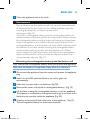
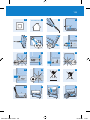
1 Press the on/off button briefly to switch on the appliance (Fig. 8).
,, The touchscreen display goes on.
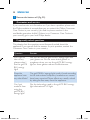
2 Press the alarm button and the timer button simultaneously for 2
seconds (Fig. 9).
,, The clock time starts to flash on the display (Fig. 10).
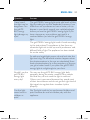
3 Set the clock time with the plus or minus button. If you keep the
button pressed, the time moves forward or backward
quickly (Fig. 11).
4 To switch between the 12-hour (a.m./p.m.) and 24-hour time
indication, press the timer button and minus button simultaneously
for 2 seconds.
5 Press either the alarm button or the timer button or wait 10
seconds to exit the time-setting mode.
Setting the timer
You can use the timer function to set the treatment time.
1 Press the on/off button briefly to switch on the appliance (Fig. 8).
,, The touchscreen display goes on.
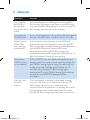
2 Press the timer button (Fig. 12).
,, The timer on-indication and the timer countdown time start to
flash (Fig. 13).
3 Press the plus or minus button to set the treatment time. If you
keep the button pressed, the time moves forward or backward
quickly (Fig. 11).
You can set a time from 1 to 60 minutes.
,, The set session time is stored in the memory.
,, The timer-on indication and the timer countdown time stop
flashing.
4222.002.7505.3.indd 15
03-05-10 17:23