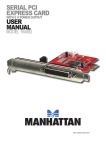
1
Serial
PCI
Card
with 5 V Power Output
quick install
guide
Model 175586
English
Deutsch
Español
FRANçAIS
POLSKI
italiano
175586_01_QIG_ML.indd 1
MAN-175586-QIG-ML-0510-01
5/25/10 9:18:03 AM
Serial PCI Card • Quick Install Guide
English
Thank you for purchasing the MANHATTAN® Serial PCI Card with 5 V Power
Output, Model 175586.
This guide presents the basic steps to set up and operate this device. For detailed
instructions and specifications, refer to the user manual on the CD enclosed with
this product or visit www.manhattan-products.com.
Installation
1.Power off the system. Insert the PCI Card into an available PCI slot.
2.Power up the system, and insert the driver CD into your CD-ROM/DVD drive.
3. When Windows displays the Found New Hardware Wizard, click “Next.”
4.Select “Search for a suitable driver for my device (Recommended)” and
click “Next.”
5.On the next screen, check that “Specify a location” is the only option that’s
selected, then click “Next.”
6. Enter “X:\” (or whatever letter corresponds to your CD-ROM/DVD drive) and
click “Browse.”
7.Specify a location; for example, “X:\ PCI IO\OXmPCI \Win_Driver_v7.0 \x86”
for a 32-bit operating system). Click “OK.”
8. When the wizard indicates that it has found a driver for the device, click
“Next,” then click “Finish.”
9. Repeat Step 3 – Step 8.
5 VDC Jumper Setting for each RS232 Port
• 5 VDC on Pin 9 of the DB9 connector = 5 V short
• Normal RI function on Pin 9 of the DB9 connector = RI short
Package Contents
• Serial PCI Card with 5 V Power Output
• Low-profile and standard brackets
• Cable
• Driver CD and user manual
2
ENGLISH
175586_01_QIG_ML.indd 2
5/25/10 9:18:03 AM
Serielle PCI Karte • Kurzanleitung
Deutsch
Vielen Dank für den Kauf der Seriellen PCI Karte mit 5 V Ausgangsleistung von
MANHATTAN®, Modell 175586.
Diese Kurzanleitung zeigt die grundlegenden Schritte zur Einrichtung und
Inbetriebnahme dieses Geräts. Für genauere Anweisungen nutzen Sie bitte
das beiliegende Handbuch auf CD oder auf www.manhattan-products.com.
Installation
1.Schalten Sie Ihren PC aus. Stecken Sie die Karte in einen freien PCI-Slot.
2.Schalten Sie Ihren PC ein und legen Sie die Treiber-CD in Ihr Laufwerk.
3. Wenn Windows den Hardware-Assistenten startet, klicken Sie auf “Weiter”.
4. Wählen Sie “Nach einem passenden Treiber für das Gerät suchen (Emp
fohlen)” und klicken Sie auf “Weiter.”
5.Stellen Sie sicher, dass “Speicherort festlegen” die einzig ausgewählte
Option ist, dann klicken Sie auf “Weiter”.
6.Geben Sie ein “X:\” (den Laufwerksbuchstaben Ihres CD/DVD-Laufwerks)
und klicken Sie auf “Durchsuchen”.
7.Geben Sie den Pfad an; z. B. “X:\ PCI IO\OXmPCI \Win_Driver_v7.0 \x86” für
ein 32-bit-Betriebssystem). Klicken Sie auf “OK.”
8. Wenn der Assistent anzeigt, dass er einen Gerätetreiber gefunden hat, klick
Sie auf “Weiter”, dann auf “Beenden.”
9. Wiederholen Sie Schritt 3 – Schritt 8.
5V-Jumper-Einstellungen für jeden RS232-Port
• 5 V auf Pin 9 des DB9-Steckverbinders
• Normale RI-Funktion auf Pin 9 des DB9-Steckverbinders
Lieferumfang
• Serielle PCI-Karte mit 5 V Ausgangsleistung
• Low-Profile- und Standard-Slotbleche
• Kabel
• Treiber-CD und Handbuch
175586_01_QIG_ML.indd 3
DEUTSCH
3
5/25/10 9:18:04 AM
Tarjeta Serial PCI • Guía de Instalación Rápida Español
Gracias por comprar el Tarjeta Serial PCI con 5 V de Salida MANHATTAN®, Modelo
175586.
Esta guía presenta los pasos básicos para instalar y operar este dispositivo. Para
obtener instrucciones detalladas y especificaciones, consulte el manual de usuario
en el CD adjunto con este producto o visite www.manhattan-products.com.
Instalación
1.Apague el sistema. Inserte la tarjeta PCI en una ranura PCI.
2. Encienda el sistema e inserte el CD en la unidad de CD-ROM/DVD.
3.Cuando Windows muestre el Asistente para hardware nuevo encontrado,
haga clic en “Siguiente”.
4.Seleccione “Buscar un controlador apropiado para mi dispositivo
(recomendado)” y haga clic en “Siguiente”.
5. En la siguiente pantalla, seleccione “Especificar una ubicación”, a
continuación, haga clic en “Siguiente”.
6. Escriba “X: \” (o la letra lo que corresponde a su unidad de CD-ROM/DVD) y
haga clic en “Browse.”
7. Especifique la ubicación, por ejemplo, “X: \ PCI de E / S \ OXmPCI \ Win_
Driver_v7.0 \ x86” para un sistema operativo de 32-bit). Haga clic en
“Aceptar”.
8.Cuando el asistente indica que ha encontrado un controlador para el
dispositivo, haga clic en “Siguiente” y luego haga clic en “Finalizar”.
9. Repita el Paso 3 - Paso 8.
5 VDC Configuracióm Jumper para cada puerto RS232
• 5 VDC en el Pin 9 del conector DB9 = 5 V corto
• Normal RI función en el Pin 9 del conector DB9 = RI corto
Contenido del paquete
• Tarjeta Serie PCI con 5 V de salida
• Bracket de tamaño estándar y de bajo perfil, cable, controlador y manual
del usuario
4
español
175586_01_QIG_ML.indd 4
5/25/10 9:18:04 AM
Carte série PCI • Guide d’installation rapide Français.
Merci d’avoir acheté la Carte série PCI MANHATTAN® avec une puissance de
sortie de 5 V, modèle 175586.
Ce guide décrit les bases pour configurer et utiliser cet appareil. Pour des
instructions et spécifications détaillées, veuillez lire le manuel de l’utilisateur
sur le CD inclus ou sur www.manhattan-products.com.
Installation
1. Éteignez le système. Insérez la Carte PCI dans un emplacement PCI
disponible.
2. Démarrez le système et insérez le CD dans le lecteur de CD/DVD-ROM.
3. Dès que Windows affiche l’assistant matériel détecté, cliquez sur “Suivant.”
4.Sélectionnez “Rechercher un pilote approprié pour mon périphérique
(recommandé)” et cliquez sur “Suivant”.
5. À la prochaine étape, vérifiez que “Spécifier une adresse” est la seule option
sélectionnée, puis cliquez sur “Suivant.”
6. Entrez “X:\” (la lettre de votre lecteur de CD/DVD-ROM) et cliquez sur
“Parcourir”.
7.Choisissez un chemin d’accès; par exemple, “X:\ PCI IO\OXmPCI \Win_
Driver_v7.0 \x86” pour un système d’exploitation 32 bit. Cliquez sur “OK.”
8. Dès que l’assistant matériel détecté affiche qu’il a trouvé un pilote pour la
carte, cliquez sur “Suivant”, puis cliquez sur “Terminer.”
9. Répétez étape 3 – étape 8.
Configuration du cavalier 5 V CC pour chaque port RS232
• 5 V CC sur broche 9 du connecteur DB9
• Indicateur de sonnerie sur broche 9 du connecteur DB9
Contenu du pack
• Carte série PCI avec une puissance de sortie de 5 V
• Équerres standard et demi-hauteur
• Câble
• CD contenant les pilotes avec manuel utilisateur
175586_01_QIG_ML.indd 5
FRANçAIS
5
5/25/10 9:18:05 AM
Karta szeregowa PCI • Instrukcja szybkiej instalacji
Polski
Dziękujemy za zakup Karty szeregowej PCI MANHATTAN®, model 175586.
Poniższa instrukcja zawiera podstawowe wskazówki dotyczące instalacji i
uruchomienia urządzenia. Szczegółową instrukcje oraz pełną specyfikację
produktu znajdą państwo na płycie CD dołączonej do opakowania lub na stronie
www.manhattan-products.com.
Instalacja
1. Wyłącz komputer i umieść kartę w wolnym slocie PCI.
2. Włącz komputer i umieść płytę CD ze sterownikami w napędzie CD-ROM/
DVD.
3. System Windows automatycznie wykryje podłączone urządzenie i uruchomi
kreatora instalacji nowego sprzętu. Kliknij „Next” (dalej).
4. Wybierz opcję „Przeglądaj w poszukiwaniu sterowników urządzenia” i
kliknij „Next”.
5. Następnie pojawi się okno z opcją „Wybierz lokalizację”. Kliknij „Next”.
6. Wskaż ścieżkę dostępu do napędu CD/DVD i kliknij „przeglądaj” (Browse).
Format ścieżki dostępu to „X:\”, gdzie „X” oznacza odpowiednią literę
przyporządkowaną do napędu przez system Windows.
7. Wskaż lokalizację sterownika na płycie CD: „X:\PCIIO\OXmPCI\Win_Driver_
v7.0\x86” (dla systemów 32 bitowych). Kliknij „OK”.
8. Gdy kreator instalacji nowego sprzętu systemu Windows wyświetli
komunikat, iż właściwy sterownik urządzenia został odnaleziony, kliknij
„Next”. Po zakończeniu instalacji sterownika kliknij „Finish” (zakończ).
9. Powtórz czynności opisane w punktach 3 – 8.
Ustawienia 5 V DC dla każdego portu RS232
• 5 V DC na pinie 9 złącza DB9 = 5 V short
• Funkcja “Normal RI” na pinie 9 złącza DB9 = RI short
Zawartość opakowania
• Karta szeregowa PCI, z napięciem na portach 5 V
• Niskoprofilowy oraz standardowy śledź
• Kabel
• Instrukcja użytkownika oraz CD ze sterownikami
6
POLSKI
175586_01_QIG_ML.indd 6
5/25/10 9:18:05 AM
Scheda PCI Seriale • Guida rapida all’installazione
Italiano
Grazie per aver scelto la Scheda PCI Seriale con 5 V di alimentazione in uscita
MANHATTAN®, Modello 175586.
Questa guida fornisce i passi fondamentali per settare e far funzionare la
periferica. Per istruzioni dettagliate e ulteriori specifiche, far riferimento a
manuale d’istruzione sul CD incluso al prodotto o visitate il sito
www.manhattan-products.com.
Installazione
1.Spegnere il sistema. Inserire la scheda PCI sullo slot PCI disponibile.
2. Avviare il sistema e inserire il CD con i driver nel CD-ROM/DVD.
3. Quando Windows mostra la procedura facilitata di installazione del nuovo
hardware rilevato, cliccare “Next.”
4. Selezionare “Search for a suitable driver for my device (Recommended)
(Ricerca un driver adatto alla mia periferica (consigliato)” e cliccare “Next.”
5. Sulla successive schermata, verificare che “Specify a location”(Specificare
la posizione) sia l’unica opzione selezionabile, quindi cliccare “Next.”
6. Inserire “X:\” (o qualsiasi lettera corrispondente al vostro CD-ROM/DVD
drive) e cliccare “Browse.”
7. Specificare una posizione; per esempio, “X:\ PCIIO\OXmPCI\Win_Driver_
v7.0 \x86” per un sistema operativo a 32-bit). Cliccare “OK.”
8. Quando l’assistente indica che ha trovato un driver per la periferica, cliccare
“Next,” quindi cliccare “Finish.”
9. Repetere i passaggi 3 – 8.
Settaggio Jumper 5 VDC per ciascuna porta RS232
• 5 VDC su Pin 9 del connettore DB9 = 5 V short
• Normale funzione RI sul Pin 9 del connettore DB9 = RI short
Contenuto della confezione
• Scheda PCI Seriale con uscita di alimentazione a 5 V
• 2 staffe, cavo, driver CD e manuale d’istruzione
175586_01_QIG_ML.indd 7
ITALIANO
7
5/25/10 9:18:06 AM
WASTE ELECTRICAL & ELECTRONIC EQUIPMENT
Disposal of Electric and Electronic Equipment
(applicable in the European Union and other European countries with separate collection systems)
ENGLISH
This symbol on the product or its packaging indicates that this product shall not be treated as household waste.
Instead, it should be taken to an applicable collection point for the recycling of electrical and
electronic equipment. By ensuring this product is disposed of correctly, you will help prevent
potential negative consequences to the environment and human health, which could otherwise
be caused by inappropriate waste handling of this product. If your equipment contains easily
removable batteries or accumulators, dispose of these separately according to your local
requirements. The recycling of materials will help to conserve natural resources. For more
detailed information about recycling of this product, contact your local city office, your household waste
disposal service or the shop where you purchased this product. In countries outside of the EU: If you wish
to discard this product, contact your local authorities and ask for the correct manner of disposal.
deutsch
Dieses auf dem Produkt oder der Verpackung angebrachte Symbol zeigt an, dass dieses Produkt nicht mit
dem Hausmüll entsorgt werden darf. In Übereinstimmung mit der Richtlinie 2002/96/EG des Europäischen
Parlaments und des Rates über Elektro- und Elektronik-Altgeräte (WEEE) darf dieses Elektrogerät nicht
im normalen Hausmüll oder dem Gelben Sack entsorgt werden. Wenn Sie dieses Produkt entsorgen
möchten, bringen Sie es bitte zur Verkaufsstelle zurück oder zum Recycling-Sammelpunkt Ihrer Gemeinde.
ESPAñOL
Este símbolo en el producto o su embalaje indica que el producto no debe tratarse como residuo doméstico.
De conformidad con la Directiva 2002/96/CE de la UE sobre residuos de aparatos eléctricos y electrónicos
(RAEEI), este producto eléctrico no puede desecha se con el resto de residuos no clasificados. Deshágase
de este producto devolviéndolo al punta de venta o a un punta de recogida municipal para su reciclaje.
FRANçAIS
Ce symbole sur Ie produit ou son emballage signifie que ce produit ne doit pas être traité comme un
déchet ménager. Conformément à la Directive 2002/96/EC sur les déchets d’équipements électriques
et électroniques (DEEE), ce produit électrique ne doit en aucun cas être mis au rebut sous forme de
déchet municipal non trié. Veuillez vous débarrasser de ce produit en Ie renvoyant à son point
de vente ou au point de ramassage local dans votre municipalité, à des fins de recyclage.
Italiano
Questo simbolo sui prodotto o sulla relativa confezione indica che il prodotto non va trattato come un rifiuto
domestico. In ottemperanza alla Direttiva UE 2002/96/EC sui rifiuti di apparecchiature elettriche ed
elettroniche (RAEEI), questa prodotto elettrico non deve essere smaltito come rifiuto municipale misto. Si
prega di smaltire il prodotto riportandolo al punto vendita o al punto di raccolta municipale locale per un
opportuno riciclaggio.
Polski
Jeśli na produkcie lub jego opakowaniu umieszczono ten symbol, wówczas w czasie utylizacji nie wolno
wyrzucać tego produktu wraz z odpadami komunalnymi. Zgodnie z Dyrektywą Nr 2002/96/WE w sprawie
zużytego sprzętu elektrycznego i elektronicznego (WEEE), niniejszego produktu elektrycznego nie wolno
usuwać jako nie posortowanego odpadu komunalnego. Prosimy o usuniecie niniejszego produktu
poprzez jego zwrot do punktu zakupu lub oddanie do miejscowego komunalnego punktu zbiórki
odpadów przeznaczonych do recyklingu.
8
175586_01_QIG_ML.indd 8
5/25/10 9:18:06 AM
WARRANTY INFORMATION
english — For warranty information, go to www.manhattan-products.com/warranty.
deutsch — Garantieinformationen finden Sie unter www.manhattan-products.com/warranty.
ESPAñOL — Si desea obtener información sobre la garantía, visite
www.manhattan-products.com/warranty.
www.manhattan-products.com/warranty.
www.manhattan-products.com/warranty.
FRANçAIS — Pour consulter les informations sur la garantie, visitez
Polski — Informacje dotyczące gwarancji znajdują się na stronie
Italiano — Per informazioni sulla garanzia, accedere a www.manhattan-products.com/warranty.
EN MéXICO: Poliza de Garantia MANHATTAN — Datos del importador y responsable ante el consumidor
IC Intracom México, S.A. de C.V. • Av. Interceptor Poniente # 73, Col. Parque Industrial La Joya, Cuautitlan
Izcalli, Estado de México, C.P. 54730, México. • Tel. (55)1500-4500
La presente garantía cubre los siguientes productos contra cualquier defecto de fabricación en sus
materiales y mano de obra.
A.Garantizamos los productos de limpieza, aire comprimido y consumibles, por 60 dias a partir de la fecha
de entrega, o por el tiempo en que se agote totalmente su contenido por su propia función de uso,
lo que suceda primero.
B. Garantizamos los productos con partes moviles por 3 años.
C. Garantizamos los demas productos por 5 años (productos sin partes moviles), bajo las siguientes
condiciones:
1.Todos los productos a que se refiere esta garantía, ampara su cambio físico, sin ningún cargo para
el consumidor.
2. El comercializador no tiene talleres de servicio, debido a que los productos que se garantizan no
cuentan con reparaciones, ni refacciones, ya que su garantía es de cambio físico.
3. La garantía cubre exclusivamente aquellas partes, equipos o sub-ensambles que hayan sido instaladas
defábrica y no incluye en ningún caso el equipo adicional o cualesquiera que hayan sido adicionados
al mismo por el usuario o distribuidor.
Para hacer efectiva esta garantía bastara con presentar el producto al distribuidor en el domicilio donde
fue adquirido o en el domicilio de IC Intracom México, S.A. de C.V., junto con los accesorios contenidos
en su empaque, acompañado de su póliza debidamente llenada y sellada por la casa vendedora
(indispensable el sello y fecha de compra) donde lo adquirió, o bien, la factura o ticket de
compra original donde se mencione claramente el modelo, numero de serie (cuando aplique) y
fecha de adquisición. Esta garantia no es valida en los siguientes casos: Si el producto se hubiese
utilizado en condiciones distintas a las normales; si el producto no ha sido operado conforme a los
instructivos de uso; ó si el producto ha sido alterado o tratado de ser reparado por el consumidor ó
terceras personas.
175586_01_QIG_ML.indd 9
9
5/25/10 9:18:07 AM
FEDERAL COMMUNICATIONS COMMISSION
REGULATORY STATEMENT
FCC Class B
This equipment has been tested and found to comply with the limits for a Class B digital device,
pursuant to Part 15 of Federal Communications Commission (FCC) Rules. These limits are designed
to provide reasonable protection against harmful interference in a residential installation. This
equipment generates, uses and can radiate radio frequency energy, and if not installed and used
in accordance with the instructions may cause harmful interference to radio communications.
However, there is no guarantee that interference will not occur in a particular installation. If this
equipment does cause harmful interference to radio or television reception, which can be determined
by turning the equipment off and on, the user is encouraged to try to correct the interference by one or
more of the following measures:
• Reorient or relocate the receiving antenna.
• Increase the separation between the equipment and the receiver.
• Connect the equipment to an outlet on a circuit different from the receiver.
• Consult the dealer or an experienced radio/TV technician for help.
R&TTE
english
This device complies with the requirements of the R&TTE Directive 1999/5/EC.
deutsch
Dieses Gerät enspricht der Direktive R&TTE Direktive 1999/5/EC.
ESPAñOL
Este dispositivo cumple con los requerimientos de la Directiva R&TTE 1999/5/EC.
FRANçAIS
Cet appareil satisfait aux exigences de la directive R&TTE 1999/5/CE.
Polski
Urządzenie spełnia wymagania dyrektywy R&TTE 1999/5/EC.
Italiano
Questo dispositivo è conforme alla Direttiva 1999/5/EC R&TTE.
10
175586_01_QIG_ML.indd 10
5/25/10 9:18:07 AM
175586_01_QIG_ML.indd 11
5/25/10 9:18:07 AM
MANHATTAN® offers a complete line of PC Components,
Peripherals, Cables and Accessories. Ask your local computer dealer for more information
or visit www.manhattan-products.com.
All products mentioned are trademarks or registered trademarks of their respective owners.
MANHATTAN® bietet ein vollständiges Sortiment an PC-Komponenten, Peripherie, Kabel
und Zubehör. Weitere Informationen erhalten Sie von Ihrem Händler oder auf
www.manhattan-products.com.
Alle genannten Produkt- oder Firmennamen sind eingetragene Marken oder Marken der
jeweiligen Firmen.
MANHATTAN® ofrece una línea completa Componentes para PC, Periféricos, Cables y
Accesorios. Consulte a su distribuidor local para más información ó visitenos
www.manhattan-products.com.
Todos los productos mencionados son marcas comerciales o marcas registradas de sus
respectivos propietarios.
MANHATTAN® offre un assortiment complet de composants de PC, des périphériques,
des câbles et des accessoires
www.manhattan-products.com.
Tous les produits mentionnés sont des marques commerciales ou des marques déposées
de leurs propriétaires respectifs.
MANHATTAN® to kompletna linia Komponentów PC, Peryferiów, Kabli oraz Akcesoriów.
Poproś lokalnego dealera o więcej informacji lub odwiedź stronę
www.manhattan-products.com.pl.
Wszystkie nazwy handlowe i towarów są nazwami i znakami towarowymi
zastrzeżonymi odpowiednich firm odnośnych właścicieli.
MANHATTAN® offre una linea completa di componenti per PC, periferiche, cavi e accessori.
Chiedi maggiori informazioni al tuo rivenditore di computer o visita il sito
www.manhattan-products.com.
Tutti i prodotti sopracitati sono marchi di fabbrica o marchi registrati depositati dai proprietari.
175586_01_QIG_ML.indd 12
Copyright © MANHATTAN
5/25/10 9:18:08 AM