1
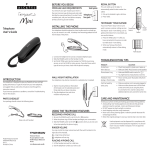
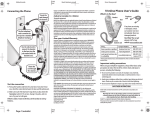
BEFORE YOU BEGIN MODULAR JACK REQUIREMENT You need an RJ11C type modular jack, which is the most common type of phone jack and might look like the one pictured here. If you don’t have a modular jack, call your local phone company to find out how to get one installed. INSTALLING THE PHONE Your telephone should be placed on a level surface such as a desk top, or you can mount it on a wall , A desktop /wall mounting pedestal is built into the base of the phone. Trimline Phone User's Guide RINGER VOLUME You may control the ringer volume level with the switch located between REDIAL and FLASH button on the handset. = ringer tone will be loud. = telephone will not ring. PLACING A PHONE CALL 1. Lift the handset and wait for a dial tone. 2. Dial the telephone number you wish to call. FLASH BUTTON Press the FLASH button instead of using the hook switch to activate customer calling services such as call waiting or call transfer , which are provided by your local phone company. select the appropriate flash timing (on handset, 600ms,300ms, 100ms). REDIAL BUTTON This unit redials up to 32 digits. To automatically redial the last number You called: REDIAL 1. Pick up the handset to get a dial tone. FLASH 2. Press redial. TEMPORARY TONE FEATURE 1. Connect the telephone line cord to a modular telephone jack. 2. Slide the RINGER switch (on the handset ) to ON. 3. Set PULSE/ TONE switch (on the handset ) to TONE for touch-toneservice, or set it to PULSE for rotary service. If you don’t know whichtype of service you have, check with the phone company. WALL MOUNT INSTALLATION Your telephone may also be mounted on a wall plate (not included). NOTE: To prevent the handset from falling out of the cradle while the phone is hanging on the wall, you must reverse the handset hook (located on the base). INTRODUCTION Your Telephone is designed to give you flexibility in use, and high quality performance. To get the most from your new telephone, we suggest that you take a few minutes right now to read through this instruction manual. If you have any questions or problems, consult the Troubleshooting Tips for the solution. PARTS CHECKLIST Your package should contain the following items: 1. Push the handset hook up and out with your thumb , turn it over ,and replace it in the slot on the base. 2. Slip the mounting holes (on the bottom of the base) over the wall plate posts and firmly slide the unit down into place. 3. Plug the telephone line cord into a modular wall phone jack. WRAPPING THE TELEPHONE LINE CORD In desktop mode,you may want to wrap the excess telephone line cord through the grooves provided on the bottom of the base. Base unit with handset USING THE TELEPHONE FEATURES RECEIVING A PHONE CALL 1. Be sure the RINGER switch is set to the High ( ) position. 2. When the phone rings. lift the handset and begin your conversation. 3. Slide the RINGER switch to the Off ( ) position when you do not want to interrupted by the phone ringing. Model Temporis Mini Slim-EX 00030402 (Rev.0 E/S) 09-37 Printed in China Thomson Asia Limited 3/f., Delta House, 3 On Yiu Street, Siu Lek Yuen, Shatin, Hong Kong www.thomson-asia.com.hk Alcatel logo and Alcatel name are trademarks of Alcatel and used under license by Thomson Telecom. If you have Pulse ( rotary ) service ,and want to access customer calling services that require touch –tone dialing ,such as getting information from a local bank ,you can use this feature. 1. Press the TONE button ( * ) after you have connected to the service in order to enable touch–tone dialing. 2. When you hang up, the phone automatically returns to pulse dialing mode. TONE button TROUBLESHOOTING TIPS PROBLEM No dial tone Won’t dial out SOLUTION • Check hook switch to make sure it pops up. • Make sure TONE / PULSE is set to correct position. Phone doesn’t ring • Make sure RINGER switch is set to High ( ) • You might have too many phones on one line. Feedback when dialing in PULSE mode • This is normal, power fluctuates with phone outpulsing. Can’t be heard by other party • Make sure phone cord is securely plugged in. • Make sure other phones aren’t off the hook at the same time you ’ re using the phone. It is normal for the volume to drop when additional phones are used at the same time. CARE AND MAINTENANCE To keep your phone working and looking good ,follow these guidelines; • Avoid putting near heating appliances and devices that generate electrical noise (for example , motors and fluorescent lamps) • DO NOT expose to direct sunlight or moisture. • Avoid dropping and other rough treatment of the unit. • Never use a strong cleaning agent or abrasive powder because this will damage the finish. • Retain the original package in case you need to ship it at a later date. Used equipment must be disposed of in compliance with current environmental protection regulations. You should return it to your receiver or dispose of it in an approved recycling center. ANTES DE COMENZAR VOLUMEN DEL TIMBRE REQUISITOS DE ENCHUFE MODULAR Usted puede controlar el volumen del timbre con el selector entre el fondo de REDIAL y de FLASH en el microteléfono. el tono del timbre será alto el teléfono no timbrará. Se requiere un jack modular RJ11C, que es el tipo de jack más común y puede parecerse a la ilustración Aquí. Si Ud. no tiene un jack modular, llame a su compañía telefónica local para información sobre la Instalación del jack requerido. INSTALACIÓN SOBRE LA MESA Su teléfono inalámbrico/ sistema contestador debe ser colocado en una superficie plana como un escritorio o sobre una mesa, o se puede instalar sobre la pared. Un pedestal para montaje está integrado en la base del teléfono. Teléfono de Línea DelgadaGuía del Usuario PARA HACER UNA LLAMADA 1. Levante el auricular y espere al tono de marcar. 2. Marque el número al que usted desea llamar. BOTÓN DE DESTELLO Presione el botón de destello (FLASH) en lugar del conmutador de gancho para activar servicios provistos por su compañía. Telefónica local, tal como espera en línea o transferencia de la llamada. BOTÓN DE REDISCADO Este aparato vuelve a marcar hasta 32 dígitos. Para rediscar automaticamente el último número que usted llamó: 1. Levante el auricular para obtener tono de marcar. 2. Oprima el botón “redial”. Es IMPORTANTE leer estas instrucciones antes de operar unidad por primera vez. 1. Saque el cordón de línea del teléfono del bolsillo en la parte trasera del teléfono. 2. Pase la el cordón de línea del teléfono a través de las guías en la parte trasera del teléfono. 3. Coneacte el cordón de línea del teléfono a una clavija modular de teléfono. 4. Deslice el interruptor RINGER (en el lateral del auricular) a la posición ON. 5. Coloque el selector de pulso/tono (“PULSE/TONE”) en la posición de tono (“TONE”) para servicio por tono, o en la posición de pulso (“PULSO”) para servicio rotatorio. Si usted no sabe qué tipo de servicio tiene, verifique con su compañía telefónica. MONTAJE SOBRE PARED Su teléfono puede ser montado en una placa de pared (no incluida). INTRODUCCIÓN Su teléono de cocina está diseñdo para darle un uso flexible y rendimiento de alta calidad. Para obtener lo mejor de su nuevo teléono, le sugerimos que ahora mismo se tome unos minutos para leer este manual de instrucciones. Si tiene dudas o si surgiera algún problema, consulte la Guía de Detección de Averías. LISTA DE PARTES Su paquete debe contener los siguientes ítems: NOTA: Para evitar que se caiga el uricular de su sitio sobre la base mientras está colgado en la pared, usted debe voltear el gancho para colgar (localizadoen la base). 1. Empuje el gancho hacia adentro y hacia fuera con su pulgar, gírelo y cámbielo dentro de la ranura en la base. 2. Conecte el cable de línea en un enchufe modular de pared. 3. Deslice los agujeros para montaje de la base sobre los postecitos de pared y deslice firmemente el aparato hacia abajo hasta que quede en su lugar (placa de pared no incluida). PARA GUARDAR EL CABLE DE LÍNEA Tanto en modalidad de superficie plana como de pared, usted puede querer almacenar el cable excedente alrededor de la placa para montaje en la parte de debajo de la base. REDIAL FLASH CARACTERÍSTICA DE TONO TEMPORARIO Use esta característica si usted tiene servicio de Selección por pulsos (rotatorio) y quiere acceder a servicios al cliente que requieren discado de selección por tonos, tal como obtener información del banco local. 1. Presione el botón de tono (TONE *) luego de conectarse con el servicio para permitir el discado de selección por tonos. 2. Al colgar, el teléfono vuelve automáticamente al modo de discado de selección por pulsos. Botón de tono CONSEJOS PARA SOLUCIONAR POSIBLES PROBLEMAS PROBLEMA SOLUCIÓN No hay tono de marcar No puede marcar hacia el exterior • Compruebe el interruptor para asegurarse de que salta hacia arriba. • Asegúrese de que PULSE/TONE está en la posición correcta. El teléfono no suena • Asegúrese de que RINGER está en la posición Hihg ( ). • Puede que tenga demasiados teléfonos en una línea. Realimentación cuando se marca en el modo de PULSE • Esto es normal. La corriente fluctúa cuando el teléfono se usa en el modo de pulso. No se puede escuchar desde el otro lado • Asegúrese de que el cordón del teléfono está bien enchufado. • Asegúrese de que otros teléfonos no están descolgados al mismo tiempo que Vd. está usando el teléfono. Es normal que el volumen disminuya cuando hay otros teléfonos descolgados al mismo tiempo. CUIDADO GENERAL DEL PRODUCTO Base y auricular HACIENDO USO DE LAS FUNCIONES DEL TELEFONO PARA RECIBIR UNA LLAMADA Model Temporis Mini Slim-EX 00030402 (Rev.0 E/S) 09-37 Impreso en China Thomson Asia Limited 3/f., Delta House, 3 On Yiu Street, Siu Lek Yuen, Shatin, Hong Kong www.thomson-asia.com.hk Alcatel logo and Alcatel name are trademarks of Alcatel and used under license by Thomson Telecom. 1. Asegúrese de que el selector del timbre (“RINGER”) esté en la posición de “HI” ( ). 2. Cuando el teléfono timbra y la información de la persona que llama semuestra en la pantalla, levante el auricular y comience su conversación. 3. Coloque el selector del timbre (“RINGER”) en la posición de apagado “OFF” ( ) cuando usted no quiera ser interrumpido por el timbre del teléfono. Para mantener su teléfono funcionando bien y con buena apariencia,observe las siguientes pautas: • Evite poner el teléfono cerca de calentadores (calefactores)de ambiente y dispositivos que generen interferencia eléctrica ejemplo,motores o lámparas fluorescentes). • No lo exponga a la luz solar directa o a la humedad. • No deje caer la extensión móvil y no maltrate el teléfono. • Nunca use un agente de limpieza fuerte ni un polvo abrasivo, ya que esto dañará el acabado. • Retenga el empaque original en caso de que necesite embarcar el auricular en el futuro. El equipo usado deberá eliminarse de acuerdo con las reglamentaciones de protección ambiental actuales. Deberá regresar la unidad al revendedor o desecharlo en un centro de reciclado aprobado.