1
Battery installation
Bluetooth setup
Download directory
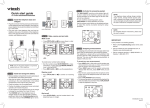
Install the battery as shown below.
To use a Bluetooth enabled cell phone with your DS6521/DS6522,
you must first pair and connect your Bluetooth cell phone(s) with the
telephone base. All DS6521/DS6522 handsets can be used to make
or answer calls on the cell line.
You can download up to 200 directory entries to your DS6521/DS6522
via Bluetooth wireless technology.
1. Plug the battery connector
securely into the socket.
2. Place the battery with the label
THIS SIDE UP facing up and
the wires inside the battery
compartment.
Bluetooth wireless technology operates within a short range (a
maximum of approximately 30 feet). When you pair a Bluetooth cell
phone to the telephone base, make sure your Bluetooth cell phone is
close to the telephone base to maintain sufficient signal strength.
1. Press MENU.
Quick start guide
2. Press
or
to highlight Bluetooth and
then press SELECT.
DS6521/DS6521-2/DS6521-3/
DS6522-3/DS6522-32/DS6522-4
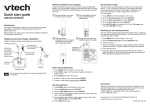
Telephone base and charger installation
4. Place the handset in the
telephone base or charger
to charge.
3. Press
A DSL filter (not included)
is required if you have DSL
high-speed Internet service.
The DSL filter must be
plugged into the telephone
wall jack.
Charger
adapter
1. Press MENU.
2. Press
or
until the screen displays the desired
feature menu.
3. Press SELECT to enter that menu.
• To return to the previous menu, press CANCEL.
• To return to idle mode, press and hold CANCEL.
Set date and time
If you subscribe to caller ID service, the day, month and time are set
automatically with each incoming call. You can also set the date and
time manually.
1. Press MENU.
2. Scroll to Set date/time, then press SELECT.
3. Use the dialing keys (0-9) to enter the month, date and year, then
press SELECT.
4. Use the dialing keys (0-9) to enter the hour and minute.
5. Press
or
to choose AM or PM, then press SELECT.
Electrical outlet
not controlled
by a wall switch
Telephone
base power
adapter
Telephone
line cord
Set number of rings
Telephone base
Charger
• Use only the power adapters and batteries supplied with
this product.
or
to highlight
ANS ON
Download dir
ECO
You can choose two, three, four, five or six rings; or toll saver. With
toll saver selected, the answering system answers after two rings if
you have new messages, or after four rings when there are no new
messages. This enables you to check for new messages and avoid
paying long distance charges when calling from out of your local area.
1. Press MENU.
2. Scroll to Answering sys, then press SELECT.
3. Scroll to Ans sys setup, then press SELECT.
4. Scroll to # of rings, then press SELECT.
5. Press
or
to choose 6, 5, 4, 3, 2 or Toll saver.
6. Press SELECT.
1
2
CHARGE light
remains on
when charging.
Using the handset menu
Install the telephone base and charger as shown below.
1
2
Download dir and then press SELECT.
This quick start guide provides you with the basic installation
and setup instructions. A limited set of features are described in
abbreviated form.
You may refer to the Abridged user’s manual provided in the product
package for installation and operation instructions, or see the online
Complete user’s manual at www.vtechphones.com for complete
installation and operation instructions.
Telephone
wall jack
Bluetooth
ECO
3. Slide the battery
compartment cover towards
the center of the handset
until it clicks into place.
Introduction
Electrical outlet
not controlled by
a wall switch
• Place your cell phone next to the telephone base when you
download a cell phone directory to your DS6521/DS6522.
• Make sure the cell phone is paired to your DS6521/DS6522, on
the device list and connected to the base before you download a
cell phone directory.
• For certain cell phones, you may need to press a key on your cell
phone to confirm the directory download.
• The pairing process may take up to one minute. If the pairing
process fails, try again.
4. The screen displays Select a device for a few
seconds. Press
or
to choose the desired
device (if necessary), then press SELECT.
Pair and connect your first Bluetooth cell phone
i
1. Press and hold 1 or 2 on the telephone
base for about four seconds. You hear two
beeps and the 1 or 2 light blinks.
2. Turn on the Bluetooth feature of your cell
phone. Once your cell phone finds your
VTech phone (VTech DS6521/DS6522),
press the appropriate key on your cell phone
to continue the pairing process.
• Your cell phone may prompt you to enter
the PIN of the telephone base. The
default PIN of the telephone base is 0000.
3. When the cell phone is connected to the
telephone base, you hear two beeps.
The corresponding status icon ( 1 or 2)
displays. The corresponding device light
( 1 or 2) turns on.
Select a device
ECO
1
2
Before you begin, make sure you have cellular coverage
and your Bluetooth enabled cell phone is not connected to
any other Bluetooth device.
1
2
ECO
1
2
10:01AM
5. The screen flashes Downloading... During
the download process, the handset displays
the progress. All other idle system handsets
display Downloading...
When the downloading process completes,
the handset displays Entries added: XXX
for a few seconds and then returns to the
Bluetooth menu.
ANS ON
• The pairing process may take up to one minute. If the pairing
process fails, try again.
• The steps for the pairing process may vary for different cell
phones. If this happens, follow the prompts on your cell phone
and your DS6521/DS6522 to complete the pairing process.
ANS ON
Downloading...
8
ECO
1
2
ANS ON
Entries added:
118
ECO
01/02
If you have trouble pairing your cell phone, it may not be
compatible with your DS6521/DS6522. Check the Bluetooth
compatibility list at www.vtechphones.com.
ANS ON
D1:Cell Phone A
ECO
HANDSET 1
ANS ON
1
2
ANS ON
IMPORTANT!
Refer to the online Complete user’s manual for a full set of installation
and operation instructions. For manual download or customer service,
visit our website at www.vtechphones.com or call 1 (800) 595-9511.
In Canada, go to www.vtechcanada.com or call 1 (800) 267-7377.
Record your own announcement with a handset
You can use the preset announcement to answer calls, or replace it
with your own recorded announcement. It can be up to 90 seconds
in length.
1. Press MENU.
2. Scroll to Answering sys, then press SELECT twice.
3. The handset announces, “To play, press 2. To record, press 7.”
Press 7 to record.
4. The handset announces, “Record after the tone. Press 5 when
you are done.” After the tone, speak towards the handset
microphone. Press 5 when done.
The Bluetooth ® word mark and logos are owned by Bluetooth SIG, Inc. and any
use of such marks by VTech Holdings Limited is under license.
VTech Holdings Limited is a member of Bluetooth SIG, Inc. Other trademarks and
trade names are those of their respective owners.
Copyright © 2012 for VTECH TELECOMMUNICATIONS LTD.
All rights reserved. Printed in China.
96-008788-020-100
Instalación de la batería
Grabar su propio saludo con un auricular
Descargar la agenda
Instale la batería como se indica a continuación.
2. Coloque la batería de modo
1. Conecte firmemente la
que la etiqueta THIS SIDE UP
batería en el enchufe.
quede hacia arriba y los
cables queden dentro del
compartimiento.
Puede usarse el saludo predeterminado para contestar llamadas o
reemplazarlo con una grabación propia. Puede tener una duración
de hasta 90 segundos.
1. Oprima MENU (menú).
2. Desplácese hasta Answering sys ( Sis cont llams) y oprima
SELECT (seleccionar) dos veces.
3. El auricular anuncia “To play, press 2. To record, press 7.”
(“Para reproducir, oprima 2. Para grabar, oprima 7.”) Oprima 7
para grabar.
4. El auricular anuncia “Record after the tone. Press 5 when you are
done.” (“Grabar después del tono. Oprima 5 cuando termine.”)
Después del tono, hable directamente al micrófono del auricular.
Oprima 5 cuando haya terminado.
Puede descargar hasta 200 registros del directorio en su
DS6521/DS6522 con la tecnología inalámbrica Bluetooth.
Guía de inicio rápido
DS6521/DS6521-2/DS6521-3/
DS6522-3/DS6522-32/DS6522-4
3. Deslice la cubierta del
compartimiento de la batería
hacia el centro del auricular
hasta encajarlo en su lugar.
Introducción
En esta guía de inicio rápido encontrará instrucciones básicas de
instalación y de configuración. Algunas características se describen
de manera abreviada.
Para ver las instrucciones de instalación y funcionamiento, consulte
el manual del usuario abreviado que se incluye en el paquete
del producto o vea el manual del usuario en su totalidad en línea
en www.vtechphones.com para las instrucciones completas de
instalación y funcionamiento.
Instalación del cargador y de la base del teléfono
Tomacorriente
no controlado
por un
interruptor
de pared
Toma telefónica
de la pared
Adaptador
eléctrico de
la base del
teléfono
La luz de CHARGE
(carga) permanece
encendida durante el
proceso de carga.
Adaptador
del cargador
El filtro DSL debe
conectarse en el
enchufe para el
teléfono en la pared.
Cable de
la línea
telefónica
Número de timbres
Base del teléfono
La tecnología inalámbrica Bluetooth funciona dentro de un corto
alcance (30 pies como máximo aproximadamente). Cuando
aparee un teléfono celular con Bluetooth con la base del teléfono,
asegúrese de que el celular con Bluetooth esté cerca de la base del
teléfono para no perder la claridad de la señal.
Cargador
• Utilice sólo los adaptadores y las baterías que vienen con
el producto.
Puede escoger dos, tres, cuatro, cinco o seis timbres o ahorrador
de tarifas. Con ahorrador de tarifas seleccionado, el sistema de
contestadora responde después de dos timbres si tiene mensajes
nuevos, o después de cuatro timbres cuando hay mensajes nuevos.
Así usted puede revisar los mensajes nuevos y evitar el pago de
cobros de larga distancia al llamar desde fuera de su área local.
1. Oprima MENU (menú).
2. Desplácese hasta Answering sys ( Sis cont llams) y oprima
SELECT (seleccionar).
3. Desplácese hasta Ans sys setup ( Cnf st cnt llm) y oprima
SELECT (seleccionar).
4. Desplácese hasta # of rings ( # de timbres) y oprima SELECT
(seleccionar).
5. Oprima
o
para seleccionar 6, 5, 4, 3, 2 o
Toll saver ( Ahorrdr cuotas).
6. Oprima SELECT (seleccionar).
Bluetooth
1
2
3. Oprima
o
para resaltar
Download dir ( Descargar dir) y oprima
ANS ON
Download dir
SELECT (seleccionar).
ECO
1
2
4. La pantalla muestra Select a device (Selec
dispstivo) durante algunos segundos.
Oprima
o
para seleccionar el dispositivo
deseado (si es necesario) y oprima SELECT
(seleccionar).
ANS ON
Select a device
ECO
1
2
ANS ON
D1:Cell Phone A
ECO
1
2
Fija la fecha y la hora
Tomacorriente no
controlado por un
interruptor de pared
2. Oprima
o
para resaltar
Bluetooth y oprima SELECT (seleccionar).
ECO
Para utilizar un teléfono celular con Bluetooth con su DS6521/
DS6522, primero debe aparear y conectar los celulares Bluetooth
con la base del teléfono. Todos los auriculares DS6521/DS6522
pueden usarse para hacer o contestar llamadas en la línea del
teléfono celular.
1. Oprima MENU (menú).
2. Oprima
o
hasta que se visualice en pantalla el menú con la
función deseada.
3. Oprima SELECT (seleccionar) para ingresar al menú.
• Para volver al menú anterior, oprima CANCEL (cancelar).
• Para volver al modo de inactividad, mantenga oprimido
CANCEL (cancelar).
Si está suscrito al servicio de identificación de llamadas, el día, el
mes y la hora se fijan automáticamente con cada llamada entrante.
También puede fijar la fecha y la hora manualmente.
1. Oprima MENU (menú).
2. Desplácese para seleccionar Set date/time
( Conf fech/hora) y oprima SELECT (seleccionar).
3. Use las teclas de marcado (0-9) para ingresar el mes, el día y el
año y después oprima SELECT (seleccionar).
4. Use las teclas de marcado (0-9) para ingresar la hora y
los minutos.
5. Oprima
o
para seleccionar AM o PM y después oprima
SELECT (seleccionar).
1. Oprima MENU (menú).
Configuración de Bluetooth
Uso del menú del auricular
Instale la base del teléfono y el cargador como se indica
a continuación.
Es necesario un filtro
DSL (no se incluye) si
cuenta con servicio de
Internet DSL de alta
velocidad.
4. Coloque el auricular sobre la
base del teléfono o sobre el
cargador para cargarlo.
• Ponga su teléfono celular junto a la base del teléfono cuando
descargue una agenda del teléfono celular a su DS6521/DS6522.
• Asegúrese de que el teléfono celular esté apareado
con su DS6521/DS6522, que esté en la lista de dispositivos y
que esté conectado a la base antes de descargar una agenda.
• En algunos teléfonos celulares puede que necesite oprimir una
tecla para confirmar la descarga de la agenda.
• El proceso de apareamiento puede demorar hasta un minuto.
Si el proceso falla, inténtelo de nuevo.
Aparee y conecte el teléfono celular con Bluetooth
i
Antes de comenzar, asegúrese de que tiene cobertura de
telefonía celular y su teléfono celular con Bluetooth no
esté conectado a otro dispositivo Bluetooth.
1. Mantenga oprimido 1 o 2 en la base
del teléfono durante cuatro segundos.
Escuchará dos timbres y parpadeará la luz
de 1 o 2.
Downloading...
8
ECO
1
2
ANS ON
Entries added:
118
ECO
1
2
ANS ON
¡IMPORTANTE!
Consulte el manual del usuario en línea donde aparecen instrucciones
completas de instalación y funcionamiento. Para descargar el manual
o solicitar servicio al cliente, visite nuestro sitio Web www.vtechphones.
com o llame al 1 (800) 595-9511. En Canadá, visite www.vtechcanada.
com o llame al 1 (800) 267-7377.
2. Encienda la función Bluetooth de su teléfono
celular. Cuando su teléfono celular encuentre
su teléfono VTech (VTech DS6521/DS6522),
oprima la tecla correspondiente en su
teléfono celular para continuar con el proceso
de apareamiento.
• Su teléfono celular podría avisarle que
ingrese el PIN de la base del teléfono.
El PIN predeterminado de la base del
teléfono es 0000.
3. Cuando el teléfono celular esté conectado
a la base de su teléfono, escuchará dos
timbres. Se muestra el icono de estado
correspondiente ( 1 o 2) Se enciende la luz
del dispositivo correspondiente ( 1 o 2).
5. En la pantalla aparece Downloading...
(Descargando…) Durante el proceso
de descarga, se visualiza el avance en
el auricular. En los demás auriculares
del sistema en espera se visualiza
Downloading... (Descargando…).
Cuando el proceso de descarga termina, el
auricular muestra
Entries added: XXX (Entradas agr: XXX)
durante algunos segundos y luego vuelve al
menú de Bluetooth.
ANS ON
HANDSET 1
ECO
1
2
10:01AM
ANS ON
01/02
Si tiene problemas para aparear su teléfono celular, puede que
no sea compatible con su DS6521/DS6522. Revise la lista de
compatibilidad de Bluetooth en www.vtechphones.com.
• El proceso de apareamiento puede demorar hasta un minuto. Si
el proceso falla, inténtelo de nuevo.
• Los pasos del proceso de apareamiento pueden variar según el
tipo de teléfono celular. Si esto sucede, siga las indicaciones de
su teléfono celular y de su DS6521/DS6522 para completar el
proceso de apareamiento.
La marca Bluetooth ® y sus logos son propiedad de Bluetooth SIG, Inc. y
cualquier uso de tales marcas por parte de VTech Holdings Limited se hace
bajo licencia. VTech Holdings Limited es miembro de Bluetooth SIG, Inc. Otras
marcas son propiedad de sus respectivos titulares.
Todos los derechos reservados © 2012 para
VTECH TELECOMMUNICATIONS LTD.
Todos los derechos reservados. Impreso en China.
96-008788-020-100