1
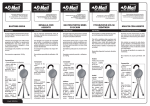
3 USAGE 3 Usage 3.1 1. 2. 3. 4. 4. There will be an audible “click”. Make sure the snap button is fully engaged in the height adjustment holes. See Detail “A”. Height Adjustment Holes Adjusting the Quad Cane for Left or Right Hand Use Cam Lever Lift up on the cam lever. Press the double snap button. Turn the cane handle 180°. Allow the double snap button to click into the holes in the cane. Offset Cane Handgrip Push down on the cam lever to lock it in place. 3.2 1. 2. 3. Quad Cane Adjusting the Cane Height Lift up on the cam lever. Press the double snap button. Slide the extension up or down until the desired height adjustment is achieved. Allow the double snap button to click into the height adjustment holes in the cane. Rubber Tip DETAIL “A” - SNAP BUTTON Not engaged Fully Engaged There will be an audible “click”. Make sure the snap button is fully engaged in the height adjustment holes. See Detail “A”. Press down on the cam lever to lock. Snap Button Invacare® Canes 6 Part. No 1167530