1
4
1
2
3
6
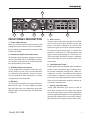
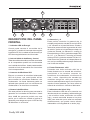
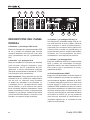
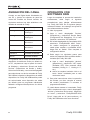
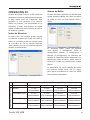
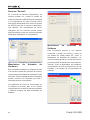
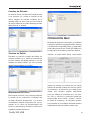
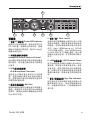
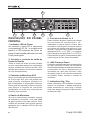
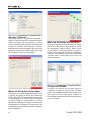
FRONT PANEL DESCRIPTION
1. Power LED Indicator
When you connect the DC power converter and
change the power switch to the DC IN position,
the unit will be powered and the front power LED
will be illuminated.
2. Headphone Output Jack and Control
All the audio signals that are mixed on computer
can be monitored with the Headphone output.
You can also control the level of this signal with
the corresponding level control.
3. XLR Microphone Connector
This is a balanced microphone XLR 3-pin connector, which you can use to connect dynamic
or condenser microphones. Phantom power
may be applied to allow condenser or ribbon
microphones to be connected.
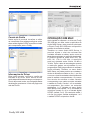
4. Mic Gain
Turn this knob clockwise to increase the Microphone input’s gain. You have 44dB of possible
gain with this knob, so please take care when
applying gain to ensure the Mic Clip LED does
not light up.
Firefly 302 USB
5
7
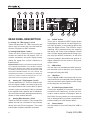
5. Gain 1 and 2
These knobs control the input gain for the RCA
and 1/4” plug input jacks located on the rear
panel. Turn them clockwise to increase the
signal level gain or turn them counterclockwise
to lower the input levels. Gain 1 controls the
Analog In 1 RCA and 1/4” TRS input jacks, and
Gain 2 controls the Analog In 2 RCA and 1/4”
TRS input jacks. Each gain control is independent of the other, so you can easily match your
input levels.
6. +48V Phantom Power
Pushing this button will activate +48V of phantom
power on the microphone input, allowing users
to connect condenser microphones, ribbon microphones, or other input devices that require
+48V power to operate. If you are not entirely
sure if your mic requires phantom power, please
refer to the microphone’s operation manual or
consult the manufacturer.
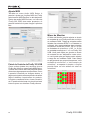
7. Signal / Clip Indicators
These LED indicators give users an idea of
when their analog and mic inputs and outputs
are receiving a signal (sig) and when that signal
reaches high peaks just prior to the signal being
dynamically clipped, which may cause undesirable effects to the integrity of your audio (clip).