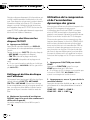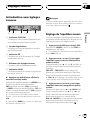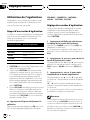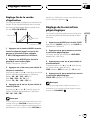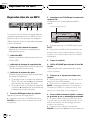
1
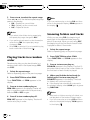
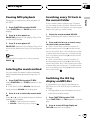
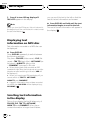
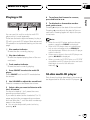
English
Operation Manual
Mode demploi
Multi-CD control High power CD/MP3 player with FM/
AM tuner
DEH-P4500MP
Français
Syntoniseur FM/AM et lecteur de CD/MP3, Puissance élevée, avec contrôleur pour lecteur de CD à
chargeur
Español
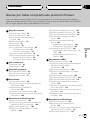
Contents
Thank you for buying this Pioneer product.
Please read through these operating instructions so you will know how to operate
your model properly. After you have finished reading the instructions, put them away
in a safe place for future reference.
Before You Start
For Canadian model 5
Information to User 5
About this unit 5
About this manual 5
After-sales service for Pioneer products 5
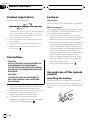
Product registration 6
Precautions 6
Features 6
Use and care of the remote control 6
Installing the battery 6
Using the remote control 7
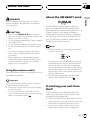
About the XM READY mark 7
Protecting your unit from theft 7
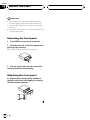
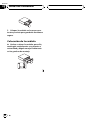
Removing the front panel 8
Attaching the front panel 8
Whats What
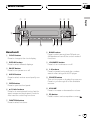
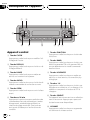
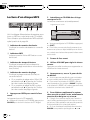
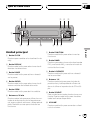
Head unit 9
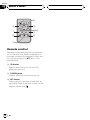
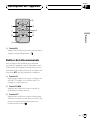
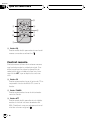
Remote control 10
Power ON/OFF
Turning the unit on 11
Selecting a source 11
Turning the unit off 11
Tuner
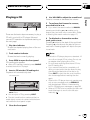
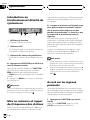
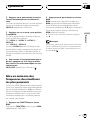
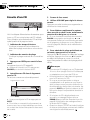
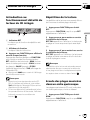
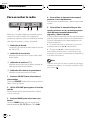
Listening to the radio 12
Introduction of advanced tuner
operation 13
Storing and recalling broadcast
frequencies 13
Tuning in strong signals 13
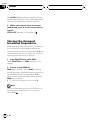
Storing the strongest broadcast
frequencies 14
Built-in CD Player
Playing a CD 15
2
En
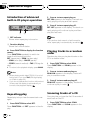
Introduction of advanced built-in CD player
operation 16
Repeating play 16
Playing tracks in a random order 16
Scanning tracks of a CD 16
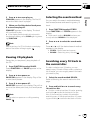
Pausing CD playback 17
Selecting the search method 17
Searching every 10 track in the current
disc 17
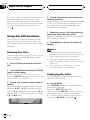
Using disc title functions 18
Entering disc titles 18
Displaying disc titles 18
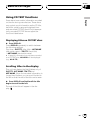
Using CD TEXT functions 19
Displaying titles on CD TEXT
discs 19
Scrolling titles in the display 19
MP3 Player
Playing a MP3 20
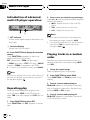
Introduction of advanced built-in CD player
(MP3) operation 21
Repeating play 21
Playing tracks in a random order 22
Scanning folders and tracks 22
Pausing MP3 playback 23
Selecting the search method 23
Searching every 10 track in the current
folder 23
Switching the ID3 tag display on MP3
disc 23
Displaying text information on MP3 disc 24
Scrolling text information in the display 24
Multi-CD Player
Playing a CD 25
50-disc multi-CD player 25
Introduction of advanced multi-CD player
operation 26
Repeating play 26
Contents
English
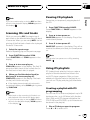
Playing tracks in a random order 26
Scanning CDs and tracks 27
Pausing CD playback 27
Using ITS playlists 27
Creating a playlist with ITS
programming 27
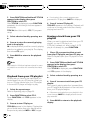
Playback from your ITS playlist 28
Erasing a track from your ITS
playlist 28
Erasing a CD from your ITS
playlist 29
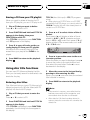
Using disc title functions 29
Entering disc titles 29
Displaying disc titles 30
Using CD TEXT functions 30
Displaying titles on CD TEXT
discs 30
Scrolling titles in the display 30
Using compression and bass emphasis 30
Using the AUX source 36
Selecting AUX as the source 36
Setting the AUX title 36
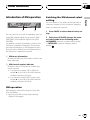
Introduction of XM operation 37
XM operation 37
Swiching the XM channel select
setting 37
Additional Information
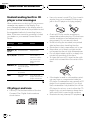
Understanding built-in CD player error
messages 38
CD player and care 38
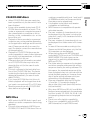
CD-R/CD-RW discs 39
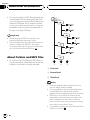
MP3 files 39
About folders and MP3 files 40
Terms 41
Specifications 42
Audio Adjustments
Introduction of audio adjustments 31
Using balance adjustment 31
Using the equalizer 31
Recalling equalizer curves 32
Adjusting equalizer curves 32
Fine adjusting equalizer curve 32
Adjusting loudness 33
Front image enhancer (F.I.E.) 33
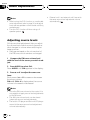
Adjusting source levels 34
Initial Settings
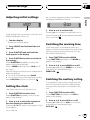
Adjusting initial settings 35
Setting the clock 35
Switching the warning tone 35
Switching the auxiliary setting 35
Other Functions
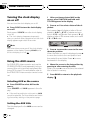
Turning the clock display on or off 36
En
3
Selecting fine audio equipment such as the unit you’ve just purchased is only the start of your
musical enjoyment. Now it’s time to consider how you can maximize the fun and excitement your
equipment offers. This manufacturer and the Electronic Industries Association’s Consumer
Electronics Group want you to get the most out of your equipment by playing it at a safe level. One
that lets the sound come through loud and clear without annoying blaring or distortion—and, most
importantly, without affecting your sensitive hearing.
Sound can be deceiving. Over time your hearing “comfort level” adapts to higher volumes of
sound. So what sounds “normal” can actually be loud and harmful to your hearing. Guard against
this by setting your equipment at a safe level BEFORE your hearing adapts.
To establish a safe level:
• Start your volume control at a low setting.
• Slowly increase the sound until you can hear it comfortably and clearly, and without distortion.
Once you have established a comfortable sound level:
• Set the dial and leave it there.
Taking a minute to do this now will help to prevent hearing damage or loss in the future. After
all, we want you listening for a lifetime.
We Want You Listening For A Lifetime
Used wisely, your new sound equipment will provide a lifetime of fun and enjoyment. Since
hearing damage from loud noise is often undetectable until it is too late, this manufacturer and the
Electronic Industries Association’s Consumer Electronics Group recommend you avoid prolonged
exposure to excessive noise. This list of sound levels is included for your protection.
Decibel
Level
30
40
50
60
70
80
Example
Quiet library, soft whispers
Living room, refrigerator, bedroom away from traffic
Light traffic, normal conversation, quiet office
Air conditioner at 20 feet, sewing machine
Vacuum cleaner, hair dryer, noisy restaurant
Average city traffic, garbage disposals, alarm clock at two feet
THE FOLLOWING NOISES CAN BE DANGEROUS UNDER CONSTANT EXPOSURE
90
Subway, motorcycle, truck traffic, lawn mower
100
Garbage truck, chain saw, pneumatic drill
120
Rock band concert in front of speakers, thunderclap
140
Gunshot blast, jet plane
180
Rocket launching pad
Information courtesy of the Deafness Research Foundation.
4
En
HHHHHHHHHHHHHH
Section
Before You Start
For Canadian model
Information to User
Alteration or modifications carried out without
appropriate authorization may invalidate the
users right to operate the equipment.
About this unit
The tuner frequencies on this unit are allocated for use in North America. Use in other
areas may result in improper reception.
Important (Serial number)
The serial number is located on the bottom of
this unit. For your own security and convenience,
be sure to record this number on the enclosed
warranty card.
About this manual
This unit features a number of sophisticated
functions ensuring superior reception and operation. All the functions have been designed
for the easiest possible use, but many are not
self-explanatory. This operation manual will
help you benefit fully from this products potential and to maximize your listening enjoyment.
We recommend that you familiarize yourself
with the functions and their operation by reading through the manual before you begin
using this unit. It is especially important that
you read and observe precautions on the next
page and in other sections.
English
This Class B digital apparatus complies with
Canadian ICES-003.
01
After-sales service for
Pioneer products
Please contact the dealer or distributor from
where you purchased this unit for after-sales
service (including warranty conditions) or any
other information. In case the necessary information is not available, please contact the
companies listed below:
Please do not ship your unit to the companies
at the addresses listed below for repair without
advance contact.
U.S.A.
Pioneer Electronics (USA) Inc.
CUSTOMER SUPPORT DIVISION
P.O. Box 1760
Long Beach, CA 90801-1760
800-421-1404
CANADA
Pioneer Electronics of Canada, Inc.
CUSTOMER SATISFACTION DEPARTMENT
300 Allstate Parkway
Markham, Ontario L3R OP2
(905) 479-4411
1-877-283-5901
For warranty information please see the Limited Warranty sheet included with this unit.
En
5
HHHHHHHHHHHHHH
Section
01
Before You Start
Product registration
Features
Visit us at the following site:
CD playback
Music CD/CD-R/CD-RW playback is possible.
MP3 file playback
1 Register your product. We will keep the details
of your purchase on file to help you refer to
this information in the event of an insurance
claim such as loss or theft.
2 Receive updates on the latest products and
technologies.
3 Download owners manuals, order product
catalogues, research new products, and
much more.
Precautions
CAUTION:
USE OF CONTROL OR ADJUSTMENT OR
PERFORMANCE OF PROCEDURES
OTHER THAN THOSE SPECIFIED HEREIN
MAY RESULT IN HAZARDOUS RADIATION
EXPOSURE.
CAUTION:
THE USE OF OPTICAL INSTRUMENTS
WITH THIS PRODUCT WILL INCREASE
EYE HAZARD.
! Keep this manual handy as a reference for
operating procedures and precautions.
! Always keep the volume low enough so you
can hear sounds outside of the car.
! Protect this product from moisture.
! If the battery is disconnected or discharged, the preset memory will be erased
and must be reprogrammed.
6
En
It is possible to play back MP3 files recorded
on CD-ROM/CD-R/CD-RW (ISO9660 Level 1/
Level 2 standard recordings).
! Supply of this product only conveys a license for private, non-commercial use and
does not convey a license nor imply any
right to use this product in any commercial
(i.e. revenue-generating) real time broadcasting (terrestrial, satellite, cable and/or
any other media), broadcasting/streaming
via internet, intranets and/or other networks or in other electronic content distribution systems, such as pay-audio or
audio-on-demand applications. An independent license for such use is required.
For details, please visit
http://www.mp3licensing.com.
Use and care of the remote
control
Installing the battery
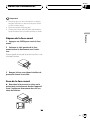
Slide the tray out on the back of the remote
control and insert the battery with the plus (+)
and minus () poles pointing in the proper direction.
HHHHHHHHHHHHHH
Section
Before You Start
Keep the battery out of the reach of children.
Should the battery be swallowed, immediately
consult a doctor.
CAUTION
! Use only one CR2025 (3 V) lithium battery.
! Remove the battery if the remote control is not
used for a month or longer.
! Do not recharge, disassemble, heat or dispose
of the battery in fire.
! Do not handle the battery with metallic tools.
! Do not store the battery with metallic materials.
! In the event of battery leakage, wipe the remote control completely clean and install a
new battery.
! When disposing of used batteries, please
comply with governmental regulations or environmental public institutions rules that
apply in your country/area.
Using the remote control
Point the remote control in the direction of the
front panel to operate.
About the XM READY mark
The XM READY mark printed on the front
panel indicates that the Pioneer XM tuner
(sold separately) can be controlled by this unit.
Please inquire to your dealer or nearest
authorized Pioneer service station regarding
the XM tuner that can be connected to this
unit. For XM tuner operation, please refer to
the XM tuner owners manual.
English
WARNING
01
Notes
! XM Satellite Radio is developing a new band
of radio in the U.S.A.
The system will use direct satellite-to-receiver
broadcasting technology to provide listeners
in their cars and at home with crystal-clear
sound seamlessly from coast to coast. XM will
create and package up to 100 channels of digital-quality music, news, sports, talk and childrens programming.
! The XM name and related logos are trademarks of XM Satellite Radio Inc.
Important
! Do not store the remote control in high temperatures or direct sunlight.
! The remote control may not function properly
in direct sunlight.
! Do not let the remote control fall onto the
floor, where it may become jammed under the
brake or accelerator pedal.
Protecting your unit from
theft
The front panel can be detached from the
head unit and stored in the protective case
provided to discourage theft.
! If the front panel is not detached from the
head unit within five seconds of turning off
the ignition, a warning tone will sound.
! You can turn off the warning tone. See
Switching the warning tone on page 35.
En
7
HHHHHHHHHHHHHH
Section
Before You Start
01
Important
! Never use force or grip the display and the
buttons tightly when removing or attaching.
! Avoid subjecting the front panel to excessive
shocks.
! Keep the front panel out of direct sunlight and
high temperatures.
Removing the front panel
1
Press OPEN to open the front panel.
2 Grip the left side of the front panel and
pull it gently outward.
Take care not to grip it tightly or drop it.
3 Put the front panel into the protective
case provided for safe keeping.
Attaching the front panel
% Replace the front panel by holding it
upright to this unit and clipping it securely
into the mounting hooks.
8
En
HHHHHHHHHHHHHH
Section
Whats What
3 4
2
5
d
English
1
02
6
c
b
a
Head unit
9 8 7
1 CLOCK button
Press to change to the clock display.
8 BAND button
Press to select among three FM and one
AM bands and cancel the control mode of
functions.
2 DISPLAY button
Press to select different displays.
9 LOUDNESS button
Press to turn loudness on or off.
3 PAUSE button
Press to turn pause on or off.
a 16 buttons
Press for preset tuning and disc number
search when using a multi-CD player.
4 AUDIO button
Press to select various sound quality controls.
5 OPEN button
Press to open the front panel.
6 a/b/c/d buttons
Press to do manual seek tuning, fast forward, reverse and track search controls.
Also used for controlling functions.
b SOURCE button
This unit is turned on by selecting a source.
Press to cycle through all of the available
sources.
c VOLUME
Press to increase or decrease the volume.
d EQ button
Press to select various equalizer curves.
7 FUNCTION button
Press to select functions.
En
9
HHHHHHHHHHHHHH
Section
02
Whats What
c
8
g
7
4
e
f
6
3
Remote control
Operation is the same as when using the button on the head unit. See the explanation of
the head unit about the operation of each button with the exception of ATT, which is explained below.
e CD button
Press to select the built-in or multi-CD
player as the source.
f TUNER button
Press to select the tuner as the source.
g ATT button
Press to quickly lower the volume level, by
about 90%. Press once more to return to the
original volume level.
10
En
HHHHHHHHHHHHHH
Section
Power ON/OFF
Turning the unit on
Selecting a source
You can select a source you want to listen to.
To switch to the built-in CD player, load a disc
in this unit (refer to page 15).
1 When using the head unit, press
SOURCE to select a source.
Press SOURCE repeatedly to switch between
the following sources:
Built-in CD playerTelevisionTunerXM
tunerMulti-CD playerExternal unit 1
External unit 2AUX
can be controlled by this unit. When two external units are connected, the allocation of
them to external unit 1 or external unit 2 is
automatically set by this unit.
! When this units blue/white lead is connected
to the cars auto-antenna relay control terminal, the cars antenna extends when this
units source is turned on. To retract the antenna, turn the source off.
English
% Press SOURCE to turn the unit on.
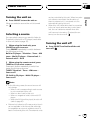
When you select a source the unit is turned
on.
03
Turning the unit off
% Press SOURCE and hold until the unit
turns off.
2 When using the remote control, press
TUNER or CD to select a source.
Press each button repeatedly to switch between the following sources:
TUNER: TelevisionTunerXM tuner
Sources off
CD: Built-in CD playerMulti-CD player
Sources off
Notes
! In the following cases, the sound source will
not change:
When a unit corresponding to each source
is not connected to this unit.
When no disc is set in this unit.
When no magazine is set in the multi-CD
player.
When the AUX (auxiliary input) is set to off
(refer to page 35).
! External unit refers to a Pioneer product (such
as one available in the future) that, although
incompatible as a source, enables control of
basic functions by this unit. Two external units
En
11
HHHHHHHHHHHHHH
Section
04
Tuner
Listening to the radio
1
2 3
5 To perform seek tuning, press and hold
c or d for about one second and release.
The tuner will scan the frequencies until a
broadcast strong enough for good reception is
found.
4
These are the basic steps necessary to operate
the radio. More advanced tuner operation is
explained starting on the next page.
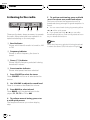
1 Band indicator
Shows which band the radio is tuned to, AM
or FM.
2 Frequency indicator
Shows to which frequency the tuner is
tuned.
3 Stereo (5) indicator
Shows that the frequency selected is being
broadcast in stereo.
4 Preset number indicator
Shows what preset has been selected.
1 Press SOURCE to select the tuner.
Press SOURCE until tuner is selected as the
source.
2 Use VOLUME to adjust the sound level.
Press to increase or decrease the volume.
3 Press BAND to select a band.
Press BAND until the desired band is displayed, F1, F2, F3 for FM or AM.
4 To perform manual tuning, press c or
d with quick presses.
The frequencies move up or down step by
step.
12
En
# You can cancel seek tuning by pressing either
c or d with a quick press.
# If you press and hold c or d you can skip
broadcasting stations. Seek tuning starts as soon
as you release the buttons.
Note
When the frequency selected is being broadcast
in stereo the stereo (5) indicator will light.
HHHHHHHHHHHHHH
Section
Tuner
04
1 2
3
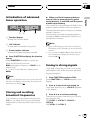
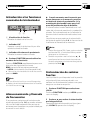
1 Function display
Shows the function status.
2 LOC indicator
Shows when local seek tuning is on.
3 Preset number indicator
Shows what preset has been selected.
% Press FUNCTION to display the function
names.
Press FUNCTION repeatedly to switch between the following functions:
BSM (best stations memory)LOCAL (local
seek tuning)
# To return to the frequency display, press
BAND.
Note
If you do not operate the function within about 30
seconds, the display is automatically returned to
the frequency display.
Storing and recalling
broadcast frequencies
If you press any of the preset tuning buttons
16 you can easily store up to six broadcast
frequencies for later recall with the touch of a
button.
% When you find a frequency that you
want to store in memory press a preset
tuning button 16 and hold until the preset
number stops flashing.
The number you have pressed will flash in the
preset number indicator and then remain lit.
The selected radio station frequency has been
stored in memory.
The next time you press the same preset tuning button 16 the radio station frequency is
recalled from memory.
English
Introduction of advanced
tuner operation
Notes
! Up to 18 FM stations, 6 for each of the three
FM bands, and 6 AM stations can be stored in
memory.
! You can also use a and b to recall radio station frequencies assigned to preset tuning
buttons 16.
Tuning in strong signals
Local seek tuning lets you tune in only those
radio stations with sufficiently strong signals
for good reception.
1 Press FUNCTION to select LOCAL.
Press FUNCTION until LOCAL appears in the
display.
2 Press a to turn local seek tuning on.
Local seek sensitivity (e.g., LOCAL 2) appears
in the display.
3 Press c or d to set the sensitivity.
There are four levels of sensitivity for FM and
two levels for AM:
FM: LOCAL 1LOCAL 2LOCAL 3
LOCAL 4
AM: LOCAL 1LOCAL 2
En
13
HHHHHHHHHHHHHH
Section
04
Tuner
The LOCAL 4 setting allows reception of only
the strongest stations, while lower settings let
you receive progressively weaker stations.
4 When you want to return to normal
seek tuning, press b to turn local seek tuning off.
LOCAL:OFF appears in the display.
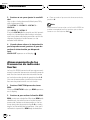
Storing the strongest
broadcast frequencies
BSM (best stations memory) lets you automatically store the six strongest broadcast frequencies under preset tuning buttons 16 and
once stored there you can tune in to those frequencies with the touch of a button.
1 Press FUNCTION to select BSM.
Press FUNCTION until BSM appears in the
display.
2 Press a to turn BSM on.
BSM begins to flash. While BSM is flashing
the six strongest broadcast frequencies will be
stored under preset tuning buttons 16 in
order of their signal strength. When finished,
BSM stops flashing.
# To cancel the storage process, press b.
Note
Storing broadcast frequencies with BSM may replace broadcast frequencies you have saved
using 16.
14
En
HHHHHHHHHHHHHH
Section
Built-in CD Player
05
Playing a CD
5 To perform fast forward or reverse,
press and hold c or d.
1
2
These are the basic steps necessary to play a
CD with your built-in CD player. More advanced CD operation is explained starting on
the next page.
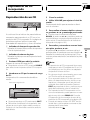
1 Play time indicator
Shows the elapsed playing time of the current track.
2 Track number indicator
Shows the track currently playing.
1 Press OPEN to open the front panel.
CD loading slot appears.
# After a CD has been inserted, press SOURCE
to select the built-in CD player.
2 Insert a CD into the CD loading slot.
Playback will automatically start.
CD loading slot
EJECT button
English
4 Use VOLUME to adjust the sound level.
Press to increase or decrease the volume.
# If you select the search method to ROUGH,
pressing and holding c or d enables you to
search every ten track in the current disc. (Refer
to Selecting the search method on page 17.)
6 To skip back or forward to another
track, press c or d.
Pressing d skips to the start of the next track.
Pressing c once skips to the start of the current track. Pressing again will skip to the previous track.
Notes
! The built-in CD player plays one, standard, 12cm or 8-cm (single) CD at a time. Do not use
an adapter when playing 8-cm CDs.
! Do not insert anything other than a CD into
the CD loading slot.
! If you cannot insert a disc completely or if
after you insert a disc the disc does not play,
check that the label side of the disc is up.
Press EJECT to eject the disc, and check the
disc for damage before inserting the disc
again.
! If the built-in CD player does not operate properly, an error message such as ERROR-11
may be displayed. Refer to Understanding
built-in CD player error messages on page 38.
! When a CD TEXT disc is inserted, the disc and
track titles begin to scroll to the left automatically.
# You can eject a CD by pressing EJECT.
# To avoid a malfunction, make sure that no
metal object comes into contact with the terminals when the front panel is open.
3
Close the front panel.
En
15
HHHHHHHHHHHHHH
Section
05
Built-in CD Player
Introduction of advanced
built-in CD player operation
1
2
1 RPT indicator
Shows when repeat play is turned on.
2 Function display
Shows the function status.
% Press FUNCTION to display the function
names.
Press FUNCTION repeatedly to switch between the following functions:
RPT (repeat play)RDM (random play)
SCAN (scan play)PAUSE (pause)
FF/REV (search method)TAG (ID3 tag display)
# To return to the playback display, press BAND.
Notes
! When playing audio data (CD-DA), it is not effective even if you turn TAG (ID3 tag display)
on. (Refer to page 23.)
! If you do not operate the function within about
30 seconds, the display is automatically returned to the playback display.
Repeating play
Repeat play lets you hear the same track over
again.
1 Press FUNCTION to select RPT.
Press FUNCTION until RPT appears in the display.
16
En
2 Press a to turn repeat play on.
RPT :ON appears in the display. The track currently playing will play and then repeat.
3 Press b to turn repeat play off.
RPT :OFF appears in the display. The track currently playing will continue to play and then
play the next track.
Note
If you perform track search or fast forward/reverse, repeat play is automatically cancelled.
Playing tracks in a random
order
Random play lets you play back tracks on the
CD in a random order.
1 Press FUNCTION to select RDM.
Press FUNCTION until RDM appears in the
display.
2 Press a to turn random play on.
RDM :ON appears in the display. Tracks will
play in a random order.
3 Press b to turn random play off.
RDM :OFF appears in the display. Tracks will
continue to play in order.
Scanning tracks of a CD
Scan play lets you hear the first 10 seconds of
each track on the CD.
1 Press FUNCTION to select SCAN.
Press FUNCTION until SCAN appears in the
display.
HHHHHHHHHHHHHH
Section
Built-in CD Player
3 When you find the desired track press
b to turn scan play off.
SCAN:OFF appears in the display. The track
will continue to play.
# If the display has automatically returned to
the playback display, select SCAN again by pressing FUNCTION.
Note
After scanning of a CD is finished, normal playback of the tracks will begin again.
Selecting the search method
You can switch the search method between
fast forward/reverse and searching every 10
track.
English
2 Press a to turn scan play on.
SCAN:ON appears in the display. The first 10
seconds of each track is played.
05
1 Press FUNCTION to select FF/REV.
Press FUNCTION until FF/REV appears in the
display.
# If the search method ROUGH has been previously selected, ROUGH will be displayed.
2 Press c or d to select the search method.
Press c or d until the desired search method
appears in the display.
! FF/REV Fast forward and reverse
! ROUGH Searching every 10 track
Pausing CD playback
Pause lets you temporarily stop playback of
the CD.
Searching every 10 track in
the current disc
1 Press FUNCTION to select PAUSE.
Press FUNCTION until PAUSE appears in the
display.
If a disc contains over 10 tracks, you can
search every 10 track. When a disc contains a
lot of tracks, you can roughly search the track
you want to play.
2 Press a to turn pause on.
PAUSE:ON appears in the display. Play of the
current track pauses.
3 Press b to turn pause off.
PAUSE:OFF appears in the display. Play will resume at the same point that you turned pause
on.
Note
You can also turn pause on or off by pressing
PAUSE.
1 Select the search method ROUGH.
Refer to Selecting the search method on this
page.
2 Press and hold c or d to search every
10 track in a disc.
# If a disc contains less than 10 tracks, pressing
and holding d recalls the last track of a disc.
Also, if the remaining number of tracks after
searching every 10 tracks are less than 10, pressing and holding d recalls the last track of a disc.
En
17
HHHHHHHHHHHHHH
Section
05
Built-in CD Player
# If a disc contains less than 10 tracks, pressing
and holding c recalls the first track of a disc.
Also, if the remaining number of tracks after
searching every 10 tracks are less than 10, pressing and holding c recalls the first track of a
disc.
Using disc title functions
You can input CD titles and display the title.
The next time you insert a CD for which you
have entered a title, the title of that CD will be
displayed.
4 Press d to move the cursor to the next
character position.
When the letter you want is displayed, press d
to move the cursor to the next position and
then select the next letter. Press c to move
backwards in the display.
5 Move the cursor to the last position by
pressing d after entering the title.
When you press d one more time, the entered
title is stored in memory.
6 Press BAND to return to the playback
display.
Notes
Entering disc titles
Disc title input lets you input CD titles up to 8
letters long and up to 48 disc titles into the
built-in CD player.
1 Play a CD that you want to enter the
title.
2 Press FUNCTION and hold until TITLE IN
appears in the display.
18
! Titles remain in memory, even after the disc
has been removed from built-in CD player, and
are recalled when the disc is reinserted.
! After data for 48 discs has been stored in
memory, data for a new disc will overwrite the
oldest one.
! If you connect a multi-CD player, you can
input disc titles for up to 100 discs.
# When playing a CD TEXT disc, you cannot
switch to TITLE IN. The disc title will have already
been recorded on a CD TEXT disc.
Displaying disc titles
3 Press a or b to select a letter of the alphabet.
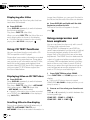
Each press of a will display a letter of the alphabet in A B C ... X Y Z, numbers and symbols in 1 2 3 ... > [ ] order. Each press of b will
display a letter in the reverse order, such as Z
Y X ... C B A order.
% Press DISPLAY.
Press DISPLAY repeatedly to switch between
the following settings:
Play timeDISC TTL (disc title)
When you select DISC TTL, the title of the currently playing disc is shown in the display.
En
You can display the title of any disc that has
had a disc title entered.
# If no title has been entered for the currently
playing disc, NO TITLE is displayed.
HHHHHHHHHHHHHH
Section
Built-in CD Player
05
Using CD TEXT functions
English
Some discs have certain information encoded
on the disc during manufacture. These discs
may contain such information as the CD title,
track title, artists name and playback time
and are called CD TEXT discs. Only these specially encoded CD TEXT discs support the
functions listed below.
Displaying titles on CD TEXT discs
% Press DISPLAY.
Press DISPLAY repeatedly to switch between
the following settings:
Play timeDISC TTL (disc title)ART NAME
(disc artist name)TRK TTL (track title)
ART NAME (track artist name)
# If specific information has not been recorded
on a CD TEXT disc, NO XXXX will be displayed
(e.g., NO D-TTL).
Scrolling titles in the display
This unit can display the first 8 letters only of
DISC TTL, ART NAME, TRK TTL and
ART NAME. When the recorded information is
longer than 8 letters, you can scroll the text to
the left so that the rest of the title can be seen.
% Press DISPLAY and hold until the title
begins to scroll to the left.
The rest of the title will appear in the display.
En
19
HHHHHHHHHHHHHH
Section
06
MP3 Player
Playing a MP3
1
CD loading slot
2 3
4
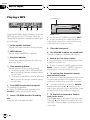
These are the basic steps necessary to play an
MP3 with your built-in CD player. More advanced MP3 operation is explained starting on
the next page.
1 Folder number indicator
Shows the folder number currently playing.
3
Close the front panel.
2 MP3 indicator
Shows when the MP3 file is playing.
4 Use VOLUME to adjust the sound level.
Press to increase or decrease the volume.
3 Play time indicator
Shows the elapsed playing time of the current track (file).
5
4 Track number indicator
Shows the track (file) currently playing.
! If a track number 100 to 199 is selected,
d on the left of the track number indicator will light.
! If a track number 200 or more is selected,
d on the left of the track number indicator will blink.
1 Press OPEN to open the front panel.
CD loading slot appears.
# After a CD-ROM has been inserted, press
SOURCE to select the built-in CD player.
2 Insert a CD-ROM into the CD loading
slot.
Playback will automatically start.
20
EJECT button
# You can eject a CD-ROM by pressing EJECT.
# To avoid a malfunction, make sure that no
metal object comes into contact with the terminals when the front panel is open.
En
Press a or b to select a folder.
# You cannot select a folder that does not have
an MP3 file recorded in it.
# To return to folder 01 (ROOT), press and hold
BAND. However, if folder 01 (ROOT) contains no
files, playback commences with folder 02.
6 To perform fast forward or reverse,
press and hold c or d.
# This is fast forward and reverse operation only
for the file being played. This operation is canceled when the previous or next file is reached.
# If you select the search method to ROUGH,
pressing and holding c or d enables you to
search every ten track in the current folder. (Refer
to Selecting the search method on page 23.)
7 To skip back or forward to another
track, press c or d.
Pressing d skips to the start of the next track.
Pressing c once skips to the start of the current track. Pressing again will skip to the previous track.
HHHHHHHHHHHHHH
Section
MP3 Player
Notes
Introduction of advanced
built-in CD player (MP3)
operation
1
English
! When playing discs with MP3 files and audio
data (CD-DA) such as CD-EXTRA and MIXEDMODE CDs, both types can be played only by
switching mode between MP3 and CD-DA
with BAND.
! If you have switched between playback of
MP3 files and audio data (CD-DA), playback
starts at the first track on the disc.
! The built-in CD player can play back an MP3
file recorded on CD-ROM. (Refer to page 39
for files that can be played back.)
! Do not insert anything other than a CD into
the CD loading slot.
! There is sometimes a delay between starting
up playback and the sound being issued. This
is particularly the case when playing back
multi-session and many folders. When being
read in, FRMTREAD is displayed.
! If you cannot insert a disc completely or if
after you insert a disc the disc does not play,
check that the label side of the disc is up.
Press EJECT to eject the disc, and check the
disc for damage before inserting the disc
again.
! Playback is carried out in order of file number.
Folders are skipped if they contain no files. (If
folder 01 (ROOT) contains no files, playback
commences with folder 02.)
! When playing back files recorded as VBR
(variable bit rate) files, the play time will not be
correctly displayed if fast forward or reverse
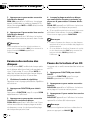
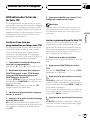
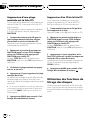
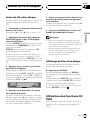
operations are used.
! If inserted disc contains no files that can be
played back, NO AUDIO is displayed.
! There is no sound on fast forward or reverse.
! If the built-in CD player does not operate properly, an error message such as ERROR-11
may be displayed. Refer to Understanding
built-in CD player error messages on page 38.
! When a MP3 disc is inserted, folder name and
file name begin to scroll to the left automatically.
06
2
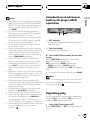
1 RPT indicator
Shows when repeat range is selected to current track (file).
2 Function display
Shows the function status.
% Press FUNCTION to display the function
names.
Press FUNCTION repeatedly to switch between the following functions:
RPT (repeat play)RDM (random play)
SCAN (scan play)PAUSE (pause)
FF/REV (search method)TAG (ID3 tag display)
# To return to the playback display, press BAND.
Note
If you do not operate the function within about 30
seconds, the display is automatically returned to
the playback display.
Repeating play
For MP3 playback, there are three repeat play
ranges: FLD (folder repeat), TRK (one-track repeat) and DSC (repeat all tracks).
1 Press FUNCTION to select RPT.
Press FUNCTION until RPT appears in the display.
En
21
HHHHHHHHHHHHHH
Section
06
MP3 Player
2 Press c or d to select the repeat range.
Press c or d until the desired repeat range appears in the display.
! FLD Repeat the current folder
! TRK Repeat just the current track
! DSC Repeat all tracks
Notes
! If you select other folder during repeat play,
the repeat play range changes to DSC.
! If you perform track search or fast forward/reverse during TRK, the repeat play range
changes to FLD.
! When FLD is selected, it is not possible to play
back a subfolder of that folder.
Playing tracks in a random
order
Random play lets you play back tracks in a
random order within the repeat range, FLD
and DSC.
1 Select the repeat range.
Refer to Repeating play on the previous page.
2 Press FUNCTION to select RDM.
Press FUNCTION until RDM appears in the
display.
3 Press a to turn random play on.
RDM :ON appears in the display. Tracks will
play in a random order within the previously
selected FLD or DSC ranges.
4 Press b to turn random play off.
RDM :OFF appears in the display. Tracks will
continue to play in order.
22
En
Note
If you turn random play on during FLD and then
return to the playback display, FRDM appears in
the display.
Scanning folders and tracks
While you are using FLD, the beginning of
each track in the selected folder plays for
about 10 seconds. When you are using DSC,
the beginning of the first track of each folder
is played for about 10 seconds.
1 Select the repeat range.
Refer to Repeating play on the previous page.
2 Press FUNCTION to select SCAN.
Press FUNCTION until SCAN appears in the
display.
3 Press a to turn scan play on.
SCAN:ON appears in the display. The first 10
seconds of each track of the current folder (or
the first track of each folder) is played.
4 When you find the desired track (or
folder) press b to turn scan play off.
SCAN:OFF appears in the display. The track
(or folder) will continue to play.
# If the display has automatically returned to
the playback display, select SCAN again by pressing FUNCTION.
Notes
! After track or folder scanning is finished, normal playback of the tracks will begin again.
! If you turn scan play on during FLD and then
return to the playback display, FSCN appears
in the display.
HHHHHHHHHHHHHH
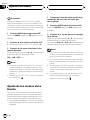
Section
MP3 Player
Pausing MP3 playback
1 Press FUNCTION to select PAUSE.
Press FUNCTION until PAUSE appears in the
display.
2 Press a to turn pause on.
PAUSE:ON appears in the display. Play of the
current track pauses.
3 Press b to turn pause off.
PAUSE:OFF appears in the display. Play will resume at the same point that you turned pause
on.
Note
You can also turn pause on or off by pressing
PAUSE.
Selecting the search method
You can switch the search method between
fast forward/reverse and searching every 10
track.
1 Press FUNCTION to select FF/REV.
Press FUNCTION until FF/REV appears in the
display.
# If the search method ROUGH has been previously selected, ROUGH will be displayed.
2 Press c or d to select the search method.
Press c or d until the desired search method
appears in the display.
! FF/REV Fast forward and reverse
! ROUGH Searching every 10 track
Searching every 10 track in
the current folder
If the current folder contains over 10 tracks,
you can search every 10 track. When the one
folder contains a lot of tracks, you can roughly
search the track you want to play.
English
Pause lets you temporarily stop playback of
the MP3.
06
1 Select the search method ROUGH.
Refer to Selecting the search method on this
page.
2 Press and hold c or d to search every
10 track in the current folder.
# If the current folder contains less than 10
tracks, pressing and holding d recalls the last
track of the folder. Also, if the remaining number
of tracks after searching every 10 tracks are less
than 10, pressing and holding d recalls the last
track of the folder.
# If the current folder contains less than 10
tracks, pressing and holding c recalls the first
track of the folder. Also, if the remaining number
of tracks after searching every 10 tracks are less
than 10, pressing and holding c recalls the first
track of the folder.
Switching the ID3 tag
display on MP3 disc
It is possible to turn the ID3 tag display on
MP3 disc on or off, if MP3 disc contains the
ID3 tag.
! ID3 tag refers to text information such as
track title and artist name.
1 Press FUNCTION to select TAG.
Press FUNCTION until TAG appears in the display.
2 Press a to turn ID3 tag display on.
TAG :ON appears in the display.
En
23
HHHHHHHHHHHHHH
Section
06
MP3 Player
3 Press b to turn ID3 tag display off.
TAG :OFF appears in the display.
Note
When you turn the ID3 tag on, this unit returns to
the beginning of the current track in order to read
the text information.
Displaying text
information on MP3 disc
Text information recorded on a MP3 disc can
be displayed.
% Press DISPLAY.
Press DISPLAY repeatedly to switch between
the following settings:
Play timeFOLDER (folder name)FILE (file
name)TRK TTL (track title)ART NAME (artist name)ALBM TTL (album title)
COMMENT (comment)Bit rate
# When playing back files recorded as VBR
(variable bit rate) files, the bit rate value is not displayed even after switching to bit rate. (VBR will
be displayed.)
# When you have turned ID3 tag display off, you
cannot switch to TRK TTL, ART NAME,
ALBM TTL and COMMENT.
# If specific information has not been recorded
on a MP3 disc, NO XXXX will be displayed (e.g.,
NO NAME).
Scrolling text information
in the display
This unit can display the first 8 letters only of
FOLDER, FILE, TRK TTL, ART NAME,
ALBM TTL and COMMENT. When the recorded information is longer than 8 letters,
24
En
you can scroll the text to the left so that the
rest of the text information can be seen.
% Press DISPLAY and hold until the text
information begins to scroll to the left.
The rest of the text information will appear in
the display.
HHHHHHHHHHHHHH
Section
Multi-CD Player
07
Playing a CD
2
3
You can use this unit to control a multi-CD
player, which is sold separately.
These are the basic steps necessary to play a
CD with your multi-CD player. More advanced
CD operation is explained starting on the next
page.
1 Disc number indicator
Shows the disc currently playing.
2 Play time indicator
Shows the elapsed playing time of the current track.
3 Track number indicator
Shows the track currently playing.
1 Press SOURCE to select the multi-CD
player.
Press SOURCE until multi-CD is selected as
the source.
2 Use VOLUME to adjust the sound level.
Press to increase or decrease the volume.
5 To skip back or forward to another
track, press c or d.
Pressing d skips to the start of the next track.
Pressing c once skips to the start of the current track. Pressing again will skip to the previous track.
English
1
4 To perform fast forward or reverse,
press and hold c or d.
Notes
! When the multi-CD player performs the preparatory operations, READY is displayed.
! If the multi-CD player does not operate properly, an error message such as ERROR-11
may be displayed. Refer to the multi-CD player
owners manual.
! If there are no discs in the multi-CD player magazine, NO DISC is displayed.
! When you select a CD TEXT disc on a CD TEXT
compatible multi-CD player, the disc and track
titles begin to scroll to the left automatically.
50-disc multi-CD player
Only those functions described in this manual
are supported for 50-disc multi-CD players.
3 Select a disc you want to listen to with
the 16 buttons.
For discs located at 1 to 6, press the corresponding number button.
If you want to select a disc located at 7 to 12,
press and hold the corresponding numbers
such as 1 for disc 7, until the disc number appears in the display.
# You can also sequentially select a disc by
pressing a/b.
En
25
HHHHHHHHHHHHHH
Section
07
Multi-CD Player
Introduction of advanced
multi-CD player operation
2 Press c or d to select the repeat range.
Press c or d until the desired repeat range appears in the display.
! MCD Repeat all discs in the multi-CD
player
! TRK Repeat just the current track
! DSC Repeat the current disc
1
2
Notes
1 RPT indicator
Shows when repeat range is selected to current track.
2 Function display
Shows the function status.
% Press FUNCTION to display the function
names.
Press FUNCTION repeatedly to switch between the following functions:
RPT (repeat play)RDM (random play)
SCAN (scan play)ITS-P (ITS play)PAUSE
(pause)COMP (compression and DBE)
# To return to the playback display, press BAND.
Note
Playing tracks in a random
order
Random play lets you play back tracks in a
random order within the repeat range, MCD
and DSC.
1 Select the repeat range.
Refer to Repeating play on this page.
If you do not operate the function within about 30
seconds, the display is automatically returned to
the playback display.
2 Press FUNCTION to select RDM.
Press FUNCTION until RDM appears in the
display.
Repeating play
3 Press a to turn random play on.
RDM :ON appears in the display. Tracks will
play in a random order within the previously
selected MCD or DSC ranges.
There are three repeat play ranges for the
multi-CD player: MCD (multi-CD player repeat), TRK (one-track repeat) and DSC (disc repeat).
1 Press FUNCTION to select RPT.
Press FUNCTION until RPT appears in the display.
26
! If you select other discs during repeat play,
the repeat play range changes to MCD.
! If you perform track search or fast forward/reverse during TRK, the repeat play range
changes to DSC.
En
4 Press b to turn random play off.
RDM :OFF appears in the display. Tracks will
continue to play in order.
HHHHHHHHHHHHHH
Section
Multi-CD Player
Note
Scanning CDs and tracks
While you are using DSC, the beginning of
each track on the selected disc plays for about
10 seconds. When you are using MCD, the beginning of the first track of each disc is played
for about 10 seconds.
1 Select the repeat range.
Refer to Repeating play on the previous page.
2 Press FUNCTION to select SCAN.
Press FUNCTION until SCAN appears in the
display.
3 Press a to turn scan play on.
SCAN :ON appears in the display. The first 10
seconds of each track of the current disc (or
the first track of each disc) is played.
4 When you find the desired track (or
disc) press b to turn scan play off.
SCAN :OFF appears in the display. The track
(or disc) will continue to play.
# If the display has automatically returned to
the playback display, select SCAN again by pressing FUNCTION.
Notes
! After track or disc scanning is finished, normal playback of the tracks will begin again.
! If you turn scan play on during DSC and then
return to the playback display, DSCN appears
in the display.
Pausing CD playback
Pause lets you temporarily stop playback of
the CD.
1 Press FUNCTION to select PAUSE.
Press FUNCTION until PAUSE appears in the
display.
English
If you turn random play on during DSC and then
return to the playback display, DRDM appears in
the display.
07
2 Press a to turn pause on.
PAUSE:ON appears in the display. Play of the
current track pauses.
3 Press b to turn pause off.
PAUSE:OFF appears in the display. Play will resume at the same point that you turned pause
on.
Note
You can also turn pause on or off by pressing
PAUSE.
Using ITS playlists
ITS (instant track selection) lets you make a
playlist of favorite tracks from those in the
multi-CD player magazine. After you have
added your favorite tracks to the playlist you
can turn on ITS play and play just those selections.
Creating a playlist with ITS
programming
You can use ITS to enter and playback up to 99
tracks per disc, up to 100 discs (with the disc
title). (With multi-CD players sold before the
CDX-P1250 and CDX-P650, up to 24 tracks can
be stored in the playlist.)
1 Play a CD that you want to program.
Press a or b to select a CD.
En
27
HHHHHHHHHHHHHH
Section
07
Multi-CD Player
2 Press FUNCTION and hold until TITLE IN
appears in the display, then press
FUNCTION to select ITS.
After TITLE IN is displayed, press FUNCTION
repeatedly, the following functions appear in
the display:
TITLE IN (disc title input)ITS (ITS programming)
# If no tracks in the current range are programmed for ITS play then EMPTY is displayed.
3 Select a desired track by pressing c or
d.
Erasing a track from your ITS
playlist
4 Press a to store the currently playing
track in the playlist.
IN is displayed briefly and the currently playing
selection is added to your playlist. The display
then shows ITS again.
5 Press BAND to return to the playback
display.
Note
When you want to delete a track from your ITS
playlist, you can if ITS play is on.
If ITS play is already on, skip to step 2. If ITS
play is not already on, press FUNCTION.
1 Play a CD you want to delete a track
from your ITS playlist, and turn ITS play on.
Refer to Playback from your ITS playlist on this
page.
After data for 100 discs has been stored in memory, data for a new disc will overwrite the oldest
one.
2 Press FUNCTION and hold until TITLE IN
appears in the display, then press
FUNCTION to select ITS.
After TITLE IN is displayed, press FUNCTION
until ITS appears in the display.
Playback from your ITS playlist
3 Select a desired track by pressing c or
d.
ITS play lets you listen to the tracks that you
have entered into your ITS playlist. When you
turn on ITS play, tracks from your ITS playlist
in the multi-CD player will begin to play.
1 Select the repeat range.
Refer to Repeating play on page 26.
2 Press FUNCTION to select ITS-P.
Press FUNCTION until ITS-P appears in the
display.
3 Press a to turn ITS play on.
ITS-P:ON appears in the display. Playback begins of those tracks from your playlist within
the previously selected MCD or DSC ranges.
28
4 Press b to turn ITS play off.
ITS-P:OFF appears in the display. Playback will
continue in normal order from the currently
playing track and CD.
En
4 Press b to erase a track from your ITS
playlist.
The currently playing selection is erased from
your ITS playlist and playback of the next track
from your ITS playlist begins.
# If there are no tracks from your playlist in the
current range, EMPTY is displayed and normal
play resumes.
5 Press BAND to return to the playback
display.
HHHHHHHHHHHHHH
Section
Multi-CD Player
Erasing a CD from your ITS playlist
1 Play a CD that you want to delete.
Press a or b to select a CD.
2 Press FUNCTION and hold until TITLE IN
appears in the display, then press
FUNCTION to select ITS.
After TITLE IN is displayed, press FUNCTION
until ITS appears in the display.
3 Press b to erase all tracks on the currently playing CD from your ITS playlist.
All tracks on the currently playing CD are
erased from your playlist and CLEAR is displayed.
4 Press BAND to return to the playback
display.
Using disc title functions
TITLE IN (disc title input)ITS (ITS programming)
# When playing a CD TEXT disc on a CD TEXT
compatible multi-CD player, you cannot switch to
TITLE IN. The disc title will have already been recorded on a CD TEXT disc.
3 Press a or b to select a letter of the alphabet.
Each press of a will display a letter of the alphabet in A B C ... X Y Z, numbers and symbols in 1 2 3 ... > [ ] order. Each press of b will
display a letter in the reverse order, such as Z
Y X ... C B A order.
4 Press d to move the cursor to the next
character position.
When the letter you want is displayed, press d
to move the cursor to the next position and
then select the next letter. Press c to move
backwards in the display.
You can input CD titles and display the title.
Then you can easily search for and select a desired disc for play.
5 Move the cursor to the last position by
pressing d after entering the title.
When you press d one more time, the entered
title is stored in memory.
Entering disc titles
6 Press BAND to return to the playback
display.
Disc title input lets you input CD titles up to 8
letters long and up to 100 disc titles (with ITS
playlist) into the multi-CD player.
1 Play a CD that you want to enter the
title.
Press a or b to select a CD.
2 Press FUNCTION and hold until TITLE IN
appears in the display.
After TITLE IN is displayed, press FUNCTION
repeatedly, the following functions appear in
the display:
English
When you want to delete all tracks of a CD
from your ITS playlist, you can if ITS play is off.
07
Notes
! Titles remain in memory, even after the disc
has been removed from the magazine, and
are recalled when the disc is reinserted.
! After data for 100 discs has been stored in
memory, data for a new disc will overwrite the
oldest one.
En
29
HHHHHHHHHHHHHH
Section
07
Multi-CD Player
Displaying disc titles
You can display the title of any disc that has
had a disc title entered.
% Press DISPLAY.
Press DISPLAY repeatedly to switch between
the following settings:
Play timeDISC TTL (disc title)
When you select DISC TTL, the title of the currently playing disc is shown in the display.
# If no title has been entered for the currently
playing disc, NO TITLE is displayed.
Using CD TEXT functions
You can use these functions only with a CD
TEXT compatible multi-CD player.
Some discs have certain information encoded
on the disc during manufacture. These discs
may contain such information as the CD title,
track title, artists name and playback time
and are called CD TEXT discs. Only these specially encoded CD TEXT discs support the
functions listed below.
Displaying titles on CD TEXT discs
% Press DISPLAY.
Press DISPLAY repeatedly to switch between
the following settings:
Play timeDISC TTL (disc title)ART NAME
(disc artist name)TRK TTL (track title)
ART NAME (track artist name)
# If specific information has not been recorded
on a CD TEXT disc, NO XXXX will be displayed
(e.g., NO D-TTL).
Scrolling titles in the display
This unit can display the first 8 letters only of
DISC TTL, ART NAME, TRK TTL and
ART NAME. When the recorded information is
30
En
longer than 8 letters, you can scroll the text to
the left so that the rest of the title can be seen.
% Press DISPLAY and hold until the title
begins to scroll to the left.
The rest of the title will appear in the display.
Using compression and
bass emphasis
You can use these functions only with a multiCD player that supports them.
Using COMP (compression) and DBE (dynamic bass emphasis) functions let you adjust
the sound playback quality of the multi-CD
player. Each of the functions have a two-step
adjustment. The COMP function balances the
output of louder and softer sounds at higher
volumes. DBE boosts bass levels to give playback a fuller sound. Listen to each of the effects as you select through them and use the
one that best enhances the playback of the
track or CD that you are listening to.
1 Press FUNCTION to select COMP.
Press FUNCTION until COMP appears in the
display.
# If the multi-CD player does not support
COMP/DBE, NO COMP is displayed when you attempt to select it.
2 Press a or b to select your favorite setting.
Press a or b repeatedly to switch between the
following settings:
COMP OFFCOMP 1COMP 2
COMP OFFDBE 1DBE 2
HHHHHHHHHHHHHH
Section
Audio Adjustments
08
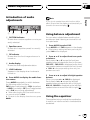
Introduction of audio
adjustments
3
4
If you do not operate the audio function within
about 30 seconds, the display is automatically returned to the source display.
5
Using balance adjustment
1 CUSTOM indicator
Shows when custom equalizer curve is presently selected.
You can select a fader/balance setting that
provides an ideal listening environment in all
occupied seats.
2 Equalizer curve
Shows which equalizer preset is currently
selected.
1 Press AUDIO to select FAD.
Press AUDIO until FAD appears in the display.
3 FIE indicator
Shows when the front image enhancer is
turned on.
4 Audio display
Shows the audio adjustments status.
5 LOUD indicator
Appears in the display when loudness is
turned on.
% Press AUDIO to display the audio function names.
Press AUDIO repeatedly to switch between
the following audio functions:
FAD (balance adjustment)EQ-L (equalizer)
LOUD (loudness)FIE (front image enhancer)SLA (source level adjustment)
# When selecting the FM tuner as the source,
you cannot switch to SLA.
# To return to the display of each source, press
BAND.
English
1 2
Note
# If the balance setting has been previously adjusted, BAL will be displayed.
2 Press a or b to adjust front/rear speaker balance.
Each press of a or b moves the front/rear
speaker balance towards the front or the rear.
FAD :F15 FAD :R15 is displayed as the front/
rear speaker balance moves from front to rear.
# FAD : 0 is the proper setting when only two
speakers are used.
3 Press c or d to adjust left/right speaker
balance.
When you press c or d, BAL 0 is displayed.
Each press of c or d moves the left/right
speaker balance towards the left or the right.
BAL L9 BAL R9 is displayed as the left/right
speaker balance moves from left to right.
Using the equalizer
The equalizer lets you adjust the equalization
to match car interior acoustic characteristics
as desired.
En
31
HHHHHHHHHHHHHH
Section
08
Audio Adjustments
Recalling equalizer curves
There are six stored equalizer curves which
you can easily recall at any time. Here is a list
of the equalizer curves:
Display
Equalizer curve
SPR-BASS
Super bass
POWERFUL
Powerful
NATURAL
Natural
VOCAL
Vocal
CUSTOM
Custom
EQ FLAT
Flat
! CUSTOM is an adjusted equalizer curve
that you create.
! A separate CUSTOM curve can be created
for each source. (The built-in CD player and
the multi-CD player are set to the same
equalizer adjustment setting automatically.) If you make adjustments, the equalizer curve settings will be memorized in
CUSTOM.
! When EQ FLAT is selected no supplement
or correction is made to the sound. This is
useful to check the effect of the equalizer
curves by switching alternatively between
EQ FLAT and a set equalizer curve.
% Press EQ to select the equalizer.
Press EQ repeatedly to switch between the following equalizer:
SPR-BASSPOWERFULNATURAL
VOCALCUSTOMEQ FLAT
Adjusting equalizer curves
You can adjust the currently selected equalizer
curve setting as desired. Adjusted equalizer
curve settings are memorized in CUSTOM.
1 Press AUDIO to select the equalizer
curve adjustment.
Press AUDIO until EQ-L appears in the display.
# If the equalizer band has been previously adjusted, the band of that previously selected will
be displayed instead of EQ-L.
2 Press c or d to select the equalizer
band to adjust.
Each press of c or d selects equalizer bands
in the following order:
EQ-L (low)EQ-M (mid)EQ-H (high)
3 Press a or b to adjust the level of the
equalizer band.
Each press of a or b increases or decreases
the level of the equalization band.
+6 6 is displayed as the level is increased
or decreased.
# You can then select another band and adjust
the level.
Note
If you make adjustments when a curve other than
CUSTOM is selected, the newly adjusted curve
will replace the previous curve. Then a new curve
with CUSTOM appears on the display while selecting the equalizer curve.
Fine adjusting equalizer curve
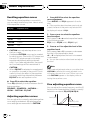
You can adjust the center frequency and the Q
factor (curve characteristics) of each currently
selected curve band (EQ-L/EQ-M/EQ-H).
Level (dB)
Q=2N
Q=2W
Center frequency
Frequency (Hz)
32
En
HHHHHHHHHHHHHH
Section
Audio Adjustments
2 Press AUDIO to select the desired band
for adjustment.
LowMidHigh
3 Press c or d to select the desired frequency.
Press c or d until the desired frequency appears in the display.
Low: 4080100160 (Hz)
Mid: 2005001k2k (Hz)
High: 3k8k10k12k (Hz)
4 Press a or b to select the desired Q factor.
Press a or b until the desired Q factor appears in the display.
2N1N1W2W
Note
If you make adjustments when a curve other than
CUSTOM is selected, the newly adjusted curve
will replace the previous curve. Then a new curve
with CUSTOM appears on the display while selecting the equalizer curve.
Adjusting loudness
Loudness compensates for deficiencies in the
low- and high-sound ranges at low volume.
1 Press AUDIO to select LOUD.
Press AUDIO until LOUD appears in the display.
2 Press a to turn loudness on.
Loudness level (e.g., LOUD MID) appears in
the display.
3 Press c or d to select a desired level.
Each press of c or d selects level in the following order:
LOW (low)MID (mid)HI (high)
English
1 Press AUDIO and hold until frequency
and the Q factor (e.g., F- 80 Q 1W) appears
in the display.
08
4 Press b to turn loudness off.
LOUD :OFF appears in the display.
Note
You can also turn loudness on or off by pressing
LOUDNESS.
Front image enhancer (F.I.E.)
The F.I.E. (Front Image Enhancer) function is a
simple method of enhancing front imaging by
cutting mid- and high-range frequency output
from the rear speakers, limiting their output to
low-range frequencies. You can select the frequency you want to cut.
Precaution
When the F.I.E. function is deactivated, the rear
speakers output sound of all frequencies, not just
bass sounds. Reduce the volume before disengaging F.I.E. to prevent a sudden increase in volume.
1 Press AUDIO to select FIE.
Press AUDIO until FIE appears in the display.
2
Press a to turn F.I.E. on.
# To turn F.I.E. off, press b.
3 Press c or d to select a desired frequency.
Each press of c or d selects frequency in the
following order:
100160250 (Hz)
En
33
HHHHHHHHHHHHHH
Section
08
Audio Adjustments
Notes
! After turning the F.I.E. function on, use the balance adjustment (refer to page 31) and adjust
front and rear speaker volume levels until they
are balanced.
! Turn the F.I.E. function off when using a 2speaker system.
Adjusting source levels
SLA (source level adjustment) lets you adjust
the volume level of each source to prevent radical changes in volume when switching between sources.
! Settings are based on the volume level of
the FM tuner, which remains unchanged.
1 Compare the FM tuner volume level
with the level of the source you wish to adjust.
2 Press AUDIO to select SLA.
Press AUDIO until SLA appears in the display.
3 Press a or b to adjust the source volume.
Each press of a or b increases or decreases
the source volume.
SLA: +4 SLA: 4 is displayed as the source
volume is increased or decreased.
Notes
! Since the FM tuner volume is the control, it is
not possible to apply source level adjustments
to the FM tuner.
! The AM tuner volume level can also be adjusted with source level adjustments.
! The built-in CD player and the multi-CD player
are set to the same source level adjustment
volume automatically.
34
En
! External unit 1 and external unit 2 are set to
the same source level adjustment volume
automatically.
HHHHHHHHHHHHHH
Section
Initial Settings
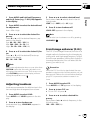
Adjusting initial settings
Initial settings lets you perform initial set up of
different settings for this unit.
1 Function display
Shows the function status.
1 Press SOURCE and hold until the unit
turns off.
2 Press FUNCTION and hold until the
clock appears in the display.
3 Press FUNCTION to select one of the initial settings.
Press FUNCTION repeatedly to switch between the following settings:
ClockWARN (warning tone)AUX (auxiliary input)
Use the following instructions to operate each
particular setting.
# To cancel initial settings, press BAND.
# You can also cancel initial settings by holding
down FUNCTION until the unit turns off.
Setting the clock
Use these instructions to set the clock.
1 Press FUNCTION to select clock.
Press FUNCTION repeatedly until clock appears in the display.
2 Press c or d to select the segment of
the clock display you wish to set.
Pressing c or d will select one segment of the
clock display:
HourMinute
As you select segments of the clock display
the segment selected will blink.
English
1
09
3 Press a or b to set the clock.
Pressing a will increase the selected hour or
minute. Pressing b will decrease the selected
hour or minute.
Switching the warning tone
If the front panel is not detached from the
head unit within five seconds of turning off the
ignition, a warning tone will sound. You can
turn off the warning tone.
1 Press FUNCTION to select WARN.
Press FUNCTION repeatedly until WARN appears in the display.
2 Press a or b to turn WARN on or off.
Pressing a or b will turn WARN on or off and
that status will be displayed (e.g.,
WARN :ON).
Switching the auxiliary setting
It is possible to use auxiliary equipment with
this unit. Activate the auxiliary setting when
using auxiliary equipment connected to this
unit.
1 Press FUNCTION to select AUX.
Press FUNCTION repeatedly until AUX appears in the display.
2 Press a or b to turn AUX on or off.
Pressing a or b will turn AUX on or off and
that status will be displayed (e.g.,
AUX :ON).
En
35
HHHHHHHHHHHHHH
Section
10
Other Functions
Turning the clock display
on or off
You can turn the clock display on or off.
% Press CLOCK to turn the clock display
on or off.
Each press of CLOCK turns the clock display
on or off.
# The clock display disappears temporarily
when you perform other operations, but the clock
display appears again after 25 seconds.
1 After you have selected AUX as the
source, press FUNCTION and hold until
TITLE IN appears in the display.
2 Press a or b to select a letter of the alphabet.
Each press of a will display a letter of the alphabet in A B C ... X Y Z, numbers and symbols in 1 2 3 ... > [ ] order. Each press of b will
display a letter in the reverse order, such as Z
Y X ... C B A order.
Note
Even when the sources are off, the clock display
appears on the display. Pressing CLOCK turns
the clock display on or off.
Using the AUX source
An IP-BUS-RCA Interconnector such as the
CD-RB20/CD-RB10 (sold separately) lets you
connect this unit to auxiliary equipment featuring RCA output. For more details, refer to
the IP-BUS-RCA Interconnector owners manual.
Selecting AUX as the source
% Press SOURCE to select AUX as the
source.
Press SOURCE until AUX appears in the display.
# If the auxiliary setting is not turned on, AUX
cannot be selected. For more details, see Switching the auxiliary setting on the previous page.
Setting the AUX title
The title displayed for the AUX source can be
changed.
36
En
3 Press d to move the cursor to the next
character position.
When the letter you want is displayed, press d
to move the cursor to the next position and
then select the next letter. Press c to move
backwards in the display.
4 Move the cursor to the last position by
pressing d after entering the title.
When you press d one more time, the entered
title is stored in memory.
5 Press BAND to return to the playback
display.
HHHHHHHHHHHHHH
Section
Other Functions
10
Introduction of XM operation
You can switch if you select a channel with a
channel number or from a channel category
when you select a channel.
1
2
You can use this unit with a separately sold universal XM satellite digital tuner system (GEXFM913XM) or XM satellite digital tuner (GEXP910XM).
For details concerning operation, refer to the
XM tuners operation manuals. This section
provides information on XM operations with
this unit which differs from that described in
the XM tuners operation manual.
English
Swiching the XM channel select
setting
1 Press PAUSE to select channel select setting.
2 Each press of PAUSE changes the channel select mode in the following order:
ch NUMBER (channel number select mode)
CATEGORY (channel category select
mode)
1 XM tuner information
Shows the XM tuner information which has
been selected.
2 XM channel number indicator
Shows to which XM channel number the
tuner is tuned.
! If a channel number 100 to 199 is selected, d on the left of the XM channel
number indicator will light.
! If a channel number 200 or more is selected, d on the left of the XM channel
number indicator will blink.
XM operation
XM operation of the following function with
this unit differs.
! Swiching the XM channel select setting
(Refer to this page.)
En
37
HHHHHHHHHHHHHH
Appendix
Additional Information
Understanding built-in CD
player error messages
When problems occur during CD play an error
message may appear on the display. If an
error message appears on the display refer to
the table below to see what the problem is and
the suggested method of correcting the problem. If the error cannot be corrected, contact
your dealer or your nearest Pioneer Service
Center.
Message
Cause
Action
ERROR-11, 12, Dirty disc
17, 30
Clean disc.
ERROR-11, 12, Scratched disc
17, 30
Replace disc.
ERROR-10, 11, Electrical or me12, 17, 30, A0 chanical
Turn the ignition
ON and OFF, or
switch to a different source, then
back to the CD
player.
ERROR-22, 23
The CD format
Replace disc.
cannot be played
back
ERROR-44
All tracks are
skip tracks
Replace disc.
HEAT
CD player overheated
Turn off the CD
player until the CD
player cools down.
CD player and care
! Use only CDs that have either of the two
Compact Disc Digital Audio marks as
shown below.
38
En
! Use only normal, round CDs. If you insert irregular, non-round, shaped CDs they may
jam in the CD player or not play properly.
! Check all CDs for cracks, scratches or
warped discs before playing. CDs that have
cracks, scratches or are warped may not
play properly. Do not use such discs.
! Avoid touching the recorded (non-printed
side) surface when handling the disc.
! Store discs in their cases when not in use.
! Keep discs out of direct sunlight and do
not expose the discs to high temperatures.
! Do not attach labels, write on or apply chemicals to the surface of the discs.
! To clean dirt from a CD, wipe the disc with
a soft cloth outward from the center of the
disc.
! If the heater is used in cold weather, moisture may form on components inside the
CD player. Condensation may cause the CD
player to not operate properly. If you think
that condensation is a problem turn off the
CD player for an hour or so to allow the CD
player to dry out and wipe any damp discs
with a soft cloth to remove the moisture.
! Road shocks may interrupt CD playback.
HHHHHHHHHHHHHH
Appendix
Additional Information
CD-R/CD-RW discs
MP3 files
! MP3 is short for MPEG Audio Layer 3 and
refers to an audio compression technology
standard.
! This unit allows playback of MP3 files on
CD-ROM, CD-R and CD-RW discs. Disc re-
!
!
!
!
!
!
!
!
!
!
!
En
English
! When CD-R/CD-RW discs are used, playback is possible only for discs which have
been finalized.
! It may not be possible to play back CD-R/
CD-RW discs recorded on a music CD recorder or a personal computer because of
disc characteristics, scratches or dirt on
the disc, or dirt, condensation, etc. on the
lens of this unit.
! Playback of discs recorded on a personal
computer may not be possible depending
on the application settings and the environment. Please record with the correct format. (For details, contact the manufacturer
of the application.)
! Playback of CD-R/CD-RW discs may become impossible in case of direct exposure
to sunlight, high temperatures, or the storage conditions in the car.
! Titles and other text information recorded
on a CD-R/CD-RW disc may not be displayed by this unit (in the case of audio
data (CD-DA)).
! This unit conforms to the track skip function of the CD-R/CD-RW disc. The tracks
containing the track skip information are
skipped automatically (in case of audio
data (CD-DA)).
! If you insert a CD-RW disc into this unit,
time to playback will be longer than when
you insert a conventional CD or CD-R disc.
! Read the precautions with CD-R/CD-RW
discs before using them.
cordings compatible with level 1 and level 2
of ISO9660 and with the Romeo and Joliet
file system can be played back.
It is possible to play back multi-session
compatible recorded discs.
MP3 files are not compatible with packet
write data transfer.
The max. number of characters which can
be displayed for a file name, including the
extension (.mp3), is 32 characters from the
first character.
The max. number of characters which can
be displayed for a folder name is 32 characters.
In case of files recorded according to the
Romeo and Joliet file system, only the first
32 characters can be displayed.
When playing discs with MP3 files and
audio data (CD-DA) such as CD-EXTRA and
MIXED-MODE CDs, both types can be
played only by switching mode between
MP3 and CD-DA.
The folder selection sequence for playback
and other operations becomes the writing
sequence used by the writing software. For
this reason, the expected sequence at the
time of playback may not coincide with the
actual playback sequence. However, there
also is some writing software which permits setting of the playback order.
Files are compatible with the ID3 Tag Ver.
1.0 and Ver. 1.1 formats for display of
album (disc title), track (track title) and artist (track artist).
Only when MP3 files of 32, 44.1 and 48 kHz
frequencies are played back, the emphasis
function is valid. (16, 22.05, 24, 32, 44.1, 48
kHz sampling frequencies can be played
back.)
There is no m3u playlist compatibility.
There is no compatibility with the MP3i
(MP3 interactive) or mp3 PRO format.
39
HHHHHHHHHHHHHH
Appendix
Additional Information
! The sound quality of MP3 files generally becomes better with increasing bit rate. This
unit can play recordings with bit rates from
8 kbps to 320 kbps, but in order to be able
to enjoy a certain sound quality, it is recommended to use only discs recorded with a
bit rate of at least 128 kbps.
Important
! When naming an MP3 file, add the corresponding filename extension (.mp3).
! This unit plays back files with the filename extension (.mp3) as an MP3 file. To prevent
noise and malfunctions, do not use this extension for files other than MP3 files.
About folders and MP3 files
! An outline of a CD-ROM with MP3 files on
it is shown below. Subfolders are shown as
folders in the folder currently selected.
1
2
3
1 First level
2 Second level
3 Third level
Notes
! This unit assigns folder numbers. The user
can not assign folder numbers.
! It is not possible to check folders that do not
include MP3 files. (These folders will be
skipped without displaying the folder number.)
! MP3 files in up to 8 tiers of folders can be
played back. However, there is a delay in the
start of playback on discs with numerous
tiers. For this reason we recommend creating
discs with no more than 2 tiers.
! It is possible to play back up to 253 items from
folder on one disc.
40
En
HHHHHHHHHHHHHH
Appendix
Additional Information
Terms
This expresses data volume per second, or bps
units (bits per second). The higher the rate,
the more information is available to reproduce
the sound. Using the same encoding method
(such as MP3), the higher the rate, the better
the sound.
m3u
English
Bit rate
Romeo:
File names can have up to 128 characters.
Playlists created using the WINAMP software have a playlist file extension (.m3u).
MP3
ID3 tag
This is a method of embedding track-related
information in a MP3 file. This embedded information can include the track title, the artists name, the album title, the music genre,
the year of production, comments and other
data. The contents can be freely edited using
software with ID3 Tag editing functions.
Although the tags are restricted to the number
of characters, the information can be viewed
when the track is played back.
ISO9660 format
This is the international standard for the format logic of CD-ROM folders and files. For the
ISO9660 format, there are regulations for the
following two levels.
Level 1:
The file name is in 8.3 format (the name consists of up to 8 characters, half-byte English
capital letters and half-byte numerals and the
_ sign, with a file-extension of three characters.)
Level 2:
The file name can have up to 31 characters (including the separation mark . and a file extension). Each folder contains less than 8
hierarchies.
Extended formats
Joliet:
File names can have up to 64 characters.
MP3 is short for MPEG Audio Layer 3. It is an
audio compression standard set by a working
group (MPEG) of the ISO (International Standards Organization). MP3 is able to compress
audio data to about 1/10th the level of a conventional disc.
Multi-session
Multi-session is a recording method that allows additional data to be recorded later.
When recording data on a CD-ROM, CD-R or
CD-RW, etc., all data from beginning to end is
treated as a single unit or session. Multi-session is a method of recording more than 2 sessions in one disc.
Packet write
This is a general term for a method of writing
on CD-R, etc. at the time required for a file,
just as is done with files on floppy or hard
discs.
VBR
VBR is short for variable bit rate. Generally
speaking CBR (constant bit rate) is more
widely used. But to flexibly adjust the bit rate
according to the needs of audio compression,
it is possible to achieve compression priorities
sound quality.
En
41
HHHHHHHHHHHHHH
Appendix
Additional Information
Specifications
General
Power source ............................. 14.4 V DC (10.8 15.1 V allowable)
Grounding system ................... Negative type
Max. current consumption
..................................................... 10.0 A
Dimensions (W × H × D):
DIN
Chassis ..................... 178 × 50 × 157 mm
(7 × 2 × 6-1/8 in.)
Nose ........................... 188 × 58 × 19 mm
(7-3/8 × 2-1/4 × 3/4 in.)
D
Chassis ..................... 178 × 50 × 162 mm
(7 × 2 × 6-3/8 in.)
Nose ........................... 170 × 46 × 14 mm
(6-3/4 × 1-3/4 × 1/2 in.)
Weight .......................................... 1.4 kg (3 lbs)
Audio
Continuous power output is 22 W per channel minimum
into 4 ohms, both channels driven 50 to 15,000 Hz with
no more than 5% THD.
Maximum power output ....... 50 W × 4
Load impedance ...................... 4 W (4 8 W allowable)
Preout max output level/output impedance
..................................................... 2.2 V/1 kW
Equalizer (3-Band Parametric Equalizer):
Low
Frequency ................ 40/80/100/160 Hz
Q Factor .................... 0.35/0.59/0.95/1.15 (+6 dB
when boosted)
Gain ............................ ±12dB
Mid
Frequency ................ 200/500/1k/2k Hz
Q Factor .................... 0.35/0.59/0.95/1.15 (+6 dB
when boosted)
Gain ............................ ±12dB
High
Frequency ................ 3.15k/8k/10k/12.5k Hz
Q Factor .................... 0.35/0.59/0.95/1.15 (+6 dB
when boosted)
Gain ............................ ±12dB
Loudness contour
Low ....................................... +3.5 dB (100 Hz), +3 dB (10
kHz)
Mid ....................................... +10 dB (100 Hz), +6.5 dB
(10 kHz)
42
En
High ..................................... +11 dB (100 Hz), +11 dB
(10 kHz)
(volume: 30 dB)
CD player
System .......................................... Compact disc audio system
Usable discs .............................. Compact disc
Signal format:
Sampling frequency ..... 44.1 kHz
Number of quantization bits
........................................... 16; linear
Frequency characteristics ... 5 20,000 Hz (±1 dB)
Signal-to-noise ratio ............... 94 dB (1 kHz) (IHF-A network)
Dynamic range ......................... 92 dB (1 kHz)
Number of channels .............. 2 (stereo)
MP3 decoding format ........... MPEG-1 & 2 Audio Layer 3
FM tuner
Frequency range ...................... 87.9 107.9 MHz
Usable sensitivity ..................... 8 dBf (0.7 µV/75 W, mono,
S/N: 30 dB)
50 dB quieting sensitivity ..... 10 dBf (0.9 µV/75 W, mono)
Signal-to-noise ratio ............... 75 dB (IHF-A network)
Distortion ..................................... 0.3 % (at 65 dBf, 1 kHz,
stereo)
0.1 % (at 65 dBf, 1 kHz,
mono)
Frequency response ............... 30 15,000 Hz (±3 dB)
Stereo separation .................... 45 dB (at 65 dBf, 1 kHz)
Selectivity .................................... 80 dB (±200 kHz)
Three-signal intermodulation (desired signal level)
..................................................... 30 dBf (two undesired signal level: 100 dBf)
AM tuner
Frequency range ...................... 530 1,710 kHz (10 kHz)
Usable sensitivity ..................... 18 µV (S/N: 20 dB)
Signal-to-noise ratio ............... 65 dB (IHF-A network)
Note
Specifications and the design are subject to possible modifications without notice due to improvements.
Table des matières
Nous vous remercions davoir acquis cet appareil
Pioneer.
Nous vous prions de lire ces instructions dutilisation afin que vous sachiez utiliser
votre appareil correctement. Quand vous aurez fini la lecture de ces instructions,
rangez-les dans un endroit sûr pour référence ultérieure.
Avant de commencer
Description de lappareil
Appareil central 50
Boîtier de télécommande 51
Mise en service, mise hors service
Mise en service de lappareil 52
Choix dune source 52
Mise hors service de lappareil 52
Syntoniseur
Ecoute de la radio 53
Introduction au fonctionnement détaillé du
syntoniseur 54
Mise en mémoire et rappel des fréquences
des stations 54
Accord sur les signaux puissants 54
Mise en mémoire des fréquences des
émetteurs les plus puissants 55
Lecteur de CD intégré
Ecoute dun CD 56
Français
Pour le modèle canadien 46
Quelques mots sur cet appareil 46
Quelques mots sur ce mode demploi 46
Service après-vente des produits Pioneer 46
Enregistrement du produit 46
Précautions 47
Caractéristiques 47
Utilisation du boîtier de télécommande et
soins à lui apporter 47
Mise en place de la pile 47
Utilisation du boîtier de
télécommande 48
Quelques mots sur la marque XM
READY 48
Protection de lappareil contre le vol 48
Dépose de la face avant 49
Pose de la face avant 49
Introduction au fonctionnement détaillé du
lecteur de CD intégré 57
Répétition de la lecture 57
Ecoute des plages musicales dans un ordre
quelconque 57
Examen du contenu dun CD 58
Pause de la lecture dun CD 58
Sélection de la méthode de recherche 58
Recherche toutes les 10 plages sur le disque
en cours 59
Utilisation des fonctions de titrage des
disques 59
Saisie du titre dun disque 59
Affichage du titre dun disque 60
Utilisation des fonctions CD TEXT 60
Affichage des titres sur les disques
CD TEXT 60
Défilement du titre du disque sur
lafficheur 60
Lecteur MP3
Lecture dun disque MP3 62
Introduction au fonctionnement détaillé du
lecteur de CD (MP3) intégré 64
Répétition de la lecture 64
Ecoute des plages musicales dans un ordre
quelconque 64
Examen du contenu des dossiers et des
plages 65
Pause en lecture MP3 65
Sélection de la méthode de recherche 66
Recherche toutes les 10 plages sur le dossier
en cours 66
Basculement de laffichage de létiquette ID3
sur un disque MP3 66
Affichage des informations textuelles dun
disque MP3 67
Défilement des informations textuelles sur
lafficheur 67
Fr
43
Table des matières
Lecteur de CD à chargeur
Ecoute dun CD 68
Lecteur de CD 50 disques 68
Introduction au fonctionnement détaillé du
lecteur de CD à chargeur 69
Répétition de la lecture 69
Ecoute des plages musicales dans un ordre
quelconque 69
Examen du contenu des disques 70
Pause de la lecture dun CD 70
Utilisation des listes de lecture ITS 71
Création dune liste par
programmation en temps réel (ITS) 71
Lecture commandée par la liste
ITS 71
Suppression dune plage musicale sur
la liste ITS 72
Suppression dun CD de la liste
ITS 72
Utilisation des fonctions de titrage des
disques 72
Saisie du titre dun disque 73
Affichage du titre dun disque 73
Utilisation des fonctions CD TEXT 73
Affichage des titres sur les disques
CD TEXT 74
Défilement du titre du disque sur
lafficheur 74
Utilisation de la compression et de
laccentuation dynamique des graves 74
Réglages sonores
Introduction aux réglages sonores 75
Réglage de léquilibre sonore 75
Utilisation de légalisation 76
Rappel dune courbe
dégalisation 76
Réglage des courbes
dégalisation 76
44
Fr
Réglage fin de la courbe
dégalisation 77
Réglage de la correction physiologique 77
Optimiseur dimage sonore avant (F.I.E.) 78
Réglage du niveau sonore de la source 78
Réglages initiaux
Ajustement des réglages initiaux 79
Réglage de lhorloge 79
Mise en service ou hors service du signal
sonore davertissement 79
Mise en service ou hors service de lentrée
auxiliaire 80
Autres fonctions
Mise en service ou hors service de laffichage
de lhorloge 81
Utilisation de la source AUX 81
Choix de lentrée AUX comme
source 81
Définition du titre de lentrée AUX 81
Informations complémentaires
Signification des messages derreur du
lecteur de CD intégré 82
Soins à apporter au lecteur de CD 82
Disques CD-R et CD-RW 83
Fichiers MP3 83
Quelques mots sur les dossiers et les fichiers
MP3 84
Termes utilisés 86
Caractéristiques techniques 88
Français
La sélection d’un équipement audio de qualité comme l’unité que vous venez d’acheter n’est que
le début de votre plaisir musical. Maintenant, il est temps de penser à la manière de profiter au
maximum des plaisirs que vous offre votre équipement. Ce fabricant et le Groupe “Consumer
Electronics Group” de l’Association des Industries Electroniques veut que vous profitiez au maximum de votre équipement en l’utilisation à un niveau sûr. Un niveau qui permet au son d’être fort
et clair, sans beuglement ennuyant ou distorsion — et, ce qui est plus important, sans affecter votre
ouïe sensible.
Le son peut être décevant. Avec le temps, le “niveau de confort” de votre ouïe s’adapte aux volumes
sonores plus élevés. Ainsi, les sons “normaux” peuvent en fait être forts et affecter votre ouïe. Protégezvous contre cela en réglant votre équipement à un niveau sûr AVANT l’adaptation de votre ouïe.
Pour établir un niveau sûr:
• Démarrer votre commande de volume à un réglage bas.
• Augmentez lentement le son jusqu’à ce que vous l’entendiez confortablement et clairement, sans
distorsion.
Lorsque vous avez établi un niveau sonore confortable:
• Réglez le cadran et laissez-le tel quel.
En prenant une minute pour faire cela, vous pourrez éviter des dommages ou des pertes de sensibilités d’écoute dans le futur. Après tout, nous voulons que vous écoutiez pendant toute votre vie.
Nous voulons que vous écoutiez pendant toute votre vie
Utilisé avec sagesse, votre nouvel équipement sonore sera une source de plaisir pendant toute
votre vie. Comme les dommages de l’ouïe provenant d’un bruit fort ne sont souvent détectables que
lorsqu’il est trop tard, ce fabricant et le Groupe “Consumer Electronics Group” de l’Association des
Industries Electroniques vous recommandent d’éviter toute exposition prolongée à un bruit excessif.
Cette liste de niveaux sonores est incluse pour votre protection.
Niveau de
Décibels
Exemple
30
Bibliothèque tranquille, chuchotement
40
Salon, réfrigérateur, chambre à distance de la circulation
50
Circulation légère, conversation normale, bureau tranquille
60
Climatiseur à 20 pieds, machine à coudre
70
Aspirateur, sèche-cheveux, restaurant bruyant
80
Circulation moyenne en ville, évacuateurs de déchets, réveils à deux pieds
LES BRUITS SUIVANTS PEUVENT ETRE DANGEREUX DANS LE CAS D’UNE EXPOSITION CONSTANTE
90
Métro, motocyclette, circulation de camion, tondeuse à gazon
100
Collecteurs de poubelle, scie à chaîne, perceuse pneumatique
120
Concert de groupe rock devant les haut-parleurs, coup de tonnerre
140
Coup de pistolet, avion à réaction
180
Aire de lancement d’une fusée
Ces informations ont été gracieusement fournies par la Fondation de la Recherche pour les Sourds.
Fr
45
HHHHHHHHHHHHHH
Section
01
Avant de commencer
Pour le modèle canadien
Cet appareil numérique de la classe B est conformé à la norme NMB-003 du Canada.
Quelques mots sur cet appareil
La plage de fonctionnement du syntoniseur
correspond aux fréquences allouées à lAmérique du Nord. Toute tentative dutilisation dans
une autre région peut conduire à une impossibilité.
Quelques mots sur ce mode
demploi
Cet appareil est doté dun certain nombre de
fonctions qui permettent la réception et le
fonctionnement dans les meilleures conditions. Ces fonctions ont été élaborées pour
que leur emploi soit aussi simple que possible, mais il exige toutefois quelques explications. Ce mode demploi a été rédigé pour
vous aider à profiter au mieux de ces fonctions
et à rendre votre plaisir de lécoute aussi
grand que possible.
Nous vous recommandons de vous familiariser avec les fonctions et leur utilisation en parcourant la totalité du mode demploi avant de
commencer à utiliser lappareil. Il est particulièrement important que vous lisiez et observiez les précautions décrites sur la page
suivante et dans dautres sections.
Service après-vente des
produits Pioneer
Pour toute question relative au service aprèsvente (y compris les conditions de garantie),
veuillez consulter le distributeur, ou le revendeur, qui vous a fourni cet appareil. Si les informations requises ne sont pas disponibles,
prenez contact avec les compagnies mentionnées ci-dessous :
Nexpédiez pas lappareil pour réparation à
lune des adresses figurant ci-dessous sans
avoir pris un contact préalable.
U.S.A.
Pioneer Electronics (USA) Inc.
CUSTOMER SUPPORT DIVISION
P.O. Box 1760
Long Beach, CA 90801-1760
800-421-1404
CANADA
Pioneer électroniques du Canada, Inc.
Département de service aux consommateurs
300 Allstate Parkway
Markham, Ontario L3R OP2
(905) 479-4411
1-877-283-5901
Pour connaître les conditions de garantie, reportez-vous au document, Garantie limitée,
qui accompagne cet appareil.
Enregistrement du produit
Rendez-nous visite sur le site suivant:
1 Enregistrez votre produit. Nous conserverons
sur fichier les détails de votre achat pour vous
permettre de vous reporter à ces informations
46
Fr
HHHHHHHHHHHHHH
Section
Avant de commencer
en cas de déclaration de sinistre à votre assurance pour perte ou vol.
2 Recevez les mises à jour sur les derniers produits et les plus récentes technologies.
3 Téléchargez les manuels de lutilisateur, commandez les catalogues des produits, recherchez de nouveaux produits, et bien
plus.
! Conservez ce mode demploi à portée de
main pour vous y référer pour ce qui
touche les modes opératoires et les précautions.
! Maintenez le niveau découte à une valeur
telle que vous puissiez entendre les sons
émis à lextérieur du véhicule.
! Protégez lappareil contre lhumidité.
! Si la batterie est débranchée, ou déchargée, le contenu de la mémoire est effacé et
une nouvelle programmation est
nécessaire.
lite, câble et/ou tout autre média),
diffusion/streaming via internet, des intranets et/ou dautres systèmes électroniques
de distribution de contenu), telles que les
applications audio payante ou audio sur
demande. Une licence indépendante est requise pour ce type dutilisation. Pour avoir
des détails, visitez le site
http://www.mp3licensing.com.
Utilisation du boîtier de
télécommande et soins à
lui apporter
Français
Précautions
01
Mise en place de la pile
Sortez le porte-pile, au dos du boîtier de télécommande, et introduisez la pile en respectant les polarités (+) et ().
Caractéristiques
Lecture de CD
Lecture de CD/CD-R/CD-RW musicaux.
Lecture de fichiers MP3
Vous pouvez jouer des fichiers MP3 enregistrés sur CD-ROM/CD-R/CD-RW (Enregistrements suivant les standards ISO9660 Niveau
1/Niveau 2).
! La fourniture de ce produit comporte seulement une licence dutilisation privée, non
commerciale, et ne comporte pas de licence ni nimplique aucun droit dutilisation de ce produit pour une diffusion
commerciale (cest-à-dire générant des revenus) en temps réel (terrestre, par satel-
ATTENTION
Conservez la pile hors de portée des enfants. Si
un enfant avale la pile, consultez immédiatement
un médecin.
PRÉCAUTION
! Nutilisez quune pile CR2025 (3 V) au
lithium.
! Retirez la pile si le boîtier de télécommande
ne doit pas être utilisé pendant un mois ou
plus.
! Ne rechargez pas la pile, ne la démontez pas,
ne la chauffez pas et ne la jetez pas dans un
feu.
Fr
47
HHHHHHHHHHHHHH
Section
01
Avant de commencer
! Ne manipulez pas la pile en la saisissant avec
un outil métallique.
! Ne conservez pas la pile avec des objets métalliques.
! En cas de fuite de la pile, nettoyez soigneusement le boîtier de télécommande puis mettez
en place une pile neuve.
! Lors de la mise au rebut des piles usagées, respectez les règlements nationaux ou les instructions locales en vigueur dans le pays ou
la région en matière de conservation ou de
protection de lenvironnement.
Utilisation du boîtier de
télécommande
Dirigez le boîtier de télécommande vers la
face de lappareil à commander.
Important
! Ne conservez pas le boîtier de télécommande
exposé aux températures élevées ou à la lumière directe du soleil.
! Le boîtier de télécommande peut ne pas donner satisfaction lorsquil est exposé à la lumière directe du soleil.
! Veillez à ce que le boîtier de télécommande ne
tombe pas, car ce faisant il pourrait empêcher
le bon fonctionnement de la pédale de frein
ou daccélération.
Quelques mots sur la
marque XM READY
La marque XM READY, imprimée sur la face
avant, signifie que le syntoniseur Pioneer XM
(vendu séparément) peut être commandé par
cet appareil-ci. Pour connaitre précisément le
modèle de syntoniseur XM qui peut être con-
48
Fr
necté à cet appareil, consultez un revendeur
ou un centre dentretien Pioneer agréés. Pour
tout ce qui concerne le fonctionnement du
syntoniseur XM, reportez-vous au mode demploi de ce syntoniseur.
Remarques
! XM Satellite Radio développe actuellement de
tout nouveaux moyens de radio aux ÉtatsUnis.
La technique de radiodiffusion directe du satellite vers le récepteur sera utilisée pour que
lauditeur, quil soit dans sa voiture ou à son
domicile, puisse recevoir les émissions dans
des conditions parfaites, cela où quil se
trouve dans le pays. XM propose quelque 100
canaux numériques programmant de la musique, des bulletins dinformation, des reportages sportifs, des entretiens et des émissions
pour les enfants.
! Le nom XM et les logos qui laccompagnent
sont des marques déposées par XM Satellite
Radio Inc.
Protection de lappareil
contre le vol
Afin de décourager le vol, la face avant peut
être retirée de lappareil central et rangée
dans le boîtier de protection fourni.
! Si vous ne retirez pas la face avant de lappareil central dans les cinq secondes qui
suivent la coupure de lallumage, un signal
sonore davertissement se fait entendre.
! Vous pouvez mettre hors service ce signal
sonore davertissement. Reportez-vous à la
page 79, Mise en service ou hors service du
signal sonore davertissement.
HHHHHHHHHHHHHH
Section
Avant de commencer
01
Important
! Nexercez aucune force excessive, ne saisissez pas lafficheur ni les touches pour retirer
ou fixer la face avant.
! Evitez de heurter la face avant.
! Conservez la face avant à labri des températures élevées et de la lumière directe du soleil.
Français
Dépose de la face avant
1 Appuyez sur OPEN pour ouvrir la face
avant.
2 Saisissez le côté gauche de la face
avant et tirez-le doucement vers lextérieur.
Prenez garde de ne pas la serrer trop fort ni de
la laisser tomber.
3 Rangez la face avant dans le boîtier de
protection fourni à cet effet.
Pose de la face avant
% Remettez la face avant en place en la
présentant verticalement devant lappareil
et en lenclipsant fermement dans les crochets de fixation.
Fr
49
HHHHHHHHHHHHHH
Section
02
Description de lappareil
1
3 4
2
d
6
c
b
a
Appareil central
1 Touche CLOCK
Appuyez sur cette touche pour modifier laffichage de lheure.
2 Touche DISPLAY
Appuyez sur cette touche pour choisir un affichage différent.
3 Touche PAUSE
Appuyez sur cette touche pour mettre en
service ou hors service la pause.
4 Touche AUDIO
Appuyez sur cette touche pour choisir les diverses commandes de correction sonore.
5 Touche OPEN
Appuyez sur cette touche pour ouvrir la face
avant.
6 Touches a/b/c/d
Appuyez sur ces touches pour exécuter des
commandes daccord automatique, rembobinage avant, rembobinage arrière et recherche de plage musicale. Ces touches
sont aussi utilisées pour les fonctions de
contrôle.
50
Fr
5
9 8 7
7 Touche FUNCTION
Appuyez sur cette touche pour choisir des
fonctions.
8 Touche BAND
Appuyez sur cette touche pour choisir une
des trois gammes FM ou la gamme AM, ou
encore abandonner le mode commande
des fonctions.
9 Touche LOUDNESS
Appuyez sur cette touche pour mettre en
service, ou hors service, la correction physiologique.
a Touches 16
Appuyez sur cette touche pour choisir une
fréquence en mémoire, ou un disque si linstallation comprend un lecteur de CD à
chargeur.
b Touche SOURCE
Cet appareil est mis en service en sélectionnant une source. Appuyez pour parcourir
toutes les sources disponibles.
c VOLUME
Appuyez sur cette touche pour augmenter
ou diminuer le niveau sonore.
HHHHHHHHHHHHHH
Section
Description de lappareil
02
c
g
7
4
e
f
6
Français
8
3
d Touche EQ
Appuyez sur cette touche pour choisir les diverses courbes dégalisation.
Boîtier de télécommande
Son utilisation est la même que celle des
touches de lappareil central. Reportez-vous à
lexplication de lappareil central pour le fonctionnement de chaque touche à lexception de
la touche ATT, qui est expliquée ci-dessous.
e Touche CD
Appuyez sur cette touche pour choisir le lecteur de CD intégré, ou le lecteur de CD à
chargeur, comme source.
f Touche TUNER
Appuyez sur cette touche pour choisir le
syntoniseur comme source.
g Touche ATT
Appuyez sur cette touche pour réduire rapidement le niveau sonore denviron 90 %. Appuyez une seconde fois pour revenir au
niveau sonore initial.
Fr
51
HHHHHHHHHHHHHH
Section
03
Mise en service, mise
hors service
Mise en service de lappareil
% Appuyez sur SOURCE pour mettre en
service lappareil.
Le fait de choisir une source met lappareil en
service.
Choix dune source
Vous pouvez sélectionner une source que
vous voulez écouter. Pour passer au Lecteur
de CD intégré, chargez un disque dans lappareil (reportez-vous à la page 56).
1 Pour choisir une source à partir de lappareil central, appuyez sur SOURCE.
Appuyez de manière répétée sur SOURCE
pour choisir lune après lautre les sources suivantes :
Lecteur de CD intégréTélévisionSyntoniseurSyntoniseur XMLecteur de CD à
chargeurAppareil extérieur 1Appareil
extérieur 2AUX
2 Pour choisir une source à partir du boîtier de télécommande, appuyez sur TUNER
ou CD.
Appuyez de manière répétée sur chaque
touche pour choisir lune après lautre les
sources suivantes :
TUNER: TélévisionSyntoniseurSyntoniseur XMMise hors service des sources
CD : Lecteur de CD intégréLecteur de CD
à chargeurMise hors service des sources
Remarques
! Dans les cas suivants, une autre source sonore nest pas sélectionnée :
Un produit correspondant à chaque
source nest pas connecté à cet appareil.
Lappareil ne contient pas de disque.
Le lecteur de CD à chargeur ne contient
pas de chargeur.
52
Fr
Lentrée AUX (entrée pour un appareil auxiliaire) est hors service (reportez-vous à la
page 80).
! Source externe fait référence à un produit Pioneer (par exemple disponible dans le futur)
qui, bien quincompatible en tant que source,
permet la commande de fonctions élémentaires par cet appareil. Cet appareil peut contrôler deux sources externes. Quand deux
sources externes sont connectées, leur affectation à source externe 1 ou source externe 2
est automatiquement définie par lappareil.
! Si le fil bleu/blanc de lappareil est relié à la
prise de commande du relais de lantenne
motorisée, celle-ci sétend lorsque la source
est mise en service. Pour rétracter lantenne,
mettez la source hors service.
Mise hors service de lappareil
% Maintenez la pression dun doigt sur
SOURCE jusquà ce que lappareil soit hors
service.
HHHHHHHHHHHHHH
Section
Syntoniseur
04
Ecoute de la radio
1
2 3
4 Pour effectuer laccord manuel, appuyez à intervalles rapprochés sur c, ou
sur d.
La fréquence augmente ou diminue par pas.
4
1 Indicateur de gamme
Il signale la gamme daccord choisie, AM
ou FM.
2 Indicateur de fréquence
Il indique la valeur de la fréquence daccord.
3 Indicateur de stéréophonie (5)
Il signale que la station émet en stéréophonie.
# Vous pouvez arrêter laccord automatique en
appuyant brièvement sur c, ou sur d.
# Si vous maintenez la pression sur c ou d,
vous pouvez sauter des stations démission. Laccord automatique démarre dès que vous relâchez
les touches.
Français
Voici les étapes élémentaires pour utiliser la
radio. Une utilisation plus élaborée du syntoniseur est expliquée à partir de la page suivante.
5 Pour effectuer laccord automatique,
appuyez, pendant environ une seconde,
sur c, ou sur d.
Le syntoniseur examine les fréquences
jusquà ce que se présente une émission dont
la réception est jugée satisfaisante.
Remarque
Si la station émet en stéréophonie, lindicateur de
stéréophonie (5) séclaire.
4 Indicateur de numéro de présélection
Il indique le numéro de la présélection choisie.
1 Pour choisir le syntoniseur, appuyez sur
SOURCE.
Appuyez sur SOURCE jusquà ce que le syntoniseur soit choisi comme source.
2 Utilisez VOLUME pour régler le niveau
sonore.
Appuyez sur cette touche pour augmenter ou
diminuer le niveau sonore.
3 Appuyez sur BAND pour choisir la
gamme.
Appuyez sur BAND jusquà ce que la gamme
désirée, F1, F2, F3 en FM ou AM, soit affichée.
Fr
53
HHHHHHHHHHHHHH
Section
04
Syntoniseur
Introduction au
fonctionnement détaillé du
syntoniseur
1 2
3
1 Afficheur de fonction
Il indique létat de la fonction.
2 Indicateur LOC
Il séclaire lorsque laccord automatique sur
une station locale est en service.
3 Indicateur de numéro de présélection
Il indique le numéro de la présélection choisie.
% Appuyez sur FUNCTION pour afficher le
nom de chaque fonction.
Appuyez de manière répétée sur FUNCTION
pour choisir une des fonctions suivantes :
BSM (mémoire des meilleures stations)
LOCAL (accord automatique sur une station
locale)
# Appuyez sur BAND pour revenir à laffichage
de la fréquence.
Remarque
Si vous ne réglez aucun paramètre de la fonction
pendant environ 30 secondes, lafficheur indique
à nouveau la fréquence daccord.
Mise en mémoire et rappel
des fréquences des stations
Grâce aux touches de présélection 16 vous
pouvez aisément mettre en mémoire six fré-
54
Fr
quences que vous pourrez ultérieurement rappeler par une simple pression sur la touche
convenable.
% Lorsque se présente une fréquence que
vous désirez mettre en mémoire, maintenez la pression dun doigt sur une des
touches de présélection 16 jusquà ce que
le numéro de la présélection cesse de
clignoter.
Le numéro sur lequel vous avez appuyé
clignote sur lindicateur de numéro de présélection puis reste allumé. La fréquence de la
station de radio sélectionnée a été enregistré
en mémoire.
Lorsque vous appuyez à nouveau sur cette
même touche de présélection 16, la fréquence en mémoire est rappelée.
Remarques
! La mémoire peut contenir 18 fréquences de la
gamme FM, 6 pour chacune des trois bandes,
et 6 fréquences de la gamme AM.
! Vous pouvez également utiliser les touches a
et b pour rappeler une fréquence mise en mémoire grâce aux touches de présélection
16.
Accord sur les signaux
puissants
Laccord automatique sur une station locale
ne sintéresse quaux émetteurs dont le signal
reçu est suffisamment puissant pour garantir
une réception de bonne qualité.
1 Appuyez sur FUNCTION pour choisir
LOCAL.
Appuyez sur FUNCTION jusquà ce que
LOCAL apparaisse sur lafficheur.
HHHHHHHHHHHHHH
Section
Syntoniseur
2 Appuyez sur a pour mettre en service
laccord automatique sur les stations locales.
Le niveau de sensibilité pour laccord automatique sur les stations locales (par exemple,
LOCAL 2) apparaît sur lafficheur.
2 Appuyez sur a pour mettre en service
BSM.
BSM commence à clignoter. Pendant que
BSM clignote les six fréquences démission
les plus fortes sont enregistrées sous les
touches de présélection 16 dans lordre de la
force de leur signal. Quand cest terminé,
BSM arrête de clignoter.
# Pour annuler la mise en mémoire, appuyez
sur b.
Remarque
Français
3 Appuyez sur c, ou sur d, pour préciser
la sensibilité.
En FM, la sensibilité peut prendre quatre valeurs; en AM, deux valeurs :
FM : LOCAL 1LOCAL 2LOCAL 3
LOCAL 4
AM : LOCAL 1LOCAL 2
La valeur LOCAL 4 permet la réception des
seules stations très puissantes; les autres valeurs autorisent, dans lordre décroissant, la
réception de stations de moins en moins puissantes.
04
La mise en mémoire de fréquences à laide de la
fonction BSM peut provoquer le remplacement
dautres fréquences déjà conservées grâce aux
touches 16.
4 Pour revenir à laccord automatique ordinaire, appuyez sur b de façon à mettre
hors service laccord automatique sur une
station locale.
LOCAL:OFF apparaît sur lafficheur.
Mise en mémoire des
fréquences des émetteurs
les plus puissants
La fonction BSM (Mémoire des meilleures stations) vous permet dutiliser automatiquement
les touches de présélection 16 pour mémoriser les six fréquences des émetteurs les plus
puissants, émetteurs que vous pouvez ultérieurement rappeler par une simple pression
sur une de ces touches.
1 Appuyez sur FUNCTION pour choisir
BSM.
Appuyez sur FUNCTION jusquà ce que BSM
apparaisse sur lafficheur.
Fr
55
HHHHHHHHHHHHHH
Section
05
Lecteur de CD intégré
Ecoute dun CD
3
Fermez la face avant.
4 Utilisez VOLUME pour régler le niveau
sonore.
Appuyez sur cette touche pour augmenter ou
diminuer le niveau sonore.
1
2
Voici les étapes élémentaires nécessaires pour
jouer un CD sur votre lecteur de CD intégré.
Une utilisation plus élaborée du CD est expliquée à partir de la page suivante.
1 Indicateur de temps de lecture
Il indique le temps de lecture depuis le
début de la plage musicale en cours de lecture.
2 Indicateur de numéro de plage
Il indique la plage musicale en cours de lecture.
1 Appuyez sur OPEN pour ouvrir la face
avant.
Le logement pour le CD apparaît.
# Après avoir introduit un CD, appuyez sur
SOURCE pour choisir le lecteur de CD.
2 Introduisez un CD dans le logement
pour le CD.
La lecture commence automatiquement.
Logement pour le CD
Touche EJECT
# Vous pouvez éjecter le CD en appuyant sur
EJECT.
# Pour éviter un mauvais fonctionnement, assurez-vous quaucun objet métallique ne vienne
en contact avec les broches quand la face avant
est ouverte.
56
Fr
5 Pour déplacer rapidement le capteur
dans un sens ou dans lautre, maintenez la
pression dun doigt sur c, ou sur d.
# Si vous choisissez la méthode de recherche
ROUGH, une pression prolongée sur c ou d
vous permet deffectuer une recherche par sauts
de dix plages sur le disque en cours. (Reportezvous à la page 58, Sélection de la méthode de recherche.)
6 Pour atteindre la plage précédente ou
suivante, appuyez sur c, ou sur d.
Appuyer sur d fait passer au début de la plage
suivante. Appuyer une fois sur c fait passer
au début de la plage en cours. Un nouvel
appui fera passer au début de la plage précédente.
Remarques
! Le lecteur de CD intégré joue un CD standard
12 cm ou 8 cm (single) à la fois. Nutilisez pas
un adaptateur pour jouer des CD 8 cm.
! Nintroduisez aucun objet dans le logement
pour le CD autre quun CD.
! Si vous ne pouvez pas insérer un disque
complètement ou si après que vous layez inséré un disque ne se joue pas, vérifiez que la
face étiquette du disque est sur le dessus. Appuyez sur EJECT pour éjecter le disque, et vérifiez que le disque nest pas abîmé avant de le
réinsérer.
! Si le lecteur de CD intégré présente une
anomalie, un message derreur tel que
ERROR-11 peut safficher. Reportez-vous à la
page 82, Signification des messages derreur
du lecteur de CD intégré.
! Quand un disque CD TEXT est inséré, les titres
du disque et des plages commencent à défiler
vers la gauche automatiquement.
HHHHHHHHHHHHHH
Section
Lecteur de CD intégré
Introduction au
fonctionnement détaillé du
lecteur de CD intégré
05
Répétition de la lecture
La répétition de la lecture vous permet découter à nouveau la même plage musicale.
1 Appuyez sur FUNCTION pour choisir
RPT.
Appuyez sur FUNCTION jusquà ce que RPT
apparaisse sur lafficheur.
2
1 Indicateur RPT
Il indique que la fonction de répétition est
en service.
2 Afficheur de fonction
Il indique létat de la fonction.
% Appuyez sur FUNCTION pour afficher le
nom de chaque fonction.
Appuyez de manière répétée sur FUNCTION
pour choisir une des fonctions suivantes :
RPT (répétition de la lecture)RDM (lecture
dans un ordre quelconque)SCAN (examen
du disque)PAUSE (pause)FF/REV
(méthode de recherche)TAG (affichage de
létiquette ID3)
# Appuyez sur BAND pour revenir à laffichage
des conditions de lecture.
2 Appuyez sur a pour mettre en service
la répétition de la lecture.
RPT :ON apparaît sur lafficheur. La lecture de
la plage en cours se poursuit puis sera répétée.
Français
1
3 Appuyez sur b pour mettre hors service
la répétition de la lecture.
RPT :OFF apparaît sur lafficheur. La lecture de
la plage suivante commence à la fin de la lecture de la plage en cours.
Remarque
La répétition de la lecture est automatiquement
abandonnée dès que commence la recherche
dune plage musicale ou le déplacement rapide
du capteur dans un sens ou dans lautre.
Remarques
! Quand vous jouez des données audio (CDDA), il nest pas actif même si vous mettez
TAG (affichage de létiquette ID3) en service.
(Reportez-vous à la page 66.)
! Si vous ne réglez aucun paramètre de la fonction pendant environ 30 secondes, lafficheur
indique à nouveau les conditions de
lecture.
Ecoute des plages musicales
dans un ordre quelconque
Les plages musicales du CD sont joués dans
un ordre quelconque, choisi au hasard.
1 Appuyez sur FUNCTION pour choisir
RDM.
Appuyez sur FUNCTION jusquà ce que RDM
apparaisse sur lafficheur.
Fr
57
HHHHHHHHHHHHHH
Section
05
Lecteur de CD intégré
2 Appuyez sur a pour mettre en service
la lecture au hasard.
RDM :ON apparaît sur lafficheur. Les plages
musicales seront lues dans un ordre quelconque.
3 Appuyez sur b pour mettre hors service
la lecture au hasard.
RDM :OFF apparaît sur lafficheur. La lecture
des plages musicales se poursuit dans
lordre.
Examen du contenu dun CD
Cette fonction vous permet découter les 10
premières secondes de chaque plage musicale gravée sur le CD.
1 Appuyez sur FUNCTION pour choisir
SCAN.
Appuyez sur FUNCTION jusquà ce que SCAN
apparaisse sur lafficheur.
2 Appuyez sur a pour mettre en service
lexamen du contenu du disque.
SCAN:ON apparaît sur lafficheur. Les 10 premières secondes de chaque plage sont lues.
3 Lorsque la plage musicale que vous désirez écouter se présente, appuyez sur b
pour arrêter lexamen du disque.
SCAN:OFF apparaît sur lafficheur. La lecture
de la piste se poursuit.
# Si les conditions de lecture se sont à nouveau
affichées delles-mêmes, choisissez SCAN une
fois encore en appuyant sur FUNCTION.
Remarque
Lorsque lexamen du disque est terminé, la lecture normale reprend.
58
Fr
Pause de la lecture dun CD
La pause est un arrêt momentané de la lecture
du CD.
1 Appuyez sur FUNCTION pour choisir
PAUSE.
Appuyez sur FUNCTION jusquà ce que
PAUSE apparaisse sur lafficheur.
2 Appuyez sur a pour mettre en service
la pause.
PAUSE:ON apparaît sur lafficheur. La lecture
de la plage en cours se met en pause.
3 Appuyez sur b pour mettre hors service
la pause.
PAUSE:OFF apparaît sur lafficheur. La lecture
reprend là où elle a été interrompue.
Remarque
Vous pouvez également activer ou désactiver la
pause en appuyant sur PAUSE.
Sélection de la méthode de
recherche
Vous pouvez choisir entre les méthodes recherche rapide avant, recherche rapide arrière
et recherche toutes les 10 plages.
1 Appuyez sur FUNCTION pour choisir
FF/REV.
Appuyez sur FUNCTION jusquà ce que
FF/REV apparaisse sur lafficheur.
# Si la méthode de recherche ROUGH a été sélectionnée précédemment, ROUGH saffiche.
HHHHHHHHHHHHHH
Section
Lecteur de CD intégré
2 Appuyez sur c, ou sur d pour choisir la
méthode de recherche.
Appuyez sur c, ou sur d, jusquà ce que la
méthode de recherche désirée apparaisse sur
lafficheur.
! FF/REV Recherche rapide avant et arrière
! ROUGH Recherche toutes les 10
plages
05
Utilisation des fonctions de
titrage des disques
Vous pouvez saisir des titres de CD et les afficher. La prochaine fois que vous insérez un
CD pour lequel vous avez saisi un titre, le titre
de ce CD sera affiché.
Recherche toutes les 10
plages sur le disque en cours
Si un disque contient plus de 10 plages, vous
pouvez effectuer une recherche par sauts de
10 plages. Quand un disque contient de nombreuses plages, vous pouvez ainsi effectuer
une recherche grossière de la plage désirée.
1 Sélectionnez la méthode de recherche
ROUGH.
Reportez-vous à la page précédente, Sélection
de la méthode de recherche.
2 Maintenez le doigt appuyé sur c ou d
pour effectuer une recherche toutes les 10
plages dans un disque.
# Si un disque contient moins de 10 pistes,
maintenir le doigt appuyé sur d rappelle la dernière plage du disque. De même, si le nombre de
plages restantes après une recherche toutes les
10 plages est inférieur à 10, maintenir le doigt appuyé sur d rappelle la dernière plage du disque.
# Si un disque contient moins de 10 pistes,
maintenir le doigt appuyé sur c rappelle la première plage du disque. De même, si le nombre
de plages restantes après une recherche toutes
les 10 plages est inférieur à 10, maintenir le doigt
appuyé sur c rappelle la première plage du disque.
Le lecteur de CD intégré peut contenir 48 titres
de disque de longueur maximum 8 caractères.
Français
Saisie du titre dun disque
1 Commandez la lecture du CD dont vous
désirez saisir le titre.
2 Maintenez la pression dun doigt sur
FUNCTION jusquà ce que TITLE IN apparaisse sur lafficheur.
# Quand vous jouez un disque CD TEXT, vous ne
pouvez pas passer en mode TITLE IN. Sur un disque CD TEXT, le titre du disque a déjà été enregistré.
3 Appuyez sur a, ou sur b, pour choisir
une lettre de lalphabet.
Chaque appui sur a affiche une lettre de lalphabet dans lordre A B C ... X Y Z, les chiffres
et les symboles dans lordre 1 2 3 ... > [ ]. Chaque appui sur b affiche une lettre dans lordre
inverse, soit Z Y X ... C B A.
4 Appuyez sur d pour placer le curseur
sur la position suivante.
Lorsque la lettre que vous désirez utiliser est
affichée, appuyez sur d pour placer le curseur
sur la position suivante puis choisissez la lettre suivante. Appuyez sur c pour vous déplacer vers larrière dans lafficheur.
Fr
59
HHHHHHHHHHHHHH
Section
05
Lecteur de CD intégré
5 Après avoir frappé le titre, placez le curseur sur la dernière position en appuyant
sur la touche d.
Lorsque vous appuyez une nouvelle fois sur d,
le titre saisi est mis en mémoire.
6 Appuyez sur BAND pour revenir à laffichage des conditions de lecture.
Remarques
! Le titre dun disque est conservé par la mémoire même après que le disque a été retiré
du lecteur de CD intégré; ce titre est à nouveau utilisé lorsque le disque est réintroduit.
! Après la mise en mémoire des données concernant 48 disques, toute donnée concernant
un nouveau disque remplace les données les
plus anciennes.
! Si vous connectez un lecteur de CD à chargeur, vous pouvez entrer des titres de disques
pour un maximum de 100 disques.
Affichage du titre dun disque
Vous pouvez afficher le titre de tout disque
dont le titre a été mis en mémoire.
% Appuyez sur DISPLAY.
Appuyez de manière répétée sur DISPLAY
pour passer dun des paramètres suivants à
lautre :
Temps de lectureDISC TTL (titre du disque)
Lorsque vous choisissez DISC TTL, le titre du
disque en cours de lecture saffiche.
# Si le disque en cours de lecture na pas reçu
de titre, NO TITLE saffiche.
60
Fr
Utilisation des fonctions CD
TEXT
Certains disques disposent dinformations qui
ont été codées pendant la fabrication du disque. Ces disques, qui peuvent contenir des informations telles que titre du CD, titres des
plages, nom de lartiste et durée de lecture,
sont appelés disques CD TEXT. Seuls ces disques CD TEXT codés spécialement supportent
les fonctions listées ci-dessous.
Affichage des titres sur les
disques CD TEXT
% Appuyez sur DISPLAY.
Appuyez de manière répétée sur DISPLAY
pour passer dun des paramètres suivants à
lautre :
Temps de lectureDISC TTL (titre du disque)
ART NAME (interprète du disque)
TRK TTL (titre de la plage musicale)
ART NAME (interprète de la plage musicale)
# Si aucune information spécifique na été gravée sur le disque, NO XXXX saffiche (par exemple, NO D-TTL).
Défilement du titre du disque
sur lafficheur
Cet appareil peut seulement afficher les 8 premières lettres de DISC TTL, ART NAME,
TRK TTL et ART NAME. Quand les informations enregistrées sont plus longues que 8 lettres, vous pouvez faire défiler le texte vers la
gauche se façon à rendre visible le reste du
titre.
HHHHHHHHHHHHHH
Section
Lecteur de CD intégré
05
% Maintenez la pression dun doigt sur
DISPLAY jusquà ce que le titre commence à
défiler vers la gauche.
La partie masquée du titre saffiche peu à
peu.
Français
Fr
61
HHHHHHHHHHHHHH
Section
06
Lecteur MP3
Lecture dun disque MP3
2 Introduisez un CD-ROM dans le logement pour le CD.
La lecture commence automatiquement.
Logement pour le CD
1
2 3
4
Voici les étapes élémentaires nécessaires pour
jouer un MP3 sur votre lecteur de CD intégré.
Une utilisation plus élaborée du MP3 est expliquée à partir de la page 64.
1 Indicateur du numéro de dossier
Il indique le numéro de dossier en cours de
lecture.
2 Indicateur MP3
Indique quand le fichier MP3 est en cours
de lecture.
# Vous pouvez éjecter le CD-ROM en appuyant
sur EJECT.
# Pour éviter un mauvais fonctionnement, assurez-vous quaucun objet métallique ne vienne
en contact avec les broches quand la face avant
est ouverte.
3
Fermez la face avant.
3 Indicateur de temps de lecture
Il indique le temps de lecture depuis le
début de la plage musicale en cours de lecture (fichier).
4 Utilisez VOLUME pour régler le niveau
sonore.
Appuyez sur cette touche pour augmenter ou
diminuer le niveau sonore.
4 Indicateur de numéro de plage
Il indique la plage musicale (fichier) en
cours de lecture.
! Si un numéro de plage entre 100 et 199
est sélectionné, d à gauche de lindicateur de numéro de plage sallume.
! Si un numéro de plage de 200 ou plus
est sélectionné, d à gauche de lindicateur de numéro de plage clignote.
5 Appuyez sur a, ou sur b, pour choisir
un dossier.
1 Appuyez sur OPEN pour ouvrir la face
avant.
Le logement pour le CD apparaît.
# Après avoir introduit un CD-ROM, appuyez sur
SOURCE pour choisir le lecteur de CD intégré.
62
Touche EJECT
Fr
# Vous ne pouvez pas sélectionner un dossier
qui ne contient pas de fichier MP3 enregistré.
# Pour revenir au dossier 01 (ROOT), maintenant la pression dun doigt sur BAND. Toutefois,
si le dossier 01 (ROOT) ne contient pas de fichier,
la lecture commence au dossier 02.
6 Pour déplacer rapidement le capteur
dans un sens ou dans lautre, maintenez la
pression dun doigt sur c, ou sur d.
# Il sagit dune avance rapide vers lavant ou
vers larrière seulement pour le fichier en cours
de lecture. Cette opération est annulée quand le
fichier précédent ou suivant est atteint.
# Si vous choisissez la méthode de recherche
ROUGH, une pression prolongée sur c ou d
HHHHHHHHHHHHHH
Section
Lecteur MP3
vous permet deffectuer une recherche par sauts
de dix plages sur le dossier en cours. (Reportezvous à la page 66, Sélection de la méthode de recherche.)
Remarques
! Quand vous jouez des disques contenant des
fichiers MP3 et des données audio (CD-DA)
tels que les CDs CD-EXTRA et MIXED-MODE,
vous pouvez lire les deux types seulement en
changeant entre les modes MP3 et CD-DA
avec BAND.
! Si vous avez basculé entre la lecture de fichiers MP3 et celle de données audio (CD-DA),
la lecture commence à la première plage sur
le disque.
! Le lecteur de CD intégré peut lire un fichier
MP3 enregistré sur un CD-ROM. (Reportezvous à la page 83 pour connaître les types de
fichiers qui peuvent être lus.)
! Nintroduisez aucun objet dans le logement
pour le CD autre quun CD.
! Il existe parfois un certain retard entre le démarrage de la lecture et la sortie du son. Cest
particulièrement le cas quand on joue des disques multi-session ou avec de nombreux dossiers. Lors de la lecture en mémoire,
FRMTREAD saffiche.
! Si vous ne pouvez pas insérer un disque
complètement ou si après que vous layez inséré un disque ne se joue pas, vérifiez que la
face étiquette du disque est sur le dessus. Appuyez sur EJECT pour éjecter le disque, et vérifiez que le disque nest pas abîmé avant de le
réinsérer.
! La lecture seffectue dans lordre des numéros
de fichier. Les dossiers qui ne contiennent pas
de fichiers sont sautés. (Si le dossier 01
(ROOT) ne contient pas de fichier, la lecture
commence au dossier 02.)
! Lors de la lecture de fichiers enregistrés
comme des fichiers VBR (débit binaire variable), le temps de lecture nest pas affiché correctement si on utilise des opérations
davance rapide vers lavant ou vers larrière.
! Si le disque inséré ne contient pas de fichiers
qui peuvent être lus, NO AUDIO saffiche.
! Il ny a pas de son pendant lavance rapide
avant ou arrière.
! Si le lecteur de CD intégré présente une
anomalie, un message derreur tel que
ERROR-11 peut safficher. Reportez-vous à la
page 82, Signification des messages derreur
du lecteur de CD intégré.
! Quand on insère un disque MP3, le nom du
dossier et le nom du fichier commencent à défiler vers la gauche automatiquement.
Fr
Français
7 Pour atteindre la plage précédente ou
suivante, appuyez sur c, ou sur d.
Appuyer sur d fait passer au début de la plage
suivante. Appuyer une fois sur c fait passer
au début de la plage en cours. Un nouvel
appui fera passer au début de la plage précédente.
06
63
HHHHHHHHHHHHHH
Section
06
Lecteur MP3
Introduction au
fonctionnement détaillé du
lecteur de CD (MP3) intégré
1
2
1 Indicateur RPT
Il indique que la plage de répétition choisie
est la plage (fichier) en cours de lecture.
2 Afficheur de fonction
Il indique létat de la fonction.
% Appuyez sur FUNCTION pour afficher le
nom de chaque fonction.
Appuyez de manière répétée sur FUNCTION
pour choisir une des fonctions suivantes :
RPT (répétition de la lecture)RDM (lecture
dans un ordre quelconque)SCAN (examen
du disque)PAUSE (pause)FF/REV
(méthode de recherche)TAG (affichage de
létiquette ID3)
1 Appuyez sur FUNCTION pour choisir
RPT.
Appuyez sur FUNCTION jusquà ce que RPT
apparaisse sur lafficheur.
2 Appuyez sur c, ou sur d pour choisir le
mode de répétition.
Appuyez sur c, ou sur d, jusquà ce que le
mode de répétition désiré apparaisse sur lafficheur.
! FLD Répétition du dossier en cours de lecture
! TRK Répétition de la plage musicale en
cours de lecture
! DSC Répétition de toutes les plages
Remarques
! Si vous choisissez un autre dossier pendant la
répétition de la lecture, le mode de répétition
adopté est DSC.
! Si pendant la répétition TRK, vous recherchez
une plage musicale, ou commandez le déplacement du capteur dans un sens ou dans lautre, le mode de répétition adopté est FLD.
! Quand FLD est sélectionné, il nest pas possible de jouer un sous-dossier de ce dossier.
# Appuyez sur BAND pour revenir à laffichage
des conditions de lecture.
Remarque
Si vous ne réglez aucun paramètre de la fonction
pendant environ 30 secondes, lafficheur indique
à nouveau les conditions de lecture.
Répétition de la lecture
Pour la lecture MP3, il existe trois plages de répétition de la lecture : FLD (répétition du dossier), TRK (répétition dune plage) et DSC
(répétition de toutes les plages).
64
Fr
Ecoute des plages musicales
dans un ordre quelconque
Les plages musicales sont jouées dans un
ordre quelconque à lintérieur du mode de répétition adopté: FLD ou DSC.
1 Choisissez le mode de répétition.
Reportez-vous à cette page, Répétition de la
lecture.
2 Appuyez sur FUNCTION pour choisir
RDM.
Appuyez sur FUNCTION jusquà ce que RDM
apparaisse sur lafficheur.
HHHHHHHHHHHHHH
Section
Lecteur MP3
3 Appuyez sur a pour mettre en service
la lecture au hasard.
RDM :ON apparaît sur lafficheur. Les plages
seront jouées dans un ordre au hasard à lintérieur des plages FLD ou DSC sélectionnées
précédemment.
Remarque
Si vous mettez en fonction la lecture dans un
ordre quelconque pendant FLD puis revenez à la
lecture normale, FRDM apparaît sur
lafficheur.
Examen du contenu des
dossiers et des plages
Si vous utilisez FLD, le début de chaque piste
dans le dossier sélectionné est joué pendant
environ 10 secondes. Si vous utilisez DSC, le
début de la première piste de chaque dossier
est joué pendant environ 10 secondes.
1 Choisissez le mode de répétition.
Reportez-vous à la page précédente, Répétition
de la lecture.
2 Appuyez sur FUNCTION pour choisir
SCAN.
Appuyez sur FUNCTION jusquà ce que SCAN
apparaisse sur lafficheur.
3 Appuyez sur a pour mettre en service
lexamen du contenu du disque.
SCAN:ON apparaît sur lafficheur. Les 10 premières secondes de chaque plage musicale
du dossier en cours (ou de la première plage
de chaque dossier) sont lues.
4 Lorsque la plage musicale (ou le dossier) que vous désirez écouter se présente,
appuyez sur b pour arrêter lexamen du
disque.
SCAN:OFF apparaît sur lafficheur. La lecture
de la plage (ou du dossier) se poursuit.
# Si les conditions de lecture se sont à nouveau
affichées delles-mêmes, choisissez SCAN une
fois encore en appuyant sur FUNCTION.
Remarques
! Lorsque lexamen des pistes ou des dossiers
est terminé, la lecture normale des plages musicales reprend.
! Si vous mettez en fonction lexamen du contenu du disque pendant FLD puis revenez à la
lecture normale, FSCN apparaît sur
lafficheur.
Français
4 Appuyez sur b pour mettre hors service
la lecture au hasard.
RDM :OFF apparaît sur lafficheur. La lecture
des plages musicales se poursuit dans lordre.
06
Pause en lecture MP3
La pause est un arrêt momentané de la lecture
du MP3.
1 Appuyez sur FUNCTION pour choisir
PAUSE.
Appuyez sur FUNCTION jusquà ce que
PAUSE apparaisse sur lafficheur.
2 Appuyez sur a pour mettre en service
la pause.
PAUSE:ON apparaît sur lafficheur. La lecture
de la plage en cours se met en pause.
3 Appuyez sur b pour mettre hors service
la pause.
PAUSE:OFF apparaît sur lafficheur. La lecture
reprend là où elle a été interrompue.
Fr
65
HHHHHHHHHHHHHH
Section
06
Lecteur MP3
Remarque
Vous pouvez également activer ou désactiver la
pause en appuyant sur PAUSE.
Sélection de la méthode de
recherche
Vous pouvez choisir entre les méthodes recherche rapide avant, recherche rapide arrière
et recherche toutes les 10 plages.
1 Appuyez sur FUNCTION pour choisir
FF/REV.
Appuyez sur FUNCTION jusquà ce que
FF/REV apparaisse sur lafficheur.
# Si la méthode de recherche ROUGH a été sélectionnée précédemment, ROUGH saffiche.
2 Appuyez sur c, ou sur d pour choisir la
méthode de recherche.
Appuyez sur c, ou sur d, jusquà ce que la
méthode de recherche désirée apparaisse sur
lafficheur.
2 Maintenez le doigt appuyé sur c ou d
pour effectuer une recherche toutes les 10
plages dans le dossier en cours.
# Si le dossier en cours contient moins de 10
pistes, maintenir le doigt appuyé sur d rappelle
la dernière plage du dossier. De même, si le nombre de plages restantes après une recherche
toutes les 10 plages est inférieur à 10, maintenir
le doigt appuyé sur d rappelle la dernière plage
du dossier.
# Si le dossier en cours contient moins de 10
pistes, maintenir le doigt appuyé sur c rappelle
la première plage du dossier. De même, si le
nombre de plages restantes après une recherche
toutes les 10 plages est inférieur à 10, maintenir
le doigt appuyé sur c rappelle la première plage
du dossier.
! FF/REV Recherche rapide avant et arrière
! ROUGH Recherche toutes les 10
plages
Basculement de laffichage
de létiquette ID3 sur un
disque MP3
Recherche toutes les 10
plages sur le dossier en cours
Il es possible de mettre laffichage de létiquette ID3 dun disque MP3 en service ou
hors service, si le disque MP3 comporte cette
étiquette.
! Létiquette ID3 fait référence aux informations textuelles telles que le titre de la
plage et le nom de lartiste.
Si le dossier en cours contient plus de 10
plages, vous pouvez effectuer une recherche
par sauts de 10 plages. Quand le dossier contient de nombreuses plages, vous pouvez ainsi
effectuer une recherche grossière de la plage
désirée.
66
1 Sélectionnez la méthode de recherche
ROUGH.
Reportez-vous à cette page, Sélection de la
méthode de recherche.
Fr
1 Appuyez sur FUNCTION pour choisir
TAG.
Appuyez sur FUNCTION jusquà ce que TAG
apparaisse sur lafficheur.
HHHHHHHHHHHHHH
Section
Lecteur MP3
2 Appuyez sur a pour mettre en service
laffichage de létiquette ID3.
TAG :ON apparaît sur lafficheur.
3 Appuyez sur b pour mettre hors service
laffichage de létiquette ID3.
TAG :OFF apparaît sur lafficheur.
Quand vous mettez létiquette ID3 en service, cet
appareil revient au début de la plage en cours
pour lire linformation textuelle.
Défilement des informations
textuelles sur lafficheur
Cet appareil peut seulement afficher les 8 premières lettres de FOLDER, FILE, TRK TTL,
ART NAME, ALBM TTL, et COMMENT.
Quand les informations enregistrées sont plus
longues que 8 lettres, vous pouvez faire défiler
le texte vers la gauche se façon à rendre visible le reste du texte.
% Maintenez la pression dun doigt sur
DISPLAY jusquà ce que le texte commence
à défiler vers la gauche.
Le reste du texte saffiche peu à peu.
Français
Remarque
06
Affichage des informations
textuelles dun disque MP3
Les informations textuelles enregistrées sur
un disque MP3 peuvent être affichées.
% Appuyez sur DISPLAY.
Appuyez de manière répétée sur DISPLAY
pour passer dun des paramètres suivants à
lautre :
Temps de lectureFOLDER (nom du dossier)
FILE (nom du fichier)TRK TTL (titre de la
plage)ART NAME (nom de lartiste)
ALBM TTL (titre de lalbum)COMMENT
(commentaire)Débit binaire
# Lors de la lecture de fichiers enregistrés
comme fichiers VBR (débit binaire variable), la valeur du débit binaire nest pas affichée même si
on est passé en affichage du débit binaire. (VBR
est affiché.)
# Quand vous avez mis laffichage de létiquette
ID3 hors service, vous ne pouvez pas basculer sur
TRK TTL, ART NAME, ALBM TTL et COMMENT.
# Si aucune information spécifique na été gravée sur le disque MP3, NO XXXX saffiche (par
exemple, NO NAME).
Fr
67
HHHHHHHHHHHHHH
Section
07
Lecteur de CD à chargeur
Ecoute dun CD
1
2
Pour les disques occupant les positions 7 à
12, maintenez la pression dun doigt sur la
touche correspondante, cest-à-dire sur la
touche 1 pour le disque 7, et ainsi de suite,
jusquà ce que le numéro du disque saffiche.
3
Vous pouvez utiliser cet appareil pour commander un lecteur de CD à chargeur, vendu séparément.
Voici les étapes élémentaires nécessaires pour
jouer un CD sur votre lecteur de CD à chargeur. Une utilisation plus élaborée du CD est
expliquée à partir de la page suivante.
1 Indicateur de numéro de disque
Il indique le disque en cours de lecture.
2 Indicateur de temps de lecture
Il indique le temps de lecture depuis le
début de la plage musicale en cours de lecture.
3 Indicateur de numéro de plage
Il indique la plage musicale en cours de lecture.
1 Appuyez sur SOURCE pour choisir le
lecteur de CD à chargeur.
Appuyez sur SOURCE jusquà ce que le chargeur de disques soit choisi comme source.
2 Utilisez VOLUME pour régler le niveau
sonore.
Appuyez sur cette touche pour augmenter ou
diminuer le niveau sonore.
3 Choisissez le disque que vous désirez
écouter au moyen des touches 16.
Pour les disques occupant les positions 1 à 6,
appuyez simplement sur la touche correspondante.
68
Fr
# Vous pouvez également utiliser les touches a/
b pour choisir les disques dans lordre.
4 Pour déplacer rapidement le capteur
dans un sens ou dans lautre, maintenez la
pression dun doigt sur c, ou sur d.
5 Pour atteindre la plage précédente ou
suivante, appuyez sur c, ou sur d.
Appuyer sur d fait passer au début de la plage
suivante. Appuyer une fois sur c fait passer
au début de la plage en cours. Un nouvel
appui fera passer au début de la plage précédente.
Remarques
! READY saffiche tandis que le lecteur de CD à
chargeur procède aux opérations préalables à
la lecture.
! Si le lecteur de CD à chargeur présente une
anomalie, un message derreur tel que
ERROR-11 peut safficher. Reportez-vous au
mode demploi du lecteur de CD à chargeur.
! Lindication NO DISC saffiche si le lecteur de
CD à chargeur ne contient aucun disque.
! Quand vous choisissez un disque CD TEXT sur
un lecteur de CD à chargeur compatible CD
TEXT, les titres du disque et des plages commencent à défiler vers la gauche automatiquement.
Lecteur de CD 50 disques
Seules les fonctions mentionnées dans ce
mode demploi sont prises en compte par les
lecteurs de CD 50 disques.
HHHHHHHHHHHHHH
Section
Lecteur de CD à chargeur
Introduction au
fonctionnement détaillé du
lecteur de CD à chargeur
2
1 Indicateur RPT
Il indique que la plage de répétition choisie
est la plage en cours de lecture.
2 Afficheur de fonction
Il indique létat de la fonction.
% Appuyez sur FUNCTION pour afficher le
nom de chaque fonction.
Appuyez de manière répétée sur FUNCTION
pour choisir une des fonctions suivantes :
RPT (répétition de la lecture)RDM (lecture
dans un ordre quelconque)SCAN (examen
du disque)ITS-P (lecture ITS )PAUSE
(pause)COMP (compression et DBE)
1 Appuyez sur FUNCTION pour choisir
RPT.
Appuyez sur FUNCTION jusquà ce que RPT
apparaisse sur lafficheur.
2 Appuyez sur c, ou sur d pour choisir le
mode de répétition.
Appuyez sur c, ou sur d, jusquà ce que le
mode de répétition désiré apparaisse sur lafficheur.
! MCD Répétition des disques que contient
le lecteur
! TRK Répétition de la plage musicale en
cours de lecture
! DSC Répétition du disque en cours de lecture
Français
1
07
Remarques
! Si vous choisissez un autre disque pendant la
répétition de la lecture, le mode de répétition
adopté est MCD.
! Si pendant la répétition TRK, vous recherchez
une plage musicale, ou commandez le déplacement du capteur dans un sens ou dans lautre, le mode de répétition adopté est DSC.
# Appuyez sur BAND pour revenir à laffichage
des conditions de lecture.
Remarque
Si vous ne réglez aucun paramètre de la fonction
pendant environ 30 secondes, lafficheur indique
à nouveau les conditions de lecture.
Répétition de la lecture
Il existe trois plages de répétition de lecture
pour le lecteur de CD à chargeur : MCD (répétition des disques contenus dans le chargeur),
TRK (répétition dune plage musicale) et DSC
(répétition dun disque).
Ecoute des plages musicales
dans un ordre quelconque
Les plages musicales sont jouées dans un
ordre quelconque à lintérieur du mode de répétition adopté: MCD ou DSC.
1 Choisissez le mode de répétition.
Reportez-vous à cette page, Répétition de la
lecture.
2 Appuyez sur FUNCTION pour choisir
RDM.
Appuyez sur FUNCTION jusquà ce que RDM
apparaisse sur lafficheur.
Fr
69
HHHHHHHHHHHHHH
Section
07
Lecteur de CD à chargeur
3 Appuyez sur a pour mettre en service
la lecture au hasard.
RDM :ON apparaît sur lafficheur. Les plages
seront jouées dans un ordre au hasard à lintérieur des plages MCD ou DSC sélectionnées
précédemment.
4 Appuyez sur b pour mettre hors service
la lecture au hasard.
RDM :OFF apparaît sur lafficheur. La lecture
des plages musicales se poursuit dans lordre.
Remarque
Si vous mettez en fonction la lecture dans un
ordre quelconque pendant DSC puis revenez à la
lecture normale, DRDM apparaît sur
lafficheur.
Examen du contenu des
disques
Si vous utilisez DSC, le début de chaque piste
sur le disque sélectionné est joué pendant environ 10 secondes. Si vous utilisez MCD, le
début de la première piste de chaque disque
est joué pendant environ 10 secondes.
1 Choisissez le mode de répétition.
Reportez-vous à la page précédente, Répétition
de la lecture.
2 Appuyez sur FUNCTION pour choisir
SCAN.
Appuyez sur FUNCTION jusquà ce que SCAN
apparaisse sur lafficheur.
3 Appuyez sur a pour mettre en service
lexamen du contenu du disque.
SCAN :ON apparaît sur lafficheur. Les 10 premières secondes de chaque plage musicale
du disque en cours (ou de la première plage
de chaque disque) sont lues.
70
Fr
4 Lorsque la plage musicale ou disque
que vous désirez écouter se présente, appuyez sur b pour arrêter lexamen du disque.
SCAN :OFF apparaît sur lafficheur. La lecture
de la plage (ou du disque) se poursuit.
# Si les conditions de lecture se sont à nouveau
affichées delles-mêmes, choisissez SCAN une
fois encore en appuyant sur FUNCTION.
Remarques
! Lorsque lexamen du disque, ou des disques,
est terminé, la lecture normale des plages musicales reprend.
! Si vous mettez en fonction lexamen du contenu du disque pendant DSC puis revenez à la
lecture normale, DSCN apparaît sur
lafficheur.
Pause de la lecture dun CD
La pause est un arrêt momentané de la lecture
du CD.
1 Appuyez sur FUNCTION pour choisir
PAUSE.
Appuyez sur FUNCTION jusquà ce que
PAUSE apparaisse sur lafficheur.
2 Appuyez sur a pour mettre en service
la pause.
PAUSE:ON apparaît sur lafficheur. La lecture
de la plage en cours se met en pause.
3 Appuyez sur b pour mettre hors service
la pause.
PAUSE:OFF apparaît sur lafficheur. La lecture
reprend là où elle a été interrompue.
Remarque
Vous pouvez également activer ou désactiver la
pause en appuyant sur PAUSE.
HHHHHHHHHHHHHH
Section
Lecteur de CD à chargeur
Utilisation des listes de
lecture ITS
Création dune liste par
programmation en temps réel (ITS)
Vous pouvez utiliser ITS pour entrer et rejouer
jusquà 99 pistes par disque, avec un maximum de 100 disques (avec le titre des disques). (Pour les lecteurs de CD à chargeur
vendus avant le CDX-P1250 et le CDX-P650, la
liste de lecture est limitée à 24 plages.)
1 Commandez la lecture du disque concerné par la programmation.
Appuyez sur a, ou sur b, pour choisir un CD.
2 Maintenez la pression dun doigt sur
FUNCTION jusquà ce que TITLE IN apparaisse sur lafficheur puis appuyez sur
FUNCTION pour choisir ITS.
Lorsque TITLE IN est affiché, appuyez de manière répétée sur FUNCTION pour afficher les
fonctions suivantes :
TITLE IN (saisie du titre dun disque)ITS
(programmation en temps réel)
3 Choisissez la plage musicale en appuyant sur c, ou sur d.
4 Appuyez sur a pour introduire la plage
musicale dans la liste.
IN est affiché brièvement et la sélection en
cours de lecture est ajoutée à votre liste de lecture. Lafficheur indique maintenant de nouveau ITS.
5 Appuyez sur BAND pour revenir à laffichage des conditions de lecture.
Remarque
Après la mise en mémoire des données concernant 100 disques, toute donnée concernant un
nouveau disque remplace les données les plus
anciennes.
Lecture commandée par la liste ITS
La lecture ITS vous permet découter les
plages que vous avez entrées dans votre liste
de lecture ITS. Quand vous mettez la lecture
ITS en service, les plages incluses dans votre
liste de lecture ITS du lecteur de CD à chargeur commenceront à être lues.
Français
ITS (programmation en temps réel) vous permet de créer une liste de lecture de vos plages
favorites parmi les plages du chargeur du lecteur de CD à chargeur. Après avoir ajouté vos
plages favorites à la liste de lecture, vous pouvez mettre en service la lecture ITS et jouer
seulement vos sélections.
07
1 Choisissez le mode de répétition.
Reportez-vous à la page 69, Répétition de la lecture.
2 Appuyez sur FUNCTION pour choisir
ITS-P.
Appuyez sur FUNCTION jusquà ce que ITS-P
apparaisse sur lafficheur.
3 Appuyez sur a pour mettre en service
ITS.
ITS-P:ON apparaît sur lafficheur. La lecture
commence par les plages de votre liste de lecture incluses dans les plages MCD ou DSC sélectionnées auparavant.
# Si le mode de répétition actuel ne contient aucune plage musicale programmée à laide de la
fonction ITS, EMPTY saffiche.
4 Appuyez sur b pour mettre hors service
ITS.
ITS-P:OFF apparaît sur lafficheur. La lecture
continue en ordre normal à partir de la plage
et du CD en cours de lecture.
Fr
71
HHHHHHHHHHHHHH
Section
07
Lecteur de CD à chargeur
Suppression dune plage
musicale sur la liste ITS
Pour supprimer la référence à une plage musicale de la liste ITS, il faut que la fonction ITS
soit en service.
Si ITS est déjà en service, passez à lopération
2. Si ITS nest pas en service, appuyez sur
FUNCTION.
1 Commandez la lecture du CD pour lequel la plage musicale doit être effacée,
puis mettez en service la fonction ITS.
Reportez-vous à la page précédente, Lecture
commandée par la liste ITS.
2 Maintenez la pression dun doigt sur
FUNCTION jusquà ce que TITLE IN apparaisse sur lafficheur puis appuyez sur
FUNCTION pour choisir ITS.
Lorsque TITLE IN est affiché, appuyez sur
FUNCTION jusquà ce que ITS apparaisse sur
lafficheur.
3 Choisissez la plage musicale en appuyant sur c, ou sur d.
4 Appuyez sur b pour supprimer la plage
musicale de la liste.
La référence à la plage musicale sélectionnée
est supprimée de la liste et la lecture commence au début de la plage musicale suivante
de la liste.
# Si le mode de répétition actuel ne contient aucune plage musicale programmée à laide de la
fonction ITS, EMPTY saffiche et la lecture normale reprend.
5 Appuyez sur BAND pour revenir à laffichage des conditions de lecture.
72
Fr
Suppression dun CD de la liste ITS
Pour supprimer la référence à toutes les
plages musicales dun CD de la liste ITS, il
faut que la fonction ITS soit hors service.
1 Commandez la lecture du CD qui doit
être supprimé de la liste.
Appuyez sur a, ou sur b, pour choisir un CD.
2 Maintenez la pression dun doigt sur
FUNCTION jusquà ce que TITLE IN apparaisse sur lafficheur puis appuyez sur
FUNCTION pour choisir ITS.
Lorsque TITLE IN est affiché, appuyez sur
FUNCTION jusquà ce que ITS apparaisse sur
lafficheur.
3 Appuyez sur b pour supprimer de la
liste ITS la référence à toutes les plages musicales du CD en cours de lecture.
La référence à toutes les plages musicales du
CD en cours de lecture est supprimée et
CLEAR saffiche.
4 Appuyez sur BAND pour revenir à laffichage des conditions de lecture.
Utilisation des fonctions de
titrage des disques
Vous pouvez saisir des titres de CD et les afficher. Vous pouvez ensuite rechercher et sélectionner facilement un disque que vous voulez
jouer.
HHHHHHHHHHHHHH
Section
Lecteur de CD à chargeur
Saisie du titre dun disque
07
Le lecteur de CD à chargeur peut contenir 100
titres de disque de 8 caractères (avec liste
ITS).
5 Après avoir frappé le titre, placez le curseur sur la dernière position en appuyant
sur la touche d.
Lorsque vous appuyez une nouvelle fois sur d,
le titre saisi est mis en mémoire.
1 Commandez la lecture du CD dont vous
désirez saisir le titre.
Appuyez sur a, ou sur b, pour choisir un CD.
6 Appuyez sur BAND pour revenir à laffichage des conditions de lecture.
# Quand vous lisez un disque CD TEXT sur un
lecteur de CD à chargeur compatible CD TEXT,
vous ne pouvez pas passer à TITLE IN. Sur un disque CD TEXT, le titre du disque a déjà été enregistré.
3 Appuyez sur a, ou sur b, pour choisir
une lettre de lalphabet.
Chaque appui sur a affiche une lettre de lalphabet dans lordre A B C ... X Y Z, les chiffres
et les symboles dans lordre 1 2 3 ... > [ ]. Chaque appui sur b affiche une lettre dans lordre
inverse, soit Z Y X ... C B A.
Remarques
! Le titre dun disque est conservé par la mémoire même après que le disque a été retiré
du chargeur; ce titre est à nouveau utilisé lorsque le disque est réintroduit.
! Après la mise en mémoire des données concernant 100 disques, toute donnée concernant un nouveau disque remplace les
données les plus anciennes.
Français
2 Maintenez la pression dun doigt sur
FUNCTION jusquà ce que TITLE IN apparaisse sur lafficheur.
Lorsque TITLE IN est affiché, appuyez de manière répétée sur FUNCTION pour afficher les
fonctions suivantes :
TITLE IN (saisie du titre dun disque)ITS
(programmation en temps réel)
Affichage du titre dun disque
Vous pouvez afficher le titre de tout disque
dont le titre a été mis en mémoire.
% Appuyez sur DISPLAY.
Appuyez de manière répétée sur DISPLAY
pour passer dun des paramètres suivants à
lautre :
Temps de lectureDISC TTL (titre du disque)
Lorsque vous choisissez DISC TTL, le titre du
disque en cours de lecture saffiche.
# Si le disque en cours de lecture na pas reçu
de titre, NO TITLE saffiche.
4 Appuyez sur d pour placer le curseur
sur la position suivante.
Lorsque la lettre que vous désirez utiliser est
affichée, appuyez sur d pour placer le curseur
sur la position suivante puis choisissez la lettre suivante. Appuyez sur c pour vous déplacer vers larrière dans lafficheur.
Utilisation des fonctions CD
TEXT
Vous ne pouvez utiliser ces fonctions que si le
lecteur de CD à chargeur est compatible CD
TEXT.
Fr
73
HHHHHHHHHHHHHH
Section
07
Lecteur de CD à chargeur
Certains disques disposent dinformations qui
ont été codées pendant la fabrication du disque. Ces disques, qui peuvent contenir des informations telles que titre du CD, titres des
plages, nom de lartiste et durée de lecture,
sont appelés disques CD TEXT. Seuls ces disques CD TEXT codés spécialement supportent
les fonctions listées ci-dessous.
Affichage des titres sur les
disques CD TEXT
% Appuyez sur DISPLAY.
Appuyez de manière répétée sur DISPLAY
pour passer dun des paramètres suivants à
lautre :
Temps de lectureDISC TTL (titre du disque)
ART NAME (interprète du disque)
TRK TTL (titre de la plage musicale)
ART NAME (interprète de la plage musicale)
# Si aucune information spécifique na été gravée sur le disque, NO XXXX saffiche (par exemple, NO D-TTL).
Défilement du titre du disque
sur lafficheur
Cet appareil peut seulement afficher les 8 premières lettres de DISC TTL, ART NAME,
TRK TTL et ART NAME. Quand les informations enregistrées sont plus longues que 8 lettres, vous pouvez faire défiler le texte vers la
gauche se façon à rendre visible le reste du
titre.
% Maintenez la pression dun doigt sur
DISPLAY jusquà ce que le titre commence à
défiler vers la gauche.
La partie masquée du titre saffiche peu à
peu.
74
Fr
Utilisation de la compression
et de laccentuation
dynamique des graves
Vous pouvez utiliser ces fonctions lorsque le lecteur de CD à chargeur en est pourvu.
Lutilisation des fonctions COMP (compression) et DBE (accentuation dynamique des
graves) vous permet dajuster la qualité de restitution sonore du lecteur de CD à chargeur.
Chacune de ces fonctions comporte un réglage en deux étapes. La fonction COMP équilibre le niveau de sortie des sons forts et des
sons moins forts aux volumes élevés. DBE accentue le niveau des graves pour donner un
son plus plein en lecture. Ecoutez le résultat
de chacun de ces effets quand vous les sélectionnez et utilisez celui qui améliore le mieux
la lecture de la plage ou du CD que vous écoutez.
1 Appuyez sur FUNCTION pour choisir
COMP.
Appuyez sur FUNCTION jusquà ce que
COMP apparaisse sur lafficheur.
# Si le lecteur de CD à chargeur ne possède pas
la fonction COMP/DBE, NO COMP saffiche
quand vous essayez de la sélectionner.
2 Appuyez sur a, ou sur b, pour choisir la
correction désirée.
Appuyez de manière répétée sur a, ou sur b,
pour passer dun des paramètres suivants à
lautre :
COMP OFFCOMP 1COMP 2
COMP OFFDBE 1DBE 2
HHHHHHHHHHHHHH
Section
Réglages sonores
08
Introduction aux réglages
sonores
1 2
3
4
5
Remarque
Si vous ne réglez aucun paramètre de la fonction
pendant environ 30 secondes, lafficheur indique
à nouveau létat de la source.
1 Indicateur CUSTOM
Il indique quune courbe dégalisation personnalisée est actuellement utilisée.
Vous pouvez régler léquilibre avant-arrière et
droite-gauche de manière que lécoute soit optimale quel que soit le siège occupé.
2 Courbe dégalisation
Il signale la courbe dégalisation actuellement sélectionnée.
1 Appuyez sur AUDIO pour choisir FAD.
Appuyez sur AUDIO jusquà ce que FAD apparaisse sur lafficheur.
3 Indicateur FIE
Il indique que le renforcement de limage
avant est en service.
4 Afficheur des réglages sonores
Il indique létat des réglages sonores.
5 Indicateur LOUD
Il séclaire lorsque la correction physiologique est en service.
% Appuyez sur AUDIO pour afficher le
nom des fonctions audio.
Appuyez de manière répétée sur AUDIO pour
choisir une des fonctions suivantes :
FAD (équilibre sonore)EQ-L (égaliseur)
LOUD (correction physiologique)FIE (optimiseur dimage sonore avant)SLA (réglage
du niveau sonore de la source)
# Si le syntoniseur FM a été choisi comme
source, vous ne pouvez pas afficher la fonction
SLA.
# Appuyez sur BAND pour revenir à laffichage
de létat de chaque source.
Français
Réglage de léquilibre sonore
# Si le réglage de léquilibre sonore a déjà été effectué, BAL saffiche.
2 Appuyez sur a, ou sur b, pour régler
léquilibre sonore entre les haut-parleurs
avant et arrière.
Chaque pression sur a, ou sur b, modifie léquilibre sonore entre les haut-parleurs avant
et arrière.
FAD :F15 FAD :R15 sont les valeurs extrêmes qui saffichent tandis que léquilibre
entre les haut-parleurs avant et arrière varie.
# FAD : 0 est le réglage convenable dans le cas
où seulement deux haut-parleurs sont utilisés.
3 Appuyez sur c, ou sur d, pour régler
léquilibre entre les haut-parleurs gauche
et droit.
Quand vous appuyez sur c ou d, BAL 0 saffiche. Chaque pression sur c, ou sur d, déplace léquilibre des haut-parleurs gauchedroite vers la gauche ou vers la droite.
BAL L9 BAL R9 sont les valeurs extrêmes qui
saffichent tandis que léquilibre entre les
haut-parleurs gauche et droit varie.
Fr
75
HHHHHHHHHHHHHH
Section
08
Réglages sonores
Utilisation de légalisation
Légalisation vous permet de corriger les caractéristiques sonores de lhabitacle du véhicule en fonction de vos goûts.
Rappel dune courbe dégalisation
Il existe six courbes dégalisation enregistrées
que vous pouvez rappeler facilement à nimporte quel moment. Voici une liste des
courbes dégalisation :
Indication affichée
Courbe dégalisation
SPR-BASS
Accentuation des graves
POWERFUL
Accentuation de la puissance
NATURAL
Sonorité naturelle
VOCAL
Chant
CUSTOM
Correction personnelle
EQ FLAT
Absence de correction
! CUSTOM est une courbe dégalisation préréglée que vous avez créée.
! Une courbe CUSTOM distincte peut être
créée pour chaque source. (Le lecteur de
CD intégré et le lecteur de CD à chargeur
sont automatiquement placés dans les
mêmes conditions dégalisation.) Si vous
effectuez des réglages, les paramètres de
la courbe dégalisation seront enregistrés
dans CUSTOM.
! Quand EQ FLAT est sélectionné aucune addition ni correction nest effectuée sur le
son. Ceci est utile pour vérifier leffet des
courbes dégalisation en basculant alternativement entre EQ FLAT et une courbe dégalisation particulière.
% Appuyez sur EQ pour sélectionner légalisation.
Appuyez de manière répétée sur EQ pour choisir lun des réglages dégalisation suivants :
76
Fr
SPR-BASSPOWERFULNATURAL
VOCALCUSTOMEQ FLAT
Réglage des courbes dégalisation
Vous pouvez ajuster le réglage de la courbe
dégalisation actuellement sélectionnée
comme vous le voulez. Les réglages de la
courbe dégalisation ajustée sont mémorisés
dans CUSTOM.
1 Appuyez sur AUDIO pour sélectionner
le réglage de la courbe de légaliseur.
Appuyez sur AUDIO jusquà ce que EQ-L apparaisse sur lafficheur.
# Si la bande de légaliseur a été réglée précédemment, celle-ci saffichera alors à la place de
EQ-L.
2 Appuyez sur c, ou sur d, pour choisir la
bande dégalisation à régler.
Chaque pression sur c, ou sur d, provoque la
sélection dune bande, dans lordre suivant :
EQ-L (basse)EQ-M (moyenne)EQ-H (élevée)
3 Appuyez sur a, ou sur b, pour régler
lamplitude de la bande dégalisation.
Chaque pression sur a, ou sur b, augmente,
ou diminue, lamplitude de la bande dégalisation.
+6 6 sont les valeurs extrêmes que peut
prendre lamplitude tandis quelle augmente
ou diminue.
# Vous pouvez ensuite choisir une autre bande
dégalisation et régler son amplitude.
Remarque
Si vous effectuez des modifications alors quune
courbe autre que CUSTOM est sélectionnée, la
courbe nouvellement réglée remplacera alors la
précédente et une nouvelle courbe CUSTOM apparaîtra sur lafficheur lorsque vous sélectionnerez la courbe de légaliseur.
HHHHHHHHHHHHHH
Section
Réglages sonores
08
Réglage fin de la courbe
dégalisation
Vous pouvez régler la fréquence centrale et le
facteur Q (les caractéristiques de la courbe)
de chacune des plages sélectionnées de la
courbe (EQ-L/EQ-M/EQ-H).
Q=2N
Q=2W
Fréquence centrale
Fréquence (Hz)
1 Appuyez sur la touche AUDIO et maintenez-la enfoncée jusquà ce que la fréquence et le facteur Q (par exemple,
F- 80 Q 1W) apparaisse sur lafficheur.
2 Appuyez sur AUDIO pour choisir la
plage que vous voulez régler.
BasseMoyenneElevée
3 Appuyez sur c ou sur d pour choisir la
fréquence souhaitée.
Appuyez sur c, ou sur d, jusquà ce que la fréquence désirée apparaisse sur lafficheur.
Basse : 4080100160 (Hz)
Mid: 2005001k2k (Hz)
Elevée : 3k8k10k12k (Hz)
4 Appuyez sur a ou sur b pour choisir le
facteur Q désiré.
Appuyez sur a, ou sur b, jusquà ce que le
facteur Q désiré apparaisse sur lafficheur.
2N1N1W2W
Réglage de la correction
physiologique
La correction physiologique a pour objet daccentuer les graves et les aigus à bas niveaux
découte.
1 Appuyez sur AUDIO pour choisir LOUD.
Appuyez sur AUDIO jusquà ce que LOUD apparaisse sur lafficheur.
Français
Niveau (dB)
paraîtra sur lafficheur lorsque vous sélectionnerez la courbe de légaliseur.
2 Appuyez sur a pour mettre en service
la correction physiologique.
Le niveau sonore (par exemple, LOUD MID)
apparaît sur lafficheur.
3 Appuyez sur c ou sur d pour choisir le
niveau souhaité.
Chaque pression sur c ou sur d sélectionne
un niveau dans lordre suivant :
LOW (basse)MID (moyenne)HI (élevée)
4 Appuyez sur b pour mettre hors service
la correction physiologique.
LOUD :OFF apparaît sur lafficheur.
Remarque
Vous pouvez également mettre en service, ou
hors service, la correction physiologique en appuyant sur LOUDNESS.
Remarque
Si vous effectuez des modifications alors quune
courbe autre que CUSTOM est sélectionnée, la
courbe nouvellement réglée remplacera alors la
précédente et une nouvelle courbe CUSTOM ap-
Fr
77
HHHHHHHHHHHHHH
Section
08
Réglages sonores
Optimiseur dimage sonore
avant (F.I.E.)
Réglage du niveau sonore
de la source
La fonction F.I.E. (optimiseur dimage sonore
avant) est une méthode simple pour améliorer
limage sonore à lavant en coupant les médiums et les aigus des haut-parleurs arrières,
limitant ainsi leur émission aux basses fréquences. Vous pouvez sélectionner la fréquence que vous voulez couper.
Le réglage du niveau de la source au moyen
de la fonction SLA, évite que ne se produisent
de fortes variations damplitude sonore lorsque vous passez dune source à lautre.
! Le réglage est basé sur le niveau du signal
FM qui, lui, demeure inchangé.
Précaution
Lorsque la fonction F.I.E. est désactivée, les hautparleurs arrières émettent toutes les fréquences,
pas seulement les sons graves. Vous devez donc
réduire le volume avant de désactiver la fonction
F.I.E. pour éviter une augmentation brutale du niveau sonore.
1 Appuyez sur AUDIO pour choisir FIE.
Appuyez sur AUDIO jusquà ce que FIE apparaisse sur lafficheur.
2 Appuyez sur a pour mettre en service
la fonction F.I.E.
# Appuyez sur b pour mettre hors service la
fonction F.I.E.
3 Appuyez sur c ou sur d pour choisir la
fréquence souhaitée.
Chaque pression sur c ou sur d sélectionne
une fréquence dans lordre suivant :
100160250 (Hz)
Remarques
! Après avoir mis en service la fonction F.I.E.,
utilisez le réglage de léquilibre sonore (reportez-vous à la page 75) et réglez le volume des
haut-parleurs avants et arrières jusquà ce
quils soient équilibrés.
! Mettez la fonction F.I.E. hors service si vous
utilisez un système à 2 haut-parleurs.
78
Fr
1 Comparez le niveau du volume du syntoniseur FM au niveau de la source que
vous voulez régler.
2 Appuyez sur AUDIO pour choisir SLA.
Appuyez sur AUDIO jusquà ce que SLA apparaisse sur lafficheur.
3 Appuyez sur a, ou sur b, pour régler le
niveau de la source.
Chaque pression sur a, ou sur b, augmente
ou diminue le niveau sonore de la source.
SLA: +4 SLA: 4 sont les valeurs extrêmes
que peut prendre le niveau sonore tandis quil
augmente ou diminue.
Remarques
! Étant donné que le niveau du syntoniseur FM
sert de référence, lemploi de la fonction SLA
nest pas possible pour le syntoniseur FM.
! Le niveau du syntoniseur AM peut également
être réglé à laide de cette fonction.
! Le lecteur de CD intégré et le lecteur de CD à
chargeur sont automatiquement placés dans
les mêmes conditions de niveau sonore.
! La source extérieure 1 et la source extérieure 2
sont automatiquement placées dans les
mêmes conditions de niveau sonore.
HHHHHHHHHHHHHH
Section
Réglages initiaux
Ajustement des réglages
initiaux
1
1 Afficheur de fonction
Il indique létat de la fonction.
1 Maintenez la pression dun doigt sur
SOURCE jusquà ce que lappareil soit hors
service.
2 Appuyez sur FUNCTION et maintenez-la
enfoncée jusquà ce que lhorloge apparaisse sur lafficheur.
3 Appuyez sur FUNCTION pour choisir un
des réglages initiaux.
Appuyez de manière répétée sur FUNCTION
pour passer dun des paramètres suivants à
lautre :
HorlogeWARN (signal sonore davertissement)AUX (entrée auxiliaire)
Pour de plus amples détails sur chaque réglage, reportez-vous aux instructions qui suivent.
# Appuyez sur BAND pour abandonner les réglages initiaux.
# Vous pouvez également abandonner les réglages initiaux en maintenant la pression dun
doigt sur FUNCTION jusquà ce que lappareil se
mette hors service.
Réglage de lhorloge
Suivez les instructions ci-dessous pour régler
lhorloge.
1 Appuyez sur FUNCTION pour choisir
lhorloge.
Appuyez de manière répétée sur FUNCTION
jusquà ce que lhorloge apparaisse sur lafficheur.
2 Appuyez sur c ou sur d pour choisir la
partie de lheure à régler.
Une pression sur c ou d permet de sélectionner une partie de lheure affichée:
HeureMinute
La partie sélectionnée clignote sur laffichage
de lhorloge.
Français
Les réglages initiaux vous permettent détablir
les conditions de fonctionnement de base de
lappareil.
09
3 Appuyez sur a ou sur b pour régler
lhorloge.
Appuyer sur a augmente les heures ou les
minutes sélectionnées. Appuyer sur b diminue les heures ou les minutes sélectionnées.
Mise en service ou hors
service du signal sonore
davertissement
Si vous ne retirez pas la face avant de lappareil central dans les cinq secondes qui suivent
la coupure de lallumage, un signal sonore
davertissement se fait entendre. Vous pouvez
mettre hors service ce signal sonore davertissement.
Fr
79
HHHHHHHHHHHHHH
Section
09
Réglages initiaux
1 Appuyez sur FUNCTION pour choisir
WARN.
Appuyez de manière répétée sur FUNCTION
jusquà ce que WARN apparaisse sur lafficheur.
2 Appuyez sur a ou sur b pour mettre la
fonction WARN en service ou hors service.
Une pression sur a ou b met WARN en service ou hors service et la condition (par exemple, WARN :ON) est affichée.
Mise en service ou hors
service de lentrée auxiliaire
Cet appareil permet lutilisation dappareils
auxiliaires. Activez les réglages auxiliaires si
vous utilisez des appareils auxiliaires connectés à cet appareil.
1 Appuyez sur FUNCTION pour choisir
AUX.
Appuyez de manière répétée sur FUNCTION
jusquà ce que AUX apparaisse sur lafficheur.
2 Appuyez sur a ou sur b pour mettre la
fonction AUX en service ou hors service.
Une pression sur a ou b met AUX en service
ou hors service et la condition (par exemple,
AUX :ON) est affichée.
80
Fr
HHHHHHHHHHHHHH
Section
Autres fonctions
Mise en service ou hors service
de laffichage de lhorloge
10
Définition du titre de lentrée
AUX
Vous pouvez modifier le titre affiché pour lentrée AUX.
% Appuyez sur CLOCK pour mettre laffichage de lhorloge en service ou hors service.
Chaque pression sur CLOCK provoque laffichage de lhorloge ou son extinction.
1 Après avoir choisi AUX comme source,
maintenez la pression dun doigt sur
FUNCTION jusquà ce que TITLE IN apparaisse sur lafficheur.
# Laffichage de lhorloge disparaît momentanément quand une autre opération est réalisée; il
apparaît à nouveau 25 secondes plus tard.
Remarque
Même quand les sources sont hors service, lhorloge apparaît sur lafficheur. Appuyer sur CLOCK
provoque la mise en service ou hors service de
laffichage de lhorloge.
Utilisation de la source AUX
Un Interconnecteur IP-BUS-RCA tel que le CDRB20/CD-RB10 (vendu séparément) vous permet de connecter cet appareil à des appareils
auxiliaires disposant de sorties RCA. Pour
avoir plus de détails, reportez vous au mode
demploi de lInterconnecteur IP-BUS-RCA.
Choix de lentrée AUX comme
source
% Appuyez sur SOURCE pour choisir AUX
comme source.
Appuyez sur SOURCE jusquà ce que AUX apparaisse sur lafficheur.
2 Appuyez sur a, ou sur b, pour choisir
une lettre de lalphabet.
Chaque appui sur a affiche une lettre de lalphabet dans lordre A B C ... X Y Z, les chiffres
et les symboles dans lordre 1 2 3 ... > [ ]. Chaque appui sur b affiche une lettre dans lordre
inverse, soit Z Y X ... C B A.
Français
Vous pouvez mettre laffichage de lhorloge en
service ou hors service.
3 Appuyez sur d pour placer le curseur
sur la position suivante.
Lorsque la lettre que vous désirez utiliser est
affichée, appuyez sur d pour placer le curseur
sur la position suivante puis choisissez la lettre suivante. Appuyez sur c pour vous déplacer vers larrière dans lafficheur.
4 Après avoir frappé le titre, placez le curseur sur la dernière position en appuyant
sur la touche d.
Lorsque vous appuyez une nouvelle fois sur d,
le titre saisi est mis en mémoire.
5 Appuyez sur BAND pour revenir à laffichage des conditions de lecture.
# Si le réglage auxiliaire nest pas en service,
AUX ne peut pas être sélectionné. Pour avoir
plus de détails, voir la page précédente, Mise en
service ou hors service de lentrée auxiliaire.
Fr
81
HHHHHHHHHHHHHH
Annexe
Informations
complémentaires
Signification des messages
derreur du lecteur de CD
intégré
Quand des problèmes surgissent pendant la
lecture dun CD un message derreur peut apparaître sur lafficheur. Si un message derreur
apparaît sur lafficheur reportez-vous au tableau ci-dessous pour identifier le problème et
la méthode de correction suggérée. Si lerreur
ne peut pas être corrigée, contactez votre revendeur ou le Service dentretien agréé par
Pioneer le plus proche.
Messages
Causes possibles
Action corrective
ERROR-11, 12, Disque sale
17, 30
Nettoyez le disque.
ERROR-11, 12, Disque rayé
17, 30
Utilisez un autre
disque.
ERROR-10, 11, Anomalie électri- Mettez et coupez le
12, 17, 30, A0 que ou mécani- contact au moyen
que
de la clé ou choisissez une autre
source puis revenez au lecteur de
CD.
82
ERROR-22, 23
Le format de CD
ne peut pas être
lu
ERROR-44
Toutes les plages Utilisez un autre
musicales sont
disque.
ignorées
HEAT
Surchauffe du
lecteur de CD
Fr
Utilisez un autre
disque.
Arrêtez le fonctionnement du lecteur
et attendez quil ait
repris une température normale.
Soins à apporter au lecteur
de CD
! Nutilisez que les disques portant une des
deux marques Compact Disc Digital Audio
indiquées ci-dessous.
! Utilisez seulement des CD normaux, circulaires. Lutilisation de disques ayant une
forme irrégulière non circulaire peut provoquer un bourrage dans le lecteur de CD ou
rendre la lecture incorrecte.
! Examinez tous les CDs à la recherche de
fentes ou de rayures, et vérifiez sils ne sont
pas gondolés. Les CDs qui présentent des
fentes, des rayures, ou sont gondolés, peuvent ne pas être lus correctement. Ne les
utilisez pas.
! Pendant la manipulation des disques, évitez de toucher leur face gravée (face ne
portant aucune indication).
! Rangez les disques dans leur coffret dès
que vous ne les écoutez plus.
! Conservez les disques à labri de la lumière
directe du soleil et ne les exposez pas à des
températures élevées.
! Ne posez aucune étiquette à la surface des
disques, nécrivez pas sur un disque, nappliquez aucun agent chimique sur un disque.
HHHHHHHHHHHHHH
Annexe
Informations
complémentaires
! Pour nettoyer un disque, utilisez un chiffon
doux en partant du centre vers la périphérie.
!
!
Disques CD-R et CD-RW
! Quand vous utilisez des disques CD-R/CRRW, la lecture nest possible quavec des
disques qui ont été finalisés.
! La lecture de disques CD-R/CD-RW enregistrés sur un enregistreur de CD musical
ou un ordinateur personnel peut ne pas
être possible à cause des caractéristiques
du disque, de rayures ou de poussière sur
le disque, ou de saleté, de condensation,
etc. sur la lentille de cet appareil.
! La lecture de disques enregistrés sur un ordinateur personnel peut ne pas être possible, selon les paramètres de lapplication et
lenvironnement. Enregistrez les disques
avec le bon format. (Pour les détails, contactez le fabricant de lapplication.)
! La lecture de disques CD-R/CD-RW peut
devenir impossible en cas dexposition di-
!
!
Français
! Si le chauffage est utilisé en période de
froid, de lhumidité peut se former sur les
composants à lintérieur du lecteur de CD.
La condensation peut provoquer un fonctionnement incorrect du lecteur de CD. Si
vous pensez quil y a un problème de condensation éteignez le lecteur de CD pendant une heure environ pour lui permettre
de sécher et essuyez les disques humides
le cas échéant avec un tissu doux pour enlever lhumidité.
! Les cahots de la route peuvent interrompre
la lecture dun CD.
recte à la lumière solaire, de températures
élevées, ou en raison des conditions de
stockage dans la voiture.
Les titres et autres informations textuelles
gravées sur les CD-R/CD-RW peuvent ne
pas être affichés par cet appareil (en cas de
données audio (CD-DA)).
Cet appareil tient compte des informations
de saut de plage gravées sur un CD-R/CDRW. Les plages contenant ces informations
sont automatiquement ignorées (dans le
cas de données audio (CD-DA)).
Lorsque vous introduisez un CD-RW dans
cet appareil, vous constatez que le temps
dattente avant lecture est beaucoup plus
long quavec un CD ou un CD-R.
Lisez attentivement les notes qui concernent les CD-R/CD-RW avant de les
utiliser.
Fichiers MP3
! MP3 est une abréviation pour MPEG Audio
Layer 3 et fait référence à un standard de
technologie de compression audio.
! Ce appareil permet la lecture de fichiers
MP3 sur des disques CD-ROM, CD-R et
CD-RW. Les enregistrements de disques
compatibles avec les niveaux 1 et 2 de
ISO9660 et avec le système de fichiers
Romeo et Joliet peuvent être lus.
! On peut également lire des disques enregistrés compatibles multi-session.
! Les fichiers MP3 ne sont pas compatibles
avec le transfert de données en écriture de
paquets.
! Le nombre maximum de caractères qui
peuvent être affichés pour un nom de fichier, incluant lextension (.mp3) est 32 caractères à partir du premier.
! Le nombre maximum de caractères qui
peut être affiché pour un nom de dossier
est 32 caractères.
Fr
83
HHHHHHHHHHHHHH
Annexe
Informations
complémentaires
! Dans le cas de fichiers enregistrés selon le
système de fichiers Romeo et Joliet, seuls
les 32 premiers caractères peuvent être affichés.
! Quand vous jouez des disques contenant
des fichiers MP3 et des données audio
(CD-DA) tels que les CDs CD-EXTRA et
MIXED-MODE, vous pouvez lire les deux
types seulement en changeant entre les
modes MP3 et CD-DA.
! La séquence de sélection des dossiers pour
la relecture et autres opérations devient la
séquence décriture utilisée par le logiciel
décriture. Pour cette raison, la séquence
attendue au moment de la relecture peut
ne pas coïncider avec la séquence de relecture effective. Toutefois, il existe des logiciels décriture qui permettent de fixer
lordre de relecture.
! Les fichiers sont compatibles avec les formats ID3 Tag Ver. 1.0 et 1.1 pour laffichage
de lalbum (titre du disque), plage (titre de
la plage) et artiste (artiste de la plage).
! La fonction de préaccentuation est valide
seulement pour la lecture de fichiers MP3
de fréquences 32, 44,1 et 48 kHz. (Les fréquences déchantillonnage de 16, 22,05,
24, 32, 44,1, 48 kHz peuvent être relues.)
! Il nexiste pas de compatibilité de liste de
lecture m3u.
! Il ny a pas ce compatibilité avec le format
MP3i (MP3 interactif) ou mp3 PRO.
! La qualité sonore des fichiers MP3 saméliore généralement avec laugmentation du
débit binaire. Cet appareil peut jouer des
enregistrements avec des débits binaires
de 8 kbit/s à 320 kbit/s, mais il est recommandé dutiliser seulement des disques enregistrés avec un débit dau moins 128 kbit/
s pour bénéficier dune certaine qualité sonore.
Important
! Quand vous donnez un nom à un fichier MP3,
ajoutez lextension de nom de fichier correspondante (.mp3).
! Cet appareil relit les fichiers avec lextension
de nom de fichier (.mp3) comme des fichiers
MP3. Pour éviter du bruit et des disfonctionnements, nutilisez pas cette extension pour des
fichiers autres que des fichiers MP3.
Quelques mots sur les
dossiers et les fichiers MP3
! Une vue générale dun CD-ROM contenant
des fichiers MP3 est montrée ci-dessous.
Les sous-dossiers sont représentés comme
des dossiers dans le dossiers actuellement
sélectionné.
1
84
Fr
2
3
HHHHHHHHHHHHHH
Annexe
Informations
complémentaires
1 Premier niveau
2 Deuxième niveau
3 Troisième niveau
Remarques
Français
! Cet appareil attribue les numéros de dossier.
Lutilisateur ne peut pas attribuer les numéros
de dossier.
! Il nest pas possible de vérifier les dossiers qui
ne contiennent pas de fichiers MP3. (Ces dossiers seront sautés sans afficher le numéro de
dossier.)
! Lappareil peut lire des fichiers MP3 contenus
dans 8 niveaux de dossiers au maximum. Toutefois, le démarrage de la lecture seffectue
avec un certain retard sur les disques comportant de nombreux niveaux. Pour cette raison,
nous recommandons de ne pas créer de disques avec plus de deux niveaux.
! Il est possible de jouer jusquà 253 éléments à
partir dun dossier sur un disque.
Fr
85
HHHHHHHHHHHHHH
Annexe
Informations
complémentaires
Termes utilisés
Débit binaire
Ce chiffre exprime le volume de données par
secondes, en unités bit/s (bits par seconde).
Plus ce débit est élevé, plus il existe dinformations disponibles pour reproduire le son. Dans
le cadre dune méthode de codage donnée
(par exemple MP3), la qualité sonore augmente avec le débit.
ID3 tag (étiquette ID3)
Cest une méthode dincorporation de données sur les plages dans un fichier MP3. Linformation incorporée peut inclure le titre de la
plage, le nom de lartiste, le titre de lalbum, le
genre de musique, lannée de production, des
commentaires et dautres données. Son contenu peut être édité librement avec un logiciel
comportant des fonctions dédition ID3 Tag.
Bien que le nombre de caractères des étiquettes soit limité, ces informations peuvent
être affichées pendant la lecture de la plage.
Format ISO9660
Cest le standard international pour la logique
du format des dossiers et des fichiers des CDROM. Pour le format ISO9660, il existe des
règles pour les deux niveaux suivants.
Niveau 1 :
Le nom de fichier est en format 8.3 (le nom est
composé de 8 caractères, lettres majuscules
anglaises sur un demi-octet et chiffres dun
demi-octet et le signe _, avec une extension
de fichier de trois caractères.)
Niveau 2 :
Le nom de fichier peut avoir jusquà 31 caractères (incluant le caractère de séparation .
et une extension de fichier). Chaque dossier
contient moins de 8 hiérarchies.
Formats étendus
86
Fr
Joliet :
Les noms de fichier peuvent avoir jusquà 64
caractères.
Romeo :
Les noms de fichier peuvent avoir jusquà 128
caractères.
m3u
Les listes de lecture créées avec le logiciel
WINAMP ont une extension de fichier liste
de lecture (.m3u).
MP3
MP3 est une abréviation pour MPEG Audio
Layer 3. Cest un standard de compression défini par un groupe de travail (MPEG) de lISO
(International Standards Organization). MP3
peut compresser les données à environ 1/
10ème du niveau dun disque conventionnel.
Multi-session
Le multi-session est une méthode denregistrement qui permet denregistrer des données
additionnelles ultérieurement. Quand vous enregistrez des données sur un CD-ROM, un CDR ou un CD-RW, toutes les données du début
à la fin sont traitées comme une seule unité
ou session. Le multi-session est une méthode
permettant denregistrer plus de deux sessions sur un disque.
Ecriture de paquet
Cest un terme général pour une méthode
décriture sur CD-R, etc. au moment requis
pour un fichier, exactement comme pour les
fichiers sur disquette ou disque dur.
HHHHHHHHHHHHHH
Annexe
Informations
complémentaires
VBR
Français
VBR est une abréviation pour débit binaire
variable (variable bit rate). En général la
méthode CBR (débit binaire constant) est plus
largement utilisée. Mais pour ajuster de façon
flexible la débit binaire aux besoins de la compression audio, il est possible dobtenir une
qualité de son fonction des priorités de compression.
Fr
87
HHHHHHHHHHHHHH
Annexe
Informations
complémentaires
Caractéristiques techniques
Alimentation .............................. 14,4 V CC (10,8 à 15,1 V possibles)
Mise à la masse ....................... Pôle négatif
Consommation maximale ... 10,0 A
Dimensions (L × H × P) :
DIN
Châssis ..................... 178 × 50 × 157 mm
Panneau avant ...... 188 × 58 × 19 mm
D
Châssis ..................... 178 × 50 × 162 mm
Panneau avant ...... 170 × 46 × 14 mm
Poids .............................................. 1,4 kg
Système ....................................... Compact Disc Digital Audio
Disques utilisables ................. Disques compacts
Format du signal:
Fréquence déchantillonnage
........................................... 44,1 kHz
Nombre de bits de quantification
........................................... 16; quantification linéaire
Réponse en fréquence .......... 5 20.000 Hz (±1 dB)
Rapport signal/bruit ............... 94 dB (1 kHz) (Réseau
IHF-A)
Dynamique ................................. 92 dB (1 kHz)
Nombre de voies ...................... 2 (stéréo)
Format de décodage MP3 ... MPEG-1 & 2 Couche Audio
3
Audio
Syntoniseur FM
Généralités
Puissance de sortie continue : 22 W par canal, minimum, sur 4 Ohms, les deux canaux étant excitées, entre
50 et 15.000 Hz, avec une DHT ne dépassant pas 5%.
Puissance de sortie maximale
..................................................... 50 W × 4
Impédance de charge ........... 4 W (4 à 8 W possibles)
Niveau de sortie max/impédance de sortie de la sortie
préamp ......................................... 2,2 V/1 kW
Egaliseur (Egaliseur paramétrique à 3 bandes) :
Basse
Fréquence ............... 40/80/100/160 Hz
Facteur Q ................. 0,35/0,59/0,95/1,15 (+6 dB
si amplifié)
Gain ............................ ±12 dB
Moyenne
Fréquence ............... 200/500/1k/2k Hz
Facteur Q ................. 0,35/0,59/0,95/1,15 (+6 dB
si amplifié)
Gain ............................ ±12 dB
Elevée
Fréquence ............... 3,15k/8k/10k/12,5k Hz
Facteur Q ................. 0,35/0,59/0,95/1,15 (+6 dB
si amplifié)
Gain ............................ ±12 dB
Correction physiologique
Faible ................................... +3,5 dB (100 Hz), +3 dB (10
kHz)
Moyen ................................. +10 dB (100 Hz), +6,5 dB
(10 kHz)
Fort ....................................... +11 dB (100 Hz), +11 dB
(10 kHz)
(volume : 30 dB)
88
Lecteur de CD
Fr
Gamme de fréquence ............ 87,9 107,9 MHz
Sensibilité utile ......................... 8 dBf (0,7 µV/75 W, mono,
S/B: 30 dB)
Seuil de sensibilité 50 dB .... 10 dBf (0,9 µV/75 W, mono)
Rapport signal/bruit ............... 75 dB (Réseau IHF-A)
Distorsion .................................... 0,3 % (à 65 dBf, 1 kHz, stéréo)
0,1 % (à 65 dBf, 1 kHz,
mono)
Réponse en fréquence .......... 30 15.000 kHz (±3 dB)
Séparation stéréophonique
..................................................... 45 dB (à 65 dBf, 1 kHz)
Sélectivité .................................... 80 dB (±200 kHz)
Inermodulation trois signaux (niveau de signal désiré)
..................................................... 30 dBf (niveau deux signaux
indésirés : 100 dBf)
Syntoniseur AM
Gamme de fréquence ............ 530 1.710 kHz (10 kHz)
Sensibilité utile ......................... 18 µV (S/B: 20 dB)
Rapport signal/bruit ............... 65 dB (Réseau IHF-A)
Remarque
Les caractéristiques et la présentation peuvent
être modifiées sans avis préalable à fin
damélioration.
Contenido
Gracias por haber comprado este producto Pioneer.
Lea con detenimiento estas instrucciones sobre el funcionamiento del aparato,
para que pueda darle el mejor uso posible.Una vez que las haya leído, consérvelas
en un lugar seguro para consultarlas en el futuro.
Antes de comenzar
Sintonizador
Para escuchar la radio 98
Introducción a las funciones avanzadas del
sintonizador 99
Almacenamiento y llamada de
frecuencias 99
Sintonización de señales fuertes 99
Almacenamiento de las frecuencias de radio
más fuertes 100
Reproductor de MP3
Reproducción de un MP3 106
Introducción a las funciones avanzadas del
reproductor de CD (MP3)
incorporado 108
Repetición de reproducción 108
Reproducción de las pistas en un orden
aleatorio 108
Exploración de carpetas y pistas 109
Pausa de la reproducción de un MP3 109
Selección del método de búsqueda 110
Búsqueda cada 10 pistas en la carpeta
actual 110
Cambio de la visualización de la etiqueta ID3
de un disco MP3 110
Visualización de información de texto de un
disco MP3 111
Desplazamiento de información de texto en
el display 111
Reproductor de CD incorporado
Reproducción de un CD 101
Introducción a las funciones avanzadas del
reproductor de CD incorporado 102
Repetición de reproducción 102
Reproducción de las pistas en un orden
aleatorio 102
Reproductor de CD múltiple
Reproducción de un CD 112
Reproductor de CD múltiple de 50
discos 112
Introducción a las funciones avanzadas del
reproductor de CD múltiple 113
Repetición de reproducción 113
Qué es cada cosa
Unidad principal 95
Control remoto 96
Encendido y apagado
Encendido de la unidad 97
Selección de una fuente 97
Apagado de la unidad 97
Es
Español
Acerca de esta unidad 91
Acerca de este manual 91
Servicio posventa para productos
Pioneer 91
Registro del producto 91
Precauciones 92
Características 92
Uso y cuidado del control remoto 92
IInstalación de la pila 92
Uso del control remoto 93
Acerca de la marca XM READY 93
Protección del producto contra robo 93
Extracción de la carátula 93
Colocación de la carátula 94
Exploración de las pistas de un CD 103
Pausa de la reproducción de un CD 103
Selección del método de búsqueda 103
Búsqueda cada 10 pistas en el disco
actual 104
Uso de las funciones de títulos de
discos 104
Ingreso de títulos de discos 104
Visualización de los títulos 105
Uso de las funciones CD TEXT 105
Visualización de títulos de discos CD
TEXT 105
Desplazamiento de títulos en el
display 105
89
Contenido
Reproducción de las pistas en un orden
aleatorio 113
Exploración de CD y pistas 114
Pausa de la reproducción de un CD 114
Uso de listas de reproducción ITS 115
Creación de una lista de reproducción
con la programación ITS 115
Reproducción de la lista de
reproducción ITS 115
Borrado de una pista de la lista de
reproducción ITS 116
Borrado de un CD de la lista de
reproducción ITS 116
Uso de las funciones de títulos de
discos 116
Ingreso de títulos de discos 116
Visualización de los títulos 117
Uso de las funciones CD TEXT 117
Visualización de títulos de discos CD
TEXT 118
Desplazamiento de títulos en el
display 118
Uso de la compresión y del enfatizador de
graves 118
Ajustes de audio
Introducción a los ajustes de audio 119
Uso del ajuste del balance 119
Uso del ecualizador 120
Llamada de las curvas de
ecualización 120
Ajuste de las curvas de
ecualización 120
Ajuste preciso de las curvas de
ecualización 121
Ajuste de la sonoridad 121
Mejora de imagen frontal (F.I.E.) 121
Ajuste de los niveles de la fuente 122
Ajustes iniciales
Configuración de los ajustes iniciales 123
Ajuste del reloj 123
90
Es
Cambio del tono de advertencia 123
Cambio del ajuste de un equipo
auxiliar 124
Otras funciones
Activación y desactivación de la visualización
del reloj 125
Uso de la fuente AUX 125
Selección de AUX como la
fuente 125
Ajuste del título del equipo
auxiliar 125
Información adicional
Comprensión de los mensajes de error del
reproductor de CD incorporado 126
Reproductor de CD y cuidados 126
Discos CD-R/CD-RW 127
Ficheros MP3 127
Acerca de las carpetas y los ficheros
MP3 128
Glosario 130
Especificaciones 132
HHHHHHHHHHHHHH
Sección
Antes de comenzar
01
Acerca de esta unidad
Las frecuencias del sintonizador en este producto están asignadas para su uso en América del norte. El uso en otras áreas puede
resultar en una recepción incorrecta.
Acerca de este manual
Servicio posventa para
productos Pioneer
Póngase en contacto con el revendedor o distribuidor al que compró este producto para obtener el servicio posventa (incluidas las
condiciones de garantía) o cualquier otra información. En caso de que no esté disponible
la información necesaria, póngase en contacto con las empresas enumeradas abajo.
No envíe su producto para su reparación a las
empresas cuyas direcciones se indican abajo
sin haberse puesto antes en contacto con
ellas.
CANADÁ
Pioneer Electronics of Canada, Inc.
CUSTOMER SATISFACTION DEPARTMENT
300 Allstate Parkway
Markham, Ontario L3R OP2
(905) 479-4411
1-877-283-5901
Para obtener información sobre la garantía,
véase la hoja de Garantía limitada adjunta a
este producto.
Español
Esta unidad viene con diversas funciones sofisticadas que garantizan una recepción y operación de calidad superior. Por sus
características de diseño, todas las funciones
se pueden usar con gran facilidad; sin embargo, muchas de ellas necesitan una explicación. Este manual le ayudará a aprovechar
todo el potencial que ofrece este producto y a
disfrutar al máximo del placer de escuchar.
Le recomendamos que se familiarice con las
funciones y su operación leyendo el manual
antes de utilizar esta unidad. Es muy importante que lea y observe las precauciones que
se indican en la página siguiente y en otras
secciones.
EE.UU.
Pioneer Electronics (USA) Inc.
CUSTOMER SUPPORT DIVISION
P.O. Box 1760
Long Beach, CA 90801-1760
800-421-1404
Registro del producto
Visítenos en el siguiente sitio:
1 Registre su producto. Conservaremos los
datos de su compra archivados para que
pueda consultar esta información en el caso
de que deba efectuar un reclamo al seguro
ante una eventualidad tal como pérdida o
robo.
2 Reciba informes actualizados sobre los últimos productos y tecnologías.
3 Descargue manuales de instrucciones, solicite catálogos de productos, busque nuevos
productos y disfrute de muchos beneficios
más.
Es
91
HHHHHHHHHHHHHH
Sección
01
Antes de comenzar
Precauciones
! Conserve este manual a mano para que
pueda consultar los procedimientos de operación y las precauciones cuando sea necesario.
! Mantenga siempre el volumen lo suficientemente bajo como para que pueda escuchar los sonidos fuera del automóvil.
! Proteja este producto de la humedad.
! Si se desconecta o se descarga la batería,
la memoria preajustada se borrará y se deberá reprogramarla.
Uso y cuidado del control
remoto
IInstalación de la pila
Deslice la bandeja en la parte trasera del control remoto e inserte la pila con las polaridades positiva (+) y negativa () en las
direcciones correctas.
Características
Reproducción de CD
Se pueden reproducir discos compactos de
música, CD-R y CD-RW.
ADVERTENCIA
Mantenga la pila fuera del alcance de niños. En
caso de ingestión accidental, procure un médico
inmediatamente.
Reproducción de ficheros MP3
Se pueden reproducir ficheros MP3 grabados
en CD-ROM/CD-R/CD-RW (grabaciones según
la norma ISO9660 Nivel 1/Nivel 2).
! La venta de este producto sólo otorga una
licencia para su uso privado, no comercial.
No otorga ninguna licencia ni concede ningún derecho para utilizar este producto en
transmisiones comerciales (es decir, lucrativas) en tiempo real (terrestres, satelitales,
por cable y/o por cualquier otro medio),
transmisiones/streaming por Internet, intranets y/u otras redes o en otros sistemas
de distribución de contenido electrónico,
como por ejemplo, aplicaciones de audio
pago (pay-audio) o a solicitud (audio-on-demand). Se necesita una licencia independiente para su uso comercial. Para obtener
más información, visite el sitio
http://www.mp3licensing.com.
92
Es
PRECAUCIÓN
! Utilice solamente una pila de litio
CR2025 (3 V).
! Quite la pila si no usará el control remoto durante un mes o más.
! No recargue, desmonte, caliente o descarte la
pila al fuego.
! No manipule la pila con herramientas metálicas.
! No almacene la pila con materiales metálicos.
! En el evento de fuga de la pila, limpie el control remoto completamente e instale una pila
nueva.
! Al deshacerse de pilas usadas, sírvase cumplir con los reglamentos gubernamentales o
reglas de las instituciones públicas del medio
ambiente aplicables en su país/area.
HHHHHHHHHHHHHH
Sección
Antes de comenzar
Uso del control remoto
Apunte el control remoto al panel delantero
para operar.
Importante
! No almacene el control remoto en lugares de
alta temperatura o donde recibe los rayos de
luz del sol.
! El control remoto puede no funcionar adecuadamente bajo la luz directa del sol.
! No deje el control remoto caer en el piso,
donde pueda atraparse debajo de los pedales
del freno y acelerador.
La marca XM READY impresa en el panel delantero indica que el sintonizador XM Pioneer
(se vende por separado) se puede controlar
con este sistema. Consulte al concesionario o
al centro de servicio Pioneer autorizado más
próximo a su domicilio para obtener información sobre el sintonizador XM que se puede
conectar a este sistema. Para la operación del
producto, consulte el manual de instrucciones
del sintonizador XM.
y brindará hasta 100 canales de música de calidad digital, noticias, deportes, discusión y
programas infantiles.
! El nombre XM y los logos afines son marcas
registradas de XM Satellite Radio Inc.
Protección del producto
contra robo
Se puede extraer la carátula de la unidad principal y guardarla en la carcasa protectora provista como medida antirrobo.
! Si no se extrae la carátula de la unidad
principal dentro de los cinco segundos después de desconectar la llave de encendido
del automóvil, se emitirá un tono de advertencia.
! Se puede desactivar el tono de advertencia.
Consulte Cambio del tono de advertencia en
la página 123.
Español
Acerca de la marca XM READY
01
Importante
! Nunca presione ni sujete el display y los botones con fuerza excesiva al extraer o colocar
la carátula.
! Evite someter la carátula a impactos excesivos.
! Mantenga la carátula fuera del alcance de la
luz solar directa y no la exponga a altas temperaturas.
Notas
! XM Satellite Radio está desarrollando una
nueva banda de radio en los EE.UU.
Extracción de la carátula
1
El sistema utilizará tecnología de transmisión
directa de satélite a receptor a fin de ofrecer a
los oyentes en sus automóviles y en sus hogares un nivel de sonido supertransparente y
sin interferencias de costa a costa. XM creará
Presione OPEN para abrir la carátula.
2 Sujete el lado izquierdo de la carátula y
retírela con cuidado.
Cuide de no sujetarlo con fuerza o de que no
se le caiga.
Es
93
HHHHHHHHHHHHHH
Sección
01
Antes de comenzar
3 Coloque la carátula en la carcasa protectora provista para guardarla de manera
segura.
Colocación de la carátula
% Vuelva a colocar la carátula; para ello,
sosténgala verticalmente con respecto a
esta unidad y hágala encajar firmemente
en los ganchos de montaje.
94
Es
HHHHHHHHHHHHHH
Sección
Qué es cada cosa
1
02
3 4
2
d
5
6
c
b
a
1 Botón CLOCK
Presione para cambiar a la visualización de
reloj.
2 Botón DISPLAY
Presione este botón para seleccionar las diferentes visualizaciones.
3 Botón PAUSE
Presione este botón para activar o desactivar la pausa.
4 Botón AUDIO
Presione este botón para seleccionar los diversos controles de calidad del sonido.
5 Botón OPEN
Presione este botón para abrir la carátula.
6 Botones a/b/c/d
Presione estos botones para utilizar los controles de sintonización por búsqueda manual, avance rápido, retroceso y búsqueda de
pista. También se usan para controlar las
funciones.
7 Botón FUNCTION
Presione este botón para seleccionar las
funciones.
Español
Unidad principal
9 8 7
8 Botón BAND
Presione para seleccionar entre tres bandas
FM y una banda AM, y cancelar el modo de
control de funciones.
9 Botón LOUDNESS
Presione este botón para activar o desactivar la sonoridad.
a Botones 16
Presione estos botones para el ajuste de
presintonías y la búsqueda de número de
disco al utilizar el reproductor de CD múltiple.
b Botón SOURCE
Esta unidad se enciende al seleccionar una
fuente. Presione este botón para visualizar
todas las fuentes disponibles.
c VOLUME
Presione este botón para aumentar o disminuir el volumen.
Es
95
HHHHHHHHHHHHHH
Sección
02
Qué es cada cosa
c
8
g
7
4
e
f
6
3
d Botón EQ
Presione este botón para seleccionar las diversas curvas de ecualización.
Control remoto
Sus botones se utilizan de la misma manera
que los botones de la unidad principal. Consulte la explicación sobre la operación de
cada botón de la unidad principal con la excepción de ATT, que se explica a continuación.
e Botón CD
Presione para seleccionar el lector de CD incorporado o lector de Multi-CD como la
fuente.
f Botón TUNER
Presione para seleccionar el sintonizador
como la fuente.
g Botón ATT
Presione este botón para disminuir rápidamente el nivel de volumen alrededor del
90%. Presiónelo una vez más para volver al
nivel de volumen original.
96
Es
HHHHHHHHHHHHHH
Sección
Encendido y apagado
Encendido de la unidad
% Presione SOURCE para encender la unidad.
Cuando se selecciona una fuente, la unidad
se enciende.
Selección de una fuente
Puede seleccionar la fuente que desea escuchar. Para cambiar al reproductor de CD incorporado, coloque un disco en esta unidad
(consulte la página 101).
! Por unidad externa se entiende un producto
Pioneer (como el que pueda estar disponible
en el futuro) que, si bien es incompatible
como fuente, permite que este sistema controle funciones básicas. Este sistema puede
controlar dos unidades externas. Cuando se
conectan dos unidades externas, el sistema
las asigna automáticamente a la unidad externa 1 ó 2.
! Si el cable azul/blanco de esta unidad está
conectado al control del terminal de la antena
para radio del automóvil, la antena se extiende
cuando se enciende el equipo. Para retraer la
antena, apague el equipo.
Apagado de la unidad
% Presione SOURCE y mantenga presionado hasta que se apague la unidad.
Español
1 Cuando utilice la unidad principal, presione SOURCE para seleccionar una fuente.
Presione SOURCE repetidamente para cambiar entre las siguientes fuentes:
Lector de CD incorporadoTelevisorSintonizadorSintonizador XMLector de
Multi-CDUnidad externa 1Unidad externa 2AUX
03
2 Al utilizar el control remoto, presione
TUNER o CD para seleccionar una fuente.
Presione cada botón repetidamente para cambiar entre las siguientes fuentes:
TUNER: TelevisorSintonizadorSintonizador XMFuentes desactivadas
CD: Lector de CD incorporadoLector de
Multi-CDFuentes desactivadas
Notas
! En los siguientes casos, la fuente sonora no
cambiará:
Cuando el equipo correspondiente a cada
fuente no está conectado a esta unidad.
Cuando no hay un disco cargado en la unidad.
Cuando no hay un cargador preparado en
el reproductor de CD múltiple.
Cuando AUX (entrada auxiliar) está desactivada (consulte la página 124).
Es
97
HHHHHHHHHHHHHH
Sección
04
Sintonizador
Para escuchar la radio
1
2 3
4 Para utilizar la sintonización manual,
presione c o d rápidamente.
Las frecuencias aumentan o disminuyen paso
a paso.
4
Estos son los pasos básicos necesarios para
hacer funcionar la radio. En la página siguiente se explican las funciones más avanzadas del sintonizador y cómo utilizarlas.
1 Indicador de banda
Visualiza cuál banda la radio está sintonizada: AM o FM.
2 Indicador de frecuencia
Muestra la frecuencia en que la radio está
sintonizada.
3 Indicador de estéreo (5)
Muestra que la frecuencia seleccionada se
está transmitiendo en estéreo.
4 Indicador del número de presintonía
Muestra la memoria seleccionada.
1 Presione SOURCE para seleccionar el
sintonizador.
Presione SOURCE hasta seleccionar el sintonizador como la fuente.
2 Utilice VOLUME para ajustar el nivel de
sonido.
Presione este botón para aumentar o disminuir el volumen.
3 Presione BAND para seleccionar una
banda.
Presione BAND hasta que se visualice la
banda deseada: F1, F2, F3 para FM o AM.
98
Es
5 Para utilizar la sintonización por búsqueda, presione c o d y mantenga presionado durante aproximadamente un
segundo, y libere el botón.
El sintonizador explorará las frecuencias hasta
que encuentre una emisora con señales de suficiente intensidad como para asegurar una
buena recepción.
# Se puede cancelar la sintonización por búsqueda presionando c o d rápidamente.
# Si presiona c o d y mantiene presionado,
podrá saltar las emisoras. La sintonización por
búsqueda comienza inmediatamente después de
que libera los botones.
Nota
Cuando la frecuencia seleccionada se está transmitiendo en estéreo, el indicador de estéreo (5)
se ilumina.
HHHHHHHHHHHHHH
Sección
Sintonizador
04
Introducción a las funciones
avanzadas del sintonizador
1 2
3
1 Visualización de función
Muestra el estado de la función.
2 Indicador LOC
Aparece cuando la sintonización por búsqueda local está activada.
% Presione FUNCTION para visualizar los
nombres de las funciones.
Presione FUNCTION repetidamente para cambiar entre las siguientes funciones:
BSM (memoria de las mejores emisoras)
LOCAL (sintonización por búsqueda local)
# Para volver a la visualización de la frecuencia,
presione BAND.
Nota
Si no se utiliza la función en unos 30 segundos,
el display volverá automáticamente a la visualización de la frecuencia.
Almacenamiento y llamada
de frecuencias
Si se presiona cualquiera de los botones de
ajuste de presintonías 16, se pueden almacenar con facilidad hasta seis frecuencias de
emisoras para llamarlas con posterioridad presionando un solo botón.
Notas
! Hasta 18 emisoras FM, 6 para cada una de las
tres bandas FM, y 6 emisoras AM se pueden
almacenar en la memoria.
! También se pueden usar los botones a y b
para llamar las frecuencias de las emisoras
de radio asignadas a los botones de ajuste de
presintonías 16.
Español
3 Indicador del número de presintonía
Muestra la memoria seleccionada.
% Cuando encuentre una frecuencia que
desea almacenar en la memoria, presione
un botón de ajuste de presintonías 16 y
manténgalo presionado hasta que el número de presintonía deje de destellar.
El número seleccionado destellará en el indicador del número de presintonía y quedará iluminado. Se ha almacenado en la memoria la
frecuencia de la emisora de radio seleccionada.
La próxima vez que presione el mismo botón
de ajuste de presintonías 16, la frecuencia de
la emisora se llamará de la memoria.
Sintonización de señales
fuertes
La sintonización por búsqueda local le permite
sintonizar sólo las emisoras de radio con
señales lo suficientemente fuertes como para
asegurar una buena recepción.
1 Presione FUNCTION para seleccionar
LOCAL.
Presione FUNCTION hasta que LOCAL aparezca en el display.
2 Presione a para activar la sintonización
por búsqueda local.
La sensibilidad de búsqueda local (por ejemplo, LOCAL 2) aparece en el display.
Es
99
HHHHHHHHHHHHHH
Sección
04
Sintonizador
3 Presione c o d para ajustar la sensibilidad.
Hay cuatro niveles de sensibilidad para FM y
dos niveles para AM:
FM: LOCAL 1LOCAL 2LOCAL 3
LOCAL 4
AM: LOCAL 1LOCAL 2
El ajuste LOCAL 4 sólo permite recibir las emisoras con las señales más fuertes, mientras
que los ajustes más bajos permiten recibir de
manera progresiva las emisoras con las
señales más débiles.
4 Cuando desee volver a la sintonización
por búsqueda normal, presione b para desactivar la sintonización por búsqueda
local.
LOCAL:OFF aparece en el display.
Almacenamiento de las
frecuencias de radio más
fuertes
La función BSM (memoria de las mejores emisoras) le permite almacenar automáticamente
seis frecuencias de las emisoras más fuertes
en los botones de ajuste de presintonías 16.
Una vez almacenadas, podrá sintonizar esas
frecuencias presionando un solo botón.
1 Presione FUNCTION para seleccionar
BSM.
Presione FUNCTION hasta que BSM aparezca
en el display.
2 Presione a para activar la función BSM.
BSM comienza a destellar. Mientras BSM está
destellando, las seis frecuencias de las emisoras más fuertes se almacenarán en los botones de ajuste de presintonías 16 en orden
según la intensidad de las señales. Una vez finalizada la operación, BSM deja de destellar.
100
Es
# Para cancelar el proceso de almacenamiento,
presione b.
Nota
Al almacenar frecuencias con la función BSM, se
pueden reemplazar las frecuencias que se almacenaron con los botones 16.
HHHHHHHHHHHHHH
Sección
Reproductor de CD
incorporado
05
Reproducción de un CD
3
Cierre la carátula.
4 Utilice VOLUME para ajustar el nivel de
sonido.
Presione este botón para aumentar o disminuir el volumen.
1
2
5 Para realizar el avance rápido o retroceso, presione c o d y mantenga presionado.
# Si selecciona el método de búsqueda
ROUGH, al presionar c o d y mantener presionado podrá buscar una pista cada diez pistas en el
disco actual. (Consulte Selección del método de
búsqueda en la página 103.)
1 Indicador de tiempo de reproducción
Muestra el tiempo transcurrido de reproducción de la pista actual.
6 Para saltar y retroceder o avanzar hasta
otra pista, presione c o d.
Al presionar d se salta al comienzo de la siguiente pista. Al presionar una vez el botón c,
se salta al comienzo de la pista actual. Si se
vuelve a pulsar este botón, se saltará a la pista
anterior.
2 Indicador de número de pista
Muestra la pista que se está reproduciendo
actualmente.
1 Presione OPEN para abrir la carátula.
Aparece la ranura de carga de CD.
# Después de colocar un CD, presione SOURCE
para seleccionar el reproductor de CD incorporado.
2 Introduzca un CD por la ranura de carga
de CD.
La reproducción comenzará automáticamente.
Ranura de carga de CD
Botón EJECT
# Se puede expulsar un CD presionando EJECT.
# Para evitar una falla de funcionamiento, asegúrese de que ningún objeto metálico entre en
contacto con los terminales cuando la carátula
está abierta.
Español
A continuación se indican los pasos básicos
necesarios para reproducir un CD con el reproductor de CD incorporado. En la página siguiente se explican las funciones más
avanzadas del reproductor y cómo utilizarlas.
Notas
! El reproductor de CD incorporado tiene capacidad para un solo CD estándar de 12 cm u 8
cm (simple) por vez. No utilice un adaptador
al reproducir discos de 8 cm.
! No coloque ningún otro elemento que no sea
un CD en la ranura de carga de CD.
! Si no se puede introducir un disco por completo o si después de hacerlo, el disco no se
reproduce, compruebe que el lado de la etiqueta del disco esté hacia arriba. Presione
EJECT para expulsar el disco y verifique si presenta daños antes de volver a introducirlo.
! Si el reproductor de CD incorporado no funciona correctamente, puede aparecer un mensaje de error tal como ERROR-11. Consulte
Comprensión de los mensajes de error del reproductor de CD incorporado en la página 126.
! Cuando se inserta un disco CD TEXT, los títulos del disco y de las pistas comienzan a desplazarse hacia la izquierda
automáticamente.
Es
101
HHHHHHHHHHHHHH
Sección
05
Reproductor de CD
incorporado
Introducción a las funciones
avanzadas del reproductor
de CD incorporado
Repetición de reproducción
La repetición de reproducción le permite escuchar la misma pista de nuevo.
1 Presione FUNCTION para seleccionar
RPT.
Presione FUNCTION hasta que RPT aparezca
en el display.
1
2
1 Indicador RPT
Aparece cuando la repetición de reproducción está activada.
2 Visualización de función
Muestra el estado de la función.
% Presione FUNCTION para visualizar los
nombres de las funciones.
Presione FUNCTION repetidamente para cambiar entre las siguientes funciones:
RPT (repetición de reproducción)RDM (reproducción aleatoria)SCAN (reproducción
con exploración)PAUSE (pausa)FF/REV
(método de búsqueda)TAG (visualización de
la etiqueta ID3)
2 Presione a para activar la repetición de
reproducción.
RPT :ON aparece en el display. La pista actual
se reproducirá y se repetirá.
3 Presione b para desactivar la repetición
de reproducción.
RPT :OFF aparece en el display. Se continuará
reproduciendo la pista actual y después se reproducirá la próxima pista.
Nota
Si se realiza una búsqueda de pista o el avance
rápido/retroceso, la repetición de reproducción
se cancelará automáticamente.
# Para volver a la visualización de reproducción,
presione BAND.
Notas
! Al reproducir discos de datos de audio (CDDA), no funcionará aunque active TAG (visualización de la etiqueta ID3). (Consulte la página 110.)
! Si no se utiliza la función en unos 30 segundos, el display volverá automáticamente a la
visualización de reproducción.
Reproducción de las pistas
en un orden aleatorio
La reproducción aleatoria le permite reproducir las pistas del CD en un orden aleatorio.
1 Presione FUNCTION para seleccionar
RDM.
Presione FUNCTION hasta que RDM aparezca
en el display.
2 Presione a para activar la reproducción
aleatoria.
RDM :ON aparece en el display. Las pistas se
reproducirán en un orden aleatorio.
102
Es
HHHHHHHHHHHHHH
Sección
Reproductor de CD
incorporado
3 Presione b para desactivar la reproducción aleatoria.
RDM :OFF aparece en el display. La reproducción de las pistas continuará en el orden normal.
Exploración de las pistas de
un CD
La reproducción con exploración le permite
escuchar los primeros 10 segundos de cada
pista de un CD.
2 Presione a para activar la reproducción
con exploración.
SCAN:ON aparece en el display. Se reproducirán los primeros 10 segundos de cada pista.
3 Cuando encuentre la pista deseada,
presione b para desactivar la reproducción
con exploración.
SCAN:OFF aparece en el display. La pista se
continuará reproduciendo.
# Si el display vuelve automáticamente a la visualización de reproducción, seleccione SCAN
de nuevo presionando FUNCTION.
Nota
Una vez finalizada la exploración del CD, volverá
a comenzar la reproducción normal de las
pistas.
Pausa de la reproducción
de un CD
La pausa le permite detener temporalmente la
reproducción del CD.
1 Presione FUNCTION para seleccionar
PAUSE.
Presione FUNCTION hasta que PAUSE aparezca en el display.
2 Presione a para activar la pausa.
PAUSE:ON aparece en el display. Se detiene
temporalmente la reproducción de la pista actual.
3 Presione b para desactivar la pausa.
PAUSE:OFF aparece en el display. La reproducción se reanudará desde el mismo lugar
donde se activó la pausa.
Español
1 Presione FUNCTION para seleccionar
SCAN.
Presione FUNCTION hasta que SCAN aparezca en el display.
05
Nota
También se puede activar o desactivar la pausa
presionando PAUSE.
Selección del método de
búsqueda
Se puede cambiar el método de búsqueda
entre las opciones de avance rápido/retroceso
y búsqueda cada 10 pistas.
1 Presione FUNCTION para seleccionar
FF/REV.
Presione FUNCTION hasta que FF/REV aparezca en el display.
# Si se seleccionó anteriormente el método de
búsqueda ROUGH, se visualizará ROUGH.
Es
103
HHHHHHHHHHHHHH
Sección
05
Reproductor de CD
incorporado
2 Presione c o d para seleccionar el método de búsqueda.
Presione c o d hasta que el método de búsqueda deseado aparezca en el display.
Uso de las funciones de
títulos de discos
Búsqueda cada 10 pistas en
el disco actual
Ingreso de títulos de discos
! FF/REV Avance rápido y retroceso
! ROUGH Búsqueda cada 10 pistas
Si un disco tiene más de 10 pistas, se puede
hacer la búsqueda cada 10 pistas. Cuando un
disco tiene muchas pistas, se puede realizar
una búsqueda aproximada de la pista que se
desea reproducir.
1 Seleccione el método de búsqueda
ROUGH.
Consulte Selección del método de búsqueda en
la página anterior.
2 Presione c o d y mantenga presionado
para buscar una pista cada 10 pistas en un
disco.
# Si un disco tiene menos de 10 pistas, al presionar d y mantener presionado se llama la última pista del disco. También si después de
realizar una búsqueda cada 10 pistas, quedan
menos de 10 pistas, al presionar d y mantener
presionado se llama la última pista del disco.
# Si un disco tiene menos de 10 pistas, al presionar c y mantener presionado se llama la primera pista del disco. También si después de
realizar una búsqueda cada 10 pistas, quedan
menos de 10 pistas, al presionar c y mantener
presionado se llama la primera pista del disco.
104
Es
Se pueden ingresar títulos de CD y visualizarlos. La próxima vez que se coloque un CD
cuyo título se haya ingresado, se visualizará el
título de ese CD.
Esta función le permite ingresar títulos de
hasta 8 letras y hasta 48 títulos de discos en el
reproductor de CD incorporado.
1 Reproduzca el CD cuyo título desea ingresar.
2 Presione FUNCTION y mantenga presionado hasta que TITLE IN aparezca en el display.
# Al reproducir un disco CD TEXT, no se podrá
cambiar a TITLE IN. El título del disco ya estará
grabado en el disco CD TEXT.
3 Presione a o b para seleccionar una
letra del alfabeto.
Cada vez que se presiona a, se visualizará
una letra del alfabeto en orden ascendente A
B C ... X Y Z, y los números y símbolos en el
orden de 1 2 3 ... > [ ]. Cada vez que se presiona b, se visualizará una letra en el orden inverso, tal como Z Y X ... C B A.
4 Presione d para mover el cursor a la
próxima posición de carácter.
Cuando se visualice la letra deseada, presione
d para mover el cursor a la próxima posición y
seleccione la próxima letra. Presione c para
mover el cursor hacia atrás en el display.
HHHHHHHHHHHHHH
Sección
Reproductor de CD
incorporado
5 Mueva el cursor a la última posición
presionando d después de ingresar el
título.
Al presionar d una vez más, el título ingresado se almacena en la memoria.
6 Presione BAND para volver a la visualización de reproducción.
Notas
Visualización de los títulos
Se puede visualizar el título de cualquier disco
que haya sido almacenado con un título.
% Presione DISPLAY.
Presione DISPLAY repetidamente para cambiar entre los siguientes ajustes:
Tiempo de reproducciónDISC TTL (título del
disco)
Cuando se selecciona DISC TTL, se visualiza
en el display el título del disco que se está reproduciendo actualmente.
# Si no se ha ingresado ningún título para el
disco, se visualizará NO TITLE.
Uso de las funciones CD TEXT
Algunos discos contienen información que
viene codificada de fábrica. Estos discos pueden contener información tal como el título
del CD, el título de la pista, el nombre del artista y el tiempo de reproducción, y se denominan discos CD TEXT. Sólo estos discos
especialmente codificados son compatibles
con las funciones que se indican a continuación.
Visualización de títulos de
discos CD TEXT
% Presione DISPLAY.
Presione DISPLAY repetidamente para cambiar entre los siguientes ajustes:
Tiempo de reproducciónDISC TTL (título del
disco)ART NAME (nombre del artista del
disco)TRK TTL (título de la pista)
ART NAME (nombre del artista de la pista)
Español
! Los títulos se conservan en la memoria, aun
después de que se quita el disco del reproductor de CD incorporado, y se llaman cuando se
vuelven a colocar los discos correspondientes.
! Después que los datos para 48 discos han
sido almacenados en la memória, los datos
para un nuevo disco se sopreponen los datos
más antiguos.
! Si conecta un reproductor de CD múltiple,
podrá ingresar los títulos de hasta 100 discos.
05
# Si determinada información no se grabó en
un disco CD TEXT, se visualizará NO XXXX (p. ej.,
NO D-TTL).
Desplazamiento de títulos en el
display
Esta unidad sólo puede mostrar las primeras 8
letras de DISC TTL, ART NAME, TRK TTL y
ART NAME. Cuando la información grabada
tiene más de 8 letras, se podrá desplazar el
texto hacia la izquierda para que se pueda ver
el resto del título.
% Presione DISPLAY y mantenga presionado hasta que el título comience a desplazarse hacia la izquierda.
El resto del título aparecerá en el display.
Es
105
HHHHHHHHHHHHHH
Sección
06
Reproductor de MP3
Reproducción de un MP3
2 Introduzca un CD-ROM por la ranura de
carga de CD.
La reproducción comenzará automáticamente.
Ranura de carga de CD
1
2 3
4
A continuación se indican los pasos básicos
necesarios para reproducir un MP3 con el reproductor de CD incorporado. En la página
108 se explican las funciones más avanzadas
y cómo utilizarlas.
1 Indicador del número de carpeta
Muestra el número de la carpeta que se
está reproduciendo.
2 Indicador MP3
Aparece cuando se está reproduciendo un
fichero MP3.
3 Indicador de tiempo de reproducción
Muestra el tiempo transcurrido de reproducción de la pista (fichero) actual.
4 Indicador de número de pista
Muestra la pista (fichero) que se está reproduciendo actualmente.
! Si se selecciona un número de pista del
100 al 199, se iluminará d a la izquierda
del indicador de número de pista.
! Si se selecciona un número de pista 200
o superior, d destellará a la izquierda del
indicador de número de pista.
1 Presione OPEN para abrir la carátula.
Aparece la ranura de carga de CD.
# Después de colocar un CD-ROM, presione
SOURCE para seleccionar el reproductor de CD
incorporado.
106
Es
Botón EJECT
# Se puede expulsar un CD-ROM presionando
EJECT.
# Para evitar una falla de funcionamiento, asegúrese de que ningún objeto metálico entre en
contacto con los terminales cuando la carátula
está abierta.
3
Cierre la carátula.
4 Utilice VOLUME para ajustar el nivel de
sonido.
Presione este botón para aumentar o disminuir el volumen.
5 Presione a o b para seleccionar una
carpeta.
# No se puede seleccionar una carpeta que no
tenga un fichero MP3 grabado.
# Para volver a la carpeta 01 (RAÍZ), presione
BAND y mantenga presionado. Sin embargo, si
la carpeta 01 (RAÍZ) no contiene ficheros, la reproducción comenzará con la carpeta 02.
6 Para realizar el avance rápido o retroceso, presione c o d y mantenga presionado.
# El avance rápido y retroceso sólo funcionan
con el fichero que se está reproduciendo. La operación se cancela cuando se llega al fichero
anterior o al siguiente.
# Si selecciona el método de búsqueda
ROUGH, al presionar c o d y mantener presiona-
HHHHHHHHHHHHHH
Sección
Reproductor de MP3
06
do podrá buscar una pista cada diez pistas en la
carpeta actual. (Consulte Selección del método de
búsqueda en la página 110.)
7 Para saltar y retroceder o avanzar hasta
otra pista, presione c o d.
Al presionar d se salta al comienzo de la siguiente pista. Al presionar una vez el botón c,
se salta al comienzo de la pista actual. Si se
vuelve a pulsar este botón, se saltará a la pista
anterior.
Notas
!
!
!
!
Es
Español
! Al reproducir discos con ficheros MP3 y datos
de audio (CD-DA), tales como CD-EXTRA y CD
de MODO MIXTO (MIXED-MODE CD), los dos
tipos de discos se pueden reproducir sólo si
se cambia el modo entre MP3 y CD-DA con
BAND.
! Si se cambia entre la reproducción de ficheros MP3 y discos de datos de audio (CDDA), la reproducción comienza en la primera
pista del disco.
! El reproductor de CD incorporado puede reproducir ficheros MP3 grabados en un CDROM. (Consulte la página 127, donde encontrará información sobre los ficheros que se
pueden reproducir.)
! No coloque ningún otro elemento que no sea
un CD en la ranura de carga de CD.
! A veces se produce una demora entre el comienzo de la reproducción y la emisión del sonido. Esto sucede en especial al reproducir
discos en formato multi-sesión y muchas carpetas. Durante la lectura inicial, se visualiza
FRMTREAD.
! Si no se puede introducir un disco por completo o si después de hacerlo, el disco no se
reproduce, compruebe que el lado de la etiqueta del disco esté hacia arriba. Presione
EJECT para expulsar el disco y verifique si presenta daños antes de volver a introducirlo.
! Los discos se reproducen en el orden del número de fichero. Se saltan las carpetas que no
!
tienen ficheros. (Si la carpeta 01 (RAÍZ) no
contiene ficheros, la reproducción comenzará
con la carpeta 02.)
Al reproducir ficheros grabados como VBR
(velocidad de grabación variable), el tiempo
de reproducción no se visualizará correctamente si se utilizan las funciones de avance
rápido o retroceso.
Si el disco que se ha colocado no contiene ficheros que se puedan reproducir, se visualiza
NO AUDIO.
Cuando se utilizan las funciones de avance rápido o retroceso no se emite sonido.
Si el reproductor de CD incorporado no funciona correctamente, puede aparecer un mensaje de error tal como ERROR-11. Consulte
Comprensión de los mensajes de error del reproductor de CD incorporado en la página 126.
Cuando se coloca un disco MP3, el nombre
de la carpeta y el del fichero comienzan a desplazarse automáticamente hacia la
izquierda.
107
HHHHHHHHHHHHHH
Sección
06
Reproductor de MP3
Introducción a las funciones
avanzadas del reproductor
de CD (MP3) incorporado
1
2
1 Indicador RPT
Aparece cuando se selecciona la gama de
repetición para la pista (fichero) actual.
2 Visualización de función
Muestra el estado de la función.
% Presione FUNCTION para visualizar los
nombres de las funciones.
Presione FUNCTION repetidamente para cambiar entre las siguientes funciones:
RPT (repetición de reproducción)RDM (reproducción aleatoria)SCAN (reproducción
con exploración)PAUSE (pausa)FF/REV
(método de búsqueda)TAG (visualización de
la etiqueta ID3)
# Para volver a la visualización de reproducción,
presione BAND.
Nota
Si no se utiliza la función en unos 30 segundos,
el display volverá automáticamente a la visualización de reproducción.
Repetición de reproducción
Para la reproducción de un MP3, hay tres
gamas de repetición: FLD (repetición de carpeta), TRK (repetición de una sola pista) y DSC
(repetición de todas las pistas).
108
Es
1 Presione FUNCTION para seleccionar
RPT.
Presione FUNCTION hasta que RPT aparezca
en el display.
2 Presione c o d para seleccionar la
gama de repetición.
Presione c o d hasta que la gama de repetición deseada aparezca en el display.
! FLD Repite la carpeta actual
! TRK Sólo repite la pista actual
! DSC Repite todas las pistas
Notas
! Si se selecciona otra carpeta durante la repetición de reproducción, la gama de repetición
cambia a DSC.
! Si se realiza una búsqueda de pistas o el
avance rápido/retroceso durante la repetición
TRK, la gama de repetición cambia a FLD.
! Cuando se selecciona FLD, no se puede reproducir una subcarpeta de esa carpeta.
Reproducción de las pistas
en un orden aleatorio
La reproducción aleatoria le permite reproducir las pistas en un orden aleatorio dentro de
la gama de repetición FLD y DSC.
1 Seleccione la gama de repetición.
Consulte Repetición de reproducción en esta
página.
2 Presione FUNCTION para seleccionar
RDM.
Presione FUNCTION hasta que RDM aparezca
en el display.
HHHHHHHHHHHHHH
Sección
Reproductor de MP3
3 Presione a para activar la reproducción
aleatoria.
RDM :ON aparece en el display. Las pistas se
reproducirán en un orden aleatorio en la
gama de repetición FLD o DSC seleccionada
anteriormente.
4 Presione b para desactivar la reproducción aleatoria.
RDM :OFF aparece en el display. La reproducción de las pistas continuará en el orden normal.
06
de la carpeta actual (o la primera pista de
cada carpeta).
4 Cuando encuentre la pista (o la carpeta)
deseada, presione b para desactivar la exploración.
SCAN:OFF aparece en el display. La pista (o la
carpeta) se continuará reproduciendo.
# Si el display vuelve automáticamente a la visualización de reproducción, seleccione SCAN
de nuevo presionando FUNCTION.
Notas
Nota
Exploración de carpetas y
pistas
Mientras utiliza la gama de repetición FLD, el
comienzo de cada pista de la carpeta seleccionada se reproduce durante unos 10 segundos.
En cambio, cuando utiliza la gama DSC, el comienzo de la primera pista de cada carpeta se
reproduce durante unos 10 segundos.
1 Seleccione la gama de repetición.
Consulte Repetición de reproducción en la página anterior.
2 Presione FUNCTION para seleccionar
SCAN.
Presione FUNCTION hasta que SCAN aparezca en el display.
3 Presione a para activar la reproducción
con exploración.
SCAN:ON aparece en el display. Se reproducirán los primeros 10 segundos de cada pista
Español
Si se activa la reproducción aleatoria en FLD y se
vuelve a la visualización de reproducción, FRDM
aparecerá en el display.
! Una vez finalizada la exploración de pistas o
carpetas, volverá a comenzar la reproducción
normal de las pistas.
! Si se activa la reproducción con exploración
en FLD y se vuelve a la visualización de reproducción, FSCN aparecerá en el display.
Pausa de la reproducción
de un MP3
La pausa le permite detener temporalmente la
reproducción del MP3.
1 Presione FUNCTION para seleccionar
PAUSE.
Presione FUNCTION hasta que PAUSE aparezca en el display.
2 Presione a para activar la pausa.
PAUSE:ON aparece en el display. Se detiene
temporalmente la reproducción de la pista actual.
3 Presione b para desactivar la pausa.
PAUSE:OFF aparece en el display. La reproducción se reanudará desde el mismo lugar
donde se activó la pausa.
Es
109
HHHHHHHHHHHHHH
Sección
06
Reproductor de MP3
Nota
También se puede activar o desactivar la pausa
presionando PAUSE.
Selección del método de
búsqueda
Se puede cambiar el método de búsqueda
entre las opciones de avance rápido/retroceso
y búsqueda cada 10 pistas.
1 Presione FUNCTION para seleccionar
FF/REV.
Presione FUNCTION hasta que FF/REV aparezca en el display.
# Si se seleccionó anteriormente el método de
búsqueda ROUGH, se visualizará ROUGH.
2 Presione c o d para seleccionar el método de búsqueda.
Presione c o d hasta que el método de búsqueda deseado aparezca en el display.
! FF/REV Avance rápido y retroceso
! ROUGH Búsqueda cada 10 pistas
Búsqueda cada 10 pistas en
la carpeta actual
Si la carpeta actual tiene más de 10 pistas, se
puede hacer la búsqueda cada 10 pistas.
Cuando la carpeta tiene muchas pistas, se
puede realizar una búsqueda aproximada de
la pista que se desea reproducir.
1 Seleccione el método de búsqueda
ROUGH.
Consulte Selección del método de búsqueda en
esta página.
110
Es
2 Presione c o d y mantenga presionado
para buscar una pista cada 10 pistas en la
carpeta actual.
# Si la carpeta actual tiene menos de 10 pistas,
al presionar d y mantener presionado se llama la
última pista de la carpeta. También si después de
realizar una búsqueda cada 10 pistas, quedan
menos de 10 pistas, al presionar d y mantener
presionado se llama la última pista de la carpeta.
# Si la carpeta actual tiene menos de 10 pistas,
al presionar c y mantener presionado se llama la
primera pista de la carpeta. También si después
de realizar una búsqueda cada 10 pistas, quedan
menos de 10 pistas, al presionar c y mantener
presionado se llama la primera pista de la
carpeta.
Cambio de la visualización
de la etiqueta ID3 de un
disco MP3
Se puede activar o desactivar la visualización
de la etiqueta ID3 de un disco MP3, si este
disco tiene una etiqueta ID3.
! La etiqueta ID3 contiene información de
texto, como por ejemplo, título de la pista o
nombre del artista.
1 Presione FUNCTION para seleccionar
TAG.
Presione FUNCTION hasta que TAG aparezca
en el display.
2 Presione a para activar la visualización
de la etiqueta ID3.
TAG :ON aparece en el display.
3 Presione b para desactivar la visualización de la etiqueta ID3.
TAG :OFF aparece en el display.
HHHHHHHHHHHHHH
Sección
Reproductor de MP3
Nota
Cuando se activa la visualización de la etiqueta
ID3, esta unidad vuelve al comienzo de la pista
actual para leer la información de texto.
Visualización de información
de texto de un disco MP3
06
desplazar el texto hacia la izquierda para que
se pueda ver el resto de la información de
texto.
% Presione DISPLAY y mantenga presionado hasta que la información de texto
comience a desplazarse hacia la izquierda.
El resto de la información de texto aparecerá
en el display.
Se puede visualizar la información de texto
grabada en un disco MP3.
Español
% Presione DISPLAY.
Presione DISPLAY repetidamente para cambiar entre los siguientes ajustes:
Tiempo de reproducciónFOLDER (nombre
de la carpeta)FILE (nombre del fichero)
TRK TTL (título de la pista)ART NAME
(nombre del artista)ALBM TTL (título del
álbum)COMMENT (comentarios)Velocidad de grabación
# Al reproducir ficheros grabados como VBR
(velocidad de grabación variable), el valor de la
velocidad de grabación no se visualiza aunque
luego se cambie a la velocidad de grabación. (Se
visualizará VBR.)
# Cuando se desactiva la visualización de la etiqueta ID3, no se puede cambiar a TRK TTL,
ART NAME, ALBM TTL y COMMENT.
# Si determinada información no se grabó en
un disco MP3, se visualizará NO XXXX (p. ej.,
NO NAME).
Desplazamiento de
información de texto en el
display
Esta unidad sólo puede mostrar las primeras 8
letras de FOLDER, FILE, TRK TTL, ART NAME,
ALBM TTL y COMMENT. Cuando la información grabada tiene más de 8 letras, se podrá
Es
111
HHHHHHHHHHHHHH
Sección
07
Reproductor de CD
múltiple
Reproducción de un CD
1
2
3
Se puede usar esta unidad para controlar un reproductor de CD múltiple, que se vende por separado.
A continuación se indican los pasos básicos
necesarios para reproducir un CD con el reproductor de CD múltiple. En la página siguiente se explican las funciones más
avanzadas del reproductor y cómo utilizarlas.
1 Indicador de número de disco
Muestra el disco que se está reproduciendo
actualmente.
2 Indicador de tiempo de reproducción
Muestra el tiempo transcurrido de reproducción de la pista actual.
3 Indicador de número de pista
Muestra la pista que se está reproduciendo
actualmente.
1 Presione SOURCE para seleccionar el reproductor de CD múltiple.
Presione SOURCE hasta seleccionar el reproductor de CD múltiple como la fuente.
2 Utilice VOLUME para ajustar el nivel de
sonido.
Presione este botón para aumentar o disminuir el volumen.
3 Seleccione el disco que desea escuchar
con los botones 16.
Para los discos ubicados en 1 a 6, presione el
botón numérico correspondiente.
112
Es
Si desea seleccionar un disco ubicado en 7 a
12, presione el número correspondiente, como
por ejemplo, 1 para 7, y mantenga presionado
hasta que el número del disco aparezca en el
display.
# También se puede seleccionar un disco consecutivamente presionando a/b.
4 Para realizar el avance rápido o retroceso, presione c o d y mantenga presionado.
5 Para saltar y retroceder o avanzar hasta
otra pista, presione c o d.
Al presionar d se salta al comienzo de la siguiente pista. Al presionar una vez el botón c,
se salta al comienzo de la pista actual. Si se
vuelve a pulsar este botón, se saltará a la pista
anterior.
Notas
! Cuando el reproductor de CD múltiple realiza
las funciones preparatorias, se visualiza
READY.
! Si el reproductor de CD múltiple no funciona
correctamente, puede aparecer un mensaje
de error tal como ERROR-11. Consulte el manual de instrucciones del reproductor de CD
múltiple.
! Si no hay discos en el cargador de CD del reproductor de CD múltiple, se visualiza
NO DISC.
! Cuando se selecciona un disco CD TEXT en
un lector de Multi-CD compatible, los títulos
del disco y de las pistas comienzan a desplazarse hacia la izquierda automáticamente.
Reproductor de CD
múltiple de 50 discos
Sólo las funciones descritas en este manual
son compatibles con los reproductores de CD
múltiple de 50 discos.
HHHHHHHHHHHHHH
Sección
Reproductor de CD
múltiple
Introducción a las
funciones avanzadas del
reproductor de CD múltiple
1
2
1 Indicador RPT
Aparece cuando se selecciona la gama de
repetición para la pista actual.
% Presione FUNCTION para visualizar los
nombres de las funciones.
Presione FUNCTION repetidamente para cambiar entre las siguientes funciones:
RPT (repetición de reproducción)RDM (reproducción aleatoria)SCAN (reproducción
con exploración)ITS-P (reproducción ITS)
PAUSE (pausa)COMP (compresión y
DBE)
# Para volver a la visualización de reproducción,
presione BAND.
Nota
Si no se utiliza la función en unos 30 segundos,
el display volverá automáticamente a la visualización de reproducción.
Repetición de reproducción
Hay tres gamas de repetición en el reproductor de CD múltiple: MCD (repetición de todos
los discos en el reproductor de CD múltiple),
TRK (repetición de una sola pista) y DSC (repetición de disco).
1 Presione FUNCTION para seleccionar
RPT.
Presione FUNCTION hasta que RPT aparezca
en el display.
2 Presione c o d para seleccionar la
gama de repetición.
Presione c o d hasta que la gama de repetición deseada aparezca en el display.
! MCD Repite todos los discos en el reproductor de CD múltiple
! TRK Sólo repite la pista actual
! DSC Repite el disco actual
Notas
! Si se seleccionan otros discos durante la repetición de reproducción, la gama de repetición
cambia a MCD.
! Si se realiza una búsqueda de pistas o el
avance rápido/retroceso durante la repetición
TRK, la gama de repetición cambia a DSC.
Español
2 Visualización de función
Muestra el estado de la función.
07
Reproducción de las pistas
en un orden aleatorio
La reproducción aleatoria le permite reproducir las pistas en un orden aleatorio dentro de
la gama de repetición MCD y DSC.
1 Seleccione la gama de repetición.
Consulte Repetición de reproducción en esta
página.
2 Presione FUNCTION para seleccionar
RDM.
Presione FUNCTION hasta que RDM aparezca
en el display.
Es
113
HHHHHHHHHHHHHH
Sección
07
Reproductor de CD
múltiple
3 Presione a para activar la reproducción
aleatoria.
RDM :ON aparece en el display. Las pistas se
reproducirán en un orden aleatorio en la
gama de repetición MCD o DSC seleccionada
anteriormente.
4 Presione b para desactivar la reproducción aleatoria.
RDM :OFF aparece en el display. La reproducción de las pistas continuará en el orden normal.
Nota
Si se activa la reproducción aleatoria en DSC y se
vuelve a la visualización de reproducción, DRDM
aparecerá en el display.
Exploración de CD y pistas
Mientras utiliza la gama de repetición DSC, el
comienzo de cada pista del disco seleccionado se reproduce durante unos 10 segundos.
En cambio, cuando utiliza la gama MCD, el
comienzo de la primera pista de cada disco se
reproduce durante unos 10 segundos.
1 Seleccione la gama de repetición.
Consulte Repetición de reproducción en la página anterior.
2 Presione FUNCTION para seleccionar
SCAN.
Presione FUNCTION hasta que SCAN aparezca en el display.
3 Presione a para activar la reproducción
con exploración.
SCAN :ON aparece en el display. Se reproducirán los primeros 10 segundos de cada pista
del disco actual (o la primera pista de cada
disco).
114
Es
4 Cuando encuentre la pista (o el disco)
deseada(o), presione b para desactivar la
exploración.
SCAN :OFF aparece en el display. La pista (o el
disco) se continuará reproduciendo.
# Si el display vuelve automáticamente a la visualización de reproducción, seleccione SCAN
de nuevo presionando FUNCTION.
Notas
! Una vez finalizada la exploración de pistas o
discos, volverá a comenzar la reproducción
normal de las pistas.
! Si se activa la reproducción con exploración
en DSC y se vuelve a la visualización de reproducción, DSCN aparecerá en el display.
Pausa de la reproducción
de un CD
La pausa le permite detener temporalmente la
reproducción del CD.
1 Presione FUNCTION para seleccionar
PAUSE.
Presione FUNCTION hasta que PAUSE aparezca en el display.
2 Presione a para activar la pausa.
PAUSE:ON aparece en el display. Se detiene
temporalmente la reproducción de la pista actual.
3 Presione b para desactivar la pausa.
PAUSE:OFF aparece en el display. La reproducción se reanudará desde el mismo lugar
donde se activó la pausa.
Nota
También se puede activar o desactivar la pausa
presionando PAUSE.
HHHHHHHHHHHHHH
Sección
Reproductor de CD
múltiple
Uso de listas de
reproducción ITS
La función ITS (selección instantánea de
pista) le permite crear una lista de reproducción de sus pistas favoritas de los discos que
se encuentran en el cargador del reproductor
de CD múltiple. Después de añadir sus pistas
favoritas a la lista de reproducción, puede activar la reproducción ITS y reproducir sólo las
pistas seleccionadas.
Se puede utilizar la función ITS para ingresar y
reproducir hasta 99 pistas por disco y hasta
100 discos (con el título del disco). (Con los reproductores de CD múltiple anteriores a los
modelos CDX-P1250 y CDX-P650, se pueden
almacenar hasta 24 pistas en la lista de reproducción.)
1 Reproduzca el CD que desea programar.
Presione a o b para seleccionar el CD.
2 Presione FUNCTION y mantenga presionado hasta que TITLE IN aparezca en el display, y presione FUNCTION para seleccionar
ITS.
Después de que visualice TITLE IN, presione
FUNCTION repetidamente y aparecerán en el
display las siguientes funciones:
TITLE IN (ingreso de títulos de discos)ITS
(programación ITS)
3 Seleccione la pista deseada presionando c o d.
4 Presione a para almacenar la pista que
se está reproduciendo actualmente en la
lista de reproducción.
Se visualiza IN brevemente y la pista actual seleccionada se añade a la lista de reproducción. Se vuelve a visualizar ITS en el display.
5 Presione BAND para volver a la visualización de reproducción.
Nota
Después que los datos para 100 discos han sido
almacenados en la memória, los datos para un
nuevo disco se sobreponen a los dados más antiguos.
Español
Creación de una lista de
reproducción con la
programación ITS
07
Reproducción de la lista de
reproducción ITS
La reproducción ITS le permite escuchar las
pistas que ha ingresado en su lista de reproducción ITS. Cuando activa la reproducción
ITS, se comenzarán a reproducir las pistas de
la lista de reproducción ITS en el reproductor
de CD múltiple.
1 Seleccione la gama de repetición.
Consulte Repetición de reproducción en la página 113.
2 Presione FUNCTION para seleccionar
ITS-P.
Presione FUNCTION hasta que ITS-P aparezca
en el display.
3 Presione a para activar la reproducción
ITS.
ITS-P:ON aparece en el display. La reproducción de las pistas de la lista comienza en la
gama de repetición MCD o DSC seleccionada
anteriormente.
# Si no hay pistas programadas en la gama de
repetición actual, se visualiza EMPTY.
Es
115
HHHHHHHHHHHHHH
Sección
07
Reproductor de CD
múltiple
4 Presione b para desactivar la reproducción ITS.
ITS-P:OFF aparece en el display. La reproducción continuará en el orden normal desde la
pista y el CD que se están reproduciendo.
Borrado de un CD de la lista de
reproducción ITS
Borrado de una pista de la lista
de reproducción ITS
1 Reproduzca el CD que desea borrar.
Presione a o b para seleccionar el CD.
Cuando se desea borrar una pista de la lista
de reproducción ITS, se puede hacer si la reproducción ITS está activada.
Si la reproducción ITS ya está activada, vaya al
paso 2. Si la reproducción ITS todavía no está
activada, presione FUNCTION.
2 Presione FUNCTION y mantenga presionado hasta que TITLE IN aparezca en el display, y presione FUNCTION para seleccionar
ITS.
Después de que visualice TITLE IN, presione
FUNCTION hasta que ITS aparezca en el display.
1 Reproduzca el CD del que desea borrar
una pista que está en la lista de reproducción ITS y active la reproducción ITS.
Consulte Reproducción de la lista de reproducción ITS en la página anterior.
2 Presione FUNCTION y mantenga presionado hasta que TITLE IN aparezca en el display, y presione FUNCTION para seleccionar
ITS.
Después de que visualice TITLE IN, presione
FUNCTION hasta que ITS aparezca en el display.
3 Seleccione la pista deseada presionando c o d.
4 Presione b para borrar una pista de la
lista de reproducción ITS.
La pista que se está reproduciendo se borra
de la lista de reproducción ITS y comienza la
reproducción de la próxima pista de la lista.
# Si no hay pistas de la lista de reproducción en
la gama actual, se visualiza EMPTY y se reanuda
la reproducción normal.
5 Presione BAND para volver a la visualización de reproducción.
116
Es
Cuando se desea borrar todas las pistas de un
CD de la lista de reproducción ITS, se puede
hacer si la reproducción ITS está desactivada.
3 Presione b para borrar todas las pistas
del CD que se está reproduciendo de la
lista de reproducción ITS.
Todas las pistas del CD que se está reproduciendo se borran de la lista de reproducción y
se visualiza CLEAR.
4 Presione BAND para volver a la visualización de reproducción.
Uso de las funciones de
títulos de discos
Se pueden ingresar títulos de CD y visualizarlos. De esta manera, se puede buscar y seleccionar con facilidad el disco que se desea
reproducir.
Ingreso de títulos de discos
Esta función le permite ingresar títulos de
hasta 8 letras y hasta 100 títulos de discos
(con la lista de reproducción ITS) en el reproductor de CD múltiple.
HHHHHHHHHHHHHH
Sección
Reproductor de CD
múltiple
1 Reproduzca el CD cuyo título desea ingresar.
Presione a o b para seleccionar el CD.
2 Presione FUNCTION y mantenga presionado hasta que TITLE IN aparezca en el display.
Después de que visualice TITLE IN, presione
FUNCTION repetidamente y aparecerán en el
display las siguientes funciones:
TITLE IN (ingreso de títulos de discos)ITS
(programación ITS)
# Al reproducir un disco CD TEXT en un reproductor de CD múltiple compatible con este tipo
de disco, no podrá cambiar a TITLE IN. El título
del disco ya estará grabado en el disco CD TEXT.
4 Presione d para mover el cursor a la
próxima posición de carácter.
Cuando se visualice la letra deseada, presione
d para mover el cursor a la próxima posición y
seleccione la próxima letra. Presione c para
mover el cursor hacia atrás en el display.
5 Mueva el cursor a la última posición
presionando d después de ingresar el
título.
Al presionar d una vez más, el título ingresado se almacena en la memoria.
6 Presione BAND para volver a la visualización de reproducción.
Notas
! Los títulos se conservan en la memoria, aun
después de que se quitan los discos del cargador y se llaman cuando se vuelven a colocar los discos correspondientes.
! Después que los datos para 100 discos han
sido almacenados en la memória, los datos
para un nuevo disco se sobreponen a los
dados más antiguos.
Visualización de los títulos
Se puede visualizar el título de cualquier disco
que haya sido almacenado con un título.
% Presione DISPLAY.
Presione DISPLAY repetidamente para cambiar entre los siguientes ajustes:
Tiempo de reproducciónDISC TTL (título del
disco)
Cuando se selecciona DISC TTL, se visualiza
en el display el título del disco que se está reproduciendo actualmente.
Español
3 Presione a o b para seleccionar una
letra del alfabeto.
Cada vez que se presiona a, se visualizará
una letra del alfabeto en orden ascendente A
B C ... X Y Z, y los números y símbolos en el
orden de 1 2 3 ... > [ ]. Cada vez que se presiona b, se visualizará una letra en el orden inverso, tal como Z Y X ... C B A.
07
# Si no se ha ingresado ningún título para el
disco, se visualizará NO TITLE.
Uso de las funciones CD TEXT
Estas funciones sólo se pueden usar con un reproductor de CD múltiple compatible con CD
TEXT.
Algunos discos contienen información que
viene codificada de fábrica. Estos discos pueden contener información tal como el título
del CD, el título de la pista, el nombre del artista y el tiempo de reproducción, y se denominan discos CD TEXT. Sólo estos discos
especialmente codificados son compatibles
con las funciones que se indican a continuación.
Es
117
HHHHHHHHHHHHHH
Sección
07
Reproductor de CD
múltiple
Visualización de títulos de
discos CD TEXT
% Presione DISPLAY.
Presione DISPLAY repetidamente para cambiar entre los siguientes ajustes:
Tiempo de reproducciónDISC TTL (título del
disco)ART NAME (nombre del artista del
disco)TRK TTL (título de la pista)
ART NAME (nombre del artista de la pista)
# Si determinada información no se grabó en
un disco CD TEXT, se visualizará NO XXXX (p. ej.,
NO D-TTL).
Desplazamiento de títulos en el
display
Esta unidad sólo puede mostrar las primeras 8
letras de DISC TTL, ART NAME, TRK TTL y
ART NAME. Cuando la información grabada
tiene más de 8 letras, se podrá desplazar el
texto hacia la izquierda para que se pueda ver
el resto del título.
% Presione DISPLAY y mantenga presionado hasta que el título comience a desplazarse hacia la izquierda.
El resto del título aparecerá en el display.
Uso de la compresión y del
enfatizador de graves
Estas funciones sólo se pueden usar con un reproductor de CD múltiple compatible con ellas.
El uso de las funciones COMP (compresión) y
DBE (enfatizador dinámico de graves) le permite ajustar la calidad sonora que ofrece el reproductor de CD múltiple. Cada una de las
funciones tiene un ajuste de dos pasos. La
función COMP equilibra la salida de los sonidos más fuertes y más suaves a volúmenes
altos. La función DBE intensifica los niveles
118
Es
de graves para proporcionar un sonido de reproducción más completo. Escuche cada uno
de los efectos a medida que los selecciona y
utilice la función que realce mejor la reproducción de la pista o del CD que está escuchando.
1 Presione FUNCTION para seleccionar
COMP.
Presione FUNCTION hasta que COMP aparezca en el display.
# Si el reproductor de CD múltiple no es compatible con la función COMP/DBE, se visualiza
NO COMP cuando se intenta seleccionar la función.
2 Presione a o b para seleccionar el
ajuste favorito.
Presione a o b repetidamente para cambiar
entre los siguientes ajustes:
COMP OFFCOMP 1COMP 2
COMP OFFDBE 1DBE 2
HHHHHHHHHHHHHH
Sección
Ajustes de audio
08
Introducción a los ajustes
de audio
1 2
3
4
5
Nota
Si no se utiliza la función de audio en unos 30 segundos, el display volverá automáticamente a la
visualización de la fuente.
Uso del ajuste del balance
Se puede seleccionar el ajuste de fader/balance que proporciona un entorno de audio
ideal en todos los asientos ocupados.
2 Curva de ecualización
Muestra el ecualizador preajustado seleccionado.
1 Presione AUDIO para seleccionar FAD.
Presione AUDIO hasta que FAD aparezca en
el display.
3 Indicador FIE
Aparece cuando la función de mejora de
imagen frontal está activada.
4 Visualización de audio
Muestra el estado de los ajustes de audio.
5 Indicador LOUD
Aparece en el display cuando se activa la
sonoridad.
% Presione AUDIO para visualizar los
nombres de las funciones de audio.
Presione AUDIO repetidamente para cambiar
entre las siguientes funciones de audio:
FAD (ajuste del balance)EQ-L (ecualizador)
LOUD (sonoridad)FIE (mejora de imagen
frontal)SLA (ajuste del nivel de fuente)
# Cuando se seleccione el sintonizador de FM
como fuente, no se puede cambiar a SLA.
# Para volver a la visualización de cada fuente,
presione BAND.
# Si el balance se ajustó con anterioridad, se visualizará BAL.
2 Presione a o b para ajustar el balance
entre los altavoces delanteros/traseros.
Cada vez que se presiona a o b, se mueve el
balance entre los altavoces delanteros/traseros hacia adelante o hacia atrás.
Se visualiza FAD :F15 FAD :R15 mientras el
balance entre los altavoces delanteros/traseros se mueve desde adelante hacia atrás.
Español
1 Indicador CUSTOM
Aparece cuando se selecciona la curva de
ecualización personalizada.
# FAD : 0 es el ajuste apropiado cuando se
usan sólo dos altavoces.
3 Presione c o d para ajustar el balance
entre los altavoces izquierdos/derechos.
Cuando se presiona c o d, se visualiza BAL 0.
Cada vez que se presiona c o d, se mueve el
balance entre los altavoces izquierdos/derechos hacia la izquierda o hacia la derecha.
Se visualiza BAL L9 BAL R9 mientras se
mueve el balance entre los altavoces izquierdos/derechos desde la izquierda hacia la derecha.
Es
119
HHHHHHHHHHHHHH
Sección
08
Ajustes de audio
Uso del ecualizador
El ecualizador le permite ajustar la ecualización de acuerdo con las características acústicas del interior del automóvil.
Llamada de las curvas de
ecualización
Hay seis curvas de ecualización almacenadas
que se pueden llamar con facilidad en cualquier momento. A continuación se ofrece una
lista de las curvas de ecualización:
Visualización
Curva de ecualización
SPR-BASS
Supergraves
POWERFUL
Potente
NATURAL
Natural
VOCAL
Vocal
CUSTOM
Personalizada
EQ FLAT
Plana
! CUSTOM es una curva de ecualización
ajustada creada por el usuario.
! Se puede crear una curva CUSTOM separada por cada fuente. (El reproductor de CD
incorporado y el reproductor de CD múltiple se definen en el mismo ajuste de ecualización automáticamente.) Si se realizan
ajustes, los valores de las curvas de ecualización se memorizarán en CUSTOM.
! Cuando se selecciona EQ FLAT, no se introduce ningún suplemento o corrección al
sonido. Esto es útil para verificar el efecto
de las curvas de ecualización cambiándose
alternativamente entre EQ FLAT y otra
curva de ecualización definida.
% Presione EQ para seleccionar el ecualizador.
Presione EQ repetidamente para cambiar
entre las siguientes opciones:
120
Es
SPR-BASSPOWERFULNATURAL
VOCALCUSTOMEQ FLAT
Ajuste de las curvas de
ecualización
Puede configurar el ajuste de la curva de
ecualización seleccionado según lo desee. Los
ajustes de la curva de ecualización configurados se memorizan en CUSTOM.
1 Presione AUDIO para seleccionar el
ajuste de la curva de ecualización.
Presione AUDIO hasta que EQ-L aparezca en
el display.
# Si se ha ajustado anteriormente la banda de
ecualización, se visualizará la banda seleccionada previamente en lugar de EQ-L.
2 Presione c o d para seleccionar la
banda a ajustar.
Cada vez que se presiona c o d, se cambia
entre las bandas en el siguiente orden:
EQ-L (bajo)EQ-M (medio)EQ-H (alto)
3 Presione a o b para ajustar el nivel de
la banda de ecualización.
Cada vez que se presiona a o b, se aumenta
o disminuye el nivel de la banda.
Se visualiza +6 6 mientras se aumenta o
disminuye el nivel.
# Se puede seleccionar otra banda y ajustar su
nivel.
Nota
Si se realizan ajustes cuando hay seleccionada
una curva distinta a CUSTOM, la curva recién
ajustada reemplazará a la anterior. Aparecerá
una nueva curva con CUSTOM en el display
mientras se selecciona la curva de ecualización.
HHHHHHHHHHHHHH
Sección
Ajustes de audio
08
Ajuste preciso de las curvas de
ecualización
Se puede ajustar la frecuencia central y el factor Q (características de las curvas) de cada
banda de curvas seleccionada (EQ-L/EQ-M/
EQ-H).
Ajuste de la sonoridad
La sonoridad compensa las deficiencias en
las gamas de sonido bajas y altas cuando se
escucha a un volumen bajo.
1 Presione AUDIO para seleccionar LOUD.
Presione AUDIO hasta que LOUD aparezca
en el display.
Nivel (dB)
Q=2N
Q=2W
Frecuencia central
Frecuencia (Hz)
2 Presione AUDIO para seleccionar la
banda deseada para el ajuste.
BajaMediaAlta
3 Presione c o d para seleccionar la frecuencia deseada.
Presione c o d hasta que la frecuencia deseada aparezca en el display.
Baja: 4080100160 (Hz)
Media: 2005001k2k (Hz)
Alta: 3k8k10k12k (Hz)
4 Presione a o b para seleccionar el factor Q deseado.
Presione a o b hasta que el factor Q deseado
aparezca en el display.
2N1N1W2W
Nota
Si se realizan ajustes cuando hay seleccionada
una curva distinta a CUSTOM, la curva recién
ajustada reemplazará a la anterior. Aparecerá
una nueva curva con CUSTOM en el display
mientras se selecciona la curva de
ecualización.
3 Presione c o d para seleccionar el nivel
deseado.
Cada vez que se presiona c o d, se selecciona
el nivel en el siguiente orden:
LOW (bajo)MID (medio)HI (alto)
Español
1 Presione AUDIO y mantenga presionado hasta que la frecuencia y el factor Q (p.
ej., F- 80 Q 1W) aparezcan en el display.
2 Presione a para activar la sonoridad.
El nivel de sonoridad (p. ej., LOUD MID) aparece en el display.
4 Presione b para desactivar la sonoridad.
LOUD :OFF aparece en el display.
Nota
También se puede activar o desactivar la sonoridad presionando LOUDNESS.
Mejora de imagen frontal
(F.I.E.)
La función F.I.E. (mejora de imagen frontal) es
un método sencillo para mejorar la imagen
frontal cortando la salida de la frecuencia de
gamas medias y altas de los altavoces traseros
y limitando su salida a las frecuencias de
gamas bajas. Se puede seleccionar la frecuencia que se desea cortar.
Es
121
HHHHHHHHHHHHHH
Sección
Ajustes de audio
08
Precaución
Cuando se desactiva la función F.I.E., los altavoces traseros emiten el sonido de todas las frecuencias, no sólo los sonidos graves. Disminuya
el volumen antes de desactivar la F.I.E. para evitar
que el volumen aumente de repente.
1 Presione AUDIO para seleccionar FIE.
Presione AUDIO hasta que FIE aparezca en el
display.
2
Presione a para activar la función F.I.E.
# Para desactivar la función F.I.E., presione b.
3 Presione c o d para seleccionar la frecuencia deseada.
Cada vez que se presiona c o d, se selecciona
la frecuencia en el siguiente orden:
100160250 (Hz)
Notas
! Después de activar la función F.I.E., utilice el
ajuste del balance (consulte la página 119) y
ajuste los niveles de volumen de los altavoces
delanteros y traseros hasta que queden equilibrados.
! Desactive la función F.I.E. si utiliza un sistema
de 2 altavoces.
Ajuste de los niveles de la
fuente
La función SLA (ajuste del nivel de fuente) le
permite ajustar el nivel de volumen de cada
fuente para evitar cambios radicales en el volumen cuando se cambia entre las fuentes.
! Los ajustes se basan en el nivel de volumen
del sintonizador de FM, que se mantiene inalterado.
122
Es
1 Compare el nivel de volumen del sintonizador de FM con el de la fuente que
desea ajustar.
2 Presione AUDIO para seleccionar SLA.
Presione AUDIO hasta que SLA aparezca en
el display.
3 Presione a o b para ajustar el volumen
de la fuente.
Cada vez que se presiona a o b, se aumenta
o disminuye el volumen de la fuente.
Se visualiza SLA: +4 SLA: 4 mientras se aumenta o disminuye el volumen de la fuente.
Notas
! Como el volumen del sintonizador de FM es el
control, no es posible aplicarle los ajustes del
nivel de fuente al sintonizador.
! El nivel del volumen del sintonizador AM también se puede ajustar con el ajuste de nivel de
fuente.
! El reproductor de CD incorporado y el reproductor de CD múltiple se definen automáticamente con el mismo ajuste del nivel de
fuente.
! La unidad externa 1 y la unidad externa 2 se
definen automáticamente con el mismo
ajuste del nivel de fuente.
HHHHHHHHHHHHHH
Sección
Ajustes iniciales
Configuración de los
ajustes iniciales
1
Se puede realizar la configuración inicial de
los diferentes ajustes de esta unidad.
1 Visualización de función
Muestra el estado de la función.
09
1 Presione FUNCTION para seleccionar el
reloj.
Presione FUNCTION repetidamente hasta que
el reloj aparezca en la pantalla.
2 Presione c o d para seleccionar el segmento de la visualización del reloj que
desea ajustar.
Al presionar c o d se cambiará entre horas y
minutos:
HorasMinutos
Al seleccionar las horas o los minutos de la visualización del reloj, los dígitos seleccionados
destellarán.
2 Presione FUNCTION y mantenga presionado hasta que el reloj aparezca en la pantalla.
3 Presione FUNCTION para seleccionar
uno de los ajustes iniciales.
Presione FUNCTION repetidamente para cambiar entre los siguientes ajustes:
RelojWARN (tono de advertencia)AUX
(entrada auxiliar)
Siga las instrucciones que se indican a continuación para operar cada ajuste en particular.
# Para cancelar los ajustes iniciales, presione
BAND.
# También se pueden cancelar los ajustes iniciales presionando FUNCTION hasta que se apague la unidad.
Ajuste del reloj
3 Presione a o b para ajustar el reloj.
Al presionar a se aumentarán los dígitos de
las horas o los minutos seleccionados. Al presionar b se disminuirán los dígitos de las
horas o los minutos seleccionados.
Español
1 Presione SOURCE y mantenga presionado hasta que se apague la unidad.
Cambio del tono de
advertencia
Si no se extrae la carátula de la unidad principal dentro de los cinco segundos después de
desconectar la llave de encendido del automóvil, se emitirá un tono de advertencia. Se
puede desactivar el tono de advertencia.
1 Presione FUNCTION para seleccionar
WARN.
Presione FUNCTION repetidamente hasta que
WARN aparezca en el display.
Siga estas instrucciones para ajustar el reloj.
Es
123
HHHHHHHHHHHHHH
Sección
09
Ajustes iniciales
2 Presione a o b para activar o desactivar WARN.
Al presionar a o b se activará o desactivará
WARN y se visualizará en el display el estado
correspondiente (p. ej., WARN :ON).
Cambio del ajuste de un
equipo auxiliar
Se puede utilizar un equipo auxiliar con esta
unidad. Active el ajuste auxiliar al utilizar un
equipo auxiliar conectado a esta unidad.
1 Presione FUNCTION para seleccionar
AUX.
Presione FUNCTION repetidamente hasta que
AUX aparezca en el display.
2 Presione a o b para activar o desactivar AUX.
Al presionar a o b se activará o desactivará
AUX y se visualizará en el display el estado
correspondiente (p. ej., AUX :ON).
124
Es
HHHHHHHHHHHHHH
Sección
Otras funciones
Activación y desactivación
de la visualización del reloj
10
Ajuste del título del equipo
auxiliar
Puede activar o desactivar la visualización del
reloj.
Se puede cambiar el título que se visualiza
para la fuente AUX.
% Presione CLOCK para activar o desactivar la visualización del reloj.
Cada presión de CLOCK activa o desactiva la
visualización del reloj.
1 Después de seleccionar AUX como la
fuente, presione FUNCTION y mantenga
presionado hasta que TITLE IN aparezca en
el display.
# La visualización del reloj desaparece temporalmente cuando se realizan otras operaciones,
pero vuelve a aparecer después de 25 segundos.
Nota
Uso de la fuente AUX
Un interconector IP-BUS-RCA tal como el CDRB20/CD-RB10 (que se vende por separado) le
permite conectar esta unidad a un equipo auxiliar con salida RCA. Si necesita información
más detallada, consulte el manual de instrucciones del interconector de IP-BUS RCA.
Selección de AUX como la fuente
% Presione SOURCE para seleccionar AUX
como la fuente.
Presione SOURCE hasta que AUX aparezca
en el display.
Español
Aun cuando las fuentes estén desactivadas, el
reloj se visualizará en la pantalla. Al presionar
CLOCK se activa o desactiva la visualización del
reloj.
2 Presione a o b para seleccionar una
letra del alfabeto.
Cada vez que se presiona a, se visualizará
una letra del alfabeto en orden ascendente A
B C ... X Y Z, y los números y símbolos en el
orden de 1 2 3 ... > [ ]. Cada vez que se presiona b, se visualizará una letra en el orden inverso, tal como Z Y X ... C B A.
3 Presione d para mover el cursor a la
próxima posición de carácter.
Cuando se visualice la letra deseada, presione
d para mover el cursor a la próxima posición y
seleccione la próxima letra. Presione c para
mover el cursor hacia atrás en el display.
4 Mueva el cursor a la última posición
presionando d después de ingresar el
título.
Al presionar d una vez más, el título ingresado se almacena en la memoria.
5 Presione BAND para volver a la visualización de reproducción.
# Si no se activa el ajuste de la fuente auxiliar,
no se podrá seleccionar AUX. Para obtener más
información, consulte Cambio del ajuste de un
equipo auxiliar en la página anterior.
Es
125
HHHHHHHHHHHHHH
Apéndice
Información adicional
Comprensión de los
mensajes de error del
reproductor de CD
incorporado
Cuando se presentan problemas durante la reproducción de un CD, puede aparecer un
mensaje de error en el display. Si esto ocurre,
consulte la tabla que se ofrece a continuación
para ver la causa del problema y la acción correctiva sugerida. Si no es posible corregir el
error, póngase en contacto con su concesionario o el servicio técnico oficial de Pioneer
más próximo a su domicilio.
Mensaje
Causa
Limpie el disco.
ERROR-11, 12, Disco rayado
17, 30
Reemplace el
disco.
ERROR-22, 23
No se puede reproducir el formato del CD
Reemplace el
disco.
ERROR-44
Se saltan todas
las pistas
Reemplace el
disco.
HEAT
Recalentamiento Apague el reprodel reproductor ductor de CD y
de CD
espere que se
enfríe.
Es
! Sólo utilice discos compactos que tengan
una de las marcas Compact Disc Digital
Audio que se muestran a continuación.
! Sólo utilice discos compactos normales y
redondos. Si se coloca un CD de otra
forma y no redondo, es posible que el CD
se atasque en el reproductor o que no se
reproduzca correctamente.
Acción
ERROR-11, 12, Disco sucio
17, 30
ERROR-10, 11, Problema eléctri- Cambie la llave de
12, 17, 30, A0 co o mecánico
encendido del
automóvil entre las
posiciones de activación y desactivación, o cambie a
una fuente diferente, y después
vuelva a activar el
reproductor de CD.
126
Reproductor de CD y cuidados
! Revise todos los discos compactos para ver
si están agrietados, rayados o alabeados
antes de reproducirlos. Es posible que los
CD que se encuentran en estas condiciones no se reproduzcan correctamente.
No utilice estos discos.
! Evite tocar la superficie grabada (lado no
impreso) cuando maneje los discos.
! Almacene los discos en sus cajas cuando
no los utilice.
! Mantenga los discos fuera del alcance de
la luz solar directa y no los exponga a altas
temperaturas.
! No fije etiquetas, no escriba ni aplique sustancias químicas en la superficie de los
discos.
! Para eliminar la suciedad de un CD, límpielo con un paño suave desde el centro.
HHHHHHHHHHHHHH
Apéndice
Información adicional
! Esta unidad es compatible con la función
de salto de pista de discos CD-R/CD-RW.
Las pistas con información de salto de
pista se saltan automáticamente (en el
caso de datos de audio (CD-DA)).
! Si se coloca un disco CD-RW en esta unidad, el tiempo de reproducción será mayor
que el de un disco CD o CD-R convencional.
! Lea las precauciones que se incluyen con
los discos CD-R/CD-RW antes de
utilizarlos.
Discos CD-R/CD-RW
Ficheros MP3
! Cuando se utilizan discos CD-R/CD-RW,
sólo se pueden reproducir los discos finalizados.
! Es posible que no se puedan reproducir los
discos CD-R/CD-RW grabados en un grabador de CD de música o un PC debido a
sus características, por las rayaduras y la
suciedad que pueda tener el disco o por la
suciedad, condensación, etc. acumulada
en el lente del producto.
! Es posible que no se puedan reproducir los
discos grabados en un PC por los ajustes
de la aplicación y el entorno utilizados.
Grabe los discos con el formato correcto.
(Para obtener información, póngase en
contacto con el fabricante de la aplicación.)
! Puede resultar imposible reproducir los discos CD-R/CD-RW en caso de exposición a
los rayos solares directos, altas temperaturas o debido a las condiciones de almacenamiento del automóvil.
! Es posible que no se puedan visualizar los
títulos y demás información de texto grabados en un disco CD-R/CD-RW en esta unidad (en el caso de datos de audio (CDDA)).
! MP3 es la abreviatura de MPEG Audio
Layer 3 y alude a una norma de tecnología
de compresión de audio.
! Esta unidad permite reproducir ficheros
MP3 en discos CD-ROM, CD-R y CD-RW.
También se pueden reproducir grabaciones
de discos compatibles con los niveles 1 y 2
de la norma ISO9660, y con el sistema de
archivo Romeo y Joliet.
! Se pueden reproducir discos grabados
compatibles con el formato multi-sesión.
! Los ficheros MP3 no son compatibles con
la transferencia de datos en formato Packet
Write.
! Se pueden visualizar, como máximo, 32 caracteres del nombre de un fichero, incluida
la extensión (.mp3), contados desde el primer carácter.
! Se pueden visualizar, como máximo, 32 caracteres del nombre de una carpeta.
! En el caso de los ficheros grabados con el
sistema Romeo y Joliet, sólo se pueden visualizar los primeros 32 caracteres.
Es
Español
! Si se usa un calefactor en el invierno, se
puede condensar humedad en las piezas
internas del reproductor de CD. La humedad condensada puede causar una falla
del reproductor. En caso de que esto ocurra, apague el reproductor de CD durante alrededor de una hora para permitir que el
reproductor se seque y limpie los discos
húmedos con un paño suave para eliminar
la humedad.
! Las vibraciones en las carreteras pueden
interrumpir la reproducción de un CD.
127
HHHHHHHHHHHHHH
Apéndice
Información adicional
! Al reproducir discos con ficheros MP3 y
datos de audio (CD-DA), tales como CDEXTRA y CD de MODO MIXTO (MIXEDMODE CD), los dos tipos de discos se pueden reproducir sólo si se cambia el modo
entre MP3 y CD-DA.
! La secuencia de selección de la carpeta
que se desea reproducir y las demás operaciones constituyen la secuencia de escritura que utiliza el programa de escritura.
Por este motivo, la secuencia esperada en
el momento de la reproducción puede no
coincidir con la secuencia de reproducción
real. Sin embargo, hay algunos programas
de escritura que permiten definir el orden
de la reproducción.
! Los ficheros son compatibles con los formatos de etiqueta ID3 Ver. 1.0 y Ver. 1.1.
que permiten visualizar el álbum (título del
disco), la pista (título de la pista) y el artista
(artista de la pista).
! Sólo cuando se reproducen ficheros MP3
con frecuencias de 32; 44,1 y 48 kHz, funciona el enfatizador. (Se pueden reproducir
frecuencias de muestreo de 16; 22,05; 24;
32; 44,1, 48 kHz.)
! No existe compatibilidad con la lista de reproducción m3u.
! No existe compatibilidad con el formato
MP3i (MP3 interactivo) ni mp3 PRO.
! La calidad del sonido de los ficheros MP3
suele ser mejor cuando se utilizan velocidades de grabación superiores. Esta unidad puede reproducir grabaciones con
velocidades de 8 kbps a 320 kbps, pero
para poder disfrutar de una determinada
calidad de sonido, se recomienda utilizar
sólo los discos grabados con una velocidad
de 128 kbps, como mínimo.
Importante
! Al escribir el nombre de un fichero MP3,
añada la extensión correspondiente (.mp3).
128
Es
! Esta unidad reproduce los ficheros con la extensión (.mp3) como fichero MP3. Para evitar
que se genere ruido y se produzcan fallas de
funcionamiento, no utilice esta extensión para
otros ficheros que no sean ficheros MP3.
Acerca de las carpetas y los
ficheros MP3
! A continuación se ilustra un esquema de
un CD-ROM con ficheros MP3. Las subcarpetas se muestran como carpetas de la
carpeta seleccionada.
1
2
1 Primer nivel
2 Segundo nivel
3 Tercer nivel
3
HHHHHHHHHHHHHH
Apéndice
Información adicional
Notas
! Esta unidad asigna los números de carpetas.
El usuario no puede asignarlos.
! No se pueden revisar las carpetas que no tienen ficheros MP3. (Se saltarán estas carpetas
sin mostrar su número).
! Se pueden reproducir ficheros MP3 en carpetas de hasta 8 niveles. Sin embargo, el comienzo de la reproducción demora cuando
los discos tienen muchos niveles. Por este
motivo, se recomienda crear discos con no
más de 2 niveles.
! Se pueden reproducir hasta 253 elementos de
la carpeta de un disco.
Español
Es
129
HHHHHHHHHHHHHH
Apéndice
Información adicional
Glosario
Velocidad de grabación
Expresa el volumen de datos por segundo o
unidades bps (bits por segundo). Cuanto
mayor sea la velocidad, más información
habrá para reproducir el sonido. Si se utiliza el
mismo método de codificación (tal como
MP3), cuanto mayor sea la velocidad, la calidad del sonido será superior.
Joliet:
Los nombres de los ficheros pueden tener
hasta 64 caracteres.
Romeo:
Los nombres de los ficheros pueden tener
hasta 128 caracteres.
m3u
Las listas de reproducción creadas con el programa WINAMP tienen la extensión (.m3u).
Etiqueta ID3
Es un método para incorporar información relacionada con las pistas en un fichero MP3.
Esta información incorporada puede consistir
en el título de la pista, el nombre del artista, el
título del álbum, el género musical, el año de
producción, comentarios y otros datos. El contenido se puede editar libremente utilizando
programas con funciones de edición de etiquetas ID3. Si bien las etiquetas están limitadas en la cantidad de caracteres, se puede
visualizar la información cuando se reproduce
la pista.
Formato ISO9660
Es la norma internacional para la lógica del
formato de las carpetas y los ficheros de un
CD-ROM. Respecto de este formato, existen
reglas para los siguientes dos niveles.
Nivel 1:
Para el nombre del fichero se utiliza un formato 8.3 (el nombre consta de hasta 8 caracteres,
mayúsculas en inglés de medio byte, números
de medio byte y el signo _, con una extensión de tres caracteres.)
Nivel 2:
El nombre del fichero puede tener hasta 31
caracteres (incluido el signo . y la extensión
del fichero). Cada carpeta contiene menos de
8 jerarquías.
Formatos extendidos
130
Es
MP3
MP3 es la abreviatura de MPEG Audio Layer
3. Es una norma de compresión de audio definida por un grupo de trabajo (MPEG) de la
ISO (Organización Internacional de Normalización). El MP3 puede comprimir los datos de
audio hasta aproximadamente una décima
parte del nivel de un disco convencional.
Multi-sesión
La multi-sesión es un método de grabación
que permite grabar datos adicionales en otro
momento. Al grabar datos en un CD-ROM,
CD-R o CD-RW, etc., se considera a todos los
datos desde el comienzo hasta el final como
una sola unidad o sesión. Este método permite grabar más de 2 sesiones en un solo
disco.
Packet Write
Es un término general que se refiere a un método para escribir ficheros en un CD-R, etc.,
en el momento necesario, al igual que en el
caso de los ficheros que se escriben en un
diskette o el disco duro.
HHHHHHHHHHHHHH
Apéndice
Información adicional
VBR
VBR es la abreviatura de velocidad de grabación variable. En general, se utiliza mucho
más la velocidad de grabación constante
(CBR). Pero para ajustar con flexibilidad la velocidad de grabación de acuerdo con las necesidades de compresión de audio, se puede
lograr un nivel de calidad del sonido con prioridades de compresión.
Español
Es
131
HHHHHHHHHHHHHH
Apéndice
Información adicional
Especificaciones
General
Fuente de alimentación ........ 14,4 V CC (10,8 15,1 V permisible)
Sistema de conexión a tierra
..................................................... Tipo negativo
Consumo máximo de corriente
..................................................... 10,0 A
Dimensiones (An × Al × Pr):
DIN
Bastidor .................... 178 × 50 × 157 mm
Cara anterior .......... 188 × 58 × 19 mm
D
Bastidor .................... 178 × 50 × 162 mm
Cara anterior .......... 170 × 46 × 14 mm
Peso ............................................... 1,4 kg
Audio
La potencia de salida continua es de 22 W por canal,
mínima a 4 ohmios, ambos canales activados, 50 Hz a
15.000 Hz, con una distorsión armónica de no más del
5%.
Potencia de salida máxima
..................................................... 50 W × 4
Impedancia de carga ............. 4 W (4 8 W permisible)
Nivel de salida máx. del preamplificador (Pre-out)/impedancia de salida ....................... 2,2 V/1 kW
Ecualizador (ecualizador paramétrico de 3 bandas):
Baja
Frecuencia .............. 40/80/100/160 Hz
Factor Q .................... 0,35/0,59/0,95/1,15 (+6 dB
si intensificado)
Ganancia ................. ±12 dB
Media
Frecuencia .............. 200/500/1k/2k Hz
Factor Q .................... 0,35/0,59/0,95/1,15 (+6 dB
si intensificado)
Ganancia ................. ±12 dB
Alta
Frecuencia .............. 3,15k/8k/10k/12,5k Hz
Factor Q .................... 0,35/0,59/0,95/1,15 (+6 dB
si intensificado)
Ganancia ................. ±12 dB
Contorno de sonoridad
Bajo ...................................... +3,5 dB (100 Hz), +3 dB (10
kHz)
Medio .................................. +10 dB (100 Hz), +6,5 dB
(10 kHz)
Alto ....................................... +11 dB (100 Hz), +11 dB
(10 kHz)
(volumen: 30 dB)
132
Es
Reproductor de CD
Sistema ........................................ Sistema de audio de discos
compactos
Discos utilizables .................... Disco compacto
Formato de la señal:
Frecuencia de muestreo
........................................... 44,1 kHz
Número de bits de cuantificación
........................................... 16; lineal
Características de la frecuencia
..................................................... 5 20.000 Hz (±1 dB)
Relación de señal a ruido .... 94 dB (1 kHz) (red IHF-A)
Gama dinámica ........................ 92 dB (1 kHz)
Número de canales ................ 2 (estéreo)
Formato de decodificación MP3
..................................................... MPEG-1 & 2 Audio Layer 3
Sintonizador de FM
Gama de frecuencias ............ 87,9 107,9 MHz
Sensibilidad utilizable ........... 8 dBf (0,7 µV/75 W, mono,
Señal/ruido: 30 dB)
Umbral de silenciamiento a 50 dB
..................................................... 10 dBf (0,9 µV/75 W, mono)
Relación de señal a ruido .... 75 dB (red IHF-A)
Distorsión .................................... 0,3 % (a 65 dBf, 1 kHz, estéreo)
0,1 % (a 65 dBf, 1 kHz,
mono)
Respuesta de frecuencia ..... 30 15.000 Hz (±3 dB)
Separación estéreo ................. 45 dB (a 65 dBf, 1 kHz)
Selectividad ................................ 80 dB (±200 kHz)
Intermodulación de tres señales (nivel de señal deseado) ................................................... 30 dBf (dos niveles de señal
no deseados: 100 dBf)
Sintonizador AM
Gama de frecuencias ............ 530 1.710 kHz (10 kHz)
Sensibilidad utilizable ........... 18 µV (Señal/ruido: 20 dB)
Relación de señal a ruido .... 65 dB (red IHF-A)
Nota
Las especificaciones y el diseño están sujetos a
posibles modificaciones sin previo aviso.
HHHHHHHHHHHHHH
Español
Es
133
HHHHHHHHHHHHHH
134
Es
HHHHHHHHHHHHHH
Español
Es
135
PIONEER CORPORATION
4-1, MEGURO 1-CHOME, MEGURO-KU, TOKYO 153-8654, JAPAN
PIONEER ELECTRONICS (USA) INC.
P.O. Box 1540, Long Beach, California 90801-1540, U.S.A.
TEL: (800) 421-1404
PIONEER EUROPE NV
Haven 1087, Keetberglaan 1, B-9120 Melsele, Belgium
TEL: (0) 3/570.05.11
PIONEER ELECTRONICS ASIACENTRE PTE. LTD.
253 Alexandra Road, #04-01, Singapore 159936
TEL: 65-6472-1111
PIONEER ELECTRONICS AUSTRALIA PTY. LTD.
178-184 Boundary Road, Braeside, Victoria 3195, Australia
TEL: (03) 9586-6300
PIONEER ELECTRONICS OF CANADA, INC.
300 Allstate Parkway, Markham, Ontario L3R OP2, Canada
TEL: (905) 479-4411
PIONEER ELECTRONICS DE MEXICO, S.A. de C.V.
Blvd.Manuel Avila Camacho 138 10 piso
Col.Lomas de Chapultepec, Mexico, D.F. 11000
TEL: 55-9178-4270
Published by Pioneer Corporation.
Copyright © 2002 by Pioneer Corporation.
All rights reserved.
Publié par Pioneer Corporation. Copyright
© 2002 par Pioneer Corporation. Tous
droits réservés.
Printed in
Imprimé
<KSNZX/02L00001>
<CRD3678-A/JS> UC