1
3-277-942-01(1)
CKH-NWS610
A
B
C
ツメ
couplings
Clip de fixation
バックケース
Back case
Façade arrière
日本語
取扱説明書
English
フロントケース
Front case
Façade avant
ツメ
couplings
Clip de fixation
Operating Instructions
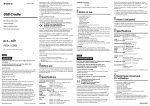
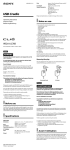
購入時はクリアケースが組み立てられています。クリアケースを開いてか
らウォークマンを入れてください。
When you purchase the clear case, the front and back are attached. Open the clear
case first, then put the Walkman in.
クリアケースの開きかた
クリアケースを持ちながら右側面にあるくぼみにコインなどを当て、軽く
ねじってフロントケースを取りはずしてください(図A)。
How to open the clear case
Insert a coin, etc., into the gap on the right side of the clear case while holding it,
and then twist the coin to open the front case (Figure A).
取り付けかた
How to attach the clear case
1 バックケースにウォークマンを入れる(図B)。
2 フロントケースをかぶせる(図C)。
1 Put the Walkman into the back case (Figure B).
2 Attach the front case (Figure C).
4箇所のツメでフロントケースが止まるまで押し込んでください。
Push the front case down until it fits with 4 couplings.
z Tip
z ヒント
ストラップを取り付けたままウォークマンをクリアケースに入れることができます。
You can put the Walkman with the strap attached into the clear case.
Notes
ご注意
• ウォークマンへの傷防止のため、本製品の内側およびウォークマン表面に、砂やほこりな
どの異物が無いことを確認し取り付けてください。
砂やほこりが入った場合は
「メガネふきなどのやわらかい布」
でふき取ってください。
• クリアケースに入れた状態では、充電クレードルなどのアクセサリーはご使用できない場
合があります。クリアケースからウォークマンをとりはずしてからご利用ください。
• To prevent possibly damaging the Walkman, make sure that there is no dirt or dust inside the clear
case or on the Walkman before using the clear case. If necessary, wipe the clear case with a soft
cloth, such as a glass cleaning cloth.
• You may not use the accessories, such as a cradle, with the clear case attached. Detach the clear case
before using the cradle.
“WALKMAN” and “WALKMAN” logo are registered trademarks of Sony Corporation.
“ウォークマン”
、“WALKMAN”
、“WALKMAN”
ロゴは、ソニー株式会社の登録商標です。
Français
Mode d’emploi
Lorsque vous achetez l’étui transparent, les façades avant et arrière sont fixées.
Ouvrez d’abord l’étui transparent, puis placez le Walkman à l’intérieur.
z Conseil
Vous pouvez placer le Walkman dans son étui transparent lorsque la bandoulière est attachée.
Remarques
Comment ouvrir l’étui transparent
Insérez une pièce, etc., dans l’interstice situé sur le coté droit de l’étui transparent
tout en le maintenant, puis faites pivoter la pièce pour ouvrir la façade avant
(Figure A).
• Afin d’éviter d’abîmer le Walkman, veillez à ce qu’il n’y ait pas de saleté ou de poussière à
l’intérieur de l’étui transparent ou sur le Walkman avant d’utiliser l’étui transparent. Si nécessaire,
nettoyez l’étui transparent à l’aide d’un chiffon doux, tel qu’un chiffon à lunettes.
• Il est possible que vous ne puissiez pas utiliser certains accessoires, tel qu’un support, lorsque l’étui
transparent est fixé. Retirez l’étui transparent avant d’utiliser le support.
Comment fixer l’étui transparent
« WALKMAN » et le logo « WALKMAN » sont des marques déposées de Sony Corporation.
1 Placez le Walkman dans la façade arrière (Figure B).
2 Fixez la façade avant (Figure C).
Appuyez sur la façade avant de l’étui jusqu’à ce que les 4 clips de fixation s’encliquettent.
©2007 Sony Corporation
Printed in China
A
B
C
Scharniere
acoplamientos
卡钩
Hintere Schale
Cubierta posterior
后盖
Deutsch
Bedienungsanleitung
Español
Vordere Schale
Cubierta frontal
前盖
Scharniere
acoplamientos
卡钩
Manual de instrucciones
Beim Kauf sind die vordere und die hintere Schale der transparenten Schutzhülle
miteinander verbunden. Öffnen Sie zunächst die transparente Schutzhülle und legen
Sie den Walkman hinein.
En el momento de la compra del estuche transparente, la parte frontal y posterior
están colocadas. Primero abra el estuche transparente y, a continuación, coloque el
Walkman en su interior.
So öffnen Sie die transparente Schutzhülle
Halten Sie die transparente Schutzhülle fest, führen Sie eine Münze o. Ä. in die
Lücke an der rechten Seite der Schutzhülle ein und drehen Sie die Münze, so dass
sich die vordere Schale löst (Abbildung A).
Apertura del estuche transparente
Inserte una moneda, etc., en el hueco situado en el lado derecho del estuche
transparente mientras lo sujeta y, a continuación, gire la moneda para abrir la
cubierta frontal (figura A).
So bringen Sie die transparente Schutzhülle an
Colocación del estuche transparente
1 Setzen Sie den Walkman in die hintere Schale der transparenten Schutzhülle ein
1 Coloque el Walkman en la cubierta posterior (figura B).
2 Coloque la cubierta frontal (figura C).
(Abbildung B).
2 Bringen Sie die vordere Schale an (Abbildung C).
Drücken Sie die vordere Schale nach unten, bis die 4 Scharniere einrasten.
Presione la cubierta frontal hacia abajo hasta que encaje en los 4 acoplamientos.
z Sugerencia
z Tipp
Es posible colocar el Walkman con la correa instalada en el estuche transparente.
Sie können den Walkman auch mit angebrachtem Trageriemen in die transparente Schutzhülle
einsetzen.
Notas
Hinweise
• Vergewissern Sie sich vor der Verwendung der transparenten Schutzhülle, dass sich in der
transparenten Schutzhülle und auf dem Walkman kein Staub oder Schmutz befindet, um eine
Beschädigung des Walkman zu verhindern. Reinigen Sie die transparente Schutzhülle
gegebenenfalls mit einem weichen Tuch, wie z. B. einem Brillenreinigungstuch.
• Zubehör wie eine Anschlussstation können Sie nicht verwenden, solange sich der Walkman in der
transparenten Schutzhülle befindet. Nehmen Sie die transparente Schutzhülle ab, wenn Sie die
Anschlussstation verwenden wollen.
• Para evitar posibles daños en el Walkman, asegúrese de que no haya suciedad ni polvo en el interior
del estuche transparente o en el Walkman antes de utilizar el estuche transparente. Si es necesario,
limpie el estuche transparente con un paño suave, como un paño de limpieza de cristales.
• No es posible utilizar accesorios como, por ejemplo, un soporte, con el estuche transparente
instalado. Extraiga el estuche transparente antes de utilizar el soporte.
“WALKMAN” y el logotipo de “WALKMAN” son marcas comerciales registradas de Sony Corporation.
„WALKMAN“ und das „WALKMAN“-Logo sind eingetragene Warenzeichen der Sony Corporation.
简体中文
使用说明书
当您购买透明盒时,
前后盖是装配在一起的。首先打开透明盒,然后放入
Walkman。
z 提示
如何打开透明盒
当握住透明盒时,将一个硬币等物件插入透明盒右侧的缝隙中,然后转动硬币
打开前盖(图A)。
注意
如何装配透明盒
1 将Walkman放入后盖(图B)。
2 装上前盖(图C)。
按下前盖直到后盖与4个卡钩咬合。
您可以将连着腕带的Walkman放入透明盒。
• 若要防止对Walkman可能的损害,在使用透明盒前,
请确保透明盒中或Walkman上没有污物或
灰尘。如有必要,
请用诸如眼镜清洁布等软布擦拭透明盒。
• 您不可以在套着透明盒的Walkman上使用诸如充电座等附件。使用充电座前,请取下透明
盒。
“WALKMAN”和“WALKMAN”标志是 Sony Corporation 的注册商标。