1
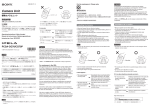
AUTO: The line type is automatically selected, based on the number entered
in the number text box.
IP: Connects to a videoconferencing system on the remote site via a LAN.
ISDN: Connects to a videoconferencing system on the remote site via an ISDN
line.
TEL: Connects to a phone on the remote party to conduct a voice meeting via
the ISDN connection.
2
Enter the IP address (for “IP”) or phone number (for “ISDN” or “TEL”) of
the remote party in the number text box.
Select the number text box with the V, v, B or b button on the Remote
Commander, and press the PUSH ENTER button. Then enter the number with
the number buttons on the Remote Commander.
1 CLEAR button
2 BACK SPACE button
3 b button
4 Number buttons
1CLEAR button: Deletes all characters in a line.
2BACK SPACE button: Deletes one character.
3b button : Enters a dot (.) for an IP address.
4Number buttons: Used to enter the phone number or IP address of the remote
party.
Note
Do not enter the prefix number in the telephone number text box. The prefix
can be set on the second page of the Dial Setup menu.
Calling a Remote Party
9
GB