1
Introduction
3. First, insert the batteries into the Temperature Station. Once the batteries are in place, all segments of
the LCD will light up briefly and the indoor temperature will then be displayed.
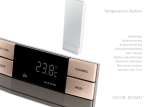
Congratulations on purchasing this remote-controlled Temperature Station with radio-controlled time.
The operation of this product is simple and straightforward but please read this instruction manual to
ensure that you have the full benefit of all its features.
4. Within 1 minute of activating the Temperature Station, place the two small batteries into the transmitter.
The temperature will then be displayed on the small LCD of the transmitter. If the temperature is not
displayed, remove the batteries and wait for at least 10 seconds before reinserting them.
Features of the Temperature Station
* Radio-Controlled (DCF-77) clock for ultimate time precision.
* Indoor temperature display with minimum and maximum temperatures memory. Indoor temperature
display range from +5.0°C to +65.0°C with 0.1°C resolution.
* Outdoor temperature display with minimum and maximum temperature memory and time received
display. Outdoor temperature display range from -29.9°C to +69.9 °C with 0.1°C resolution.
* Outdoor temperature trend indication.
* Wall mounting or table stand.
* Able to take up to 5 outdoor transmitters (optional)
Features of Temperature Transmitter
* Remotely transmits outdoor temperature at 433MHz to base Temperature Station.
* LCD display showing current temperature.
* Shower proof casing.
* Wall mounting case.
Getting Started
Please follow these steps to ensure that your new Temperature Station and Temperature Transmitter
work together correctly:
1. Remove both units from the packaging and place in front of you on a table.
2. Ensure the batteries you are going to insert into the units are of the correct sizes and are new.
GB
5. After a few seconds of inserting the batteries into the transmitter, the Temperature Station will start
receiving transmissions from the transmitter. The remote temperature will then be displayed on the
Temperature Station. If this does not happen after 30 seconds, the batteries will need to be removed
from both units and reset from step 3.
6. The Temperature Station can take up to 5 remote transmitters. If you have bought additional transmitters,
follow step 4 for all extra transmitters. However, ensure that you leave one minute in between the
reception of the last transmitter and the set-up of the following transmitter. The Temperature Station
will number the transmitters in the order of set-up, i.e. the first transmitter will have the temperature
displayed with the number 1 against it and so on.
7. When all the transmitters are set up, there is a testing period, during which the display switches quickly
between all the received transmitters at random, according to which random transmission it receives.
Pressing any key will stop this process. The process also stops automatically if no keys are pressed for
a few minutes.
8. After the remote temperature has been received and displayed on the Temperature Station, the DCF
time code reception is automatically started. This takes typically between 3-5 minutes in good conditions.
This time period is an excellent opportunity to locate the Temperature Transmitter in a suitable position
outdoors, no more than 25 metres from where your Temperature Station will be finally positioned.
9. If after 10 minutes the DCF time has not been received, use the "SET" key to manually enter a time
initially. The clock will automatically attempt each hour to receive the DCF time and when successful
this will override any manually set time. Please refer to the sections on Radio-Controlled Time
reception and Manual Time setting in this manual for more details.
1
Note:
GB
2
The Temperature Station
* If more than one transmitter is used, keep the set-up time of all units within 8 minutes, otherwise start
up problems may occur as the Temperature Station may not attempt to receive any new 433 MHz
transmission signals after this period.
* If the Temperature Station is already set up and you wish to add extra transmitters, then the receiving
unit and all the transmitters need to be reset. To do this the batteries from all the units need to be
removed. Wait for at least 10 seconds before repeating the procedure above from step 1.
* When changing the batteries for any unit, then all the other units also need to be reset. As before, the
batteries from all the units need to be removed. Wait for at least 10 seconds before repeating the
procedure above from step 1.
* When inserting batteries to all units, ensure that they do not spring free from the contacts, otherwise
start up problems may occur.
LCD
DISPLAY
INDOOR
BATTERY
COVER
OUTDOOR
SET
Remember always to insert batteries into the Temperature Station first so as to be able to
distinguish the order of the transmitters and to avoid start up problems.
HANGING
HOLE
433 MHz
TIME
IN
OUT
CH
BUTTONS
STAND
The Temperature Transmitter
REMOTE CONTROL
SENDER
433MHz
BATTERY
COVER
GB
3
4
GB