1
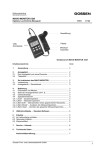
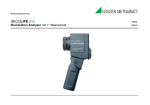
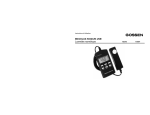
Bedienungsanleitung Operating Instructions SECULIFE | IM Illumination Monitoring 15161 1/7.04 Messkopf USBSchnittstelle Display Messöffnung Tastenfeld Geräteansicht SECULIFE IM 2 GMC-I Messtechnik GmbH Inhaltsverzeichnis Seite Seite 1 Anwendung.......................................... 4 2 2.1 2.2 Anzeigefeld.......................................... 5 Das Anzeigefeld und seine Elemente... 5 Tastenfeld............................................. 5 3 3.1 3.2 So funktioniert das SECULIFE IM 6 Vorbereitung.......................................... 6 Anzeigedauer – Dauerbetrieb............... 6 4 Bedienung........................................... 7 4.1 Einschalten und Messen...................... 7 4.2 Wahl der Anzeigeneinheit cd/m², fL..... 7 4.3 Überlaufanzeige................................... 7 4.4 Speicherfunktionen............................... 8 4.4.1 „Hold“ – Zwischenspeicher.................... 8 4.4.2 „Mem“ – Messwert speichern................ 9 4.4.3 „Mem-Edit“ – Überschreiben eines gespeicherten Messwerts............... 10 4.4.4 „Mem-Recall“ – Auslesen des Messwertspeichers......................... 11 4.4.5 „Mem-Clear“ – Löschen des gesamten Messwertspeichers........................ 12 GMC-I Messtechnik GmbH 5 USB-Schnittstelle – Standard-Software............. 12 6 6.1 6.2 6.3 Zubehör.......................................... 13 Im Lieferumfang enthalten.............. 13 Optionales Zubehör......................... 13 Eichzertifikat.................................... 13 7 Service – Hinweis.......................... 14 8 Technische Daten......................... 14 Konformitätserklärung 3 1 Anwendung Mit dem Leuchtdichtemessgerät SECULIFE IM haben Sie ein handliches, bequem zu bedienendes und genaues Messgerät erworben. Das Gerät ist zur exakten Bestimmung der Leuchtdichte in den Einheiten cd/m² oder fL geeignet. Mit SECULIFE IM können Aufsatz- (Monitor, Fernsehgerät, Leuchtpult, Leuchtwanne) und mit Vorsatzgerät SECULIFE IA Distanzmessungen (Monitor unter Berücksichtigung des Umgebungslichts, Arbeitsplatz-, Strassen-, Flugplatz-, Museumsbeleuchtungen, Leinwände) an durchstrahlten, wie auch an selbstleuchtenden Flächen vorgenommen werden. Der lichtempfindliche Sensor ist farbkorrigiert, d.h. seine Spektralempfindlichkeit ist der spektralen Hellempfindlichkeit des menschlichen Auges V() angepasst. Eine Klasseneinteilung für Leuchtdichtemessgeräte ist in DIN 5032, Teil 7 festgelegt. SECULIFE IM entspricht hierbei den Anforderungen der Klasse B. Sie können also alle wichtigen Lichtarten mit hoher Genauigkeit messen, ohne Korrekturfaktoren berücksichtigen zu müssen. Das Gerät besitzt einen Messwertspeicher mit 100 Speicherplätzen, der sowohl direkt über Tastatur und Display als auch über die eingebaute USB-Schnittstelle und der im Lieferumfang enthaltenen Standard-Software ausgelesen und weiterverarbeitet werden kann. Mit dem als Zubehör erhältlichen Vorsatz SECULIFE IA (Messwinkel 1°) können Sie mit SECULIFE IM Distanzmessungen, unter Einbeziehung des Umgebungslichtes, in einer Entfernung von 34 cm bis durchführen cd/m² = Candela pro m² fL = footLambert 4 1 cd/m2 = 0,2919 fL = 0,0929 cd/ft2 1 fL = 3,426 cd/m2 = 0,3183 cd/ft2 1 cd/ft2 = 10,76 cd/m2 = 3,142 fL GMC-I Messtechnik GmbH Anzeigefeld 2.1 Das Anzeigefeld und seine Elemente 2.2 1 2 3 4 5 6 1 2 3 4 5 6 Messwert und Speicheranzeige Messeinheit Zwischenspeicher Faktor Messwert Auto-Range – automatische Messbereichswahl Batteriewarnanzeige GMC-I Messtechnik GmbH Tastenfeld on/off – Ein-/Ausschalten Rangetaste – Speicher/Messbereich( ) cd/m2 fL – Messeinheit umschalten Hold - Zwischenspeicher Rangetaste – Speicher/Messbereich( ) Mem – Speichertaste 5 3 So funktioniert das SECULIFE IM 3.1 Vorbereitung Setzen Sie zuerst die beiliegende Batterie (1.5V Mignon-Batterie, IEC LR6) in die Batteriekammer ein. Öffnen Sie hierzu den Schnappverschluß des Batteriefachs an der Rückseite des SECULIFE IM. Achten Sie dabei auf die richtige Polarität. Die Polungsrichtung ist durch einen Prägedruck in der Batteriekammer gekennzeichnet. Ist die Kapazität der Batterie erschöpft, werden Sie durch die Anzeige ( ) im Display gewarnt. Bei einem Batteriewechsel bleiben die im Messwertspeicher abgelegten Werte, sowie die individuellen Einstellungen, erhalten. 3.2 Anzeigedauer - Dauerbetrieb Falls für ca. 4 Minuten keine Bedientaste des SECULIFE IM gedrückt wird, schaltet das Gerät automatisch ab. Die letzten 4 Sekunden vor der automatischen Abschaltung werden mit langen Signaltönen gekennzeichnet – durch Druck auf eine beliebige Taste können Sie die Abschaltung unterbinden. Beim Ausschalten des Geräts bleiben die im Messwertspeicher abgelegten Werte, sowie die individuellen Einstellungen erhalten. Die automatische Abschaltung lässt sich unterdrücken, wenn Sie beim Einschalten zusätzlich die Taste Hold gedrückt halten. Der Dauerbetrieb wird Ihnen im Display durch Blinken der Messeinheit angezeigt. 6 GMC-I Messtechnik GmbH 4 Bedienung 4.1 Einschalten und Messen Schalten Sie das Gerät durch Drücken der Taste on/off ein. Das SECULIFE IM ist sofort in Messbereitschaft und misst 2 mal pro Sekunde. Nach dem Einschalten befindet sich das Messgerät im Messbereich „Auto“, d.h. entsprechend des Lichtniveaus schaltet das SECULIFE IM in den günstigsten Messbereich. Durch Druck auf eine der Range-Tasten lässt sich einer der Messbereiche fixieren. Durch weiteren kurzen Druck auf eine der Range-Tasten werden die Messbereiche auf- oder abwärts weiter geschaltet. Durch gleichzeitiges Drücken beider Tasten können Sie wieder auf Messbereichsautomatik umstellen. 4.2 Wahl der Anzeigeneinheit cd/m², fL Mit der Taste cd/m2 fL kann die gewünschte Anzeigeeinheit Candela /m 2 oder footLambert gewählt werden. 4.3 Überlaufanzeige Bei Überschreiten eines Messbereichs erscheint „OL“ (overload) im Display. GMC-I Messtechnik GmbH 7 4.4 Speicherfunktionen Das SECULIFE IM besitzt neben einem Anzeige-Zwischenspeicher noch einen Messwertspeicher mit 100 Speicherplätzen. Diese Funktion ermöglicht Ihnen mehrere Messungen vor Ort vorzunehmen und zu einem späteren Zeitpunkt auszulesen. Die gespeicherten Werte bleiben bei Ausschalten des Gerätes oder bei einem Batteriewechsel erhalten. 4.4.1 „Hold“ – Zwischenspeicher Um Ihnen z.B. die Möglichkeit zu geben in dunkler Umgebung zu messen und anschließend im Hellen den Messwert abzulesen hat das SECULIFE IM einen Anzeige-Zwischenspeicher. Bei Druck auf die Taste Hold wird die letzte Messung im Display festgehalten. Im Display erscheint „HOLD“. Durch erneuten Druck auf die Taste Hold wechselt das SECULIFE IM wieder in die Messfunktion. Hold Die Funktion „Hold“ ist die Ausgangsfunktion für alle Speicherfunktionen. 8 GMC-I Messtechnik GmbH 4.4.2„Mem“ – Messwert speichern Hold Der zu speichernde Messwert ist im Display festgehalten. Durch Drücken der Taste Mem wird der zu speichernde Wert auf den nächsten freien Speicherplatz abgelegt. Zur Bestätigung der Speicherung erfolgt ein Signalton. Im Display wird der gespeicherte Messwert abwechselnd mit der Nummer des Speicherplatzes für einige Sekunden angezeigt. Anschließend wechselt das SECULIFE IM wieder in die Messfunktion. Ist der Messwertspeicher vollständig belegt wird dies mit „FLL“ im Display angezeigt. Mem GMC-I Messtechnik GmbH 9 4.4.3 „Mem-Edit“ – Überschreiben eines gespeicherten Messwert Hold Mem 10 Um einen irrtümlich im Messwertspeicher abgelegten Wert zu korrigieren hat das SECULIFE IM die Funktion „Mem-Edit“. Sie messen den zu korrigierenden Messwert neu und halten diesen mit der Taste Hold fest. Durch Druck auf eine der Range-Tasten kann durch den Speicher geblättert werden. Bei dem zu überschreibenden Speicherplatz drücken Sie jetzt die Taste Mem. Zur Bestätigung der Speicherung erfolgt ein Signalton. Im Display wird der gespeicherte Messwert abwechselnd mit der Nummer des Speicherplatzes für einige Sekunden angezeigt. Anschließend wechselt das SECULIFE IM wieder in die Messfunktion. GMC-I Messtechnik GmbH 4.4.4 „Mem-Recall“ – Auslesen des Messwertspeichers Mem Ausgehend von der Funktion „Messen“ drücken Sie die Taste Mem. Es wird der letzte belegte Speicherplatz zuerst angezeigt. Durch Druck auf eine der Range-Tasten kann durch den Speicher geblättert werden. Der aktuelle Speicherplatz wird abwechselnd mit dem gespeicherten Messwert angezeigt. Durch Druck auf eine beliebige andere Taste, oder wenn Sie ca. 10 Sekunden keinen weiteren Speicher über die Range-Tasten abrufen, gelangen Sie wieder in die Messfunktion. GMC-I Messtechnik GmbH 11 4.4.5 „Mem-Clear“ – Löschen des gesamten Messwertspeichers Das SECULIFE IM muß sich in der Funktion „HOLD“ befinden. Durch gleichzeitiges Drücken der Range-Tasten wird der gesamte Messwertspeicher gelöscht. Die Löschung wird durch einen Signalton, sowie im Display durch 3 Striche bestätigt. 5 USB Schnittstelle – Standard-Software Das SECULIFE IM besitzt eine USB-Schnittstelle. Diese ermöglicht die Verbindung zum PC über das mitgelieferte USB-Kabel. Auf der dem SECULIFE IM, beiliegenden CD-ROM befindet sich u.a. eine Standard-Software mit der Sie sofort in den PC-Betrieb einsteigen können. Nähere Informationen zum PC-Betrieb finden Sie ebenfalls auf dieser CD-ROM. 12 GMC-I Messtechnik GmbH 6 Zubehör 6.1 6.2 - - 6.3 Im Lieferumfang enthalten Bereitschaftstasche Batterie Standard-Software auf CD-ROM USB-Kabel Bedienungsanleitung Optionales Zubehör SECULIFE IA (Best.Nr. M688D) Präzisionsvorsatzgerät mit einem Messwinkel von 1°. Mit diesem Gerät können Sie Distanzmessungen, unter Einbeziehung des Umgebungslichtes, in einer Entfernung von 34 cm bis durchführen. Der SECULIFE IA ist farbkorrigiert, d.h. seine Spektralempfindlichkeit ist der spektralen Hellempfindlichkeit des menschlichen Auges V() angepasst und entspricht der Klasse B nach DIN 5032, Teil 7. Calculator Rechenscheibe (Best.Nr. 5999V0380) – Umrechnungskalkulator von physikalischen Messwerten in Zeit-Blenden-Kombinationen abhängig von der Filmempfindlichkeit für die Fotografie. Werkszertifikat Werkszertifikat auf Anforderung. Die Rückführung der Messergebnisse wird über die Wissenschaftliche Normallampe Wi 41G An das Nationale Normal der PTB in Braunschweig gewährleistet. Je nach Einsatz des Gerätes empfehlen wir ein Kalibrierintervall von 12 bis 18 Monaten. Wenden Sie sich hierzu bitte an unseren Kalibrierservice (Telefon 0911 8602 172). GMC-I Messtechnik GmbH 13 7 Service – Hinweis Das Gerät benötigt bei vorschriftsmäßigem Gebrauch keine besondere Wartung. Sollte das Gerät durch den Gebrauch verschmutzt worden sein, reinigen Sie die Gehäuseoberfläche mit einem leicht angefeuchteten Tuch. Vermeiden Sie den Einsatz von Putz-, Scheuer- oder Lösungsmitteln. Sollte Ihr SECULIFE IM einmal nicht zu Ihrer Zufriedenheit arbeiten oder wollen Sie Ihr Werkszertifikat erneuern lassen, senden Sie ihn an: GOSSEN Foto- und Lichtmesstechnik GmbH Lisa-Ammon-Str. 22 90471 Nürnberg Tel.: +49 (0) 911 8602-181 8 Technische Daten Lichtempfänger Silizium-Fotodiode mit V()-Filter Klassifizierung Klasse B nach DIN 5032, Teil 7 (CIE 69) Messrate 2 Messungen pro Sekunde Digitalanzeige LCD Anzeigefeld Anzeige/Ziffernhöhe Stellenzahl Überlaufanzeige Messwertspeicher 14 50 mm x 25 mm 7-Segment-Ziffern / 13 mm 31/2-stellig „OL“ wird eingeblendet 100 Speicherplätze intern, Anzeige „FLL“ = Speicher voll GMC-I Messtechnik GmbH Schnittstelle USB 1.1 Stromversorgung Batterie 1,5V Mignon Alkali-Mangan-Zelle (IEC LR 6) oder entsprechender Akku Betriebsdauer ca. 45 Stunden Dauerbetrieb mit Alkali-Mangan-Batterie Batteriekontrolle Automatische Anzeige, wenn die Batteriespannung ca. 1,0V unterschreitet. Bei PC-Betrieb erfolgt die Stromversorgung über die Schnittstelle Mechanischer Aufbau Gehäuse Kunststoff Abmessungen Messgerät: Messkopf: Gewicht Messsonde Öffnung: Messfläche Kabellänge ca. 1,5 m 65 x 120 x 19 mm (ohne Bereitschaftstasche) 31 x 105 x 30 mm Messgerät und –kopf ca. 265 g ohne Batterie ca. 18,5 mm 6.5 x 6,5 mm gegen Aufpreis erhältlich: 3 m, 5 m und 10 m Elektromagnetische Verträglichkeit EMV Nach Richtlinie 89/336/EWG vom 01.01.1996 GMC-I Messtechnik GmbH 15 Kennwerte SECULIFE IM Messgröße Leuchtdichte I II III IV Messbereich Auflösung Auflösung in Candela/m2 (cd/m2) in footLambert (fL) in cd/m2 in fL 0,01... 19,99 0,001... 1,999 0,01 0,001 0,1... 199,9 0,01... 19,99 0,1 0,01 1... 1 999 0,1... 199,9 1 0,1 10... 19 990 1... 1 999 10 1 Wichtigste Fehlergrenzen beim SECULIFE IM Merkmal Zulässige Fehlergrenzen nach DIN 5032 Klasse B 6% V()-Anpassung (f1) Linearitätsfehler (f3) 2% Abgleichfehler (f11) 1% Gesamtfehler (fges) 10% 16 Fehler SECULIFE IM 3,0% 1,0% 0,8% 8,0% GMC-I Messtechnik GmbH GMC-I Messtechnik GmbH ist ebenso ein führender Hersteller weiterer interessanter Lichtmessgeräte: - SECULIFE IT 5032 C USB: Digitales Präzisionsmessgerät zum Messen der Beleuchtungsstärke, klassifiziert nach DIN 5032, Teil 7 und CIE no. 69 in Klasse C. Luxmeter Industrie, Handwerk und Behörden, für orientierende Messungen. - SECULIFE IT 5032 B USB: Digitales Präzisionsmessgerät zum Messen der Beleuchtungsstärke, klassifiziert nach DIN 5032, Teil 7 und CIE no.69 in Klasse B. Großer Messbereich und hohe Empfindlichkeit für Abnahme- und Zertifizierungsanwendungen (Betriebsmessungen), u.a. auch für Notbeleuchtung. - SECULIFE IS: Raumlichtüberwachung entspr. IEC 61223-2-5 (QS-RL vom 20.11.2003. Bei Einsatz des Gerätes verlängert sich der Prüfzyklus an Bildwiedergabegeräten, bei „Schleierleuchtdichte und „Maximalkontrast“, auf ein halbes Jahr. GMC-I Messtechnik GmbH 17 Notizen 18 GMC-I Messtechnik GmbH Notizen GMC-I Messtechnik GmbH 19 Produktsupport Bitte wenden Sie sich im Bedarfsfall an: GMC-I Messtechnik GmbH Hotline Produktsupport Telefon D 0900 1 8602-00 A/CH +49 911 8602-0 Telefax +49 911 8602-709 E-Mail [email protected] Erstellt in Deutschland • Änderung vorbehalten • Eine PDF-Version finden Sie im Internet GMC-I Messtechnik GmbH Südwestpark 15 90449 Nürnberg•Germany Telefon +49 911 8602-111 Fax +49 911 8602-777 E-Mail [email protected] www.gossenmetrawatt.com GMC-I Messtechnik GmbH Operating Instructions SECULIFE | IM Luminance Monitoring GMC-I Messtechnik GmbH 15161 1/7.04 Light measuring probe USB Port Display Key pad Light sensor SECULIFE IM 2 GMC-I Messtechnik GmbH 1 Page Applications..............................................4 2 2.1 2.2 Display................................................... 5 The elements of the display..................... 5 Key pad................................................... 5 3 3.1 3.2 SECULIFE IM Operation.................. 6 Preparation............................................. 6 Duration of display Continuous operation.............................. 6 4 4.1 4.2 Functioning of the SECULIFE IM.... 7 Switching on – Making Measurement....... 7 Selecting the desired measuring unit – cd/m2 or fL ......................................... 7 4.3 Overload signal........................................ 7 4.4 Memory functions..................................... 8 4.4.1 „HOLD“ Display Hold Function................. 8 4.4.2 „Mem“ - Storing measurement value in memory........................................... 9 4.4.3 „Mem Edit“ - deleting a value in memory and enter a new value....................... 10 4.4.4 „Mem Recall“ - Data Memory Recall....... 11 4.4.5 „Mem Clear“ - Clear memory.................. 12 GMC-I Messtechnik GmbH Page 5 USB Port – Standard Software............ 12 6 6.1 6.2 6.3 Accessories................................ 13 Standard equipment..................... 13 Optional accessories.................... 13 Calibration Certificate................... 13 7 Servicing and Repairs................14 8 Specifications..............................14 Declaration of conformity...........17 3 1 Applications The SECULIFE IM Luminance Meter is a handy, easy to use and high precision measuring instrument. It allows the accurate measurement of the luminance in cd/m² or fL. The SECULIFE IM is ideally suited for contact measurements with the light measuring probe placed direct on luminous or backlighted surfaces (monitors, TV sets,light boxes, light panels). When combined with the SECULIFE IA Attachment (optional accessory), it can be used for spot metering the luminance at a distance from 34 cm to , the measuring angle being 1 degree. (Monitors, with the ambient light being taken into consideration in the measurement - lighting and illumination of work stations, streets, airports, museums, projection screens). The light sensor is color corrected, i.e. its spectral responsitivity has been matched to the spectral photonic vision of the human eye (V ). The accuracy class for luminance meters has been defined in the Standard Specification DIN 5032, Part 7. The SECULIFE IM fully complies with the requirements of Class B.Consequently all the important types of light can be measured with high precision, without the necessity to apply additional corrrection factors. The SECULIFE IM is provided with a data memory with 100 measurement value locations, which can be read and processed direct with the keys and display, but also through the integrated USB Port and the standard software provided with the instrument. cd/m² = Candela per m² fL = footLambert 4 1 cd/m2 = 0.2919 fL = 0.0929 cd/ft2 2 1 fL = 3.426 cd/m = 0.3183 cd/ft2 1 cd/ft2 = 10.76 cd/m2 = 3.142 fL GMC-I Messtechnik GmbH 2 Display 2.1 Description of display 2.2 1 Display of measured value and Memory indication Measurement Unit Display „HOLD„ indication Multiplying factor for measurement value Auto ranging – automatic range selection Low Battery 1 2 3 4 5 6 2 3 4 5 6 GMC-I Messtechnik GmbH Key pad Switching on/off Range key – Memory/Measuring range cd/m2 fL- Select measurement unit Hold - Function Range key – Memory/Measuring range Mem – Memory key 5 3 Functioning of the SECULIFE IM 3.1 Preparation First remove the snap-on cover and open the battery compartment at the back of the meter. Insert the battery included with the meter (1.5 V size AA, IEC LR6) in the battery compartment. Care should be taken to place the battery correctly according to the polarity indications “+“ and “-“ in the battery compartment. When the battery warning symbol ( ) appears in the display, the battery must be replaced. The values in the measurement data memory and also the preset individual values will be maintained, even when the battery is changed. 3.2 Duration of Display – Continuous operation If for approx. 4 minutes none of the keys of the SECULIFE IM is pressed, the instrument will be switched off automatically. During the last 4 seconds before automatic switch off an acoustic signal will sound. By pressing any one of the keys, you can override the automatic switch off. When the instrument is switched off, the values stored in the data memory and also the preset individual values will be maintained. You can override the automatic switch off, when switching on the instrument and simultaneously keep the HOLD key depressed. The measuring unit (cd/m² or fL) in the display will blink and indicate that the continuous operation mode is on. 6 GMC-I Messtechnik GmbH 4 Using the SECULIFE IM 4.1 Switching on – Making Measurement Press the on/off key and the SECULIFE IM is immediately in the measuring mode and is measuring at the rate of 2 times per second. The instrument is in the function „AUTO“, i.e. the SECULIFE IM will select the best suited measuring range for the existing light level. By pressing one of the range keys, one of the measuring ranges can be locked. Browsing up or down through additional measuring ranges is accomplished by briefly pressing one of the range keys. If both keys are pressed and held simultaneously, the instrument is returned to „AUTO RANGING“. 4.2 Selecting the desired measurement unit cd/m2 or fL Use the key cd/m2 fL to select the desired unit for the read-out – cd/m² or fL. 4.3 Overload Display When exceeding one of the measuring ranges „OL“ (Overload) appears in the display. GMC-I Messtechnik GmbH 7 4.4 Memory Functions The SECULIFE IM is provided in addition to the „Display Hold“ also with a memory for data up to 100 measurement values. This function allows several measurement operations in the field and read-out at a later time. The data stored in the memory will be maintained, even when the instrument is turned off or the battery is changed. 4.4.1 „HOLD“ Display Hold Function The display HOLD function allows you to measure even at very low light levels, where it would be difficult to read the display. By pressing the HOLD key, the last value measured is held on the display to be read at brighter light. Pressing the HOLD key again will return the SECULIFE IM to the measuring function. Hold The function HOLD is the basic function for all the memory functions. 8 GMC-I Messtechnik GmbH 4.4.2 „Mem“ – Storing measurement value in memory Hold The measurement value to be memorized is locked by the Hold key in the display. By pressing the key Mem you will enter the value to be stored in the next free memory location. An acoustic signal confirms „value stored in memory“. The display indicates the stored measurement value alternating with the number of the memory location for a few seconds. Subsequently, the SECULIFE IM will return to the measuring function. When the memory is completely filled, the display will show „FLL“. Mem GMC-I Messtechnik GmbH 9 4.4.3 „Mem-Edit“ – Deleting a value in memory and entering a new value Hold Mem 10 The Mavolux offers the function „Mem Edit“ for correcting a value stored in the memory. Measure again, press the Hold key and the new value is locked. Then by pressing one of the range keys, you can browse through the memory. At the memory location to be corrected press now the key Mem. An acoustic signal confirms „value stored in memory“. In the display the measurement value stored is indicated for a few seconds alternating with the number of the memory location. Subsequently the SECULIFE IM will return to measuring function. GMC-I Messtechnik GmbH 4.4.4 „Mem Recall“ –Data memory Recall Mem Start in the function „Measuring“ and press the key Mem. The last memory location filled will be indicated first. Press one of the range keys to browse through the data memory. The current memory location is indicated in the display alternating with the measurement value stored in the memory. By pressing any one of the other keys or when for about ten seconds no further memory data will be recalled with the Range keys, the SECULIFE IM will return to the measuring function. GMC-I Messtechnik GmbH 11 4.4.5 „Mem-Clear“ – Clear memory The SECULIFE IM must be in function „HOLD“. When pressing simultaneously the Range keys, you clear the complete measuring data memory. The cancelling is confirmed by an acoustic signal and three dashes in the display. 5 USB Port – Standard Software The SECULIFE IM is equipped with a USB Port which allows the meter to be connected to a PC with the USB cable (supplied). The CD Rom supplied with the SECULIFE IM contains, among other information, a Standard Software which allows you to start the PC operation immediately. More details about the PC operational functions are also available on that CD-Rom. 12 GMC-I Messtechnik GmbH 6 Accessories 6.1 Standard Equipment 6.2 - - 6.3 Leather carrying case Battery Standard Software on CD-ROM USB-cable Instruction Manual Optional Accessories SECULIFE IA (ordering no. M688D) For precision spot metering of the luminance, non contact, at a distance from 34 cm to , with measuring angle of 1 degree. The ambient light is being taken into consideration in the measurement. The light sensor is color corrected, i.e. its spectral responsitivity is adapted to the photonic vision of the human eye. (V ) according to DIN 5032, Part 7, Class B. The SECULIFE IM with attached SECULIFE IA is especially suited for inspecting and constancy testing of viewing monitors in medical imaging applications according to DIN 6868/57. Other applications: Projection screens, street surfaces and street lighting, illumination of tunnels and sport areas. CALCULATOR, calculating disk (ordering no. 5999V0380) For converting the value measured with the SECULIFE IM into photographic shutter speed/f-stop combinations based on the film speeds. Calibration Certificate (Optional) GMC-I Messtechnik GmbH 13 Calibration reference: Scientific Standard Lamps, type Wi 41G of the PTB (Physikalische Technische Bundesanstalt Braunschweig – National Standard Institute of Germany). Depending on how the instrument is being used we recommend a recalibration interval between 12 and 18 months. For this purpose please contact our Calibration Service Department (telephone +49 911 8602 172). 7 Servicing and Repairs No special maintenance is required, if the SECULIFE IM is handled correctly. Keep the outside surfaces clean. Use a slightly dampened cloth for cleaning. Do not use cleansers, abrasives or solvents. Should the instrument nevertheless not work to your satisfaction or if you will require repeated calibration with Test Certificate, please send the SECULIFE IM to: GOSSEN Foto- und Lichtmesstechnik GmbH Lisa-Ammon-Str. 22 90471 Nürnberg Phone: +49 (0) 911 8602-181 8 Technical Data Light Sensor Silicon photo diode with V () filter Classification Class B according to DIN 5032, Part 7 (CIE 69) Measuring Rate 2 measurements per second LCD display 50 mm x 25 mm 14 GMC-I Messtechnik GmbH Read-out Overload signal 7 segments, 31/2 digits, 13 mm „OL“ in the display Memory for measurement values Port Power Supply Battery Battery life Battery test External 100 memory locations, display indication „FLL“ = memory full USB 1.1 one 1.5 V alkaline – manganese cell, size AA (IEC LR 6) or suitable rechargeable battery approx. 45 hours continuous operation with alcaline – manganese battery Automatic display of „ „ symbol, when battery voltage drops below 1.0 Volts When the SECULIFE IM is connected to a PC, power will be supplied by the PC via the USB cable. Weights and Dimensions Housing Plastics Dimensions Measuring instrument: (without carrying case) Measuring Probe: Weight Measuring probe Aperture: Sensor surface area: 65 x 120 x 19 mm (2,56 x 4,73 x 75“) 31 x 105 x 30 mm Measuring instrument with measuring probe approx. 265 g – without battery approx. 18.5 mm 6,5 x 6,5 mm Length of cable approx. 1.5 m; available in 3m, 5m and 10 meters, on special order. Electromagnetic Compatibility (EMC) GMC-I Messtechnik GmbH 15 The SECULIFE IM meets the Specifications 89/336/EWG dt. 01.01.1996 Characteristics SECULIFE IM Meas. Quantity Measuring Range Resolution Resolution in Candela/m2 (cd/m2) in footLambert (fL) in cd/m2 in fL Luminance I 0.01... 19.99 0.001... 1.999 0.01 0.001 II 0.1... 199.9 0.01... 19.99 0.1 0.01 III 1... 1 999 0.1... 199.9 1 0.1 IV 10... 19 990 1... 1 999 10 1 Most Important Error Limits SECULIFE IM Characteristics Admissible Error per DIN 5032 Klasse B 6% V()-Matching (f1) Linearity (f3) 2% Adjustment Error (f11) 1% Total Error (fges) 10% 16 Maximum Error SECULIFE IM 3.0% 1.0% 0.8% 8.0% GMC-I Messtechnik GmbH EG - KONFORMITÄTSERKLÄRUNG DECLARATION OF CONFORMITY Dokument-Nr./ Document.No.: Hersteller/ Manufacturer: Anschrift / Address: 103/2004 Produktbezeichnung/ Product name: Typ / Type: Bestell-Nr / Order No: Leuchtdichtemessgerät/Luminance Meter MAVO-MONITOR USB GOSSEN Foto- und Lichtmesstechnik GmbH Thomas-Mann-Str.16-20 90471 Nürnberg M504G / M506G Das bezeichnete Produkt stimmt mit den Vorschriften folgender Europäischer Richtlinien überein, nachgewiesen durch die vollständige Einhaltung folgender Normen: The above mentioned product has been manufactured according to the regulations of the following European directives proven through complete compliance with the following standards: Nr. / No. Richtlinie Directive 73/23/EWG 73/23/EEC Elektrische Betriebsmittel zur Verwendung innerhalb bestimmter Spannungsgrenzen - Niederspannungsrichtlinie –Anbringung der CE-Kennzeichnung : 2003 Electrical equipment for use within certain voltage limits - Low Voltage Directive Attachment of CE mark : 2003 EN/Norm/Standard EN 61010-1 : 1993 EN 61557-3 : 1997 IEC/Deutsche Norm IEC 61010-1 : 1992 IEC 61557-3 : 1997 VDE-Klassifikation/Classification VDE 0411-1 : 1994 VDE 0413-3 : 1997 Nr. / No. 89/336/EWG 89/336/EEC Richtlinie Elektromagnetische Verträglichkeit - EMV - Richtlinie Directive Electromagnetic compatibility -EMC directive Fachgrundform / Generic Standard: EN 61326 : 2002 Nürnberg, den 24. Juni 2004 ___________________________________________________ Ort, Datum / Place, date: Diese Erklärung bescheinigt die Übereinstimmung mit den genannten Richtlinien, beinhaltet jedoch keine Zusicherung von Eigenschaften. Die Sicherheitshinweise der mitgelieferten Produktdokumentationen sind zu beachten. GMC-I Messtechnik GmbH _____________________________________ Vorsitzender der Geschäftsführung This declaration certifies compliance with the above mentioned directives but does not include a property assurance. The safety notes given in the product documentations which are part of the supply, must be observed. 17 GMC-I Messtechnik GmbH is also a leading provider for other interesting light measuring instrumemts: -SECULIFE IT 5032 C USB: Digital precision instrument for measuring the illuminance in lx or fc, classified acc. to DIN 5032, Part 7 and CIE 69 in Class C. Ideally suited for use in industry, trade institutes and inspection authorities, also for very high light intensities. -SECULIFE IT 5032 B USB: Digital precision instrument for measuring the illumenance in lx or fc, classified acc. to DIN 5032, Part 7 and CIE 69 in Class B. Especially wide measuring range and high sensitivity for inspection and certification, suited for checking emergency lighting, but also for very high light intensities. -SECULIFE IS: For monitoring the ambient light in the surroundings of monitors according to the IEC 61223-2-5 (QS-RL dt. 20/11/2003). The use of the SECULIFE IS allows extending the required repeat test intervalls of the „veil luminance“ and the „maximum contrast“ at medical imaging displays – to six month. 18 GMC-I Messtechnik GmbH Notes GMC-I Messtechnik GmbH 19 Product Support If required, please contact: GMC-I Messtechnik GmbH Product Support Hotline Phone +49 911 8602-0 Fax +49 911 8602-709 E-Mail support@ gossenmetrawatt.com Edited in Germany • Subject to change without notice •A PDF version is available on the Internet GMC-I Messtechnik GmbH Südwestpark 15 90449 Nürnberg•Germany Phone +49 911 8602-111 Fax +49 911 8602-777 E-Mail [email protected] www.gossenmetrawatt.com GMC-I Messtechnik GmbH