1
Using Teletext
Inhaltsverzeichnis
Allgemeine Hinweise . . . . . . . . . . . . . . . . . . . . . .
.3
Einschalten des Fernsehgerätes . . . . . . . . . . . . . . . . . . . . . . . 4
Steuerung des Fernsehgerätes über die MENÜ - Meldungen . . . . . . . . . . . . . .4
Auswahl der Sprache . . . . . . . . . . . . . . . . . . . . . .
. 4
Einstellen analogen Bild- und Tonparameter . . . . . . . . . . . . . . . . . . . 5
Sendersuche . . . . . . . . . . . . . . . . . . . . . .
. 5
Manuelle Sendersuche. . . . . . . . . . . . . . . . . . . . . . .
.6
Einstellen des automatischen Ein- und Ausschaltzeitpunktes des Fernsehgerätes . . . . . 6
Ordnen der gespeicherten Programme . . . . . . . . . . . . . . . . . . . . . . . 7
Spezialfunktionen . . . . . . . . . . . . . . . . . . . . . .
. 8
Funktionen der Fernbedienungstasten (FB) . . . . . . . . . . . . . . . . . . . . . 8
AV - Modus . . . . . . . . . . . . . . . . . . . . . .
. 10
Kurzanleitung zur Erstinbetriebnahme und Einstellung der Programme des Fernsehgerätes . . 10
Steuerung des Videotextes (nur für Modelle mit Videotext) . . . . . . . . . . . . . . . 11
Garantie . . . . . . . . . . . . . . . .
. . . . . . . .
. . . . . 12
Lieferumfang des Fernsehgerätes . . . . . . . . . . . . . . . . . . . . . . . 13
Technische Daten . . . . . . . . . . . . . . . . . . . . . .
. 13
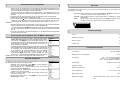
1.Use the remote control to select a programme with Teletext
information.
2.Switch on the Teletext by pressing TV/TXT.
3.Using the 0, 1, ... 9 keys on the remote control enter page
number (3 digits). Your TV set will search for the indicated
Teletext page. After moment the Teletext page will appear on
the TV screen.
Page number
199
Teletext information
Red
Green
Yellow
Blue
Contents
Operating tips . . . . . . . . . . . . . . . . . . . . . .
Switching on . . . . . . . . . . . . . . . . . . . . . .
Control of TV set by using MENU tables . . . . . . . . . . . . . . . . . . . . . .
Selecting the menu language . . . . . . . . . . . . . . . . . . . . . .
Adjusting the picture . . . . . . . . . . . . . . . . . . . . . .
Tuning your television set . . . . . . . . . . . . . . . . . . . . . .
Manual tuning . . . . . . . . . . . . . . . . . . . . . .
Automatic switching on and off . . . . . . . . . . . . . . . . . . . . . .
Customizing your stored programmes . . . . . . . . . . . . . . . . . . . . . .
Special functions . . . . . . . . . . . . . . . . . . . . . .
Functions of remote control . . . . . . . . . . . . . . . . . . . . . .
AV modes . . . . . . . . . . . . . . . . . . . . . .
Television package . . . . . . . . . . . . . . . . . . . . .
Technical specification . . . . . . . . . . . . . . . . . . . . . .
Quick start guide . . . . . . . . . . . . . . . . . . . . . .
Using Teletext . . . . . . . . . . . . . . . . . . . . . .
Warranty . . . . . . . . . . . . . . . . . . . . . .
. 14
. 15
. 15
. 15
. 16
. 16
. 17
. 17
. 18
. 19
. 19
. 21
. 21
. 21
. 22
. 23
. 24
Page numbers in coloured rectangulars will appear at bottom of the
screen. You can select these pages by pressing corresponding
coloured buttons.
4.To return to the normal TV picture, press the TV/TXT key.
Notes:
1.If TV station does not broadcast Teletext information, so after
switching Teletext on, a black line with page number appear in
the top of the screen.
2.The control of Teletext by using other buttons is described in
the chapter "Functions of remote control".
3. Sound level not are adjustable when teletext function are on.
23