1
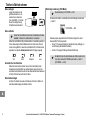
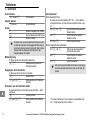
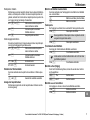
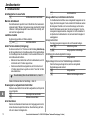
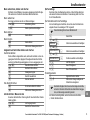
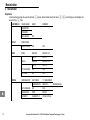
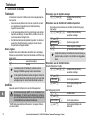
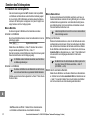
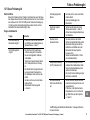
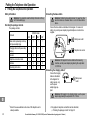
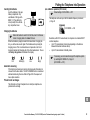
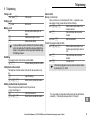
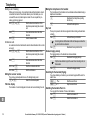
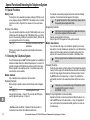
Special Functions/Extending the Telephone System Special Functions/Extending the Telephone System 10 Special Functions Dialling mode The telephone can be operated in analogue exchanges (PULSE) as well as new, digital exchanges (TONE/DTMF). The dialling mode is controlled via the menu. Refer to Page 39 for the sequence of menu option selections. Temporary tone dialling If you only operate the telephone using the PULSE dialling mode, you can still make use of the advantages of the TONE dialling mode (e.g.: remote access of the answering machine in the telephone network). During a call, you can temporarily switch to Tone dialling. 1 sec Press when a connection has been established When the call is ended, the equipment automatically switches back to Pulse dialling. 11 Extending the Telephone System The internationally approved GAP1 standard regulates the compatibility of handsets and base stations from different manufacturers. As a result, it is possible to integrate AUDIOLINE devices and devices from other manufacturers together in one telephone system. It is possible, however, that some functions are not available. Multiple handsets Up to 4 handsets can be registered on the base station. Registering handsets Before starting to register a handset, switch the base station to Register mode. Activate Registration mode 4 sec / , Now register the handset; Page 40. The currently valid PIN code is used for registration purposes; Page 40. 1 GAP: Generic Access Profile = Standard for the interoperation of The handset is automatically assigned an internal call number following registration. The internal call number appears in the display. To register handsets from other manufacturers, please refer to the operating manual supplied with them. Deregistering handsets A handset can only be deregistered from a base station using another handset registered to that base station. Handsets are deregistered via the menu. Refer to Page 40 for the sequence of menu option selections. Multiple base stations You can increase the range of your handset by registering it on several base stations. It can be simultaneously registered on up to 4 different base stations. Each base station requires its own telephone line socket. Connections can be used with the same call number or with different ones. Calls in progress cannot be transferred from one base station to another. Increasing the range Position the base stations so that the ranges of the individual base stations overlap. Test the ranges of the handsets because obstructions in buildings restrict the range. Register the handset on all the base stations. Activate the AUTO function on the base station; Page40. The handset then automatically searches for the nearest base station with the best connection. If necessary, you can increase the range of the telephone system by switching ECO mode off Page 40 (ECO MODE → OFF). Mobility through registration at various locations Register the handset on various base stations at different locations. Activate the AUTO function on the base station; Page 40. Regardless of your current location, the handset automatically searches for a base station within range. handsets and base stations from different manufacturers. 42 Service−Hotline Germany: Tel. 0180 5 001388 (cost via Telekom at time of going to print: 14 ct/min)