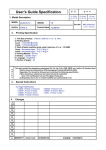
1
nl ow D d de oa m fro e .b re or nb de an .v w w w OWNER’S MANUAL LED LCD TV Please read this manual carefully before operating your set and retain it for future reference. LM62** LM64** LM66** LM67** LM76** LS57** P/NO : MFL67441704 (1203-REV01) Printed in Korea www.lg.com nl ow D d de oa m fro A-2 TABLE OF CONTENTS e .b Attaching the stand Tidying cables re A-3 A-7 or nb de an .v w A-3 SETTING UP THE TV w w TABLE OF CONTENTS COMMON LANGUAGE LIST English Deutsch Français Italiano Español Português Nederlands ǼȜȜȘȞȚțȐ LANGUAGE B-1 MAKING CONNECTIONS B-1 B-2 B-3 B-6 B-8 B-9 B-11 B-12 B-12 B-14 B-17 B-18 B-21 Antenna connection Satellite dish connection HDMI connection DVI to HDMI connection RGB-PC connection Component connection Composite connection Audio connection - Digital optical audio connection USB connection CI module connection Headphone Connection Euro Scart connection B-29 SPECIFICATIONS COMMON nl ow D d de oa m fro SETTING UP THE TV A-3 or nb de an .v w w w SETTING UP THE TV 4 Image shown may differ from your TV. e .b re Attaching the stand 42/47LM669* 1 M4 x 20 Stand Body M4 x 20 4EA Front Protection pad Stand Base 5 Top View 2 3 4EA Wrapping bag nl ow D d de oa m fro A-4 SETTING UP THE TV w w or nb de an .v w 42/47/55LM660*, 42/47/55LM67**, 42/47/55LM760*, 42/47/55LM761* 4 1 e .b re M4 x 20 Stand Body 4EA Front Stand Base M4 x 20 Top View 4EA 2 Wrapping bag 5 Protection pad 3 nl ow D d de oa m fro SETTING UP THE TV A-5 or nb de an .v w w w 42/47/55LM765* 4 M4 x 20 1 e .b re 4EA Stand body Front 5 Stand base Top View 2 Stand rear cover M4 x 20 4EA 3 Wrapping bag 6 Protection pad nl ow D d de oa m fro A-6 SETTING UP THE TV w w 32/37/42/47/55LM62**, 32/42/47/55/60LM64**, 32LM660* 1 or nb de an .v w 32/37/42LS57**, 65LM62**, 32LM669* 1 M4 x 20 Stand Body 4EA 4EA Front Front Stand Base Stand Base Top View Top View 2 2 3 3 M4 x 20 4EA M4 x 20 4EA e .b Stand Body re M4 x 20 nl ow D d de oa m fro SETTING UP THE TV A-7 e .b Remove the stand before installing the TV on a wall mount by performing the stand attachment in reverse. Only 32/37/42LS57**, 65LM62**, 32/42/47LM669* 1 Gather and bind the cables with the Cable Holder. re NOTE Tidying cables or nb de an .v w y When attaching the stand to the TV set, place the screen facing down on a cushioned table or flat surface to protect the screen from scratches. y Make sure that the screws are fastened completely. (If they are not fastened securely enough, the TV may tilt forward after being installed.) Do not fasten the screws with too much force; otherwise they may be worn out and get loosened. w w CAUTION Cable Holder Only 32/37/42/47/55LM62**, 32/42/47/55/60LM64**, 32/42/47/55LM660*, 42/47/55LM67**, 42/47/55LM760*, 42/47/55LM761* 1 Gather and bind the cables with the Cable Management. 2 )L[WKH&DEOH0DQDJHPHQW¿UPO\WRWKH79 Cable Holder Cable Management nl ow D d de oa m fro A-8 SETTING UP THE TV e .b re or nb de an .v w w w 42/47/55LM765* 1 Gather the cables with the stand rear cover. Stand rear cover 2 Install the Cable Holder as shown. Cable Holder 3 Gather and bind the cables with the Cable Holder. CAUTION Do not move the TV by holding the cable holders, as the cable holders may break, and injuries and damage to the TV may occur. nl ow D d de oa m fro e .b re or nb de an .v w w w OWNER’S MANUAL LED LCD TV Please read this manual carefully before operating your set and retain it for future reference. www.lg.com nl ow D d de oa TABLE OF CONTENTS m fro 2 w w 3 OPEN SOURCE SOFTWARE NOTICE 4 SAFETY INSTRUCTIONS 10 - Viewing 3D Imaging (Only 3D models) 12 INSTALLATION PROCEDURE 12 ASSEMBLING AND PREPARING 12 15 16 17 18 20 Unpacking Separate purchase Parts and buttons Lifting and moving the TV Mounting on a table Mounting on a wall 21 REMOTE CONTROL 23 MAGIC REMOTE CONTROL FUNCTIONS 24 24 24 Registering Magic Remote Control How to use Magic Remote Control Precautions to Take when Using the Magic Remote Control 25 USING THE USER GUIDE 26 MAINTENANCE 26 Cleaning your TV 26 26 - Screen, frame, cabinet and stand - Power cord 26 TROUBLESHOOTING 27 SPECIFICATIONS e .b LICENSES re 3 or nb de an .v w ENGLISH ENG TABLE OF CONTENTS WARNING y If you ignore the warning message, you may be seriously injured or there is a possibility of accident or death. CAUTION y If you ignore the caution message, you may be slightly injured or the product may be damaged. NOTE y The note helps you understand and use the product safely. Please read the note carefully before using the product. nl ow D d de oa 3 m fro LICENSES / OPEN SOURCE SOFTWARE NOTICE Supported licenses may differ by model. For more information about licenses, visit www.lg.com. Manufactured under license from Dolby Laboratories. “Dolby” and the double-D symbol are trademarks of Dolby Laboratories. HDMI, the HDMI logo and High-Definition Multimedia Interface are trademarks or registered trademarks of HDMI Licensing LLC. ABOUT DIVX VIDEO: DivX® is a digital video format created by DivX, LLC, a VXEVLGLDU\RI5RYL&RUSRUDWLRQ7KLVLVDQRI¿FLDO'LY;&HUWL¿HGGHYLFHWKDWSOD\V DivX video. Visit divx.com for more information and software tools to convert your ¿OHVLQWR'LY;YLGHR $%287',9;9,'(221'(0$1'7KLV'LY;&HUWL¿HGGHYLFHPXVWEHUHJLVWHUHG in order to play purchased DivX Video-on-Demand (VOD) movies. To obtain your registration code, locate the DivX VOD section in your device setup menu. Go to vod. divx.com for more information on how to complete your registration. ³'LY;&HUWL¿HGWRSOD\'LY;YLGHRXSWR+'SLQFOXGLQJSUHPLXPFRQWHQW´ ³'LY;'LY;&HUWL¿HGDQGDVVRFLDWHGORJRVDUHWUDGHPDUNVRI5RYL&RUSRUDWLRQRU its subsidiaries and are used under license.” “Covered by one or more of the following U.S. patents : 7,295,673; 7,460,668; 7,515,710; 7,519,274” Manufactured under license under U.S. Patent Nos: 5,956,674; 5,974,380; 6,487,535 & other U.S. and worldwide patents issued & pending. DTS, the Symbol & DTS and the Symbol together are registered trademarks & DTS 2.0+Digital Out is a trademark of DTS, Inc. Product includes software. © DTS, Inc. All Rights Reserved. OPEN SOURCE SOFTWARE NOTICE To obtain the source code under GPL, LGPL, MPL and other open source licenses, that is contained in this product, please visit http://opensource.lge.com . In addition to the source code, all referred license terms, warranty disclaimers and copyright notices are available for download. LG Electronics will also provide open source code to you on CD-ROM for a charge covering the cost of performing such distribution (such as the cost of media, shipping and handling) upon email request to [email protected]. This offer is valid for three (3) years from the date on which you purchased the product. e .b re or nb de ENGLISH ENG an .v w w w LICENSES nl ow D m fro SAFETY INSTRUCTIONS d de oa 4 Please read these safety precautions carefully before using the product. e .b re or nb de an .v w w w ENGLISH ENG SAFETY INSTRUCTIONS WARNING Do not place the TV and remote control in the following environments: y -A location exposed to direct sunlight -An area with high humidity such as a bathroom -Near any heat source such as stoves and other devices that produce heat -Near kitchen counters or humidifiers where they can easily be exposed to steam or oil -An area exposed to rain or wind -Near containers of water such as vases Otherwise, this may result in fire, electric shock, malfunction or product deformation. Do not place the product where it might be exposed to dust. y This may cause a fire hazard. Mains plug is the disconnecting device. The plug must remain readily operable. y Do not touch the power plug with wet hands. Additionally, if the cord pin is wet or y covered with dust, dry the power plug completely or wipe dust off. You may be electrocuted due to excess moisture. Make sure to connect the power cable to the grounded current. (Except for devices y which are not grounded.) You may be electrocuted or injured. Fix the power cable completely. y If the power cable is not fixed completely, a fire can break out. Ensure the power cord does not come into contact with hot objects such as a y heater. This may cause a fire or an electric shock hazard. Do not place a heavy object, or the product itself, on power cables. y Otherwise, this may result in fire or electric shock. Bend antenna cable between inside and outside building to prevent rain from y flowing in. This may cause water damaged inside the Product and could give an electric shock. When mounting a TV it on the wall, make sure not to install TV by hanging power y and signal cables on the back of the TV. It may cause fire, electric shock. nl ow D d de oa 5 m fro SAFETY INSTRUCTIONS e .b re or nb de ENGLISH ENG an .v w Do not drop the product or let it fall over when connecting external devices. y Otherwise, this may result in injury or damage to the product. w w Do not plug too many electrical devices into a single multiple electrical outlet. y Otherwise, this may result in fire due to over-heating. Des icca nt Keep the packing anti-moisture material or vinyl packing out of the reach of y children. Anti-moisture material is harmful if swallowed. If swallowed by mistake, force the patient to vomit and visit the nearest hospital. Additionally, vinyl packing can cause suffocation. Keep it out of the reach of children. Do not let your children climb or cling onto the TV. y Otherwise, the TV may fall over, which may cause serious injury. Dispose of used batteries carefully to protect a child from eating them. y In case that it eats them, take it to see a doctor immediately. Do not insert a conductor (like a metal chopstick) into one end of the power cable y while the other end is connected to the input terminal on the wall. Additionally, do not touch the power cable right after plugging into the wall input terminal. You may be electrocuted. (Depending on model) Do not put or store inflammable substances near the product. y There is a danger of explosion or fire due careless handling of the inflammable substances. Do not drop metallic objects such as coins, hair pins, chopsticks or wire into the y product, or inflammable objects such as paper and matches. Children must pay particular attention. Electrical shock, fire or injury can occur. If a foreign object is dropped into the product, unplug the power cord and contact the service centre. Do not spray water on the product or scrub with an inflammable substance (thinner y or benzene). Fire or electric shock accident can occur. Do not allow a impact shock or any objects to fall into the product, and do not drop y onto the screen with something. You may be injured or the product can be damaged. Never touch this product or antenna during a thunder or lighting storm. y You may be electrocuted. Never touch the wall outlet when there is leakage of gas, open the windows and y ventilate. It may cause a fire or a burn by a spark. nl ow D m fro SAFETY INSTRUCTIONS d de oa 6 If you don’t intend to use the product for a long time, unplug the power cable from y the product. Covering dust can cause a fire, or insulation deterioration can cause electric leakage, electric shock or fire. Apparatus shall not be exposed to dripping or splashing and no objects filled with y liquids, such as vases, shall be placed on the apparatus. e .b If any of the following occur, unplug the product immediately and contact your local y service centre. -The product has been impacted by shock -The product has been damaged -Foreign objects have entered the product -The product produced smoke or a strange smell This may result in fire or electric shock. re or nb de an .v w w w ENGLISH ENG Do not disassemble, repair or modify the product at your own discretion. y Fire or electric shock accident can occur. Contact the service center for check, calibration or repair. nl ow D d de oa 7 m fro SAFETY INSTRUCTIONS Install the product where no radio wave occurs. y If you install the TV on a stand, you need to take actions to prevent the product y from overturning. Otherwise, the product may fall over, which may cause injury. If you intend to mount the product to a wall, attach VESA standard mounting interface (optional y parts) to the back of the product. When you install the set to use the wall mounting bracket (optional parts), fix it carefully so as not to drop. Only use the attachments / accessories specified by the manufacturer. y When installing the antenna, consult a qualified service man. y This may create a fire hazard or an electric shock hazard. 5~7 times We recommend that you maintain a distance of at least 5 to 7 times the diagonal y screen size when watching TV. If you watch TV for a long period of time, this may cause blurred vision. Only use the specified type of battery. y This could cause damage to the remote control. Do not mix new batteries with old batteries. y This may cause the batteries to overheat and leak. Make sure there are no objects between the remote control and its sensor. y Signal from the remote control may be disturbed by sun light or other strong light. y In this case, darken the room. When connecting external devices such as video game consoles, make sure the y connecting cables are long enough. Otherwise, the product may fall over, which may cause injury or damage the product. e .b Do not install the product on places such as unstable shelves or inclined surfaces. y Also avoid places where there is vibration or where the product cannot be fully supported. Otherwise, the product may fall or flip over, which may cause injury or damage to the product. re There should be enough distance between an outside antenna and power lines to y keep the former from touching the latter even when the antenna falls. This may cause an electric shock. or nb de ENGLISH ENG an .v w w w CAUTION nl ow D m fro SAFETY INSTRUCTIONS d de oa 8 Take care not to touch the ventilation openings when watching the TV for long y periods as the ventilation openings may become hot. This does not affect the operation or performance of the product. Periodically examine the cord of your appliance, and if its appearance indicates damage or y deterioration, unplug it, discontinue use of the appliance, and have the cord replaced with an exact replacement part by an authorized servicer. Prevent dust collecting on the power plug pins or outlet. y This may cause a fire hazard. Protect the power cord from physical or mechanical abuse, such as being twisted, y kinked, pinched, closed in a door, or walked upon. Pay particular attention to plugs, wall outlets, and the point where the cord exits the appliance. Do not press strongly upon the panel with a hand or sharp object such as nail, y pencil or pen, or make a scratch on it. Avoid touching the screen or holding your finger(s) against it for long periods of y time. Doing so may produce some temporary distortion effects on the screen. When cleaning the product and its components, unplug the power first and wipe it y with a soft cloth. Applying excessive force may cause scratches or discolouration. Do not spray with water or wipe with a wet cloth. Never use glass cleaner, car or industrial shiner, abrasives or wax, benzene, alcohol etc., which can damage the product and its panel. Otherwise, this may result in fire, electric shock or product damage (deformation, corrosion or breakage). As long as this unit is connected to the AC wall outlet, it is not disconnected from the AC power y source even if you turn off this unit by SWITCH. When unplugging the cable, grab the plug and unplug it. y If the wires inside the power cable are disconnected, this may cause fire. When moving the product, make sure you turn the power off first. Then, unplug the y power cables, antenna cables and all connecting cables. The TV set or power cord may be damaged, which may create a fire hazard or cause electric shock. e .b Please follow the installation instructions below to prevent the product from y overheating. -The distance between the product and the wall should be more than 10 cm. -Do not install the product in a place with no ventilation (e.g., on a bookshelf or in a cupboard). -Do not install the product on a carpet or cushion. -Make sure the air vent is not blocked by a tablecloth or curtain. Otherwise, this may result in fire. re or nb de an .v w w w ENGLISH ENG Do not turn the product On/Off by plugging-in or unplugging the power plug to the y wall outlet. (Do not use the power plug for switch.) It may cause mechanical failure or could give an electric shock. nl ow D d de oa 9 m fro SAFETY INSTRUCTIONS e .b re or nb de ENGLISH ENG an .v w Contact the service center once a year to clean the internal parts of the product. y Accumulated dust can cause mechanical failure. w w When moving or unpacking the product, work in pairs because the product is y heavy. Otherwise, this may result in injury. Refer all servicing to qualified service personnel. Servicing is required when the y apparatus has been damaged in any way, such as power supply cord or plug is damaged, liquid has been spilled or objects have fallen into the apparatus, the apparatus has been exposed to rain or moisture, does not operate normally, or has been dropped. If the product feels cold to the touch, there may be a small “flicker” when it is turned y on. This is normal, there is nothing wrong with product. The panel is a high technology display product with resolution of two million to six y million pixels. You may see tiny black dots and/or brightly coloured dots (red, blue or green) at a size of 1 ppm on the panel. This does not indicate a malfunction and does not affect the performance and reliability of the product. This phenomenon also occurs in third-party products and is not subject to exchange or refund. You may find different brightness and color of the panel depending on your viewing y position(left/right/top/down). This phenomenon occurs due to the characteristic of the panel. It is not related with the product performance, and it is not malfunction. Displaying a still image (e.g., broadcasting channel logo, on-screen menu, scene from a video y game) for a prolonged time may cause damage to the screen, resulting in retention of the image, which is known as image sticking. The warranty does not cover the product for image sticking. Avoid displaying a fixed image on your television’s screen for a prolonged period (2 or more hours for LCD, 1 or more hours for Plasma). Also, if you watch the TV at a ratio of 4:3 for a long time, image sticking may occur on the borders of the panel. This phenomenon also occurs in third-party products and is not subject to exchange or refund. Generated Sound y “Cracking” noise: A cracking noise that occurs when watching or turning off the TV is generated by plastic thermal contraction due to tempera-ture and humidity. This noise is common for products where thermal deformation is required. Electrical circuit humming/panel buzzing: A low level noise is generated from a high-speed switching circuit, which supplies a large amount of current to operate a product. It varies depending on the product. This generated sound does not affect the performance and reliability of the product. nl ow D d de oa m fro 10 SAFETY INSTRUCTIONS Viewing Environment y Viewing Time - When watching 3D contents, take 5 - 15 minute breaks every hour. Viewing 3D contents for a long period of time may cause headache, dizziness, fatigue or eye strain. Those that have a photosensitive seizure or chronic illness y Some users may experience a seizure or other abnormal symptoms when they are exposed to a ÀDVKLQJOLJKWRUSDUWLFXODUSDWWHUQIURP'FRQWHQWV y Do not watch 3D videos if you feel nausea, are pregnant and/ or have a chronic illness such as epilepsy, cardiac disorder, or blood pressure disease, etc. y 3D Contents are not recommended to those who suffer from stereo blindness or stereo anomaly. Double images or discomfort in viewing may be experienced. y If you have strabismus (cross-eyed), amblyopia (weak eyesight) or astigmatism, you may have trouble sensing depth and easily feel fatigue due to double images. It is advised to take frequent breaks than the average adult. y If your eyesight varies between your right and left eye, revise your eyesight prior to watching 3D contents. Symptoms which require discontinuation or refraining from watching 3D contents y Do not watch 3D contents when you feel fatigue from lack of sleep, overwork or drinking. y When these symptoms are experienced, stop using/watching 3D contents and get enough rest until the symptom subsides. - Consult your doctor when the symptoms persist. Symptoms may include headache, eyeball pain, dizziness, nausea, palpitation, blurriness, discomfort, double image, visual inconvenience or fatigue. e .b re or nb de an .v w WARNING w w ENGLISH ENG Viewing 3D Imaging (Only 3D models) nl ow D d de oa 11 m fro SAFETY INSTRUCTIONS Viewing Environment y Infants/Children - Usage/ Viewing 3D contents for children under the age of 5 are prohibited. - Children under the age of 10 may overreact and become overly excited because their vision is in development (for example: trying to touch the screen or trying to jump into it. Special monitoring and extra attention is required for children watching 3D contents. - Children have greater binocular disparity of 3D presentations than adults because the distance between the eyes is shorter than that of adults. Therefore they will perceive more stereoscopic depth compared to adults for the same 3D image. y Teenagers - Teenagers under the age of 19 may react with sensitivity due to stimulation from light in 3D contents. Advise them to refrain from watching 3D contens for a long time when they are tired. y Elderly - The elderly may perceive less 3D effect compared to the young. Do not sit closer to the TV than the recommended distance. Cautions when using the 3D glasses y y y y y Make sure to use LG 3D glasses. Otherwise, you may not be able to view 3D videos properly. Do not use 3D glasses instead of your normal glasses, sunglasses or protective goggles. 8VLQJPRGL¿HG'JODVVHVPD\FDXVHH\HVWUDLQRULPDJHGLVWRUWLRQ Do not keep your 3D glasses in extremely high or low temperatures. It will cause deformation. The 3D glasses are fragile and are easily scratched. Always use a soft, clean piece of cloth when wiping the lenses. Do not scratch the lenses of the 3D glasses with sharp objects or clean/wipe them with chemicals. e .b Viewing Age re y Viewing Distance - Maintain a distance of at least twice the screen diagonal length when watching 3D contents. If you feel discomfort in viewing 3D contents, move further away from the TV. or nb de ENGLISH ENG an .v w w w CAUTION nl ow D d de oa m fro 12 INSTALLATION PROCEDURE / ASSEMBLING AND PREPARING INSTALLATION PROCEDURE 1 2 3 4 Open the package and make sure all the accessories are included. Attach the stand to the TV set. Connect an external device to the TV set. Make sure the network connection is available. You can use the TV network functions only when the network connection is made. ASSEMBLING AND PREPARING Unpacking Check your product box for the following items. If there are any missing accessories, contact the local dealer where you purchased your product. The illustrations in this manual may differ from the actual product and item. CAUTION y Do not use any unapproved items to ensure the safety and product life span. y Any damag or injuries caused by using unapproved items are not covered by the warranty. y Some models have a thin film attached on to the screen and this must not be removed. NOTE y The items supplied with your product may vary depending on the model. y Product specifications or contents of this manual may be changed without prior notice due to upgrade of product functions. y For an optimal connection, HDMI cables and USB devices should have bezels less than 10 mm thick and 18 mm width. Use an extension cable that supports USB 2.0 if the USB cable or USB memory stick does not fit into your TV’s USB port. B B A A *A < = 10 mm < 18 mm *B = e .b y Image shown may differ from your TV. y Your TV’s OSD (On Screen Display) may differ slightly from that shown in this manual. y The available menus and options may differ from the input source or product model that you are using. y New features may be added to this TV in the future. y The TV can be placed in standby mode in order to reduce the power consumption. And the TV should be turned off if it will not be watched for some time, as this will reduce energy consumption. y The energy consumed during use can be significantly reduced if the level of brightness of the picture is reduced, and this will reduce the overall running cost. re or nb de an .v w w w ENGLISH ENG NOTE nl ow D d de oa 13 m fro ASSEMBLING AND PREPARING 1 2 5 8 9 0 FLASHBK LIST Composite video cable (See p. B-9, B-11) Cinema 3D Glasses The number of 3D glasses may differ depending on the model or country. (Except 32/37/42LS57**) Dual play glasses (Only 42/47/55LM76**) Cable Holder (Depending on model) (See p. A-7, A-8) Power Cord (Only 32/37/42LS57**, 32/37/42/47/55LM62**) Stand Screws 8EA, M4 x 20 (See p. A-3, A-4, A-5, A-6) Desk-mount Screw (1EA: Only 32/37/42LS57**, 32/42/47LM669*) (2EA: Only 32/37LM62**, 32LM64**, 32LM660*) (See p. 18) Desk-mount Cable 2EA (Only 32/37LM62**, 32LM64**, 32LM660*) (See p. 18) Bracket Screw 2EA, M4 x 8 (Only 32/37LM62**, 32LM64**, 32LM660*) (See p. 18) Wall mount inner spacers 4EA (Only 32/37/42LS57**, 32/37/42/47/55LM62**) (See p. 20) SCART Gender Cable (See p. B-21) 6 MARK FAV VOL CH 3D P A G E P MUTE MENU INFO Q.MENU ENTER BACK EXIT L/R SELECT FREEZE RATIO or or Isolator (Depending on model) (See p. 14) e .b Component video cable (See p. B-9) 3 4 7 re Owner’s manual Polishing cloth (Depending on model) Use this to remove dust from the cabinet. TV SAVING or nb de ENGLISH ENG an .v w w w Remote control and batteries (AAA) (See p. 21, 22) Magic Remote Control, Batteries (AA) (Only 60LM645*, 32/42/47/55LM66**, 42/47/55LM67**, 42/47/55LM76**) (See p. 23) ENERGY AV MODE INPUT nl ow D d de oa m fro 14 ASSEMBLING AND PREPARING Stand rear cover / Stand Body / Stand Base (Only 42/47/55LM765*) (See p. A-5) NOTE y Antenna Isolator Installation Guide - Use this to install TV in a place where there is a voltage difference between TV Set and GND of antenna signal. » If there is a voltage difference between TV Set and GND of antenna signal, the antenna contact might be heated and excessive heat might cause an accident. - You can improve the safety when watching TV by efficiently removing power voltage from TV antenna. It is recommended to mount the isolator to the wall. If it cannot be mounted to the wall, mount it on the TV. Avoid disconnecting the antenna Isolator after installation. - Before starting, be sure that the TV antenna is connected. 1. Connect to TV. Wall ANTENNA/ CABLE IN Cable / Antenna or Isolator 2. Connect to Set-Top box. Connect one end of the isolator to cable/antenna jack and the other to TV set or set-top box. “Equipment connected to the protective earthing of the building installation through the mains connection or through other equipment with a connection to protective earthing - and to a cable distribution system XVLQJFRD[LDOFDEOHPD\LQVRPHFLUFXPVWDQFHVFUHDWHD¿UHKD]DUG&RQQHFWLRQWRDFDEOHGLVWULEXWLRQ system has therefore to be provided through a device providing electrical isolation below a certain frequency range (galvanic isolator, see EN 60728-11)” When applying the RF Isolator, a slight loss of signal sensitivity can occur. e .b Stand Body / Stand Base (Only 32/37/42/47/55LM62**, 32/42/47/55/60LM64**, 32/42/47/55LM660*, 42/47/55LM67**, 42/47/55LM760*, 42/47/55LM761*) (See p. A-4, A-6) re or nb de an .v w w w ENGLISH ENG Stand Body / Stand Base (Only 32/37/42LS57**, 65LM62**, 32/42/47LM669*) (See p. A-3, A-6) nl ow D d de oa 15 m fro ASSEMBLING AND PREPARING e .b re 6HSDUDWHSXUFKDVHLWHPVFDQEHFKDQJHGRUPRGL¿HGIRUTXDOLW\LPSURYHPHQWZLWKRXWDQ\QRWL¿FDWLRQ Contact your dealer to buy these items. These devices only work with certain models. or nb de ENGLISH ENG an .v w w w Separate purchase P AG-F2**DP, AG-F3**DP Dual play glasses AG-F2**, AG-F3** Cinema 3D Glasses AN-MR300 Magic Remote Control AN-WF100 Wireless LAN 32/37/42/47/ 55/65LM62** 32/42/47/55/60LM64**, 32/42/47/55LM66**, 42/47/55LM67**, 42/47/55LM76** AG-F2**DP, AG-F3**DP Dual play glasses AG-F2**, AG-F3** Cinema 3D Glasses Compatibility 32/37/42LS570* AN-MR300 Magic Remote Control AN-WF100 Wireless LAN 32/37/42LS575* The model name or design may be changed depending on the upgrade of product functions, manufacturer’s circumstances or policies. nl ow D d de oa m fro 16 ASSEMBLING AND PREPARING w w e .b Screen B type : 32/37/42LS57**, 32/37/42/47/55/65LM62** re A type : 32/42/47/55/60LM64**, 32/42/47/55LM66**, 42/47/55LM67**, 42/47/55LM76** or nb de an .v w ENGLISH ENG Parts and buttons Screen Remote control and intelligent sensors1 OK Power indicator SETTINGS Speakers Speakers INPUT Remote control and intelligent sensors1 OK SETTINGS INPUT Buttons Power indicator Touch buttons2 Button A type Description B type Scrolls through the saved programmes. Adjusts the volume level. OK ᯙ S 1 2 Selects the highlighted menu option or confirms an input. SETTINGS Accesses the main menu, or saves your input and exits the menus. INPUT Changes the input source. /I Turns the power on or off. Intelligent sensor - Adjusts the image quality and brightness based on the surrounding environment. %W\SHEXWWRQVDUHWRXFKVHQVLWLYHDQGFDQEHRSHUDWHGWKURXJKVLPSOHWRXFKZLWK\RXU¿QJHU NOTE y You can set the power indicator light to on or off by selecting OPTION in the main menus. nl ow D d de oa 17 m fro ASSEMBLING AND PREPARING y When transporting a large TV, there should be at least 2 people. y When transporting the TV by hand, hold the TV as shown in the following illustration. e .b re or nb de ENGLISH ENG an .v w Please note the following advice to prevent the TV from being scratched or damaged and for safe transportation regardless of its type and size. w w Lifting and moving the TV CAUTION y Avoid touching the screen at all times, as this may result in damage to the screen. y It is recommended to move the TV in the box or packing material that the TV originally came in. y Before moving or lifting the TV, disconnect the power cord and all cables. y When holding the TV, the screen should face away from you to avoid damage. y +ROGWKHWRSDQGERWWRPRIWKH79IUDPH¿UPO\ Make sure not to hold the transparent part, speaker, or speaker grill area. y When transporting the TV, do not expose the TV to jolts or excessive vibration. y When transporting the TV, keep the TV upright, never turn the TV on its side or tilt towards the left or right. y Whenever you handle TV, Protection pad should be covered with side of TV. (Depending on model) Protection Pad nl ow D d de oa m fro 18 ASSEMBLING AND PREPARING 10 cm 10 cm m 10 c 10 cm (Only 32/37LM62**, 32LM64**, 32LM660*) 2 Connect the power cord to a wall outlet. Ö CAUTION y Do not place the TV near or on sources of heat, as this may result in fire or other damage. M4 x 8 2EA NOTE (Only 32/37LM62**, 32LM64**, 32LM660*) How to fix the TV to a table 1. Connect the Desk-mount Cables to the Stand Base using the Bracket Screws. 2. Fix the Desk-mount Cables to a table using the Desk-mount Screws. 3. Once the TV is fixed, move the table close to the wall. Children may go in, causing injuries. WARNING y To prevent TV from falling over, the TV should be securely attached to the floor/ wall per installation instructions. Tipping, shaking, or rocking the TV may cause injury. e .b Fix the TV to a table to prevent from tilting forward, damage, and potential injury. To secure the TV to a table, insert and tighten the supplied screw on the rear of the stand. (Only 32/37/42LS57**, 32/42/47LM669*) re Lift and tilt the TV into its upright position on a table. - Leave a 10 cm (minimum) space from the wall for proper ventilation. or nb de an .v w 1 Securing the TV to a table w w ENGLISH ENG Mounting on a table nl ow D d de oa 19 m fro ASSEMBLING AND PREPARING e .b re 20 (This feature is not available for all models.) 20 Swivel 10 degrees to the left or right and adjust the angle of the TV to suit your view. (Only 32/37/42/47/55LM62**, 32/42/47/55/60LM64**, 32/42/47/55LM660*, 42/47/55LM67**, 42/47/55LM760*, 42/47/55LM761*) 1 2 10 10 3 CAUTION When adjusting the angle of the product, watch out for your fingers. »Personal injury may occur if hands or fingers are pinched. If the product is tilted too much, it may fall, causing damage or injury. (Only 32/37/42/47/55LM62**, 32/42/47/55/60LM64**, 32/42/47/55LM660*, 42/47/55LM67**, 42/47/55LM760*, 42/47/55LM761*) <Rear> or nb de ENGLISH ENG an .v w (This feature is not available for all models.) Adjusting the angle of the TV to suit view Swivel 20 degrees to the left or right and adjust the angle of the TV to suit your view. (Only 32/37/42LS57**, 65LM62**, 32/42/47LM669*, 42/47/55LM765*) Securing the TV to a wall w w Adjusting the angle of the TV to suit view <Front> Insert and tighten the eye-bolts, or TV brackets and bolts on the back of the TV. - If there are bolts inserted at the eye-bolts position, remove the bolts first. Mount the wall brackets with the bolts to the wall. Match the location of the wall bracket and the eye-bolts on the rear of the TV. Connect the eye-bolts and wall brackets tightly with a sturdy rope. Make sure to keep the rope horizontal with the ÀDWVXUIDFH CAUTION y Make sure that children do not climb on or hang on the TV. NOTE y Use a platform or cabinet that is strong and large enough to support the TV securely. y Brackets, bolts and ropes are not provided. You can obtain additional accessories from your local dealer. nl ow D d de oa m fro 20 ASSEMBLING AND PREPARING CAUTION 10 cm 10 cm 10 cm NOTE Make sure to use screws and wall mount bracket that meet the VESA standard. Standard dimensions for the wall mount kits are described in the following table. Separate purchase(Wall Mounting Bracket) Model 32/37LS57** 32/37LM62** 32LM64** 32LM66** VESA (A x B) Standard screw Number of screws Wall mount bracket 200 x 200 M6 4 LSW200BX Model VESA (A x B) Standard screw Number of screws Wall mount bracket 65LM62** 600 x 400 M8 4 LSW600B A B 42LS57** 42/47/55LM62** 42/47/55/60LM64** 42/47/55LM66** 42/47/55LM67** 42/47/55LM76** 400 x 400 M6 4 LSW400BX y Use the screws that are listed on the VESA standard screw specifications. y The wall mount kit includes an installation manual and necessary parts. y The wall mount bracket is not provided. You can obtain additional accessories from your local dealer. y The length of screws may differ depending on the wall mount. Make sure to use the proper length. y For more information, refer to the manual supplied with the wall mount. y When attaching a third-party wall mounting bracket to the TV, insert the wall mount inner spacers into the TV wall mount holes to move your TV in vertical angle. Please make sure not to use the spacers for LG wall mounting bracket. (Only 32/37/42LS57**, 32/37/42/47/55LM62**) Wall Mount Inner Spacer (Depending on model) y In order to protect the TV screen(scratch, fingerprint), put TV on flat table without removing wrapping bag. y After removing the wrapping bag on the back of the TV, install TV according to manual included in wall mounting bracket product. y Remove protection pads after installing TV. e .b 10 cm y Disconnect the power first, and then move or install the TV. Otherwise electric shock may occur. y If you install the TV on a ceiling or slanted wall, it may fall and result in severe injury. Use an authorised LG wall mount and contact the local dealer or qualified personnel. y Do not over tighten the screws as this may cause damage to the TV and void your warranty. y Use the screws and wall mounts that meet the VESA standard. Any damages or injuries by misuse or using an improper accessory are not covered by the warranty. re Attach an optional wall mount bracket at the rear of the TV carefully and install the wall mount bracket on a solid wall perpendicular to the ÀRRU:KHQ\RXDWWDFKWKH79WRRWKHUEXLOGLQJ PDWHULDOVSOHDVHFRQWDFWTXDOL¿HGSHUVRQQHO LG recommends that wall mounting be performed E\DTXDOL¿HGSURIHVVLRQDOLQVWDOOHU or nb de an .v w w w ENGLISH ENG Mounting on a wall nl ow D d de oa 21 m fro REMOTE CONTROL y Do not mix old and new batteries, as this may damage the remote control. Make sure to point the remote control toward the remote control sensor on the TV. (Only LM669*) 3D Used for viewing 3D video. TV/RAD Selects Radio, TV and DTV programme. GUIDE Shows programme guide. POWER TV/RAD GUIDE INFO Views the information of the current programme and screen. SUBTITLE Recalls your preferred subtitle in digital mode. Q. MENU Accesses the quick menus. INPUT Changes the input source. LIST Accesses the saved programme list. Q.VIEW Returns to the previously viewed programme. HOME Accesses the Home menus. MY APPS Shows the list of Apps. Navigation buttons (up/down/left/right) Scrolls through menus or options. OK Selects menus or options and confirms your input. (Back) Returns to the previous level. INFO SUBTITLE Q.MENU INPUT HOME MY APPS 1 @ ORANGE Direct access to your internet portal of entertainment and news services developed by Orange. (Only France) EXIT PAGE Moves to the previous or next screen. FAV 1 2 1 APP/ APP/* Select the MHP TV menu source. (Only Italy) (Depending on model) Q.VIEW LIST P MUTE P A G E LIVE TV REC TEXT EXIT Clears on-screen displays and return to TV viewing. FAV Accesses your favourite programme list. T.OPT 3 2 Colour buttons These access special functions in some menus. ( : Red, : Green, : Yellow, : Blue) LIVE TV Return to LIVE TV. Control buttons ( ) Controls the Premium contents, DVR or Smart Share menus or the SIMPLINK compatible devices (USB or SIMPLINK or DVR). REC Uses to adjust DVR menu. 3 TELETEXT BUTTONS These buttons are used for teletext. For further details, see the ‘Teletext’ section. e .b CAUTION re The descriptions in this manual are based on the buttons on the remote control. Please read this manual carefully and use the TV correctly. To replace batteries, open the battery cover, replace batteries (1.5 V AAA) matching the and ends to the label inside the compartment, and close the battery cover. To remove the batteries, perform the installation actions in reverse. or nb de ENGLISH ENG an .v w w w REMOTE CONTROL nl ow D d de oa m fro 22 REMOTE CONTROL w w or nb de an .v w ENGLISH ENG (Only LS57**, LM62**, LM64**, LM660*, LM67**, LM76**) (User Guide) Sees user-guide. EXIT Clears on-screen displays and return to TV viewing. TV/ RAD 1.,;@ 2 abc 3 def TV/RAD Selects Radio, TV and DTV programme. LIST Accesses the saved programme list. 4 ghi 5 jkl 6 mno 7pqrs 8 tuv 9wxyz (Space) Opens an empty space on the screen keyboard. Q.VIEW Returns to the previously viewed programme. FAV Accesses your favourite programme list. LIST HOME Accesses the Home menus. MY APPS Shows the list of Apps. Navigation buttons (up/down/left/right) Scrolls through menus or options. OK Selects menus or options and confirms your input. (Back) Returns to the previous level. GUIDE Shows programme guide. 0 Q.VIEW FAV P A G E 1 MUTE SETTINGS MY APPS OK 1 3D Used for viewing 3D video. (Only LM62**, LM64**, LM66**, LM67**, LM76**) PAGE Moves to the previous or next screen. SETTINGS Accesses the main menus. 2 Colour buttons These access special functions in some menus. ( : Red, : Green, : Yellow, : Blue) INPUT GUIDE EXIT T.OPT Q.MENU 2 3 SUBTITLE TEXT LIVE TV REC AD 4 5 3 TELETEXT BUTTONS These buttons are used for teletext. For further details, see the ‘Teletext’ section. SUBTITLE Recalls your preferred subtitle in digital mode. Q. MENU Accesses the quick menus. LIVE TV Return to LIVE TV. Control buttons ( ) Controls the Premium contents, DVR or Smart Share menus or the SIMPLINK compatible devices (USB or SIMPLINK or DVR). REC Uses to adjust DVR menu. 4 ENERGY SAVING Adjusts the brightness of the screen to reduce energy consumption. (Only LS57**) INFO INFO Views the information of the current programme and screen. ( 1 : Only LS57**) ( 4 : Only LM62**, LM64**, LM660*, LM67**, LM76**) AD Switches the Audio Description On or Off. 5 APP/ APP/* Select the MHP TV menu source. (Only Italy) (Depending on model) 5 @ ORANGE Direct access to your internet portal of entertainment and news services developed by Orange. (Only France) e .b RATIO INPUT Changes the input source. re RATIO Resizes an image. nl ow D d de oa 23 m fro MAGIC REMOTE CONTROL FUNCTIONS This item is not included for all models. When the message “Magic Remote Control battery is low. Change the battery.” is displayed, replace the battery. To replace batteries, open the battery cover, replace batteries (1.5 V AA) matching and ends to the label inside the compartment, and close the battery cover. Be sure to point the remote control toward the remote control sensor on the TV. To remove the batteries, perform the installation actions in reverse. CAUTION y Do not mix old and new batteries, as this may damage the remote control. (Only 60LM645*, 32/42/47/55LM66**, 42/47/55LM67**, 42/47/55LM76**) Pointer (RF transmitter) (POWER) Turns the TV on or off. BACK Returns to the previous level. BACK HOME HOME Accesses the Home menu. Navigation buttons (up/down/ left/right) Scrolls through menus or options. Wheel(OK) Selects menus or options and confirms your input. Scrolls through the saved programmes. If you press the navigation button while moving the pointer on the screen, the pointer disappears, and the Magic Remote Control works as a regular remote control. To display the pointer again, shake the Magic Remote Control from side to side. P MY APPS + Adjusts the volume level. ᰜPᰝ Scrolls through the saved programmes or channels. MUTE Mutes all sounds. MY APPS Shows the list of Apps. 3D Used for viewing 3D video. 11-1 Brief Info Title Test... Info. 1 If you press Wheel(OK) on the Magic Remote Control, the following screen appears. Shows information about the current programme and screen. Pressing this button will display number keypad My Apps 3 2 which you can select programme number. 3 You can select My Apps Menu. e .b re or nb de ENGLISH ENG an .v w w w MAGIC REMOTE CONTROL FUNCTIONS nl ow D d de oa m fro 24 MAGIC REMOTE CONTROL FUNCTIONS How to re-register the Magic Remote Control BACK HOME 1 Press and hold the BACK and HOME buttons together for 5 seconds to reset, then register it by following “How to register the Magic Remote Control” above. 2 To re-register the Magic Remote Control, press and hold the BACK button for 5 seconds toward the TV. When registration is completed, the completion message appears on the screen. Precautions to Take when Using the Magic Remote Control Use the Magic Remote Control within the y maximum communication distance (10 m). Using the Magic Remote Control beyond this distance, or with an object obstructing it, may cause a communication failure. A communication failure may occur due to y nearby devices. Electrical devices such as a microwave oven or wireless LAN product may cause interference, as these use the same bandwidth (2.4 GHz) as the Magic Remote Control. The Magic Remote Control may be damaged y or may malfunction if it is dropped or receives a heavy impact. Take care not to bump into nearby furniture y or other people when using the Magic Remote Control. Manufacturer and installer cannot provide y service related to human safety as the applicable wireless device has possibility of electric wave interference. It is recommended that an Access Point (AP) y be located more than 1 m away from the TV. If the AP is installed closer than 1 m, the Magic Remote Control may not perform as expected due to frequency interference. e .b 1 To register automatically, turn the TV on and press the Wheel(OK) button. When registration is completed, the completion message appears on the screen. 2 If registration fails, turn the TV off and back on, then press the Wheel(OK) button to complete registration. 1 If the pointer disappears, move the Magic Remote Control slightly to left or right. Then, it will automatically appear on the screen. »If the pointer has not been used for a certain period of time, it will disappear. 2 You can move the pointer by aiming the Pointer Receiver of the Magic Remote Control at your TV then move it left, right, up or down. »If the pointer does not work properly, leave the Magic Remote Control for 10 seconds then use it again. re How to register the Magic Remote Control How to use Magic Remote Control or nb de an .v w It is necessary to ‘pair’ (register) the magic remote control to your TV before it will work. w w ENGLISH ENG Registering Magic Remote Control nl ow D d de oa 25 m fro USING THE USER GUIDE w w or nb de ENGLISH ENG an .v w USING THE USER GUIDE User Guide allows you to more easily access the detailed TV information. 2 1 User Guide e .b re Press the HOME button to access the HOME menu. Select User Guide and press Wheel(OK). 1 OPTION > To set language HOME Ö Settings ¨ OPTION ¨ Language Selects Menu Language and Audio Language displayed on the screen. Menu Language Selects a language for the display text. PROGRAMME Setting [In Digital Mode Only] Audio Language When watching a digital broadcast containing several audio languages, you can select the language you want. PICTURE, SOUND Setting Subtitle Language OPTION [In Digital Mode Only] Use the Subtitle function when two or more subtitle languages are broadcast. ɄIf subtitle data in a selected language is not broadcast, the default language subtitle will be displayed. LG SMART Function Advanced Function Input List Settings Live TV Search Internet 3D 2 Information My Apps LG Smart W Programme Guide User Guide Try Now 3 Zoom In Close Recent List Ö HOME Ö Settings ¨ OPTION ¨ Language Selects Menu Language and Audio Language displayed on the screen. Menu Language Selects a language for the display text. [In Digital Mode Only] Audio Language When watching a digital broadcast containing several audio languages, you can select the language you want. [In Digital Mode Only] Use the Subtitle function when two or more subtitle Subtitle languages are broadcast. Language ɄIf subtitle data in a selected language is not broadcast, the default language subtitle will be displayed. User Guide NOTE y You can also access the User Guide by pressing (User Guide) in the remote control. User Guide To set time options OPTION To set TV lock options To set language LG SMART Function Disabled Assistance Advanced Function To set Magic Remote Control Information 2 1 Shows the current watching programme or input source screen. 2 Allows to select the category you want. 3 Allows to select the item you want. You can use ᰜ/䲅to move between pages. 4 Allows to browse the description of the function you want from the index. Close 2 Moves to the selected menu directly from the User Guide. 3 Zooms in or out the screen. To use Energy Saving feature PICTURE, SOUND Setting Zoom Out Shows the description of the selected menu. You can use ᰜ/䲅to move between pages. To use input device PROGRAMME Setting 3 1 4 3 1 Try Now nl ow D d de oa m fro 26 MAINTENANCE / TROUBLESHOOTING e .b re Cleaning your TV or nb de an .v w w w ENGLISH ENG MAINTENANCE Clean your TV regularly to keep the best performance and to extend the product lifespan. CAUTION y Make sure to turn the power off and disconnect the power cord and all other cables first. y When the TV is left unattended and unused for a long time, disconnect the power cord from the wall outlet to prevent possible damage from lightning or power surges. Screen, frame, cabinet and stand y To remove dust or light dirt, wipe the surface with a dry, clean, and soft cloth. y To remove major dirt, wipe the surface with a soft cloth dampened in clean water or a diluted mild detergent. Then wipe immediately with a dry cloth. CAUTION y Avoid touching the screen at all times, as this may result in damage to the screen. y Do not push, rub, or hit the screen surface with your fingernail or a sharp object, as this may result in scratches and image distortions. y Do not use any chemicals as this may damage the product. y Do not spray liquid onto the surface. If water enters the TV, it may result in fire, electric shock, or malfunction. Power cord Remove the accumulated dust or dirt on the power cord regularly. TROUBLESHOOTING Problem Solution Cannot control the TV with the remote control. y Check the remote control sensor on the product and try again. y Check if there is any obstacle between the product and the remote control. to , to y Check if the batteries are still working and properly installed ( No image display and no sound is produced. y Check if the product is turned on. y Check if the power cord is connected to a wall outlet. y Check if there is a problem in the wall outlet by connecting other products. The TV turns off suddenly. y Check the power control settings. The power supply may be interrupted. y Check if the Auto sleep feature is activated in the Time settings. y If there is no signal while the TV is on, the TV will turn off automatically after 15 minutes of inactivity. When connecting to the PC (RGB/ HDMI DVI), ‘No signal’ or ‘Invalid Format’ is displayed. y Turn the TV off/on using the remote control. y Reconnect the RGB/HDMI cable. y Restart the PC with the TV on. ). nl ow D d de oa 27 m fro SPECIFICATIONS Standard IEEE802.11a/b/g/n 2400 to 2483.5 MHz Frequency Range 5150 to 5250 MHz 5725 to 5850 MHz Modulation CCK / OFDM / MIMO 802.11a: 11 dBm Output Power (Typical) 802.11b: 15 dBm 802.11g: 13 dBm 802.11n - 2.4GHz: 13 dBm 802.11n - 5GHz: 13 dBm 802.11a/g: 54 Mbps Data rate 802.11b: 11 Mbps 802.11n: 300 Mbps Antenna Gain (Typical) Occupied bandwidth 2400 to 2483.5 MHz: -2.5dBi 5150 to 5250 MHz: -2.2dBi 5725 to 5850 MHz: -2.9dBi 802.11a/b/g: HT20 802.11n: HT20/40 Because band channel used by the country could be different, the user can not change or adjust the y operating frequency and this product is set for the regional frequency table. (Only 60LM645*, 32/42/47/55LM66**, 42/47/55LM67**, 42/47/55LM76**) Bluetooth module (BM-LDS302) specification Standard Frequency Range Output Power (Max.) Data rate (Max.) Communication Distance Bluetooth Version 3.0 2400 ~ 2483.5 MHz 10 dBm or lower 3 Mbps Line of Open Sight approx. 10 m e .b Wireless LAN module(TWFM-B003D) specification re Product specifications may be changed without prior notice due to upgrade of product functions. (Only 32/37/42LS575*, 32/42/47/55/60LM64**, 32/42/47/55LM66**, 42/47/55LM67**, 42/47/55LM76**) or nb de ENGLISH ENG an .v w w w SPECIFICATIONS nl ow D d de oa m fro e .b re or nb de an .v w w w nl ow D d de oa m fro e .b re or nb de an .v w w w BENUTZERHANDBUCH LED-LCD-TV Bitte lesen Sie dieses Handbuch aufmerksam durch, bevor Sie Ihr Gerät zum ersten Mal verwenden, und bewahren Sie es zur späteren Verwendung auf. www.lg.com nl ow D d de oa INHALTSVERZEICHNIS m fro 2 w w 3 ANMERKUNG ZU OPEN SOURCESOFTWARE 4 SICHERHEITSHINWEISE 10 - Wiedergabe von 3D-Material (Nur 3D-Modelle) 12 INSTALLATIONSVERFAHREN 12 MONTAGE UND VORBEREITUNG 12 15 16 17 18 20 Auspacken Separat erhältlich Teile und Tasten Anheben und Bewegen des TV-Gerätes Montage auf einem Tisch Wandmontage 21 FERNBEDIENUNG 23 TASTENFUNKTIONEN DER MAGICFERNBEDIENUNG 24 24 Registrieren der Magic-Fernbedienung So wird die Magic-Fernbedienung verwendet Vorsichtsmaßnahmen bei der Verwendung der Magic-Fernbedienung e .b LIZENZEN re DEUTSCH DEU 3 or nb de an .v w INHALTSVERZEICHNIS 24 25 DAS BENUTZERHANDBUCH VERWENDEN 26 WARTUNG 26 26 26 Reinigung des TV-Gerätes - Bildschirm, Rahmen, Gehäuse und Standfuß - Netzkabel 26 FEHLERBEHEBUNG 27 TECHNISCHE DATEN WARNUNG y Bei Nichtbeachtung drohen schwere Verletzungen, Unfälle und Tod. VORSICHT y Bei Nichtbeachtung drohen leichte Verletzungen oder eine Beschädigung des Produkts. HINWEIS y Der Hinweis hilft Ihnen dabei, das Produkt zu verstehen und sicher zu benutzen. Bevor Sie das Produkt zum ersten Mal verwenden, lesen Sie den Hinweis bitte aufmerksam durch. nl ow D d de oa 3 m fro LIZENZEN / ANMERKUNG ZU OPEN-SOURCE-SOFTWARE Die unterstützten Lizenzen sind von Modell zu Modell verschieden. Weitere Informationen zu den Lizenzen erhalten Sie unter www.lg.com. Hergestellt unter Lizenz von Dolby Laboratories. „Dolby“ und das Doppel-D-Symbol sind Marken der Firma Dolby Laboratories. HDMI, das HDMI Logo und High-Definition Multimedia Interface sind Markenzeichen oder eingetragene Markenzeichen von HDMI Licensing LLC. ÜBER DIVX-VIDEO: DivX® ist ein digitales Videoformat der Firma DivX, LLC, einem 7RFKWHUXQWHUQHKPHQGHU5RYL&RUSRUDWLRQ'LHVHV*HUlWLVWRI¿]LHOO'LY;&HUWL¿HG zur Wiedergabe von DivX-Videos. Weitere Informationen und Software-Tools zum .RQYHUWLHUHQYRQ'DWHLHQLQGDV'LY;)RUPDW¿QGHQ6LHXQWHUdivx.com. h%(5',9;9,'(221'(0$1''LHVHV'LY;&HUWL¿HG*HUlWPXVVUHJLVWULHUW werden, damit Sie gekaufte DivX Video-on-Demand-Inhalte (VOD) wiedergeben können. Um einen Registrierungscode zu erhalten, rufen Sie im Einstellungsmenü des Gerätes den Bereich „DivX VOD“ auf. Weitere Informationen darüber, wie Sie ,KUH5HJLVWULHUXQJDEVFKOLHHQ¿QGHQ6LHXQWHUYRGGLY[FRP Ä'LY;&HUWL¿HG]XU:LHGHUJDEHYRQ'LY;9LGHRVELV]X+'SHLQVFKOLHOLFK Premium-Inhalten.“ Ä'LY;'LY;&HUWL¿HGVRZLHGLHHQWVSUHFKHQGHQ/RJRVVLQG0DUNHQGHU5RYL Corporation oder ihrer Tochterunternehmen und werden unter Lizenz verwendet.“ „Geschützt durch eines oder mehrere der folgenden US-Patente: 7,295,673; 7,460,668; 7,515,710; 7,519,274” Hergestellt unter Lizenz unter den US-Patentnummern: 5,956,674; 5,974,380; 6,487,535 und andere US- und weltweite Patente erteilt und angemeldet. DTS, das Symbol und DTS sowie das Symbol sind eingetragene Marken und DTS 2.0+Digital Out ist eine Marke von DTS, Inc. Das Produkt umfasst Software. © DTS, Inc. Alle Rechte vorbehalten. ANMERKUNG ZU OPEN SOURCE-SOFTWARE Den Quellcode unter GPL, LGPL, MPL sowie weitere Open-Source-Lizenzen, der in diesem Produkt enthalten ist, können Sie unter http://opensource.lge.com herunterladen. Neben dem Quellcode stehen dort noch alle Lizenzbedingungen, auf die verwiesen wird, Garantieausschlüsse sowie Urheberrechtshinweise zum Download bereit. LG Electronics stellt Ihnen gegen eine Gebühr (für Distribution, Medien, Versand und Verwaltung) auch den Quellcode auf CD-ROM bereit. Wenden Sie sich per E-Mail an LG Electronics: [email protected]. Dieses Angebot ist drei (3) Jahre ab Kaufdatum des Produkts gültig. e .b re or nb de DEUTSCH DEU an .v w w w LIZENZEN nl ow D m fro SICHERHEITSHINWEISE d de oa 4 Bevor Sie das Produkt zum ersten Mal verwenden, lesen Sie diese Sicherheitshinweise bitte aufmerksam durch. e .b DEUTSCH DEU re or nb de an .v w w w SICHERHEITSHINWEISE WARNUNG Stellen Sie das TV-Gerät mit Fernsteuerung nicht in folgenden Umgebungen auf: y -Unter direkter Sonneneinstrahlung -In Bereichen mit hoher Luftfeuchtigkeit, wie z. B. einem Badezimmer -In der Nähe von Hitzequellen, wie z. B. Öfen und anderen hitzeerzeugenden Geräten -In der Nähe von Küchenzeilen oder Befeuchtern, wo das Gerät leicht Dampf oder Öl ausgesetzt sein kann -In Bereichen, die Regen oder Wind ausgesetzt sind -In der Nähe von Behältern mit Wasser, wie z. B. Vasen Andernfalls kann es zu Bränden, Stromschlägen, Fehlfunktionen oder Produktverformungen kommen. Schützen Sie das Gerät vor Staub. y Es besteht Brandgefahr. Wenn Sie das Gerät vom Stromnetz trennen möchten, müssen Sie den Netzstey cker aus der Steckdose ziehen. Dieser Stecker muss jederzeit gut zugänglich sein. Berühren Sie den Netzstecker nicht mit nassen Händen. Wenn die Kontaktstifte y nass oder verstaubt sind, trocknen Sie den Netzstecker vollständig ab, bzw. befreien Sie ihn von Staub. Feuchtigkeit erhöht die Gefahr eines tödlichen Stromschlags. Stellen Sie sicher, dass das Stromkabel geerdet ist. (Außer bei Geräten, die nicht y geerdet sind.) Bei Nichtbeachtung besteht die Gefahr von Verletzungen oder eines tödlichen Stromschlags. Das Stromkabel muss vollständig in die Steckdose eingesteckt werden. y Ist das Stromkabel nicht fest in die Steckdose eingesteckt, besteht Brandgefahr. Das Stromkabel darf nicht mit heißen Gegenständen wie einem Heizkörper in Bey rührung kommen. Andernfalls bestehen Brandgefahr und die Gefahr von Stromschlägen. Stellen Sie keinen schweren Gegenstand oder das Gerät selbst auf das Stromkay bel. Andernfalls kann es zu Bränden und Stromschlägen kommen. Platzieren Sie das Antennenkabel zwischen dem Innen- und Außenbereich des y Gebäudes so, dass kein Regen hereinfließen kann. Etwaiger Wassereintritt kann zu Schäden am Gerät und Stromschlag führen. Falls das TV-Gerät an der Wand montiert wird, darf es nicht an den Strom- und y Signalkabeln auf der Rückseite des TV-Gerätes aufgehängt werden. Anderenfalls besteht die Gefahr von Bränden oder Stromschlägen. nl ow D d de oa 5 m fro SICHERHEITSHINWEISE Des icca nt Bewahren Sie das Trockengranulat und die Vinyl-Verpackung außerhalb der y Reichweite von Kindern auf. Trockengranulat ist bei Verschlucken gesundheitsschädlich. Falls es verschluckt wurde, Erbrechen herbeiführen und die Person ins nächste Krankenhaus bringen. Außerdem besteht Erstickungsgefahr durch die Vinyl-Verpackung. Bewahren Sie sie außerhalb der Reichweite von Kindern auf. Achten Sie darauf, dass sich Kinder nicht an das TV-Gerät hängen oder daran y hochklettern. Andernfalls kann das Gerät umfallen, wodurch schwere Verletzungen hervorgerufen werden können. Leere Batterien müssen sicher entsorgt werden, um zu verhindern, dass Kinder sie y verschlucken. Wenn ein Kind eine Batterie verschluckt hat, sofort den Arzt aufsuchen. Berühren Sie das Ende des Netzkabels nicht mit einem leitenden Gegenstand (wie y einer Gabel), während das Netzkabel mit der Steckdose verbunden ist. Berühren Sie das Netzkabel nicht, kurz nachdem Sie es mit der Steckdose verbunden haben. Es besteht die Gefahr eines tödlichen Stromschlags. (Abhängig vom Modell) Bringen Sie keine entflammbaren Stoffe in die Nähe des Gerätes. y Bei unsachgemäßem Umgang mit entflammbaren Stoffen besteht Explosionsgefahr. Es dürfen keine Metallgegenstände wie Münzen, Haarnadeln, Besteck oder Draht y bzw. entzündliche Gegenstände wie Papier oder Streichhölzer in das Gerät gelangen. Achten Sie insbesondere auf Kinder. Es besteht die Gefahr von Stromschlag, Brand oder Verletzung. Wenn ein Gegenstand in das Gerät gelangt, ziehen Sie das Stromkabel, und wenden Sie sich an den Kundendienst. Sprühen Sie kein Wasser auf das Produkt, und bringen Sie es nicht mit entzündy lichen Stoffen (Verdünnungsmittel oder Benzol) in Verbindung. Es besteht Stromschlag- und Brandgefahr. Setzen Sie das Produkt keinen Schlägen und Stößen aus. Sorgen Sie dafür, dass y keine Gegenstände auf das Gerät oder den Bildschirm fallen. Es besteht Verletzungsgefahr. Außerdem kann das Produkt beschädigt werden. Berühren Sie das Produkt oder die Antenne nicht während eines Gewitters. y Es besteht die Gefahr eines tödlichen Stromschlags. Im Falle eines Gasaustritts berühren Sie keinesfalls die Steckdose. Öffnen Sie y zum Lüften die Fenster. Durch Funken können ein Brand oder Verbrennungen hervorgerufen werden. e .b re or nb de DEUTSCH DEU an .v w Lassen Sie das Gerät beim Anschluss eines externen Gerätes nicht fallen. y Andernfalls können Verletzungen verursacht oder das Gerät beschädigt werden. w w Schließen Sie nicht zu viele Elektrogeräte an einer einzelnen Steckdose an. y Andernfalls kann es aufgrund von Überhitzung zu Bränden kommen. nl ow D m fro SICHERHEITSHINWEISE d de oa 6 Ziehen Sie das Stromkabel aus der Steckdose, wenn das Gerät für längere Zeit y nicht verwendet wird. Wenn das Gerät eingestaubt ist, besteht Brandgefahr. Ein Verschleiß der Isolation kann zu Kriechverlust, Stromschlag oder Brand führen. Achten Sie darauf, dass keine Flüssigkeit auf das Gerät spritzt oder tropft. Stellen y Sie keine Gegenstände, die Flüssigkeiten enthalten (z. B. Vasen), auf dem Gerät ab. e .b DEUTSCH DEU Ziehen Sie in jedem der folgenden Fälle sofort den Netzstecker, und setzen Sie y sich mit Ihrem Kundendienst vor Ort in Verbindung. -Das Gerät wurde einer Erschütterung ausgesetzt -Das Gerät wurde beschädigt -Fremdkörper sind in das Gerät gelangt -Vom Gerät sind Rauch oder ungewöhnliche Gerüche ausgegangen Dies kann Brand oder Stromschlag verursachen. re or nb de an .v w w w Sie dürfen das Gerät nicht eigenmächtig auseinanderbauen, reparieren oder very ändern. Es besteht Stromschlag- und Brandgefahr. Wenden Sie sich zur Überprüfung, Kalibrierung oder Reparatur an den Kundendienst. nl ow D d de oa 7 m fro SICHERHEITSHINWEISE Stellen Sie das Gerät nicht in der Nähe von Funkwellen auf. y Der Abstand zwischen einer Außenantenne und Stromleitungen muss groß genug y sein, um eine Berührung der beiden zu verhindern, selbst wenn die Antenne herunterfällt. Andernfalls besteht die Gefahr von Stromschlägen. Stellen Sie das Produkt nicht auf unstabilen Regalen oder geneigten Oberflächen y auf. Vermeiden Sie außerdem Stellplätze, die vibrieren oder auf denen das Produkt keinen sicheren Halt hat. Andernfalls kann das Gerät herunter- oder umfallen, wodurch Verletzungen oder Beschädigungen am Gerät verursacht werden können. Wenn Sie das TV-Gerät auf einem Standfuß aufstellen, müssen Sie durch vory beugende Maßnahmen ein Umkippen verhindern. Andernfalls kann das TV-Gerät umfallen, wodurch Verletzungen hervorgerufen werden können. Wenn Sie das TV-Gerät an der Wand montieren, befestigen Sie eine VESA-Standardwandhalterung y (optional) an der Rückseite des Gerätes. Wenn Sie das TV-Gerät mit der optionalen Wandhalterung montieren möchten, befestigen Sie diese sorgfältig, um ein Herunterfallen zu vermeiden. Verwenden Sie nur vom Hersteller empfohlenes Zubehör. y Konsultieren Sie bei der Installation der Antenne eine qualifizierte Fachkraft. y Andernfalls besteht Brandgefahr bzw. die Gefahr von Stromschlägen. 5~7 times Wir empfehlen einen Abstand vom Gerät, der mindestens dem 5- bis 7-Fachen der y Bildschirmdiagonale entspricht. Das Fernsehen über einen langen Zeitraum hinweg kann zu Seheintrübung führen. Verwenden Sie nur den angegebenen Batterietyp. y Andernfalls könnte die Fernbedienung beschädigt werden. Alte und neue Batterien dürfen nicht zusammen verwendet werden. y Andernfalls könnten die Batterien überhitzen und auslaufen. Es dürfen sich keine Gegenstände zwischen der Fernbedienung und dem Sensor y befinden. Das Signal von der Fernbedienung kann durch Sonnenlicht oder andere starke y Lichteinstrahlung gestört werden. Verdunkeln Sie in diesem Fall den Raum. Achten Sie beim Anschluss von externen Geräten, wie z. B. Videospielkonsolen, y darauf, dass die Anschlusskabel lang genug sind. Ansonsten kann das Gerät umfallen, wodurch Verletzungen oder Beschädigungen am Gerät verursacht werden können. e .b re or nb de DEUTSCH DEU an .v w w w VORSICHT nl ow D m fro SICHERHEITSHINWEISE d de oa 8 Berühren Sie nicht die Lüftungsöffnungen, wenn das TV-Gerät über längere Zeit y läuft, da die Lüftungsöffnungen heiß werden können. Dies hat keinen Einfluss auf den Betrieb oder die Leistung des Produkts. Überprüfen Sie das Kabel an Ihrem Gerät regelmäßig. Weist es Anzeichen von Beschädigung oder y Abnutzung auf, trennen Sie das Stromkabel vom Netz, und verwenden Sie das Gerät nicht weiter. Lassen Sie das Kabel durch einen autorisierten Servicepartner ersetzen. Sorgen Sie dafür, dass die Kontaktstifte und die Steckdose frei von Staub sind. y Es besteht Brandgefahr. Schützen Sie das Netzkabel vor mechanischen Beschädigungen, wie z. B. Verdrey hen, Knicken, Eindrücken, Einklemmen in einer Tür oder Drauftreten. Achten Sie besonders auf die Stecker, Steckdosen und den Bereich, an dem das Kabel aus dem Gerät tritt. Üben Sie keinen starken Druck mit der Hand oder einem spitzen Gegenstand wie y einem Nagel, Bleistift oder Kugelschreiber auf das Gerät aus. Verkratzen Sie das Gerät nicht. Vermeiden Sie es, den Bildschirm zu berühren oder mit den Fingern längere Zeit y auf den Bildschirm zu drücken. Dadurch kann es zu vorübergehenden Verzerrungseffekten auf dem Bildschirm kommen. Ziehen Sie vor der Reinigung des Gerätes den Netzstecker, und reinigen Sie das y Gerät mit einem weichen Tuch. Übermäßiger Druck kann Kratzer oder Verfärbungen verursachen. Benutzen Sie weder Sprühflaschen noch nasse Tücher. Verwenden Sie vor allem keine Glasreiniger oder für Autos oder in der Industrie verwendete Reinigungsmittel, aggressive Mittel oder Wachs, Benzol, Alkohol usw. Diese Mittel können das Gerät und seinen Bildschirm beschädigen. Andernfalls kann es zu Bränden, Stromschlägen, Beschädigungen am Gerät (Verformung, Korrosion und Schäden) kommen. Solange das Gerät an eine Wechselstrom-Steckdose angeschlossen ist, bleibt es auch dann mit der y Wechselstromquelle verbunden, wenn Sie es mit dem Schalter ausschalten. Ziehen Sie das Netzkabel immer am Stecker aus der Steckdose. y Wenn die Kabel im Inneren des Netzkabels vom Stecker getrennt werden, kann dies einen Brand verursachen. Schalten Sie das Gerät aus, bevor Sie es bewegen. Ziehen Sie dann das Stromkay bel, Antennenkabel und alle anderen Anschlusskabel. Andernfalls kann das TV-Gerät oder das Stromkabel beschädigt werden, wodurch es zu einem Brand oder Stromschlag kommen kann. e .b DEUTSCH DEU Folgen Sie den unten stehenden Installationsanweisungen, um ein Überhitzen des y Gerätes zu verhindern. -Der Abstand des Gerätes zur Wand sollte mindestens 10 cm betragen. -Montieren Sie das Gerät nur an Orten mit ausreichender Belüftung (d. h. weder in einem Regal oder Schrank). -Stellen Sie es nicht auf Kissen oder Teppichen ab. -Achten Sie darauf, dass die Belüftungsschlitze nicht durch eine Tischdecke oder einen Vorhang verdeckt werden. Andernfalls kann es zu einem Brand kommen. re or nb de an .v w w w Schalten Sie das Gerät niemals ein oder aus, indem Sie den Stecker aus der y Steckdose ziehen. (Verwenden Sie das Stromkabel nicht als Ein- und Aus-Schalter.) Ein mechanischer Defekt oder Stromschlag können die Folge sein. nl ow D d de oa 9 m fro SICHERHEITSHINWEISE Wenden Sie sich bei Problemen an einen qualifizierten Kundendienstmitarbeiter. y Bitte setzen Sie sich mit dem Kundendienst in Verbindung, wenn das Gerät in irgendeiner Weise beschädigt wurde, z. B. wenn das Stromkabel oder der Stecker defekt sind, wenn Flüssigkeit über das Gerät gegossen wurde oder Gegenstände in das Gerät gelangt sind, wenn das Gerät Regen oder Feuchtigkeit ausgesetzt wurde, wenn das Gerät nicht ordnungsgemäß funktioniert oder wenn das Gerät fallen gelassen wurde. Wenn sich das Gerät kalt anfühlt, kann es beim Einschalten zu einem kurzen Flimy mern kommen. Das ist normal und kein Fehler des Gerätes. Der Bildschirm ist ein hochentwickeltes Gerät mit einer Auflösung von zwei bis y sechs Millionen Pixel. Unter Umständen sind winzige schwarze Punkte und/oder bunte Punkte (rot, blau oder grün) von 1 ppm Größe auf dem Bildschirm zu sehen. Dies deutet nicht auf eine Fehlfunktion hin und beeinträchtigt nicht die Leistung und Zuverlässigkeit des Gerätes. Diese Erscheinung tritt auch bei Geräten von Fremdanbietern auf und wird nicht als Grund für Umtausch oder Rückerstattung anerkannt. Je nach Ihrer Betrachtungsposition (von rechts, links, oben, unten) sind Helligkeit y und Farben auf dem Bildschirm möglicherweise unterschiedlich. Diese Erscheinung ist auf die besonderen Eigenschaften des Bildschirms zurückzuführen. Es steht in keinem Zusammenhang mit der Leistung des Gerätes, und es handelt sich hierbei nicht um eine Fehlfunktion. Durch das Anzeigen eines Standbilds (z. B. ein Programmlogo, Bildschirmmenü, Szene eines Viy deospiels) über einen längeren Zeitraum kann der Bildschirm beschädigt werden, und das Bild wird eingebrannt. Das Einbrennen von Bildern wird bei diesem Gerät nicht von der Garantie gedeckt. Vermeiden Sie die Anzeige von Standbildern auf dem Fernsehbildschirm über einen längeren Zeitraum (2 Stunden oder mehr bei LCD-Fernsehgeräten, 1 Stunde oder mehr bei Plasma-Fernsehgeräten). Wird das Format über einen längeren Zeitraum auf 4:3 eingestellt, kann es an den Rändern des Bildschirms zum Einbrennen kommen. Diese Erscheinung tritt auch bei Geräten von Fremdanbietern auf und wird nicht als Grund für Umtausch oder Rückerstattung anerkannt. Erzeugtes Geräusch y „Knacken“: Das beim Fernsehen oder Ausschalten des Gerätes zu hörende Knacken wird durch Wärmeschrumpfung von Kunststoffen aufgrund von Temperatur und Feuchtigkeit verursacht. Dieses Geräusch ist normal bei Geräten, bei denen die thermische Verformung erforderlich ist. Stromkreisbrummen/Bildschirmsummen: Der Hochgeschwindigkeitsschaltkreis, der eine große Menge Strom für den Betrieb des Gerätes bereitstellt, gibt ein leises Geräusch ab. Dieses Geräusch ist je nach Gerät anders. Es hat keinen Einfluss auf die Leistung und Zuverlässigkeit des Gerätes. e .b re or nb de DEUTSCH DEU an .v w Wenden Sie sich einmal im Jahr an den Kundendienst, damit die innenliegenden y Bauteile des Produkts fachgerecht gereinigt werden. Angesammelter Staub kann mechanische Fehler verursachen. w w Das Gerät ist schwer und sollte stets mit zwei Personen bewegt oder ausgepackt y werden. Andernfalls kann es zu Verletzungen kommen. nl ow D d de oa m fro 10 SICHERHEITSHINWEISE Betrachtungsumgebung y Betrachtungszeit - Unterbrechen Sie die Betrachtung von 3D-Inhalten jede Stunde für 5 bis 15 Minuten. Das Betrachten von 3D-Inhalten über einen längeren Zeitraum kann Kopfschmerzen, Schwindelgefühle, Müdigkeit oder Augenbelastungen verursachen. Personen mit dem Risiko eines photosensiblen Anfalls oder einer chronischen Erkrankung y Einige Benutzer erleben Anfälle oder andere unnormale Symptome, wenn sie Blitzlicht oder bestimmten Mustern von 3D-Inhalten ausgesetzt werden. y Betrachten Sie keine 3D-Videos, wenn Sie Übelkeit verspüren, schwanger sind oder an einer chronischen Krankheit, wie Epilepsie, Herzstörungen, blutdruckbedingten Krankheiten usw., leiden. y Außerdem sollten 3D-Inhalte von Personen mit Stereoblindheit oder Störungen des räumlichen Sehens JHPLHGHQZHUGHQ'LHVH3HUVRQHQVHKHQ'%LOGHUKlX¿JDOV'RSSHOELOGHURGHUIKOHQHLQ8QEHKDJHQ beim Betrachten. y Wenn Sie an Strabismus (Schielen), Amblyopie (Schwachsichtigkeit) oder Astigmatismus (Hornhautverkrümmung) leiden, haben Sie unter Umständen Probleme bei der Tiefenerkennung und IKOHQDXIJUXQGGHU'RSSHOELOGHUHLQHVFKQHOOHUH(UPGXQJ,QGLHVHQ)lOOHQZLUGHPSIRKOHQKlX¿JHUH Pausen als durchschnittliche Erwachsene einzulegen. y Wenn Ihre Sehstärke auf beiden Augen unterschiedlich ist, korrigieren Sie diese vor dem Betrachten von 3D-Inhalten. Symptome, bei denen Sie das Betrachten von 3D-Inhalten abbrechen bzw. von ihrer Betrachtung absehen sollten y Betrachten Sie keine 3D-Inhalte, wenn Sie aufgrund von Schlafmangel, Überlastung oder Alkoholkonsum müde sind. y Wenn die folgenden Symptome auftreten, stellen Sie die Betrachtung von 3D-Inhalten ein, und erholen Sie sich so lange, bis die Symptome verklungen sind. - Sprechen Sie mit Ihrem Hausarzt, falls die Symptome nicht nachlassen. Zu den Symptomen gehören Kopfschmerzen, schmerzende Augen, Schwindel, Übelkeit, Herzklopfen, verschwommene Wahrnehmung, Benommenheit, Unbehagen, Sehen von Doppelbildern, Sehmüdigkeit. e .b DEUTSCH DEU re or nb de an .v w WARNUNG w w Wiedergabe von 3D-Material (Nur 3D-Modelle) nl ow D d de oa 11 m fro SICHERHEITSHINWEISE Betrachtungsumgebung B y etrachtungsabstand - Wenn Sie die 3D-Funktion nutzen, halten Sie stets einen Betrachtungsabstand ein, der mindestens dem 2-Fachen der Bildschirmdiagonalen entspricht. Wenn das Betrachten von 3D-Inhalten Unwohlsein verursacht, vergrößern Sie Ihren Abstand zum TV-Gerät. e .b re or nb de DEUTSCH DEU an .v w w w VORSICHT Betrachtungsalter y Kleinkinder/Kinder - Die Verwendung bzw. das Betrachten von 3D-Inhalten ist für Kinder unter 5 Jahren verboten. - Kinder unter 10 Jahren können überreagieren und übermäßig angeregt werden, da sich ihre Sehkraft noch in der Entwicklung befindet (sie versuchen z. B. den Bildschirm zu berühren oder in den Bildschirm hineinzuspringen). Kinder sollten 3D-Inhalte daher nur unter Aufsicht und unter Anwendung besonderer Vorsicht betrachten. - Kinder haben im Zusammenhang mit 3D-Darstellungen eine größere binokulare Disparität als Erwachsene, da der Abstand zwischen ihren Augen kleiner ist. Daher ist ihre Fähigkeit zur stereoskopischen Tiefenerkennung bei der Betrachtung eines 3D-Bildes ausgeprägter als bei Erwachsenen. y Jugendliche - Jugendliche unter 19 Jahren reagieren möglicherweise sensibel gegenüber der Lichtstimulation bei 3D-Inhalten. Raten Sie ihnen, bei Müdigkeit nicht über längere Zeiträume 3D-Inhalte zu betrachten. y Ältere Personen - Ältere Personen erkennen möglicherweise einen geringeren 3D-Effekt als jüngere Personen. Sie halten zudem in der Regel den empfohlenen Mindestabstand zum TV-Gerät ein. Vorsicht bei der Verwendung der 3D-Brille V y erwenden Sie auf jeden Fall eine geeignete LG 3D-Brille. Andernfalls können Sie die 3D-Videos möglicherweise nicht richtig sehen. y Verwenden Sie die 3D-Brille nicht anstelle Ihrer normalen Brille, Sonnenbrille oder Schutzbrille. y Die Verwendung abgeänderter 3D-Brillen kann die Augen überlasten oder eine Bildverzerrung zur Folge haben. y Bewahren Sie die 3D-Brille nicht bei extrem hohen oder niedrigen Temperaturen auf. Dadurch kann es zu Verformungen kommen. y Die 3D-Brille ist zerbrechlich und kann leicht zerkratzen. Verwenden Sie immer ein weiches, sauberes 7XFKZHQQ6LHGLH*OlVHUVlXEHUQ=HUNUDW]HQ6LHGLH2EHUÀlFKHGHU'%ULOOHQLFKWPLWVFKDUIHQ Objekten, und verwenden Sie zum Reinigen keine Chemikalien. nl ow D d de oa m fro 12 INSTALLATIONSVERFAHREN / MONTAGE UND VORBEREITUNG INSTALLATIONSVERFAHREN 1 2 3 4 Öffnen Sie die Packung, und stellen Sie sicher, dass alle Zubehörteile im Lieferumfang enthalten sind. Befestigen Sie den Standfuß am TV-Gerät. Verbinden Sie gegebenenfalls externe Zuspielgeräte mit dem TV-Gerät. Stellen Sie sicher, dass eine Netzwerkverbindung vorhanden ist. Sie können die Netzwerkfunktionen des Fernsehgeräts nur dann nutzen, wenn eine Netzwerkverbindung hergestellt wurde. MONTAGE UND VORBEREITUNG Auspacken Prüfen Sie, ob folgende Artikel in der Verpackung enthalten sind. Falls Zubehör fehlt, wenden Sie sich bitte an den Händler, bei dem Sie das Gerät erworben haben. Die Abbildungen im Handbuch unterscheiden sich möglicherweise von Ihrem Gerät. VORSICHT y Um die Sicherheit und Lebensdauer des Produkts sicherzustellen, verwenden Sie keine Fälschungen. y Durch Fälschungen verursachte Beschädigungen sind nicht von der Garantie abgedeckt. y Bei einigen Modellen befindet sich ein dünner Film auf dem Bildschirm, der nicht entfernt werden darf. HINWEIS y Die im Lieferumfang enthaltenen Artikel sind modellabhängig. y Änderungen an den Produktspezifikationen oder am Inhalt dieses Handbuchs sind im Zuge von Aktualisierungen der Produktfunktionen vorbehalten. y Für eine optimale Verbindung sollte die Einfassung von HDMI-Kabeln und USB-Geräten höchstens 10 mm dick und 18 mm breit sein. Verwenden Sie ein Verlängerungskabel, das USB 2.0 unterstützt, wenn das USB-Kabel oder der USB-Speicherstick nicht in den USB-Anschluss Ihres TV-Gerätes passt. B B A A *A < = 10 mm *B < = 18 mm e .b DEUTSCH DEU y Ihr TV-Gerät kann von der Abbildung möglicherweise leicht abweichen. y Das OSD-Menü (am Bildschirm angezeigtes Menü) Ihres TV-Gerätes kann sich leicht von dem in diesem Handbuch unterscheiden. y Die verfügbaren Menüs und Optionen können sich je nach verwendeter Eingangsquelle bzw. je nach Modell unterscheiden. y Künftig können diesem TV-Gerät neue Funktionen hinzugefügt werden. y Das TV-Gerät kann in den Standby-Modus gesetzt werden, um den Stromverbrauch zu verringern. Wenn längere Zeit nicht ferngesehen wird, sollte das Gerät ausgeschaltet werden, um Strom zu sparen. y Der Stromverbrauch des eingeschalteten TV-Gerätes kann erheblich verringert werden, wenn die Helligkeit des Bildes vermindert wird. re or nb de an .v w w w HINWEIS nl ow D d de oa 13 m fro MONTAGE UND VORBEREITUNG Benutzerhandbuch Reinigungstuch (Abhängig vom Modell) Verwenden Sie dieses, um das Gehäuse zu entstauben. Komponenten-Videokabel (Siehe S. B-9) Composite-Videokabel (Siehe S. B-9, B-11) Cinema-3D-Brille Je nach Modell oder Land kann die Anzahl der 3DBrillen abweichen. (Außer 32/37/42LS57**) Dual Play-Brille (Nur 42/47/55LM76**) Kabelhalter (Abhängig vom Modell) (Siehe S. A-7, A-8) Stromkabel (Nur 32/37/42LS57**, 32/37/42/47/55LM62**) Schrauben für Standfuß 8 Stk.: M4 x 20 (Siehe S. A-3, A-4, A-5, A-6) Schraube für Tischmontage (1 Stk.: Nur 32/37/42LS57**, 32/42/47LM669*) (2 Stk.: 32/37LM62**, 32LM64**, 32LM660**) (Siehe S. 18) Kabel für Tischmontage 2 Stk.: (Nur 32/37LM62**, 32LM64**, 32LM660*) (Siehe S. 18) Halterungsschraube 2 Stk.: M4 x 8 (Nur 32/37LM62**, 32LM64**, 32LM660*) (Siehe S. 18) Innere Distanzstücke für Wandhalterung 4 Stk.: (Nur 32/37/42LS57**, 32/37/42/47/50/55/ 65LM62**) (Siehe S. 20) SCART-Kabel (Siehe S. B-21) ENERGY AV MODE INPUT TV SAVING 1 2 3 4 5 6 7 8 9 LIST 0 FLASHBK MARK FAV VOL 3D CH P A G E P MUTE MENU INFO Q.MENU ENTER BACK EXIT L/R SELECT FREEZE RATIO oder e .b re or nb de DEUTSCH DEU an .v w w w Fernbedienung und Batterien (AAA) (Siehe S. 21, 22) Magic-Fernbedienung, Batterien (AA) (Nur 60LM645*, 60LM645*, 32/42/47/55LM66**, 42/47/55LM67**, 42/47/55LM76**) (Siehe S. 23) nl ow D d de oa m fro 14 MONTAGE UND VORBEREITUNG e .b Standfußverkleidung / Standkörper / Ständerplatte (Nur 42/47/55LM765*) (Siehe S. A-5) re Standkörper / Ständerplatte (Nur 32/37/42/47/55LM62**, 32/42/47/55/60LM64**, 32/42/47/55LM660*, 42/47/55LM67**, 42/47/55LM760*, 42/47/55LM761*) (Siehe S. A-4, A-6) or nb de an .v w w w DEUTSCH DEU Standkörper / Ständerplatte (Nur 32/37/42LS57**, 65LM62**, 32/42/47LM669*) (Siehe S. A-3, A-6) nl ow D d de oa 15 m fro MONTAGE UND VORBEREITUNG Separat zu erwerbende Artikel können zur Qualitätsverbesserung geändert werden, ohne dass dies explizit mitgeteilt wird. Diese Artikel können Sie über Ihren Fachhändler beziehen. Diese Geräte sind nur mit bestimmten Modellen kompatibel. P AG-F2**DP, AG-F3**DP Dual Play-Brille AG-F2**, AG-F3** Cinema-3D-Brille AN-MR300 Magic-Fernbedienung AN-WF100 W-LAN Adapter 32/37/42/47/ 55/65LM62** 32/42/47/55/60LM64**, 32/42/47/55LM66**, 42/47/55LM67**, 42/47/55LM76** AG-F2**DP, AG-F3**DP Dual Play-Brille AG-F2**, AG-F3** Cinema-3D-Brille Kompatibilität 32/37/42LS570* AN-MR300 Magic-Fernbedienung AN-WF100 W-LAN Adapter 32/37/42LS575* Produktbezeichnungen, Funktionalität und/oder Designs können im Zuge einer Qualitätsverbesserung durch den Hersteller geändert werden, ohne dass dies explizit mitgeteilt wird. e .b re or nb de DEUTSCH DEU an .v w w w Separat erhältlich nl ow D d de oa m fro 16 MONTAGE UND VORBEREITUNG w w Option B: Bildschirm 32/37/42LS57**, 32/37/42/47/55/65LM62** e .b 32/42/47/55/60LM64**, 32/42/47/55LM66**, 42/47/55LM67**, 42/47/55LM76** re DEUTSCH DEU Option A: or nb de an .v w Teile und Tasten Bildschirm Fernbedienung und intelligente Sensoren1 OK Betriebsanzeige SETTINGS Lautsprecher Lautsprecher INPUT Fernbedienung und intelligente Sensoren1 OK SETTINGS INPUT Tasten Betriebsanzeige Drucktasten2 Taste Beschreibung Option Option B A Navigiert durch die gespeicherten Programme. Regelt die Lautstärke. OK ᯙ S SETTINGS Öffnet und schließt das Hauptmenü und speichert Ihre Eingaben. INPUT /I 1 2 Wählt die markierte Menüoption aus oder bestätigt eine Eingabe. Ändert die Eingangsquelle. Schaltet den Strom ein und aus. Intelligenter Sensor - Einstellung der Bildqualität und Helligkeit entsprechend der Umgebungsbedingungen. Alle Tasten der Option B lassen sich durch einfache Berührung mit dem Finger bedienen. HINWEIS y Sie können die Betriebsanzeigeleuchte über OPTION in den Hauptmenüs ein- und ausschalten. nl ow D d de oa 17 m fro MONTAGE UND VORBEREITUNG y Große TV-Geräte sollten stets von mindestens 2 Personen transportiert werden. y Wenn das TV-Gerät von Hand transportiert wird, halten Sie es wie in der folgenden Abbildung gezeigt. e .b re or nb de DEUTSCH DEU an .v w Lesen Sie folgende Hinweise, bevor Sie das TVGerät bewegen oder anheben, um Kratzer oder Beschädigungen am TV-Gerät zu verhindern und um einen reibungslosen Transport unabhängig von Typ und Größe zu gewährleisten. w w Anheben und Bewegen des TV-Gerätes VORSICHT y Berühren Sie nach Möglichkeit nicht den Bildschirm, da er dadurch beschädigt werden könnte. y Es wird empfohlen, das TV-Gerät im Originalkarton oder in der Originalverpackung zu bewegen bzw. zu transportieren. y Trennen Sie das Netzkabel und alle weiteren Kabel, bevor Sie das TV-Gerät bewegen oder anheben. y Halten Sie das TV-Gerät so, dass sein Bildschirm von Ihnen abgewendet ist, um Beschädigungen zu vermeiden. y Halten Sie das TV-Gerät oben und unten am Rahmen gut fest. Halten Sie ihn nicht am transparenten Teil, am Lautsprecher oder am Lautsprechergrill fest. y Setzen Sie das TV-Gerät während des Transports keinen ruckartigen Bewegungen oder starken Erschütterungen aus. y Halten Sie das TV-Gerät beim Transport aufrecht, drehen Sie es niemals auf die Seite, und kippen Sie es nicht nach links oder rechts. y Wenn das TV-Gerät transportiert werden muss, sollten die Seiten stets mit den Schutzleisten geschützt sein. (Abhängig vom Modell) Schutzleisten nl ow D d de oa m fro 18 MONTAGE UND VORBEREITUNG 10 cm 10 cm m 10 c 10 cm (Nur 32/37LM62**, 32LM64**, 32LM660*) 2 Schließen Sie das Stromkabel an eine Steckdose an. Ö VORSICHT y Stellen Sie das TV-Gerät nicht in die Nähe von Wärmequellen, da dies einen Brand oder Beschädigungen verursachen könnte. M4 x 8 2EA HINWEIS (Nur 32/37LM62**, 32LM64**, 32LM660*) So wird das Fernsehgerät mit einem Kabel verbunden 1. Bringen Sie die Kabel für die Tischmontage mithilfe der Halterungsschrauben an der Ständerplatte an. 2. Befestigen Sie die Kabel für die Tischmontage mithilfe der Schrauben für die Tischmontage auf einem Tisch. 3. Sobald das Fernsehgerät befestigt wurde, schieben Sie den Tisch möglichst nahe zur Wand. Kinder können zwischen das Fernsehgerät und die Wand geraten, was ggf. zu Verletzungen führen kann. WARNUNG y Um ein Umkippen des TV-Gerätes zu verhindern, sollte es den Installationsanweisungen entsprechend sicher am Boden bzw. an der Wand befestigt werden. Beim Umkippen, Rütteln oder Schaukeln des TV-Gerätes besteht Verletzungsgefahr. e .b Befestigen Sie das TV-Gerät an einem Tisch, um ein Kippen nach vorne, Beschädigungen und Verletzungsgefahr zu verhindern. Um das TV-Gerät an einem Tisch zu montieren, führen Sie die mitgelieferte Schraube an der Rückseite des Standfußes ein, und ziehen Sie sie fest. (Nur 32/37/42LS57**, 32/42/47LM669*) re DEUTSCH DEU Heben Sie das TV-Gerät an, und kippen Sie es auf einem Tisch in die aufrechte Position. - Lassen Sie (mindestens) 10 cm Platz zur Wand, um eine gute Belüftung zu gewährleisten. Befestigen des TV-Gerätes an einem Tisch or nb de an .v w 1 w w Montage auf einem Tisch nl ow D d de oa 19 m fro MONTAGE UND VORBEREITUNG 20 20 Drehen Sie das TV-Gerät um 10 Grad nach links oder rechts, und stellen Sie den Blickwinkel optimal ein. (Nur 32/37/42/47/55LM62**, 32/42/47/55/60LM64**, 32/42/47/55LM660*, 42/47/55LM67**, 42/47/55LM760*, 42/47/55LM761*) 10 (Diese Funktion steht nicht bei allen Modellen zur Verfügung.) 1 10 2 VORSICHT 3 Wenn Sie das Produkt auf den optimalen Winkel einstellen, sollten Sie darauf achten, dass Sie Ihre Finger nicht einklemmen. »Das Einklemmen von Händen oder Fingern kann Verletzungen verursachen. Wenn das Gerät zu stark geneigt ist, kann es herunterfallen und beschädigt werden bzw. Verletzungen verursachen. (Nur 32/37/42/47/55LM62**, 32/42/47/55/60LM64**, 32/42/47/55LM660*, 42/47/55LM67**, 42/47/55LM760*, 42/47/55LM761*) <Rückseite> <Vorderseite> Setzen Sie die Ringschrauben oder TVHalterungen und Schrauben an der Rückseite des TV-Gerätes ein, und befestigen Sie sie. - Wenn an den Ringschraubenpositionen Schrauben eingesetzt sind, entfernen Sie zunächst die Schrauben. Montieren Sie die Wandhalterungen mit den Schrauben an der Wand. Stimmen Sie die Position der Wandhalterung auf die Ringschrauben an der Rückseite des TV-Gerätes ab. Verbinden Sie die Ringschrauben und Wandhalterungen fest mit einem stabilen Seil. Achten Sie darauf, dass das Seil horizontal verläuft. VORSICHT y Achten Sie darauf, dass Kinder nicht auf das TV-Gerät klettern oder sich daran hängen. HINWEIS y Verwenden Sie eine Haltevorrichtung oder einen Schrank, der stabil und groß genug ist, um das TV-Gerät sicher abzustützen. y Halterungen, Seile und anderes Befestigungsmaterial gehören nicht zum Lieferumfang des Gerätes. Bitte wenden Sie sich zum Erwerb von geeignetem Zubehör an Ihren Fachhändler. e .b re or nb de DEUTSCH DEU an .v w (Diese Funktion steht nicht bei allen Modellen zur Verfügung.) Einstellen des TV-Gerätes für einen optimalen Blickwinkel Drehen Sie das TV-Gerät um 20 Grad nach links oder rechts, und stellen Sie den Blickwinkel optimal ein. (Nur 32/37/42LS57**, 65LM62**, 32/42/47LM669*, 42/47/55LM765*) Befestigen des TV-Gerätes an einer Wand w w Einstellen des Fernsehgerätes für einen optimalen Blickwinkel nl ow D d de oa m fro 20 MONTAGE UND VORBEREITUNG VORSICHT 10 cm 10 cm 10 cm HINWEIS Verwenden Sie unbedingt Schrauben und Wandhalterungen, die der VESA-Norm entsprechen. Die Standardmaße der Wandmontagesätze können der folgenden Tabelle entnommen werden. Separat zu beziehen (Wandmontagehalterung) Modell 32/37LS57** 32/37LM62** 32LM64** 32LM66** VESA (A x B) Standardschraube Anzahl Schrauben Wandmontagehalterung 200 x 200 M6 4 LSW200BX Modell VESA (A x B) Standardschraube Anzahl Schrauben Wandmontagehalterung 65LM62** 600 x 400 M8 4 LSW600B A B 42LS57** 42/47/55LM62** 42/47/55/60LM64** 42/47/55LM66** 42/47/55LM67** 42/47/55LM76** 400 x 400 M6 4 LSW400BX y Verwenden Sie die Schrauben, die unter den Spezifikationen der VESA-Norm aufgeführt sind. y Der Wandmontagesatz beinhaltet eine Installationsanleitung und die notwendigen Teile. y Die Wandhalterung ist optional. Zusätzliches Zubehör erhalten Sie bei Ihrem Elektrohändler. y Die Schraubenlänge hängt von der Wandbefestigung ab. Verwenden Sie unbedingt Schrauben der richtigen Länge. y Weitere Informationen können Sie dem im Lieferumfang der Wandhalterung enthaltenen Handbuch entnehmen. y Wenn Sie eine Wandhalterung eines Fremdanbieters am TV-Gerät anbringen, setzen Sie die inneren Distanzstücke in die Wandhalterungsbohrungen am TV-Gerät ein, um den vertikalen Betrachtungswinkel des Gerätes anpassen zu können. Achten Sie darauf, dass Sie nicht die Distanzstücke für die LGWandhalterung verwenden. (Nur 32/37/42LS57**, 32/37/42/47/55LM62**) Inneres Distanzstück für Wandhalterung (Abhängig vom Modell) y Um den TV-Bildschirm zu schützen (vor Kratzern, Fingerabdrücken), legen Sie das Gerät mitsamt der Schutzhülle flach auf einen Tisch. y Nachdem Sie die Schutzhülle an der Rückseite des TV-Gerätes entfernt haben, installieren Sie es gemäß den Anweisungen im Handbuch für die Wandmontagehalterung. y Entfernen Sie die Schutzpolster, nachdem Sie das TV-Gerät installiert haben. e .b 10 cm y Trennen Sie erst das Netzkabel, bevor Sie das TV-Gerät bewegen oder installieren. Ansonsten besteht Stromschlaggefahr. y Wenn Sie das TV-Gerät an einer Decke oder Wandschräge montieren, kann es herunterfallen und zu schweren Verletzungen führen. Verwenden Sie eine zugelassene Wandhalterung von LG, und wenden Sie sich an Ihren Händler vor Ort oder an qualifiziertes Fachpersonal. y Ziehen Sie die Schrauben nicht zu fest an, da dies Beschädigungen am TV-Gerät hervorrufen und zum Erlöschen Ihrer Garantie führen könnte. y Verwenden Sie die Schrauben und Wandhalterungen, die der VESA-Norm entsprechen. Schäden oder Verletzungen, die durch unsachgemäße Nutzung oder die Verwendung von ungeeignetem Zubehör verursacht werden, fallen nicht unter die Garantie. re DEUTSCH DEU Befestigen Sie an der Rückseite des TV-Gerätes sorgfältig eine optionale Wandhalterung, und montieren Sie die Wandhalterung an einer stabilen Wand, die senkrecht zum Fußboden steht. Wenn Sie das TV-Gerät an anderen Baustoffen befestigen möchten, fragen Sie ]XQlFKVWEHLHLQHUTXDOL¿]LHUWHQ)DFKNUDIWQDFK /*HPS¿HKOWGDVVGLH:DQGPRQWDJHYRQHLQHP TXDOL¿]LHUWHQ7HFKQLNHUGXUFKJHIKUWZLUG or nb de an .v w w w Wandmontage nl ow D d de oa 21 m fro FERNBEDIENUNG Die Beschreibungen in diesem Handbuch beziehen sich auf die Tasten der Fernbedienung. Lesen Sie dieses Handbuch bitte aufmerksam durch, und verwenden Sie das TV-Gerät bestimmungsgemäß. Um die Batterien zu wechseln, öffnen Sie das Batteriefach, wechseln Sie die Batterien (1,5 V, AAA), legen Sie die - und -Enden entsprechend der Kennzeichnung im Fach ein, und schließen Sie das Batteriefach. Gehen Sie zum Herausnehmen der Batterien in umgekehrter Reihenfolge vor. VORSICHT y Verwenden Sie niemals alte zusammen mit neuen Batterien, da dies Schäden an der Fernbedienung hervorrufen kann. Stellen Sie sicher, dass die Fernbedienung auf den Sensor am TV-Gerät gerichtet ist. (Nur LM669*) 3D Wird zur Ansicht von 3D-Videos verwendet. POWER TV/RAD GUIDE TV/RAD Wählt Radio-, TV- und DTV-Programme. GUIDE (PROGRAMMFÜHRER) Öffnet den Programmführer. HOME (Startseite) Öffnet die Startmenüs. MY APPS Zeigt die Liste der Apps an. Navigationstasten (nach oben/nach unten/nach links/nach rechts) Navigiert durch Menüs und Einstellungen. OK Wählt Menüs oder Einstellungen und speichert Ihre Eingabe. (Zurück) Zurück zur vorherigen Ebene. SUBTITLE Q.MENU INPUT 1 APP/ APP/* Wählen Sie die Menüquelle für MHP TV. (Nur Italien) (abhängig vom Modell) INFO Anzeige von Informationen zum aktuellen Programm und Bildschirm. SUBTITLE Ruft den bevorzugten Untertitel im digitalen Modus auf. Q. MENU (Schnellmenü) Öffnet die Schnellmenüs. INPUT Ändert die Eingangsquelle. LIST Zum Zugriff auf die Liste der gespeicherten Programme. Q.VIEW Kehrt zurück zum vorherigen Programm. INFO EXIT Ausblenden der Bildschirmmenüs und Zurückkehren zum TV-Bild. FAV Zugriff auf die Liste der Lieblingskanäle. Q.VIEW LIST HOME MY APPS PAGE Wechselt zum vorherigen oder nächsten Bildschirm. EXIT FAV 1 2 P MUTE P A G E LIVE TV REC TEXT 1 @ ORANGE Direkter Zugriff auf Ihr Internetportal für Unterhaltungs- und Nachrichtendienste von Orange. (Nur Frankreich) T.OPT 3 2 Farbtasten Öffnen Sonderfunktionen in manchen Menüs. ( : Rot, : Grün, : Gelb, : Blau) LIVE TV (LIVE-TV) Rückkehr zum LIVE-TV. Steuerungstasten ( ) Steuerung von Premium-Inhalten, DVRoder Smart Share-Menüs oder der SIMPLINK-kompatiblen Geräte (USB oder SIMPLINK oder DVR). REC (AUFNAHME) Einstellen des DVR-Menüs. 3 TELETEXT-Tasten Diese Tasten werden für Teletext verwendet. Weitere Informationen dazu erhalten Sie im Abschnitt „Teletext“. e .b re or nb de DEUTSCH DEU an .v w w w FERNBEDIENUNG nl ow D d de oa m fro 22 FERNBEDIENUNG w w HOME (Startseite) Öffnet die Startmenüs. MY APPS Zeigt die Liste der Apps an. Navigationstasten (nach oben/nach unten/nach links/nach rechts) Navigiert durch Menüs und Einstellungen. OK Wählt Menüs oder Einstellungen und speichert Ihre Eingabe. (Zurück) Zurück zur vorherigen Ebene. GUIDE (PROGRAMMFÜHRER) Öffnet den Programmführer. RATIO 2 Farbtasten Öffnen Sonderfunktionen in manchen Menüs. ( : Rot, : Grün, : Gelb, : Blau) INPUT TV/ RAD 1.,;@ 2 abc 3 def 4 ghi 5 jkl 6 mno 7pqrs 8 tuv 9wxyz LIST 0 Q.VIEW FAV P A G E 1 MUTE SETTINGS MY APPS OK GUIDE EXIT T.OPT Q.MENU 4 ENERGY SAVING (ENERGIESPAREN) Passt die Bildschirmhelligkeit an, um den Stromverbrauch zu senken. (Nur LS57**) 2 3 SUBTITLE TEXT LIVE TV REC AD 4 3 TELETEXT-Tasten Diese Tasten werden für Teletext verwendet. Weitere Informationen dazu erhalten Sie im Abschnitt „Teletext“. SUBTITLE Ruft den bevorzugten Untertitel im digitalen Modus auf. Q. MENU (Schnellmenü) Öffnet die Schnellmenüs. LIVE TV (LIVE-TV) Rückkehr zum LIVE-TV. ) Steuerungstasten ( Steuerung von Premium-Inhalten, DVR- oder Smart Share-Menüs oder der SIMPLINK-kompatiblen Geräte (USB oder SIMPLINK oder DVR). REC (AUFNAHME) Einstellen des DVR-Menüs. 5 INFO INFO Anzeige von Informationen zum aktuellen Programm und Bildschirm. ( 1 : Nur LS57**) ( 4 : Nur LM62**, LM64**, LM660*, LM67**, LM76**) AD Schaltet die Audiobeschreibung ein oder aus. 5 APP/ APP/* Wählen Sie die Menüquelle für MHP TV. (Nur Italien) (abhängig vom Modell) 5 @ ORANGE Direkter Zugriff auf Ihr Internetportal für Unterhaltungs- und Nachrichtendienste von Orange. (Nur Frankreich) e .b 1 3D Wird zur Ansicht von 3D-Videos verwendet. (Nur LM62**, LM64**, LM66**, LM67**, LM76**) PAGE Wechselt zum vorherigen oder nächsten Bildschirm. SETTINGS (Einstellungen) Öffnen der Hauptmenüs. EXIT Ausblenden der Bildschirmmenüs und Zurückkehren zum TV-Bild. re DEUTSCH DEU (Benutzerhandbuch) Ruft das Benutzerhandbuch auf. RATIO (Verhältnis) Ändert die Bildgröße. INPUT Ändert die Eingangsquelle. TV/RAD Wählt Radio-, TV- und DTV-Programme. LIST Zum Zugriff auf die Liste der gespeicherten Programme. (Leerzeichen) Gibt ein Leerzeichen auf der Bildschirmtastatur wieder. Q.VIEW Kehrt zurück zum vorherigen Programm. FAV Zugriff auf die Liste der Lieblingskanäle. or nb de an .v w (Nur LS57**, LM62**, LM64**, LM660*, LM67**, LM76**) nl ow D d de oa 23 m fro TASTENFUNKTIONEN DER MAGIC-FERNBEDIENUNG Dieses Teil ist bei keinem der Modelle im Lieferumfang enthalten. Wenn die Meldung „Die Batterie der Magic-Fernbedienung ist schwach. Bitte Batterie wechseln.“ angezeigt wird, wechseln Sie die Batterie. Um die Batterien zu wechseln, öffnen Sie das Batteriefach, wechseln Sie die Batterien (1,5 V, AA), legen Sie die - und -Enden entsprechend der Kennzeichnung im Fach ein, und schließen Sie das Batteriefach. Richten Sie die Fernbedienung auf den Fernbedienungssensor am TV-Gerät aus. Gehen Sie zum Herausnehmen der Batterien in umgekehrter Reihenfolge vor. VORSICHT y Verwenden Sie niemals alte zusammen mit neuen Batterien, da dies Schäden an der Fernbedienung hervorrufen kann. (Nur 60LM645*, 32/42/47/55LM66**, 42/47/55LM67**, 42/47/55LM76**) Zeiger (HF-Sender) (EIN/AUS) Ein- oder Ausschalten des TVGerätes BACK Zurück zur vorherigen Ebene. BACK Rad (OK) Wählt Menüs oder Einstellungen und speichert Ihre Eingabe. Navigiert durch die gespeicherten Programme Wenn Sie die Navigationstaste drücken, während Sie den Zeiger über den Bildschirm bewegen, verschwindet der Zeiger, und die Magic-Fernbedienung funktioniert wie eine normale Fernbedienung. Wenn Sie den Zeiger wieder einblenden möchten, schütteln Sie die Magic-Fernbedienung hin und her. 11-1 Kurzer Infotiteltest... HOME P MY APPS HOME (Startseite) Zugriff auf das Startmenü. Navigationstasten (nach oben/ nach unten/nach links/nach rechts) Navigiert durch Menüs und Einstellungen. + Regelt die Lautstärke. ᰜPᰝ Navigiert durch die gespeicherten Programme oder Kanäle MUTE (STUMM) Stellt den Ton aus. MY APPS Zeigt die Liste der Apps an. 3D Ansicht von 3D-Video. Info. 1 Wenn Sie auf der Magic-Fernbedienung auf Rad (OK) drücken, wird der folgende Bildschirm angezeigt. Zeigt Informationen zum aktuellen Programm und Bildschirm an. Durch Drücken dieser Taste wird das Zahlen- 2 feld angezeigt, über das Sie die ProgrammMy Apps nummer auswählen können. 3 Wählen Sie das Menü „My Apps“ aus. 3 e .b re or nb de DEUTSCH DEU an .v w w w TASTENFUNKTIONEN DER MAGICFERNBEDIENUNG nl ow D d de oa m fro 24 TASTENFUNKTIONEN DER MAGIC-FERNBEDIENUNG So wird die Magic-Fernbedienung erneut registriert BACK HOME (Startseite) 1 Drücken und halten Sie 5 Sekunden lang die Tasten BACK und HOME , um die Registrierung zurückzusetzen. Führen Sie die Registrierung dann durch, indem Sie den vorangegangenen Anweisungen unter ``So wird die Magic-Fernbedienung registriert´´ folgen. 2 Um die Magic-Fernbedienung erneut zu registrieren, drücken und halten Sie 5 Sekunden lang die Taste BACK bei auf das TV gerichteter Fernbedienung. Wenn der Rückstellvorgang abgeschlossen ist, erscheint eine Information auf dem Bildschirm. Vorsichtsmaßnahmen bei der Verwendung der MagicFernbedienung Verwenden Sie die Fernbedienung innerhalb y der maximalen Kommunikationsreichweite (10 m). Wird die Fernbedienung außerhalb dieser Entfernung verwendet oder befindet sich ein Hindernis vor der Fernbedienung, kann es zu einem Kommunikationsfehler kommen. Auch andere Geräte in der Nähe können y Kommunikationsfehler verursachen. Elektrogeräte, wie beispielsweise ein Mikrowellenherd oder ein kabelloses LAN-Produkt, können zu Störungen führen, weil sie im gleichen Frequenzbereich (2,4 GHz) arbeiten wie die Magic-Fernbedienung. Die Magic-Fernbedienung kann beschädigt y werden oder nicht mehr ordnungsgemäß funktionieren, wenn sie herunterfällt oder einen starken Stoß erhält. Achten Sie beim Gebrauch der Magic-Ferny bedienung darauf, nicht gegen in der Nähe stehende Möbel oder Personen zu stoßen. Hersteller und Installateur können keinen y Service bezüglich der Sicherheit von Personen bieten. Das Drahtlosgerät verursacht eventuell Interferenzen aufgrund von elektromagnetischen Wellen. Ein W-LAN Router (Sender) sollte sich miny destens 1 m vom TV-Gerät entfernt befinden. Wenn er näher als 1 m vom TV-Gerät entfernt ist, funktioniert die Magic-Fernbedienung aufgrund von Frequenzstörungen möglicherweise nicht einwandfrei. e .b 1 Um die Registrierung automatisch durchzuführen, schalten Sie das TV-Gerät ein, und drücken Sie 20 Sekunden lang auf die Taste Rad (OK). Nach Abschluss der Registrierung wird eine entsprechende Meldung auf dem Bildschirm angezeigt. 2 Wenn die Registrierung nicht erfolgreich verläuft, schalten Sie das TV-Gerät aus und wieder ein. Drücken Sie dann 20 Sekunden lang die Taste Rad (OK), um die Registrierung abzuschließen. 1 Wenn der Zeiger nicht zu sehen ist, bewegen Sie die Fernbedienung etwas nach links oder rechts. Daraufhin wird der Zeiger automatisch wieder auf dem Bildschirm angezeigt. »Wurde der Zeiger über einen längeren Zeitraum nicht verwendet, wird er ausgeblendet. 2 Sie können den Zeiger bewegen, indem Sie den Zeigersender an der Fernbedienung auf Ihr TVGerät richten und dann die Fernbedienung nach links, rechts, oben oder unten bewegen. »Wenn der Zeiger nicht ordnungsgemäß funktioniert, warten Sie 10 Sekunden, bevor Sie die Fernbedienung erneut verwenden. re So wird die Magic-Fernbedienung registriert So wird die MagicFernbedienung verwendet or nb de an .v w DEUTSCH DEU Damit die Magic-Fernbedienung funktioniert, muss sie zuvor mit Ihrem TV-Gerät gekoppelt werden. w w Registrieren der MagicFernbedienung nl ow D d de oa 25 m fro DAS BENUTZERHANDBUCH VERWENDEN Im Benutzerhandbuch erhalten Sie auf einfache Weise detaillierte Informationen zum TV-Gerät. Drücken Sie die Taste HOME, um auf das Startmenü zuzugreifen. Wählen Sie Benutzerhandbuch, und drücken Sie Rad (OK). 1 2 Benutzerhandb 1 OPTION > Festlegen der Sprache HOME Ö Einstellungen ¨ OPTION ¨ Sprache Wählt die am Bildschirm angezeigte Menü Sprache (Language) und Audiosprache. Menü Sprache (Language) Wählt eine Sprache für die Anzeige von Text aus. Audiosprache Einstellung SENDER Einstellung BILD, TON Untertitelsprache OPTION [Nur im digitalen Modus] Wenn digital übertragene Sendungen mehrere Audiosprachen enthalten, können Sie die gewünschte Sprache wählen. [Nur im digitalen Modus] Verwenden Sie die Funktion "Untertitel", wenn zwei oder mehr Untertitelsprachen gesendet werden. ɄWenn in einer ausgewählten Sprache keine Untertiteldaten ausgestrahlt werden, wird die Standard-Untertitelsprache angezeigt. LG SMART-Funktion Erweiterte Funktion 2 Informationen Los 3 Vergrößern Schließen My Apps Eingangsliste Einstellungen Live-TV Suchen Internet 3D LG Smart W Programmführer HOME Ö Einstellungen ¨ OPTION ¨ Sprache Wählt die am Bildschirm angezeigte Menü Sprache (Language) und Audiosprache. Benutzerhandbuch Neueste Liste Ö Menü Sprache (Language) Wählt eine Sprache für die Anzeige von Text aus. [Nur im digitalen Modus] Audiosprache Wenn digital übertragene Sendungen mehrere Audiosprachen enthalten, können Sie die gewünschte Sprache wählen. [Nur im digitalen Modus] Verwenden Sie die Funktion „Untertitel“, wenn zwei oder mehr UntertitelUntertitelsprachen gesendet werden. sprache ɄWenn in einer ausgewählten Sprache keine Untertiteldaten ausgestrahlt werden, wird die Standard-Untertitelsprache angezeigt. Benutzerhandbuch HINWEIS Los y Sie können auch auf das Benutzerhandbuch zugreifen, indem Sie auf der Fernbedienung auf (Benutzerhandbuch) drücken. Benutzerhandb Verwendung eines Eingabegeräts 2 Wechselt vom Benutzerhandbuch direkt zum ausgewählten Menü. 3 Vergrößert oder verkleinert den Bildschirm. Festlegen von Zeitoptionen Einstellung BILD, TON Optionen für TV-Sperre auswählen OPTION Festlegen der Sprache LG SMART-Funktion Hilfe für Benutzer mit Behinderungen Erweiterte Funktion Einrichten der Magic-Fernbedienung Informationen 2 1 Zeigt das aktuelle Programm oder den Eingangsquellenbildschirm an. 2 Hier können Sie Ihre gewünschte Kategorie auswählen. 3 Hier können Sie das gewünschte Element auswählen. Navigieren Sie mit ᰜ/䲅zwischen den Seiten. 4 Ermöglicht das Blättern durch die Beschreibung Ihrer gewünschten Funktion aus dem Index. Schließen Zeigt die Beschreibung des ausgewählten Menüs an. Navigieren Sie mit ᰜ/䲅zwischen den Seiten. Verwendung der Energiesparfunktion Einstellung SENDER Verkleinern 1 4 3 1 3 e .b re or nb de DEUTSCH DEU an .v w w w DAS BENUTZERHANDBUCH VERWENDEN nl ow D d de oa m fro 26 WARTUNG / FEHLERBEHEBUNG VORSICHT y Achten Sie darauf, zuvor das Gerät auszuschalten und trennen Sie das Netzkabel sowie alle anderen Kabel vom Gerät bzw. der Steckdose. y Wenn das TV-Gerät über einen längeren Zeitraum unbeaufsichtigt oder ungenutzt ist, ziehen Sie das Netzkabel aus der Steckdose und trennen Sie alle Signalzuführungen, um mögliche Schäden durch Blitzschlag oder Spannungsspitzen zu vermeiden. Bildschirm, Rahmen, Gehäuse und Standfuß y Entfernen Sie Staub oder leichte Verschmutzungen mit einem trockenen, sauberen und weichen Tuch. y Entfernen Sie größere Verschmutzungen mit einem weichen Tuch. Feuchten Sie das Tuch mit sauberem Wasser oder einem milden Reinigungsmittel an. Wischen Sie das Gerät anschließend umgehend mit einem trockenen Tuch trocken. VORSICHT y Berühren Sie nach Möglichkeit nicht den Bildschirm, da er dadurch beschädigt werden könnte. y Die Oberfläche darf weder gedrückt, gerieben, noch mit dem Fingernagel oder einem spitzen Gegenstand gestoßen werden, da dies Kratzer und Bildverzerrungen verursachen kann. y Verwenden Sie keine Chemikalien, da diese das Gerät beschädigen können. y Sprühen Sie keine Flüssigkeit auf die Oberfläche. Wenn Wasser in das TV-Gerät eindringt, kann dies zu Feuer, elektrischem Schlag oder Fehlfunktionen führen. Netzkabel Entfernen Sie angesammelten Staub oder Schmutz regelmäßig vom Netzkabel. FEHLERBEHEBUNG Problem Mögliche Lösung Das TV-Gerät reagiert nicht auf die Fernbedienung. y Prüfen Sie den Sensor der Fernbedienung, und versuchen Sie es erneut. y Prüfen Sie, ob sich zwischen dem Produkt und der Fernbedienung ein Hindernis befindet. y Prüfen Sie, ob die Batterien noch geladen sind und ordnungsgemäß eingesetzt wurden ( auf , auf ). Weder Bild noch Ton wird ausgegeben. y Prüfen Sie, ob das Gerät eingeschaltet ist. y Prüfen Sie, ob das Netzkabel in der Steckdose steckt. y Prüfen Sie, ob die Steckdose ordnungsgemäß funktioniert, indem Sie andere Geräte einstecken. Das TV-Gerät schaltet sich plötzlich ab. y Überprüfen Sie die Steuerungseinstellungen der Stromversorgung. Die Stromversorgung ist möglicherweise unterbrochen. y Prüfen Sie, ob in den Zeiteinstellungen automatisches Abschalten aktiviert ist. y Wenn kein Signal besteht, obwohl das TV-Gerät eingeschaltet ist, schaltet sich das Gerät nach 15 Minuten automatisch ab. Beim Anschließen an den PC (RGB/HDMI DVI) wird entweder „Kein Signal“ oder „Ungültiges Format“ angezeigt. y Schalten Sie das Fernsehgerät mit der Fernbedienung aus und dann erneut ein. y Schließen Sie das RGB- oder HDMI-Kabel erneut an. y Starten Sie den PC bei eingeschaltetem Fernsehgerät erneut. e .b Reinigen Sie Ihr TV-Gerät regelmäßig für eine optimale Leistung und eine verlängerte Produktlebensdauer. re DEUTSCH DEU Reinigung des TV-Gerätes or nb de an .v w w w WARTUNG nl ow D d de oa 27 m fro TECHNISCHE DATEN 'LH6SH]L¿NDWLRQHQN|QQHQVLFKDXV*UQGHQGHU)XQNWLRQVYHUEHVVHUXQJRKQH9RUDQNQGLJXQJlQGHUQ (Nur 32/37/42LS575*, 32/42/47/55/60LM64**, 32/42/47/55LM66**, 42/47/55LM67**, 42/47/55LM76**) Spezifikation für WLAN-Modus (TWFM-B003D) Standard IEEE 802.11a/b/g/n 2400 bis 2483,5 MHz Frequenzbereich 5150 bis 5250 MHz 5725 bis 5850 MHz Modulation CCK / OFDM / MIMO 802.11a: 11 dBm Ausgangsleistung (Typisch) 802.11b: 15 dBm 802.11g: 13 dBm 802.11n - 2,4 GHz: 13 dBm 802.11n - 5 GHz: 13 dBm 802.11a/g: 54 Mb/s Datenrate 802.11b: 11 Mb/s 802.11n: 300 Mb/s Antennen-Gain (Typisch) Belegte Bandbreite 2400 bis 2483,5 MHz: -2,5 dBi 5150 bis 5250 MHz: -2,2 dBi 5725 bis 5850 MHz: -2,9 dBi 802.11a/b/g: HT20 802.11n: HT20/40 Da der Frequenzkanal je nach Land variieren kann, kann die Betriebsfrequenz nicht durch die Benuty zer geändert oder angepasst werden. Dieses Gerät ist entsprechend der regionalen Frequenztabelle eingestellt. (Nur 60LM645*, 32/42/47/55LM66**, 42/47/55LM67**, 42/47/55LM76**) Spezifikation für Bluetooth-Modul (BM-LDS302) Standard Frequenzbereich Ausgangsleistung (Max.) Datenrate (Max.) Kommunikationsentfernung Bluetooth-Version 3.0 2400 ~ 2483,5 MHz 10 dBm oder niedriger 3 Mbps Offene Sichtverbindung ca. 10 m e .b re or nb de DEUTSCH DEU an .v w w w TECHNISCHE DATEN nl ow D d de oa m fro e .b re or nb de an .v w w w nl ow D d de oa m fro e .b re or nb de an .v w w w MANUEL D'UTILISATION TV AVEC ÉCRAN LCD À RÉTROÉCLAIRAGE LED Veuillez lire attentivement ce manuel avant de mettre en service votre produit et conservez-le afin de pouvoir vous y référer ultérieurement. www.lg.com nl ow D d de oa TABLE DES MATIÈRES m fro 2 w w 3 INFORMATIONS SUR LES LOGICIELS LIBRES 4 CONSIGNES DE SÉCURITÉ 10 - Visionnage d'images 3D (modèles 3D uniquement) 12 PROCÉDURE D'INSTALLATION 12 ASSEMBLAGE ET PRÉPARATION 12 15 16 17 18 20 Déballage Achat séparé Pièces et boutons Soulever et déplacer la TV Installation sur une table Fixation du support mural 21 TÉLÉCOMMANDE 23 FONCTIONS DE LA TÉLÉCOMMANDE MAGIQUE 24 Enregistrement de la télécommande magique Comment utiliser la télécommande magique Consignes relatives à l'utilisation de la télécommande magique e .b LICENCES re 3 or nb de an .v w TABLE DES MATIÈRES FRANÇAIS FRA 24 24 25 UTILISATION DU GUIDE DE L'UTILISATEUR 26 MAINTENANCE 26 26 26 Nettoyage de votre TV - Écran, cadre, boîtier et support - Cordon d’alimentation 26 DÉPANNAGE 27 SPÉCIFICATIONS AVERTISSEMENT y Si vous ignorez ces messages d’avertissement, vous risquez d’être gravement blessé, de provoquer un accident ou d’entraîner la mort. ATTENTION y Si vous ignorez ces messages de sécurité, vous risqueriez de vous blesser légèrement ou d’endommager le produit. REMARQUE y Les remarques vous aident à comprendre et à utiliser le produit en toute sécurité. Veuillez lire attentivement les remarques avant d’utiliser le produit. nl ow D d de oa 3 m fro LICENCES / INFORMATIONS SUR LES LOGICIELS LIBRES e .b re Les licences prises en charge peuvent varier d'un modèle à l'autre. Pour plus d'informations sur les licences, consultez le site www.lg.com. or nb de an .v w w w LICENCES Fabriqué sous licence de Dolby Laboratories. « Dolby » et le symbole double-D sont des marques commerciales de Dolby Laboratories. À PROPOS DES VIDÉOS DIVX : DIVX® est un format de vidéo numérique créé par 'LY;//&¿OLDOHGH5RYL&RUSRUDWLRQ9RWUHSpULSKpULTXHHVWRI¿FLHOOHPHQWFHUWL¿p SDU'LY;'LY;&HUWL¿HGFHTXLYRXVSHUPHWGHOLUHGHVYLGpRV'LY;5HQGH]YRXV sur divx.com pour obtenir plus d'informations ainsi que des logiciels permettant de FRQYHUWLUYRV¿FKLHUVDXIRUPDW'LY; ¬352326'(/$9,'e2¬/$'(0$1'(',9;FHSpULSKpULTXH'LY;&HUWL¿HG doit être enregistré pour pouvoir lire des vidéos à la demande DivX. Pour obtenir le code d'enregistrement, accédez à la section DivX VOD (Vidéo à la demande DivX) GXPHQXGHFRQ¿JXUDWLRQGXSpULSKpULTXH/HVLQVWUXFWLRQVG HQUHJLVWUHPHQWVRQW disponibles sur le site vod.divx.com. ©&HUWL¿FDWLRQ'LY;&HUWL¿HGSRXUODOHFWXUHGHYLGpRV'LY;MXVTX jSHQ+' y compris le contenu Premium. » ©'LY;'LY;&HUWL¿HGHWOHXUVORJRVUHVSHFWLIVVRQWGHVPDUTXHVFRPPHUFLDOHV GH5RYL&RUSRUDWLRQRXGHVHV¿OLDOHVOHXUXWLOLVDWLRQHVWUpJLHSDUXQHOLFHQFHª « Sous couvert d'un ou plusieurs brevets américains cités ci-dessous : 7,295,673; 7,460,668; 7,515,710; 7,519,274” Fabriqué sous licence des brevets américains n° : 5 956 674 ; 5 974 380 ; 6 487 535 et d'autres brevets américains et mondiaux accordés et déposés. DTS, le symbole et DTS et le symbole ensemble sont des marques déposées et DTS 2.0+Digital Out est une marque commerciale de DTS, Inc. Ce produit comprend des logiciels. © DTS, Inc. Tous droits réservés. INFORMATIONS SUR LES LOGICIELS LIBRES Pour obtenir le code source sous la licence publique générale, la licence publique générale limitée, la licence publique Mozilla ou les autres licences libres de ce produit, rendez-vous sur http://opensource.lge. com. En plus du code source, tous les termes de la licence, ainsi que les exclusions de responsabilité et les droits d'auteur, sont disponibles au téléchargement. LG Electronics propose de vous fournir le code open source sur CD-ROM en échange des coûts couvrant cet envoi, notamment le coût du support, des frais de port et de prise en charge, une fois la demande reçue par LG Electronics à l'adresse suivante : [email protected]. La validité de cette offre est de trois (3) ans à partir de la date d'achat du produit. FRANÇAIS FRA HDMI, le logo HDMI et High-Definition Multimedia Interface sont des marques, déposées ou non, de HDMI Licensing LLC. nl ow D m fro CONSIGNES DE SÉCURITÉ d de oa 4 Veuillez lire attentivement ces consignes de sécurité avant d’utiliser le produit. AVERTISSEMENT FRANÇAIS FRA N'installez pas la TV et la télécommande dans les environnements suivants : y -Un emplacement exposé à la lumière directe du soleil ; -Une zone fortement humide comme une salle de bain ; -À proximité d'une source de chaleur comme une cuisinière et tout autre appareil produisant de la chaleur ; -À proximité d'un plan de travail de cuisine ou d'un humidificateur où elles pourraient facilement être exposées à la vapeur ou à l'huile ; -Une zone exposée à la pluie et au vent ; -À proximité de conteneurs d'eau comme des vases. Le non-respect de cette consigne peut provoquer un incendie, une électrocution, un dysfonctionnement ou une déformation du produit. N'installez pas le produit dans un endroit exposé à la poussière. y Le non-respect de cette consigne peut provoquer un incendie. La fiche secteur est l'élément de déconnexion. La fiche doit être toujours y accessible. Ne touchez pas la fiche d'alimentation avec les mains mouillées. En outre, si y la fiche du cordon est mouillée ou couverte de poussière, séchez ou essuyez complètement le cordon d'alimentation. L'humidité excessive peut provoquer des risques d'électrocution. Veillez à raccorder le câble d'alimentation à une prise de terre. (Ne s'applique pas y aux appareils ne nécessitant pas une mise à la terre.) Si ce n'est pas le cas, vous risquez d'être électrocuté ou blessé. Fixez correctement le câble d'alimentation. y Si le câble d'alimentation n'est pas correctement fixé, un incendie peut se déclarer. Assurez-vous que le cordon d'alimentation n'est pas en contact avec des objets y chauds comme un chauffage. Le non-respect de cette consigne peut provoquer un incendie ou une électrocution. Ne placez pas d'objets lourds, ou le produit lui-même, sur les câbles d'alimentation. y Le non-respect de cette consigne peut provoquer un incendie ou une électrocution. Pliez le câble d'antenne entre le bâtiment intérieur et extérieur pour empêcher la y pluie de s'écouler à l'intérieur. L'eau pourrait endommager le produit et provoquer une électrocution. Lorsque vous fixez une TV au mur, veillez à ne pas l'accrocher à l'aide des câbles y d'alimentation ou de signal situés à l'arrière. Cela risque de provoquer un incendie ou une électrocution. e .b re or nb de an .v w w w CONSIGNES DE SÉCURITÉ nl ow D d de oa 5 m fro CONSIGNES DE SÉCURITÉ Ne laissez pas les enfants grimper sur la TV ou s'agripper dessus. y Dans le cas contraire, la TV risque de tomber, ce qui peut entraîner des blessures graves. Respectez les règles de sécurité lors de la mise au rebut des batteries pour éviter y qu'un enfant ne les avale. En cas d'ingestion, consultez immédiatement un médecin. N'insérez pas de conducteur (comme une baguette métallique) dans l'une des y extrémités du câble d'alimentation si l'autre extrémité est reliée au terminal d'entrée mural. En outre, ne touchez pas le câble d'alimentation juste après le raccordement au terminal d'entrée mural. Vous pourriez vous électrocuter. (selon le modèle) Veillez à ne pas placer ou conserver des substances inflammables à proximité du y produit. Une manipulation imprudente des substances inflammables présente un risque d'explosion ou d'incendie. Ne laissez pas tomber d'objets métalliques (pièces de monnaie, épingles à y cheveux, baguettes métalliques ou fils) ou d'objets inflammables (papier et allumettes) dans le produit. Surveillez particulièrement les enfants. Cela pourrait provoquer une électrocution, un incendie ou des blessures. Si un corps étranger tombe dans le produit, débranchez le câble d'alimentation et contactez le centre de services. Ne vaporisez pas d'eau sur le produit ou ne le frottez pas avec une substance y inflammable (diluant ou benzène). Vous risqueriez de provoquer une électrocution ou un incendie. Évitez tout impact d'objets avec l'appareil ou toute chute d'objets sur l'appareil, et y ne laissez rien tomber sur l'écran. Vous risqueriez de vous blesser ou d'endommager le produit. Ne touchez jamais ce produit ou l'antenne en cas de tonnerre ou d'orage. y Vous pourriez vous électrocuter. Ne touchez jamais la prise murale lors d'une fuite de gaz ; ouvrez les fenêtres et y aérez la pièce. Le non-respect de cette consigne peut provoquer un incendie ou des brûlures dues aux étincelles. e .b nt re icca FRANÇAIS FRA Des Conservez le matériau d'emballage anti-moisissure ou l'emballage en vinyle hors y de portée des enfants. Le matériau anti-moisissure est dangereux en cas d'ingestion. En cas d'ingestion par mégarde, faites vomir la personne et rendez-vous à l'hôpital le plus proche. En outre, l'emballage en vinyle peut entraîner une asphyxie. Conservez-le hors de portée des enfants. or nb de an .v w Ne faites pas tomber le produit ou ne le laissez pas tomber lors du branchement y de périphériques externes. Le non-respect de cette consigne peut entraîner des blessures ou endommager le produit. w w Ne branchez pas trop d'appareils électriques sur une seule multiprise murale y Le non-respect de cette consigne peut provoquer un incendie résultant d'une surchauffe. nl ow D m fro CONSIGNES DE SÉCURITÉ d de oa 6 w w Si vous n'utilisez pas le produit pendant une période prolongée, débranchez le y câble d'alimentation du produit. Une couche de poussière peut provoquer un incendie ; une détérioration de l'isolation peut provoquer une fuite électrique, une électrocution ou un incendie. N'exposez pas l'appareil à la pluie ni aux éclaboussures. Ne placez pas d'objets y contenant du liquide (tels qu'un vase) sur le produit. e .b FRANÇAIS FRA Si vous êtes confronté à l'une des situations suivantes, débranchez immédiatement y le produit et contactez votre centre de services local. -Le produit a reçu un choc -Le produit a été endommagé -Des corps étrangers sont entrés dans le produit -Le produit dégage de la fumée ou une odeur étrange Le non-respect de cette consigne peut provoquer un incendie ou une électrocution. re or nb de an .v w Ne démontez pas le produit, ne le réparez pas et n'y apportez aucune modification. y Vous risqueriez de provoquer une électrocution ou un incendie. Contactez le centre de services pour les vérifications, les calibrages et les réparations. nl ow D d de oa 7 m fro CONSIGNES DE SÉCURITÉ Installez le produit à l'écart des ondes radio. y re or nb de an .v w w w ATTENTION Si vous installez la TV sur un support, veillez à empêcher le produit de se y renverser. Dans le cas contraire, le produit risque de tomber, ce qui peut entraîner des blessures. Si vous essayez de monter le produit sur un mur, fixez une interface de montage VESA standard y (pièces en option) à l'arrière du produit. Lorsque vous installez le poste à l'aide d'un support mural (pièces en option), fixez-le solidement pour éviter qu'il ne tombe. Utilisez uniquement des éléments de fixation/accessoires agréés par le fabricant. y Lors de l'installation de l'antenne, consultez un agent de maintenance qualifié. y Le non-respect de cette consigne peut provoquer un incendie ou une électrocution. 5~7 times Nous vous recommandons de garder une distance équivalente à 5 à 7 fois la y diagonale de l'écran lorsque vous regardez la TV. Regarder la TV de façon prolongée peut provoquer des troubles de la vue. Utilisez uniquement le type de piles spécifié. y Le non-respect de cette consigne peut endommager la télécommande. N'utilisez pas simultanément de nouvelles piles et des piles usagées. y Ceci pourrait provoquer la surchauffe des piles et une fuite de liquide. Assurez-vous qu'aucun objet n'est placé entre la télécommande et son capteur. y La lumière du soleil ou un éclairage puissant peut perturber le signal de la y télécommande. Le cas échéant, assombrissez la pièce. Lorsque vous branchez des périphériques externes comme des consoles de jeu y vidéo, veillez à ce que les câbles de raccordement soient assez longs. Dans le cas contraire, le produit risque de tomber, ce qui peut provoquer des blessures ou endommager le produit. FRANÇAIS FRA N'installez pas le produit sur des étagères instables ou des surfaces inclinées. y Évitez également les endroits soumis à des vibrations ou ne permettant pas de supporter correctement le produit. Dans le cas contraire, le produit risque de tomber ou de se retourner, ce qui peut provoquer des blessures ou endommager le produit. e .b La distance entre une antenne extérieure et les lignes d'alimentation doit être y suffisante pour éviter tout contact physique en cas de chute de l'antenne. Le non-respect de cette consigne peut provoquer une électrocution. nl ow D m fro CONSIGNES DE SÉCURITÉ d de oa 8 Évitez de toucher les ouvertures de ventilation lors de l'utilisation prolongée y du téléviseur car elles peuvent surchauffer. Ceci n'affecte en aucun cas le fonctionnement ou la performance du produit. Examinez régulièrement le cordon de votre appareil et si vous détectez des signes y d'endommagement ou de détérioration, débranchez-le. Cessez alors d'utiliser l'appareil et demandez à un prestataire de services autorisé de remplacer le cordon par une pièce identique. Évitez de laisser la poussière s'accumuler sur les tiges de la fiche d'alimentation y ou de la prise électrique. Le non-respect de cette consigne peut provoquer un incendie. Protégez le cordon d'alimentation contre les mauvais traitements physiques ou y mécaniques, la torsion, la pliure, le pincement, et évitez qu'il ne puisse être pris dans une porte ou que l'on puisse marcher dessus. Vérifiez soigneusement les fiches, les prises murales et les points de sortie du cordon de l'appareil. N'appuyez pas avec force sur l'écran avec la main ou avec un objet pointu, tel y qu'un clou, un crayon ou un stylo afin d'éviter de le rayer. Évitez de toucher l'écran ou de maintenir les doigts dessus de manière prolongée. y Cela peut en effet provoquer des déformations provisoires de l'image. Lors du nettoyage du produit et de ses composants, débranchez le cordon y d'alimentation et essuyez-les à l'aide d'un chiffon doux. Une pression excessive peut provoquer des rayures ou une décoloration. Ne vaporisez pas d'eau et n'utilisez pas de chiffon mouillé. N'utilisez jamais de produit à vitre, de produit lustrant pour voiture ou industriel, d'abrasifs ou de cire, de benzène, d'alcool, etc., qui risqueraient d'endommager le produit et son écran. Le non-respect de cette consigne peut provoquer un incendie ou une électrocution, ou endommager le produit (déformation, corrosion ou cassure). Tant que l'unité est connectée à la prise murale de secteur, elle n'est pas déconnectée de la source y d'alimentation secteur, même si vous avez éteint l'unité à l'aide de l'INTERRUPTEUR. Pour débrancher le câble, tenez-le par la fiche. y Si les fils dans le câble d'alimentation sont déconnectés, cela peut provoquer un incendie. Veillez à mettre le produit hors tension lorsque vous le déplacez. Puis, débranchez y les câbles d'alimentation, les câbles d'antenne et tous les câbles de raccordement. La TV ou le cordon d'alimentation peuvent être endommagés, ce qui peut provoquer un incendie ou une électrocution. e .b FRANÇAIS FRA Veuillez suivre les instructions d'installation ci-après pour empêcher une surchauffe y du produit. -La distance entre le produit et le mur doit être d'au moins 10 cm. -N'installez pas le produit dans un endroit non aéré (par ex., dans une bibliothèque ou dans un placard). -N'installez pas le produit sur un tapis ou un coussin. -Assurez-vous que l'aération n'est pas obstruée par une nappe ou un rideau. Le non-respect de cette consigne peut entraîner un incendie. re or nb de an .v w w w Ne mettez pas le produit sous/hors tension en branchant et en débranchant le y cordon d'alimentation de la prise. (N'utilisez pas le cordon d'alimentation en tant qu'interrupteur.) Vous risqueriez de provoquer une panne mécanique ou une électrocution. nl ow D d de oa 9 m fro CONSIGNES DE SÉCURITÉ Suivant votre position de visionnage (gauche/droite/haut/bas), la luminosité et la y couleur de l'écran peuvent varier. Ce phénomène résulte des caractéristiques de l'écran. Il n'a aucun rapport avec les performances du produit et n'indique pas un dysfonctionnement. L'affichage d'une image fixe (logo d'un canal de diffusion, menu à l'écran, scène d'un jeu vidéo, y etc.) pendant une durée prolongée peut endommager l'écran et provoquer une image rémanente ; ce phénomène s'appelle une brûlure d'écran. La garantie ne couvre pas le produit pour une brûlure d'écran. Évitez d'afficher une image fixe de façon prolongée sur l'écran de votre téléviseur (pas plus de 2 heures sur un écran LCD et pas plus d'une heure sur un écran plasma). Si vous regardez votre TV de façon prolongée au format 4:3, une brûlure d'écran peut apparaître sur le contour de l'écran. Ce phénomène survient également sur les produits tiers ; aucun échange ou remboursement n'est possible. Sons générés y Bruit de craquement : un bruit de craquement, lorsque vous regardez ou éteignez la TV, est généré par une contraction thermique plastique liée à la température et à l'humidité. Ce bruit est usuel sur les produits nécessitant une déformation thermique. Bourdonnement du circuit électrique/de l'écran : bruit faible généré par un circuit de commutation haute vitesse qui permet le fonctionnement du produit en fournissant la majeure partie de l'alimentation. Il varie en fonction du produit. Ce son généré n'affecte ni les performances ni la fiabilité du produit. e .b L'écran haute technologie se caractérise par une résolution de deux millions à y six millions de pixels. Il est possible que de minuscules points noirs et/ou des points lumineux (rouge, bleu ou vert) de la taille d'un ppm s'affiche à l'écran. Cela n'indique pas un dysfonctionnement et n'affecte pas les performances et la fiabilité du produit. Ce phénomène survient également sur les produits tiers ; aucun échange ou remboursement n'est possible. re Si le produit est froid au toucher, il pourra se produire un petit « scintillement » à sa y mise en marche. Ce phénomène est normal et le produit n'est pas en cause. FRANÇAIS FRA Confiez l'ensemble des réparations à du personnel qualifié. Confiez les y réparations à du personnel qualifié dans les cas suivants : si la fiche ou le cordon d'alimentation secteur est endommagé, si un liquide a été renversé sur l'appareil ou si des objets sont tombés sur l'appareil, si l'appareil a été exposé à la pluie ou à l'humidité, si l'appareil ne fonctionne pas normalement ou s'il est tombé. or nb de an .v w Contactez le centre de services une fois par an pour nettoyer les composants y internes du produit. Une accumulation de poussière peut provoquer des pannes mécaniques. w w Vous devez être deux pour déplacer ou déballer le produit car ce dernier est lourd. y Le non-respect de cette consigne peut entraîner des blessures. nl ow D d de oa m fro 10 CONSIGNES DE SÉCURITÉ AVERTISSEMENT Environnement de visionnage FRANÇAIS FRA y Durée de visionnage - Lors du visionnage de contenu 3D, veillez à faire une pause de 5 à 15 minutes toutes les heures. Le visionnage prolongé de contenu 3D peut provoquer des maux de tête, des vertiges et une fatigue générale ou oculaire. Personnes sujettes à des convulsions liées à la photosensibilité ou souffrant d'une maladie chronique y Certains utilisateurs peuvent être victimes de crises d'épilepsie ou montrer des symptômes anormaux lorsqu'ils sont exposés à une lumière clignotante ou à un type d'image précis provenant de contenu 3D. y Ne regardez pas de vidéos 3D si vous êtes nauséeux, attendez un enfant, souffrez d'une maladie chronique comme l'épilepsie, présentez un trouble cardiaque, un problème de tension, etc. y Le contenu 3D n'est pas recommandé aux personnes qui souffrent d'une cécité stéréo ou d'une anomalie stéréo. Vous pourriez voir les images en double ou éprouver une gêne lors du visionnage. y Si vous souffrez d'un strabisme (yeux qui louchent), d'une amblyopie (faiblesse de la vue) ou d'un astigmatisme, vous pouvez rencontrer des problèmes de détection de la profondeur et éprouver facilement une fatigue visuelle résultant de la vision des images en double. Il est recommandé de faire davantage de pauses qu'un adulte ne présentant pas de gêne. y Si votre vision varie d'un œil à l'autre, contrôlez votre vue avant de visionner du contenu 3D. Symptômes nécessitant d'arrêter provisoirement ou définitivement de visionner du contenu 3D y Ne regardez pas du contenu 3D lorsque vous êtes fatigué à cause d'un manque de sommeil, d'une surcharge de travail ou d'une surconsommation d'alcool. y Lorsque vous éprouvez ces symptômes, arrêtez d'utiliser/visionner du contenu 3D et reposez-vous jusqu'à leur disparition. - Consultez votre médecin si ces symptômes persistent. Symptômes possibles : maux de tête, douleurs des globes oculaires, vertiges, nausée, palpitation, images floues, gêne, images en double, gêne ou fatigue visuelle. e .b re or nb de an .v w w w Visionnage d'images 3D (modèles 3D uniquement) nl ow D d de oa 11 m fro CONSIGNES DE SÉCURITÉ Environnement de visionnage Mise en garde lors de l'utilisation de lunettes 3D y =eillez à utiliser des lunettes 3D LG. Dans le cas contraire, vous risquez de ne pas voir les vidéos 3D correctement. y N'utilisez pas les lunettes 3D comme lunettes de vue, lunettes de soleil ou lunettes de protection. y / XWLOLVDWLRQGHOXQHWWHV'PRGL¿pHVSHXWHQWUDvQHUXQHIDWLJXHRFXODLUHRXXQHGLVWRUVLRQGHO LPDJH y Gardez vos lunettes 3D à l'abri des températures extrêmement froides ou chaudes. Cela pourrait les déformer. y Les lunettes 3D sont fragiles et se rayent facilement. Utilisez toujours un chiffon doux et propre pour nettoyer les verres. Ne rayez pas les verres des lunettes 3D avec un objet pointu et n'y appliquez pas de produits chimiques. e .b y Bébés/Enfants - L’utilisation/le visionnage de contenu 3D par des enfants de moins de 5 ans est interdit. - Les enfants de moins de 10 ans peuvent réagir de manière excessive car leur vision est en cours de développement (ils peuvent, par exemple, essayer de toucher l’écran ou de sauter dedans). Il est nécessaire d’apporter une surveillance spéciale et une attention particulière aux enfants qui visionnent du contenu 3D. - Les enfants présentent une plus grande disparité binoculaire des présentations en 3D que les adultes car la distance entre leurs yeux est plus petite. En revanche, ils perçoivent davantage la profondeur stéréoscopique des images 3D que les adultes. y Adolescents - Les adolescents de moins de 19 ans peuvent présenter une plus grande sensibilité du fait de la stimulation résultant de la luminosité du contenu 3D. Conseillez-leur de ne pas regarder de contenu 3D de manière prolongée lorsqu’ils sont fatigués. y Personnes âgées - Les personnes âgées perçoivent moins les effets 3D que les personnes jeunes. Ne vous asseyez pas plus près de la TV que la distance recommandée. FRANÇAIS FRA Âge pour le visionnage re y Distance de visionnage - Lors du visionnage de contenu 3D, gardez une distance équivalente au double de la diagonale de l'écran. Si vous ressentez une gêne lors du visionnage de contenu 3D, éloignez-vous davantage de la TV. or nb de an .v w w w ATTENTION nl ow D d de oa m fro 12 PROCÉDURE D'INSTALLATION / ASSEMBLAGE ET PRÉPARATION PROCÉDURE D'INSTALLATION 1 2 3 4 Ouvrez la boîte et assurez-vous d'avoir tous les accessoires. Fixez le support au moniteur. Connectez un périphérique externe au moniteur. Assurez-vous que la connexion réseau est disponible. Vous pouvez utiliser les fonctions réseau de la TV uniquement lorsque la connexion réseau est établie. ASSEMBLAGE ET PRÉPARATION Déballage 9pUL¿H]TXHODERvWHGHYRWUHPRQLWHXUFRQWLHQWOHVpOpPHQWVVXLYDQWV6 LOPDQTXHGHVDFFHVVRLUHV contactez le revendeur auprès duquel vous avez acheté votre produit. L'aspect réel des produits et articles présentés dans ce manuel peut différer des illustrations. ATTENTION y Afin d’optimiser la sécurité et la durée de vie du produit, n’utilisez pas d’éléments non agréés. y La garantie ne couvre pas les dommages ou les blessures dus à l’utilisation d’éléments non agréés. y Certains modèles ont un film plastic fin collé sur l’écran. Il ne doit pas être enlevé. REMARQUE y Les éléments fournis avec votre produit diffèrent en fonction du modèle choisi. y Les caractéristiques des produits ou le contenu de ce manuel peuvent être modifiés sans préavis en cas de mise à jour des fonctions. y Pour une connexion optimale, les câbles HDMI et les périphériques USB doivent comporter des connecteurs d'une épaisseur inférieure à 10 mm et d'une largeur inférieure à 18 mm. Utilisez une rallonge prenant en charge USB 2.0 si le câble USB ou la clé USB ne s'adapte pas au port USB de la TV. B B A A *A < = 10 mm *B < = 18 mm e .b FRANÇAIS FRA y L’image ci-dessous peut être différente de celle affichée sur votre téléviseur. y L'affichage à l'écran de votre TV peut différer légèrement de celui qui est présenté dans ce manuel. y Les menus et options disponibles peuvent être différents selon la source d'entrée ou le modèle de produit utilisé. y De nouvelles fonctionnalités pourront être ajoutées ultérieurement à ce téléviseur. y La TV peut être mise en mode veille pour réduire la consommation d'électricité. Pour réduire la consommation d'énergie, la TV doit être éteinte si personne ne la regarde pendant un certain temps. y La consommation d'énergie pendant l'utilisation peut être limitée de façon significative en réduisant la luminosité de l'image. Cela aura pour effet de réduire le coût global de fonctionnement. y L’appareil doit être raccordé à une prise électrique située à proximité et facilement accessible. Sur certains appareils ne disposant pas de bouton marche/arrêt, la mise hors tension de l’appareil s’effectue en débranchant le cordon d’alimentation. re or nb de an .v w w w REMARQUE nl ow D d de oa 13 m fro ASSEMBLAGE ET PRÉPARATION 1 2 3 4 5 6 7 8 9 LIST 0 3D CH Lunettes de cinéma 3D Le nombre de lunettes 3D peut varier suivant le modèle et le pays. (hormis 32/37/42LS57**) Lunettes Dual Play (uniquement 42/47/55LM76**) Support de câble (selon le modèle) (voir p. A-7, A-8) Cordon d'alimentation (uniquement 32/37/42LS57**, 32/37/42/47/55LM62**) Vis du support 8EA, M4 x 20 (voir p. A-3, A-4, A-5, A-6) Vis de montage sur un bureau (1EA: Auniquement 32/37/42LS57**, 32/42/47LM669*) (2EA: Uniquement 32/37LM62**, 32LM64**, 32LM660*) (voir p. 18) Câble de montage sur un bureau 2EA (Uniquement 32/37LM62**, 32LM64**, 32LM660*) (voir p. 18) Vis de fixation 2EA, M4 x 8 (Uniquement 32/37LM62**, 32LM64**, 32LM660*) (voir p. 18) Entretoises intérieures pour montage mural 4EA (uniquement 32/37/42LS57**, 32/37/42/47/55LM62**) (voir p. 20) Câble péritel mâle (voir p. B-21) P A G E P MUTE MENU INFO Q.MENU ENTER BACK EXIT L/R SELECT FREEZE RATIO ou e .b Câble vidéo composite (voir p. B-9, B-11) FLASHBK MARK FAV VOL re Câble vidéo de composant (voir p. B-9) TV SAVING FRANÇAIS FRA Manuel d'utilisation Chiffon de nettoyage (selon le modèle) Utilisez-le pour enlever la poussière du boîtier. ENERGY AV MODE INPUT or nb de an .v w w w Télécommande et piles (AAA) (voir p. 21, 22) Télécommande magique, piles (AA) (Uniquement 60LM645*, 32/42/47/55LM66**, 42/47/55LM67**, 42/47/55LM76**) (voir p. 23) nl ow D d de oa m fro 14 ASSEMBLAGE ET PRÉPARATION e .b Capot arrière / Corps du support / Base du support (uniquement 42/47/55LM765*) (voir p. A-5) re Corps du support / Base du support (uniquement 32/37/42/47/55LM62**, 32/42/47/55/60LM64**, 32/42/47/55LM660*, 42/47/55LM67**, 42/47/55LM760*, 42/47/55LM761*) (voir p. A-4, A-6) or nb de an .v w w w FRANÇAIS FRA Corps du support / Base du support (uniquement 32/37/42LS57**, 65LM62**, 32/42/47LM669*) (voir p. A-3, A-6) nl ow D d de oa 15 m fro ASSEMBLAGE ET PRÉPARATION AG-F2**, AG-F3** Lunettes de cinéma 3D AN-MR300 Télécommande magique AN-WF100 LAN sans fil 32/37/42/47/ 55/65LM62** 32/42/47/55/60LM64**, 32/42/47/55LM66**, 42/47/55LM67**, 42/47/55LM76** AG-F2**DP, AG-F3**DP Lunettes Dual Play AG-F2**, AG-F3** Lunettes de cinéma 3D Compatibilité 32/37/42LS570* AN-MR300 Télécommande magique AN-WF100 LAN sans fil 32/37/42LS575* e .b FRANÇAIS FRA P AG-F2**DP, AG-F3**DP Lunettes Dual Play re 'HVDUWLFOHVYHQGXVVpSDUpPHQWSHXYHQWIDLUHO¶REMHWGHUHPSODFHPHQWVRXGHPRGL¿FDWLRQVVDQVSUpDYLV dans le but d’améliorer la qualité du produit. Contactez votre revendeur pour vous procurer ces articles. Ces périphériques fonctionnent uniquement avec certains modèles. or nb de an .v w w w Achat séparé Le nom ou le design du modèle peut changer en cas de mise à niveau des fonctions du produit, des conditions de diffusion ou des politiques de confidentialité du fabricant. nl ow D d de oa m fro 16 ASSEMBLAGE ET PRÉPARATION w w Type A: Type B: 32/37/42LS57**, 32/37/42/47/55/65LM62** e .b re 32/42/47/55/60LM64**, 32/42/47/55LM66**, 42/47/55LM67**, 42/47/55LM76** or nb de an .v w Pièces et boutons Écran Écran FRANÇAIS FRA Télécommande et capteurs intelligents1 OK Voyant d'alimentation SETTINGS Haut-parleurs Haut-parleurs INPUT Télécommande et capteurs intelligents1 OK Boutons SETTINGS INPUT Boutons Voyant d'alimentation Boutons tactiles2 Description Type A Type B Permet de parcourir les chaînes enregistrées. Permet de régler le niveau du volume. S OK ᯙ Permet de sélectionner l'option du menu en surbrillance ou de confirmer une entrée. SETTINGS Permet d'accéder au menu principal ou bien d'enregistrer votre entrée et de quitter les menus. INPUT (SOURCE) Permet de changer la source d'entrée. /I 1 2 Permet de mettre le moniteur sous/hors tension. Capteur intelligent - Ajuste la qualité et la luminosité de l'image en fonction de l'environnement. /HVERXWRQVGHW\SH%VRQWWDFWLOHV,OVXI¿WG DSSX\HUGXERXWGXGRLJWSRXUOHVVpOHFWLRQQHU REMARQUE y Vous pouvez activer ou désactiver le voyant d'alimentation en sélectionnant OPTION dans les menus principaux. nl ow D d de oa 17 m fro ASSEMBLAGE ET PRÉPARATION y Si votre téléviseur est volumineux, faites-vous aider par une autre personne. y Lorsque vous transportez la TV, tenez-la comme indiqué sur l'illustration suivante. e .b re or nb de an .v w /LVH]OHVFRQVLJQHVVXLYDQWHVD¿QG pYLWHUGHUD\HU ou d'endommager la TV en la déplaçant, en la soulevant ou en la transportant, quels que soient le type et les dimensions de l'appareil. w w Soulever et déplacer la TV ATTENTION y Nous vous recommandons de déplacer la TV dans sa boîte ou son emballage d'origine. y Avant de déplacer ou de soulever la TV, déconnectez le cordon d'alimentation et tous les câbles. y Lorsque vous soulevez la TV, orientez l'écran à l'opposé de vous pour éviter de l'endommager. y Maintenez fermement la TV par le haut et le bas du cadre. Veillez à ne pas la tenir par la partie transparente, le haut-parleur ou la zone de la grille du haut-parleur. y Lorsque vous transportez la TV, ne l'exposez pas à des secousses ou à des vibrations excessives. y Lorsque vous transportez la TV, maintenezla à la verticale, sans la coucher sur le côté ni l'incliner vers la gauche ou la droite. y Si vous devez manipuler votre téléviseur, utilisez toujours des plaques de protection pour couvrir les côtés de l’appareil. (selon le modèle) Plaque de protection FRANÇAIS FRA y Évitez toujours de toucher l'écran, car vous risqueriez de l'endommager. nl ow D d de oa m fro 18 ASSEMBLAGE ET PRÉPARATION FRANÇAIS FRA 10 cm 10 cm m 10 c 10 cm (uniquement 32/37LM62**, 32LM64**, 32LM660*) 2 Branchez le cordon d'alimentation sur une prise murale. Ö ATTENTION y Ne placez pas la TV à côté ou sur des sources de chaleur. Cela pourrait provoquer un incendie ou d'autres dommages. M4 x 8 2EA REMARQUE (uniquement 32/37LM62**, 32LM64**, 32LM660*) Comment fixer la TV sur une table 1. Connectez les câbles de montage pour bureau à la base du support à l’aide des vis de fixation. 2. Fixez les câbles de montage pour bureau à une table à l’aide des vis de fixation pour bureau. 3. Une fois la TV fixée, déplacez la table près du mur. Des enfants peuvent toucher les câbles et se blesser. AVERTISSEMENT y Pour éviter les risques de chute, il faut fixer solidement le téléviseur au sol/mur suivant les instructions d'installation. Le fait de faire basculer, de secouer ou de balancer la TV peut provoquer des blessures. e .b Fixez la TV sur une table pour l'empêcher de s'incliner vers l'avant, de s'endommager et de provoquer potentiellement des blessures. 3RXU¿[HUOD79VXUXQHWDEOHLQVpUH]HWVHUUH]OD vis fournie à l'arrière du support. (uniquement 32/37/42LS57**, 32/42/47LM669*) re Soulevez et positionnez la TV à la verticale sur une table. - Laissez au moins 10 cm entre le mur et le moniteur pour assurer une bonne ventilation. or nb de an .v w 1 Fixation fiable de la TV sur une table w w Installation sur une table nl ow D d de oa 19 m fro ASSEMBLAGE ET PRÉPARATION e .b re 20 Faites pivoter la TV de 10 degrés vers la gauche ou la droite ou réglez l'angle d'inclinaison pour obtenir le meilleur confort visuel. (uniquement 32/37/42/47/55LM62**, 32/42/47/55/60LM64**, 32/42/47/55LM660*, 42/47/55LM67**, 42/47/55LM760*, 42/47/55LM761*) 10 FRANÇAIS FRA 20 (Cette option n'est pas disponible sur tous les modèles.) 1 2 10 3 Faites attention à vos doigts lorsque vous ajustez l'angle du produit. »Vous pourriez vous blesser en cas d'écrasement des mains ou des doigts. Si le produit est trop incliné, il peut tomber, provoquant des dommages ou des blessures. (uniquement 32/37/42/47/55LM62**, 32/42/47/55/60LM64**, 32/42/47/55LM660*, 42/47/55LM67**, 42/47/55LM760*, 42/47/55LM761*) <Face arrière> Insérez et serrez les boulons à œil, ou les supports et les boulons à l'arrière de la TV. - Si des boulons sont insérés dans les trous des boulons à œil, dévissez d'abord ces boulons. Fixez les supports muraux avec les boulons sur le mur. Ajustez le support mural et les boulons à œil à l'arrière de la TV. Attachez les boulons à œil et les supports muraux avec un cordon solide. Le cordon doit rester en position horizontale par rapport à la surface plane. ATTENTION ATTENTION <Face avant> or nb de an .v w (Cette option n'est pas disponible sur tous les modèles.) $MXVWH]O DQJOHGHOD79D¿QGHWURXYHUOHPHLOOHXU angle de vue. Faites pivoter la TV de 20 degrés vers la gauche ou la droite ou réglez l'angle d'inclinaison pour obtenir le meilleur confort visuel. (uniquement 32/37/42LS57**, 65LM62**, 32/42/47LM669*, 42/47/55LM765*) Fixation fiable de la TV au mur w w Ajustement de l'angle de la TV afin de trouver le meilleur angle de vue y Veillez à empêcher les enfants de grimper sur la TV ou de s'y suspendre. REMARQUE y Utilisez une plate-forme ou un meuble d'une largeur et d'une résistance suffisantes pour soutenir en toute sécurité la TV. y Les supports, les boulons et les cordons ne sont pas fournis. Pour en savoir plus sur les accessoires en option, contactez votre revendeur. nl ow D d de oa m fro 20 ASSEMBLAGE ET PRÉPARATION 10 cm 10 cm REMARQUE Veillez à utiliser des vis et un support mural conformes aux normes VESA. Les dimensions standard des kits de support mural sont indiquées dans le tableau suivant. Achat séparé (support mural) Modèle 32/37LS57** 32/37LM62** 32LM64** 32LM66** VESA (A x B) Vis standard Nombre de vis Support mural 200 x 200 M6 4 LSW200BX Modèle VESA (A x B) Vis standard Nombre de vis Support mural 65LM62** 600 x 400 M8 4 LSW600B A B 42LS57** 42/47/55LM62** 42/47/55/60LM64** 42/47/55LM66** 42/47/55LM67** 42/47/55LM76** 400 x 400 M6 4 LSW400BX y N'utilisez que des vis répondant aux spécifications de la norme VESA. y Le kit de support mural est fourni avec un manuel d'installation et les pièces nécessaires à l'installation. y Le support mural est proposé en option. Pour en savoir plus sur les accessoires en option, contactez votre revendeur. y La longueur des vis dépend du modèle de support mural. Vérifiez leur longueur avant de procéder à l'installation. y Pour plus d'informations, consultez le manuel fourni avec le support mural. y Lors de la fixation d'un support mural tiers sur la TV, insérez les entretoises intérieures pour montage mural dans les orifices de montage mural de la TV pour basculer cette dernière à la verticale. Veillez à ne pas utiliser les entretoises avec un support mural LG. (uniquement 32/37/42LS57**, 32/37/42/47/55LM62**) Entretoise intérieure pour montage mural (selon le modèle) y Afin de protéger l’écran du téléviseur des rayures ou des empreintes digitales par exemple, déposez le téléviseur entouré de son sac d’emballage sur une table plane. y Après avoir retiré l’emballage à l’arrière du téléviseur, installez ce dernier à l’aide du support de fixation murale selon les instructions du manuel. y Retirez les plaques de protection après l’installation du téléviseur. e .b 10 cm y Débranchez le cordon d'alimentation avant de déplacer ou d'installer la TV. Vous éviterez ainsi tout risque d'électrocution. y Si vous fixez la TV au plafond ou sur un mur oblique, le produit risque de tomber et de blesser quelqu'un. Utilisez un support mural LG agréé et contactez votre revendeur local ou une personne qualifiée. y Ne serrez pas trop les vis. Cela pourrait endommager la TV et entraîner l'annulation de votre garantie. y Utilisez des vis et supports de fixation murale répondant aux spécifications de la norme VESA. La garantie ne couvre pas les dommages ou les blessures dus à une mauvaise utilisation ou à l'utilisation d'accessoires non agréés. re FRANÇAIS FRA 10 cm ATTENTION or nb de an .v w 3UHQH]OHVSUpFDXWLRQVQpFHVVDLUHVSRXU¿[HU le support mural en option à l'arrière de la TV. Installez-le sur un mur solide perpendiculaire au VRO&RQWDFWH]GXSHUVRQQHOTXDOL¿pSRXU¿[HUOD TV sur d'autres matériaux de construction. Pour l'installation murale, LG recommande O LQWHUYHQWLRQGHSURIHVVLRQQHOVTXDOL¿pV w w Fixation du support mural nl ow D d de oa 21 m fro TÉLÉCOMMANDE Veillez à orienter la télécommande vers le capteur situé sur la TV. (uniquement LM669*) 3D Pour la lecture des vidéos en 3D. TV/RAD Sélectionne le programme Radio, TV et TNT GUIDE Présente le guide de programmes. POWER TV/RAD GUIDE INFO Affiche les informations liées au programme actuel et à l’écran. HOME (Accueil) Permet d'accéder aux menus d'accueil. MY APPS (Mes applications) Affiche la liste des applications. Touches de navigation (haut/bas/gauche/ droite) Permettent de parcourir les menus ou options. OK Permet de sélectionner les menus ou options et de confirmer votre entrée. (Retour) Permet de revenir au niveau précédent. SUBTITLE Q.MENU INPUT 1 APP/ APP/* Sélectionne la source de menu TV de la plate-forme domestique multimédia. (uniquement en Italie) (selon le modèle) Q.VIEW LIST SUBTITLE (Sous-titres) Rappelle le sous-titrage de votre choix en mode numérique. Q. MENU (Menu rapide) Permet d’accéder au menu rapide. INPUT (SOURCE) Permet de changer la source d’entrée. LIST Permet d’accéder à la liste des programmes. Q.VIEW (Visionnage rapide) Revient au programme précédemment visionné. INFO HOME EXIT (Quitter) Efface les informations affichées à l’écran et revient à l’affichage TV. FAV (Favoris) Permet d’accéder à votre liste de canaux favoris. MY APPS 1 @ ORANGE Permet d'accéder directement à votre portail Internet de divertissement et aux services d'informations développés par Orange. (uniquement en France) EXIT PAGE Passe à l’écran précédent ou suivant. FAV 1 2 P MUTE P A G E LIVE TV REC TEXT T.OPT 3 2 Touches de couleur Ces touches permettent d’accéder à des fonctions spéciales dans certains menus. ( : rouge, : vert, : jaune, : bleu) LIVE TV (Programme en direct) Permet de revenir au programme en direct. Touches de commande ( ) Contrôle le contenu Premium, les menus de l'enregistreur numérique ou Smart Share ou les périphériques SIMPLINK compatibles (USB, SIMPLINK ou DVR). REC (enregistrement) Permet de régler le menu de l'enregistreur numérique. 3 TOUCHES TÉLÉTEXTE Ces touches sont utilisées pour le télétexte. Pour plus de détails, voir la section « Télétexte ». e .b y N'associez pas des piles neuves avec des piles anciennes, car cela pourrait endommager la télécommande. FRANÇAIS FRA ATTENTION re Les descriptions contenues dans ce manuel font référence aux touches de la télécommande. Veuillez lire attentivement ce manuel et utiliser correctement la TV. Pour changer les piles, ouvrez le couvercle et remplacez-les (modèle : 1,5 V AAA). Faites correspondre les pôles et avec les signes sur l'étiquette placée à l'intérieur du compartiment, puis refermez le couvercle. Pour retirer les piles, faites l'inverse de la procédure l'installation. Les piles et batteries internes au produit ou raccordées à celui-ci ne doivent pas être exposées à une chaleur excessive telle que celle du soleil, d’un feu ou d’uneorigine similaire. or nb de an .v w w w TÉLÉCOMMANDE nl ow D d de oa m fro 22 TÉLÉCOMMANDE (Guide de l'utilisateur) Voir le guide de l'utilisateur. EXIT (Quitter) Efface les informations affichées à l’écran et revient à l’affichage TV. TV/ RAD FRANÇAIS FRA TV/RAD Sélectionne le programme Radio, TV et TNT LISTE Permet d'accéder à la liste des programmes. (Espace) Ouvre un espace vide sur le clavier de l'écran. Q.VIEW (Visionnage rapide) Revient au programme précédemment visionné. 1.,;@ 2 abc 3 def 4 ghi 5 jkl 6 mno 7pqrs 8 tuv 9wxyz LIST 0 Q.VIEW FAV P A G E 1 MUTE FAV (Favoris) Permet d'accéder à votre liste de canaux favoris. SETTINGS 1 3D Pour la lecture des vidéos en 3D. (uniquement LM62**, LM64**, LM66**, LM67**, LM76**) MY APPS OK GUIDE EXIT T.OPT Q.MENU 2 3 SUBTITLE TEXT LIVE TV HOME (Accueil) Permet d'accéder aux menus d'accueil. MY APPS (Mes applications) Affiche la liste des applications. Touches de navigation (haut/bas/gauche/ droite) Permettent de parcourir les menus ou options. OK Permet de sélectionner les menus ou options et de confirmer votre entrée. (Retour) Permet de revenir au niveau précédent. GUIDE Présente le guide de programmes. 2 Touches de couleur Ces touches permettent d'accéder à des fonctions spéciales dans certains menus. ( : rouge, : vert, : jaune, : bleu) INPUT REC AD 4 5 3 TOUCHES TÉLÉTEXTE Ces touches sont utilisées pour le télétexte. Pour plus de détails, voir la section « Télétexte ». SUBTITLE (Sous-titres) Rappelle le sous-titrage de votre choix en mode numérique. Q. MENU (Menu rapide) Permet d'accéder au menu rapide. LIVE TV (Programme en direct) Permet de revenir au programme en direct. Touches de commande ( ) Contrôle le contenu Premium, les menus de l'enregistreur numérique ou Smart Share ou les périphériques SIMPLINK compatibles (USB, SIMPLINK ou DVR). REC (enregistrement) Permet de régler le menu de l'enregistreur numérique. 4 ENERGY SAVING Permet de régler la luminosité de l'écran pour réduire la consommation électrique. (uniquement LS57**) INFO INFO Affiche les informations liées au programme actuel et à l'écran. ( 1 : uniquement LS57**) ( 4 : uniquement LM62**, LM64**, LM660*, LM67**, LM76**) AD (Description audio) Active ou désactive la fonction de description audio. 5 APP/ APP/* Sélectionne la source de menu TV de la plate-forme domestique multimédia. (uniquement en Italie) (selon le modèle) 5 @ ORANGE Permet d'accéder directement à votre portail Internet de divertissement et aux services d'informations développés par Orange. (uniquement en France) e .b RATIO INPUT (SOURCE) Permet de changer la source d'entrée. re RATIO (Proportions) Redimensionne une image. PAGE Passe à l'écran précédent ou suivant. SETTINGS (Réglages) Permet d'accéder aux menus principaux. or nb de an .v w w w (uniquement LS57**, LM62**, LM64**, LM660*, LM67**, LM76**) nl ow D d de oa 23 m fro FONCTIONS DE LA TÉLÉCOMMANDE MAGIQUE re or nb de an .v w w w FONCTIONS DE LA TÉLÉCOMMANDE MAGIQUE e .b Cet élément n'est pas intégré à tous les modèles. ATTENTION y N'associez pas des piles neuves avec des piles anciennes, car cela pourrait endommager la télécommande. (uniquement 60LM645*, 32/42/47/55LM66**, 42/47/55LM67**, 42/47/55LM76**) Pointeur (émetteur RF) (MARCHE-ARRÊT) Permet d'éteindre ou d'allumer la TV. BACK (Retour) Permet de revenir au niveau précédent. Molette (OK) Permet de sélectionner les menus ou options et de confirmer votre entrée. Permet de parcourir les canaux enregistrés Si vous appuyez sur la touche de navigation tout en déplaçant le pointeur à l'écran, le pointeur disparaît et la télécommande magique fonctionne comme une télécommande classique. Pour réafficher le pointeur, tournez la télécommande magique d'un côté et de l'autre. 11-1 Test rapide de titre d’information… HOME (Accueil) BACK HOME P MY APPS Infos 1 2 Mes Applications 3 3 Touches de navigation (haut/ bas/gauche/droite) Permettent de parcourir les menus ou options. + Permet de régler le niveau du volume. ᰜPᰝ Permet de parcourir les chaînes ou les canaux enregistrés SOURDINE Permet de couper tous les sons. MY APPS (Mes applications) Affiche la liste des applications. 3D Permet de lire des vidéos 3D. Si vous appuyez sur Molette (OK) sur la molette de la télécommande magique, l'écran suivant apparaît. Affiche des informations sur le programme et l'écran actuels. Appuyez sur ce bouton pour afficher le clavier numérique et sélectionner le numéro de la chaîne. Vous pouvez sélectionner le menu My Apps (Mes applications). FRANÇAIS FRA Lorsque le message « La batterie de la télécommande magique est faible. Remplacez les piles. » V DI¿FKHUHPSODFH]ODSLOH Pour changer les piles, ouvrez le couvercle et remplacez-les (modèle : 1,5 V AA). Faites correspondre les pôles et avec les signes sur l'étiquette placée à l'intérieur du compartiment, puis refermez le couvercle. Veillez à orienter la télécommande vers le capteur situé sur la TV. Pour retirer les piles, inversez la procédure d'installation. Les piles et batteries internes au produit ou raccordées à celui-ci ne doivent pas être exposées à une chaleur excessive telle que celle du soleil, d’un feu ou d’une origine similaire. nl ow D d de oa m fro 24 FONCTIONS DE LA TÉLÉCOMMANDE MAGIQUE Comment enregistrer à nouveau la télécommande magique BACK (Retour) HOME (Accueil) 1 Maintenez les touches BACK et HOME enfoncées pendant 5 secondes pour réinitialiser O¶HQUHJLVWUHPHQWHWOH¿QDOLVHU à l’aide des instructions « Comment enregistrer la télécommande magique » cidessus. 2 Pour enregistrer à nouveau la télécommande magique, appuyez sur la touche BACK pendant 5 secondes en pointant la télécommande vers la TV. Une fois l’enregistrement terminé, le PHVVDJHGH¿QDSSDUDvWj l’écran. Consignes relatives à l'utilisation de la télécommande magique La télécommande doit toujours se trouver à y une distance de communication maximum de 10 m. Si vous utilisez la télécommande à une distance supérieure à celle recommandée ou si un objet gêne la communication, cette dernière pourrait échouer. Un échec de communication peut résulter y des périphériques situés à proximité. Les appareils électriques, comme les fours microondes ou les appareil LAN sans fil, peuvent provoquer des interférences car ils utilisent la même bande passante (2,4 GHz) que la télécommande magique. La télécommande magique peut également y être endommagée ou ne pas fonctionner correctement suite à une chute ou à un choc violent. Veillez à ne pas cogner la télécommande y magique contre des meubles ou d'autres personnes quand vous l'utilisez. Le fabricant et l'installateur ne peuvent pas y fournir ce produit dans des services de santé car le dispositif sans fil applicable peut provoquer des interférences électriques. Il est recommandé de placer un point y d'accès à plus d'un mètre de la TV. Si le point d'accès est installé à moins d'un mètre, la télécommande magique risque de ne pas fonctionner à cause des interférences de fréquence. e .b FRANÇAIS FRA 1 Pour l’enregistrer automatiquement, allumez la TV et appuyez sur la touche Molette (OK). Une fois l’enregistrement terminé, le PHVVDJHGH¿QDSSDUDvWj l’écran. 2 Si l’enregistrement échoue, éteignez la TV, rallumez-la, puis appuyez sur la touche Molette (OK) pour réessayer. 1 Si le pointeur disparaît, bougez doucement la télécommande vers la gauche ou la droite. Il réapparaîtra automatiquement à l'écran. »Lorsque le pointeur n'est pas été utilisé pendant un certain laps de temps, il disparaît. 2 Vous pouvez bouger le pointeur en pointant le récepteur de la télécommande vers la TV, puis en le bougeant vers la gauche, la droite, le haut ou le bas. »Si le pointeur ne fonctionne pas correctement, patientez 10 secondes puis recommencez. re Comment enregistrer la télécommande magique or nb de an .v w Vous devez coupler (enregistrer) la télécommande magique avec votre téléviseur avant de l’utiliser. Comment utiliser la télécommande magique w w Enregistrement de la télécommande magique nl ow D d de oa 25 m fro UTILISATION DU GUIDE DE L'UTILISATEUR Le guide de l'utilisateur vous permet d'accéder plus facilement aux informations complètes sur la TV. 1 Appuyez sur la touche d'accueil HOME (Accueil) pour accéder au menu correspondant. Sélectionnez Guide de l’utilisateur et appuyez sur (OK) sur la molette. 1 +20(!3RXUGp¿QLUODODQJXH ACCUEIL Ö Paramètres ¨ OPTION ¨ Langue 3HUPHWGHVpOHFWLRQQHU/DQJXHPHQXHW/DQJXHDXGLRDI¿FKpVjO¶pFUDQ Paramètre de CHAÎNE Langue menu 3HUPHWGHVpOHFWLRQQHUXQHODQJXHSRXUOHWH[WHG¶DI¿FKDJH Langue audio [En mode numérique uniquement] Lorsque vous regardez un contenu numérique contenant plusieurs langues audio, vous pouvez sélectionner la langue de votre choix. Langue des sous-titres [En mode numérique uniquement] Utilisez l’option Sous-titres quand au moins deux langues des VRXVWLWUHVVRQWDI¿FKpHV ɄSi les données de sous-titres d’une langue sélectionnée ne sont SDVGLIIXVpHVODODQJXHSDUGpIDXWHVWDI¿FKpH Paramètre d’IMAGE et de SON OPTION Fonction LG SMART Fonction Avancée 2 Information Réglages Recherche Programme en direct Internet 3D 3 Avant Fermer HOME Ö Paramètres ¨ OPTION ¨ Langue 3HUPHWGHVpOHFWLRQQHU/DQJXHPHQXHW/DQJXHDXGLRDI¿FKpVjO¶pFUDQ Mes Applications Liste des sources Lancer LG Smart W Guide de programmes Guide de l’utilisateur Langue menu Liste récente Ö Langue audio Langue des sous-titres 3HUPHWGHVpOHFWLRQQHUXQHODQJXHSRXUOHWH[WHG¶DI¿FKDJH [En mode numérique uniquement] Lorsque vous regardez un contenu numérique contenant plusieurs langues audio, vous pouvez sélectionner la langue de votre choix. [En mode numérique uniquement] Utilisez l’option Sous-titres quand au moins deux langues des VRXVWLWUHVVRQWDI¿FKpHV ɄSi les données de sous-titres d’une langue sélectionnée ne sont SDVGLIIXVpHVODODQJXHSDUGpIDXWHVWDI¿FKpH Guide de l’utilisateur Lancer 3 Arrière Fermer REMARQUE y Vous pouvez également accéder au guide de l'utilisateur en appuyant sur (Guide de l’utilisateur) sur la télécommande. Guide de l’utilisateur 1 4 3 Pour utiliser un périphérique d'entrée Pour utiliser la fonction Économie d'énergie Paramètre de CHAÎNE 3RXUGp¿QLUOHVRSWLRQVGHGDWHHWG KHXUH Paramètre d’IMAGE et de SON OPTION 3RXUGp¿QLUOHVRSWLRQVGHYHUURXLOODJHGXWpOpYLVHXU 3RXUGp¿QLUODODQJXH Fonction LG SMART Assistance aux personnes handicapées Fonction Avancée Information 3RXUFRQ¿JXUHUODWpOpFRPPDQGHPDJLTXH 2 1 Affiche la chaîne que vous regardez ou l’écran des sources d’entrée disponibles. 2 Permet de sélectionner la catégorie souhaitée. 3 Permet de sélectionner l'article souhaité. Vous pouvez utiliser ᰜ/䲅 pour parcourir les pages. 4 Permet de parcourir la description de la fonction qui vous intéresse depuis l'index. 1 Affiche la description du menu sélectionné. Vous pouvez utiliser ᰜ/䲅 pour parcourir les pages. 2 Permet d'accéder directement au menu sélectionné depuis le guide de l'utilisateur. 3 Permet d'effectuer un zoom avant ou arrière. FRANÇAIS FRA 2 Guide de l’utilisateur e .b re or nb de an .v w w w UTILISATION DU GUIDE DE L'UTILISATEUR nl ow D d de oa m fro 26 MAINTENANCE / DÉPANNAGE w w Nettoyage de votre TV ATTENTION FRANÇAIS FRA y Avant toute chose, veillez à couper l’alimentation et à débrancher le cordon d’alimentation et tous les autres câbles. y Lorsque vous prévoyez de ne pas utiliser le téléviseur pendant une longue période, débranchez le cordon d’alimentation de la prise murale afin d’éviter tout endommagement dû à une étincelle ou une surtension. Écran, cadre, boîtier et support y Pour éliminer la poussière ou une saleté légère, essuyez la surface avec un chiffon doux, propre et sec. y Pour retirer des taches importantes, essuyez la surface avec un chiffon doux imbibé d'eau propre ou d'un détergent doux dilué. Essuyez ensuite immédiatement avec un chiffon sec. ATTENTION y Évitez toujours de toucher l'écran, car vous risqueriez de l'endommager. y Ne poussez pas, ne frottez pas ou ne cognez pas la surface de l'écran avec l'ongle ou un objet contondant, car cela pourrait causer des rayures et des déformations de l'image. y N'utilisez pas de produits chimiques car cela pourrait endommager le produit. y Ne pulvérisez pas de liquide sur la surface. Si de l'eau pénètre dans la TV, cela peut provoquer un incendie, une électrocution ou un dysfonctionnement. Cordon d’alimentation Retirez régulièrement la poussière ou les saletés accumulées sur le cordon d’alimentation. DÉPANNAGE Problème Solution Impossible de commander la TV avec la télécommande. y Vérifiez le capteur de la télécommande sur la TV et essayez de nouveau. y Vérifiez qu'aucun obstacle n'est placé entre la TV et la télécommande. y Vérifiez si les piles fonctionnent et si elles sont correctement installées ( sur Aucune image n'est affichée et aucun son n'est émis. y Vérifiez si l'appareil est allumé. y Vérifiez si le cordon d'alimentation est raccordé à la prise murale. y Vérifiez la prise en branchant d'autres appareils. La TV s'éteint de manière soudaine. y Vérifiez les paramètres de contrôle de l'alimentation. Il peut y avoir une coupure de courant. y Vérifiez si l'option Veille auto. est activée dans les réglages de l'heure. y Si aucun signal n'est présent quand la TV est allumée, la TV s'éteint automatiquement après 15 minutes d'inactivité. Une fois que vous êtes connecté au PC (RGB/ HDMI DVI), le message « Aucun signal » ou « Format invalide » s’affiche. y Allumez/éteignez le téléviseur à l’aide de la télécommande. y Reconnectez le câble RGB/HDMI. y Redémarrez le PC une fois le téléviseur allumé. , sur ). e .b Nettoyez régulièrement votre TV pour conserver des performances optimales et pour allonger la durée de vie du produit. re or nb de an .v w MAINTENANCE nl ow D d de oa 27 m fro SPÉCIFICATIONS e .b re /HVVSpFL¿FDWLRQVSURGXLWSHXYHQWrWUHPRGL¿pHVVDQVSUpDYLVHQFDVGHPLVHjQLYHDXGHVIRQFWLRQV (uniquement 32/37/42LS575*, 32/42/47/55/60LM64**, 32/42/47/55LM66**, 42/47/55LM67**, 42/47/55LM76**) or nb de an .v w w w SPÉCIFICATIONS Spécifications du module LAN sans fil (TWFM-B003D) IEEE802.11a/b/g/n 2 400 à 2 483,5 MHz Plage de fréquence 5 150 à 5 250 MHz 5 725 à 5 850 MHz Modulation CCK / OFDM / MIMO 802.11a : 11 dBm 802.11b : 15 dBm Puissance en sortie 802.11g : 13 dBm (utilisation normale) 802.11n - 2,4 GHz : 13 dBm 802.11n - 5 GHz : 13 dBm 802.11a/g : 54 Mbit/s Débit 802.11b : 11 Mbit/s 802.11n : 300 Mbit/s 2 400 à 2 483,5 MHz : -2,5 dBi Gain de l'antenne 5 150 à 5 250 MHz : -2,2 dBi (utilisation normale) 5 725 à 5 850 MHz : -2,9 dBi 802.11a/b/g : HT20 Bande passante occupée 802.11n : HT20/40 Comme le canal de bande utilisé varie d'un pays à l'autre, l'utilisateur ne peut pas modifier ou régler la y fréquence de fonctionnement. Ce produit est réglé conformément au tableau de fréquences régionales. (uniquement 60LM645*, 32/42/47/55LM66**, 42/47/55LM67**, 42/47/55LM76**) Spécifications du module Bluetooth (BM-LDS302) Norme Version Bluetooth 3.0 Plage de fréquence 2 400 à 2 483,5 MHz Puissance en sortie (max.) 10 dBm Débit (max.) 3 Mbit/s Distance de communication Visibilité d'environ 10 m FRANÇAIS FRA Norme nl ow D d de oa m fro e .b re or nb de an .v w w w nl ow D d de oa m fro e .b re or nb de an .v w w w MANUALE DELL'UTENTE TV LCD LED Leggere attentamente il presente manuale prima di utilizzare l'apparecchio e conservarlo come riferimento futuro. www.lg.com nl ow D d de oa INDICE m fro 2 w w 3 AVVISO PER IL SOFTWARE OPEN SOURCE 4 ISTRUZIONI DI SICUREZZA 10 - Visione di immagini 3D (solo modelli 3D) 12 PROCEDURA DI INSTALLAZIONE 12 MONTAGGIO E PREPARAZIONE 12 15 16 17 18 20 Disimballaggio Acquisto separato Componenti e pulsanti Sollevamento e spostamento del TV Montaggio su un tavolo Montaggio a parete 21 TELECOMANDO 23 FUNZIONI DEL TELECOMANDO MAGICO 24 24 24 Registrazione del telecomando magico Come utilizzare il telecomando magico Precauzioni nell'uso del telecomando magico 25 UTILIZZO DELLA GUIDA UTENTE 26 MANUTENZIONE 26 26 26 Pulizia del televisore - Schermo, cornice, telaio e supporto - Cavo di alimentazione 26 RISOLUZIONE DEI PROBLEMI 27 SPECIFICHE TECNICHE e .b LICENZE re 3 or nb de an .v w INDICE ITALIANO ITA AVVISO y Ignorando i messaggi di avviso, si corre il rischio di subire gravi lesioni fisiche o di provocare incidenti o danni letali. ATTENZIONE y Ignorando i messaggi di attenzione, si corre il rischio di subire lesioni fisiche minori o di danneggiare il prodotto. NOTA y Le note forniscono chiarimenti e informazioni su come utilizzare il prodotto in modo sicuro. Leggere le note attentamente prima di utilizzare il prodotto. nl ow D d de oa 3 m fro LICENZE / AVVISO PER IL SOFTWARE OPEN SOURCE e .b re Le licenze supportate possono variare da un modello all'altro. Per ulteriori informazioni sulle licenze, visitare il sito www.lg.com. or nb de an .v w w w LICENZE Prodotto su licenza di Dolby Laboratories. "Dolby" e il simbolo a doppia D sono marchi di Dolby Laboratories. HDMI, il logo HDMI e High-Definition Multimedia Interface sono marchi commerciali o marchi registrati di HDMI Licensing LLC. ,1)250$=,21,68',9;9,'(221'(0$1'TXHVWRGLVSRVLWLYR'LY;&HUWL¿HG GHYHHVVHUHUHJLVWUDWRSHUSRWHUULSURGXUUHL¿OPDFTXLVWDWLLQIRUPDWR'LY;9LGHRRQ Demand (VOD). Per ottenere il codice di registrazione, individuare la sezione DivX 92'QHOPHQXGLFRQ¿JXUD]LRQHGHOGLVSRVLWLYR9LVLWDUHLOVLWRYRGGLY[FRPSHU ulteriori informazioni su come completare la procedura di registrazione. 'LY;&HUWL¿HGSHUULSURGXUUHYLGHR'LY;LQDOWDGH¿QL]LRQH¿QRDSFRPSUHVL i contenuti premium." 'LY;'LY;&HUWL¿HGHLORJRDVVRFLDWLVRQRPDUFKLGL5RYL&RUSRUDWLRQRVRFLHWj da questa controllate e sono utilizzati in concessione di licenza". "Coperto da uno o più dei seguenti brevetti degli Stati Uniti:" 7,295,673; 7,460,668; 7,515,710; 7,519,274” Prodotto su licenza e coperto da uno o più dei seguenti numeri di brevetto degli Stati Uniti: 5.956.674; 5.974.380; 6.487.535 e altri brevetti degli Stati Uniti e di altri Paesi rilasciati o in attesa di approvazione. DTS, il simbolo, e DTS insieme al simbolo, sono marchi registrati; DTS 2.0+Digital Out è un marchio registrato di DTS, Inc. Il prodotto include programmi software. © DTS, Inc. Tutti i diritti riservati. AVVISO PER IL SOFTWARE OPEN SOURCE Per ottenere il codice sorgente contenuto in questo prodotto secondo quanto consentito dalle licenze GPL, LGPL, MPL e altre licenze Open Source, visitare http://opensource.lge.com. In aggiunta al codice sorgente, sono disponibili per il download tutti i termini di licenza, le esclusioni di responsabilità e le relative note di copyright. LG Electronics fornisce anche il codice Open Source su CD-ROM a fronte del pagamento di una cifra a copertura dei costi che tale distribuzione comporta (come il costo del supporto, di spedizione e gestione) in seguito a richiesta inviata via e-mail a: [email protected]. Questa offerta è valida per tre (3) anni a partire dalla data di acquisto del prodotto. ITALIANO ITA INFORMAZIONI SU DIVX VIDEO: DivX® è un formato video digitale creato da DivX, //&VRFLHWjFRQWUROODWDGD5RYL&RUSRUDWLRQ4XHVWRqXQGLVSRVLWLYR'LY;&HUWL¿HG XI¿FLDOHFKHULSURGXFHYLGHR'LY;3HUXOWHULRULLQIRUPD]LRQLHVWUXPHQWLVRIWZDUHSHU FRQYHUWLUHL¿OHLQYLGHR'LY;YLVLWDUHdivx.com. nl ow D m fro ISTRUZIONI DI SICUREZZA d de oa 4 Leggere attentamente queste istruzioni di sicurezza prima di utilizzare il prodotto. e .b re or nb de an .v w w w ISTRUZIONI DI SICUREZZA AVVISO ITALIANO ITA Non collocare il televisore e il telecomando nei seguenti ambienti: y -In un luogo esposto alla luce diretta del sole -In un luogo dove è presente un elevato livello di umidità, ad esempio in bagno -Vicino a fonti di calore, ad esempio stufe o altri dispositivi che producono calore -Vicino a piani cottura o umidificatori, dove è facilmente esposto a vapore o schizzi di olio -In un'area esposta alla pioggia o al vento -Vicino a contenitori d'acqua, ad esempio vasi Ciò potrebbe comportare il rischio di incendi, scosse elettriche, malfunzionamento o deformazione del prodotto. Non posizionare il prodotto in un luogo soggetto alla polvere. y Ciò potrebbe costituire rischio di incendio. La presa di rete rappresenta il dispositivo di scollegamento. La presa deve essere y facilmente raggiungibile. Non toccare la presa con le mani bagnate. Inoltre, se il terminale del cavo è y bagnato o ricoperto di polvere, asciugarlo completamente o rimuovere la polvere. L'eccesso di umidità può provocare scosse elettriche. Accertarsi di collegare il cavo di alimentazione alla messa a terra. (Ad eccezione y dei dispositivi privi di messa a terra.) Si potrebbero subire scosse elettriche o lesioni. Inserire completamente il cavo di alimentazione. y Se il cavo di alimentazione non viene inserito completamente, si potrebbe verificare un incendio. Accertarsi che il cavo di alimentazione non venga a contatto con oggetti caldi, ad y esempio un radiatore. Ciò potrebbe costituire rischio di incendio o di scosse elettriche. Non posizionare oggetti pesanti, o il prodotto stesso, sui cavi di alimentazione. y Ciò potrebbe costituire rischio di scosse elettriche o incendio. Piegare il cavo dell'antenna tra l'interno e l'esterno dell'edificio per impedire y l'ingresso di gocce di pioggia. L'acqua può danneggiare il prodotto e provocare scosse elettriche. Quando si monta il televisore sulla parete, assicurarsi di non far passare il cavo di y alimentazione e quello dell'antenna dietro al televisore. Ciò potrebbe costituire rischio di incendio o di scosse elettriche. nl ow D d de oa 5 m fro ISTRUZIONI DI SICUREZZA e .b re or nb de an .v w Attenzione a non far cadere il prodotto quando si collegano dispositivi esterni. y Ciò potrebbe causare lesioni alle persone o danni al prodotto. w w Non collegare troppi dispositivi elettrici a una singola presa multipla. y Ciò potrebbe comportare il rischio di incendi dovuti a surriscaldamento. Des icca nt Smaltire le batterie usate in modo appropriato per evitare che i bambini possano y ingerirle. In caso di ingestione delle batterie, rivolgersi immediatamente a un medico. Non inserire un conduttore (ad esempio un bastoncino metallico) su una delle y estremità del cavo di alimentazione mentre l'altra estremità è inserita nella presa a muro. Inoltre, non toccare il cavo di alimentazione subito dopo averlo inserito nella presa a muro. Si potrebbero subire scosse elettriche. (in base al modello) Non collocare o conservare sostanze infiammabili vicino al prodotto. y L'incauta manipolazione di sostanze infiammabili può causare esplosioni o incendi. Non lasciare cadere nel prodotto oggetti metallici quali monete, mollette per capelli, y bastoncini o fil di ferro né oggetti infiammabili quali carta e fiammiferi. Prestare particolare attenzione ai bambini. Possono verificarsi scosse elettriche, incendi o lesioni fisiche alle persone. Se un oggetto cade all'interno del prodotto, scollegare il cavo di alimentazione e contattare il centro di assistenza. Non spruzzare acqua sul prodotto né pulirlo con prodotti infiammabili (solventi o y benzene). Possono verificarsi incendi o scosse elettriche. Evitare impatti d'urto sul prodotto o di far cadere oggetti all'interno del prodotto e y sullo schermo. Vi è il rischio di lesioni alle persone o danneggiamenti al prodotto stesso. Non toccare mai il prodotto o l'antenna durante un temporale. y Si potrebbero subire scosse elettriche. In caso di perdita di gas, non toccare la presa a muro, aprire le finestre e ventilare. y Una scintilla potrebbe provocare un incendio o ustioni. ITALIANO ITA Tenere il materiale anti-umidità o vinilico dell'imballaggio fuori dalla portata dei y bambini. Il materiale antiumidità è nocivo, se ingerito. Se accidentalmente ingerito, far vomitare il paziente e portarlo al più vicino pronto soccorso. Inoltre il materiale vinilico dell'imballaggio può provocare soffocamento. Tenerlo fuori dalla portata dei bambini. Impedire ai bambini di arrampicarsi o appendersi al televisore. y Il prodotto potrebbe cadere e provocare gravi lesioni. nl ow D m fro ISTRUZIONI DI SICUREZZA d de oa 6 L'apparecchio non deve essere esposto a gocce o spruzzi di acqua; oggetti y contenenti liquidi, quali vasi, non devono essere posizionati sull'apparecchio. e .b ITALIANO ITA Se si prevede di non utilizzare il prodotto per un lungo periodo, scollegare il cavo y di alimentazione dal prodotto. I depositi di polvere possono provocare incendi, mentre l'usura dell'isolamento può provocare perdite di elettricità, scosse elettriche o incendi. re or nb de an .v w Se si verifica una delle seguenti circostanze, scollegare immediatamente il y prodotto dall'alimentazione e contattare il centro di assistenza di zona. -Il prodotto ha subito un urto -Il prodotto è stato danneggiato -Oggetti estranei sono caduti dentro il prodotto -Il prodotto produce fumo o odori strani Vi è il rischio di scosse elettriche o incendio. w w Non disassemblare, riparare o modificare il prodotto a propria discrezione. y Vi è il rischio di provocare incendi o scosse elettriche. Rivolgersi al centro di assistenza per effettuare il controllo, la taratura o le riparazioni del caso. nl ow D d de oa 7 m fro ISTRUZIONI DI SICUREZZA Installare il prodotto in un luogo privo di onde radio. y re or nb de an .v w w w ATTENZIONE e .b Tra un'antenna esterna e le linee elettriche deve esserci una distanza sufficiente a y impedire che la prima tocchi le seconde anche in caso di caduta dell'antenna per evitare il rischio di scosse elettriche. Non installare il prodotto in luoghi quali mensole instabili o superfici inclinate. y Evitare inoltre luoghi soggetti a vibrazione o in cui il prodotto non sia sostenuto appieno. In caso contrario il prodotto potrebbe cadere o capovolgersi, con il rischio di lesioni gravi o danneggiamento del prodotto stesso. Se si intende montare il prodotto su una parete, collegare l'interfaccia di montaggio VESA standard y (parti opzionali) al retro del prodotto. Quando si installa il set per utilizzare la staffa per montaggio a parete (parti opzionali), fissarlo accuratamente in modo che non possa cadere. Utilizzare solo gli accessori specificati dal produttore. y Per l'installazione dell'antenna, rivolgersi a personale qualificato. y Tale operazione può comportare il rischio di incendio o di scosse elettriche. 5~7 times Quando si guarda la televisione, si raccomanda di mantenere una distanza di y almeno 5 - 7 volte la lunghezza della diagonale dello schermo. Guardando la TV per periodi prolungati si può avere un effetto di visione sfocata. Utilizzare solo il tipo di batterie indicato. y In caso contrario, il telecomando potrebbe subire danneggiamenti. Non utilizzare batterie vecchie e nuove contemporaneamente. y Ciò potrebbe causare il surriscaldamento e la perdita di liquido dalle stesse. Verificare che non vi siano oggetti tra il telecomando e il sensore. y La luce del sole e altre fonti luminose intense possono interferire con il segnale del y telecomando. Se ciò si verifica, oscurare la stanza. Quando si collegano dispositivi esterni come console per videogiochi, verificare y che i cavi di collegamento siano sufficientemente lunghi. In caso contrario il prodotto potrebbe cadere con il rischio di lesioni alle persone o danneggiamento del prodotto stesso. ITALIANO ITA Se si installa il televisore su un supporto, usare delle precauzioni per evitare che y possa rovesciarsi. In caso contrario, il prodotto potrebbe cadere e provocare lesioni alle persone. nl ow D m fro ISTRUZIONI DI SICUREZZA d de oa 8 Esaminare periodicamente il cavo dell'apparecchio e se se sono visibili danni o usura, scollegarlo, y interrompere l'uso dell'apparecchio e sostituire il cavo con l'esatto componente di ricambio presso un centro servizi autorizzato. Evitare che la polvere si depositi sui terminali del cavo di alimentazione o sulla y presa. Ciò potrebbe costituire rischio di incendio. Proteggere il cavo di alimentazione da possibili danni fisici o meccanici, evitando y che venga intrecciato, annodato, schiacciato, incastrato in una porta o calpestato. Prestare particolare attenzione alle prese, alle prese a muro e al punto in cui il cavo esce dall'apparecchio. Non premere con forza sul pannello con la mano od oggetti affilati, ad esempio y unghie, matite o penne e non graffiarlo. Evitare di toccare lo schermo o di premere su di esso con le dita troppo a lungo. y Questa operazione potrebbe provocare alcuni effetti temporanei di distorsione sullo schermo. Quando si pulisce il prodotto e i suoi componenti, scollegare prima il cavo di y alimentazione e utilizzare un panno morbido. Non applicare eccessiva forza per evitare di graffiare o scolorire lo schermo. Non spruzzare acqua né utilizzare panni bagnati. Non utilizzare mai detergenti per vetri, lucidanti per automobili o industriali, abrasivi o cere, benzene, alcol e prodotti simili che possono danneggiare il prodotto e il suo pannello. Ciò potrebbe comportare il rischio di incendio, scosse elettriche o danneggiamento del prodotto (deformazione, corrosione o rottura). Finché l'unità è collegata alla presa a muro CA, non è scollegata dalla sorgente di alimentazione CA y neanche se viene spenta utilizzando l'interruttore. Per scollegare il cavo, afferrare la spina e tirare. y Se si scollegano i fili all'interno del cavo di alimentazione, potrebbe svilupparsi un incendio. Quando si sposta il prodotto, accertarsi che sia stato spento. Quindi, scollegare i y cavi dell'alimentazione, dell'antenna e tutti i cavi di collegamento. In caso contrario, vi è il rischio di danneggiare il televisore o il cavo di alimentazione, con il rischio di incendio o scosse elettriche. e .b ITALIANO ITA Dopo aver guardato a lungo il televisore, evitare di toccare le aperture per la y ventilazione poiché potrebbero essersi surriscaldate. Questo comportamento non influisce sul funzionamento o sulle prestazioni del prodotto. re Seguire le istruzioni di installazione riportate di seguito per evitare il y surriscaldamento del prodotto. -Collocare il prodotto a una distanza minima di 10 cm dalla parete. -Non installare il prodotto in luoghi privi di ventilazione (ad esempio su una mensola o all'interno di un mobile). -Non installare il prodotto su un tappeto o su un cuscino. -Controllare che la ventola dell'aria non sia bloccata da una tovaglia o da una tenda. In caso contrario, si rischia un incendio. or nb de an .v w w w Evitare di spegnere il prodotto scollegando il cavo dalla presa a muro. (Non usare y la spina come interruttore.) Potrebbero verificarsi errori meccanici o scosse elettriche. nl ow D d de oa 9 m fro ISTRUZIONI DI SICUREZZA e .b re or nb de an .v w Contattare il centro servizi una volta l'anno per pulire le parti interne del prodotto. y La polvere accumulata può causare danni meccanici. w w A causa del peso dell'apparecchio, si raccomanda di spostarlo o rimuoverlo dal y suo imballaggio in due persone. In caso contrario, si possono subire lesioni. Per l'assistenza, rivolgersi a personale qualificato. È necessario rivolgersi y all'assistenza se l'apparecchio è in qualsiasi modo danneggiato, ad esempio in caso di danni al cavo o alla spina di alimentazione elettrica, liquidi o oggetti caduti accidentalmente all'interno dell'apparecchio, esposizione a pioggia o umidità, funzionamento non regolare o cadute. Il pannello è un prodotto ad alta tecnologia con risoluzione da due a sei milioni y di pixel. È possibile vedere sul pannello minuscoli puntini neri e/o altri puntini dai colori vivaci (rosso, blu o verde) delle dimensioni di 1 ppm. Ciò non indica un malfunzionamento e non incide sulle prestazioni e l'affidabilità del prodotto. Questo fenomeno si verifica anche in prodotti di terze parti e non dà diritto alla sostituzione del prodotto o a risarcimenti. La luminosità e il colore del pannello possono differire a seconda della posizione di y visione (sinistra/destra/alto/basso). Il fenomeno è dovuto alle caratteristiche del pannello. Non ha nulla a che vedere con le prestazioni del prodotto e non indica malfunzionamento. Quando un'immagine fissa (ad esempio la trasmissione del logo di un canale, di un menu a schermo y o della scena di un videogioco) è visualizzata per un periodo di tempo prolungato, può danneggiare lo schermo producendo un effetto noto come "persistenza delle immagini". La garanzia non copre il prodotto per questo tipo di danno. Evitare di visualizzare un'immagine fissa sullo schermo del televisore per un periodo prolungato (2 o più ore per un LCD, 1 ora o più per un televisore al plasma). Inoltre, se si guarda a lungo il TV utilizzando il formato 4:3, può prodursi un fenomeno di persistenza delle immagini lungo i bordi del pannello. Questo fenomeno si verifica anche in prodotti di terze parti e non dà diritto alla sostituzione del prodotto o a risarcimenti. Suoni e rumori prodotti dal televisore y "Crack": il crack che si avverte quando si guarda o si spegne il televisore è generato dalla contrazione termica della plastica causata dalla temperatura e dall'umidità. Questo rumore è comune nei prodotti che prevedono la deformazione dovuta ad agenti termici. Ronzio del pannello o dei circuiti elettrici: il circuito di commutazione ad alta velocità produce un leggero rumore dovuto al passaggio di una grande quantità di energia elettrica necessaria per il funzionamento del prodotto. Il rumore varia a seconda del prodotto. Il suono generato non incide sulle prestazioni e l'affidabilità del prodotto. ITALIANO ITA Se il prodotto risulta freddo al tatto, si potrebbe verificare un leggero "tremolio" y all'accensione. Si tratta di un effetto normale, che non indica un malfunzionamento del prodotto. nl ow D d de oa m fro 10 ISTRUZIONI DI SICUREZZA Ambiente di visione y Tempo di visione - Quando si guardano contenuti 3D, fare una pausa di 5-15 minuti ogni ora. La visione prolungata di contenuti 3D può causare mal di testa, vertigini, senso di stanchezza o affaticamento degli occhi. Persone con crisi convulsive da fotosensibilizzazione o malattia cronica ITALIANO ITA y Alcuni utenti possono essere soggetti a crisi o altri sintomi anomali quando sono esposti a luci lampeggianti o motivi particolari presenti nei contenuti 3D. y Evitare di guardare video 3D se si avverte nausea, in gravidanza e/o se si soffre di una malattia cronica come l'epilessia, un disturbo cardiaco o della pressione sanguigna, ecc. y La visione di contenuti 3D è sconsigliata se si soffre di cecità stereoscopica o anomalia stereoscopica. In questi casi, le immagini possono apparire doppie e la visione può risultare fastidiosa. y Se si soffre di strabismo, ambliopia (vista debole) o astigmatismo, è possibile che si abbia qualche GLI¿FROWjDSHUFHSLUHODSURIRQGLWjHFKHFLVLVHQWDIDFLOPHQWHDIIDWLFDWLSHUOHLPPDJLQLGRSSLHÊ consigliabile fare delle pause più frequenti rispetto a quelle normalmente prescritte a un adulto normale. y Se la vista è diversa tra i due occhi, fare un esame degli occhi prima di guardare contenuti 3D. Sintomi per i quali la visione di contenuti 3D è sconsigliata o richiede frequenti pause y Evitare di guardare contenuti 3D se ci si sente stanchi per mancanza di sonno, lavoro eccessivo o per aver bevuto alcolici. y 6HVLDYYHUWHVWDQFKH]]DLQWHUURPSHUHO XVRRODYLVLRQHGLFRQWHQXWL'HULSRVDUVL¿QFKpLVLQWRPL scompaiono. - Se i sintomi persistono, consultare il medico. I sintomi includono mal di testa, dolore agli occhi, nausea, palpitazioni, vista sfocata, fastidio, sdoppiamento delle immagini, problemi di visione o affaticamento. e .b re or nb de an .v w AVVISO w w Visione di immagini 3D (solo modelli 3D) nl ow D d de oa 11 m fro ISTRUZIONI DI SICUREZZA Ambiente di visione e .b re y Distanza di visione - Quando si guardano contenuti 3D, mantenere una distanza pari almeno al doppio della lunghezza diagonale dello schermo. Se la visione dei contenuti 3D non risulta confortevole, allontanarsi ulteriormente dal televisore. or nb de an .v w w w ATTENZIONE Età di visione Precauzioni nell'uso degli occhiali 3D y Usare solo occhiali 3D LG. In caso contrario, potrebbe non essere possibile vedere i video 3D correttamente. y Non usare occhiali 3D in sostituzione di occhiali comuni, da sole o protettivi. y / XVRGLRFFKLDOL'PRGL¿FDWLSXzFDXVDUHDIIDWLFDPHQWRGHJOLRFFKLRGLVWRUVLRQHGHOOHLPPDJLQL y Non tenere gli occhiali 3D in ambienti con temperature molto basse o molto alte per evitare che possano deformarsi. y *OLRFFKLDOL'VRQRIUDJLOLHVLJUDI¿DQRIDFLOPHQWH8WLOL]]DUHVHPSUHXQSDQQRPRUELGRHSXOLWRSHU GHWHUJHUHHOHQWL1RQXWLOL]]DUHRJJHWWLDSSXQWLWLVXOOHOHQWLGHJOLRFFKLDOL'SHUHYLWDUHGLJUDI¿DUOHH non utilizzare sostanze chimiche per pulirle. ITALIANO ITA y Bambini - Per i bambini di età inferiore a 5 anni, l’uso o la visione di contenuti 3D è proibita. - I bambini di età inferiore a 10 anni possono manifestare segni di iperattività e sovreccitazione poiché le loro funzioni visive sono ancora in fase di sviluppo (ad esempio possono provare a toccare lo schermo o a saltarvi dentro). Prestare particolare attenzione ai bambini quando guardano contenuti 3D e non lasciarli soli. - I bambini hanno una disparità binoculare (che crea le immagini 3D) maggiore rispetto agli adulti poiché la distanza tra i loro occhi è minore di quella di un adulto. Pertanto essi percepiscono per la stessa immagine 3D una profondità stereoscopica maggiore in confronto a un adulto. y Ragazzi - I ragazzi di età inferiore a 19 anni possono reagire in modo sensibile a causa della stimolazione luminosa dei contenuti 3D. Avvertirli di non guardare contenuti 3D a lungo quando sono stanchi. y Persone anziane - Le persone anziane possono percepire meno l’effetto 3D rispetto alle persone giovani. Non sedere più vicino al televisore di quanto consigliato. nl ow D d de oa m fro 12 PROCEDURA DI INSTALLAZIONE / MONTAGGIO E PREPARAZIONE ITALIANO ITA PROCEDURA DI INSTALLAZIONE 1 2 3 4 $SULUHODFRQIH]LRQHHYHUL¿FDUHFKHWXWWLJOLDFFHVVRULVLDQRLQFOXVL Collegare il supporto al televisore. Collegare un dispositivo esterno al televisore 9HUL¿FDUHFKHODFRQQHVVLRQHGLUHWHVLDGLVSRQLELOH È possibile utilizzare le funzioni di rete TV solo quando viene stabilita la connessione di rete. MONTAGGIO E PREPARAZIONE Disimballaggio 9HUL¿FDUHFKHQHOODFRQIH]LRQHVLDQRSUHVHQWLLVHJXHQWLHOHPHQWL6HPDQFDTXDOFKHDFFHVVRULRFRQWDWWDUH il rivenditore locale presso il quale è stato effettuato l'acquisto. Le illustrazioni presenti nel manuale possono differire dal prodotto e dall'articolo effettivi. ATTENZIONE y Per garantire la sicurezza e la durata del prodotto, non utilizzare prodotti pirata. y I danni o lesioni provocati da prodotti pirata non sono coperti dalla garanzia. y Alcuni modelli presentano una sottile pellicola sullo schermo che non deve essere rimossa. NOTA y Gli elementi forniti con il prodotto potrebbero variare in base al modello. y Le specifiche del prodotto o il contenuto del presente manuale possono subire modifiche senza preavviso in caso di aggiornamento delle funzioni del prodotto. y Per un collegamento ottimale, le periferiche USB e i cavi HDMI devono essere dotati di cornici di spessore inferiore a 10 mm e larghezza inferiore a 18 mm. Se il cavo USB o la memory stick USB non sono compatibili con la porta USB del televisore, usare un cavo di estensione che supporta l'USB 2.0. B B A A *A < = 10 mm *B < = 18 mm e .b y Il televisore raffigurato nell'immagine può essere diverso da quello in uso. y Il menu OSD (On Screen Display) del TV potrebbe risultare leggermente diverso da quello mostrato in questo manuale. y I menu e le opzioni disponibili possono essere diversi a seconda della sorgente in ingresso o del modello del prodotto utilizzati. y In futuro possono essere aggiunte nuove funzioni al televisore. y Il televisore può essere posto in modalità standby per ridurre il consumo energetico. Spegnere il televisore se si prevede di non guardarlo per un periodo prolungato. In tal modo si risparmierà energia elettrica. y È possibile ridurre notevolmente il consumo energetico riducendo il livello di luminosità dell'immagine. In tal modo si riducono anche i costi complessivi di funzionamento. re or nb de an .v w w w NOTA nl ow D d de oa 13 m fro MONTAGGIO E PREPARAZIONE 1 2 5 8 9 0 FLASHBK LIST Occhiali 3D Cinema La quantità di occhiali 3D varia a seconda del modello o del Paese. (Eccetto 32/37/42LS57**) Occhiali Dual play (Solo 42/47/55LM76**) Supporto per cavi (in base al modello) (Vedere pag. A-7, A-8) Cavo di alimentazione (Solo 32/37/42LS57**, 32/37/42/47/55LM62**) Viti del supporto 8EA, M4 x 20 (Vedere pag. A-3, A-4, A-5, A-6) Vite per il montaggio su tavolo (1EA: Solo 32/37/42LS57**, 32/42/47LM669*) (2EA: Solo 32/37LM62**, 32LM64**, 32LM660*) (Vedere pag. 18) Cavo per il montaggio su tavolo 2EA (Solo 32/37LM62**, 32LM64**, 32LM660*) (Vedere pag. 18) Vite della staffa 2EA, M4 x 8 (Solo 32/37LM62**, 32LM64**, 32LM660*) (Vedere pag. 18) Distanziali interni per il montaggio a parete 4EA (Solo 32/37/42LS57**, 32/37/42/47/55LM62**) (Vedere pag. 20) Cavo SCART generico (Vedere pag. B-21) MARK FAV VOL CH 3D P A G E P MUTE MENU INFO Q.MENU ENTER BACK EXIT L/R SELECT FREEZE RATIO o o Isolatore (in base al modello) (Vedere pag, 14) e .b Cavo video composite (Vedere pag. B-9, B-11) 6 re Cavo video component (Vedere pag. B-9) 3 4 7 ITALIANO ITA Manuale dell'utente Panno per la pulizia (in base al modello) Utilizzare questo panno per rimuovere la polvere dal telaio. TV SAVING or nb de an .v w w w Telecomando e batterie (AAA) (Vedere pag. 21, 22) Telecomando magico, batterie (AA) (Solo 60LM645*, 32/42/47/55LM66**, 42/47/55LM67**, 42/47/55LM76**) (Vedere pag. 23) ENERGY AV MODE INPUT nl ow D d de oa m fro 14 MONTAGGIO E PREPARAZIONE ITALIANO ITA Coperchio posteriore base / Corpo del supporto / Base del supporto (Solo 42/47/55LM765*) (Vedere pag. A-5) NOTA y Guida all’installazione dell’isolatore di antenna - Utilizzare l’isolatore per installare la TV in un luogo in cui è presente una differenza di tensione tra il set della TV e il GND di segnale dell’antenna. » Se tale differenza di tensione è presente, il contatto dell’antenna potrebbe scaldarsi e l’eccessivo calore potrebbe causare incidenti. - È possibile migliorare la sicurezza mentre si guarda la TV rimuovendo efficacemente la tensione di alimentazione dall’antenna. Si consiglia di montare l’isolatore alla parete. Se non è possibile montarlo alla parete, montarlo sulla TV. Evitare di scollegare l’isolatore di antenna dopo l’installazione, Prima di iniziare, assicurarsi di aver collegato l’antenna. 1. Collegamento alla TV. Parete ANTENNA/ CABLE IN Cavo/Antenna o Isolatore 2. Collegamento al decoder. Collegare un’estremità dell’isolatore al jack del cavo/antenna e l’altra al decoder o al set della TV. ³,QDOFXQLFDVLqSRVVLELOHFKHOHDSSDUHFFKLDWXUHFROOHJDWHDOODPHVVDDWHUUDSURWHWWLYDGHOO¶HGL¿FLR (attraverso il collegamento alle prese o ad altri dispositivi connessi alla messa a terra) e a un sistema di distribuzione via cavo tramite un cavo coassiale possano incendiarsi. Quindi, è necessario effettuare il collegamento a un sistema di distribuzione via cavo tramite un dispositivo in grado di fornire isolamento elettrico al di sotto di una determinata gamma di frequenza (isolatore galvanico, vedere la norma EN 60728-11)” Quando si applica l’isolatore RF è possibile che si verifichi una leggera perdita di sensibilità del segnale. e .b Corpo del supporto / Base del supporto (Solo 32/37/42/47/55LM62**, 32/42/47/55/60LM64**, 32/42/47/55LM660*, 42/47/55LM67**, 42/47/55LM760*, 42/47/55LM761*) (Vedere pag. A-4, A-6) re or nb de an .v w w w Corpo del supporto / Base del supporto (Solo 32/37/42LS57**, 65LM62**, 32/42/47LM669*) (Vedere pag. A-3, A-6) nl ow D d de oa 15 m fro MONTAGGIO E PREPARAZIONE e .b re *OLHOHPHQWLDFTXLVWDWLVHSDUDWDPHQWHSRVVRQRVXELUHFDPELDPHQWLRPRGL¿FKHVHQ]DSUHDYYLVRDL¿QLGHO miglioramento della qualità. Per acquistare questi articoli, contattare il proprio rivenditore. I dispositivi funzionano solo con alcuni modelli. or nb de an .v w w w Acquisto separato P AG-F2**, AG-F3** Occhiali 3D Cinema AN-MR300 Telecomando magico AN-WF100 Wireless LAN 32/37/42/47/ 55/65LM62** 32/42/47/55/60LM64**, 32/42/47/55LM66**, 42/47/55LM67**, 42/47/55LM76** AG-F2**DP, AG-F3**DP Occhiali Dual play AG-F2**, AG-F3** Occhiali 3D Cinema Compatibilità 32/37/42LS570* AN-MR300 Telecomando magico AN-WF100 Wireless LAN 32/37/42LS575* Il nome del modello o il design può cambiare in base all’aggiornamento delle funzioni del prodotto, al produttore e alle politiche. ITALIANO ITA AG-F2**DP, AG-F3**DP Occhiali Dual play nl ow D d de oa m fro 16 MONTAGGIO E PREPARAZIONE w w e .b Schermo Tipo B : 32/37/42LS57**, 32/37/42/47/55/65LM62** re Tipo A : 32/42/47/55/60LM64**, 32/42/47/55LM66**, 42/47/55LM67**, 42/47/55LM76** or nb de an .v w Componenti e pulsanti Schermo ITALIANO ITA Telecomando e sensori intelligenti1 OK Indicatore di alimentazione SETTINGS Altoparlanti Altoparlanti INPUT Telecomando e sensori intelligenti1 OK Indicatore di alimentazione Pulsante Tipo A SETTINGS INPUT Pulsanti 3XOVDQWLDV¿RUDPHQWR2 Descrizione Tipo B Consente di scorrere tra i programmi salvati. Consente di regolare il livello del volume. OK ᯙ S SETTINGS Consente di accedere al menu principale o di salvare le scelte effettuate e uscire dal menu. INPUT Consente di modificare la sorgente in ingresso. /I 1 2 Consente di selezionare l'opzione di menu evidenziata o confermare un'opzione. Consente di accendere o spegnere il dispositivo. Sensore intelligente - Consente di regolare la qualità e la luminosità dell'immagine in base all'ambiente circostante. ,SXOVDQWLGLWLSR%VRQRVHQVLELOLDOORV¿RUDPHQWRHSRVVRQRHVVHUHXWLOL]]DWLVHPSOLFHPHQWHFRQOD pressione delle dita. NOTA y È possibile impostare la spia dell'indicatore di alimentazione selezionando OPZIONE nei menu principali. nl ow D d de oa 17 m fro MONTAGGIO E PREPARAZIONE y Per trasportare un televisore di grandi dimensioni occorrono 2 o 3 persone. y Durante il trasporto, tenere il televisore come mostrato nell'illustrazione di seguito. e .b re or nb de an .v w Prima di sollevare o spostare il televisore, leggere OHVHJXHQWLLQGLFD]LRQLSHUHYLWDUHGLJUDI¿DUHR danneggiare l'apparecchio e per un trasporto sicuro a prescindere dal tipo e dalle dimensioni. w w Sollevamento e spostamento del TV ATTENZIONE y Evitare di toccare continuamente lo schermo per non rischiare di danneggiarlo. y Afferrare saldamente la parte superiore ed inferiore della cornice del televisore. Fare attenzione a non afferrare la parte trasparente, l'altoparlante o la griglia dell'altoparlante. y Durante il trasporto, non esporre il televisore a oscillazioni o eccessive vibrazioni. y Durante il trasporto, tenere il televisore diritto, non ruotarlo su un lato o inclinarlo in avanti o verso destra o sinistra. y Qualunque sia la modalità di trasporto della TV, coprirne i lati con l’imbottitura di protezione. (in base al modello) Imbottitura di protezione ITALIANO ITA y Si consiglia di spostare il televisore nella scatola o con il materiale di imballaggio originale. y Prima di sollevare o spostare il televisore, scollegare il cavo di alimentazione e tutti i cavi. y Quando si afferra il televisore, lo schermo deve essere rivolto dall'altro lato per evitare danni. nl ow D d de oa m fro 18 MONTAGGIO E PREPARAZIONE 10 cm 10 cm ITALIANO ITA m 10 c 10 cm (Solo 32/37LM62**, 32LM64**, 32LM660*) 2 Collegare il cavo di alimentazione alla presa a muro. Ö ATTENZIONE y Non posizionare il televisore vicino a fonti di calore, in quanto ciò potrebbe causare un incendio o danni. M4 x 8 2EA NOTA (Solo 32/37LM62**, 32LM64**, 32LM660*) Come fissare la TV su un tavolo 1. Collegare i cavi per il montaggio sul tavolo alla base del supporto utilizzando le viti della staffa. 2. Fissare i cavi per il montaggio sul tavolo utilizzando le viti per il montaggio sul tavolo. 3. Una volta fissata la TV, avvicinare il tavolo alla parete. I bambini potrebbero entrare e provocarsi lesioni. AVVISO y Per evitare che il televisore si ribalti, fissarlo saldamente al piano o alla parete, come indicato nelle istruzioni di installazione. Inclinare, scuotere o far oscillare il televisore può provocare lesioni. e .b Fissare il televisore al tavolo per evitare cadute, danni ed eventuali lesioni. 3HU¿VVDUHOD79DOWDYRORLQVHULUHH¿VVDUHOHYLWL in dotazione sul retro del supporto. (Solo 32/37/42LS57**, 32/42/47LM669*) re Sollevare ed inclinare il televisore in posizione verticale su un tavolo. - Lasciare uno spazio (minimo) di 10 cm dalla parete per assicurare una ventilazione adeguata. or nb de an .v w 1 Fissaggio della TV al tavolo w w Montaggio su un tavolo nl ow D d de oa 19 m fro MONTAGGIO E PREPARAZIONE (Funzione non disponibile su tutti i modelli.) e .b 20 re (Funzione non disponibile su tutti i modelli.) Regolare l'angolazione del televisore per adattarla alla visione ruotando di 20 gradi a sinistra o destra e regolare l'angolazione per adattarla alla visione. (Solo 32/37/42LS57**, 65LM62**, 32/42/47LM669*, 42/47/55LM765*) 20 1 2 10 3 ATTENZIONE ATTENZIONE Fare attenzione alle dita quando si regola l'angolazione della TV. »Se le mani o le dita restano incastrate, ci si può ferire. Se si inclina eccessivamente il prodotto, potrebbe cadere causando lesioni o danni. (Solo 32/37/42/47/55LM62**, 32/42/47/55/60LM64**, 32/42/47/55LM660*, 42/47/55LM67**, 42/47/55LM760*, 42/47/55LM761*) <Retro> ,QVHULUHH¿VVDUHLEXOORQLDRFFKLHOORROHVWDIIH del televisore e i bulloni sul retro del televisore. - Se vi sono bulloni inseriti nella posizione dei bulloni a occhiello, rimuoverli. Montare le staffe con le viti sulla parete. Far corrispondere la posizione della staffa e dei bulloni a occhiello sul retro del televisore. Legare strettamente i bulloni a occhiello alle staffe con una corda robusta. Assicurarsi di mantenere la corda orizzontale FRQODVXSHU¿FLHSLDWWD <Fronte> y Impedire ai bambini di arrampicarsi o aggrapparsi al televisore. NOTA y Utilizzare un piano o un mobile sufficientemente grandi e robusti da sostenere correttamente il televisore. y Staffe, bulloni e corde non sono forniti. È possibile acquistare gli accessori opzionali presso il rivenditore locale di fiducia. ITALIANO ITA Ruotare di 10 gradi a sinistra o a destra e regolare l'angolo del televisore per adattarlo alla visione. (Solo 32/37/42/47/55LM62**, 32/42/47/55/60LM64**, 32/42/47/55LM660*, 42/47/55LM67**, 42/47/55LM760*, 42/47/55LM761*) 10 or nb de an .v w Fissaggio della TV alla parete w w Regolazione dell'angolazione del televisore per una migliore visione nl ow D d de oa m fro 20 MONTAGGIO E PREPARAZIONE ATTENZIONE 10 cm ITALIANO ITA 10 cm NOTA 10 cm Accertarsi di utilizzare viti e staffe per il montaggio a parete conformi agli standard VESA. Le dimensioni standard per i kit di montaggio a parete sono descritti nella seguente tabella. Acquisto separato (Staffa per montaggio a parete) Modello 32/37LS57** 32/37LM62** 32LM64** 32LM66** VESA (A x B) Vite standard Numero di viti Staffa per montaggio a parete 200 x 200 M6 4 LSW200BX Modello VESA (A x B) Vite standard Numero di viti Staffa per montaggio a parete 65LM62** 600 x 400 M8 4 LSW600B 42LS57** 42/47/55LM62** 42/47/55/60LM64** 42/47/55LM66** 42/47/55LM67** 42/47/55LM76** 400 x 400 M6 4 LSW400BX y Utilizzare le viti elencate nelle specifiche delle viti conformi agli standard VESA. y Il kit per il montaggio a parete include un manuale di installazione e i componenti necessari. y La staffa per montaggio a parete è un accessorio opzionale. È possibile acquistare gli accessori opzionali presso il rivenditore locale di fiducia. y La lunghezza delle viti può variare in base alla staffa di montaggio a parete. Accertarsi di utilizzare la lunghezza appropriata. y Per ulteriori informazioni, consultare il manuale fornito con la staffa di montaggio a parete. y Se si monta una staffa per montaggio a parete di terze parti, inserire i distanziali interni per il montaggio a parete nei fori per montaggio a parete sul retro del televisore per spostare il televisore in un'angolazione verticale. Accertarsi di non utilizzare i distanziali per le staffe di montaggio a parete LG. (Solo 32/37/42LS57**, 32/37/42/4755LM62**) Distanziali interni per il montaggio a parete A B (in base al modello) y Per proteggere lo schermo della TV (da graffi e impronte), posizionare la TV su un tavolo piano senza rimuovere il sacchetto di imballaggio. y Dopo aver rimosso il sacchetto di imballaggio dal retro della TV, installarla seguendo le istruzioni fornite con la staffa per il montaggio a parete. y Rimuovere l’imbottitura di protezione dopo aver installato la TV. e .b 10 cm y Scollegare l'alimentazione prima di spostare o installare il televisore. In caso contrario, si rischiano scosse elettriche. y Se si installa il TV al soffitto o su una a parete inclinata, potrebbe cadere e causare gravi lesioni. Utilizzare un supporto per montaggio a parete autorizzato da LG e contattare il rivenditore locale o il personale qualificato. y Non serrare eccessivamente le viti per evitare danni al televisore e rendere nulla la garanzia. y Utilizzare le viti e i supporti a parete conformi agli standard VESA. Gli eventuali danni o lesioni causati dall'uso errato o dall'utilizzo di un accessorio non compatibile non sono coperti dalla garanzia. re Montare attentamente la staffa per il montaggio a SDUHWHRS]LRQDOHVXOUHWURGHOWHOHYLVRUHH¿VVDUH la staffa su una parete solida perpendicolare al SDYLPHQWR3HU¿VVDUHLOWHOHYLVRUHVXDOWULPDWHULDOL GDFRVWUX]LRQHFRQWDWWDUHLOSHUVRQDOHTXDOL¿FDWR LG consiglia di far eseguire il montaggio a parete GDXQLQVWDOODWRUHTXDOL¿FDWRHVSHUWR or nb de an .v w w w Montaggio a parete nl ow D d de oa 21 m fro TELECOMANDO e .b re Le descrizioni nel presente manuale si basano sui pulsanti del telecomando. Leggere attentamente il presente manuale e utilizzare correttamente il televisore. Per sostituire le batterie, aprire il coperchio del vano batterie, inserire le batterie (AAA da 1,5 V) rispettando le polarità e come indicato dall'etichetta all'interno del vano e chiudere il coperchio. Per rimuovere le batterie, eseguire la procedura di installazione all'inverso. or nb de an .v w w w TELECOMANDO ATTENZIONE y Non utilizzare batterie vecchie e nuove contemporaneamente; ciò potrebbe causare danni al telecomando. Accertarsi di puntare il telecomando verso il sensore sul televisore. 3D Consente di vedere video 3D. TV/RAD Consente di selezionare il programma Radio, TV o DTV. GUIDE Mostra la Guida al programma. POWER TV/RAD GUIDE INFO Consente di visualizzare le informazioni del programma e della schermata correnti. SUBTITLE Consente di visualizzare i sottotitoli preferiti in modalità digitale. Q. MENU Consente di accedere ai menu rapidi. INPUT Consente di modificare la sorgente in ingresso. LIST Consente di accedere all’elenco programmi salvato. Q.VIEW Consente di tornare al programma precedente. HOME Consente di accedere al menu principale. MY APPS Visualizza l'elenco delle applicazioni. Pulsanti di navigazione (su/giù/sinistra/ destra) Consentono di scorrere i menu e le opzioni. OK Consente di selezionare menu e opzioni e confermare le scelte effettuate. (Indietro) Consente di tornare al livello precedente. INFO SUBTITLE Q.MENU INPUT 1 APP/ APP/* Consente di selezionare la sorgente di menu MHP TV. (Solo Italia) (In base al modello) Q.VIEW LIST HOME MY APPS 1 2 P MUTE P A G E LIVE TV REC TEXT 1 @ ORANGE Accesso diretto al portale Internet di intrattenimento e servizi di notizie sviluppato da Orange. (Solo Francia) PAGE Consente di spostarsi alla schermata precedente o successiva. EXIT FAV EXIT Consente di eliminare dalla visualizzazione le schermate e di ripristinare la modalità TV. FAV Consente di accedere all’elenco di canali preferiti. T.OPT 3 2 Pulsanti colorati Consentono di accedere a funzioni speciali in alcuni menu. ( : Rosso, : Verde, : Giallo, : Blu) LIVE TV Consente di tornare a LIVE TV. Pulsanti di controllo ( ) Consentono di controllare i contenuti Premium, i menu DVR o Smart Share o i dispositivi SIMPLINK compatibili (USB o SIMPLINK o DVR). REC Viene utilizzato per regolare il menu DVR. 3 TASTI TELETEXT Questi pulsanti vengono utilizzati per il teletext. Per ulteriori dettagli, vedere la sezione “Teletext”. ITALIANO ITA (Solo LM669*) nl ow D d de oa m fro 22 TELECOMANDO w w or nb de an .v w (Solo LS57**, LM62**, LM64**, LM660*, LM67**, LM76**) (Guida utente) Visualizza la guida utente. EXIT Consente di eliminare dalla visualizzazione le schermate e di ripristinare la modalità TV. TV/ RAD 1.,;@ 2 abc 3 def TV/RAD Consente di selezionare il programma Radio, TV o DTV. LIST Consente di accedere all'elenco programmi salvato. 4 ghi 5 jkl 6 mno 7pqrs 8 tuv 9wxyz LIST ITALIANO ITA (Spazio) Inserisce uno spazio vuoto sulla tastiera a schermo. Q.VIEW Consente di tornare al programma precedente. FAV Consente di accedere all'elenco di canali preferiti. 1 3D Consente di vedere video 3D. (Solo LM62**, LM64**, LM66**, LM67**, LM76**) PAGE Consente di spostarsi alla schermata precedente o successiva. SETTINGS Consente di accedere ai menu principali. HOME Consente di accedere al menu principale. MY APPS Visualizza l'elenco delle applicazioni. Pulsanti di navigazione (su/giù/sinistra/ destra) Consentono di scorrere i menu e le opzioni. OK Consente di selezionare menu e opzioni e confermare le scelte effettuate. (Indietro) Consente di tornare al livello precedente. GUIDE Mostra la Guida al programma. 2 Pulsanti colorati Consentono di accedere a funzioni speciali in alcuni menu. ( : Rosso, : Verde, : Giallo, : Blu) INPUT 0 Q.VIEW FAV P A G E 1 MUTE SETTINGS MY APPS OK GUIDE EXIT T.OPT Q.MENU 2 3 SUBTITLE TEXT LIVE TV REC AD 4 5 3 TASTI TELETEXT Questi pulsanti vengono utilizzati per il teletext. Per ulteriori dettagli, vedere la sezione "Teletext". SUBTITLE Consente di visualizzare i sottotitoli preferiti in modalità digitale. Q. MENU Consente di accedere ai menu rapidi. LIVE TV Consente di tornare a LIVE TV. Pulsanti di controllo ( ) Consentono di controllare i contenuti Premium, i menu DVR o Smart Share o i dispositivi SIMPLINK compatibili (USB o SIMPLINK o DVR). REC Viene utilizzato per regolare il menu DVR. 4 ENERGY SAVING Consente di regolare la luminosità dello schermo per ridurre il consumo di energia. (Solo LS57**) INFO INFO Consente di visualizzare le informazioni del programma e della schermata correnti. ( 1 : Solo LS57**) ( 4 : Solo LM62**, LM64**, LM660*, LM67**, LM76**) AD (Descrizione audio) Consente di attivare e disattivare la descrizione audio. 5 APP/ APP/* Consente di selezionare la sorgente di menu MHP TV. (Solo Italia) (In base al modello) 5 @ ORANGE Accesso diretto al portale Internet di intrattenimento e servizi di notizie sviluppato da Orange. (Solo Francia) e .b RATIO INPUT Consente di modificare la sorgente in ingresso. re RATIO Consente di ridimensionare un'immagine. nl ow D d de oa 23 m fro FUNZIONI DEL TELECOMANDO MAGICO Articolo non incluso in tutti i modelli. re or nb de an .v w w w FUNZIONI DEL TELECOMANDO MAGICO e .b Quando viene visualizzato il messaggio "Batteria telecomando magico quasi scarica. Sostituire batteria.", sostituire la batteria. Per sostituire le batterie, aprire il coperchio del vano batterie, sostituire le batterie (AA da 1,5 V) facendo corrispondere le estremità e ai simboli presenti all'interno del vano e chiudere il coperchio. Accertarsi di indirizzare il telecomando verso il relativo sensore sul televisore. Per rimuovere le batterie, eseguire le operazioni di installazione in senso inverso. ATTENZIONE (Solo 60LM645*, 32/42/47/55LM66**, 42/47/55LM67**, 42/47/55LM76**) Puntatore (trasmettitore RF) (ACCENSIONE) Consente di accendere o spegnere la TV. BACK Consente di tornare al livello precedente. Rotella (OK) Consente di selezionare menu e opzioni e confermare le scelte effettuate. Consente di scorrere i canali salvati. Se si preme il pulsante di navigazione mentre si muove il puntatore sullo schermo, il puntatore scompare e il telecomando magico funziona come un normale telecomando. Per visualizzare di nuovo il puntatore, scuotere il telecomando magico. 11-1 Test titolo informazioni rapide... BACK HOME HOME Consente di accedere al menu principale. Pulsanti di navigazione (su/ giù/sinistra/destra) Consentono di scorrere i menu e le opzioni. P MY APPS Info. 1 + Consente di regolare il livello del volume. ᰜPᰝ Consente di scorrere i programmi salvati o i canali. MUTE Consente di disattivare tutti i suoni. MIE APPLICAZIONI Visualizza l'elenco delle applicazioni. 3D Viene utilizzato per la visione di video 3D. Se si preme Rotella (OK) sul telecomando magico, viene visualizzata la seguente schermata. La schermata contiene informazioni sul programma in uso e sullo schermo. Premendo questo pulsante verrà visualizzato 2 il tastierino numerico con il quale è possibile Mie applicazioni 3 3 selezionare i numeri di programma. È possibile selezionare il menu Mie applicazioni. ITALIANO ITA y Non utilizzare batterie vecchie e nuove contemporaneamente; ciò potrebbe causare danni al telecomando. nl ow D d de oa m fro 24 FUNZIONI DEL TELECOMANDO MAGICO Come ri-registrare il telecomando magico INDIETRO HOME 1 Tenere premuti contemporaneamente i tasti BACK e HOME per 5 secondi per eseguire il reset, quindi registrare il telecomando seguendo la procedura “Istruzioni di registrazione del telecomando magico” riportata in precedenza. 2 Per registrare nuovamente il telecomando magico, tenere premuto il tasto BACK per 5 secondi puntando il telecomando verso la TV. Quando la registrazione è completata, viene visualizzato il messaggio che indica il completamento dell’operazione sullo schermo. Precauzioni nell'uso del telecomando magico Utilizzare il telecomando entro la distanza y massima di comunicazione (10 m). L'utilizzo del telecomando oltre questa distanza o con l'ostruzione di un oggetto potrebbe provocare un errore di comunicazione. Anche la presenza di dispositivi nelle y vicinanze potrebbe provocare un errore di comunicazione. I dispositivi elettrici, quali forni a microonde o prodotti LAN wireless, potrebbero provocare interferenze poiché utilizzano la stessa banda di frequenza (2,4 GHz) del telecomando magico. Eventuali cadute o urti possono provocare y danni o malfunzionamenti del telecomando. Quando si utilizza il telecomando magico, y prestare attenzione a non urtare mobili o altre persone nelle vicinanze. Il produttore e l'installatore non sono in y grado di fornire servizi relativi alla sicurezza delle persone poiché il dispositivo wireless potrebbe subire interferenze da onde elettromagnetiche. Si consiglia di collocare un eventuale y Access Point (punto di accesso) a più di 1 m di distanza dal televisore. Se l'Access Point è installato a una distanza inferiore a 1 m, il telecomando magico potrebbe non funzionare come previsto a causa di interferenze sulla frequenza. e .b ITALIANO ITA 1 Per registrare il telecomando automaticamente, accendere la TV e premere il tasto Rotella (OK). Quando la registrazione è completata, viene visualizzato il messaggio che indica il completamento dell’operazione sullo schermo. 2 Se la registrazione non viene eseguita, spegnere e riaccendere la TV, quindi premere il tasto Rotella (OK) per completare la registrazione. 1 Se il puntatore scompare, muovere leggermente il telecomando verso destra o sinistra. Il puntatore riapparirà automaticamente sullo schermo. »Se non viene utilizzato per un determinato periodo di tempo, il puntatore viene nascosto. 2 Per spostare il puntatore, mirare col puntatore ricevitore del telecomando verso il televisore, quindi spostarlo verso sinistra, destra, verso l'alto o verso il basso. »Se il puntatore non funziona correttamente, lasciare il telecomando per 10 secondi, quindi riprovare. re Come registrare il telecomando magico or nb de an .v w È necessario “associare” (registrare) il telecomando magico alla TV prima di utilizzarlo. Come utilizzare il telecomando magico w w Registrazione del telecomando magico nl ow D d de oa 25 m fro UTILIZZO DELLA GUIDA UTENTE w w or nb de an .v w UTILIZZO DELLA GUIDA UTENTE La guida utente consente di accedere più facilmente a informazioni dettagliate sul televisore. 2 Manuale dell’utente 1 e .b re Premere il pulsante HOME per accedere al menu principale. Selezionare Manuale dell’utente e premere Wheel(OK). 1 OPZIONE > Per impostare la lingua HOME Ö Impostazioni ¨ OPZIONE ¨ Lingua Consente di selezionare la Lingua menu (Language) e la Lingua audio visualizzata sullo schermo. Lingua menu (Language) Consente di selezionare una lingua per il testo visualizzato. Lingua audio Impostazione CANALI Impostazione IMMAGINE, SUONO OPZIONE [Solo in modalità digitale] Durante la visualizzazione di una trasmissione digitale con diverse lingue audio, è possibile selezionare la lingua desiderata. [Solo in modalità digitale] Lingua sottotitoli Utilizzare la funzione dei sottotitoli quando sono trasmesse due o più lingue dei sottotitoli. ɄSe i dati dei sottotitoli nella lingua selezionata non vengono trasPHVVLYHQJRQRULSURGRWWLLVRWWRWLWROLQHOODOLQJXDSUHGH¿QLWD Funzione LG SMART Funzione avanzata 2 Informazione Avvia 3 Zoom avanti Chiudi Elenco sorgenti Impostazioni Ricerca TV live Internet 3D LG Smart W Guida al programma Manuale dell’utente HOME Ö Impostazioni ¨ OPZIONE ¨ Lingua Consente di selezionare la Lingua menu (Language) e la Lingua audio visualizzata sullo schermo. Elenco recente Ö Lingua menu (Language) Consente di selezionare una lingua per il testo visualizzato. [Solo in Modalità digitale] Lingua audio Durante la visualizzazione di una trasmissione digitale con diverse lingue audio, è possibile selezionare la lingua desiderata. [Solo in Modalità digitale] Utilizzare la funzione sottotitoli quando sono trasmessi sottotitoli Lingua sotin due o più lingue. totitoli ɄSe i dati dei sottotitoli nella lingua selezionata non vengono trasPHVVLYHQJRQRULSURGRWWLLVRWWRWLWROLQHOODOLQJXDSUHGH¿QLWD Manuale dell’utente NOTA Avvia y È possibile accedere alla guida utente anche premendo il tasto (Manuale dell’utente) sul telecomando. Manuale dell’utente Per utilizzare il dispositivo di ingresso Impostazione IMMAGINE, SUONO OPZIONE 2 Consente di spostarsi al menu selezionato direttamente dalla guida utente. 3 Per ingrandire o ridurre la schermata. Per impostare le opzioni di ora Per impostare le opzioni di blocco TV Per impostare la lingua Funzione LG SMART Assistenza disattivata Funzione avanzata Informazione 3HUFRQ¿JXUDUHLOWHOHFRPDQGRPDJLFR 2 1 Mostra il programma che si sta guardando al momento o la schermata della sorgente di ingresso. 2 Consente di selezionare la categoria desiderata. 3 Consente di selezionare la voce desiderata. È possibile utilizzare ᰜ/䲅per spostarsi tra le pagine. 4 Consente di scegliere la descrizione della funzione desiderata dall'indice. Chiudi Visualizza la descrizione del menu selezionato. È possibile utilizzare i tasti ᰜ/䲅per spostarsi tra le pagine. Per utilizzare la funzione di risparmio energetico Impostazione CONFIG. Indietro 1 4 3 1 3 ITALIANO ITA Mie applicazioni nl ow D d de oa m fro 26 MANUTENZIONE / RISOLUZIONE DEI PROBLEMI w w or nb de an .v w MANUTENZIONE Pulizia del televisore e .b re Pulire regolarmente il televisore per mantenerne le prestazioni ottimali e per estenderne la durata nel tempo. ATTENZIONE y Innanzitutto, accertarsi di spegnere e discollegare il cavo di alimentazione e tutti gli altri cavi. y Quando il televisore viene lasciato incustodito e non in uso per un lungo periodo, scollegare il cavo di alimentazione dalla presa a muro per evitare possibili danni derivanti da fulmini e sovratensioni elettriche. ITALIANO ITA Schermo, cornice, telaio e supporto y 3HUULPXRYHUHODSROYHUHRORVSRUFROHJJHURSXOLUHODVXSHU¿FLHFRQXQSDQQRPRUELGRDVFLXWWRH pulito. y 3HUULPXRYHUHORVSRUFRPDJJLRUHSXOLUHODVXSHU¿FLHFRQXQSDQQRPRUELGRLQXPLGLWRFRQDFTXDSXOLWD o un detergente delicato diluito. Quindi, passare immediatamente un panno asciutto. ATTENZIONE y Evitare di toccare continuamente lo schermo per non danneggiarlo. y Non premere, strofinare o colpire la superficie dello schermo con le unghie o con oggetti affilati per non graffiarlo e provocare distorsioni delle immagini. y Non utilizzare agenti chimici perché potrebbero danneggiare il prodotto. y Non nebulizzare del liquido sulla superficie. In caso di penetrazione di acqua nel televisore, potrebbero verificarsi incendi, scosse elettriche o malfunzionamenti. Cavo di alimentazione Rimuovere regolarmente la polvere o lo sporco che si accumula sul cavo di alimentazione. RISOLUZIONE DEI PROBLEMI Problema Soluzione Impossibile controllare la TV con il telecomando. y Controllare il sensore del telecomando sul prodotto e riprovare. y Verificare la presenza di eventuali ostacoli tra il televisore e il telecomando. y Controllare che le batterie siano ancora cariche e correttamente inserite ( su Non viene visualizzata alcuna immagine e non è prodotto alcun suono. y Controllare che la TV sia accesa. y Verificare che il cavo di alimentazione sia collegato ad una presa a muro. y Verificare se esiste un problema nella presa a muro collegando altri prodotti. La TV si spegne improvvisamente. y Controllare le impostazioni di controllo dell'alimentazione. L'alimentazione potrebbe essere stata interrotta. y Verificare se la funzione Timer Spegnimento è attiva nelle impostazioni relative all'ora. y In mancanza del segnale, il televisore si spegne automaticamente dopo 15 minuti di inattività. Durante il collegamento al PC (RGB/HDMI DVI), viene visualizzato il messaggio “Nessun segnale” o “Formato non valido”. y Spegnere/accendere la TV utilizzando il telecomando. y Ricollegare il cavo RGB/HDMI. y Riavviare il PC con la TV accesa. , su ). nl ow D d de oa 27 m fro SPECIFICHE TECNICHE e .b re /HVSHFL¿FKHGHOSURGRWWRSRVVRQRVXELUHPRGL¿FKHVHQ]DSUHDYYLVRLQVHJXLWRDOO DJJLRUQDPHQWRGHOOH funzioni del prodotto. (Solo 32/37/42LS575*, 32/42/47/55/60LM64**, 32/42/47/55LM66**, 42/47/55LM67**, 42/47/55LM76**) or nb de an .v w w w SPECIFICHE TECNICHE Specifiche tecniche del modulo Wireless LAN (TWFM-B003D) Standard IEEE802.11a/b/g/n Da 2400 a 2483,5 MHz Gamma di frequenza Da 5150 a 5250 MHz Da 5725 a 5850 MHz CCK / OFDM / MIMO 802.11a: 11 dBm 802.11b: 15 dBm Potenza in uscita 802.11g: 13 dBm (Tipico) 802.11n - 2,4 GHz: 13 dBm 802.11n - 5 GHz: 13 dBm 802.11a/g: 54 Mbps Frequenza dati 802.11b: 11 Mbps 802.11n: 300 Mbps Da 2400 a 2483,5 MHz: -2,5 dBi Guadagno antenna Da 5150 a 5250 MHz: -2,2 dBi (Tipico) Da 5725 a 5850 MHz: -2,9 dBi Larghezza di banda occupata 802.11a/b/g: HT20 802.11n: HT20/40 Poiché il canale della banda utilizzato dal paese potrebbe essere diverso, l'utente non può modificare o y regolare la frequenza operativa; il prodotto viene impostato in base alla tabella di frequenza regionale. (Solo 60LM645*, 32/42/47/55LM66**, 42/47/55LM67**, 42/47/55LM76**) Specifiche tecniche del modulo Bluetooth (BM-LDS302) Standard Bluetooth Versione 3.0 Gamma di frequenza 2400 ~ 2483,5 MHz Potenza in uscita (Max.) 10 dBm o inferiore Frequenza dati (Max.) Distanza di comunicazione 3 Mbps In linea retta con campo visivo libero, circa 10 m ITALIANO ITA Modulazione nl ow D d de oa m fro 28 SPECIFICHE TECNICHE w w 42LS57** 32LS570S-ZA 32LS570T-ZA 32LS570S-ZB 32LS570T-ZB 32LS575S-ZD 32LS575T-ZD 37LS570S-ZA 37LS570T-ZA 37LS570S-ZB 37LS570T-ZB 37LS575S-ZD 37LS575T-ZD 42LS570S-ZA 42LS570T-ZA 42LS570S-ZB 42LS570T-ZB 42LS575S-ZD 42LS575T-ZD Dimensioni (L x A x P) Con supporto (mm) 746,0 x 527,0 x 204,0 856,0 x 590,0 x 204,0 979,0 x 660,0 x 269,0 Senza supporto (mm) 746,0 x 462,0 x 35,5 856,0 x 524,0 x 35,5 979,0 x 594,0 x 35,5 Peso Con supporto (kg) 9,7 12,4 15,1 Senza supporto (kg) 8,4 10,5 12,6 ITALIANO ITA Requisiti di alimentazione AC 100-240 V~ 50 / 60 AC 100-240 V~ 50 / 60 AC 100-240 V~ 50 / 60 Hz Hz Hz Consumo elettrico 80 W 90 W 100 W 32LM62** 37LM62** 42LM62** 37LM620S-ZE 37LM620T-ZE 37LM621S-ZD 37LM621T-ZD 42LM620S-ZA 42LM620T-ZA 42LM620S-ZE 42LM620T-ZE 42LM621S-ZD 42LM621T-ZD 42LM625S-ZG 32LM620S-ZA 32LM620T-ZA 32LM620S-ZE 32LM620T-ZE 32LM621S-ZD 32LM621T-ZD MODELLI Dimensioni (L x A x P) Con supporto (mm) 746,0 x 528,0 x 225,0 855,0 x 587,0 x 225,0 979,0 x 670,0x 263,0 Senza supporto (mm) 746,0 x 462,0 x 35,5 855,0 x 524,0 x 35,5 979,0 x 594,0 x 35,5 Peso Con supporto (kg) 10,0 12,0 15,3 Senza supporto (kg) 8,5 10,4 13,1 Requisiti di alimentazione AC 100-240 V~ 50 / 60 AC 100-240 V~ 50 / 60 AC 100-240 V~ 50 / 60 Hz Hz Hz Consumo elettrico 80 W 90 W 100 W 47LM62** 55LM62** 65LM62** 47LM620S-ZE 47LM620T-ZE 47LM621S-ZD 47LM621T-ZD 47LM625S-ZG 55LM620S-ZE 55LM620T-ZE 55LM621S-ZD 55LM621T-ZD 55LM625S-ZG 65LM620S-ZB 65LM620T-ZB 65LM621S-ZA 65LM621T-ZA 65LM621S-ZD 65LM621T-ZD MODELLI Dimensioni (L x A x P) Con supporto (mm) 1089,0 x 730,0 x 263,0 1263,0 x 830,0 x 331,0 1539,0 x 993,0 x 354,0 Senza supporto (mm) 1089,0 x 655,0 x 35,5 1263,0 x 754,0 x 35,5 1539,0 x 924,0 x 38,1 Peso Con supporto (kg) 17,8 25.3 45,8 Senza supporto (kg) 15,6 21,9 40,6 Requisiti di alimentazione AC 100-240 V~ 50 / 60 AC 100-240 V~ 50 / 60 AC 100-240 V~ 50 / 60 Hz Hz Hz Consumo elettrico 120 W 150 W 270 W e .b 37LS57** re MODELLI 32LS57** or nb de an .v w Le specifiche del prodotto precedentemente indicate possono subire modifiche senza preavviso in seguito all’aggiornamento delle funzioni del prodotto, nl ow D d de oa 29 m fro SPECIFICHE TECNICHE 32LM64** 42LM64** 47LM64** 32LM640S-ZA 32LM640T-ZA 42LM640S-ZA 42LM640T-ZA 47LM640S-ZA 47LM640T-ZA 729,0 x 502,0 x 225,0 964,0 x 644,9 x 263,0 1073,0 x 705,0 x 263,0 Senza supporto (mm) 729,0 x 444,0 x 36,0 964,0 x 577,7 x 35,7 1073,0 x 639,0 x 35,7 Peso Con supporto (kg) 9,4 14,3 16,9 Senza supporto (kg) 7,8 12,1 14,7 Requisiti di alimentazione AC 100-240 V~ 50 / 60 AC 100-240 V~ 50 / 60 AC 100-240 V~ 50 / 60 Hz Hz Hz Consumo elettrico 90 W 100 W 55LM64** 60LM64** 55LM640S-ZA 55LM640T-ZA 60LM645S-ZA 60LM645T-ZA MODELLI Con supporto (mm) 1243,2 x 799,5 x 331,0 1391,1 x 905,2 x 334,7 Senza supporto (mm) 1243,2 x 735,0 x 36,0 1391,1 x 835,5 x 52,5 Peso Con supporto (kg) 24,7 42,6 Senza supporto (kg) 21,0 38,5 110 W ITALIANO ITA Dimensioni (L x A x P) Requisiti di alimentazione AC 100-240 V~ 50 / 60 AC 100-240 V~ 50 / 60 Hz Hz Consumo elettrico 120 W 190 W 32LM660* 32LM669* 42LM660* 32LM660S-ZA 32LM660T-ZA 32LM669S-ZC 32LM669T-ZC 42LM660S-ZA 42LM660T-ZA 719,0 x 499,0 x 204,0 953,0 x 636,0 x 263,0 MODELLI Dimensioni (L x A x P) Con supporto (mm) 719,0 x 499,0 x 225,0 Senza supporto (mm) 719,0 x 435,0 x 35,6 719,0 x 435,0 x 35,6 953,0 x 566,0 x 33,4 Peso Con supporto (kg) 9,5 9,4 14,8 Senza supporto (kg) 8,0 8,0 12,6 Requisiti di alimentazione AC 100-240 V~ 50 / 60 AC 100-240 V~ 50 / 60 AC 100-240 V~ 50 / 60 Hz Hz Hz Consumo elettrico 90 W 90 W e .b Con supporto (mm) re Dimensioni (L x A x P) or nb de an .v w w w MODELLI 100 W nl ow D d de oa m fro 30 SPECIFICHE TECNICHE 42LM669* 47LM660* 47LM669* 42LM669S-ZC 42LM669T-ZC 47LM660S-ZA 47LM660T-ZA 47LM669S-ZC 47LM669T-ZC Con supporto (mm) 953,0 x 627,0 x 269,0 1063,0 x 701,0 x 263,0 1063,0 x 692,0 x 269,0 Senza supporto (mm) 953,0 x 566,0 x 33,4 1063,0 x 628,0 x 33,4 1063,0 x 628,0 x 33,4 Peso Con supporto (kg) 15,1 17,4 17,7 Senza supporto (kg) 12,6 15,2 15,2 Requisiti di alimentazione AC 100-240 V~ 50 / 60 AC 100-240 V~ 50 / 60 AC 100-240 V~ 50 / 60 Hz Hz Hz 110 W 110 W 42LM67** 47LM67** 55LM67** 42LM670S-ZA 42LM670T-ZA 42LM671S-ZB 42LM671T-ZB 47LM670S-ZA 47LM670T-ZA 47LM671S-ZB 47LM671T-ZB 55LM670S-ZA 55LM670T-ZA 55LM671S-ZB 55LM671T-ZB Con supporto (mm) 953,0 x 636,0 x 263,0 1063,0 x 701,0 x 263,0 1232,0 x 795,0 x 331,0 Senza supporto (mm) 953,0 x 566,0 x 33,4 1063,0 x 628,0 x 33,4 1232,0 x 723,0 x 33,6 Con supporto (kg) 14,8 17,5 25,0 Senza supporto (kg) 12,6 15,3 21,3 Consumo elettrico 100 W 55LM66** MODELLI 55LM660S-ZA 55LM660T-ZA ITALIANO ITA Dimensioni (L x A x P) Con supporto (mm) 1232,0 x 795,0 x 331,0 Senza supporto (mm) 1232,0 x 723,0 x 33,6 Peso Con supporto (kg) 25,0 Senza supporto (kg) 21,3 Requisiti di alimentazione AC 100-240 V~ 50 / 60 Hz Consumo elettrico 120 W MODELLI Dimensioni (L x A x P) Peso Requisiti di alimentazione AC 100-240 V~ 50 / 60 AC 100-240 V~ 50 / 60 AC 100-240 V~ 50 / 60 Hz Hz Hz Consumo elettrico 100 W 110 W 120 W e .b Dimensioni (L x A x P) re or nb de an .v w w w MODELLI nl ow D d de oa 31 m fro SPECIFICHE TECNICHE 47LM760* 55LM760* 42LM760S-ZA 42LM760T-ZA 42LM760S-ZB 42LM760T-ZB 47LM760S-ZA 47LM760T-ZA 47LM760S-ZB 47LM760T-ZB 55LM760S-ZA 55LM760T-ZA 55LM760S-ZB 55LM760T-ZB 953,0 x 636,0 x 263,0 1063,0 x 701,0 x 263,0 1232,0 x 795,0 x 331,0 Senza supporto (mm) 953,0 x 566,0 x 33,4 1063,0 x 628,0 x 33,4 1232,0 x 723,0 x 33,6 Peso Con supporto (kg) 15,0 17,5 25,0 Senza supporto (kg) 12,8 15,3 21,3 AC 100-240 V~ 50 / 60 AC 100-240 V~ 50 / 60 AC 100-240 V~ 50 / 60 Hz Hz Hz Consumo elettrico 110 W 130 W 160 W 42LM761* 47LM761* 55LM761* 42LM761S-ZA 42LM761T-ZA 47LM761S-ZA 47LM761T-ZA 55LM761S-ZA 55LM761T-ZA MODELLI Dimensioni (L x A x P) Con supporto (mm) 953,0 x 636,0 x 263,0 1063,0 x 701,0 x 263,0 1232,0 x 795,0 x 331,0 Senza supporto (mm) 953,0 x 566,0 x 33,4 1063,0 x 628,0 x 33,4 1232,0 x 723,0 x 33,6 Peso Con supporto (kg) 15,0 17,5 25,0 Senza supporto (kg) 12,8 15,3 21,3 Requisiti di alimentazione AC 100-240 V~ 50 / 60 AC 100-240 V~ 50 / 60 AC 100-240 V~ 50 / 60 Hz Hz Hz Consumo elettrico 110 W 130 W 160 W 42LM765* 47LM765* 55LM765* 42LM765S-ZB 42LM765T-ZB 42LM765S-ZD 42LM765T-ZD 47LM765S-ZB 47LM765T-ZB 47LM765S-ZD 47LM765T-ZD 55LM765S-ZB 55LM765T-ZB 55LM765S-ZD 55LM765T-ZD Con supporto (mm) 953,0 x 632,2 x 302,0 1063,0 x 697,2 x 302,0 1232,0 x 794,0 x 372,0 Senza supporto (mm) 953,0 x 566,0 x 33,4 1063,0 x 628,0 x 33,4 1232,0 x 723,0 x 33,6 Con supporto (kg) 14,5 17,0 24,0 Senza supporto (kg) 12,8 15,3 21,3 MODELLI Dimensioni (L x A x P) Peso Requisiti di alimentazione AC 100-240 V~ 50 / 60 AC 100-240 V~ 50 / 60 AC 100-240 V~ 50 / 60 Hz Hz Hz Consumo elettrico 110 W 130 W 160 W ITALIANO ITA Requisiti di alimentazione e .b Con supporto (mm) re Dimensioni (L x A x P) or nb de an .v w w w MODELLI 42LM760* nl ow D d de oa m fro 32 SPECIFICHE TECNICHE Temperatura di funzionamento Da 0 °C a 40 °C Umidità di funzionamento Inferiore all’80 % Temperatura di stoccaggio Da -20 °C a 60 °C Umidità di stoccaggio Inferiore all’85 % ITALIANO ITA TV digitale satellitare TV11 TV digitale2 TV digitale TV analogica Sistema televisivo DVB-T DVB-C DVB-S/S2 DVB-T/T2 DVB-C DVB-T DVB-C PAL/SECAM B/G/I/D/K SECAM L/L’ Copertura programma VHF, UHF Banda C, Banda Ku VHF, UHF Numero massimo di programmi memorizzabili 6.000 1.500 Impedenza antenna esterna 1 2 Solo modelli satellitari Solo modelli che supportano DVB-T2 VHF: E2 a E12, UHF : E21 a E69, CATV: S1 a S20, HYPER: S21 a S47 e .b re Condizioni ambientali 100,0 mm x 55,0 mm x 5,0 mm or nb de an .v w w w Dimensione modulo CI (Larghezza x Altezza x Profondità) nl ow D d de oa m fro w w e .b re or nb de an .v w Dichiarazione di conformità La società LG Electronics Italia S.p.A. dichiara che il televisore a colori LG 32LS570S-ZA / 32LS570T-ZA / 32LS570S-ZB / 32LS570T-ZB / 32LS575S-ZD / 32LS575T-ZD 37LS570S-ZA / 37LS570T-ZA / 37LS570S-ZB / 37LS570T-ZB / 37LS575S-ZD / 37LS575T-ZD 42LS570S-ZA / 42LS570T-ZA / 42LS570S-ZB / 42LS570T-ZB / 42LS575S-ZD / 42LS575T-ZD 32LM620S-ZA / 32LM620T-ZA / 32LM620S-ZE / 32LM620T-ZE / 32LM621S-ZD / 32LM621T-ZD 37LM620S-ZE / 37LM620T-ZE / 37LM621S-ZD / 37LM621T-ZD / 42LM620S-ZA / 42LM620T-ZA 42LM620S-ZE / 42LM620T-ZE / 42LM621S-ZD / 42LM621T-ZD / 42LM625S-ZG / 47LM620S-ZE 47LM620T-ZE / 47LM621S-ZD / 47LM621T-ZD / 47LM625S-ZG / 55LM620S-ZE / 55LM620T-ZE 55LM621S-ZD / 55LM621T-ZD / 55LM625S-ZG / 65LM620S-ZB / 65LM620T-ZB / 65LM621S-ZA 65LM621T-ZA / 65LM621S-ZD / 65LM621T-ZD / 32LM640S-ZA / 32LM640T-ZA / 42LM640S-ZA 42LM640T-ZA / 47LM640S-ZA / 47LM640T-ZA / 55LM640S-ZA / 55LM640T-ZA / 60LM645S-ZA 60LM645T-ZA / 32LM660S-ZA / 32LM660T-ZA / 32LM669S-ZC / 32LM669T-ZC / 42LM660S-ZA 42LM660T-ZA / 42LM669S-ZC / 42LM669T-ZC / 47LM660S-ZA / 47LM660T-ZA / 47LM669S-ZC 47LM669T-ZC / 55LM660S-ZA / 55LM660T-ZA / 42LM670S-ZA / 42LM670T-ZA / 42LM671S-ZB 42LM671T-ZB / 47LM670S-ZA / 47LM670T-ZA / 47LM671S-ZB / 47LM671T-ZB / 55LM670S-ZA 55LM670T-ZA / 55LM671S-ZB / 55LM671T-ZB / 42LM760S-ZA / 42LM760T-ZA / 42LM760S-ZB 42LM760T-ZB / 47LM760S-ZA / 47LM760T-ZA / 47LM760S-ZB / 47LM760T-ZB / 55LM760S-ZA 55LM760T-ZA / 55LM760S-ZB / 55LM760T-ZB / 42LM761S-ZA / 42LM761T-ZA / 47LM761S-ZA 47LM761T-ZA / 55LM761S-ZA / 55LM761T-ZA / 42LM765S-ZB / 42LM765T-ZB / 42LM765S-ZD 42LM765T-ZD / 47LM765S-ZB / 47LM765T-ZB / 47LM765S-ZD / 47LM765T-ZD / 55LM765S-ZB 55LM765T-ZB / 55LM765S-ZD / 55LM765T-ZD è fabbricato in conformità alle prescrizioni del D.M. n°548 del 28/08/95, pubblicato sulla G.U. n°301 del 28/12/95 ed in particolare è conforme a quanto indicato nell’art. 2, comma 1 dello stesso decreto. Questo apparecchio è fabbricato nella C.E.E nel rispetto delle disposizioni di cui al D.M. 26/03/92ed in particolare è conforme alle prescrizioni del Art. 1 dello stesso decreto ministeriale. nl ow D d de oa m fro e .b re or nb de an .v w w w nl ow D d de oa m fro e .b re or nb de an .v w w w MANUAL DE USUARIO TV LCD LED Antes de utilizar el equipo, lea este manual con atención y consérvelo para consultarlo cuando lo necesite. www.lg.com nl ow D d de oa CONTENIDO m fro 2 w w 3 AVISO DE SOFTWARE DE CÓDIGO ABIERTO 4 INSTRUCCIONES DE SEGURIDAD 10 - Visualización de imágenes 3D (solo para modelos 3D). 12 PROCEDIMIENTO DE INSTALACIÓN 12 MONTAJE Y PREPARACIÓN 12 15 16 17 18 20 Desembalaje Compra por separado Piezas y botones Elevación y desplazamiento de la TV Montaje en una mesa Montaje en una pared 21 MANDO A DISTANCIA 23 FUNCIONES DEL MANDO A DISTANCIA MÁGICO 24 24 24 Registro del mando a distancia Mágico Cómo utilizar el mando a distancia Mágico Precauciones a tener en cuenta al utilizar el mando a distancia Mágico 25 USO DE LA GUÍA DEL USUARIO 26 MANTENIMIENTO 26 26 26 Limpieza de la TV - Pantalla, marco, carcasa y soporte - El cable de alimentación 26 SOLUCIÓN DE PROBLEMAS 27 ESPECIFICACIONES e .b LICENCIAS re 3 or nb de an .v w CONTENIDO ESPAÑOL ESP ADVERTENCIA y Si ignora los mensajes de advertencia, podría provocar daños personales graves o incluso la muerte. PRECAUCIÓN y Si ignora los mensajes de precaución, podría sufrir daños personales leves o dañar el producto. NOTA y Las notas le ayudarán a entender y a utilizar el producto adecuadamente. Lea estas notas atentamente antes de utilizar el producto. nl ow D d de oa 3 m fro LICENCIAS / AVISO DE SOFTWARE DE CÓDIGO ABIERTO e .b re Las licencias admitidas pueden diferir según el modelo. Para obtener más información acerca de las licencias, visite www.lg.com. or nb de an .v w w w LICENCIAS Fabricado bajo licencia de Dolby Laboratories. "Dolby" y el símbolo de la doble D son marcas comerciales de Dolby Laboratories. HDMI, el logotipo HDMI y High-Definition Multimedia Interface son marcas comerciales o marcas registradas de HDMI Licensing LLC. ACERCA DE DIVX VIDEO: DivX® es un formato de vídeo digital creado por DivX, LLC, empresa subsidiaria de Rovi Corporation. Este dispositivo cuenta con la FHUWL¿FDFLyQR¿FLDO'LY;&HUWL¿HGSDUDUHSURGXFLUYtGHR'LY;9LVLWHdivx.com para obtener más información y herramientas de software para convertir sus archivos a vídeo DivX. &RQ'LY;&HUWL¿HGSXHGHUHSURGXFLUYtGHR'LY;KDVWD+'SLQFOXLGRHO contenido premium". 'LY;'LY;&HUWL¿HG\ORVORJRWLSRVDVRFLDGRVVRQPDUFDVFRPHUFLDOHVGH5RYL Corporation o sus empresas subsidiarias y se utilizan con licencia.” "Protegidos por una o más de las siguientes patentes de los EE.UU.: 7,295,673; 7,460,668; 7,515,710; 7,519,274” Fabricado bajo licencia de los números de patentes de EE. UU.: 5.956.674; 5.974.380; 6.487.535 y otras patentes emitidas y pendientes de EE. UU y del mundo. DTS, el símbolo y DTS junto con el símbolo son marcas comerciales registradas y DTS 2.0+Digital Out es una marca comercial de DTS, Inc. El producto incluye el software. © DTS, Inc. Reservados todos los derechos. AVISO DE SOFTWARE DE CÓDIGO ABIERTO Para obtener el código fuente correspondiente GPL, LGPL, MPL y otras licencias de código abierto que contiene este producto, visite http://opensource.lge.com. Además del código fuente, podrá descargar las condiciones de las licencias, exención de responsabilidad de la garantía y avisos de copyright. LG Electronics también le proporcionará código abierto en CD-ROM por un importe que cubre los gastos de su distribución (como el soporte, el envío y la manipulación) previa solicitud por correo electrónico a [email protected]. Esta oferta es válida durante tres (3) años a partir de la fecha de adquisición del producto. ESPAÑOL ESP $&(5&$'(',9;9,'(221'(0$1'HVWHGLVSRVLWLYR'LY;&HUWL¿HG deberá registrarse para poder reproducir películas DivX Video-on-Demand (VOD) compradas. Para obtener el código de registro, localice la sección DivX VOD en HOPHQ~GHFRQ¿JXUDFLyQGHOGLVSRVLWLYR9LVLWHYRGGLY[FRPSDUDREWHQHUPiV información sobre cómo realizar el registro. nl ow D m fro INSTRUCCIONES DE SEGURIDAD d de oa 4 Lea detenidamente estas instrucciones de seguridad antes de utilizar el producto. ADVERTENCIA No coloque la TV ni el mando a distancia en los siguientes entornos: y -Una ubicación expuesta a luz solar directa -Un área con mucha humedad, como un cuarto de baño -Cerca de cualquier fuente de calor, como hornos u otros dispositivos que emitan calor -Cerca de la encimera de la cocina o de un humidificador, donde puede estar expuesta a vapor o aceite -Un área expuesta a la lluvia o al viento -Cerca de recipientes que contengan agua, como floreros De lo contrario, podrían producirse incendios, descargas eléctricas, averías o deformaciones en el producto. ESPAÑOL ESP No coloque el producto donde pueda verse expuesto al polvo. y Esto supone un riesgo de incendio. El enchufe de la toma de corriente es el dispositivo de desconexión. Debe poder y acceder en todo momento a dicho enchufe. No toque el enchufe de alimentación con las manos húmedas. Si las clavijas están y húmedas o cubiertas de polvo, séquelas o límpielas. Si hay un exceso de humedad, podría sufrir una descarga. Asegúrese de conectar el cable de alimentación a una toma de corriente con toma y de tierra. (Excepto para dispositivos sin toma a tierra). Podría electrocutarse o sufrir daños personales. Asegúrese de enchufar el cable de alimentación hasta el final. y Si el cable de alimentación no está completamente conectado, puede provocar un incendio. Asegúrese de que el cable de alimentación no entra en contacto con objetos y calientes, como una estufa. Esto puede suponer un riesgo de incendio o de descarga eléctrica. No coloque objetos pesados, ni el propio producto, sobre los cables de y alimentación. De lo contrario, podría provocar incendios o descargas eléctricas. Pliegue el cable de antena que conecta la TV con la antena externa del edificio y para evitar que se moje con la lluvia. El agua podría dañar el interior del producto y podrían producirse descargas eléctricas. Cuando monte la TV en la pared, asegúrese de no hacerlo dejando los cables de y señal y de alimentación colgando por la parte trasera. Podría causar un incendio o producir una descarga eléctrica. e .b re or nb de an .v w w w INSTRUCCIONES DE SEGURIDAD nl ow D d de oa 5 m fro INSTRUCCIONES DE SEGURIDAD e .b re or nb de an .v w No golpee ni deje caer el producto cuando lo conecta a dispositivos externos. y De lo contrario, podrían producirse lesiones personales o daños en el producto. w w No enchufe demasiados dispositivos eléctricos a una misma toma de alimentación y eléctrica múltiple. De lo contrario, podría producirse un incendio por exceso de calentamiento. Des icca nt Mantenga el embalaje de vinilo o de material aislante lejos del alcance de los y niños. El material aislante es nocivo si se ingiere. En caso de ingestión por error, provoque el vómito del paciente y acuda al hospital más cercano. El embalaje de vinilo también puede provocar asfixia. Manténgalo fuera del alcance de los niños. No permita que los niños se suban ni se agarren a la TV. y De lo contrario, la TV podría caerse y ocasionar daños personales. Deseche adecuadamente las pilas usadas para evitar que los niños las ingieran. y En caso de que esto suceda, consulte con un médico inmediatamente. No coloque ni almacene sustancias inflamables cerca del producto. y Una manipulación imprudente de estas sustancias podría provocar una explosión o un incendio. No introduzca objetos metálicos (como monedas, horquillas, varillas o alambres) y ni inflamables (como papel o cerillas) dentro del producto. Debe prestarse una atención especial a los niños. Pueden producirse descargas eléctricas, incendios o daños personales. Si se introduce un objeto extraño en el producto, desconecte el cable de alimentación y póngase en contacto con el centro de atención al cliente. No pulverice agua sobre el producto ni frote con ninguna sustancia inflamable y (como disolvente o benceno). Puede causar un incendio o una descarga eléctrica. No deje que el producto sufra impactos o que caigan objetos sobre él o sobre la y pantalla. Podría electrocutarse y el producto podría sufrir daños. No toque el producto o la antena durante una tormenta eléctrica. y Podría electrocutarse. No toque la toma de corriente cuando se produzca una fuga de gas. Abra las y ventanas y ventile la habitación. Una chispa podría provocar un incendio o causarle quemaduras. ESPAÑOL ESP No introduzca materiales conductores (como una varilla de metal) en un extremo y del cable de alimentación mientras el otro extremo está enchufado a la toma de corriente de pared. Tampoco toque el cable de alimentación una vez enchufado a la toma de corriente. Podría electrocutarse. (En función del modelo) nl ow D m fro INSTRUCCIONES DE SEGURIDAD d de oa 6 El aparato no debe quedar expuesto a goteras ni salpicaduras. Tampoco deberá y colocar encima objetos con contenido líquido, como floreros. e .b Si no tiene previsto utilizar el producto durante mucho tiempo, desenchufe el cable y de alimentación. La acumulación de polvo puede provocar incendios, mientras que el deterioro del revestimiento aislante puede provocar fugas eléctricas, descargas o incendios. re Si ocurre algo de lo indicado a continuación, desenchufe inmediatamente el y producto y póngase en contacto con su centro de servicio local. -El producto ha sufrido un impacto -Se ha dañado el producto -Se han introducido objetos extraños en el producto -El producto emitió humo o un olor extraño Esto podría provocar incendios o descargas eléctricas. or nb de an .v w w w No desmonte, repare ni modifique el producto según su criterio. y Puede causar un incendio o una descarga eléctrica. Póngase en contacto con el centro de atención al cliente para cualquier comprobación, calibración o reparación. ESPAÑOL ESP nl ow D d de oa 7 m fro INSTRUCCIONES DE SEGURIDAD Instale el producto en un lugar alejado de ondas de radio. y re or nb de an .v w w w PRECAUCIÓN e .b Entre la antena exterior y las líneas de alimentación debe dejarse una distancia y suficiente como para evitar que se entren en contacto, incluso en caso de caída de la antena. Podría producirse una descarga eléctrica. No instale el producto en lugares como un estante poco estable o una superficie y inclinada. Evite también los lugares donde haya vibraciones o en los que no se pueda sostener totalmente. De lo contrario, el producto podría caerse o darse la vuelta, lo cual podría producir daños personales o daños en el producto. Si instala la TV en un soporte, es necesario que tome medidas para evitar que el y producto vuelque. De lo contrario, el producto podría darse la vuelta, lo cual podría producir daños personales. Cuando instale la antena, consulte con un técnico cualificado. y De lo contrario, corre riesgo de incendio o de descarga eléctrica. 5~7 times Le recomendamos que mantenga una distancia de 5 a 7 veces la longitud diagonal y de la pantalla cuando vea la TV. Si ve la TV durante un largo período de tiempo, es posible que vea borroso. Utilice solamente el tipo especificado de pila. y De lo contrario, podrían producirse daños en el mando a distancia. No mezcle pilas nuevas y antiguas. y De lo contrario, podrían sobrecalentarse las pilas y presentar fugas. Asegúrese de que no hay objetos entre el mando a distancia y el sensor. y La señal del mando a distancia puede verse afectada por la luz del sol por otra luz y fuerte. En este caso, oscurezca la habitación. Cuando conecte dispositivos externos como videoconsolas, asegúrese de que los y cables que se conectan sean lo suficientemente largos. De lo contrario, el producto podría darse la vuelta, lo cual podría producir daños personales o daños en el producto. ESPAÑOL ESP Si tiene intención de montar el producto en la pared, fije la interfaz de montaje estándar VESA (piezas y opcionales) a la parte posterior del producto. Cuando instale el equipo de forma que vaya a utilizar el soporte de pared (piezas opcionales), fíjelo cuidadosamente para que no se caiga. Utilice únicamente los elementos adjuntos/accesorios especificados por el fabricante. y nl ow D m fro INSTRUCCIONES DE SEGURIDAD d de oa 8 Procure no tocar las aberturas de ventilación cuando la TV haya estado y funcionando durante largos períodos de tiempo, ya que pueden calentarse. Esto no afecta al funcionamiento ni al rendimiento del producto. Revise periódicamente el cable del aparato, y si su aspecto indica daños o deterioro, desenchúfelo, y deje de utilizarlo y haga que un profesional de servicio autorizado lo sustituya por una pieza de repuesto idéntica. ESPAÑOL ESP Evite que el polvo se acumule en las clavijas del enchufe de alimentación o en la y toma. Esto supone un riesgo de incendio. Proteja el cable de alimentación de un mal uso físico o mecánico: no lo retuerza, y no lo doble ni lo punce y evite que se cierre ninguna puerta sobre él. No camine sobre el cable. Preste especial atención a los enchufes, las tomas de pared y el punto de salida del cable en el aparato. No presione el panel con fuerza usando la mano ni ningún objeto afilado como un y clavo, lápiz o bolígrafo, ni tampoco lo raye. Evite tocar la pantalla o colocar los dedos sobre ella durante un tiempo prolongado. y Si lo hace, podría provocar una distorsión temporal en la pantalla. Cuando limpie el producto y sus componentes, desconecte la corriente primero y y límpielo con un paño suave. Una fuerza excesiva podría producir arañazos o decoloración. No pulverice agua ni limpie el producto con un paño húmedo. No utilice nunca limpiacristales, productos industriales o para vehículos, abrasivos o cera, benceno, alcohol, etc., ya que pueden dañar el producto y el panel. De lo contrario, podrían producirse incendios, descargas eléctricas o daños en el producto (deformación, corrosión o roturas). Siempre que la unidad esté conectada a la toma de corriente, no estará desconectada de la fuente y de alimentación aunque el INTERRUPTOR de la unidad esté apagado. Cuando desconecte el cable, agárrelo por el enchufe y desenchúfelo. y Si los cables que se encuentran en el interior del cordón alimentación se desconectan, puede producirse un incendio. Cuando mueva el producto, asegúrese de apagarlo primero. A continuación, y desenchufe los cables de alimentación, los cables de antena y los demás cables de conexión. Puede que el equipo de la TV o el cable de alimentación estén dañados, lo que puede provocar un incendio o una descarga eléctrica. e .b Siga las instrucciones de instalación que se indican a continuación para evitar que y el producto se sobrecaliente. -La distancia entre el producto y la pared ha de ser de al menos 10 cm. -No instale el producto en un lugar sin ventilación (p. ej., en un estante o en un armario). -No instale el producto en una alfombra o un cojín. -Asegúrese de que la rejilla de ventilación no está bloqueada por manteles o cortinas. De lo contrario, se pueden producir incendios. re or nb de an .v w w w No encienda ni apague el producto enchufando y desenchufando la clavija a la y toma de pared. (No utilice la clavija para como un interruptor). Puede provocar un fallo mecánico o una descarga eléctrica. nl ow D d de oa 9 m fro INSTRUCCIONES DE SEGURIDAD e .b re or nb de an .v w Póngase en contacto con el centro de atención al cliente para limpiar las piezas y internas del producto una vez al año. El polvo acumulado podría producir un fallo mecánico. w w Dado el elevado peso del producto, muévalo o desembálelo siempre con la ayuda y de alguien. De lo contrario, se pueden producir daños personales. Solicite cualquier reparación necesaria al personal cualificado. Las reparaciones y son necesarias cuando el aparato sufre cualquier tipo de daños, como daños en el cable de alimentación o el enchufe, vertido de líquidos o caída de objetos sobre el aparato, exposición del aparato a la lluvia o la humedad, o cuando no funciona con normalidad o ha sufrido una caída. Si toca el producto y está frío, podría producirse un pequeño «parpadeo» al y encenderlo. Esto es normal; el producto no tiene ningún problema. Podría ver una luminosidad y un color diferentes en el panel según su posición de y visualización (izquierda/derecha/arriba/abajo). Este fenómeno ocurre debido a las propias características del panel. No está relacionado con el rendimiento del producto y no es una avería. Si visualiza una imagen congelada (p. ej., el logotipo del canal de emisión, una escena de un y videojuego) durante un largo período de tiempo la pantalla podría dañarse, lo cual haría que la imagen quedase impresa, lo que se conoce como adherencia de imágenes. La garantía no cubre la adherencia de imágenes en el producto. Evite que se muestre una imagen fija en la pantalla de la televisión durante un tiempo prolongado (2 o más horas en pantallas LCD, 1 hora o más para TV de plasma). Además, si se ve la TV en formato 4:3 durante mucho tiempo, se puede producir adherencia de imagen en los bordes del panel. Este fenómeno también ocurre en productos de otros fabricantes y no está sujeto a cambios ni reembolsos. Sonido generado y “Crujido”: el sonido que se produce cuando se ve o cuando se apaga la TV está generado por la contracción térmica del plástico debido a la temperatura y a la humedad. Este ruido es común en los productos para los que se requiere deformación térmica. Zumbido del circuito eléctrico/panel: un circuito de conmutación de alta velocidad, que suministra una gran cantidad de energía para hacer funcionar un producto, genera un ruido de nivel bajo. Varía según el producto. Este sonido generado no afecta al rendimiento ni a la fiabilidad del producto. ESPAÑOL ESP El panel es un producto de de alta tecnología con una resolución de dos a seis y millones de píxeles. Puede que vea pequeños puntos negros o puntos de colores brillantes (rojo, azul o verde) de 1 ppm en el panel. Esto no significa que haya una avería y no afecta al rendimiento ni a la fiabilidad del producto. Este fenómeno también ocurre en productos de otros fabricantes y no está sujeto a cambios ni reembolsos. nl ow D d de oa m fro 10 INSTRUCCIONES DE SEGURIDAD ADVERTENCIA Entorno de visualización y Tiempo de visualización - Cuando vea contenido 3D, descanse entre 5 y 15 minutos cada hora. Si ve contenido 3D durante un largo período de tiempo, podría sufrir dolor de cabeza, mareos, fatiga o cansancio visual. Personas que padecen ataques de fotosensibilidad o enfermedades crónicas ESPAÑOL ESP y Puede que algunos usuarios experimenten ataques u otros síntomas anormales al exponerse a una luz parpadeante a o un patrón determinado de contenido 3D. y No vea vídeos 3D si siente náuseas, si está embarazada o si padece una enfermedad crónica como epilepsia, cardiopatías, enfermedades relacionadas con la tensión arterial, etc. y No se recomienda el contenido 3D a personas que padecen ceguera estereóptica o anomalías estereópticas. Podrían ver las imágenes dobles o la visualización podría resultarle incómoda. y Si padece de estrabismo, ambliopía (ojo vago) o astigmatismo, puede que tenga problemas para percibir la profundidad y que se sienta fatigado fácilmente por causa de la duplicidad de imágenes. Le aconsejamos que descanse con mayor frecuencia que los adultos que no padezcan de estas afecciones. y Si no ve igual con los dos ojos, examine su vista antes de ver contenido 3D. Síntomas que hacen necesario dejar de ver contenido 3D y No vea contenido 3D cuando se sienta fatigado por falta de sueño, exceso de trabajo o por consumo de bebidas alcohólicas. y &XDQGRH[SHULPHQWHHVWRVVtQWRPDVGHMHGHYHUFRQWHQLGR'\GHVFDQVHHOWLHPSRVX¿FLHQWHSDUD que el síntoma remita. - Consulte con su médico si los síntomas persisten. Entre los síntomas se puede incluir el dolor de cabeza, dolor de ojos, mareos, nauseas, palpitaciones, visión borrosa, incomodidad, visualización de imágenes dobles, molestias visuales o fatiga. e .b re or nb de an .v w w w Visualización de imágenes 3D (solo para modelos 3D). nl ow D d de oa 11 m fro INSTRUCCIONES DE SEGURIDAD Entorno de visualización e .b re y Distancia de visualización - Mantenga una distancia de al menos el doble de la longitud diagonal de la pantalla cuando vea contenido en 3D. Si le resulta incómodo ver contenido 3D, aléjese más de la TV. or nb de an .v w w w PRECAUCIÓN Edad para visualización Precauciones al utilizar las gafas 3D y y y y Asegúrese de que utiliza gafas 3D de LG. De lo contrario, podría no ver los vídeos 3D correctamente. No utilice las gafas 3D como gafas de ver, gafas de sol o gafas de protección. 6LXWLOL]DJDIDV'PRGL¿FDGDVSXHGHHVWDUIRU]DQGRODYLVWDRSXHGHTXHYHDODLPDJHQGLVWRUVLRQDGD No guarde las gafas 3D en lugares con temperaturas extremadamente altas o bajas. Esto hará que se deformen. y Las gafas 3D son frágiles y se rayan con facilidad. Utilice siempre un trapo limpio y suave para limpiar ODVOHQWHV1RUD\HODVOHQWHVGHODVJDIDV'FRQREMHWRVD¿ODGRVQLODVOLPSLHFRQSURGXFWRVTXtPLFRV ESPAÑOL ESP y Niños - Se prohíbe el uso y la visualización de contenido 3D para los niños menores de 5 años. - Los niños menores de 10 años podrían tener una reacción anómala y sobrexcitarse, ya que su vista todavía se está desarrollando (por ejemplo: puede que intenten tocar la pantalla o entrar dentro de ella). Se requiere una supervisión especial y una atención extra para los niños que vean contenido 3D. - Los niños tienen una mayor disparidad binocular para las presentaciones 3D que los adultos, ya que la distancia entre sus ojos es menor. Por este motivo, percibirán más profundidad estereoscópica que los adultos para la misma imagen 3D. y Adolescentes - Los adolescentes menores de 19 años podrían reaccionar con sensibilidad debido a la estimulación que produce la luz del contenido 3D. Aconséjeles que eviten ver contenido 3D durante un largo período de tiempo cuando estén cansados. y Ancianos - Puede que los ancianos perciban menos efectos 3D en comparación con los jóvenes. Mantenga la distancia recomendada para ver la TV. nl ow D d de oa m fro 12 PROCEDIMIENTO DE INSTALACIÓN / MONTAJE Y PREPARACIÓN PROCEDIMIENTO DE INSTALACIÓN ESPAÑOL ESP 1 2 3 4 Abra el paquete y asegúrese de que incluye todos los accesorios. Coloque el soporte en la TV. Conecte un dispositivo externo a la TV. Asegúrese de que haya una conexión de red disponible. Únicamente puede utilizar las funciones de red de la TV cuando hay conexión de red. MONTAJE Y PREPARACIÓN Desembalaje Compruebe si se incluyen los siguientes elementos con el producto. Si falta algún accesorio, póngase en contacto con el distribuidor local en el que adquirió el producto. Las ilustraciones que aparecen en este manual pueden ser diferentes de los elementos y el producto reales. PRECAUCIÓN y Para garantizar la seguridad y la vida útil del producto, no utilice elementos no aprobados. y Los daños o lesiones causados por el uso de elementos no aprobados no están cubiertos por la garantía. y Algunos modelos incluyen una delgada película adherida a la pantalla. No la retire. NOTA y Los elementos proporcionados con el producto pueden variar en función del modelo. y Las especificaciones del producto o el contenido de este manual pueden cambiar sin previo aviso debido a la actualización de las funciones del producto. y Para obtener una conexión óptima, los cables HDMI y los dispositivos USB deberían tener biseles de menos de 10 mm de grosor y 18 mm de ancho. Utilice un cable de extensión compatible con USB 2.0 si el cable USB o la memoria USB no son válidos para el puerto USB de su TV. B B A A *A< = 10 mm *B< = 18 mm e .b y La imagen que se muestra puede diferir de la de su TV. y Es posible que el menú en pantalla (OSD) de la TV no coincida exactamente con el de las imágenes incluidas en este manual. y Los menús y las opciones disponibles pueden diferir según la fuente de entrada o modelo de producto que emplee. y Puede que en el futuro se incorporen nuevas funciones a esta TV. y La TV puede ponerse en modo de espera para reducir el consumo de energía. Asimismo, debe apagar la TV si no se va a utilizar durante algún tiempo, ya que así también se reduce el consumo de energía. y La energía consumida durante el uso puede reducirse significativamente si se disminuye el nivel de luminosidad de la pantalla, lo que ayudaría a reducir los costes generales de funcionamiento. re or nb de an .v w w w NOTA nl ow D d de oa 13 m fro MONTAJE Y PREPARACIÓN 1 2 3 4 5 6 7 8 9 LIST 0 3D CH Gafas de cine 3D El número de las gafas 3D puede variar según el modelo o el país. (Excepto 32/37/42LS57**) Gafas de reproducción dual (Solo 42/47/55LM76**) Organizador de cables (En función del modelo) (Consulte la página A-7, A-8) Cable de alimentación (Solo 32/37/42LS57**, 32/37/42/47/55LM62**) Tornillos del soporte 8EA, M4 x 20 (Consulte las páginas A-3, A-4, A-5, A-6) Tornillo de montaje de escritorio (1EA: Solo 32/37/42LS57**, 32/42/47LM669*) (2EA: Solo 32/37LM62**, 32LM64**, 32LM660*) (Consulte la página 18) Cable de montaje de escritorio 2EA (Solo 32/37LM62**, 32LM64**, 32LM660*) (Consulte la página 18) Tornillo de soporte 2EA, M4 x 8 (Solo 32/37LM62**, 32LM64**, 32LM660*) (Consulte la página 18) Separadores interiores para montaje en pared 4 EA (Solo 32/37/42LS57**, 32/37/42/47/55LM62**) (Consulte la página 20) Cable euroconector (Consulte la página B-21) P A G E P MUTE MENU INFO Q.MENU ENTER BACK EXIT L/R SELECT FREEZE RATIO o e .b Cable de vídeo compuesto (Consulte la página B-9, B-11) FLASHBK MARK FAV VOL re Cable de vídeo por componentes (Consulte la página B-9) TV SAVING ESPAÑOL ESP Manual de usuario Paño para limpieza (En función del modelo) Utilícelo para limpiar el polvo de la carcasa. ENERGY AV MODE INPUT or nb de an .v w w w Mando a distancia y pilas (AAA) (Consulte la página 21, 22) Mando a distancia Mágico, pilas (AA) (Solo 60LM645*, 32/42/47/55LM66**, 42/47/55LM67**, 42/47/55LM76**) (Consulte la página 23) nl ow D d de oa m fro 14 MONTAJE Y PREPARACIÓN ESPAÑOL ESP Cubierta trasera del soporte / Cuerpo del soporte / base del soporte (Solo 42/47/55LM765*) (Consulte la página A-5) e .b Cuerpo del soporte / base del soporte (Solo 32/37/42/47/55LM62**, 32/42/47/55/60LM64**, 32/42/47/55LM660*, 42/47/55LM67**, 42/47/55LM760*, 42/47/55LM761*) (Consulte la página A-4, A-6) re or nb de an .v w w w Cuerpo del soporte / base del soporte (Solo 32/37/42LS57**, 65LM62**, 32/42/47LM669*) (Consulte la página A-3, A-6) nl ow D d de oa 15 m fro MONTAJE Y PREPARACIÓN e .b re /RVDUWtFXORVTXHVHFRPSUDQSRUVHSDUDGRSXHGHQFDPELDUVHRPRGL¿FDUVHVLQQRWL¿FDFLyQDOJXQDSDUD mejorar la calidad. Póngase en contacto con el distribuidor para comprar estos artículos. Estos dispositivos solo funcionan en ciertos modelos. or nb de an .v w w w Compra por separado P AG-F2**DP, AG-F3**DP Gafas de reproducción dual AG-F2**, AG-F3** Gafas de cine 3D. AN-MR300 Mando a distancia Mágico ESPAÑOL ESP AN-WF100 LAN inalámbrica 32/37/42/47/ 55/65LM62** 32/42/47/55/60LM64**, 32/42/47/55LM66**, 42/47/55LM67**, 42/47/55LM76** AG-F2**DP, AG-F3**DP Gafas de reproducción dual AG-F2**, AG-F3** Gafas de cine 3D. Compatibilidad 32/37/42LS570* AN-MR300 Mando a distancia Mágico AN-WF100 LAN inalámbrica 32/37/42LS575* El nombre de modelo o su diseño pueden cambiar en función de la actualización de las funciones del producto, las circunstancias o las políticas del fabricante. nl ow D d de oa m fro 16 MONTAJE Y PREPARACIÓN w w Tipo A: 32/37/42LS57**, 32/37/42/47/55/65LM62** e .b Pantalla Tipo B: re 32/42/47/55/60LM64**, 32/42/47/55LM66**, 42/47/55LM67**, 42/47/55LM76** or nb de an .v w Piezas y botones Pantalla Mando a distancia y sensores inteligentes1 Indicador de encendido OK SETTINGS Altavoces Altavoces ESPAÑOL ESP INPUT Mando a distancia y sensores inteligentes1 OK SETTINGS INPUT Botones Indicador de encendido Botones táctiles2 Botón Tipo A Descripción Tipo B Permiten desplazarse por los programas almacenados. Permiten ajustar el nivel de volumen. OK Permite seleccionar la opción resaltada del menú o confirmar una entrada. (ACEPTAR) ᯙ S SETTINGS Permite acceder al menú principal o guardar la información introducida y salir de (AJUSTES) los menús. INPUT (ENTRADA) /I 1 2 Permite cambiar la fuente de entrada. Permite encender y apagar el aparato. Sensor inteligente: permite ajustar la calidad y la luminosidad de la imagen en función del entorno. Los botones de tipo B son táctiles y funcionan con el tacto del dedo. NOTA y Puede activar o desactivar el indicador de encendido seleccionando OPCIÓN en los menús principales. nl ow D d de oa 17 m fro MONTAJE Y PREPARACIÓN y Para transportar una TV grande, se necesitan como mínimo dos personas. y Cuando transporte la TV con las manos, sujétela como se muestra en la ilustración siguiente. e .b re or nb de an .v w Antes de levantar o mover la TV, lea la información siguiente para evitar arañar o dañar la TV y transportarla de manera segura, independientemente del tipo y tamaño de que se trate. w w Elevación y desplazamiento de la TV PRECAUCIÓN y Procure en todo momento no tocar la pantalla, ya que podría dañarla. y 6XMHWHFRQ¿UPH]DODSDUWHVXSHULRUHLQIHULRU del marco de la TV. Asegúrese de no sujetar la TV por la zona transparente, la zona del altavoz o la zona de la rejilla del altavoz. y Al transportar la TV, no la exponga a sacudidas ni a vibraciones excesivas. y Cuando transporte la TV, manténgala en vertical, nunca la gire hacia uno de sus lados ni la incline hacia la izquierda o la derecha. y Siempre que manipule la TV, los laterales de la TV deberán estar cubiertos por las almohadillas protectoras. (En función del modelo) Almohadillas protectoras ESPAÑOL ESP y Se recomienda mover la TV en el interior de la caja o envuelta en su material de embalaje original. y Antes de levantar o mover la TV, desenchufe el cable de alimentación y los demás cables. y Al sostener la TV, la pantalla debería orientarse hacia el lado contrario al que se encuentra usted para evitar dañarla. nl ow D d de oa m fro 18 MONTAJE Y PREPARACIÓN 10 cm 10 cm m 10 c 10 cm (Solo 32/37LM62**, 32LM64**, 32LM660*) ESPAÑOL ESP 2 Enchufe el cable de alimentación a una toma de pared. PRECAUCIÓN Ö y No coloque la TV cerca ni sobre fuentes de calor, ya que esto podría provocar un incendio u otros daños. M4 x 8 2EA NOTA (Solo 32/37LM62**, 32LM64**, 32LM660*) Cómo se fija una TV a una mesa 1. Conecte los cables de montaje de escritorio a la base con los tornillos de soporte. 2. Fije los cables de montaje de escritorio a la mesa con los tornillos de montaje de escritorio. 3. Cuando haya fijado la TV, acerque la mesa a la pared. Los niños podrían resultar heridos. ADVERTENCIA y Para evitar posibles caídas de la TV, esta deberá estar fijada de forma segura al suelo o la pared conforme a las instrucciones de instalación. Inclinar, agitar o sacudir la TV podría causar lesiones. e .b Fije la TV a la mesa para evitar que se incline hacia delante, que se dañe o que pueda infringir lesiones personales. 3DUD¿MDUOD79DXQDPHVDLQVHUWH\DSULHWH el tornillo suministrado en la parte posterior del soporte. (Solo 32/37/42LS57**, 32/42/47LM669*) re Levante la TV e inclínela hasta la posición vertical sobre una mesa. - Deje un espacio de 10 cm (como mínimo) con respecto a la pared para permitir una ventilación adecuada. or nb de an .v w 1 Cómo fijar la TV a una mesa w w Montaje en una mesa nl ow D d de oa 19 m fro MONTAJE Y PREPARACIÓN e .b re 20 (Esta función no está disponible en todos los modelos). 20 10 1 2 10 3 PRECAUCIÓN Tenga cuidado de no pillarse los dedos al ajustar el ángulo del producto. »Pueden producirse daños personales si se pilla las manos o los dedos. Si el producto se inclina demasiado, puede caerse y causar daños personales o en el producto. (Solo 32/37/42/47/55LM62**, 32/42/47/55/60LM64**, 32/42/47/55LM660*, 42/47/55LM67**, 42/47/55LM760*, 42/47/55LM761*) <Parte frontal> Inserte y apriete los cáncamos o los soportes y los pernos de la TV en la parte posterior de esta. - Si hay pernos insertados en la posición de los cáncamos, quite primero los pernos. Monte las abrazaderas de pared junto con los pernos en la pared. Haga coincidir la ubicación del soporte de pared y los cáncamos en la parte posterior de la TV. Conecte los cáncamos y las abrazaderas de SDUHG¿UPHPHQWHFRQXQDFXHUGDUHVLVWHQWH Asegúrese de mantener la cuerda horizontal FRQUHVSHFWRDODVXSHU¿FLHSODQD PRECAUCIÓN y Asegúrese de que los niños no se suban a la TV ni se cuelguen de esta. NOTA y Utilice una plataforma o una carcasa que sea lo suficientemente resistente y grande como para soportar la TV de forma segura. y Los soportes, pernos y cuerdas no se suministran. Puede solicitar accesorios adicionales a su distribuidor local. ESPAÑOL ESP Gire la TV 10 grados hacia la izquierda o la derecha y ajuste el ángulo de la TV según su perspectiva. (Solo 32/37/42/47/55LM62**, 32/42/47/55/60LM64**, 32/42/47/55LM660*, 42/47/55LM67**, 42/47/55LM760*, 42/47/55LM761*) <Parte posterior> or nb de an .v w (Esta función no está disponible en todos los modelos). Gire la TV 20 grados hacia la izquierda o la derecha y ajuste el ángulo de la TV según su perspectiva. (Solo 32/37/42LS57**, 65LM62**, 32/42/47LM669*, 42/47/55LM765*) w w Cómo fijar la TV a una pared Ajuste del ángulo de la TV según la perspectiva nl ow D d de oa m fro 20 MONTAJE Y PREPARACIÓN 10 cm 10 cm NOTA ESPAÑOL ESP Asegúrese de utilizar tornillos y un soporte de montaje en pared que cumplan con el estándar VESA. Las dimensiones estándar de los kits de montaje en pared se describen en la tabla siguiente. Soporte de montaje en pared (se adquiere por separado) Modelo 32/37LS57** 32/37LM62** 32LM64** 32LM66** VESA (A x B) Tornillo estándar Número de tornillos Soporte de montaje en pared 200 x 200 M6 4 LSW200BX Modelo VESA (A x B) 65LM62** 600 x 400 Tornillo estándar Número de tornillos Soporte de montaje en pared M8 4 LSW600B A B 42LS57** 42/47/55LM62** 42/47/55/60LM64** 42/47/55LM66** 42/47/55LM67** 42/47/55LM76** 400 x 400 M6 4 LSW400BX y Utilice los tornillos que se enumeran en las especificaciones del estándar VESA. y El kit de montaje en pared incluye un manual de instalación y las piezas necesarias. y El soporte de montaje en pared es opcional. Puede solicitar accesorios adicionales a su distribuidor local. y La longitud de los tornillos puede diferir según el soporte de montaje en pared. Asegúrese de emplear una longitud adecuada. y Para obtener más información, consulte el manual incluido con el soporte de montaje en pared. y Cuando fije un soporte de montaje en pared de otro fabricante para la TV, inserte los separadores interiores para montaje en pared en los orificios para montaje en pared de la TV para moverla en un ángulo vertical. Asegúrese de que no utiliza los separadores del soporte de montaje en pared de LG. (Solo 32/37/42LS57**, 32/37/42/47/55LM62**) Separador interior para montaje en pared (En función del modelo) y Para proteger la pantalla de la TV (arañazos, huellas, etc.), coloque la TV sobre una superficie plana y no la saque de la funda protectora. y Cuando haya retirado la funda protectora de la parte posterior de la TV, instale la TV según se indica en el manual del producto para soporte de montaje en pared. y Retire las almohadillas protectoras después de instalar la TV. e .b 10 cm y En primer lugar, desenchufe el cable de alimentación y, luego, mueva o instale la TV. De lo contrario, podría producirse una descarga eléctrica. y Si instala la TV en un techo o una pared inclinada, puede caerse y producir lesiones físicas graves. Utilice un soporte de montaje en pared autorizado por LG y póngase en contacto con el distribuidor local o con personal cualificado. y No apriete los tornillos en exceso, ya que esto podría ocasionar daños a la TV y anular la garantía. y Utilice tornillos y soportes de montaje en pared que cumplan con el estándar VESA. La garantía no cubre los daños ni lesiones físicas causados por el mal uso o por emplear un accesorio inadecuado. re 10 cm PRECAUCIÓN or nb de an .v w Monte un soporte de montaje en pared opcional en la parte posterior de la TV con cuidado e instale el soporte de montaje en una pared robusta y perpendicular FRQUHVSHFWRDOVXHOR6LGHVHD¿MDUOD79VREUHRWURV PDWHULDOHVGHOHGL¿FLRSyQJDVHHQFRQWDFWRFRQ SHUVRQDOFXDOL¿FDGR /*UHFRPLHQGDTXHXQSURIHVLRQDOFXDOL¿FDGRLQVWDOHHO soporte de pared. w w Montaje en una pared nl ow D d de oa 21 m fro MANDO A DISTANCIA e .b re Las descripciones que aparecen en este manual se basan en los botones del mando a distancia. Lea este manual con detenimiento y utilice la TV correctamente. Para cambiar las pilas, abra la tapa del compartimento, sustitúyalas (AAA de 1,5 V) haciendo coincidir los polos y con las indicaciones de la etiqueta del interior del compartimento, y vuelva a colocar la tapa. Para quitar las pilas, realice el proceso de instalación en orden inverso. or nb de an .v w w w MANDO A DISTANCIA PRECAUCIÓN y No mezcle pilas antiguas y nuevas, ya que esto podría dañar el mando a distancia. Asegúrese de apuntar con el mando a distancia hacia el sensor correspondiente de la TV. (solo LM669*) 3D Usado para ver vídeos 3D. POWER TV/RAD GUIDE INFO SUBTITLE Q.MENU INPUT 1 APP/ APP/* Permite seleccionar el origen del menú de TV MHP. (Solo Italia) (En función del modelo) INFO (INFORMACIÓN) Permite visualizar la información del programa actual y la pantalla. SUBTITLE (SUBTÍTULOS) Recupera la opción de subtítulos preferida en modo digital. Q. MENU (MENÚ RÁPIDO) Permite el acceso a los menús rápidos. Q.VIEW LIST HOME MY APPS 1 @ ORANGE Acceso directo a su portal de entretenimiento y servicios de noticias de Internet desarrollado por Orange. (Solo Francia) PAGE (PÁGINA) Permite ir a la pantalla anterior o siguiente. EXIT INPUT (ENTRADA) Permite cambiar la fuente de entrada. LIST (LISTA) Permite el acceso a la lista de programas almacenados. Q.VIEW (VISTA RÁPIDA) Permite volver al programa visto anteriormente. HOME (INICIO) Permite acceder al Menú principal. MY APPS (MIS APLICACIONES) Muestra la lista de aplicaciones. Botones de navegación (arriba/abajo/ izquierda/derecha) Permiten desplazarse por los menús y las opciones. OK Permite seleccionar menús u opciones y confirmar las entradas. (Atrás) Permite volver al nivel anterior. FAV 1 2 P MUTE P A G E LIVE TV REC TEXT T.OPT 3 2 Botones de colores Permiten acceder a funciones especiales de algunos menús. ( : rojo, : verde, : amarillo, : azul) LIVE TV (TV EN VIVO) Permite volver a TV en vivo. Botones de control ( ) Permiten controlar los contenidos Premium, DVR o los menús de Smart Share, o bien los dispositivos SIMPLINK compatibles (USB, SIMPLINK o DVR). REC (GRABAR) Se utiliza para ajustar el menú DVR. 3 BOTONES DEL TELETEXTO Estos botones se usan para el teletexto. Para obtener más información, consulte la sección ‘Teletexto’. ESPAÑOL ESP TV/RAD Permite seleccionar un programa de radio, TV o DTV. GUIDE (GUÍA) Muestra la guía de programación. EXIT (SALIR) Permite salir de todas las pantallas y volver al modo de visualización de TV. FAV (FAVORITOS) Permite acceder a la lista de canales favoritos. nl ow D d de oa m fro 22 MANDO A DISTANCIA w w or nb de an .v w (solo LS57**, LM62**, LM64**, LM660*, LM67**, LM76**) (Guía del usuario) Permite consultar la guía del usuario. EXIT (SALIR) Permite salir de todas las pantallas y volver al modo de visualización de TV. TV/ RAD 1.,;@ 2 abc 3 def 4 ghi 5 jkl 6 mno 7pqrs 8 tuv 9wxyz LIST ESPAÑOL ESP (Espacio) Escribe un espacio en blanco en el teclado de la pantalla. Q.VIEW (VISTA RÁPIDA) Permite volver al programa visto anteriormente. FAV (FAVORITOS) Permite acceder a la lista de canales favoritos. 1 3D Usado para ver vídeos 3D. (Solo LM62**, LM64**, LM66**, LM67**, LM76**) PAGE (PÁGINA) Permite ir a la pantalla anterior o siguiente. SETTINGS (AJUSTES) Permite el acceso a los menús principales. HOME (INICIO) Permite acceder al Menú principal. MY APPS (MIS APLICACIONES) Muestra la lista de aplicaciones. Botones de navegación (arriba/abajo/ izquierda/derecha) Permiten desplazarse por los menús y las opciones. OK Permite seleccionar menús u opciones y confirmar las entradas. (Atrás) Permite volver al nivel anterior. GUIDE (GUÍA) Muestra la guía de programación. 2 Botones de colores Permiten acceder a funciones especiales de algunos menús. ( : rojo, : verde, : amarillo, : azul) INPUT 0 Q.VIEW FAV P A G E 1 MUTE SETTINGS MY APPS OK GUIDE EXIT T.OPT Q.MENU 2 3 SUBTITLE TEXT LIVE TV REC AD 4 3 BOTONES DEL TELETEXTO Estos botones se usan para el teletexto. Para obtener más información, consulte la sección ‘Teletexto’. SUBTITLE (SUBTÍTULOS) Recupera la opción de subtítulos preferida en modo digital. Q. MENU (MENÚ RÁPIDO) Permite el acceso a los menús rápidos. LIVE TV (TV EN VIVO) Permite volver a TV en vivo. Botones de control ( ) Permiten controlar los contenidos Premium, DVR o los menús de Smart Share, o bien los dispositivos SIMPLINK compatibles (USB, SIMPLINK o DVR). REC (GRABAR) Se utiliza para ajustar el menú DVR. 5 4 ENERGY SAVING (AHORRO DE ENERGÍA) Permite ajustar la luminosidad de la pantalla para reducir el consumo de energía. (Solo LS57**) INFO INFO (INFORMACIÓN) Permite visualizar la información del programa actual y la pantalla. ( 1 : solo LS57**) ( 4 : solo LM62**, LM64**, LM660*, LM67**, LM76**) AD (Descripción de audio) Permite activar o desactivar la descripción de audio. 5 APP/ APP/* Permite seleccionar el origen del menú de TV MHP. (Solo Italia) (En función del modelo) 5 @ ORANGE Acceso directo a su portal de entretenimiento y servicios de noticias de Internet desarrollado por Orange. (Solo Francia) e .b RATIO INPUT (ENTRADA) Permite cambiar la fuente de entrada. TV/RAD Permite seleccionar un programa de radio, TV o DTV. LIST (LISTA) Permite el acceso a la lista de programas almacenados. re RATIO (FORMATO) Permite cambiar el tamaño de la imagen. nl ow D d de oa 23 m fro FUNCIONES DEL MANDO A DISTANCIA MÁGICO re or nb de an .v w w w FUNCIONES DEL MANDO A DISTANCIA MÁGICO e .b Este elemento no se incluye en todos los modelos. Cuando aparezca el mensaje “Batería baja en el mando Mágico. Cambie la batería.”, sustituya la pila. Para cambiar las pilas, abra la tapa del compartimento, sustitúyalas (AA de 1,5 V) haciendo coincidir los polos y de acuerdo con la etiqueta del interior del compartimento, y vuelva a colocar la tapa. Asegúrese de apuntar con el mando a distancia hacia el sensor de la TV. Para quitar las pilas, realice el proceso de instalación en orden inverso. PRECAUCIÓN y No mezcle pilas antiguas y nuevas, ya que esto podría dañar el mando a distancia. (Solo 60LM645*, 32/42/47/55LM66**, 42/47/55LM67**, 42/47/55LM76**) BACK HOME (INICIO) Permite acceder a Menú principal. Botones de navegación (arriba/ abajo/izquierda/derecha) Permiten desplazarse por los menús y las opciones. Rueda(OK) Permite seleccionar menús u opciones y confirmar las entradas. Permite desplazarse por los canales almacenados. Si pulsa el botón de navegación mientras mueve el puntero por la pantalla, el puntero desaparecerá y el mando a distancia Mágico funcionará como un mando a distancia normal. Para que se vuelva a mostrar el puntero, agite el Mando a distancia Mágico . 11-1 Comprobación de la información del título… HOME + Permiten ajustar el nivel de volumen. ᰜPᰝ Permite desplazarse por los programas o canales almacenados. MUTE (SILENCIO) Permite silenciar el sonido completamente. P MY APPS MY APPS (MIS APLICACIONES) Muestra la lista de aplicaciones. 3D Permite ver vídeo en 3D. Información 1 Si pulsa Rueda(OK) en el mando a distancia Mágico, aparecerá la siguiente pantalla. Muestra información acerca del programa y la pantalla actuales. Si pulsa este botón, se mostrará un teclado 2 numérico con el que podrá seleccionar el número de programa. Mis Ap. 3 Puede seleccionar el menú My Apps (Mis 3 aplicaciones). ESPAÑOL ESP Puntero (transmisor de RF) POWER (ENCENDIDO/ APAGADO) Permite encender y apagar la TV. BACK (ATRÁS) Permite volver al nivel anterior. nl ow D d de oa m fro 24 FUNCIONES DEL MANDO A DISTANCIA MÁGICO Cómo volver a registrar el mando a distancia Mágico BACK (ATRÁS) HOME (INICIO) 1 Mantenga pulsados los botones BACK y HOME al mismo tiempo durante 5 segundos para restablecer el sistema y, a continuación, regístrelo siguiendo la anterior sección “Cómo registrar el mando a distancia Mágico”. 2 Para volver a registrar el mando a distancia Mágico, mantenga pulsado el botón BACK durante 5 segundos orientándolo hacia la TV. Cuando acabe de registrarse, se mostrará un mensaje en pantalla en el que así se indica. Precauciones a tener en cuenta al utilizar el mando a distancia Mágico Debe emplear el mando a distancia dentro y del alcance de distancia de comunicación máximo (10 m). Si utiliza el mando a distancia más allá de esta distancia, o si se interpone algún objeto, se puede producir un error de comunicación. También puede ocurrir un error de y comunicación debido a la interferencia de dispositivos cercanos. Dispositivos eléctricos, como un microondas o productos LAN inalámbricos, podrían provocar interferencias, ya que utilizan el mismo ancho de banda (2,4 GHz) que el mando a distancia Mágico. El mando a distancia Mágico podría sufrir y daños o averiarse si se cae o si recibe un golpe fuerte. Tenga cuidado de no golpear los muebles y ni otras personas que se encuentran a su alrededor cuando utilice el mando a distancia Mágico. El fabricante y el instalador no proporcionan y servicios relacionados con la seguridad personal; el dispositivo inalámbrico en cuestión puede causar interferencias de ondas eléctricas. Se recomienda que cualquier punto de y acceso (AP) esté situado a más de 1 m de distancia de la TV. Si el AP está instalado a una distancia inferior a 1 m, el mando a distancia Mágico no funcionará como debiera a causa de las interferencias de frecuencia. e .b ESPAÑOL ESP 1 Para registrarlo automáticamente, encienda la TV y pulse el botón Rueda(OK). Cuando acabe de registrarse, se mostrará un mensaje en pantalla en el que así se indica. 2 Si se produce un error en el registro, apague la TV y vuelva a encenderla y, a continuación, pulse el botón Rueda(OK)SDUD¿QDOL]DUHO registro. 1 Si el puntero desaparece, mueva el mando a distancia ligeramente hacia la izquierda o hacia la derecha. A continuación, aparecerá automáticamente en la pantalla. »Si el puntero no se ha utilizado durante un período determinado de tiempo, desaparece. 2 Puede mover el puntero apuntando al receptor del puntero del mando a distancia en la TV y moviéndolo, a continuación, a la izquierda, la derecha, arriba o abajo. »Si el puntero no funciona adecuadamente, deje reposar el mando a distancia durante 10 segundos y, a continuación, vuelva a utilizarlo. re Cómo registrar el mando a distancia Mágico or nb de an .v w Es necesario “vincular” (registrar) el mando a distancia mágico con el televisor antes de utilizarlo. Cómo utilizar el mando a distancia Mágico w w Registro del mando a distancia Mágico nl ow D d de oa 25 m fro USO DE LA GUÍA DEL USUARIO w w or nb de an .v w USO DE LA GUÍA DEL USUARIO La Guía del usuario permite acceder más fácilmente a información detallada de la TV. 2 1 Guía del Usuario e .b re Pulse el botón HOME (Inicio) para acceder al menú PRINCIPAL. Seleccione Guía del Usuario y pulse Rueda(OK). 1 OPCIÓN > Para ajustar el idioma HOMEÖ Config. ¨ OPCIÓN ¨ Idioma Selecciona el idioma de menús y el idioma audio en la pantalla. &RQ¿JXUDFLyQGH&$1$/ &RQ¿JXUDFLyQGH,0$*(1\621,'2 OPCIÓN Menú Idioma Selecciona el idioma para el texto en pantalla. Idioma audio [solo en modo digital] Mientras se ve una emisión digital con varios idiomas de audio, puede seleccionarse el que desee. [solo en modo digital] Idioma subtítulo Utilice la función Subtítulo cuando se emitan dos o más idiomas de subtítulos. ɄSi no se emiten los datos de los subtítulos en el idioma seleccionado, se reproducirán en el idioma de subtítulos predeterminado. Función LG SMART Función avanzada 2 Información Ir 3 Ampliar Cerrar Mis Ap. Lista de entrada Ajuste Buscar TV en vivo Internet 3D LG Smart TV Guía de programación Guía del Usuario HOME Ö Config. ¨ OPCIÓN ¨ Idioma Selecciona el idioma de menús y el idioma audio en la pantalla. Lista Recientes Ö Guía del Usuario NOTA Ir y También puede acceder a la Guía del usuario pulsando (Guía del Usuario) en el mando a distancia. Guía del Usuario Para usar el dispositivo de entrada &RQ¿JXUDFLyQGH,0$*(1\621,'2 OPCIÓN 2 Permite desplazarse hasta el menú seleccionado directamente desde la Guía del usuario. 3 Permite aumentar o reducir la pantalla. 3DUDFRQ¿JXUDUODVRSFLRQHVGHKRUD Para ajustar las opciones de bloqueo de la TV Para ajustar el idioma Función LG SMART Ayuda para discapacitados Función avanzada Información 3DUDFRQ¿JXUDUHOPDQGRDGLVWDQFLD0iJLFR 2 1 Muestra el programa actual o la pantalla de la fuente de entrada. 2 Permite seleccionar la categoría que desee. 3 Permite seleccionar el elemento que desee. Puede utilizar ᰜ/䲅 para desplazarse por las páginas. 4 Permite desplazarse por la descripción de la función que desee desde el índice. Cerrar Muestra la descripción del menú seleccionado. Puede utilizar ᰜ/䲅 para desplazarse por las páginas. Para usar la función de ahorro de energía &RQ¿JXUDFLyQGH&$1$/ Reducir 1 4 3 1 3 ESPAÑOL ESP Menú Idioma Selecciona el idioma para el texto en pantalla. [solo en modo digital] Idioma audio Mientras se ve una emisión digital con varios idiomas de audio, puede seleccionarse el que desee. [solo en modo digital] Utilice la función Subtítulo cuando se emitan dos o más idiomas Idioma de subtítulos. subtítulo ɄSi no se emiten los datos de los subtítulos en el idioma seleccionado, se reproducirán en el idioma de subtítulos predeterminado. nl ow D d de oa m fro 26 MANTENIMIENTO / SOLUCIÓN DE PROBLEMAS PRECAUCIÓN y En primer lugar, apague el aparato y desconecte el cable de alimentación y el resto de cables. y Si no va usar la TV durante un periodo prolongado, desconecte el cable de alimentación de la toma de pared para evitar posibles y daños por rayos o subidas de corriente. Pantalla, marco, carcasa y soporte y 3DUDHOLPLQDUHOSROYRRODVXFLHGDGOHYHXVHXQSDxRVXDYHVHFR\OLPSLRSDUDOLPSLDUODVXSHU¿FLH y Para eliminar la suciedad más incrustada, emplee un paño suave humedecido con agua limpia o un detergente suave diluido. A continuación, seque de inmediato el aparato con un paño seco. ESPAÑOL ESP PRECAUCIÓN y Procure en todo momento no tocar la pantalla, ya que podría dañarla. y No empuje, frote ni golpee la superficie con la uña ni con objetos puntiagudos, ya que esto podría producir arañazos y distorsionar la imagen. y No emplee productos químicos, ya que puede dañar el producto. y No pulverice líquido sobre la superficie. Si penetra agua en la TV, puede producirse un incendio, una descarga eléctrica o un funcionamiento incorrecto. El cable de alimentación Elimine con frecuencia el polvo y la suciedad acumulados en el cable de alimentación. SOLUCIÓN DE PROBLEMAS Problema Solución No se puede controlar la TV con el mando a distancia. y Compruebe el sensor para el mando a distancia del producto e inténtelo de nuevo. y Compruebe si hay algún obstáculo entre el producto y el sensor para el mando a distancia. y Compruebe si las pilas aún funcionan y si están bien colocadas ( a y a ). No se muestra ninguna imagen ni se produce ningún sonido. y Compruebe si el producto está encendido. y Compruebe si el cable de alimentación está conectado a una toma de pared. y Compruebe si hay algún problema con la toma de pared. Para ello, conecte otros productos. La TV se apaga repentinamente. y Compruebe los ajustes de control de alimentación. Puede que se haya cortado el suministro eléctrico. y Compruebe si la función de desconexión automática está activada en la opción Ajuste de hora. y Si no hay señal cuando la TV está encendida, la TV se apagará automáticamente transcurridos 15 minutos de inactividad. Al conectar al PC (RGB/ HDMI DVI), aparecerá el mensaje “No signal” (Sin señal) o “Invalid Format” (Formato no válido). y Encienda y apague la TV con el mando a distancia. y Vuelva a conectar el cable RGB/HDMI. y Reinicie el PC con la TV encendida. e .b Limpie la TV con regularidad para mantener el mejor rendimiento y prolongar la vida del producto. re or nb de an .v w Limpieza de la TV w w MANTENIMIENTO nl ow D d de oa 27 m fro ESPECIFICACIONES e .b re /DVHVSHFL¿FDFLRQHVGHOSURGXFWRSXHGHQFDPELDUVLQSUHYLRDYLVRGHELGRDXQDDFWXDOL]DFLyQGHODV funciones del producto. (Solo 32/37/42LS575*, 32/42/47/55/60LM64**, 32/42/47/55LM66**, 42/47/55LM67**, 42/47/55LM76**) or nb de an .v w w w ESPECIFICACIONES Especificación del módulo de LAN inalámbrico (TWFM-B003D) Estándar IEEE 802.11a/b/g/n De 2.400 a 2.483,5 MHz Rango de frecuencias De 5.150 a 5.250 MHz De 5.725 a 5.850 MHz Modulación CCK / OFDM / MIMO 802.11a: 11 dBm 802.11b: 15 dBm Potencia de salida 802.11g: 13 dBm (normal) 802.11n - 5 GHz: 13 dBm 802.11a/g: 54 Mbps Velocidad de datos 802.11b: 11 Mbps 802.11n: 300 Mbps De 2.400 a 2.483,5 MHz: -2,5 dBi Ganancia de antena De 5.150 a 5.250 MHz: -2,2 dBi (normal) De 5.725 a 5.850 MHz: -2,9 dBi Ancho de banda ocupado 802.11a/b/g: HT20 802.11n: HT20/40 Puesto que el canal de banda utilizado en distintos países puede ser diferente, el usuario no puede y cambiar ni ajustar la frecuencia de funcionamiento. Este producto está configurado para la tabla de frecuencias de la región. (Solo 60LM645*, 32/42/47/55LM66**, 42/47/55LM67**, 42/47/55LM76**) Especificación del módulo de Bluetooth (BM-LDS302) Estándar Rango de frecuencias Versión 3.0 de Bluetooth 2.400 ~ 2.483,5 MHz Potencia de salida (máx.) 10 dBm o inferior Velocidad de datos (máx.) 3 Mbps Distancia de comunicación Línea del campo visual de aprox. 10 m ESPAÑOL ESP 802.11n - 2,4 GHz: 13 dBm nl ow D d de oa m fro e .b re or nb de an .v w w w nl ow D d de oa m fro e .b re or nb de an .v w w w MANUAL DE INSTRUÇÕES TV LCD LED Leia este manual com atenção antes de utilizar o dispositivo e guarde-o para futura referência. www.lg.com nl ow D d de oa ÍNDICE m fro 2 w w 3 NOTAS SOBRE SOFTWARE DE CÓDIGO ABERTO 4 INSTRUÇÕES DE SEGURANÇA 10 - Ver imagens em 3D (apenas para modelos 3D) 12 PROCEDIMENTO DE INSTALAÇÃO 12 MONTAGEM E PREPARAÇÃO 12 15 16 17 18 20 Desembalar Objectos adquiridos em separado Peças e botões Levantar e deslocar a TV Montar numa mesa Montagem numa mesa 21 CONTROLO REMOTO 23 FUNÇÕES DO CONTROLO REMOTO MAGIC 24 24 24 Registar o controlo remoto Magic Como utilizar o controlo remoto Magic Precauções a ter em conta quando utilizar o controlo remoto Magic 25 COMO UTILIZAR O GUIA DO UTILIZADOR e .b LICENÇAS re 3 or nb de an .v w ÍNDICE PORTUGUÊS PT 26 MANUTENÇÃO 26 26 26 Limpar a TV - Ecrã, estrutura, caixa e suporte - Cabo de alimentação 26 RESOLUÇÃO DE PROBLEMAS 27 ESPECIFICAÇÕES AVISO y Se ignorar a mensagem de aviso, poderá sofrer lesões graves e existe a possibilidade de acidente ou morte. ATENÇÃO y Se ignorar a mensagem de atenção, poderá sofrer lesões ligeiras ou o produto poderá ficar danificado. NOTA y A nota ajuda-o a compreender e a utilizar o produto com segurança. Leia atentamente a nota antes de utilizar o produto. nl ow D d de oa 3 m fro LICENÇAS/NOTAS SOBRE SOFTWARE DE CÓDIGO ABERTO e .b re As licenças suportadas podem ser diferentes consoante o modelo. Para mais informações sobre as licenças, visite www.lg.com. or nb de an .v w w w LICENÇAS Fabricado sob licença da Dolby Laboratories. “Dolby”, bem como o símbolo D duplo, são marcas comerciais da Dolby Laboratories. HDMI, o logótipo HDMI e High-Definition Multimedia Interface são marcas comerciais ou marcas registadas da HDMI Licensing LLC. ACERCA DE VÍDEO DIVX: DivX® é um formato de vídeo digital criado pela DivX, LLC, uma subsidiária da Rovi Corporation. Este é um dispositivo DivX &HUWL¿HGR¿FLDOTXHUHSURGX]YtGHR'LY;9LVLWHdivx.com para mais informações e IHUUDPHQWDVGHVRIWZDUHSDUDFRQYHUWHURVVHXV¿FKHLURVSDUDYtGHR'LY; $&(5&$'(',9;9,'(221'(0$1'HVWHGLVSRVLWLYR'LY;&HUWL¿HGWHPGH HVWDUUHJLVWDGRSDUDUHSURGX]LU¿OPHV'LY;9LGHRRQ'HPDQG92'DGTXLULGRV Para obter o seu código de registo, localize a secção DivX VOD no menu de FRQ¿JXUDomRGRGLVSRVLWLYR$FHGDDYRGGLY[FRPSDUDREWHUPDLVLQIRUPDo}HV sobre como concluir o seu registo. ³'LY;'LY;&HUWL¿HGHRVORJyWLSRVDVVRFLDGRVVmRPDUFDVFRPHUFLDLVGD5RYL Corporation ou das suas subsidiárias e são utilizados sob licença”. “Abrangidas por uma ou mais das seguintes patentes dos E.U.A.:” 7,295,673; 7,460,668; 7,515,710; 7,519,274” Fabricado sob licença ao abrigo das patentes norte-americanas n.º: 5.956.674; 5.974.380; 6.487.535 e outras patentes norte-americanas e mundiais em vigor e pendentes. DTS, o Símbolo e DTS e o Símbolo em conjunto são marcas comerciais registadas, enquanto DTS 2.0+Digital Out é uma marca registada da DTS, Inc. O produto inclui software. © DTS, Inc. Todos os direitos reservados. NOTAS SOBRE SOFTWARE DE CÓDIGO ABERTO Para obter o código fonte incluído neste produto ao abrigo da GPL, LGPL, MPL e outras licenças de código aberto visite http://opensource.lge.com . Além do código fonte, pode transferir todas as condições da licença referidas, renúncias de garantia e avisos de direitos de autor. A LG Electronics também irá fornecer-lhe um código aberto em CD-ROM por um valor que cobre as despesas de distribuição, como os custos do suporte, envio e processamento, mediante pedido por e-mail para [email protected]. Esta oferta é válida por 3 (três) anos a partir da data de aquisição do produto. PORTUGUÊS PT ³'LY;&HUWL¿HGSDUDUHSURGX]LUYtGHR'LY;HP+'DWpSLQFOXLQGRFRQWH~GR premium.” nl ow D m fro INSTRUÇÕES DE SEGURANÇA d de oa 4 Leia atentamente estas precauções de segurança antes de utilizar o produto. e .b re or nb de an .v w w w INSTRUÇÕES DE SEGURANÇA AVISO Não coloque a TV nem o controlo remoto nos seguintes ambientes: y -Um local exposto à luz directa do sol -Um local com humidade elevada, como p. ex. uma casa de banho -Próximo de fontes de calor como p. ex. fornos e outros aparelhos que emitam calor -Próximo de balcões de cozinha ou humidificadores, onde possam facilmente ficar expostos a vapor ou óleo -Uma área exposta à chuva ou ao vento -Próximo de recipientes com água, como p. ex. jarras Caso contrário, isto poderá provocar um incêndio, choque eléctrico, avaria ou deformações no produto. Não coloque o produto onde possa ficar exposto ao pó. y Isto pode provocar perigo de incêndio. PORTUGUÊS PT A tomada de parede é o dispositivo de desconexão. A tomada tem de estar semy pre operacional e disponível. Não toque na tomada com as mãos molhadas. Além disso, se o pino do cabo y estiver húmido ou coberto com poeira, seque a tomada por completo ou limpe a poeira. Pode sofrer um choque eléctrico devido ao excesso de humidade. Certifique-se de que liga o cabo de alimentação à corrente de terra. (Excepto disy positivo que não estejam ligados à terra.) Pode sofrer um choque eléctrico ou ferimentos. Fixe totalmente o cabo de alimentação. y Se o cabo de alimentação não ficar totalmente fixo, isto poderá provocar um incêndio. Certifique-se de que o cabo de alimentação não entra em contacto com objectos y quentes, como p. ex. um aquecedor. Isto poderá provocar um incêndio ou risco de choque eléctrico. Não coloque um objecto pesado ou o próprio produto em cima de cabos de aliy mentação. Caso contrário, poderá provocar um incêndio ou um choque eléctrico. Dobre o cabo da antena dentro e fora do edifício para evitar a entrada da chuva. y Isto poderá resultar em danos provocados pela água dentro do produto e pode provocar um choque eléctrico. Ao montar uma TV na parede, não a instale pendurando cabos de alimentação ou y de sinal na parte de trás da TV. Isto poderá provocar um incêndio ou um choque eléctrico. nl ow D d de oa 5 m fro INSTRUÇÕES DE SEGURANÇA nt e .b icca re Des or nb de an .v w Não deixe cair o produto nem deixe que este caia acidentalmente ao ligar aparey lhos externos. Caso contrário, poderá provocar ferimentos ou danos do produto. w w Não ligue demasiados aparelhos eléctricos num único bloco de tomadas eléctriy cas. Caso contrário, isto poderá provocar um incêndio devido ao sobreaquecimento. Mantenha o material dissecador da embalagem ou a película de vinil fora do aly cance das crianças. O material dissecador é nocivo se for ingerido. Em caso de ingestão acidental, deve-se forçar o paciente a vomitar e, de seguida, dirigir-se ao hospital mais próximo. Além disso, a película de vinil pode provocar asfixia. Mantenha-a fora do alcance das crianças. Não deixe os seus filhos treparem ou agarrarem-se à TV. y Caso contrário, a TV pode cair, provocando ferimentos graves. Elimine as pilhas usadas com cuidado para evitar que uma criança as ingira. y Se uma criança ingerir pilhas usadas, leve-a imediatamente a um médico. Não coloque nem guarde substâncias inflamáveis perto do produto. y Existe um risco de explosão ou incêndio devido a um manuseamento negligente das substâncias inflamáveis. Não deixe cair objectos metálicos como p. ex. moedas, ganchos de cabelo, varey tas ou arames para dentro do produto, nem objectos inflamáveis como p. ex. papel ou fósforos. As crianças têm de prestar uma atenção especial. Existe o perigo de choque eléctrico, incêndio ou ferimentos. Se deixar cair um objecto estranho dentro do produto, desligue o cabo de alimentação e entre em contacto com o centro de assistência. Não pulverize água no produto nem o esfregue com uma substância inflamável y (diluente ou benzeno). Se o fizer, poderá dar origem a incêndios ou choques eléctricos. Evite que o produto sofra choques de impactos, a queda de objectos para dentro y do produto, nem bata no ecrã com nada. Pode sofrer ferimentos ou o produto pode ficar danificado. Nunca toque neste produto nem na antena durante um trovão ou relâmpagos. y Pode sofrer um choque eléctrico. Nunca toque na tomada da parede em caso de fuga de gás. Neste caso, deve y abrir as janelas e garantir uma ventilação suficiente. Uma faísca pode dar origem a um incêndio ou queimaduras. PORTUGUÊS PT Não insira um condutor (tal como uma vareta metálica) numa das extremidades do y cabo de alimentação se a outra extremidade estiver ligada ao terminal de entrada na parede. Não deve também tocar no cabo de alimentação depois de o ligar ao terminal de entrada na parede. Pode sofrer um choque eléctrico. (Dependendo do modelo) nl ow D m fro INSTRUÇÕES DE SEGURANÇA d de oa 6 O aparelho não deve ser exposto a gotas ou salpicos e não devem ser colocados y objectos com líquidos, tal como vasos, em cima do aparelho. e .b Se não utilizar o produto durante um longo período de tempo, desligue a ficha da y tomada. A acumulação de pó pode provocar um incêndio ou a deterioração do isolamento pode provocar fugas eléctricas, choques eléctricos ou incêndios. re Se ocorrer uma das seguintes situações, desligue o produto imediatamente da y tomada e entre em contacto com o seu serviço de assistência local. -O produto sofre um choque de impacto -O produto ficou danificado -Objectos estranhos entraram no produto -O produto deita fumo ou tem um cheiro estranho Isto poderá provocar um incêndio ou um choque eléctrico. or nb de an .v w w w Não desmontar, reparar ou modificar o produto sem ajuda de um especialista. y Se o fizer, poderá dar origem a incêndios ou choques eléctricos. Contacte o centro de assistência para qualquer verificação, calibração ou reparação. PORTUGUÊS PT nl ow D d de oa 7 m fro INSTRUÇÕES DE SEGURANÇA Instale o produto num local que não esteja exposto a ondas de rádio. y re or nb de an .v w w w ATENÇÃO e .b Deve garantir uma distância satisfatória entre uma antena exterior e as linhas elécy tricas para evitar que a antena toque nestas, mesmo se cair. Isto pode provocar um choque eléctrico. Não instale o produto em locais como p. ex. prateleiras instáveis ou superfícies iny clinadas. Deve evitar também locais sujeitos a vibração ou sem suporte suficiente. Caso contrário, o produto pode cair ou virar-se, provocando ferimentos ou danos no produto. Se instalar a TV numa base, pode ter de tomar medidas para evitar que o produto y se vire. Caso contrário, o produto pode cair, provocando ferimentos graves. Se quiser montar o produto numa parede, monte a interface de montagem VESA padrão (peças opy cionais) na parte de trás do produto. Se instalar a TV com o suporte de montagem da parede (peças opcionais), deve fixá-lo cuidadosamente de modo a não cair. Deve utilizar exclusivamente acessórios/fixações especificados pelo fabricante. y Consulte um técnico especializado para instalar a antena. y Isto poderá provocar um incêndio ou risco de choque eléctrico. Recomendamos manter uma distância mínima equivalente a 5-7x ao tamanho y diagonal do ecrã para ver TV. Se vir TV durante longos períodos de tempo, a sua visão pode ficar desfocada. Utilize apenas os tipos de pilhas especificadas. y Pode provocar danos no controlo remoto. Não misture pilhas novas com usadas. y Pode provocar sobreaquecimento e fuga nas baterias. Certifique-se de que não existem objectos entre o controlo remoto e o respectivo y sensor. O sinal do controlo remoto pode sofre perturbações devido à luz do sol ou outras y fontes de luz fortes. Neste caso, escureça a divisão. Ao ligar dispositivos externos, como p. ex. consolas de jogos de vídeo, certifiquey se de que os cabos de ligação têm comprimento suficiente. Caso contrário, o produto pode cair, provocando ferimentos ou danos no produto. PORTUGUÊS PT 5~7 times nl ow D m fro INSTRUÇÕES DE SEGURANÇA d de oa 8 w w Deve verificar periodicamente o cabo do seu aparelho. Se parecer estar danificado ou deteriorado, y deve desligá-lo, deixar de utilizar o aparelho e dirigir-se a um técnico de assistência autorizado para o substituir por um cabo idêntico. Evite a acumulação de pó nos pinos da ficha ou na tomada. y Isto pode provocar perigo de incêndio. PORTUGUÊS PT Proteja o cabo de alimentação contra danos físicos ou mecânicos, como ser y torcido, dobrado, comprimido, entalado numa porta ou pisado. Preste atenção às fichas, às tomadas eléctricas e ao ponto em que o cabo sai do aparelho. Não exerça uma pressão forte sobre o painel com uma mão ou um objecto afiado, y como p. ex. um prego, lápis ou caneta, nem faça riscos. Evite tocar no ecrã ou manter os dedos em contacto com o ecrã durante longos y períodos de tempo. Ao fazê-lo pode produzir alguns efeitos de distorção temporários no ecrã. Quando limpar o produto e respectivos componentes, desligue primeiro a ficha da y tomada e limpe-o com um pano suave. Se exercer uma pressão forte, pode riscar ou descolorar o aparelho. Não pulverize água nem limpe com um pano molhado. Nunca utilize limpa-vidros, abrilhantadores industriais ou para automóveis, abrasivos ou cera, benzeno, álcool, etc., ou outros materiais que possam danificar o produto e o respectivo painel. Caso contrário, isto poderá provocar um incêndio, choque eléctrico ou danos no produto (deformação, corrosão ou fracturas). Se o aparelho estiver ligado à tomada de parede, este não se desliga da fonte de alimentação CA y mesmo que desligue o aparelho através do interruptor. Pegue na ficha para desligar o cabo. y Se os fios dentro do cabo de alimentação estiverem desligado, isto poderá provocar um incêndio. Ao mudar o produto de sítio, deve desligar primeiro a alimentação. Depois, desliy gue os cabos de alimentação, os cabos da antena e todos os cabos de ligação. A TV ou o cabo de alimentação podem ficar danificados, podendo provocar um risco de incêndio ou um choque eléctrico. e .b Tenha cuidado para não tocar nas aberturas de ventilação quando assistir a teley visão durante períodos prolongados, uma vez que estas podem aquecer. Isto não afecta o funcionamento ou o desempenho do produto. re Siga as seguintes instruções de instalação para evitar o sobreaquecimento do y produto. -A distância entre o produto e a parede deve ser superior a 10 cm. -Não instale o produto num local sem ventilação (p. ex. numa prateleira ou num armário). -Não instale o produto em cima de alcatifas ou almofadas. -Certifique-se de que ventilação não fica obstruída por uma toalha ou uma cortina. Caso contrário, isto poderá provocar um incêndio. or nb de an .v w Não ligue/desligue o produto retirando/colocando a ficha da tomada. (Não utilize a y ficha eléctrica como interruptor.) Isto poderá provocar danos mecânicos ou choques eléctricos. nl ow D d de oa 9 m fro INSTRUÇÕES DE SEGURANÇA e .b re or nb de an .v w Contacte o centro de assistência uma vez por ano para limpar os componentes y internos do projector. O pó acumulado pode provocar avarias mecânicas. w w Ao desembalar ou mudar o produto de sítio, deve trabalhar em conjunto com outra y pessoa porque o produto é pesado. Caso contrário, poderá provocar ferimentos. Para reparações, contacte a assistência técnica qualificada. É necessária a repay ração se o aparelho sofreu quaisquer danos, tais como danos no cabo de alimentação ou na ficha de ligação, em caso de derrame de líquidos ou queda de objectos sobre o aparelho, se este foi exposto à chuva ou humidade, se não funcionar correctamente ou se tiver caído ao chão. Se verificar que o equipamento está frio, pode ocorrer uma ligeira oscilação quany do for ligado. Isto é normal, não há nada de errado com o equipamento. O painel é um produto de alta tecnologia com uma resolução de dois milhões a y seis milhões de pixéis. Poderá ver pequenos pontos pretos e/ou pontos coloridos (vermelhos, azuis ou verdes) do tamanho de 1 ppm no painel. Isto não significa que o produto esteja avariado nem afecta o desempenho nem a fiabilidade do produto. Este fenómeno também pode ocorrer em produtos de terceiros e não dá direito a uma troca ou a um reembolso. A visualização de uma imagem fixa (p. ex. logótipo de um canal, menu no ecrã, cena de um jogo y de vídeo) durante um longo período de tempo pode danificar o ecrã, resultando na retenção da imagem, fenómeno este conhecido como fixação da imagem. A garantia do produto não abrange a fixação da imagem. Para evitar a ocorrência deste fenómeno, evite visualizar uma imagem fixa no ecrã da sua televisão por um período de tempo prolongado (2 ou mais horas para LCD, 1 ou mais horas para plasma). Se vir a TV com uma proporção de 4:3 por um período de tempo prolongado, poderá resultar na fixação da imagem nas margens do painel. Este fenómeno também pode ocorrer em produtos de terceiros e não dá direito a uma troca ou a um reembolso. Som gerado y Estalidos: os estalidos que pode ouvir ao ver ou desligar a TV são gerados pela contracção termoplástica, resultante da temperatura e da humidade. Este ruído é comum em produtos que exijam uma deformação térmica. Zumbido no circuito eléctrico/painel: um circuito de comutação de alta velocidade, responsável por fornecer uma grande quantidade de corrente para colocar um produto em funcionamento, gera um ruído de baixo nível. Varia em função do produto. O som que é gerado não afecta o desempenho nem a fiabilidade do produto. PORTUGUÊS PT O painel pode apresentar uma luminosidade ou uma cor diferente em função da y sua posição de visualização (esquerda/direita/cima/baixo). Este fenómeno deve-se às características do painel. Não tem a ver com o desempenho do produto nem significa uma avaria. nl ow D d de oa m fro 10 INSTRUÇÕES DE SEGURANÇA AVISO Ambiente de visualização y Duração de visualização - Ao ver conteúdos 3D, deve fazer uma pausa de 5-15 minutos a cada hora. A visualização de conteúdos 3D durante um longo período de tempo pode provocar dores de cabeça, fadiga ou cansaço dos olhos. PORTUGUÊS PT Pessoas com ataques de fotossensibilização ou doenças crónicas y Alguns utilizadores podem ter um ataque ou apresentar outros sintomas anormais quando expostos a uma luz intermitente ou um padrão particular dos conteúdos 3D. y Não veja vídeos 3D se sentir náuseas, estiver grávida e/ou tiver uma doença crónica como p. ex. epilepsia, problemas cardíacos, hipertensão/hipotensão, etc. y Os conteúdos 3D não são recomendados para pessoas que sofram de "cegueira estéreo" ou "anomalia estéreo". Podem ver imagens duplas ou sentir desconforto na visualização. y 6HWLYHUHVWUDELVPRDPEOLRSLDRXDVWLJPDWLVPRSRGHWHUSUREOHPDVHPGHWHFWDUDSURIXQGLGDGHH¿FDU facilmente cansado devido às imagens duplas. Aconselha-se fazer pausas mais frequentes do que um adulto normal. y Se a sua visão variar entre o seu olho direito e o seu olho esquerdo, teste a sua visão antes de ver conteúdos 3D. Sintomas que exigem interromper ou abster-se de ver conteúdos 3D y Não veja conteúdos 3D se se sentir cansado ou com falta de sono, excesso de trabalho ou ébrio. y Se tiver estes sintomas, pare de usar/ver conteúdos 3D e descanse até o sintoma passar. - Consulte o seu médico se os sintomas continuarem. Os sintomas podem incluir dores de cabeça, dores no globo ocular, tonturas, náuseas, palpitações, visão desfocada, desconforto, imagem dupla, desconforto ou cansaço visual. e .b re or nb de an .v w w w Ver imagens em 3D (apenas para modelos 3D) nl ow D d de oa 11 m fro INSTRUÇÕES DE SEGURANÇA Ambiente de visualização y y y y Deve usar óculos 3D da LG. Caso contrário, poderá não conseguir ver vídeos 3D correctamente. Não utilize os óculos 3D em vez dos seus óculos normais, de sol ou de protecção. $XWLOL]DomRGHyFXORV'PRGL¿FDGRVSRGHFDQVDURVROKRVRXGLVWRUFHUDLPDJHP 1mRPDQWHQKDRVVHXVyFXORV'DWHPSHUDWXUDVH[WUHPDPHQWHDOWDVRXEDL[DV6HR¿]HU¿FDUmR deformados. y 2VyFXORV'VmRIUiJHLVH¿FDPFRPULVFRVIDFLOPHQWH8WLOL]HVHPSUHXPSDQRPDFLRHOLPSRSDUD OLPSDUDVOHQWHV1mRULVTXHDVOHQWHVGRVyFXORV'FRPREMHFWRVD¿DGRVQHPXWLOL]HSURGXWRV químicos para as limpar. e .b Cuidados a ter com óculos 3D PORTUGUÊS PT Idade de visualização y Bebés/crianças - A utilização/visualização de conteúdo 3D por crianças de idade inferior a 5 anos é proibida. - Visto que a sua visão ainda se encontra em desenvolvimento, as crianças com idade inferior a 10 anos podem reagir com exagero ou ficar demasiado excitadas (por exemplo, podem tentar tocar no ecrã ou tentar entrar para dentro dele). É necessário prestar uma atenção especial a crianças que vejam conteúdos 3D, devendo ser sempre supervisionadas. - As crianças têm uma maior disparidade binocular de apresentações em 3D do que os adultos, visto que a distância entre os seus olhos é inferior à dos adultos. Por esta razão, vêem uma maior profundidade estereoscópica em comparação com os adultos para a mesma imagem 3D. y Adolescentes - Os adolescentes com idade inferior a 19 anos podem ter uma reacção sensível devido à estimulação da luz dos conteúdos 3D. Aconselhe-os a evitarem ver conteúdos 3D durante longos períodos de tempo se estiverem cansados. y Idosos - Em comparação com os jovens, os idosos podem ver menos o efeito 3D. Não se devem aproximar mais da TV do que a distância recomendada. re y Distância de visualização - Mantenha uma distância mínima equivalente ao dobro do tamanho diagonal do ecrã para ver conteúdos 3D. Se sentir desconforto ao ver conteúdos 3D, afaste-se mais da TV. or nb de an .v w w w ATENÇÃO nl ow D d de oa m fro 12 PROCEDIMENTO DE INSTALAÇÃO/MONTAGEM E PREPARAÇÃO PROCEDIMENTO DE INSTALAÇÃO 1 2 3 4 $EUDDHPEDODJHPHFHUWL¿TXHVHGHTXHHVWmRLQFOXtGRVWRGRVRVDFHVVyULRV Instale o suporte na TV. Ligue um dispositivo externo à TV. &HUWL¿TXHVHGHTXHDOLJDomRGHUHGHVHHQFRQWUDGLVSRQtYHO Apenas pode utilizar as funções de rede da TV quando é efectuada a ligação de rede. PORTUGUÊS PT MONTAGEM E PREPARAÇÃO Desembalar 9HUL¿TXHVHDFDL[DGRSURGXWRFRQWpPRVLWHQVDEDL[RGHVFULWRV6HIDOWDUHPDOJXQVDFHVVyULRVFRQWDFWH o fornecedor local onde comprou o produto. As ilustrações deste manual podem ser diferentes do produto e do item reais. ATENÇÃO y Para garantir a segurança e a vida útil prolongada do aparelho, não utilize nenhum item pirateado. y Quaisquer danos ou lesões decorrentes da utilização de itens pirateados não estão abrangidos pela garantia. y Alguns modelos incluem uma película fina no ecrã e esta não deve ser removida. NOTA y Os itens fornecidos com o produto podem ser diferentes consoante o modelo. y As especificações do produto ou os conteúdos deste manual podem ser alterados sem aviso prévio devido à actualização das funções do produto. y Para uma ligação optimizada, os cabos HDMI e os dispositivos USB devem ter chanfraduras com menos de 10 mm de espessura e 18 mm de largura. Utilize um cabo de extensão que suporte USB 2.0 caso o cabo USB ou memory stick USB não encaixe na porta USB da sua TV. B B A A *A < = 10 mm *B < = 18 mm e .b y A imagem indicada pode diferir da sua TV. y A OSD (On Screen Display - Visualização no ecrã) da sua TV pode ser um pouco diferente da apresentada neste manual. y Os menus e opções disponíveis podem ser diferentes da fonte de entrada ou do modelo de produto que está a utilizar. y Poderão ser adicionadas novas funcionalidades a esta TV no futuro. y A TV pode ser colocada em modo de espera para reduzir o consumo eléctrico. Se não vir televisão durante algum tempo, o aparelho deve ser desligado para reduzir o consumo de energia. y A energia consumida durante a utilização pode ser significativamente reduzida se o nível de luminosidade da imagem for reduzido, diminuindo assim o custo geral de funcionamento. re or nb de an .v w w w NOTA nl ow D d de oa 13 m fro MONTAGEM E PREPARAÇÃO 1 4 7 LIST 2 5 9 0 FLASHBK 3D CH Óculos de cinema 3D O número de óculos 3D pode variar em função do modelo ou do país. (Excepto 32/37/42LS57**) Óculos Dual Play (Reprodução dupla) (Apenas 42/47/55LM76**) Suporte do cabo (Dependendo do modelo) (Consulte a p. A-7, A-8) Cabo de alimentação (Apenas 32/37/42LS57**, 32/37/42/47/55LM62**) Parafusos do suporte 8 de cada, M4 x 20 (Consulte a p. A-3, A-4, A-5, A-6) Parafuso de montagem numa mesa (1 de cada: Apenas 32/37/42LS57**, 32/42/47LM669*) (2 de cada: Apenas 32/37LM62**, 32LM64**, 32LM660*) (Consulte a p. 18) Cabo de montagem numa mesa 2 de cada (Apenas 32/37LM62**, 32LM64**, 32LM660*) (Consulte a p. 18) Parafuso de suporte 2 de cada, M4 x 8 (Apenas 32/37LM62**, 32LM64**, 32LM660*) (Consulte a p. 18) Espaçadores interiores para montagem na parede 4 de cada (Apenas 32/37/42LS57**, 32/37/42/47/55LM62**) (Consulte a p. 20) Cabo SCART macho (Consulte a p. B-21) P A G E P MUTE MENU INFO Q.MENU ENTER BACK EXIT L/R SELECT FREEZE RATIO ou e .b Cabo de vídeo composto (Consulte a p. B-9, B-11) 6 8 MARK FAV VOL re Cabo de vídeo dos componentes (Consulte a p. B-9) 3 PORTUGUÊS PT Manual de instruções Pano de limpeza (Dependendo do modelo) Utilize este pano para remover o pó da caixa. TV SAVING or nb de an .v w w w Controlo remoto e pilhas (AAA) (Consulte a p. 21, 22) Controlo remoto Magic, pilhas (AA) (Apenas 60LM645*, 32/42/47/55LM66**, 42/47/55LM67**, 42/47/55LM76**) (Consulte a p. 23) ENERGY AV MODE INPUT nl ow D d de oa m fro 14 MONTAGEM E PREPARAÇÃO Cobertura traseira do suporte/Corpo do suporte/base do suporte (Apenas 42/47/55LM765*) (Consulte a p. A-5) e .b Corpo do suporte/base do suporte (Apenas 32/37/42/47/55LM62**, 32/42/47/55/60LM64**, 32/42/47/55LM660*, 42/47/55LM67**, 42/47/55LM760*, 42/47/55LM761*) (Consulte a p. A-4, A-6) re or nb de an .v w w w Corpo do suporte/base do suporte (Apenas 32/37/42LS57**, 65LM62**, 32/42/47LM669*) (Consulte a p. A-3, A-6) PORTUGUÊS PT nl ow D d de oa 15 m fro MONTAGEM E PREPARAÇÃO e .b re 2VLWHQVYHQGLGRVVHSDUDGDPHQWHSRGHPVHUDOWHUDGRVRXPRGL¿FDGRVSDUDPHOKRUDUDTXDOLGDGHVHP TXDOTXHUQRWL¿FDomRSUpYLD Contacte o seu revendedor para comprar estes objectos. Estes aparelhos só funcionam com determinados modelos. or nb de an .v w w w Objectos adquiridos em separado P AG-F2**DP, AG-F3**DP Óculos Dual Play (Reprodução dupla) AG-F2**, AG-F3** Óculos de cinema 3D AN-MR300 Controlo remoto Magic AN-WF100 LAN sem fios 32/42/47/55/60LM64**, 32/42/47/55LM66**, 42/47/55LM67**, 42/47/55LM76** AG-F2**DP, AG-F3**DP Óculos Dual Play (Reprodução dupla) AG-F2**, AG-F3* Óculos de cinema 3D Compatibilidade 32/37/42LS570* AN-MR300 Controlo remoto Magic AN-WF100 LAN sem fios 32/37/42LS575* O nome ou design do modelo podem ser alterados consoante a actualização das funções do produto, circunstâncias do fabricante ou políticas. PORTUGUÊS PT 32/37/42/47/ 55/65LM62** nl ow D d de oa m fro 16 MONTAGEM E PREPARAÇÃO w w Tipo A: Tipo B: e .b Imagem 32/37/42LS57**, 32/37/42/47/55/65LM62** re 32/42/47/55/60LM64**, 32/42/47/55LM66**, 42/47/55LM67**, 42/47/55LM76** or nb de an .v w Peças e botões Imagem Controlo remoto e sensores inteligentes1 Indicador de potência OK SETTINGS Colunas Colunas INPUT Controlo remoto e sensores inteligentes1 OK SETTINGS INPUT Botões PORTUGUÊS PT Indicador de potência Botões de toque2 Botão Tipo A Descrição Tipo B Percorre os programas gravados. Ajusta o nível de volume. OK ᯙ S SETTINGS Acede ao menu inicial ou guarda o que o utilizador introduziu e sai dos menus. (DEFINIÇÕES) INPUT (EN- Altera a fonte de entrada. TRADA) /I 1 2 Selecciona a opção de menu que está realçada ou confirma uma introdução. Liga e desliga a alimentação. Sensor inteligente - Ajusta a qualidade de imagem e a luminosidade com base no ambiente envolvente. Os botões de tipo B são sensíveis ao toque e podem ser utilizados através de um simples toque com o dedo. NOTA y Pode definir o indicador de potência para ligado ou desligado, seleccionando OPÇÃO nos menus principais. nl ow D d de oa 17 m fro MONTAGEM E PREPARAÇÃO e .b re or nb de an .v w Quando deslocar ou levantar a TV, leia as seguintes instruções para impedir que esta ¿TXHULVFDGDRXGDQL¿FDGDHSDUDJDUDQWLUXP transporte seguro independentemente do seu tipo ou tamanho. y Uma TV de grandes dimensões deve ser transportada, no mínimo, por 2 pessoas. y Quando transportar a TV à mão, segure-a conforme mostrado na seguinte ilustração. w w Levantar e deslocar a TV ATENÇÃO y Evite sempre tocar no ecrã, uma vez que pode causar danos no ecrã. y Recomenda-se que, quando deslocar a TV, a coloque dentro de uma caixa ou dentro da embalagem original. y Antes de deslocar ou levantar a TV, desligue o cabo de alimentação e todos os outros cabos. y Quando pegar na TV, deve manter o ecrã afastado de si para evitar danos. y Quando transportar a TV, não a exponha a solavancos ou vibração excessiva. y Quando transportar a TV, mantenha-a na vertical, nunca a vire de lado nem a incline para a esquerda ou para a direita. y Sempre que mexer na TV, a almofada de protecção deve cobrir a parte lateral da TV. (Dependendo do modelo) Almofada de protecção PORTUGUÊS PT y Segure nas partes superior e inferior da TV FRP¿UPH]D&HUWL¿TXHVHGHTXHQmRDJDUUD na parte transparente, nas colunas ou na área da grelha das colunas. nl ow D d de oa m fro 18 MONTAGEM E PREPARAÇÃO 10 cm 10 cm m 10 c 10 cm (Apenas 32/37LM62**, 32LM64**, 32LM660*) 2 Ligue o cabo de alimentação a uma tomada eléctrica. Ö PORTUGUÊS PT ATENÇÃO y Não coloque a TV próxima ou sobre fontes de calor, pois isto pode dar origem a um incêndio ou outros danos. M4 x 8 2EA NOTA (Apenas 32/37LM62**, 32LM64**, 32LM660*) Como fixar a TV numa mesa 1. Ligue os cabos de montagem em posto à base de posição vertical com os parafusos de suporte. 2. Fixe os cabos de montagem em posto numa mesa com os parafusos de montagem em posto. 3. Uma vez que a TV se encontre fixa, mova a mesa para junto da parede. Podem entrar crianças e provocar lesões. AVISO y Para evitar que a TV caia, instale-a no chão/ parede de acordo com as instruções de instalação. Quedas, vibrações ou oscilações da TV podem provocar ferimentos. e .b Fixe a TV numa mesa para impedir inclinações para a frente, danos e eventuais ferimentos. 3DUD¿[DUD79QXPDPHVDLQWURGX]DHDSHUWHR parafuso fornecido na parte de trás do suporte. (Apenas 32/37/42LS57**, 32/42/47LM669*) re /HYDQWHHLQFOLQHD79DWpHVWD¿FDUQDSRVLomR vertical na mesa. - Deixe um espaço livre de 10 cm (no mínimo) em relação à parede para uma ventilação adequada. or nb de an .v w 1 Fixar a TV numa mesa w w Montar numa mesa nl ow D d de oa 19 m fro MONTAGEM E PREPARAÇÃO e .b re 20 (Esta função não está disponível para todos os modelos.) 20 1 2 10 3 ATENÇÃO Ao ajustar o ângulo do produto, tenha cuidado com os dedos. »Se os dedos ou as mãos ficarem presos, isto pode provocar ferimentos. Se o produto estiver demasiado inclinado, pode cair e provocar danos ou ferimentos. (Apenas 32/37/42/47/55LM62**, 32/42/47/55/60LM64**, 32/42/47/55LM660*, 42/47/55LM67**, 42/47/55LM760*, 42/47/55LM761*) <Parte traseira> <Parte dianteira> Introduza e aperte os parafusos com olhal ou os suportes e parafusos da TV na parte de trás da TV. - Se estiverem introduzidos parafusos no lugar dos parafusos com olhal, retire primeiro os parafusos. Monte os suportes de parede com os parafusos na parede. Faça corresponder a localização do suporte de parede com os parafusos com olhal na parte de trás da TV. $SHUWH¿UPHPHQWHRVSDUDIXVRVFRPROKDODRV suportes de parede com uma corda resistente. Mantenha a corda numa posição horizontal em relação à superfície plana. ATENÇÃO y Não deixe que as crianças trepem ou se pendurem na TV. NOTA y Utilize uma plataforma ou um armário suficientemente forte e grande para suportar adequadamente a TV. y Suporte, parafusos e cordéis não estão incluídos. Pode obter acessórios adicionais através do seu fornecedor. PORTUGUÊS PT Rode o ecrã 10 graus para a esquerda ou direita e ajuste o ângulo da TV de acordo com a sua preferência. (Apenas 32/37/42/47/55LM62**, 32/42/47/55/60LM64**, 32/42/47/55LM660*, 42/47/55LM67**, 42/47/55LM760*, 42/47/55LM761*) 10 or nb de an .v w (Esta função não está disponível para todos os modelos.) Ajustar o ângulo da TV de acordo com a sua preferência: rode 20 graus para a esquerda ou para a direita e ajuste o ângulo da TV de acordo com a sua preferência. (Apenas 32/37/42LS57**, 65LM62**, 32/42/47LM669*, 42/47/55LM765*) Fixar a TV numa parede w w Ajustar o ângulo da TV para se adequar à sua perspectiva nl ow D d de oa m fro 20 MONTAGEM E PREPARAÇÃO 10 cm 10 cm NOTA &HUWL¿TXHVHGHTXHXWLOL]DSDUDIXVRVHVXSRUWHV para a parede que cumpram a norma VESA. As dimensões padrão dos kits de montagem na parede são descritas na tabela seguinte. PORTUGUÊS PT Objectos adquiridos em separado (Suporte de montagem na parede) Modelo 32/37LS57** 32/37LM62** 32LM64** 32LM66** VESA (A x B) Parafuso padrão Número de parafusos Suporte de montagem na parede 200 x 200 M6 4 LSW200BX Modelo VESA (A x B) Parafuso padrão Número de parafusos Suporte de montagem na parede 65LM62** 600 x 400 M8 4 LSW600B A B 42LS57** 42/47/55LM62** 42/47/55/60LM64** 42/47/55LM66** 42/47/55LM67** 42/47/55LM76** 400 x 400 M6 4 LSW400BX y Utilize os parafusos indicados nas especificações para parafusos da norma VESA. y O kit de montagem na parede inclui um manual de instalação e as peças necessárias. y O suporte de montagem na parede é opcional. Pode obter acessórios adicionais através do seu fornecedor local. y O comprimento dos parafusos pode ser diferente consoante o suporte de montagem na parede. Certifique-se de que utiliza parafusos com o comprimento correcto. y Para mais informações, consulte o manual fornecido com o suporte de montagem na parede. y Ao colocar um suporte de montagem de terceiros na TV, introduza os espaçadores interiores para montagem na parede nos orifícios de montagem na parede da TV e mova a sua TV num ângulo vertical. Não utilize os espaçadores para o suporte de montagem na parede da LG. (Apenas 32/37/42LS57**, 32/37/42/47/55LM62**) Espaçador interior para montagem na parede (Dependendo do modelo) y Para proteger o ecrã da TV (riscos, dedadas), coloque a TV sobre uma mesa plana sem remover a bolsa envolvente. y Depois de retirar a bolsa envolvente da parte traseira da TV, instale a TV de acordo com o manual incluído com o suporte para montagem na parede. y Retire a almofada de protecção depois de instalar a TV. e .b 10 cm y Desligue primeiro a alimentação antes de deslocar ou instalar a TV. Caso contrário, pode ocorrer um choque eléctrico. y Se instalar a TV no tecto ou numa parede inclinada, o aparelho poderá cair e provocar ferimentos graves. Utilize um suporte de montagem na parede autorizado pela LG e contacte o representante local ou pessoal qualificado. y Não aperte demasiado os parafusos, pois isso pode danificar a TV e anular a garantia. y Utilize parafusos e suportes de montagem na parede que cumpram a norma VESA. Os danos materiais ou ferimentos causados por uma má utilização ou pelo uso de um acessório inadequado não estão cobertos pela garantia. re 10 cm ATENÇÃO or nb de an .v w Fixe cuidadosamente um suporte de montagem na parede opcional na parte de trás da TV e monte o suporte numa parede sólida perpendicular ao chão. Quando montar a TV noutros materiais de FRQVWUXomRFRQVXOWHSHVVRDOTXDOL¿FDGR A LG recomenda que a montagem na parede seja H[HFXWDGDSRUXPSUR¿VVLRQDOTXDOL¿FDGR w w Montagem numa mesa nl ow D d de oa 21 m fro CONTROLO REMOTO e .b re As descrições deste manual baseiam-se nos botões do controlo remoto. Leia cuidadosamente este manual e utilize correctamente a TV. Para substituir as pilhas, abra a tampa do compartimento das pilhas, substitua as pilhas (1,5 V AAA) fazendo corresponder as extremidades e com a etiqueta no interior do compartimento e feche a tampa do compartimento das baterias. Para remover as pilhas, execute as acções de instalação pela ordem inversa. or nb de an .v w w w CONTROLO REMOTO ATENÇÃO y Não misture pilhas usadas com novas, pois isso pode danificar o controlo remoto. Não se esqueça de apontar o controlo remoto para o sensor do controlo remoto da TV. (Apenas LM669*) 3D Utilizado apenas para ver vídeo 3D. POWER TV/RAD TV/RAD Selecciona os canais de rádio, televisão e programa DTV. GUIDE (GUIA) Mostra o manual do programa. GUIDE HOME Back (Retroceder) Regressa ao nível anterior. MY APPS 1 @ ORANGE Acesso directo ao seu portal de Internet de entretenimento e serviços noticiosos desenvolvido pela Orange. (Apenas em França) PAGE (PÁGINA) Desloca-se para o ecrã anterior ou seguinte. EXIT FAV 1 2 P MUTE P A G E LIVE TV REC TEXT T.OPT 3 2 Botões coloridos Estes permitem aceder a funções especiais em alguns dos menus. ( : Vermelho, : Verde, : Amarelo, : Azul) LIVE TV (TV EM DIRECTO) Volta para TV em Directo. Botões de controlo ( ) Controla os menus de conteúdo Premium, DVR ou Smart Share ou os dispositivos compatíveis com SIMPLINK (USB, SIMPLINK ou DVR). REC (GRAVAR) Permite ajustar o menu DVR. 3 BOTÕES DE TELETEXTO Estes botões são utilizados para o teletexto. Para mais informações, consulte a secção “Teletexto”. PORTUGUÊS PT MY APPS (AS MINHAS APLICAÇÕES) Mostra a lista de aplicações. Botões de navegação (cima/baixo/esquerda/direita) Para percorrer os menus ou as opções. OK Selecciona menus ou opções e confirma as introduções do utilizador. INPUT Q.VIEW LIST INPUT (ENTRADA) Altera a fonte de entrada. LIST (LISTA) Acede à lista de programas gravados. HOME (INÍCIO) Acede aos menus iniciais. SUBTITLE Q.MENU 1 APP/ APP/* Selecciona a fonte de menu de TV MHP. (Apenas Itália) (Em função do modelo) INFO Permite visualizar informações acerca do programa actual e ecrã. SUBTITLE (LEGENDAS) Remarca a legenda preferencial no modo digital. Q. MENU (MENU RÁPIDO) Acede aos menus rápidos. Q.VIEW (VISTA RÁPIDA) Regressa ao canal visualizado anteriormente. INFO EXIT (SAIR) Apaga as apresentações no ecrã e volta à visualização de TV. FAV Acede à lista de canais favoritos. nl ow D d de oa m fro 22 CONTROLO REMOTO w w or nb de an .v w (Apenas LS57**, LM62**, LM64**, LM660*, LM67**, LM76**) (Guia do Utilizador) Mostra o Guia do Utilizador. RATIO (PROPORÇÃO) Redimensiona uma imagem. EXIT (SAIR) Apaga as apresentações no ecrã e volta à visualização de TV. 1.,;@ 2 abc 3 def 4 ghi 5 jkl 6 mno 7pqrs 8 tuv 9wxyz (Espaço) Abre um espaço vazio no teclado do ecrã. Q.VIEW (VISTA RÁPIDA) Regressa ao canal visualizado anteriormente. LIST PORTUGUÊS PT Back (Retroceder) Regressa ao nível anterior. GUIDE (GUIA) Mostra o manual do programa. P A G E 1 MUTE SETTINGS 1 3D Utilizado apenas para ver vídeo 3D. (Apenas LM62**, LM64**, LM66**, LM67**, LM76**) MY APPS (AS MINHAS APLICAÇÕES) Mostra a lista de aplicações. Botões de navegação (cima/baixo/esquerda/direita) Para percorrer os menus ou as opções. OK Selecciona menus ou opções e confirma as introduções do utilizador. Q.VIEW FAV FAV Acede à lista de canais favoritos. HOME (INÍCIO) Acede aos menus iniciais. 0 MY APPS OK GUIDE EXIT T.OPT Q.MENU 2 3 SUBTITLE TEXT 4 ENERGY SAVING (POUPANÇA DE ENERGIA) Ajusta a luminosidade do ecrã para reduzir o consumo de energia. (Apenas LS57**) LIVE TV REC AD 4 3 BOTÕES DE TELETEXTO Estes botões são utilizados para o teletexto. Para mais informações, consulte a secção "Teletexto". SUBTITLE (LEGENDAS) Remarca a legenda preferencial no modo digital. Q. MENU (MENU RÁPIDO) Acede aos menus rápidos. LIVE TV (TV EM DIRECTO) Volta para TV em Directo. Botões de controlo ( ) Controla os menus de conteúdo Premium, DVR ou Smart Share ou os dispositivos compatíveis com SIMPLINK (USB, SIMPLINK ou DVR). REC (GRAVAR) Permite ajustar o menu DVR. 5 INFO INFO Permite visualizar informações acerca do programa actual e ecrã. ( 1 : Apenas LS57**) ( 4 : Apenas LM62**, LM64**, LM660*, LM67**, LM76**) AD Liga/Desliga a Descrição Áudio. 5 APP/ APP/* Selecciona a fonte de menu de TV MHP. (Apenas Itália) (Em função do modelo) 5 @ ORANGE Acesso directo ao seu portal de Internet de entretenimento e serviços noticiosos desenvolvido pela Orange. (Apenas em França) e .b TV/ RAD TV/RAD Selecciona os canais de rádio, televisão e programa DTV. LIST (LISTA) Acede à lista de programas gravados. PAGE (PÁGINA) Desloca-se para o ecrã anterior ou seguinte. SETTINGS (DEFINIÇÕES) Acede aos menus principais. 2 Botões coloridos Estes permitem aceder a funções especiais em alguns dos menus. ( : Vermelho, : Verde, : Amarelo, : Azul) INPUT re RATIO INPUT (ENTRADA) Altera a fonte de entrada. nl ow D d de oa 23 m fro FUNÇÕES DO CONTROLO REMOTO MAGIC Este item não está disponível para todos os modelos. re or nb de an .v w w w FUNÇÕES DO CONTROLO REMOTO MAGIC e .b Quando aparecer a mensagem "As pilhas do controlo remoto Magic estão gastas. Substitua as pilhas.", deve substituir as pilhas. Para substituir as pilhas, abra a tampa do compartimento das pilhas, substitua as pilhas (AA de 1,5 V) fazendo corresponder as extremidades e com a etiqueta no interior do compartimento e feche a tampa do compartimento das baterias. Não se esqueça de apontar o controlo remoto para o sensor do controlo remoto da TV. Para remover as pilhas, execute as acções de instalação pela ordem inversa. ATENÇÃO y Não misture pilhas usadas com novas, pois isso pode danificar o controlo remoto. (Apenas 60LM645*, 32/42/47/55LM66**, 42/47/55LM67**, 42/47/55LM76**) (POWER) (ALIMENTAÇÃO) Liga ou desliga a TV. BACK (RETROCEDER) Regressa ao nível anterior. BACK HOME (INÍCIO) Acede ao Menu inicial. P + Ajusta o nível de volume. ᰜPᰝ Percorre os programas ou canais guardados. MUTE Silencia todos os sons. MY APPS (AS MINHAS APLICAÇÕES) Mostra a lista de aplicações. 3D Utilizado para a visualização de vídeo 3D. MY APPS Informações 1 Se carregar no botão Roda (OK) no controlo remoto Magic, aparece o seguinte ecrã. Mostra informações sobre o programa e ecrã actuais. Ao pressionar este botão, é apresentado o 2 teclado numérico, com o qual pode seleccionar o número do programa. As Minhas Aplicações 3 Pode seleccionar o Menu As Minhas Aplica- 3 ções. PORTUGUÊS PT Botões de navegação (cima/ baixo/esquerda/direita) Para percorrer os menus ou as opções. Roda (OK) Selecciona menus ou opções e confirma as introduções do utilizador. Percorre os canais gravados. Se carregar no botão de navegação ao deslocar o indicador no ecrã, o indicador desaparece e o controlo remoto Magic funciona como um controlo remoto normal. Para apresentar novamente o ponteiro, abane o controlo remoto Magic de um lado para o outro. 11-1 Breve teste de informações... HOME nl ow D d de oa m fro 24 FUNÇÕES DO CONTROLO REMOTO MAGIC Como voltar a registar o controlo remoto Magic PORTUGUÊS PT BACK (RETROCEDER) HOME (INÍCIO) 1 Mantenha premidos os botões BACK e HOME durante cinco segundos para reiniciar. Então, registe-o seguindo os passos “Como registar o Comando Magic” acima. 2 Para registar novamente o Comando Magic, mantenha premido o botão BACK durante cinco segundos, apontando o comando à TV. Quando o registo está concluído, é apresentada uma mensagem de conclusão no ecrã. Precauções a ter em conta quando utilizar o controlo remoto Magic Utilize o controlo remoto à distância máxima y de comunicação (10 m). Se utilizar o controlo remoto para além desta distância ou se houver algum objecto a obstruí-lo, pode ocorrer uma falha de comunicação. A falha de comunicação pode ocorrer se y se encontrarem dispositivos por perto. Os dispositivos eléctricos como um microondas ou produtos LAN sem fios podem causar interferências, uma vez que utilizam a mesma largura de banda (2,4 GHz) do controlo remoto Magic. O controlo remoto Magic pode ficar danificay do ou funcionar incorrectamente se o deixar cair ou sofrer um impacto forte. Quando utilizar o controlo remoto Magic, y tenha cuidado para não bater em mobília ou em pessoas que se encontrem por perto. O fabricante e o profissional de instalação y não podem fornecer serviços relacionados com a segurança humana, visto que existe a possibilidade de interferência de ondas electromagnéticas com o dispositivo sem fios aplicável. É recomendável colocar um Ponto de acesso y (PA) a uma distância superior a 1 m da TV. Se o PA for colocado a uma distância inferior a 1 m, o controlo remoto Magic pode não funcionar como pretendido devido a interferência de frequência. e .b 1 Para registar automaticamente, Ligue a TV e pressione o botão da Roda(ok). Quando o registo estiver completo, aparecerá uma mensagem de registo com sucesso no ecrã. 2 Se o registo falhar, desligue e volte a ligar a TV, de seguida pressione o botão da Roda(ok) para completar o registo. 1 Se o indicador desaparecer, mova o controlo remoto ligeiramente para a esquerda ou para a direita. Depois, irá aparecer automaticamente no ecrã. »O indicador desaparece se não tiver sido utilizado durante um determinado período. 2 Pode mover o indicador, apontando o Receptor do indicador do controlo remoto para a TV e depois desloque-o para a esquerda, direita, cima ou baixo. »Se o indicador não funcionar correctamente, não utilize o controlo remoto durante 10 segundos e depois utilize-o novamente. re Como registar o controlo remoto Magic or nb de an .v w É necessário emparelhar (registar) o comando remoto Magic com a sua televisão para começar a funcionar. Como utilizar o controlo remoto Magic w w Registar o controlo remoto Magic nl ow D d de oa 25 m fro COMO UTILIZAR O GUIA DO UTILIZADOR w w or nb de an .v w COMO UTILIZAR O GUIA DO UTILIZADOR O Guia do Utilizador permite um acesso mais fácil às informações detalhadas da TV. 2 Manual do Utilizador 1 e .b re Carregue no botão HOME (INÍCIO) para aceder ao menu HOME (Menu inicial). Seleccione Manual do Utilizador e carregue no botão Roda (OK). 1 OPÇÃO > Para ajustar o idioma HOME Ö Definições ¨ OPÇÃO ¨ Idioma Selecciona o Idioma do Menu (Language) e o Idioma de áudio apresentados no ecrã. Idioma do Menu (Language) Selecciona um idioma para o texto do ecrã. [Apenas no modo Digital] Idioma de áudio Quando estiver a ver uma transmissão digital com vários idiomas de áudio, pode seleccionar o idioma pretendido. 'H¿QLo}HV&$1$/ 'H¿QLo}HV,0$*(0620 Idioma da legendagem OPÇÃO [Apenas no modo Digital] Utilize a função Legendas quando forem transmitidos dois ou mais idiomas da legendagem. ɄSe os dados das legendas num idioma seleccionado não forem WUDQVPLWLGRVVHUiDSUHVHQWDGDDOHJHQGDGRLGLRPDSUHGH¿QLGR Função LG SMART Função Avançada 2 Informações Iniciar 3 Mais zoom Fechar As Minhas Aplicações Lista de entrada Definições TV em Directo Pesquisar Internet 3D LG Smart W Manual do programa HOME Ö Definições ¨ OPÇÃO ¨ Idioma Selecciona o Idioma do Menu (Language) e o Idioma de áudio apresentados no ecrã. Manual do Utilizador Lista de Recentes Ö Idioma do Menu (Language) Selecciona um idioma para o texto do ecrã. [Apenas no modo Digital] Idioma de áudio Quando estiver a ver uma transmissão digital com vários idiomas de áudio, pode seleccionar o idioma pretendido. [Apenas no modo Digital] Utilize a função Legendas quando forem transmitidos dois ou mais Idioma da idiomas da legendagem. legendagem ɄSe os dados das legendas num idioma seleccionado não forem WUDQVPLWLGRVVHUiDSUHVHQWDGDDOHJHQGDGRLGLRPDSUHGH¿QLGR Manual do Utilizador Iniciar y Também pode carregar em (Manual do Utilizador) no controlo remoto para aceder ao Guia do Utilizador. Manual do Utilizador 1 Para utilizar a função Poupança de Energia Para ajustar as opções de horas 'H¿QLo}HV,0$*(0620 Para ajustar as opções de bloqueio da TV OPÇÃO Para ajustar o idioma Função LG SMART Apoio para pessoas com capacidades reduzidas Função Avançada Para ajustar o controlo remoto Magic Informações 2 1 Apresenta o programa em exibição actual ou o ecrã da fonte de entrada. 2 Permite seleccionar a categoria que pretende. 3 Permite seleccionar o item que pretende. Pode utilizar ᰜ/䲅para alternar entre as páginas. 4 Permite procurar a descrição da função pretendida no índice. Fechar Mostra a descrição do menu seleccionado. Pode utilizar ᰜ/䲅para alternar entre as páginas. 2 Permite aceder ao menu seleccionado directamente a partir do Guia do Utilizador. 3 Aumenta ou reduz o tamanho do ecrã. Para utilizar dispositivo de entrada 'H¿QLo}HV&$1$/ Menos zoom 1 4 3 3 PORTUGUÊS PT NOTA nl ow D d de oa m fro 26 MANUTENÇÃO/RESOLUÇÃO DE PROBLEMAS w w or nb de an .v w MANUTENÇÃO Limpar a TV re e .b Limpe regularmente a TV para manter o melhor desempenho e prolongar a vida útil do aparelho. ATENÇÃO y Não se esqueça de primeiro desligar a alimentação, e desligar o cabo de alimentação da tomada eléctrica e todos os outros cabos. y Quando a TV ficar sem supervisão ou não for utilizada durante um longo período de tempo, desligue o cabo de alimentação da tomada eléctrica para evitar possíveis danos devidos a relâmpagos ou picos de corrente. Ecrã, estrutura, caixa e suporte y Para remover o pó ou sujidade ligeira, limpe a superfície com um pano seco, limpo e macio. y Para remover a sujidade maior, limpe a superfície com um pano macio humedecido com água limpa ou um detergente suave diluído. Em seguida, limpe de imediato com um pano seco. ATENÇÃO PORTUGUÊS PT y Evite sempre tocar no ecrã, uma vez que pode causar danos no ecrã. y Não pressione, esfregue nem arranhe a superfície do ecrã com as unhas ou algum objecto afiado, pois pode provocar riscos no ecrã e distorções na imagem. y Não utilize produtos químicos, pois podem danificar o produto. y Não pulverize líquidos na superfície. A entrada de água na TV poderá resultar em incêndios, choques eléctricos ou avarias. Cabo de alimentação Remova regularmente a acumulação de pó ou sujidade no cabo de alimentação. RESOLUÇÃO DE PROBLEMAS Problema Solução Não é possível controlar a TV com o controlo remoto. y Verifique o sensor do controlo remoto no aparelho e tente novamente. y Verifique se há algum obstáculo entre o aparelho e o controlo remoto. y Verifique se as pilhas ainda estão boas e correctamente instaladas ( com Não é apresentada nenhuma imagem e não é ouvido nenhum som. y Verifique se o produto está ligado. y Verifique se o cabo de alimentação está ligado a uma tomada eléctrica. y Verifique se há algum problema com a tomada eléctrica, ligando outros dispositivos a esta. A TV desliga-se repentinamente. y Verifique as definições do controlo de alimentação. A alimentação pode ter sido interrompida. y Verifique se a função Auto sleep está activada na definição Hora. y Se a TV estiver ligada sem sinal, esta desliga-se automaticamente após 15 minutos de inactividade. Ao ligar ao PC (RGB/ HDMI DVI), é apresentada a mensagem “Sem sinal” ou “Formato inválido”. y Desligue/ligue a TV com o controlo remoto. y Volte a ligar o cabo RGB/HDMI. y Reinicie o PC com a TV ligada. , com ). nl ow D d de oa 27 m fro ESPECIFICAÇÕES w w or nb de an .v w ESPECIFICAÇÕES e .b re $VHVSHFL¿FDo}HVGRSURGXWRSRGHPVHUDOWHUDGDVVHPDYLVRSUpYLRGHYLGRjDFWXDOL]DomRGDVIXQo}HVGR produto. (Apenas 32/37/42LS575*, 32/42/47/55/60LM64**, 32/42/47/55LM66**, 42/47/55LM67**, 42/47/55LM76**) Especificação do módulo LAN sem fios (TWFM-B003D) Padrão IEEE802.11a/b/g/n 2400 a 2483,5 MHz Intervalo de frequência 5150 a 5250 MHz 5725 a 5850 MHz Modulação CCK / OFDM / MIMO 802.11a: 11 dBm Potência de saída (Típica) 802.11b: 15 dBm 802.11g: 13 dBm 802.11n - 2,4GHz: 13 dBm 802.11n - 5GHz: 13 dBm 802.11a/g: 54 Mbps Taxa de dados 802.11b: 11 Mbps Ganho da antena (Típica) Largura de banda ocupada 5150 a 5250 MHz: -2,2dBi 5725 a 5850 MHz: -2,9dBi 802.11a/b/g: HT20 802.11n: HT20/40 Como o canal de banda utilizado pelo país pode ser diferente, o utilizador não pode alterar nem ajustar y a frequência de funcionamento e este produto está configurado para a tabela de frequências regionais. (Apenas 60LM645*, 32/42/47/55LM66**, 42/47/55LM67**, 42/47/55LM76**) Especificação do módulo Bluetooth (BM-LDS302) Padrão Versão de Bluetooth 3.0 Intervalo de frequência 2400 ~ 2483,5 MHz Potência de saída (máx.) 10 dBm ou inferior Taxa de dados (máx.) Distância de comunicação 3 Mbps Linha de visão aberta aprox. 10 m PORTUGUÊS PT 802.11n: 300 Mbps 2400 a 2483,5 MHz: -2,5dBi nl ow D d de oa m fro e .b re or nb de an .v w w w nl ow D d de oa m fro e .b re or nb de an .v w w w GEBRUIKERSHANDLEIDING LED LCD-TV Lees deze handleiding zorgvuldig door voordat u het apparaat bedient en bewaar de handleiding op een veilige plek zodat u deze in de toekomst kunt raadplegen. www.lg.com nl ow D d de oa INHOUDSOPGAVE m fro 2 w w 3 VERKLARING OVER OPEN SOURCESOFTWARE 4 VEILIGHEIDSINSTRUCTIES 10 - 3D-beelden bekijken (alleen 3D-modellen) 12 INSTALLATIEPROCEDURE 12 MONTEREN EN VOORBEREIDEN 12 15 16 17 18 20 Uitpakken Afzonderlijk aan te schaffen Onderdelen en knoppen De TV optillen en verplaatsen Op een tafelblad plaatsen Aan een muur monteren 21 AFSTANDSBEDIENING 23 FUNCTIES VAN DE MAGICAFSTANDSBEDIENING 24 24 24 Magic-afstandsbediening registreren De Magic-afstandsbediening gebruiken Voorzorgsmaatregelen die u moet nemen wanneer u de Magic-afstandsbediening gebruikt e .b LICENTIES re 3 or nb de an .v w INHOUDSOPGAVE NEDERLANDS DUT 25 DE GEBRUIKSAANWIJZING GEBRUIKEN 26 ONDERHOUD 26 26 26 De TV schoonmaken - Scherm, frame, behuizing en standaard - Netsnoer 26 PROBLEMEN OPLOSSEN 27 SPECIFICATIES WAARSCHUWING y Als u een waarschuwingsbericht negeert, kan dit leiden tot ernstig letsel, ongevallen of overlijden. ATTENTIE y Negeren van dit soort berichten kan resulteren in persoonlijk letsel of beschadiging van het product. OPMERKING y Opmerkingen verschaffen informatie over het product en geven aan hoe u het veilig kunt gebruiken. Lees de opmerking zorgvuldig door voordat u het product gebruikt. nl ow D d de oa 3 m fro LICENTIES/VERKLARING OVER OPEN SOURCE-SOFTWARE e .b re Ondersteunde licenties kunnen per model verschillen. Ga voor meer informatie over de licenties naar www. lg.com. or nb de an .v w w w LICENTIES Geproduceerd onder licentie van Dolby Laboratories. "Dolby" en het symbool met de dubbele D zijn handelsmerken van Dolby Laboratories. HDMI, het HDMI-logo en High-Definition Multimedia Interface zijn handelsmerken of geregistreerde handelsmerken van HDMI Licensing LLC. OVER DIVX VIDEO: DivX® is een digitaal videoformaat gemaakt door DivX, //&HHQGRFKWHUPDDWVFKDSSLMYDQGH5RYL&RUSRUDWLRQ'LWLVHHQRI¿FLHHO'LY; &HUWL¿HGDSSDUDDWGDW'LY;YLGHRDIVSHHOW*DQDDUdivx.com voor meer informatie en hulpprogramma's om uw bestanden om te zetten in DivX-video's. 29(5',9;9,'(221'(0$1'GLW'LY;&HUWL¿HGDSSDUDDWPRHW]LMQ JHUHJLVWUHHUGRP'LY;92'¿OPV9LGHRRQ'HPDQGWHNXQQHQDIVSHOHQ*D in het instellingenmenu van het apparaat naar het onderdeel DivX VOD om de registratiecode te achterhalen. Ga naar vod.divx.com voor meer informatie over het voltooien van de registratie. ³'LY;'LY;&HUWL¿HGHQGHELMEHKRUHQGHORJR V]LMQKDQGHOVPHUNHQYDQGH5RYL Corporation of de dochtermaatschappijen en worden onder licentie gebruikt.” “Van toepassing zijn een of meer van de volgende Amerikaanse patenten: 7,295,673; 7,460,668; 7,515,710; 7,519,274” Onder licentie geproduceerd onder Amerikaanse patenten: 5,956,674; 5,974,380; 6,487,535 en andere patenten die in de VS en andere landen zijn verleend en aangevraagd. DTS, het symbool, en DTS en het symbool samen zijn geregistreerde handelsmerken, en DTS 2.0+Digital Out is een handelsmerk van DTS, Inc. Het product omvat software. © DTS, Inc. Alle rechten voorbehouden. VERKLARING OVER OPEN SOURCESOFTWARE Ga naar http://opensource.lge.com om de broncode onder GPL, LGPL, MPL en andere licenties voor open sources in dit product te achterhalen. Naast de broncode zijn alle licentievoorwaarden, beperkingen van garantie en auteursrechtaanduidingen beschikbaar om te downloaden. LG Electronics verleent u de open source-code op cd-rom tegen een vergoeding die de kosten van een dergelijke levering dekt, zoals de kosten van de media, de verzending en de verwerking. Een dergelijk verzoek kunt u per e-mail richten aan: [email protected]. Dit aanbod is drie (3) jaar geldig vanaf de dag van aankoop van het product. NEDERLANDS DUT 'LY;&HUWL¿HGRP'LY;YLGHRWRW+'SDIWHVSHOHQLQFOXVLHISUHPLXP inhoud." nl ow D m fro VEILIGHEIDSINSTRUCTIES d de oa 4 Lees deze veiligheidsmaatregelen zorgvuldig door voordat u het product gebruikt. WAARSCHUWING Plaats de TV en afstandsbediening niet in de volgende omgevingen: y -Plekken die blootstaan aan direct zonlicht -Vochtige ruimten, zoals een badkamer -In de buurt van een warmtebron, zoals een kachel, of andere apparaten die warmte produceren -In de buurt van keukenwerkbladen of luchtbevochtigers, waar ze kunnen worden blootgesteld aan stoom of olie -Plekken die blootstaan aan regen of wind -In de buurt van voorwerpen die met vloeistof zijn gevuld, zoals bloemenvazen Indien u deze waarschuwing negeert, loopt u het risico op brand, elektrische schokken, storingen of vervorming van het product. Plaats het product niet op plekken waar veel stof is. y Dit kan brand veroorzaken. De stekker van het netsnoer is de stroomonderbreker. De stekker moet y bedrijfsklaar blijven. NEDERLANDS DUT Raak de stekker niet met natte handen aan. Laat de stekker volledig drogen als y deze nat is en reinig de stekker als hier stof op zit. Kijk uit met vocht. Teveel vocht is levensgevaarlijk; er bestaat elektrocutiegevaar, u kunt gewond raken. Sluit het netsnoer op een geaard stopcontact aan. (Behalve in het geval van niety geaarde apparaten.) Als u dit niet doet, is dat levensgevaarlijk; er bestaat elektrocutiegevaar, u kunt gewond raken. Steek de stekker van het netsnoer stevig in het stopcontact. y Als de stekker niet goed in het stopcontact zit, kan er brand uitbreken. Let op dat net netsnoer niet in contact komt met hete voorwerpen, zoals een y kachel. Dit kan brand of een elektrische schok veroorzaken. Plaats geen zware voorwerpen, of het product zelf, op het netsnoer. y Dit kan brand of een elektrische schok tot gevolg hebben. Zorg dat de antennekabel buitenshuis een bocht maakt alvorens het huis in te y lopen, om te voorkomen dat er regen binnenkomt. Als u dit niet doet, kan waterschade in het product ontstaan, waardoor u risico loopt op elektrische schokken. Bevestig de TV niet aan de muur door middel van het netsnoer en de signaalkabels y aan de achterkant van het toestel. Dit kan brand of een elektrische schok veroorzaken. e .b re or nb de an .v w w w VEILIGHEIDSINSTRUCTIES nl ow D d de oa 5 m fro VEILIGHEIDSINSTRUCTIES e .b re or nb de an .v w Laat het product niet vallen of omkantelen wanneer u externe apparaten aansluit. y Hierdoor kunt u zich bezeren of het product beschadigen. w w Sluit niet te veel elektrische apparaten op één meervoudige contactdoos aan. y Dit kan leiden tot brand als gevolg van oververhitting. Des icca nt Houd het antivochtverpakkingsmateriaal en de vinyl verpakking buiten het bereik y van kinderen. Antivochtmateriaal is schadelijk bij inslikken. Als dit materiaal per ongeluk wordt ingeslikt, dient u het slachtoffer te laten braken en naar het dichtstbijzijnde ziekenhuis te brengen. De vinyl verpakking kan bovendien verstikkingsgevaar opleveren. Houd dit materiaal buiten het bereik van kinderen. Zorg ervoor dat kinderen niet op de TV klimmen of eraan gaan hangen. y Hierdoor kan de TV omvallen en ernstig letsel veroorzaken. Gooi gebruikte batterijen op verantwoorde wijze weg om te voorkomen dat ze door y een kind worden ingeslikt. Als een batterij door een kind wordt ingeslikt, raadpleeg dan onmiddellijk een arts. Plaats geen geleiders (zoals metalen objecten) in één uiteinde van het netsnoer y als het andere uiteinde is aangesloten op de wandcontactdoos. Raak het netsnoer niet aan vlak nadat u het op de wandcontactdoos hebt aangesloten. Dat is levensgevaarlijk; er bestaat elektrocutiegevaar, u kunt gewond raken. (afhankelijk van het model) Plaats of bewaar geen ontvlambare stoffen in de buurt van het product. y Het onzorgvuldig omgaan met ontvlambare stoffen kan explosies of brand veroorzaken. Spuit geen water op het product en gebruik geen ontvlambare stoffen (thinner of y wasbenzine) om het te reinigen. Dit kan leiden tot brand of elektrische schokken. Stoot het product nergens tegenaan, zorg dat er geen voorwerpen in y terechtkomen, en gooi er niets tegen. U kunt zich bezeren of het product kan beschadigd raken. Raak dit product of de antenne nooit aan tijdens onweer. y Dat is levensgevaarlijk; er bestaat elektrocutiegevaar, u kunt gewond raken. Raak het stopcontact nooit aan als er een gaslek is. Open in dat geval de ramen y voor ventilatie. Dit kan een vonk veroorzaken waardoor er brand kan ontstaan of u kunt zich branden. NEDERLANDS DUT Laat geen metalen voorwerpen zoals munten, haarspelden, eetstokjes of y paperclips, of ontvlambare voorwerpen zoals papier en lucifers in het product vallen. Let met name op dat kinderen dit niet doen. Bij negeren van deze waarschuwing loopt u het risico op elektrische schokken, brand of verwondingen. Als er een vreemd voorwerp in het product terechtkomt, koppelt u het netsnoer los en neemt u contact op met de klantenservice. nl ow D m fro VEILIGHEIDSINSTRUCTIES d de oa 6 Haal de stekker uit het stopcontact als u het product langere tijd niet zult gebruiken. y Stofvorming kan brand veroorzaken, en aantasting van de isolatie kan leiden tot lekkage van elektriciteit, een elektrische schok of brand. Stel het toestel niet bloot aan druppels of spatten, en plaats er geen met vloeistof y gevulde voorwerpen zoals vazen op. e .b Trek in de volgende gevallen de stekker uit het stopcontact en neem direct contact y op met de dichtstbijzijnde klantenservice. -Er is hard tegen het product gestoten. -Het product is beschadigd. -Er zijn vreemde voorwerpen in het product terechtgekomen. -Er komt rook of een rare geur uit het product. Dit kan brand of een elektrische schok tot gevolg hebben. re or nb de an .v w w w Breng geen veranderingen aan in het product en demonteer of repareer het niet. y Dit kan leiden tot brand of elektrische schokken. Neem contact op met de klantenservice als u het product wilt laten controleren, kalibreren of repareren. NEDERLANDS DUT nl ow D d de oa 7 m fro VEILIGHEIDSINSTRUCTIES Installeer het product uit de buurt van apparaten die werken met radiogolven. y re or nb de an .v w w w ATTENTIE e .b Er moet genoeg ruimte tussen een buitenantenne en elektrische leidingen zijn om y te voorkomen dat de antenne, zelfs wanneer deze komt te vallen, in aanraking komt met de leidingen. Dit kan een elektrische schok veroorzaken. Installeer het product niet op of schuine oppervlakken of instabiele plekken zoals y een wankele plank. Vermijd tevens plekken die blootstaan aan trillingen of waar het product niet volledig wordt ondersteund. Anders kan het product vallen of omkantelen en zodoende letsel veroorzaken of beschadigd raken. Als u de TV op een standaard installeert, moet u maatregelen treffen om te y voorkomen dat het product kantelt. Hierdoor kan het product omvallen en letsel veroorzaken. Als u het product aan een muur wilt monteren, monteert u de VESA-compatibele y muurbevestigingssteun (optionele onderdelen) aan de achterzijde van het product. Bij installatie met de muurbevestigingssteun (optionele onderdelen) dient u de TV zorgvuldig te bevestigen, zodat deze niet kan vallen. Gebruik uitsluitend door de fabrikant aanbevolen toebehoren/accessoires. y Raadpleeg bij het installeren van de antenne een erkend onderhoudstechnicus. y Onjuiste montage kan brand of een elektrische schok veroorzaken! 5~7 times Gebruik alleen het type batterijen dat in de handleiding wordt geadviseerd. y Als u de verkeerde batterijen gebruikt, kan de afstandsbediening worden beschadigd. Gebruik geen nieuwe en oude batterijen tegelijk. y Hierdoor kunnen de batterijen oververhit raken en gaan lekken. Zorg dat er zich geen obstakels tussen de afstandsbediening en de sensor y bevinden. Het signaal van de afstandsbediening kan worden verstoord door zonlicht of ander y fel licht. Verduister de kamer als dit gebeurt. Controleer bij het aansluiten van externe apparaten zoals videogameconsoles of y de verbindingskabels lang genoeg zijn. Als dit niet het geval is, kan het product omvallen en zodoende letsel veroorzaken of beschadigd raken. NEDERLANDS DUT Wanneer u tv-kijkt, kunt u het beste een kijkafstand van minstens 5 tot 7 maal de y beelddiagonaal aanhouden. Als u langdurig tv-kijkt, kan dit resulteren in onscherp zicht. nl ow D m fro VEILIGHEIDSINSTRUCTIES d de oa 8 Controleer regelmatig de kabel van uw toestel. Als u tekenen van schade of slijtage ziet, trek de y kabel dan uit het toestel en gebruik het toestel niet meer. Laat de kabel vervangen door een erkend onderhoudstechnicus. Voorkom dat stof zich verzamelt op de stekker of het stopcontact. y Dit kan brand veroorzaken. Bescherm de kabel tegen fysiek of mechanisch misbruik, zoals draaien, vastzetten, y perforeren, klem zitten tussen een deur, of dat erop wordt gelopen. Let op stekkers, stopcontacten en het punt waar de kabel uit het toestel gaat. NEDERLANDS DUT Druk niet hard op het scherm met uw hand of een scherp voorwerp zoals een y nagel, potlood of pen, en maak er geen krassen op. Raak het scherm niet aan. Als u dit doet, kunnen tijdelijke vervormingseffecten op y het scherm ontstaan. Als u het product en de bijbehorende onderdelen wilt reinigen, haalt u de stekker y uit het stopcontact en veegt u het schoon met een zachte doek. Als u te hard drukt, kunnen krassen of verkleuringen ontstaan. Spuit geen vloeistof en gebruik geen vochtige doek. Gebruik geen glasreinigers, glansproducten, was, wasbenzine, alcohol enzovoort. Deze kunnen het product en het scherm beschadigen. Als u deze instructie negeert, kan dit leiden tot elektrische schokken of beschadiging van het product (vervorming, roestvorming of breukschade). Zolang dit toestel op het stopcontact is aangesloten, staat er stroom op, zelfs als u het uitschakelt y met de aan/uit-knop. Pak bij het loskoppelen van het netsnoer de stekker en trek deze uit het y stopcontact. Als de draden in het netsnoer worden losgekoppeld, kan brand ontstaan. Als u het product wilt verplaatsen, dient u het eerst uit te schakelen. Koppel y vervolgens de netsnoeren, antennekabels en alle verbindingskabels los. De TV of het netsnoer kunnen beschadigd raken, wat tot brand of een elektrische schok kan leiden. e .b Raak de ventilatieopeningen niet aan als de televisie langere tijd is ingeschakeld, y aangezien deze heet kunnen worden. Dit heeft geen invloed op de werking of prestaties van het product. re Volg de onderstaande installatie-instructies om te voorkomen dat het product y oververhit raakt. -De afstand tussen het product en de muur dient minstens 10 cm te bedragen. -Installeer het product niet op een plaats zonder ventilatie (bijvoorbeeld op een boekenplank of in een kast). -Installeer het product niet op een tapijt of kussen. -Zorg dat de ventilatieopening niet wordt geblokkeerd door een tafelkleed of gordijn. Anders kan er brand uitbreken. or nb de an .v w w w Schakel het product niet in of uit door de stroomstekker in het stopcontact te y steken of eruit te verwijderen. (Gebruik het netsnoer niet als aan/uit-schakelaar.) Dit kan mechanische storing of een elektrische schok veroorzaken. nl ow D d de oa 9 m fro VEILIGHEIDSINSTRUCTIES e .b re or nb de an .v w Neem eenmaal per jaar contact op met een servicecentrum om de interne y onderdelen van het product te laten reinigen. Opeengehoopt stof kan mechanische storingen veroorzaken. w w Het product is zwaar. Probeer dus nooit om het alleen te verplaatsen of uit te y pakken. Doe dit samen met iemand anders. Anders kunt u zich bezeren. Laat al het onderhoud verrichten door erkend onderhoudspersoneel. Onderhoud y is vereist wanneer het product, het netsnoer of de stekker is beschadigd, wanneer er vloeistof in of een voorwerp op het product is gevallen, wanneer het product is blootgesteld aan regen of vocht, wanneer het product niet goed functioneert of wanneer het is gevallen. Als het product koud aanvoelt, flikkert het mogelijk even wanneer het wordt y ingeschakeld. Dit is normaal. Er mankeert niets aan het product. Het scherm is een geavanceerd product met een resolutie van twee miljoen tot y zes miljoen pixels. U ziet mogelijk kleine zwarte puntjes en/of fel gekleurde puntjes (rood, blauw of groen) met een grootte van 1 ppm op het scherm. Dit duidt niet op een storing en tast de prestaties en betrouwbaarheid van het product niet aan. Dit verschijnsel doet zich ook voor bij producten van andere leveranciers en is geen reden voor vervanging of terugbetaling. De helderheid en kleur van het scherm kunnen variëren al naar gelang uw y kijkpositie (links/rechts/boven/beneden). Dit verschijnsel wordt veroorzaakt door de kenmerken van het scherm. De productprestaties hebben hiermee niets te maken en er is geen sprake van een storing. NEDERLANDS DUT De weergave van een stilstaand beeld (bijvoorbeeld een omroeplogo, schermmenu of scène uit y een videogame) gedurende een langere periode kan leiden tot schade aan het scherm, waardoor het beeld stil kan blijven staan. Dit wordt ook wel “beeldretentie” genoemd. Beeldretentie wordt niet gedekt door de garantie. Voorkom weergave van een stilstaande afbeelding op het scherm van uw televisie gedurende langere tijd (2 uur of langer voor LCD, 1 uur of langer voor plasma). Als u langere tijd tv-kijkt met een beeldverhouding van 4:3, kan beeldretentie optreden aan de randen van het scherm. Dit verschijnsel doet zich ook voor bij producten van andere leveranciers en is geen reden voor vervanging of terugbetaling. Gegenereerd geluid y “Kraken”: een krakend geluid dat te horen is tijdens tv-kijken of wanneer de TV wordt uitgeschakeld, wordt gegenereerd door de samentrekking van plastic als gevolg van veranderingen in temperatuur en vochtigheid. Dit geluid is normaal voor producten waarvoor thermische vervorming vereist is. Elektrische brom: een zacht zoemgeluid dat wordt gegenereerd door een snelle schakeling, die een grote hoeveelheid stroom genereert voor het gebruik van een product. Dit geluid verschilt per product. Dit gegenereerde geluid tast de prestaties en betrouwbaarheid van het product niet aan. nl ow D d de oa m fro 10 VEILIGHEIDSINSTRUCTIES Kijkomgeving y Kijktijd - Neem tijdens het bekijken van 3D-inhoud ieder uur een pauze van 5 tot 15 minuten. Als u urenlang ononderbroken 3D-inhoud bekijkt, kunt u last krijgen van hoofdpijn, duizeligheid, vermoeidheid of vermoeide ogen. Personen met lichtgevoelige epilepsie of chronische aandoeningen y %ORRWVWHOOLQJDDQHHQÀLWVOLFKWRIHHQEHSDDOGSDWURRQLQ'LQKRXGNDQLQLQGLYLGXHOHJHYDOOHQHHQ aanval of andere abnormale symptomen veroorzaken. y Bekijk geen 3D-video's als u misselijk of zwanger bent en/of als u lijdt aan een chronische aandoening zoals epilepsie, een hartkwaal, een aan bloeddruk gerelateerde aandoening, enzovoort. y 3D-inhoud wordt niet aanbevolen voor personen die aan stereoblindheid of stereo-anomalie lijden. Zij kunnen dubbele beelden waarnemen of ongemak bij het kijken ervaren. y Als u scheelziend bent of een lui oog of astigmatisme hebt, is het mogelijk dat u geen diepte kunt waarnemen en dat u snel moe raakt vanwege dubbele beelden. In dat geval verdient het aanbeveling vaker pauze te nemen dan de gemiddelde volwassene. y Als u met uw ene oog beter ziet dan met het andere, laat het verschil dan vóór het bekijken van 3D-inhoud corrigeren. Symptomen waarbij u moet afzien van of ophouden met het bekijken van 3D-inhoud NEDERLANDS DUT y Bekijk geen 3D-inhoud wanneer u moe bent als gevolg van slaapgebrek, overwerk of alcoholconsumptie. y Wanneer u een van deze symptomen ervaart, stopt u met het gebruiken/bekijken van 3D-inhoud en rust u tot het symptoom verdwijnt. - Raadpleeg een arts als de symptomen aanhouden. Symptomen zijn onder andere hoofdpijn, oogbalpijn, duizeligheid, misselijkheid, hartkloppingen, onscherp zicht, ongemak, dubbelzicht, visuele stoornissen of vermoeidheid. e .b re or nb de an .v w WAARSCHUWING w w 3D-beelden bekijken (alleen 3D-modellen) nl ow D d de oa 11 m fro VEILIGHEIDSINSTRUCTIES Kijkomgeving e .b re y Kijkafstand - Bewaar een afstand van minstens tweemaal de schermdiagonaal wanneer u 3D-inhoud bekijkt. Als u bij het bekijken van 3D-inhoud last krijgt van hoofdpijn, duizeligheid of vermoeide ogen, gaat u verder bij de TV vandaan zitten. or nb de an .v w w w ATTENTIE Kijkleeftijd y Baby’s/kinderen - Het gebruik/bekijken van 3D-inhoud is verboden voor kinderen onder de leeftijd van 5 jaar. - Kinderen onder de leeftijd van 10 jaar kunnen soms te sterk reageren en te opgewonden raken, omdat hun zicht nog niet volledig ontwikkeld is (zo zullen ze misschien proberen het scherm aan te raken of erin te springen). Kinderen die 3D-inhoud bekijken, moeten goed in de gaten worden gehouden. - Kinderen hebben grotere binoculaire dispariteit voor 3D-presentaties dan volwassenen, omdat de afstand tussen hun ogen kleiner is. Voor hetzelfde 3D-beeld nemen zij dus meer stereoscopische diepte waar dan volwassenen. y Tieners - Tieners onder de leeftijd van 19 jaar kunnen gevoelig zijn voor stimulatie door licht in 3D-inhoud. Raad hun aan om niet te lang 3D-inhoud te bekijken wanneer ze moe zijn. y Bejaarden - Bejaarden nemen mogelijk minder 3D-effect waar dan jongere mensen. Ga niet dichter bij de TV zitten dan wordt aanbevolen. Voorzorgsmaatregelen bij het gebruik van de 3D-bril NEDERLANDS DUT *HEUXLNHHQ'EULOYDQ/*$QGHUVNXQWXGH'¿OPVPRJHOLMNQLHWJRHG]LHQ Gebruik de 3D-bril niet ter vervanging van uw normale bril, als zonnebril of als veiligheidsbril. Het gebruik van een aangepaste 3D-bril kan leiden tot vermoeidheid van de ogen of beeldvervorming. Bewaar de 3D-bril niet bij extreem hoge of extreem lage temperatuur. Hierdoor kan de bril vervormd raken. y De 3D-bril is kwetsbaar en gevoelig voor krassen. Gebruik altijd een schone, zachte doek wanneer u de glazen reinigt. Maak geen krassen op de lenzen van de 3D-bril en gebruik geen chemicaliën om de lenzen te reinigen/schoon te vegen. y y y y nl ow D d de oa m fro 12 INSTALLATIEPROCEDURE/MONTEREN EN VOORBEREIDEN INSTALLATIEPROCEDURE 1 2 3 4 Open de verpakking en controleer of alle accessoires zijn meegeleverd. Bevestig de standaard aan de TV. Sluit een extern apparaat op de TV aan. Controleer of de netwerkverbinding beschikbaar is. U kunt de functies van het TV-netwerk alleen gebruiken bij verbinding met het netwerk. MONTEREN EN VOORBEREIDEN Uitpakken NEDERLANDS DUT Controleer de doos op de aanwezigheid van de onderstaande items. Als een van de accessoires ontbreekt, neem dan contact op met de winkelier bij wie u het product hebt gekocht. De afbeeldingen in deze handleiding kunnen verschillen van het werkelijke product en item. ATTENTIE y Gebruik alleen goedgekeurde items om de veiligheid en levensduur van het product te garanderen. y Eventuele beschadiging en letsel door gebruik van niet-goedgekeurde items wordt niet gedekt door de garantie. y Het scherm van sommige modellen is voorzien van thin film-laag. Deze laag mag niet worden verwijderd OPMERKING y De items die bij uw product worden geleverd, kunnen verschillen afhankelijk van het model. y Productspecificaties kunnen of inhoud van deze handleiding kan worden gewijzigd zonder voorafgaande kennisgeving als gevolg van doorgevoerde verbeteringen in het product. y Voor een optimale aansluiting moeten de HDMI-kabels en USB-apparaten een stekkerbehuizing hebben die minder dan 10 mm dik en 18 mm breed is. Gebruik een verlengsnoer dat ondersteuning biedt voor USB 2.0 als de USB-kabel of USB-geheugenstick niet in de USB-poort van uw TV past. B B A A *A < = 10 mm *B < = 18 mm e .b y Uw TV kan afwijken van de getoonde afbeelding. y De OSD (schermweergave) van uw TV kan enigszins afwijken van de afbeeldingen in deze handleiding. y De beschikbare menu's en opties kunnen per gebruikte invoerbron en per model verschillen. y Mogelijk wordt deze TV in de toekomst voorzien van nieuwe functies. y De TV kan in stand-bymodus worden geplaatst om het stroomverbruik te verminderen. Indien de TV langere tijd niet gebruikt zal worden, dient deze uitgeschakeld te worden om het energieverbruik te verlagen. y De verbruikte energie tijdens het gebruik kan aanzienlijk worden verminderd indien het helderheidsniveau van het beeld wordt verminderd. Dit leidt tot lagere gebruikskosten. re or nb de an .v w w w OPMERKING nl ow D d de oa 13 m fro MONTEREN EN VOORBEREIDEN 1 2 3 4 5 6 7 8 9 LIST 0 3D CH Cinema 3D-bril Het aantal 3D-brillen kan per model of land verschillen. (Met uitzondering van 32/37/42LS57**) Dual Play-bril (Alleen 442/47LM76**) Kabelhouder (afhankelijk van het model) (Zie pag. A-7, A-8) Netsnoer (Alleen 32/37/42LS57**, 32/37/42/47/55LM62**) Schroeven van standaard 8EA, M4 x 20 (Zie pag. A-3, A-4, A-5, A-6) Schroef voor tafelbevestiging (1EA: Alleen 32/37/42LS57**, 32/42/47LM669*) (2EA: Alleen 32/37LM62**, 32LM64**, 32LM660*) (Zie pag. 18) Kabel voor tafelbevestiging 2EA (Alleen 32/37LM62**, 32LM64**, 32LM660*) (Zie pag. 18) Beugelschroef 2EA, M4 x 8 (Alleen 32/37LM62**, 32LM64**, 32LM660*) (Zie pag. 18) Afstandhouders voor muurbevestiging 4EA (Alleen 32/37/42LS57**, 32/37/42/47/55LM62**) (Zie pag. 20) SCART-adapter (Zie pag. B-21) P A G E P MUTE MENU INFO Q.MENU ENTER BACK EXIT L/R SELECT FREEZE RATIO of e .b Composietvideokabel (Zie pag. B-9, B-11) FLASHBK MARK FAV VOL re Componentvideokabel (Zie pag. B-9) TV SAVING NEDERLANDS DUT Gebruikershandleiding Reinigingsdoekje (afhankelijk van het model) Hiermee kunt u de behuizing afstoffen. ENERGY AV MODE INPUT or nb de an .v w w w Afstandsbediening en batterijen (AAA-formaat) (Zie pag. 21, 22) Magicafstandsbediening, batterijen (AA) (Alleen 60LM645*, 32/42/47/55LM66**, 42/47/55LM67**, 42/47/55LM76**) (Zie pag. 23) nl ow D d de oa m fro 14 MONTEREN EN VOORBEREIDEN Beschermkap van de standaard/Standaard/basis van standaard (Alleen 42/47/55LM765*) (Zie pag. A-5) e .b Standaard/basis van standaard (Alleen 32/37/42/47/55LM62**, 32/42/47/55/60LM64**, 32/42/47/55LM660*, 42/47/55LM67**, 42/47/55LM760*, 42/47/55LM761*) (Zie pag. A-4, A-6) re or nb de an .v w w w Standaard/basis van standaard (Alleen 32/37/42LS57**, 65LM62**, 32/42/47LM669*) (Zie pag. A-3, A-6) NEDERLANDS DUT nl ow D d de oa 15 m fro MONTEREN EN VOORBEREIDEN e .b re Afzonderlijk aan te schaffen items kunnen zonder voorafgaande kennisgeving worden gewijzigd of aangepast om de kwaliteit te verbeteren. Neem contact op met uw winkelier wanneer u deze onderdelen wilt kopen. Deze apparaten werken alleen met bepaalde modellen. or nb de an .v w w w Afzonderlijk aan te schaffen P AG-F2**DP, AG-F3**DP Dual Play-bril AG-F2**, AG-F3** Cinema 3D-bril AN-MR300 Magic-afstandsbediening AN-WF100 WLAN 32/42/47/55/60LM64**, 32/42/47/55LM66**, 42/47/55LM67**, 42/47/55LM76** AG-F2**DP, AG-F3**DP Dual Play-bril AG-F2**, AG-F3** Cinema 3D-bril Compatibiliteit 32/37/42LS570* AN-MR300 Magic-afstandsbediening AN-WF100 WLAN 32/37/42LS575* De naam en het ontwerp van het model zijn afhankelijk van verbeteringen in de productfuncties en van de omstandigheden en het beleid van de fabrikant. NEDERLANDS DUT 32/37/42/47/ 55/65LM62** nl ow D d de oa m fro 16 MONTEREN EN VOORBEREIDEN w w A-type: B-type: 32/37/42LS57**, 32/37/42/47/55/65LM62** e .b re 32/42/47/55/60LM64**, 32/42/47/55LM66**, 42/47/55LM67**, 42/47/55LM76** or nb de an .v w Onderdelen en knoppen Scherm Scherm Afstandsbediening en intelligente sensors1 Stroomindicator OK SETTINGS Luidsprekers Luidsprekers INPUT Afstandsbediening en intelligente sensors1 OK SETTINGS INPUT Knoppen Stroomindicator Aanraakknoppen2 Knop Beschrijving A-type B-type Hiermee worden de opgeslagen programma's doorlopen. NEDERLANDS DUT Hiermee regelt u het volumeniveau. OK ᯙ S SETTINGS Hiermee wordt het hoofdmenu opgeroepen, of de invoer opgeslagen en de menu's gesloten. INPUT Hiermee wordt de invoerbron veranderd. /I 1 2 Hiermee wordt de gemarkeerde menuoptie gekozen, of een invoer bevestigd. Hiermee wordt het apparaat in- of uitgeschakeld. Intelligente sensor - past de beeldkwaliteit en de helderheid aan op basis van omgevingsomstandigheden. Knoppen van het B-type zijn aanraakgevoelig en kunnen gemakkelijk worden bediend door er met een vinger op te tikken. OPMERKING y U kunt het lampje van de stroomindicator op aan of uit instellen door in de hoofdmenu's OPTIE te kiezen. nl ow D d de oa 17 m fro MONTEREN EN VOORBEREIDEN y Voor het vervoeren van een grote TV zijn ten minste 2 mensen nodig. y Wanneer de TV met de hand wordt vervoerd, houdt u de TV vast zoals aangegeven in de onderstaande afbeelding. e .b re or nb de an .v w Lees het onderstaande als u de TV wilt optillen of verplaatsen om te voorkomen dat de TV gekrast of beschadigd raakt, en als u de TV veilig wilt vervoeren, ongeacht het type en afmeting. w w De TV optillen en verplaatsen ATTENTIE y Voorkom te allen tijde dat u het scherm aanraakt, aangezien hierdoor het scherm beschadigd kan raken. y Wij raden u aan de TV te verplaatsen in de doos of het verpakkingsmateriaal waarin de TV oorspronkelijk is geleverd. y Voordat u de TV verplaatst of optilt, koppelt u het netsnoer en alle kabels los. y Wanneer u de TV vasthoudt, moet het scherm van u af zijn gekeerd om beschadiging te voorkomen. y Bij het vervoeren van de TV mag de TV niet worden blootgesteld aan schokken of buitensporige trillingen. y Houd de TV tijdens het vervoer rechtop. Draai de TV nooit op zijn kant en kantel deze niet naar links of rechts. y Wanneer u de TV oppakt, dient u de zijbeschermers te gebruiken voor de zijkanten van de TV. (afhankelijk van het model) Zijbeschermers NEDERLANDS DUT y Houd de boven- en onderkant van de TV stevig vast. Let erop dat u de TV niet vasthoudt aan het doorzichtige gedeelte, de luidspreker of het luidsprekerrooster. nl ow D d de oa m fro 18 MONTEREN EN VOORBEREIDEN 10 cm 10 cm m 10 c 10 cm (Alleen 32/37LM62**, 32LM64**, 32LM660*) 2 Sluit het netsnoer aan op een stopcontact. ATTENTIE y Plaats de TV niet op of nabij warmtebronnen omdat hierdoor brand of andere schade kan ontstaan. Ö NEDERLANDS DUT M4 x 8 2EA OPMERKING (Alleen 32/37LM62**, 32LM64**, 32LM660*) De TV aan een tafel bevestigen 1. Bevestig de kabels voor tafelmontage met behulp van de beugenschroeven aan de basis van de standaard. 2. Bevestig de kabels voor tafelmontage met behulp van de schroeven voor tafelmontage. 3. Nadat u de TV hebt bevestigd, plaatst u de tafel tegen een muur. Kinderen kunnen anders achter de TV komen en letsel oplopen. WAARSCHUWING y Om te voorkomen dat de TV omvalt, moet de TV stevig worden vastgezet aan de vloer of wand zoals in de installatie-instructies aangegeven. Kantelen, trillen of schudden van de TV kan letsel veroorzaken. e .b Bevestig de TV aan een tafel om te voorkomen dat deze voorover valt en beschadigd raakt of letsel veroorzaakt. Om de TV aan een tafel te bevestigen, steekt u de meegeleverde schroef in de achterkant van de tafelstandaard en draait u deze vast in de tafel. (Alleen 32/37/42LS57**, 32/42/47LM669*) re Til de TV op, kantel deze rechtop en zet de TV op het tafelblad. - Laat een ruimte vrij van (minimaal) 10 cm vanaf de muur voor een goede ventilatie. or nb de an .v w 1 De TV aan een tafel bevestigen w w Op een tafelblad plaatsen nl ow D d de oa 19 m fro MONTEREN EN VOORBEREIDEN e .b 20 Draai de TV 10 graden naar links of rechts om de kijkhoek naar wens in te stellen. (Alleen 32/37/42/47/55LM62**, 32/42/47/55/60LM64**, 32/42/47/55LM660*, 42/47/55LM67**, 42/47/55LM760*, 42/47/55LM761*) 10 (Deze functie is niet op alle modellen beschikbaar.) re 20 1 10 2 3 Pas op voor uw vingers als u de kijkhoek van het product aanpast. »Uw handen of vingers kunnen klem komen te zitten, waardoor u letsel kunt oplopen. Als het product te ver wordt gekanteld, kan het vallen, waardoor schade of letsel kan worden veroorzaakt. (Alleen 32/37/42/47/55LM62**, 32/42/47/55/60LM64**, 32/42/47/55LM660*, 42/47/55LM67**, 42/47/55LM760*, 42/47/55LM761*) <Voorkant> Bevestig de oogbouten of de TV-steunen met schroeven aan de achterkant van de TV. - Als in de gaten voor de oogbouten andere bouten zijn geplaatst, verwijdert u deze eerst. Monteer de muurbeugels met bouten aan de muur. Lijn de positie van de muursteunen uit met de oogbouten op de achterkant van de TV. Gebruik een stevig touw om de oogbouten en muursteunen aan elkaar te bevestigen. Zorg ervoor dat het touw horizontaal loopt aan het platte oppervlak. ATTENTIE y Zorg ervoor dat kinderen niet op de TV klimmen of eraan gaan hangen. OPMERKING y Gebruik een platform dat of kast die sterk en groot genoeg is om de TV veilig te dragen. y Beugels, bouten en touwen zijn niet bijgeleverd. U kunt additionele accessories bij uw locale dealer verkrijgen. NEDERLANDS DUT ATTENTIE <Achterkant> or nb de an .v w (Deze functie is niet op alle modellen beschikbaar.) Draai de TV 20 graden naar links of rechts om de kijkhoek naar wens in te stellen. (Alleen 32/37/42LS57**, 65LM62**, 32/42/47LM669*, 42/47/55LM765*) w w De TV aan een muur bevestigen De kijkhoek van de TV aanpassen nl ow D d de oa m fro 20 MONTEREN EN VOORBEREIDEN 10 cm 10 cm OPMERKING Gebruik schroeven en een muurbevestigingssteun die voldoen aan de VESA-norm. De standaardafmetingen voor muurbevestigingssets worden beschreven in de onderstaande tabellen. Afzonderlijk aan te schaffen (muurbevestigingssteun) NEDERLANDS DUT Model 32/37LS57** 32/37LM62** 32LM64** 32LM66** VESA (A x B) Standaardschroef Aantal schroeven Muurbevestigingssteun 200 x 200 M6 4 LSW200BX Model VESA (A x B) Standaardschroef Aantal schroeven Muurbevestigingssteun 65LM62** 600 x 400 M8 4 LSW600B A B 42LS57** 42/47/55LM62** 42/47/55/60LM64** 42/47/55LM66** 42/47/55LM67** 42/47/55LM76** 400 x 400 M6 4 LSW400BX y Gebruik de schroeven die worden vermeld op de specificaties voor schroeven volgens de VESA-norm. y De muurbevestigingsset bevat een montagehandleiding en alle benodigde onderdelen. y De muurbevestigingssteun is optioneel. Extra accessoires zijn verkrijgbaar bij uw plaatselijke winkelier. y De lengte van de schroeven kan verschillen afhankelijk van de muurbevestiging. Zorg ervoor dat u schroeven van de juiste lengte gebruikt. y Zie voor meer informatie de handleiding muurbevestigingssteun is geleverd. y Als u een muurbevestigingssteun van een andere fabrikant aan de TV bevestigt, plaatst u de afstandhouders voor de muurbevestiging in de hiervoor bestemde montagegaten om uw TV in een verticale hoek te zetten. Gebruik de afstandhouders niet voor een LGmuurbevestigingssteun. (Alleen 32/37/42LS57**, 32/37/42/47/55LM62**) Afstandhouder voor muurbevestiging (afhankelijk van het model) y Om het TV-scherm te beschermen (tegen krassen, vingerafdrukken), legt u de TV op een vlakke tafel, zonder de beschermhoes te verwijderen. y Nadat u de beschermhoes aan de achterzijde van de TV hebt verwijderd, plaatst u de TV volgens de meegeleverde handleiding in de wandbevestiging. y Verwijder de zijbeschermers nadat u de TV hebt geplaatst. e .b 10 cm y Koppel eerst de stroom los en plaats of monteer daarna de TV. Als u dat niet doet, kunt u een elektrische schok krijgen. y Als u de TV tegen een plafond of schuine wand aan monteert, kan deze vallen en ernstig letsel veroorzaken. Gebruik een goedgekeurde muurbevestigingssteun van LG en neem contact op met uw plaatselijke winkelier of een vakman. y Draai de schroeven niet te vast omdat hierdoor schade kan ontstaan aan de TV en uw garantie kan komen te vervallen. y Gebruik schroeven en een muurbevestiging die voldoen aan de VESA-norm. Eventuele beschadiging of eventueel letsel door verkeerd gebruik of door gebruik van een ongeschikt accessoire valt niet onder de garantie. re 10 cm ATTENTIE or nb de an .v w Bevestig voorzichtig een optionele muurbevestigingssteun op de achterkant van de TV en monteer de muurbevestigingssteun aan een massieve muur die loodrecht op de vloer staat. Als u de TV monteert op andere bouwmaterialen, vraagt u advies aan vakmensen. LG raadt aan dat de muurbevestiging uitgevoerd wordt door een erkende professionele installateur. w w Aan een muur monteren nl ow D d de oa 21 m fro AFSTANDSBEDIENING e .b re De beschrijvingen in deze handleiding gaan uit van de toetsen op de afstandsbediening. Lees deze handleiding aandachtig door en bedien de TV op de juiste wijze. Om de batterijen te vervangen, opent u het klepje van het batterijvak, vervangt u de batterijen (1,5 V AAA-formaat) waarbij u let op de juiste richting van de - en -polen op de sticker in het batterijvak, en sluit u het klepje van het batterijvak. Voer de installatiehandelingen in omgekeerde richting uit om de batterijen te verwijderen. or nb de an .v w w w AFSTANDSBEDIENING ATTENTIE y Gebruik geen nieuwe en oude batterijen door elkaar omdat hierdoor de afstandsbediening kan worden beschadigd. Zorg ervoor dat u de afstandsbediening richt op de sensor voor de afstandsbediening op de TV. (Alleen LM669*) 3D Hiermee kunt u kijken naar 3D-video. POWER TV/RAD TV/RAD Hiermee selecteert u een radio-, TV- of digitaal TV-programma. GUIDE Toont de programmagids. GUIDE INPUT Hiermee wordt de invoerbron veranderd. LIST Hiermee hebt u toegang tot de opgeslagen programmalijst. Q.VIEW Hiermee gaat u terug naar het programma dat u hiervoor hebt bekeken. HOME Hiermee hebt u toegang tot de hoofdmenu's in het beginscherm. MY APPS Hiermee wordt de lijst met apps weergegeven. Navigatietoetsen (omhoog/omlaag/links/ rechts) Hiermee doorloopt u de menu's of opties. OK Hiermee kiest u menu's of opties en bevestigt u uw invoer. (Terug) Hiermee keert u terug naar het vorige niveau. SUBTITLE Q.MENU INPUT 1 APP/ APP/* Kies de MHP TV-menubron. (Alleen Italië) (Afhankelijk van het model) Q.VIEW LIST HOME MY APPS PAGE Hiermee gaat u naar het vorige of volgende scherm. EXIT FAV 1 2 P MUTE P A G E LIVE TV REC TEXT 1 @ ORANGE Directe toegang tot uw internetentertainmentportal en nieuwsdiensten, ontwikkeld door Orange. (alleen Frankrijk) T.OPT 3 2 Gekleurde toetsen Hiermee hebt u toegang tot speciale functies in sommige menu’s. ( : Rood, : Groen, : Geel, : Blauw) LIVE TV Hiermee keert u terug naar LIVE-TV. Besturingsknoppen ( ) Hiermee bestuurt u de menu's voor Premiuminhoud, DVR of Smart Share of de SIMPLINKcompatibele apparaten (USB of SIMPLINK of DVR). REC Hiermee kunt u het DVR-menu aanpassen. 3 TELETEKSTTOETSEN Met deze toetsen bedient u teletekst. Zie voor meer informatie het onderwerp Teletekst. NEDERLANDS DUT INFO Hiermee kunt u de informatie over het huidige programma en scherm bekijken. SUBTITLE Hiermee geeft u uw favoriete ondertiteling opnieuw weer in de digitale modus. Q.MENU Hiermee hebt u toegang tot de snelmenu’s. INFO EXIT Hiermee wist u alle schermmenu’s en keert u terug naar TV-kijken. FAV Hiermee roept u de lijst met uw favoriete kanalen op. nl ow D d de oa m fro 22 AFSTANDSBEDIENING w w or nb de an .v w (Alleen LS57**, LM62**, LM64**, LM660*, LM67**, LM76**) (Gebruiksaanwijzing) Hiermee wordt de gebruiksaanwijzing weergegeven. EXIT Hiermee wist u alle schermmenu’s en keert u terug naar TV-kijken. TV/ RAD INPUT Hiermee wordt de invoerbron veranderd. TV/RAD Hiermee selecteert u een radio-, TV- of digitaal TV-programma. LIST Hiermee hebt u toegang tot de opgeslagen programmalijst. 1.,;@ 2 abc 3 def 4 ghi 5 jkl 6 mno 7pqrs 8 tuv 9wxyz LIST NEDERLANDS DUT PAGE Hiermee gaat u naar het vorige of volgende scherm. SETTINGS Hiermee hebt u toegang tot de hoofdmenu's. HOME Hiermee hebt u toegang tot de hoofdmenu's in het beginscherm. MY APPS Hiermee wordt de lijst met apps weergegeven. Navigatietoetsen (omhoog/omlaag/links/ rechts) Hiermee doorloopt u de menu's of opties. OK Hiermee kiest u menu's of opties en bevestigt u uw invoer. (Terug) Hiermee keert u terug naar het vorige niveau. GUIDE Toont de programmagids. 0 Q.VIEW FAV (Spatie) Hiermee verschijnt een lege spatie op het schermtoetsenbord. Q.VIEW Hiermee gaat u terug naar het programma dat u hiervoor hebt bekeken. FAV Hiermee roept u de lijst met uw favoriete kanalen op. 1 3D Hiermee kunt u kijken naar 3D-video. (Alleen LM62**, LM64**, LM66**, LM67**, LM76**) 2 Gekleurde toetsen Hiermee hebt u toegang tot speciale functies in sommige menu's. ( : Rood, : Groen, : Geel, : Blauw) INPUT P A G E 1 MUTE SETTINGS MY APPS OK GUIDE EXIT T.OPT Q.MENU 2 3 SUBTITLE TEXT 4 ENERGY SAVING Hiermee stelt u de helderheid van het scherm in om het energieverbruik te verlagen. (Alleen LS57**) LIVE TV REC AD 4 3 TELETEKSTTOETSEN Met deze toetsen bedient u teletekst. Zie voor meer informatie het onderwerp Teletekst. SUBTITLE Hiermee geeft u uw favoriete ondertiteling opnieuw weer in de digitale modus. Q.MENU Hiermee hebt u toegang tot de snelmenu's. LIVE TV Hiermee keert u terug naar LIVE-TV. Besturingsknoppen ( ) Hiermee bestuurt u de menu's voor Premiuminhoud, DVR of Smart Share of de SIMPLINKcompatibele apparaten (USB of SIMPLINK of DVR). REC Hiermee kunt u het DVR-menu aanpassen. 5 INFO INFO Hiermee kunt u de informatie over het huidige programma en scherm bekijken. ( 1 : Alleen LS57**) ( 4 : Alleen LM62**, LM64**, LM660*, LM67**, LM76**) AD Schakelt de functie Audiobeschrijving in en uit. 5 APP/ APP/* Kies de MHP TV-menubron. (Alleen Italië) (Afhankelijk van het model) 5 @ ORANGE Directe toegang tot uw internetentertainmentportal en nieuwsdiensten, ontwikkeld door Orange. (alleen Frankrijk) e .b RATIO re RATIO Hiermee wordt de beeldverhouding veranderd. nl ow D d de oa 23 m fro FUNCTIES VAN DE MAGIC-AFSTANDSBEDIENING or nb de an .v w w w FUNCTIES VAN DE MAGICAFSTANDSBEDIENING re e .b Dit onderdeel wordt niet bij alle modellen geleverd. Als het bericht "De batterij van de Magic-afstandsbediening is bijna leeg. Vervang de batterij." wordt getoond, moet u de batterij vervangen. Om de batterijen te vervangen, opent u het klepje van het batterijvak, vervangt u de batterijen (1,5 V AA-formaat) waarbij u let op de juiste richting van de - en -polen op de sticker in het batterijvak, en sluit u het klepje van het batterijvak. Zorg ervoor dat u de afstandsbediening richt op de sensor voor de afstandsbediening op de TV. Voer de installatiehandelingen in omgekeerde richting uit om de batterijen te verwijderen. ATTENTIE y Gebruik geen nieuwe en oude batterijen door elkaar omdat hierdoor de afstandsbediening kan worden beschadigd. (Alleen 60LM645*, 32/42/47/55LM66**, 42/47/55LM67**, 42/47/55LM76**) Aanwijzer (RF-zender) (Aan/uit-knop) Hiermee wordt de TV in- of uitgeschakeld. BACK Hiermee keert u terug naar het vorige niveau. Wiel (OK) Hiermee kiest u menu's of opties en bevestigt u uw invoer. Hiermee worden de opgeslagen kanalen doorlopen. Als u op de navigatietoets drukt terwijl u de aanwijzer over het scherm beweegt, verdwijnt de aanwijzer en werkt de Magicafstandsbediening als een normale afstandsbediening. Om de aanwijzer weer te laten verschijnen, schudt u de Magicafstandsbediening heen en weer. HOME Navigatietoetsen (omhoog/ omlaag/links/rechts) Hiermee doorloopt u de menu's of opties. P MY APPS Info. 2 3 + Hiermee regelt u het volumeniveau. ᰜPᰝ Hiermee worden de opgeslagen programma's of kanalen doorlopen. MUTE Hiermee wordt het geluid gedempt. MY APPS Hiermee wordt de lijst met apps weergegeven. 3D Hiermee kunt u kijken naar 3D-video. 1 Mijn Apps HOME Hiermee hebt u toegang tot het Hoofdmenu. Als u op het Wiel (OK) op de Magicafstandsbediening drukt, wordt het volgende scherm weergegeven. Hier ziet u informatie over het huidige programma en scherm. Als u op deze knop drukt, wordt het numeriek toetsenblok weergegeven waarin u een zendernummer kunt selecteren. 3 U kunt het menu My Apps selecteren. NEDERLANDS DUT 11-1 Korte info Titel Test... BACK nl ow D d de oa m fro 24 FUNCTIES VAN DE MAGIC-AFSTANDSBEDIENING De Magic-afstandsbediening opnieuw registreren BACK HOME NEDERLANDS DUT 1 Houd de BACK en HOME knoppen voor 5 seconden ingedrukt om te resetten, egistreer opnieuw door te kizen voor “Hoe de Magic Remote Control registreren”. 1 1 Houd de knoppen BACK en HOME tegelijkertijd 5 seconden ingedrukt om te resetten. Ga vervolgens door met de registratie. Volg hierbij de instructies “De Magic Motion-afstandsbediening registreren” hierboven. 2 Om de Magic Remote Control opnieuw te registereren, Magic Remote Control, houd de BACK Knop voor 5 seconden ingedrukt en richt deze naar de TV. Als de registratie is voltooid, zal hiervan een melding op het scherm verschijnen. Voorzorgsmaatregelen die u moet nemen wanneer u de Magic-afstandsbediening gebruikt Gebruik de afstandsbediening binnen het y maximale communicatiebereik van 10 meter. Als u de afstandsbediening verder weg gebruikt of wanneer zich tussen de afstandsbediening en de TV een object bevindt dat het signaal blokkeert, kan een communicatiefout optreden. Een communicatiefout kan ook worden y veroorzaakt door apparaten in de buurt. Elektrische apparaten zoals een magnetron of draadloos LAN-product kunnen interferentie veroorzaken omdat ze dezelfde bandbreedte (2,4 GHz) als de Magicafstandsbediening gebruiken. De Magic-afstandsbediening kan worden y beschadigd en slecht gaan werken als gevolg van vallen of harde klappen. Let op dat u niet in aanraking komt met y meubilair of personen wanneer u de Magicafstandsbediening gebruikt. Fabrikant en installateur bieden geen service y m.b.t. veiligheid voor personen, aangezien het desbetreffende draadloze apparaat storing middels elektrische golven kan veroorzaken. Het wordt aangeraden een toegangspunt y verder dan 1 meter bij de TV vandaan te plaatsen. Als het toegangspunt dichterbij dan 1 meter is geïnstalleerd, werkt de Magicafstandsbediening vanwege frequentieinterferentie mogelijk niet naar behoren. e .b 1 Om de afstandsbediening automatisch te registreren, zet de TV aan druk op de Wiel (OK) knop. Als de registratie is voltooid, zal hiervan een melding op het scherm verschijnen. 2 Indien de registratie mislukt, zet de TV uit en weer aan, druk op de Wiel (OK) knop om de registratie te voltooien. 1 Als de aanwijzer verdwijnt, richt u de afstandsbediening iets naar links of rechts. De aanwijzer verschijnt dan automatisch weer op het scherm. »Als de aanwijzer gedurende een bepaalde periode niet wordt gebruikt, verdwijnt deze. 2 U kunt de aanwijzer verplaatsen door de aanwijzerontvanger van de afstandsbediening op uw TV te richten en deze vervolgens naar rechts, links, omhoog of omlaag te verplaatsen. »Als de aanwijzer niet correct werkt, gebruikt u de afstandsbediening eerst 10 seconden niet en daarna pas weer wel. re De Magic-afstandsbediening registreren De Magic-afstandsbediening gebruiken or nb de an .v w Het is nodig om de magic- afstandsbediening eerst te ‘pairen’ (registreren) op uw TV voordat deze zal werken. w w Magic-afstandsbediening registreren nl ow D d de oa 25 m fro DE GEBRUIKSAANWIJZING GEBRUIKEN w w or nb de an .v w DE GEBRUIKSAANWIJZING GEBRUIKEN Met de gebruiksaanwijzing kunt u de uitgebreide TV-informatie gemakkelijker oproepen. 2 1 Gebruikershandleiding e .b re Druk op de knop HOME om het Hoofdmenu te openen. Selecteer Gebruikershandleiding en druk op het Wiel (OK). 1 OPTIE > Taal instellen HOME Ö Instellingen ¨ OPTIE ¨ Taal Hiermee selecteert u de menutaal en taal voor audio die op het scherm worden weergegeven. Menutaal Hiermee selecteert u een taal voor het scherm. [Alleen in de digitale modus] Taal voor audio Wanneer u een digitale uitzending met verschillende talen voor audio bekijkt, kunt u de gewenste taal selecteren. KANALEN instellen BEELD, GELUID instellen Taal voor ondertiteling OPTIE [Alleen in de digitale modus] Gebruik de functie Ondertiteling wanneer ondertiteling in twee of meer talen wordt uitgezonden. ɄIndien er geen ondertitelgegevens in een geselecteerde taal worden uitgezonden, wordt de standaardtaal voor ondertiteling getoond. LG SMART-functie Geavanceerde functie 2 Informatie Ga 3 Inzoomen Sluiten Mijn Apps Invoerlijst Instellingen Live tv Zoeken Internet 3D LG Smart W Programmagids Gebruikershandleiding HOME Ö Instellingen ¨ OPTIE ¨ Taal Hiermee selecteert u de menutaal en taal voor audio die op het scherm worden weergegeven. Lijst met recente items Ö Hiermee selecteert u een taal voor het scherm. Menutaal [Alleen in de digitale modus] Taal voor audio Wanneer u een digitale uitzending met verschillende talen voor audio bekijkt, kunt u de gewenste taal selecteren. [Alleen in de digitale modus] Gebruik de functie Ondertiteling wanneer ondertiteling in twee of meer Taal voor talen wordt uitgezonden. ondertiteling ɄIndien er geen ondertitelgegevens in een geselecteerde taal worden uitgezonden, wordt de standaardtaal voor ondertiteling getoond. Gebruikershandleiding OPMERKING Ga y U kunt de gebruiksaanwijzing ook openen door op (Gebruikershandleiding) op de afstandsbediening te drukken. 1 Toont de beschrijving van het geselecteerde menu. Met ᰜ/䲅 kunt u door de pagina's bladeren. 2 Hiermee gaat u vanuit de gebruiksaanwijzing rechtstreeks naar het geselecteerde menu. 3 Hiermee kunt u in- of uitzoomen op het scherm. Invoerapparaat gebruiken De functie Stroombesparing gebruiken KANALEN instellen Tijdopties instellen BEELD, GELUID instellen OPTIE Opties voor vergrendeling van de TV instellen Taal instellen LG SMART-functie Hulp uitgeschakeld Geavanceerde functie Magic-afstandsbediening instellen Informatie 2 1 Hier wordt de huidige zender of invoerbron weergegeven. 2 Hier kunt de gewenste categorie selecteren. 3 Hier kunt u het gewenste item selecteren. Met ᰜ/䲅 kunt u door de pagina's bladeren. 4 Hiermee kunt u de gewenste functie in de index opzoeken. Sluiten 1 4 3 Uitzoomen NEDERLANDS DUT Gebruikershandleiding 3 nl ow D d de oa m fro 26 ONDERHOUD/PROBLEMEN OPLOSSEN ATTENTIE y Zorg er eerst voor dat de TV is uitgeschakeld en dat het netsnoer en alle andere kabels zijn losgekoppeld. y Als de TV gedurende een lange tijd onbeheerd en ongebruikt blijft, trekt u de stekker van het netsnoer uit het stopcontact om mogelijke beschadiging door blikseminslag of stroompieken te voorkomen. Scherm, frame, behuizing en standaard y Veeg het oppervlak schoon met een droge, schone en zachte doek om stof en licht vuil te verwijderen. y Om zwaar vuil te verwijderen, veegt u het oppervlak schoon met een zachte doek die is bevochtigd met schoon water of een verdund, zacht schoonmaakmiddel. Veeg onmiddellijk daarna droog met een droge doek. ATTENTIE y Voorkom te allen tijde dat u het scherm aanraakt, aangezien hierdoor het scherm beschadigd kan raken. y Duw, veeg of sla niet met uw vingernagels of een scherp voorwerp tegen het scherm, aangezien dit kan leiden tot krassen of beeldvervorming. y Gebruik geen chemicaliën; hierdoor kan het product namelijk worden beschadigd. y Spuit geen vloeistof op het oppervlak. Als water in de TV terechtkomt, kan dat leiden tot brand, elektrische schokken of een defect. NEDERLANDS DUT Netsnoer Maak regelmatig het netsnoer schoon door opgehoopt stof en vuil te verwijderen. PROBLEMEN OPLOSSEN Probleem Oplossing De TV kan niet worden bediend met de afstandsbediening. y Controleer de afstandsbedieningssensor op het product en probeer het opnieuw. y Controleer of zich een obstakel tussen het product en de afstandsbediening bevindt. y Controleer of de batterijen nog werken en goed zijn geplaatst ( naar , naar ). Er worden geen beelden en geluid weergegeven. y Controleer of het product is ingeschakeld. y Controleer of de stekker van het netsnoer in een stopcontact is gestoken. y Controleer of er wel stroom op het stopcontact staat door er een ander product op aan te sluiten. De TV wordt plotseling uitgeschakeld. y Controleer de instellingen voor stroomvoorziening. De voeding kan zijn onderbroken. y Controleer of de functie Automatische slaapstand is ingeschakeld bij Tijd instellen. y Als er geen signaal is terwijl de TV is ingeschakeld, wordt de TV automatisch na 15 minuten van inactiviteit uitgeschakeld. Wanneer u verbinding met een PC (RGB/ HDMI DVI) maakt, wordt ‘Geen signaal’ of ‘Ongeldige indeling’ weergegeven. y Schakel de TV uit en weer in met de afstandsbediening. y Sluit de RGB/HDMI-kabel opnieuw aan. y Start de PC opnieuw op terwijl de TV is ingeschakeld. e .b Voor de beste prestaties en een langere levensduur moet u de TV regelmatig schoonmaken. re De TV schoonmaken or nb de an .v w w w ONDERHOUD nl ow D d de oa 27 m fro SPECIFICATIES e .b re 'HSURGXFWVSHFL¿FDWLHVNXQQHQ]RQGHUYRRUDIJDDQGHNHQQLVJHYLQJZRUGHQJHZLM]LJGDOVJHYROJYDQ doorgevoerde verbeteringen in het product. (Alleen 32/37/42LS575*, 32/42/47/55/60LM64**, 32/42/47/55LM66**, 42/47/55LM67**, 42/47/55LM76**) or nb de an .v w w w SPECIFICATIES Specificatie van de WLAN-module (TWFM-B003D) Standaard IEEE802.11a/b/g/n 2400 tot 2483,5 MHz Frequentiebereik 5150 tot 5250 MHz 5725 tot 5850 MHz Modulatie CCK / OFDM / MIMO 802.11a: 11 dBm Uitgangsvermogen (standaard) 802.11b: 15 dBm 802.11g: 13 dBm 802.11n - 2,4 GHz: 13 dBm 802.11n - 5 GHz: 13 dBm 802.11a/g: 54 Mbps Gegevenssnelheid 802.11b: 11 Mbps 802.11n: 300 Mbps Antenneversterking (standaard) 5150 tot 5250 MHz: -2,2 dBi 5725 tot 5850 MHz: -2,9 dBi 802.11a/b/g: HT20 802.11n: HT20/40 Aangezien het gebruikte bandkanaal in het land verschillend kan zijn, kan de gebruiker de y werkfrequentie niet wijzigen of aanpassen, en is dit product ingesteld op de regionale frequentietabel. (Alleen 60LM645*, 32/42/47/55LM66**, 42/47/55LM67**, 42/47/55LM76**) Specificatie van de Bluetooth-module (BM-LDS302) Standaard Bluetooth versie 3.0 Frequentiebereik 2400 ~ 2483,5 MHz Uitgangsvermogen (max.) 10 dBm of minder Gegevenssnelheid (max.) 3 Mbps Communicatieafstand Circa 10 m vrij zicht NEDERLANDS DUT Gebruikte brandbreedte 2400 tot 2483,5 MHz: -2,5 dBi nl ow D d de oa m fro e .b re or nb de an .v w w w nl ow D d de oa m fro e .b re or nb de an .v w w w ǼīȋǼǿȇǿǻǿȅȋȇǾȈȉǾ ȉǾȁǼȅȇǹȈǾ/('/&' ȆȡȚȞșȑıİIJİıİȜİȚIJȠȣȡȖȓĮIJȘıȣıțİȣȒįȚĮȕȐıIJİʌȡȠıİțIJȚțȐIJȠʌĮȡȩȞ İȖȤİȚȡȓįȚȠțĮȚijȣȜȐȟIJİIJȠıİĮıijĮȜȑȢȝȑȡȠȢȖȚĮȝİȜȜȠȞIJȚțȒĮȞĮijȠȡȐ www.lg.com nl ow D d de oa ȆǿȃǹȀǹȈȆǼȇǿǼȋȅȂǼȃȍȃ m fro 2 w w ȈǾȂǼǿȍȈǾīǿǹȉȅȁȅīǿȈȂǿȀȅ ǹȃȅǿȋȉȅȊȀȍǻǿȀǹ ȅǻǾīǿǼȈȈȋǼȉǿȀǹȂǼȉǾȃ ǹȈĭǹȁǼǿǹ ȆĮȡĮțȠȜȠȪșȘıȘİȚțȩȞȦȞ'ȝȩȞȠıİ ȝȠȞIJȑȜĮ' ǻǿǹǻǿȀǹȈǿǹǼīȀǹȉǹȈȉǹȈǾȈ ȈȊȃǹȇȂȅȁȅīǾȈǾȀǹǿ ȆȇȅǼȉȅǿȂǹȈǿǹ ǹijĮȓȡİıȘıȣıțİȣĮıȓĮȢ ȆȡȠĮȚȡİIJȚțȐİȟĮȡIJȒȝĮIJĮ ǼȟĮȡIJȒȝĮIJĮțĮȚțȠȣȝʌȚȐ ǹȞȪȥȦıȘțĮȚȝİIJĮțȓȞȘıȘIJȘȢIJȘȜİȩȡĮıȘȢ ǼʌȚIJȡĮʌȑȗȚĮIJȠʌȠșȑIJȘıȘ ǼʌȚIJȠȓȤȚĮIJȠʌȠșȑIJȘıȘ ȉǾȁǼȋǼǿȇǿȈȉǾȇǿȅ ȁǼǿȉȅȊȇīǿǼȈȂǹīǿȀȅȊ ȉǾȁǼȋǼǿȇǿȈȉǾȇǿȅȊ ȀĮIJĮȤȫȡȘıȘIJȠȣȝĮȖȚțȠȪIJȘȜİȤİȚȡȚıIJȘȡȓȠȣ ȉȡȩʌȠȢȤȡȒıȘȢIJȠȣȝĮȖȚțȠȪ IJȘȜİȤİȚȡȚıIJȘȡȓȠȣ ȆȡȠijȣȜȐȟİȚȢʌȠȣʌȡȑʌİȚȞĮȜĮȝȕȐȞİIJİțĮIJȐ IJȘȤȡȒıȘIJȠȣȝĮȖȚțȠȪIJȘȜİȤİȚȡȚıIJȘȡȓȠȣ e .b ǹǻǼǿǼȈȋȇǾȈǾȈ re or nb de an .v w ȆǿȃǹȀǹȈȆǼȇǿǼȋȅȂǼȃȍȃ ǼȁȁǾȃǿȀǹ ELL ȋȇǾȈǾȉȅȊȅǻǾīȅȊȋȇǾȈǾȈ ȈȊȃȉǾȇǾȈǾ ȀĮșĮȡȚıȝȩȢIJȘȢIJȘȜİȩȡĮıȘȢ ȅșȩȞȘʌȜĮȓıȚȠȑʌȚʌȜȠțĮȚȕȐıȘ ȀĮȜȫįȚȠIJȡȠijȠįȠıȓĮȢ ǹȃȉǿȂǼȉȍȆǿȈǾȆȇȅǺȁǾȂǹȉȍȃ ȆȇȅǻǿǹīȇǹĭǼȈ ȆȇȅǼǿǻȅȆȅǿǾȈǾ y ǹȞĮȖȞȠȒıİIJİIJȠʌȡȠİȚįȠʌȠȚȘIJȚțȩȝȒȞȣȝĮ ȣʌȐȡȤİȚțȓȞįȣȞȠȢıȠȕĮȡȠȪIJȡĮȣȝĮIJȚıȝȠȪ ĮIJȣȤȒȝĮIJȠȢȒșĮȞȐIJȠȣ ȆȇȅȈȅȋǾ y ǹȞĮȖȞȠȒıİIJİIJȠȝȒȞȣȝĮʌȡȠıȠȤȒȢȣʌȐȡȤİȚ țȓȞįȣȞȠȢȞĮIJȡĮȣȝĮIJȚıIJİȓIJİİȜĮijȡȐȒȞĮ ȣʌȠıIJİȓȗȘȝȚȐIJȠʌȡȠȧȩȞ ȈǾȂǼǿȍȈǾ y ǾıȘȝİȓȦıȘıĮȢįȚİȣțȠȜȪȞİȚıIJȘȞ țĮIJĮȞȩȘıȘIJȘȢĮıijĮȜȠȪȢȤȡȒıȘȢIJȠȣ ʌȡȠȧȩȞIJȠȢȆȡȠIJȠȪȤȡȘıȚȝȠʌȠȚȒıİIJİIJȠ ʌȡȠȧȩȞįȚĮȕȐıIJİʌȡȠıİțIJȚțȐIJȘıȘȝİȓȦıȘ nl ow D d de oa ǹǻǼǿǼȈȋȇǾȈǾȈȈǾȂǼǿȍȈǾīǿǹȉȅȁȅīǿȈȂǿȀȅǹȃȅǿȋȉȅȊȀȍǻǿȀǹ m fro 3 e .b re ȅȚȣʌȠıIJȘȡȚȗȩȝİȞİȢȐįİȚİȢȤȡȒıȘȢİȞįȑȤİIJĮȚȞĮįȚĮijȑȡȠȣȞĮȞȐȜȠȖĮȝİIJȠȝȠȞIJȑȜȠīȚĮʌİȡȚııȩIJİȡİȢ ʌȜȘȡȠijȠȡȓİȢıȤİIJȚțȐȝİIJȚȢȐįİȚİȢȤȡȒıȘȢİʌȚıțİijșİȓIJİIJȘįȚİȪșȣȞıȘwww.lg.com. or nb de an .v w w w ǹǻǼǿǼȈȋȇǾȈǾȈ ȀĮIJĮıțİȣȐıIJȘțİȝİIJȘȞȐįİȚĮIJȘȢ'ROE\/DERUDWRULHVǾȠȞȠȝĮıȓĮ'ROE\țĮȚIJȠ ıȪȝȕȠȜȠįȚʌȜȠȪ'İȓȞĮȚİȝʌȠȡȚțȐıȒȝĮIJĮIJȘȢ'ROE\/DERUDWRULHV ǾȠȞȠȝĮıȓĮ+'0,IJȠȜȠȖȩIJȣʌȠ+'0,țĮȚȘȠȞȠȝĮıȓĮ+LJK'HILQLWLRQ0XOWLPHGLD ,QWHUIDFHİȓȞĮȚİȝʌȠȡȚțȐıȒȝĮIJĮȒıȒȝĮIJĮțĮIJĮIJİșȑȞIJĮIJȘȢ+'0,/LFHQVLQJ//& ȆȁǾȇȅĭȅȇǿǼȈīǿǹȉȅǺǿȃȉǼȅ',9;ȉȠ'LY;İȓȞĮȚȝȚĮȥȘijȚĮțȒȝȠȡijȒȕȓȞIJİȠ ʌȠȣįȘȝȚȠȣȡȖȒșȘțİĮʌȩIJȘȞ'LY;//&ȝȚĮșȣȖĮIJȡȚțȒIJȘȢ5RYL&RUSRUDWLRQǾ ıȣȖțİțȡȚȝȑȞȘıȣıțİȣȒİȓȞĮȚȝȚĮİȖțİțȡȚȝȑȞȘıȣıțİȣȒĮȞĮʌĮȡĮȖȦȖȒȢȕȓȞIJİȠ'LY; ʌȠȣijȑȡİȚİʌȓıȘȝȘʌȚıIJȠʌȠȓȘıȘĮʌȩIJȘȞ'LY;'LY;&HUWL¿HGīȚĮʌİȡȚııȩIJİȡİȢ ʌȜȘȡȠijȠȡȓİȢțĮȚİȡȖĮȜİȓĮȜȠȖȚıȝȚțȠȪȖȚĮIJȘȝİIJĮIJȡȠʌȒĮȡȤİȓȦȞıİȕȓȞIJİȠ'LY; İʌȚıțİijșİȓIJİIJȘȞIJȠʌȠșİıȓĮdivx.com. ȆȁǾȇȅĭȅȇǿǼȈīǿǹǺǿȃȉǼȅ',9;Ȁǹȉ ǹȆǹǿȉǾȈǾǹȣIJȒȘıȣıțİȣȒȝİ ʌȚıIJȠʌȠȓȘıȘ'LY;'LY;&HUWL¿HGșĮʌȡȑʌİȚȞĮįȘȜȦșİȓʌȡȠțİȚȝȑȞȠȣȞĮİȓȞĮȚ įȣȞĮIJȒȘĮȞĮʌĮȡĮȖȦȖȒIJĮȚȞȚȫȞ'LY;ʌȠȣȑȤİIJİĮȖȠȡȐıİȚțĮIJ ĮʌĮȓIJȘıȘ92' īȚĮȞĮĮʌȠțIJȒıİIJİIJȠȞțȦįȚțȩįȒȜȦıȘȢȝİIJĮȕİȓIJİıIJȘȞİȞȩIJȘIJĮȕȓȞIJİȠ'LY;țĮIJ ĮʌĮȓIJȘıȘ92'ıIJȠȝİȞȠȪȡȪșȝȚıȘȢIJȘȢıȣıțİȣȒȢıĮȢīȚĮȞĮȝȐșİIJİʌİȡȚııȩIJİȡĮ ıȤİIJȚțȐȝİIJȘȞȠȜȠțȜȒȡȦıȘIJȘȢįȚĮįȚțĮıȓĮȢįȒȜȦıȘȢȝİIJĮȕİȓIJİıIJȘįȚİȪșȣȞıȘYRG divx.com. ȈȣıțİȣȒȝİʌȚıIJȠʌȠȓȘıȘ'LY;ȖȚĮIJȘȞĮȞĮʌĮȡĮȖȦȖȒȕȓȞIJİȠ'LY;ȑȦȢțĮȚ+' SıȣȝʌİȡȚȜĮȝȕĮȞȠȝȑȞȠȣIJȠȣıȣȞįȡȠȝȘIJȚțȠȪʌİȡȚİȤȠȝȑȞȠȣ ȅȚȠȞȠȝĮıȓİȢ'LY;'LY;&HUWL¿HGțĮȚIJĮıȤİIJȚțȐȜȠȖȩIJȣʌĮİȓȞĮȚİȝʌȠȡȚțȐ ıȒȝĮIJĮIJȘȢ5RYL&RUSRUDWLRQȒIJȦȞșȣȖĮIJȡȚțȫȞIJȘȢțĮȚȤȡȘıȚȝȠʌȠȚȠȪȞIJĮȚțĮIJȩʌȚȞ ĮįİȓĮȢ ȀĮIJĮıțİȣȐıIJȘțİȝİțĮIJȩʌȚȞĮįİȓĮȢıȪȝijȦȞĮȝİIJĮįȚʌȜȫȝĮIJĮİȣȡİıȚIJİȤȞȓĮȢ ıIJȚȢǾȆǹțĮȚȐȜȜĮįȚʌȜȫȝĮIJĮİȣȡİıȚIJİȤȞȓĮȢ ıIJȚȢǾȆǹțĮȚʌĮȖțȠıȝȓȦȢʌȠȣȑȤȠȣȞİțįȠșİȓȒȕȡȓıțȠȞIJĮȚıİİțțȡİȝȩIJȘIJĮǾ ȠȞȠȝĮıȓĮ'76IJȠıȪȝȕȠȜȠ'76țĮȚIJȠıȪȝȕȠȜȠȝĮȗȓİȓȞĮȚıȒȝĮIJĮțĮIJĮIJİșȑȞIJĮ IJȘȢțĮȚȠȞȠȝĮıȓĮ'76'LJLWDO2XWİȓȞĮȚİȝʌȠȡȚțȩıȒȝĮIJȘȢ'76,QFȉȠʌȡȠȧȩȞ ʌİȡȚȜĮȝȕȐȞİȚȜȠȖȚıȝȚțȩ'76,QFȂİIJȘȞİʌȚijȪȜĮȟȘʌĮȞIJȩȢįȚțĮȚȫȝĮIJȠȢ ȈǾȂǼǿȍȈǾīǿǹȉȅȁȅīǿȈȂǿȀȅǹȃȅǿȋȉȅȊ ȀȍǻǿȀǹ īȚĮIJȘȜȒȥȘIJȠȣʌȘȖĮȓȠȣțȫįȚțĮʌȠȣįȚȑʌİIJĮȚĮʌȩIJȚȢȐįİȚİȢȤȡȒıȘȢ*3//*3/03/țĮȚȐȜȜİȢ ȐįİȚİȢȤȡȒıȘȢĮȞȠȚȤIJȠȪțȫįȚțĮȠȠʌȠȓȠȢʌİȡȚȜĮȝȕȐȞİIJĮȚıIJȠʌȡȠȧȩȞİʌȚıțİijIJİȓIJİIJȘįȚİȪșȣȞıȘhttp:// opensource.lge.com. ǼțIJȩȢĮʌȩIJȠȞʌȘȖĮȓȠțȫįȚțĮįȚĮIJȓșİȞIJĮȚʌȡȠȢȜȒȥȘȩȜȠȚȠȚĮȞĮijİȡȩȝİȞȠȚȩȡȠȚĮįİȚȫȞȤȡȒıȘȢȠȚ ĮʌȠʌȠȚȒıİȚȢİȖȖȣȒıİȦȞțĮȚȠȚıȘȝİȚȫıİȚȢʌȞİȣȝĮIJȚțȫȞįȚțĮȚȦȝȐIJȦȞ Ǿ/*(OHFWURQLFVʌĮȡȑȤİȚİʌȓıȘȢIJȠȞĮȞȠȚȤIJȩțȫįȚțĮıİ&'520ȑȞĮȞIJȚĮȞIJȚIJȓȝȠȣʌȠȣțĮȜȪʌIJİȚIJȠțȩıIJȠȢ IJȘȢįȚĮȞȠȝȒȢȩʌȦȢIJȠțȩıIJȠȢIJȠȣȝȑıȠȣİȖȖȡĮijȒȢIJȘȞĮʌȠıIJȠȜȒțĮȚIJȘȞʌĮȡȐįȠıȘțĮIJȩʌȚȞȣʌȠȕȠȜȒȢ ĮȚIJȒȝĮIJȠȢȝȑıȦHPDLOıIJȘįȚİȪșȣȞıȘRSHQVRXUFH#OJHFRPǹȣIJȒȘʌȡȠıijȠȡȐȚıȤȪİȚȖȚĮʌİȡȓȠįȠIJȡȚȫȞ İIJȫȞĮʌȩIJȘȞȘȝİȡȠȝȘȞȓĮĮȖȠȡȐȢIJȠȣʌȡȠȧȩȞIJȠȢ ǼȁȁǾȃǿȀǹ ELL ȀĮȜȪʌIJİIJĮȚĮʌȩȑȞĮȒʌİȡȚııȩIJİȡĮĮʌȩIJĮĮțȩȜȠȣșĮįȚʌȜȫȝĮIJĮİȣȡİıȚIJİȤȞȓĮȢıIJȚȢ ǾȆǹ 7,295,673; 7,460,668; 7,515,710; 7,519,274” nl ow D m fro ȅǻǾīǿǼȈȈȋǼȉǿȀǹȂǼȉǾȃǹȈĭǹȁǼǿǹ d de oa 4 ȆȡȠIJȠȪȤȡȘıȚȝȠʌȠȚȒıİIJİIJȘıȣıțİȣȒįȚĮȕȐıIJİʌȡȠıİțIJȚțȐIJȚȢȠįȘȖȓİȢıȤİIJȚțȐȝİIJȘȞĮıijȐȜİȚĮ ȆȇȅǼǿǻȅȆȅǿǾȈǾ ȂȘȞIJȠʌȠșİIJİȓIJİIJȘȞIJȘȜİȩȡĮıȘțĮȚIJȠIJȘȜİȤİȚȡȚıIJȒȡȚȠıIJĮʌĮȡĮțȐIJȦʌİȡȚȕȐȜȜȠ y ȞIJĮ -ȈİșȑıȘİțIJİșİȚȝȑȞȘıİȐȝİıȠȘȜȚĮțȩijȦȢ -ȈİʌİȡȚȠȤȒȝİȣȥȘȜȒȣȖȡĮıȓĮȩʌȦȢıIJȠȝʌȐȞȚȠ -ȀȠȞIJȐıİȠʌȠȚĮįȒʌȠIJİʌȘȖȒșİȡȝȩIJȘIJĮȢȩʌȦȢșİȡȝȐıIJȡİȢȒȐȜȜİȢıȣıțİȣȑȢ ʌȠȣʌĮȡȐȖȠȣȞșİȡȝȩIJȘIJĮ -ȀȠȞIJȐıİʌȐȖțȠȣȢțȠȣȗȓȞĮȢȒȣȖȡȠʌȠȚȘIJȑȢȩʌȠȣȣʌȐȡȤİȚȠțȓȞįȣȞȠȢȑțșİıȘȢıİ ĮIJȝȩȒȜȐįȚ -ȈİʌİȡȚȠȤȒİțIJİșİȚȝȑȞȘıIJȘȕȡȠȤȒȒıIJȠȞȐȞİȝȠ -ȀȠȞIJȐıİįȠȤİȓĮȞİȡȠȪȩʌȦȢȕȐȗĮ ǻȚĮijȠȡİIJȚțȐȣʌȐȡȤİȚțȓȞįȣȞȠȢʌȡȩțȜȘıȘȢʌȣȡțĮȖȚȐȢȘȜİțIJȡȠʌȜȘȟȓĮȢįȣıȜİȚ IJȠȣȡȖȓĮȢȒʌĮȡĮȝȩȡijȦıȘȢIJȠȣʌȡȠȧȩȞIJȠȢ ȂȘȞIJȠʌȠșİIJİȓIJİIJȠʌȡȠȧȩȞıİȤȫȡȠȣȢȝİıțȩȞȘ y ȊʌȐȡȤİȚțȓȞįȣȞȠȢʌȣȡțĮȖȚȐȢ ȉȠijȚȢİȓȞĮȚȘįȚȐIJĮȟȘĮʌȠıȪȞįİıȘȢǾʌȡȩıȕĮıȘıIJȠijȚȢʌȡȑʌİȚȞĮİȓȞĮȚȐȞİIJȘ y ȂȘȞĮȖȖȓȗİIJİIJȠijȚȢIJȡȠijȠįȠıȓĮȢȝİȣȖȡȐȤȑȡȚĮǼʌȚʌȜȑȠȞĮȞȠĮțȡȠįȑțIJȘȢIJȠȣ y țĮȜȦįȓȠȣİȓȞĮȚȣȖȡȩȢȒıțȠȞȚıȝȑȞȠȢıIJİȖȞȫıIJİIJȠȞIJİȜİȓȦȢȒıțȠȣʌȓıIJİIJȘıțȩȞȘ ĮȞIJȓıIJȠȚȤĮ ȊʌȐȡȤİȚțȓȞįȣȞȠȢȘȜİțIJȡȠʌȜȘȟȓĮȢȜȩȖȦȣʌİȡȕȠȜȚțȒȢȣȖȡĮıȓĮȢ ǺİȕĮȚȦșİȓIJİȩIJȚȑȤİIJİıȣȞįȑıİȚIJȠțĮȜȫįȚȠIJȡȠijȠįȠıȓĮȢıİȖİȚȦȝȑȞȘʌȡȓȗĮǼțIJȩȢ y ĮʌȩıȣıțİȣȑȢȠȚȠʌȠȓİȢįİȞįȚĮșȑIJȠȣȞȖİȓȦıȘ ȊʌȐȡȤİȚțȓȞįȣȞȠȢȘȜİțIJȡȠʌȜȘȟȓĮȢȒIJȡĮȣȝĮIJȚıȝȠȪ ǼȁȁǾȃǿȀǹ ELL ȈȣȞįȑıIJİıȦıIJȐIJȠțĮȜȫįȚȠIJȡȠijȠįȠıȓĮȢ y ǹȞIJȠțĮȜȫįȚȠIJȡȠijȠįȠıȓĮȢįİȞıȣȞįİșİȓıȦıIJȐȣʌȐȡȤİȚțȓȞįȣȞȠȢʌȣȡțĮȖȚȐȢ ǺİȕĮȚȦșİȓIJİȩIJȚIJȠțĮȜȫįȚȠIJȡȠijȠįȠıȓĮȢįİȞȑȡȤİIJĮȚıİİʌĮijȒȝİșİȡȝȐĮȞIJȚțİȓȝİ y ȞĮȩʌȦȢIJȠțĮȜȠȡȚijȑȡ ȊʌȐȡȤİȚțȓȞįȣȞȠȢʌȣȡțĮȖȚȐȢȒȘȜİțIJȡȠʌȜȘȟȓĮȢ ȂȘȞIJȠʌȠșİIJİȓIJİİʌȐȞȦıIJĮțĮȜȫįȚĮIJȡȠijȠįȠıȓĮȢȕĮȡȚȐĮȞIJȚțİȓȝİȞĮȒIJȠȓįȚȠIJȠ y ʌȡȠȧȩȞ ǻȚĮijȠȡİIJȚțȐȣʌȐȡȤİȚțȓȞįȣȞȠȢʌȣȡțĮȖȚȐȢȒȘȜİțIJȡȠʌȜȘȟȓĮȢ ȁȣȖȓıIJİIJȠțĮȜȫįȚȠIJȘȢțİȡĮȓĮȢıIJȠıȘȝİȓȠİȚıȩįȠȣIJȠȣıIJȠțIJȒȡȚȠȖȚĮȞĮĮʌȠIJȡȑ y ȥİIJİIJȘȞİȚıȡȠȒȞİȡȠȪIJȘȢȕȡȠȤȒȢ ȉȠȞİȡȩĮȣIJȩșĮȝʌȠȡȠȪıİȞĮİȚıȑȜșİȚıIJȠİıȦIJİȡȚțȩIJȠȣʌȡȠȧȩȞIJȠȢțĮȚȞĮʌȡȠțĮ ȜȑıİȚȕȜȐȕȘțĮȚȝʌȠȡİȓȞĮĮʌȠIJİȜȑıİȚĮȚIJȓĮȘȜİțIJȡȠʌȜȘȟȓĮȢ ȀĮIJȐIJȘȞİʌȚIJȠȓȤȚĮIJȠʌȠșȑIJȘıȘȝȚĮȢIJȘȜİȩȡĮıȘȢijȡȠȞIJȓıIJİȞĮȝȘȞțȡȑȝȠȞIJĮȚIJĮ y țĮȜȫįȚĮIJȡȠijȠįȠıȓĮȢțĮȚıȒȝĮIJȠȢʌȓıȦĮʌȩIJȘȞIJȘȜİȩȡĮıȘ ȊʌȐȡȤİȚțȓȞįȣȞȠȢʌȣȡțĮȖȚȐȢțĮȚȘȜİțIJȡȠʌȜȘȟȓĮȢ e .b re or nb de an .v w w w ȅǻǾīǿǼȈȈȋǼȉǿȀǹȂǼȉǾȃǹȈĭǹȁǼǿǹ nl ow D d de oa ȅǻǾīǿǼȈȈȋǼȉǿȀǹȂǼȉǾȃǹȈĭǹȁǼǿǹ m fro 5 icca nt e .b Des re ȆȡȠıȑȟIJİȞĮȝȘȞȡȓȟİIJİțȐIJȦIJȠʌȡȠȧȩȞțĮȚȝȘȞIJȠĮijȒıİIJİȞĮʌȑıİȚțĮIJȐIJȘıȪȞ y įİıȘİȟȦIJİȡȚțȫȞıȣıțİȣȫȞ ȈİȝȚĮIJȑIJȠȚĮʌİȡȓʌIJȦıȘȣʌȐȡȤİȚțȓȞįȣȞȠȢIJȡĮȣȝĮIJȚıȝȠȪȒʌȡȩțȜȘıȘȢȗȘȝȚȐȢıIJȠ ʌȡȠȧȩȞ or nb de an .v w w w ȂȘȞıȣȞįȑİIJİȝİȖȐȜȠĮȡȚșȝȩȘȜİțIJȡȚțȫȞıȣıțİȣȫȞıİȑȞĮʌȠȜȪʌȡȚȗȠ y ȊʌȐȡȤİȚțȓȞįȣȞȠȢʌȡȩțȜȘıȘȢʌȣȡțĮȖȚȐȢȜȩȖȦȣʌİȡșȑȡȝĮȞıȘȢ ȂȘȞĮijȒȞİIJİIJȠĮijȣȖȡĮȞIJȚțȩȝȑıȠȒIJĮʌȜĮıIJȚțȐȣȜȚțȐıȣıțİȣĮıȓĮȢıİȝȑȡȘȩʌȠȣ y ȑȤȠȣȞʌȡȩıȕĮıȘʌĮȚįȚȐ ȉȠĮijȣȖȡĮȞIJȚțȩȝȑıȠİȓȞĮȚİʌȚȕȜĮȕȑȢıİʌİȡȓʌIJȦıȘțĮIJȐʌȠıȘȢǹȞțĮIJĮʌȠșİȓ țĮIJȐȜȐșȠȢʌȡȠțĮȜȑıIJİİȝİIJȩțĮȚȝİIJĮȕİȓIJİıIJȠʌȜȘıȚȑıIJİȡȠȞȠıȠțȠȝİȓȠǼʌȓıȘȢ IJĮȣȜȚțȐıȣıțİȣĮıȓĮȢȝʌȠȡİȓȞĮʌȡȠțĮȜȑıȠȣȞĮıijȣȟȓĮȂȘȞIJĮĮijȒȞİIJİıİȝȑȡȘ ȩʌȠȣȑȤȠȣȞʌȡȩıȕĮıȘʌĮȚįȚȐ ȂȘȞĮijȒȞİIJİIJĮʌĮȚįȚȐıĮȢȞĮıțĮȡijĮȜȫȞȠȣȞȒȞĮțȡȑȝȠȞIJĮȚĮʌȩIJȘȞIJȘȜİȩȡĮıȘ y ǾIJȘȜİȩȡĮıȘȝʌȠȡİȓȞĮʌȑıİȚțĮȚȞĮʌȡȠțĮȜȑıİȚıȠȕĮȡȩIJȡĮȣȝĮIJȚıȝȩ ȃĮĮʌȠȡȡȓʌIJİIJİIJȚȢȤȡȘıȚȝȠʌȠȚȘȝȑȞİȢȝʌĮIJĮȡȓİȢȝİĮıijȐȜİȚĮȖȚĮȞĮĮʌȠijȪȖİIJİ y IJȠȞțȓȞįȣȞȠțĮIJȐʌȠıȒȢIJȠȣȢĮʌȩIJĮʌĮȚįȚȐ ȈİʌİȡȓʌIJȦıȘțĮIJȐʌȠıȘȢȝʌĮIJĮȡȓĮȢĮȞĮȗȘIJȒıIJİĮȝȑıȦȢIJȘıȣȝȕȠȣȜȒȖȚĮIJȡȠȪ ȂȘȞİȚıĮȖȐȖİIJİĮȖȫȖȚȝĮȣȜȚțȐȩʌȦȢȝİIJĮȜȜȚțȐĮȞIJȚțİȓȝİȞĮıIJȘȝȓĮȐțȡȘIJȠȣțĮ y ȜȦįȓȠȣIJȡȠijȠįȠıȓĮȢȩIJĮȞȘȐȜȜȘȐțȡȘİȓȞĮȚıȣȞįİįİȝȑȞȘıIJȘȞʌȡȓȗĮʌĮȡȠȤȒȢ ȘȜİțIJȡȚțȠȪȡİȪȝĮIJȠȢǼʌȚʌȜȑȠȞȝȘȞĮȖȖȓȟİIJİIJȠțĮȜȫįȚȠIJȡȠijȠįȠıȓĮȢȝȩȜȚȢIJȠ ıȣȞįȑıİIJİıIJȘȞʌȡȓȗĮ ȊʌȐȡȤİȚțȓȞįȣȞȠȢȘȜİțIJȡȠʌȜȘȟȓĮȢ ǹȞȐȜȠȖĮȝİIJȠȝȠȞIJȑȜȠ ȂȘȞIJȠʌȠșİIJİȓIJİțĮȚȝȘȞĮʌȠșȘțİȪİIJİİȪijȜİțIJİȢȠȣıȓİȢțȠȞIJȐıIJȠʌȡȠȧȩȞ y ȊʌȐȡȤİȚțȓȞįȣȞȠȢȑțȡȘȟȘȢȒʌȣȡțĮȖȚȐȢȜȩȖȦȜĮȞșĮıȝȑȞȘȢȤȡȒıȘȢIJȦȞİȪijȜİ țIJȦȞȠȣıȚȫȞ ȂȘȞʌȡȠțĮȜİȓIJİȚıȤȣȡȠȪȢțȡĮįĮıȝȠȪȢıIJȠʌȡȠȧȩȞțĮȚȝȘȞĮijȒȞİIJİĮȞIJȚțİȓȝİȞĮȞĮ y ʌȑijIJȠȣȞʌȐȞȦIJȠȣǼʌȓıȘȢȝȘȞȡȓȤȞİIJİĮȞIJȚțİȓȝİȞĮİʌȐȞȦıIJȘȞȠșȩȞȘ ǼȞįȑȤİIJĮȚȞĮIJȡĮȣȝĮIJȚıIJİȓIJİȒȞĮȣʌȠıIJİȓȗȘȝȚȐIJȠʌȡȠȧȩȞ ȈİʌİȡȓʌIJȦıȘțİȡĮȣȞȠȪȒțĮIJĮȚȖȓįĮȢȝȘȞĮȖȖȓȗİIJİȠȪIJİIJȠʌȡȠȧȩȞȠȪIJİIJȘȞțİȡĮȓĮ y ȊʌȐȡȤİȚțȓȞįȣȞȠȢȘȜİțIJȡȠʌȜȘȟȓĮȢ ȈİʌİȡȓʌIJȦıȘįȚĮȡȡȠȒȢĮİȡȓȠȣȝȘȞĮȖȖȓȟİIJİIJȘȞʌȡȓȗĮǹȞȠȓȟIJİIJȠʌĮȡȐșȣȡȠțĮȚ y ĮİȡȓıIJİIJȠȤȫȡȠ ȊʌȐȡȤİȚțȓȞįȣȞȠȢʌȣȡțĮȖȚȐȢȒİȖțĮȪȝĮIJȠȢĮʌȩıʌȚȞșȒȡĮ ǼȁȁǾȃǿȀǹ ELL ȂȘȞȡȓȤȞİIJİȝİIJĮȜȜȚțȐĮȞIJȚțİȓȝİȞĮȩʌȦȢțȑȡȝĮIJĮȝİIJĮȜȜȚțȐIJıȚȝʌȚįȐțȚĮıȪȡȝĮ y IJĮȒİȪijȜİțIJĮȣȜȚțȐȩʌȦȢȤĮȡIJȓțĮȚıʌȓȡIJĮȝȑıĮıIJȠʌȡȠȧȩȞȉĮʌĮȚįȚȐʌȡȑʌİȚ ȞĮİȓȞĮȚȚįȚĮȓIJİȡĮʌȡȠıİțIJȚțȐ ȂʌȠȡİȓȞĮʌȡȠțȜȘșİȓȘȜİțIJȡȠʌȜȘȟȓĮʌȣȡțĮȖȚȐȒIJȡĮȣȝĮIJȚıȝȩȢǼȐȞțȐʌȠȚȠĮȞIJȚ țİȓȝİȞȠʌȑıİȚȝȑıĮıIJȠʌȡȠȧȩȞĮʌȠıȣȞįȑıIJİIJȠțĮȜȫįȚȠIJȡȠijȠįȠıȓĮȢțĮȚİʌȚțȠȚ ȞȦȞȒıIJİȝİIJȠțȑȞIJȡȠIJİȤȞȚțȒȢİȟȣʌȘȡȑIJȘıȘȢ ȂȘȞȥİțȐȗİIJİȞİȡȩıIJȠʌȡȠȧȩȞțĮȚȝȘȞIJȠIJȡȓȕİIJİȝİİȪijȜİțIJİȢȠȣıȓİȢįȚĮȜȣIJȚțȩȒ y ȕİȞȗȓȞȘȊʌȐȡȤİȚțȓȞįȣȞȠȢʌȣȡțĮȖȚȐȢȒȘȜİțIJȡȠʌȜȘȟȓĮȢ nl ow D m fro ȅǻǾīǿǼȈȈȋǼȉǿȀǹȂǼȉǾȃǹȈĭǹȁǼǿǹ d de oa 6 w w e .b re or nb de an .v w ȂȘȞĮʌȠıȣȞĮȡȝȠȜȠȖȒıİIJİȝȘȞİʌȚıțİȣȐıİIJİțĮȚȝȘȞIJȡȠʌȠʌȠȚȒıİIJİIJȠʌȡȠȧȩȞȝİ y įȚțȒıĮȢʌȡȦIJȠȕȠȣȜȓĮ ȊʌȐȡȤİȚțȓȞįȣȞȠȢʌȣȡțĮȖȚȐȢȒȘȜİțIJȡȠʌȜȘȟȓĮȢ īȚĮIJȠȞȑȜİȖȤȠIJȘȕĮșȝȠȞȩȝȘıȘȒIJȘȞİʌȚıțİȣȒIJȘȢȠșȩȞȘȢİʌȚțȠȚȞȦȞȒıIJİȝİIJȠ țȑȞIJȡȠIJİȤȞȚțȒȢİȟȣʌȘȡȑIJȘıȘȢ ȈİʌİȡȓʌIJȦıȘʌȠȣıȣȝȕİȓțȐIJȚĮʌȩIJĮʌĮȡĮțȐIJȦĮʌȠıȣȞįȑıIJİĮȝȑıȦȢIJȠʌȡȠȧȩȞ y ĮʌȩIJȘȞʌȡȓȗĮțĮȚİʌȚțȠȚȞȦȞȒıIJİȝİIJȠIJȠʌȚțȩțȑȞIJȡȠIJİȤȞȚțȒȢİȟȣʌȘȡȑIJȘıȘȢ -ȉȠʌȡȠȧȩȞȑȤİȚįİȤșİȓțȡȠȣıIJȚțȒįȪȞĮȝȘ -ȉȠʌȡȠȧȩȞȑȤİȚȣʌȠıIJİȓȗȘȝȚȐ -ȄȑȞĮĮȞIJȚțİȓȝİȞĮȑȤȠȣȞİȚıȑȜșİȚıIJȠİıȦIJİȡȚțȩIJȠȣʌȡȠȧȩȞIJȠȢ -ȀĮʌȞȩȢȒʌĮȡȐȟİȞȘȝȣȡȠȣįȚȐʌȡȠȑȡȤİIJĮȚĮʌȩIJȠʌȡȠȧȩȞ ȊʌȐȡȤİȚțȓȞįȣȞȠȢʌȣȡțĮȖȚȐȢȘȘȜİțIJȡȠʌȜȘȟȓĮȢ ǹȞįİȞıțȠʌİȪİIJİȞĮȤȡȘıȚȝȠʌȠȚȒıİIJİIJȠʌȡȠȧȩȞȖȚĮȝİȖȐȜȠȤȡȠȞȚțȩįȚȐıIJȘȝĮ y ĮʌȠıȣȞįȑıIJİIJȠțĮȜȫįȚȠIJȡȠijȠįȠıȓĮȢĮʌȩIJȘȞʌȡȓȗĮ ǾıȣııȦȡİȣȝȑȞȘıțȩȞȘȝʌȠȡİȓȞĮʌȡȠțĮȜȑıİȚʌȣȡțĮȖȚȐİȞȫIJȣȤȩȞijșĮȡȝȑȞȠ țĮȜȫįȚȠȝʌȠȡİȓȞĮʌȡȠțĮȜȑıİȚįȚĮȡȡȠȒȘȜİțIJȡȚțȠȪȡİȪȝĮIJȠȢȘȜİțIJȡȠʌȜȘȟȓĮȒ ʌȣȡțĮȖȚȐ ǹʌȠijȪȖİIJİIJĮȝȑȡȘȩʌȠȣȘıȣıțİȣȒȝʌȠȡİȓȞĮȑȡșİȚıİİʌĮijȒȝİȣȖȡȐțĮȚȝȘȞIJȠy ʌȠșİIJİȓIJİʌȐȞȦıIJȘıȣıțİȣȒĮȞIJȚțİȓȝİȞĮȖİȝȐIJĮȝİȣȖȡȩȩʌȦȢȕȐȗĮ ǼȁȁǾȃǿȀǹ ELL nl ow D d de oa ȅǻǾīǿǼȈȈȋǼȉǿȀǹȂǼȉǾȃǹȈĭǹȁǼǿǹ m fro 7 ȂȘȞIJȠʌȠșİIJİȓIJİIJȠʌȡȠȧȩȞıİȝȑȡȘȝİʌĮȡİȝȕȠȜȑȢȡĮįȚȠțȣȝȐIJȦȞ y re or nb de an .v w w w ȆȇȅȈȅȋǾ e .b ĬĮʌȡȑʌİȚȞĮĮijȒıİIJİĮȡțİIJȒĮʌȩıIJĮıȘȝİIJĮȟȪIJȘȢİȟȦIJİȡȚțȒȢțİȡĮȓĮȢțĮȚIJȦȞ y ȖȡĮȝȝȫȞȘȜİțIJȡȠįȩIJȘıȘȢȫıIJİȘțİȡĮȓĮȞĮȝȘȞȑȡșİȚıİİʌĮijȒȝİIJȚȢȖȡĮȝȝȑȢ ĮțȩȝȘțĮȚıİʌİȡȓʌIJȦıȘʌȠȣʌȑıİȚ ȊʌȐȡȤİȚțȓȞįȣȞȠȢȘȜİțIJȡȠʌȜȘȟȓĮȢ ȂȘȞIJȠʌȠșİIJİȓIJİIJȠʌȡȠȧȩȞıİȝȑȡȘȩʌȦȢĮıIJĮșȒȡȐijȚĮȒțİțȜȚȝȑȞİȢİʌȚijȐȞİȚİȢ y ǹʌȠijȪȖİIJİİʌȓıȘȢIJĮȝȑȡȘȩʌȠȣȣʌȐȡȤȠȣȞțȡĮįĮıȝȠȓȒȩʌȠȣįİȞİȓȞĮȚįȣȞĮIJȒȘ ʌȜȒȡȘȢıIJȒȡȚȟȘIJȠȣʌȡȠȧȩȞIJȠȢ ǻȚĮijȠȡİIJȚțȐIJȠʌȡȠȧȩȞȝʌȠȡİȓȞĮʌȑıİȚȒȞĮĮȞĮIJȡĮʌİȓȝİĮʌȠIJȑȜİıȝĮIJȘȞʌȡȩțȜȘıȘIJȡĮȣȝĮIJȚıȝȠȪȒȗȘȝȚȐȢıIJȠʌȡȠȧȩȞ ǼȐȞİȖțĮIJĮıIJȒıİIJİIJȘȞIJȘȜİȩȡĮıȘıİȕȐıȘșĮʌȡȑʌİȚȞĮȜȐȕİIJİȝȑIJȡĮʌȡȠțİȚȝȑy ȞȠȣȞĮĮʌȠIJȡȑȥİIJİIJȘȞĮȞĮIJȡȠʌȒIJȠȣʌȡȠȧȩȞIJȠȢǻȚĮijȠȡİIJȚțȐIJȠʌȡȠȧȩȞȝʌȠȡİȓ ȞĮʌȑıİȚțĮȚȞĮʌȡȠțĮȜȑıİȚIJȡĮȣȝĮIJȚıȝȩ ǹȞıțȠʌİȪİIJİȞĮIJȠʌȠșİIJȒıİIJİIJȠʌȡȠȧȩȞıİIJȠȓȤȠʌȡȠıĮȡȝȩıIJİIJȘȞIJȣʌȚțȒȕȐıȘıIJȒȡȚȟȘȢ9(6$ y ʌȡȠĮȚȡİIJȚțȐİȟĮȡIJȒȝĮIJĮıIJȘȞʌȓıȦʌȜİȣȡȐIJȠȣʌȡȠȧȩȞIJȠȢǵIJĮȞȤȡȘıȚȝȠʌȠȚİȓIJİIJȘȞİʌȚIJȠȓȤȚĮȕȐıȘȢıIJȒȡȚȟȘȢʌȡȠĮȚȡİIJȚțȐİȟĮȡIJȒȝĮIJĮȖȚĮIJȘȞİȖțĮIJȐıIJĮıȘIJȘȢıȣıțİȣȒȢıIJİȡİȫıIJİIJȘȞʌȡȠıİțIJȚțȐȖȚĮȞĮȝȘȞʌȑıİȚ ȃĮȤȡȘıȚȝȠʌȠȚİȓIJİȝȩȞȠIJĮİȟĮȡIJȒȝĮIJĮʌȠȣȠȡȓȗİȚȠțĮIJĮıțİȣĮıIJȒȢ y ȀĮIJȐIJȘȞİȖțĮIJȐıIJĮıȘIJȘȢțİȡĮȓĮȢıȣȝȕȠȣȜİȣIJİȓIJİȑȞĮȞĮȡȝȩįȚȠȘȜİțIJȡȠȜȩȖȠ y ȊʌȐȡȤİȚțȓȞįȣȞȠȢʌȣȡțĮȖȚȐȢȒȘȜİțIJȡȠʌȜȘȟȓĮȢ 5~7 times ȈȣȞȚıIJȐIJĮȚȞĮįȚĮIJȘȡİȓIJİĮʌȩıIJĮıȘIJȠȣȜȐȤȚıIJȠȞȑȦȢijȠȡȑȢIJȘįȚĮȖȫȞȚĮįȚȐıIJĮy ıȘIJȘȢȠșȩȞȘȢȩIJĮȞʌĮȡĮțȠȜȠȣșİȓIJİIJȘȜİȩȡĮıȘ ǾʌĮȡĮțȠȜȠȪșȘıȘIJȘȜİȩȡĮıȘȢȖȚĮȝİȖȐȜȠȤȡȠȞȚțȩįȚȐıIJȘȝĮȝʌȠȡİȓȞĮʌȡȠțĮȜȑıİȚșȠȜȒȩȡĮıȘ ȃĮȤȡȘıȚȝȠʌȠȚİȓIJİȝȩȞȠIJȠȞțĮșȠȡȚıȝȑȞȠIJȪʌȠȝʌĮIJĮȡȓĮȢ y ǻȚĮijȠȡİIJȚțȐȣʌȐȡȤİȚțȓȞįȣȞȠȢȕȜȐȕȘȢıIJȠIJȘȜİȤİȚȡȚıIJȒȡȚȠ ǺİȕĮȚȦșİȓIJİȩIJȚįİȞȣʌȐȡȤȠȣȞĮȞIJȚțİȓȝİȞĮȝİIJĮȟȪIJȠȣIJȘȜİȤİȚȡȚıIJȘȡȓȠȣțĮȚIJȠȣĮȚy ıșȘIJȒȡĮ ȉȠıȒȝĮIJȠȣIJȘȜİȤİȚȡȚıIJȒȡȚȠȣȝʌȠȡİȓȞĮĮȜȜȠȚȦșİȓĮʌȩIJȠijȦȢIJȠȣȒȜȚȠȣȒȐȜȜȘ y įȣȞĮIJȒʌȘȖȒijȦIJȩȢȈIJȘȞʌİȡȓʌIJȦıȘĮȣIJȒȝİȚȫıIJİIJȠijȦIJȚıȝȩıIJȠįȦȝȐIJȚȠ ȀĮIJȐIJȘıȪȞįİıȘİȟȦIJİȡȚțȫȞıȣıțİȣȫȞȩʌȦȢțȠȞıȩȜİȢȕȚȞIJİȠʌĮȚȤȞȚįȚȫȞijȡȠȞIJȓy ıIJİIJĮțĮȜȫįȚĮıȪȞįİıȘȢȞĮȑȤȠȣȞİʌĮȡțȑȢȝȒțȠȢ ǻȚĮijȠȡİIJȚțȐIJȠʌȡȠȧȩȞȝʌȠȡİȓȞĮʌȑıİȚȝİĮʌȠIJȑȜİıȝĮIJȘȞʌȡȩțȜȘıȘIJȡĮȣȝĮIJȚıȝȠȪȒȗȘȝȚȐȢıIJȠʌȡȠȧȩȞ ǼȁȁǾȃǿȀǹ ELL ȂȘȞȤȡȘıȚȝȠʌȠȚİȓIJİțĮȚȞȠȪȡȖȚİȢȝʌĮIJĮȡȓİȢIJĮȣIJȩȤȡȠȞĮȝİʌĮȜȚȑȢ y ȊʌȐȡȤİȚțȓȞįȣȞȠȢȣʌİȡșȑȡȝĮȞıȘȢIJȦȞȝʌĮIJĮȡȚȫȞțĮȚįȚĮȡȡȠȒȢ nl ow D m fro ȅǻǾīǿǼȈȈȋǼȉǿȀǹȂǼȉǾȃǹȈĭǹȁǼǿǹ d de oa 8 w w ȃĮİȜȑȖȤİIJİIJĮțIJȚțȐIJȠțĮȜȫįȚȠIJȘȢıȣıțİȣȒȢǹȞįȚĮʌȚıIJȫıİIJİȩIJȚȑȤİȚțĮIJĮıIJȡĮijİȓȒijșĮȡİȓĮʌȠy ıȣȞįȑıIJİIJȠĮʌȩIJȘȞʌȡȓȗĮįȚĮțȩȥIJİIJȘȤȡȒıȘIJȘȢıȣıțİȣȒȢțĮȚĮȞIJȚțĮIJĮıIJȒıIJİIJȠțĮȜȫįȚȠȝİțĮIJȐȜȜȘȜȠĮȞIJĮȜȜĮțIJȚțȩʌȠȣȝʌȠȡİȓIJİȞĮʌȡȠȝȘșİȣIJİȓIJİĮʌȩİȟȠȣıȚȠįȠIJȘȝȑȞȠĮȞIJȚʌȡȩıȦʌȠ ȂȘȞĮijȒȞİIJİIJȘıțȩȞȘȞĮıȣııȦȡİȪİIJĮȚıIJȚȢĮțȓįİȢIJȠȣȕȪıȝĮIJȠȢIJȡȠijȠįȠıȓĮȢȒ y ıIJȘȞʌȡȓȗĮ ȊʌȐȡȤİȚțȓȞįȣȞȠȢʌȣȡțĮȖȚȐȢ ȆȡȠıIJĮIJȑȥIJİIJȠțĮȜȫįȚȠIJȡȠijȠįȠıȓĮȢĮʌȩIJȣȤȩȞijȣıȚțȒȒȝȘȤĮȞȚțȒțĮțȠȝİIJĮȤİȓy ȡȚıȘȩʌȦȢıʌİȓȡȦȝĮıIJȡȐȕȦȝĮIJȡȪʌȘȝĮȝȐȖțȦȝĮȒʌȐIJȘȝĮȃĮİȓıIJİȚįȚĮȓIJİȡĮʌȡȠıİțIJȚțȠȓȝİIJĮijȚȢIJȚȢʌȡȓȗİȢțĮȚIJȠıȘȝİȓȠİȟȩįȠȣIJȠȣțĮȜȦįȓȠȣĮʌȩIJȘıȣıțİȣȒ ȂȘȞʌȚȑȗİIJİȝİįȪȞĮȝȘIJȘȞİʌȚijȐȞİȚĮIJȘȢȠșȩȞȘȢȝİIJȠȤȑȡȚıĮȢȒȝİıțȜȘȡȐțĮȚ y ĮȚȤȝȘȡȐĮȞIJȚțİȓȝİȞĮȩʌȦȢțĮȡijȚȐȝȠȜȪȕȚĮȒıIJȣȜȩțĮȚȝȘȞʌȡȠțĮȜİȓIJİȖȡĮIJıȠȣȞȚȑȢ ǹʌȠijȪȖİIJİȞĮĮȖȖȓȗİIJİIJȘȞȠșȩȞȘțĮȚȝȘȞIJȘȞĮțȠȣȝʌȐIJİȝİIJĮįȐȤIJȣȜȐıĮȢȖȚĮ y ʌĮȡĮIJİIJĮȝȑȞȠȤȡȠȞȚțȩįȚȐıIJȘȝĮȀȐIJȚIJȑIJȠȚȠȝʌȠȡİȓȞĮʌȡȠțĮȜȑıİȚʌȡȠıȦȡȚȞȒ ʌĮȡĮȝȩȡijȦıȘIJȦȞİȚțȩȞȦȞʌȠȣʌȡȠȕȐȜȜȠȞIJĮȚıIJȘȞȠșȩȞȘ ǼȁȁǾȃǿȀǹ ELL ȀĮIJȐIJȠȞțĮșĮȡȚıȝȩIJȠȣʌȡȠȧȩȞIJȠȢțĮȚIJȦȞİȟĮȡIJȘȝȐIJȦȞIJȠȣĮʌȠıȣȞįȑıIJİʌȡȫy IJĮIJȠʌȡȠȧȩȞĮʌȩIJȠȡİȪȝĮțĮȚıțȠȣʌȓıIJİIJȠȝİȑȞĮȝĮȜĮțȩʌĮȞȓǾȐıțȘıȘȣʌİȡȕȠȜȚțȒȢʌȓİıȘȢȝʌȠȡİȓȞĮʌȡȠțĮȜȑıİȚȖȡĮIJȗȠȣȞȚȑȢȒĮʌȠȤȡȦȝĮIJȚıȝȩȂȘȞȥİțȐȗİIJİȞİȡȩțĮȚȝȘȞıțȠȣʌȓȗİIJİIJȘıȣıțİȣȒȝİȣȖȡȩʌĮȞȓȆȠIJȑȝȘȞȤȡȘıȚȝȠʌȠȚİȓIJİțĮșĮȡȚıIJȚțȩȖȚĮIJĮIJȗȐȝȚĮȖȣĮȜȚıIJȚțȩĮȣIJȠțȚȞȒIJȠȣȒȕȚȠȝȘȤĮȞȚțȩȖȣĮȜȚıIJȚțȩȜİȚĮȞIJȚțȐ ʌȡȠȧȩȞIJĮȒțİȡȓȕİȞȗȓȞȘȠȚȞȩʌȞİȣȝĮțȜʌIJĮȠʌȠȓĮȝʌȠȡİȓȞĮʌȡȠțĮȜȑıȠȣȞȗȘȝȚȐıIJȠʌȡȠȧȩȞțĮȚıIJȘȞȠșȩȞȘIJȠȣ ȈİĮȞIJȓșİIJȘʌİȡȓʌIJȦıȘȣʌȐȡȤİȚțȓȞįȣȞȠȢʌȡȩțȜȘıȘȢʌȣȡțĮȖȚȐȢȘȜİțIJȡȠʌȜȘȟȓĮȢ ȒȗȘȝȚȐȢıIJȠʌȡȠȧȩȞʌĮȡĮȝȩȡijȦıȘįȚȐȕȡȦıȘȒıʌȐıȚȝȠ ǵIJĮȞȘȝȠȞȐįĮİȓȞĮȚıȣȞįİįİȝȑȞȘıİʌȡȓȗĮȘʌĮȡȠȤȒȡİȪȝĮIJȠȢįİȞįȚĮțȩʌIJİIJĮȚĮțȩȝȘțȚĮȞĮʌİy ȞİȡȖȠʌȠȚȒıİIJİIJȘȝȠȞȐįĮĮʌȩIJȠįȚĮțȩʌIJȘȜİȚIJȠȣȡȖȓĮȢ ȀĮIJȐIJȘȞĮʌȠıȪȞįİıȘIJȠȣțĮȜȦįȓȠȣȞĮIJȠʌȚȐȞİIJİĮʌȩIJȠijȚȢ y ǼȐȞȠȚĮȖȦȖȠȓıIJȠİıȦIJİȡȚțȩIJȠȣțĮȜȦįȓȠȣțȠʌȠȪȞȝʌȠȡİȓȞĮʌȡȠțȜȘșİȓʌȣȡțĮȖȚȐ ȀĮIJȐIJȘȝİIJĮțȓȞȘıȘIJȠȣʌȡȠȧȩȞIJȠȢijȡȠȞIJȓıIJİʌȡȫIJĮȞĮIJȠĮʌİȞİȡȖȠʌȠȚȒıİIJİ y DzʌİȚIJĮĮʌȠıȣȞįȑıIJİIJĮțĮȜȫįȚĮIJȡȠijȠįȠıȓĮȢIJĮțĮȜȫįȚĮțİȡĮȓĮȢțĮȚȩȜĮIJĮțĮȜȫįȚĮıȪȞįİıȘȢ ȂʌȠȡİȓȞĮʌȡȠțȜȘșİȓȗȘȝȚȐıIJȘȞIJȘȜİȩȡĮıȘȒıIJȠțĮȜȫįȚȠIJȡȠijȠįȠıȓĮȢȝİĮʌȠIJȑȜİıȝĮIJȘȞȪʌĮȡȟȘțȚȞįȪȞȠȣʌȣȡțĮȖȚȐȢȒȘȜİțIJȡȠʌȜȘȟȓĮȢ e .b ȃĮIJȘȡİȓIJİIJȚȢʌĮȡĮțȐIJȦȠįȘȖȓİȢİȟĮİȡȚıȝȠȪȖȚĮȞĮĮʌȠIJȡȑȥİIJİIJȘȞȣʌİȡșȑȡȝĮȞy ıȘIJȠȣʌȡȠȧȩȞIJȠȢ -ǾĮʌȩıIJĮıȘȝİIJĮȟȪIJȠȣʌȡȠȧȩȞIJȠȢțĮȚIJȠȣIJȠȓȤȠȣșĮʌȡȑʌİȚȞĮİȓȞĮȚȝİȖĮȜȪIJİȡȘ Įʌȩİț -ȂȘȞIJȠʌȠșİIJİȓIJİIJȠʌȡȠȧȩȞıİȝȑȡȠȢȤȦȡȓȢİȟĮİȡȚıȝȩʌȤıİȡȐijȚȕȚȕȜȚȠșȒțȘȢ ȒıİȞIJȠȣȜȐʌȚ -ȂȘȞIJȠʌȠșİIJİȓIJİIJȠʌȡȠȧȩȞİʌȐȞȦıİȤĮȜȓȒȝĮȟȚȜȐȡȚ -ĭȡȠȞIJȓıIJİIJĮĮȞȠȓȖȝĮIJĮİȟĮİȡȚıȝȠȪȞĮȝȘȞĮʌȠijȡȐııȠȞIJĮȚĮʌȩIJȡĮʌİȗȠȝȐȞIJȚȜĮ ȒțȠȣȡIJȓȞİȢ ǻȚĮijȠȡİIJȚțȐȣʌȐȡȤİȚțȓȞįȣȞȠȢʌȣȡțĮȖȚȐȢ ȂȘȞĮȖȖȓȗİIJİIJĮĮȞȠȓȖȝĮIJĮİȟĮİȡȚıȝȠȪțĮIJȐIJȘȞʌĮȡĮțȠȜȠȪșȘıȘIJȘȜİȩȡĮıȘȢȖȚĮ y ȝİȖȐȜȠȤȡȠȞȚțȩįȚȐıIJȘȝĮțĮșȫȢİȞįȑȤİIJĮȚȞĮȑȤİȚĮȞĮʌIJȣȤșİȓșİȡȝȩIJȘIJĮȉȠȖİȖȠȞȩȢĮȣIJȩįİȞİʌȘȡİȐȗİȚIJȘȜİȚIJȠȣȡȖȓĮȒIJȘȞĮʌȩįȠıȘIJȠȣʌȡȠȧȩȞIJȠȢ re or nb de an .v w ȂȘȞİȞİȡȖȠʌȠȚİȓIJİĮʌİȞİȡȖȠʌȠȚİȓIJİIJȠʌȡȠȧȩȞıȣȞįȑȠȞIJĮȢȒĮʌȠıȣȞįȑȠȞIJĮȢIJȠijȚȢ y IJȠȣțĮȜȦįȓȠȣĮʌȩIJȘȞʌȡȓȗĮȂȘȞȤȡȘıȚȝȠʌȠȚİȓIJİIJȠijȚȢȡİȪȝĮIJȠȢȦȢįȚĮțȩʌIJȘ ȊʌȐȡȤİȚțȓȞįȣȞȠȢʌȡȩțȜȘıȘȢȝȘȤĮȞȚțȒȢȕȜȐȕȘȢȒȘȜİțIJȡȠʌȜȘȟȓĮȢ nl ow D d de oa ȅǻǾīǿǼȈȈȋǼȉǿȀǹȂǼȉǾȃǹȈĭǹȁǼǿǹ m fro 9 e .b re īȚĮIJȠȞțĮșĮȡȚıȝȩIJȠȣİıȦIJİȡȚțȠȪIJȠȣʌȡȠȧȩȞIJȠȢİʌȚțȠȚȞȦȞİȓIJİȝİIJȠțȑȞIJȡȠIJİȤȞȚy țȒȢİȟȣʌȘȡȑIJȘıȘȢȝȓĮijȠȡȐIJȠȤȡȩȞȠ ǾıȣııȦȡİȣȝȑȞȘıțȩȞȘȝʌȠȡİȓȞĮʌȡȠțĮȜȑıİȚȝȘȤĮȞȚțȒȕȜȐȕȘ or nb de an .v w w w ȀĮIJȐIJȘȝİIJĮijȠȡȐȒIJȘȞĮijĮȓȡİıȘIJȠȣʌȡȠȧȩȞIJȠȢĮʌȩIJȘıȣıțİȣĮıȓĮIJȠȣȗȘIJȒıIJİ y IJȘȕȠȒșİȚĮįİȪIJİȡȠȣĮIJȩȝȠȣȖȚĮIJȓIJȠʌȡȠȧȩȞİȓȞĮȚȕĮȡȪ ǻȚĮijȠȡİIJȚțȐȣʌȐȡȤİȚțȓȞįȣȞȠȢIJȡĮȣȝĮIJȚıȝȠȪ īȚĮIJȚȢĮʌĮȡĮȓIJȘIJİȢİȡȖĮıȓİȢĮʌİȣșȣȞșİȓIJİıİİȟİȚįȚțİȣȝȑȞȠʌȡȠıȦʌȚțȩȅȚİȡȖĮy ıȓİȢıȣȞIJȒȡȘıȘȢİȓȞĮȚĮʌĮȡĮȓIJȘIJİȢȩIJĮȞȘıȣıțİȣȒʌĮȡȠȣıȚȐȗİȚȠʌȠȚĮįȒʌȠIJİȕȜȐȕȘīȚĮʌĮȡȐįİȚȖȝĮĮȞȑȤİȚțĮIJĮıIJȡĮijİȓIJȠțĮȜȫįȚȠIJȡȠijȠįȠıȓĮȢȒIJȠijȚȢĮȞȑȤİȚ ȤȣșİȓȣȖȡȩȒȑȤȠȣȞʌȑıİȚĮȞIJȚțİȓȝİȞĮȝȑıĮıIJȘıȣıțİȣȒĮȞȘıȣıțİȣȒȑȤİȚİțIJİșİȓ ıİȕȡȠȤȒȒȣȖȡĮıȓĮįİȞȜİȚIJȠȣȡȖİȓțĮȞȠȞȚțȐȒȑȤİȚʌȑıİȚ ǵIJĮȞĮȖȖȓȗİIJİIJȠʌȡȠȧȩȞțĮȚİȓȞĮȚțȡȪȠȝʌȠȡİȓȞĮİȝijĮȞȚıIJİȓİȜĮijȡȩIJȡİȝȩʌĮȚȖy ȝĮȩIJĮȞIJȠİȞİȡȖȠʌȠȚȒıİIJİǹȣIJȩİȓȞĮȚijȣıȚȠȜȠȖȚțȩțĮȚįİȞȠijİȓȜİIJĮȚıİįȣıȜİȚIJȠȣȡȖȓĮIJȠȣʌȡȠȧȩȞIJȠȢ ǾȠșȩȞȘİȓȞĮȚȑȞĮʌȡȠȧȩȞȣȥȘȜȒȢIJİȤȞȠȜȠȖȓĮȢȝİĮȞȐȜȣıȘįȪȠİțĮIJȠȝȝȪȡȚĮȑȦȢ y ȑȟȚİțĮIJȠȝȝȪȡȚĮSL[HOȂʌȠȡİȓȞĮʌĮȡĮIJȘȡȒıİIJİȝȚțȡȠıțȠʌȚțȑȢȝĮȪȡİȢțȠȣțțȓįİȢ ȒțĮȚțȠȣțțȓįİȢȝİȑȞIJȠȞȠȤȡȫȝĮțȩțțȚȞİȢȝʌȜİȒʌȡȐıȚȞİȢıİȝȑȖİșȠȢSSP ıIJȘȞȠșȩȞȘȅȚțȠȣțțȓįİȢĮȣIJȑȢįİȞĮʌȠIJİȜȠȪȞȑȞįİȚȟȘįȣıȜİȚIJȠȣȡȖȓĮȢțĮȚįİȞİʌȘȡİȐȗȠȣȞIJȘȞĮʌȩįȠıȘțĮȚIJȘȞĮȟȚȠʌȚıIJȓĮIJȠȣʌȡȠȧȩȞIJȠȢ ȉȠijĮȚȞȩȝİȞȠĮȣIJȩȝʌȠȡİȓİʌȓıȘȢȞĮʌȡȠțȪȥİȚıİʌȡȠȧȩȞIJĮȐȜȜȦȞțĮIJĮıțİȣĮıIJȫȞțĮȚįİȞʌĮȡȑȤİȚįȚțĮȓȦȝĮĮȞIJȚțĮIJȐıIJĮıȘȢȒĮʌȠȗȘȝȓȦıȘȢ ȂʌȠȡİȓȞĮʌĮȡĮIJȘȡȒıİIJİįȚĮijȠȡȐıIJȘijȦIJİȚȞȩIJȘIJĮțĮȚIJȠȤȡȫȝĮIJȘȢȠșȩȞȘȢĮȞȐy ȜȠȖĮȝİIJȘșȑıȘIJȘȜİșȑĮıȘȢĮȡȚıIJİȡȐįİȟȚȐİʌȐȞȦțȐIJȦ ȉȠijĮȚȞȩȝİȞȠĮȣIJȩȠijİȓȜİIJĮȚıIJĮȤĮȡĮțIJȘȡȚıIJȚțȐIJȘȢȠșȩȞȘȢǻİȞȑȤİȚıȤȑıȘȝİIJȘȞ ĮʌȩįȠıȘIJȠȣʌȡȠȧȩȞIJȠȢțĮȚįİȞĮʌȠIJİȜİȓįȣıȜİȚIJȠȣȡȖȓĮ ǼȁȁǾȃǿȀǹ ELL ǾʌȡȠȕȠȜȒȝȚĮȢıIJĮIJȚțȒȢİȚțȩȞĮȢʌȤIJȠȜȠȖȩIJȣʌȠIJȠȣțĮȞĮȜȚȠȪȝİȞȠȪȠșȩȞȘȢıțȘȞȒĮʌȩȑȞĮȕȚy ȞIJİȠʌĮȚȤȞȓįȚȖȚĮʌĮȡĮIJİIJĮȝȑȞȠȤȡȠȞȚțȩįȚȐıIJȘȝĮȝʌȠȡİȓȞĮʌȡȠțĮȜȑıİȚȕȜȐȕȘıIJȘȞȠșȩȞȘȝİĮʌȠIJȑȜİıȝĮIJȘıȣȖțȡȐIJȘıȘİȚįȫȜȠȣIJȠȠʌȠȓȠİȓȞĮȚȖȞȦıIJȩțĮȚȦȢȝȩȞȚȝȘĮʌȠIJȪʌȦıȘIJȘȢİȚțȩȞĮȢǾ İȖȖȪȘıȘįİȞțĮȜȪʌIJİȚIJȘȞİȝijȐȞȚıȘȝȩȞȚȝȘȢĮʌȠIJȪʌȦıȘȢİȚțȩȞĮȢ ǹʌȠijȪȖİIJİIJȘȞʌȡȠȕȠȜȒȝȚĮȢıIJĮIJȚțȒȢİȚțȩȞĮȢıIJȘȞȠșȩȞȘIJȘȢIJȘȜİȩȡĮıȘȢȒʌİȡȚııȩIJİȡİȢȫȡİȢ ȖȚĮ/&'ȒʌİȡȚııȩIJİȡİȢȫȡİȢȖȚĮ3ODVPD ǼʌȓıȘȢİȐȞʌĮȡĮțȠȜȠȣșİȓIJİIJȘȜİȩȡĮıȘıİijȠȡȝȐȖȚĮȝİȖȐȜȠȤȡȠȞȚțȩįȚȐıIJȘȝĮȝʌȠȡİȓȞĮʌȡȠțȪȥİȚȝȩȞȚȝȘĮʌȠIJȪʌȦıȘİȚțȩȞĮȢıIJȠʌİȡȓȖȡĮȝȝĮIJȘȢȠșȩȞȘȢ ȉȠijĮȚȞȩȝİȞȠĮȣIJȩȝʌȠȡİȓİʌȓıȘȢȞĮʌȡȠțȪȥİȚıİʌȡȠȧȩȞIJĮȐȜȜȦȞțĮIJĮıțİȣĮıIJȫȞțĮȚįİȞʌĮȡȑȤİȚ įȚțĮȓȦȝĮĮȞIJȚțĮIJȐıIJĮıȘȢȒĮʌȠȗȘȝȓȦıȘȢ ȆĮȡĮȖȩȝİȞȠȢȒȤȠȢ y ĬȩȡȣȕȠȢIJȡȚȟȓȝĮIJȠȢȅșȩȡȣȕȠȢIJȡȚȟȓȝĮIJȠȢʌȠȣʌĮȡȐȖİIJĮȚțĮIJȐIJȘȞʌĮȡĮțȠȜȠȪșȘıȘȒIJȘȞĮʌİȞİȡȖȠʌȠȓȘıȘIJȘȢIJȘȜİȩȡĮıȘȢʌȡȠȑȡȤİIJĮȚĮʌȩIJȘșİȡȝȚțȒıȣıIJȠȜȒʌȜĮıIJȚțȠȪȜȩȖȦIJȘȢșİȡȝȠțȡĮıȓĮȢțĮȚIJȘȢȣȖȡĮıȓĮȢȅșȩȡȣȕȠȢĮȣIJȩȢİȓȞĮȚıȣȤȞȩȢıİʌȡȠȧȩȞIJĮıIJĮȠʌȠȓĮĮʌĮȚIJİȓIJĮȚșİȡȝȚțȒʌĮȡĮȝȩȡijȦıȘȖȚĮIJȘȜİȚIJȠȣȡȖȓĮIJȠȣȢǺȠȣȘIJȩIJȠȣȘȜİțIJȡȚțȠȪțȣțȜȫȝĮIJȠȢȕȩȝȕȠȢIJȘȢȠșȩȞȘȢĬȩȡȣȕȠȢȤĮȝȘȜȒȢıIJȐșȝȘȢʌĮȡȐȖİIJĮȚĮʌȩIJȠțȪțȜȦȝĮȝİIJĮȖȦȖȒȢȣȥȘȜȒȢIJĮȤȪIJȘIJĮȢIJȠȠʌȠȓȠIJȡȠijȠįȠIJİȓȝİȖȐȜȘʌȠıȩIJȘIJĮȡİȪȝĮIJȠȢȖȚĮIJȘȜİȚIJȠȣȡȖȓĮIJȠȣʌȡȠȧȩȞIJȠȢǻȚĮijȑȡİȚĮȞȐȜȠȖĮȝİIJȠʌȡȠȧȩȞ ȅȒȤȠȢĮȣIJȩȢįİȞİʌȘȡİȐȗİȚIJȘȞĮʌȩįȠıȘțĮȚIJȘȞĮȟȚȠʌȚıIJȓĮIJȠȣʌȡȠȧȩȞIJȠȢ nl ow D d de oa m fro 10 ȅǻǾīǿǼȈȈȋǼȉǿȀǹȂǼȉǾȃǹȈĭǹȁǼǿǹ ȆİȡȚȕȐȜȜȠȞʌȡȠȕȠȜȒȢ y ȋȡȩȞȠȢʌȡȠȕȠȜȒȢ - ȀĮIJȐIJȘȞʌĮȡĮțȠȜȠȪșȘıȘʌİȡȚİȤȠȝȑȞȠȣ'țȐȞIJİįȚĮȜȜİȓȝĮIJĮȜİʌIJȫȞțȐșİȫȡĮǾʌĮȡĮțȠȜȠȪșȘıȘʌİȡȚİȤȠȝȑȞȠȣ'ȖȚĮȝİȖȐȜȠȤȡȠȞȚțȩįȚȐıIJȘȝĮȝʌȠȡİȓȞĮʌȡȠțĮȜȑıİȚʌȠȞȠțȑijĮȜȠȗĮȜȐįĮțȠȪȡĮıȘȒʌȩȞȠıIJĮȝȐIJȚĮ DZIJȠȝĮȝİțȡȓıİȚȢijȦIJȠİȣĮȚıșȘıȓĮȢȒȤȡȩȞȚİȢʌĮșȒıİȚȢ y ȅȡȚıȝȑȞȠȚȤȡȒıIJİȢȝʌȠȡİȓȞĮʌĮȡȠȣıȚȐıȠȣȞțȡȓıȘȒȐȜȜĮĮijȪıȚțĮıȣȝʌIJȫȝĮIJĮȩIJĮȞİțIJȓșİȞIJĮȚıİ ijȦȢʌȠȣĮȞĮȕȠıȕȒȞİȚȒıİıȣȖțİțȡȚȝȑȞĮȝȠIJȓȕĮʌİȡȚİȤȠȝȑȞȠȣ' y ȂȘȞʌĮȡĮțȠȜȠȣșİȓIJİȕȓȞIJİȠ'İȐȞȞȚȫșİIJİȞĮȣIJȓĮİȓıIJİȑȖțȣȠȢȒțĮȚʌȐıȤİIJİĮʌȩȤȡȩȞȚĮĮȡȡȫıIJȚĮ ȩʌȦȢİʌȚȜȘȥȓĮțĮȡįȚĮțȑȢįȚĮIJĮȡĮȤȑȢȒȣʌȑȡIJĮıȘțȜʌ y ȉȠʌİȡȚİȤȩȝİȞȠ'įİȞıȣȞȚıIJȐIJĮȚȖȚĮȩıȠȣȢʌȐıȤȠȣȞĮʌȩıIJİȡİȠıțȠʌȚțȒIJȣijȜȩIJȘIJĮȒıIJİȡİȠıțȠʌȚțȒ ĮȞȦȝĮȜȓĮȂʌȠȡİȓȞĮįİȓIJİįȚʌȜȐİȓįȦȜĮȒȞĮȞȚȫıİIJİįȣıijȠȡȓĮțĮIJȐIJȘȞʌĮȡĮțȠȜȠȪșȘıȘ y ǼȐȞʌȐıȤİIJİĮʌȩıIJȡĮȕȚıȝȩĮȝȕȜȣȦʌȓĮĮıșİȞȒȩȡĮıȘȒĮıIJȚȖȝĮIJȚıȝȩȝʌȠȡİȓȞĮȑȤİIJİʌȡȩȕȜȘȝĮ ıIJȘȞĮȞIJȓȜȘȥȘȕȐșȠȣȢțĮȚȞĮțȠȣȡĮıIJİȓIJİİȪțȠȜĮȜȩȖȦįȚʌȜȫȞİȚįȫȜȦȞȈȣȞȚıIJȐIJĮȚȞĮțȐȞİIJİ ıȣȤȞȩIJİȡĮįȚĮȜȜİȓȝĮIJĮĮʌȩȩIJȚȠȝȑıȠȢİȞȒȜȚțĮȢ y ǼȐȞȘȩȡĮıȒıĮȢįȚĮijȑȡİȚȝİIJĮȟȪIJȠȣįİȟȚȠȪțĮȚIJȠȣĮȡȚıIJİȡȠȪȠijșĮȜȝȠȪİȜȑȖȟIJİIJȘȞȩȡĮıȒıĮȢ ʌȡȠIJȠȪʌĮȡĮțȠȜȠȣșȒıİIJİʌİȡȚİȤȩȝİȞȠ' ȈȣȝʌIJȫȝĮIJĮȖȚĮIJĮȠʌȠȓĮĮʌĮȚIJİȓIJĮȚįȚĮțȠʌȒȒĮʌȠȤȒĮʌȩIJȘȞʌĮȡĮțȠȜȠȪșȘıȘʌİȡȚİȤȠȝȑȞȠȣ' y ȂȘȞʌĮȡĮțȠȜȠȣșİȓIJİʌİȡȚİȤȩȝİȞȠ'ȩIJĮȞȞȚȫșİIJİțȠȣȡĮıȝȑȞȠȚȜȩȖȦĮȨʌȞȓĮȢȣʌİȡȕȠȜȚțȒȢİȡȖĮıȓĮȢ ȒțĮIJĮȞȐȜȦıȘȢĮȜțȠȩȜ y ǵIJĮȞȞȚȫșİIJİIJĮıȣȝʌIJȫȝĮIJĮĮȣIJȐįȚĮțȩȥIJİIJȘȤȡȒıȘʌĮȡĮțȠȜȠȪșȘıȘʌİȡȚİȤȠȝȑȞȠȣ'țĮȚ ȟİțȠȣȡĮıIJİȓIJİĮȡțİIJȐȑȦȢȩIJȠȣIJĮıȣȝʌIJȫȝĮIJĮȣʌȠȤȦȡȒıȠȣȞ - ȈȣȝȕȠȣȜİȣIJİȓIJİIJȠȖȚĮIJȡȩıĮȢİȐȞIJĮıȣȝʌIJȫȝĮIJĮİʌȚȝȑȞȠȣȞȉĮıȣȝʌIJȫȝĮIJĮȝʌȠȡİȓȞĮʌİȡȚȜĮȝȕȐȞȠȣȞʌȠȞȠțȑijĮȜȠʌȩȞȠıIJĮȝȐIJȚĮȗĮȜȐįĮȞĮȣIJȓĮĮȓıșȘȝĮʌĮȜȝȫȞıȣıțȩIJȚıȘįȣıijȠȡȓĮįȚʌȜȩİȓįȦȜȠȠʌIJȚțȒİȞȩȤȜȘıȘȒțȠȪȡĮıȘ e .b re or nb de an .v w ȆȇȅǼǿǻȅȆȅǿǾȈǾ w w ȆĮȡĮțȠȜȠȪșȘıȘİȚțȩȞȦȞ'ȝȩȞȠıİȝȠȞIJȑȜĮ' ǼȁȁǾȃǿȀǹ ELL nl ow D d de oa ȅǻǾīǿǼȈȈȋǼȉǿȀǹȂǼȉǾȃǹȈĭǹȁǼǿǹ m fro 11 ȆİȡȚȕȐȜȜȠȞʌȡȠȕȠȜȒȢ e .b re y ǹʌȩıIJĮıȘʌȡȠȕȠȜȒȢ - ǵIJĮȞʌĮȡĮțȠȜȠȣșİȓIJİʌİȡȚİȤȩȝİȞȠ'ȞĮįȚĮIJȘȡİȓIJİĮʌȩıIJĮıȘIJȠȣȜȐȤȚıIJȠȞįȚʌȜȐıȚĮĮʌȩIJȠįȚĮȖȫȞȚȠȝȒțȠȢIJȘȢȠșȩȞȘȢǼȐȞȞȚȫıİIJİįȣıijȠȡȓĮțĮIJȐIJȘȞʌĮȡĮțȠȜȠȪșȘıȘʌİȡȚİȤȠȝȑȞȠȣ'ĮʌȠȝĮțȡȣȞșİȓIJİʌİȡȚııȩIJİȡȠĮʌȩIJȘȞIJȘȜİȩȡĮıȘ or nb de an .v w w w ȆȇȅȈȅȋǾ ǾȜȚțȓĮʌĮȡĮțȠȜȠȪșȘıȘȢ y ȃȒʌȚĮʌĮȚįȚȐ - ǹʌĮȖȠȡİȪİIJĮȚȘȤȡȒıȘʌĮȡĮțȠȜȠȪșȘıȘʌİȡȚİȤȠȝȑȞȠȣ'ıİʌĮȚįȚȐȝȚțȡȩIJİȡĮIJȦȞİIJȫȞ - ȆĮȚįȚȐțȐIJȦIJȦȞİIJȫȞȝʌȠȡİȓȞĮĮȞIJȚįȡȐıȠȣȞȣʌİȡȕȠȜȚțȐțĮȚȞĮʌĮȡȠȣıȚȐıȠȣȞȣʌİȡįȚȑȖİȡıȘ İʌİȚįȒȘȩȡĮıȒIJȠȣȢĮȞĮʌIJȪııİIJĮȚȖȚĮʌĮȡȐįİȚȖȝĮʌȡȠıʌĮșȠȪȞȞĮĮȖȖȓȟȠȣȞIJȘȞȠșȩȞȘȒİʌȚȤİȚȡȠȪȞȞĮʌȘįȒȟȠȣȞȝȑıĮıIJȘȞȠșȩȞȘȋȡİȚȐȗİIJĮȚİȚįȚțȒʌĮȡĮțȠȜȠȪșȘıȘțĮȚȚįȚĮȓIJİȡȘʌȡȠıȠȤȒ ȩIJĮȞIJĮʌĮȚįȚȐʌĮȡĮțȠȜȠȣșȠȪȞʌİȡȚİȤȩȝİȞȠ' - ȉĮʌĮȚįȚȐʌĮȡȠȣıȚȐȗȠȣȞȝİȖĮȜȪIJİȡȘįȚȩijșĮȜȝȘĮȞȠȝȠȚȩIJȘIJĮıİʌĮȡȠȣıȚȐıİȚȢ'Įʌ¶ȩIJȚȠȚİȞȒȜȚțİȢİʌİȚįȒȘĮʌȩıIJĮıȘȝİIJĮȟȪIJȦȞȝĮIJȚȫȞİȓȞĮȚȝȚțȡȩIJİȡȘĮʌȩȩIJȚıIJȠȣȢİȞȒȜȚțİȢȈȣȞİʌȫȢĮȞIJȚȜĮȝȕȐȞȠȞIJĮȚȝİȖĮȜȪIJİȡȠıIJİȡİȠıțȠʌȚțȩȕȐșȠȢĮʌȩȩIJȚȠȚİȞȒȜȚțİȢȖȚĮIJȘȞȓįȚĮİȚțȩȞĮ' y DzijȘȕȠȚ - DzijȘȕȠȚțȐIJȦIJȦȞİIJȫȞȝʌȠȡİȓȞĮİʌȚįİȓȟȠȣȞİȣĮȚıșȘıȓĮȜȩȖȦįȚȑȖİȡıȘȢĮʌȩIJȠijȦȢıİʌİȡȚİȤȩȝİȞȠ'ȈȣȝȕȠȣȜȑȥIJİIJȠȣȢȞĮȝȘȞʌĮȡĮțȠȜȠȣșȠȪȞʌİȡȚİȤȩȝİȞȠ'ȖȚĮȝİȖȐȜȠȤȡȠȞȚțȩįȚȐıIJȘȝĮȩIJĮȞİȓȞĮȚțȠȣȡĮıȝȑȞȠȚ y ǾȜȚțȚȦȝȑȞȠȚ - ȅȚȘȜȚțȚȦȝȑȞȠȚȝʌȠȡİȓȞĮĮȞIJȚȜȘijșȠȪȞıİȝȚțȡȩIJİȡȠȕĮșȝȩIJĮİijȑ'ıİıȪȖțȡȚıȘȝİIJȠȣȢȞȑȠȣȢ ȂȘȞțȐșİıIJİʌȚȠțȠȞIJȐıIJȘȞIJȘȜİȩȡĮıȘĮʌȩIJȘıȣȞȚıIJȫȝİȞȘĮʌȩıIJĮıȘ ȆȡȠijȣȜȐȟİȚȢțĮIJȐIJȘȤȡȒıȘȖȣĮȜȚȫȞ' ǼȁȁǾȃǿȀǹ ELL y ĭȡȠȞIJȓıIJİȞĮȤȡȘıȚȝȠʌȠȚİȓIJİȖȣĮȜȚȐ'IJȘȢ/*ǻȚĮijȠȡİIJȚțȐįİȞșĮȝʌȠȡİȓIJİȞĮʌĮȡĮțȠȜȠȣșȒıİIJİ ıȦıIJȐȕȓȞIJİȠ' y ȂȘȞȤȡȘıȚȝȠʌȠȚİȓIJİȖȣĮȜȚȐ'ĮȞIJȓȖȚĮIJĮțĮȞȠȞȚțȐıĮȢȖȣĮȜȚȐIJĮȖȣĮȜȚȐȘȜȓȠȣȒʌȡȠıIJĮIJİȣIJȚțȐȖȣĮȜȚȐ y ǾȤȡȒıȘIJȡȠʌȠʌȠȚȘȝȑȞȦȞȖȣĮȜȚȫȞ'ȝʌȠȡİȓȞĮțȠȣȡȐıİȚIJĮȝȐIJȚĮȒȞĮʌĮȡĮȝȠȡijȫıİȚIJȘȞİȚțȩȞĮ y ȂȘȞijȣȜȐIJİIJĮȖȣĮȜȚȐ'ıİȝȑȡȠȢȩʌȠȣĮȞĮʌIJȪııȠȞIJĮȚİȟĮȚȡİIJȚțȐȣȥȘȜȑȢȒȤĮȝȘȜȑȢșİȡȝȠțȡĮıȓİȢ ȂʌȠȡİȓȞĮʌĮȡĮȝȠȡijȦșȠȪȞ y ȉĮȖȣĮȜȚȐ'İȓȞĮȚİȪșȡĮȣıIJĮțĮȚȖȡĮIJȗȠȣȞȓȗȠȞIJĮȚİȪțȠȜĮȋȡȘıȚȝȠʌȠȚİȓIJİʌȐȞIJĮȑȞĮȝĮȜĮțȩțĮșĮȡȩ țȠȝȝȐIJȚʌĮȞȓȖȚĮIJȠıțȠȪʌȚıȝĮIJȦȞijĮțȫȞȂȘȞȖȡĮIJȗȠȣȞȐIJİIJȠȣȢijĮțȠȪȢIJȦȞȖȣĮȜȚȫȞ'ȝİĮȚȤȝȘȡȐ ĮȞIJȚțİȓȝİȞĮțĮȚȝȘȞIJȠȣȢțĮșĮȡȓȗİIJİıțȠȣʌȓȗİIJİȝİȤȘȝȚțȑȢȠȣıȓİȢ nl ow D d de oa m fro 12 ǻǿǹǻǿȀǹȈǿǹǼīȀǹȉǹȈȉǹȈǾȈȈȊȃǹȇȂȅȁȅīǾȈǾȀǹǿȆȇȅǼȉȅǿȂǹȈǿǹ 1 2 3 4 ǹȞȠȓȟIJİIJȘıȣıțİȣĮıȓĮțĮȚȕİȕĮȚȦșİȓIJİȩIJȚʌİȡȚȜĮȝȕȐȞȠȞIJĮȚȩȜĮIJĮİȟĮȡIJȒȝĮIJĮ ȆȡȠıĮȡȝȩıIJİIJȘȕȐıȘıIJȘȞIJȘȜİȩȡĮıȘ ȈȣȞįȑıIJİȝȚĮİȟȦIJİȡȚțȒıȣıțİȣȒıIJȘȞIJȘȜİȩȡĮıȘ ǺİȕĮȚȦșİȓIJİȩIJȚȘıȪȞįİıȘįȚțIJȪȠȣİȓȞĮȚįȚĮșȑıȚȝȘ 0ʌȠȡİȓIJİȞĮȤȡȘıȚȝȠʌȠȚȒıİIJİIJȚȢȜİȚIJȠȣȡȖȓİȢįȚțIJȪȠȣIJȘȢIJȘȜİȩȡĮıȘȢȝȩȞȠȩIJĮȞȣʌȐȡȤİȚıȪȞįİıȘ įȚțIJȪȠȣ ȈȊȃǹȇȂȅȁȅīǾȈǾȀǹǿȆȇȅǼȉȅǿȂǹȈǿǹ ǹijĮȓȡİıȘıȣıțİȣĮıȓĮȢ ǼȜȑȖȟIJİĮȞıIJȘıȣıțİȣĮıȓĮIJȠȣʌȡȠȧȩȞIJȠȢʌİȡȚȜĮȝȕȐȞȠȞIJĮȚIJĮʌĮȡĮțȐIJȦİȟĮȡIJȒȝĮIJĮǹȞȜİȓʌȠȣȞ İȟĮȡIJȒȝĮIJĮİʌȚțȠȚȞȦȞȒıIJİȝİIJȠȞIJȠʌȚțȩĮȞIJȚʌȡȩıȦʌȠĮʌȩIJȠȞȠʌȠȓȠĮȖȠȡȐıĮIJİIJȠʌȡȠȧȩȞȅȚİȚțȩȞİȢıİ ĮȣIJȩIJȠİȖȤİȚȡȓįȚȠİȞįȑȤİIJĮȚȞĮįȚĮijȑȡȠȣȞĮʌȩIJȠʌȡĮȖȝĮIJȚțȩʌȡȠȧȩȞțĮȚIJĮİȟĮȡIJȒȝĮIJĮ ǼȁȁǾȃǿȀǹ ELL ȆȇȅȈȅȋǾ y īȚĮȜȩȖȠȣȢĮıijĮȜİȓĮȢțĮȚȖȚĮȞĮįȚĮIJȘȡȘșİȓȘįȚȐȡțİȚĮȗȦȒȢIJȦȞʌȡȠȧȩȞIJȦȞȝȘȞȤȡȘıȚȝȠʌȠȚİȓIJİȝȘ İȖțİțȡȚȝȑȞĮİȟĮȡIJȒȝĮIJĮ y ȅȚȗȘȝȚȑȢȒȠȚIJȡĮȣȝĮIJȚıȝȠȓʌȠȣȠijİȓȜȠȞIJĮȚıIJȘȤȡȒıȘȝȘİȖțİțȡȚȝȑȞȦȞİȟĮȡIJȘȝȐIJȦȞįİȞ țĮȜȪʌIJȠȞIJĮȚĮʌȩIJȘȞİȖȖȪȘıȘ y ȅȡȚıȝȑȞĮȝȠȞIJȑȜĮȑȤȠȣȞıIJȘȞȠșȩȞȘȝȚĮȜİʌIJȒȝİȝȕȡȐȞȘʌȠȣįİȞʌȡȑʌİȚȞĮĮijĮȚȡİșİȓ ȈǾȂǼǿȍȈǾ y ȉĮİȟĮȡIJȒȝĮIJĮʌȠȣʌĮȡȑȤȠȞIJĮȚȝĮȗȓȝİIJȠʌȡȠȧȩȞİȞįȑȤİIJĮȚȞĮįȚĮijȑȡȠȣȞĮȞȐȜȠȖĮȝİIJȠȝȠȞIJȑȜȠ y ȉĮIJİȤȞȚțȐıIJȠȚȤİȓĮIJȠȣʌȡȠȧȩȞIJȠȢȒIJĮʌİȡȚİȤȩȝİȞĮĮȣIJȠȪIJȠȣİȖȤİȚȡȚįȓȠȣİȞįȑȤİIJĮȚȞĮĮȜȜȐȟȠȣȞ ȤȦȡȓȢʌȡȠİȚįȠʌȠȓȘıȘıİʌİȡȓʌIJȦıȘĮȞĮȕȐșȝȚıȘȢIJȦȞȜİȚIJȠȣȡȖȚȫȞIJȠȣʌȡȠȧȩȞIJȠȢ y īȚĮIJȘȞțĮȜȪIJİȡȘįȣȞĮIJȒıȪȞįİıȘIJĮȕȪıȝĮIJĮIJȦȞțĮȜȦįȓȦȞ+'0,țĮȚIJȦȞıȣıțİȣȫȞ86%ʌȡȑʌİȚ ȞĮȑȤȠȣȞʌȐȤȠȢȝȚțȡȩIJİȡȠĮʌȩPPțĮȚʌȜȐIJȠȢȝȚțȡȩIJİȡȠĮʌȩPPȋȡȘıȚȝȠʌȠȚȒıIJİȝȚĮ İʌȑțIJĮıȘțĮȜȦįȓȠȣʌȠȣȣʌȠıIJȘȡȓȗİȚ86%İȐȞIJȠțĮȜȫįȚȠ86%ȒIJȠ86%PHPRU\VWLFNįİȞ IJĮȚȡȚȐȗİȚıIJȘșȪȡĮ86%IJȘȢIJȘȜİȩȡĮıȒȢıĮȢ B B A A *A < = 10 mm *B < = 18 mm e .b ǻǿǹǻǿȀǹȈǿǹǼīȀǹȉǹȈȉǹȈǾȈ re y ǾİȚțȩȞĮȝʌȠȡİȓȞĮįȚĮijȑȡİȚĮʌȩIJȘȞIJȘȜİȩȡĮıȒıĮȢ y ȅȚİȞįİȓȟİȚȢ26'2Q6FUHHQ'LVSOD\ıIJȘȞȠșȩȞȘIJȘȢIJȘȜİȩȡĮıȒȢıĮȢİȞįȑȤİIJĮȚȞĮįȚĮijȑȡȠȣȞ İȜĮijȡȫȢĮʌȩĮȣIJȑȢʌȠȣİȝijĮȞȓȗȠȞIJĮȚıİĮȣIJȩIJȠİȖȤİȚȡȓįȚȠ y ȉĮįȚĮșȑıȚȝĮȝİȞȠȪțĮȚȠȚİʌȚȜȠȖȑȢİȞįȑȤİIJĮȚȞĮįȚĮijȑȡȠȣȞĮȞȐȜȠȖĮȝİIJȘȞʌȘȖȒİȚıȩįȠȣȒIJȠ ȝȠȞIJȑȜȠʌȡȠȧȩȞIJȠȢʌȠȣȤȡȘıȚȝȠʌȠȚİȓIJİ y ȈIJȠȝȑȜȜȠȞİȞįȑȤİIJĮȚȞĮʌȡȠıIJİșȠȪȞȞȑİȢȜİȚIJȠȣȡȖȓİȢıİĮȣIJȒIJȘȞIJȘȜİȩȡĮıȘ y ǾIJȘȜİȩȡĮıȘȝʌȠȡİȓȞĮIJİșİȓıİțĮIJȐıIJĮıȘĮȞĮȝȠȞȒȢȖȚĮȞĮȝİȚȦșİȓȘțĮIJĮȞȐȜȦıȘİȞȑȡȖİȚĮȢǾ IJȘȜİȩȡĮıȘʌȡȑʌİȚȞĮĮʌİȞİȡȖȠʌȠȚİȓIJĮȚİȐȞįİȞʌȡȩțİȚIJĮȚȞĮȤȡȘıȚȝȠʌȠȚȘșİȓȖȚĮȝİȖȐȜȠȤȡȠȞȚțȩ įȚȐıIJȘȝĮȖȚĮIJȘȞİȟȠȚțȠȞȩȝȘıȘİȞȑȡȖİȚĮȢ y ǾİȞȑȡȖİȚĮʌȠȣțĮIJĮȞĮȜȫȞİIJĮȚțĮIJȐIJȘȤȡȒıȘȝʌȠȡİȓȞĮİȜĮIJIJȦșİȓıȘȝĮȞIJȚțȐĮȞȝİȚȫıİIJİIJȠ İʌȓʌİįȠijȦIJİȚȞȩIJȘIJĮȢIJȘȢȠșȩȞȘȢȝİĮʌȠIJȑȜİıȝĮȞĮȝİȚȫıİIJİțĮȚIJĮıȣȞȠȜȚțȐȑȟȠįĮȜİȚIJȠȣȡȖȓĮȢ or nb de an .v w w w ȈǾȂǼǿȍȈǾ nl ow D d de oa ȈȊȃǹȇȂȅȁȅīǾȈǾȀǹǿȆȇȅǼȉȅǿȂǹȈǿǹ m fro 13 1 2 5 8 9 0 FLASHBK LIST īȣĮȜȚȐ&LQHPD' ȅĮȡȚșȝȩȢIJȦȞȖȣĮȜȚȫȞ' ȝʌȠȡİȓȞĮįȚĮijȑȡİȚĮȞȐȜȠȖĮȝİIJȠȝȠȞIJȑȜȠȒIJȘ ȤȫȡĮ ǼțIJȩȢĮʌȩIJĮȝȠȞIJȑȜĮ 32/37/42LS57**) īȣĮȜȚȐ'XDOSOD\ ȂȩȞȠȖȚĮIJĮȝȠȞIJȑȜĮ 42/47/55LM76**) ȀȜȚʌıȣȖțȡȐIJȘıȘȢțĮȜȦįȓȦȞ ǹȞȐȜȠȖĮȝİIJȠȝȠȞIJȑȜȠ ǹȞĮIJȡȑȟIJİıIJȘıİȜȓįĮ$ A-8) ȀĮȜȫįȚȠIJȡȠijȠįȠıȓĮȢ (ȂȩȞȠȖȚĮIJĮȝȠȞIJȑȜĮ/6 32/37/42/47/55LM62**) ǺȓįİȢȕȐıȘȢ 8EA, M4 x 20 (ǹȞĮIJȡȑȟIJİıIJȘıİȜȓįĮ$ A-4, A-5, A-6) ǺȓįĮİʌȚIJȡĮʌȑȗȚĮȢIJȠʌȠșȑIJȘıȘȢ (1EA: ȂȩȞȠȖȚĮIJĮȝȠȞIJȑȜĮ 32/37/42LS57**, 32/42/47LM669*) (2EA: ȂȩȞȠȖȚĮIJĮȝȠȞIJȑȜĮ 32/37LM62**, 32LM64**, 32LM660*) (ǹȞĮIJȡȑȟIJİıIJȘıİȜȓįĮ) ȀĮȜȫįȚȠİʌȚIJȡĮʌȑȗȚĮȢ IJȠʌȠșȑIJȘıȘȢ 2EA (ȂȩȞȠȖȚĮIJĮȝȠȞIJȑȜĮ 32/37LM62**, 32LM64**, 32LM660*) (ǹȞĮIJȡȑȟIJİıIJȘıİȜȓįĮ) ǺȓįĮȕȡĮȤȓȠȞĮ 2EA, M4 x 8 (ȂȩȞȠȖȚĮIJĮȝȠȞIJȑȜĮ 32/37LM62**, 32LM64**, 32LM660*) (ǹȞĮIJȡȑȟIJİıIJȘıİȜȓįĮ) ǼıȦIJİȡȚțȐıIJȘȡȓȖȝĮIJĮ İʌȚIJȠȓȤȚĮȢIJȠʌȠșȑIJȘıȘȢ 4EA (ȂȩȞȠȖȚĮIJĮȝȠȞIJȑȜĮ/6 32/37/42/47/55LM62**) ǹȞĮIJȡȑȟIJİıIJȘıİȜȓįĮ ȀĮȜȫįȚȠ6&$57ĮȡıİȞȚțȩșȘȜȣțȩ (ǹȞĮIJȡȑȟIJİıIJȘıİȜȓįĮ%) MARK FAV VOL 3D CH P A G E P MUTE MENU INFO Q.MENU ENTER BACK EXIT L/R SELECT FREEZE RATIO Ȓ e .b ȀĮȜȫįȚȠȕȓȞIJİȠ Composite (ǹȞĮIJȡȑȟIJİıIJȘıİȜȓįĮ% B-11) 6 re ȀĮȜȫįȚȠȕȓȞIJİȠ Component (ǹȞĮIJȡȑȟIJİıIJȘıİȜȓįĮ% 3 4 7 ǼȁȁǾȃǿȀǹ ELL ǼȖȤİȚȡȓįȚȠȤȡȒıIJȘ ȆĮȞȓțĮșĮȡȚıȝȠȪ ǹȞȐȜȠȖĮȝİIJȠȝȠȞIJȑȜȠ ȋȡȘıȚȝȠʌȠȚȒıIJİIJȠȖȚĮȞĮ ĮʌȠȝĮțȡȪȞİIJİIJȘıțȩȞȘ ĮʌȩIJȠȑʌȚʌȜȠ TV SAVING or nb de an .v w w w ȉȘȜİȤİȚȡȚıIJȒȡȚȠțĮȚȝʌĮIJĮȡȓİȢ$$$ (ǹȞĮIJȡȑȟIJİıIJȘıİȜȓįĮ) ȂĮȖȚțȩIJȘȜİȤİȚȡȚıIJȒȡȚȠ ȂʌĮIJĮȡȓİȢ$$ (ȂȩȞȠȖȚĮIJĮȝȠȞIJȑȜĮ/0 32/42/47/55LM66**, 42/47/55LM67**, 42/47/55LM76**) (ǹȞĮIJȡȑȟIJİıIJȘıİȜȓįĮ) ENERGY AV MODE INPUT nl ow D d de oa m fro 14 ȈȊȃǹȇȂȅȁȅīǾȈǾȀǹǿȆȇȅǼȉȅǿȂǹȈǿǹ e .b ȆȓıȦțȐȜȣȝȝĮȕȐıȘȢȈȫȝĮȕȐıȘȢǺȐıȘıIJȒȡȚȟȘȢ (ȂȩȞȠıIJĮȝȠȞIJȑȜĮ/0 (ǹȞĮIJȡȑȟIJİıIJȘıİȜȓįĮA-5) re ȈȫȝĮȕȐıȘȢǺȐıȘıIJȒȡȚȟȘȢ (ȂȩȞȠıIJĮȝȠȞIJȑȜĮ/0/0 32/42/47/55LM660*, 42/47/55LM67**, 42/47/55LM760*, 42/47/55LM761*) (ǹȞĮIJȡȑȟIJİıIJȘıİȜȓįĮA-4, A-6) or nb de an .v w w w ȈȫȝĮȕȐıȘȢǺȐıȘıIJȒȡȚȟȘȢ (ȂȩȞȠıIJĮȝȠȞIJȑȜĮ/6/0/0 (ǹȞĮIJȡȑȟIJİıIJȘıİȜȓįĮA-3, A-6) ǼȁȁǾȃǿȀǹ ELL nl ow D d de oa ȈȊȃǹȇȂȅȁȅīǾȈǾȀǹǿȆȇȅǼȉȅǿȂǹȈǿǹ m fro 15 e .b re īȚĮIJȘȕİȜIJȓȦıȘIJȘȢʌȠȚȩIJȘIJĮȢIJĮʌȡȠĮȚȡİIJȚțȐİȟĮȡIJȒȝĮIJĮİȞįȑȤİIJĮȚȞĮĮȜȜȐȟȠȣȞȒȞĮIJȡȠʌȠʌȠȚȘșȠȪȞ ȤȦȡȓȢʌȡȠİȚįȠʌȠȓȘıȘ īȚĮȞĮĮȖȠȡȐıİIJİĮȣIJȐIJĮİȟĮȡIJȒȝĮIJĮİʌȚțȠȚȞȦȞȒıIJİȝİIJȠȞĮȞIJȚʌȡȩıȦʌȩıĮȢ ȅȚıȣıțİȣȑȢĮȣIJȑȢȜİȚIJȠȣȡȖȠȪȞȝȩȞȠȝİıȣȖțİțȡȚȝȑȞĮȝȠȞIJȑȜĮ or nb de an .v w w w ȆȡȠĮȚȡİIJȚțȐİȟĮȡIJȒȝĮIJĮ P AG-F2**DP, AG-F3**DP īȣĮȜȚȐ'XDOSOD\ AG-F2**, AG-F3** īȣĮȜȚȐ&LQHPD' AN-MR300 ȂĮȖȚțȩIJȘȜİȤİȚȡȚıIJȒȡȚȠ AN-WF100 ǹıȪȡȝĮIJȠ/$1 32/42/47/55/60LM64**, 32/42/47/55LM66**, 42/47/55LM67**, 42/47/55LM76** AG-F2**DP, AG-F3**DP īȣĮȜȚȐ'XDOSOD\ AG-F2**, AG-F3** īȣĮȜȚȐ&LQHPD' ȈȣȝȕĮIJȩIJȘIJĮ 32/37/42LS570* AN-MR300 ȂĮȖȚțȩIJȘȜİȤİȚȡȚıIJȒȡȚȠ AN-WF100 ǹıȪȡȝĮIJȠ/$1 32/37/42LS575* ȉȠȩȞȠȝĮȒIJȠıȤȑįȚȠIJȠȣȝȠȞIJȑȜȠȣİȞįȑȤİIJĮȚȞĮĮȜȜȐȟİȚȜȩȖȦĮȞĮȕȐșȝȚıȘȢIJȦȞȜİȚIJȠȣȡȖȚȫȞIJȠȣʌȡȠȧȩȞIJȠȢ ȒĮȜȜĮȖȫȞıIJȚȢıȣȞșȒțİȢȒIJȚȢʌȠȜȚIJȚțȑȢIJȠȣțĮIJĮıțİȣĮıIJȒ ǼȁȁǾȃǿȀǹ ELL 32/37/42/47/ 55/65LM62** nl ow D d de oa m fro 16 ȈȊȃǹȇȂȅȁȅīǾȈǾȀǹǿȆȇȅǼȉȅǿȂǹȈǿǹ w w 32/42/47/55/60LM64**, 32/42/47/55LM66**, 42/47/55LM67**, 42/47/55LM76** ȉȪʌȠȢ B: 32/37/42LS57**, 32/37/42/47/55/65LM62** e .b re ȉȪʌȠȢ ǹ or nb de an .v w ǼȟĮȡIJȒȝĮIJĮțĮȚțȠȣȝʌȚȐ ȅșȩȞȘ ȅșȩȞȘ ȉȘȜİȤİȚȡȚıIJȒȡȚȠțĮȚ ȑȟȣʌȞȠȚĮȚıșȘIJȒȡİȢ1 OK ǻİȓțIJȘȢIJȡȠijȠįȠıȓĮȢ SETTINGS ǾȤİȓĮ ǾȤİȓĮ INPUT ȉȘȜİȤİȚȡȚıIJȒȡȚȠțĮȚ ȑȟȣʌȞȠȚĮȚıșȘIJȒȡİȢ1 OK SETTINGS INPUT .ȠȣȝʌȚȐ ǻİȓțIJȘȢIJȡȠijȠįȠıȓĮȢ ȀȠȣȝʌȚȐĮijȒȢ2 ȀȠȣȝʌȓ ȆİȡȚȖȡĮijȒ ȉȪʌȠȢ ȉȪʌȠȢ% ǹ ȀȪȜȚıȘıIJĮĮʌȠșȘțİȣȝȑȞĮʌȡȠȖȡȐȝȝĮIJĮ ȇȪșȝȚıȘIJȠȣİʌȚʌȑįȠȣȑȞIJĮıȘȢIJȠȣȒȤȠȣ ǼȞİȡȖȠʌȠȓȘıȘIJȘȢİʌȚȜȠȖȒȢȝİȞȠȪʌȠȣȑȤİȚİʌȚıȘȝĮȞșİȓȒİʌȚȕİȕĮȓȦıȘȝȚĮȢțĮIJĮȤȫȡȘıȘȢ SETTINGS ȆȡȩıȕĮıȘıIJȠțȪȡȚȠȝİȞȠȪȒĮʌȠșȒțİȣıȘIJȦȞİʌȚȜȠȖȫȞıĮȢțĮȚȑȟȠįȠȢĮʌȩIJĮȝİȞȠȪ ȇȊĬȂǿȈǼǿȈ OK ᯙ ǼȁȁǾȃǿȀǹ ELL S ,1387ǼǿȈȅǻȅȈ /I 1 2 ǹȜȜĮȖȒIJȘȢʌȘȖȒȢİȚıȩįȠȣ ǼȞİȡȖȠʌȠȓȘıȘȒĮʌİȞİȡȖȠʌȠȓȘıȘIJȘȢIJȘȜİȩȡĮıȘȢ DzȟȣʌȞȠȢĮȚıșȘIJȒȡĮȢȆȡȠıĮȡȝȩȗİȚIJȘȞʌȠȚȩIJȘIJĮțĮȚIJȘijȦIJİȚȞȩIJȘIJĮIJȘȢİȚțȩȞĮȢĮȞȐȜȠȖĮȝİIJȠ ʌİȡȚȕȐȜȜȠȞ ȉĮțȠȣȝʌȚȐIJȪʌȠȣǺİȓȞĮȚțȠȣȝʌȚȐĮijȒȢțĮȚİȞİȡȖȠʌȠȚȠȪȞIJĮȚȝİȑȞĮĮʌȜȩȐȖȖȚȖȝĮ ȈǾȂǼǿȍȈǾ y ȂʌȠȡİȓIJİȞĮİȞİȡȖȠʌȠȚȒıİIJİȒȞĮĮʌİȞİȡȖȠʌȠȚȒıİIJİIJȘȞİȞįİȚțIJȚțȒȜȣȤȞȓĮIJȡȠijȠįȠıȓĮȢİʌȚȜȑȖȠȞIJĮȢ IJȠıIJȠȚȤİȓȠǼȆǿȁȅīǾıIJĮțȪȡȚĮȝİȞȠȪ nl ow D d de oa ȈȊȃǹȇȂȅȁȅīǾȈǾȀǹǿȆȇȅǼȉȅǿȂǹȈǿǹ m fro 17 e .b re ȆȡȚȞĮʌȩIJȘȝİIJĮțȓȞȘıȘȒIJȘȞĮȞȪȥȦıȘIJȘȢ IJȘȜİȩȡĮıȘȢįȚĮȕȐıIJİIJȚȢĮțȩȜȠȣșİȢȠįȘȖȓİȢȖȚĮ IJȘȞĮʌȠijȣȖȒʌȡȩțȜȘıȘȢȖȡĮIJıȠȣȞȚȫȞȒȕȜȐȕȘȢ ıIJȘȞIJȘȜİȩȡĮıȘțĮȚȖȚĮIJȘȞĮıijĮȜȒȝİIJĮijȠȡȐIJȘȢ ĮȞİȟĮȡIJȒIJȦȢIJȪʌȠȣțĮȚȝİȖȑșȠȣȢıȣıțİȣȒȢ or nb de an .v w y īȚĮIJȘȝİIJĮijȠȡȐȝİȖȐȜȦȞIJȘȜİȠȡȐıİȦȞ ĮʌĮȚIJȠȪȞIJĮȚIJȠȣȜȐȤȚıIJȠȞȐIJȠȝĮ y ǹȞȝİIJĮijȑȡİIJİIJȘȞIJȘȜİȩȡĮıȘȝİIJĮȤȑȡȚĮ țȡĮIJȒıIJİIJȘȩʌȦȢijĮȓȞİIJĮȚıIJȘȞʌĮȡĮțȐIJȦ İȚțȩȞĮ w w ǹȞȪȥȦıȘțĮȚȝİIJĮțȓȞȘıȘ IJȘȢIJȘȜİȩȡĮıȘȢ ȆȇȅȈȅȋǾ y ȂȘȞĮȖȖȓȗİIJİIJȘȞȠșȩȞȘțĮșȫȢİȞįȑȤİIJĮȚȞĮ ʌȡȠțȜȘșİȓȗȘȝȚȐıIJȘȞȠșȩȞȘ y ȈȣȞȚıIJȐIJĮȚȘȝİIJĮijȠȡȐIJȘȢIJȘȜİȩȡĮıȘȢıIJȘȞ ĮȡȤȚțȒIJȘȢıȣıțİȣĮıȓĮ y ȆȡȚȞĮʌȩIJȘȝİIJĮțȓȞȘıȘȒIJȘȞĮȞȪȥȦıȘ IJȘȢIJȘȜİȩȡĮıȘȢĮʌȠıȣȞįȑıIJİIJȠțĮȜȫįȚȠ IJȡȠijȠįȠıȓĮȢțĮȚȩȜĮIJĮțĮȜȫįȚĮ y ȀĮIJȐIJȘȝİIJĮijȠȡȐIJȘȢIJȘȜİȩȡĮıȘȢȘȠșȩȞȘ ʌȡȑʌİȚȞĮİȓȞĮȚıIJȡĮȝȝȑȞȘʌȡȠȢIJȘȞĮȞIJȓșİIJȘ țĮIJİȪșȣȞıȘĮʌȩİıȐȢȖȚĮȞĮȝȘȞʌȡȠțȜȘșİȓ ȗȘȝȚȐ ǼȁȁǾȃǿȀǹ ELL y ȀȡĮIJȒıIJİıIJĮșİȡȐIJȠİʌȐȞȦțĮȚIJȠțȐIJȦȝȑȡȠȢ IJȠȣʌȜĮȚıȓȠȣIJȘȢIJȘȜİȩȡĮıȘȢȂȘȞțȡĮIJȐIJİ IJȠįȚĮijĮȞȑȢIJȝȒȝĮIJȠȘȤİȓȠȒIJȠʌȜȑȖȝĮIJȠȣ ȘȤİȓȠȣ y ǹʌȠijȪȖİIJİIJȠȣȢțȡĮįĮıȝȠȪȢțĮȚIJȚȢȚıȤȣȡȑȢ įȠȞȒıİȚȢțĮIJȐIJȘȝİIJĮijȠȡȐIJȘȢIJȘȜİȩȡĮıȘȢ y ȀĮIJȐIJȘȝİIJĮijȠȡȐIJȘȢIJȘȜİȩȡĮıȘȢțȡĮIJȒıIJİ IJȘıİțĮIJĮțȩȡȣijȘșȑıȘȝȘȞIJȘȖȣȡȞȐIJİʌȠIJȑ ıIJȠʌȜȐȚțĮȚȝȘȞIJȘȖȑȡȞİIJİĮȡȚıIJİȡȐȒįİȟȚȐ y ǵIJĮȞȝİIJĮijȑȡİIJİIJȘȞIJȘȜİȩȡĮıȘȞĮ ȤȡȘıȚȝȠʌȠȚİȓIJİʌȐȞIJȠIJİIJĮʌȜĮȧȞȐ ʌȡȠıIJĮIJİȣIJȚțȐİʌȚșȑȝĮIJĮǹȞȐȜȠȖĮȝİIJȠ ȝȠȞIJȑȜȠ ȆȡȠıIJĮIJİȣIJȚțȐİʌȚșȑȝĮIJĮ nl ow D d de oa m fro 18 ȈȊȃǹȇȂȅȁȅīǾȈǾȀǹǿȆȇȅǼȉȅǿȂǹȈǿǹ İț İț ț İ İț ȂȩȞȠȖȚĮIJĮȝȠȞIJȑȜĮ32/37LM62**, 32LM64**, 32LM660*) 2 ȈȣȞįȑıIJİIJȠțĮȜȫįȚȠIJȡȠijȠįȠıȓĮȢıİȝȚĮ ʌȡȓȗĮ ȆȇȅȈȅȋǾ Ö y ȂȘȞIJȠʌȠșİIJİȓIJİIJȘȞIJȘȜİȩȡĮıȘțȠȞIJȐ ȒİʌȐȞȦıİʌȘȖȑȢșİȡȝȩIJȘIJĮȢțĮșȫȢ İȞįȑȤİIJĮȚȞĮʌȡȠțȜȘșİȓʌȣȡțĮȖȚȐȒȐȜȜȘ ȕȜȐȕȘ M4 x 8 2EA ǼȁȁǾȃǿȀǹ ELL ȈǾȂǼǿȍȈǾ (ȂȩȞȠȖȚĮIJĮȝȠȞIJȑȜĮ 32/37LM62**, 32LM64**, 32LM660*) ȆȫȢȞĮIJȠʌȠșİIJȒıİIJİIJȘȞIJȘȜİȩȡĮıȘıİ IJȡĮʌȑȗȚ 1. ȈȣȞįȑıIJİIJĮțĮȜȫįȚĮİʌȚIJȡĮʌȑȗȚĮȢ IJȠʌȠșȑIJȘıȘȢıIJȘȕȐıȘıIJȒȡȚȟȘȢ ȤȡȘıȚȝȠʌȠȚȫȞIJĮȢIJȚȢȕȓįİȢȕȡĮȤȓȠȞĮ 2. ȈIJİȡİȫıIJİIJĮțĮȜȫįȚĮİʌȚIJȡĮʌȑȗȚĮȢ IJȠʌȠșȑIJȘıȘȢıIJȠIJȡĮʌȑȗȚȤȡȘıȚȝȠʌȠȚȫȞIJĮȢ IJȚȢȕȓįİȢİʌȚIJȡĮʌȑȗȚĮȢIJȠʌȠșȑIJȘıȘȢ 3. ȂȩȜȚȢıIJİȡİȫıİIJİIJȘȞIJȘȜİȩȡĮıȘ ȝİIJĮțȚȞȒıIJİIJȠIJȡĮʌȑȗȚțȠȞIJȐıIJȠȞ IJȠȓȤȠǻȚĮijȠȡİIJȚțȐȣʌȐȡȤİȚțȓȞįȣȞȠȢ IJȡĮȣȝĮIJȚıȝȠȪĮȞʌȜȘıȚȐıȠȣȞʌĮȚįȚȐIJȠ IJȡĮʌȑȗȚ ȆȇȅǼǿǻȅȆȅǿǾȈǾ y īȚĮȞĮȝȘȞʌȑıİȚȘIJȘȜİȩȡĮıȘșĮʌȡȑʌİȚȞĮ ıIJİȡİȫȞİIJĮȚțĮȜȐıIJȠʌȐIJȦȝĮȒIJȠȞIJȠȓȤȠ ıȪȝijȦȞĮȝİIJȚȢȠįȘȖȓİȢİȖțĮIJȐıIJĮıȘȢ ǾĮȞĮIJȡȠʌȒȘțȜȓıȘȒȘIJĮȜȐȞIJȦıȘIJȘȢ IJȘȜİȩȡĮıȘȢİȞįȑȤİIJĮȚȞĮʌȡȠțĮȜȑıİȚ IJȡĮȣȝĮIJȚıȝȩ e .b ȈIJİȡİȫıIJİIJȘȞIJȘȜİȩȡĮıȘıİȑȞĮIJȡĮʌȑȗȚDzIJıȚȘ IJȘȜİȩȡĮıȘįİȞșĮȖİȓȡİȚʌȡȠȢIJĮİȝʌȡȩȢįİȞșĮ ʌȐșİȚȗȘȝȚȐțĮȚįİȞșĮʌȡȠțĮȜȑıİȚIJȡĮȣȝĮIJȚıȝȩ īȚĮȞĮıIJİȡİȫıİIJİIJȘȞIJȘȜİȩȡĮıȘıİIJȡĮʌȑȗȚ IJȠʌȠșİIJȒıIJİIJȘȞʌĮȡİȤȩȝİȞȘȕȓįĮıIJȠʌȓıȦȝȑȡȠȢ IJȘȢȕȐıȘȢțĮȚıijȓȟIJİIJȘȞ (ȂȩȞȠȖȚĮIJĮȝȠȞIJȑȜĮ/6 32/42/47LM669*) re ȈȘțȫıIJİțĮȚIJȠʌȠșİIJȒıIJİIJȘȞIJȘȜİȩȡĮıȘıİ țĮIJĮțȩȡȣijȘșȑıȘİʌȐȞȦıİȑȞĮIJȡĮʌȑȗȚ - ǹijȒıIJİĮʌȩıIJĮıȘIJȠȣȜȐȤȚıIJȠȞİț ĮʌȩIJȠȞIJȠȓȤȠȖȚĮİʌĮȡțȒİȟĮİȡȚıȝȩ or nb de an .v w 1 ȈIJİȡȑȦıȘIJȘȢIJȘȜİȩȡĮıȘȢıİIJȡĮʌȑȗȚ w w ǼʌȚIJȡĮʌȑȗȚĮIJȠʌȠșȑIJȘıȘ nl ow D d de oa ȈȊȃǹȇȂȅȁȅīǾȈǾȀǹǿȆȇȅǼȉȅǿȂǹȈǿǹ m fro 19 e .b 20 ȆİȡȚıIJȡȑȥIJİIJȘȞIJȘȜİȩȡĮıȘȝȠȓȡİȢĮȡȚıIJİȡȐ ȒįİȟȚȐțĮȚʌȡȠıĮȡȝȩıIJİIJȘȖȦȞȓĮIJȘȢȠșȩȞȘȢ ĮȞȐȜȠȖĮȝİIJȘșȑıȘșȑĮıȘȢ ȂȩȞȠȖȚĮIJĮȝȠȞIJȑȜĮ/0 32/42/47/55/60LM64**, 32/42/47/55LM660*, 42/47/55LM67**, 42/47/55LM760*, 42/47/55LM761*) 10 re 20 ǾȜİȚIJȠȣȡȖȓĮĮȣIJȒįİȞİȓȞĮȚįȚĮșȑıȚȝȘıİȩȜĮIJĮ ȝȠȞIJȑȜĮ 10 1 2 3 ȉȠʌȠșİIJȒıIJİțĮȚıijȓȟIJİIJȠȣȢțȡȓțȠȣȢ ĮȞȐȡIJȘıȘȢȒIJĮȣʌȠıIJȘȡȓȖȝĮIJĮțĮȚIJȚȢȕȓįİȢ ıIJȠʌȓıȦȝȑȡȠȢIJȘȢIJȘȜİȩȡĮıȘȢ - ǹȞȑȤȠȣȞIJȠʌȠșİIJȘșİȓȕȓįİȢıIJȘșȑıȘIJȦȞ țȡȓțȦȞĮȞȐȡIJȘıȘ