1
Rotary
Encoders
Linear Encoders
- Preset
- Direction
System
Motion
D
Seite 2 - 34
GB
Page 35 - 68
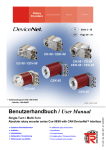
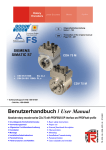
CE-65
CS-65
CK-65
• Software/Support CD: 490-01001
- Soft-No.: 490-00407
Multi-Turn
Absolute rotary encoder series Cx-65 with CAN DeviceNet™ interface
• Zusätzliche Sicherheitshinweise
• Installation
• Inbetriebnahme
• Konfiguration / Parametrierung
• Fehlerursachen und Abhilfen
• Additional safety instructions
• Installation
• Commissioning
• Configuration / Parameterization
• Cause of faults and remedies
TR - ECE - BA - DGB - 0065 - 00
Benutzerhandbuch / User Manual
08/04/2007
ULH00016 / ULH00017
TR-Electronic GmbH
D-78647 Trossingen
Eglishalde 6
Tel.: (0049) 07425/228-0
Fax: (0049) 07425/228-33
E-mail: [email protected]
http://www.tr-electronic.de
Urheberrechtsschutz
Dieses Handbuch, einschließlich den darin enthaltenen Abbildungen, ist
urheberrechtlich geschützt. Drittanwendungen dieses Handbuchs, welche von den
urheberrechtlichen Bestimmungen abweichen, sind verboten. Die Reproduktion,
Übersetzung sowie die elektronische und fotografische Archivierung und
Veränderung bedarf der schriftlichen Genehmigung durch den Hersteller.
Zuwiderhandlungen verpflichten zu Schadenersatz.
Änderungsvorbehalt
Jegliche Änderungen, die dem technischen Fortschritt dienen, vorbehalten.
Dokumenteninformation
Ausgabe-/Rev.-Datum:
Dokument-/Rev.-Nr.:
Dateiname:
Verfasser:
08/04/2007
TR - ECE - BA - DGB - 0065 - 00
TR-ECE-BA-DGB-0065-00.DOC
MÜJ
Schreibweisen
Kursive oder fette Schreibweise steht für den Titel eines Dokuments oder wird zur
Hervorhebung benutzt.
Courier-Schrift zeigt Text an, der auf dem Display bzw. Bildschirm sichtbar ist und
Menüauswahlen von Software.
″<
> ″ weist auf Tasten der Tastatur Ihres Computers hin
(wie etwa <RETURN>).
Marken
DeviceNet ist ein eingetragenes Warenzeichen der ODVA
(Open DeviceNet Vendor Association)
© TR-Electronic GmbH 2007, All Rights Reserved
Page 2 of 68
Printed in the Federal Republic of Germany
TR - ECE - BA - DGB - 0065 - 00
08/04/2007
Inhaltsverzeichnis
Inhaltsverzeichnis
Inhaltsverzeichnis ............................................................................................................................3
Änderungs-Index ..............................................................................................................................5
1 Allgemeines ...................................................................................................................................6
1.1 Geltungsbereich ..............................................................................................................6
1.2 Verwendete Abkürzungen / Begriffe................................................................................7
2 Zusätzliche Sicherheitshinweise .................................................................................................8
2.1 Symbol- und Hinweis-Definition ......................................................................................8
2.2 Ergänzende Hinweise zur bestimmungsgemäßen Verwendung ....................................8
2.3 Organisatorische Maßnahmen ........................................................................................9
3 Technische Daten..........................................................................................................................10
3.1 Elektrische Kenndaten.....................................................................................................10
4 CAN DeviceNet Informationen .....................................................................................................11
5 Installation / Inbetriebnahmevorbereitung .................................................................................13
5.1 Anschluss ........................................................................................................................14
5.2 Bus-Terminierung ............................................................................................................14
5.3 Identifier-Einstellung (MAC-ID)........................................................................................14
5.4 Baudraten-Einstellung .....................................................................................................14
5.5 Schirmauflage..................................................................................................................15
6 Inbetriebnahme..............................................................................................................................17
6.1 CAN DeviceNet Schnittstelle ...........................................................................................17
6.1.1 Bus-Statusanzeige...........................................................................................17
6.1.2 EDS-Datei ........................................................................................................18
6.1.3 Messages ........................................................................................................18
6.1.4 Classes ............................................................................................................18
6.1.5 I/O-Instance (Polled IO) ...................................................................................19
7 Parametrierung und Konfiguration..............................................................................................21
7.1 Configuration Assembly Data Attribute Format ...............................................................21
7.1.1 Assembly Object 04h.......................................................................................21
7.2 Parameter Object Instances ............................................................................................23
7.2.1 Parameter Object 0Fh .....................................................................................23
7.2.2 GET DATA CHECK - Kommando ...................................................................24
7.3 Parameter / Wertebereiche .............................................................................................24
7.3.1 Drehrichtung ....................................................................................................24
7.3.2 Ausgabecode...................................................................................................24
© TR-Electronic GmbH 2007, All Rights Reserved
Printed in the Federal Republic of Germany
08/04/2007
TR - ECE - BA - DGB - 0065 - 00
Page 3 of 68
Inhaltsverzeichnis
7.3.3 Skalierungsparameter .....................................................................................25
7.3.4 Justage ............................................................................................................28
7.3.5 Sonderausgänge 1 bis 7..................................................................................29
7.3.5.1 Definition des Betriebs- und Sicherheitsbereiches..........................30
7.3.6 Wert für Preset 1 und 2....................................................................................31
8 Fehlerursachen und Abhilfen.......................................................................................................32
8.1 Fehler- und Bereichsüberschreitungs-Meldungen (I/O-Verbindungsport) ......................32
8.2 Parametrierungsfehler .....................................................................................................32
8.3 Sonstige Störungen .........................................................................................................34
Anhang
Steckerbelegung mit galvanischer Trennung ............................................. TR-ECE-TI-D-0036
Steckerbelegung ohne galvanischer Trennung.......................................... TR-ECE-TI-D-0056
© TR-Electronic GmbH 2007, All Rights Reserved
Page 4 of 68
Printed in the Federal Republic of Germany
TR - ECE - BA - DGB - 0065 - 00
08/04/2007
Änderungs-Index
Änderungs-Index
Änderung
Erstausgabe
Index
04.08.07
00
© TR-Electronic GmbH 2007, All Rights Reserved
Printed in the Federal Republic of Germany
08/04/2007
Datum
TR - ECE - BA - DGB - 0065 - 00
Page 5 of 68
Allgemeines
1 Allgemeines
Das vorliegende schnittstellenspezifische Benutzerhandbuch beinhaltet folgende
Themen:
•
Ergänzende Sicherheitshinweise zu den bereits in der Montageanleitung
definierten grundlegenden Sicherheitshinweisen
•
Elektrische Kenndaten
•
Installation
•
Inbetriebnahme
•
Konfiguration / Parametrierung
•
Fehlerursachen und Abhilfen
Da die Dokumentation modular aufgebaut ist, stellt dieses Benutzerhandbuch eine
Ergänzung zu anderen Dokumentationen wie z.B. Produktdatenblätter,
Maßzeichnungen, Prospekte und der Montageanleitung etc. dar.
Das Benutzerhandbuch kann kundenspezifisch im Lieferumfang enthalten sein, oder
kann auch separat angefordert werden.
1.1 Geltungsbereich
Dieses Benutzerhandbuch gilt ausschließlich für folgende Mess-System-Baureihen
mit CAN DeviceNet™ Schnittstelle:
•
•
•
CE-65
CS-65
CK-65
Die Produkte sind durch aufgeklebte Typenschilder gekennzeichnet und sind
Bestandteil einer Anlage.
Es gelten somit zusammen folgende Dokumentationen:
•
•
•
anlagenspezifische Betriebsanleitungen des Betreibers,
dieses Benutzerhandbuch,
und die bei der Lieferung beiliegende
Montageanleitung TR-ECE-BA-DGB-0046
© TR-Electronic GmbH 2007, All Rights Reserved
Page 6 of 68
Printed in the Federal Republic of Germany
TR - ECE - BA - DGB - 0065 - 00
08/04/2007
Allgemeines
1.2 Verwendete Abkürzungen / Begriffe
CAN
Controller Area Network
(herstellerunabhängiger, offener Feldbusstandard)
CiA
CAN in Automation
(CAN Nutzerorganisation, "Dachverband")
CE
Absolut-Encoder mit optischer Abtastung, Ausführung mit Vollwelle
CK
Absolut-Encoder mit optischer Abtastung, Ausführung mit Kupplung
CS
Absolut-Encoder mit optischer Abtastung, Ausführung mit Sackloch
DeviceNet™
CAN-Protokoll, definiert in der Anwenderschicht (Schicht 7)
DUPMAC-ID-Test
DUPLICATE-MAC-ID-Test
Überprüfung des Masters auf Duplizierungen der Slave-MAC-IDs.
Jede Adresse der am Bus angeschlossenen Slaves darf nur einmal
vorkommen.
EMV
Elektro-Magnetische-Verträglichkeit
EDS
Electronic-Data-Sheet (elektronisches Datenblatt)
MAC-ID
Media Access Control Identifier
(Knoten-Adresse)
ODVA
Open DeviceNet Vendor Association
(CAN Nutzerorganisation, speziell für DeviceNet™)
© TR-Electronic GmbH 2007, All Rights Reserved
Printed in the Federal Republic of Germany
08/04/2007
TR - ECE - BA - DGB - 0065 - 00
Page 7 of 68
Zusätzliche Sicherheitshinweise
2 Zusätzliche Sicherheitshinweise
2.1 Symbol- und Hinweis-Definition
WARNUNG !
VORSICHT !
bedeutet, dass Tod, schwere Körperverletzung oder
erheblicher Sachschaden eintreten können, wenn die
entsprechenden Vorsichtsmaßnahmen nicht getroffen werden.
bedeutet, dass eine leichte Körperverletzung oder ein
Sachschaden eintreten kann, wenn die entsprechenden
Vorsichtsmaßnahmen nicht getroffen werden.
bezeichnet wichtige Informationen bzw. Merkmale und Anwendungstipps des verwendeten Produkts.
2.2 Ergänzende Hinweise zur bestimmungsgemäßen Verwendung
Das Mess-System ist ausgelegt für den Betrieb an CAN DeviceNet™ Netzwerken
nach dem internationalen Standard ISO/DIS 11898 und 11519-1 bis max. 500 kBaud.
Die technischen Richtlinien zum Aufbau des CAN DeviceNet™ Netzwerks der CANNutzerorganisation ODVA sind für einen sicheren Betrieb zwingend einzuhalten.
Zur bestimmungsgemäßen Verwendung gehört auch:
•
das Beachten aller Hinweise aus diesem Benutzerhandbuch,
•
das Beachten der Montageanleitung, insbesondere das dort enthaltene
Kapitel "Grundlegende Sicherheitshinweise" muss vor Arbeitsbeginn
gelesen und verstanden worden sein
© TR-Electronic GmbH 2007, All Rights Reserved
Page 8 of 68
Printed in the Federal Republic of Germany
TR - ECE - BA - DGB - 0065 - 00
08/04/2007
Zusätzliche Sicherheitshinweise
2.3 Organisatorische Maßnahmen
•
Dieses Benutzerhandbuch muss ständig am Einsatzort des Mess-Systems
griffbereit aufbewahrt werden.
•
Das mit Tätigkeiten am Mess-System beauftragte Personal muss vor Arbeitsbeginn
-
die Montageanleitung,
Sicherheitshinweise",
insbesondere
das
Kapitel
"Grundlegende
-
und dieses Benutzerhandbuch, insbesondere das Kapitel "Zusätzliche
Sicherheitshinweise",
gelesen und verstanden haben.
Dies gilt in besonderem Maße für nur gelegentlich, z.B. bei der
Parametrierung des Mess-Systems, tätig werdendes Personal.
© TR-Electronic GmbH 2007, All Rights Reserved
Printed in the Federal Republic of Germany
08/04/2007
TR - ECE - BA - DGB - 0065 - 00
Page 9 of 68
Technische Daten
3 Technische Daten
3.1 Elektrische Kenndaten
Versorgungsspannung.................................. 11-27 V DC, paarweise verdrillt und geschirmt
Stromaufnahme.............................................. < 200 mA bei 11 V DC, < 110 mA bei 27 V DC (unbelastet)
Gesamtauflösung........................................... ≤ 24 Bit (optional 25 Bit)
Schrittzahl / Umdrehung................................ ≤ 8.192
Messbereich
Standard .................................................... ≤ 4.096 Umdrehungen (12 Bit)
Erweitert .................................................... ≤ 256.000 Umdrehungen
Baudrate (einstellbar) .................................... 125 kBaud, Leitungslänge bis zu 500 m
250 kBaud, Leitungslänge bis zu 250 m
500 kBaud, Leitungslänge bis zu 100 m
Stationsadressen ........................................... 0 – 63, einstellbar über DIP-Schalter
Übertragung.................................................... paarig verdrilltes und geschirmtes Kupferkabel
CAN DeviceNet Schnittstelle......................... CAN-Feldbusschnittstelle (optoentkoppelt)
Datenübertragung...................................... CAN-BUS-Treiber (ISO/DIS 11898)
Abschlusswiderstand .................................... 121 Ohm, zuschaltbar durch DIP-Schalter
Besondere Merkmale ..................................... Programmierung nachfolgender Parameter
über den CAN-BUS:
- Drehrichtung über den Bus
- Ausgabecode (Binär, Gray)
- Messlänge in Schritten
- Messlänge in Umdrehungen
- Presetjustage über den Bus
- Justage
- Presetwert 1
- Presetwert 2
- 7 Sonderausgänge
EMV
Störfestigkeit.............................................. DIN EN 61000-6-2: 2006
Störaussendung ........................................ DIN EN 61000-6-3: 2007
© TR-Electronic GmbH 2007, All Rights Reserved
Page 10 of 68
Printed in the Federal Republic of Germany
TR - ECE - BA - DGB - 0065 - 00
08/04/2007
CAN DeviceNet Informationen
4 CAN DeviceNet Informationen
DeviceNet™ wurde von Rockwell Automation und der ODVA als offener
Feldbusstandard, basierend auf dem CAN-Protokoll entwickelt und ist in der
europäischen Norm EN 50325 standardisiert. Spezifikation und Pflege des DeviceNet-Standards obliegen der ODVA. DeviceNet™ gehört wie ControlNet und
EtherNet/IP zur Familie der CIP-basierten Netzwerke. CIP (Common Industrial
Protocol) bildet die gemeinsame Applikationsschicht dieser 3 industriellen Netzwerke.
DeviceNet™, ControlNet und Ethernet/IP sind daher gut aufeinander abgestimmt und
stellen dem Anwender ein abgestuftes Kommunikationssystem für die Leitebene
(Ethernet/IP), Zellenebene (ControlNet) und Feldebene (DeviceNet™) zur Verfügung.
DeviceNet™ ist ein objektorientiertes Bussystem und arbeitet nach dem
Producer/Consumer Verfahren.
DeviceNet™ Protokoll
Das DeviceNet™ Protokoll ist ein objektorientiertes Protokoll. Es wird typischerweise
für die Vernetzung von Sensoren und Aktoren mit den übergeordneten
Automatisierungsgeräten (SPS, IPC) benutzt.
DeviceNet™ Data Link Layer
Die Schicht 2 (Data Link Layer) basiert auf dem Controller Area Netzwerk (CAN), das
ursprünglich für den Einsatz innerhalb von Kraftfahrzeugen konzipiert wurde.
DeviceNet™ Netzwerk- und Data Transport Layer
Der Aufbau der Verbindung erfolgt über den Group 2 Unconnected Port. Für den
Verbindungsaufbau werden ausgewählte CAN Identifier benutzt. Eine einmal
aufgebaute Verbindung, kann dann für die Übertragung von Explicit Messages oder
für den Aufbau zusätzlicher I/O Verbindungen genutzt werden. Sobald eine I/O
Verbindung aufgebaut wurde, können I/O-Daten zwischen den DeviceNet™
Teilnehmern ausgetauscht werden. Für die Kodierung von I/O-Daten wird
ausschließlich der 11 Bit Identifier benutzt. Das 8 Byte breite CAN-Data-Field steht
vollständig für die Nutzdaten zur Verfügung.
DeviceNet™ Anwendungsschicht–CIP Protokoll
CIP (Common Industrial Protocol) bildet die Anwendungsschicht von DeviceNet™.
CIP definiert den Austausch von I/O Daten in Echtzeit über I/O Nachrichten (I/O
Messaging oder Implicit Messaging) sowie den Austausch von Bedarfsdaten für
Konfiguration, Diagnose und Management über explizite Nachrichten (Explicit
Messaging). Die Kommunikation zwischen zwei Geräten erfolgt dabei immer nach
einem verbindungsorientierten Kommunikationsmodell, entweder über eine Punkt-zuPunkt- oder eine Multicast-V1 Verbindung. Damit lassen sich sowohl Master/SlaveSysteme als auch Multi-Master-Systeme realisieren. Daten werden als Objekte
bezeichnet und sind im Objektverzeichnis eines jeden Gerätes eingetragen.
© TR-Electronic GmbH 2007, All Rights Reserved
Printed in the Federal Republic of Germany
08/04/2007
TR - ECE - BA - DGB - 0065 - 00
Page 11 of 68
CAN DeviceNet Informationen
Vordefinierter Master-Slave Connection Set
Für das DeviceNet™ Mess-System wird das sogenannte "Predefined Master/Slave
Connection Set" verwendet. Dieses Subset des DeviceNet™ Protokolls vereinfacht die
Übertragung von I/O Daten zwischen einem Automatisierungssystem (SPS) und den
dezentralen Peripheriegeräten (Slaves). Unterstützt werden nur die "Group2
Messages" mit Ausnahme der "Group1 Message für Slave I/O Poll Response".
DeviceNet™ Geräteprofile
Über die Spezifikation der reinen Kommunikationsfunktionen hinaus, beinhaltet
DeviceNet™ auch die Definition von Geräteprofilen. Diese Profile legen für die
jeweiligen
Gerätetypen
die
minimal
verfügbaren
Objekte
und
Kommunikationsfunktionen fest. Für das DeviceNet™ Mess-System wurde die GeräteTyp-Nummer 08hex festgelegt.
Vendor ID
Die Vendor IDs (Herstellerkennungen) werden von der ODVA vergeben und
verwaltet.
Die Vendor ID von TR-Electronic für DeviceNet™ ist "134" (dez).
Weitere Informationen zum DeviceNet™ erhalten Sie auf Anfrage von der Open
DeviceNet Vendor Association (ODVA) unter nachstehender Internet-Adresse:
http://www.odva.org
e-mail: mailto:[email protected]
© TR-Electronic GmbH 2007, All Rights Reserved
Page 12 of 68
Printed in the Federal Republic of Germany
TR - ECE - BA - DGB - 0065 - 00
08/04/2007
Installation / Inbetriebnahmevorbereitung
5 Installation / Inbetriebnahmevorbereitung
In einem DeviceNet™ Netzwerk können bis zu 64 Busteilnehmer mit Baudraten von
125, 250 oder 500 kBaud miteinander kommunizieren. Das DeviceNet™ Kabel sieht
neben den beiden Signalen für die Datenübertragung CAN-L und CAN-H auch 2
Leitungen für die Versorgung der DeviceNet™ Busteilnehmer mit 24 Volt
Betriebsspannung vor. Die maximale Länge des DeviceNet™ Kabels ist abhängig vom
gewählten Kabeltyp und der Baudrate. Die Installation erfolgt in einer Bustopologie mit oder ohne Abzweigen - und Abschlusswiderständen an beiden Enden. Die
Abschlusswiderstände haben einen Wert von 120 Ohm.
Node
Terminator
Trunk Line
Drop Line
Tap
= Knoten
= Abschlusswiderstand
= Hauptleitung
= Stichleitung
= Abzweig
Busleitungen
Die Busleitungen für das DeviceNet™-System sind in der DeviceNet™-Spezifikation
festgeschrieben. Entsprechend dieser Spezifikation ist die maximale Ausdehnung
eines DeviceNet™-Systems abhängig von der Baudrate:
Leitungslänge
125 kbit/s
250 kbit/s
500 kbit/s
Gesamtlänge mit dickem Kabel
500 m
250 m
100 m
Gesamtlänge mit dünnem Kabel
100 m
100 m
100 m
6m
6m
6m
156 m
78 m
39 m
Max. Stichleitungslänge
Max. Länge aller Stichleitungen
Um einen sicheren und störungsfreien Betrieb zu gewährleisten, ist die DeviceNet™ Spezifikation und sonstige einschlägige Normen und Richtlinien zu beachten!
Insbesondere sind die EMV-Richtlinie sowie die Schirmungs- und Erdungsrichtlinien in
den jeweils gültigen Fassungen zu beachten!
© TR-Electronic GmbH 2007, All Rights Reserved
Printed in the Federal Republic of Germany
08/04/2007
TR - ECE - BA - DGB - 0065 - 00
Page 13 of 68
Installation / Inbetriebnahmevorbereitung
5.1 Anschluss
Um den Anschluss vornehmen zu können, muss zuerst die Anschlusshaube vom
Mess-System abgenommen werden.
Die Steckerbelegungen mit Schalteransichten sind im hinteren Teil des Dokumentes
angehängt.
Für die Versorgung sind paarweise verdrillte und geschirmte Kabel mit
min. 0,5 mm2 zu verwenden !
5.2 Bus-Terminierung
Ist das Mess-System der letzte Teilnehmer im CAN-Segment, ist der Bus durch den
Terminierungsschalter = ON abzuschließen. In diesem Zustand wird der
weiterführende CAN-Bus abgekoppelt.
5.3 Identifier-Einstellung (MAC-ID)
Die Identifier (Mess-System-Adresse) 0 – 63 wird durch 6 DIP-Schalter eingestellt.
Jede eingestellte Adresse darf nur einmal im CAN-Bus vergeben werden.
5.4 Baudraten-Einstellung
Die Baudrate wird durch 2 DIP-Schalter eingestellt.
Folgende Baudraten sind möglich:
●
●
●
125 kBaud
250 kBaud
500 kBaud
© TR-Electronic GmbH 2007, All Rights Reserved
Page 14 of 68
Printed in the Federal Republic of Germany
TR - ECE - BA - DGB - 0065 - 00
08/04/2007
Installation / Inbetriebnahmevorbereitung
5.5 Schirmauflage
Die Schirmauflage erfolgt durch spezielle EMV-gerechte Kabelverschraubungen, bei
denen die Kabelschirmung innen aufgelegt werden kann.
Montage für Kabelverschraubung, Variante A
Pos. 1
Pos. 2
Pos. 3
Pos. 5
Überwurfmutter
Dichteinsatz
Kontakthülse
Einschraubstutzen
1. Schirmumflechtung / Schirmfolie auf Maß "X" zurückschneiden.
2. Überwurfmutter (1) und Dichteinsatz / Kontakthülse (2) + (3) auf das Kabel
aufschieben.
3. Die Schirmumflechtung / Schirmfolie um ca. 90° umbiegen (4).
4. Dichteinsatz / Kontakthülse (2) + (3) bis an die Schirmumflechtung /
Schirmfolie schieben.
5. Einschraubstutzen (5) am Gehäuse montieren.
6. Dichteinsatz / Kontakthülse (2) + (3) in Einschraubstutzen (5) bündig
zusammen stecken.
7. Überwurfmutter (1) mit Einschraubstutzen (5) verschrauben.
© TR-Electronic GmbH 2007, All Rights Reserved
Printed in the Federal Republic of Germany
08/04/2007
TR - ECE - BA - DGB - 0065 - 00
Page 15 of 68
Installation / Inbetriebnahmevorbereitung
Montage für Kabelverschraubung, Variante B
Pos. 1
Pos. 2
Pos. 3
Pos. 4
Überwurfmutter
Klemmeinsatz
innerer O-Ring
Einschraubstutzen
1. Schirmumflechtung / Schirmfolie auf Maß "X" + 2mm zurückschneiden.
2. Überwurfmutter (1) und Klemmeneinsatz (2) auf das Kabel aufschieben.
3. Die Schirmumflechtung / Schirmfolie um ca. 90° umbiegen.
4. Klemmeinsatz (2) bis an die Schirmumflechtung / Schirmfolie schieben und
das Geflecht um den Klemmeinsatz (2) zurückstülpen, so dass das Geflecht
über den inneren O-Ring (3) geht, und nicht über dem zylindrischen Teil
oder den Verdrehungsstegen liegt.
5. Einschraubstutzen (4) am Gehäuse montieren.
6. Klemmeinsatz (2) in Einschraubstutzen (4) einführen, so dass die
Verdrehungsstege in die im Einschraubstutzen (4) vorgesehenen
Längsnuten passen.
7. Überwurfmutter (1) mit Einschraubstutzen (4) verschrauben.
1
2
3
4
© TR-Electronic GmbH 2007, All Rights Reserved
Page 16 of 68
Printed in the Federal Republic of Germany
TR - ECE - BA - DGB - 0065 - 00
08/04/2007
Inbetriebnahme
6 Inbetriebnahme
6.1 CAN DeviceNet Schnittstelle
Die
CAN-Feldbusschnittstelle
(mit
CAN-BUS-TREIBER
PCA82C250T,
optoelektronisch getrennt) im Mess-System ist nach der internationalen Norm
ISO/DIS 11898 festgelegt und deckt die beiden unteren Schichten des ISO/OSI
Referenzmoduls ab.
Die Umwandlung der Mess-System-Information in das CAN-Protokoll erfolgt durch
den Protokoll-Chip PCA82C200. Die Funktion des Protokoll-Chips wird durch einen
Watch-Dog überwacht.
Für das Mess-System, welches nur als Slave arbeitet, wird das PREDEFINED
MASTER/SLAVE CONNECTION SET benützt. Es werden nur die Group 2
Messages mit Ausnahme der Group 1 Message für Slave I/O Poll Response
verwendet.
Der Aufbau/oder Abbau einer Verbindung muss mittels Group 2 Only Unconnected
Explicit Request Message erfolgen.
Das Mess-System enthält einen I/O Verbindungsport und einen Explicit Message
Verbindungsport. Der I/O Verbindungsport dient zum Pollen der Mess-SystemPosition und muss durch Setzen des Watchdogs (nachdem zuvor die I/O Verbindung
Master/Slave aufgebaut wurde) zugänglich gemacht werden. Wird der I/O Port nicht
rechtzeitig nachgetriggert (gepollt) wird die Verbindung getrennt und die rote LED
blinkt. Die Verbindung für das I/O Port muss neu installiert werden.
Der Datenaustausch zwischen Mess-System und Master erfolgt beim Programmieren
in Binär.
6.1.1 Bus-Statusanzeige
= AN
= AUS
= BLINKEND
Mess-System nicht online
- kein DUP-MAC-ID-Test
- eventuell keine Versorgungsspannung
grün
Mess-System online, gewählte Verbindung aufgebaut
- Zuordnung zu einem Master
DUP-MAC-ID-Test erfolgreich
grün - keine Zuordnung zu einem Master
rot
rot
Behebbare Fehler
z.B. I/O-Verbindung im Time-Out-Zustand
- System abschalten --> wieder einschalten
- Mess-System ersetzen
© TR-Electronic GmbH 2007, All Rights Reserved
Printed in the Federal Republic of Germany
08/04/2007
TR - ECE - BA - DGB - 0065 - 00
Page 17 of 68
Inbetriebnahme
6.1.2 EDS-Datei
Die EDS-Datei (elektronisches Datenblatt) enthält alle Informationen über die MessSystem-spezifischen Parameter sowie Betriebsarten des Mess-Systems. Die EDSDatei wird durch das DeviceNet™-Netzwerkkonfigurationswerkzeug eingebunden, um
das Mess-System ordnungsgemäß konfigurieren bzw. in Betrieb nehmen zu können.
Die EDS-Datei hat den Dateinamen "1.EDS". Die Dateien befinden sich auf der
Software/Support CD: Art.-Nr.: 490-01001, Soft-Nr.: 490-00407.
"...\7.COD" für Multi-Turn Mess-Systeme mit max. 4096 Schritten/Umdrehung
"...\6.COD" für Multi-Turn Mess-Systeme mit max. 8192 Schritten/Umdrehung
6.1.3 Messages
Nachfolgende Messages werden vom Mess-System unterstützt:
I/O Poll Command / Respond Message
Diese Message wird vom Master direkt an den gewünschten Slave gesendet (point-to
point). Für jeden Slave der gepollt wird, muss der Master eine eigene Poll Command
Message absetzen.
Die Poll Response I/O Message sendet der Slave als Antwort auf ein Poll Command
an den Master zurück.
Explicit Response / Request Message
Explicit Request Messages werden zum Bearbeiten von SCHREIB/LESE-Attribute’s benützt.
Explicit Response Messages enthalten das Ergebnis eines Explicit Request Message
Service.
Group 2 Only Unconnected Explicit Request Message
Group 2 Only Unconnected Explicit Request Message dient zum Aufbau/Abbau von
Verbindungen für das Predefined Master/Slave Connection Set.
Duplicate MAC ID Check Message
Nach dem Einschalten des Mess-Systems meldet es sich mit Duplicate MAC ID
Check Messages.
6.1.4 Classes
Die Kommunikations-Objecte werden in Classes eingeteilt. Das Mess-System
unterstützt folgende Classes:
Object Class
Anzahl Instances
01h: Identity
02h: Message Router
03h: DeviceNet
05h: Connection
04h: Assembly
0Fh: Parameter
1
1
1
2
1
21
© TR-Electronic GmbH 2007, All Rights Reserved
Page 18 of 68
Printed in the Federal Republic of Germany
TR - ECE - BA - DGB - 0065 - 00
08/04/2007
Inbetriebnahme
6.1.5 I/O-Instance (Polled IO)
Input Instance
Number
Name
1
Positionswert
Input Data Format
Instance
Byte
Bit 7
Bit 6
Bit 5
Bit 4
Bit 3
Bit 2
Bit 1
Bit 0
0
D07
Low Byte Positionswert
D00
1
D15
.
D08
2
D23
.
D16
1
3
7. SA
6. SA
High Byte Positionswert
5. SA 4. SA 3. SA 2. SA
1. SA
D24
SA = Sonderausgang
© TR-Electronic GmbH 2007, All Rights Reserved
Printed in the Federal Republic of Germany
08/04/2007
TR - ECE - BA - DGB - 0065 - 00
Page 19 of 68
Inbetriebnahme
Output Instance
Number
Name
1
Preset / Zählrichtung (V/R)
Output Data Format
Instance
1
Byte
Bit7
Bit6
Bit5
Bit4
Bit3
Bit2
0
X
X
X
X
X
X
1
V/R
V/R
V/R
V/R
V/R
V/R
Bit1
Bit0
Preset 2 Preset 1
V/R
V/R
Gefahr von Körperverletzung und Sachschaden durch einen Istwertsprung bei
Ausführung der Preset-Funktion!
WARNUNG !
• Die Preset-Funktion sollte nur im Mess-System-Stillstand ausgeführt werden,
bzw. muss der resultierende Istwertsprung programmtechnisch und
anwendungstechnisch erlaubt sein!
●
Preset auslösen
Um das Mess-System auf den intern abgespeicherten Presetwert 1 zu setzen,
muss das Bit 20 im Out-Byte 0 auf "1" gesetzt werden.
Um das Mess-System auf den intern abgespeicherten Presetwert 2 zu setzen,
muss das Bit 21 im Out-Byte 0 auf "1" gesetzt werden.
Werden die Bits 20 und 21 zur gleichen Zeit auf "1" gesetzt, wird kein Preset
ausgeführt.
Für eine erneute Preset-Ausführung muss jedes Bit für mindestens einen PollZyklus auf "0" zurückgesetzt werden. Preset-Zyklen kleiner 500ms sind nicht
erlaubt.
●
Zählrichtung festlegen, Blickrichtung auf die Welle
- Out-Byte 1: Alle Bits = 1 --> fallende Positionswerte im Uhrzeigersinn drehend
- Out-Byte 1: Alle Bits = 0 --> steigende Positionswerte im Uhrzeigersinn drehend
Der mittels Device-Net-Manager programmierte Wert für die Zählrichtung wird
durch die im Out-Byte 1 übertragenen Bits überschrieben.
© TR-Electronic GmbH 2007, All Rights Reserved
Page 20 of 68
Printed in the Federal Republic of Germany
TR - ECE - BA - DGB - 0065 - 00
08/04/2007
Parametrierung und Konfiguration
7 Parametrierung und Konfiguration
WARNUNG !
Gefahr von Körperverletzung und Sachschaden beim Wiedereinschalten des
Mess-Systems nach Positionierungen im stromlosen Zustand durch
Verschiebung des Nullpunktes!
Ist die Anzahl der Umdrehungen keine 2-er Potenz, kann, falls mehr als 512
Umdrehungen im stromlosen Zustand ausgeführt werden, der Nullpunkt des MultiTurn Mess-Systems verloren gehen!
• Sicherstellen, dass bei einem Multi-Turn Mess-System der Quotient von
Umdrehungen Zähler/Umdrehungen Nenner eine 2er-Potenz aus der Menge
20, 21, 22…212 (1, 2, 4…4096) ist.
oder
• Sicherstellen, dass sich Positionierungen im stromlosen Zustand bei einem MultiTurn Mess-System innerhalb von 512 Umdrehungen befinden.
7.1 Configuration Assembly Data Attribute Format
7.1.1 Assembly Object 04h
Instance Byte
Bit 7
Bit 6
Bit 5
Bit 4
Bit 3
Bit 2
0
Drehrichtung
1
Ausgabecode
2
Low Byte Messlänge in Schritten
Bit 1
Bit 0
Service
bis
5
High Byte Messlänge in Schritten
6
Low Byte Messlänge in Umdrehungen Zähler
bis
42
9
High Byte Messlänge in Umdrehungen Zähler
10
Messlänge in Umdrehungen Nenner
11
Low Byte untere Sicherheitsgrenze
r/w
bis
14
High Byte untere Sicherheitsgrenze
15
Low Byte untere Betriebsgrenze
bis
18
High Byte untere Betriebsgrenze
19
Low Byte obere Betriebsgrenze
bis
22
High Byte obere Betriebsgrenze
23
Low Byte obere Sicherheitsgrenze
bis
26
High Byte obere Sicherheitsgrenze
Fortsetzung, siehe Folgeseite
© TR-Electronic GmbH 2007, All Rights Reserved
Printed in the Federal Republic of Germany
08/04/2007
TR - ECE - BA - DGB - 0065 - 00
Page 21 of 68
Parametrierung und Konfiguration
Fortsetzung "Configuration Assembly Data Attribute Format"
Instance Byte
42
Bit 7
Bit 6
Bit 5
Bit 4
Bit 3
27
1. Sonderausgang
28
2. Sonderausgang
29
3. Sonderausgang
30
4. Sonderausgang
31
5. Sonderausgang
32
6. Sonderausgang
Bit 2
33
7. Sonderausgang
34
Low Byte Wert für Preset1
Bit 1
Bit 0
bis
Service
r/w
37
High Byte Wert für Preset1
38
Low Byte Wert für Preset2
bis
41
High Byte Wert für Preset2
42
Preset 2
außerhalb
Bereich
43
0
0
0
Schr./Umdr. Messl./Umdr.
zu groß
=0
0
0
0
SchreibFehler
LeseFehler
obere *SG
außerhalb
Bereich
obere **BG
außerhalb
Bereich
untere **BG
außerhalb
Bereich
untere *SG
außerhalb
Bereich
Preset 1
außerhalb
Bereich
Beim Programmieren der Parameter über die "Assembly-Class" liefert das Mess-System als
Antwort beim Lesen die programmierten Werte mit einem Fehlerstatus in Byte 42 und 43 an
den Master zurück. Insgesamt werden 44 Byte an den Master übertragen. Der Data-Check wird
automatisch durchgeführt.
Ein gesetztes Fehlerbit in Byte 42 oder 43 wird rückgesetzt, sobald eine ParameterProgrammierung erfolgreich durchgeführt werden konnte. Die Wertebereiche der einzelnen
Parameter sind in Kapitel "Parameter / Wertebereiche" ab Seite 24 definiert.
*
**
SG
BG
= Sicherheitsgrenze
= Betriebsgrenze
© TR-Electronic GmbH 2007, All Rights Reserved
Page 22 of 68
Printed in the Federal Republic of Germany
TR - ECE - BA - DGB - 0065 - 00
08/04/2007
Parametrierung und Konfiguration
7.2 Parameter Object Instances
7.2.1 Parameter Object 0Fh
Instance
Name
Data Type
1
2
3
4
5
6
7
8
9
10
11
12
13
14
15
16
17
18
19
20
21
Drehrichtung
Ausgabecode
Messlänge in Schritten
Messlänge in Umdrehungen Zähler
Messlänge in Umdrehungen Nenner
untere Sicherheitsgrenze
untere Betriebsgrenze
obere Betriebsgrenze
obere Sicherheitsgrenze
1. Sonderausgang
2. Sonderausgang
3. Sonderausgang
4. Sonderausgang
5. Sonderausgang
6. Sonderausgang
7. Sonderausgang
Wert für Preset1
Wert für Preset2
Data-Check
Lesen: Position / Schreiben: Justage
Softstand
USINT
USINT
UDINT
UDINT
USINT
UDINT
UDINT
UDINT
UDINT
USINT
USINT
USINT
USINT
USINT
USINT
USINT
UDINT
UDINT
UINT
UDINT
UDINT
Attribute
r/w
r/w
r/w
r/w
r/w
r/w
r/w
r/w
r/w
r/w
r/w
r/w
r/w
r/w
r/w
r/w
r/w
r/w
r/w
r/w
ro
1
1
1
1
1
1
1
1
1
1
1
1
1
1
1
1
1
1
1
1
1
© TR-Electronic GmbH 2007, All Rights Reserved
Printed in the Federal Republic of Germany
08/04/2007
Service
TR - ECE - BA - DGB - 0065 - 00
Page 23 of 68
Parametrierung und Konfiguration
7.2.2 GET DATA CHECK - Kommando
Instance 19, r/w
Werden die Parameter über die "Parameter-Class" programmiert, muss für die
Datenübernahme und Datenprüfung anschließend ein Data-Check durchgeführt
werden. Das Ergebnis (2 Bytes) des SET DATA-CHECK kann mit GET DATA-CHECK
gelesen werden. Sind alle Bits des rückgelieferten UINT-Wertes "0", liegt kein Fehler
vor. Die möglichen Fehler werden in nachfolgender Tabelle angegeben:
GET DATA-CHECK:
Bit7
Bit 6
Bit 5
Bit 4
Bit 3
Bit 2
Bit 1
Bit 0
SchreibFehler
LeseFehler
untere *SG
außerhalb
Bereich
Preset 1
außerhalb
Bereich
Low Byte Fehler Receive-Puffer Master
Preset 2
außerhalb
Bereich
0
0
0
0
0
High Byte Fehler Receive-Puffer Master
0
Schritte/Umdr. Messl./Umdr.
zu groß
=0
obere *SG
außerhalb
Bereich
obere **BG
außerhalb
Bereich
untere **BG
außerhalb
Bereich
Ein gesetztes Fehlerbit kann nur gelöscht werden, indem die Daten korrigiert werden
und anschließend ein DATA-CHECK Kommando ausgeführt wird.
* SG
** BG
= Sicherheitsgrenze
= Betriebsgrenze
7.3 Parameter / Wertebereiche
7.3.1 Drehrichtung
Instance Service Wert Beschreibung
1
=0
Position im Uhrzeigersinn steigend
(Blick auf Welle)
≠0
Position im Uhrzeigersinn fallend
(Blick auf Welle)
r/w
Default
X
7.3.2 Ausgabecode
Instance Service Wert Beschreibung
2
r/w
=0
Binärcode
≠0
Graycode
© TR-Electronic GmbH 2007, All Rights Reserved
Page 24 of 68
Default
X
Printed in the Federal Republic of Germany
TR - ECE - BA - DGB - 0065 - 00
08/04/2007
Parametrierung und Konfiguration
7.3.3 Skalierungsparameter
Über die Skalierungsparameter kann die physikalische Auflösung des Mess-Systems
verändert werden. Das Mess-System unterstützt die Getriebefunktion für
Rundachsen.
Dies bedeutet, dass die Anzahl Schritte pro Umdrehung und der Quotient von
Umdrehungen Zähler/Umdrehungen Nenner eine Kommazahl sein darf. Damit dies
vom Mess-System auch umgesetzt werden kann, muss es die Option "Getriebe
1/100" (siehe Typenschild) besitzen. Mess-Systeme ohne diese Option dürfen nur in
der Anzahl Schritte pro Umdrehung eine Kommazahl aufweisen. Der Quotient von
Umdrehungen Zähler/Umdrehungen Nenner muss eine 2er-Potenz sein.
Der ausgegebene Positionswert wird mit einer Nullpunktskorrektur, der eingestellten
Zählrichtung und den eingegebenen Getriebeparametern verrechnet.
Messlänge in Schritten (Instance 3, r/w)
Legt die Gesamtschrittzahl des Mess-Systems fest, bevor das Mess-System wieder
bei Null beginnt.
8192er EDS-Datei
16 Schritte
33554432 Schritte (25 Bit)
33554432
Untergrenze
Obergrenze
Default
4096er EDS-Datei
16 Schritte
16777216 Schritte (24 Bit)
16777216
Der tatsächlich einzugebende Obergrenzwert für die Messlänge in Schritten ist von
der Mess-System-Ausführung abhängig und kann nach untenstehender Formel
berechnet werden. Da der Wert "0" bereits als Schritt gezählt wird, ist der Endwert =
Messlänge in Schritten – 1.
Messlänge in Schritten = Schritte pro Umdrehung * Anzahl der Umdrehungen
Zur Berechnung können die Parameter Schritte/Umdr. und Anzahl Umdrehungen
vom Typenschild des Mess-Systems abgelesen werden.
Umdrehungen Zähler / Umdrehungen Nenner (Instance 4 und 5, r/w)
Diese beiden Parameter zusammen legen die Anzahl der Umdrehungen fest, bevor
das Mess-System wieder bei Null beginnt.
Da Kommazahlen nicht immer endlich (wie z.B. 3,4) sein müssen, sondern mit
unendlichen Nachkommastellen (z.B. 3,43535355358774... ) behaftet sein können,
wird die Umdrehungszahl als Bruch eingegeben.
Untergrenze Zähler
Obergrenze Zähler
Default Zähler
1
256 000
4096
Untergrenze Nenner
Obergrenze Nenner
Default Nenner
1
99
1
© TR-Electronic GmbH 2007, All Rights Reserved
Printed in the Federal Republic of Germany
08/04/2007
TR - ECE - BA - DGB - 0065 - 00
Page 25 of 68
Parametrierung und Konfiguration
Formel für Getriebeberechnung:
Messlänge in Schritten = Anzahl Schritte pro Umdrehung *
Anzahl Umdrehungen Zähler
Anzahl Umdrehungen Nenner
Sollten bei der Eingabe der Parametrierdaten die zulässigen Bereiche von Zähler und
Nenner nicht eingehalten werden können, muss versucht werden diese entsprechend
zu kürzen. Ist dies nicht möglich, kann die entsprechende Kommanzahl
möglicherweise nur annähernd dargestellt werden. Die sich ergebende kleine
Ungenauigkeit wird bei echten Rundachsenanwendungen (Endlos-Anwendungen in
eine Richtung fahrend) mit der Zeit aufaddiert.
Zur Abhilfe kann z.B. nach jedem Umlauf eine Justage durchgeführt werden, oder
man passt die Mechanik bzw. Übersetzung entsprechend an.
Der Parameter "Anzahl Schritte pro Umdrehung" darf ebenfalls eine Kommazahl
sein, jedoch nicht die "Messlänge in Schritten". Das Ergebnis aus obiger Formel
muss auf bzw. abgerundet werden. Der dabei entstehende Fehler verteilt sich auf die
programmierte gesamte Umdrehungsanzahl und ist somit vernachlässigbar.
Vorgehensweise bei Linearachsen (Vor- und Zurück-Verfahrbewegungen):
Der Parameter "Umdrehungen Nenner" kann bei Linearachsen fest auf "1"
programmiert werden. Der Parameter "Umdrehungen Zähler" wird etwas größer als
die benötigte Umdrehungsanzahl programmiert. Somit ist sichergestellt, dass das
Mess-System bei einer geringfügigen Überschreitung des Verfahrweges keinen
Istwertsprung (Nullübergang) erzeugt. Der Einfachheit halber kann auch der volle
Umdrehungsbereich des Mess-Systems programmiert werden.
Das folgende Beispiel soll die Vorgehensweise näher erläutern:
Gegeben:
Mess-System mit 4096 Schritte/Umdr. und max. 4096 Umdrehungen
-
Auflösung 1/100 mm
-
Sicherstellen, dass das Mess-System in seiner vollen Auflösung und
Messlänge (4096x4096) programmiert ist:
Messlänge in Schritten = 16777216,
Umdrehungen Zähler = 4096
Umdrehungen Nenner = 1
Zu erfassende Mechanik auf Linksanschlag bringen
-
Mess-System mittels Justage auf "0" setzen
-
Zu erfassende Mechanik in Endlage bringen
-
Den mechanisch zurückgelegten Weg in mm vermessen
-
Istposition des Mess-Systems an der angeschlossenen Steuerung ablesen
© TR-Electronic GmbH 2007, All Rights Reserved
Page 26 of 68
Printed in the Federal Republic of Germany
TR - ECE - BA - DGB - 0065 - 00
08/04/2007
Parametrierung und Konfiguration
Annahme:
-
zurückgelegter Weg = 2000 mm
Mess-System-Istposition nach 2000 mm = 607682 Schritte
Daraus folgt:
Anzahl zurückgelegter Umdrehungen = 607682 Schritte / 4096 Schritte/Umdr.
= 148,3598633 Umdrehungen
Anzahl mm / Umdrehung = 2000 mm / 148,3598633 Umdr. = 13,48073499mm / Umdr.
Bei 1/100mm Auflösung entspricht dies einer Schrittzahl / Umdrehung von 1348,073499
erforderliche Programmierungen:
Anzahl Umdrehungen Zähler = 4096
Anzahl Umdrehungen Nenner = 1
Messlänge in Schritten = Anzahl Schritte pro Umdrehung *
= 1348,073499 Schritte / Umdr. *
Anzahl Umdrehungen Zähler
Anzahl Umdrehungen Nenner
4096 Umdrehungen Zähler
1 Umdrehung Nenner
= 5521709 Schritte (abgerundet)
© TR-Electronic GmbH 2007, All Rights Reserved
Printed in the Federal Republic of Germany
08/04/2007
TR - ECE - BA - DGB - 0065 - 00
Page 27 of 68
Parametrierung und Konfiguration
7.3.4 Justage
Gefahr von Körperverletzung und Sachschaden durch einen Istwertsprung bei
Ausführung der Justage-Funktion!
WARNUNG !
• Die Justage-Funktion sollte nur im Mess-System-Stillstand ausgeführt werden,
bzw. muss der resultierende Istwertsprung programmtechnisch und
anwendungstechnisch erlaubt sein!
Instance 20, r/w
Mittels Justage wird das Mess-System auf den gewünschten Positionswert gesetzt.
Wird die Justage über die "Parameter Class" durchgeführt, wird der benötigte
Positionswert mit dem "SET-Service" gesetzt und kann anschließend mit dem "GETService" als Positionswert gelesen werden. Nach dem Durchführen einer Justage ist
kein DATA-CHECK notwendig.
0 ≤ Justage < Messlänge in Schritten
© TR-Electronic GmbH 2007, All Rights Reserved
Page 28 of 68
Printed in the Federal Republic of Germany
TR - ECE - BA - DGB - 0065 - 00
08/04/2007
Parametrierung und Konfiguration
7.3.5 Sonderausgänge 1 bis 7
Funktion
Beschreibung
logisch "0"
0 = Fehler
1 = Fehler
0 = unter dem Betriebsbereich
1 = unter dem Betriebsbereich
0 = im Betriebsbereich
1 = im Betriebsbereich
0 = über dem Betriebsbereich
1 = über dem Betriebsbereich
0 = unter dem Sicherheitsbereich
1 = unter dem Sicherheitsbereich
0 = im Sicherheitsbereich
1 = im Sicherheitsbereich
0 = über dem Sicherheitsbereich
1 = über dem Sicherheitsbereich
Ausgang ist immer "0"
Ausgang im Fehlerfall "0"
Ausgang im Fehlerfall "1"
siehe Kap. "7.3.5.1", S 30
"
"
"
"
"
"
"
"
"
"
"
Programmierwert
0
1
2
3
4
5
6
7
8
9
10
11
12
13
14
Sonderausgänge 1 bis 7
Instance
Untergrenze
Obergrenze
Default
10 – 16, r/w
0
14
0
© TR-Electronic GmbH 2007, All Rights Reserved
Printed in the Federal Republic of Germany
08/04/2007
TR - ECE - BA - DGB - 0065 - 00
Page 29 of 68
Parametrierung und Konfiguration
7.3.5.1 Definition des Betriebs- und Sicherheitsbereiches
Gesamtkapazität
Sicherheitsbereich
Betriebsbereich
0 = unter dem Betriebsbereich
1 = unter dem Betriebsbereich
0 = im Betriebsbereich
1 = im Betriebsbereich
0 = über dem Betriebsbereich
1 = über dem Betriebsbereich
0 = unter dem Sicherheitsbereich
1 = unter dem Sicherheitsbereich
0 = im Sicherheitsbereich
1 = im Sicherheitsbereich
0 = über dem Sicherheitsbereich
1 = über dem Sicherheitsbereich
Messanfang
untere
obere
Betriebsgrenze
untere
Endwert
obere
Sicherheitsgrenze
Betriebsgrenzen / Sicherheitsgrenzen
8192er EDS-Datei
Untergrenze
Obergrenze
Default
1
33554430
1
4096er EDS-Datei
1
16777214
1
© TR-Electronic GmbH 2007, All Rights Reserved
Page 30 of 68
Printed in the Federal Republic of Germany
TR - ECE - BA - DGB - 0065 - 00
08/04/2007
Parametrierung und Konfiguration
7.3.6 Wert für Preset 1 und 2
Instance 17 und 18, r/w
Festlegung des Positionswertes, auf welchen das Mess-System justiert wird, wenn die
Presetfunktion ausgeführt wird (siehe "I/O-Instance" auf Seite 19).
0 ≤ Presetwert < Messlänge in Schritten
© TR-Electronic GmbH 2007, All Rights Reserved
Printed in the Federal Republic of Germany
08/04/2007
TR - ECE - BA - DGB - 0065 - 00
Page 31 of 68
Fehlerursachen und Abhilfen
8 Fehlerursachen und Abhilfen
8.1 Fehler- und Bereichsüberschreitungs-Meldungen (I/O-Verbindungsport)
Damit Meldungen über den I/O-Verbindungsport an den Master übertragen werden
können, müssen die dort reservierten Sonderausgänge 1-7 (siehe "Input Data
Format", Byte 3 Seite 19) mit entsprechenden Funktionen (siehe "Sonderausgänge 1
bis 7" Seite 29) vorbelegt sein. Um den vollen Umfang der Meldungen zu erhalten, ist
es daher zweckmäßig alle der möglichen Funktionen auf einen Sonderausgang zu
verteilen.
Fehler
Ursache
Abhilfe
Sonderausgang für
Funktion "Fehler"
gesetzt
- Speicherbereich im
internen EEPROM defekt
Mess-System-Spannung evt. ausschalten danach
wieder einschalten. Wenn der Fehler trotz dieser
Maßnahme wiederholt auftritt, muss das MessSystem getauscht werden.
Gesetzte Sonderausgänge für die Funktionen "Betriebsbereich" und "Sicherheitsbereich"
Die für den Betriebs- und
Sicherheitsbereich einprogrammierten Schaltpunkte wurden überschritten.
Diese Meldungen sind keine Fehlermeldungen, sondern lediglich Bereichsüberschreitungs-Meldungen.
Die Verwendung dieser Funktionen, bzw. entsprechende Reaktionen auf gesetzte Überschreitungen
obliegen dem Betreiber.
8.2 Parametrierungsfehler
Tritt bei der Ausführung der Parameter-Programmierung, bzw. bei Schreib- oder
Lesevorgängen des internen F-RAM´s ein Fehler auf, kann ein aufgetretener Fehler
auf zwei Arten gelesen werden:
•
Bei der Programmierung über die "Assembly-Class" wird vom Mess-System
automatisch, außer den programmierten Werten, auch ein Fehlerstatus (die
letzten beiden Bytes) an den Master zurückgeliefert (siehe ab Seite 21).
•
Wird die Programmierung über die "Parameter-Class" vorgenommen, wird
durch das Kommando GET DATA-CHECK ein Fehlerstatus von 2 Byte an
den Master übertragen (siehe ab Seite 23).
Die möglichen Fehler und ihre Abwendung sind nachstehend beschrieben:
Low-Byte
Bit
Beschreibung
Ursache
Abhilfe
20 = 1
Fehler beim Daten lesen
Speicherbereich im
EEPROM defekt
Tritt der Fehler bei erneuter Kommandoausführung
auf, muss das Mess-System getauscht werden.
21 = 1
Fehler beim Daten schreiben
Speicherbereich im
EEPROM defekt
Tritt der Fehler bei erneuter Kommandoausführung
auf, muss das Mess-System getauscht werden.
Fortsetzung, siehe Folgeseite
© TR-Electronic GmbH 2007, All Rights Reserved
Page 32 of 68
Printed in the Federal Republic of Germany
TR - ECE - BA - DGB - 0065 - 00
08/04/2007
Fehlerursachen und Abhilfen
Fortsetzung "Parametrierungsfehler"
Low-Byte
Bit
Beschreibung
Ursache
Bei der Programmierung
27 = 1
Preset 2 außerhalb Bereich
des Presetwertes 2 wurde
der zulässige Bereich
überschritten
Bei der Programmierung
20 = 1
Preset 1 außerhalb Bereich
des Presetwertes 1 wurde
der zulässige Bereich
überschritten
Bei der Programmierung
1
2 =1
untere Sicherheitsgrenze
des Schaltpunktes wurde
außerhalb Bereich
der zulässige Bereich
überschritten
Bei der Programmierung
2
2 =1
untere Betriebsgrenze
des Schaltpunktes wurde
außerhalb Bereich
der zulässige Bereich
überschritten
High-Byte
Bei der Programmierung
23 = 1
obere Betriebsgrenze
des Schaltpunktes wurde
außerhalb Bereich
der zulässige Bereich
überschritten
Bei der Programmierung
24 = 1
obere Sicherheitsgrenze
des Schaltpunktes wurde
außerhalb Bereich
der zulässige Bereich
überschritten
Bei der Programmierung
5
2 =1
Umdrehungen Zähler = 0
Neue Programmierung vornehmen
Zulässiger Bereich:
0 ≤ Preset value 2 < Messlänge in Schritten
Neue Programmierung vornehmen
Zulässiger Bereich:
0 ≤ Preset value 1 < Messlänge in Schritten
Neue Programmierung vornehmen
Zulässiger Bereich:
1
untere
Sicherheitsgrenze
≤
untere
Betriebsgrenze ≤ obere Betriebsgrenze ≤ obere
Sicherheitsgrenze ≤ Messlänge in Schritten -2
Neue Programmierung vornehmen
Zulässiger Bereich:
1
≤
untere
Sicherheitsgrenze
≤
untere
Betriebsgrenze ≤ obere Betriebsgrenze ≤ obere
Sicherheitsgrenze ≤ Messlänge in Schritten -2
Neue Programmierung vornehmen
Zulässiger Bereich:
1
≤
untere
Sicherheitsgrenze
≤
untere
Betriebsgrenze ≤ obere Betriebsgrenze ≤ obere
Sicherheitsgrenze ≤ Messlänge in Schritten -2
Neue Programmierung vornehmen
Zulässiger Bereich:
1
≤
untere
Sicherheitsgrenze
≤
untere
Betriebsgrenze ≤ obere Betriebsgrenze ≤ obere
Sicherheitsgrenze ≤ Messlänge in Schritten -2
Gültiger Wertebereich:
Messlänge in Umdrehungen Zähler
Umdrehungen Zähler
1 ≤ Messlänge in Umdrehungen Zähler ≤ 256 000
einprogrammiert.
Die max. Auflösung des
Schritte pro Umdrehung
Mess-Systems wurde
zu groß
überschritten
Messlänge in Umdrehungen Nenner
1 ≤ Messlänge in Umdrehungen Nenner < 100
Gültiger Wertebereich:
(siehe Typenschild)
Messlänge in Schritten
Anzahl Umdrehungen
≤ Hardware Schrittzahl pro
Umdrehung (Typenschild)
© TR-Electronic GmbH 2007, All Rights Reserved
Printed in the Federal Republic of Germany
08/04/2007
≤
der Messlänge in
wurde eine "0"
26 = 1
Abhilfe
TR - ECE - BA - DGB - 0065 - 00
Page 33 of 68
Fehlerursachen und Abhilfen
8.3 Sonstige Störungen
Störung
Ursache
Abhilfe
Wackelkontakte in
Alle Anschlüsse und Leitungen, die mit der Verdrahtung
der Verdrahtung
des Mess-Systems in Verbindung stehen, überprüfen.
Vibrationen, Schläge und Stöße z.B. an Pressen, werden
starke Vibrationen
mit so genannten "Schockmodulen" gedämpft. Wenn der
Fehler trotz dieser Maßnahmen wiederholt auftritt, muss
das Mess-System getauscht werden.
Gegen elektrische Störungen helfen eventuell isolierende
Positionssprünge des
Mess-Systems
Flansche und Kupplungen aus Kunststoff, sowie Kabel mit
elektrische Störungen paarweise verdrillten Adern für Daten und Versorgung. Die
EMV
Schirmung und die Leitungsführung müssen nach den
Aufbaurichtlinien gemäß der DeviceNet™-Spezifikation
ausgeführt sein.
übermäßige axiale
und radiale Belastung
der Welle oder einen
Defekt der Abtastung.
Kupplungen vermeiden mechanische Belastungen der
Welle. Wenn der Fehler trotz dieser Maßnahme weiterhin
auftritt, muss das Mess-System getauscht werden.
© TR-Electronic GmbH 2007, All Rights Reserved
Page 34 of 68
Printed in the Federal Republic of Germany
TR - ECE - BA - DGB - 0065 - 00
08/04/2007
User Manual
Cx-65 CAN DeviceNet™
© TR-Electronic GmbH 2007, All Rights Reserved
Printed in the Federal Republic of Germany
08/04/2007
TR - ECE - BA - DGB - 0065 - 00
Page 35 of 68
TR-Electronic GmbH
D-78647 Trossingen
Eglishalde 6
Tel.: (0049) 07425/228-0
Fax: (0049) 07425/228-33
E-mail: [email protected]
http://www.tr-electronic.de
Copyright protection
This Manual, including the illustrations contained therein, is subject to copyright
protection. Use of this Manual by third parties in contravention of copyright
regulations is forbidden. Reproduction, translation as well as electronic and
photographic archiving and modification require the written content of the
manufacturer. Offenders will be liable for damages.
Subject to amendments
Any technical changes that serve the purpose of technical progress, reserved.
Document information
Release date/Rev. date:
Document rev. no.:
File name:
Author:
08/04/2007
TR - ECE - BA - DGB - 0065 - 00
TR-ECE-BA-DGB-0065-00.DOC
MÜJ
Font styles
Italic or bold font styles are used for the title of a document or are used for
highlighting.
Courier font displays text, which is visible on the display or screen and software
menu selections.
″<
> ″ indicates keys on your computer keyboard (such as <RETURN>).
Trademarks
DeviceNet is a registered trademark of ODVA (Open DeviceNet Vendor Association)
© TR-Electronic GmbH 2007, All Rights Reserved
Page 36 of 68
Printed in the Federal Republic of Germany
TR - ECE - BA - DGB - 0065 - 00
08/04/2007
Contents
Contents
Contents ............................................................................................................................................37
Revision index ..................................................................................................................................39
1 General information ......................................................................................................................40
1.1 Applicability......................................................................................................................40
1.2 Abbreviations used / Terminology ...................................................................................41
2 Additional safety instructions......................................................................................................42
2.1 Definition of symbols and instructions .............................................................................42
2.2 Additional instructions for proper use ..............................................................................42
2.3 Organizational measures.................................................................................................43
3 Technical data................................................................................................................................44
3.1 Electrical characteristics ..................................................................................................44
4 CAN DeviceNet information ........................................................................................................45
5 Installation / Preparation for start-up ..........................................................................................47
5.1 Connection.......................................................................................................................48
5.2 Bus termination................................................................................................................48
5.3 Identifier (MAC-ID)...........................................................................................................48
5.4 Baud rate .........................................................................................................................48
5.5 Shield cover .....................................................................................................................49
6 Commissioning..............................................................................................................................51
6.1 CAN DeviceNet interface.................................................................................................51
6.1.1 Bus status ........................................................................................................51
6.1.2 EDS file ............................................................................................................52
6.1.3 Messages ........................................................................................................52
6.1.4 Classes ............................................................................................................52
6.1.5 I/O Instance (polled IO)....................................................................................53
7 Parameterization and configuration ............................................................................................55
7.1 Configuration Assembly Data Attribute Format ...............................................................55
7.1.1 Assembly Object 04h.......................................................................................55
7.2 Parameter Object Instances ............................................................................................57
7.2.1 Parameter Object 0Fh .....................................................................................57
7.2.2 GET DATA CHECK - command ......................................................................58
7.3 Parameters / Range of values .........................................................................................58
7.3.1 Direction...........................................................................................................58
7.3.2 Output Code ....................................................................................................58
© TR-Electronic GmbH 2007, All Rights Reserved
Printed in the Federal Republic of Germany
08/04/2007
TR - ECE - BA - DGB - 0065 - 00
Page 37 of 68
Contents
7.3.3 Scaling parameters..........................................................................................59
7.3.4 Adjust Absolute Value......................................................................................62
7.3.5 Auxiliary Outputs 1 - 7 .....................................................................................63
7.3.5.1 Definition of the operating- and safety-range ..................................64
7.3.6 Value for Preset 1 and 2 ..................................................................................65
8 Causes of faults and remedies ....................................................................................................66
8.1 Error and over-range messages (I/O communication port).............................................66
8.2 Parameterization errors ...................................................................................................66
8.3 Other faults ......................................................................................................................68
Appendix
Pin assignment with galvanic isolation .....................................................TR-ECE-TI-GB-0036
Pin assignment without galvanic isolation ................................................TR-ECE-TI-GB-0056
© TR-Electronic GmbH 2007, All Rights Reserved
Page 38 of 68
Printed in the Federal Republic of Germany
TR - ECE - BA - DGB - 0065 - 00
08/04/2007
Revision index
Revision index
Revision
First release
Index
08/04/07
00
© TR-Electronic GmbH 2007, All Rights Reserved
Printed in the Federal Republic of Germany
08/04/2007
Date
TR - ECE - BA - DGB - 0065 - 00
Page 39 of 68
General information
1 General information
This interface-specific User Manual includes the following topics:
•
Safety instructions in additional to the basic safety instructions defined in the
Assembly Instructions
•
Electrical characteristics
•
Installation
•
Commissioning
•
Configuration / parameterization
•
Causes of faults and remedies
As the documentation is arranged in a modular structure, this User Manual is
supplementary to other documentation, such as product datasheets, dimensional
drawings, leaflets and the assembly instructions etc.
The User Manual may be included in the customer's specific delivery package or it
may be requested separately.
1.1 Applicability
This User Manual applies exclusively to the following measuring system models with
CAN DeviceNet™ interface:
•
•
•
CE-65
CS-65
CK-65
The products are labelled with affixed nameplates and are components of a system.
The following documentation therefore also applies:
•
•
•
the operator's operating instructions specific to the system,
this User Manual,
and the assembly instructions TR-ECE-BA-DGB-0046, which is enclosed
when the device is delivered
© TR-Electronic GmbH 2007, All Rights Reserved
Page 40 of 68
Printed in the Federal Republic of Germany
TR - ECE - BA - DGB - 0065 - 00
08/04/2007
General information
1.2 Abbreviations used / Terminology
CAN
Controller Area Network
(manufacturer independent, open field bus standard)
CiA
CAN in Automation
(CAN User Organization, "Holding organization")
CE
Absolute Encoder with optical scanning unit,
Solid Shaft
CK
Absolute Encoder with optical scanning unit,
Integrated Claw Coupling
CS
Absolute Encoder with optical scanning unit,
Blind Shaft
DeviceNet™
CAN protocol, defined in the Application Layer (layer 7)
DUPMAC-ID-Test
DUPLICATE-MAC-ID-Test
Checking the master for duplicates of slave MAC-IDs. Each
address of the connected slaves may occur only once.
EMC
Electro Magnetic Compatibility
EDS
Electronic-Data-Sheet
MAC-ID
Media Access Control Identifier
(node address)
ODVA
Open DeviceNet Vendor Association
(CAN User Organization, especially for DeviceNet™)
© TR-Electronic GmbH 2007, All Rights Reserved
Printed in the Federal Republic of Germany
08/04/2007
TR - ECE - BA - DGB - 0065 - 00
Page 41 of 68
Additional safety instructions
2 Additional safety instructions
2.1 Definition of symbols and instructions
means that death, serious injury or major damage to property
could occur if the stated precautions are not met.
WARNING!
means that minor injuries or damage to property can occur if the
stated precautions are not met.
CAUTION !
indicates important information’s or features and application tips
for the product used.
2.2 Additional instructions for proper use
The measurement system is designed for operation with CAN DeviceNet™ networks
according to the International Standard ISO/DIS 11898 and 11519-1 up to max.
500 kbit/s.
The technical guidelines for the structure of the CAN DeviceNet™ network from the
CAN User Organization ODVA are always to be observed in order to ensure safe
operation.
Proper use also includes:
•
observing all instructions in this User Manual,
•
observing the assembly instructions. The "Basic safety instructions" in
particular must be read and understood prior to commencing work.
© TR-Electronic GmbH 2007, All Rights Reserved
Page 42 of 68
Printed in the Federal Republic of Germany
TR - ECE - BA - DGB - 0065 - 00
08/04/2007
Additional safety instructions
2.3 Organizational measures
•
This User Manual must always kept accessible at the site of operation of the
measurement system.
•
Prior to commencing work, personnel working with the measurement system
must have read and understood
-
the assembly instructions, in particular the chapter "Basic safety
instructions",
-
and this User Manual, in particular the chapter "Additional safety
instructions".
This particularly applies for personnel who are only deployed occasionally,
e.g. at the parameterization of the measurement system.
© TR-Electronic GmbH 2007, All Rights Reserved
Printed in the Federal Republic of Germany
08/04/2007
TR - ECE - BA - DGB - 0065 - 00
Page 43 of 68
Technical data
3 Technical data
3.1 Electrical characteristics
Supply voltage................................................ 11-27 V DC, twisted in pairs and shielded
Current load.................................................... < 200 mA at 11 V DC, < 110 mA at 27 V DC (unloaded)
Total resolution .............................................. ≤ 24 bit (optional 25 bit)
Number of steps / revolution ........................ ≤ 8.192
Measurement range
Standard .................................................... ≤ 4.096 revolutions (12 bit)
Expanded .................................................. ≤ 256.000 revolutions
Baud rate (adjustable) ................................... 125 kBaud, line length up to 500 m
250 kBaud, line length up to 250 m
500 kBaud, line length up to 100 m
Station addresses .......................................... 0 – 63, adjustable via DIP switches
Transmission.................................................. twisted in pairs and shielded copper cable
CAN DeviceNet interface ............................... CAN field bus interface (opto-isolated)
Data transmission...................................... CAN bus driver (ISO/DIS 11898)
Terminating resistor ...................................... 121 ohm, selectable via DIP switches
Special features.............................................. Programming of the following parameters via the
CAN-BUS:
- Direction of rotation via bus
- Output code (binary, gray)
- Measuring length in steps
- Measuring length in revolutions
- Preset adjustment via bus
- Adjustment
- Preset value 1
- Preset value 2
- 7 special outputs
EMC
Immunity to disturbance ............................ DIN EN 61000-6-2: 2006
Transient emissions................................... DIN EN 61000-6-3: 2007
© TR-Electronic GmbH 2007, All Rights Reserved
Page 44 of 68
Printed in the Federal Republic of Germany
TR - ECE - BA - DGB - 0065 - 00
08/04/2007
CAN DeviceNet information
4 CAN DeviceNet information
DeviceNet™ was developed by Rockwell Automation and the ODVA as an open field
bus standard, based on the CAN protocol and is standardized in the European
standard EN 50325. Specification and maintenance of the DeviceNet standard is
regulated by the ODVA. DeviceNet™, along with ControlNet and EtherNet/IP, belongs
to the family of CIP-based networks. The CIP (Common Industrial Protocol) forms a
common application layer for these 3 industrial networks. DeviceNet™, ControlNet and
Ethernet/IP are therefore well matched to one another and present the user with a
graduated communication system for the physical layer (Ethernet/IP), cell layer
(ControlNet) and field layer (DeviceNet™). DeviceNet™ is an object-oriented bus
system and works according to the producer/consumer model.
DeviceNet™ Protocol
The DeviceNet™ protocol is an object-oriented protocol. It is typically used for networking
sensors and actuators with the superordinate automation devices (PLC, IPC).
DeviceNet™ Data Link Layer
Layer 2 (Data Link Layer) is based on the Controller Area Network (CAN), which was
originally designed for use in motor vehicles.
DeviceNet™ Network and Data Transport Layer
The link is set up with the Group 2 Unconnected Port. Selected CAN identifiers are
used for the link set-up. A link, once set up, can be used for transmitting explicit
messages or for setting up additional I/O links. As soon as an I/O link has been set up,
I/O data can be exchanged between the DeviceNet™ users. The 11 bit identifier is
used exclusively for coding I/O data. The 8-byte wide CAN data field is fully available
for user data.
DeviceNet™ Application Layer – CIP Protocol
The CIP (Common Industrial Protocol) forms the application layer for DeviceNet™.
The CIP defines the exchange of I/O data in realtime via I/O messages (I/O
messaging or implicit messaging), as well as the exchange of data required for
configuration, diagnosis and management via explicit messages (explicit messaging).
The communication between two devices always takes place according to a
connection-oriented communication model, either via a point-to-point or a multicast-V1
connection. This allows both master/slave and multi-master systems to be realized.
Data are known as objects and are logged in the object directory of each device.
© TR-Electronic GmbH 2007, All Rights Reserved
Printed in the Federal Republic of Germany
08/04/2007
TR - ECE - BA - DGB - 0065 - 00
Page 45 of 68
CAN DeviceNet information
Predefined Master-Slave Connection Set
The so-called "Predefined Master/Slave Connection Set" is used for the DeviceNet™
measuring system. This subset of the DeviceNet™ protocol simplifies the transmission
of I/O data between an automation system (PLC) and the decentralized peripheral
devices (slaves): Only "Group2 Messages" are supported, with the exception of
"Group1 Message for Slave I/O Poll Response".
DeviceNet™ Device Profiles
Beyond the specification of the pure communication functions, DeviceNet™ also
includes the definition of device profiles. These profiles define the respective device
types for minimally available objects and communication functions. The device type
number 08hex was defined for the DeviceNet™ measuring system.
Vendor ID
The vendor IDs (manufacturer’s identifiers) are assigned and administrated by the
ODVA.
The TR-Electronic vendor ID for DeviceNet™ is "134" (dec).
You can obtain further information on DeviceNet™ from the Open DeviceNet Vendor
Association (ODVA) or the following Internet addresses:
http://www.odva.org
e-mail: mailto:[email protected]
© TR-Electronic GmbH 2007, All Rights Reserved
Page 46 of 68
Printed in the Federal Republic of Germany
TR - ECE - BA - DGB - 0065 - 00
08/04/2007
Installation / Preparation for start-up
5 Installation / Preparation for start-up
Up to 64 bus users can communicate with each other in a DeviceNet™ network with
Baud rates of 125, 250 or 500 kbit/s. The DeviceNet™ cable provides both signals for
CAN-L and CAN-H data transmission, as well as two lines for the 24 Volt operating
voltage supply of the DeviceNet™ bus users. The maximum length of the DeviceNet™
cable is dependent on the type of cable selected and the Baud rate. Installation takes
place in a bus topology – with or without taps – and terminators at both ends. The
terminators have a resistance value of 120 Ohm.
Bus lines
The bus lines for the DeviceNet™ system are laid down in the DeviceNet™
specification. According to this specification, the maximum extent of a DeviceNet™
system is dependent on the Baud rate:
Cable length
125 kbit/s
250 kbit/s
500 kbit/s
Total length with thick cable
500 m
250 m
100 m
Total length with thin cable
100 m
100 m
100 m
6m
6m
6m
156 m
78 m
39 m
Max. drop line length
Max. length of all drop lines
The DeviceNet™-specification and other applicable standards and guidelines
are to be observed to insure safe and stable operation.
In particular, the applicable EMC directive and the shielding and grounding
guidelines must be observed!
© TR-Electronic GmbH 2007, All Rights Reserved
Printed in the Federal Republic of Germany
08/04/2007
TR - ECE - BA - DGB - 0065 - 00
Page 47 of 68
Installation / Preparation for start-up
5.1 Connection
The connection hood must first be removed from the measuring system to undertake
connection.
The pin assignments with view on the switches etc. are attached in the rear part of this
document.
For the supply shielded cables with twisted core pairs and min. 0.5 mm2 have
to be used !
5.2 Bus termination
If the measuring system is the last slave in the CAN segment, the bus is to be
terminated with the termination switch = ON. In this state, the subsequent CAN-bus is
decoupled.
5.3 Identifier (MAC-ID)
The identifier (measuring system address) 0 – 63 is adjusted via 6 DIP-switches. The
adjusted address may be assigned only once in the CAN bus.
5.4 Baud rate
The baud rate is adjusted via 2 DIP-switches.
Following baud rates are possible:
●
●
●
125 kBaud
250 kBaud
500 kBaud
© TR-Electronic GmbH 2007, All Rights Reserved
Page 48 of 68
Printed in the Federal Republic of Germany
TR - ECE - BA - DGB - 0065 - 00
08/04/2007
Installation / Preparation for start-up
5.5 Shield cover
The shield cover is connected with a special EMC cable gland, whereby the cable
shielding is fitted on the inside.
Cable gland assembly, variant A
Pos. 1
Pos. 2
Pos. 3
Pos. 5
1.
2.
3.
4.
5.
6.
7.
Nut
Seal
Contact bush
Screw socket
Cut shield braid / shield foil back to dimension "X".
Slide the nut (1) and seal / contact bush (2) + (3) over the cable.
Bend the shield braining / shield foil to 90° (4).
Slide seal / contact bush (2) + (3) up to the shield braining / shield foil.
Assemble screw socket (5) on the housing.
Push seal / contact bush (2) + (3) flush into the screw socket (5).
Screw the nut (1) to the screw socket (5).
© TR-Electronic GmbH 2007, All Rights Reserved
Printed in the Federal Republic of Germany
08/04/2007
TR - ECE - BA - DGB - 0065 - 00
Page 49 of 68
Installation / Preparation for start-up
Cable gland assembly, variant B
Pos. 1
Pos. 2
Pos. 3
Pos. 4
Nut
Clamping ring
Inner O-ring
Screw socket
1. Cut shield braid / shield foil back to dimension "X" + 2mm.
2. Slide the nut (1) and clamping ring (2) over the cable.
3. Bend the shield braining / shield foil to approx. 90°.
4. Push clamping ring (2) up to the shield braid / shield foil and wrap the
braiding back around the clamping ring (2), such that the braiding goes
around the inner O-ring (3), and is not above the cylindrical part or the torque
supports.
5. Assemble screw socket (4) on the housing.
6. Insert the clamping ring (2) in the screw socket (4) such that the torque
supports fit in the slots in the screw socket (4).
7. Screw the nut (1) to the screw socket (4).
1
2
3
4
© TR-Electronic GmbH 2007, All Rights Reserved
Page 50 of 68
Printed in the Federal Republic of Germany
TR - ECE - BA - DGB - 0065 - 00
08/04/2007
Commissioning
6 Commissioning
6.1 CAN DeviceNet interface
The CAN field bus interface (separated via optoelectronics with CAN-BUS-Driver
PCA82C250T) in the measuring system is determined according to the international
standard ISO/DIS 11898 and covers the two lower layers of the ISO/OSI reference
module.
The transformation of measuring system information into the CAN protocol occurs by
the protocol chip PCA82C200. The function of the protocol chip is monitored by a
watchdog.
The PREDEFINED MASTER/SLAVE CONNECTION SET is used for the measuring
system who only works as a slave. It will be used only the Group 2 Messages with
the exception of the Group 1 Message For Slave I/O Poll Response.
Establishing or breakdown of a connection must occur via Group 2 Only
Unconnected Explicit Request Message.
The measuring system contains an I/O Communication Port and an Explicit
Message Communication Port. The I/O communication port is used for polling the
measuring system position and must be made accessible by setting the watchdog
(after the I/O connection master/slave was set up before). Is the I/O port not
retriggered (polled) punctually the connection is interrupted and the red LED flashes.
The connection for the I/O port must be installed again.
During programming, data is exchanged between the measuring system and the
master in binary form.
6.1.1 Bus status
= ON
= OFF
= FLASHING
Measuring system is not online
- no DUP-MAC-ID test
- Device may not be powered
green
Online, with connections in the established state
- Device is allocated to a master
green
DUP-MAC-ID test successful
- No allocation to a master
red
Recoverable faults
e.g. I/O-connections are in the time-out state
- Turn off system --> turn on system
red - Replace measuring system device
© TR-Electronic GmbH 2007, All Rights Reserved
Printed in the Federal Republic of Germany
08/04/2007
TR - ECE - BA - DGB - 0065 - 00
Page 51 of 68
Commissioning
6.1.2 EDS file
The EDS (electronic datasheet) contains all information on the measuring systemspecific parameters and the measuring system’s operating modes. The EDS file is
integrated using the DeviceNet™ network configuration tool to correctly configure or
operate the measuring system.
The EDS file has the file name "1.EDS". The files are on the Software/Support CD:
Order number: 490-01001, Soft-No.: 490-00407.
"...\7.COD" for multi-turn measuring systems with max. 4096 steps/revolution
"...\6.COD" for multi-turn measuring systems with max. 8192 steps/revolution
6.1.3 Messages
Following messages are supported by the measuring system:
I/O Poll Command / Respond Message
This message is sent directly by the master to the desired slave (point-to point). For
every slave which is polled the master must sent an own poll command message.
As response on a Poll Command the slave sends back to the master the Poll
Response I/O Message.
Explicit Response / Request Message
Explicit Request Messages are used for processing of WRITE/READ-attribute's.
Explicit Response Messages contains the result of an Explicit Request Message
Service.
Group 2 Only Unconnected Explicit Request Message
Group 2 Only Unconnected Explicit Request Message serves for the establishing or
breakdown of connections for the Predefined Master/Slave Connection Set.
Duplicate MAC ID Check Message
After switch-on the measuring system it reports Duplicate MAC ID Messages.
6.1.4 Classes
The communication objects are divided into classes. The measuring system supports
the following classes:
Object Class
Number of instances
01h: Identity
02h: Message Router
03h: DeviceNet
05h: Connection
04h: Assembly
0Fh: Parameter
1
1
1
2
1
21
© TR-Electronic GmbH 2007, All Rights Reserved
Page 52 of 68
Printed in the Federal Republic of Germany
TR - ECE - BA - DGB - 0065 - 00
08/04/2007
Commissioning
6.1.5 I/O Instance (polled IO)
Input Instance
Number
Name
1
Position value
Input Data Format
Instance
Byte
Bit 7
Bit 6
Bit 5
Bit 4
Bit 3
Bit 2
Bit 1
Bit 0
0
D07
Low Byte Position value
D00
1
D15
.
D08
2
D23
.
D16
1
3
7. AO
6. AO
High Byte Position value
5. AO 4. AO 3. AO 2. AO
1. AO
D24
AO = Auxiliary Output
© TR-Electronic GmbH 2007, All Rights Reserved
Printed in the Federal Republic of Germany
08/04/2007
TR - ECE - BA - DGB - 0065 - 00
Page 53 of 68
Commissioning
Output Instance
Number
Name
1
Preset / Direction (F/B)
Output Data Format
Instance
1
Byte
Bit 7
Bit 6
Bit 5
Bit 4
Bit 3
Bit 2
0
X
X
X
X
X
X
1
F/B
F/B
F/B
F/B
F/B
F/B
Bit 1
Bit 0
Preset 2 Preset 1
F/B
F/B
Risk of injury and damage to property by an actual value jump when the Preset
function is performed!
WARNING !
• The preset function should only be performed when the measuring system is at
rest, otherwise the resulting actual value jump must be permitted in the program
and application!
●
Execute Preset
To adjust the measuring system to the internal stored preset value 1, bit 20 of the
out-byte 0 has to be set to "1".
To adjust the measuring system to the internal stored preset value 2, bit 21 of the
out-byte 0 has to be set to "1".
If the bits 20 and 21 are set to "1" at the same time, no preset is executed.
For a new preset-adjustment each of the bits has to be reset to "0" for at least one
polling cycle. Preset-cycles lower than 500ms are not allowed.
●
Define counting direction, view onto the shaft of the measuring system
- Out-Byte 1: All bits = 1 --> decreasing position values, CW
- Out-Byte 1: All bits = 0 --> increasing position values, CW
The value for the counting direction, programmed by means of the Device-NetManager, is overwritten by the transmitted bits in the Out-Byte 1.
© TR-Electronic GmbH 2007, All Rights Reserved
Page 54 of 68
Printed in the Federal Republic of Germany
TR - ECE - BA - DGB - 0065 - 00
08/04/2007
Parameterization and configuration
7 Parameterization and configuration
WARNING !
Danger of personal injury and damage to property exists if the measuring
system is restarted after positioning in the de-energized state by shifting of the
zero point!
If the number of revolutions is not an exponent of 2, it can occur, if more than 512
revolutions are made in the de-energized state, that the zero point of the multi-turn
measuring system is lost!
•
Ensure that the quotient of Revolutions Numerator / Revolutions Denominator for
a multi-turn measuring system is an exponent of 2 of the group
20, 21, 22…212 (1, 2, 4…4096).
or
• Ensure that every positioning in the de-energized state for a multi-turn measuring
system is within 512 revolutions.
7.1 Configuration Assembly Data Attribute Format
7.1.1 Assembly Object 04h
Instance Byte
Bit 7
Bit 6
0
Bit 5
Bit 4
Bit 3
Bit 2
Bit 1
Bit 0
Service
Direction
1
Output Code
2
Low Byte Total Number of Steps
to
5
High Byte Total Number of Steps
6
Low Byte Revolutions Numerator
to
42
9
High Byte Revolutions Numerator
10
Revolutions Denominator
11
Low Byte Lower Safety Limit
r/w
to
14
High Byte Lower Safety Limit
15
Low Byte Lower Operating Limit
to
18
High Byte Lower Operating Limit
19
Low Byte Upper Operating Limit
to
22
High Byte Upper Operating Limit
23
Low Byte Upper Safety Limit
to
26
High Byte Upper Safety Limit
Continuation, see following page
© TR-Electronic GmbH 2007, All Rights Reserved
Printed in the Federal Republic of Germany
08/04/2007
TR - ECE - BA - DGB - 0065 - 00
Page 55 of 68
Parameterization and configuration
Continuation "Configuration Assembly Data Attribute Format"
Instance Byte
42
Bit 7
Bit 6
Bit 5
Bit 4
Bit 3
27
Auxiliary Output 1
28
Auxiliary Output 2
29
Auxiliary Output 3
30
Auxiliary Output 4
31
Auxiliary Output 5
32
Auxiliary Output 6
Bit 2
33
Auxiliary Output 7
34
Low Byte Value for Preset1
Bit 1
Bit 0
to
Service
r/w
37
High Byte Value for Preset1
38
Low Byte Value for Preset2
to
41
42
High Byte Value for Preset2
Preset 2
out of
range
0
0
3)
43
0
Steps/Rev. TNOS/Rev.
exceeded
=0
0
0
1)
Writeerror
0
2)
2)
1)
upper SL upper OL lower OL lower SL
out of
out of
out of
out of
range
range
range
range
Readerror
Preset 1
out of
range
While programming the parameters via the "Assembly-Class" the measuring system returns as
response at reading the programmed values with an error status in byte 42 and 43 to the
master. In this case altogether 44 bytes are transferred to the master. The Data Check is
performed automatically.
A set error bit in byte 42 or 43 is reset as soon as a parameter programming could be executed
successfully. The ranges of values of the individual parameters are defined in chapter
"Parameters / Range of values" starting from page 58.
1)
2)
3)
SL
OL
TNOS
= Safety Limit
= Operating Limit
= Total Number of Steps
© TR-Electronic GmbH 2007, All Rights Reserved
Page 56 of 68
Printed in the Federal Republic of Germany
TR - ECE - BA - DGB - 0065 - 00
08/04/2007
Parameterization and configuration
7.2 Parameter Object Instances
7.2.1 Parameter Object 0Fh
Instance
Name
Data Type
1
2
3
4
5
6
7
8
9
10
11
12
13
14
15
16
17
18
19
20
21
Direction
Output Code
Total Number of Steps
Revolutions Numerator
Revolutions Denominator
Lower Safety Limit
Lower Operating Limit
Upper Operating Limit
Upper Safety Limit
Auxiliary Output 1
Auxiliary Output 2
Auxiliary Output 3
Auxiliary Output 4
Auxiliary Output 5
Auxiliary Output 6
Auxiliary Output 7
Value for Preset1
Value for Preset2
Data-Check
Read: Position / Write: Adjustment
Software version
USINT
USINT
UDINT
UDINT
USINT
UDINT
UDINT
UDINT
UDINT
USINT
USINT
USINT
USINT
USINT
USINT
USINT
UDINT
UDINT
UINT
UDINT
UDINT
Attribute
r/w
r/w
r/w
r/w
r/w
r/w
r/w
r/w
r/w
r/w
r/w
r/w
r/w
r/w
r/w
r/w
r/w
r/w
r/w
r/w
ro
1
1
1
1
1
1
1
1
1
1
1
1
1
1
1
1
1
1
1
1
1
© TR-Electronic GmbH 2007, All Rights Reserved
Printed in the Federal Republic of Germany
08/04/2007
Service
TR - ECE - BA - DGB - 0065 - 00
Page 57 of 68
Parameterization and configuration
7.2.2 GET DATA CHECK - command
Instance 19, r/w
If the parameters are programmed via the "Parameter-Class", for taking over and test
the data, a Data-Check must be performed subsequently. The result (2 bytes) of the
SET DATA-CHECK can be read with GET DATA-CHECK. Are all bits of the returned
UINT value "0", no error is available. The possible errors are indicated in following
table:
GET DATA-CHECK:
Bit7
Bit 6
Bit 5
Bit 4
Bit 3
Bit 2
Bit 1
Bit 0
Writeerror
Readerror
Low Byte Error Receive Buffer Master
Preset 2 out
of range
0
0
0
0
0
High Byte Error Receive Buffer Master
0
Steps/Rev.
exceeded
3)
1)
TNOS/Rev.
=0
upper SL
out of
range
2)
upper OL
out of
range
2)
lower OL
out of
range
1)
lower SL
out of
range
Preset 1
out of
range
An error bit can only then be reset when the data is corrected and a DATA-CHECK
command is executed.
1)
2)
3)
SL
OL
TNOS
= Safety Limit
= Operating Limit
= Total Number of Steps
7.3 Parameters / Range of values
7.3.1 Direction
Instance Service Value
1
Description
=0
Position increasing clockwise
(view onto the shaft)
≠0
Position decreasing clockwise
(view onto the shaft)
r/w
Default
X
7.3.2 Output Code
Instance Service Value
2
r/w
Description
Default
=0
Binary code
X
≠0
Gray code
© TR-Electronic GmbH 2007, All Rights Reserved
Page 58 of 68
Printed in the Federal Republic of Germany
TR - ECE - BA - DGB - 0065 - 00
08/04/2007
Parameterization and configuration
7.3.3 Scaling parameters
The scaling parameters can be used to change the physical resolution of the measuring
system. The measuring system supports the gearbox function for round axes.
This means that the Measuring units per revolution and the quotient of
Revolutions Numerator / Revolutions Denominator can be a decimal number. In
order that the measuring system can process this number, the measuring system
must include the option "gearbox 1/100" (see nameplate). Measuring systems
without this option may only have a decimal in the Measuring units per revolution.
The quotient of Revolutions Numerator / Revolutions Denominator must be an
exponent of 2.
The position value output is calculated with a zero point correction, the count direction
set and the gearbox parameter entered.
Total Number of Steps (Instance 3, r/w)
Defines the total number of steps of the measuring system before the measuring
system restarts at zero.
EDS-file 8192
16 steps
33554432 steps (25 bit)
33554432
lower limit
upper limit
default
EDS-file 4096
16 steps
16777216 steps (24 bit)
16777216
The actual upper limit for the Total Number of Steps to be entered is dependent on
the measuring system version and can be calculated with the formula below. As the
value "0" is already counted as a step, the end value = Total Number of Steps - 1.
Total Number of Steps = Measuring units per revolution * Number of revolutions
To calculate, the parameters Measuring units per revolution and the Number of
revolutions can be read on the measuring system nameplate.
Revolutions Numerator / Revolutions Denominator (Instance 4 and 5, r/w)
Together, these two parameters define the Number of revolutions before the
measuring system restarts at zero.
As decimal numbers are not always finite (as is e.g. 3.4), but they may have an infinite
number of digits after the decimal point (e.g. 3.43535355358774...) ) the number of
revolutions is entered as a fraction.
numerator lower limit
1
numerator upper limit
256 000
default numerator
4096
denominator lower limit
1
denominator upper limit
99
default denominator
1
© TR-Electronic GmbH 2007, All Rights Reserved
Printed in the Federal Republic of Germany
08/04/2007
TR - ECE - BA - DGB - 0065 - 00
Page 59 of 68
Parameterization and configuration
Formula for gearbox calculation:
Total Number of Steps = Measuring units per revolution *
Number of Revolutions Numerator
Number of Revolutions Denominator
If it is not possible to enter parameter data in the permitted ranges of numerator and
denominator, the attempt must be made to reduce these accordingly. If this is not
possible, it may only be possible to represent the decimal number affected
approximately. The resulting minor inaccuracy accumulates for real round axis
applications (infinite applications with motion in one direction).
A solution is e.g. to perform adjustment after each revolution or to adapt the
mechanics or gearbox accordingly.
The parameter "Measuring units per revolution" may also be decimal number,
however the "Total Number of Steps" may not. The result of the above formula must
be rounded up or down. The resulting error is distributed over the total number of
revolutions programmed and is therefore negligible.
Preferably for linear axes (forward and backward motions):
The parameter "Revolutions Denominator" can be programmed as a fixed value of
"1". The parameter "Revolutions Numerator" is programmed slightly higher than the
required number of revolutions. This ensures that the measuring system does not
generate a jump in the actual value (zero transition) if the distance travelled is
exceeded. To simplify matters the complete revolution range of the measuring system
can also be programmed.
The following example serves to illustrate the approach.
Given:
-
Measuring system with 4096 steps/rev. and max. 4096 revolutions
-
Resolution 1/100 mm
-
Ensure the measuring system is programmed in its full resolution and total
measuring length (4096x4096):
Total Number of Steps
= 16777216,
Revolutions Numerator
= 4096
Revolutions Denominator = 1
Set the mechanics to be measured to the left stop position
-
Set measuring system to "0" using the adjustment
-
Set the mechanics to be measured to the end position
-
Measure the mechanical distance covered in mm
-
Read off the actual value of the measuring system from the controller
connected
© TR-Electronic GmbH 2007, All Rights Reserved
Page 60 of 68
Printed in the Federal Republic of Germany
TR - ECE - BA - DGB - 0065 - 00
08/04/2007
Parameterization and configuration
Assumed:
-
Distance covered = 2000 mm
Measuring system actual position after 2000 mm = 607682 steps
Derived:
Number of revolutions covered
= 607682 steps / 4096 steps/rev.
= 148.3598633 revolutions
Number of mm / revolution = 2000 mm / 148.3598633 revs. = 13.48073499mm / rev.
For 1/100mm resolution this equates to a Measuring units per revolution of 1348.073499
Required programming:
Number of Revolutions Numerator
Number of Revolutions Denominator
= 4096
=1
Total Number of Steps = Measuring units per revolution *
= 1348,073499 steps / rev. *
Number of Revolutions Numerator
Number of Revolutions Denominator
4096 Revolutions Numerator
1 Revolutions Denominator
= 5521709 steps (rounded off)
© TR-Electronic GmbH 2007, All Rights Reserved
Printed in the Federal Republic of Germany
08/04/2007
TR - ECE - BA - DGB - 0065 - 00
Page 61 of 68
Parameterization and configuration
7.3.4 Adjust Absolute Value
Risk of injury and damage to property by an actual value jump when the
adjustment function is performed!
WARNING !
• The adjustment function should only be performed when the measuring system is
at rest, otherwise the resulting actual value jump must be permitted in the
program and application!
Instance 20, r/w
With the adjustment function, the measuring system is set to the desired absolute
position value.
Is the adjustment performed via the "Parameter Class", the required position value is
set with the "SET-service" and can read as position value with the "GET-service".
After adjustment, no DATA-CHECK is necessary.
0 ≤ Adjustment < Total Number of Steps
© TR-Electronic GmbH 2007, All Rights Reserved
Page 62 of 68
Printed in the Federal Republic of Germany
TR - ECE - BA - DGB - 0065 - 00
08/04/2007
Parameterization and configuration
7.3.5 Auxiliary Outputs 1 - 7
Function
Description
logical "0"
0 = error
1 = error
0 = below the operating range
1 = below the operating range
0 = in the operating range
1 = in the operating range
0 = above the operating range
1 = above the operating range
0 = below the safety range
1 = below the safety range
0 = in the safety range
1 = in the safety range
0 = above the safety range
1 = above the safety range
Output is always "0"
Output in the case of an error "0"
Output in the case of an error "1"
see chap. "7.3.5.1", page 64
"
"
"
"
"
"
"
"
"
"
"
Programming value
0
1
2
3
4
5
6
7
8
9
10
11
12
13
14
Auxiliary Output 1 - 7
Instance
lower limit
upper limit
default
10 – 16, r/w
0
14
0
© TR-Electronic GmbH 2007, All Rights Reserved
Printed in the Federal Republic of Germany
08/04/2007
TR - ECE - BA - DGB - 0065 - 00
Page 63 of 68
Parameterization and configuration
7.3.5.1 Definition of the operating- and safety-range
Total capacity
Safety range
Operating range
0 = below the operating range
1 = below the operating range
0 = in the operating range
1 = in the operating range
0 = above the operating range
1 = above the operating range
0 = below the safety range
1 = below the safety range
0 = in the safety range
1 = in the safety range
0 = above the safety range
1 = above the safety range
Origin
lower
upper
Operating limit
Final value
lower
upper
Safety limit
Operating limits / Safety limits
EDS-file 8192
lower limit
upper limit
default
1
33554430
1
EDS-file 4096
1
16777214
1
© TR-Electronic GmbH 2007, All Rights Reserved
Page 64 of 68
Printed in the Federal Republic of Germany
TR - ECE - BA - DGB - 0065 - 00
08/04/2007
Parameterization and configuration
7.3.6 Value for Preset 1 and 2
Instance 17 and 18, r/w
Specification of the position value, on which the measuring system is adjusted when
the preset function is executed (see "I/O Instance (polled IO)" on page 53).
0 ≤ Preset value < Total Number of Steps
© TR-Electronic GmbH 2007, All Rights Reserved
Printed in the Federal Republic of Germany
08/04/2007
TR - ECE - BA - DGB - 0065 - 00
Page 65 of 68
Causes of faults and remedies
8 Causes of faults and remedies
8.1 Error and over-range messages (I/O communication port)
In order that messages can be transmitted via the I/O communication port to the master,
the auxiliary outputs 1-7 reserved there must be (see "Input Data Format", byte 3
page 53) preconfigured with the appropriate functions (see "Auxiliary Outputs 1 - 7"
page 63). To obtain the full range of messages, it is therefore advisable to distribute all
the possible functions on an auxiliary output.
Error
Cause
Remedy
Auxiliary output set
for "Error" function
- Memory area in internal
EEPROM defective
Possibly shut-off measuring system voltage then
switch on again. If the error recurs despite this
measure, the measuring system must be replaced.
Auxiliary outputs set
for the functions
"Operating range"
and "Safety range"
The switching points
programmed for the
operating and safety
range were exceeded.
These messages are not error messages, but simply
over-range messages. The use of these functions and
the associated responses to violation of the set limits
are regulated by the operator.
8.2 Parameterization errors
If an error occurs during parameter programming or in the READ/WRITE processes of
the internal EEPROM, an error occurring can be read in two ways:
•
In "Assembly Class" programming, the measuring system automatically
returns an error status (the last two bytes), as well as the programmed values
to the master (see page 55 onwards).
•
If programming is undertaken with the "Parameter Class", an error status of 2
bytes is sent to the master (see page 57 onwards) through the GET DATACHECK command.
Low Byte
The possible errors and their avoidance are described as follows:
Bit
Description
Cause
Remedy
20 = 1
Error reading data
Memory area in the
EEPROM is defective
If the error occurs during further command
execution, the measuring system must be replaced.
21 = 1
Error writing data
Memory area in the
EEPROM is defective
If the error occurs during further command
execution, the measuring system must be replaced.
Continuation, see following page
© TR-Electronic GmbH 2007, All Rights Reserved
Page 66 of 68
Printed in the Federal Republic of Germany
TR - ECE - BA - DGB - 0065 - 00
08/04/2007
Causes of faults and remedies
Continuation "Parameterization errors"
Low Byte
Bit
Description
Cause
While programming the
27 = 1
Preset 2 out of range
predefined preset value2, the
permissible range was
exceeded
While programming the
20 = 1
Preset 1 out of range
predefined preset value1, the
permissible range was
exceeded
While programming the
1
2 =1
Lower safety limit out
switching point, the
of range
permissible range was
exceeded
While programming the
22 = 1
Lower operating limit
switching point, the
out of range
permissible range was
exceeded
High Byte
While programming the
3
2 =1
Upper operating limit
switching point, the
out of range
permissible range was
exceeded
While programming the
4
2 =1
Upper safety limit out
switching point, the
of range
permissible range was
exceeded
Remedy
Carry out new programming
Permissible range:
0 ≤ Preset value 2 < Total Number of Steps
Carry out new programming
Permissible range:
0 ≤ Preset value 1 < Total Number of Steps
Carry out new programming
Permissible range:
1 ≤ lower safety limit ≤ lower operating limit ≤ upper
operating limit ≤ upper safety limit ≤ Total Number of
Steps -2
Carry out new programming
Permissible range:
1 ≤ lower safety limit ≤ lower operating limit ≤ upper
operating limit ≤ upper safety limit ≤ Total Number of
Steps -2
Carry out new programming
Permissible range:
1 ≤ lower safety limit ≤ lower operating limit ≤ upper
operating limit ≤ upper safety limit ≤ Total Number of
Steps -2
Carry out new programming
Permissible range:
1 ≤ lower safety limit ≤ lower operating limit ≤ upper
operating limit ≤ upper safety limit ≤ Total Number of
Steps -2
Valid range:
While programming the
25 = 1
Revolutions
measuring length in
Numerator = 0
revolutions numerator, a "0"
was programmed.
Measuring length in revolutions numerator
1 ≤ Measuring length in revolutions numerator ≤ 256 000
Measuring length in revolutions denominator
1 ≤ Measuring length in revolutions denominator < 100
Valid range:
26 = 1
Steps per revolution
out of range
The max resolution of the
measuring system was
Total Number of Steps
≤ Hardware steps per
exceeded (see rating plate)
Number of revolutions
revolution (rating plate)
© TR-Electronic GmbH 2007, All Rights Reserved
Printed in the Federal Republic of Germany
08/04/2007
TR - ECE - BA - DGB - 0065 - 00
Page 67 of 68
Causes of faults and remedies
8.3 Other faults
Fault
Cause
Remedy
Loose contacts in the
Check all the cabling and wiring used for connecting the
wiring
encoder.
Vibrations, impacts and shocks, e.g. on presses, are
Strong vibrations
dampened with "shock modules". If the error recurs despite
these measures, the measuring system must be replaced.
Position skips
of the measuring
system
Perhaps isolated flanges and couplings made of plastic
Electrical faults
EMC
help against electrical faults, as well as cables with twisted
pair wires for data and supply. Shielding and wire routing
must
be
performed
according
to
the
DeviceNet™-
specification.
Extreme axial and
radial load on the
shaft may result in a
scanning defect.
Couplings prevent mechanical stress on the shaft. If the
error still occurs despite these measures, the measuring
system must be replaced.
© TR-Electronic GmbH 2007, All Rights Reserved
Page 68 of 68
Printed in the Federal Republic of Germany
TR - ECE - BA - DGB - 0065 - 00
08/04/2007