1
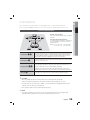
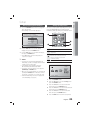
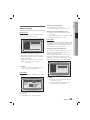
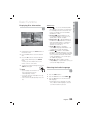
04 Basic Functions d Press the PAUSE button repeatedly. • The picture moves forward one frame each time the button is pressed during playback. ✎ NOTE Using the Title Menu d For DVDs containing multiple titles, you can view the title of each movie. 1. No sound is heard during step motion playback. Using the Disc Menu d TITLE MENU During playback, press the TITLE MENU button on the remote control. 2. Press the ▲▼◄► buttons to make the desired selection, then press the ENTER button. ✎ NOTE Depending on the disc, menu setup items may vary and this menu may not be available. You can view the menus for the audio language, subtitle language, profile, etc. 1. During playback, press the DISC MENU button on the remote control. DISC MENU 2. Press the ▲▼◄► buttons to make the desired selection, then press the ENTER button. ✎ NOTE Depending on the disc, menu setup items may vary and this menu may not be available. English 29 Basic Functions Step Motion Play