1
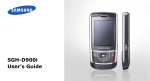
SGH-D908i
User’s Guide
Drive safely at all times
Do not use a hand-held phone while driving. Park
your vehicle first.
Important safety
precautions
Failure to comply with the following
precautions may be dangerous or illegal.
Copyright information
• Bluetooth® is a registered trademark
of the Bluetooth SIG, Inc. worldwide.
Bluetooth QD ID: B012592
• JavaTM is a trademark or registered
trademark of Sun Microsystems, Inc.
Switch off the phone when refuelling
Do not use the phone at a refuelling point (service
station) or near fuels or chemicals.
Switch off in an aircraft
Wireless phones can cause interference. Using
them in an aircraft is both illegal and dangerous.
Switch off the phone near all medical
equipment
Hospitals or health care facilities may be using
equipment that could be sensitive to external radio
frequency energy. Follow any regulations or rules in
force.
Interference
All wireless phones may be subject to interference,
which could affect their performance.
Be aware of special regulations
Meet any special regulations in force in any area
and always switch off your phone whenever it is
forbidden to use it, or when it may cause
interference or danger.
Water resistance
Your phone is not water-resistant. Keep it dry.
Sensible use
Use only in the normal position (held to your ear).
Avoid unnecessary contact with the antenna when
the phone is switched on.
Use of any unauthorised accessories could damage
you or your phone and may be dangerous.
• The phone could explode if the battery is
replaced with an incorrect type.
• Dispose of used batteries according to the
manufacturer’s instructions.
At very high volumes, prolonged listening
to a headset can damage your hearing.
Emergency calls
Key in the emergency number for your present
location, then press
.
Use of authorised software
Use only Samsung-authorised software. The use of
any unauthorised software could damage your
phone.
Keep your phone away from small children
Keep the phone and all its parts, including
accessories, out of the reach of small children.
Qualified service
Only qualified service personnel may repair your
phone.
Accessories and batteries
Use only Samsung-approved batteries and
accessories, such as headsets and PC data cables.
For more detailed safety information, see "Health
and safety information" on page 41.
1
About this Guide
This User’s Guide provides you with condensed
information about how to use your phone.
In this guide, the following instruction icons
appear:
Indicates that you need to pay careful
attention to the subsequent information
regarding safety or phone features.
Indicates that you need to press the
Navigation keys to scroll to the specified
option and then select it.
→
[
<
2
]
>
Indicates a key on the phone.
For example, [ ]
Indicates a soft key, whose function is
displayed on the phone screen.
For example, <Menu>
• Camera and camcorder
Use the camera module on your
phone to take a photo or record
a video.
Special features of your phone
• Music player
Play music files using your
phone as a music player. You
can use other phone functions
while listening to music.
• FM radio
Listen to your favourite radio
stations anytime, anywhere.
• Image editor
Edit or decorate your photos.
• Photo printing
Print your photos to preserve
your best moments forever.
• Phone to TV
View photos and video clips
captured with the phone on
your TV screen.
• Offline mode
Switch your phone to Offline
mode to use its non-wireless
functions while on an
aeroplane.
• Bluetooth
Transfer media files and
personal data, and connect to
other devices using wireless
Bluetooth technology.
• SOS message
Send SOS messages to your
family or friends for help in an
emergency.
3
Contents
Unpack
6
Make sure you have each item
Get started
6
First steps to operating your phone
Assemble and charge the phone ...................... 6
Power on or off.............................................. 7
Phone layout ................................................. 7
Keys and icons .............................................. 8
Access menu functions .................................. 11
Enter text .................................................... 12
Customise your phone ................................... 15
Step outside the phone
17
Begin with call functions, camera, music player, web
browser, and other special features
Make or answer calls ..................................... 17
Use the camera ............................................ 18
4
Play music...................................................
Listen to the FM radio ...................................
Browse the web ...........................................
Use Phonebook ............................................
Send messages ............................................
View messages ............................................
Use Bluetooth ..............................................
19
21
22
23
24
26
27
Menu functions
29
All menu options listed
Health and safety information
41
Overview of menu functions
To access Menu mode, press <Menu> in Idle mode.
1 Call log
3 Applications
5 Messages
8 Camera
1
2
3
4
5
6
7
8
3
4
5
6
7
6 SOS messages
7 Broadcast messages
8 Memory status
1
2
3
4
Recent contacts
Missed calls
Dialled calls
Received calls
Delete all
Area code
Call time
Call costs1
2 Phonebook
1
2
3
4
5
6
7
8
9
Contact list
FDN contacts1
Create contact
Group
Speed dial
My namecard
Own number
Management
Service number1
3 Applications
1 Music player
2 Voice recorder
Image editor
FM radio
Bluetooth
Java world
SIM application toolkit1
4 Browser
1
2
3
4
5
6
7
8
Home
Anysearch
Fun club
Bookmarks
Enter URL
Clear cache
Profile settings
Current profile
5 Messages
1
2
3
4
5
Create new message
My messages
Templates
Delete all
Settings
6 My files
1
2
3
4
5
6
7
Images
Videos
Music
Sounds
Other files
Memory card2
Memory status
7 Planner
1
2
3
4
5
6
7
8
Alarm
Calendar
Memo
World clock
Calculator
Converter
Timer
Stopwatch
Take a photo
Record video
Go to My photos
Go to My video clips
9 Settings
1 Time and date
2 Phone settings
3 Display settings
4 Sound settings
5 Light settings
6 Network services
7 Security
8 Memory status
9 Reset settings
10 Key management
1. Available only if supported
by your SIM card.
2. Available only if a memory
card is inserted.
5
Unpack
Get started
Make sure you have each item
First steps to operating your phone
• Phone
• Travel adapter
• Battery
• User’s Guide
You can obtain various accessories from your
local Samsung dealer.
Assemble and charge the phone
• The items supplied with your phone and the
accessories available at your Samsung dealer
may vary, depending on your country or
service provider.
• Use the purchased accessories with only
Samsung-authorised devices. The use of
these accessories with other devices could
cause problems and any repair costs would
not be covered by the warranty.
To AC power outlet
6
Phone layout
Removing the battery cover
Front view
Earpiece
Display
Power on or off
Switch on
1. Open the phone.
2. Press and hold [
].
3. If necessary, enter the
PIN and press <OK>.
Switch off
Navigation keys
(Up/Down/Left/
Right)
Volume keys
Right soft key
Left soft key
Power/Menu
exit key
Dial key
Memory
card slot
1. Open the phone.
2. Press and hold [
Web access/
Confirm key
].
Alphanumeric
keys
Delete key
Mouthpiece
Special
function keys
7
Get started
Keys and icons
Rear view
Camera lens
Camera flash
Mirror
Camera key
Multi-function
jack
When you close the phone, it locks the exposed
keys to prevent any unwanted phone operations,
from accidentally pressing any of the keys. To
unlock the keypad, press <Unlock> and then
<OK>.
8
Keys
Perform the function indicated on
the bottom line of the display.
In Idle mode, access the following
menus:
• Up: My menu mode
• Down/Left/Right: your favourite
menus
In Menu mode, scroll through menu
options.
In Idle mode, launch the web
browser.
In Menu mode, select the
highlighted menu option or confirm
input.
Make or answer a call.
In Idle mode, retrieve the numbers
recently dialled, missed, or
received.
Delete characters from the display
or items in an application.
Press and hold to switch the phone
on or off.
End a call.
In Menu mode, cancel input and
return the phone to Idle mode.
Enter numbers, letters, and some
special characters.
In Idle mode, press and hold [1] to
access your voicemail server. Press
and hold [0] to enter an
international call prefix.
Enter special characters or perform
special functions.
In Idle mode, press and hold [ ] to
activate or deactivate Silent mode.
Press and hold [ ] to enter a pause
between numbers.
Adjust the phone volume.
In Idle mode, enter the Camera
menu. Press and hold to turn on the
camera.
In Camera mode, take a photo or
record a video.
9
Get started
Icons
The following icons may appear on the top line
of the screen to indicate your phone’s status.
Depending on your country or service provider,
the icons shown on the display may vary.
Bluetooth active
Synchronised with PC
Signal strength
GPRS (2.5G) network
Call in progress
EDGE network
Out of your service area or Offline
mode
Home Zone
Alarm set
New
•
•
•
•
10
Call diverting active
message:
: Text message
: Multimedia message
: Email
: Voicemail
Office Zone
Music playback in progress
Music playback paused
FM radio on
Memory card inserted
Bluetooth hands-free car kit or
headset connected
SOS message feature active
Access menu functions
Select an
option
Silent mode (Vibration)
Silent mode (Mute)
Ringer type
• None: Melody
•
: Increasing melody
•
: Vibration
•
: Melody and vibration
•
: Increasing and vibration
•
: Vibration then melody
•
: Melody then vibration
Battery power level
1. Press a desired soft key.
2. Press the Navigation keys to
move to the next or
previous option.
3. Press <Select>, <OK>, or
[
] to confirm the
function displayed or option
highlighted.
4. Press <Back> to move up
one level.
Press [ ] to return to Idle
mode.
Use menu
numbers
Press the number key
corresponding to the option
you want.
11
Get started
Enter text
Change the
text input
mode
1. In the text entry screen,
press the right soft key.
Chinese
Pinyin mode
To enter a word:
2. Select the mode you want.
1. Press the keys
corresponding to the
Chinese phonetic spelling,
pinyin.
2. Press [Left] or [Right] to
select alternative pinyins.
3. To enter a phrase, press [ ]
to insert a delimiter and
continue entering the next
pinyins.
12
4. If necessary, press [Up] or
[Down] to find the character
you want.
5. Press [1]. Numbers are
added to each character.
6. Press the number key
corresponding to the
character.
To use the tones:
1. Press the keys
corresponding to the pinyin
of the letter you need.
2. If necessary, press [Left] or
[Right] to select the pinyin.
3. Press [ ] for tones.
4. If necessary, press [Up] or
[Down] to find the character
you want.
5. Press [1].
6. Press the number key
corresponding to the
character.
Predictive text
When you enter a character,
your phone displays additional
characters that are commonly
used to make words and
phrases. This helps you enter
phrases or words with minimal
key presses.
Chinese
Stroke mode
To enter a word:
1. Press the keys
corresponding to a
character’s component
strokes.
2. To enter a phrase, press [ ]
to insert the delimiter and
continue entering the next
strokes.
3. If necessary, press [Up] or
[Down] to find the character
you want.
4. Press the number key
corresponding to the
character you want.
13
Get started
Predictive text
When you enter a character,
your phone displays additional
characters that are commonly
used to make words and
phrases. This helps you enter
phrases or words with minimal
key presses.
ABC mode
English word
(T9) mode
1. Press [2] to [9] to start
entering a word.
2. Enter the whole word before
editing or deleting
characters.
3. When the word displays
correctly, press [ ] to insert
a space.
Otherwise, press [0] to
display alternative word
choices.
To enter a word:
Press the appropriate key until
the character you want
appears on the display.
Number
mode
14
To enter a word:
Press the keys corresponding
to the digits you want.
Symbol
mode
Press the corresponding
number key to select a symbol.
Other
operations
• Press and hold [ ] to
quickly switch to Symbol
mode.
• Press [ ] to change case.
• Press [ ] to insert a space.
• Press [1] to enter
punctuation marks or
special characters in ABC
mode and English word
mode.
• Press the Navigation keys to
move the cursor.
• Press [C] to delete
characters one by one.
• Press and hold [C] to clear
the entire display.
Customise your phone
Display
language
1. In Idle mode, press
<Menu> and select
Settings → Phone
settings → Language →
Display.
2. Select a language.
Call ringer
melody
1. In Idle mode, press
<Menu> and select
Settings → Sound
settings → Incoming call
→ Ring tone.
2. Press [Left] or [Right] to
select a ringtone category.
3. Select a ringtone.
4. Press <Save>.
15
Get started
Key tone
volume
Idle mode
wallpaper
In Idle mode, press [ / ] to
adjust the key tone volume.
1. In Idle mode, press
<Menu> and select
Settings → Display
settings → Wallpaper.
2. Press [Left] or [Right] to
select Normal.
3. Select Wallpaper.
4. Select an image category.
5. Select an image.
6. Press <Save>.
16
Menu mode
skin colour
1. In Idle mode, press
<Menu> and select
Settings → Display
settings → Skin.
2. Select a colour pattern.
Menu
shortcuts
1. In Idle mode, press
<Menu> and select
Settings → Phone
settings → Shortcuts.
2. Select a key.
3. Select a menu to be
assigned to the key.
Silent mode
Phone lock
You can switch the phone to
Silent mode to avoid
disturbing other people. In
Idle mode, press and hold [ ].
1. In Idle mode, press
<Menu> and select
Settings → Security →
Phone lock.
Step outside the phone
Begin with call functions, camera, music player,
web browser, and other special features
Make or answer calls
Make a call
2. Press [ ].
Press [ / ] to adjust the
volume.
2. Select Enable.
3. Enter a new 4- to 8-digit
password and press
<OK>.
4. Enter the new password
again and press <OK>.
1. In Idle mode, enter an area
code and phone number.
3. Press [
Answer a call
] to end the call.
1. When the phone rings,
press [ ].
2. Press [
] to end the call.
17
Step outside the phone
Use the
speakerphone
feature
Make a
multi-party
call
1. During a call, call the
second participant.
The first call is put on hold.
2. Press <Options> and
select Join.
3. Repeat step 1 and 2 to add
more participants.
4. During a multi-party call:
• Press <Options> and
select Split to have a
private conversation
with one participant.
18
• Press <Options> and
select Remove to drop
one participant.
During a call, press [
] and
then <Yes> to activate the
speaker.
Press [
] again to switch
back to the earpiece.
5. Press [ ] to end the multiparty call.
Use the camera
Take a photo
1. In Idle mode, press and hold
[ ] to turn on the camera.
2. Aim the lens at the subject
and make any desired
adjustments.
3. Press [
] or [ ] to take
a photo. The photo is saved
automatically.
4. Press <Back> to take
another photo.
View a photo
1. In Idle mode, press [
and select Go to My
photos.
]
View a video
2. Select the photo you want.
Record
a video
1. In Idle mode, press [ ]
and select Record video.
2. Press [
] or [
start recording.
] to
3. Press < > or [ ] to stop
recording. The video is
saved automatically.
4. Press < > to record
another video.
1. In Idle mode, press [ ]
and select Go to My video
clips.
2. Select the video you want.
Play music
Prepare
music files
Use these methods:
• Download from the wireless
web.
• Download from a computer
using the optional Samsung
PC Studio. See Samsung PC
Studio User’s Guide.
• Receive via Bluetooth.
19
Step outside the phone
4. Select Open folder to
view files when a pop-up
window appears on your PC.
• Copy to a memory card and
insert the card into the
phone.
• Copy to a memory card.
See the next section.
Copy music
files to a
memory card
5. Copy files from the PC to
the memory card.
6. When you have finished,
disconnect the phone from
the PC.
1. Insert a memory card into
the phone.
2. In Idle mode, press
<Menu> and select
Settings → Phone
settings → USB settings
→ Mass storage.
3. Connect your phone and PC
with an optional PC data
cable.
Create a
playlist
1. In Idle mode, press
<Menu> and select
Applications → Music
player.
2. Press <Options> and
select Add music from → a
memory location.
3. Press [
] to select files
and press <Add>.
20
Play music
files
1. From the music player
screen, press [
].
2. During playback, use the
following keys:
•
: pause or resume
playback.
• Left: return to the
previous file. Press and
hold to scan backward in
a file.
• Right: skip to the next
file. Press and hold to
scan forward in a file.
• Up: open the playlist.
•
/ : adjust the volume.
3. Press [Down] to stop
playback.
Listen to the FM radio
Listen to
the radio
1. Plug the connecter of the
supplied headset into the
multi-function jack on the
phone.
2. In Idle mode, press
<Menu> and select
Applications → FM radio.
3. Press [
radio.
] to turn on the
4. When you turn on the FM
radio for the first time,
press <Yes> to start
automatic tuning.
Available radio stations are
automatically saved.
21
Step outside the phone
Store radio
stations
5. Press [Left] or [Right] to
find the radio station you
want.
Alternatively, select a radio
station from the list.
By manual setup:
6. Press [
radio.
2. Press <Options> and
select Add.
] to turn off the
3. Press <Save>.
By automatic tuning:
1. From the radio screen,
press <Options> and
select Self-tuning.
2. Press <Yes> to confirm.
Available radio stations are
automatically saved.
22
1. From the radio screen,
press [Left] or [Right] to
find the radio station you
want.
Browse the web
Launch the
web browser
In Idle mode, press [
]
and select Home. The
homepage of your service
provider opens.
Navigate
the web
• To scroll through browser
items, press [Up] or
[Down].
• To select an item, press
<
> or [
].
• To return to the previous
page, press <Back> or
[C].
• To access browser
options, select
or press
[ ].
• To access other phone
menus, press [ ].
• To return to the
homepage, press and hold
[C].
Use Phonebook
Add a contact
1. In Idle mode, enter a phone
number and press
<Options>.
2. Select Save → a memory
location → New.
3. For Phone, select a number
type.
4. Specify contact information.
5. Press <Save> or [
save the contact.
Find a
contact
] to
1. In Idle mode, press
<Contacts>.
2. Enter the first few letters of
the name you want.
23
Step outside the phone
3. Select a contact.
3. Press <Options> and
select Save and send or
Send only.
4. Scroll to a number and
press [ ] to dial, or press
[
] to edit contact
information.
4. Enter destination numbers.
5. Press [
message.
Send messages
Send a text
message
1. In Idle mode, press
<Menu> and select
Messages → Create new
message → Text
message.
2. Enter the message text.
24
Send a
multimedia
message
] to send the
1. In Idle mode, press
<Menu> and select
Messages → Create new
message → Multimedia
message.
2. Select Subject.
3. Enter the message subject
and press [
].
4. Select Image or video
and add an image or a
video clip.
5. Select Music or sound and
add a music file or a sound
clip.
6. Select Text.
7. Enter the message text and
press [
].
8. Press <Options> and
select Send.
9. Select a destination field.
10.Enter destination numbers
or email addresses and
press [
].
Send an
email
1. In Idle mode, press
<Menu> and select
Messages → Create new
message → Email.
2. Select Subject.
3. Enter the email subject and
press [
].
4. Select Message.
5. Enter the email text and
press [
].
6. Select File attach.
7. Add media files, contacts,
calendar items, or other
files.
11.Press <Options> and
select Send.
25
Step outside the phone
8. Press <Options> and
select Send.
9. Select a destination field.
View a
multimedia
message
10.Enter email addresses and
press [
].
2. Select a multimedia
message.
11.Press <Options> and
select Send.
View messages
View a text
message
1. In Idle mode, press
<Menu> and select
Messages → My
messages → Inbox.
2. Select a text message.
26
1. In Idle mode, press
<Menu> and select
Messages → My
messages → Inbox.
View an
email
1. In Idle mode, press
<Menu> and select
Messages → My
messages → Email inbox.
2. Select Check new mail.
3. Select an email or a header.
4. If you selected a header,
press <Options> and
select Retrieve to view the
body of the email.
Use Bluetooth
Your phone is equipped with Bluetooth
technology, enabling you to connect the phone
wirelessly to other Bluetooth devices and
exchange data with them, talk hands-free, or
control the phone remotely.
Search for
and pair with
a Bluetooth
device
1. In Idle mode, press
<Menu> and select
Applications → Bluetooth
→ My devices → Search
new device.
2. Select a device.
Turn on
Bluetooth
1. In Idle mode, press
<Menu> and select
Applications → Bluetooth
→ Activation → On.
2. Select My phone’s
visibility → On to allow
other devices to locate your
phone.
3. Enter a Bluetooth PIN or
the other device’s
Bluetooth PIN, if it has one,
and press <OK>.
When the owner of the
other device enters the
same code, pairing is
complete.
27
Step outside the phone
Send data
1. Access an application, such
as Phonebook, My files,
Calendar, or Memo.
2. Select an item.
3. Press <Options> and
select Send via →
Bluetooth.
4. For sending a contact,
select which data you want
to send.
5. Search for and select a
device.
6. If necessary, enter the
Bluetooth PIN and press
<OK>.
28
Receive data
1. When a device attempts to
access your phone, press
<Yes> to permit the
connection.
2. If necessary, press <Yes>
to confirm that you are
willing to receive.
Menu functions
All menu options listed
Menu
Description
Area code
Find and retrieve area and
country codes to quickly
and easily dial phone
numbers.
Call time
Check the time record for
calls made and received.
Call costs
Check the cost of your
calls, if supported by your
SIM card.
This section provides brief explanations of
menu functions on your phone.
Call log
Menu
Description
Recent contacts,
Missed calls,
Dialled calls,
Received calls
Check the most recent calls
dialled, received, or
missed.
Delete all
Delete all of the records in
each call type.
Phonebook
Menu
Description
Contact list
Search for contact
information stored in
Phonebook.
29
Menu functions
30
Menu
Description
Menu
Description
FDN contacts
Create a list of contacts to
be used in FDN (Fixed
Dialling Number) mode, in
which the phone allows
outgoing calls only to the
specified phone numbers, if
your SIM card supports this
feature.
My namecard
Create a name card and
send it to other people.
Own number
Check your phone numbers,
or assign a name to each of
the numbers.
Management
Manage contacts in
Phonebook or change the
default settings for
Phonebook.
Service number
View the SDN (Service
Dialling Number) list
assigned by your service
provider, if supported by
your SIM card.
Create contact
Add a new contact to
Phonebook.
Group
Organise your contacts in
caller groups.
Speed dial
Assign a speed dial number
for your most frequently
dialled numbers.
Applications
Menu
Description
Menu
Description
Java world1
Music player
Listen to music. You can
also make your own music
playlist.
Access Java games and
applications.
SIM application
toolkit
Voice recorder
Record voice memos and
any other sounds.
Image editor
Edit your photos using
various editing tools.
Use a variety of additional
services offered by your
service provider.
Depending on your SIM
card, this menu may be
available but labelled
differently.
FM radio
Listen to music or news via
the FM radio on your
phone.
Bluetooth
Connect the phone
wirelessly to other
Bluetooth devices.
1. All rights and responsibilities for the Java-based games
embedded in your phone and media contents provided by
Samsung Fun Club, such as images, sounds, and Java
applications, belong to their respective owners.
31
Menu functions
Browser
32
Menu
Description
Home
Connect your phone to the
network and load the
homepage of the wireless
web service provider.
Anysearch
Use this Java-based
application to search for
various information from
the wireless web. Your
phone's skin colour, menu
background image, and
keytone settings do not
affect this application.
Menu
Description
Fun club1
Access Samsung Fun Club,
the preset website
providing Samsung mobile
phone users with attractive
download services of upto-date ringtones and
wallpapers.
Bookmarks
Save URL addresses in
order to quickly access web
pages.
Enter URL
Enter a URL address and
access the associated web
page.
Menu
Description
Clear cache
Clear the cache, which is a
temporary memory site
that stores recently
accessed web pages.
Profile settings
Set up connection profiles
for the web browser.
Current profile
Select a connection profile
to be used for accessing
the wireless web.
1. All rights and responsibilities for the Java-based games
embedded in your phone and media contents provided by
Samsung Fun Club, such as images, sounds, and Java
applications, belong to their respective owners.
Messages
Menu
Description
Create new
message
Create and send text,
multimedia, or email
messages.
My messages
Access messages that you
have received, sent, or that
have failed during sending.
Templates
Make and use templates of
frequently used messages
or passages.
Delete all
Delete messages in each
message folder all at once.
Settings
Set up various options for
using the messaging
services.
33
Menu functions
34
Menu
Description
SOS messages
Specify options for sending
and receiving an SOS
message. You can send an
SOS message by pressing
[ / ] 4 times in idle
mode, when the phone is
closed and the exposed
keys are locked.
Broadcast
messages
Change the settings for
receiving broadcast
messages.
Memory status
Check information about
the memory currently in
use.
My files
Menu
Description
Images, Videos,
Music, Sounds,
Other files
Access media files and
other files.
Memory card
Access the files stored on a
memory card. This menu is
only available when you
insert a memory card into
the phone.
Memory status
Check information about
the memory currently in
use.
Planner
Menu
Description
Alarm
Set a wake-up call to wake
you up in the morning or
an alarm to alert you to an
event at a specific time.
Calendar
Keep track of your
schedule.
Memo
Make memos for things
that are important and
manage them.
World clock
Calculator
Set your local time zone
and find out the current
time in another part of the
world.
Perform arithmetic
functions.
Menu
Description
Converter
Do conversions, such as
length and temperature.
Timer
Set a period of time for the
phone to count down.
Stopwatch
Measure elapsed time.
Camera
Menu
Description
Take a photo
Take photos in various
modes.
Record video
Record a video of what is
displayed on the camera
screen.
35
Menu functions
Menu
Description
Menu
Description
Go to My photos
Access the list of photos
you have taken.
Go to My video
clips
Access the list of videos
you have recorded.
Phone settings
→ Greeting
message
Enter the greeting that is
displayed briefly when the
phone is switched on.
Phone settings
→ Slide settings
Set how the phone reacts
when you open it for an
incoming call, and when
you close it while using a
function.
Phone settings
→ Shortcuts
Use the Navigation keys as
shortcuts to access specific
menus directly from Idle
mode. [Up] is fixed as a
shortcut to My menu mode.
Phone settings
→ My menu
Set up a menu of your own
using your favourite menu
items, which can be easily
accessed by pressing [Up]
in Idle mode.
Settings
36
Menu
Description
Time and date
Change the time and date
displayed on your phone.
Phone settings
→ Language
Select a language for the
display text. Also, select
Fuzzy pinyin pairs so that
you can easily enter
characters that are similar
in phonetic spelling.
Menu
Description
Menu
Description
Phone settings
→ Advanced
shortcuts
Activate the advanced
shortcut feature, which
allows you to access SMS,
alarm, calendar, converter,
and calculator applications
from the dialling screen.
This menu may not be
available, depending on the
font type on the dialling
screen.
Phone settings
→ Extra settings
Change additional settings
for using the phone.
Phone settings
→ Offline mode
Switch the phone to Offline
mode, in which the phone
functions requiring network
connection are deactivated.
Display settings
→ Wallpaper
Change the background
image that is displayed in
Idle mode.
Phone settings
→ Volume key
Set how the phone reacts if
you press and hold [ / ]
when a call comes in.
Display settings
→ Main menu
style
Select a display style for
the main menu screen.
Phone settings
→ USB settings
Select a USB mode that will
be used when you connect
your phone to another
device via USB interface.
Display settings
→ Text display
Change the display settings
for the text displayed on
the idle screen.
37
Menu functions
Menu
Description
Menu
Description
Display settings
→ Skin
Select a skin colour pattern
for Menu mode.
Display settings
→ TV-out
Display settings
→ Brightness
Adjust the brightness of
the display for varying
lighting conditions.
Select a video system for
your TV to view the phone
display on the TV screen.
Sound settings
→ Incoming call
Change the sound settings
for incoming calls.
Display settings
→ Dialling
display
Customise the settings for
the display while dialling.
Sound settings
→ Keypad tone
Display settings
→ Calendar
Display the calendar of the
current month on the idle
screen. This menu may not
be available depending on
the wallpaper type.
Select the tone that the
phone sounds when you
press a key. This menu
may not be available,
depending on the font type
on the dialling screen.
Sound settings
→ Message tone
Change the sound settings
for incoming messages
individually according to
message type.
Display settings Set the phone to display or
→ Show caller ID block caller information on
all missed calls and
incoming messages.
38
Menu
Description
Menu
Description
Sound settings
→ Power-on/off
tone
Set your phone to sound
when it is switched on or
off.
Light settings →
Keypad light
Set how the phone controls
the use of the keypad light.
Sound settings
→ On-time
alarm
Set the phone to sound an
alert every hour on the
hour.
Network
services → Call
diverting
Set the phone to reroute
incoming calls to a phone
number that you specify.
Sound settings
→ Silent mode
Set how the phone acts to
alert you to a specific event
while in Silent mode.
Network
services → Call
barring
Set the phone to restrict
calls.
Sound settings
→ Extra tones
Customise additional tones
for the phone.
Network
services → Call
waiting
Light settings →
Backlight time
Select the length of time
the backlight or display
stays on when the phone is
not used.
Set the phone to inform
you when someone is
calling you while on
another call.
Network
services →
Network
selection
Select the network to be
used while roaming outside
of your home area, or let
the network be chosen
automatically.
39
Menu functions
40
Menu
Description
Menu
Description
Network
services → Caller
ID
Set the phone to hide your
phone number from the
person you are calling.
Security →
Phone lock
Network
services → Voice
mail server
Store the number of the
voicemail server and
access your voicemails.
Activate your phone
password to protect your
phone against
unauthorised use.
Change the phone
password.
Network
services → Band
selection
Change to an appropriate
band when you travel
abroad.
Security →
Change
password
Security →
Privacy
Security → PIN
check
Activate your PIN to
protect your SIM card
against unauthorised use.
Lock access to call records,
contacts, messages, files,
or all menu functions on
the phone.
Security →
Change PIN
Change the PIN.
Security → SIM
lock
Set the phone to work only
with the current SIM card
by assigning a SIM lock
password.
Menu
Description
Security → FDN
mode
Set the phone to restrict
calls to a limited set of
phone numbers, if
supported by your SIM
card.
Security →
Change PIN2
Change your current PIN2,
if supported by your SIM
card.
Memory status
Check information about
the memory currently in
use.
Reset settings
Reset the phone’s settings
you have changed.
Key
management
Manage the licence keys
you have acquired to
activate media files locked
by DRM systems.
Health and safety information
SAR certification information
This phone meets European Union (EU) requirements
concerning exposure to radio waves.
Your mobile phone is a radio transmitter and receiver. It
is designed and manufactured to not exceed the limits
for exposure to radio-frequency (RF) energy, as
recommended by the EU Council. These limits are part
of comprehensive guidelines and establish permitted
levels of RF energy for the general population. The
guidelines were developed by independent scientific
organisations through the periodic and thorough
evaluation of scientific studies. The limits include a
substantial safety margin designed to ensure the safety
of all persons, regardless of age and health.
The exposure standard for mobile phones employs a
unit of measurement known as Specific Absorption Rate
(SAR). The SAR limit recommended by the EU Council is
2.0 W/kg.1
41
Health and safety information
SAR tests are conducted using standard operating
positions with the phone transmitting at its highest
certified power level in all tested frequency bands.
Although the SAR is determined at the highest certified
power level, the actual SAR level of the phone while
operating can be well below the maximum value. This is
because the phone is designed to operate at multiple
power levels so as to use only the power required to
reach the network. In general, the closer you are to a
base station, the lower the power output of the phone.
Precautions when using batteries
•
•
•
•
1. The SAR limit for mobile phones used by the public is
2.0 watts/kilogram (W/kg) averaged over ten grams of body
tissue. The limit incorporates a substantial margin of safety to
give additional protection for the public and to account for any
variations in measurements. The SAR values may vary,
depending on national reporting requirements and the
network band.
42
•
•
Never use a charger or battery that is damaged in
any way.
Use the battery only for its intended purpose.
If you use the phone near the network’s base
station, it uses less power. Talk and standby time
are greatly affected by the signal strength on the
cellular network and the parameters set by the
service provider.
Battery charging time depends on the remaining
battery charge, the type of battery, and the charger
used. The battery can be charged and discharged
hundreds of times, but it will gradually wear out.
When the operation time is noticeably shorter than
normal, it is time to buy a new battery.
If left unused, a fully charged battery will discharge
itself over time.
Use only Samsung-approved batteries, and
recharge your battery only with Samsung-approved
chargers. Disconnect the charger from the power
source when it is not in use.
Do not leave the battery connected to a charger for
•
•
•
more than a week, since overcharging may shorten
its life.
Extreme temperatures will affect the charging
capacity of your battery: it may require cooling or
warming first.
Do not leave the battery in hot or cold places
because the capacity and lifetime of the battery will
be reduced. Try to keep the battery at room
temperature. A phone with a hot or cold battery
may not work temporarily, even when the battery is
fully charged. Li-ion batteries are particularly
affected by temperatures below 0° C (32° F).
Do not short-circuit the battery. Accidental shortcircuiting can occur when a metallic object like a
coin, clip or pen causes a direct connection between
the + and – terminals of the battery (metal strips on
the battery). For example, do not carry a spare
battery in a pocket or bag where the battery may
contact metal objects. Short-circuiting the terminals
may damage the battery or the object causing the
short-circuiting.
•
Dispose of used batteries in accordance with local
regulations. Always recycle. Do not dispose of
batteries in a fire.
Road safety
Your wireless phone gives you the powerful ability to
communicate by voice, almost anywhere, anytime. But
an important responsibility accompanies the benefits of
wireless phones, one that every user must uphold.
When you are driving a car, driving is your first
responsibility. When using your wireless phone while
driving, follow local regulations in the country or region
you are in.
Operating environment
Remember to follow any special regulations in force in
the area you are in, and always switch off your phone
whenever it is forbidden to use it, or when it may cause
interference or danger.
When connecting the phone or any accessory to
another device, read its user’s guide for detailed safety
instructions. Do not connect incompatible products.
43
Health and safety information
As with other mobile radio transmitting equipment,
users are advised that for the satisfactory operation of
the equipment and for the safety of personnel, it is
recommended that the equipment should only be used
in the normal operating position (held to your ear with
the antenna pointing over your shoulder).
Electronic devices
Most modern electronic equipment is shielded from
radio frequency (RF) signals. However, certain
electronic equipment may not be shielded against the
RF signals from your wireless phone. Consult the
manufacturer to discuss alternatives.
Pacemakers
Pacemaker manufacturers recommend that a minimum
distance of 15 cm (6 inches) be maintained between a
wireless phone and a pacemaker to avoid potential
interference with the pacemaker. These
recommendations are consistent with the independent
research and recommendations of Wireless Technology
Research. If you have any reason to suspect that
interference is taking place, switch off your phone
immediately.
44
Hearing aids
Some digital wireless phones may interfere with some
hearing aids. In the event of such interference, you
may wish to consult your hearing aid manufacturer to
discuss alternatives.
Other medical devices
If you use any other personal medical devices, consult
the manufacturer of your device to determine if it is
adequately shielded from external RF energy.
Your physician may be able to assist you in obtaining
this information.
Switch off your phone in health care facilities when
regulations posted in these areas instruct you to do so.
Vehicles
RF signals may affect improperly installed or
inadequately shielded electronic systems in motor
vehicles. Check with the manufacturer or its
representative regarding your vehicle.
You should also consult the manufacturer of any
equipment that has been added to your vehicle.
Posted facilities
Switch off your phone in any facility where posted
notices require you to do so.
Potentially explosive environments
Switch off your phone when in any area with a
potentially explosive atmosphere, and obey all signs
and instructions. Sparks in such areas could cause an
explosion or fire resulting in bodily injury or even death.
Users are advised to switch off the phone while at a
refuelling point (service station). Users are reminded of
the need to observe restrictions on the use of radio
equipment in fuel depots (fuel storage and distribution
areas), chemical plants, or where blasting operations
are in progress.
Areas with a potentially explosive atmosphere are often
but not always clearly marked. They include the areas
below decks on boats, chemical transfer or storage
facilities, vehicles using liquefied petroleum gas, such
as propane or butane, areas where the air contains
chemicals or particles, such as grain, dust or metal
powders, and any other area where you would normally
be advised to turn off your vehicle engine.
Emergency calls
This phone, like any wireless phone, operates using
radio signals, wireless, and landline networks as well as
user-programmed functions, which cannot guarantee
connection in all conditions. Therefore, you should
never rely solely on any wireless phone for essential
communications like medical emergencies.
To make or receive calls, the phone must be switched
on and in a service area with adequate signal strength.
Emergency calls may not be possible on all wireless
phone networks or when certain network services and/
or phone features are in use. Check with local service
providers.
To make an emergency call:
1. Switch on the phone.
2. Key in the emergency number for your present
location. Emergency numbers vary by location.
3. Press [ ].
Certain features like Call Barring may need to be
deactivated before you can make an emergency call.
Consult this document and your local cellular service
provider.
45
Health and safety information
Other important safety information
•
•
•
•
•
46
Only qualified personnel should service the phone or
install the phone in a vehicle. Faulty installation or
service may be dangerous and may invalidate any
warranty applicable to the device.
Check regularly that all wireless phone equipment in
your vehicle is mounted and operating properly.
Do not store or carry flammable liquids, gases, or
explosive materials in the same compartment as the
phone, its parts, or accessories.
For vehicles equipped with an air bag, remember
that an air bag inflates with great force. Do not
place objects, including installed or portable wireless
equipment, in the area over the air bag or in the air
bag deployment area. Improperly installed wireless
equipment could result in serious injury if the air
bag inflates.
Switch off your phone before boarding an aircraft. It
is dangerous and illegal to use wireless phones in an
aircraft because they can interfere with the
operation of the aircraft.
•
Failure to observe these instructions may lead to the
suspension or denial of telephone services to the
offender, or legal action, or both.
Care and maintenance
Your phone is a product of superior design and
craftsmanship and should be treated with care. The
suggestions below will help you fulfill any warranty
obligations and allow you to enjoy this product for many
years.
• Keep your phone and all its parts and accessories
out of the reach of small children and pets. They
may accidentally damage these things or choke on
small parts.
• Keep the phone dry. Precipitation, humidity, and
liquids contain minerals that corrode electronic
circuits.
• Do not use the phone with a wet hand. Doing so
may cause an electric shock to you or damage to
the phone.
•
•
•
•
•
•
•
Do not use or store the phone in dusty, dirty areas,
as its moving parts may be damaged.
Do not store the phone in hot areas. High
temperatures can shorten the life of electronic
devices, damage batteries, and warp or melt certain
plastics.
Do not store the phone in cold areas. When the
phone warms up to its normal operating
temperature, moisture can form inside the phone,
which may damage the phone’s electronic circuit
boards.
Do not drop, knock, or shake the phone. Rough
handling can break internal circuit boards.
Do not use harsh chemicals, cleaning solvents, or
strong detergents to clean the phone. Wipe it with a
soft cloth.
Do not paint the phone. Paint can clog the device’s
moving parts and prevent proper operation.
Do not put the phone in or on heating devices, such
as a microwave oven, stove, or radiator. The phone
may explode when overheated.
•
•
•
•
When the phone or battery gets wet, the label
indicating water damage inside the phone changes
colour. In this case, phone repairs are no longer
guaranteed by the manufacturer's warranty, even if
the warranty for your phone has not expired.
If your phone has a flash or light, do not use it too
close to the eyes of people or animals. This may
cause damage to their eyes.
Use only the supplied or an approved replacement
antenna. Unauthorised antennas or modified
accessories may damage the phone and violate
regulations governing radio devices.
If the phone, battery, charger, or any accessory is
not working properly, take it to your nearest
qualified service facility. The personnel there will
assist you, and if necessary, arrange for service.
47
* Depending on the software installed or your service provider or country, some of the descriptions in this guide
may not match your phone exactly.
* Depending on your country, your phone and accessories may appear different from the illustrations in this guide.
World Wide Web
http://www.samsungmobile.com
Printed in Korea
Code No.:GH68-14925A
English. 06/2007. Rev. 1.0