1
Implementing a Nios II Custom Instruction
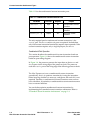
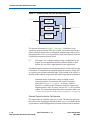
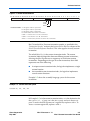
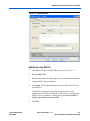
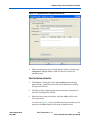
The N port field indicates whether the custom instruction is an
extended type. In the case of an extended custom instruction, this
field indicates which bits in the n port serve as the function select.
Otherwise it displays a dash (-).
The Opcode Extension field displays the custom instruction index (N
field) in the instruction word. The value appears in both binary and
decimal formats. For further information about the N field, see
“Custom Instruction Assembly Software Interface” on page 2–4.
4.
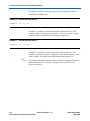
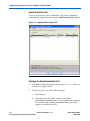
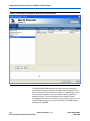
In the Nios II configuration wizard, click Finish to finish adding the
custom instruction to the system and return to the SOPC Builder
window.
Generate the SOPC Builder System and Compile in Quartus II
Software
After the custom instruction logic is added to the system, you are ready
for system generation and Quartus II compilation. During system
generation, SOPC Builder connects the custom logic to the Nios II
processor.
f
Accessing the
Custom
Instruction from
Software
For detailed instructions on generating SOPC Builder systems, refer to
the Quartus II Handbook Volume 4: SOPC Builder, or to the SOPC Builder
Help system.
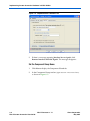
Adding a custom instruction to a Nios II processor results in a significant
change to the SOPC Builder system. The next time you run any related
Nios II program in the Nios II IDE, the IDE rebuilds the software project
to accommodate the changes. The IDE adds the macros for the custom
instruction to the system.h header file.
For details about writing software for Nios II custom instructions, see
Chapter 2, Software Interface.
Altera Corporation
May 2007
Nios II Processor v. 7.1
3–9
Nios II Custom Instruction User Guide