1
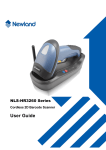
NLS-HR100
Hand-held 1D Barcode Scanner
User Guide
Pre-release version
Disclaimer
© 1999-2008 by Newland Auto-ID Tech. Co., Ltd, All rights reserved.
No part of this publication may be reproduced, transmitted, or used in any form or by any means, electrical or
mechanical, without prior written permission from Newland Auto-ID. The material in this manual is subject
to change without notice.
All software, including firmware, is provided strictly on an “as is” basis and is provided without further
warranty. Newland Auto-ID grants to the user a non-transferable and non-exclusive license to use each
software or firmware program delivered hereunder (licensed program). Except as noted below, such license
may not be assigned, sublicensed, or otherwise transferred by the user without prior written consent of
Newland Auto-ID. No right to copy a licensed program in whole or in part is granted except as permitted
under copyright law or as hereinafter expressly provided. The user agrees to maintain Newland Auto-ID’s
copyright notice on the licensed programs delivered hereunder, and to include the same on any authorized
copies it makes in whole or in part. The user agrees not to decompile, disassemble, decode, or reverse
engineer any licensed program or product delivered to the user or any portion thereof.
Newland Auto-ID reserves the right to make changes and improvements to any software or product for
reliability, function, or design.
Newland Auto-ID does not assume any responsibility or liability arising out of, or in connection with, the
application or use of any product, circuit, or application described herein.
No license is granted, either expressly or implicitly, estoppels, or otherwise under any Newland Auto-ID
intellectual property rights. An implied license only exists for equipment, circuits, and subsystems contained
in Newland Auto-ID products.
Microsoft and Windows are either registered trademarks or trademarks of Microsoft Corporation. All other
product or service names are the property of their respective owners.
Newland Auto-ID Tech. Co., Ltd,
Table of Contents
请更换节标题
Content
About this guide
Introduction ................................................................................................................................................. 1
Chapter Description ..................................................................................................................................... 1
Graphic Notations ........................................................................................................................................ 2
Newland Auto-ID Support Center .............................................................................................................. 2
Getting to Start
Introduction .................................................................................................................................................. 3
Unpacking .................................................................................................................................................... 4
Unpacking ............................................................................................................................................. 4
Outline of HR100 ................................................................................................................................. 4
Data Interface........................................................................................................................................ 5
Communication Ports .................................................................................................................................. 6
Connecting with USB Cable ........................................................................................................................ 7
Connecting with RS232 Cable ..................................................................................................................... 8
Connecting with PS/2 Cable ........................................................................................................................ 9
Removal of Communication Cable............................................................................................................ 10
ON, OFF, IDLE, RESTART .......................................................................................................................11
Power On .............................................................................................................................................11
Power Off .............................................................................................................................................11
IDLE Mode ..........................................................................................................................................11
RESTART ............................................................................................................................................11
Maintenance .........................................................................................................................................11
Reading ...................................................................................................................................................... 12
Depth of Field ............................................................................................................................................ 13
Decode Distances................................................................................................................................ 13
Dimensions of HR100 Unit ....................................................................................................................... 14
HR100 Left View ................................................................................................................................ 14
HR100 Front View ............................................................................................................................. 14
HR100 Top View ............................................................................................................................... 14
General Programming
Introduction ................................................................................................................................................ 15
Code Programming ............................................................................................................................. 15
Command Programming ..................................................................................................................... 15
Programming Notation .............................................................................................................................. 16
Code Programming On/Off........................................................................................................................ 17
Code Programming ............................................................................................................................. 17
Programming Outline ................................................................................................................................ 18
Command Programming ..................................................................................................................... 18
Default ....................................................................................................................................................... 19
Factory Default ................................................................................................................................... 19
Working Mode .......................................................................................................................................... 20
nlscan.com
Page I
Table of Contents
Mode Select ........................................................................................................................................ 20
Working Mode Parameters ........................................................................................................................ 21
For all modes ...................................................................................................................................... 21
For Interval Mode Only ...................................................................................................................... 21
For Sensor Mode Only........................................................................................................................ 21
For Auto Mode Only ........................................................................................................................... 21
Security Level ............................................................................................................................................ 22
Security Level ..................................................................................................................................... 22
Beeper ........................................................................................................................................................ 23
Beeper ................................................................................................................................................. 23
Query Command
Introduction ................................................................................................................................................ 24
Communication Programming
Introduction ................................................................................................................................................ 25
Serial Port Programming ........................................................................................................................... 26
Check .................................................................................................................................................. 27
Stop Digit ............................................................................................................................................ 27
Flow Controlling ................................................................................................................................. 27
KBW Programming ................................................................................................................................... 28
Keyboard Layout ................................................................................................................................ 28
Inter-character Delay .......................................................................................................................... 29
Characters Transformation.................................................................................................................. 29
CapsLock ............................................................................................................................................ 29
Data Format
Introduction ................................................................................................................................................ 30
Prefix Sequences ........................................................................................................................................ 31
User Prefix ................................................................................................................................................. 32
Disable or Enable User Prefix ............................................................................................................ 32
Program User Prefix ........................................................................................................................... 32
AIM Prefix ................................................................................................................................................. 33
AIM Prefix definitions ........................................................................................................................ 33
Code ID Prefix ........................................................................................................................................... 34
User Suffix ................................................................................................................................................. 35
Disable or Enable User Suffix ............................................................................................................ 35
Program User Suffix ........................................................................................................................... 35
Stop Suffix ................................................................................................................................................. 36
Disable or Enable Stop Suffix ............................................................................................................ 36
Program Stop Suffix ........................................................................................................................... 36
Symbols
Introduction ............................................................................................................................................... 37
nlscan.com
Page II
Table of Contents
Symbols Available ..................................................................................................................................... 37
Code 128 .................................................................................................................................................... 38
Load Factory Default .......................................................................................................................... 38
Enable/Disable Code 128 ................................................................................................................... 38
Code 128 Code ID ............................................................................................................................. 38
Select Message Length ....................................................................................................................... 39
Check Digit ......................................................................................................................................... 40
UCC/EAN-128........................................................................................................................................... 41
Load Factory Default .......................................................................................................................... 41
Enable/Disable UCC/EAN-128 .......................................................................................................... 41
UCC/EAN-128 Code ID .................................................................................................................... 41
Select Message Length ....................................................................................................................... 42
Check Digit ......................................................................................................................................... 43
AIM 128 ..................................................................................................................................................... 44
Load Factory Default .......................................................................................................................... 44
Enable/Disable AIM 128 .................................................................................................................... 44
AIM 128 Code ID ............................................................................................................................... 44
Select Message Length ....................................................................................................................... 45
ISBT 128 .................................................................................................................................................... 46
Load Factory Default .......................................................................................................................... 46
Enable/Disable ISBT 128 ................................................................................................................... 46
ISBT 128 Code ID .............................................................................................................................. 46
EAN-8 ........................................................................................................................................................ 47
Load Factory Default .......................................................................................................................... 47
Enable/Disable EAN-8 ....................................................................................................................... 47
EAN-8 Code ID .................................................................................................................................. 47
2 Digits Addenda Code ....................................................................................................................... 48
5 Digits Addenda Code ....................................................................................................................... 48
EAN-8 expand to EAN-13.................................................................................................................. 49
Check Digit ......................................................................................................................................... 49
EAN-13 ...................................................................................................................................................... 50
Load Factory Default .......................................................................................................................... 50
Disable/Enable EAN-13 ..................................................................................................................... 50
Check Digit ......................................................................................................................................... 51
EAN-13 Code ID ................................................................................................................................ 51
2 Digits Addenda Code ....................................................................................................................... 52
5 Digits Addenda Code ....................................................................................................................... 52
ISSN ........................................................................................................................................................... 53
Load Factory Default .......................................................................................................................... 53
Enable/Disable ISSN .......................................................................................................................... 53
ISSN Code ID ..................................................................................................................................... 53
ISBN .......................................................................................................................................................... 54
Load Factory Default .......................................................................................................................... 54
Enable/Disable ISBN .......................................................................................................................... 54
ISBN Digits ........................................................................................................................................ 55
ISBN Code ID..................................................................................................................................... 55
UPC-E ........................................................................................................................................................ 56
Load Factory Default .......................................................................................................................... 56
Disable/Enable UPC-E ....................................................................................................................... 56
Page III
nlscan.com
Table of Contents
Check Digit ......................................................................................................................................... 57
UPC-E Code ID .................................................................................................................................. 57
2 Digits Addenda Code ....................................................................................................................... 58
5 Digits Addenda Code ....................................................................................................................... 58
Transmit Default “0” ..................................................................................................................... 59
UPC-E Expand to UPC-A................................................................................................................... 59
UPC-A........................................................................................................................................................ 60
Load Factory Default .......................................................................................................................... 60
Disable/Enable UPC-A ....................................................................................................................... 60
UPC-A Code ID .................................................................................................................................. 60
Check Digit ......................................................................................................................................... 61
Transmit Default “0” ..................................................................................................................... 61
2 Digits Addenda Code ....................................................................................................................... 62
5 Digits Addenda Code ....................................................................................................................... 62
Interleaved 2 of 5 ....................................................................................................................................... 63
Load Factory Default .......................................................................................................................... 63
Disable/Enable Interleaved 2 of 5....................................................................................................... 63
Interleaved 2 of 5 Code ID ................................................................................................................. 63
Check Digit ......................................................................................................................................... 64
Select Message Length ....................................................................................................................... 65
ITF-6 .......................................................................................................................................................... 66
ITF-6 Code ID .................................................................................................................................... 66
ITF-14 ........................................................................................................................................................ 67
ITF-14 Code ID .................................................................................................................................. 67
Deutshe14 .................................................................................................................................................. 68
Load Factory Default .......................................................................................................................... 68
Disable/Enable Deutshe14 .................................................................................................................. 68
Deutshe14 Code ID............................................................................................................................. 68
Deutshe12 .................................................................................................................................................. 69
Load Factory Default .......................................................................................................................... 69
Disable/Enable Deutshe12 .................................................................................................................. 69
Deutshe12 Code ID............................................................................................................................. 69
COOP25(Japanese Matrix 25) .............................................................................................................. 70
Load Factory Default .......................................................................................................................... 70
Enable/ Disable COOP25 ................................................................................................................... 70
COOP25(Japanese Matrix 25) Code ID ........................................................................................ 70
Check Digit ........................................................................................................................................ 71
Select Message Length ....................................................................................................................... 72
Matrix 25( Europe Matrix 25) ................................................................................................................... 73
Load Factory Default .......................................................................................................................... 73
Enable/ Disable Matrix 25 .................................................................................................................. 73
Matrix 25 Code ID .............................................................................................................................. 73
Check Digit ........................................................................................................................................ 74
Select Message Length ....................................................................................................................... 75
Industrial 25 ............................................................................................................................................... 76
Load Factory Default .......................................................................................................................... 76
Enable/ Disable Industrial 25.............................................................................................................. 76
Industrial 25 Code ID ......................................................................................................................... 76
Check Digit ........................................................................................................................................ 77
Page IV
nlscan.com
Table of Contents
Select Message Length ....................................................................................................................... 78
Standard 25 ................................................................................................................................................ 79
Load Factory Default .......................................................................................................................... 79
Enable/ Disable Standard 25 ............................................................................................................... 79
Standard 25 Code ID .......................................................................................................................... 79
Check Digit ........................................................................................................................................ 80
Select Message Length ....................................................................................................................... 81
Code 39 ...................................................................................................................................................... 82
Load Factory Default .......................................................................................................................... 82
Enable/Disable Code 39 ..................................................................................................................... 82
Code 39 Code ID ................................................................................................................................ 82
Check Digit ........................................................................................................................................ 83
Transmit Start & Stop Character......................................................................................................... 84
Decode ASCII ..................................................................................................................................... 84
Select Message Length ....................................................................................................................... 85
Codabar ...................................................................................................................................................... 86
Load Factory Default .......................................................................................................................... 86
Enable/Disable Codabar ..................................................................................................................... 86
Codabar Code ID ................................................................................................................................ 86
Check Digit ........................................................................................................................................ 87
Transmit Start & Stop Character......................................................................................................... 88
Select Message Length ....................................................................................................................... 89
Code 93 ...................................................................................................................................................... 90
Load Factory Default .......................................................................................................................... 90
Enable /Disable Code 93 .................................................................................................................... 90
Code 93 Code ID ................................................................................................................................ 90
Check Digit ........................................................................................................................................ 91
Select Message Length ....................................................................................................................... 92
Code 11 ...................................................................................................................................................... 93
Load Factory Default .......................................................................................................................... 93
Enable/ Disable Code 11..................................................................................................................... 93
Code 11 Code ID ................................................................................................................................ 93
Check Digit ........................................................................................................................................ 94
Select Message Length ....................................................................................................................... 95
Plessey ....................................................................................................................................................... 96
Load Factory Default .......................................................................................................................... 96
Enable/ Disable Plessey ...................................................................................................................... 96
Plessey Code ID .................................................................................................................................. 96
Check Digit ........................................................................................................................................ 97
Select Message Length ....................................................................................................................... 98
MSI-Plessey ............................................................................................................................................... 99
Load Factory Default .......................................................................................................................... 99
Enable/ Disable MSI-Plessey ............................................................................................................. 99
MSI-Plessey Code ID ......................................................................................................................... 99
Check Digit ...................................................................................................................................... 100
Select Message Length ..................................................................................................................... 101
RSS .......................................................................................................................................................... 102
nlscan.com
Page V
Table of Contents
Load Factory Default ........................................................................................................................ 102
Enable/ Disable RSS ......................................................................................................................... 102
RSS Code ID..................................................................................................................................... 102
Appendix
Digit Code ................................................................................................................................................ 103
Save and Abort ......................................................................................................................................... 105
nlscan.com
Page VI
About this guide
Introduction
This NLS-HR100 (“HR100”) Barcode Scanner User Guide provides general instructions for how to use
it .
Chapter Description
Getting to Start: The chapter of Getting to Start gives a brief description of the HR100. It covers the general,
overall specifications of the HR100.
General Programming: The chapter of General Programming describes the general methods to program
HR100. There are two methods respectively Code Programming and Command Programming.
Query Command: The chapter of Query Command describes how to query related information of HR100 by
reading programming codes.
Communication Programming: The chapter of Communication Programming describes the serial port
programming and KBW programming.
Data Format: The chapter of Data Format describes how to use Prefix and Suffix to fullfill users' needs in
more information of the barcodes.
Symbols, lists all the available symbols and provides the parameters supported by the HR100.
nlscan.com
Page 1
About this guide
Graphic Notations
Tool – Handy item for a task.
Attention – Important subject to be aware of or to avoid.
Tips – Helpful information about a topic or a feature.
Example – Illustration of how to use a feature.
Newland Auto-ID Support Center
If you have a problem with your equipment, contact the Newland Support Center in your region. Before calling, have the model number, serial number, and several of your barcodes at hand.
Call the support Center from a phone near the scanning equipment so that the service person can try to talk
you through your problem. If the equipment is found to be working properly and the problem is barcode
readability, the Support Center will request samples of your bar codes for analysis at our plant.
If your problem cannot be solved over the phone, you may need to return your equipment for servicing. If
that is necessary, you will be given specific directions.
Note: Newland Auto-ID Tech. is not responsible for any damages incurred during shipment.
For service information, warranty information or technical assistance contact or call the Support Center listed
below. For the latest service information go to http://www.nlscan.com
If you purchased your Newland product from a Newland Business Partner, contact that Business Partner for
Service.
nlscan.com
Page 2
Getting to Start
Introduction
TM
HR100 is a 1D barcode reader. Newland Auto-ID patented
technology ensure HR100 fast image
capture and accurate decoding. It provides the customer the best value.
HR100 can be used as a hand-held reader. Ergonomically designed to provide comfortable and easy use.
This chapter presents an overall picture of how to use HR100 step by step. Please have an HR100 handy.
This chapter is recommended to general users, maintenance personnel, and software programmers.
nlscan.com
Page 3
Getting to Start
Unpacking
Unpacking
Unpack HR100 and accessories. Check with the packing list. Make sure that there is no damage or missing
part(s). If any damage or missing parts, please keep the original package and contact your supplier for
services.
Outline of HR100
The figure below shows major components of HR100.
LOGO
Reading /Power Indecator (Red/Green)
Scan Window
Tag(S/N,Cetifications,etc)
Trigger
Cable Slot
HR100 Outline
nlscan.com
Page 4
Getting to Start
Unpacking
Data Interface
PIN 10
PIN 1
Cable Slot
Pin
1
2
3
4
5
6
7
8
9
10
nlscan.com
Function
CLK1
DATA1
VCC
RXD
TXD
CLK2
DATA2
GND
DD+
Type
IO
IO
P
I
O
IO
IO
P
IO
IO
Name
Keyboard Clock Signal
Keyboard Data Signal
Power DC5V
Serial Port Input,RS232
Serial Port Output,RS232
PC Clock Signal
PC Data Signal
Ground
USB Data Signal
Page 5
Getting to Start
Communication Ports
HR100 must connect to a Host to operate. A Host can be PC, POS, or any intelligent terminal with at least
one of the following communication ports: USB, RS232, or PS/2.
1、USB
USB port on Host:
2、RS232
RS232 port on Host:
3、PS/2
PS/2 port on Host:
Please check the ports first to order the fitting cable.
nlscan.com
Page 6
Getting to Start
Connecting with USB Cable
1、Insert USB Cable (RJ45 male head) into HR100 cable slot;
2、Insert USB Cable (USB male head) into Host’s (female) USB connector;
3、Click the HR100 Trigger to switch the unit on and it is ready to use.
nlscan.com
Page 7
Getting to Start
Connecting with RS232 Cable
1、Insert RS232 cable (RJ45 male head) into HR100 cable slot;
2、Insert RS232 cable (RS232 male head) into Host’s (female) RS232 connector;
3、Connect RS232 cable and the mains with power adapter;
4、Click the HR100 Trigger to switch the unit on and it is ready to use.
nlscan.com
Page 8
Getting to Start
Connecting with PS/2 Cable
1、Insert PS/2 cable (RJ 45 male DIN) into HR100 cable slot;
2、Insert PS/2 cable (PS/2 male DIN) into Host PS/2 female slot;
3、Connect PS/2 cable and the mains with power adapter;
4、If necessary, keyboard can connect to female slot on the PS/2 cable;
5、Click on the HR100 Trigger to switch the unit on and it is ready to use.
nlscan.com
Page 9
Getting to Start
Removal of Communication Cable
A Pin that fit the HR100 “Dismount hole” is needed. A paper clip could be ideal. Stretch one end of the
paper clip to fit the “Dismount Hole”. Follow the steps:
1、For RS232 and PS/2 connections, unplug the power adaptor.
2、Insert the Pin into “Dismount Hole” and keep some pressure.
3、Pull out the cable gently.
4、Pull out the Pin after the cable is removed.
5、Unplug the connector from the Host.
nlscan.com
Page 10
Getting to Start
ON, OFF, IDLE, RESTART
Power On
Connect HR100 and Host. One click the "Trigger". HR100 powers on and in "Idle" (ready to use) state
(factory default).
Power Off
There are 4 ways to "Power OFF":
» Remove Cable Off HR100;
» Remove Power Adapter Off RS232 Cable;
» Remove USB Cable Off the Host;
» Remove PS/2 cable off the Host or power adaptor off.
IDLE Mode
When reader is NOT reading, it is in "IDLE mode".
No reading attempt within a timeout, the Imager switch to IDLE mode automatically.
RESTART
If HR100 halted and does not respond to operations, please "Restart" by "Power OFF", and then "Power
ON".
Maintenance
» The scan window must be kept clean. Improper maintenance will breach the limited warranty.
» Avoid rough objects not to damage or scratch the window.
» Use brush to remove the stain.
» Use soft cloth (cloth for glasses) to clean.
» Prohibit spraying towards the window.
» Only use clean water as a cleanser.
nlscan.com
Page 11
Getting to Start
Reading
1、Ensure HR100, cables, and the Host are connected, then turn the unit Power ON
2、Press & hold Trigger.
Illumination LED cast an Illumination Pattern (red light line) ;
3、Keep Illumination Pattern in the center of a bar code. Zoom in and zoom out to allocate the
Optimum Reading Stance.
4、On a successful reading, there’ll be a beep sound, illumination die out. The HR100 then transmits
barcode message to the Host.
NOTE: Experiences tell a certain range of distances has higher successful reading rate. This range is
the Optimum Reading Stance.
nlscan.com
Page 12
Getting to Start
Depth of Field
mm
131.0
80.0
29.1
40°
0
29.1
80.0
80
150
131.0
220
290
360
Decode Distances
Barcode
EAN-8
EAN-8
Code39
Code39
Code39
Code39
nlscan.com
Density(mil)
10
15
5
10
12
16
Near(mm)
40
10
80
30
25
15
Far(mm)
240
300
140
260
280
360
Page 13
Getting to Start
Dimensions of HR100 Unit
HR100 Left View
The figure 1 HR100 Left View has the height dimensions.
Unit:mm
156
Figure 1. HR100 Front View
HR100 Front View
The Figure 2 HR100 Front View has the length dimensions of scan window and handle.
Unit:mm
58
28
Figure 2. HR100 Right Side View
HR100 Top View
The figure 3 HR100 Top View has the width and length dimentions of the head.
95
Unit:mm
71
Figure 3. HR100 Top View
nlscan.com
Page 14
General Programming
Introduction
There are 2 ways to program (configure) the Engine, Code Programming and Command Programming.
Code Programming
The Engine reads a set of specially encoded barcodes to program options and features. In the following
sections, we will explain the options and features available and provide the barcodes to program them.
This method of programming the Engine is most straight forward. However, it requires manually readings of
each barcode. As all manual operations, errors are more likely to occur.
Command Programming
The Host can send the Pro CMD strings to program the Engine. In the following sections, the Pro CMD
strings will be included with the barcodes for Code Programming.
This method of programming the Engine could be automated. A software program can be developed to
download all the configuration data to the Engine. The program can also verify the download.
Note: The programming results are restored in non-volatile memory. They will not be lost when the Engine is
powered off.
nlscan.com
Page 23
General Programming
Programming Notation
Tools
Code Programming ON
Code Programming OFF
** Code Programming Off
【Pro CMD:99900032】
This is the notation to disable the Code Programming.
There are 3 parts of a notation:
» The first part of the notation is the barcode for Code Programming
» The second part of the notation is the name of the options or features, such as Disable Code
Programming. If there is “**” in front of the name, it means the notation is factory default.
» The third part of the notation is the corresponding Pro CMD string of the Code Programming.
nlscan.com
Page 24
General Programming
Code Programming On/Off
Tools
Code Programming ON
Read the “Code Programming ON” barcode to activate “Code Programming” function. More than one Code Programming barcodes can be read to
Code Programming OFF
configure the Engine.
If an option or feature needs additional parameters, such as digits, they can be
found at the end of this chapter.
The value of code programming can be sent to the Host. For factory default,
“No Send Pro Code Value”, the value of programming codes will not be
sent to the Host; by reading “Send Pro Code Value”, the reader will send the
value of Programming Code to the Host.
Code Programming
In order to avoid misreading, "Code Programming On" barcodes shoud be read to activate "Code
Programming" before reading programming barcodes. After programming, "Code Programming OFF"
barcode or any common barcode ( not programming barcodes)should be read to quit configuration.
Some working parameters could be programmed. The data type of parameters is Dec or Hex and the numbers
are also input through programming barcodes. The Appendix of the Integration Guide includes all needed
data barcodes.
Programming barcodes are used to program the engine. For factory default, the reader will not send code
value to the Host. But if needed, the engine could be programmed to "Send Pro Code Value". And whether
the value is sent or not won't affect the programming function.
Code Programming ON
【Pro CMD:99900031】
** Code Programming OFF
【Pro CMD:99900032】
** No Send Pro Code Value
【Pro CMD:99900033】
Send Pro Code Value
【Pro CMD:99900034】
nlscan.com
Page 25
General Programming
Programming Outline
Command Programming
Commands under RS232 connection mean using 0x20-0x7D(the displayable characters)to express all
commands information.
1、Configuration State
The engine should be in configuration state when programming functions under RS232 connection.
In the state, the engine would only accept and execute the commands from communication and feed
back.
Sending certain command to the engine will make it enter or quit the configuration state. Or if in
configuration state the engine hasn’t received new information for five seconds, the engine will quit the
state automatically.
2、Express Regulation
※
Sending “$$$$” and receiving “@@@@” mean entering configuration state successfully.
※
Sending “%%%%” and receiving “^^^^” mean quitting configuration state successfully.
※
Receiving “^^^^” in configuration state means that the engine has quitted the state automatically.
※
In configuration state, every command begins with “#” and ends with “;”.E.g.
“#99900030;”
※
In configuration state, if the command is executed successfully, the Host will receive a command which begins with “!” and ends with “;”. E.g. “!99900030;”。
※
In configuration state, if the command is invalid or executed unsuccessfully, the Host will
receive a command which begins with “?” and ends with “;” E.g. “?99976543;”
※
In configuration state, if commands of query type are executed successfully, the host will receive
“! xxxxxxxx;” as well as the feedback which begins with “&{“ and ends with “|”. In the last
nine characters in feedback, such as“|BF7974B7”, “|” is the separating character which separates
the feedback information and check value. And other eight characters “BF7974B7”are CRC32’s
Hex value and arranged from the highest position to the lowest. The feedback information is placed
between “{“ and “|”. E.g.: Sending “#99900301;”and receiving “!99900301;&{Firmware
v1.7.5;Decoder v1.00.023.C6;|FD25430B}”
If feedback information may have undisplayable characters, it will be expressed in hexadecimal
notation. Two characters represent a character value. E.g.
“&{AAAA100423C5008001FF400001FF400001FF400001FF400001FF40000000408000
0040800000400000004080000040800000408006FF40000000408000004080000040800000408
006FF400006FF400006FF400006FF400004FF400004FF400002FF400004FF400004FF400004F
F400001FF400000000000006A75667467646E426863657271776C6F7669736261797A706D52000000000000000000000000000000000000000000000000000000000000000000600000FEB2A2F4CCCF
D390ADC8D38FF5E6D99DAA|E1DFA587}”
※
In configuration state, if a command is with parameters, it will be composed following the rules
which command system defined. For example, the command string which has 0x0D and 0x0A as ending
character and be saved is “#99904112;#99900000;#99900015;#99900000;#99900012;#99900020;”。
nlscan.com
Page 26
General Programming
Default
Tools
Code Programming ON
Factory Default
Read “Load All Factory Default” to reset all parameters to factory default.
Code Programming OFF
Applicable conditions:
» User options programming wrong configuration leads to reading malfunction
» Forget details of previous programming and start over.
» Restore to default after unusual settings are not needed.
*Load All Factory Default
【Pro CMD:99900030】
nlscan.com
Page 27
General Programming
Working Mode
Tools
Code Programming ON
Mode Select
Code Programming OFF
Shut Down
【Pro CMD:99900100】
** Hand-held Mode
【Pro CMD:99900110】
Deep Sleep
【Pro CMD:99900101】
Auto Mode
【Pro CMD:99900111】
Sleep
【Pro CMD:99900102】
Interval Mode
【Pro CMD:99900112】
Test Mode
【Pro CMD:99900103】
Sensor Mode
【Pro CMD:99900113】
Restart
【Pro CMD:99900104】
Continuous Mode
【Pro CMD:99900114】
nlscan.com
Page 28
General Programming
Working Mode Parameters
Tools
Code Programming ON
For all modes
Code Programming OFF
Time length to read a barcode
(Default 3 seconds.)
【Pro CMD:99900150】
For Interval Mode Only
Interval Length
【Pro CMD:99900151】
For Sensor Mode Only
Low Sensitivity
【Pro CMD:99900154】
High Sensitivity
【Pro CMD:99900152】
Medium Sensitivity
【Pro CMD:99900153】
User Sensitivity
(Level:0 to F)
【Pro CMD:99900161】
For Auto Mode Only
Restart Timer After a Valid Reading
【Pro CMD:99900157】
Disable Reading Same Barcode
【Pro CMD:99900155】
Do Not Restart Timer After a Valid Reading
【Pro CMD:99900160】
Enable Reading Same Barcode
【Pro CMD:99900156】
nlscan.com
Page 29
General Programming
Security Level
Tools
Code Programming ON
Security Level
Code Programming OFF
Security Level 1
【Pro CMD:99900120】
Security Level 3
【Pro CMD:99900122】
Security Level 2
【Pro CMD:99900121】
Security Level 4
【Pro CMD:99900123】
nlscan.com
Page 30
General Programming
Beeper
Tools
Code Programming ON
Beeper
Code Programming OFF
No Beeper Output
【Pro CMD:99900130】
Medium Frequency & Medium Volume
【Pro CMD:99900135】
** High Frequency & Loud Volume
【Pro CMD:99900131】
Medium Frequency & Low Volume
【Pro CMD:99900136】
High Frequency & Medium Volume
【Pro CMD:99900132】
Low Frequency & Loud Volume
【Pro CMD:99900137】
High Frequency & Low Volume
【Pro CMD:99900133】
Low Frequency & Medium Volume
【Pro CMD:99900140】
Medium Frequency & Loud Volume
【Pro CMD:99900134】
Low Frequency & Low Volume
【Pro CMD:99900141】
nlscan.com
Page 31
Query Command
Tools
Introduction
After reading interrelated programming barcodes, the engine will feed
Code Programming ON
information needed back to the Host to achieve the purpose of query.
Code Programming OFF
Query all the information of product
【Pro CMD:99900300】
Query User ID
【Pro CMD:99900305】
Query the hardware version
【Pro CMD:99900301】
Query User Date
【Pro CMD:99900306】
Query ID
【Pro CMD:99900302】
Query User Name
【Pro CMD:99900307】
Query Manufacturing Date
【Pro CMD:99900303】
Query STM32 MCU ID
【Pro CMD:99900310】
Query Factory Name
【Pro CMD:99900304】
nlscan.com
Page 32
Communication Programming
Introduction
Under RS232 connection the engine and the Host use the same communication parameters: baud rate, parity
check, data bits select and stop bits select.
The engine also supports virtual keyboard (KBW) and the configuration of KBW also be provided.
nlscan.com
Page 33
Communication Setup
Serial Port Programming
Tools
Code Programming ON
Under RS232 connection, the engine and the Host should set communication baud
rate to the same to keep normal communication.
Baud rate is the bits transmitted per second (8 bits per bytes). The engine and the Code Programming OFF
Host must communicate at the same baud rate.
The reader supports baud rate as the following:
** 9600
【Pro CMD:99902104】
1200
【Pro CMD:99902101】
2400
【Pro CMD:99902102】
4800
【Pro CMD:99902103】
14400
【Pro CMD:99902105】
19200
【Pro CMD:99902106】
38400
【Pro CMD:99902107】
57600
【Pro CMD:99902110】
115200
【Pro CMD:99902111】
nlscan.com
Page 34
Communication Programming
Serial Port Programming
Tools
Code Programming ON
Check
Code Programming OFF
**No Check
【Pro CMD:99902104】
Even Check
【Pro CMD:99902101】
Odd Check
【Pro CMD:99902102】
Stop Digit
** Stop Digit 1
【Pro CMD:99902131】
Flow Controlling
** No Flow Controlling
【Pro CMD:99902140】
nlscan.com
Page 35
Communication Programming
KBW Programming
Tools
Code Programming ON
Keyboard Layout
The keyboard could choose any one of the sixteen layouts which were decided
previously.
Code Programming OFF
No.0
【Pro CMD:99902200】
No.8
【Pro CMD:99902210】
No.1
【Pro CMD:99902201】
No.9
【Pro CMD:99902211】
No.2
【Pro CMD:99902202】
No.10
【Pro CMD:99902212】
No.3
【Pro CMD:99902203】
No.4
【Pro CMD:99902204】
No.5
【Pro CMD:99902205】
No.6
【Pro CMD:99902206】
No.7
【Pro CMD:99902207】
nlscan.com
No.11
【Pro CMD:99902213】
No.12
【Pro CMD:99902214】
No.13
【Pro CMD:99902215】
No.14
【Pro CMD:99902216】
No.15
【Pro CMD:99902117】
Page 36
Communication Programming
KBW Programming
Tools
Code Programming ON
Inter-character Delay
Code Programming OFF
Program Inter-character Delay as 0 ~ 150 ms
【Pro CMD:99902220】
Characters Transformation
Normal
【Pro CMD:99902230】
Lower
【Pro CMD:999002232】
Upper
【Pro CMD:999002231】
Inverse
【Pro CMD:99902233】
CapsLock
Normal
【Pro CMD:99902230】
Lower
【Pro CMD:999002232】
Upper
【Pro CMD:999002231】
Inverse
【Pro CMD:99902233】
nlscan.com
Page 37
Data Format
Introduction
1D barcodes could contain digits, letters and symbols, etc. 2D barcodes could contain more data, such
as Chinese characters and other multi-byte characters. However, in reality, they do not and should not
have enough information we need, such as barcode type, date and time of scan, delimiter, and so on, in
order to keep the code short and flexible.
Prefix and Suffix are how to fulfill the needs mentioned above. They can be added, removed, and
modified while the original barcode message is still in tact.
Barcode
1.
2.
3.
4.
nlscan.com
processing sequences:
Intercept barcode message
Add Prefix/Suffix
Pack
Terminate with Stop Suffix and transmit
Page 38
Data Format
Prefix Sequences
Tools
Code Programming ON
Code Programming OFF
** CodeID+User Prefix
【Pro CMD:99904010】
User Prefix+CodeID
【Pro CMD:99904011】
nlscan.com
Page 39
Data Format
User Prefix
Tools
Code Programming ON
Disable or Enable User Prefix
User Prefix is added before barcode message. For example, if the user
prefix is “AB” and the barcode message is “123”, the Host receives
“AB123”.
Code Programming OFF
** Disable User Prefix
【Pro CMD:99904020】
Enable User Prefix
【Pro CMD:99904021】
Program User Prefix
Enable “Program User Prefix”. Then program user prefix byte(s). To end the prefix,
read “Save programming” The user prefix byte is programmed in its hex values.
See example below.
Note: The maximum length for user prefix is 10 bytes.
Program User Prefix
【Pro CMD:99904022】
Program “CODE” as user prefix (The hex of “CODE” are 0x43/0x4F/0x44/0x45):
1.
Read “Code Programming ON”
2.
Read “Program User Prefix”
3.
Read “4,3,4,F,4,4,4,5” in order
4.
Read “Save Programming”
5.
Read “Code Programming OFF”.
6.
Read “Allow User Prefix” to enable above programming. “CODE” will
appear to the left of a barcode.
nlscan.com
Page 40
Data Format
AIM Prefix
Tools
Code Programming ON
AIM (Automatic Identification Manufactures) defines AIM prefix for many
standard barcode formats. The engine will add the identifier before the barcodes.
And this identifier is the AIM Prefix.
Code Programming OFF
**No AIM Prefix
【Pro CMD:99904030】
Full Characters Mode
【Pro CMD:99904031】
AIM Prefix definitions
Symbols
AIM ID
Hex
Code128 / UCC/EAN-128
C
43
UPC-E / UPC-A / EAN-8 / EAN-13
E
45
Interleaved 2 OF 5 / China Post25
I
49
Code39
A
41
Codabar
F
46
Code93
G
47
nlscan.com
Page 41
Data Format
Code ID Prefix
Tools
Code Programming ON
Besides AIM prefix, Code ID prefix can be used to denote barcode format and can
be customized.
Code Programming OFF
The Code ID prefix MUST be one (1) visible English letter, only.
** No Code ID Prefix
【Pro CMD:99904040】
Allow Code ID Prefix
【Pro CMD:99904041】
Load Code ID Factory Default
【Pro CMD:99904042】
Symbols
Code ID Default
Hex
Code128 / UCC/EAN-128
j
6A
UPC-E / UPC-A
c
63
EAN-8 / EAN-13
d
64
Interleaved 2 OF 5 / China Post25
e
65
Code39
b
62
Codabar
a
61
Code93
i
69
nlscan.com
Page 42
Data Format
User Suffix
Tools
Code Programming ON
Disable or Enable User Suffix
User suffix is appended to the right of barcode message. For example, if user suffix Code Programming OFF
is “AB”, and the barcode message is “123”, The Host receives “123AB”.
**Disable User Suffix
【Pro CMD:99904100】
Enable User Suffix
【Pro CMD:99904101】
Program User Suffix
Read “Program User Suffix”. Then program user suffix byte(s). To end the suffix, read “Save
programming”. The user suffix byte is programmed in its hex values. See example below.
Note: The maximum length for user suffix is 10 bytes.
Program User Suffix
【Pro CMD:99904102】
Program “CODE” as user suffix (The hex of “CODE” are 0x43, 0x4F, 0x44, and
0x45):
1.
Read “Code Programming ON”
2.
Read “Program User Suffix”
3.
Read “4,3,4,F,4,4,4,5” in order
4.
Read “Save Programming”
5.
Read “Code Programming OFF”
6.
Read “Allow User Suffix” to enable above programming. “CODE” will
appear to the right of a barcode.
nlscan.com
Page 43
Data Format
Stop Suffix
Tools
Code Programming ON
Disable or Enable Stop Suffix
“Stop Suffix” is the termination for a string of barcode messages. It can not be Code Programming OFF
formatted like other suffix and prefix. It is fixed to the right and the very end of a
barcode transmission.
The major difference between "Stop Suffix" and "User Suffix" is that the
information and the decoded messages in user suffix could be formatted but couldn't
in stop suffix.
**Disable Stop Suffix
【Pro CMD:99904110】
Enable Stop Suffix
【Pro CMD:99904111】
Program Stop Suffix
Read “Program Stop Suffix”. Then program stop suffix byte(s). To end the suffix, read “Save
programming”. The stop suffix byte is programmed in its hex values. See example below.
Note: The maximum length for stop suffix is 10 bytes.
Program Stop Suffix
【Pro CMD:99904112】
Program “CODE” as stop suffix (The hex of “CODE” are 0x43, 0x4F, 0x44, and
0x45):
1.
Read “Code Programming ON”
2.
Read “Program Stop Suffix”
3.
Read “4,3,4,F,4,4,4,5” in order
4.
Read “Save Programming”
5.
Read “Code Programming OFF”
6.
Read “Allow Stop Suffix” to enable above programming. “CODE” will
appear to the right of a barcode.
nlscan.com
Page 44
Symbols
Introduction
Each type of barcode has its unique attribute. With the programming code, the engine will adjust to the
changes of these attributes. Disabling reading of the symbols which do not apply will improve reading
performance.
Symbols Available
Barcode Type
Factory Default Barcode Type
Factory Default
Code 128
Allow Reading Deutshe 12
Forbid Reading
UCC/EAN-128
Allow Reading COOP 25 (Japanese Matrix 25)
Forbid Reading
AIM128
Forbid Reading Matrix 25(Europe Matrix 25)
Forbid Reading
ISBT128
Forbid Reading Industrial 25
Forbid Reading
EAN-8
Allow Reading Standard 25
Forbid Reading
EAN-13
Allow Reading China Post 25
Forbid Reading
ISSN
Forbid Reading Code 39
Allow Reading
ISBN
Forbid Reading Codabar
Allow Reading
UPC-E
Allow Reading Code 93
Allow Reading
UPC-A
Allow Reading Code11
Allow Reading
Interleaved 2 of 5
Forbid Reading Plessey
Allow Reading
ITF6
Forbid Reading MSI-Plessey
Allow Reading
ITF14
Forbid Reading RSS
Allow Reading
Deutshe 14
Forbid Reading
nlscan.com
Page 45
Symbols
Code 128
Tools
Code Programming ON
Load Factory Default
Code Programming OFF
** Load Code 128 Factory Default
【Pro CMD:99910000】
Enable/Disable Code 128
** Enable Code 128
【Pro CMD:99910002】
Disable Code 128
【Pro CMD:99910001】
When the engine can not read Code 128, please read“Enable Code 128” and try again.
Code 128 Code ID
Code ID Setting
【Pro CMD:99910005】
Example of setting Code 128 Code ID to “p” (0x70)
1. Read Enable Code Programming barcode.
2. Read Code 128 Code ID Setting barcode.
3. Read Following Barcodes: “7”, and “0”
4. Read Save barcode
5. Read Disable Code Programming barcode.
nlscan.com
Page 46
Symbols
Code 128
Tools
Code Programming ON
Select Message Length
It is used to program the valid reading length of Code 128. The engine will
send an error beep, if the decoded data length does not match the valid
length.
Code Programming OFF
Code 128 Message Length is defined by “Min. Message Length” and
“Max. Message Length”.
Min Message Length (default: 1)
【Pro CMD:99910003】
Max Message Length (default: 48)
【Pro CMD:99910004】
1D bar code Message Length should not exceed 127 bytes. Max Message Length should not
be less than Min Message Length.
To set Min Message Length of Code 128 to 8 bytes and Max Message Length to 12 bytes,
read these programming codes
1、“Code Programming ON”
2、“Select Min Message Length”
3、Digit Code “8”, see Digit Code
4、“Save Programming”, see Digit Code
5、“Select Max Message Length”
6、Digit Code “1”
7、Digit Code “2”
8、“Save Programming”
9、“Code Programming OFF”
nlscan.com
Page 47
Symbols
Code 128
Tools
Code Programming ON
Check Digit
Code Programming OFF
Send Check Digit
【Pro CMD:99910006】
Trans FNC1 to GS
【Pro CMD:99910010】
Do Not Send Check Digit
【Pro CMD:99910007】
Trans FNC1 to ~
【Pro CMD:99910011】
nlscan.com
Page 48
Symbols
UCC/EAN-128
Tools
Code Programming ON
Load Factory Default
Code Programming OFF
** Load UCC/EAN-128 Factory Default
【Pro CMD:99910100】
Enable/Disable UCC/EAN-128
** Enable UCC/EAN-128
【Pro CMD:99910102】
Disable UCC/EAN-128
【Pro CMD:99910101】
When the engine can not read UCC/EAN-128, please read “Enable UCC/EAN-128” and
try again.
UCC/EAN-128 Code ID
Code ID Setting
【Pro CMD:99910105】
Example of setting UCC/EAN-128 Code ID to “p” (0x70)
1. Read Enable Code Programming barcode.
2. Read UCC/EAN-128 Code ID Setting barcode.
3. Read Following Barcodes: “7”, and “0”
4. Read Save barcode
5. Read Disable Code Programming barcode.
nlscan.com
Page 49
Symbols
UCC/EAN-128
Tools
Code Programming ON
Select Message Length
It is used to program the valid reading length of UCC/EAN-128. The engine
will send an error beep, if the decoded data length does not match the valid Code Programming OFF
length.
UCC/EAN-128 Message Length is defined by “Min. Message Length” and
“Max. Message Length”.
Min Message Length (default: 1)
【Pro CMD:99910103】
Max Message Length (default: 48)
【Pro CMD:99910104】
1D bar code Message Length should not exceed 127 bytes. Max Message Length should not
be less than Min Message Length.
To set Min Message Length of UCC/EAN-128 to 8 bytes and Max Message Length to 12
bytes, read these programming codes
1、“Code Programming ON”
2、“Select Min Message Length”
3、Digit Code “8”, see Digit Code
4、“Save Programming”, see Digit Code
5、“Select Max Message Length”
6、Digit Code “1”
7、Digit Code “2”
8、“Save Programming”
9、“Code Programming OFF”
nlscan.com
Page 50
Symbols
UCC/EAN-128
Tools
Code Programming ON
Check Digit
Code Programming OFF
Send Check Digit
【Pro CMD:99910106】
Trans FNC1 to GS
【Pro CMD:99910110】
Do Not Send Check Digit
【Pro CMD:99910107】
Trans FNC1 to ~
【Pro CMD:99910111】
nlscan.com
Page 51
Symbols
AIM 128
Tools
Code Programming ON
Load Factory Default
Code Programming OFF
** Load AIM 128 Factory Default
【Pro CMD:99910200】
Enable/Disable AIM 128
** Enable AIM 128
【Pro CMD:99910202】
Disable AIM 128
【Pro CMD:99910201】
When the engine can not read AIM 128, please read “Enable AIM 128” and try again.
AIM 128 Code ID
Code ID Setting
【Pro CMD:99910205】
Example of setting AIM 128 Code ID to “p” (0x70)
1. Read Enable Code Programming barcode.
2. Read AIM 128 Code ID Setting barcode.
3. Read Following Barcodes: “7”, and “0”
4. Read Save barcode
5. Read Disable Code Programming barcode.
nlscan.com
Page 52
Symbols
AIM 128
Tools
Code Programming ON
Select Message Length
It is used to program the valid reading length of AIM 128. The engine will
send an error beep, if the decoded data length does not match the valid length. Code Programming OFF
AIM 128 Message Length is defined by “Min. Message Length” and
“Max. Message Length”.
Min Message Length (default: 1)
【Pro CMD:99910203】
Max Message Length (default: 48)
【Pro CMD:99910204】
1D bar code Message Length should not exceed 127 bytes. Max Message Length should not
be less than Min Message Length.
To set Min Message Length of AIM 128 to 8 bytes and Max Message Length to 12 bytes,
read these programming codes
1、“Code Programming ON”
2、“Select Min Message Length”
3、Digit Code “8”, see Digit Code
4、“Save Programming”, see Digit Code
5、“Select Max Message Length”
6、Digit Code “1”
7、Digit Code “2”
8、“Save Programming”
9、“Code Programming OFF”
nlscan.com
Page 53
Symbols
ISBT 128
Tools
Code Programming ON
Load Factory Default
Code Programming OFF
** Load ISBT 128 Factory Default
【Pro CMD:99910300】
Enable/Disable ISBT 128
** Enable ISBT 128
【Pro CMD:99910302】
Disable ISBT 128
【Pro CMD:99910301】
When the engine can not read ISBT 128, please read “Enable ISBT 128” and try again.
ISBT 128 Code ID
Code ID Setting
【Pro CMD:99910303】
Example of setting ISBT 128 Code ID to “p” (0x70)
1. Read Enable Code Programming barcode.
2. Read ISBT 128 Code ID Setting barcode.
3. Read Following Barcodes: “7”, and “0”
4. Read Save barcode
5. Read Disable Code Programming barcode.
nlscan.com
Page 54
Symbols
EAN-8
Tools
Code Programming ON
Load Factory Default
Code Programming OFF
** Load EAN-8 Factory Default
【Pro CMD:99910400】
Enable/Disable EAN-8
** Enable EAN-8
【Pro CMD:9991402】
Disable EAN-8
【Pro CMD:99910401】
When the engine can not read EAN-8, please read “Enable EAN-8” and try again.
EAN-8 Code ID
Code ID Setting
【Pro CMD:99910416】
Example of setting EAN-8 Code ID to “p” (0x70)
1. Read Enable Code Programming barcode.
2. Read EAN-8 Code ID Setting barcode.
3. Read Following Barcodes: “7”, and “0”
4. Read Save barcode
5. Read Disable Code Programming barcode.
nlscan.com
Page 55
Symbols
EAN-8
Tools
Code Programming ON
2 Digits Addenda Code
2 Digits Addenda Code is the one to the right of an ordinary code.
Code Programming OFF
** Disable 2 Digits Addenda Code
【Pro CMD:99910405】
Only Read With 2 digits Addenda Code
【Pro CMD:99910407】
Enable 2 Digits Addenda Code
【Pro CMD:99910406】
5 Digits Addenda Code
5 Digits Addenda Code is the one to the right of an ordinary code.
** Disable 5 Digits Addenda Code
【Pro CMD:99910410】
Only Read With 5 digits Addenda Code
【Pro CMD:99910412】
Enable 5 Digits Addenda Code
【Pro CMD:99910411】
“ Enable 2 Digits Addenda Code “ — read an ordinary code and 2 digits Addenda Code.
“Disable 2 Digits Addenda Code “ — read an ordinary code only, and ignore 2 digits
Addenda Code.
“ Only Read With 2 digits Addenda Code“ — read 2 digits Addenda Code and only read
code with 2 digits Addenda Code.
nlscan.com
Page 56
Symbols
EAN-8
Tools
Code Programming ON
EAN-8 expand to EAN-13
“ Do Not Expand to EAN-13 “ — keep original type and digits, do not
expand.
“Expand to EAN-13 by Adding Leading 0s “ — expand to EAN-13 but
keep code type.
“ Expand Message and Convert to EAN-13“ — expand code digits and
convert code type.
Code Programming OFF
** Do Not Expand to EAN-13
【Pro CMD:99910413】
Expand Message and Convert to EAN-13
【Pro CMD:99910415】
Expand to EAN-13 by Adding Leading 0s
【Pro CMD:99910414】
Check Digit
EAN-8 is fixed 8 digits barcode and the last digit is check digit. Check digit is a value caculated from
the first seven digits. It is used for checking if the first seven digits are right.
** Transmit Check
【Pro CMD:99910404】
Do Not Transmit Check
【Pro CMD:99910403】
nlscan.com
Page 57
Symbols
EAN-13
Tools
Code Programming ON
Load Factory Default
Code Programming OFF
** Load EAN-13 Factory Default
【Pro CMD:99910500】
Disable/Enable EAN-13
** Enable EAN-13
【Pro CMD:99910502】
Disable EAN-13
【Pro CMD:99910501】
When the engine can not read EAN-13, please read “Enable EAN-13” and try again.
nlscan.com
Page 58
Symbols
EAN-13
Tools
Code Programming ON
Check Digit
EAN-13 is fixed 13 digits barcode and the last digit is check digit. Check digitCode Programming OFF
is a value calculated from the first twelve digits. It is used for checking if the
first twelve digits are right.
** Transmit Check
【Pro CMD:99910504】
Do Not Transmit Check
【Pro CMD:99910503】
EAN-13 Code ID
Code ID Setting
【Pro CMD:99910513】
Example of setting EAN-13 Code ID to “p” (0x70)
1. Read Enable Code Programming barcode.
2. Read EAN-13 Code ID Setting barcode.
3. Read Following Barcodes: “7”, and “0”
4. Read Save barcode
5. Read Disable Code Programming barcode.
nlscan.com
Page 59
Symbols
EAN-13
Tools
Code Programming ON
2 Digits Addenda Code
2 Digits Addenda Code is the one to the right of an ordinary code.
Code Programming OFF
** Disable 2 Digits Addenda Code
【Pro CMD:99910505】
Only Read With 2 digits Addenda Code
【Pro CMD:99910507】
Enable 2 Digits Addenda Code
【Pro CMD:99910506】
5 Digits Addenda Code
5 Digits Addenda Code is the one to the right of an ordinary code.
** Disable 5 Digits Addenda Code
【Pro CMD:99910510】
Only Read With 5 digits Addenda Code
【Pro CMD:99910512】
Enable 5 Digits Addenda Code
【Pro CMD:99910511】
“ Enable 2 Digits Addenda Code “ — read an ordinary code and 2 digits Addenda Code.
“Disable 2 Digits Addenda Code “ — read an ordinary code only, and ignore 2 digits
Addenda Code.
“ Only Read With 2 digits Addenda Code“ — read 2 digits Addenda Code and only read
code with 2 digits Addenda Code.
nlscan.com
Page 60
Symbols
ISSN
Tools
Code Programming ON
Load Factory Default
Code Programming OFF
** Load ISSN Factory Default
【Pro CMD:99910600】
Enable/Disable ISSN
** Enable ISSN
【Pro CMD:99910602】
Disable ISSN
【Pro CMD:99910601】
When the engine can not read ISSN, please read “Enable ISSN” and try again.
ISSN Code ID
Code ID Setting
【Pro CMD:99910603】
Example of setting ISSN Code ID to “p” (0x70)
1. Read Enable Code Programming barcode.
2. Read ISSN Code ID Setting barcode.
3. Read Following Barcodes: “7”, and “0”
4. Read Save barcode
5. Read Disable Code Programming barcode.
nlscan.com
Page 61
Symbols
ISBN
Tools
Code Programming ON
Load Factory Default
Code Programming OFF
** Load ISBN Factory Default
【Pro CMD:99910700】
Enable/Disable ISBN
** Enable ISBN
【Pro CMD:99910702】
Disable ISBN
【Pro CMD:99910701】
When the engine can not read ISBN, please read “Enable ISBN” and try again.
nlscan.com
Page 62
Symbols
ISBN
Tools
Code Programming ON
ISBN Digits
Code Programming OFF
Use 13 Digits
【Pro CMD:99910704】
** Use 10 Digits
【Pro CMD:99910703】
ISBN Code ID
Code ID Setting
【Pro CMD:99910705】
Example of setting ISBN Code ID to “p” (0x70)
1. Read Enable Code Programming barcode.
2. Read ISBN Code ID Setting barcode.
3. Read Following Barcodes: “7”, and “0”
4. Read Save barcode
5. Read Disable Code Programming barcode.
nlscan.com
Page 63
Symbols
UPC-E
Tools
Code Programming ON
Load Factory Default
Code Programming OFF
** Load UPC-E Factory Default
【Pro CMD:99911000】
Disable/Enable UPC-E
** Enable UPC-E
【Pro CMD:99911002】
Disable UPC-E
【Pro CMD:99911001】
When the engine can not read UPC-E, please read “Enable UPC-E” and try again.
nlscan.com
Page 64
Symbols
UPC-E
Tools
Code Programming ON
Check Digit
UPC-E is fixed 8 digits barcode and the last digit is check digit. Check digit isCode Programming OFF
a value calculated from the first seven digits. It is used for checking if the first
seven digits are right.
** Transmit Check
【Pro CMD:99911004】
Do Not Transmit Check
【Pro CMD:99911003】
UPC-E Code ID
Code ID Setting
【Pro CMD:99911020】
Example of setting UPC-E Code ID to “p” (0x70)
1. Read Enable Code Programming barcode.
2. Read UPC-E Code ID Setting barcode.
3. Read Following Barcodes: “7”, and “0”
4. Read Save barcode
5. Read Disable Code Programming barcode.
nlscan.com
Page 65
Symbols
UPC-E
Tools
Code Programming ON
2 Digits Addenda Code
2 Digits Addenda Code is the one to the right of an ordinary code.
Code Programming OFF
** Disable 2 Digits Addenda
【Pro CMD:99911005】
Only Read With 2 digits Addenda Code
【Pro CMD:99911007】
Enable 2 Digits Addenda Code
【Pro CMD:99911006】
5 Digits Addenda Code
5 Digits Addenda Code is the one to the right of an ordinary code.
** Disable 5 Digits Addenda Code
【Pro CMD:99911010】
Only Read With 5 digits Addenda Code
【Pro CMD:99911012】
Enable 5 Digits Addenda Code
【Pro CMD:99911011】
“ Enable 2 Digits Addenda Code “ — read an ordinary code and 2 digits Addenda Code.
“Disable 2 Digits Addenda Code “ — read an ordinary code only, and ignore 2 digits
Addenda Code.
“ Only Read With 2 digits Addenda Code“ — read 2 digits Addenda Code and only read
code with 2 digits Addenda Code.
nlscan.com
Page 66
Symbols
UPC-E
Tools
Code Programming ON
Transmit Default “0”
The first byte of UPC-E is default to “0”.
Code Programming OFF
** Do Not Transmit “0”
【Pro CMD:99911013】
Transmit “0”
【Pro CMD:99911014】
UPC-E Expand to UPC-A
“ Do Not Expand “ — keep original type and digits, do not expand.
“Expand to UPC-A “ — expand to UPC-A but keep code type.
“ Expand Message and Convert to UPC-A“ — expand code digits and convert code type.
**Do Not Expand
【Pro CMD:99911015】
Expand Message and Convert to UPC-A
【Pro CMD:99911017】
Expand to UPC-A
【Pro CMD:99911016】
nlscan.com
Page 67
Symbols
UPC-A
Tools
Code Programming ON
Load Factory Default
Code Programming OFF
** Load UPC-A Factory Default
【Pro CMD:99911100】
Disable/Enable UPC-A
** Enable UPC-A
【Pro CMD:99911102】
Disable UPC-A
【Pro CMD:99911101】
When the engine can not read UPC-A, please read “Enable UPC-A” and try again.
UPC-A Code ID
Code ID Setting
【Pro CMD:99911115】
Example of setting UPC-A Code ID to “p” (0x70)
1. Read Enable Code Programming barcode.
2. Read UPC-A Code ID Setting barcode.
3. Read Following Barcodes: “7”, and “0”
4. Read Save barcode
5. Read Disable Code Programming barcode.
nlscan.com
Page 68
Symbols
UPC-A
Tools
Code Programming ON
Check Digit
UPC-A is fixed 13 digits barcode and the last digit is Check Digit.Check digit Code Programming OFF
is a value calculated from the first twelve digits. It is used for checking if the
first twelve digits are right.
**Transmit Check
【Pro CMD:99911104】
Do Not Transmit Check
【Pro CMD:99911103】
Transmit Default “0”
The first byte of UPC-A is default to “0”.
** Do Not Transmit “0”
【Pro CMD:99911113】
Transmit “0”
【Pro CMD:99911114】
nlscan.com
Page 69
Symbols
UPC-A
Tools
Code Programming ON
2 Digits Addenda Code
2 Digits Addenda Code is the one to the right of an ordinary code.
Code Programming OFF
** Disable 2 Digits Addenda Code
【Pro CMD:99911105】
Only Read With 2 digits Addenda Code
【Pro CMD:99911107】
Enable 2 Digits Addenda Code
【Pro CMD:99911106】
5 Digits Addenda Code
5 Digits Addenda Code is the one to the right of an ordinary code.
** Disable 5 Digits Addenda Code
【Pro CMD:99911110】
Only Read With 5 digits Addenda Code
【Pro CMD:99911112】
Enable 5 Digits Addenda Code
【Pro CMD:99911111】
“ Enable 2 Digits Addenda Code “ — read an ordinary code and 2 digits Addenda Code.
“Disable 2 Digits Addenda Code “ — read an ordinary code only, and ignore 2 digits
Addenda Code.
“ Only Read With 2 digits Addenda Code“ — read 2 digits Addenda Code and only read
code with 2 digits Addenda Code.
nlscan.com
Page 70
Symbols
Interleaved 2 of 5
Tools
Code Programming ON
Load Factory Default
Code Programming OFF
** Load Interleaved 2 of 5 Factory Default
【Pro CMD:99911200】
Disable/Enable Interleaved 2 of 5
** Enable Interleaved 2 of 5
【Pro CMD:99911202】
Disable Interleaved 2 of 5
【Pro CMD:99911201】
When the engine can not read Interleaved 2 of 5, please read “Enable Interleaved 2 of 5”
and try again
Interleaved 2 of 5 Code ID
Code ID Setting
【Pro CMD:99911210】
Example of setting Interleaved 2 of 5 Code ID to “p” (0x70)
1. Read Enable Code Programming barcode.
2. Read Interleaved 2 of 5 Code ID Setting barcode.
3. Read Following Barcodes: “7”, and “0”
4. Read Save barcode
5. Read Disable Code Programming barcode.
nlscan.com
Page 71
Symbols
Interleaved 2 of 5
Tools
Code Programming ON
Check Digit
Interleaved 2 of 5 may include Check Digit (not compulsory) following its
barcode messages. If included, it must be the last digit. It verifies the barcode Code Programming OFF
message.
» “NO Check, Transmit All” means to read without check and transmit
all bytes including barcode message and Check digit.
» “Check, Do Not Transmit Check Digit” means to read and check. If
verification is successful, transmit barcode message; if not, engine sends an
error beep.
» “Check, Transmit All” means to read and check. If verification is
successful, transmit all messages; if not, engine sends an error beep.
** “NO Check, Transmit All”
【Pro CMD:99911203】
Check, Do Not Transmit Check Digit
【Pro CMD:99911204】
Check, Transmit All
【Pro CMD:99911205】
When “Check, Do Not Transmit Check digit” is enabled and barcode message length
minus one is less than Min Message Length, it will lead to error beep.
E.g.:Reading a 4-byte (include check Digit) Interleaved 2 of 5 with the Min Message
Length being 4 bytes and “Check, Do Not Transmit Check digit” enabled leads to error
beep.
nlscan.com
Page 72
Symbols
Interleaved 2 of 5
Tools
Code Programming ON
Select Message Length
It is used to program the valid reading length of Interleaved 2 of 5. The engine Code Programming OFF
will send an error beep, if the decoded data length does not match the valid
length.
Interleaved 2 of 5 Message Length is defined by “Min. Message Length”
and “Max. Message Length”
Min Message Length (default: 1)
【Pro CMD:99911206】
Max Message Length (default: 48)
【Pro CMD:99911207】
1D bar code Message Length should not exceed 127 bytes.
Max Message Length should not be less than Min Message Length.
To set Min Message Length of Interleaved 2 of 5 as 8 bytes, and Max Message length as 12
bytes, read these programming codes:
1. “Code Programming ON”
2. “Select Min Message Length”
3. Digit Code “8”, see Digit Code Appendix (Pxxx)
4. “Save Programming”, see Digit Code Appendix (Pxxx)
5. “Select Max Message Length”
6. Digit Code “1”
7. Digit Code “2”
8. “Save Programming”
9. “Code Programming OFF”
nlscan.com
Page 73
Symbols
ITF-6
Tools
Code Programming ON
ITF-6 is a fixed length 6 bytes Interleaved 2 of 5 barcode with check digit.
When enabled, ITF-6 precedes 6-byte Interleaved 2 of 5 barcode.
Code Programming OFF
** Load ITF-6 Factory Default
【Pro CMD:99911300】
**Disable ITF-6 User Selection
【Pro CMD:99911301】
Enable ITF-6, Do Not Transmit Check Digit
【Pro CMD:99911302】
Enable ITF-6, Transmit Check Digit
【Pro CMD:99911303】
For instance, when ITF-6 is enabled and Interleaved 2 of 5 is disabled, the ITF-6 and 6
bytes Interleaved 2 of 5 with check digit can be read, but other Interleaved 2 of 5 can not.
ITF-6 Code ID
Code ID Setting
【Pro CMD:99911304】
Example of setting ITF-6 Code ID to “p” (0x70)
1. Read Enable Code Programming barcode.
2. Read ITF-6 Code ID Setting barcode.
3. Read Following Barcodes: “7”, and “0”
4. Read Save barcode
5. Read Disable Code Programming barcode.
nlscan.com
Page 74
Symbols
ITF-14
Tools
Code Programming ON
ITF-14 is a fixed length of 14 bytes Interleaved 2 of 5 barcode with Check digit. By
factory default, it is disabled.
When enabled, ITF-14 precedes 14-byte Interleaved 2 of 5 barcode.
Code Programming OFF
** Load ITF-14 Factory Default
【Pro CMD:99911400】
Enable ITF-14, Do Not Transmit Check Digit
【Pro CMD:99911402】
**Disable ITF-14
【Pro CMD:99911401】
Enable ITF-14, Transmit Check Digit
【Pro CMD:99911403】
For instance, when ITF-14 is enabled and Interleaved 2 of 5 is disabled, the ITF-14 and 14
bytes Interleaved 2 of 5 with check digit can be read, but other Interleaved 2 of 5 can not.
ITF-14 Code ID
Code ID Setting
【Pro CMD:99911404】
Example of setting ITF-14 Code ID to “p” (0x70)
1. Read Enable Code Programming barcode.
2. Read ITF-14 Code ID Setting barcode.
3. Read Following Barcodes: “7”, and “0”
4. Read Save barcode
5. Read Disable Code Programming barcode.
nlscan.com
Page 75
Symbols
Deutshe14
Tools
Code Programming ON
Load Factory Default
Code Programming OFF
** Load Deutshe14 Factory Default
【Pro CMD:99911500】
Disable/Enable Deutshe14
** Enable Deutshe14,Do Not Transmit Check Digit
【Pro CMD:99911502】
Disable Deutshe14
【Pro CMD:99911501】
** Enable Deutshe14, Transmit Check Digit
【Pro CMD:99911503】
When the engine can not read Deutshe14, please read “Enable Deutshe14” and try again
Deutshe14 Code ID
Code ID Setting
【Pro CMD:99911504】
Example of setting Deutshe14 Code ID to “p” (0x70)
1. Read Enable Code Programming barcode.
2. Read Deutshe14 Code ID Setting barcode.
3. Read Following Barcodes: “7”, and “0”
4. Read Save barcode
5. Read Disable Code Programming barcode.
nlscan.com
Page 76
Symbols
Deutshe12
Tools
Code Programming ON
Load Factory Default
Code Programming OFF
** Load Deutshe12 Factory Default
【Pro CMD:99911600】
Disable/Enable Deutshe12
** Enable Deutshe12,Do Not Transmit Check Digit
【Pro CMD:99911602】
Disable Deutshe12
【Pro CMD:99911601】
** Enable Deutshe12, Transmit Check Digit
【Pro CMD:99911603】
When the engine can not read Deutshe12, please read “Enable Deutshe12” and try again
Deutshe12 Code ID
Code ID Setting
【Pro CMD:99911604】
Example of setting Deutshe12 Code ID to “p” (0x70)
1. Read Enable Code Programming barcode.
2. Read Deutshe12 Code ID Setting barcode.
3. Read Following Barcodes: “7”, and “0”
4. Read Save barcode
5. Read Disable Code Programming barcode.
nlscan.com
Page 77
Symbols
COOP25(Japanese Matrix 25)
Tools
Code Programming ON
Load Factory Default
Code Programming OFF
** Load COOP25 Factory Default
【Pro CMD:99911700】
Enable/ Disable COOP25
**Enable COOP25
【Pro CMD:99911702】
Disable COOP25
【Pro CMD:99911701】
When the engine can not read COOP25, please read “Enable COOP25” and try again.
COOP25(Japanese Matrix 25) Code ID
Code ID Setting
【Pro CMD:99911710】
Example of setting COOP25(Japanese Matrix 25) Code ID to “p” (0x70)
1. Read Enable Code Programming barcode.
2. Read COOP25(Japanese Matrix 25) Code ID Setting barcode.
3. Read Following Barcodes: “7”, and “0”
4. Read Save barcode
5. Read Disable Code Programming barcode.
nlscan.com
Page 78
Symbols
COOP25(Japanese Matrix 25)
Tools
Code Programming ON
Check Digit
COOP25 may include Check Digit (not compulsory) following its barcode
messages. If included, it must be the last digit. It verifies the barcode message.Code Programming OFF
» “NO Check, Transmit All” means to read without check and transmit
all bytes including barcode message and Check Digit.
» “Check, Do Not Transmit Check Digit” means to read and check. If
verification is successful, transmits barcode message; if not, engine sends an
error beep.
» “Check, Transmit All” means to read and check. If verification is
successful, transmits all messages; if not, engine sends an error beep.
** NO Check, Transmit All
【Pro CMD:99911703】
Check, Transmit All
【Pro CMD:99911704】
Check, Do Not Transmit Check Digit
【Pro CMD:99911705】
When “Check, Do Not Transmit Check Digit” is enabled and barcode message length
minus one is less than Min Message Length, it will lead to error beep.
E.g.:Reading a 4-byte (include Check Digit) COOP25 with the Min Message Length being 4 bytes and “Check, Do Not Transmit Check Digit” enabled leads to error beep.
nlscan.com
Page 79
Symbols
COOP25(Japanese Matrix 25)
Tools
Code Programming ON
Select Message Length
It is used to program the valid reading length of COOP25. The engine will
send an error beep, if the decoded data length does not match the valid length. Code Programming OFF
COOP25 Message Length is defined by “Min. Message Length” and
“Max. Message Length ”.
Min Message Length (default: 1)
【Pro CMD:99911706】
Max Message Length (default: 48)
【Pro CMD:99911707】
1D bar code Message Length should not exceed 127 bytes.
Max Message Length should not be less than Min Message Length.
To set Min Message Length of COOP25 to 8 bytes and the Max Message Length to 12
bytes. Read these programming code:
1. “Code Programming ON”
2. “Select Min Message Length”
3. Digit Code “8”, see Digit Code (Appendix Pxxx)
4. “Save Programming”, see Digit Code (Appendix Pxxx)
5. “Select Max Message Length”
6. Digit Code “1”
7. Digit Code “2”
8. “Save Programming”
9. “Code Programming OFF”
nlscan.com
Page 80
Symbols
Matrix 25( Europe Matrix 25)
Tools
Code Programming ON
Load Factory Default
Code Programming OFF
** Load Matrix 25 Factory Default
【Pro CMD:99912000】
Enable/ Disable Matrix 25
**Enable Matrix 25
【Pro CMD:99912002】
Disable Matrix 25
【Pro CMD:99912001】
When the engine can not read Matrix 25, please read “Enable Matrix 25” and try again.
Matrix 25 Code ID
Code ID Setting
【Pro CMD:99912010】
Example of setting Matrix 25 Code ID to “p” (0x70)
1. Read Enable Code Programming barcode.
2. Read Matrix 25 Code ID Setting barcode.
3. Read Following Barcodes: “7”, and “0”
4. Read Save barcode
5. Read Disable Code Programming barcode.
nlscan.com
Page 81
Symbols
Matrix 25( Europe Matrix 25)
Tools
Code Programming ON
Check Digit
Matrix 25 may include Check Digit (not compulsory) following its barcode
messages. If included, it must be the last digit. It verifies the barcode message.Code Programming OFF
» “NO Check, Transmit All” means to read without check and transmit all bytes including barcode message and Check Digit.
» “Check, Do Not Transmit Check Digit” means to read and check.
If verification is successful, transmits barcode message; if not, engine sends
an error beep.
» “Check, Transmit All” means to read and check. If verification is
successful, transmits all messages; if not, engine sends an error beep.
** NO Check, Transmit All
【Pro CMD:99912003】
Check, Transmit All
【Pro CMD:99912004】
Check, Do Not Transmit Check Digit
【Pro CMD:99912005】
When “Check, Do Not Transmit Check Digit” is enabled and barcode message length
minus one is less than Min Message Length, it will lead to error beep.
E.g.:Reading a 4-byte (include Check Digit) Matrix 25 with the Min Message Length being 4 bytes and “Check, Do Not Transmit Check Digit” enabled leads to error beep.
nlscan.com
Page 82
Symbols
Matrix 25( Europe Matrix 25)
Tools
Code Programming ON
Select Message Length
It is used to program the valid reading length of Matrix 25. The engine will
send an error beep, if the decoded data length does not match the valid length. Code Programming OFF
Matrix 25 Message Length is defined by “Min. Message Length” and
“Max. Message Length ”.
Min Message Length (default: 1)
【Pro CMD:99912006】
Max Message Length (default: 48)
【Pro CMD:99912007】
1D bar code Message Length should not exceed 127 bytes.
Max Message Length should not be less than Min Message Length.
To set Min Message Length of Matrix 25 to 8 bytes and the Max Message Length to 12
bytes. Read these programming code:
1. “Code Programming ON”
2. “Select Min Message Length”
3. Digit Code “8”, see Digit Code (Appendix Pxxx)
4. “Save Programming”, see Digit Code (Appendix Pxxx)
5. “Select Max Message Length”
6. Digit Code “1”
7. Digit Code “2”
8. “Save Programming”
9. “Code Programming OFF”
nlscan.com
Page 83
Symbols
Industrial 25
Tools
Code Programming ON
Load Factory Default
Code Programming OFF
** Load Industrial 25 Factory Default
【Pro CMD:99912100】
Enable/ Disable Industrial 25
**Enable Industrial 25
【Pro CMD:99912102】
Disable Industrial 25
【Pro CMD:99912101】
When the engine can not read Industrial 25, please read “Enable Industrial 25” and try
again.
Industrial 25 Code ID
Code ID Setting
【Pro CMD:99912110】
Example of setting Industrial 25 Code ID to “p” (0x70)
1. Read Enable Code Programming barcode.
2. Read Industrial 25 Code ID Setting barcode.
3. Read Following Barcodes: “7”, and “0”
4. Read Save barcode
5. Read Disable Code Programming barcode.
nlscan.com
Page 84
Symbols
Industrial 25
Tools
Code Programming ON
Check Digit
Industrial 25 may include Check Digit (not compulsory) following its
barcode messages. If included, it must be the last digit. It verifies the
barcode message.
Code Programming OFF
» “NO Check, Transmit All” means to read without check and transmit all bytes including barcode message and Check Digit.
» “Check, Do Not Transmit Check Digit” means to read and check. If
verification is successful, transmits barcode message; if not, engine sends an
error beep.
» “Check, Transmit All” means to read and check. If verification is
successful, transmits all messages; if not, engine sends an error beep.
** NO Check, Transmit All
【Pro CMD:99912103】
Check, Transmit All
【Pro CMD:99912104】
Check, Do Not Transmit Check Digit
【Pro CMD:99912105】
When “Check, Do Not Transmit Check Digit” is enabled and barcode message length
minus one is less than Min Message Length, it will lead to error beep.
E.g.:Reading a 4-byte (include Check Digit) Industrial 25 with the Min Message Length
being 4 bytes and “Check, Do Not Transmit Check Digit” enabled leads to error beep.
nlscan.com
Page 85
Symbols
Industrial 25
Tools
Code Programming ON
Select Message Length
It is used to program the valid reading length of Industrial 25. The engine
will send an error beep, if the decoded data length does not match the valid
length.
Industrial 25 Message Length is defined by “Min. Message Length” and
“Max. Message Length ”.
Code Programming OFF
Min Message Length (default: 1)
【Pro CMD:99912106】
Max Message Length (default: 48)
【Pro CMD:99912107】
1D bar code Message Length should not exceed 127 bytes.
Max Message Length should not be less than Min Message Length.
To set Min Message Length of Industrial 25 to 8 bytes and the Max Message Length to 12
bytes. Read these programming code:
1. “Code Programming ON”
2. “Select Min Message Length”
3. Digit Code “8”, see Digit Code (Appendix Pxxx)
4. “Save Programming”, see Digit Code (Appendix Pxxx)
5. “Select Max Message Length”
6. Digit Code “1”
7. Digit Code “2”
8. “Save Programming”
9. “Code Programming OFF”
nlscan.com
Page 86
Symbols
Standard 25
Tools
Code Programming ON
Load Factory Default
Code Programming OFF
** Load Standard 25 Factory Default
【Pro CMD:99912200】
Enable/ Disable Standard 25
**Enable Standard 25
【Pro CMD:99912202】
Disable Standard 25
【Pro CMD:99912201】
When the engine can not read Standard 25, please read “Enable Standard 25” and try again.
Standard 25 Code ID
Code ID Setting
【Pro CMD:99912210】
Example of setting Standard 25 Code ID to “p” (0x70)
1. Read Enable Code Programming barcode.
2. Read Standard 25 Code ID Setting barcode.
3. Read Following Barcodes: “7”, and “0”
4. Read Save barcode
5. Read Disable Code Programming barcode.
nlscan.com
Page 87
Symbols
Standard 25
Tools
Code Programming ON
Check Digit
Standard 25 may include Check Digit (not compulsory) following its
Code Programming OFF
barcode messages. If included, it must be the last digit. It verifies the barcode
message.
» “NO Check, Transmit All” means to read without check and transmit all bytes including barcode message and Check Digit.
» “Check, Do Not Transmit Check Digit” means to read and check.
If verification is successful, transmits barcode message; if not, engine sends
an error beep.
» “Check, Transmit All” means to read and check. If verification is
successful, transmits all messages; if not, engine sends an error beep.
** NO Check, Transmit All
【Pro CMD:99912203】
Check, Transmit All
【Pro CMD:99912204】
Check, Do Not Transmit Check Digit
【Pro CMD:99912205】
When “Check, Do Not Transmit Check Digit” is enabled and barcode message length
minus one is less than Min Message Length, it will lead to error beep.
E.g.:Reading a 4-byte (include Check Digit) Standard 25 with the Min Message Length
being 4 bytes and “Check, Do Not Transmit Check Digit” enabled leads to error beep.
nlscan.com
Page 88
Symbols
Standard 25
Tools
Code Programming ON
Select Message Length
It is used to program the valid reading length of Standard 25. The engine
will send an error beep, if the decoded data length does not match the valid
length.
Standard 25 Message Length is defined by “Min. Message Length” and
“Max. Message Length ”.
Code Programming OFF
Min Message Length (default: 1)
【Pro CMD:99912206】
Max Message Length (default: 48)
【Pro CMD:99912207】
1D bar code Message Length should not exceed 127 bytes.
Max Message Length should not be less than Min Message Length.
To set Min Message Length of Standard 25 to 8 bytes and the Max Message Length to 12
bytes. Read these programming code:
1. “Code Programming ON”
2. “Select Min Message Length”
3. Digit Code “8”, see Digit Code (Appendix Pxxx)
4. “Save Programming”, see Digit Code (Appendix Pxxx)
5. “Select Max Message Length”
6. Digit Code “1”
7. Digit Code “2”
8. “Save Programming”
9. “Code Programming OFF”
nlscan.com
Page 89
Symbols
Code 39
Tools
Code Programming ON
Load Factory Default
Code Programming OFF
** Load Code 39 Factory Default
【Pro CMD:99912400】
Enable/Disable Code 39
** Enable Code 39
【Pro CMD:99912402】
Disable Code 39
【Pro CMD:99912401】
When the engine can not read Code 39, please read “Enable Code 39” and try again
Code 39 Code ID
Code ID Setting
【Pro CMD:99912414】
Example of setting Code 39 Code ID to “p” (0x70)
1. Read Enable Code Programming barcode.
2. Read Code 39 Code ID Setting barcode.
3. Read Following Barcodes: “7”, and “0”
4. Read Save barcode
5. Read Disable Code Programming barcode.
nlscan.com
Page 90
Symbols
Code 39
Tools
Code Programming ON
Check Digit
Code 39 may include Check Digit (not compulsory) following its barcode
message. It verifies the barcode message.
Code Programming OFF
» "NO Check, Transmit All" means to read without check and transmit
all bytes including barcode message and Check Digit.
» "Check, Do Not Transmit Check Digit" means to read and check. If
verification is successful, transmits barcode message; if not, engine sends an
error beep.
» "Check, Transmit All" means to read and check. If verification is successful, transmits all messages; if not, engine sends an error beep.
** NO Check, Transmit All
【Pro CMD:99912403】
Check, Transmit All
【Pro CMD:99912405】
Check, Do not transmit Check Digit
【Pro CMD:99912404】
When “Check, Do not Transmit Check digit” is enabled and barcode message length
minus one is less than Min Message Length, it will lead to error beep.
E.g.:Reading a 4-byte (include check byte) Code 39 with the Min Message Length being 4
bytes and “Check, Do not transmit Check Digit” enabled leads to error beep.
nlscan.com
Page 91
Symbols
Code 39
Tools
Code Programming ON
Transmit Start & Stop Character
Code 39 has one "*" before and another after digits as Start & Stop Character.
Code Programming OFF
Transmission of “*” can be selected.
**Transmit Both “*”
【Pro CMD:99912407】
Transmit Neither “*”
【Pro CMD:99912406】
Decode ASCII
Code 39 can include full ASCII characters. For factory default, the engine only decodes part of them.
Read “Enable Full ASCII decode” to decode full ASCII characters.
**Partial ASCII Decode
【Pro CMD:99912410】
Full ASCII Decode
【Pro CMD:99912411】
nlscan.com
Page 92
Symbols
Code 39
Tools
Code Programming ON
Select Message Length
Code 39 Message Length is defined by “Min. Message Length” and
“Max. Message Length “.It is used to program the valid reading length of Code Programming OFF
Code 39. The engine will send an error beep, if the decoded data length does
not match the valid length.
Min Message Length (default: 1)
【Pro CMD:99912412】
Max Message Length (default: 48)
【Pro CMD:99912413】
1D bar code Message Length should not exceed 127 bytes.
Max Message Length should not be less than Min Message Length.
To set Min Message Length of Code 39 to 8 bytes, and Max Message Length to 12 bytes,
read these programming codes:
1. “Code Programming ON”
2. “Select Min Message Length”
3. Digit Code “8”, see Digit Code (Appendix Pxxx)
4. “Save Programming”, see Digit Code (Appendix Pxxx)
5. “Select Max Message Length”
6. Digit Code “1”
7. Digit Code “2”
8.“Save Programming”
9.“Code Programming OFF”
nlscan.com
Page 93
Symbols
Codabar
Tools
Code Programming ON
Load Factory Default
Code Programming OFF
** Load Codabar Factory Default
【Pro CMD:99912500】
Enable/Disable Codabar
** Enable Codabar
【Pro CMD:99912502】
Disable Codabar
【Pro CMD:99912501】
When the engine can not read Codabar, please read “Enable Codabar” and try again.
Codabar Code ID
Code ID Setting
【Pro CMD:99912516】
Example of setting Codabar Code ID to “p” (0x70)
1. Read Enable Code Programming barcode.
2. Read Codabar Code ID Setting barcode.
3. Read Following Barcodes: “7”, and “0”
4. Read Save barcode
5. Read Disable Code Programming barcode.
nlscan.com
Page 94
Symbols
Codabar
Tools
Code Programming ON
Check Digit
Codabar may include Check Digit (not compulsory) following its barcode
message. It verifies the barcode message.
Code Programming OFF
» "NO Check, Transmit All" means to read without check and transmit
all bytes including barcode message and Check Digit.
» "Check, Do Not Transmit Check Digit" means to read and check. If
verification is successful, transmits barcode message; if not, engine sends an
error beep.
» "Check, Transmit All" means to read and check. If verification is successful, transmits all messages; if not, engine sends an error beep.
** NO Check, Transmit All
【Pro CMD:99912503】
Check, Transmit All
【Pro CMD:99912504】
Check, Do not transmit Check Digit
【Pro CMD:99912505】
When “Check, Do not Transmit Check digit” is enabled and barcode message length
minus one is less than Min Message Length, it will lead to error beep.
E.g.:Reading a 4-byte (include check byte) Codabar with the Min Message Length being 4
bytes and “Check, Do not transmit Check Digit” enabled leads to error beep.
nlscan.com
Page 95
Symbols
Codabar
Tools
Code Programming ON
Transmit Start & Stop Character
Code Programming OFF
Do Not Transmit Both Start & Stop Character
【Pro CMD:99912506】
**Transmit Both Start & Stop Character
【Pro CMD:99912507】
** Use ABCD/ABCD As Start & Stop Character
【Pro CMD:99912510】
Use ABCD/TN*E As Start & Stop Character
【Pro CMD:99912511】
Use abcd/abcd As Start & Stop Character
【Pro CMD:99912512】
Use abcd/tn*e As Start & Stop Character
【Pro CMD:99912513】
nlscan.com
Page 96
Symbols
Codabar
Tools
Code Programming ON
Select Message Length
Codabar Message Length is defined by “Min. Message Length” and
“Max. Message Length “.It is used to program the valid reading length of Code Programming OFF
Codabar. The engine will send an error beep, if the decoded data length does
not match the valid length.
Min Message Length (default: 1)
【Pro CMD:99912514】
Max Message Length (default: 48)
【Pro CMD:99912515】
1D bar code Message Length should not exceed 127 bytes.
Max Message Length should not be less than Min Message Length.
To set Min Message Length of Codabar to 8 bytes, and Max Message Length to 12 bytes,
read these programming codes:
1. “Code Programming ON”
2. “Select Min Message Length”
3. Digit Code “8”, see Digit Code (Appendix Pxxx)
4. “Save Programming”, see Digit Code (Appendix Pxxx)
5. “Select Max Message Length”
6. Digit Code “1”
7. Digit Code “2”
8.“Save Programming”
9.“Code Programming OFF”
nlscan.com
Page 97
Symbols
Code 93
Tools
Code Programming ON
Load Factory Default
Code Programming OFF
** Load Code 93 Factory Default
【Pro CMD:99912600】
Enable /Disable Code 93
**Enable Code 93
【Pro CMD:99912602】
Disable Code 93
【Pro CMD:99912601】
When the engine can not read Code 93, please read “Enable Code 93” and try again.
Code 93 Code ID
Code ID Setting
【Pro CMD:99912610】
Example of setting Code 93 Code ID to “p” (0x70)
1. Read Enable Code Programming barcode.
2. Read Code 93 Code ID Setting barcode.
3. Read Following Barcodes: “7”, and “0”
4. Read Save barcode
5. Read Disable Code Programming barcode.
nlscan.com
Page 98
Symbols
Code 93
Tools
Code Programming ON
Check Digit
Code 93 may include Check Digit (not compulsory) following its barcode
message. It verifies the barcode message.
Code Programming OFF
» "NO Check, Transmit All" means to read without check and transmit
all bytes including barcode message and Check Digit.
» "Check, Do Not Transmit Check Digit" means to read and check. If
verification is successful, transmits barcode message; if not, engine sends an
error beep.
» "Check, Transmit All" means to read and check. If verification is successful, transmits all messages; if not, engine sends an error beep.
** NO Check, Transmit All
【Pro CMD:99912603】
Check, Transmit All
【Pro CMD:99912605】
Check, Do not transmit Check Digit
【Pro CMD:99912604】
When “Check, Do not Transmit Check digit” is enabled and barcode message length
minus one is less than Min Message Length, it will lead to error beep.
E.g.:Reading a 4-byte (include check byte) Code 93 with the Min Message Length being 4
bytes and “Check, Do not transmit Check Digit” enabled leads to error beep.
nlscan.com
Page 99
Symbols
Code 93
Tools
Code Programming ON
Select Message Length
It is used to program the valid reading length of Code 93. The engine will
send an error beep, if the decoded data length does not match the valid
length.
Code 93 Message Length is defined by “Min. Message Length” and
“Max. Message Length .”
Code Programming OFF
Min Message Length (default: 1)
【Pro CMD:99912606】
Max Message Length (default: 48)
【Pro CMD:99912607】
1D bar code Message Length should not exceed 127 bytes.
Max Message Length should not be less than Min Message Length.
To set Min Message Length of Code 93 to 8 bytes and Max Message Length to 12 bytes,
read these programming codes:
1.“Code Programming ON”
2.“Select Min Message Length”
3. Digit Code “8”, see Digit Code (Appendix Pxxx)
4.“Save Programming”, see Digit Code (Appendix Pxxx)
5.“Select Max Message Length”
6. Digit Code “1”
7. Digit Code “2”
8.“Save Programming”
9.“Code Programming OFF”
nlscan.com
Page 100
Symbols
Code 11
Tools
Code Programming ON
Load Factory Default
Code Programming OFF
** Load Code 11 Factory Default
【Pro CMD:99912700】
Enable/ Disable Code 11
**Enable Code 11
【Pro CMD:99912702】
Disable Code 11
【Pro CMD:99912701】
When the engine can not read Code 11, please read “Enable Code 11” and try again.
Code 11 Code ID
Code ID Setting
【Pro CMD:99912715】
Example of setting Code 11 Code ID to “p” (0x70)
1. Read Enable Code Programming barcode.
2. Read Code 11 Code ID Setting barcode.
3. Read Following Barcodes: “7”, and “0”
4. Read Save barcode
5. Read Disable Code Programming barcode.
nlscan.com
Page 101
Symbols
Code 11
Tools
Code Programming ON
Check Digit
Code 11 may include Check Digit (not compulsory) following its barcode
messages. If included, it must be the last digit. It verifies the barcode message.Code Programming OFF
» “NO Check, Transmit All” means to read without check and transmit all bytes including barcode message and Check Digit.
** No Check
【Pro CMD:99912703】
Single Check Digit,MOD11
【Pro CMD:99912704】
Double Check Digits, MOD11/MOD11
【Pro CMD:99912705】
Double Check Digits, MOD11/MOD9
【Pro CMD:99912706】
Single Check Digit MOD11(Len <= 10)
Double Check Digits MOD11/
MOD11 (Len > 10)
【Pro CMD:99912707】
Single Check Digit MOD11 (Len <= 10)
Double Check Digits MOD11/
MOD9 (Len > 10)
【Pro CMD:99912710】
Do not transmit Check Digit
【Pro CMD:99912711】
Transmit Check Digit
【Pro CMD:99912712】
When “Check, Do Not Transmit Check Digit” is enabled and barcode message length
minus one is less than Min Message Length, it will lead to error beep.
E.g.:Reading a 4-byte (include Check Digit) Code 11 with the Min Message Length being
4 bytes and “Check, Do Not Transmit Check Digit” enabled leads to error beep.
nlscan.com
Page 102
Symbols
Code 11
Tools
Code Programming ON
Select Message Length
It is used to program the valid reading length of Code 11. The engine will
send an error beep, if the decoded data length does not match the valid
length.
Code 11 Message Length is defined by “Min. Message Length” and
“Max. Message Length ”.
Code Programming OFF
Min Message Length (default: 1)
【Pro CMD:99912713】
Max Message Length (default: 48)
【Pro CMD:99912714】
1D bar code Message Length should not exceed 127 bytes.
Max Message Length should not be less than Min Message Length.
To set Min Message Length of Code 11 to 8 bytes and the Max Message Length to 12
bytes. Read these programming code:
1. “Code Programming ON”
2. “Select Min Message Length”
3. Digit Code “8”, see Digit Code (Appendix Pxxx)
4. “Save Programming”, see Digit Code (Appendix Pxxx)
5. “Select Max Message Length”
6. Digit Code “1”
7. Digit Code “2”
8. “Save Programming”
9. “Code Programming OFF”
nlscan.com
Page 103
Symbols
Plessey
Tools
Code Programming ON
Load Factory Default
Code Programming OFF
** Load Plessey Factory Default
【Pro CMD:99913000】
Enable/ Disable Plessey
**Enable Plessey
【Pro CMD:99913002】
Disable Plessey
【Pro CMD:99913001】
When the engine can not read Plessey, please read “Enable Plessey” and try again.
Plessey Code ID
Code ID Setting
【Pro CMD:99913010】
Example of setting Plessey Code ID to “p” (0x70)
1. Read Enable Code Programming barcode.
2. Read Plessey Code ID Setting barcode.
3. Read Following Barcodes: “7”, and “0”
4. Read Save barcode
5. Read Disable Code Programming barcode.
nlscan.com
Page 104
Symbols
Plessey
Tools
Code Programming ON
Check Digit
Plessey may include Check Digit (not compulsory) following its barcode
messages. If included, it must be the last digit. It verifies the barcode
message.
Code Programming OFF
» “NO Check, Transmit All” means to read without check and transmit
all bytes including barcode message and Check Digit.
» “Check, Do Not Transmit Check Digit” means to read and check. If
verification is successful, transmits barcode message; if not, engine sends an
error beep.
» “Check, Transmit All” means to read and check. If verification is
successful, transmits all messages; if not, engine sends an error beep.
** NO Check, Transmit All
【Pro CMD:99913003】
Check, Transmit All
【Pro CMD:99913004】
Check, Do not transmit Check Digit
【Pro CMD:99913005】
When “Check, Do Not Transmit Check Digit” is enabled and barcode message length
minus one is less than Min Message Length, it will lead to error beep.
E.g.:Reading a 4-byte (include Check Digit) Plessey with the Min Message Length being
4 bytes and “Check, Do Not Transmit Check Digit” enabled leads to error beep.
nlscan.com
Page 105
Symbols
Plessey
Tools
Code Programming ON
Select Message Length
It is used to program the valid reading length of Plessey. The engine will
send an error beep, if the decoded data length does not match the valid
length.
Plessey Message Length is defined by “Min. Message Length” and
“Max. Message Length ”.
Code Programming OFF
Min Message Length (default: 1)
【Pro CMD:99913006】
Max Message Length (default: 48)
【Pro CMD:99913007】
1D bar code Message Length should not exceed 127 bytes.
Max Message Length should not be less than Min Message Length.
To set Min Message Length of Plessey to 8 bytes and the Max Message Length to 12 bytes.
Read these programming code:
1. “Code Programming ON”
2. “Select Min Message Length”
3. Digit Code “8”, see Digit Code (Appendix Pxxx)
4. “Save Programming”, see Digit Code (Appendix Pxxx)
5. “Select Max Message Length”
6. Digit Code “1”
7. Digit Code “2”
8. “Save Programming”
9. “Code Programming OFF”
nlscan.com
Page 106
Symbols
MSI-Plessey
Tools
Code Programming ON
Load Factory Default
Code Programming OFF
** Load MSI-Plessey Factory Default
【Pro CMD:99913100】
Enable/ Disable MSI-Plessey
**Enable MSI-Plessey
【Pro CMD:99913102】
Disable MSI-Plessey
【Pro CMD:99913101】
When the engine can not read MSI-Plessey, please read “Enable MSI-Plessey” and try again.
MSI-Plessey Code ID
Code ID Setting
【Pro CMD:99913113】
Example of setting MSI-Plessey Code ID to “p” (0x70)
1. Read Enable Code Programming barcode.
2. Read MSI-Plessey Code ID Setting barcode.
3. Read Following Barcodes: “7”, and “0”
4. Read Save barcode
5. Read Disable Code Programming barcode.
nlscan.com
Page 107
Symbols
MSI-Plessey
Tools
Code Programming ON
Check Digit
MSI-Plessey may include Check Digit (not compulsory) following its
barcode messages. If included, it must be the last digit. It verifies the
barcode message.
Code Programming OFF
» “NO Check, Transmit All” means to read without check and transmit all bytes including barcode message and Check Digit.
** No Check
【Pro CMD:99913103】
Single Check Digit,MOD10
【Pro CMD:99913104】
Double Check Digits, MOD10/MOD10
【Pro CMD:99913105】
Double Check Digits, MOD10/MOD11
【Pro CMD:99913106】
Do not transmit Check Digit
【Pro CMD:99913107】
Transmit Check Digit
【Pro CMD:99913110】
When “Check, Do Not Transmit Check Digit” is enabled and barcode message length
minus one is less than Min Message Length, it will lead to error beep.
E.g.:Reading a 4-byte (include Check Digit) MSI-Plessey with the Min Message Length
being 4 bytes and “Check, Do Not Transmit Check Digit” enabled leads to error beep.
nlscan.com
Page 108
Symbols
MSI-Plessey
Tools
Code Programming ON
Select Message Length
MSI-Plessey Message Length is defined by “Min. Message Length” and
“Max. Message Length ”.It is used to program the valid reading length of Code Programming OFF
MSI-Plessey. The engine will send an error beep, if the decoded data length
does not match the valid length.
Min Message Length (default: 1)
【Pro CMD:99913111】
Max Message Length (default: 48)
【Pro CMD:99913112】
1D bar code Message Length should not exceed 127 bytes.
Max Message Length should not be less than Min Message Length.
To set Min Message Length of MSI-Plessey to 8 bytes and the Max Message Length to 12
bytes. Read these programming code:
1. “Code Programming ON”
2. “Select Min Message Length”
3. Digit Code “8”, see Digit Code (Appendix Pxxx)
4. “Save Programming”, see Digit Code (Appendix Pxxx)
5. “Select Max Message Length”
6. Digit Code “1”
7. Digit Code “2”
8. “Save Programming”
9. “Code Programming OFF”
nlscan.com
Page 109
Symbols
RSS
Tools
Code Programming ON
Load Factory Default
Code Programming OFF
** Load RSS Factory Default
【Pro CMD:99913200】
Enable/ Disable RSS
**Enable RSS
【Pro CMD:99913202】
Disable RSS
【Pro CMD:99913201】
When the engine can not read RSS, please read “Enable RSS” and try again.
RSS Code ID
Code ID Setting
【Pro CMD:99913203】
Example of setting RSS Code ID to “p” (0x70)
1. Read Enable Code Programming barcode.
2. Read RSS Code ID Setting barcode.
3. Read Following Barcodes: “7”, and “0”
4. Read Save barcode
5. Read Disable Code Programming barcode.
nlscan.com
Page 110
Appendix
Digit Code
It is must to be read save after read digit code.
Tools
Code Programming ON
Code Programming OFF
0
【Pro CMD:99900000】
4
【Pro CMD:99900004】
1
【Pro CMD:99900001】
5
【Pro CMD:99900005】
2
【Pro CMD:99900002】
6
【Pro CMD:99900006】
3
【Pro CMD:99900003】
7
【Pro CMD:99900007】
nlscan.com
Page 111
Appendix
Digit Code
Tools
Code Programming ON
Code Programming OFF
8
【Pro CMD:99900010】
C
【Pro CMD:99900014】
9
【Pro CMD:99900011】
D
【Pro CMD:99900015】
A
【Pro CMD:99900012】
E
【Pro CMD:99900016】
B
【Pro CMD:99900013】
F
【Pro CMD:99900017】
nlscan.com
Page 112
Appendix
Save and Abort
Tools
Code Programming ON
In order to save the received data “Save” has to be read after data transition
completed. If error occurs when reading data,
the wrong data can be deleted and the setting up can be done again..
Code Programming OFF
Eg, after a program code is received then ‘1 2 3” in order is received, if then
read “Abort One Data of Current Setting” the “3” will be deleted; if read
“Abort One String of Current Setting” the ‘123’ will be deleted; if read
“Abort Current Setting” both the program code and ‘123’ will be deleted,
the device will be on status of “initiating program code”.
Save
【Pro CMD:99900020】
Abort One Data of Current Setting
【Pro CMD:99900021】
Abort Current Setting
【Pro CMD:99900023】
Abort All String of Current Setting
【Pro CMD:99900022】
nlscan.com
Page 113