1
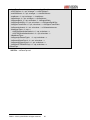
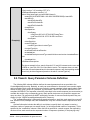
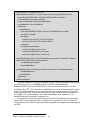
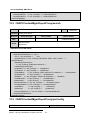
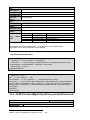
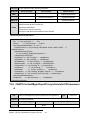
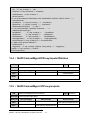
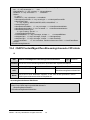
<?xml version="1.0" encoding="UTF-8"?>
<CMSearchDescription version="1.0"
xmlns="http://www.isapi.org/ver20/XMLSchema">
<searchID>{812F04E0-4089-11A3-9A0C-0305E82C2906}</searchID>
<trackIDList>
<trackID>9</trackID>
<trackID>22</trackID>
<trackID>43</trackID>
</trackIDList>
<timeSpanList>
<timeSpan>
<startTime>2013-06-10T12:00:00Z</startTime>
<endTIme>2013-06-10T13:30:00Z</endTime>
<timeSpan>
Example(s)
</timeSpanList>
<contentTypeList>
<contentType>video</contentType>
</contentTypeList>
<maxResults>40</maxResults>
<metadataList>
<metadataDescriptor>recordType.meta.hikvision.com/motion</metadataDescri
ptor>
</metadataList>
</CMSearchDescription>
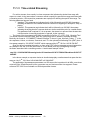
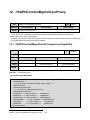
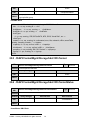
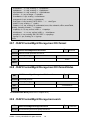
The above example is for a search of tracks 9, 22, and 43, between twelve noon and
1:30PM on June 10th, 2013 for Video Motion events. The requester does not want
more than 40 results passed back in the search response, and, that matching results
should only be video segments (based on the above “contentTypeList”).
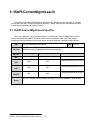
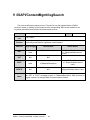
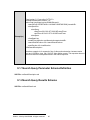
8.2.1Search Query Parameter Schema Definition
The following XML schema definition defines the search parameters that are provided to the
ContentMgmt/search service. Basically, an entity can search based on time and/or source and/or tracks
and/or metadata. Basic profile devices are not required to support metadata in their search criteria. Each
search must be given a unique ID (“searchID”) by the initiator. This ID is an ISO/IEC 9834-8/ITU X.667
compliant UUID/GUID. The responder echoes this value back in the search response (see next section) to
correlate the results to the corresponding query. Basic profile devices are only required to support one
query at-a-time. Full profile devices MUST advertise the number of concurrent search queries they can
support (via the “/ISAPI/ContentMgmt/search/profile” Resource).
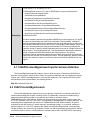
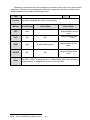
The ‘cmSearchDescription’ schema allows searches based on: track lists, track state lists, source ID
lists, channel ID lists, timespan lists, and metadata lists. Only one of these criteria is required for a valid
search.
Optional information includes the ability for an initiator to specify that it only wants to receive a
maximum number of responses to a search criteria (i.e. limit the potential number of responses). This is
specified by the “maxResults” element. When this limit is specified in a search request, the responding
device must not send more than the requested number of responses (matches). If the querying entity
©2009 – 2014 by HIKVISION. All rights reserved.
39