1
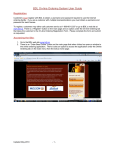
TBS Payments User Guide Toll Free: 866.999.VPAY(8729) VersaPay Corporation-Toronto Suite 210-214 King Street Toronto, ON www.versapay.com New Customer to VersaPay -‐ Making your first payment to TBS Toll Free: 866.999.VPAY(8729) VersaPay Corporation-Toronto Suite 210-214 King Street Toronto, ON www.versapay.com To make a payment to The Beer Store using VersaPay, you start by accessing the following URL in your web browser: • http://secure.versapay.com/tbs Enter in your Client ID and the amount you wish to pay on your account: Toll Free: 866.999.VPAY(8729) VersaPay Corporation-Toronto Suite 210-214 King Street Toronto, ON www.versapay.com Once you have clicked the ‘Make Payment’ button you will be prompted to create an account or login to your account if you already have one – As you are a new customer, you will need to complete the payment information and enter your email and password details and agree to the terms and conditions. NOTE: You only have to do this for your initial payment, all future payments you can just login using this created account. Toll Free: 866.999.VPAY(8729) VersaPay Corporation-Toronto Suite 210-214 King Street Toronto, ON www.versapay.com Once you click confirm payment button, you are taken to the confirmation screen – this will be the last time you may modify your payment before it’s submitted to TBS: Once your payment is completed, you will receive the following final page – you are now done and may close your browser window: Toll Free: 866.999.VPAY(8729) VersaPay Corporation-Toronto Suite 210-214 King Street Toronto, ON www.versapay.com Please check your email for transaction confirmation / receipt, it will look like this: You have now completed payment to TBS. If you need to provide TBS with a reference # of the transaction for any reason, you would pass them the Identifier # noted in the email receipt for that transaction (along with your Client ID and business name). Toll Free: 866.999.VPAY(8729) VersaPay Corporation-Toronto Suite 210-214 King Street Toronto, ON www.versapay.com Existing Customer to VersaPay -‐ Making your payment to TBS Toll Free: 866.999.VPAY(8729) VersaPay Corporation-Toronto Suite 210-214 King Street Toronto, ON www.versapay.com To make a payment to The Beer Store using VersaPay, you start by accessing the following URL in your web browser: • http://secure.versapay.com/tbs Enter in your Client ID (Validation will take place) and the amount you wish to pay on your account: Toll Free: 866.999.VPAY(8729) VersaPay Corporation-Toronto Suite 210-214 King Street Toronto, ON www.versapay.com Once you have clicked ‘Make Payment’ you will be prompted to create an account or login to your account if you already have one – As you are an existing customer, you only need to click the ‘Log In to Pay Now’ link in the top right corner. Toll Free: 866.999.VPAY(8729) VersaPay Corporation-Toronto Suite 210-214 King Street Toronto, ON www.versapay.com You will be prompted for your email and password to login: Toll Free: 866.999.VPAY(8729) VersaPay Corporation-Toronto Suite 210-214 King Street Toronto, ON www.versapay.com Once logged in, you will then be able to select (or add) your payment method to complete the payment: Select the method of payment and click ‘Pay with this card’ – you will then have to confirm the payment – Toll Free: 866.999.VPAY(8729) VersaPay Corporation-Toronto Suite 210-214 King Street Toronto, ON www.versapay.com Once your payment is completed, you will receive the following final page – you are now done and may close your browser window: Please check your email for transaction confirmation / receipt, it will look like this: You have now completed payment and if you need to provide TBS with a reference # of the transaction for any reason, you would pass them the Identifier # noted in the email receipt for that transaction (along with your Client ID and business name). Toll Free: 866.999.VPAY(8729) VersaPay Corporation-Toronto Suite 210-214 King Street Toronto, ON www.versapay.com