1
User's Manual
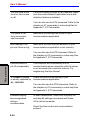
You can hear a dial
tone but can't make
a call
If the call is going through a PBX machine, make
sure the communication application’s tone dial
detection feature is disabled.
You can also use the ATX command. Refer to the
chapter on AT commands in online help files for
Appendix C, AT Commands.
You place a call,
but a connection
can't be made
Make sure the settings are correct in your
communications application.
After making a call
you can’t hear a ring
Make sure the tone or pulse selection in your
communications application is set correctly.
TROUBLESHOOTING
You can also use the ATD command. Refer to
the chapter on AT commands in online help files
for Appendix C, AT Commands.
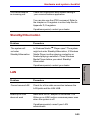
Communication is
cut off unexpectedly
The computer will automatically cut off
communication when connection with the carrier
is not successful for a set time interval. Try
lengthening this time interval.
A CONNECT display
is quickly replaced by
NO CARRIER
Check the error control setting in your
communications application.
You can also use the AT\N command. Refer to
the chapter on AT commands in online help files
for Appendix C, AT Commands.
Character display
becomes garbled
during a
communication
In data transmission, make sure the parity bit
and stop bit settings correspond with those
of the remote computer.
Check the flow control and communication
protocol.
9-24