1
SERVICE MANUAL
Order No.
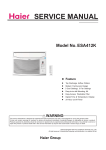
Model No.HTWR08XCK
MODE
SPEED
TIMER
RESET
TEMP/TIME
FAN
Feature
Top Discharge Airflow Pattern
Modern Family-look Design
3 Cool Settings, 3 Fan Settings
Easy-to-ins tall Mounting Kit
Easy-Access Washable Filter
Digital Time & Temperature Display
24 Hour on/off Timer
WARNING
This service information is designed for experienced repair technicians only and is not designed for use by the general public.
It does not contain warnings or cautions to advise non-technical individuals of potential dangers in attempting to service a product.
Products powered by electricity should be serviced or repaired only by experienced professional technicians. Any attempt to service or
repair the product or products dealt with in this service information by anyone else could result in serious injury or death
© (Qingdao Haier Air Conditioner General corp.,Ltd)
All right reserved .Unauthorized copying and distribution is a violation of law
Haier Group
HTWR08XCK
Table of Contents
Table of Contents
1. Product Code Illumination and Series introduction....................................... 2
2. Specifications.................................................................................................... 3
3. Safety and Precaution....................................................................................... 4
4. Warning and Cautions.......................................................................................5
5. Installation ......................................................................................................... 6
6. Parts and Functions.......................................................................................... 9
7. Abnormity Diagnose........................................................................................ 13
8. System Flow Chart........................................................................................... 15
9. Circuit Diagram................................................................................................ 16
10. Wiring Diagram............................................................................................... 18
1
Domestic Air Conditioner
HTWR08XCK
Table of Contents
3URGXFW&RGH,OOXPLQDWLRQDQG6HULHV,QWURGXFWLRQ
0RGHOLGHQWLILFDWLRQ
+ TW
$ %
ƶ ƶƶ ƶ
ƶ ƶ
& ' ( ) *
$ $EEUHYLDWLRQRI+DLHU
% Through the wall & 55HPRWH&RQWURO
)0HFKDQLFDO&RQWURO
' 1RPLQDOFRROLQJFDSDFLW\%78KZLWKWKHILUVWWZRQXPEHUVEDVHGRQRQHWKRXVDQG
XQLW
( 7KHW\SHRISRZHUVXSSO\
;9+=
999+=
) )XQFWLRQFRGH
&&RROLQJRQO\
++HDWLQJSXPSRU(OHFWULFKHDWHU
*'HVLJQFRGH
([DPSOHV
+TWR08XCK
,WUHSUHVHQWVUHPRWHFRQWUROthrough the wallFRQGLWLRQHU&RROLQJFDSDFLW\LV8%78KDQG
WKHSRZHUVXSSO\LV115V+]
6WDQGDUGVLWXDWLRQFRQGLWLRQV
No.
Operating condition
1
Nominal cooling
Indoor air state
D.B. ć
W.B. ć
26.7
19.4
outdoor air state
D.B. ć
W.B. ć
35
23.9
'RPHVWLF$LU&RQGLWLRQHU
HTWR08XCK
Specification
2. Specification
Item
Unit
Cooling capacity
BTU/h
Heating capacity
BTU/h
Power supply
Cooling
Net dimensions
Packaging
dimensions
Weight
Pressure
Refrigerant
Fan
Type
Fan Speed
115V 60HZ
W
1060
Running current
A
7.5
BTU/(h·W)
9.4
Power input
W
/
Running current
A
/
BTU/(h·W)
/
Indoor side
dB(A)
60
Outdoor side
dB(A)
64
Height
inches
14 18/32
Width
inches
24 1/32
Depth
inches
19
Height
inches
16 17/32
Width
inches
28 3/4
Depth
inches
27 5/16
Net
lbs
87.6
Gross
lbs
96
Ri
Type
Compressor
/
Power input
COP
Sound Level
10000
1PH
EER
Heating
HTWR08XCK
/
4ASD073SW
Running cap. For comp.
μF
40/450
Hi-Pressure
Psig
540
Low-Pressure
Psig
270
Model
Model
R22 or R410A
R410A
Charge
OZ
14.1
Indoor unit
/
centrifugal
Outdoor unit
/
axial
Indoor unit
Air volume
Moisture removal
r/min
1080/1000/950
CFM
268/245/230
Pints/hr
5.3
3
Domestic Air Conditioner
HTWR08XCK
Safety and Precaution
3. Safety and Precaution
WARNING: Following these basic precautions will reduce the risk of fire ,electrical shock ,injury or death
when using your air conditioner .
1) Air conditioner must be connected to proper electrical outlet with the correct electrical supply .
2) Proper grounding must be ensured to reduce the risk of shock and fire .
DO NOT CUT OR REMOVE THE GROUNDING PRONG.
If you do not have a three-prong electric receptacle outlet in the wall, have a certified electrician install the
proper receptacle . The wall receptacle MUST be properly grounded .
3) DO not use if power cord is frayed or damage . Also avoid using if there are cracks or abrasion damage
along the length ,plug or connector .
4)DO NOT USE AN ADAPTER OR AN EXTENSION CORD.
5)When installing your air conditioner in a window,make sure the window is strong enough to hold the weight
of the air conditioner.You also want to secure and correctly install your air conditioner property to prevent it
from falling.Extra brackets or support may be required depending on your window.
6) Do not black airflow inside or outside the air conditioner with blinds,drapes,protective covers,shrubs or
bushes.
7)Be careful of sharp edges on the front and rear fins of the unit that could cut and cause serious injury.
8)Be careful when lifting the air conditioner to install or remove the unit . Always use two or more people
for this .
9)Always unplug the air conditioner before servicing it or moving it .
4
Domestic Air Conditioner
HTWR08XCK
Warning and Cautions
4.Warning and Cautions
WARNINGS: Following the safety messages is very important.
These messages can save you from being injured or killed. Warning symbols alert you to be
careful and means Danger . Always follow instructions to be safe and reduce chances of injury
or death . Warning and Danger signs will precede safety messages.
Electrical Safety
GROUNDING: This room air conditioner must be grounded. Grounding reduces the risk of electric shock by
providing an escape wire for the electric current. The power cord has a grounding wire with a
grounding plug . Plug it into an outlet that is properly installed and grounded.
WARNING:
Improper use of the grounding plug can result in a risk of electric shock.
Call a qualified electrician if you don’t understand the grounding instructions or if you are not sure
if the air conditioner is properly grounded. If the wall outlet is not grounded, please contact an
electrician to have it replaced with a proper grounded outlet.
Do not, under any circumstances, cut or remove the third (ground) prong from the
power cord.
Adapter Plug: We strongly advise against using an adapter plug.
5
Domestic Air Conditioner
HTWR08XCK
Installation and Accessory Parts
5. Installation
Remove old air conditioner and inspect sleeve for the following:
Insallation--Make sure that sleeve is securely installed and in
sound structural dondition.
Dimensions--Measure the size to make sure the air conditioner
will fit.
Slope--There should be a rearward slope for condensate to
drain from the rear of the sleeve.
Chece against Fig.A.
to
Fig.A
Number
1
Part name
QTY.
2
Top/Bottom Trim Frame
Side Trim Frame
2
2
3
Universal Fit Rear Grille
1
4
Tapered Spacer Block
2
5
Board
1
6
Foam Seal
1
7
Vertical Trim Foam
2
8
Horizontal Trim Foam
2
9
Screw
4
Washer
4
10
Manufacturer--So the method of installation can be determined.
If the installation and slope are suspect,then removal and correct
installation of a Haier Wall Sleeve,is recommended.
Check the conetents of the accessories supplied with your air
conditioner as shown below:
3
10
9
1 2
4
5
7
6
8
6
Domestic Air Conditioner
HTWR08XCK
Installation and Accessory Parts
How to install
1.Identify the existing wall sleeve before installing the unit from
the insted below.
Wall Sleeve Dimensions(inches)
Brand
Depth
Width
Height
White-westinghouse
Frigidaire
Carrier(52F series)
25-1/2
15-1/4
16,17-1/2
or 22
General Electric /Hotpoint
26
15-5/8
16-7/8
Whirlpool
25-7/8
16-1/2
17-1/8
Fedders/Emerson
27
16-3/4
Sears/Kenmore
25-7/8
15-17/32
16-3/4
or 19-3/4
16-23/32
Haier
Amana
Carrier(51S series)
25-3/4
16-7/8
18-5/8
Emerson/Fedders
26-3/4
15-3/4
15
Friedrich
27
16-3/4
16-3/4
GE
25-7/8
15-17/32
16-23/32
Note:All wall sleeves used to mount the new Air Conditioner
must be in sound structural condition and have a rear grille
that securely attaches to sleeve,or rear flange that serves as a
stop for the Air conditioner.
2.Clean the interior of the sleeve (do not disturb seals).
3.Repaint the sleeve if needed.
4.On 25 3/4”-26”sleeves:Replace the existing louvered grille
with the new one supplied in the package,shown in the Fig.B1
7
Domestic Air Conditioner
HTWR08XCK
7.Remove the backing from the Vertical Foam and attach that
to the inside right of the sleeve as shown below.Remove the
backing from the Horizontal Foam and attach that to the inside
front of the sleeve as shown below.
Installation and Accessory Parts
2-Trim frames are supplied with unit.use the trim frame that
best fits your sleeve.
12.Slide trim over the front of the air conditioner until trim is flush
with sleeve as shown below.
Approximate 2”
Foam
Rear
Front
Side View
Horizontal Foam Vertical Foam
Fig.E
Fig.J
8.If the depth of your existing wall sleeve is less than or equal to
20”,skip to step 11.Otherwise,cut the baffles and the support
blocks according to length“A” in the table below.
Depth“D” of the
Length“A”
existing wall
(inches)
sleeve(inches)
20<D<20 5 8
205 8<D<213 4
21 3 4 <D<24
34
Note:Be sure to route the cord through the trim frame before
placing the trim frame on the unit.
A
A
1- 3 4
4
Fig.G
71
2”
Wall
Sleeve
Tapered Spacer
Block Board
Wall
FR
Tapered Spacer
Block
ON
T
Fig.H
Horizontal
Trim Foam
Vertical
Trim Foam
Attach Trim Foam
Fig.I
8
Domestic Air Conditioner
HTWR08XCK
Partd and Functions
6.Parts and Functions
Mode
1. Press MODE until you see the indicator light glow for the desired setting.
2. Choose Fan, Cool, Energy Saver or Dehum.
■ Fan—Only the fan runs. Press SPEED to select High, Med or Low fan speed. The display shows the
current room temperature.
■
Cool—Cools the room. Press SPEED to select High, Med or Low fan speed. Press the TEMP/TIME up
or down arrow button to adjust the temperature.
■ Energy Saver—Fan runs only when cooling is needed. Press SPEED to select High, Med or Low fan
speed. Because the fan does not circulate the room air continuously, less energy is used, but the room
air is not circulated as often.
■ Dehum—Dries the room. The air conditioner automatically selects the temperature.
NOTE:Dehum mode should not be used to cool the room.
In Dehum mode,Please do not operate the speed button.
MODE
FAN
COOL
ENERGY
SAVER
DEHUM
Fan Speed
1. Press FAN SPEED until you see the indicator light glow for the desired setting.
2. Choose High, Med or Low.
■ High—for maximum cooling
■ Med—for normal cooling
■ Low—for minimum cooling
SPEED
HIGH
MED
LOW
Temperature
■ Press the TEMP/TIME up arrow button to raise the temperature. Each time you press or hold the TEMP/TIME
up arrow button, the temperature will go up 1ºF until it reaches 86°F (30°C).
NOTE:After 5 seconds, the display will show the current room temperature.
TEMP/TIME
9
Domestic Air Conditioner
HTWR08XCK
Partd and Functions
■ Press the TEMP/TIME down arrow button to lower the temperature. Each time you press or hold the TEMP/TIME
down arrow button, the temperature will go down 1ºF until it reaches 61°F (16°C).
NOTE:After 5 seconds, the display will show the current room temperature.
Timer Delay
To set the Timer for a 1-hour to 24-hour delay until the air conditioner turns off (the air conditioner must be On):
1. Press TIMER. Timer Off indicator light will flash. Display will show remaining hours before the air conditioner
will turn off.
TIMER
ON
OFF
2. Press the TEMP/TIME up or down arrow button to change the delay time from 1 hour to 24 hours.
3. After 5 seconds, Timer On indicator light will remain on. Display will show the current room temperature.
To set the Timer to turn on the air conditioner, keeping previous settings:
1.
Turn on the air conditioner.
Press TIMER. Timer On indicator light will flash. Display will show remaining hours before the air conditioner will
turn on.
3. Press the TEMP/TIME up or down arrow button to change the delay time from 1 hour to 24 hours.
2.
4. Timer On indicator light will remain on.Display will show the current room temperature.
To set the Timer to turn on the air conditioner, changing the previous settings:
1. Turn on the air conditioner.
2. Adjust the mode to Fan, Cool, Energy Saver or Dehum.
3. For Fan, Cool or Energy Saver mode, adjust the fan speed to High, Med or Low.
4. Adjust the temperature between 61ºF and 86ºF (16ºC and 30ºC).
NOTE:In Fan mode, the temperature cannot be set.
5. Press TIMER. Timer On indicator light will flash. Display will show remaining hours before the air conditioner
will turn on.
6. Press the TEMP/TIME up or down arrow button to change the delay time from 1 hour to 24 hours.
7. Timer On indicator light will remain on.
To clear Timer delay program:
NOTE:Air conditioner can be either on or off.
1. Press TEMP/TIME once after it has been programmed. Display will show remaining time.
2. While the display is showing the remaining time, press TIMER until Timer Off indicator light will turn off.
To see or change the remaining time (in hours):
Timer Off :
1. Press TEMP/TIME once after it has been programmed. Display on the air conditioner control panel
will show remaining time.
2. While the display is showing the remaining time, press the TEMP/TIME up or down arrow button to increase or
decrease the time.
3. After 5 seconds, the display on the air conditioner control panel will show the current room temperature.
10
Domestic Air Conditioner
HTWR08XCK
Partd and Functions
Timer On :
1. Display on the air conditioner control panel will show remaining time.
2. While the display is showing the remaining time, press the TEMP/TIME up or down arrow button to increase or
decrease the time.
Using the Remote Control
NOTE:Dots are Braille text for sight Impaired.
Remote control may differ in appearance.
ON/OFF
MODE
SPEED
TIMER
TEMP/TIME
TEMP/TIME
NOTE:One CR2025 battery (included) powers the remote control. Replace battery after 6 months of use, or
when the remote control starts to lose power.
Power
Press ON/OFF to turn on the air conditioner.
ON/OFF
Mode
Press MODE to choose Fan, Cool, Energy Saver or Dehum.
MODE
Speed
Press SPEED to choose High, Med or Low.
SPEED
Temperature
■ Press the TEMP/TIME up arrow button to raise the temperature. Each time you press or hold the TEMP/TIME up arrow button,
the temperature will go up 1ºF until it reaches 86°F (30°C).
TEMP/TIME
■ Press the TEMP/TIME down arrow button to lower the temperature. Each time you press or hold the TEMP/TIME down arrow
button, the temperature will go down 1ºF until it reaches 61°F (16°C).
TEMP/TIME
11
Domestic Air Conditioner
HTWR08XCK
Partd and Functions
Timer
To set the Timer for a 1-hour to 24-hour delay before the air conditioner is turned off (the air conditioner must be On):
1. Press TIMER. Timer Off indicator light on the air conditioner
control panel will flash.
TIMER
2. Press the TEMP/TIME up or down arrow button to change the delay time from 1 hour to 24 hours.
3. After 5 seconds, Timer On indicator light on the air condition control panel will remain on.
To set Timer to turn on the air conditioner, keeping previous settings:
1. Turn on the air conditioner.
2. Press TIMER. Timer On indicator light on the air conditioner control panel will flash.
3. Press the TEMP/TIME up or down arrow button to change the delay time from 1 hour to 24 hours.
4. After 5 seconds, Timer On indicator light on the air conditioner control panel will remain on.
To set Timer to turn on the air conditioner, changing the previous settings:
1. Turn on the air conditioner.
2. Adjust the mode to Fan, Cool, Energy Saver or Dehum.
3. For Fan, Cool or Energy Saver mode, adjust the fan speed to High, Med or Low.
NOTE:In Dehum mode, the Speed button will not operate.
4. Adjust the temperature between 61ºF and 86ºF (16ºC and 30ºC).
NOTE:In Fan mode, the temperature cannot be set.
5. Press TIMER. Timer On indicator light on the air conditioner control panel will flash. Display will show remaining
6. hours before the air conditioner will turn on.
Press the TEMP/TIME up or down arrow button to change the delay time from 1 hour to 24 hours.
7. Timer On indicator light on the air conditioner control panel will remain on.
To clear Timer delay program:
NOTE:Air conditioner can be either on or off.
1. Press TIMER once after it has been programmed. Display on the air conditioner control panel will show
remaining time.
2. While the display is showing the remaining time, press TIMER untill Timer indicator light turns off.
To see or change the remaining time (in hours):
Timer Off :
1. Press TEMP/TIME once after it has been programmed. Display on the air conditioner control panel will show
remaining time.
2. While the display is showing the remaining time, press the TEMP/TIME up or down arrow button to increase or
decrease the time.
3. After 5 seconds, the display on the air conditioner control panel will show the current room temperature.
Timer On :
1. Display on the air conditioner control panel will show remaining time.
2.
While the display is showing the remaining time, press the TEMP/TIME up or down arrow button to increase or
decrease the time.
12
Domestic Air Conditioner
HTWR08XCK
Abnormity Diagnose
7. Abnormity Diagnose
1. Sensor Diagnose:
2 seconds after the sensors open circuit or short circuit, the unit will turn off automatically and the LED will show
E0 until the sensors resume.
Firstly check whether Terminal CN2 on
the indoor mainboard contact well or
NO
Pull out the terminals on the indoor
mainboard and reinsert them.
not?
YES
Pull the sensor out of the mainboard
1) Measure the value of resistance
between its two jumpers
2) Measure the temperature at the
room temperature sensing head.
Check the specifications of the sensor
to deside whether the sensor is
damaged or not?
YES
Replace with new sensor.
NO
YES
Replace with new indoor PCB
The Indoor PCB is broken.
13
Domestic Air Conditioner
HTWR08XCK
Abnormity Diagnose
2. Keystroke circuit error diagnose:
When power on for the first time, the PCB will check the keystroke circuit, is the sampling value is defferent
with the theory value, the LED will show E1, which means failed keystroke circuit. The keyboard is locked and
so invalid, but the remote control is working normally.
Check whether the keystroke can’t
NO
PCB is broken, replace a new PCB.
get up with prssure.
YES
Repair the keystrokes on electrical
box to keep them away from the
keystrokes on PCB.
14
Domestic Air Conditioner
HTWR08XCK
System Flow Chart
8. System Flow Chart
15
Domestic Air Conditioner16
HTWR08XCK
Circuit Diagram
9. Circuit Diagram
16
Domestic Air Conditioner
HTWR08XCK
Circuit Diagram
17
Domestic Air Conditioner
HTWR08XCK
Wiring Diagram
10. Wiring Diagram
WIRING DIAGRAM
0010553905
COMPRESSOR
TRANSFORMER
FAN
MOTOR
M
~
W
M
~
LM H
BR
C R S
HEAT
PROTECTOR
BR
R BL B
R BL B
CAPACITOR
CAPACITOR
R
N L M H
CN7
CN20
CN6
4
3
COMP. RELAY
CN3
CN2
B(NO RIBBED)
BR: BROWN
G(Y/G)
R: RED
B: BLACK
W: WHITE
Y/G: YELLOW/GREEN
G: GREEN
W(RIBBED)
POWER SUPPLY
NOTE:
AMBIENT
TEMP.
SENSOR
BECAUSE OF DIFFERENT COMPRESSOR,
THE DOTTED PART MAY NOT BE USED.
18
Domestic Air Conditioner
HTWR08XCK
The End
Sincere Forever
Haier Group
Haier Industrial Park, No.1, Haier Road
Edited by: LiangJun
ZhangJing
266101, Qingdao, China
E-mail: [email protected]
Signed by:WangRuoFeng
Tel: +86 532 88936935
Http://www.haier.com
Approved by: ZhuZhenXue
Domestic Air Conditioner