1
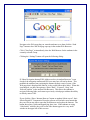
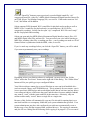
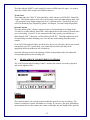
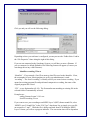
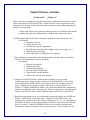
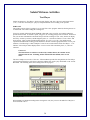
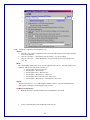
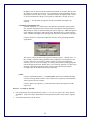
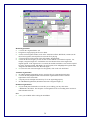
Click yes and you will see the following dialog:
Depending on how your software is configured, you may not see the “Folder Select” and/or
the “File Properties” frame along the right of this dialog.
If you are not connected to the Symphony System, you will have to enter a filename. If
you are connected, a default filename of the following format will appear (of course you
can change this to any valid file name):
Identifier recording XX.wav
“Identifier” - If you entered a User ID on start-up, that ID is used as the identifier. If not,
the seat number of your Soloist position (as set by your administrator) is used.
“recording” – The word “recording” is literally used if you created a new recording. If you
opened an existing program file and performed comparative recording, the name of the
original program file is used.
“XX” – a two digit number (01-99). The first number not matching an existing file in the
selected folder is automatically selected.
Examples are:
smithg German Lesson 3-1 01.wav
Seat B2 recording 54.wav
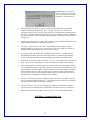
If you want to save your recording as an MPEG Layer-3 (MP3) format sound file, select
“MPEG Layer-3 Sound Files” in the “File Type” drop-down list, or simply give your file
an extension of “.mp3”. While the file is being converted from PCM format to MPEG
Layer-3 format, you will see a progress indicator. The conversion time will be dependent
29