1
Setting Up the Monitor
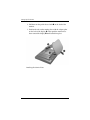
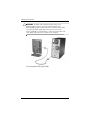
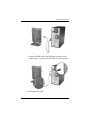
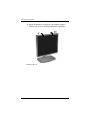
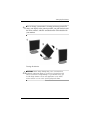
5. Connect one end of the power cable to the back of the
monitor, and the other end to an electrical wall outlet.
Å
WARNING: To reduce the risk of electric shock or damage to your
equipment: Do not disable the power cord grounding plug. The
grounding plug is an important safety feature.
Plug the power cord into a grounded (earthed) electrical outlet that is
easily accessible at all times.
Disconnect power from the monitor by unplugging the power cord
from the electrical outlet.
Do not place anything on power cords or cables. Arrange them so
that no one may accidentally step on or trip over them. Do not pull on
a cord or cable. When unplugging from the electrical outlet, grasp
the cord by the plug.
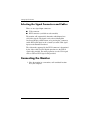
Connecting the Power Cable
User Guide
3–9