1
USER GUIDE
Congratulations on your purchase of the UltraCane mobility aid from
Sound Foresight Technology Ltd. We hope that it proves to be a valuable
and helpful aid to your mobility. With care, your UltraCane should give
you many years of trouble-free use.
Please read these instructions carefully before using your new
UltraCane, and keep them in a safe place for future reference.
UltraCane User Guide
2
Table of Contents
Table of Contents................................................................................................................3
Getting Started...................................................................................................................4
Switching On & Range Selection.........................................................................................6
2-Tone Range Indication Beep Sequence.............................................................................6
Holding Your UltraCane......................................................................................................7
Battery Warnings...............................................................................................................7
Changing the Batteries.......................................................................................................8
Folding Your UltraCane.......................................................................................................9
Changing the Cane Tip........................................................................................................9
Using Your UltraCane........................................................................................................10
Q. Should I use the UltraCane like a “traditional” white cane? ........................................................10
Q. Should I use Short Range or Long Range?....................................................................................10
Q. How sensitive is the UltraCane?..................................................................................................11
Q. Is there anything the UltraCane won’t detect?............................................................................11
Q. Is there anywhere the UltraCane has difficulties detecting objects?...........................................11
Q. Can I use my UltraCane in the rain?............................................................................................12
Q. Do I need training to use the UltraCane?....................................................................................12
Q. What should I do if my UltraCane stops working?.......................................................................12
Troubleshooting..............................................................................................................................13
Product Care and Maintenance.......................................................................................................14
UltraCane User Guide
3
Getting Started
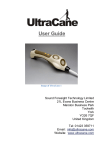
Your new UltraCane consists of a conventional folding white cane
attached to a special handle containing an ‘ultrasound radar’ system to
detect objects and obstacles in the environment, similar to the system
used by bats. The handle features a hand-grip with two yellow feedback
buttons on the upper surface, and two ultrasound sensors that face
forwards and upwards. The handle also contains the battery
compartment.
Warning: Two large ultrasound sensors are positioned at the front of the
handle. Do not press these or try to manipulate them in any way. Any
damage to these sensors may cause the product to perform poorly.
Take care when unpacking, as the folded sections of the white cane are
held together under tension by an elastic bungee in a similar manner to a
traditional white cane, and they will snap together when unfolded.
Your UltraCane is supplied with a replaceable hook-on cane tip, a
protective carry bag, and batteries pre-installed. A spare set of batteries
is also supplied.
An adjustable wrist strap is attached to the rear of the handle and this
can be looped around the wrist during normal use. The wrist strap also
has a ‘Snap Lock’ quick release safety feature. This allows the strap to
be separated from the handle by giving it a sharp tug. Note that this
feature should only be used in an emergency situation, such as if the
UltraCane becomes trapped in closing doors.
UltraCane User Guide
4
Figure: The UltraCane and its component parts
UltraCane User Guide
5
Switching On & Range Selection
The On/Off switch is located on the underside of the handle. The switch
has three positions: Off, On (Short Range) and On (Long Range).
Figure: The On/Off switch
When Short Range is selected the UltraCane will detect obstacles that
are within approximately 2.1 metres / 7 feet of the handle in the forward
direction.
When Long Range is selected the UltraCane will detect obstacles that
are within approximately 4 metres / 13 feet of the handle in the forward
direction.
Note that the Range setting only applies in the forward direction. The
detection range in the upward direction is fixed at approximately 1.6
metres / 5 feet from the handle.
Note: When the UltraCane is switched on you will hear ‘ticking’ from the
ultrasound sensors. This is normal. The ticking rate decreases 16
seconds after switch-on.
2-Tone Range Indication Beep Sequence
A 2-tone beep sequence will be heard each time the switch is moved
between the two range settings. The length of the second beep provides
an indication of which setting you have selected: a short beep for Short
Range and a longer beep for Long Range.
UltraCane User Guide
6
Holding Your UltraCane
The UltraCane is designed to be used in either hand and should be held
so that the thumb lightly covers the two small yellow buttons. If the cane
length is correct then the hand position will feel natural to the user, and
the ultrasound sensors will be angled for best performance.
Figure: Hand position
When the UltraCane is switched on, the two buttons will buzz as
obstacles are detected. The button nearest the front of the handle will
buzz when obstacles are detected by the sensor facing forwards, and the
button nearest the back of the handle will buzz when obstacles are
detected by the sensor facing upwards. This combination gives the user
an indication of obstacles immediately ahead of them, from ground level
to head height, but in a relatively narrow ‘corridor’. The buzz rate of the
buttons increases as you move closer to obstacles.
Note: It is important that you do not press the buttons as this will deaden
the buzz intensity. You should experiment with your hand position to get
maximum sensitivity. The wearing of thick gloves is not recommended as
this will also deaden the intensity.
Battery Warnings
When the batteries are getting low the UltraCane will sound a ‘Low
Battery’ warning. This consists of a single short beep, which will repeat
every 5 minutes until the batteries are replaced. The UltraCane will
continue to function normally during this period.
When the batteries have reached the end of their useful life a ‘Flat
Battery’ warning will be heard. This consists of three long beeps, which
UltraCane User Guide
7
will repeat every 5 minutes until the batteries are replaced. As a safety
feature, the UltraCane will not detect objects when the battery is ‘flat’.
The batteries should be removed and replaced. Note that if the cane is
switched off when the Flat Battery warning is heard, and is then switched
back on again shortly afterwards, the batteries might have recovered
enough for the UltraCane to function normally for a few more minutes.
This is normal.
Changing the Batteries
Battery
Compartments
The UltraCane uses two AA batteries, which are located in the battery
compartment at the rear of the handle. It is recommended that a quality
brand of alkaline battery is used to give the longest operating life.
Rechargeable batteries can be used but are not recommended as their
charge can drop off very suddenly. It is wise to always keep a spare set
of fresh batteries in the small pocket inside the UltraCane carry bag.
To access the battery compartment gently lift the rounded upper tab of
the rubber door cover at the rear of the unit, and then use your thumb to
open the hinged plastic door by pressing down and pulling back at the
same time. Do not attempt to open the door by pulling on the rubber tab,
and do not attempt to lift the tab on the hinge side of the door cover.
When inserting fresh batteries, the smooth negative terminal (-) of one
battery faces the spring contact on the inside of the hinged door, and the
raised positive terminal (+) of the other battery faces the smooth contact
of the door. Close the door so that it clicks into place and then press
down on the rubber tab so that it is seated securely.
Figure: Battery compartment access
UltraCane User Guide
8
Folding Your UltraCane
When folding away your UltraCane, always fold the white cane sections
from the handle end first and keep the sections against the back
(switch-side) of the handle. Secure the cane sections against the handle
using the wrist strap.
Warning: Take care not to damage the two ultrasound sensors when
folding the cane.
Figure: Folded UltraCane
Changing the Cane Tip
Your UltraCane is supplied with a hook-on style cane tip attached. If you
wish to change or replace the tip, first unfold the UltraCane, ensuring that
all sections are fully engaged, and then pull the tip out of the base of the
cane to expose the bungee cord. A rubber sleeve has been placed on
the cord a few centimeters below the tip. Hold or place a finger under this
rubber sleeve to take up the tension in the bungee and then unhook the
cane tip. Hook on the new tip, let go of the rubber sleeve, and then
gently allow the new tip to retract into the cane.
If you accidently let go of the bungee you will need to pull it back through
the cane sections. The technique to do this is explained in the
Troubleshooting section.
UltraCane User Guide
9
Using Your UltraCane
When you are familiar with the controls and comfortable with your hand
position then you are ready to try walking and navigating with your
UltraCane. It is recommended that the first time you do this you do so in
an area that is very familiar to you. Please also review the instructional
exercises guide in advance.
Q. Should I use the UltraCane like a “traditional” white cane?
The “traditional” white cane is used by moving the cane from side to side
in a tapping or sliding motion where the next footstep will fall. This
ensures that obstacles can be detected in the user’s immediate vicinity
by utilizing the tip of the cane to touch the obstacle.
The UltraCane has been designed as a primary mobility aid for vision
impaired people, as it incorporates a white cane. However, obstacle
detection is obtained via the ultrasound sensors incorporated into the
handle, thus giving more advanced warning to the user of obstacles in
their path and at head/shoulder height.
When using the UltraCane, it is important to use traditional white cane
skills such as Shorelining, Arc and Sweeping techniques, especially for
locating down drops such as kerbs and steps. These techniques and
other instructions are described in more detail for use with the UltraCane
in the instructional exercises guide, which should be read in conjunction
with this user guide.
Q. Should I use Short Range or Long Range?
When you first start using the UltraCane, experiment with it on both
range settings. If you find that the front button is buzzing too frequently,
giving you ‘too much’ feedback, then you might need to keep the cane
switched on to Short Range. This depends very much on your
environment and how crowded it is with objects and obstacles. Long
Range is not really suitable for indoor use, but you might find Long
Range to be more useful when you are outdoors in less crowded areas.
In general, deciding which range to use in a given situation is a matter of
personal preference and level of experience with the UltraCane. In any
given journey, you may wish to occasionally change ranges to suit your
surroundings as you proceed on your way. Alternatively you might
choose to always use it on the Short Range setting.
UltraCane User Guide
10
Reminder: The detection ‘zone’ of the upper sensor is not affected by
the range setting of the switch, and is fixed at approximately 1.6 metres /
5 feet.
Q. How sensitive is the UltraCane?
The UltraCane will typically detect a lamp post 4 metres away. This will
help you avoid roadside signposts etc as you make you way along the
pavement. It will detect smaller objects, especially if they have flat
surfaces and you are directly in front of them. It will detect smaller
diameter bars and posts closer in, as well as bushes, plants, and fabrics.
Obstacles such as bags lying on the floor 3 – 4 metres away will be
picked up in Long Range mode but possibly not in Short Range as they
might be out of the ultrasound ‘beam’.
Q. Is there anything the UltraCane won’t detect?
It is not possible for the UltraCane to detect drops in ground level, such
as stairs, kerbs and holes and therefore it is important to maintain good
traditional cane skills when using the UltraCane to locate down drops.
The UltraCane might not detect soft fabrics or small obstacles at the limit
of the range setting. As a rule it works best with hard surfaces, as these
give a stronger ultrasound echo.
The UltraCane will not detect objects within 30 cm / 12 inches of the
sensors.
The UltraCane detects objects by ‘shining’ a beam of sound out into the
environment over the tip of the cane. This means that the UltraCane has
a small ‘quiet zone’ close to the cane tip where it cannot detect lowheight objects (such as rising kerbs at the side of the road). The size of
the quiet zone depends on the length and angle of the cane and the
height of the object. In general, you will have more warning of the
presence of low-height objects on the long range setting.
Q. Is there anywhere the UltraCane has difficulties detecting
objects?
Some surfaces, such as long grass or rough or stony ground can cause
unwanted sound echoes that can make the UltraCane vibrate
occasionally when there may be no object present. Take extra care when
navigating these types of terrain.
UltraCane User Guide
11
Some types of car reversing sensors use the same type of ultrasonic
signals as the UltraCane and may cause it to vibrate inappropriately.
Take extra care when in the presence of reversing cars.
Two or more UltraCanes being used together in close proximity may
interfere with each other. This can lead to either cane vibrating
inappropriately from time to time.
Q. Can I use my UltraCane in the rain?
The UltraCane has been designed to work normally in light rain showers
without any problems. However heavy or torrential rain will stop your
UltraCane from working properly and should be avoided. Prolonged or
repeated exposure to water or heavy rain must be prevented at all costs
as it may cause permanent water-damage to your UltraCane. If you are
out with your UltraCane and are caught in heavy rain, you should
immediately switch the cane off and fit the rain cover provided to protect
it during the period of heavy rain. You can continue to use the UltraCane
to navigate as a traditional white cane during the rain but the object
detection functions will not be available whilst the cover is fitted. You can
remove the cover, switch on your UltraCane and continue your journey
as normal once the rain passes. If your cane does get wet, allow it to dry
naturally in the open air at room temperature.
Q. Do I need training to use the UltraCane?
If you already use a long white cane, you should find using the UltraCane
straight forward to adapt to. The feedback you receive through your
thumb accesses a part of the brain that creates mental maps, so when
your brain has become used to the signals you will find that you can
move around with less effort than before.
To assist you further we have developed some UltraCane training
techniques, which you will receive along with the user guide. There are
also many rehabilitation and mobility officers who have undergone
training in the UltraCane. You should contact your local mobility officer
for further guidance.
Q. What should I do if my UltraCane stops working?
The UltraCane is modeled on the traditional white cane and so in the
unlikely event that the electronics fail while you are out, you will still be
able to use it as a traditional white cane to reach your destination.
UltraCane User Guide
12
Troubleshooting
Q. My UltraCane doesn’t seem to be working. What should I do?
A. Check that the batteries have been installed correctly. Try replacing
the batteries with fresh ones.
Q. While attempting to fit a new tip I accidently let the bungee slip and
now the cane is slack. How do I re-fit the bungee?
A. Simply remove sections of cane from the tip end until the bungee loop
is accessible, and then attach a long length of thin string or thin wire
through the bungee loop. Feed this string or wire back through the
removed sections of cane, and then use it to pull the bungee loop all
the way through so that you can hook on your cane tip.
If all the cane sections have come off the bungee then, before
reassembling the cane, you will need to identify which section goes
into the handle and which goes at the tip. Note that only one of the
sections will fit into the handle, and only one of the remaining sections
will be the correct ‘snug’ fit for the tip. The correct tip section has a
larger white ferrule. If a section will not engage into the handle then it
is a mid-section or the tip section. Do not force a section into the
handle. If after reassembly the tip seems to be very wobbly in the
cane, then the section with the white ferrule has ended up in the
middle of the cane. Remove the tip and re-order the cane sections
accordingly.
Q. How can I check that my UltraCane is working properly?
A. • Listen for the 2-tone switch-on beep sequence.
• Listen for the ticking from the sensors.
• Wave your hand in front of each sensor in turn at a distance of
approximately 1 metre and check for buzzing from the buttons.
Q. How do I get help?
A. Contact the manufacturer via the website (www.ultracane.com).
UltraCane User Guide
13
Product Care and Maintenance
• Do not use liquid or aerosol cleaning agents, thinners, abrasive or
corrosive materials on your UltraCane. Use a damp cloth to wipe
off any dirt or marks.
• Do not allow liquids to spill onto your UltraCane or subject it to
excessive smoke, dust, mechanical vibration or shock.
• Do not immerse your UltraCane in water.
• Do not drop your UltraCane.
• Do not store your UltraCane near heat sources such as radiators,
cookers, etc.
• Do not use your UltraCane for other than the intended use, e.g. as
a walking stick.
• Do not keep credit cards and transport tickets with magnetic strips
next to the UltraCane when it is operating; it could affect the data
on the magnetic strip.
• Do not leave your UltraCane within reach of young children. The
product is not a toy.
• Do not attempt to open up your UltraCane other than to replace the
batteries using the hinged door. There are no user serviceable
parts inside the unit and opening up the product in any other way
will invalidate the warranty. Contact your retailer or our customer
service department if the product requires attention.
• Do remove batteries before storing your UltraCane for extended
periods of time.
• Do not leave discharged batteries in the product as they may leak
and cause corrosive damage.
• Do not mix old and new batteries.
• Do not dispose of old batteries in a fire as they may explode.
• Do not open or mutilate the batteries. Released electrolyte from the
batteries is corrosive and may cause burns or injury to the eyes or
skin. The electrolyte may be toxic if swallowed.
UltraCane User Guide
14
The technical specifications for this product and the contents of the User
Guide are subject to change without notice.
This product is not intended for use by children without supervision.
Sound Foresight Technology Limited
40 Freemans Way
Harrogate
HG3 1DH
Tel: +44 (0)1423 359711
Website: www.ultracane.com
Email: [email protected]
This symbol on the product and accompanying documents means that
the product is covered by the European Directive 2002/96/EC.
All electrical and electronic products should be disposed of separately
from the municipal waste stream via designated collection facilities
appointed by the government or the local authorities.
The correct disposal of your old appliance will help prevent potential
negative consequences for the environment and human health.
For more detailed information about disposal of your old appliance,
please contact your city office, waste disposal service or the supplier.
Please contact your local authority for further details of your nearest
designated collection point.
Information on Disposal in other Countries outside the EU
This symbol is only valid in the European Union. If you wish to discard
this product please contact your local authorities or dealer and ask for
the correct method of disposal.
UltraCane User Guide
15
© Sound Foresight Technology Ltd 2011
User Guide v1.6
UltraCane User Guide
16