Transcript
iRoom‘s
miniDock
Operating instructions
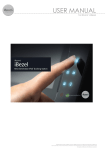
Open the miniDock by pressing the home button and slide
in the iPad mini ™ on the rail system to until the Lightning
connector is fully seated.
Close the miniDock with a gentle pressure on the iPad mini
™. For removal press again the home button and pull out the
iPad mini™. Close the miniDock with gentle pressure.
Use the iPad Mini™ Bluetooth settings to search and pair to
Bluetooth audio receiver (DMZMusic). The paring code is
“0000”. For details please refer to iPad Mini™ manual. Receiving
distance is up to 10m depending on surroundings.
Homebutton
IMPORTANT! Theft protection
iRoom’s miniDock does not provide any theft deterrence. An
unauthorized removal of the iPad mini™ can not be prevented.
Safety Informations
• Protect the unit from liquids to prevent damage from fire or
electric shock
• The unit is maintenance-free! Installation and removal only
by (electrically) qualified person!
• Do not put any foreign objects into the unit!
• If liquids or any object fall into the miniDock or if the
miniDock gets damaged, immediately switch of power supply.
Homebutton
To avoid damage, handle each piece with caution. Do not use
liquids to clean.
For inquiries please contact your iRoom dealer or visit our
website, www.iroomsidock.com