1
Getting Started & Grand Tour
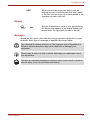
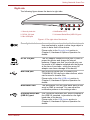
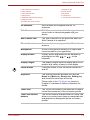
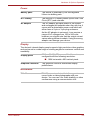
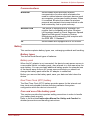
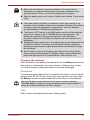
System indicators
LED system indicators below their respective icons, glow when specific
device operations are in progress.
Figure 1-9 System indicators
User’s Manual
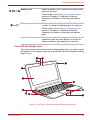
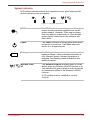
DC IN
The DC IN indicator normally glows white when
power is being correctly supplied from the AC
power adaptor. However, If the output voltage
from the adaptor is abnormal, or if the device's
power supply malfunctions, this indicator will
flash white.
Power
The Power indicator normally glows white when
the device is turned on. It will flash when the
device is in Suspend mode.
Battery
The Battery indicator shows the condition of the
battery's charge - white indicates the battery is
fully charged, amber indicates the battery is
charging, and flashing amber indicates a low
battery condition.
Wireless LAN/
3G
The Wireless LAN/3G indicator glows or blinks
amber when the Wireless LAN/3G function is on.
The indicator will glow or blink in order to indicate
the connection status of the Wireless LAN/3G
function.
A 3G module must be installed to use this
function.
1-13