1
English
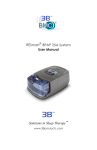
RESmart® Auto CPAP System
User Manual
0123
Table of Contents
Symbols ····················································································· 1
Intended Use ··············································································· 2
Specifications ·············································································· 3
Warning & Cautions ······································································· 4
Unpacking the System···································································· 5
Available Therapies········································································ 5
System Features ··········································································· 6
Glossary ····················································································· 7
First Time Setup ··········································································· 8
Installing the Filter·································································· 8
Device Settings ···································································· 10
Assembling the Circuit ··························································· 13
Accessories ··············································································· 15
Adding a Humidifier ······························································ 15
Adding Oxygen ···································································· 15
Routine Use··············································································· 16
Connecting the Circuit ··························································· 16
Adjusting the Circuit······························································ 16
Using the Ramp Button ·························································· 16
Turning the System OFF ························································· 16
Helpful Hints ······································································· 17
Routine Maintenance ··································································· 17
Cleaning the Filter ································································ 17
Cleaning the System ····························································· 18
Reordering ········································································· 18
Service ·············································································· 18
Traveling with RESmart® ······························································· 19
Troubleshooting·········································································· 20
EMC Requirements ······································································ 21
Limited Warranty ········································································ 26
English
RESmart®Auto User Manual V2.5
RESmart®Auto User Manual V2.5
English
Symbols
Control Buttons
Pressure Start / Stop
Ramp Start
Humidifier On / Off
User Button
User Button
Device
Attention, Consult Accompanying Documents
Type BF Applied part
Class II (Double Insulated)
AC Power
IPX1 Drip-Proof, Vertical
SN
Serial Number of the product
Manufacturer
Authorized Representative in the European Community
European CE Declaration of Conformity
RESmart®, InH2® are registered trademarks of BMC Medical Co., Ltd.
© BMC Medical Co., Ltd. 2013
1/26
Intended Use
The RESmart® Auto system is a CPAP (Continuous Positive Airway Pressure)
device designed for the treatment of adult Obstructive Sleep Apnea (OSA)
only.
The RESmart® Auto is to be used only on the instruction of a licensed health
care professional. Your home care provider will make the correct pressure
settings according to your health care professional’s prescription.
Several accessories are available to make your OSA treatment with the
RESmart® Auto CPAP system as convenient and comfortable as possible. To
ensure that you receive the safe, effective therapy prescribed for you, use only
BMC accessories.
IMPORTANT!
Read and understand the entire user manual before operating this system. If
you have any questions concerning the use of this system, contact your home
care provider or health care professional.
Contraindications
Studies have shown that the following pre-existing conditions may
contraindicate the use of positive airway pressure therapy for some patients:
• Bullous Lung Disease
• Bypassed Upper Airway
• Pneumothorax
• Pathologically Low Blood Pressure
• Pneumocephalus has been reported in a patient using nasal Continuous
Positive Airway Pressure. Caution should be used when prescribing CPAP for
susceptible patients such as those with: cerebral spinal fluid leaks,
abnormalities of the cribriform plate, prior history of head trauma, and/or
pneumocephalus.
(Chest 1989; 96:1425-1426)
• The use of positive airway pressure therapy may be temporarily
contraindicated if you exhibit signs of a sinus or middle ear infection.
Contact your health care professional if you have any questions concerning
your therapy.
2/26
English
RESmart®Auto User Manual V2.5
Specifications
Device Size
Dimensions:220 × 194 × 112 mm,313 × 194 × 112 mm (with InH2® heated
humidifier)
Weight:1.6kg,
2.4 kg(with InH2® heated humidifier)
Product Use, Transport and Storage
Operation
Temperature: 5 to 30℃
Humidity: ≤ 80% Non-condensing
Atmospheric Pressure: 860 to 1060 hPa
Transport and Storage
-20 to 55℃
≤ 93% Non-condensing
500 to 1060 hPa
Mode of Operation
Continuous
Work Mode
CPAP, Auto, Titrate
AC Power Consumption
100 – 240V AC, 50/60Hz , 1.0A max
Type of Protection Against Electric Shock
Class II Equipment
Degree of Protection Against Electric Shock
Type BF Applied Part
Degree of Protection Against Ingress of Water
IPX1 –Drip-Proof, Vertical
Pressure Range
4 to 20 hPa (in 0.5 hPa increments)
Pressure Stability
4 to 20 hPa (±1 hPa)
Altitude Compensation
Manually setting, level 0, 1, 2
Automatic altitude compensation
Sound Pressure Level
<30 dB,when the device is working at the pressure of 10 hPa
Maximum Flow
3/26
English
RESmart®Auto User Manual V2.5
Test Pressure(hPa)
4
8
12
16
20
Average flow at the
patient connection
port(L/min)
70.1
73.6
75.9
73.0
73.4
Warning & Cautions
CAUTION!
• This device is restricted to sale by or on the order of a physician.
WARNING!
Indicates the possibility for injury to the user or the operator.
• The instructions in this manual are not intended to supersede established
medical protocols.
• This device is intended for adult use only.
• This device is not intended for life support.
• CPAP devices have the potential to allow rebreathing of exhaled air.
To reduce this potential, observe the following:
- Use BMC circuit accessories.
- Do not wear the mask and headgear for more than a few minutes while the
device is not operating.
- Do not block or try to seal the vent holes in the exhalation port.
As with most CPAP devices: At low CPAP pressures, some exhaled gas (CO2)
may remain in the mask and be rebreathed.
• Do not use this device if the room temperature is warmer than 86℉ (30℃).
If this device is used at room temperatures warmer than 86℉ (30℃), the
temperature of the airflow may exceed 106℉ (41℃). This could cause
irritation to your airway.
• This equipment is not suitable for use in the presence of a flammable
anaesthetic mixture in combination with oxygen or air, or in the presence of
nitrous oxide.
• If you notice any unexplained changes in the performance of the RESmart®
Auto, if it is making unusual or harsh sounds, if it has been dropped or
mishandled, if the enclosure is broken, or if water has entered the enclosure,
disconnect the power cord and discontinue use. Contact your home care
provider.
• To avoid electrical shock, disconnect the power cord before cleaning. DO
NOT immerse the device in any fluids.
• Contact your health care professional if symptoms of sleep apnea recur.
• Using the RESmart® Auto at an incorrect elevation setting could result in
airflow pressures higher than the prescribed setting. Always verify the
4/26
English
RESmart®Auto User Manual V2.5
RESmart®Auto User Manual V2.5
Unpacking the System
CAUTION!
Indicates the possibility of damage to the device.
• Tobacco smoke may cause tar build-up within the RESmart® Auto that may
result in the RESmart® Auto malfunctioning.
• The use of accessories other than those specified, with the exception of
cables sold by the manufacturer of the equipment or system as replacement
parts for internal components, may result in increased emissions or decreased
immunity of the equipment or system.
Additional warnings and cautions are located throughout this manual as they
apply.
After unpacking the system, make sure you have everything shown here:
No.
1
2
3
4
Item
RESmart® Auto CPAP
Power Cord
Carrying Case
User Manual
Num.
1
1
1
1
IMPORTANT!
If any of the above parts are missing, contact your home care provider.
Available Therapies
The RESmart® Auto CPAP delivers the following therapies:
CPAP- Delivers Continuous Positive Airway Pressure; CPAP maintains a
constant level of pressure throughout the breathing cycle. If your health care
professional prescribed ramp for you, you can press the Ramp button to reduce
the pressure and then gradually increase the pressure to the therapeutic
pressure setting so that you can fall asleep more comfortably.
Auto - Delivers CPAP therapy and provides an air pressure no less than the
prescription one based on patient’s needs.
Titrate- Delivers CPAP therapy while automatically adjusting the pressure
level to meet the patient’s needs. It is used for determining the patient's
optimal fixed CPAP pressure. this setting was added to the Maintenance Menu
and only can be accessed by home care provider.
5/26
English
elevation setting when traveling or relocating.
System Features
Handle
Display Screen
User Buttons
Humidifier Controller
Air Outlet
Humidifier Power
Handle: This handle is for lifting up the system.
Display Screen: All system settings, total operating time, and therapy hours
will appear here.
User Buttons: These buttons can be used to turn on/off the system and
change some of the system settings.
Humidifier Controller: This controller turns the InH2® heated humidifier
on/off and allows the heat setting to be adjusted. The humidifier is an optional
accessory that may be purchased separately.
Air Outlet: Connect the flexible tubing (coaxial 22 mm) here.
Humidifier Power: This socket provides the power to the InH2® heated
humidifier.
Medical Product Note (bottom)
AC Inlet
Communication Connector
Filter Cap & Filters
Medical Product Note: For ease at airport security stations, there is a note
on the bottom of the RESmart® Auto stating that it is medical equipment. It
6/26
English
RESmart®Auto User Manual V2.5
RESmart®Auto User Manual V2.5
AC Inlet: Connect/disconnect the AC power cord here.
Communications Connector: For clinical use with the Data Management
Software. Connect the communications cable here.
Filter Cap & Filters: The foam filter screens out normal household dust and
pollens. The filter cap is designed to reduce the noise from the RESmart® Auto.
Glossary
Apnea
A condition marked by the cessation of spontaneous breathing.
Auto-CPAP
Adjusts CPAP pressure automatically to improve patient comfort based on
monitoring of apnea and snoring events.
Auto Off
When this feature is enabled, the device automatically discontinues therapy
whenever the mask is removed.
Auto On
With this feature, the device automatically initiates therapy when you begin
breathing on the device. This feature is always enabled.
CPAP
Continuous Positive Airway Pressure
iCode
A feature that is intended to give access to compliance and therapy
management information using encrypted codes. The “iCode” consists of six
separate codes displayed in the patient menu.
LPM
Liters Per Minute
OSA
Obstructive Sleep Apnea
Patient Setup Menu
The display mode in which you can change patient-adjustable device settings,
such as the ramp starting pressure.
7/26
English
may help if you also take this manual with you when you travel.
RESmart®Auto User Manual V2.5
Reslex
A therapy feature that provides pressure relief during exhalation, if enabled by
your home care provider.
Standby State
The state of the device when power is applied but the airflow is turned off.
Titrate
A therapy that delivers CPAP therapy while automatically adjusting the
pressure level to meet the patient’s needs.
First Time Setup
WARNING!
Do not use the RESmart® Auto system until an appropriate professional
adjusts the settings! To order any accessories not included with this system,
contact your home care provider.
Note to home care provider: Before beginning setup, be sure that you have
available the RESmart® Auto Home Care Provider Setup Instructions. Setup
instructions are not provided in this manual.
WARNING!
DO NOT connect any equipment to the RESmart® Auto unless recommended
by BMC or your health care provider.
CAUTION!
If the RESmart® Auto has been exposed to either very hot or very cold
temperatures, allow it to adjust to room temperature (approximately 2 hours)
before beginning setup.
Installing the Filter
1. Install the filters and filter cap.
CAUTION!
The foam filter must be in place at all times when the RESmart® Auto is
operating.
8/26
English
Ramp
A feature that may increase patient comfort when therapy is started. The ramp
feature reduces pressure and then gradually increases the pressure to the
prescription setting so you can fall asleep more comfortably.
RESmart®Auto User Manual V2.5
b. Attach the filter cap. Position the cap so that the small opening on the cap is
facing down. Insert the cap’s tabs into the filter area opening.
Power Cord
2. Connect the power cord. Plug the socket end of the power cord into the AC
inlet on the back of the RESmart® Auto. Plug the pronged end of the power
cord into an electrical outlet. System status will appear on the RESmart® Auto
screen.
IMPORTANT!
To remove AC power, disconnect the power cord from the electrical outlet.
WARNING!
Inspect the power cord often for any signs of damage. Replace a damaged
cord immediately.
WARNING!
The RESmart® Auto is powered on for use when the power cord is connected.
The pressure start/stop button turns the blower on/off.
3. Place the RESmart® Auto on a firm, flat surface.
CAUTION!
Make sure the RESmart® Auto is away from any heating or cooling equipment
(e.g., forced air vents, radiators, air conditioners). Also make sure that
bedding, curtains, or other items are not blocking the filter or vents of the
device. Air must flow freely around the device for the system to work properly.
Display Screen: All device settings will appear here.
Pressure Start/Stop Button: Use this button to start/stop the airflow. DO
NOT start the airflow until the circuit tubing is connected.
Heated Humidifier Button: Use this button when the optional InH2®
Heated Humidifier has been prescribed. This button will control the optional
heated humidifier’s output. Follow the instructions of the humidifier.
Ramp Button: When the airflow is turned on, use this button to restart the
ramp cycle (which lowers the airflow pressure and then gradually increases it).
This will allow you to fall asleep more comfortably. When the airflow is turned
off, use this button to access the patient menu.
Note: The ramp feature is not prescribed for all users.
9/26
English
a. Place the foam filter into the filter area on the back of the RESmart® Auto.
RESmart®Auto User Manual V2.5
User Buttons: These buttons can be used when entering various menus to
English
change some of the RESmart® Auto settings.
Display Screen
User Button
User Button
Heated
Humidifier
Button
Ramp Button
Pressure Start/Stop Button
IMPORTANT!
In the Setup Menu, the +/- user buttons are used to go to the previous/next
question or setting and operate as up and down keys to change the settings,
the ramp button is used to confirm the setting change, and the start/stop
button will allow you to exit the Setup Menu without saving.
Standby
4. After power on, system status will appear on display screen as below.
Ramp Starting Pressure: The starting pressure after blower is turned on.
Default setting is 4hPa.
Treatment Pressure: This prescription pressure by physician is the baseline
for system automatic adjustment after ramp time. Default setting is 7hPa.
Ramp Timer: The ramp time from starting pressure to system automatic
adjustment. Default setting is 10 minutes.
Device Settings
5. Verify/Change the RESmart® Auto settings. To start the setup menu, press
and hold the ramp button until the setup menu appear (about 5 seconds)
when system standby.
(The airflow must be turned OFF.)
10/26
RESmart®Auto User Manual V2.5
Pressing the ramp button (when the airflow is turned on) will lower the airflow
pressure, if prescribed, and then will gradually increase it.
WARNING!
DO NOT use the RESmart® Auto if the display is erratic. Contact your home
care provider for further instructions.
IMPORTANT!
If at any time you wish to exit the setup menu, press the Pressure Start/Stop
Button and the display will go back to the system standby screen.
Setting the Humidifier
a. When the optional InH2® Heated Humidifier is used, this setting can change
the temperature and humidity of airflow between level 0 to 5. Default setting is
3.
IMPORTANT!
Press the Ramp Button to enter change status and press +/- User Buttons to
change the setting. Press Ramp Button again to confirm the setting.
Press +/- User Buttons to access the next setting.
Setting the Altitude
b. The altitude setting can be changed between level 0 to 2. Default setting is
0.
0 = less than 2,460 ft. (<750 m)
1 = 2,460 to 4,921 ft. (750 m to 1500 m)
2 = 4,924 to 8,202 ft. (1501 m to 2500 m)
*over 8,202 ft. = The airflow pressure may not be accurate. Contact your
home care provider to have your pressure setting adjusted.
IMPORTANT!
RESmart® is already with automatic altitude compensation. Even if without
setting the altitude, RESmart® still can deliver proper pressure in any altitude
worldwide.
Setting Auto ON
c. When the RESmart® Auto is standby and wearing mask, your deep breath
will start airflow automatically. (This function is NOT available on certain
11/26
English
IMPORTANT!
RESmart®Auto User Manual V2.5
English
model.) Default setting is Enable.
Setting Auto Off
d. When the mask is removed, the RESmart® Auto will stop airflow
automatically. (This function is NOT available on certain model.) Default
setting is Enable.
Setting the LCD Light
e. This setting allows you to adjust the LCD light among Auto, On and Off.
Default setting is Auto.
Auto: LCD light will be turned on when any button pressing and turned off
after few seconds.
On: LCD light will be turned ON always.
Off: LCD light will be turned OFF always.
Setting the Alert
f. This setting allows you to turn on/off the patient disconnect alert. When a
large, continuous air leak (such as mask removal) has been detected in the
circuit, this setting enables/disables the audible alert (a beeping sound). This
setting is only effective when the Auto Off setting is disabled. (This function is
NOT available on certain model.) Default setting is Disable.
Setting the Reslex
g. The Reslex setting displays the Reslex level set by your home care provider.
This setting allows you to adjust the level of air pressure relief that you feel
when you exhale during therapy. Your home care provider will have already
set a Reslex level. If this is not comfortable for you, you can increase or
decrease the setting. The setting of “1” provides a small amount of pressure
relief. To increase the pressure relief, change the setting to “2”. (This function
is NOT available on certain model.) Default setting is 0 (disable).
Setting the Delay Off
12/26
h. When the optional InH2® Heated Humidifier is used, this setting allows the
air flow continue for about 15 minutes at very low pressure (about 2hPa) after
RESmart® Auto is turned off. This will blow off the left vapor and protect the
RESmart® Auto. Default setting is Enable.
Setting the Sensitive
i. The Sensitive Setting is only effective on Auto CPAP mode. The sensitivity of
automatically pressure adjusting can be set from 1(soft) to 5(hard). Default
setting is 3.
Setting the Date
j. The current date is displayed and can be modified if needed.
Note: Check and confirm this Date Setting frequently to ensure the usage blog
is correct.
iCode
k. The “iCode” consists of six separate codes displayed in the patient menu.
These codes include “Last Day”, “Last 7 Days”, “Last 30 Days”, “Last 90 Days",
“Last 182 Days" and “Last 365 Days”. Patient should send these code numbers
to your physician when needed.
Use Days
l. The number of nights the RESmart® Auto was used for therapy for more
than 4 hours will appear. This screen is only for reference. Your home care
provider may periodically ask you for this information.
Exit the Settings
m. The settings are complete. Press the +/- user button to access the SAVE
setting and Ramp Button to save all changes and exit the settings menu.
Assembling the Circuit
6. Assemble the circuit. To use the system, you will need the following
accessories in order to assemble the recommended circuit.
• Nasal Mask with integrated exhalation port
• 6 ft. (1.83 m) flexible Tubing
• Headgear (for the mask)
WARNING!
13/26
English
RESmart®Auto User Manual V2.5
If multiple persons are going to use the RESmart® Auto (e.g., rental devices),
a low-resistance, main flow bacteria filter should be installed in-line between
the RESmart® Auto and the circuit tubing. Pressures must be verified by your
home care provider when alternate or optional accessories are in place.
a. Connect the flexible tubing to the air outlet on the front of the RESmart®
Auto.
b. If you are using a mask with a built-in exhalation port, connect the mask’s
connector to the flexible tubing.
If you are using a mask with a separate exhalation port, connect the flexible
tubing to the exhalation port. Position the exhalation port so that the vented
air is blowing away from your face. Connect the mask’s connector to the
exhalation port.
WARNING!
Do not block or otherwise try to seal the air openings (vent holes) on the
exhalation port.
Explanation of the warning: The RESmart® Auto is intended to be used with
masks and circuits that have an exhalation port designed to exhaust CO2 from
the circuit. When the RESmart® Auto is turned on and functioning properly,
new air from the RESmart® Auto flushes the exhaled air out through the
exhalation port. When the RESmart® Auto is turned off, enough fresh air will
not be provided through the mask, and exhaled air may be rebreathed.
Rebreathing of exhaled air for longer than several minutes can, in some
circumstances, lead to suffocation. This warning applies to most CPAP devices.
WARNING!
If you are using a full face mask (i.e., a mask covering both your mouth and
your nose), the mask must be equipped with a safety (entrainment) valve.
14/26
English
RESmart®Auto User Manual V2.5
Accessories
Contact your home care provider for additional information on the accessories
available for the RESmart® Auto system. When using optional accessories,
always follow the instructions enclosed with the accessories.
Adding a Humidifier
The InH2® Heated Humidifier are available from your home care provider. The
humidifier may reduce nasal dryness and irritation by adding moisture (and
heat if applicable) to the airflow.
WARNING!
The RESmart® unit should only be connected to the humidifiers or cacessories
specified in this Manual. Connection of other Items may result in injury,or
damage to the RESmart® unit.
Adding Oxygen
Oxygen may be added at the mask connection. Please note the warnings listed
below when using oxygen with the RESmart® Auto.
WARNING!
The oxygen supply must comply with the local regulations for medical oxygen.
WARNING!
Turn the RESmart® Auto on before turning the oxygen on. Turn the oxygen off
before turning the RESmart® Auto off.
Explanation of Warning: When the RESmart® Auto is turned off, but the
oxygen flow is still turned on, oxygen may accumulate within the RESmart®
Auto enclosure and create a fire risk. Turning the oxygen off before turning the
RESmart® Auto off will prevent oxygen accumulation in the RESmart® Auto
and will reduce the risk of fire. This warning applies to most CPAP devices.
WARNING!
Oxygen accelerates fires. Keep the RESmart® Auto and the oxygen container
away from heat, open flames, any oily substance, or other sources of ignition.
DO NOT smoke in the area near the RESmart® Auto or the oxygen container.
15/26
English
RESmart®Auto User Manual V2.5
Routine Use
Connecting the Circuit
1. Connect the circuit.
IMPORTANT!
Before each use, examine the flexible tubing for any damage or debris. If
necessary, clean the tubing to remove the debris. Replace any damaged
tubing.
a. Connect the mask to the headgear, following the instructions included with
the headgear.
b. Put on the mask and headgear, and breathe normally through your nose.
The airflow should automatically start when you begin breathing through the
circuit. If the airflow does not start within four breaths, press the pressure
start/stop button on the top of the RESmart® Auto. When operating the
system with some mask types or some circuit configurations, the airflow may
NOT automatically start.
Adjusting the Circuit
2. Adjust the circuit. Lie down on your bed, and adjust the flexible tubing so it
is free to move if you turn in your sleep. Adjust the mask and headgear until
you have a comfortable fit and there are no airflow leaks into your eyes.
Using the Ramp Button
Pressing the ramp button will reduce the air pressure when you are trying to
fall asleep. The air pressure will gradually increase until your prescription
pressure is reached. If your physician prescribed ramp for you, pressing the
button will reduce the pressure and then gradually increase (ramp) the
pressure to the therapeutic pressure setting so that you can fall asleep more
comfortably. Note: The ramp feature is not prescribed for all users.
3. Press the Ramp button on the top of the RESmart® Auto. You can use the
Ramp button as often as you wish during the night.
Turning the System OFF
4. Remove the mask and headgear. Press the pressure start/stop button on
the top of the RESmart® Auto to stop the airflow.
Or, if the Auto Off setting has been enable, the airflow will automatically turn
16/26
English
RESmart®Auto User Manual V2.5
RESmart®Auto User Manual V2.5
IMPORTANT!
The humidifier button is active only when an InH2® Heated Humidifier is
connected or when the RESmart® Auto is in the Setup Menu. Refer to the
InH2® Heated Humidifier’s instructions for additional information.
Helpful Hints
• If the alert tone sounds, press any button on the RESmart® Auto to silence
the alert tone. Refer to the “Troubleshooting” Section of the manual for further
instructions.
• Make sure that bedding, curtains, or other items are not blocking the filter or
vents of the RESmart® Auto. Air must flow freely around the RESmart® Auto
for the system to work properly.
• If the airflow from the RESmart® Auto feels cold, reposition the circuit tubing
so that it runs under your bed covers to reduce heat loss while you sleep.
• If interruption of the power supply occurs during system working, the audible
alert (a beeping sound) will start and continue. Restoration of the power
supply will stop the audible alert.
• After interruption and restoration of the power supply, the RESmart® Auto
will resume with the working status before interruption automatically.
Routine Maintenance
Cleaning the Filter
The foam filter should be cleaned at least once every two weeks under normal
usage and replaced with a new one every six months.
CAUTION!
Operating the RESmart® Auto with a dirty filter may keep the system from
working properly and may cause damage to the device.
1. Remove the filter cap by gently pressing on its bottom.
2. Change the filter.
a. Remove the foam filter by gently pulling around the edges of the filter. Rinse
the filter in a steady stream of running water. Squeeze out the water and
repeat. Air dry the filter on a rack for 8 to 12 hours or in a clothes dryer for 15
to 20 minutes.
b. Insert the filter into the filter area on the back of the RESmart® Auto.
17/26
English
off.
RESmart®Auto User Manual V2.5
CAUTION!
Never install a wet filter into the RESmart® Auto. We recommend that you
clean the filter in the morning and alternate using the filter provided with the
system to ensure enough drying time for the cleaned filter.
Cleaning the System
Clean the mask and tubing daily.
WARNING!
To avoid electrical shock, unplug the RESmart® Auto before cleaning. Do not
immerse the RESmart® Auto in any fluids.
1. Disconnect the flexible tubing from the RESmart® Auto. Gently wash the
flexible tubing in a solution of warm water and a mild detergent. Rinse the
tubing thoroughly and air dry.
2. Wipe the outside of the RESmart® Auto with a cloth slightly dampened with
water and a mild detergent. Let the RESmart® Auto dry before plugging in the
power cord.
3. Inspect the RESmart® Auto and all circuit parts for any damage after
cleaning. Replace any damaged parts.
4. For details on cleaning your mask and accessories, refer to the cleaning
instructions packaged with the accessories.
Reordering
Contact your home care provider to order accessories or Replacement filters.
Service
The RESmart® Auto system does not require routine servicing.
The RESmart® unit contains electrical and/or electronic equipment. When
necessary, dispose of the RESmart® and accessories in accordance with local
regulations.
WARNING!
If you notice any unexplained changes in the performance of the RESmart®
Auto, if it is making unusual or harsh sounds, if it has been dropped or
mishandled, if the enclosure is broken, or if water has entered the enclosure,
discontinue use. Contact your home care provider.
WARNING!
18/26
English
Replace the filter cap.
If the RESmart® Auto malfunctions, contact your home care provider
immediately. Never attempt to open the RESmart® Auto’s enclosure. Repairs
and adjustments must be performed by BMC authorized service personnel
only.
Unauthorized service could cause injury, invalidate the warranty, or result in
costly damage.
If necessary, contact your local authorized dealer or BMC Medical Co., Ltd. for
technical support and documents.
Traveling with RESmart®
When you are traveling, the carrying case is for carry-on luggage only. The
carrying case will not protect the system if it is stored as checked baggage.
Security Stations
For convenience at security stations, there is a note on the bottom of the
RESmart® Auto stating that it is medical equipment.
It may be helpful to bring this manual along with you to help security
personnel understand the RESmart® Auto.
Checking the Power Cord
If you are traveling to a country with a line voltage different than the one you
are currently using, a different power cord or an international plug adapter
may be required to make your power cord compatible with the power outlets
of the country to which you are traveling. Contact your home care provider for
additional information.
19/26
English
RESmart®Auto User Manual V2.5
Troubleshooting
The table below lists common problems you may have with the RESmart® Auto
system and possible solutions to those problems. If none of the corrective
actions solve the problem, contact your home care provider.
Problem
The pressure being delivered
feels different.
The airflow from the RESmart®
Auto seems warm.
The noise level of the RESmart®
Auto has changed to include
unusual or harsh sounds during
operation.
The RESmart® Auto will not turn
on.
Pressing the ramp button does
not reduce the air pressure.
The RESmart® Auto has been
dropped into water or fluids have
gotten into the enclosure.
Solution(s)
Check the altitude setting to be sure it is set to
your altitude. Change the altitude setting if
necessary. If the altitude setting is correct, contact
your home care provider for directions on having
the RESmart® Auto serviced. Please have the
device’s serial number ready when you call.
Replace or clean the filter. Make sure the
RESmart® Auto is away from bedding or curtains
that could block the flow of air around the
RESmart® Auto. Make sure the RESmart® Auto is
away from heating equipment (e.g., forced air
vents, radiators).
Contact your home care provider for directions on
having the RESmart® Auto serviced. Please have
the device’s serial number ready when you call.
Make sure that the RESmart® Auto is plugged into
a working outlet. Contact your home care provider
for directions on having the RESmart® Auto
serviced. Please have the device’s serial number
ready when you call.
Contact your home care provider. Ramp may not
have been prescribed for you.
Discontinue use. Disconnect the power cord from
the AC wall outlet. Contact your home care
provider for directions on having the RESmart®
Auto serviced. Please have the device’s serial
number ready when you call.
20/26
English
RESmart®Auto User Manual V2.5
EMC Requirements
Guidance and manufacturer's declaration - electromagnetic emissions
The RESmart® is intended for use in the electromagnetic environment specified
below. The user of the RESmart® should ensure that it is used in such an
environment.
Electromagnetic environment
Emissions Test
Compliance
- guidance
The RESmart® uses RF energy
only for its internal function.
RF emissions
Group 1,
Therefore its RF emissions are
very low and are not likely to cause
CISPR 11
Class B
any interference in nearby
electronic equipment.
RF emissions
Group 1,
The RESmart® is suitable for use in
CISPR 11
Class B
all establishments including
domestic establishments and
Harmonic emissions
Class A
those directly connected to the
IEC 61000-3-2
public low-voltage power supply
Voltage fluctuations
network that supplies buildings
Class D
/flicker emissions
used for domestic purposes.
IEC 61000-3-3
21/26
English
RESmart®Auto User Manual V2.5
RESmart®Auto User Manual V2.5
The RESmart® is intended for use in the electromagnetic environment specified
below. The user of the RESmart® should make sure that it is used in such an
environment.
Electromagnetic
IEC 60601
Compliance
Immunity test
environment test level
level
guidance
Floor should be wood,
concrete or ceramic tile. If
Electrostatic
±6 kV contact
±6 kV contact
floors are covered with
discharge (ESD)
synthetic material, the
±8 kV air
±8 kV air
relative humidity should
IEC 61000-4-2
be at least 30%.
Electrical fast
transient/burst
IEC 61000-4-4
Surge
IEC 61000-4-5
Voltage dips,
short
interruptions and
voltage variations
on power supply
input lines
IEC 61000-4-11
Power frequency
(50/60 Hz)
magnetic field
±2 kV for
power supply
lines
±2 kV for
power supply
lines
±1 kV for
input/output
lines
±1 kV
differential
mode
±1 kV for
input/output
lines
±1 kV
differential
mode
±2 kV
common mode
<5 % UT
(>95% dip in
UT)
for 0.5 cycle
±2 kV
common mode
<5% UT
(>95 % dip in
UT)
for 0.5 cycle
40% UT
(60% dip in UT)
for 5 cycles
40% UT
(60% dip in UT)
for 5 cycles
70% UT
(30% dip in UT)
for 25 cycles
70% UT
(30% dip in UT)
for 25 cycles
<5% UT
(>95% dip in
UT)
for 5 s
<5% UT
(>95% dip in
UT)
for 5 s
3 A/m
0.3 A/m
22/26
Mains power quality
should be that of a typical
home or hospital.
Mains power quality
should be that of a typical
home or hospital.
Mains power quality
should be that of a typical
commercial or hospital
environment. If the user
of the RESmart® requires
continued operation
during power mains
interruptions, it is
recommended that the
RESmart® be powered
from an uninterruptible
power supply or from a
battery.
If the pressure deviates
more than is indicated in
the device specification, it
may be necessary to
English
Guidance and manufacturer's declaration - electromagnetic immunity
RESmart®Auto User Manual V2.5
position the RESmart®
further from sources of
power frequency
magnetic fields. The
power frequency
magnetic field should be
measured in the intended
installation location to
ensure that it is
sufficiently low.
NOTE: UT is the AC mains voltage prior to application of the test level.
23/26
English
IEC 61000-4-8
RESmart®Auto User Manual V2.5
The RESmart® is intended for use in the electromagnetic environment specified
below. The user of the RESmart® should make sure that it is used in such an
environment.
Immunity
test
IEC 60601
test level
Compliance
level
Electromagnetic
environment - guidance
Portable and mobile RF
communications equipment
should be used no closer to any
part of the RESmart®, including
cables, than the recommended
separation distance calculated
from the equation applicable to
the frequency of the transmitter.
Recommended separation
distance
d=1.2√P
d=1.2√P
d=2.3√P
80 MHz to 800 MHz
800 MHz to 2.5
GHz
Conducted RF
IEC 61000-4-6
Radiated RF
IEC 61000-4-3
3 Vrms
150 kHz to
80 MHz
3 V/m
80 MHz to
2.5 GHz
3 Vrms
3 V/m
where P is the maximum output
power rating of the transmitter
in watts (W) according to the
transmitter manufacturer and d
is the recommended separation
distance in meters (m).
Field strengths from fixed RF
transmitter, as determined by an
electromagnetic site survey, a
should be less than the
compliance level in each
frequency range. b
Interference may occur in the
vicinity of equipment marked
with the following symbol:
24/26
English
Guidance and manufacturer's declaration - electromagnetic immunity
RESmart®Auto User Manual V2.5
NOTE 2: These guidelines may not apply in all situations. Electromagnetic
propagation is affected by absorption and reflection from structures, objects and
people.
a
Field strengths from fixed transmitters, such as base stations for radio
(cellular/cordless) telephones and land mobile radios, amateur radio, AM and FM
radio broadcast and TV broadcast cannot be predicted theoretically with accuracy. To
assess the electromagnetic environment due to fixed RF transmitters, an
electromagnetic site survey should be considered. If the measured field strength in
the location in which the RESmart® is used exceeds the applicable RF compliance
level above, the RESmart® should be observed to verify normal operation. If
abnormal performance is observed, additional measures may be necessary, such as
re-orienting or relocating the RESmart®.
b
Over the frequency range 150 kHz to 80 MHz, the field strengths should be less than
3 V/m.
25/26
English
NOTE 1: At 80 MHz and 800 MHz, the higher frequency range applied.
Limited Warranty
BMC Medical Co., Ltd. warrants that the RESmart® Auto CPAP device shall be
free from defects of workmanship and materials and will perform in
accordance with the product specifications for a period of one (1) year for main
unit and three (3) months for all accessories from the date of sale by BMC
Medical Co., Ltd. to the dealer. If the product fails to perform in accordance
with the product specifications, BMC Medical Co., Ltd. will repair or replace, at
its option, the defective material or part. BMC Medical Co., Ltd. will pay
customary freight charges from BMC Medical Co., Ltd. to the dealer location
only. This warranty does not cover damage caused by accident, misuse, abuse,
alteration and other defects not related to material or workmanship.
BMC MEDICAL CO., LTD. DISCLAIMS ALL LIABILITY FOR ECONOMIC LOSS,
LOSS OF PROFITS, OVERHEAD OR CONSEQUENTIAL DAMAGES WHICH MAY
BE CLAIMED TO ARISE FROM ANY SALE OR USE OF THIS PRODUCT. SOME
STATES DO NOT ALLOW THE EXCLUSION OR LIMITATION OF INCIDENTAL
OR CONSEQUENTIAL DAMAGES, SO THE ABOVE LIMITATION OR EXCLUSION
MAY NOT APPLY TO YOU.
To exercise the rights under this warranty, contact the local, authorized
dealers or:
MANUFACTURER:
BMC Medical Co., Ltd.
5/F Main Building, No.19 Gucheng Street West, Shijingshan,
Beijing 100043, P.R.China
Tel: 86-10-51663880
Fax: 86-10-51663880 Ext. 810
EU AUTHORISED REPRESENTATIVE:
Shanghai International Holding Corp. GmbH (Europe)
Eiffestrasse 80, 20537 Hamburg, Germany
Tel: 0049-40-2513175
Fax:0049-40-255726
26/26
English
RESmart®Auto User Manual V2.5