1
Preparation/SetUp (continued)
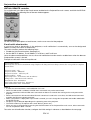
Save and exit
1
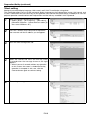
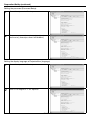
Enter “9” and press the Enter key.
2
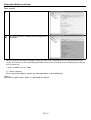
The setting screen is shaded and the setting process
completes.
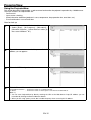
• Because the password, display language, LAN control, and PJLink™ certification are set using the telnet function,
you can also set them on the command prompt window of the personal computer. Enter the following command and
press the Enter key.
> telnet IP address you set 9999
[“>” shows a prompt.]
When setting menu appears, perform the setting procedure as described above.
(Note 3 )
Check that the port number “9999” isn’t blocked by the firewall.
EN-11