1
Showing and hiding filter curves
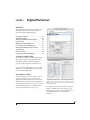
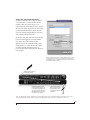
To view a filter in the display, turn on the filter. The
shape of the filter, according to its current settings,
is shaded in the same color as the filter’s knob(s).
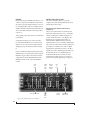
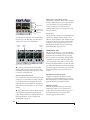
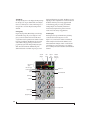
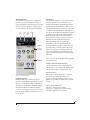
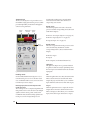
Use the filter curve toggle (Figure 11-10) to show or
hide them in the display.
Adjusting filters in the display
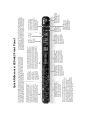
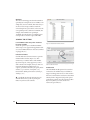
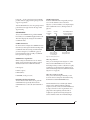
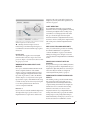
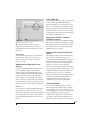
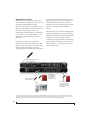
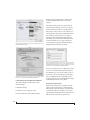
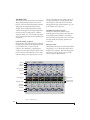
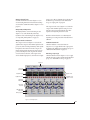
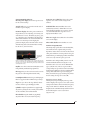
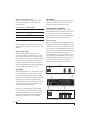
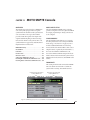
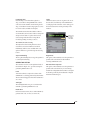
Each filter has a handle, displayed as shown below
in Figure 11-12 (in the filter’s color), for adjusting
its boost/cut and/or frequency:
Filter handle
Filter Q
(red line)
Figure 11-12: Drag the filter handle to adjust its frequency and/or
boost/cut. Drag the Filter Q handles to adjust the Q.
For the EQ filters, when you click the handle, you’ll
also see lines on either side for adjusting the Q
parameter, as shown above.
EQ filters
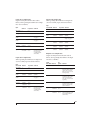
The EQ filters have three parameters:
Control
unit
range
Gain
dB
-20.00 to +20.00
Frequency
Hertz
20 Hz to 20 kHz
Q
n/a - see note below
0.01 to 3.00
Q
The Q setting does not have a unit of measurement.
Rather, it is the ratio of the filter’s center frequency
to the bandwidth of the filter. In addition, the
actual Q value for the EQ curve being applied is
dependent on three factors: the gain setting, the
filter style, and the Q setting.
Filter types
Each filter can be independently set to one of four
different filter types: I, II, III and IV. These, and the
additional shelf filters for the LMF and HMF band,
are discussed in the section “EQ filter styles”.
Returning to zero (or nominal frequency)
To return a knob to zero, or it’s nominal frequency,
double-click it.
EQ filter styles
EQ is one of the most widely used processing tools
and can be applied to many different situations,
from minor corrective tasks to highly creative
applications. Over the years, many EQs have been
engineered for specific applications or to achieve a
certain sound. The Vintage EQ has been designed
to be flexible enough to cover a broad range of
applications. To that end, several different filter
types are supplied, varying mostly in the way they
handle the dynamic interaction between Gain and
Q. This crucial relationship has been modeled to
emulate the smooth and musical character of
classic analog EQ circuits, in which the Gain/Q
dependency was dictated by the actual circuit
design and electrical components used.
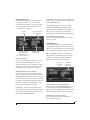
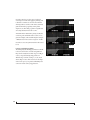
The following sections describe the character of
each type of EQ filter and their suggested
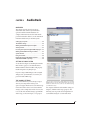
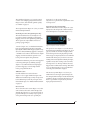
applications. In the illustrations for each filter style
(Figure 11-13 through Figure 11-16), the settings
for the three example curves are the same for the
purpose of comparison:
■
Frequency = 1.00 kHz
■
Q=1
■
Gain = +3, +10 and +20 dB
86
CUEMIX FX