1
Chapter 4: Using the web interface
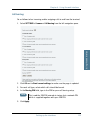
If the message text is too long for one SMS, the message is sent as two or
more SMS messages. The field below the message field shows the number
of SMS messages used to send the message.
4. Type in the phone number in the Recipient field.
Remember 00 and country code (e.g. 00 45 for Denmark or 00 1 for USA).
5. Select whether or not you want Delivery notification for this SMS message.
If you click Yes, the Status column in the Sent folder will show the status of
your message when it has been sent.
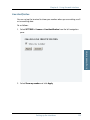
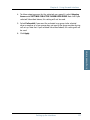
You can set up delivery notification generally for all SMS messages. This
setting is used by default when you send a message. For further
information, see Configuring message settings on page 94.
6. Click Send.
The message is now sent and moved to the Sent folder.
Options for messages in the Outbox
Messages in the Outbox are messages that have not been sent, e.g. because
the terminal was not online when you attempted to send the messages.
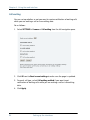
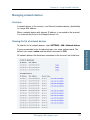
To access the Outbox, click MESSAGES > Outbox from the navigation pane.
You have the following options for messages in the Outbox:
•
When the terminal is online, click Resend next to the message you want to
send. When the Write message page opens, click Send.
The terminal now attempts to send the message again. To make sure the
message has been sent, look in the Sent folder.
Note
90
The original message remains in the Outbox. When you have
succeeded in sending the message you may want to delete it
from the Outbox.
•
Click Delete next to a message to delete it.
•
Click Delete all messages in Outbox to delete all the messages.
Handling SMS messages