1
Manual
Chapter 3. Configuration Guide
3.1 Web Login
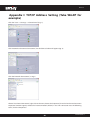
Connect to KR.KZ via wired cable and configure 192.168.0.x(x ranges 2-254) as your PC’s IP address, and
255.255.255.0 as subnet mask. (Please refer to the Appendix II for details on TCP/IP setting)
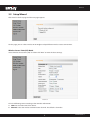
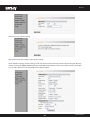
Launch Internet Explorer. In the address bar, enter the AP’s default IP address, 192.168.0.254. Press Enter key and
the login screen will appear. Enter admin both in the user name and password field.
Click OK to enter the welcome page of the device.
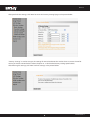
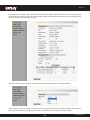
You can select “Running Status”, ”LAN Settings”, “Wireless Settings”, “SNMP Settings” and “System Tools” on the
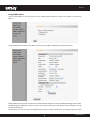
left menu. Click “Next” to enter the wireless working mode setup page. KR.KZ supports two working modes:
wireless AP (AP), Bridge (WDS). Select a working mode to configure the settings. For more details please refer to
the following chapters.
6
www.kraun.it