1
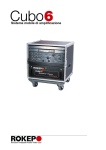
Audio Mobile System
-- USER MANUAL --
U S E R
M A N U A L
C U B O
2
ROKEPO srl Via Irma Bandiera 6/B 40050 Monte San Pietro Bologna (Italy)
Tel (+39) 051 616.7254 Fax (+39) 051 616.7255 www.rokepo.it
3 . 0
U S E R
M A N U A L
C U B O
3 . 0
1) INTRODUCTION ............................................................................................................................................4
2) TECHNICAL SPECIFICATIONS ...................................................................................................................4
2.1) BASIC COMPONENTS....................................................................................................................................4
2.2) OPTIONAL COMPONENTS ..............................................................................................................................4
3) MAIN CONTROLS ........................................................................................................................................5
3.1) CONTROLS ..................................................................................................................................................5
3.2) FUNCTION INDICATOR LEDS .........................................................................................................................5
3.3) POWER SUPPLY ..........................................................................................................................................6
4) FUNCTIONS..................................................................................................................................................8
4.1) SYSTEM POWER ON AND SYSTEM RECHARGE...............................................................................................8
4.1.1) System Start and verification .............................................................................................................8
4.1.2) Battery Status.....................................................................................................................................8
4.1.3) Battery Recharge Mode .....................................................................................................................8
4.1.4) Operation with external power supply TAS24S (optional) ................................................................9
4.2) MAIN FUNCTION ........................................................................................................................................10
5) MAINTENANCE ..........................................................................................................................................12
5.1) GENERAL INFORMATION..............................................................................................................................12
5.2) BATTERY PACK .........................................................................................................................................12
1) UNSCREW THE 8 SCREWS OF THE SIDE SUPPORT 2) REMOVE THE SAFETY COVER 3) REMOVE THE
BATTERIES AND DISCONNECT THE CONNECTOR 4) INSERT THE CONNECTOR OF THE NEW BATTERY PACK, AND
REPLACE THE BATTERIES 5) CLOSE THE SAFETY COVER, .....................................................................................12
5.3) WIRELESS MICROPHONE .............................................................................................................................13
5.4) CONNECTIONS...........................................................................................................................................13
5.4.4) Collegamento dell’alimentatore TAS24S alla rete elettrica ............................................................13
6) REFERENCES TO STANDARDS................................................................................................................14
7) SPECIFICATIONS........................................................................................................................................15
8) NORME DI GARANZIA................................................................................................................................16
8) DICHIARAZIONE DI CONFORMITÀ ...........................................................................................................17
3
ROKEPO srl Via Irma Bandiera 6/B 40050 Monte San Pietro Bologna (Italy)
Tel (+39) 051 616.7254 Fax (+39) 051 616.7255 www.rokepo.it
INDEX
4.2.1) Music control section.......................................................................................................................10
4.2.3) Voice amplifying using wireless microphone...................................................................................11
4.2.4) Preamp Out (Line Out) ....................................................................................................................11
4.2.5) AUX Audio Power Output................................................................................................................11
U S E R
M A N U A L
C U B O
3 . 0
1) INTRODUCTION
Thank you for choosing
CUBO 3.0 for your ruggedized audio system.
For optimum use of CUBO 3.0, please read carefully the information provided in this manual.
CUBO 3.0 is a tool of fundamental importance for sports trainers , youth workers and for
any situation where you have to play music or amplify the voice without making any
electrical connection. CUBO 3.0 has been improved in later versions starting from the
real experience of people who use it daily .
CUBO 3.0 is a system assembled in box plywood treated for waterproofing and roofing
polyurethane material with high strength, equipped with wheels for easy transport ,
designed and engineered to withstand the most severe stress , moisture resistant and
therefore ideal for be used in the pool as the beach.
The safety standards are met at every opportunity, thanks to the power supplied by two
sealed batteries that guarantee a high level of autonomy, or using the safety power
supply TAS24S.
2) TECHNICAL SPECIFICATIONS
2.1) Basic Components
CUBO 3.0 consist of:
- 3 inputs mixer (microphone, Wireless Source: MP3player, PC ...)
- A 2x150W @ 4ohm Amplifier
- Built-in high-efficiency loudspeaker,
- Signal and Peak indicator
- External power input connector (Extra low voltage)
- External battery charger AL24/1 or AL24/3
2.2) Optional Components
CUBO 3.0 can be equipped with several optional accessories such as:
- RS12
External loudspeaker
- AQUARMONY
Underwater loudspeaker
- TAS24S
Safety Power Supply (240Vac to SELV 24Vdc
with 10m cable with PowerCon connector
4
ROKEPO srl Via Irma Bandiera 6/B 40050 Monte San Pietro Bologna (Italy)
Tel (+39) 051 616.7254 Fax (+39) 051 616.7255 www.rokepo.it
U S E R
M A N U A L
C U B O
3 . 0
3) MAIN CONTROLS
1.
Main Volumes section
2.
Music Volume
3.
Mic. Volume
4.
Signal/peak indicator
5.
AUX Volumes section
6.
Mic. Volume AUX
7.
Mic. Volume AUX
8.
AUX Signal/Peak indicator
3.2) Function indicator LEDs
9
10
9.
Bluetooth indicator, fixed lit if device connected)
10. Battery charge indicators (all lit = Battery full Charge)
5
ROKEPO srl Via Irma Bandiera 6/B 40050 Monte San Pietro Bologna (Italy)
Tel (+39) 051 616.7254 Fax (+39) 051 616.7255 www.rokepo.it
2) TECHNICAL SPECIFICATIONS
3.1) Controls
U S E R
M A N U A L
C U B O
3 . 0
3.3) Power Supply
11
12
13
11.
Fuse
12.
ON/OFF Switch
13.
AUX Power OUT
(+5 and +12Vcc @ 500mA)
3.4) Inputs
14. Line OUT (For external amplifier or active loudspeaker)
15. Radiomic Input (0db sensitivity)
16. CD input (0db sensitivity)
17, MP3 Player (-20db sensitivity)
6
ROKEPO srl Via Irma Bandiera 6/B 40050 Monte San Pietro Bologna (Italy)
Tel (+39) 051 616.7254 Fax (+39) 051 616.7255 www.rokepo.it
U S E R
M A N U A L
C U B O
3 . 0
3.5) Power IN/OUT
19. Speaker / AQUARMONY function indicators
20 External Power ON indicator
21. External Power Input (24Vcc 12A)
22. Recharge indicator
23 Battery Charge Input
7
ROKEPO srl Via Irma Bandiera 6/B 40050 Monte San Pietro Bologna (Italy)
Tel (+39) 051 616.7254 Fax (+39) 051 616.7255 www.rokepo.it
3) MAIN CONTROLS
18. AUX speaker - AQUARMONY Power OUT
U S E R
M A N U A L
C U B O
3 . 0
4) FUNCTIONS
4.1) System Power ON and System Recharge
4.1.1) System Start and verification
IMPORTANT NOTICE: Made a complete recharge cycle before power
ON
Turn ON the system, with the power switch 12 , verify the correct state of
system by battery charge indicators
4.1.2) Battery Status
Indicators 10 show the charge status of the batteries:
All lit = Batteries full charge
Red and Yellow lit = Batteries at medium charge
Only Red lit = Batteries to recharge
All off = Batteries too weak. Risk of damage, in this status the audio output is
automatically turned off.
4.1.3) Battery Recharge Mode
To charge the batteries using the supplied charger by plugging the
connector 23 as shown in figure
The full battery charge takes place in at least 8 hours
(for details refer to section 4.5 "Charge Battery")
and until you turn off the light "output LED" on the charger.
The batteries have no problems with "memory effect", therefore it
is recommended to always put in charge the batteries after each use of the CUBO 3.0
.
IMPORTANT NOTES FOR THE MAINTENANCE OF BATTERIES.
1) Recharge the batteries every time you finish using the Cubo 3.0
2) Do not leave batteries discharged for more than a day
3) Unplug the charger at the end of charging (Output LED off)
8
ROKEPO srl Via Irma Bandiera 6/B 40050 Monte San Pietro Bologna (Italy)
Tel (+39) 051 616.7254 Fax (+39) 051 616.7255 www.rokepo.it
U S E R
M A N U A L
C U B O
3 . 0
4.1.4) Operation with external power supply TAS24S (optional)
4) FUNCTIONS
The safety power supply TAS24S must be used in cases
where it is not enough battery life, for example in the case of
continuous use for more than 8 hours.
Meets the required safety standards for the use of the
equipment near the pool, you still need to connect to the
network in a location away from the edge of the tub, and
bringing power to the CUBO 3.0 using the supplied 10m
cable.
The TAS24S must be connect to the CUBO 3.0 through its
output cable (10m length) and the PowerCon connector 21.
In the moment when power is supplied to the CUBO 3.0 through TAS24S, the batteries
are not connected (will not charge) and all the functionality of the system is ensured by
the power supply.
9
ROKEPO srl Via Irma Bandiera 6/B 40050 Monte San Pietro Bologna (Italy)
Tel (+39) 051 616.7254 Fax (+39) 051 616.7255 www.rokepo.it
U S E R
M A N U A L
C U B O
3 . 0
4.2) Main Function
4.2.1) Music control section
When the system is turned on and
the batteries are charged, keep the
volume low, using the knobs in the
figure.
The "MASTER VOLUME" control the
music and microphone volume for
the local amplifier, while the "VOLUME AUX OUT"
controls the volume of the aux OUT 18.
The two sections are completely independent
Next to the volume control knobs are LED 4 and 8 "SIGNAL" that allow you to control
the output signal of the amplifier:
LED off
= Signal not present
LED flashing Green
= Signal Present
LED flashing Red
= Sound begins to be distorted
LED Fixed Red
= High distortion (low the volume)
There are 3 inputs for audio signals:
1) CD player or PC with sensitivity 0db 16.
2) MP3 player or similar with 20db sensitivity-17
3) Bluetooth device
Use the RCA AUX IN 0db to connect the CD player via RCA-to-RCA cable. If you
connect an MP3 player in 0db input, level will not be sufficient, vice versa if you connect a
CD player in -20db input signal will be saturated and completely distorted.
Use the input IN MP3 IN -20db for connecting MP3 players with Jack to RCA Cable
It is important to always have a clean and pleasant sound and to do this you must always
use sound sources of quality both as a player and as recordings (whether CD or MP3
Files).
Playback via Bluetooth®
Playback is possible using any device equipped with
Bluetooth® interface.
To connect to CUBO 3.0 player or smartphone, you must
register and connect your device "ROKEPO BT" appears
when perform a device search on your player or smartphone.
The CUBO 3.0 Bluetooth® interface remains in a waiting state until the connection of a
device. In the standby state, the light flashes with steady rhythm, when a device is
connected, the light stays on permanently.
Playing with Bluetooth® you need to remember that the playback volume is also fixed by
the player, and not only by the volume on the panel of CUBO 3.0.
10
ROKEPO srl Via Irma Bandiera 6/B 40050 Monte San Pietro Bologna (Italy)
Tel (+39) 051 616.7254 Fax (+39) 051 616.7255 www.rokepo.it
U S E R
M A N U A L
C U B O
3 . 0
4.2.3) Voice amplifying using wireless microphone
CUBO 3.0 can be supplied with a wireless microphone.
For user operations, check on the manufacturer's manual attached.
The knobs 3 and 6, allow you to adjust the volume of the radio
microphone
It is crucial during use, adjust the volume so as to avoid the classic
"whistle" from feedback.
You can use an external wireless microphone, connecting it to the MIC input
Warning, this entry is not suitable for wire microphones, the sensitivity is only configured
for wireless microphones.
On the XLR connector 14 is provided the preamplified output
signal to use for the connection of other CUBO 3.0 or other types
of amplifiers.
The output level is 0dB and is not affected by Volumes
4.2.5) AUX Audio Power Output
External loudspeaker must be connected to the system via the
Speakon connector 18.
In the case of use of the underwater speaker AQUARMONY will
automatically turn on the yellow light 19 (AQRM 60W), which
indicates that the system has identified the speaker and thus
equalizing the output according the characteristics of the speaker
itself.
In the case of using a standard speaker (Optimal 150W into 4 ohms) will remain lit the lamp 19
AUX.
The output volume is adjusted by knob 6 and 7. The signals coming from the music source are
already leveled the main amplifier, so no need to worry about further adjustments.
11
ROKEPO srl Via Irma Bandiera 6/B 40050 Monte San Pietro Bologna (Italy)
Tel (+39) 051 616.7254 Fax (+39) 051 616.7255 www.rokepo.it
4) FUNCTIONS
4.2.4) Preamp Out (Line Out)
U S E R
M A N U A L
C U B O
3 . 0
5) MAINTENANCE
5.1) General information
CUBO 3.0 is designed to operate without problems in humid environments and with
aggressive aerosols, so there are no special precautions other than those to avoid direct
water splashing, especially on the side where there are connectors.
Two of the transport wheels are fitted with brakes, you need to stop once it reaches the
working position, to avoid unwanted movements.
During periods when CUBO 3.0 is not used (such as at night or during periods of closure)
is recommended to place it in less aggressive environments (offices and warehouses)
and keep the batteries charged
5.2) Battery Pack
CUBO 3.0 is equipped with a Battery Pack can provide a continuous operation of up to 8
hours without the use of an external power supply.
This peculiarity makes CUBO3.0 suitable for all those occasions when you can not use
utility power.
In the case of medium usage (4 hours a day of continuous service) the expected life of
the batteries without loss of efficiency is at least one year, of course, if you observe all
precautions to maintain the cycles of charging and discharging.
How to replace the battery in the CUBO 3.0 is easy to achieve and is exemplified in the
following figures:
1) Unscrew the 8 screws of the side
support
2) Remove the safety cover
3) Remove the batteries and disconnect
the connector
4) Insert the connector of the new battery pack, and replace the batteries
5) Close the safety cover,
12
ROKEPO srl Via Irma Bandiera 6/B 40050 Monte San Pietro Bologna (Italy)
Tel (+39) 051 616.7254 Fax (+39) 051 616.7255 www.rokepo.it
U S E R
M A N U A L
C U B O
3 . 0
5.3) Wireless microphone
5.4) Connections
5.4.1) Connect the audio source using a cable
You can use the supplied cable to connect the source to the
CUBO 3.0, using the proper RCA jacks on the front panel.
The source can be any player with 3mm jack output "headphone".
5.4.2) Connecting external amplifier via preout
The system also provides a preamp output to any external amplifiers
or mixers. The signal is provided at line level and balanced, then the
cable must provide the 3-pin female XLR connector.
5.4.3) Connecting regular or underwater loudspeaker
The underwater speaker AQUARMONY, is equipped with its
own Speakon connector to connect to the socket on the panel of
CUBO 3.0. The equalization is automatically switched to "SUB" and
the light comes on to indicate proper operation.
In the event that this output to connect to a standard speaker,
equalization remains flat and do not fill limiter.
5.4.4) Collegamento dell’alimentatore TAS24S alla rete elettrica
CUBO 3.0 is ready for electrical connection with low
Voltage in compliance with the strictest safety standards.
POWERCON 21 Connector located on the CUBO 3.0 control panel
allows connection to low voltage (24V) power supply TAS24S.
13
ROKEPO srl Via Irma Bandiera 6/B 40050 Monte San Pietro Bologna (Italy)
Tel (+39) 051 616.7254 Fax (+39) 051 616.7255 www.rokepo.it
5) MAINTENANCE
To connect an external wireless microphone you can use the MIC IN
connector 15 and POWER OUT 13
Measuring out the volume of the radio microphone to avoid
troublesome whistles.
It is always advisable to use the "belt" or during use: this precaution
certainly extends the life of your transmitter.
At the end of the lesson dry well the headset from sweat.
For the conditions of use please refer to the manufacturer's manual
attached.
U S E R
M A N U A L
C U B O
3 . 0
6) References to Standards
Rokepo Systems for underwater and pool sound meet the international regulations in the
context of security.
CUBO 3.0 Complies with
CEI 64-8/7 Section 702 (updated 06/2003) - Electrical systems - Pools and Fountains
EN 61558-1 Safety of power transformers
EN 60065 (add 01/2003) Safety Requirements audio-video appliances
EN 61000 - 6-1 2007 Electromagnetic Immunity
14
ROKEPO srl Via Irma Bandiera 6/B 40050 Monte San Pietro Bologna (Italy)
Tel (+39) 051 616.7254 Fax (+39) 051 616.7255 www.rokepo.it
U S E R
M A N U A L
C U B O
3 . 0
OUTPUT POWER
TYPICAL IMPEDANCE
DISTORTION
MIC INPUT SENS.
AUX-CD INPUT SENS
MP3 INPUT SENS.
FREQUENCY RESPONSE
LOUDSPEAKER
2x150 Wpeak 2x80Wrms
4 ohm
0,5 % a 80W
150mV
150mV
75mV
100-18.000 Hz
12” WIDE RAGE
POWER
BATTERIES
BATTERY OPERATION TIME
FUSE
DIMENSIONS
WEIGHT
24 V
2 SEALED GEL BATTERIES 12V 18Ah
8 HOUR
10A
46 x 38 x 77 cm
43.5 KG
15
ROKEPO srl Via Irma Bandiera 6/B 40050 Monte San Pietro Bologna (Italy)
Tel (+39) 051 616.7254 Fax (+39) 051 616.7255 www.rokepo.it
7) SPECIFICATIONS
7) SPECIFICATIONS
U S E R
M A N U A L
C U B O
3 . 0
8) RULES OF WARRANTY
1 . ROKEPO srl. , manufacturer of which is covered by this certificate guarantees the
same free from manufacturing defects , detectable only by ROKEPO slr. in its
laboratories , for a period of 24 months (twenty-four ) from the date of purchase
detectable by the sale invoice; the guarantee entails the obligation of repair of the
equipment and, if necessary , at the discretion of the manufacturer , the replacement
2 . It is the responsibility of the purchaser having read the instruction manual and use
the product as expressly provided in it.
3 .The warranty covers all defects in those electrical or mechanical parts due to
construction faults declared the warranty coverage of your product is certified only
by the Rokepo technical Laboratory. The return of goods takes place only after
ascertaining the defects / faults by Rokepo srl. For the procedures for authorization
to return , please refer to the website www.rokepo.it ( RMA Form )
4 . The warranty excludes the electrical and mechanical parts subject to normal wear
and batteries
5 . The warranty excludes failures due to external causes or resulting from its use and /
or improper installation or who does not comply with the warnings provided in the
instruction manual ; failure resulting from tampering and / or manipulation of the
equipment by unauthorized personnel
6 . Devices always travel at the customer's expense and the warranty does not apply to
damage caused during transportation
7 . ROKEPO srl can not be held responsible for damage to persons or property which
may occur from the use or malfunction of the equipment
8 . ROKEPO reserves the right to make any changes to the design and construction of
its products.
16
ROKEPO srl Via Irma Bandiera 6/B 40050 Monte San Pietro Bologna (Italy)
Tel (+39) 051 616.7254 Fax (+39) 051 616.7255 www.rokepo.it
U S E R
M A N U A L
C U B O
8) DICHIARAZIONE DI CONFORMITÀ
17
ROKEPO srl Via Irma Bandiera 6/B 40050 Monte San Pietro Bologna (Italy)
Tel (+39) 051 616.7254 Fax (+39) 051 616.7255 www.rokepo.it
3 . 0