1
ENDI
engineering
1 / 30
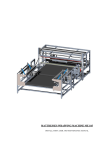
ELA 4170 stickering machine - user manual
ELA 4170 user manual
* the latest user manual can be found online on the
www.cimkezo.hu/en/ela-4170-manual
ENDI
engineering
2 / 30
ELA 4170 stickering machine - user manual
ENDI
engineering
3 / 30
ELA 4170 stickering machine - user manual
Content
ELA 4170 user manual ..................................................................... 1
ELA 4170 2.1 Sending conveyor ..................................................... 4
2.1.1 Use of the sending conveyor ............................................... 4
2.1.2 Guide rails adjustment ....................................................... 5
2.1.3 Pressing roll ...................................................................... 5
ELA 4170 2.2 Guide rails ............................................................... 6
2.2.1 Rotators ........................................................................... 6
2.2.2 Guide rails adjusting .......................................................... 7
2.2.3 Pack clamping plate ........................................................... 8
ELA 4170 2.3 Servo transfer modul ................................................. 9
2.3.1 Sponge roll, brush setup ..................................................... 9
2.3.2 The positioning part should be adjsuted to the leth of the
cigarette. ................................................................................. 10
2.3.3 Cross brush adjusting ........................................................ 11
2.3.4 Servo home position ......................................................... 12
2.3.5 Setting position sensor for step-conveyor ............................. 13
2.3.6 Produkt position sensor ..................................................... 13
ELA 4170 2.3.1 Servo transfer modul (serial Nr.006525) ................... 14
ELA 4170 2.4 Collecting conveyor .................................................. 16
2.4.1 Collecting conveyor ........................................................... 16
2.4.2 Sensor adjusting. ............................................................. 17
ELA 4170 2.5 Stickering applicator ................................................. 18
2.5.1 Adjusting position of labeling applicator ............................... 19
2.5.2 Product sensor adjustment ................................................. 20
ELA 4170 2.6 Operator panel ........................................................ 21
2.6.1 Touch creen operator panel handling ................................... 21
2.6.2 Main screen ..................................................................... 21
2.6.3 Service menu ................................................................... 22
2.6.4 Parameters ...................................................................... 23
2.6.5 Emergency button ............................................................ 24
2.6.6 Alarm log ........................................................................ 25
ELA-4170 Spare parts list ............................................................. 26
ENDI
engineering
4 / 30
ELA 4170 stickering machine - user manual
ELA 4170 2.1 Sending conveyor
2.1.1 Use of the sending conveyor
This conveyor is for put the
cigarettes int he system.
Two operators can work on
this part at same time.
After opening the original
pack the operaton put it ont
he conveyor. Push the packs
to the limiter guide.
ENDI
engineering
5 / 30
ELA 4170 stickering machine - user manual
2.1.2 Guide rails adjustment
The guides sould be
adjusted to steer the packs.
The limiter guides with no
knobs is the fix level.
The other guide should be
adjusted min 10mm wider
than the cigarette pack
legth.
Incorrect adjustment can
cause jam!
2.1.3 Pressing roll
This sponge roll is for
guarantee the equal
distance between the packs.
( The distance is required
for the sensing)
It prevents the manual
pushing of pack.
The vertical position can be
adjusted with the wheel.
ENDI
engineering
6 / 30
ELA 4170 stickering machine - user manual
ELA 4170 2.2 Guide rails
2.2.1 Rotators
The rotators are used to
rotate the packs to the right
direction after the sending
conveyor.
The first rotator are used by
FRONT and the SIDE
stickering.
By TOP stickering deactivate
it. In this case activate the
second rotator after
stickering.
The second rotator should
not adjust if the pack size
doesn’t changes.
Adjust it only the direction shows teh red arrow.
ENDI
engineering
7 / 30
ELA 4170 stickering machine - user manual
2.2.2 Guide rails adjusting
Adjusting of the guider is
very important, becuse it
controls the stickering
precision. Set is as close
together as possible.
Ensure the free movement
of the pack between the
guides. !!!
1. Loose the knobs or the
screws
2. Move the guides to the
right position.
ENDI
engineering
8 / 30
ELA 4170 stickering machine - user manual
2.2.3 Pack clamping plate
This plate is used for
clamping the pack to the
conveyor avoid the slip. It
guarantees the stickering
precision.
Adjusting option:
1. Pressing stength: Rotate
the knob to adjust the
pressing strength. Do not
adjust it too strength,
because it can stop the pack
on the conveyor.
2. Lenght direction: Adjust
the plate as close as
possible to the dispensing
beak.
3. Vertical direction: Set
very low angle between the
plate and the pack.
4. Cross direction: Set it the
center of the cigarette.
5. Draft angle adjustment:
Loose the srew nut and
rotate the rod. After that
fasten the srew nut.
ENDI
engineering
9 / 30
ELA 4170 stickering machine - user manual
ELA 4170 2.3 Servo transfer modul
2.3.1 Sponge roll, brush setup
The sponge roll and the
braking brush should be
adjusted int he right
position.
The roll press the pack and
hold it in the right position.
It prevents the continuing.
The other pack will push it
under the transfer unit.
The braking brush is for
slow down the pack and
stop itt he right position.
ENDI
engineering
10 / 30
ELA 4170 stickering machine - user manual
2.3.2 The positioning part should be adjsuted to the leth of the cigarette.
1. Loose the srews
2. Move int he right position
and fasten the screws.
Do not adjust it too tight,
because it can cause jam.
Caution! If big distance is
adjusted the pack can rotate
and it can also cause jam.
ENDI
engineering
11 / 30
ELA 4170 stickering machine - user manual
2.3.3 Cross brush adjusting
This part used for slow down
the high speed packs, and
prevent the rotation.
The precise adjusting is
neccesary, because the
packs can rotate and
jammed packs can stop the
whole system.
5 pack groups with right
adjustment.
ENDI
engineering
12 / 30
ELA 4170 stickering machine - user manual
2.3.4 Servo home position
The servo transfer belt
should be set to the home
position.
Press the SERVO HOMING
button int he parameters
menu. The cleat will be
move to the main position.
ENDI
engineering
13 / 30
ELA 4170 stickering machine - user manual
2.3.5 Setting position sensor for step-conveyor
2.3.6 Produkt position sensor
ENDI
engineering
14 / 30
ELA 4170 stickering machine - user manual
ELA 4170 2.3.1 Servo transfer modul (serial Nr.006525)
ENDI
engineering
15 / 30
ELA 4170 stickering machine - user manual
ENDI
engineering
16 / 30
ELA 4170 stickering machine - user manual
ELA 4170 2.4 Collecting conveyor
2.4.1 Collecting conveyor
This conveyor prepare 5
packs groups for max 4 rebounding operators.
After received the fifth pack
the conveyor makes one
step.
The operators can easily pull
side the groups and pust
into the re-bounding
machine.
ENDI
engineering
17 / 30
ELA 4170 stickering machine - user manual
2.4.2 Sensor adjusting.
This sensor sense the
position of the ribs.
The sensing distance is max
2mm, so the correct
adjustment is very
important.
Caution! The collision can
crash the sensor.
The position of the ribs can
be adjusted to move the
sensor int he slot.
ENDI
engineering
ELA 4170 2.5 Stickering applicator
18 / 30
ELA 4170 stickering machine - user manual
ENDI
engineering
19 / 30
ELA 4170 stickering machine - user manual
2.5.1 Adjusting position of labeling applicator
Verical adjusment
Side position adjustment
Pivoting
ENDI
engineering
20 / 30
ELA 4170 stickering machine - user manual
2.5.2 Product sensor adjustment
For moving the sticker
position use the sensor
adjustment instead of
adjusting the stickering
head. In the stickering head
should be adjusted the
smallest strat delay as
possible. The sensor should
be opposite to the reflector.
Caution! The IR beam must
go through the hole on the
guides.
For adjusting loose the srew
and move the sensor to the
right position.
ENDI
engineering
21 / 30
ELA 4170 stickering machine - user manual
ELA 4170 2.6 Operator panel
2.6.1 Touch creen operator panel handling
1. Shows the main functions
2. Start and stop the
machine
3. Adjusting the parameters
4. Error/Alarm logging
2.6.2 Main screen
1. START – Start the
system. (The stickering
head should be separate
switch on/off)
2. STOP – Stop the whole
system
3. Conveyor1 – Sending
Conveyor speed
4. Conveyor2 – Stickering
conveyor speed
5. ALARM – Error log
6. SERVICE – Service menu
– Parameter setting
ENDI
engineering
22 / 30
ELA 4170 stickering machine - user manual
2.6.3 Service menu
2.6.3.1 Buttons:
1. Conveyor3 step – Step
one ont he collecting
conveyor
2. Servo homing – Move the
servo home position
3. Conveyor 12 start –
Manual start of the conveyor
1 and 2.
4. Main – Back to the Main
menu
2.6.3.2 Parameters
1. Conveyor 12 acc – Start acceleration of the 1,2 conveyor in (ms).
2. Conveyor 12 dec- Stop deceleration of the 1,2 conveyor in (ms).
3. Conveyor 3 speed – Stepping speed of the 3(collecting) conveyor (Hz)
4. Servo speed – Servo collctor speed [Hz]
5. Servo home speed – Servo speed on manual homing function [Hz]
6. Conveyor 12 rata – Inactive!
7. Servo home step – Servo modul position [pulse]
8. Servo full step – Servo mooving distance [pulse]
9. Servo acc – Servo acceleration [ms]
10. Servo dec – servo deceleration [ms]
ENDI
engineering
23 / 30
ELA 4170 stickering machine - user manual
2.6.4 Parameters
After pressing the
parameter value field, a
numeric keyboard appears
to input the value.
ENDI
engineering
24 / 30
ELA 4170 stickering machine - user manual
2.6.5 Emergency button
After activatin one of
Emergency button, the
system stopn and a popup
window will apper on the
screen.
The reset function work only
after deactivating the
Emergency button.
After deactivating the
Emergency Button the
system do not start
automatically. Required to
press the start button.
ENDI
engineering
25 / 30
ELA 4170 stickering machine - user manual
2.6.6 Alarm log
If the alarm log is empty the
Alarm button is blue. In case
of alarm the button will be
red.
Press the button to open the
log window.
In the table shows the all
alarm with time and state.
To empty the log press the
RESET button.
ENDI
engineering
26 / 30
ELA 4170 stickering machine - user manual
ELA-4170 Spare parts list
Description
Conveyor Belt
(Short)
200x2235mm
Part nr.:
Conveyor Belt
(Long)
200x3835mm
Cleated conveyor
belt
400x5235mm
Timing belt
pulley
T5 Z20-27
300100006525
Bearing
SKF 6002 ZZ
SKF6002ZZ006525
ENDI
engineering
27 / 30
ELA 4170 stickering machine - user manual
Stepper motor
4.0 Nm
STP4.0N006525
Stepper motor
6,4 Nm
STP6.4N006525
Timing belt
T5 330x16mm
300100006525
Timing belt
pulley for Servo
drive
6011006525
Timing belt for
servo T2.5
6012006525
ENDI
engineering
28 / 30
ELA 4170 stickering machine - user manual
Cleated timing
belt
6017006525
Timing belt
pulley for Servo
drive
(motor side)
Mitshubishi
SERVO Drive
Servo006525
MR-E- SERVO
Controller
MR-E006525
MSD 80 5.6
Stepper driver
MSD805.6AI006525
ENDI
engineering
29 / 30
ELA 4170 stickering machine - user manual
MSD 80 5.6Ai
Stepper driver
MSD80-5.6006525
SchneiderElectric
MODICON- M238
PLC
SCH-M238006525
SchneiderElectric
HMI STU665
SCH-HMI006525
Shaft Encoder
Res: 2000pulse
ENCR2000006525
Label sensor
(HERMA FS03)
680229006525
ENDI
engineering
30 / 30
ELA 4170 stickering machine - user manual
Proximity switch
Fotek
Sens-prox006525
SchneiderElectric
xum9apcnl2
Opctical sensor
SCHOPT_006525
Sponge roll
(For sending
conveyor)
7101-4017006525
Sponge roll
( for the servo
side)
Braking brush
6075006525