1
Menu Functions (continued)
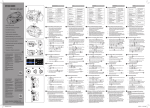
• DRO Digital Readout: ON / OFF – Turns the digital display on or off.
• UNIT Units of Measure – Select centimeters (CM), millimeters (MM),
feet (FT), fractions of an inch (FR) or inches (IN).
• FRC.R Fractional Reduction: ON / OFF – Reduces fractions to lowest
common denominator when on.
• ARRZ Arrow Display: DB / PR – Each bar represents the accuracy (DB
- dead band) setting or each bar represents proportionally (PR) the
reception range divided by the number of segments.
• O.O.B. Out of Beam Display: ON / OFF – When “on” the arrows will
display the direction in which to move the detector to find the laser
beam again.
• GRD.A Grade Alarm: ON / OFF – When “on” this feature disables the
on-grade audio signal for special monitoring applications.
• A.S.O. Automatic Shutoff: 24 / 0.5 / OFF – Determines the automatic shutoff time in hours.
• TX.L.B. Transmitter Low Battery: OF / 6.7 / 5.0 / 3.3 / 2.7 / 2.3 –
When set to 6.7 the laser icon is displayed when the battery of the
Rugby is almost depleted. (This feature is laser dependent.)
• INFO Information: RPS / VER / MODL / S/N – RPS indicates the
rotating head speed of the laser. VER indicates the software version
of the detector. MODL indicates the model of the detector. S/N indicates the serial number of the detector.
)
Note: Most menu functions are stored in memory and will be
retained when the units are turned off. Sensitivity, Averaging,
Fractional reduction and Grade alarm are reset to their default
settings.
Rod Eye Digital
7
EN
DE
FR
IT
ES
PT
NL
DA
NO
SV
FI