1
Konica Minolta
Business Solutions Europe GmbH
Europaallee 17
30855 Langenhagen • Germany
Tel.: +49 (0) 511 74 04-0
Fax: +49 (0) 511 74 10 50
www.konicaminolta.eu
© 2009 Konica Minolta
Business Solutions Europe GmbH
All rights reserved. Printed in Germany.
*XXXXXXXX00*
*XXXXXXXX00*
User’s Guide
Copy/Print/Scan
Thank You
Thank you for purchasing a bizhub C35. You have made an excellent choice. Your
bizhub C35 is specially designed for optimal performance in Windows, Macintosh
and Linux environments.
Trademarks
KONICA MINOLTA and the KONICA MINOLTA logo are trademarks or registered
trademarks of KONICA MINOLTA HOLDINGS, INC.
bizhub and PageScope are trademarks or registered trademarks of KONICA
MINOLTA BUSINESS TECHNOLOGIES, INC.
All other trademarks and registered trademarks are the property of their respective
owners.
Copyright Notice
Copyright © 2009 KONICA MINOLTA BUSINESS TECHNOLOGIES, INC., Marunouchi Center Building, 1-6-1 Marunouchi, Chiyoda-ku, Tokyo, 100-0005, Japan. All
Rights Reserved. This document may not be copied, in whole or part, nor transferred
to any other media or language, without written permission of KONICA MINOLTA
BUSINESS TECHNOLOGIES, INC.
Notice
KONICA MINOLTA BUSINESS TECHNOLOGIES, INC. reserves the right to make
changes to this guide and to the equipment described herein without notice. Considerable effort has been made to ensure that this guide is free of inaccuracies and
omissions. However, KONICA MINOLTA BUSINESS TECHNOLOGIES, INC. makes
no warranty of any kind including, but not limited to, any implied warranties of merchantability and fitness for a particular purpose with regard to this guide.
KONICA MINOLTA BUSINESS TECHNOLOGIES, INC. assumes no responsibility
for, or liability for, errors contained in this guide or for incidental, special, or consequential damages arising out of the furnishing of this guide, or the use of this guide in
operating the equipment, or in connection with the performance of the equipment
when so operated.
x-1
SOFTWARE LICENSE AGREEMENT
This package contains the following materials provided by KONICA MINOLTA BUSINESS
TECHNOLOGIES, INC. (KMBT): software included as part of the printing system (“Printing
Software”), the digitally-encoded machine-readable outline data encoded in the special format
and in the encrypted form (“Font Programs”), other software which runs on a computer system
for use in conjunction with the Printing Software (“Host Software”), and related explanatory written materials (“Documentation”). The term “Software” shall be used to describe Printing Software, Font Programs and/or Host Software and also include any upgrades, modified versions,
additions, and copies of the Software.
The Software is being licensed to you under the terms of this Agreement.
KMBT grants to you a non-exclusive sublicense to use the Software and Documentation, provided that you agree to the following:
1. You may use the Software and accompanying Font Programs for imaging to the licensed
output device(s), solely for your own internal business purposes.
2. In addition to the license for Font Programs set forth in Section 1 above, you may use
Roman Font Programs to reproduce weights, styles, and versions of letters, numerals,
characters and symbols (“Typefaces”) on the display or monitor for your own internal business purposes.
3. You may make one backup copy of the Host Software, provided your backup copy is not
installed or used on any computer. Notwithstanding the above restrictions, you may install
the Host Software on any number of computers solely for use with one or more printing systems running the Printing Software.
4. You may assign its rights under this Agreement to an assignee of all of Licensee’s right and
interest to such Software and Documentation (“Assignee”) provided you transfer to
Assignee all copies of such Software and Documentation Assignee agrees to be bound by
all of the terms and conditions of this Agreement.
5. You agree not to modify, adapt or translate the Software and Documentation.
6. You agree that you will not attempt to alter, disassemble, decrypt, reverse engineer or
decompile the Software.
7. Title to and ownership of the Software and Documentation and any reproductions thereof
shall remain with KMBT and its licensor.
8. Trademarks shall be used in accordance with accepted trademark practice, including identification of the trademark owner’s name. Trademarks can only be used to identify printed
output produced by the Software. Such use of any trademark does not give you any rights
of ownership in that trademark.
9. You may not rent, lease, sublicense, lend or transfer versions or copies of the Software Licensee does not use, or Software contained on any unused media, except as part of the permanent transfer of all Software and Documentation as described above.
10. IN NO EVENT WILL KMBT OR ITS LICENSOR BE LIABLE TO YOU FOR ANY CONSEQUENTIAL, INCIDENTAL INDIRECT, PUNITIVE OR SPECIAL DAMAGES, INCLUDING
ANY LOST PROFITS OR LOST SAVING, EVEN IF KMBT HAS BEEN ADVISED OF THE
POSSIBILITY OF SUCH DAMAGES, OR FOR ANY CLAIM BY ANY THIRD PARTY. KMBT
OR ITS LICENSOR DISCLAIMS ALL WARRANTIES WITH REGARD TO THE SOFTWARE, EXPRESS OR IMPLIED, INCLUDING, WITHOUT LIMITATION IMPLIED WARRANTIES OF MERCHANTABILITY, FITNESS FOR A PARTICULAR PURPOSE, TITLE
AND NON-INFRINGEMENT OF THIRD PARTY RIGHTS. SOME STATES OR JURISDICTIONS DO NOT ALLOW THE EXCLUSION OR LIMITATION OF INCIDENTAL, CONSEQUENTIAL OR SPECIAL DAMAGES, SO THE ABOVE LIMITATIONS MAY NOT APPLY
TO YOU.
x-2
11. Notice to Government End Users: The Software is a “commercial item,” as that term is
defined at 48 C.F.R.2.101, consisting of “commercial computer software” and “commercial
computer software documentation,” as such terms are used in 48 C.F.R. 12.212. Consistent with 48 C.F.R. 12.212 and 48 C.F.R. 227.7202-1 through 227.7202-4, all U.S. Government End Users acquire the Software with only those rights set forth herein.
12. You agree that you will not export the Software in any form in violation of any applicable
laws and regulations regarding export control of any countries.
x-3
Legal Restrictions on Copying
Certain types of documents must never be copied with the purpose or intent to pass
copies of such documents off as the originals.
The following is not a complete list, but is meant to be used as a guide to responsible
copying.
Financial Instruments
z Personal checks
z Traveler’s checks
z Money orders
z Certificates of deposit
z Bonds or other certificates of indebtedness
z Stock certificates
Legal Documents
z Food stamps
z Postage stamps (canceled or uncanceled)
z Checks or drafts drawn by government agencies
z Internal revenue stamps (canceled or uncanceled)
z Passports
z Immigration papers
z Motor vehicle licenses and titles
z House and property titles and deeds
General
z Identification cards, badges, or insignias
z Copyrighted works without permission of the copyright owner
In addition, it is prohibited under any circumstances to copy domestic or foreign currencies, or works of art without permission of the copyright owner.
When in doubt about the nature of a document, consult with legal counsel.
"
x-4
In order to prohibit the illegal reproduction of certain documents, such as
paper currency, this machine is equipped with a counterfeit prevention feature.
Due to the counterfeit prevention feature that this machine is equipped with,
images may be distorted.
For EU member states only
This symbol means: Do not dispose of this product
together with your household waste!
Please contact the Local Authority for appropriate disposal instructions. In the case of a new device being
purchased, the used one can also be given to our dealer
for appropriate disposal. Recycling of this product will
help to conserve natural resources and prevent potential
negative consequences for the environment and human
health caused by inappropriate waste handling.
This product complies with RoHS (2002/95/EC) directive.
x-5
x-6
Contents
1
Introduction .................................................................................................... 1-1
Getting Acquainted with Your Machine ....................................................... 1-2
Space Requirements................................................................................... 1-2
Part Names ................................................................................................. 1-4
Front View............................................................................................. 1-4
Rear View ............................................................................................. 1-6
Front View with Options ........................................................................ 1-6
Adjusting the angle of the control panel ...................................................... 1-7
Drivers CD/DVD .......................................................................................... 1-8
Printer Drivers (PostScript Drivers) ....................................................... 1-8
Printer Drivers (PCL Drivers) ................................................................ 1-8
Printer Drivers (XPS Drivers) ................................................................ 1-8
Printer Drivers (PPD Files).................................................................... 1-9
Scanner Drivers .................................................................................... 1-9
PC Fax Drivers...................................................................................... 1-9
Applications CD/DVD ................................................................................ 1-10
Applications......................................................................................... 1-10
Documentation CD/DVD ........................................................................... 1-12
Documentation.................................................................................... 1-12
System Requirements............................................................................... 1-13
Contents
x-7
2
Control panel and touch panel screens ...................................................... 2-1
About the Control Panel ................................................................................ 2-2
Touch panel screens ..................................................................................... 2-5
Home screen............................................................................................... 2-5
Initial Copy mode screen............................................................................. 2-7
Initial Scan to Folder mode screen.............................................................. 2-8
Initial Scan to E-mail mode screen.............................................................. 2-9
Initial Fax mode screen ............................................................................... 2-9
Job screen................................................................................................. 2-10
Status screen ............................................................................................ 2-11
USB/HDD screen ...................................................................................... 2-12
Keys and icons that appear in the screens ............................................... 2-13
User authentication and account track ..................................................... 2-15
With user authentication............................................................................ 2-15
Device authentication.......................................................................... 2-15
External server authentication ............................................................ 2-15
With account track..................................................................................... 2-15
3
Utility Settings ................................................................................................ 3-1
[Accessibility] ................................................................................................ 3-2
[Meter Count] ................................................................................................. 3-7
[Address Registration] .................................................................................. 3-8
[User Settings] ............................................................................................... 3-9
[Machine Settings]..................................................................................... 3-12
[Copy Settings].......................................................................................... 3-14
[Scan Settings] .......................................................................................... 3-15
[Print Settings]........................................................................................... 3-16
[Fax Settings] ............................................................................................ 3-19
[Admin Settings] .......................................................................................... 3-20
[Machine Settings]..................................................................................... 3-40
[Administrator Registration]....................................................................... 3-42
[Address Registration]............................................................................... 3-42
[Authentication] ......................................................................................... 3-43
[Ethernet]................................................................................................... 3-44
[Memory Direct Print] ................................................................................ 3-47
[Job Timeout] ............................................................................................ 3-47
[Copy Settings].......................................................................................... 3-47
[Print Settings]........................................................................................... 3-48
[Fax Settings] ............................................................................................ 3-62
[Maintenance Menu].................................................................................. 3-62
[Scan Settings] .......................................................................................... 3-68
[Security Settings] ..................................................................................... 3-69
Changing the administrator password ................................................ 3-73
Limitations of the password rules........................................................ 3-73
Passwords regulated by the password rules............................................. 3-73
x-8
Contents
Conditions of the password rules .............................................................. 3-74
Enhanced security settings ................................................................. 3-74
Required settings ...................................................................................... 3-74
Changed settings ...................................................................................... 3-75
[Restore Defaults] ..................................................................................... 3-76
[HDD Format] ............................................................................................ 3-76
[Paper Empty] ........................................................................................... 3-77
4
Media Handling .............................................................................................. 4-1
Print Media ..................................................................................................... 4-2
Specifications .............................................................................................. 4-2
Types .......................................................................................................... 4-4
Plain Paper (Recycled Paper)............................................................... 4-4
Thick Stock ........................................................................................... 4-5
Envelope ............................................................................................... 4-6
Label ..................................................................................................... 4-7
Letterhead............................................................................................. 4-8
Postcard................................................................................................ 4-8
Glossy Media ........................................................................................ 4-9
Single Side Only........................................................................................ 4-10
Special Paper............................................................................................ 4-11
Printable Area ........................................................................................... 4-12
Envelopes ................................................................................................. 4-13
Page Margins ............................................................................................ 4-13
Loading Media .............................................................................................. 4-14
How do I load media? ............................................................................... 4-14
Tray 1 (Manual Feed Tray) ....................................................................... 4-14
Loading Plain Paper, Single Side Only and Special Paper................. 4-14
Other Media ........................................................................................ 4-16
Loading Envelopes ............................................................................. 4-17
Loading Label Sheets/Letterhead/Postcards/Thick Stock and
Glossy Media ...................................................................................... 4-19
Tray 2 ........................................................................................................ 4-21
Loading Plain Paper, Single Side Only and Special Paper................. 4-21
Loading Label Sheets/Letterhead/Postcards/Thick Stock and
Glossy Media ...................................................................................... 4-24
Tray 3/4 (Optional Lower Feeder Unit)...................................................... 4-27
Loading Plain Paper, Single Side Only and Special Paper................. 4-27
About Duplex Printing ................................................................................. 4-30
How do I autoduplex? ............................................................................... 4-30
Output Tray .................................................................................................. 4-32
Media Storage .............................................................................................. 4-33
Original Media .............................................................................................. 4-34
Specifications ............................................................................................ 4-34
Documents that can be placed on the original glass .......................... 4-34
Documents that can be loaded into the ADF ...................................... 4-34
Contents
x-9
Loading a Document ................................................................................... 4-36
Placing a document on the original glass.................................................. 4-36
Loading a document into the ADF............................................................. 4-37
5
Using the Printer Driver ................................................................................ 5-1
Selecting Driver Options/Defaults (for Windows) ....................................... 5-2
Windows Vista/Server 2008/XP/Server 2003/2000 .............................. 5-2
Uninstalling the Printer Driver (for Windows) ............................................. 5-4
Windows Vista/Server 2008/XP/Server 2003/2000 .............................. 5-4
Displaying Printer Driver Settings (for Windows) ...................................... 5-5
Windows Vista/Server 2008.................................................................. 5-5
Windows XP/Server 2003 ..................................................................... 5-5
Windows 2000 ...................................................................................... 5-5
Using the Postscript, PCL and XPS Printer Driver ..................................... 5-6
Common Buttons ........................................................................................ 5-6
[OK]....................................................................................................... 5-6
[Cancel]................................................................................................. 5-6
[Apply] ................................................................................................... 5-6
[Help]..................................................................................................... 5-6
[Favorite Setting]................................................................................... 5-6
[Printer View]......................................................................................... 5-7
[Paper View].......................................................................................... 5-7
[Quality View] ........................................................................................ 5-7
[Printer Information] .............................................................................. 5-7
[Default]................................................................................................. 5-7
[Advanced] Tab (PostScript Printer Driver Only)......................................... 5-7
[My Tab] ...................................................................................................... 5-8
[Basic] Tab .................................................................................................. 5-8
[Layout] Tab ................................................................................................ 5-9
[Cover Mode] Tab ....................................................................................... 5-9
[Stamp/Composition] Tab............................................................................ 5-9
[Quality] Tab.............................................................................................. 5-10
[Other] Tab ................................................................................................ 5-11
Limitations on printer driver functions installed with Point and Print ......... 5-11
6
Proof/Print and Memory Direct functions .................................................... 6-1
Proof/Print ...................................................................................................... 6-2
Printing a job saved on the hard disk .......................................................... 6-2
Deleting a job saved on the hard disk ......................................................... 6-2
Memory Direct ................................................................................................ 6-3
Printing from a connected USB memory device ......................................... 6-3
Selecting the type of files to be displayed ................................................... 6-4
x-10
Contents
7
Performing Copy mode operations .............................................................. 7-1
Basic copy operation .................................................................................... 7-2
[Original Size] ................................................................................................. 7-4
Documents of mixed page sizes ................................................................. 7-4
[Paper] ............................................................................................................ 7-5
[Zoom] ............................................................................................................. 7-6
[Duplex/Combine] .......................................................................................... 7-7
[Density] ......................................................................................................... 7-8
[Original Type] ............................................................................................... 7-9
[Color] ............................................................................................................. 7-9
[Finishing] .................................................................................................... 7-10
[Proof Copy] ................................................................................................. 7-10
Proof Copy operation ................................................................................ 7-10
[Separate Scan] ............................................................................................ 7-11
Scanning the document in separate batches ............................................ 7-11
[ID Copy] ....................................................................................................... 7-12
[Paper Margin] .............................................................................................. 7-13
[Scan Quality] ............................................................................................... 7-14
8
Additional copy operations .......................................................................... 8-1
Interrupting a copy job .................................................................................. 8-2
Copy programs .............................................................................................. 8-3
Storing a copy program............................................................................... 8-3
Deleting a copy program ............................................................................. 8-3
Copying using stored settings (copy programs).......................................... 8-4
9
Scanning From a Computer Application ..................................................... 9-1
Basic Scanning Operation ............................................................................ 9-2
Windows TWAIN Driver Settings .................................................................. 9-3
Mode settings.............................................................................................. 9-3
When [Basic Mode] is selected ................................................................... 9-3
When [Advanced Mode] is selected............................................................ 9-4
Windows WIA Driver Settings ...................................................................... 9-7
Macintosh TWAIN Driver Settings ................................................................ 9-8
Mode settings.............................................................................................. 9-8
When [Basic Mode] is selected ................................................................... 9-8
When [Advanced Mode] is selected............................................................ 9-9
Using a Web Service ................................................................................... 9-12
Settings required to use a Web Service.................................................... 9-12
Installing this machine on the computer.................................................... 9-12
Confirmation before installation .......................................................... 9-12
Installation procedure.......................................................................... 9-12
Specifying the scan command from a computer (Web Service) ............... 9-13
Specifying the scan command from a computer ................................. 9-13
Contents
x-11
10 Scanning with the machine ........................................................................ 10-1
Initial settings ............................................................................................... 10-2
Useful functions ........................................................................................... 10-2
Performing Scan to E-mail mode operations ............................................ 10-3
Basic Scan to E-mail operation ................................................................. 10-3
Specifying document settings ................................................................... 10-4
[Simplex/Duplex] ................................................................................. 10-4
[Original Size]...................................................................................... 10-5
[Original Mode]-[Separate Scan]......................................................... 10-5
[Original Mode]- [Original Direction].................................................... 10-6
[Original Mode]- [Orig. Binding Position]............................................. 10-6
[Color] ................................................................................................. 10-7
[Original Type]..................................................................................... 10-7
Specifying scan settings............................................................................ 10-8
[Background/Density].......................................................................... 10-8
[Resolution] ......................................................................................... 10-8
[File Settings]-[File Type] .................................................................... 10-9
[File Settings]-[Scan Setting]............................................................... 10-9
[File Settings]-[PDF Encrypt]............................................................. 10-10
Specifying communication settings ......................................................... 10-12
[Binary Div]........................................................................................ 10-12
[E-mail Encryption]............................................................................ 10-12
[Send Use Signature]........................................................................ 10-12
[E-mail].............................................................................................. 10-12
Specifying destinations ............................................................................ 10-14
Selecting from registered destinations .................................................... 10-14
Selecting from the Favorites list........................................................ 10-14
Selecting with an index search ......................................................... 10-14
Selecting by searching for a destination type or name ..................... 10-15
Directly typing in the address .................................................................. 10-15
Selecting from the log ............................................................................. 10-15
Selecting a program destination.............................................................. 10-16
Performing Scan to Folder mode operations .......................................... 10-16
Basic Scan to Folder operation ............................................................... 10-16
Specifying document settings ................................................................. 10-19
[Simplex/Duplex] ............................................................................... 10-19
[Original Size].................................................................................... 10-19
[Original Mode]-[Separate Scan]....................................................... 10-20
[Original Mode]- [Original Direction].................................................. 10-20
[Original Mode]- [Orig. Binding Position]........................................... 10-21
[Color] ............................................................................................... 10-21
[Original Type]................................................................................... 10-22
Specifying scan settings.......................................................................... 10-22
[Background/Density]........................................................................ 10-22
[Resolution] ....................................................................................... 10-23
[File Settings]-[File Type] .................................................................. 10-23
x-12
Contents
[File Settings]-[Scan Setting]............................................................. 10-24
[File Settings]-[PDF Encrypt]............................................................. 10-24
Specifying the document name............................................................... 10-25
Specifying communication settings ......................................................... 10-26
[URL Notification] .............................................................................. 10-26
[URL Notification Address]................................................................ 10-26
Specifying destinations ............................................................................ 10-26
Selecting from registered destinations .................................................... 10-26
Selecting from the Favorites list........................................................ 10-27
Selecting with an index search ......................................................... 10-27
Selecting by searching for a destination type or name ..................... 10-27
Directly typing in the address .................................................................. 10-28
With [FTP] ......................................................................................... 10-28
With [PC(SMB)]................................................................................. 10-28
With [WebDAV] ................................................................................. 10-29
With [USB Memory] .......................................................................... 10-29
With [HDD] ........................................................................................ 10-30
With [Web Service Settings] ............................................................. 10-30
Selecting from the log ............................................................................. 10-31
Selecting a program destination.............................................................. 10-31
Registering destinations ........................................................................... 10-33
Destination registration ........................................................................... 10-33
Address Book.................................................................................... 10-33
Group Address.................................................................................. 10-33
Program Address .............................................................................. 10-33
Registering an address book destination ................................................ 10-34
Registering an address book destination (E-mail transmission) ....... 10-34
Registering a program destination .......................................................... 10-35
11 Replacing Consumables ............................................................................. 11-1
Replacing Consumables ............................................................................. 11-2
About Toner Cartridges............................................................................. 11-2
Replacing a Toner Cartridge ..................................................................... 11-6
Replacing a Imaging Unit ........................................................................ 11-11
Replacing the Waste Toner Bottle .......................................................... 11-19
Replacing the Transfer Roller ................................................................. 11-22
Replacing the Transfer Belt Unit ............................................................. 11-24
Replacing the Backup Battery................................................................. 11-32
Replacing the Fuser Unit......................................................................... 11-35
Antistatic Protection .................................................................................. 11-40
12 Maintenance ................................................................................................. 12-1
Maintaining the machine ............................................................................. 12-2
Cleaning the machine .................................................................................. 12-4
Exterior...................................................................................................... 12-4
Media Rollers ............................................................................................ 12-5
Contents
x-13
Cleaning the Media Feed Rollers (Manual Feed Tray) ....................... 12-5
Cleaning the Media Feed Rollers for Tray 2/3/4 ................................. 12-7
Cleaning the Media Transfer Rollers for Tray 3/4 ............................... 12-8
Cleaning the Media Feed Rollers for the ADF .................................... 12-9
Cleaning the Laser Lens ......................................................................... 12-10
13 Troubleshooting .......................................................................................... 13-1
Introduction .................................................................................................. 13-2
Printing a configuration page ..................................................................... 13-2
Unlocking the Scanner ................................................................................ 13-3
Preventing Media Misfeeds ......................................................................... 13-4
Understanding the Media Path ................................................................... 13-5
Clearing Media Misfeeds ............................................................................. 13-6
Media misfeed indications......................................................................... 13-6
Clearing a Media Misfeed in Tray 2 .................................................... 13-7
Clearing a Media Misfeed in Tray 3/4 ............................................... 13-11
Clearing a Media Misfeed from the ADF........................................... 13-13
Clearing a Media Misfeed from the Duplex....................................... 13-15
Clearing a Media Misfeed from the Fuser Unit ................................. 13-16
Clearing a Media Misfeed from Tray 1 (Manual Feed Tray) and
Transfer Roller .................................................................................. 13-20
Solving Problems with Media Misfeeds ................................................... 13-23
Solving Other Problems ............................................................................ 13-26
Solving Problems with Printing Quality .................................................. 13-31
Status, error and service messages ........................................................ 13-38
Status messages..................................................................................... 13-38
Error messages....................................................................................... 13-39
Warning messages ........................................................................... 13-39
Operator messages .......................................................................... 13-41
Service messages................................................................................... 13-46
14 Installing Accessories ................................................................................. 14-1
Introduction .................................................................................................. 14-2
Lower Feeder Unit PF-P08 .......................................................................... 14-3
Kit Contents............................................................................................... 14-3
Installing a Lower Feeder Unit PF-P08 ..................................................... 14-4
A Appendix ........................................................................................................A-1
Technical specifications ...............................................................................A-2
Consumable Life Expectancy Chart............................................................A-6
User-Replaceable .................................................................................A-6
Service-Replaceable.............................................................................A-7
Text input ........................................................................................................A-8
Entering text ................................................................................................A-8
Our Concern for Environmental Protection ................................................A-9
What is an ENERGY STAR product? ...................................................A-9
x-14
Contents
1Introduction
Getting Acquainted with Your Machine
Space Requirements
To ensure easy operation, consumable replacement and maintenance,
adhere to the recommended space requirements detailed below.
1068 mm (42.0")
150 mm
(5.9")
530 mm (20.9")
288 mm
(11.3")
100 mm
(3.9")
359 mm
(14.1")
776 mm (30.6")
550 mm (21.7")
226 mm
(8.9")
Front View
508 mm (20.0")
937 mm (36.9")
70 mm
(2.8")
Side View
1-2
Getting Acquainted with Your Machine
1009 mm (39.7")
226 mm
(8.9")
550 mm (21.7")
233 mm
(9.2")
359 mm
(14.1")
508 mm (20.0")
376 mm (14.8")
70 mm
(2.8")
954 mm (37.6")
Side View with Options
"
The option appears shaded in the above illustrations.
Getting Acquainted with Your Machine
1-3
Part Names
The following drawings illustrate the parts of your machine referred to
throughout this guide, so please take some time to become familiar with
them.
Front View
2-b
2
2-c
2-a
1—Control panel
2-d
2—Automatic Document
Feeder (ADF)
2-e
1
2-a: ADF feed cover
3
2-b: Document guide
2-c: Document feed tray
2-d: Document output tray
2-e: Document stopper
"
Lower the document
stopper when scanning
Legal-size paper with
the ADF.
3—USB HOST port
5
4
8
9
7
6
10
4—Tray 1 (Manual feed tray)
5—Tray 2
6—Output tray
7—Scanner lock lever
8—Original glass
9—Original cover pad
10—Scanner unit
1-4
Getting Acquainted with Your Machine
11—Fuser unit
12—Right door
18
13—Transfer roller
14—Transfer belt unit
17
11
15—Imaging unit(s)
16
16—Front cover
17—Waste toner bottle
18—Toner cartridge(s)
12
15
14
13
13
17
14
18
15
Getting Acquainted with Your Machine
1-5
Rear View
1—Power switch
2—Rear cover
3—Power connection
4—LINE (telephone line) jack
5—TEL (telephone) jack
6—10Base-T/100Base-TX/
1000Base-T Ethernet Interface port
1
4
7
6
5
3
2
7—USB port
Front View with Options
1—Lower feeder unit PF-P08
(Tray 3)
2—Lower feeder unit PF-P08
(Tray 4)
1
2
1-6
Getting Acquainted with Your Machine
Adjusting the angle of the control panel
The control panel can be adjusted to any of three angles. Adjust the control
panel to the angle that allows for easy operation.
1
Grab the sides of the control
panel, and then tilt it up.
"
"
Before moving the control
panel to a lower angle, tilt it
up first, and then slowly tilt
it down.
When tilting the control
panel, do not press on the
touch panel.
Getting Acquainted with Your Machine
1-7
Drivers CD/DVD
Printer Drivers (PostScript Drivers)
Operating System
Use/Benefit
Windows Vista/Server 2008/XP/
Server 2003/2000
These drivers give you access to all of
the printer features, including finishing
and advanced layout. For details,
refer to “Displaying Printer Driver Settings (for Windows)” on page 5-5.
Windows Vista/Server 2008/XP/
Server 2003 for 64bit
"
A specific PPD file has been prepared for applications (such as Page
Maker and Corel Draw) that require that a PPD file be specified when
printing.
When specifying a PPD file while printing on Windows Vista, Server
2008, XP, Server 2003 and 2000, use the specific PPD file provided
on the Drivers CD/DVD.
Printer Drivers (PCL Drivers)
Operating System
Use/Benefit
Windows Vista/Server 2008/XP/
Server 2003/2000
These drivers give you access to all of
the printer features, including finishing
and advanced layout. For details,
refer to “Displaying Printer Driver Settings (for Windows)” on page 5-5.
Windows Vista/Server 2008/XP/
Server 2003 for 64bit
Printer Drivers (XPS Drivers)
Operating System
Use/Benefit
Windows Vista/Server 2008
These drivers give you access to all of
Windows Vista/Server 2008 for 64bit the printer features, including finishing
and advanced layout.
For details on the installation method
and functions, refer to the [Reference
Guide] on the Documentation CD/
DVD.
1-8
Getting Acquainted with Your Machine
Printer Drivers (PPD Files)
Operating System
Use/Benefit
Macintosh OS X (10.2.8/10.3.9/10.4/ These files are required in order to
10.5)
use the printer driver for each operating system.
Macintosh OS X Server (10.2/10.3/
10.4/10.5)
For details of the Macintosh and
Red Hat Enterprise Linux 5 Desktop Linux printer driver, refer to the [Reference Guide] on the Documentation
SUSE Linux Enterprise Desktop 10 CD/DVD.
Scanner Drivers
Operating System
Use/Benefit
TWAIN Driver for Windows Vista/
Server 2008/XP/Server 2003/2000
These drivers enable you to set scanning functions, such as the color setting and size adjustments.
TWAIN Driver for Macintosh OS X
(10.3.9/10.4/10.5)
For details, refer to “Windows WIA
Driver Settings” on page 9-7.
WIA Driver for Windows Vista/Server This driver enables you to set scan2008/XP
ning functions, such as the color setWIA Driver for Windows Vista/Server ting and size adjustments.
2008/XP for 64bit
For details, refer to “Windows WIA
Driver Settings” on page 9-7.
PC Fax Drivers
Operating System
Use/Benefit
Windows Vista/Server 2008/XP/
Server 2003/2000
These drivers enable you to specify
fax settings, such as the paper settings for sending faxes and the settings for editing the address book. For
details, refer to the [Facsimile User’s
Guide] on the Documentation CD/
DVD.
Windows Vista/Server 2008/XP/
Server 2003 for 64 bit
"
For details on the installation of the drivers, refer to the [Installation
Guide] on the Documentation CD/DVD.
Getting Acquainted with Your Machine
1-9
"
"
For details of the Macintosh and Linux drivers, refer to the Reference
Guide on the Documentation CD/DVD.
Windows TWAIN driver does not correspond to 64-bit applications
though it corresponds to 32-bit applications on 64-bit OS.
Applications CD/DVD
Applications
Applications
Use/Benefit
Download Manager
This utility enables fonts and overlay
data to be downloaded to the hard
disk.
(Windows Vista/Server 2008/XP/
Server 2003/2000, Macintosh OS
10.2.8/10.3.9/10.4/10.5)
PageScope Net Care Device Manager
For details, refer to the online help for
all functions of Download Manager.
Printer management functions such
as status monitoring and network settings can be accessed.
For details, refer to the PageScope
Net Care Device Manager User’s
Guide on the Applications CD/DVD.
PageScope Data Administrator
PageScope Data Administrator is an
administration tool with which authentication data and addresses registered
with the control panel of supported
devices (multifunctional OA equipment) can be changed from other
computers on the network.
For details, refer to the PageScope
Data Administrator User Manual on
the Applications CD/DVD.
PageScope Direct Print
This application provides functions for
sending PDF and TIFF files directly to
a printer to be printed.
For details, refer to the PageScope
Direct Print User’s Guide on the Applications CD/DVD.
1-10
Getting Acquainted with Your Machine
PageScope Enterprise Suite Plug-In This plug-in provides the additional
functions of PageScope Enterprise
Suite, which enables centralized management of devices and permission
management.
Getting Acquainted with Your Machine
1-11
Documentation CD/DVD
Documentation
Documentation
Use/Benefit
Safety Information Guide
Read this manual before plugging in
the machine. This manual contains
important information related to user
safety and prevention of equipment
problems.
Installation Guide
This manual provides installation
details that must be performed in
order to use this machine, such as
setting up the machine and installing
the drivers.
Printer/Copier/Scanner User’s Guide This manual provides details on gen(this manual)
eral daily operations, such as using
the drivers and control panel and
replacing consumables.
1-12
Facsimile User’s Guide
This manual provides details on general fax operations, such as sending
and receiving faxes and using the
control panel.
Reference Guide
This manual provides details on
installing the Macintosh and Linux
drivers and on specifying settings for
the network.
Quick Guide
This manual provides an introduction
to, and illustrations for, basic machine
operations and frequently used functions.
Getting Acquainted with Your Machine
System Requirements
Personal computer
–
Pentium 3: 400MHz or higher (Windows Vista: 1GHz or higher)
–
PowerPC G3 or later (G4 or later is recommended)
–
Macintosh equipped with an Intel processor
Operating System
–
Microsoft Windows Server 2008 Standard/Enterprise, Windows Server
2008 Standard/Enterprise x64 Edition, Windows Vista Home Basic/
Home Premium/Ultimate/Business/Enterprise, Windows Vista Home
Basic/Home Premium /Ultimate/Business /Enterprise x64 Edition,
Windows XP Home Edition/Professional (Service Pack 2 or later),
Windows XP Professional x64 Edition, Windows Server 2003, Windows Server 2003 x64 Edition, Windows 2000 (Service Pack 4 or
later)
–
Mac OS X (10.2.8/10.3.9/10.4/10.5; We recommend installing the
most recent patch.), Mac OS X Server (10.2.8 or later)
–
Red Hat Enterprise Linux 5 Desktop, SUSE Linux Enterprise Desktop
10
Free hard disk space
256 MB or more
RAM
512 MB or more
CD/DVD drive
I/O interface
–
10Base-T/100Base-TX/1000Base-T Ethernet interface port
–
USB 2.0 High-Speed compliant port
"
"
The Ethernet cable and USB cable are not included with the machine.
For details of the Macintosh and Linux drivers, refer to the [Reference
Guide] on the Documentation CD/DVD.
Getting Acquainted with Your Machine
1-13
1-14
Getting Acquainted with Your Machine
2Control panel
and touch panel
screens
About the Control Panel
1
2
3
4
5
6
7
8
9
19 18 17 16
15 14
13
12 11 10
No. Name
Function
1
Touch panel
Displays various screens and messages. Specify the
various settings by directly touching the panel.
2
[Power Save]
key/indicator
Press to enter Power Save mode. While the
machine is in Power Save mode, the indicator on the
[Power Save] key lights up in green and the touch
panel goes off. To cancel Power Save mode, press
the [Power Save] key again.
3
[Fax] key/indica- Press to enter Fax mode. While the machine is in
tor
Fax mode, the indicator on the [Fax] key lights up in
green.
4
[E-mail] key/indi- Press to enter Scan to E-mail mode. While the
cator
machine is in Scan to E-mail mode, the indicator on
the [E-mail] key lights up in green.
5
[Folder] key/indi- Press to enter Scan to Folder mode. While the
cator
machine is in Scan to Folder mode, the indicator on
the [Folder] key lights up in green.
6
[Copy] key/indi- Press to enter Copy mode. While the machine is in
cator
Copy mode, the indicator on the [Copy] key lights up
in green.
7
[Reset] key
Press to clear the settings (except programmed settings) of all displayed functions.
Press to delete a job stopped during the scan operation.
2-2
About the Control Panel
No. Name
Function
8
[Interrupt] key/
indicator
Press to enter Interrupt mode. While the machine is
in Interrupt mode, the indicator on the [Interrupt] key
lights up in green. To cancel Interrupt mode, press
the [Interrupt] key again.
9
[Stop] key
Pressing the [Stop] key while copying, scanning or
printing temporarily stops the operation.
10
[Start (Color) ]
key
Press to start color copying, scanning or faxing.
[Start] indicator
Lights up in blue when copying, scanning or faxing
can be performed.
11
Press to continue interrupted printing.
Lights up in orange when copying, scanning or faxing cannot be performed.
12
[Start (B&W) ]
key
Press to start black-and-white copying, scanning or
faxing.
13
Keypad
Use to enter the number of copies, a fax number, an
E-mail address or a name.
Press to continue interrupted printing.
Use to type in the various settings.
14
[C] (clear) key
Press to erase numbers or text.
Press to delete a job stopped during the scan operation.
15
[Error] indicator
Flashes in orange if an error occurred.
Lights up in orange when the service representative
is being called.
16
[Data] indicator
Flashes in blue while a print job is being received.
Lights up in blue while printing or when a print job is
queued.
17
[Utility/Counter]
key
Press to display the [Utility Settings] screen.
From the [Utility Settings] screen, settings can be
specified for the parameters in the [Accessibility],
[Meter Count], [Address Registration], [User Settings] and [Admin Settings] screens.
About the Control Panel
2-3
No. Name
Function
18
[Mode Memory] Press to store the desired settings for copy, fax or
key
scan operations. In addition, stored settings can be
recalled.
19
[Access] key
If user authentication or account track settings have
been applied, press the [Access] key after entering
the user name and password (for user authentication) or the account name and password (for account
track) in order to log on to this machine.
While logged on, press the [Access] key to log off.
2-4
About the Control Panel
Touch panel screens
Home screen
2
3
4
5
1
10
9
8
7
6
No. Indication
Description
1
Status
Displays messages about the current operating status.
2
[Fax]
Press to enter Fax mode.
For details, refer to the [Facsimile User’s Guide].
3
[Scan to E-mail] Press to enter Scan to E-mail mode.
For details on the Scan to E-mail mode operations,
refer to “Performing Scan to E-mail mode operations” on page 10-3.
4
[Scan to Folder] Press to enter Scan to Folder mode.
For details on the Scan to Folder mode operations,
refer to “Performing Scan to Folder mode operations” on page 10-16.
5
[Copy]
Press to enter Copy mode.
For details on the Copy mode operations, refer to
“Performing Copy mode operations” on page 7-1.
6
Date/time
Touch panel screens
Shows the current date and time.
2-5
No. Indication
Description
7
Press to print files on a USB memory device.
[USB/HDD]
Press to print a print job saved on hard disk.
2-6
8
[Status]
Press to view information on consumables and
devices.
9
[Job]
Press to check a print, transmission, reception or
stored data job.
10
Toner supply
indicators
Shows the amount of toner remaining for yellow (Y),
magenta (M), cyan (C) and black (K).
Touch panel screens
Initial Copy mode screen
1
2
4
No. Indication
3
Description
1
Number of cop- Indicates the specified number of copies.
ies
2
Copy mode
operations
Press to display the corresponding screen for specifying various settings.
3
[Confirm]
Press to check the currently specified copy settings.
4
[Home]
Press to return to the home screen.
Touch panel screens
2-7
Initial Scan to Folder mode screen
1
6
2-8
2
5
3
4
No. Indication
Description
1
[Favorites]
Press to display frequently used destinations.
2
[Direct Input]
Press to directly enter an address of the selected
destination type.
3
[Log]
Press to specify a destination from the log.
4
[Confirm]
Press to check the currently specified Scan to Folder
mode settings.
5
[Settings]
Press to specify settings such as the document
scanning method.
6
[Home]
Press to return to the home screen.
Touch panel screens
Initial Scan to E-mail mode screen
1
6
2
5
3
4
No. Indication
Description
1
[Favorites]
Press to display frequently used destinations.
2
[Direct Input]
Press to directly enter a destination address.
3
[Log]
Press to specify a destination from the log.
4
[Confirm]
Press to check the currently specified Scan to E-mail
mode settings.
5
[Settings]
Press to specify settings such as the document
scanning method.
6
[Home]
Press to return to the home screen.
Initial Fax mode screen
For details on the initial Fax mode screen, refer to the [Facsimile User’s
Guide].
Touch panel screens
2-9
Job screen
1
2
3
4
5
6
8
7
No. Indication
Description
1
[Print]
Press to display a screen listing the print jobs.
2
[Send]
Press to display a screen listing the transmission
jobs.
3
[Receive]
Press to display a screen listing the reception jobs.
4
[Save]
Press to display a screen listing the stored data jobs.
5
[Active]/[Log]
Press to display screens listing the jobs currently
being performed or the job log.
6
Job list
Displays the list of jobs.
The job number, user name and job status can be
checked.
7
[Delete]
Press to delete the selected job. Next, press [Yes],
then [OK].
" When the job log is displayed, [Details]
appears. To view job details, press [Details].
8
2-10
[Home]
Press to return to the home screen.
Touch panel screens
Status screen
1
2
3
No. Indication
Description
1
Press to display a screen showing the status of consumables.
[Consumables]
" The percentages remaining for the
consumables may be different from the actual
amounts and should be used only as
reference.
2
[Device info.]
Press to display a screen showing the information of
devices.
3
[Home]
Press to return to the home screen.
Touch panel screens
2-11
USB/HDD screen
1
2
3
No. Indication
Description
1
Press to print a print job saved on hard disk.
[Proof/Print]
[User Name]
2
3
"
"
2-12
Select a user.
[Memory Direct] Press to print files on a USB memory device.
[File List]
Select the file to be printed. In addition, print settings
can be specified.
[File Type]
Select the type of files to be displayed.
[Home]
Press to return to the home screen.
For details on the Proof/Print function, refer to “Proof/Print” on
page 6-2.
For details on the Memory Direct function, refer to “Memory Direct” on
page 6-3.
Touch panel screens
Keys and icons that appear in the screens
Icon
Description
If the screen has multiple pages, press [ ] or [ ] to select a different page.
If values appear between [ ] and [ ], the current page number/total number of pages is indicated.
If there are tabs that are not displayed, press [
select a different tab.
] or [
] to
Press to adjust the image quality during a copy, scan or fax
operation.
Press [+] or [-] to change the entered value.
Press to view the error message when an error occurs.
Press to display descriptions of the various functions.
A description of the current screen will be displayed.
Press to display the address book. From this screen, you can
select single destinations and group destinations registered in
the address book.
Appears while scanning and printing when making copies.
Appears while scanning with fax transmission and scanning
operations.
Appears while printing with PC printing, received fax printing
and report printing.
Touch panel screens
2-13
Icon
Description
Appears when using a G3 fax connection.
Appears when there are documents queued for a timer transmission.
Appears when there are fax documents received with memory
reception or PC faxing.
Appears when data or documents are being sent from this unit.
Appears when this unit is receiving data or documents.
Appears when enhanced security settings have been applied.
Appears when a USB memory device is connected.
2-14
Touch panel screens
User authentication and account track
If user authentication or account track settings have been specified on the
machine, the user name or account name and the password must be entered
in the Login screen in order to log on.
The following procedures describe how to log on when user authentication or
account track settings have been specified.
"
User authentication and account track settings are specified from PageScope Web Connection. For details, refer to the [Reference Guide].
With user authentication
Device authentication
1
Specify a name and password for [User Name] and [User PW].
–
2
For [User Name], the name can be specified either by directly typing it
in or selecting from a list.
Press [Login].
If authentication was successful, the functions of this machine can be
used.
External server authentication
1
Specify a name and password for [User Name] and [User PW].
–
2
3
For [User Name], the name can be specified either by directly typing it
in or selecting from a list.
Specify a server for [Server].
Press [Login].
If authentication was successful, the functions of this machine can be
used.
"
If account track settings have been applied, account track will be performed after [Login] is pressed. However, if the machine has been set
to synchronize user authentication and account track and an account
had been specified for the user who is logging on, account track will
not be performed. For details, refer to the [Reference Guide].
With account track
1
Specify an account and password for [Account] and [Password].
User authentication and account track
2-15
2
2-16
Press [Login].
If authentication was successful, the functions of this machine can be
used.
User authentication and account track
3Utility Settings
[Accessibility]
From the [Accessibility] screen, various settings can be specified for the displayed screens and the operation of control panel keys.
Accessibility
Key Repeat/
Interval
Time to Start
Key Interval
Sound Settings
Set All
Enable
Volume
Confirmation
Sound
Input Confirmation Sound
Enable
Volume
Invalid Input
Sound
Enable
Volume
Basic Sound
Enable
Volume
Successful
CompleteSound
Completed Operation Sound
Enable
Volume
Completed TX
Sound
Enable
Volume
3-2
[Accessibility]
Completed
Preparation
Enable
Volume
Caution
Sound
Low Caution
Sound (Level 1)
Enable
Volume
Low Caution
Sound (Level 2)
Enable
Volume
Low Caution
Sound (Level 3)
Enable
Volume
High
Enable
Volume
Panel Adjust
Error
Message
Display Time
LCD
Brightness
[Accessibility]
3-3
1
2
Press the [Utility/Counter] key.
Press [Accessibility].
"
All factory default values are shown in bold.
Item
Description
[Key Repeat /Interval]
The length of time until the value begins to change
after a button is held down and the length of time for
the value to change can be specified.
[Time to Start]
Settings
0.1 to 3.0 seconds (Default:0.8)
Specify the length of time until a value begins to
change after a button is held down.
[Key Interval]
Settings
0.1 to 3.0 seconds (Default:0.3)
Specify the length of time for the value to change.
[Sound Settings]
[Set all]
Settings can be specified for the various sounds produced with key operations.
Settings
Enable: [Yes] / [No]
Volume: [Low] / [Middle] / [High]
To specify that sounds be produced, press [Enable],
and then press [Yes]. To adjust the volume, press
[Volume], and then press [Low], [Middle] or [High]. To
specify that sounds not be produced, press [Enable],
and then press [No].
[Confirmation Sound]
[Input Confirmation
Sound]
Select if confirmation sounds are to be produced with
key operations.
Settings
Enable : [Yes] / [No]
Volume : [Low] / [Middle] / [High]
Select whether sounds are produced when keys are
pressed to enter data.
[Invalid Input Sound] Settings
Enable : [Yes] / [No]
Volume : [Low] / [Middle] / [High]
Select whether sounds are produced when keys are
pressed to enter invalid data.
[Basic Sound]
Settings
Enable : [Yes] / [No]
Volume : [Low] / [Middle] / [High]
Select whether sounds are produced when the
default setting is selected while scrolling through the
settings.
3-4
[Accessibility]
[Successful Complete
Sound]
Select if sounds are to be produced when an operation or communication is completed successfully.
[Completed Opera- Settings
tion Sound]
Enable : [Yes] / [No]
Volume : [Low] / [Middle] / [High]
Select whether sounds are produced when an operation is completed successfully.
[Completed TX
Sound]
Settings
Enable : [Yes] / [No]
Volume : [Low] / [Middle] / [High]
Select whether sounds are produced when a communication is completed successfully.
[Completed Preparation]
Settings
Enable : [Yes] / [No]
Volume : [Low] / [Middle] / [High]
Select if sounds are to be produced when machine
preparations are finished.
[Caution Sound]
Select if sounds are to be produced when cautions
occur.
[Low Caution Sound Settings
(Level 1)]
Enable : [Yes] / [No]
Volume : [Low] / [Middle] / [High]
Select whether sounds are produced when a message appears in the touch panel, warning that it is
almost time to replace consumables or a replaceable
part.
[Low Caution Sound Settings
(Level 2)]
Enable : [Yes] / [No]
Volume : [Low] / [Middle] / [High]
Select whether sounds are produced when the user
performs an incorrect operation.
[Low Caution Sound Settings
(Level 3)]
Enable : [Yes] / [No]
Volume : [Low] / [Middle] / [High]
Select whether sounds are produced when an error
occurs that can be corrected by the user by referring
to the message that appeared or the User’s Guide.
[High]
Settings
Enable : [Yes] / [No]
Volume : [Low] / [Middle] / [High]
Select whether sounds are produced when an error
occurs that cannot be corrected by the user or
requires a service representative.
[Accessibility]
3-5
[Panel Adjust]
If the touch panel buttons do not respond correctly,
the position of buttons in the touch panel may not be
correctly aligned with the position of the actual touch
sensor and may need to be adjusted.
Press the four check points ([+]) in the touch
panel adjustment screen, making sure that a
sound is produced with each, and then press
the [Start] key.
The check points ([+]) can be pressed in any
order.
To reset the adjustment, press the [C] key, and
then press the four check points ([+]) again.
To cancel the touch panel adjustment, press the
[Stop] key.
If the touch panel cannot be adjusted, contact
the service representative.
[Error Message Display
Time]
Settings
[LCD Brightness]
Settings
[3 sec.] / [5 sec.]
Specify the length of time for displaying warning messages, which appear, for example, when an incorrect
operation is performed.
-3 to 3 (Default: 0)
Adjust the contrast of the touch panel.
3-6
[Accessibility]
[Meter Count]
From the [Meter Count] screen, the page count for each function and the total
page count can be viewed.
Meter Count
Total
Copy
Print
Scan
Fax
1
2
3
Press the [Utility/Counter] key.
Press [Meter Count].
Press [
], [
], [ ] or [ ] to display the desired information.
Item
Description
[Total]
Displays the total page count for each operation mode.
[Copy]
Displays the page count for copy operations.
[Print]
Displays the page count for print operations.
[Scan]
Displays the page count for scan operations.
[Fax]
Displays the page count for fax operations.
[Meter Count]
3-7
[Address Registration]
From the [Address Registration] screen, E-mail and fax destinations can be
registered and viewed.
Address
Registration
E-mail
Details
New
Fax
Details
New
1
2
Press the [Utility/Counter] key.
Press [Address Registration].
"
[Address Registration] does not appear if only account track settings
have been specified and no user is logged on with an account.
Item
Description
[E-mail]
Destinations for E-mail transmissions can be registered and viewed.
For details on registering, refer to “Registering an
address book destination” on page 10-34.
[Details]
Press to view the details for the selected destination.
[New]
Press to register a new destination.
Specify settings for [No.], [Name], [E-mail], [Favorites] and [Index].
[Fax]
Fax destinations can be registered and viewed.
For details on registering, refer to the [Facsimile
User’s Guide].
[Details]
Press to view the details for the selected destination.
[New]
Press to register a new destination.
Specify settings for [No.], [Name], [Fax number],
[Favorites], [Index] and [Line Settings].
3-8
[Address Registration]
[User Settings]
From the [User Settings] screen, various settings are available to be changed
by the user.
User Settings
Machine
Settings
Language
Measurement
Unit Setting
Paper Tray
Settings
Auto Tray
Switch
Enable ATS/
APS
Tray 1
Tray 2
Tray 3
ACS Level
Copy
Settings
Tray 4
Auto Zoom
for Combine
Auto Sort/
Group
Selection
Copy
Initialize
Setting
Separate
Scan Output
Method
[User Settings]
3-9
Scan
Settings
JPEG
Compression
Level
Black
Compression
Level
Scan
Initialize
Setting
Print
Settings
Paper
Settings
Paper Tray
Settings
Default Tray
Tray 1
Paper Size
Custom Size
Paper Type
Tray 2
Paper Size
Custom Size
Paper Type
Simplex/
Duplex
Tray 3
Copies
Collate
Auto Tray
Switching
3-10
Paper Size
Paper Type
Tray 4
Paper Size
Paper Type
[User Settings]
Tray Mapping
Tray Mapping
Mode
Logical
Tray 0
Logical
Tray 1
Logical
Tray 2
Logical
Tray 3
Logical
Tray 4
Logical
Tray 5
Logical
Tray 6
Logical
Tray 7
Logical
Tray 8
Logical
Tray 9
Report Print
Config. Page
Stats. Page
Font List
Postscript
PCL
HDD Direct.
Counter List
Print
[User Settings]
3-11
Fax Settings
Remote RX
Enabled
Remote RX
No.
Fax Initialize
Setting
1
2
Press the [Utility/Counter] key.
Press [User Settings].
[Machine Settings]
"
All factory default values are shown in bold.
Item
Description
[Language]
Settings
[English] / [French] / [Italian] /
[German] / [Spanish] / [Portuguese]
/ [Hangul] / [Simplified Chinese] /
[Traditional Chinese] / [Czech] /
[Hungarian] / [Polish] / [Slovak] /
[Russian] / [Dutch] / [Danish] / [Norwegian] / [Swedish] / [Finnish] /
[Greek] / [Turkish] / [Catalan]
Specify the language for the screens that
appear in the touch panel.
[Measurement Unit Setting] Settings
[Inch] / [mm]
Select the measurement units for the values
that appear in the touch panel screens.
" The default setting is [Inch] for 120V
model, and [mm] for other models.
3-12
[User Settings]
[Paper Tray Settings]
[Auto Tray Switch]
Specify paper tray settings.
Settings
[ON] / [OFF]
Select whether or not a paper tray loaded with
paper of the same size is selected automatically when a paper tray that was selected manually becomes empty while printing copies.
[Enable ATS/APS]
Specify the paper trays that are selected when
the paper tray is automatically changed.
" [Tray 3] and [Tray 4] do not appear if the
optional lower feeder units have not
been installed.
[Tray 1]
Settings
[ON] / [OFF]
Select whether or not [Tray 1] can be selected
with the automatic tray-switching feature.
[Tray 2]
Settings
[ON] / [OFF]
Select whether or not [Tray 2] can be selected
with the automatic tray-switching feature.
[Tray 3]
Settings
[ON] / [OFF]
Select whether or not [Tray 3] can be selected
with the automatic tray-switching feature.
[Tray 4]
Settings
[ON] / [OFF]
Select whether or not [Tray 4] can be selected
with the automatic tray-switching feature.
[ACS Level]
Settings
0 to 4 (Default: 2)
Adjust the level for detecting whether a document is in color or in black and white when the
[Auto] Color setting is selected.Set to [0] or [1]
for a tendency toward black and white, or set to
[3] or [4] for a tendency toward color.
[User Settings]
3-13
[Copy Settings]
"
All factory default values are shown in bold.
Item
Description
[Auto Zoom for Combine]
Settings
[Yes] / [No]
Select whether or not the zoom ratio is automatically adjusted when the [Auto] Paper setting and a Combine setting are selected.
[Auto Sort/Group Selection] Settings
[Yes] / [No]
Select whether or not copies are automatically
sorted when a document containing multiple
pages is copied using the ADF.
[Copy Initialize Setting]
Settings
[Private] / [Current Setting]
Select the default copy settings that are
selected when the machine is turned on or the
[Reset] key is pressed.
[Private]: The manufacturer’s default settings
are used as the default settings.
[Current Setting]: The currently specified settings are used as the default settings.
[Separate Scan Output
Method]
Settings
[Batch Print] / [Page Print]
Select whether or not printing begins after all
document pages have been scanned when the
document is divided and the batches are separately loaded into the ADF or when the original
glass is being used to scan a document containing multiple pages.
[Batch Print]: Printing begins after all pages of
the document have been scanned.
[Page Print]: Printing of pages that can be
printed begins while the document is being
scanned.
3-14
[User Settings]
[Scan Settings]
"
All factory default values are shown in bold.
Item
Description
[JPEG Compression Level] Settings
[High Quality] / [Standard] / [High
Compression]
Select the compression method for saving an
image in full color.
[High Quality]: The data size will become large,
but the image quality will be high.
[Standard]: Both the data size and image quality will be between those of [High Quality] and
[High Compression].
[High Compression]: The data size will become
small, but the image quality will be low.
[Black Compression Level] Settings
[MH] / [MMR]
Select this machine’s transmission quality
when sending data with the TIFF file format
selected.
[MH]: The data size will become large.
[MMR]: The data size will become small.
[Scan Initialize Setting]
Settings
[Private] / [Current Setting]
Select the default scan settings that are
selected when the machine is turned on or the
[Reset] key is pressed.
[Private]: The manufacturer’s default settings
are used as the default settings.
[Current Setting]: The currently specified settings are used as the default settings.
[User Settings]
3-15
[Print Settings]
"
All factory default values are shown in bold.
Item
Description
[Paper Settings]
Specify settings for the paper and paper trays.
[Paper Tray Settings]
[Default Tray]
Specify settings for the paper trays.
Settings
[Tray 1] / [Tray 2] / [Tray 3] /
[Tray 4]
Select the paper tray that is given priority.
" [Tray 3] and [Tray 4] do not appear if the
optional lower feeder units have not
been installed.
[Tray 1]-[Tray 4]
Specify the default settings for [Tray 1] through
[Tray 4].
" [Tray 3] and [Tray 4] do not appear if the
optional lower feeder units have not
been installed.
3-16
[User Settings]
[Paper Size]
Settings
[Any] / [Letter] / [Legal] / [Executive] / [A4] / [A5] / [A6] / [B5 (JIS)] /
[B6] / [Govt Letter] / [Statement] /
[Folio] / [SP Folio] / [UK Ouarto] /
[Foolscap] / [Govt Legal] / [16K] /
[Photo 4×6] / [Kai 16] / [Kai 32] /
[Env C6] / [Env DL] / [Env Monarch]
/ [Env Chou#3] / [Env Chou#4] / [B5
(ISO)] / [Env #10] / [J Postcard] / [J
Postcard-D] / [8 1/8×13 1/4] / [8 1/
2×13 1/2] / [Custom Size]
Select the size of paper loaded in the selected
tray.
" The default setting is [Letter] for 120V
model, and [A4] for other models.
" With [Tray 2], [Env C6], [Env DL], [Env
Monarch], [Env Chou#3], [Env Chou#4],
[B5 (ISO)], [Env #10], [J Postcard], [J
Postcard-D] do not appear.
" With [Tray 3] and [Tray 4], only [Letter],
[Legal], [Govt Legal], [Executive], [A4]
and [B5 (JIS)] appear.
[Custom Size]
Press [Width] and [Length], and then type in
the paper size.
" These settings can be specified if [Paper
Size] is set to [Custom].
" Settings for [Custom Size] cannot be
specified for [Tray 3] and [Tray 4].
[User Settings]
3-17
[Paper Type]
Settings
[Any] / [Plain Paper] / [Recycled] /
[Thick 1] / [Thick 2] / [Label] / [Envelope] / [Postcard] / [Letterhead] /
[Glossy 1] / [Glossy 2] / [1 Side
Only] / [Special Paper]
Select the type of paper loaded in the selected
tray.
" [Envelope] appears only with [Tray 1].
" With [Tray 3] and [Tray 4], only [Any],
[Plain Paper], [Recycled], [1 Side Only]
and [Special Paper] appear.
[Simplex/Duplex]
Settings
[OFF] / [Long Edge] / [Short Edge]
Select whether pages are printed
double-sided.
If [Long Edge] is selected, the pages will be
printed on both sides of the paper for
long-edge binding.
If [Short Edge] is selected, the pages will be
printed on both sides of the paper for
short-edge binding.
[Copies]
Settings
1 to 9999 (Default: 1)
Specify the number of copies to be printed.
[Collate]
Settings
[ON] / [OFF]
Select whether or not to enable collated (sort)
printing.
[Auto Tray Switching]
Settings
[ON] / [OFF]
If [ON] is selected and the specified tray runs
out of paper during printing, a tray loaded with
paper of the same size is automatically
selected so printing can continue.
If [OFF] is selected and the specified tray runs
out of paper, printing stops.
3-18
[User Settings]
[Tray Mapping]
[Tray Mapping
Mode]
[Logical Tray 0][Logical Tray 9]
Specify the Tray Mapping settings.
Settings
[ON] / [OFF]
Select whether or not the Tray Mapping function is used.
Settings
[Physical Tray 1] / [Physical Tray
2] / [Physical Tray 3]
Select the tray that is used for printing when a
print job is received from another manufacturer’s printer driver.
[Report Print]
Specify settings for printing the various reports.
[Config. Page]
Prints information and status of this machine.
[Stats. Page]
Prints the statistics page.
[Font List]
Prints the font list.
[Postscript]
Prints the PostScript font list.
[PCL]
Prints the PCL font list.
[HDD Direct.]
Prints the directory list for the hard disk.
[Counter List Print]
Prints the list of counters.
[Fax Settings]
Specify the fax settings. For details on specifying the fax settings, refer to the
[Facsimile User’s Guide].
[User Settings]
3-19
[Admin Settings]
From the Admin Settings screen, various settings are available to be changed
by the machine administrator. In order to display the Admin Settings screen,
the user must log on using the administrator password.
Admin
settings
Machine
Settings
Sleep Time
Setting
Date & Time
Settings
Date
(XX.XX.XX)
Time
Time Zone
Daylight
Saving Time
Enable
List/Counter
Job Settings
List
Report Input
Tray
Administrator
Registration
Administrator
Registration
Name
Ext Number
Address
Machine
Settings
Device Name
Address
3-20
[Admin Settings]
Address
Registration
Address
Book
Address
Book
Fax
Start Number
Number of
Addresses
List Output
E-mail
Start Number
Number of
Addresses
List Output
FTP
Start Number
Number of
Addresses
List Output
WebDAV
Start Number
Number of
Addresses
List Output
SMB
Start Number
Number of
Addresses
List Output
[Admin Settings]
3-21
Group
Address
Start Number
Number of
Addresses
List Output
Program
Address
Fax
Start Number
Number of
Addresses
List Output
E-mail
Start Number
Number of
Addresses
List Output
FTP
Start Number
Number of
Addresses
List Output
3-22
[Admin Settings]
WebDAV
Start Number
Number of
Addresses
List Output
SMB
Start Number
Number of
Addresses
List Output
Address
Book
Start Number
Number of
Addresses
List Output
Group
Address
Start Number
Number of
Addresses
List Output
Authentication
Logout
Confirmation
Display
[Admin Settings]
3-23
Ethernet
TCP/IP
Enable
IP Address
Subnet Mask
Gateway
DHCP
BOOTP
ARP/Ping
HTTP
FTP
Telnet
Bonjour
Dynamic
DNS
IPP
RAW Port
Enable
Bidirectional
SLP
SMTP
3-24
[Admin Settings]
SNMP
WSD Print
IPSec
IP Address
Filter
Access
Permission
Access
Rejection
IPv6
Enable
Auto Setting
Link Local
Global
Address
Gateway
Address
Netware
AppleTalk
Network
Speed
IEEE802. 1X
Binary
Division
[Admin Settings]
3-25
S/MIME
Settings
S/MIME
Enabled
Signature
Encryption
Auto. Obtain
Certificates
Print Digital
Signature
Memory
Direct Print
Job Timeout
Copy Settings
Select Tray
when APS
OFF
Paper Priority
Print Settings
Grayscale
Page
Startup Page
Setting
Auto
Continue
Paper
Default
Paper
Paper Size
Custom Size
Width
Length
Paper Type
Measurement
Unit Setting
3-26
[Admin Settings]
Hold Job
Timeout
Quality
Settings
Color Mode
Brightness
Halftone
Image
Printing
Text Printing
Graphics
Printing
Edge
Enhancement
Image
Printing
Text Printing
Graphics
Printing
Edge
Strength
Economy
Print
PCL Settings
Contrast
Image
Printing
RGB Source
RGB Intent
RGB Gray
Text Printing
RGB Source
RGB Intent
RGB Gray
[Admin Settings]
3-27
Graphics
Printing
RGB Source
RGB Intent
RGB Gray
PS Settings
Image
Printing
RGB Source
RGB Intent
RGB Gray
Destination
Profile
Text Printing
RGB Source
RGB Intent
RGB Gray
Destination
Profile
Graphics
Printing
RGB Source
RGB Intent
RGB Gray
Destination
Profile
Simulation
Simulation
Profile
Sim. Intent
CMYK Gray
3-28
[Admin Settings]
Gradation
Adjust
Tone
Calibration
AIDC
Process
CMYK
Density
Cyan
Highlight
Middle
Shadow
Magenta
Highlight
Middle
Shadow
Yellow
Highlight
Middle
Shadow
Black
Highlight
Middle
Shadow
[Admin Settings]
3-29
Color
Separation
Emulation
Default
Emulation
Postscript
Wait Timeout
Print PS
Errors
PS Protocol
Auto
Trapping
Black
Overprint
PCL
CR/LF
Mapping
Lines Per
Page
Font Source
Font Number
Pitch Size
Symbol Set
XPS
Digital
Signature
XPS Error
Page
Fax Settings
Sender
Settings
Sender
Sender Fax
No.
3-30
[Admin Settings]
Header/
Footer
Settings
Header
Position
Fax TX
Header
Name
Footer
Position
Comm.
Settings
PB/DP
RX Mode
Number of
RX Call
Rings
Redial
Redial
Interval
Line Monitor
Line Monitor
Volume
Ring Pattern
Manual RX
V.34 OFF
[Admin Settings]
3-31
Function
Settings
Inch Paper
Priority
Paper Priority
Print Paper
Size
Tray
Selection for
RX Print
Min.
Reduction for
RX Print
Print
Separate Fax
Pages
Duplex Print
Fax Function
Settings
F-Code TX
Dest. Check
Display Func.
Confirm Addr
(TX)
Confirm Addr
(Register)
Restrict Fax
TX
Restrict Fax
RX
Restrict
PC-Fax TX
Memory RX
Memory RX
Password
3-32
[Admin Settings]
RX Password
Fax RX PWD
Enable
Closed Network RX
Password
Forward TX
Settings
Forward TX
Setting
Forwarding
Address
Forward &
Print
Remote RX
Settings
Remote RX
Enabled
Remote RX
No.
PC-Fax RX
Settings
PC-Fax RX
Setting
PC-Fax RX
Print
Nighttime RX
Settings
Night Fax RX
Print
Night RX
Start Time
Night RX End
Time
PBX
Connection
Settings
PBX
Function
PBX Number
Fax Report
Activity
Report
Output
Settings
Output
Interval
Activity
Report
TX Result
Report
TX Result
Report Image
[Admin Settings]
3-33
TX Reserve
PC-Fax TX
Error Report
Broadcast
Report
Broadcast
Result
Report
TX Result
Report
Screen
List Print
Fax Setup Pg
Fax Target
Fax Factory
Default
Fax File
initializing
Maintenance
Menu
Print Menu
Event Log
Halftone 64
Cyan 64
Magenta 64
Yellow 64
Black 64
Halftone 128
Cyan 128
Magenta 128
Yellow 128
Black 128
3-34
[Admin Settings]
Halftone 256
Cyan 256
Magenta 256
Yellow 256
Black 256
Gradation
Activity
Report
Scan Send
Report Print
Scan Event
Log
Printer
Adjustment
Leading
Edge
Adjustment
Plain Paper
Thick 1
Thick 2
Envelope
Side Edge
Adjustment
Tray 1
Tray 2
Tray 3
Tray 4
[Admin Settings]
3-35
Left ADJ
Duplex
Tray 1
Tray 2
Tray 3
Tray 4
2nd Image
Transfer
Current
Simplex Pass
Plain Paper
Thick 1
Thick 2
Postcard
Envelope
Label
Glossy 1
Glossy 2
Manual
Duplex
Plain Paper
Thick 1
Thick 2
Postcard
Envelope
Label
3-36
[Admin Settings]
Glossy 1
Glossy 2
Thick Paper
Image
Density
Cyan
Magenta
Yellow
Black
Black Image
Density
Fine Line
ADJ
AIDC Mode
Thick Mode
Engine
DipSW
Engine
DipSW 1
Engine
DipSW 2
Engine
DipSW 3
~~~~~~~~~~~~~~~~~~~~~~
Engine
DipSW 26
Engine
DipSW 27
Engine
DipSW 28
[Admin Settings]
3-37
Main Scan
Adjust
Main Scan
Page
Scan Adjust
Value
Yellow
Magenta
Cyan
Supplies
Consumables
Replace
Tranfer Belt
Unit
Transfer
Roller Unit
Fusing Unit
Scan Settings
Auto Del
Interval
File Storage
Document
Hold Setting
Security
Settings
Administrator
Password
Security
Details
Password
Rules
Manual
Destination
Input
Direct Input
Hide Personal
Data
Disable Job
History
Display
Restrict Scan
to USB
3-38
[Admin Settings]
Enhanced
Security
Mode
HDD Settings
Check HDD
Capacity
Overwrite All
Data
Mode
Execute
SSD
Low-level
Format
Restore
Defaults
Restore
NetWork
Restore
System
Restore All
HDD Format
User Area
Only
User Area
(Scan)
All
Paper Empty
Tray 1
Tray 2
Tray 3
Tray 4
1
2
3
Press the [Utility/Counter] key.
Press [Admin Settings].
Press [Password].
[Admin Settings]
3-39
4
Type in the administrator password (default:12345678), and then press
[OK].
"
5
If the administrator password (default:12345678) is incorrectly
entered three times, machine operations are locked. If this occurs,
turn the machine off, then on again.
Press [OK].
[Machine Settings]
"
All factory default values are shown in bold.
Item
Description
[Sleep Time Setting]
Settings
[5 min.] / [6 min.] / [7 min.] / [8 min.]
/ [9 min.] / [10 min.] / [11 min.] / [12
min.] / [13 min.] / [14 min.] / [15
min.] / [30 min.] / [1 Hour] / [3
Hours]
Specify the length of time until the machine
enters Power Save mode.
[Date & Time Settings]
[Date (XX.XX.XX)]
Specify the date, time and time zone.
Specify the current date.
" The default setting is set in the order
month, day, then year (MM.DD.YY) for
120V model, month, then year
(DD.MM.YY) for 220V model (Europe),
and year, month, then day (YY.MM.DD)
for 220V model (Asia and China).
[Time]
[Time Zone]
Specify the current time.
Settings
-12:00 to +13:00 (Default: 00:00)
The time zone can be set between -12:00 and
+13:00 (in 30-minute increments). The time difference for Japan is +9:00.
3-40
[Admin Settings]
[Daylight Saving Time]
[Enable]
Specify settings for daylight saving time.
Settings
[Yes] / [No]
Select whether or not the machine’s internal
clock observes daylight saving time.
If [Yes] is selected, the specified time offset
from the current time appears.
[Offset]
Settings
1 to 150 (Default: 60)
Specify the length of time applied for daylight
saving time between 1 and 150 minutes (in
1-minute increments).
[List/Counter]
[Job Settings List]
The machine settings can be printed.
Settings
[Print] / [Cansel]
Prints the list of machine settings.
[Report Input Tray]
Settings
[Tray 1] / [Tray 2] / [Tray 3] / [Tray
4]
Select the paper tray loaded with the paper
used to print reports.
[Admin Settings]
3-41
[Administrator Registration]
Item
Description
[Administrator Registration] Specify administrator information.
[Name]
Specify the name of the administrator.
[Ext Number]
Specify the extension number for the administrator.
[Address]
Specify the E-mail address for the administrator.
" This is the From address for E-mail
messages sent from this machine and
the address where machine status
notifications will be sent.
[Machine Settings]
[Device Name]
Specify machine information.
Specify the name of the machine.
The name specified for [Device Name] will be
used as the file name for scan data.
[Address]
Specify the E-mail address for the machine.
[Address Registration]
Item
Description
[Address Book]
The destination lists for [Address Book], [Group
Address] and [Program Address] can be
printed or viewed.
[Address Book]
Specify settings for printing the list of address
book destinations.
[Fax]/[E-mail]/[FTP]/ [Start Number]: Specify the starting address
[WebDAV]/[SMB]
book destination number.
[Number of Addresses]: Specify the number of
address book destinations.
[List Output]: Prints the list of address book
destinations.
3-42
[Admin Settings]
[Group Address]
Specify settings for printing the list of group
destinations.
[Start Number]: Specify the starting group destination number.
[Number of Addresses]: Specify the number of
group destinations.
[List Output]: Prints the list of group destinations.
[Program Address]
Specify settings for printing the list of program
destinations.
[Fax]/[E-mail]/[FTP]/ [Start Number]: Specify the starting program
[WebDAV]/[SMB]/
destination number.
[Address Book]/
[Number of Addresses]: Specify the number of
[Group Address]
program destinations.
[List Output]: Prints the list of program destinations.
[Authentication]
"
All factory default values are shown in bold.
Item
Description
[Logout Confirmation Display]
Settings
[Admin Settings]
[ON] / [OFF]
Select whether or not a logoff confirmation
message appears after the [Access] key is
pressed.
3-43
[Ethernet]
"
All factory default values are shown in bold.
Item
Description
[TCP/IP]
Specify network settings for the machine.
[Enable]
Settings
[Yes] / [No]
Select the setting for connecting to this
machine through a network.
" If [No] is selected, the TCP/IP
parameters do not appear.
[IP Address]
Settings
[0.0.0.0]
Specify the IP address used by this machine on
the network.
[Subnet Mask]
Settings
[0.0.0.0]
Specify the subnet mask.
[Gateway]
Settings
[0.0.0.0]
Specify the gateway address.
[DHCP]
Settings
[ON] / [OFF]
If there is a DHCP server on the network, specify whether the IP address and other network
information are automatically assigned by the
DHCP server.
[BOOTP]
Settings
[ON] / [OFF]
If there is a BOOTP server on the network,
specify whether the IP address and other network information are automatically assigned by
the BOOTP server.
[ARP/Ping]
Settings
[ON] / [OFF]
Select whether or not the ARP/PING command
is used when the IP address is assigned.
[HTTP]
Settings
[Enable] / [Disable]
Select whether or not to enable HTTP.
[FTP]
Settings
[Enable] / [Disable]
Select whether or not to enable the FTP server.
3-44
[Admin Settings]
[Telnet]
Settings
[Enable] / [Disable]
Select whether or not to enable Telnet transmissions.
[Bonjour]
Settings
[Enable] / [Disable]
Select whether or not to enable Bonjour.
[Dynamic DNS]
Settings
[Enable] / [Disable]
Select whether or not to enable Dynamic DNS.
[IPP]
Settings
[Enable] / [Disable]
Select whether or not to enable IPP.
[RAW Port]
[Enable]
Specify the RAW port settings.
Settings
[Yes] / [No]
Select whether or not to enable the RAW port.
[Bidirectional]
Settings
[ON] / [OFF]
Select whether or not to enable RAW port bidirectional communication.
[SLP]
Settings
[Enable] / [Disable]
Select whether or not to enable SLP.
[SMTP]
Settings
[Enable] / [Disable]
Select whether or not to enable E-mail transmission operations for this machine.
[SNMP]
Settings
[WSD Print]
Settings
[Enable] / [Disable]
Select whether or not to enable SNMP.
[Enable] / [Disable]
Select whether or not to enable WSD printing.
[IPSec]
Settings
[Enable] / [Disable]
[IP Address Filter]
Specify IP address filtering settings.
Select whether or not to enable IPsec.
[Access Permission] Settings
[Enable] / [Disable]
Specify access permissions for IP address filtering.
[Access Rejection]
Settings
[Enable] / [Disable]
Specify access blocking for IP address filtering.
[Admin Settings]
3-45
[IPv6]
[Enable]
Specify IPv6 settings.
Settings
[Yes] / [No]
Select whether or not to enable IPv6.
[Auto Setting]
Settings
[Enable] / [Disable]
Select whether or not to enable the IPv6 auto
setting.
[Link Local]
Displays the link-local address.
[Global Address]
Displays the global address.
[Gateway Address]
Displays the gateway address.
[Netware]
Settings
[Enable] / [Disable]
Select whether or not to enable NetWare.
[AppleTalk]
Settings
[Enable] / [Disable]
Select whether or not to enable AppleTalk.
[Network Speed]
Settings
[Auto] / [10 Mbps Full Duplex] / [10
Mbps Half Duplex] / [100 Mbps Full
Duplex] / [100 Mbps Half Duplex] /
[1 Gbps Full Duplex]
Specifies the transmission speed for the network and the transmission method for bidirectional transmission.
[IEEE802.1X]
Settings
[Binary Division]
Settings
[Enable] / [Disable]
Select whether or not to enable IEEE802.1X.
[ON] / [OFF]
Select whether or not transmission data is
divided.
[S/MIME Settings]
[S/MIME Enabled]
Specify S/MIME communication settings.
Settings
[Enable] / [Disable]
Select whether or not to enable S/MIME.
[Signature]
Settings
[Always sign] / [Never sign] /
[Select when sending]
Select the setting for digital signatures.
[Encryption]
Settings
[RC2-40] / [RC2-64] / [RC2-128] /
[DES] / [3DES] / [AES-128] /
[AES-192] / [AES-256]
Select the encryption method for the body of
E-mail messages.
3-46
[Admin Settings]
[Auto. Obtain Certificates]
Settings
[Yes] / [No]
Select whether or not to automatically obtain
certificates.
[Print Digital Signature] Settings
[Yes] / [No]
Select whether or not to print S/MIME information.
[Memory Direct Print]
Description
Settings
[Enable] / [Disable]
Select whether or not to enable the Memory Direct function.
[Job Timeout]
Description
Settings
5 to 300(Default:15)
Specify the length of time until a job timeout occurs.
[Copy Settings]
"
All factory default values are shown in bold.
Item
Description
[Select Tray when APS
OFF]
Settings
[Tray Before APS ON] / [Default
Tray]
Select which paper tray is selected when the
automatic tray-switching feature (APS) is disabled.
[Paper Priority]
Settings
[Tray 1] / [Tray 2] / [Tray 3] / [Tray
4]
Specify the paper tray that is normally used.
" [Tray3] and [Tray4] do not appear if the
optional lower feeder units have not
been installed.
[Admin Settings]
3-47
[Print Settings]
"
All factory default values are shown in bold.
Item
Description
[Grayscale Page]
Settings
[Auto] / [Grayscale Print] / [Color
Print]
Specify the operation to be performed for
black-and-white pages in a job specified for
color printing.
[Auto]: Printing is automatically performed
according to the first page of the job.
[Grayscale Print]: Black-and-white printing is
automatically performed depending on each
page.
[Color Print]: Color printing is performed, even
for a black-and-white page.
[Startup Page Setting]
Settings
[ON] / [OFF]
Select whether or not a startup page is printed
when the machine is turned on.
[Auto Continue]
Settings
[ON] / [OFF]
Select whether or not printing continues when
a size error occurs during printing.
3-48
[Admin Settings]
[Paper]
[Default Paper]
[Paper Size]
Specify settings for the paper used for printing.
Specify settings for the paper that is normally
used.
Settings
[Letter] / [Legal] / [Executive] / [A4]
/ [A5] / [A6] / [B5 (JIS)] / [B6] / [Govt
Letter] / [Statement] / [Folio] / [SP
Folio] / [UK Quarto] / [Foolscap] /
[Govt Legal] / [16K] / [Photo 4×6] /
[Kai 16] / [Kai 32] / [Env C6] / [Env
DL] / [Env Monarch] / [Env Chou#3]
/ [Env Chou#4] / [B5 (ISO)] /
[Env#10] / [J Postcard] / [J Postcard-D] / [8 1/8×13 1/4] / [8 1/2×13
1/2] / [Custom Size]
Select the paper size.
" The default setting is [Letter] for USA
and Canada, and [A4] for other
countries.
[Custom Size]
Press [Width] and [Length], and then type in
the paper size.
Setting range for Width
For inches: 3.63 to 8.50 inches
For millimeters: 92 to 216 mm
Setting range for Length
For inches: 5.83 to 14.00 inches
For millimeters: 148 to 256 mm
" These settings can be specified if [Paper
Size] is set to [Custom Size].
[Paper Type]
Settings
[Plain Paper] / [Recycled] / [Thick
1] / [Thick 2] / [Label] / [Envelope] /
[Postcard] / [Letterhead] / [Glossy
1] / [Glossy 2] / [1 Side Only] / [Special Paper]
Select the paper type.
[Measurement Unit Set- Settings [Inch] / [mm]
ting]
Select the measurement units.
[Admin Settings]
3-49
[Hold Job Timeout]
Settings
[Disable] / [1 Hour] / [4 Hours] / [1
Day] / [1 Week]
Specify the length of time until print jobs saved
on the hard disk are deleted. If [Disable] is
selected, print jobs are not deleted at a specific
time.
[Quality Settings]
[Color Mode]
Specify settings for the print quality.
Settings
[Color] / [Gray Scale]
[Color]: The pages are printed in full color.
[Gray Scale]: The pages are printed in black
and white.
[Brightness]
Settings
-15 to 15% (Default: 0%)
The brightness of the printed image can be
adjusted.
[Halftone]
[Image Printing]
Select how halftones in images, text and
graphics are reproduced.
Settings
[Line Art] / [Detail] / [Smooth]
Select how halftones in images are reproduced.
[Line Art]: Halftones are reproduced with high
precision.
[Detail]: Halftones are reproduced with detail.
[Smooth]: Halftones are reproduced with
smoothness.
[Text Printing]
Settings
[Line Art] / [Detail] / [Smooth]
Select how halftones in text are reproduced.
[Line Art]: Halftones are reproduced with high
precision.
[Detail]: Halftones are reproduced with detail.
[Smooth]: Halftones are reproduced with
smoothness.
3-50
[Admin Settings]
[Graphics Printing]
Settings
[Line Art] / [Detail] / [Smooth]
Select how halftones in graphics are reproduced.
[Line Art]: Halftones are reproduced with high
precision.
[Detail]: Halftones are reproduced with detail.
[Smooth]: Halftones are reproduced with
smoothness.
[Edge Enhancement]
[Image Printing]
Select how edges in images, text and graphics
are emphasized.
Settings
[ON] / [OFF]
Select whether image edges are emphasized.
[ON]: The edges are emphasized.
[OFF]: The edges are not emphasized.
[Text Printing]
Settings
[ON] / [OFF]
Select whether text edges are emphasized.
[ON]: The edges are emphasized.
[OFF]: The edges are not emphasized.
[Graphics Printing]
Settings
[ON] / [OFF]
Select whether graphics edges are emphasized.
[ON]: The edges are emphasized.
[OFF]: The edges are not emphasized.
[Edge Strength]
Settings
[OFF] / [Low] / [Middle] / [High]
Select the desired amount that edges are
emphasized.
[OFF]: The edges are not emphasized.
[Low]: The edges are slightly emphasized.
[Middle]: The edges are emphasized by an
average amount.
[High]: The edges are highly emphasized.
[Admin Settings]
3-51
[Economy Print]
Settings
[ON] / [OFF]
Select whether to print graphics with a reduced
density by reducing the amount of toner that is
used.
[ON]: The amount of toner used is reduced
when printing.
[OFF]: The amount of toner used is not
reduced when printing.
[PCL Settings]
[Contrast]
Specify settings for PCL printing.
Settings
-15 to 15%(Default: 0%)
The contrast of the image can be adjusted.
[Image Printing]
[RGB Source]
Specify settings for RGB image data.
Settings
[Device Color] / [sRGB]
Select the color space for RGB image data.
If [Device Color] is selected, no color space is
specified.
RGB source profiles downloaded with Download Manager or PageScope Web Connection
are available as RGB Source.
[RGB Intent]
Settings
[Vivid] / [Photographic]
Select the characteristic applied when converting RGB image data to CMYK data.
[Vivid]: A vivid output is produced.
[Photographic]: A brighter output is produced.
[RGB Gray]
Settings
[Bk=CMYK Gray=CMYK] / [Bk=K
Gray=K] / [Bk=K Gray=CMYK]
Select how black and grays are reproduced in
RGB image data.
[Bk=CMYK Gray=CMYK]: Black is reproduced
using the CMYK colors.
[Bk=K Gray=K]: Black and gray are reproduced
using black only.
[Bk=K Gray=CMYK]: Black is reproduced using
only black.
3-52
[Admin Settings]
[Text Printing]
[RGB Source]
Specify settings for RGB text data.
Settings
[Device Color] / [sRGB]
Select the color space for RGB text data.
If [Device Color] is selected, no color space is
specified.
RGB source profiles downloaded with Download Manager or PageScope Web Connection
are available as RGB Source.
[RGB Intent]
Settings
[Vivid] / [Photographic]
Select the characteristic applied when converting RGB text data to CMYK data.
[Vivid]: A vivid output is produced.
[Photographic]: A brighter output is produced.
[RGB Gray]
Settings
[Bk=CMYK Gray=CMYK] / [Bk=K
Gray=K] / [Bk=K Gray=CMYK]
Select how black and grays are reproduced in
RGB text data.
[Bk=CMYK Gray=CMYK]: Black is reproduced
using the CMYK colors.
[Bk=K Gray=K]: Black and gray are reproduced
using black only.
[Bk=K Gray=CMYK]: Black is reproduced using
only black.
[Graphics Printing]
[RGB Source]
Specify settings for RGB graphics data.
Settings
[Device Color] / [sRGB]
Select the color space for RGB graphics data.
If [Device Color] is selected, no color space is
specified.
RGB source profiles downloaded with Download Manager or PageScope Web Connection
are available as RGB Source.
[RGB Intent]
Settings
[Vivid] / [Photographic]
Select the characteristic applied when converting RGB graphics data to CMYK data.
[Vivid]: A vivid output is produced.
[Photographic]: A brighter output is produced.
[Admin Settings]
3-53
[RGB Gray]
Settings
[Bk=CMYK Gray=CMYK] / [Bk=K
Gray=K] / [Bk=K Gray=CMYK]
Select how black and grays are reproduced in
RGB graphics data.
[Bk=CMYK Gray=CMYK]: Black is reproduced
using the CMYK colors.
[Bk=K Gray=K]: Black and gray are reproduced
using black only.
[Bk=K Gray=CMYK]: Black is reproduced using
only black.
[PS Settings]
[Image Printing]
[RGB Source]
Specify settings for PostScript printing.
Specify settings for RGB image data.
Settings
[Device Color] / [sRGB] /
[AppleRGB] / [AdobeRGB1998] /
[ColorMatchRGB] / [BlueAdjustRGB]
Select the color space for RGB image data.
If [Device Color] is selected, no color space is
specified.
RGB source profiles downloaded with Download Manager or PageScope Web Connection
are available as RGB Source.
[RGB Intent]
Settings
[Vivid] / [Photographic] / [Relative
Color] / [Absolute Color]
Select the characteristic applied when converting RGB image data to CMYK data.
[Vivid]: A vivid output is produced.
[Photographic]: A brighter output is produced.
[Relative Color]: Relative color is applied to the
RGB source profile.
[Absolute Color]: Absolute color is applied to
the RGB source profile.
3-54
[Admin Settings]
[RGB Gray]
Settings
[Bk=CMYK Gray=CMYK] / [Bk=K
Gray=K] / [Bk=K Gray=CMYK]
Select how black and grays are reproduced in
RGB image data.
[Bk=CMYK Gray=CMYK]: Black is reproduced
using the CMYK colors.
[Bk=K Gray=K]: Black and gray are reproduced
using black only.
[Bk=K Gray=CMYK]: Black is reproduced using
only black.
[Destination Pro- Settings [Auto]
file]
Select the destination profile.
[Auto]: A destination profile that the machine
automatically adapts is selected based on a
combination of the specified color matching,
halftones and other profiles.
Destination profiles downloaded with Download Manager or PageScope Web Connection
are available as Destination Profile.
[Text Printing]
[RGB Source]
Specify settings for RGB text data.
Settings
[Device Color] / [sRGB] /
[AppleRGB] / [AdobeRGB1998] /
[ColorMatchRGB] / [BlueAdjustRGB]
Select the color space for RGB text data.
If [Device Color] is selected, no color space is
specified.
RGB source profiles downloaded with Download Manager or PageScope Web Connection
are available as RGB Source.
[Admin Settings]
3-55
[RGB Intent]
Settings
[Vivid] / [Photographic] / [Relative
Color] / [Absolute Color]
Select the characteristic applied when converting RGB text data to CMYK data.
[Vivid]: A vivid output is produced.
[Photographic]: A brighter output is produced.
[Relative Color]: Relative color is applied to the
RGB source profile.
[Absolute Color]: Absolute color is applied to
the RGB source profile.
[RGB Gray]
Settings
[Bk=CMYK Gray=CMYK] / [Bk=K
Gray=K] / [Bk=K Gray=CMYK]
Select how black and grays are reproduced in
RGB text data.
[Bk=CMYK Gray=CMYK]: Black is reproduced
using the CMYK colors.
[Bk=K Gray=K]: Black and gray are reproduced
using black only.
[Bk=K Gray=CMYK]: Black is reproduced using
only black.
[Destination Pro- Settings [Auto]
file]
Select the destination profile.
[Auto]: A destination profile that the machine
automatically adapts is selected based on a
combination of the specified color matching,
halftones and other profiles.
Destination profiles downloaded with Download Manager or PageScope Web Connection
are available as Destination Profile.
3-56
[Admin Settings]
[Graphics Printing]
[RGB Source]
Specify settings for RGB graphics data.
Settings
[Device Color] / [sRGB] /
[AppleRGB] / [AdobeRGB1998] /
[ColorMatchRGB] / [BlueAdjustRGB]
Select the color space for RGB graphics data.
If [Device Color] is selected, no color space is
specified.
RGB source profiles downloaded with Download Manager or PageScope Web Connection
are available as RGB Source.
[RGB Intent]
Settings
[Vivid] / [Photographic] / [Relative
Color] / [Absolute Color]
Select the characteristic applied when converting RGB graphics data to CMYK data.
[Vivid]: A vivid output is produced.
[Photographic]: A brighter output is produced.
[Relative Color]: Relative color is applied to the
RGB source profile.
[Absolute Color]: Absolute color is applied to
the RGB source profile.
[RGB Gray]
Settings
[Bk=CMYK Gray=CMYK] / [Bk=K
Gray=K] / [Bk=K Gray=CMYK]
Select how black and grays are reproduced in
RGB graphics data.
[Bk=CMYK Gray=CMYK]: Black is reproduced
using the CMYK colors.
[Bk=K Gray=K]: Black and gray are reproduced
using black only.
[Bk=K Gray=CMYK]: Black is reproduced using
only black.
[Admin Settings]
3-57
[Destination Pro- Settings [Auto]
file]
Select the destination profile.
[Auto]: A destination profile that the machine
automatically adapts is selected based on a
combination of the specified color matching,
halftones and other profiles.
Destination profiles downloaded with Download Manager or PageScope Web Connection
are available as Destination Profile.
[Simulation]
Specify settings for the simulation profile.
[Simulation Pro- Settings
file]
[NONE] / [SWOP] / [Euroscale] /
[CommercialPress] / [JapanColor] /
[TOYO] / [DIC]
Select the simulation profile.
If [NONE] is selected, no simulation profile is
specified.
Simulation profiles downloaded with Download
Manager or PageScope Web Connection are
available as Simulation Profile.
[Sim. Intent]
Settings
[Relative Color] / [Absolute Color]
Select the characteristic applied to the simulation profile.
[Relative Color]: Relative color is applied to the
simulation profile.
[Absolute Color]: Absolute color is applied to
the simulation profile.
[CMYK Gray]
Settings
[Bk=CMYK Gray=CMYK] / [Bk=K
Gray=K] / [Bk=K Gray=CMYK]
Select how black and grays are reproduced
using the four CMYK colors.
[Bk=CMYK Gray=CMYK]: Black is reproduced
using the CMYK colors.
[Bk=K Gray=K]: Black and gray are reproduced
using black only.
[Bk=K Gray=CMYK]: Black is reproduced using
only black.
3-58
[Admin Settings]
[Gradation Adjust]
[Tone Calibration]
Specify settings for gradation level adjustments.
Settings
[ON] / [OFF]
[ON]: Image adjustments are applied.
[OFF]: Image adjustments are not applied.
[AIDC Process]
Settings
[Execute] / [Cancel]
[Execute]: Image adjustments are performed
immediately.
[Cancel]: Image adjustments are not performed.
" AIDC processing consumes toner.
[CMYK Density]
Specify fine adjustment settings for cyan,
magenta, yellow and black.
[Cyan]/
Settings
[Magenta]/
[Highlight]: The density of the highlight color in
images can be adjusted.
[Yellow]/
[Black]
-3 to 3 (Default: 0)
[Middle]: The density of the middle color in
images can be adjusted.
[Shadow]: The density of the shadow color in
images can be adjusted.
[Color Separation]
Settings
[ON] / [OFF]
[ON]: Color separation is performed. The contents of a color page is separated into the color
pages for yellow, magenta, cyan and black,
and each is printed with black gradations as
individual pages. The printing order is yellow,
magenta, cyan, then black.
[OFF]: Color separation is not performed. A
normal color separation is performed.
[Emulation]
[Default Emulation]
Specify the processing method for data
received by this machine.
Settings
[Auto] / [Postscript] / [PCL]
Select the machine emulation language.
If [Auto] is selected, the machine automatically
selects the machine emulation language from
the data stream.
[Admin Settings]
3-59
[Postscript]
[Wait Timeout]
Specify settings for PostScript errors and data
transmissions.
Settings
0 to 300 (Default: 0)
Specify the time until an error is determined to
be a PostScript error.
If [0] is selected, no timeout is performed.
[Print PS Errors]
Settings
[ON] / [OFF]
Select whether or not an error page is printed
when a Postscript error occurs.
[PS Protocol]
Settings
[Auto] / [Normal] / [Binary]
Select the protocol for data transmissions with
a PostScript data stream.
If [Auto] is selected, the machine automatically
selects an applicable protocol from the data
stream.
[Auto Trapping]
Settings
[ON] / [OFF]
Select whether or not neighboring colors are
printed superimposed in order to prevent white
space around images.
[Black Overprint]
Settings
[Text/Graphic] / [Text] / [OFF]
Specify whether black objects are printed
(superimposed) on a neighboring color in order
to prevent white space around black characters
or figures.
If [Text/Graphic] is selected, superimposed
printing is applied to text and graphics.
If [Text] is selected, superimposed printing is
applied to text.
[PCL]
[CR/LF Mapping]
Specify settings for the PCL language.
Settings
[CR = CR LF = LF] / [CR = CRLF
LF = LF] / [CR = CR LF = LFCR] /
[CR = CRLF LF = LFCR]
Select the definitions of the CR/LF codes in the
PCL language.
[Lines Per Page]
Settings
5 to 128 (Default: 60)
Specify the number of lines per page in the
PCL language.
3-60
[Admin Settings]
[Font Source]
[Font Number]
Specify font settings for the PCL language.
Settings
0 to 102 (Default: 000)
Specify the default font in the PCL language.
The font numbers that appear correspond to
the PCL font list.
For details on printing the font list, refer to
“[Print Settings]” on page 3-16.
[Pitch Size]
Settings
0.44 to 99.99 (Default: 10.00)
Specify the font size in the PCL language.
If the setting selected for [Font Number] is for a
bitmap font, [Pitch Size] appears. If the setting
selected for [Font Number] is for an outline
font, [Point Size] appears.
[Symbol Set]
Settings
[PC8] / [Desktop] / [IOS4] / [ISO6] /
[ISO11] / [ISO15] / [ISO17] /
[ISO21] / [ISO60] / [ISO69] /
[ISOL1] / [ISOL2] / [ISOL5] /
[ISOL6] / [ISOL9] / [Legal] / [Math8]
/ [MCText] / [MSPUBL] / [PC775] /
[PC850] / [PC852] / [PC858] /
[PC8DN] / [PC8TK] / [PC1004] / [Pi
Font] / [PS math] / [PS Text] /
[Roman 8] / [WIN30] / [WIN Balt] /
[WINL1] / [WINL2] / [WINL5] /
[ARABIC8] / [HPWARA] /
[PC864ARA] / [HEBREW7] /
[HEBREW8] / [ISOHEB] /
[PC862HEB] / [ISOCYR] /
[PC866CYR] / [WINCYR] /
[PC866UKR] / [Greek 8] / [WINGRK] / [PC851GRK] / [PC8GRK] /
[ISOGRK]
Specify the symbol set used with the PCL language.
[Admin Settings]
3-61
[XPS]
[Digital Signature]
Specify XPS settings.
Settings
[Enable] / [Disable]
Select whether or not to enable XPS digital signatures.
[Enable]: XPS digital signatures are enabled.
[Disable]: XPS digital signatures are disabled.
[XPS Error Page]
Settings
[ON] / [OFF]
Select whether or not an error report is printed
after an XPS error has occurred.
[ON]: The error report is printed.
[OFF]: The error report is not printed.
[Fax Settings]
Specify the fax settings. For details on specifying the fax settings, refer to the
[Facsimile User’s Guide].
[Maintenance Menu]
"
All factory default values are shown in bold.
Item
Description
[Print Menu]
Specify settings for printing event logs and gradations.
[Event Log]
Settings
[Print] / [Cancel]
Prints the event log.
[Halftone 64]
[Cyan 64]/
[Magenta 64]/
[Yellow 64]/
[Black 64]
[Halftone 128]
[Cyan 128]/
[Magenta 128]/
[Yellow 128]/
[Black 128]
3-62
Settings
[Print] / [Cancel]
Prints the halftone pattern using a 25% density
for each CMYK color.
Settings
[Print] / [Cancel]
Prints the halftone pattern using a 50% density
for each CMYK color.
[Admin Settings]
[Halftone 256]
[Cyan 256]/
[Magenta 256]/
[Yellow 256]/
[Black 256]
[Gradation]
Settings
[Print] / [Cancel]
Prints the halftone pattern using a 100% density for each CMYK color.
Settings
[Print] / [Cancel]
Prints the gradation pattern.
[Activity Report]
Settings
[Print] / [Cancel]
Prints the communications activity report.
[Scan Send Report
Print]
Settings
[Scan Event Log]
Settings
[Print] / [Cancel]
Prints the scanning operations activity report.
[Print] / [Cancel]
Prints the scanning event log.
[Printer Adjustment]
[Leading Edge Adjustment]
[Plain Paper]
Specify various machine adjustments.
Adjust the top margin for various types of
media.
Settings
-15 to 15
Adjust the top margin of plain paper for simplex
(single-sided) printing.
[Thick 1]
Settings
-15 to 15
Adjust the top margin of thick paper for simplex
(single-sided) printing.
[Thick 2]
Settings
-15 to 15
Adjust the top margin of Thick 2 paper for simplex (single-sided) printing.
[Envelope]
Settings
-15 to 15
Adjust the top margin of envelopes for simplex
(single-sided) printing.
[Side Edge Adjustment] Adjust the left margin for media fed from each
paper tray.
[Tray1]
Settings
-15 to 15
Adjust the left margin of media fed from Tray 1
for simplex (single-sided) printing.
[Admin Settings]
3-63
[Tray2]
Settings
-15 to 15
Adjust the left margin of media fed from Tray 2
for simplex (single-sided) printing.
[Tray3]
Settings
-15 to 15
Adjust the left margin of media fed from Tray 3
for simplex (single-sided) printing.
[Tray4]
Settings
-15 to 15
Adjust the left margin of media fed from Tray 4
for simplex (single-sided) printing.
[Left ADJ Duplex]
[Tray1]
Adjust the left margin for media fed from each
paper tray with duplex (double-sided) printing.
Settings
-15 to 15
Adjust the left margin of media fed from Tray 1
for duplex (double-sided) printing.
[Tray2]
Settings
-15 to 15
Adjust the left margin of media fed from Tray 2
for duplex (double-sided) printing.
[Tray3]
Settings
-15 to 15
Adjust the left margin of media fed from Tray 3
for duplex (double-sided) printing.
[Tray4]
Settings
-15 to 15
Adjust the left margin of media fed from Tray 4
for duplex (double-sided) printing.
[2nd Image Transfer
Current]
[Simplex Pass]
[Plain Paper]
Adjust the 2nd image transfer current.
Adjust the 2nd image transfer output (ATVC)
for simplex (single-sided) printing.
Settings
-8 to 7
Adjust the 2nd image transfer output (ATVC)
for simplex (single-sided) printing of plain
paper.
[Thick 1]
Settings
-8 to 7
Adjust the 2nd image transfer output (ATVC)
for simplex (single-sided) printing of Thick 1
paper.
3-64
[Admin Settings]
[Thick 2]
Settings
-8 to 7
Adjust the 2nd image transfer output (ATVC)
for simplex (single-sided) printing of Thick 2
paper.
[Postcard]
Settings
-8 to 7
Adjust the 2nd image transfer output (ATVC)
for simplex (single-sided) printing of postcards.
[Envelope]
Settings
-8 to 7
Adjust the 2nd image transfer output (ATVC)
for simplex (single-sided) printing of envelopes.
[Label]
Settings
-8 to 7
Adjust the 2nd image transfer output (ATVC)
for simplex (single-sided) printing of labels.
[Glossy 1]
Settings
-8 to 7
Adjust the 2nd image transfer output (ATVC)
for simplex (single-sided) printing of Glossy 1
media.
[Glossy 2]
Settings
-8 to 7
Adjust the 2nd image transfer output (ATVC)
for simplex (single-sided) printing of Glossy 2
media.
[Manual Duplex]
[Plain Paper]
Adjust the 2nd image transfer output (ATVC)
for duplex (double-sided) printing.
Settings
-8 to 7
Adjust the 2nd image transfer output (ATVC)
for duplex (double-sided) printing of plain
paper.
[Thick 1]
Settings
-8 to 7
Adjust the 2nd image transfer output (ATVC)
for duplex (double-sided) printing of Thick 1
paper.
[Thick 2]
Settings
-8 to 7
Adjust the 2nd image transfer output (ATVC)
for duplex (double-sided) printing of Thick 2
paper.
[Postcard]
Settings
-8 to 7
Adjust the 2nd image transfer output (ATVC)
for duplex (double-sided) printing of postcards.
[Admin Settings]
3-65
[Envelope]
Settings
-8 to 7
Adjust the 2nd image transfer output (ATVC)
for duplex (double-sided) printing of envelopes.
[Label]
Settings
-8 to 7
Adjust the 2nd image transfer output (ATVC)
for duplex (double-sided) printing of labels.
[Glossy 1]
Settings
-8 to 7
Adjust the 2nd image transfer output (ATVC)
for duplex (double-sided) printing of Glossy 1
media.
[Glossy 2]
Settings
-8 to 7
Adjust the 2nd image transfer output (ATVC)
for duplex (double-sided) printing of Glossy 2
media.
[Thick Paper Image
Density]
[Cyan]
Settings
-8 to 7 (Default: 0)
Adjust the density of images printed on thick
paper.
Settings
-5 to 5 (Default: 0)
Finely adjust the density of cyan for images
printed on thick paper.
[Magenta]
Settings
-5 to 5 (Default: 0)
Finely adjust the density of magenta for images
printed on thick paper.
[Yellow]
Settings
-5 to 5 (Default: 0)
Finely adjust the density of yellow for images
printed on thick paper.
[Black]
Settings
-5 to 5 (Default: 0)
Finely adjust the density of black for images
printed on thick paper.
[Black Image Density]
Settings
-2 to 2 (Default: 0)
Finely adjust the density of printed images with
grayscale printing.
[Fine Line ADJ]
Settings
-3 to 2 (Default: 0)
Adjust how fine lines are reproduced by changing the applied voltage (VC) to the electrostatic
roller.
3-66
[Admin Settings]
[AIDC Mode]
Settings
[Mode 1] / [Mode 2]
Select the AIDC operation mode.
[Mode 1]: Standard mode
[Mode 2]: Low mode
[Thick Mode]
Settings
[Quality Mode] / [Speed Mode]
In order to prevent toner from clogging within
the developer unit as a result of it being driven
at half-speed, select the timing for driving the
developer unit at full speed for a fixed length of
time when thick paper is being fed.
[Quality Mode]: While printing on thick paper,
printing is periodically paused, and the developer unit is driven at full speed for a fixed
length of time. Since printing is paused, the
quality is not affected; however, a standby time
of approximately 70 seconds occurs every 400
seconds or so of half-speed operation.
[Speed Mode]: While printing on thick paper,
only the drive of the developer unit periodically
switches to full speed for a fixed length of time.
Since printing continues during full-speed
drive, the print quality is slightly affected, however the standby time is short.
[Engine DipSW]
Change the DIP switches to control machine
operation.
[Engine DipSW 1] - Settings [ON] / [OFF]
[Engine DipSW 28] Use to change engine settings.
" Normally, there is no need to change the
settings. If it becomes necessary to
change the settings, do so according to
the instructions from the service
representative.
[Main Scan Adjust]
[Main Scan Page]
Adjust the scanning settings.
Settings
[Print] / [Cancel]
Print the test pattern for fine adjustment of the
color ratios in the main scanning direction.
[Admin Settings]
3-67
[Scan Adjust Value]
[Yellow]
Specify color adjustments for yellow, magenta
and cyan.
Settings
-42 to 42 (Default: 0)
Finely adjust the ratio of yellow in the main
scanning direction.
[Magenta]
Settings
-42 to 42 (Default: 0)
Finely adjust the ratio of magenta in the main
scanning direction.
[Cyan]
Settings
-42 to 42 (Default: 0)
Finely adjust the ratio of cyan in the main scanning direction.
[Supplies]
Reset the service life counters for various con[Consumables Replace] sumables.
[Transfer Belt Unit]
Settings
[Yes] / [No]
Reset the transfer belt counter.
[Transfer Roller
Unit]
[Fusing Unit]
Settings
[Yes] / [No]
Reset the transfer roller counter.
Settings
[Yes] / [No]
Reset the fuser unit counter.
[Scan Settings]
"
All factory default values are shown in bold.
Item
Description
[Auto Del Interval]
Settings
[Erase Disabled] / [12 Hours] / [1
Day] / [2 Days] / [3 Days] / [7 Days]
/ [30 Days]
Select the length of time until files saved on the
hard disk are automatically deleted.
[File Storage]
Settings
[Erase Disabled] / [12 Hours] / [1
Day] / [2 Days] / [3 Days] / [7 Days]
/ [30 Days]
Select the length of time that files are saved on
the hard disk.
[Document Hold Setting]
Settings
[Enable] / [Disable]
Select whether or not a file is deleted after it is
retrieved.
3-68
[Admin Settings]
[Security Settings]
"
All factory default values are shown in bold.
Item
Description
[Administrator Password]
Settings
[12345678]
Change the administrator password.
Specify the administrator password as a 0 to 8
digit number.
" If password rules have been applied, an
8-digit password must be specified.
" If the administrator password is
incorrectly entered three times, machine
operations are locked. If this occurs, turn
the machine off, then on again.
[Password] (top): Type in the current password.
[Password] (bottom): Type in the new password.
[Security Details]
[Password Rules]
Specify detailed security settings to limit
machine functions. Security can be enhanced if
machine functions are limited.
Settings
[ON] / [OFF]
Select whether or not password rules are
applied.
[Manual Destination
Input]
[Direct Input]
Settings
[Allow] / [Restrict]
Select whether or not to prohibit editing of the
address book. If [Restrict] is selected, the
address book cannot be edited.
Settings
[Allow] / [Restrict]
Select whether or not to prohibit manual input
of a destination. If [Restrict] is selected, destinations for fax and scan operations cannot be
entered directly.
[Hide Personal Data]
Settings
[ON] / [OFF]
Select whether or not to display transmission
destinations in the job log. If [ON] is selected,
transmission destinations are not displayed.
[Admin Settings]
3-69
[Disable Job History
Display]
Settings
[Restrict Scan to USB]
Settings
[ON] / [OFF]
Select whether or not to display the communication log. If [ON] is selected, the communication log is not displayed.
[Allow] / [Restrict]
Select whether or not to prohibit the Scan to
USB function. If [Restrict] is selected, the Scan
to USB function cannot be used.
[Enhanced Security Mode] Settings
[ON] / [OFF]
Select whether or not to apply enhanced security settings. If [ON] is selected, the enhanced
security settings are applied.
[HDD Settings]
3-70
Check the capacity of the hard disk or delete
data by overwriting.
[Check HDD Capacity]
Check the total capacity of the hard disk, the
amount of space used and the amount of
space available.
[Overwrite All Data]
Delete all data on the hard disk by overwriting
it.
[Admin Settings]
[Mode]
Settings
[Mode 1] / [Mode 2] / [Mode 3] /
[Mode 4] / [Mode 5] / [Mode 6] /
[Mode 7] / [Mode 8]
Select the method for overwriting the data on
the hard disk.
[Mode 1]: Overwritten with 0x00
[Mode 2]: Overwritten with 1-byte random numbers
Overwritten with 1-byte random numbers
Overwritten with 0x00
[Mode 3]: Overwritten with 0x00
Overwritten
with 0xff
Overwritten with 1-byte random
numbers
Verified
[Mode 4]: Overwritten with 1-byte random numbers
Overwritten with 0x00
Overwritten
with 0xff
[Mode 5]: Overwritten with 0x00
Overwritten
with 0xff
Overwritten with 0x00
Overwritten with 0xff
[Mode 6]: Overwritten with 0x00
Overwritten
with 0xff
Overwritten with 0x00
Overwritten with 0xff
Overwritten with 0x00
Overwritten with 0xff
Overwritten with specified
512-byte data
[Mode 7]: Overwritten with 0x00
Overwritten
with 0xff
Overwritten with 0x00
Overwritten with 0xff
Overwritten with 0x00
Overwritten with 0xff
Overwritten with 0xaa
[Mode 8]: Overwritten with 0x00
Overwritten
with 0xff
Overwritten with 0x00
Overwritten with 0xff
Overwritten with 0x00
Overwritten with 0xff
Overwritten with 0xaa
Verified
[Admin Settings]
3-71
[Execute]
Press to delete all data on the hard disk by
overwriting it, and then press [OK].
" Perform this operation when disposing
of this machine.
" While the data is being deleted by being
overwritten, do not use the power switch
to turn the machine off and on.
" After the machine is restarted, all data is
deleted by being overwritten.
The following data is deleted.
– Registered user and account data
– Registered information for secured printing and saved files
– Image files
[SSD Low-level Format]
Press to delete all data on the SSD by overwriting it, and then press [OK].
" Perform this operation when disposing
of this machine.
" While the data is being deleted by being
overwritten, do not use the power switch
to turn the machine off and on.
" After the machine is restarted, all data is
deleted by being overwritten.
The following data is deleted.
– Sent and received fax data
– Address book (E-mail address and telephone number destination data)
– S/MIME certificates
– Image files
3-72
[Admin Settings]
Changing the administrator password
The following procedure describes how to change the administrator password.
1
2
3
4
5
6
Press [Administrator Password].
Press [Password] (top).
Type in the current administrator password, and then press [OK].
Press [Password] (bottom).
Type in the new administrator password, and then press [OK].
Press [OK].
Limitations of the password rules
If password rules have been applied, limitations are placed on certain passwords. Specified passwords must be changed to meet the conditions.
Passwords regulated by the password rules
–
Administrator password
–
User passwords
–
Account passwords
–
Passwords for secure documents
[Admin Settings]
3-73
Conditions of the password rules
–
Specify a password of 8 or more digits.
–
Uppercase and lowercase letters are differentiated.
–
Half-width symbols are used. The use of symbols such as the quotation mark ("), plus sign (+) and spaces are limited with some settings.
–
A password that consists of a repetition of the same character cannot
be specified.
–
When changing the password, the same password as that before it is
changed cannot be specified.
Enhanced security settings
If settings have been specified that are incompatible with the enhanced security settings, the enhanced security settings cannot be applied.
The settings that must be specified or are forcibly set cannot be changed
after the enhanced security settings have been applied.
Required settings
The following settings must first be specified in order to apply the enhanced
security settings.
Administrator mode parameters
Required settings
[Security Settings] - [Administrator
Password]
Specify a password that meets the
conditions of the password rules.
[Security] tab in PageScope Web
Select [Device] or [External Server].
Connection - [Authentication] - [General Settings] - [User Authentication]
[Security] tab in PageScope Web
Register a self-signed certificate in
Connection - [PKI Settings] - [Device order to perform SSL communicaCertificate]
tions.
[Network] tab in PageScope Web
Specify passwords for [auth-passConnection - [SNMP Settings] word] and [priv-password] that meet
[SNMP v3 Settings] - [auth-password] the conditions of the password rules.
[SSL] in PageScope Web Connection Select [AES-256] or [AES-256,
3DES-168].
[S/MIME] in PageScope Web Connection
3-74
Select [3DES], [AES-128], [AES-192]
or [AES-256].
[Admin Settings]
Changed settings
For increased security, the following settings are set when enhanced security
settings are applied.
"
"
A changed setting cannot be changed when [Enhanced Security
Mode] is set to [OFF].
If password rules have been applied, a password that does not meet
the conditions of the password rules is considered a failed attempt
during authentication.
Administrator mode parameters
Changed settings
[Security Settings] - [Security Details] Set to [ON].
- [Password Rules]
[Security] tab in PageScope Web
Set to [Restrict].
Connection - [Authentication] - [General Settings] - [Public Access]
[Security] tab in PageScope Web
Connection - [PKI Settings] - [SSL/
TLS Settings] - [SSL/TLS]
Set to [Enable].
[Security] tab in PageScope Web
Set to [AES-256] or [AES-256,
Connection - [PKI Settings] - [SSL/
3DES-168].*1
TLS Settings] - [Encryption Strength]
[Network] tab in PageScope Web
Connection - [E-mail Settings] [S/MIME] - [E-mail Text Encryption
Method]
Set to [3DES], [AES-128], [AES-192]
or [AES-256].*1
[Network] tab in PageScope Web
Connection - [FTP Settings] - [FTP
Server Settings] - [FTP Server]
Set to [Disable].
[Network] tab in PageScope Web
Connection - [SNMP Settings] [SNMP v1/v2c Settings] - [Write]
Set to [Disable].
[Network] tab in PageScope Web
Set to [Auth-password/Priv-passConnection - [SNMP Settings] word].
[SNMP v3 Settings] - [Write User
Name] - [Security Level], [auth-password] and [priv-password]
[Security Settings] - [Security Details] Set to [Restrict].
- [Manual Destination Input]
*1
Set to [AES/3DES] when [Enhanced Security Mode] is set to [OFF].
[Admin Settings]
3-75
[Restore Defaults]
Item
Description
[Restore Network]
Resets the network settings to their defaults.
After this is pressed, the printer is automatically
restarted.
[Restore System]
Resets the system settings to their defaults.
After this is pressed, the printer is automatically
restarted.
[Restore All]
Resets all settings to their defaults. After this is
pressed, the printer is automatically restarted.
[HDD Format]
Item
Description
[User Area Only]
Initializes the user area (printing) of the hard
disk.
After the reformatting operation is finished, turn
the machine off, then on again.
[User Area (Scan)]
Initializes the user area (scanning) of the hard
disk.
After the reformatting operation is finished, turn
the machine off, then on again.
[All]
Initializes the hard disk.
After the reformatting operation is finished, turn
the machine off, then on again.
3-76
[Admin Settings]
[Paper Empty]
"
All factory default values are shown in bold.
Item
Description
[Tray 1]
Settings
[ON] / [OFF]
Select whether or not a message appears
when Tray 1 has run out of paper.
[Tray 2]
Settings
[ON] / [OFF]
Select whether or not a message appears
when Tray 2 has run out of paper.
[Tray 3]
Settings
[ON] / [OFF]
Select whether or not a message appears
when Tray 3 has run out of paper.
[Tray 4]
Settings
[ON] / [OFF]
Select whether or not a message appears
when Tray 4 has run out of paper.
[Admin Settings]
3-77
3-78
[Admin Settings]
4Media Handling
Print Media
Specifications
Media
Media Size
Copy
Scan
FAX
215.9 × 279.4 1/2/3/4 Yes
Yes
Yes
Yes
215.9 × 322.3 1/2
Yes
Yes
Yes
No
8.0 × 10.5
203.2 × 266.7 1/2
Yes
Yes
Yes
No
Legal
8.5 × 14.0
215.9 × 355.6 1/2/3/4 Yes
Yes
Yes
Yes
Executive
7.25 ×
10.5
184.2 × 266.7 1/2/3/4 Yes
Yes
Yes
No
Statement
5.5 × 8.5
139.7 × 215.9 1/2
No
Yes
Yes
No
16 K
7.7 × 10.6
195.0 × 270.0 1/2
Yes
Yes
Yes
No
UK Quarto
8.0 × 10.0
203.2 × 254.0 1/2
Yes
Yes
Yes
No
Foolscap
8.0 × 13.0
203.2 × 330.2 1/2
Yes
Yes
Yes
No
Millimeter
Letter
8.5 × 11.0
Letter Plus
8.5 ×
12.69
Government
letter
Duplex
Government Legal 8.5 × 13.0
215.9 × 330.2 1/2/3/4 Yes
Yes
Yes
No
Folio
8.25 ×
13.0
210.0 × 330.0 1/2
Yes
Yes
Yes
No
8 1/2 x 13 1/2
8.5 × 13.5
215.9 × 342.9 1/2
Yes
Yes
Yes
Yes
8 1/8 x 13 1/4
8.125 ×
13.25
206.4 × 336.6 1/2
Yes
Yes
Yes
No
A4
8.2 × 11.7
210.0 × 297.0 1/2/3/4 Yes
Yes
Yes
Yes
A5
5.9 × 8.3
148.0 × 210.0 1/2
Yes
Yes
No
No
B5 (JIS)
7.2 × 10.1
182.0 × 257.0 1/2/3/4 Yes
Yes
Yes
No
A6
4.1 × 5.8
105.0 × 148.0 1/2
No
Yes**
Yes**
No
B6
5.0 × 7.2
128.0 × 182.0 1/2
No
Yes**
Yes**
No
Photo size 4 × 6"
4.0 × 6.0
101.6 × 152.4 1/2
No
Yes**
Yes**
No
Photo size 10 × 15 4.0 × 6.0
101.6 × 152.4 1/2
No
Yes**
Yes**
No
Photo size E size
82.5 × 117.0
No
Yes**
Yes**
No
3.2 × 4.6
-
Photo size L size
3.5 × 5.0
89.0 × 127.0
-
No
Yes**
Yes**
No
Photo size 9 × 13
3.5 × 5.1
90.0 × 130.0
-
No
Yes**
Yes**
No
Photo size 13 × 18 5.1 × 7.1
130.0 × 180.0 -
No
Yes**
Yes**
No
Photo size 3 × 5"
3.0 × 5.0
76.2 × 127.0
-
No
Yes**
Yes**
No
Photo size
2 1/4 × 3 1/4"
2.25 ×
3.29
57.1 × 82.5
-
No
Yes**
Yes**
No
J-Postcard
3.9 × 5.8
100.0 x 148.0 1
No
Yes**
Yes**
No
Double Postcard
5.8 × 7.9
148.0 × 200.0 1
No
Yes
Yes
No
B5 (ISO)
6.9 × 9.8
176.0 × 250.0 1
No
Yes
Yes
No
Envelope Com10
4.125 ×
9.5
104.8 × 241.3 1
No
No
No
No
190.5 × 98.4
No
No
No
No
Envelope Monarch 7.5 ×
3.875
4-2
Tray*
Inch
1
Print Media
Media
Media Size
Tray*
Duplex
Copy
Scan
FAX
1
No
No
No
No
8.7 × 4.3
220.0 × 110.0 1
No
No
No
No
6.4 × 4.5
162.0 × 114.0 1
No
No
No
No
6.4 × 4.5
162.0 × 114.0 1
No
No
No
No
Envelope Chou #3 4.7 × 9.2
120.0 × 235.0 1
No
No
No
No
Envelope Chou #4 3.5 × 8.1
90.0 × 205.0
No
No
No
No
Kai 16
7.3 × 10.2
185.0 × 260.0 1/2
Yes
Yes
Yes
No
Kai 32
5.1 × 7.3
130.0 × 185.0 1/2
No
Yes**
Yes**
No
Custom,
Minimum
3.6 - 8.5 × 92.0 - 216.0 × 1/2***
5.8 - 14.0 148.0 - 356.0
Yes****
Yes
Yes
Yes
Custom,
Maximum
7.2 - 8.5 × 182.0 - 216.0
10.0 - 14.0 × 254.0 356.0
Yes
No
No
No
Inch
Millimeter
Envelope You #6
7.5 ×
3.875
190.5 × 98.4
Envelope DL
Envelope C6
Envelope You #2
Notes:
Print Media
1
1/2
*Tray 1 = Multipurpose
Tray 3/4 = Plain paper only
**Original glass only
***Numerical value input
****Only a size within the range 182.0 - 216.0 × 254.0 - 356.0 is allowed.
4-3
Types
"
"
Keep media on a flat, level surface in its original wrapper until it is time
to load it. For a list of approved media, refer to
http://printer.konicaminolta.com.
Before printing a large number of copies on special paper (other than
plain paper), perform a trial print to check the quality of the print result.
Plain Paper (Recycled Paper)
Capacity
Orientation
Tray 1
Up to 100 sheets, depending on the media
weight
Tray 2
Up to 250 sheets, depending on the media
weight
Tray 3/4
Up to 500 sheets, depending on the media
weight
Tray 1
Face down
Tray 2/3/4
Face up
Driver
Plain Paper (Recycled)
Media Type
Weight
60 to 90 g/m²
Duplexing
Refer to “Specifications” on page 4-2.
Use plain paper that is
Suitable for plain paper printers and copiers, such as standard or recycled
office paper.
DO NOT use media that is
Coated with a processed surface (such as carbon paper and colored
paper that has been treated)
Unapproved iron-on transfer media (such as heat-pressure paper, and
heat-press transfer paper)
Cold-water-transfer paper
Pressure sensitive
Designed specifically for inkjet printers (such as superfine paper, glossy
film, and postcards)
Already been printed on by another printer, copier, or fax machine
Dusty
Wet (or damp)
4-4
Print Media
"
Keep media between 15% and 85% relative humidity. Toner does
not adhere well to moist or wet media.
Layered
Adhesive
Folded, creased, curled, embossed, warped, or wrinkled
Perforated, three-hole punched, or torn
Too slick, too coarse, or too textured
Different in texture (roughness) on the front and back
Too thin or too thick
Stuck together with static electricity
Composed of foil or gilt; too luminous
Heat sensitive or cannot withstand the fusing temperature (180°C
[356°F])
Irregularly shaped (not rectangular or not cut at right angles)
Attached with glue, tape, paper clips, staples, ribbons, hooks, or buttons
Acidic
Any other media that is not approved
Thick Stock
Paper thicker than 90 g/m2 (24 lb bond) is referred to as thick stock.
You can print continuously with thick stock. However, this could affect the
media feed, depending on the media quality and printing environment. If
problems occur, stop the continuous printing and print one sheet at a time.
Capacity
Tray 1/2
Up to 20 sheets, depending on their thickness
Tray 3/4
Not supported
Orientation Tray 1
Tray 2
Face down
Face up
Driver
Thick 1 (91–150 g/m²)
Media Type
Thick 2 (151–210 g/m²)
Weight
91 to 210 g/m²
Duplexing
Refer to “Specifications” on page 4-2.
Print Media
4-5
Envelope
Print on the front (address) side only. Some parts of the envelope consist of
three layers of paper—the front, back, and flap. Anything printed in these layered regions may be lost or faded.
You can print continuously with envelope. However, this could affect the
media feed, depending on the media quality and printing environment. If
problems occur, stop the continuous printing and print one sheet at a time.
Capacity
Tray 1
Up to 10 sheets, depending on their thickness
Tray 2/3/4
Not supported
Orientation Face down
Driver
Envelope
Media Type
Duplexing
Not supported
Use envelopes that are
Common office envelopes approved for laser printing with diagonal joints,
sharp folds and edges, and ordinary gummed flaps
"
Because the envelopes pass through heated rollers, the gummed
area on the flaps may seal. Using envelopes with emulsion-based
glue avoids this problem.
Approved for laser printing
Dry
DO NOT use envelopes that have
Sticky flaps
Tape seals, metal clasps, paper clips, fasteners, or peel-off strips for sealing
Transparent windows
Too rough of a surface
Material that will melt, vaporize, offset, discolor, or emit dangerous fumes
Been presealed
4-6
Print Media
Label
A sheet of labels consists of a face sheet (the printing surface), adhesive, and
a carrier sheet:
The face sheet must follow the plain paper specification.
The face sheet surface must cover the entire carrier sheet, and no adhesive should come through on the surface.
You can print continuously with label sheets. However, this could affect the
media feed, depending on the media quality and printing environment. If
problems occur, stop the continuous printing and print one sheet at a time.
Check your application documentation for more information on printing labels.
Capacity
Tray 1/2
Up to 20 sheets, depending on their thickness
Tray 3/4
Not supported
Orientation Tray 1
Tray 2
Face down
Face up
Driver
Label
Media Type
Duplexing
Not supported
Use label sheets that are
Recommended for laser printing
DO NOT use label sheets that
Have labels that easily peel off or have parts of the label already removed
Have backing sheets that have peeled away or have exposed adhesive
"
Print Media
Labels may stick to the fuser, causing them to peel off and media
misfeeds to occur.
4-7
Are precut or perforated
Do not use
OK to use
Shiny backed paper
Full-page labels
(uncut)
Letterhead
You can print continuously with letterhead. However, this could affect the
media feed, depending on the media quality and printing environment. If
problems occur, stop the continuous printing and print one sheet at a time.
Check your application documentation for more information on printing
letterhead.
Capacity
Tray 1/2
Up to 20 sheets, depending on their size and
thickness
Tray 3/4
Not supported
Orientation Tray 1
Tray 2
Face down
Face up
Driver
Letterhead
Media Type
Duplexing
Not supported
Postcard
You can print continuously with postcard. However, this could affect the
media feed, depending on the media quality and printing environment. If
problems occur, stop the continuous printing and print one sheet at a time.
Check your application documentation for more information on printing postcards.
Capacity
4-8
Tray 1/2
Up to 20 sheets, depending on their thickness
Tray 3/4
Not supported
Print Media
Orientation Tray 1
Tray 2
Face down
Face up
Driver
Postcard
Media Type
Duplexing
Not supported
Use postcards that are
Approved for laser printing
DO NOT use postcards that are
Coated
Designed for inkjet printers
Precut or perforated
Preprinted or multicolored
"
If the postcard is warped, press on the warped
area before putting it in the tray 1/2.
Folded or wrinkled
Glossy Media
You can print continuously with glossy media. However, this could affect the
media feed, depending on the media quality and printing environment. If
problems occur, stop the continuous printing and print one sheet at a time.
Check your application documentation for more information on printing
glossy media.
Capacity
Print Media
Tray 1/2
Up to 20 sheets, depending on their thickness
Tray 3/4
Not supported
4-9
Orientation Tray 1
Tray 2
Face down
Face up
Driver
Glossy 1 (100–128 g/m2 )
Media Type
Glossy 2 (129–158 g/m2 )
Weight
100 to 158 g/m2
Duplexing
Not supported
Single Side Only
Print on the single side only.
You can print continuously with single side only paper. However, this could
affect the media feed, depending on the media quality and printing environment. If problems occur, stop the continuous printing and print one sheet at a
time.
Select this setting when paper that should not be used with double sided
copying (for example, when on side has already been printed on) is loaded as
plain paper with a weight of 60–90 g/m².
Capacity
Tray 1
Up to 100 sheets, depending on the paper
weight.
Tray 2
Up to 250 sheets, depending on the paper
weight.
Tray 3/4
Up to 500 sheets, depending on the paper
weight.
Orientation Tray 1
Face down
Tray 2/3/4
Face up
Driver
Single Side Only (60–90 g/m²)
Media Type
Weight
60–90 g/m²
Duplexing Not supported
Use single side only paper that is
Suitable for plain paper laser printers, such as standard or recycled office
paper
Plain paper that has been printed on with same printer
DO NOT use single side only paper that is
Not approved for use as plain paper
4-10
Print Media
Special Paper
You can print continuously with special paper. However, this could affect the
media feed, depending on the media quality and printing environment. If
problems occur, stop the continuous printing and print one sheet at a time.
Select this setting when special paper, for example, high-quality paper, is
loaded as plain paper with a weight of 60–90 g/m².
Capacity
Tray 1
Tray 2
Tray 3/4
Orientation
Tray 1
Tray 2/3/4
Up to 100 sheets, depending on the paper
weight.
Up to 250 sheets, depending on the paper
weight.
Up to 500 sheets, depending on the paper
weight.
Face down
Face up
Driver
Special Paper (60–90 g/m2)
Media Type
Weight
60–90 g/m²
Duplexing Refer to “Specifications” on page 4-2.
Use special paper that is
Approved for laser printers
DO NOT use special paper that is
Not approved for use as plain paper
Print Media
4-11
Printable Area
The printable area on all media sizes is
up to 4.2 mm (0.165") from the edges
of the media.
a
a
a
Each media size has a specific imageable area, the maximum area on which
the printer can print clearly and without
distortion.
Printable
Area
This area is subject to both hardware
a
limits (the physical media size and the
margins required by the printer) and
a = 4.2 mm (0.165")
software constraints (the amount of
memory available for the full-page frame buffer). The guaranteed imageable
(printable) area for all media sizes is the page size minus 4.2 mm (0.165")
from all edges of the media.
"
When printing in color on legal-size media, the following limitations
apply.
z The printable area is 347.2 (13.7") mm from the leading edge of
the paper. (However, there is a non-printable area up to 4.2 mm
(0.165") from the leading edge.)
z The bottom margin is 14.2 mm (0.56").
4-12
Print Media
Envelopes
Envelopes can only be printed on their front sides (side where the recipient’s
address is written). In addition, printing on the front side in the area overlapping the back flap cannot be guaranteed. The location of this area differs
depending on the envelope type.
Non-printable area
Non-guaranteed printable area
a
a
Guaranteed printable area
a
a
Front side
(can be printed)
Back side
(cannot be printed)
a=4.2 mm (0.165")
"
The envelope print orientation is determined by your application.
Page Margins
Margins are set through your application. Some applications allow you to set
custom page sizes and margins while others have only standard page sizes
and margins from which to choose. If you choose a standard format, you may
lose part of your image (due to imageable area constraints). If you can custom-size your page in your application, use those sizes given for the imageable area for optimum results.
Print Media
4-13
Loading Media
How do I load media?
Note
Do not mix media of different types and sizes, as this will cause media
misfeeds or machine trouble.
Note
Paper edges are sharp and may cause injuries.
When refilling media, first remove any media remaining in the tray. Stack it
with the new media, even the edges, then reload it.
Tray 1 (Manual Feed Tray)
For details on the types and sizes of media that can be printed from Tray 1,
refer to “Specifications” on page 4-2.
Loading Plain Paper, Single Side Only and Special Paper
1
4-14
Open Tray 1.
Loading Media
2
3
4
Slide the media guides to provide more space between them.
Press down on the center of the
paper-lifting plate until the left
and right locking tabs (white)
lock into place.
Load the paper face down in the
tray.
Loading Media
4-15
"
5
6
Do not load so much
paper that the top of the
stack is higher than the
maximum limit guide. Up
to 100 sheets (80 g/m2) of
plain paper can be
loaded into the tray at
one time.
Slide the media guides against
the edges of the paper.
Select [Copy]/[Paper]/[Tray 1]/[Change Tray Set]/[Paper Size] and [Paper
Type] in the configuration menu, and then select the setting for the size
and type of paper that are loaded. See also “[Paper]” on page 7-5.
Other Media
When loading media other than plain paper, set the media mode (Envelope,
Label, Letterhead, Thick 1, Thick 2, Glossy 1, Glossy 2, or Postcards) in the
driver for optimum print quality.
4-16
Loading Media
Loading Envelopes
1
2
3
Open Tray 1.
Slide the media guides to provide more space between them.
Press down on the center of the
paper-lifting plate until the left
and right locking tabs (white)
lock into place.
Loading Media
4-17
4
Load the envelopes flap side up
in the tray.
"
"
"
5
4-18
Before loading envelopes, press them down
to make sure that all air is
removed, and make sure
that the folds of the flaps
are firmly pressed; otherwise the envelopes may
become wrinkled or a
media misfeed may
occur.
Up to 10 envelopes can be loaded into the tray at one time.
For envelopes with the
flap along the long edge
(Envelope C6, Envelope
Monarch, Envelope You
#6, Envelope You #2,
and Envelope DL), load
the envelopes with the
flap side up.
Slide the media guides against
the edges of the envelopes.
Loading Media
6
Select [Copy]/[Paper]/[Tray 1]/[Change Tray Set]/[Paper Size] and [Paper
Type] in the configuration menu, and then select the setting for the size
and type of paper that are loaded. See also.
Loading Label Sheets/Letterhead/Postcards/Thick Stock
and Glossy Media
1
2
Open Tray 1.
Slide the media guides to provide more space between them.
Loading Media
4-19
3
4
Press down on the center of the
paper-lifting plate until the left
and right locking tabs (white)
lock into place.
Load the media face down in the
tray.
"
5
6
4-20
Up to 20 sheets can be
loaded into the tray at
one time.
Slide the media guides against
the edges of the media.
Select [Copy]/[Paper]/[Tray 1]/[Change Tray Set]/[Paper Size] and [Paper
Type] in the configuration menu, and then select the setting for the size
and type of paper that are loaded. See also “[Paper]” on page 7-5.
Loading Media
Tray 2
Loading Plain Paper, Single Side Only and Special Paper
1
2
3
Pull out Tray 2.
Press down the media pressure
plate to lock it into place.
Slide the media guides to provide more space between them.
Loading Media
4-21
4
5
Turn the paper selection dial to
select the size of paper to be
loaded.
Load the paper face up in the
tray.
"
4-22
Do not load above the mark. Up to 250 sheets
(80 g/m2) of plain paper
can be loaded into the
tray at one time.
Loading Media
6
7
8
Slide the media guides against
the edges of the paper.
Close Tray 2.
Select [Copy]/[Paper]/[Tray 2]/[Change Tray Set]/[Paper Size] and [Paper
Type] in the configuration menu, and then select the setting for the size
and type of paper that are loaded. See also “[Paper]” on page 7-5.
Loading Media
4-23
Loading Label Sheets/Letterhead/Postcards/Thick Stock
and Glossy Media
1
2
3
4-24
Pull out Tray 2.
Press down the media pressure
plate to lock it into place.
Slide the media guides to provide more space between them.
Loading Media
4
5
Turn the paper selection dial to
select the size of paper to be
loaded.
Load the paper face up in the
tray.
"
Up to 20 sheets can be
loaded into the tray at
one time.
Loading Media
4-25
6
7
8
4-26
Slide the media guides against
the edges of the paper.
Close Tray 2.
Select [Copy]/[Paper]/[Tray 2]/[Change Tray Set]/[Paper Size] and [Paper
Type] in the configuration menu, and then select the setting for the size
and type of paper that are loaded. See also “[Paper]” on page 7-5.
Loading Media
Tray 3/4 (Optional Lower Feeder Unit)
Loading Plain Paper, Single Side Only and Special Paper
1
2
3
Pull out Tray 3 or Tray 4.
Press down the media pressure
plate to lock it into place.
Slide the media guides to provide more space between them.
Loading Media
4-27
4
Load the paper face up in the
tray.
"
5
4-28
Do not load above the mark. Up to 500 sheets
(80 g/m2) of plain paper
can be loaded into the
tray at one time.
Slide the media guides against
the edges of the paper.
Loading Media
6
7
Close Tray 3 or Tray 4.
Select [Copy]/[Paper]/[Tray 3]/[Change Tray Set]/[Paper Size] and [Paper
Type] in the configuration menu, and then select the setting for the size
and type of paper that are loaded. See also “[Paper]” on page 7-5.
Loading Media
4-29
About Duplex Printing
Duplex (double-sided) printing can be done with this printer, which has the
duplex unit built in as a standard. If the paper has low opacity (high translucency), then the printed data from one side of the page will show through to
the other side. Check your application for margin information. For best
results, print a small quantity to make sure the opacity is acceptable.
Note
Only plain paper, special paper and thick stock, 60–210 g/m2 can be
autoduplexed. See “Specifications” on page 4-2.
Duplexing envelopes, labels, letterheads, postcards, glossy media or
single side only papers is not supported.
How do I autoduplex?
Check your application to determine how to set your margins for duplex
(double-sided) printing.
11
2
The following Binding Position settings are available.
If [Long Edge (Left)] is selected, the pages will be laid out to
flip at the left.
13
2
11
If [Long Edge (Right)] is selected, the pages will be laid out
to flip at the right.
3 1
If [Short Edge (Top)] is selected, the pages will be laid out
to flip at the top.
11
2
4-30
13
About Duplex Printing
2
13
If [Long Edge (Bottom)] is selected, the pages will be laid
out to flip at the bottom.
1
1
In addition, if [Booklet] is selected, autoduplex printing is performed.
The following Order settings are available when [Booklet] is selected.
If [Left Binding] is selected, the pages can be folded as a
left-bound booklet.
2
1
1
If [Right Binding] is selected, the pages can be folded as a
right-bound booklet.
1
2
3
3
3
1
2
3
1
Load paper into the tray.
From the printer driver, specify duplex (double-sided) printing (Layout tab
in Windows).
Click [OK].
"
With autoduplexing, the back side is printed first, and then the front
side is printed.
About Duplex Printing
4-31
Output Tray
All media is fed out facing down into the output tray of the machine. This tray
has a capacity of approximately 250 sheets (A4/Letter) of 80 g/m2 paper.
"
4-32
If the media is stacked too high in the output tray, your machine may
experience media misfeeds, excessive media curl, or static buildup.
Output Tray
Media Storage
Keep media on a flat, level surface in its original wrapper until it is time to
load it.
Media that has been stored for a long time out of its packaging may dry up
too much and cause misfeeding.
If media has been removed from its wrapper, place it in its original packaging and store in a cool, dark place on a level surface.
Avoid moisture, excessive humidity, direct sunlight, excessive heat, and
dust
Store paper in a location with a temperature between 0 °C and 30 °C and
humidity between 30% and 85%.
Avoid leaning against other objects or placing it in an upright position.
Before using stored media, do a trial print and check print quality.
Media Storage
4-33
Original Media
Specifications
Documents that can be placed on the original glass
The following types of documents can be placed on the original glass.
Document type
Sheets, books, three-dimensional object
Document size
Maximum size : Legal
Copy and Scan : 30–216 × 30–356 mm
Fax : 140–216 × 148–356 mm
Weight
Maximum weight : 3 kg
Observe the following precautions when placing a document on the original
glass.
Do not place objects weighing more than 3 kg on the original glass; otherwise the glass may be damaged.
Do not press down extremely hard on a book spread on the original glass;
otherwise the original glass may be damaged.
Documents that can be loaded into the ADF
The following types of documents can be loaded into the ADF.
Document media type /
Weight
Plain paper / 50 to 128 g/m²
Document size
Maximum size : Legal
Mixed document sizes : Legal, Letter
Copy and Scan : 140–216 × 148–356 mm
(Single-sided/Double-sided)
Fax : 140–216 × 148–1000 mm
(Single-sided)
140–216 × 148–356 mm
(Double-sided)
Media capacity
4-34
50 sheets (media weight: 80 g/m2)
Original Media
Do not load the following types of documents into the ADF.
Documents containing pages of different sizes
Wrinkled, folded, curled, or torn documents
Highly translucent or transparent documents, such as overhead transparencies or diazo photosensitive paper
Coated documents such as carbon-backed paper
Documents printed on paper thicker than 128 g/m²
Documents with pages bound together with paper clips or staples
Documents that are bound in a book or booklet
Documents with pages bound together with glue
Documents with pages that have had cutouts removed or are cutouts
Label sheets
Offset printing masters
Documents with binder holes
Original Media
4-35
Loading a Document
Placing a document on the original glass
1
2
Lift to open the ADF cover.
Position the document on the
original glass.
Document
"
4-36
Align the document with
the arrow on the left side
toward the rear of the
machine.
Loading a Document
3
Gently close the ADF cover.
Loading a document into the ADF
1
Put the document into the ADF
document feed tray face up.
"
"
2
Document
Before loading a document into the ADF, check
that no document pages
remain on the original
glass.
Load the document
pages so that the top of
the document is toward
the back or the right side
of the machine.
Adjust the document guides to
the document size.
"
For details on copying the loaded document, refer to “Performing
Copy mode operations” on page 7-1. For details on scanning, refer
to “Scanning From a Computer Application” on page 9-1.
Loading a Document
4-37
4-38
Loading a Document
5Using the Printer
Driver
Selecting Driver Options/Defaults
(for Windows)
Before you start working with your printer, you are advised to verify/change
the default driver settings. Also, in case you have options installed, you
should “declare” the options in the driver.
Windows Vista/Server 2008/XP/Server 2003/2000
1
2
3
4
5
Choose the driver’s properties as follows:
–
(Windows Vista/Server 2008)
From the [Start] menu, click [Control Panel], then [Hardware and
Sound], and then click [Printers] to open the Printers directory.
Right-click the KONICA MINOLTA bizhub C35 PCL6, KONICA
MINOLTA bizhub C35 PS or KONICA MINOLTA bizhub C35 XPS
printer icon, and then click [Properties].
–
(Windows XP/Server 2003)
From the [Start] menu, choose [Printers and Faxes] to display the
[Printers and Faxes] directory. Right-click the KONICA MINOLTA
bizhub C35 PCL6 or KONICA MINOLTA bizhub C35 PS printer icon
and choose [Properties].
–
(Windows 2000)
From the [Start] menu, choose [Settings] and then [Printers] to display
the [Printers] directory. Right-click the KONICA MINOLTA bizhub C35
PCL6 or KONICA MINOLTA bizhub C35 PS printer icon and choose
[Properties].
If you have installed options, proceed with the next step. Otherwise, skip
to step 9.
Select the [Configure] tab.
Check that the installed options are correctly listed. If not, proceed with
the next step. Otherwise, continue with step 8.
Click the [Acquire Device Information] to automatically configure installed
options.
"
5-2
The [Acquire Device Information] is available only if bi-directional
communication is available with the printer; otherwise it is grayed
out.
If Windows Vista or Server 2008 is being used, [Acquire Device
Information] can also be clicked when the machine is connected
via USB.
Selecting Driver Options/Defaults (for Windows)
6
7
From the [Device Option] list, select an option, one at a time, and then
select [Installed] or [None] from the [Setting] menu.
Click [Apply].
"
8
9
10
11
12
13
Depending on the version of the operating system, [Apply] may not
appear. If this is the case, continue with the next step.
Select the [General] tab.
Click [Printing Preferences].
Printing Preference dialog box appears.
Select the default settings for your printer, such as the default media format you use, in the appropriate tabs.
Click [Apply].
Click [OK] to exit from the Print preference dialog box.
Click [OK] to exit from the Properties dialog box.
Selecting Driver Options/Defaults (for Windows)
5-3
Uninstalling the Printer Driver
(for Windows)
This section describes how to uninstall the printer driver if necessary.
Windows Vista/Server 2008/XP/Server 2003/2000
1
2
3
4
5
6
5-4
Close all applications.
Choose the Uninstall Program as follows:
–
(Windows Vista/Server 2008/XP/Server 2003)
From the [Start] menu, choose [All programs], [KONICA MINOLTA],
[bizhub C35], and then [Uninstall Printer Driver].
–
(Windows 2000)
From the [Start] menu, choose [Programs], [KONICA MINOLTA],
[bizhub C35], and then [Uninstall Printer Driver].
When the Uninstall dialog box appears, select the name of the driver to be
deleted, and then click the [Uninstall] button.
Click [Uninstall].
Click [OK], and restart your computer.
The printer driver will be uninstalled from your computer.
Uninstalling the Printer Driver (for Windows)
Displaying Printer Driver Settings
(for Windows)
Windows Vista/Server 2008
1
2
From the [Start] menu, click [Control Panel], then [Hardware and Sound],
and then click [Printers] to open the Printers directory.
Right-click the KONICA MINOLTA bizhub C35 PCL6, KONICA MINOLTA
bizhub C35 PS or KONICA MINOLTA bizhub C35 XPS printer icon, and
then click [Printing Preferences].
Windows XP/Server 2003
1
2
From the [Start] menu, choose [Printers and Faxes] to display the [Printers and Faxes] directory.
Right-click the KONICA MINOLTA bizhub C35 PCL6 or KONICA
MINOLTA bizhub C35 PS printer icon and choose [Printing Preferences].
Windows 2000
1
2
From the [Start] menu, point to [Settings], and then click [Printers] to display the [Printers] directory.
Right-click the KONICA MINOLTA bizhub C35 PCL6 or KONICA
MINOLTA bizhub C35 PS printer icon and choose [Printing Preferences].
Displaying Printer Driver Settings (for Windows)
5-5
Using the Postscript, PCL and XPS Printer
Driver
Common Buttons
The buttons described below appear on each tab.
[OK]
Click to exit the Properties dialog box, saving any changes made.
[Cancel]
Click to exit the Properties dialog box without saving any changes made.
[Apply]
Click to save all changes without exiting the Properties dialog box.
[Help]
Click to view the help.
[Favorite Setting]
This allows the current settings to be saved. To save the current settings,
specify the desired settings, and then click [Add]. Specify the settings
described below, and then click [OK].
[Name]: Type in the name of the settings to be saved.
[Icon]: Select an icon from the icon list to easily identify the settings.
The selected icon appears in the drop-down list.
[Sharing]: Specify whether or not the settings to be saved can be used by
other users logged onto the computer.
[Comment]: Add a simple comment to the settings to be saved.
Afterward, the saved settings can be selected from the drop-down list. To
change the registered setting, click [Edit].
In addition, predefined settings can be selected.
The predefined settings are those for [2 in 1], [Photo] and [Gray Scale].
Select [Default Setting] from the drop-down list to reset the functions in all
tabs to their default values.
5-6
Using the Postscript, PCL and XPS Printer Driver
[Printer View]
Click the button to display an image of the printer in the figure area.
When this button is clicked, it changes to the [Paper View] button (when a tab
other than the [Quality] tab is selected) or the [Quality View] button (when the
[Quality] tab is selected).
"
This button does not appear on the [Advanced] tab.
[Paper View]
Click the button to display a sample of the page layout in the figure area.
When this button is clicked, it changes to the [Printer View] button.
"
This button does not appear on the [Quality] tab.
[Quality View]
Click the button to display a sample of the settings selected in the [Quality] tab.
When this button is clicked, it changes to the [Printer View] button.
"
This button appears only when the [Quality] tab is selected.
[Printer Information]
Click this button to start up PageScope Web Connection.
"
This button is available only if a network connection has been established.
[Default]
Click the button to reset the settings to their defaults.
"
"
This button does not appear on the [Advanced] tab.
When this button is clicked, the settings in the displayed dialog box
are reset to their defaults. The settings on other tabs are not changed.
[Advanced] Tab (PostScript Printer Driver Only)
The [Advanced] Tab allows you to
Select whether to enable or disable the settings for advanced printing
functions (such as booklet printing)
Using the Postscript, PCL and XPS Printer Driver
5-7
Specify the PostScript output method
Specify whether or not the error messages of a print job are printed
Print a mirror image
Specify whether or not the application can directly output PostScript data
[My Tab]
[My Tab] allows you to
Display the most frequently used functions (from each tab) whose settings
are often changed
Add or remove displayed functions by clicking [Edit My Tab]. In addition,
functions can be added to [My Tab] by right-clicking them on their original
tabs.
[Basic] Tab
The [Basic] Tab allows you to
Specify the orientation of the media
Specify the size of the original document
Select the output media size
Zoom (expand/reduce) documents
Specify the paper tray
Specify the type of media
Specify the number of copies
Turn on/off job collation
Save a print job on the printer and print it later (Job Retention)
Save a confidential job on the printer and protect it with a password
Print a single copy for proofing
Specify user authentication and account track settings
Print on the back side of paper that has already been printed on
"
"
5-8
Use paper that has been printed on with this printer.
In addition, the page printed with this setting is not guaranteed.
Do not use the following types of paper.
- Paper that has been printed on with an inkjet printer
- Paper that has been printed on with a monochrome/color laser
printer/copier
- Paper that has been printed on with any other printer or fax machine
Using the Postscript, PCL and XPS Printer Driver
"
To display a list of jobs saved with a [Job Retention] setting, press
[USB/HDD] in the home screen, and then press [Proof/Print]. Print the
document by selecting the job in the list.
The password must be entered if one has been specified for the job.
[Layout] Tab
The [Layout] Tab allows you to
Print several pages of a document on the same page (N in 1 printing)
Print a single copy for enlargement and print several pages (PCL printer
driver only)
Rotate the print image 180 degrees
Specify whether or not blank pages are printed (PCL and XPS printer
driver only)
Specify duplex (double-sided) printing
Specify booklet printing
Specify binding position
Adjust the binding margin
Specify the position on the paper where the document is to be printed
(PCL printer driver only)
[Cover Mode] Tab
The [Cover Mode] Tab allows you to
Print front and back cover pages and separator pages
Specify the tray that contains the paper for the front and back cover pages
and separator pages
[Stamp/Composition] Tab
"
Be sure to use overlays with print jobs with a paper size and orientation that matches the overlay form.
In addition, if settings have been specified for [N in 1] or [Booklet] in
the printer driver, the overlay form cannot be adjusted to match the
specified settings.
The settings in the Watermark function of the [Stamp/Composition] tab allows
you to
Select the watermark to be used
Create, edit or delete watermarks
Adjust the watermark position
Using the Postscript, PCL and XPS Printer Driver
5-9
Print a frame around watermarks
Print transparent (shaded) watermarks
Print the watermark on only the first page
Print the watermark repeatedly throughout the all pages
The [Copy Protect] function prevents unauthorized copying.
The document is printed with the specified text or pattern in the background. The background pattern is normally inconspicuous, but becomes
visible when the document is copied. (PCL printer driver only)
The settings in the Overlay function of the [Stamp/Composition] tab allows
you to
Select the form to use
Add or delete overlay files
Launch Download Manager to download a form (PostScript printer driver
only)
"
Download Manager Application should be installed earlier.
Create a form (PCL and XPS printer driver only)
Specify that the document and form are printed overlapping (PCL and
XPS printer driver only)
Display the form information (PCL and XPS printer driver only)
Print the form on [All Pages], [1st Page Only], [Even Page] and [Odd
Page]
Place the form in back of the document or in front on the printed document (PCL and XPS printer driver only)
[Quality] Tab
The [Quality] Tab allows you to
Switch between color and grayscale printing
Control the darkness of an image (Brightness)
Specify the printer color settings
Perform color separation
Select whether or not economy printing is used
Set the edge strength to [Low], [Middle] or [High]
Specify the amount of details in graphic patterns (PCL and XPS printer
driver only)
Specify the format of fonts that are to be downloaded (PCL and Postscript
printer driver only)
5-10
Using the Postscript, PCL and XPS Printer Driver
Print using the printer’s fonts (PCL and Postscript printer driver only)
Control the tones of an image (Contrast) (PCL printer driver only)
Specify the image compression method (PCL printer driver only)
Select whether or not Auto Trapping function is used (Postscript printer
driver only)
Specify the Black Over Print function (Postscript printer driver only)
[Other] Tab
The [Other] Tab allows you to
Select that Microsoft Excel sheets are not to be divided when printing
Select that the white background of Microsoft PowerPoint data does not
hide overlay files (PCL and XPS printer driver only)
Send a notification by E-mail when printing is finished
Shows the version information for the printer driver
Prevent loss when printing fine lines (PCL printer driver only)
Limitations on printer driver functions installed with
Point and Print
If Point and Print is performed with the following server and client combinations, there are limitations on some printer driver functions.
Server and client combinations
Server: Windows Server 2003/XP/2000/Server 2008/Vista
Client: Windows Server 2003/XP/2000/Server 2008/Vista
Functions with limitations applied
Booklet, Skip Blank Pages, Front Cover, Back Cover, Separator Page,
Create Overlay File, Print in Overlay, Watermark
*JOBNAME, USERNAME, and HOSTNAME output of PJL
Using the Postscript, PCL and XPS Printer Driver
5-11
5-12
Using the Postscript, PCL and XPS Printer Driver
6Proof/Print and
Memory Direct
functions
Proof/Print
Print jobs saved on hard disk can be printed or deleted.
"
If [Store Job], [Print and Hold], [Secured Job] or [Proof then Print] was
selected for [Job Retention] in the printer driver, the job file is saved on
the hard disk.
Printing a job saved on the hard disk
1
2
3
4
5
6
In the home screen, press [USB/HDD].
Press [Proof/Print].
Select a user.
Press [OK].
Select the job to be printed.
Press [Print].
"
7
If the job was saved with the [Secured Job] setting, type in the password.
Type in the number of copies to be printed, and then press [OK].
Deleting a job saved on the hard disk
1
2
3
4
5
6
In the home screen, press [USB/HDD].
Press [Proof/Print].
Select a user.
Press [OK].
Select the job to be deleted.
Press [Delete].
"
7
6-2
If the job was saved with the [Secured Job] setting, type in the password.
Press [Yes], and then press [OK].
Proof/Print
Memory Direct
PDF, XPS, JPEG and TIFF files saved on USB memory devices can be
printed by plugging the USB memory device into the machine.
Printing from a connected USB memory device
1
2
3
4
5
Plug the USB memory device into
the USB HOST port.
appears
at the bottom of the screen.
In the home screen, press [USB/
HDD].
Press [Memory Direct].
Press [File List].
Select the file to be printed.
If the file to be printed is in a folder, select the folder, and then press
[Open]. To return to the folder containing the one that is currently displayed, press [Up].
"
"
"
"
6
7
8
At each folder level, a maximum of 99 folders and files can be displayed.
The names of folders are displayed given priority over the names of
files.
A maximum of eight folder levels can be displayed.
If JPEG and TIFF files are not displayed, select the file type with [File
Type].
Press [OK].
Specify the print settings.
Press [Print].
"
Do not unplug the USB memory device from the USB HOST port during printing.
Memory Direct
6-3
Selecting the type of files to be displayed
1
2
3
4
5
6-4
In the home screen, press [USB/HDD].
Press [Memory Direct].
Press [File Type].
Select the type of files to be displayed.
Press [OK].
Memory Direct
7Performing
Copy mode
operations
Basic copy operation
The general procedure for making copies is described below.
1
2
In the home screen, press [Copy].
Place the document on the original glass or load it into the ADF.
"
3
Specify the desired copy settings.
"
7-2
For details on positioning the
document, refer to “Placing a
document on the original
glass” on page 4-36 and
“Loading a document into the
ADF” on page 4-37.
For details on specifying document size settings, refer to “[Original
Size]” on page 7-4.
For details on specifying paper size settings, refer to “[Paper]” on
page 7-5.
For details on specifying zoom ratio settings, refer to “[Zoom]” on
page 7-6.
For details on specifying double-sided copy settings, refer to “[Duplex/
Combine]” on page 7-7.
For details on specifying density settings, refer to “[Density]” on
page 7-8.
For details on specifying document type settings, refer to “[Original
Type]” on page 7-9.
For details on specifying color settings, refer to “[Color]” on page 7-9.
Basic copy operation
4
For details on specifying Finishing settings, refer to “[Finishing]” on
page 7-10.
For details on performing the Proof Copy operation, refer to “[Proof
Copy]” on page 7-10.
For details on performing the Separate Scan operation, refer to “[Separate Scan]” on page 7-11.
For details on performing the ID Copy operation, refer to “[ID Copy]”
on page 7-12.
For details on specifying a binding margin, refer to “[Paper Margin]” on
page 7-13.
For details on adjusting the image quality, refer to “[Scan Quality]” on
page 7-14.
Using the keypad, type in the desired number of copies.
"
5
If the number of copies was incorrectly entered, press the [C] key, and
then type in the correct number of copies.
To make a color copy, press the [Start (Color)] key.
To make a black-and-white copy, press the [Start (B&W)] key.
"
"
"
"
"
This machine cannot automatically detect the size of an original document that will be scanned. Before scanning the document, specify its
size. If the size of the original document is not correctly specified,
some parts of the image may be lost. For details on specifying the size
of an original document, refer to “[Original Size]” on page 7-4.
When sorting or making double-sided or combined copies using the
original glass, press [Finish] after all pages of the document have
been scanned.
A screen showing the scanned document appears after the [Start
(Color)] key or the [Start (B&W)] key is pressed. Check that the document was scanned as desired.
[Number Of Originals]: Number of scanned document pages
[Number Of Sets]: Number of scanned copies/specified number of
copies
[Printed/TTL Pgs]: Number of copy pages printed/total number of
pages to be printed (Does not appear during a Separate Scan operation.)
For details on interrupted printing (Interrupt Mode), refer to “Interrupting a copy job” on page 8-2.
For details on copying using stored settings, refer to “Copy programs”
on page 8-3.
Basic copy operation
7-3
"
A document containing pages of different sizes can be loaded into the
ADF. For details on copying documents with pages of different sizes,
refer to “[Original Size]” on page 7-4.
[Original Size]
The document size can be specified.
Item
Description
[Standard Size]
Select the size of the document.
Select [Letter/Legal] to copy a document containing different page sizes.
[Custom Size]
Specify the size of the document if it is a non-standard
size.
Press [X] and [Y], and then type in the document size. [X]
can be set between 30 mm and 356 mm (1.18 inches and
14.00 inches); [Y] can be set between 30 mm and 216
mm (1.18 inches and 8.50 inches).
Documents of mixed page sizes
A document containing pages of different sizes (Letter and Legal) can be
loaded into the ADF. Each document page will be copied onto paper of the
same size as the original.
"
7-4
Load all document pages so that they are aligned on the left side of
the ADF.
[Original Size]
[Paper]
The size and type of the paper to be printed on can be selected, and the size
and type settings for the paper loaded into each paper tray can be changed.
The paper size can be selected automatically according to the document size
or it can be specified manually.
Item
Description
[1]-[4]
Manually select the paper tray.
[3] and [4] are available if the optional lower feeder
units have been installed.
[Auto]
The paper is selected automatically according to the
size of the original document.
[Change Tray Set]
Specify the type and size of the paper loaded in the
selected paper tray.
[Paper Size]
Specify the paper size.
[Standard Size] Select the paper size.
[Custom Size]
[Paper Type]
"
[Paper]
Enter the size of the paper.
Select the paper type.
For details on the paper types and sizes, refer to “Print Media” on
page 4-2.
7-5
[Zoom]
The image size for the document can be enlarged or reduced.
Item
Description
[+]/[-]
Specify the zoom ratio of the copy (25.0% to
400.0%).
With documents loaded into the ADF, the zoom
ratio can be set between 25% and 200%.
[Set Zoom]
The various preset zoom ratios and the zoom ratio
for the [Minimal] setting can be changed.
The zoom ratios can be set between 25.0% and
200.0%.
Zoom settings
Select a preset zoom ratio or a programmed zoom
ratio.
[Auto]: Select this setting for the most appropriate
zoom ratio to be automatically selected based on
the size of the loaded document and the specified
paper size.
[Full Size]: Select this setting to produce a copy
that is the same size as the document (100.0%).
[Manual]: Press [+] or [-] to enter a custom zoom
ratio.
[Minimal]: Select this setting to print a copy of the
document image so that it is slightly smaller than
the original document size.
7-6
[Zoom]
[Duplex/Combine]
Whether the scanned document and the printed copy are printed on just one
side or both sides can be specified. In addition, document images of multiple
pages (2 or 4 pages) can be combined and printed on a single page.
Item
Description
[Duplex]
Select whether simplex (single-sided) or duplex
(double-sided) copies are to be printed.
[1 > 1]: Select this setting to produce single-sided
copies from single-sided documents.
[1-Side>2-Side]: Select this setting to produce
one double-sided copy from two single-sided
documents.
[2-Side>1-Side]: Select this setting to produce
two single-sided copies from one double-sided
document.
[2 > 2]: Select this setting to produce double-sided copies from double-sided documents.
[Combine]
Select whether to make combined copies.
[No]: Select this setting to not produce combined
copies.
[2 in 1]: Select this setting to copy two document
pages onto one page.
[4 in 1 Horizontal]: Select this setting to copy four
document pages onto one page. The document
images will be arranged horizontally.
[4 in 1 Vertical]: Select this setting to copy four
document pages onto one page. The document
images will be arranged vertically.
[Duplex/Combine]
7-7
Item
Description
[Binding Position]
Specify the binding positions for the document
and the copies.
[Orig. Binding Position]
Select [Left Bind], [Right Bind], [Top Bind] or
[Auto] as the binding position for the document.
If the binding position for the document is set to
[Auto], the binding position is set at the left or at
the top.
[Output Binding
Position]
Select [Left Bind], [Right Bind], [Top Bind] or
[Auto] as the binding position for the copies.
If the binding position for the copy is set to [Auto],
the binding position is set at the left or at the top.
[Original Direction]
Select [Top], [Bottom], [Left] or [Right] as the orientation of the document loaded into the ADF or
placed on the original glass.
[Density]
Specify the copy density.
7-8
Item
Description
[+]/[-]
Adjust the copy density to one of nine levels.
[Standard]
Select this setting to return the copy density to the
standard setting.
[Density]
[Original Type]
Select the document quality (text or image documents).
Item
Description
[Text]
Select this setting when copying documents containing only text.
[Text/Photo]
Select this setting when copying documents containing both text and photos.
Black text, color text and shading are automatically
recognized, and the most appropriate image processing is performed.
In addition, processing appropriate for printed
photo documents will be applied to any photos.
[Photo]
Select this setting when copying documents containing printed photos.
[Color]
Specify the printing color used for copies.
Copies will be printed with the specified Color setting when the [Start (Color)]
key is pressed.
Item
Description
[Auto]
Select this setting to detect whether the scanned
document is in color or in black and white, then
automatically print copies in either color or black
and white.
[Full Color]
Select this setting to print the copy in full color,
regardless of whether the scanned document is in
color or in black and white.
[Original Type]
7-9
[Finishing]
Specify any settings for finishing outputted copies.
Item
Description
[Sort]
Select this setting when making multiple copies of
documents containing multiple pages so that they
will be automatically separated into sets of the full
document.
[Group]
Select this setting when making multiple copies of
documents containing multiple pages so that they
will be automatically separated into sets of each
page.
[Proof Copy]
Before printing a large number of copies, a single finished proof copy can be
printed in order to be checked. Select whether or not to print a proof copy.
Item
Description
[ON]
Select this setting to print a proof copy.
[OFF]
Select this setting to not print a proof copy.
Proof Copy operation
"
1
2
Place the document on the original glass or load it into the ADF.
"
3
4
5
6
7
8
7-10
When printing a proof copy, specify multiple copies.
In the home screen, press [Copy].
For details on positioning the document, refer to “Placing a document
on the original glass” on page 4-36 and “Loading a document into the
ADF” on page 4-37.
Specify the copy settings.
Press [Proof Copy].
Press [ON].
Press [OK].
Press the [Start (Color)] key or the [Start (B&W)] key.
A single proof copy is printed.
Check the proof copy.
If the proof copy was printed as desired, continue with step 9.
[Finishing]
"
"
"
9
Using the keypad, the number of copies can be changed.
To print another proof copy, press [Proof Copy].
To change the settings, press [Cancel], and then perform steps 2
through 8.
Press [Print].
The remaining number of copies is printed.
[Separate Scan]
The scan operation can be divided into several sessions, for example, when
all pages of a document cannot be loaded into the ADF, and then the scanned
pages can be treated as a single copy job. In addition, the scanning location
can be switched between the original glass and the ADF during the scanning
operation.
Item
Description
[ON]
Select this setting to perform a Separate Scan
operation.
[OFF]
Select this setting to not perform a Separate Scan
operation.
Scanning the document in separate batches
"
"
Do not load more pages into the ADF than the maximum number of
pages allowed, otherwise a document misfeed or damage to the document may occur.
When sorting or making double-sided or combined copies using the
original glass, instead of using the Separate Scan operation, the document can be scanned as a multiple-page document.
[Separate Scan]
7-11
1
2
In the home screen, press [Copy].
Place the document on the original glass or load it into the ADF.
"
3
4
5
6
Press [Separate Scan].
Press [ON].
Press [OK].
Press the [Start (Color)] key or the [Start (B&W)] key.
Scanning of the document begins.
"
7
8
9
For details on positioning the document, refer to “Placing a document
on the original glass” on page 4-36 and “Loading a document into the
ADF” on page 4-37.
To change the scanning settings, press [Change Settings].
Position the next document page or pages, and then press the [Start
(Color)] key or the [Start (B&W)] key.
Scanning of the document begins.
Repeat step 7 until all document pages have been scanned.
After all document pages have been scanned, press [Finish].
[ID Copy]
The back and front of a card, such as an insurance card, driver’s license or
business card, can be scanned separately and printed together on a single
page.
A
B
"
"
7-12
With the ID Copy operation, the zoom ratio is set to 100%.
The paper sizes that are available for copying are Letter, Legal and
A4.
[ID Copy]
"
1
2
3
In the home screen, press [Copy].
Press [ID Copy].
Place the card, front side down, on the original glass.
"
4
5
For details on positioning the document, refer to “Placing a document
on the original glass” on page 4-36.
Press the [Start (Color)] key or the [Start (B&W)] key.
Scanning of the front side begins.
Position the card, back side down, at the same location on the original
glass.
"
6
The card can only be placed on the original glass. Position the card to
be scanned aligned at the upper-left corner of the original glass. Since
the image is printed 4 mm from the top and left side, reposition the
card as necessary
To copy only the front side, press [Print].
Press the [Start (Color)] key or the [Start (B&W)] key.
Scanning of the back side begins.
The copy is fed out.
[Paper Margin]
Copies can be printed with a binding margin so they can easily be stored in
filing binders.
Item
Description
[+]/[-]
Specify the width of the binding margin between
0.1 mm and 20.0 mm (0.001 inches and 0.787
inches).
[None]
Select this setting to leave no binding margin.
"
If part of the image is lost due to the binding margin setting, reduce the
zoom ratio before printing copies.
[Paper Margin]
7-13
[Scan Quality]
The quality can be adjusted for the document to be scanned.
Item
Description
[Background removal]
Adjust the background density when copying documents with a colored background (such as newspapers or recycled paper) or thin documents where
the back side is visible from the front side.
Adjust the background density to one of nine levels. Select a setting in the + direction to darken the
background, or select a setting in the - direction to
lighten the background. Press [Standard] to return
the density to the standard setting.
[Contrast]
The image can be adjusted to make it softer or
sharper.
Adjust the contrast to one of nine levels. Select a
setting in the + direction to make the image
sharper, or select a setting in the - direction to
make the image softer. Press [0] to return the contrast to the standard setting.
[Sharpness]
The sharpness of text and image outlines can be
adjusted.
Adjust the sharpness to one of seven levels. Select
a setting in the + direction to increase the sharpness, or select a setting in the - direction to
decrease the sharpness. Press [0] to return the
sharpness to the standard setting.
7-14
[Scan Quality]
8Additional copy
operations
Interrupting a copy job
The current jobs can be temporarily interrupted so a document can be copied
with different copy settings.
This is convenient for quickly making a copy.
"
"
1
2
4
5
6
8-2
When the [Interrupt] key is pressed, the copy settings return to their
defaults.
In the home screen, press [Copy].
Place the document on the original glass or load it into the ADF.
"
3
The [Interrupt] key cannot be pressed while a document is being
scanned.
For details on positioning the document, refer to “Placing a document
on the original glass” on page 4-36 and “Loading a document into the
ADF” on page 4-37.
Press the [Interrupt] key.
The indicator on the [Interrupt] key lights up in green, and printing of the
current job stops.
Specify the copy settings.
To make a color copy, press the [Start (Color)] key.
To make a black-and-white copy, press the [Start (B&W)] key.
After the interrupting job has finished printing, press the [Interrupt] key.
The indicator on the [Interrupt] key goes off, and Interrupt mode is canceled.
Printing of the job that was interrupted continues.
Interrupting a copy job
Copy programs
Frequently used copy settings can be stored together as a program to easily
be recalled later.
Storing a copy program
"
1
2
3
4
5
6
In the home screen, press [Copy].
Specify the copy settings.
Press the [Mode Memory] key.
The copy programs screen appear.
Press [Register].
Press [Name].
Type in the name of the copy program, and then press [OK].
"
7
8
A maximum of 15 copy programs can be stored.
For details on entering text, refer to “Entering text” on page A-8.
Press [OK].
Press [Cancel].
The initial Copy mode screen appears again.
Deleting a copy program
1
2
3
4
5
6
7
In the home screen, press [Copy].
Press the [Mode Memory] key.
The copy programs screen appear.
Select the copy program to be deleted.
Press [Delete].
Press [Yes].
Press [OK].
Press [Cancel].
The initial Copy mode screen appears again.
Copy programs
8-3
Copying using stored settings (copy programs)
1
2
In the home screen, press [Copy].
Place the document on the original glass or load it into the ADF.
"
3
4
5
6
7
8
9
8-4
For details on positioning the document, refer to “Placing a document
on the original glass” on page 4-36 and “Loading a document into the
ADF” on page 4-37.
Press the [Mode Memory] key.
The copy programs screen appear.
Select the copy program to be recalled.
Press [Detail].
The settings screen appears.
Check the copy settings stored with the selected copy program.
Press [Close].
Press [OK].
The initial Copy mode screen appears again.
Press the [Start (Color)] key or the [Start (B&W)] key.
Copy programs
9Scanning From a
Computer
Application
Basic Scanning Operation
Documents can be scanned from a computer connected to this machine via a
network. Scanning settings can be specified and the scanning operation can
be performed from TWAIN- or WIA-compatible applications. From the scanner driver, a preview can be displayed and various adjustments, such as the
size of the scan area, can be specified.
"
1
For details on the installation of the scanner driver or network TWAIN
settings, refer to the Installation Guide on the Documentation CD/
DVD.
Position the document to be
scanned.
"
2
3
4
5
9-2
For details on positioning
the document, refer to
“Placing a document on
the original glass” on
page 4-36 and “Loading
a document into the ADF”
on page 4-37.
Start the application to be used for scanning.
Start the scanner driver according to the application settings.
Specify the necessary scanner driver settings.
Click the [Scan] button in the scanner driver.
Basic Scanning Operation
Windows TWAIN Driver Settings
Mode settings
[Mode Settings]
Select [Basic Mode] for specifying basic settings, or select [Advanced Mode]
for specifying detailed settings.
The settings that can be specified differ for each mode.
When [Basic Mode] is selected
The following parameters can be set when [Basic Mode] is selected.
[Help] icon
Click to display Help information.
[About] icon
Click to display the software version information.
[Scan Objective]
Specify the document type.
[Scan Type]
Specify the scan type.
[Resolution]
Specify the resolution.
[Auto Color Adjustment]
Specify the auto color adjustment settings.
[Auto Deskew]
Specify settings for correcting the skew of the image.
[Paper source]
Specify the paper source.
When scanning documents from the ADF, select whether to scan only the
front side or both sides of the document.
[Original Size]
Specify the original size.
[Rotation]
Select the orientation of the image to be scanned.
Windows TWAIN Driver Settings
9-3
"
If the [Rotate back side] check box is selected, the back side of the
image is rotated 180° and scanned. (Applies only if [ADF (2-sided)] is
selected.)
[Image size]
Shows the data size of the scan image.
[Close]
Click to close the TWAIN driver window.
[Prescan]
Click to begin scanning a preview image.
[Scan]
Click to begin scanning.
[Clear] icon
Click to erase the preview image.
When [Advanced Mode] is selected
The following parameters can be set when [Advanced Mode] is selected.
[Load]
Specify a saved settings file (dat file) for scanning.
[Save]
Save the current settings as a settings file (dat file).
[Default]
Return all settings to their defaults.
[Help icon]
Click to display the Help.
[About icon]
Click to display the software version information.
[Paper source]
Specify the paper source.
With scanning documents from the ADF, select whether to scan only the front
side or both sides of the document.
[Original Size]
Specify the original size.
[Scan Type]
Specify the scan type.
9-4
Windows TWAIN Driver Settings
[Resolution]
Specify the resolution.
[Scale]
Specify the enlargement or reduction ratio for the selected area.
"
If the resolution is set at 1200 × 1200dpi or higher, a setting larger
than 100% cannot be specified.
Scanning Mode
Select [Auto] or [Manual]. When [Manual] is selected, a tab appears so that
detailed settings can be specified, for example, for [Brightness/Contrast], [Filter], [Curves], [Levels], [Color Balance], and [Hue/Saturation].
"
"
"
The parameters that can be set differ depending on the scanning
mode that is selected.
The detailed settings that appear differ depending on the setting
selected for [Scan Type].
If [Auto] is selected as the scanning mode, scanning from the original
glass is performed after a prescan is performed so that a preview
image can be checked.
[Image size]
Shows the data size of the scan image.
[Rotation]
Select the orientation of the image to be scanned.
"
If the [Rotate back side] check box is selected, the back side of the
image is rotated 180° and scanned. (Applies only if [ADF (2-sided)] is
selected)
[Auto Deskew]
Specify settings for correcting the skew of the image.
[Close]
Click to close the TWAIN driver window.
[Prescan]
Click to begin scanning a preview image.
[Scan]
Click to begin scanning.
[AutoCrop] icon
Click to automatically detect the scanning position based on the preview
image.
Windows TWAIN Driver Settings
9-5
[Zoom Prescan] icon
Click to rescan the area selected in the preview window and enlarge it to fit
the window.
[Mirror] icon
Click to display a mirror image of the preview image.
[Tone Reversal] icon
Click to reverse the colors of the preview image.
[Clear] icon
Click to erase the preview image.
[Preview] window
Displays a preview image. Drag the rectangle over the image to select an
area.
[Before (RGB)]/[After]
Move the pointer in the preview window to display the color tones at the
pointer’s position before and after adjustments.
[Width]/[Height]
Displays the width and height for the selected area in the selected measurement units.
9-6
Windows TWAIN Driver Settings
Windows WIA Driver Settings
[Paper source]
Select the paper source.
[Color picture]
Select this setting when scanning in color.
[Grayscale picture]
Select this setting when scanning in grayscale.
[Black and white picture or text]
Select this setting when scanning in black and white.
[Custom Settings]
Select this setting when scanning with [Adjust the quality of the scanned picture] settings applied.
"
If settings have been specified with [Adjust the quality of the canned
picture], [Custom Settings] is automatically selected.
[Adjust the quality of the scanned picture]
Click this message to display the Advanced Properties dialog box. In the
Advanced Properties dialog box, settings can be specified for [Brightness],
[Contrast], [Resolution(DPI)], and [Picture type] (select from color, grayscale
or black and white).
"
These settings are applied when [Custom Settings] is selected.
[Page size]
Specify the paper size when [Page source] is set to [Document Feeder].
Preview window
Displays a preview image. Drag the rectangle over the image to select an
area.
[Preview]
Click to begin scanning a preview image.
[Scan]
Click to begin scanning.
[Cancel]
Click to close the WIA driver window.
Windows WIA Driver Settings
9-7
Macintosh TWAIN Driver Settings
Mode settings
[Mode Settings]
Select [Basic Mode] for specifying basic settings, or select [Advanced Mode]
for specifying detailed settings.
The settings that can be specified differ for each mode.
When [Basic Mode] is selected
The following parameters can be set when [Basic Mode] is selected.
[Help] icon
Click to display Help information.
[About] icon
Click to display the software version information.
[Scan Objective]
Specify the document type.
[Scan Type]
Specify the scan type.
[Resolution]
Specify the resolution.
[Auto Color Adjustment]
Specify the auto color adjustment settings.
[Auto Deskew]
Specify settings for correcting the skew of the image.
[Paper source]
Specify the paper source.
When scanning documents from the ADF, select whether to scan only the
front side or both sides of the document.
[Original Size]
Specify the original size.
[Rotation]
Select the orientation of the image to be scanned.
9-8
Macintosh TWAIN Driver Settings
"
If the [Rotate back side] check box is selected, the back side of the
image is rotated 180° and scanned. (Applies only if [ADF (2-sided)] is
selected.)
[Image size]
Shows the data size of the scan image.
[Close]
Click to close the TWAIN driver window.
[Prescan]
Click to begin scanning a preview image.
[Scan]
Click to begin scanning.
[Clear] icon
Click to erase the preview image.
When [Advanced Mode] is selected
The following parameters can be set when [Advances Mode] is selected.
[Load]
Specify a saved settings file (dat file) for scanning.
[Save]
Save the current settings as a settings file (dat file).
[Default]
Return all settings to their defaults.
Help icon
Click to display the Help.
About icon
Click to display the software version information.
[Paper source]
Specify the paper source.
With scanning documents from the ADF, select whether to scan only the front
side or both sides of the document.
[Original Size]
Specify the original size.
[Scan Type]
Specify the scan type.
Macintosh TWAIN Driver Settings
9-9
[Resolution]
Specify the resolution.
[Scale]
Specify the enlargement or reduction ratio for the selected area.
"
If the resolution is set at 1200 × 1200dpi or higher, a setting larger
than 100% cannot be specified.
[Scanning Mode]
Select [Auto] or [Manual]. When [Manual] is selected, a tab appears so that
detailed settings can be specified, for example, for [Brightness/Contrast], [Filter], [Curves], [Levels], [Color Balance], and [Hue/Saturation].
"
"
"
The parameters that can be set differ depending on the scanning
mode that is selected.
The detailed settings that appear differ depending on the setting
selected for [Scan Type].
If [Auto] is selected as the scanning mode, scanning from the original
glass is performed after a prescan is performed so that a preview
image can be checked.
[Image size]
Shows the data size of the scan image.
[Rotation]
Select the orientation of the image to be scanned.
"
If the [Rotate back side] check box is selected, the back side of the
image is rotated 180° and scanned. (Applies only if [ADF (2-sided)] is
selected)
[Auto Deskew]
Specify settings for correcting the skew of the image.
[Close]
Click to close the TWAIN driver window.
[Prescan]
Click to begin scanning a preview image.
[Scan]
Click to begin scanning.
[AutoCrop] icon
Click to automatically detect the scanning position based on the preview
image.
9-10
Macintosh TWAIN Driver Settings
[Zoom Prescan] icon
Click to rescan the area selected in the preview window and enlarge it to fit
the window.
[Mirror] icon
Click to display a mirror image of the preview image.
[Tone Reversal] icon
Click to reverse the colors of the preview image.
[Clear] icon
Click to erase the preview image.
Preview window
Displays a preview image. Drag the rectangle over the image to select an
area.
[Before (RGB)]/[After]
Move the pointer in the preview window to display the color tones at the
pointer’s position before and after adjustments.
[Width]/[Height]
Displays the width and height for the selected area in the selected measurement units.
Macintosh TWAIN Driver Settings
9-11
Using a Web Service
The scan command can be sent from a computer (Windows Vista) on the network or this machine can scan using a specified operation, and the scan data
can be sent to a computer. The settings that must be specified in advance on
the computer are described below.
Settings required to use a Web Service
The following settings are required in order to use a Web Service.
Install this machine on the computer.
Specify settings on the machine for using a Web Service.
"
Specify the Web Service settings on the machine from the Admin Settings screen. For details, refer to the [Reference Guide].
Installing this machine on the computer
Confirmation before installation
Before installation, make sure that “Network Discovery” (Network and Sharing Center in Control Panel) is enabled.
Installation procedure
1
2
3
9-12
In the Start button menu, click “Network”.
The devices connected to the network appear.
Right-click the scanner icon for this machine, and then click “Install”.
–
Depending on the settings specified on the computer, a UAC (User
Account Control) message may appear. Check the information
described in the message, and then continue with the procedure.
–
If both scanning and printing using a Web Service have been enabled
on this machine, this machine appears as a printer icon.
–
The driver software is automatically installed. After a confirmation
message appears, click [Close].
From the control panel of the machine, select “Web Service”, and then
check that a destination appears.
Using a Web Service
Specifying the scan command from a computer (Web
Service)
A computer can send the scan command to this machine, then receive the
scan data.
As an example, the procedure for scanning from the Windows Photo Gallery
is described below.
"
The scan command can also be sent from this machine, where the
data will be saved. For details, refer to “With [Web Service Settings]”
on page 10-30.
Specifying the scan command from a computer
1
2
3
4
Start up the application used for scanning.
In the “File” menu, click “From Scanner or Camera”.
From the “Select Device” list, select this machine, and then click [OK].
The New Scan window appears.
Position the document on this machine.
–
Specify the scan settings, and then click [Scan].
Scanning begins, and the scan data is added to the list of image files.
Using a Web Service
9-13
9-14
Using a Web Service
1Scanning with
the machine
10
Initial settings
This machine is equipped with scanning functions for saving data on this
machine’s hard disk or on a USB memory device, and with network scanning
functions for sending scanned image data through the network with E-mail
transmissions, FTP transmissions, SMB transmissions, WebDAV transmissions and Web Service transmissions.
In order to perform an FTP transmission, a connection to the network is
required, and parameters must be specified on the [TCP/IP] and [FTP]
screens.
In order to perform an SMB transmission, a connection to the network is
required, and parameters must be specified on the [TCP/IP] and [SMB]
screens.
In order to perform a WebDAV transmission, a connection to the network
is required, and parameters must be specified on the [TCP/IP] and [WebDAV] screens.
In order to perform a Web Service transmission, a connection to the network is required, and parameters must be specified on the [TCP/IP] and
[WSD Print] screens.
In order to perform an E-mail transmission, a connection to the network is
required, parameters must be specified on the [TCP/IP] and [SMTP]
screens, and an E-mail address must be registered for [Administrator
Registration].
For details on specifying network settings, refer to the [Reference Guide].
Useful functions
The destinations (recipients) for scan data can be registered as address
book destinations or group destinations.
The destination and scan settings can be registered together as a single
program. This is convenient for frequently scanning documents and sending data under the same conditions.
10-2
Initial settings
Performing Scan to E-mail mode operations
Basic Scan to E-mail operation
The basic procedure for the Scan to E-mail operation, which sends scan data
with an E-mail transmission, is described below.
1
2
Press [Scan to E-mail] to display the initial Scan to E-mail mode screen.
Place the document in the ADF or on the original glass.
–
"
"
3
4
5
For details on loading the original document, refer to “Loading a Document” on page 4-36.
If the document contains more pages than can be loaded into the ADF,
set [Settings] - [Original Mode] - [Separate Scan] to [ON] so that the
document can be divided and scanned separately. For details, refer to
“[Original Mode]-[Separate Scan]” on page 10-5.
To scan multiple document pages using the original glass and send
them as combined scan data, set [Settings] - [Original Mode] - [Separate Scan] to [ON]. For details on [Separate Scan], refer to “[Original
Mode]-[Separate Scan]” on page 10-5.
Specify the destination.
–
For details on specifying destinations, refer to “Specifying destinations” on page 10-14.
–
In the initial Scan to E-mail mode screen, press [Confirm] to check or
change the specified destinations.
If necessary, specify settings for other parameters in the [Settings] screen.
–
For details on the [Simplex/Duplex], [Original Size], [Original Mode],
[Color] and [Original Type] parameters available from the [Settings]
screen, refer to “Specifying document settings” on page 10-4.
–
For details on the [Background/Density], [Resolution] and [File Settings] parameters available from the [Settings] screen, refer to “Specifying scan settings” on page 10-8.
–
For details on the [Communication] parameters available from the
[Settings] screen, refer to “Specifying communication settings” on
page 10-12.
Press the [Start] key.
–
Press the [Start (Color)] key to scan in color, or press the [Start (B&W)]
key to scan in black and white.
Performing Scan to E-mail mode operations
10-3
"
"
This machine cannot automatically detect the size of an original document that will be scanned. Before scanning the document, specify its
size. If the size of the original document is not correctly specified,
some parts of the image may be lost. For details on specifying the size
of an original document, refer to “[Original Size]” on page 10-5.
If the memory becomes full while the document is being scanned,
scanning cannot continue. To send the document pages that have
already been scanned, press the [Start] key. To stop the transmission,
press the [Stop] key.
Specifying document settings
The [Simplex/Duplex], [Original Size], [Original Mode], [Color] and [Original
Type] parameters available from the [Settings] screen can be used to specify
document settings.
[Simplex/Duplex]
Select whether double-sided documents are to be scanned when the ADF is
used.
10-4
Item
Description
[1-sided]
Select this setting when scanning a single-sided
document.
[2-sided]
Select this setting when scanning a doublesided document.
[Cover + 2-sided]
Select this setting when scanning a doublesided document with a cover page. Only the
front side of the cover page will be scanned, and
then both the front and back sides of the remaining pages will be scanned.
Performing Scan to E-mail mode operations
[Original Size]
Specify the size of the document that is to be sent.
Item
Description
[Standard Size]
Select the size of the document.
Select [Letter/Legal] to scan a document containing different page sizes.
[Custom Size]
Specify the size of the document if it is a
non-standard size.
Press [X] and [Y], and then type in the document
size. [X] can be set between 30 mm and 356
mm (1.18 inches and 14.00 inches); [Y] can be
set between 30 mm and 216 mm (1.18 inches
and 8.50 inches).
[Original Mode]-[Separate Scan]
A document can be divided and scanned separately.
The scan operation can be divided into several sessions, for example, when
the document contains more pages than can be loaded into the ADF or when
the original glass is being used to scan a document containing multiple
pages, and then all scanned pages can be sent as a single document.
1
2
3
4
5
6
Place the document in the ADF or on the original glass.
Press [Scan to E-mail] to display the initial Scan to E-mail mode screen.
With [Original Mode] in the [Settings] screen, set [Separate Scan] to [ON].
Press the [Start] key.
The document is scanned.
Place the next document page on the original glass, and then press the
[Start] key.
–
Repeat this step until all document pages have been scanned.
After all pages of the document have been scanned, press [Finish].
Performing Scan to E-mail mode operations
10-5
[Original Mode]- [Original Direction]
Specify the orientation of the document.
Item
Description
[Top]
Select this setting when the document is loaded
with its top edge at the top.
[Bottom]
Select this setting when the document is loaded
with its top edge at the bottom.
[Left]
Select this setting when the document is loaded
with its top edge at the left (at the right when
placed on the original glass).
[Right]
Select this setting when the document is loaded
with its top edge at the right (at the left when
placed on the original glass).
[Original Mode]- [Orig. Binding Position]
Specify the binding position when scanning a double-sided document using
the ADF. The orientation of the back sides of the pages differs depending on
whether the double-sided document will be bound at the top or at the left.
Item
Description
[Left Bind]
Select this setting to specify a binding position at
the left.
[Top Bind]
Select this setting to specify a binding position at
the top.
[Auto]
Select this setting to automatically specify the
binding position.
If the document length is 297 mm (11.69 inches)
or less, a binding position along the long side of
the paper is selected.
If the document length is more than 297 mm
(11.69 inches), a binding position along the short
side of the paper is selected.
10-6
Performing Scan to E-mail mode operations
[Color]
Select whether the document will be scanned in color or black and white.
Item
Description
[Auto Color]
[Monotone]
"
[ON]
Select this setting to automatically detect
the color of the document and scan it with
the corresponding setting.
[OFF]
Select this setting to scan in full color.
[Gray Scale]
Select this setting for documents with
many halftones, such as in
black-and-white photos.
[Black]
Select this setting for documents with distinct black and white areas, such as in line
drawings.
[Black] may not be available, depending on the setting selected for
[File Type].
[Original Type]
Select the appropriate image quality setting according to content of the document.
Item
Description
[Text]
Select this setting when scanning documents
containing only text.
[Text/Photo]
Select this setting when scanning documents
containing a combination of text and photos.
[Photo]
Select this setting when scanning documents
containing only photos.
Performing Scan to E-mail mode operations
10-7
Specifying scan settings
The [Background/Density], [Resolution] and [File Settings] parameters available from the [Settings] screen can be used to specify scan settings.
[Background/Density]
Specify the appropriate image quality settings for the document.
Item
Description
[Background Removal]
Select the density of the background color at
which documents with a background color are to
be scanned. Nine density levels are available for
the background color.
[Density]
Select the density at which the document is to
be scanned. Nine density levels are available.
Select the appropriate density setting according
to your document.
[Sharpness]
Select the strength of outlines, for example, on
characters and lines, for scanning the document. To scan characters and lines with greater
sharpness, select a setting in the + direction.
Seven sharpness levels are available.
[Resolution]
Select the resolution at which the document is to be scanned.
Item
Description
[150×150dpi]
Select this setting to scan the document at 150
× 150 dpi.
[200×200dpi]
Select this setting to scan the document at 200
× 200 dpi.
[300×300dpi]
Select this setting to scan the document at 300
× 300 dpi.
[600×600dpi]
Select this setting to scan the document at 600
× 600 dpi.
"
"
10-8
A finer scan has more information to be sent, therefore, the transmission time increases.
If [File Type] is set to [Compact PDF], [Resolution] can only be set to
[300×300dpi].
Performing Scan to E-mail mode operations
[File Settings]-[File Type]
Select the file format for the scan data to be saved.
Item
Description
[PDF]
Select this setting to save the data in the PDF
format.
[Compact PDF]
Select this setting to save the data compressed
more than with the PDF format.
[TIFF]
Select this setting to save data in the TIFF format.
[JPEG]
Select this setting to save the data in the JPEG
format.
[XPS]
Select this setting to save data in the XPS format.
"
"
The [File Type] parameter may not be available, depending on the settings selected for [Color] and [Resolution].
If [File Type] is set to [Compact PDF], [Resolution] can only be set to
[300×300dpi].
[File Settings]-[Scan Setting]
Select whether the data is divided into individual pages or multi-page data is
created when multiple pages are scanned.
Item
Description
[Single Page]
Select this setting to save the data divided into
individual pages.
[Multi Page]
Select this setting to save the scan as
multi-page data.
Performing Scan to E-mail mode operations
10-9
[File Settings]-[PDF Encrypt]
Specify the encryption settings when [PDF] or [Compact PDF] is selected.
Item
[Encryption
Level]
10-10
Description
[Yes]
Select this setting to enable encryption.
After selecting this setting, set the encryption level to [Low], [Middle] or [High].
[No]
Select this setting to disable encryption.
[User PW]
Type in the password required to open
encrypted data. (up to 32 characters)
[Document Permissions]
Type in the password required to change
the permissions for a document. (up to 32
characters)
Performing Scan to E-mail mode operations
Item
Description
[Details]
If encryption has been enabled, detailed
permission settings can be specified.
" This appears only if [Encryption
Level] is set to [Yes] and a
password has been specified for
[Document Permissions].
[Printing
Allowed]
Select whether to allow the data to be
printed ([Allow]), to prohibit printing
([Restrict]), or to allow printing only at a
low resolution ([Low Resolution]).
[Changes
Allowed]
Select whether to allow or prohibit document editing, such as signing, entering text
and annotating the data, and select the
permission level if it is allowed.
[Level 1]: Pages can be inserted, deleted
and rotated.
[Level 2]: Annotations can be created,
data can be entered in form fields, and signatures can be added to existing signature
fields.
[Level 3]: All operations, except page
extracting, can be performed.
[Level 4]: Data can be entered in form
fields, and signatures can be added to
existing signature fields.
[Level 5]: The page layout can be
changed, data can be entered in form
fields, and signatures can be added to
existing signature fields.
" Levels 1, 2, 3 and 5 appear only
when [Encryption Level] is set to
[Low]. Levels 1, 2, 3 and 4 appear
when [Encryption Level] is set to
[Middle] or [High].
[Enable Copy- Select whether to allow text and images in
ing]
a document to be copied ([Allow]) or to
prohibit it ([Restrict]).
Performing Scan to E-mail mode operations
10-11
Specifying communication settings
The [Communication] parameters available from the [Settings] screen can be
used to specify settings for E-mail transmissions.
[Binary Div]
Select whether or not transmission data is divided.
Item
Description
[ON]
Select this setting to divide transmission data.
[OFF]
Select this setting to not divide transmission
data.
[Admin. Setting]
The setting specified with [Admin Settings] [Ethernet] - [Binary Division] is given priority.
[E-mail Encryption]
Description
Settings
[ON] / [OFF]
Specify settings for E-mail encryption.
[Send Use Signature]
Description
Settings
[ON] / [OFF]
Select whether or not a digital signature is applied to E-mail
messages.
[E-mail]
Specify the subject and address of E-mail messages.
10-12
Item
Description
[File Name]
Type in the document name for the scan data.
[Subject]
Type in the subject for E-mail messages.
Performing Scan to E-mail mode operations
Item
Description
[From]
Specify the sender’s address.
Select [Administrator E-mail Addr.] or [User
Address], or type it in directly.
[Body]
Type in the body text for the E-mail message.
Performing Scan to E-mail mode operations
10-13
Specifying destinations
Use any of the following methods to specify destinations.
“Selecting from registered destinations” on page 10-26
“Directly typing in the address” on page 10-28
“Selecting from the log” on page 10-31
Selecting from registered destinations
An address book destination or group destination can be selected from those
previously registered on the machine.
"
In order to select a registered destination, address book destinations
and group destinations must first be registered on the machine. For
details, refer to “Registering destinations” on page 10-33.
Selecting from the Favorites list
When destinations are registered, they can be specified as [Favorites].
As a default, the [Favorites] destination list appears when the initial Scan to
E-mail mode screen is displayed.
Select a destination from the list. To specify multiple destinations for a broadcast transmission, specify all destinations where the data is to be sent.
"
The setting for the Favorites list can be specified for a destination
when it is registered. For details, refer to “Registering an address book
destination” on page 10-34.
Selecting with an index search
Destinations can be selected by searching for the index characters specified
when each destination was registered.
1
2
3
In the initial Scan to E-mail mode screen, press
–
If the desired index tab is not displayed, press [
desired tab appears.
–
To select a group destination, press [
Address] on the rightmost end.
] or [
] until the
], and then press [Group
Select the destination, and then press [OK].
"
10-14
.
Press the desired index tab to search for destinations.
To specify multiple destinations, specify all destinations where the
data is to be sent.
Specifying destinations
Selecting by searching for a destination type or name
Destinations can be selected by searching for their type or name.
1
2
3
4
In the initial Scan to E-mail mode screen, press
Press [Search].
Select the method to search for destinations.
–
[Type]: Select the destination type (“Fax”, “E-mail”, etc.).
–
[Name]: Directly enter the name of the destination to be searched for.
Type in the name to be searched for, and then press [OK] to display a
list of the search results.
Select the destination, and then press [OK].
–
5
.
To specify multiple destinations, select all destinations where the data
is to be sent.
Press [OK].
Directly typing in the address
To specify a destination that is not registered with the machine, directly type
in the address.
1
2
3
4
In the initial Scan to E-mail mode screen, press [Direct Input].
Press [E-mail].
Type in the E-mail address.
Press [OK].
"
"
To specify multiple destinations, specify all destinations where the
data is to be sent.
If [Admin Settings] - [Security Settings] - [Security Details] - [Manual
Destination Input] is set to [OFF], an address cannot be directly typed
in. For details on [Manual Destination Input], refer to “[Security Settings]” on page 3-69.
Selecting from the log
A destination can be selected from the log of the last five transmissions.
1
2
In the initial Scan to E-mail mode screen, press [Log].
Select the destination from the list, and then press the [Start] key.
"
Only one destination can be selected from the log.
Specifying destinations
10-15
"
The only destinations that appear in the log are those specified after
pressing [Direct Input].
In addition, destinations specified with broadcast transmissions do not
appear in the log.
Selecting a program destination
Data can be sent with a program destination previously registered on the
machine.
Program destinations are registered with destinations where data is frequently sent together with scan settings allowing data to easily be sent without the trouble of specifying the various settings.
"
1
Press [Scan to E-mail] to display the initial Scan to E-mail mode screen.
–
2
For details on loading the original document, refer to “Loading a Document” on page 4-36.
Press the [Mode Memory] key.
Select the desired program destination from the list, and then press [OK].
The settings and destination addresses are recalled.
"
5
For details on the initial Fax screen, refer to “Initial Scan to E-mail
mode screen” on page 2-9.
Position the document to be scanned.
–
3
4
In order to select a program destination, the program destination must
first be registered on the machine. For details, refer to “Registering a
program destination” on page 10-35.
Only one program destination can be selected.
Press the [Start] key.
–
Press the [Start (Color)] key to scan in color, or press the [Start (B&W)]
key to scan in black and white.
Performing Scan to Folder mode operations
Basic Scan to Folder operation
The basic procedure for the Scan to Folder operation, which sends scan data
to the machine’s hard disk, a USB memory device or to a folder on the network, is described below.
1
10-16
Press [Scan to Folder] to display the initial Scan to Folder mode screen.
Performing Scan to Folder mode operations
2
Place the document in the ADF or on the original glass.
–
"
"
3
4
5
For details on loading the original document, refer to “Loading a Document” on page 4-36.
If the document contains more pages than can be loaded into the ADF,
set [Settings] - [Original Mode] - [Separate Scan] to [ON] so that the
document can be divided and scanned separately. For details, refer to
“[Original Mode]-[Separate Scan]” on page 10-20.
To scan multiple document pages using the original glass and send
them as combined scan data, set [Settings] - [Original Mode] - [Separate Scan] to [ON]. For details on “Separate Scan”, refer to “[Original
Mode]-[Separate Scan]” on page 10-20.
Specify the destination.
–
For details on specifying destinations, refer to “Specifying destinations” on page 10-26.
–
In the initial Scan to Folder mode screen, press [Confirm] to check or
change the specified destinations.
If necessary, specify settings for other parameters in the [Settings] screen.
–
For details on the [Simplex/Duplex], [Original Size], [Original Mode],
[Color] and [Original Type] parameters available from the [Settings]
screen, refer to “Specifying document settings” on page 10-19.
–
For details on the [Background/Density], [Resolution] and [File Settings] parameters available from the [Settings] screen, refer to “Specifying scan settings” on page 10-22.
–
For details on the [File Name] parameter available from the [Settings]
screen, refer to “Specifying the document name” on page 10-25.
–
For details on the [Communication] parameters available from the
[Settings] screen, refer to “Specifying communication settings” on
page 10-26.
Press the [Start] key.
–
"
Press the [Start (Color)] key to scan in color, or press the [Start (B&W)]
key to scan in black and white.
This machine cannot automatically detect the size of an original document that will be scanned. Before scanning the document, specify its
size. If the size of the original document is not correctly specified,
some parts of the image may be lost. For details on specifying the size
of an original document, refer to “[Original Size]” on page 10-19.
Performing Scan to Folder mode operations
10-17
"
"
10-18
If the memory becomes full while the document is being scanned,
scanning cannot continue. To send the document pages that have
already been scanned, press the [Start] key. To stop the transmission,
press the [Stop] key.
To check a scan job, press [Job], and then press [Save] in the [Log]
screen.
Performing Scan to Folder mode operations
Specifying document settings
The [Simplex/Duplex], [Original Size], [Original Mode], [Color] and [Original
Type] parameters available from the [Settings] screen can be used to specify
document settings.
[Simplex/Duplex]
Select whether double-sided documents are to be scanned when the ADF is
used.
Item
Description
[1-sided]
Select this setting when scanning a single-sided
document.
[2-sided]
Select this setting when scanning a doublesided document.
[Cover + 2-sided]
Select this setting when scanning a doublesided document with a cover page. Only the
front side of the cover page will be scanned, and
then both the front and back sides of the remaining pages will be scanned.
[Original Size]
Specify the size of the document that is to be sent.
Item
Description
[Standard Size]
Select the size of the document.
Select [Letter/Legal] to scan a document containing different page sizes.
[Custom Size]
Specify the size of the document if it is a
non-standard size.
Press [X] and [Y], and then type in the document
size. [X] can be set between 30 mm and 356
mm (1.18 inches and 14.00 inches); [Y] can be
set between 30 mm and 216 mm (1.18 inches
and 8.50 inches).
Performing Scan to Folder mode operations
10-19
[Original Mode]-[Separate Scan]
A document can be divided and scanned separately.
The scan operation can be divided into several sessions, for example, when
the document contains more pages than can be loaded into the ADF or when
the original glass is being used to scan a document containing multiple
pages, and then all scanned pages can be sent as a single document.
1
2
3
4
5
6
Place the document in the ADF or on the original glass.
Press [Scan to Folder] to display the initial Scan to Folder mode screen.
With [Original Mode] in the [Settings] screen, set [Separate Scan] to [Yes].
Press the [Start] key.
The document is scanned.
Place the next document page on the original glass, and then press the
[Start] key.
Repeat this step until all document pages have been scanned.
After all pages of the document have been scanned, press [Finish].
[Original Mode]- [Original Direction]
Specify the orientation of the document.
10-20
Item
Description
[Top]
Select this setting when the document is loaded
with its top edge at the top.
[Bottom]
Select this setting when the document is loaded
with its top edge at the bottom.
[Left]
Select this setting when the document is loaded
with its top edge at the left (at the right when
placed on the original glass).
[Right]
Select this setting when the document is loaded
with its top edge at the right (at the left when
placed on the original glass).
Performing Scan to Folder mode operations
[Original Mode]- [Orig. Binding Position]
Specify the binding position when scanning a double-sided document using
the ADF. The orientation of the back sides of the pages differs depending on
whether the double-sided document will be bound at the top or at the left.
Item
Description
[Left Bind]
Select this setting to specify a binding position at
the left.
[Top Bind]
Select this setting to specify a binding position at
the top.
[Auto]
Select this setting to automatically specify the
binding position.
If the document length is 297 mm (11.69 inches)
or less, a binding position along the long side of
the paper is selected.
If the document length is more than 297 mm
(11.69 inches), a binding position along the short
side of the paper is selected.
[Color]
Select whether the document will be scanned in color or black and white.
Item
Description
[Auto Color]
[Monotone]
"
[ON]
Select this setting to automatically detect the
color of the document and scan it with the corresponding setting.
[OFF]
Select this setting to scan in full color.
[GrayScale]
Select this setting for documents with many
halftones, such as in black-and-white photos.
[Black]
Select this setting for documents with distinct
black and white areas, such as in line drawings.
[Black] may not be available, depending on the setting selected for
[File Type].
Performing Scan to Folder mode operations
10-21
[Original Type]
Select the appropriate image quality setting according to the content of the
document.
Item
Description
[Text]
Select this setting when scanning documents
containing only text.
[Text/Photo]
Select this setting when scanning documents
containing a combination of text and photos.
[Photo]
Select this setting when scanning documents
containing only photos.
Specifying scan settings
The [Background/Density], [Resolution] and [File Settings] parameters available from the [Settings] screen can be used to specify scan settings.
[Background/Density]
Specify the appropriate image quality settings for the document.
10-22
Item
Description
[Background Removal]
Select the density of the background color at
which documents with a background color are to
be scanned. Nine density levels are available for
the background color.
[Density]
Select the density at which the document is to
be scanned. Nine density levels are available.
Select the appropriate density setting according
to your document.
[Sharpness]
Select the strength of outlines, for example, on
characters and lines, for scanning the document. To scan characters and lines with greater
sharpness, select a setting in the + direction.
Seven sharpness levels are available.
Performing Scan to Folder mode operations
[Resolution]
Select the resolution at which the document is to be scanned.
Item
Description
[150×150dpi]
Select this setting to scan the document at 150
× 150 dpi.
[200×200dpi]
Select this setting to scan the document at 200
× 200 dpi.
[300×300dpi]
Select this setting to scan the document at 300
× 300 dpi.
[600×600dpi]
Select this setting to scan the document at 600
× 600 dpi.
"
"
A finer scan has more information to be sent, therefore, the transmission time increases.
If [File Type] is set to [Compact PDF], [Resolution] can only be set to
[300×300dpi].
[File Settings]-[File Type]
Select the file format for the scan data to be saved.
Item
Description
[PDF]
Select this setting to save the data in the PDF
format.
[Compact PDF]
Select this setting to save the data compressed
more than with the PDF format.
[TIFF]
Select this setting to save data in the TIFF format.
[JPEG]
Select this setting to save the data in the JPEG
format.
[XPS]
Select this setting to save data in the XPS format.
"
"
The [File Type] parameter may not be available, depending on the settings selected for [Color] and [Resolution].
If [File Type] is set to [Compact PDF], [Resolution] can only be set to
[300×300dpi].
Performing Scan to Folder mode operations
10-23
[File Settings]-[Scan Setting]
Select whether the data is divided into individual pages or multi-page data is
created when multiple pages are scanned.
Item
Description
[Single Page]
Select this setting to save the data divided into
individual pages.
[Multi Page]
Select this setting to save the scan as
multi-page data.
[File Settings]-[PDF Encrypt]
Specify the encryption settings when [PDF] or [Compact PDF] is selected.
Item
Description
[Encryp- [Yes]
tion Level]
Select this setting to enable encryption. After
selecting this setting, set the encryption level to
[Low], [Middle] or [High].
[No]
[User PW]
Select this setting to disable encryption.
Type in the password required to open encrypted
data. (up to 32 characters)
[Document Permissions] Type in the password required to change the permissions for a document. (up to 32 characters)
10-24
Performing Scan to Folder mode operations
[Details]
If encryption has been enabled, detailed permission settings can be specified.
" This appears only if [Encryption Level] is set
to [Yes] and a password has been specified
for [Document Permissions].
[Printing
Allowed]
Select whether to allow the data to be printed
([Allow]), to prohibit printing ([Restrict]), or to allow
printing only at a low resolution ([Low Resolution]).
[Changes
Allowed]
Select whether to allow or prohibit document editing, such as signing, entering text and annotating
the data, and select the permission level if it is
allowed.
[Level 1]: Pages can be inserted, deleted and
rotated.
[Level 2]: Annotations can be created, data can be
entered in form fields, and signatures can be
added to existing signature fields.
[Level 3]: All operations, except page extracting,
can be performed.
[Level 4]: Data can be entered in form fields, and
signatures can be added to existing signature
fields.
[Level 5]: The page layout can be changed, data
can be entered in form fields, and signatures can
be added to existing signature fields.
" Levels 1, 2, 3 and 5 appear only when
[Encryption Level] is set to [Low]. Levels 1,
2, 3 and 4 appear when [Encryption Level]
is set to [Middle] or [High].
[Enable
Copying]
Select whether to allow text and images in a document to be copied ([Allow]) or to prohibit it
([Restrict]).
Specifying the document name
Specify the document name for the scan data.
Item
Description
[File Name]
Type in the document name for the scan data.
Performing Scan to Folder mode operations
10-25
Specifying communication settings
The [Communication] parameters available from the [Settings] screen can be
used to specify settings for sending job completion notifications by E-mail.
[URL Notification]
Description
Settings
[ON] / [OFF]
Specify whether or not notifications of completion of a job are
to be sent by E-mail.
[URL Notification Address]
Description
Specify the E-mail address where notifications of completion of
a job are to be sent.
Specifying destinations
Use any of the following methods to specify destinations.
“Selecting from registered destinations” on page 10-26
“Directly typing in the address” on page 10-28
“Selecting from the log” on page 10-31
Selecting from registered destinations
An address book destination or group destination can be selected from those
previously registered on the machine.
"
10-26
In order to select a registered destination, address book destinations
and group destinations must first be registered on the machine. For
details, refer to “Registering destinations” on page 10-33.
Specifying destinations
Selecting from the Favorites list
When destinations are registered, they can be specified as [Favorites].
As a default, the [Favorites] destination list appears when the initial Scan to
Folder mode screen is displayed.
Select a destination from the list. To specify multiple destinations for a broadcast transmission, specify all destinations where the data is to be sent.
"
The setting for the Favorites list can be specified for a destination
when it is registered. For details, refer to “Registering an address book
destination” on page 10-34.
Selecting with an index search
Destinations can be selected by searching for the index characters specified
when each destination was registered.
1
2
3
In the initial Scan to Folder mode screen, press
.
Press the desired index tab to search for destinations.
–
If the desired index tab is not displayed, press [
desired tab appears.
–
To select a group destination, press [
Address] on the rightmost end.
] or [
] until the
], and then press [Group
Select the destination, and then press [OK].
–
To specify multiple destinations, specify all destinations where the
data is to be sent.
Selecting by searching for a destination type or name
Destinations can be selected by searching for their type or name.
1
2
3
4
In the initial Scan to Folder mode screen, press
Select the method to search for destinations.
–
[Type]: Select the destination type (“FTP”, “SMB”, “WebDAV”, etc.).
–
[Name]: Directly enter the name of the destination to be searched for.
Type in the name to be searched for, and then press [OK] to display a
list of the search results.
Select the destination, and then press [OK].
–
5
.
Press [Search].
To specify multiple destinations, select all destinations where the data
is to be sent.
Press [OK].
Specifying destinations
10-27
Directly typing in the address
To specify a destination that is not registered with the machine, directly type
in the address.
With [FTP]
1
2
3
4
5
In the initial Scan to Folder mode screen, press [Direct Input].
Press [FTP].
Specify settings for [Host Name], [File Path], [User Name] and [Password]
for the destination computer.
If necessary, specify settings for other parameters in the [Details] screen.
–
[Pasv]: Select whether or not the PASV mode is used.
–
[Proxy]: Select whether or not a proxy server is used.
–
[Port No.]: Type in the port number. (Range: 1 to 65535)
Press [OK].
"
"
To specify multiple destinations, specify the various settings, press
[Next Dest.], and then specify the settings for the next FTP destination.
If [Admin Settings] - [Security Settings] - [Security Details] - [Manual
Destination Input] is set to [Restrict], an address cannot be directly
typed in. For details on [Manual Destination Input], refer to “[Security
Settings]” on page 3-69.
With [PC(SMB)]
1
2
3
4
5
In the initial Scan to Folder mode screen, press [Direct Input].
Press [PC(SMB)].
Specify settings for [Host Name], [File Path], [User Name] and [Password]
for the destination computer.
If necessary, press [Browse], and then browse to a shared folder to specify it.
Press [OK].
"
10-28
To specify multiple destinations, specify the various settings, press
[Next Dest.], and then specify the settings for the next SMB destination.
Specifying destinations
"
If [Admin Settings] - [Security Settings] - [Security Details] - [Manual
Destination Input] is set to [Restrict], an address cannot be directly
typed in. For details on [Manual Destination Input], refer to “[Security
Settings]” on page 3-69.
With [WebDAV]
1
2
3
4
5
In the initial Scan to Folder mode screen, press [Direct Input].
Press [WebDAV].
Specify settings for [Host Name], [File Path], [User Name] and [Password]
for the destination computer.
If necessary, specify settings for other parameters in the [Details] screen.
–
[Port No.]: Type in the port number. (Range: 1 to 65535)
–
[Proxy]: Select whether or not a proxy server is used.
–
[SSL Setting]: Select whether or not SSL is used.
Press [OK].
"
"
To specify multiple destinations, specify the various settings, press
[Next Dest.], and then specify the settings for the next WebDAV destination.
If [Admin Settings] - [Security Settings] - [Security Details] - [Manual
Destination Input] is set to [Restrict], an address cannot be directly
typed in. For details on [Manual Destination Input], refer to “[Security
Settings]” on page 3-69.
With [USB Memory]
1
2
3
Plug the USB memory device into the USB HOST port.
In the initial Scan to Folder mode screen, press [Direct Input].
Press [USB Memory].
"
4
5
If a USB memory device has not already been plugged in, [USB Memory] is not available.
Specify a setting for [Document Name].
Press [OK].
"
If [Admin Settings] - [Security Settings] - [Security Details] - [Manual
Destination Input] is set to [Restrict], an address cannot be directly
typed in. For details on [Manual Destination Input], refer to “[Security
Settings]” on page 3-69.
Specifying destinations
10-29
"
"
If [Admin Settings] - [Security Settings] - [Security Details] - [Restrict
Scan to USB] is set to [Restrict], [USB Memory] is not available. For
details on [Restrict Scan to USB], refer to “[Security Settings]” on
page 3-69.
With a USB Memory transmission, only one destination can be specified.
With [HDD]
1
2
3
4
5
6
In the initial Scan to Folder mode screen, press [Direct Input].
Press [HDD].
Press [Save Document].
If user authentication settings have been specified, select [Public] or [Private].
Specify a setting for [Document Name].
Press [OK].
"
"
"
If [Admin Settings] - [Security Settings] - [Security Details] - [Manual
Destination Input] is set to [Restrict], an address cannot be directly
typed in. For details on [Direct Input], refer to “[Security Settings]” on
page 3-69.
With an HDD transmission, only one destination can be specified.
Scan data saved on the hard disk can be saved to a computer by
copying it with PageScope Web Connection. For details, refer to the
[Reference Guide].
With [Web Service Settings]
With a Web Service transmission, scan data can be sent to a previously registered network computer.
Network computers where this machine is registered as a Web Service scanner appear as destinations. Select a destination.
1
2
3
In the initial Scan to Folder mode screen, press [Direct Input].
Press [Web Service Settings].
Select the destination.
–
10-30
If the desired destination is not displayed, press [Search], and then
type in the destination name to be searched for.
Specifying destinations
"
"
"
If [Admin Settings] - [Security Settings] - [Security Details] - [Manual
Destination Input] is set to [Restrict], an address cannot be directly
typed in. For details on [Manual Destination Input], refer to “[Security
Settings]” on page 3-69.
With a Web Service transmission, only one destination can be specified.
With WSD scanning on Windows Vista/Server 2008, it may not be
possible to specify a resolution or document size.
Selecting from the log
A destination can be selected from the log of the last five transmissions.
1
2
In the initial Scan to Folder mode screen, press [Log].
Select the destination from the list, and then press the [Start] key.
"
"
Only one destination can be selected from the log.
The only destinations that appear in the log are those specified after
pressing [Direct Input].
In addition, destinations specified with broadcast transmissions do not
appear in the log.
Selecting a program destination
Data can be sent with a program destination previously registered on the
machine.
Program destinations are registered with destinations where data is frequently sent together with scan settings allowing data to easily be sent without the trouble of specifying the various settings.
"
1
2
Press [Scan to Folder] to display the initial Scan to Folder mode screen.
Position the document to be scanned.
–
3
4
In order to select a program destination, the program destination must
first be registered on the machine. For details, refer to “Registering a
program destination” on page 10-35.
For details on loading the original document, refer to “Loading a Document” on page 4-36.
Press the [Mode Memory] key.
Select the desired program destination from the list, and then press [OK].
The settings and destination addresses are recalled.
"
Only one program destination can be selected.
Specifying destinations
10-31
5
Press the [Start] key.
–
10-32
Press the [Start (Color)] key to scan in color, or press the [Start (B&W)]
key to scan in black and white.
Specifying destinations
Registering destinations
Destination registration
By registering destinations where scan data is frequently sent, recipients can
be recalled allowing a data to easily be sent. With this machine, address book
destinations, group destinations and program destinations can be registered.
Address Book
The information for destinations (E-mail addresses and computer folders,
etc.) where data is frequently sent can be registered. A destination can
selected from the address book when scanning. A maximum of 2,000
address book destinations can be registered.
E-mail address book destinations can be registered from the control panel of
this machine or from PageScope Web Connection. For details on registering,
refer to “Registering an address book destination” on page 10-34.
Computer folder FTP, SMB, and WebDAV destinations are registered only
from PageScope Web Connection. For details, refer to the [Reference
Guide].
Group Address
Multiple address book destinations can be registered together as a group.
This is useful when sending the same scan data to multiple destinations. A
maximum of 100 group destinations (with a maximum of 500 address book
destinations per group) can be registered.
Group destinations are registered from PageScope Web Connection. For
details on registering, refer to the [Reference Guide].
Program Address
Destinations where scan data is frequently sent can be registered together
with scan settings (scan settings, document settings, etc.). During scanning,
a program destination can be recalled by pressing the [Mode Memory] key in
the control panel. A maximum of 400 program destinations can be registered.
For details on registering, refer to “Registering a program destination” on
page 10-35.
Registering destinations
10-33
Registering an address book destination
The procedure for registering an address book destination for scan data is
described below.
E-mail address book destinations can be registered from the control panel of
this machine or from PageScope Web Connection. The following procedure
describes how to register from the control panel of this machine.
"
"
"
"
For details on registering from PageScope Web Connection, refer to
the [Reference Guide].
FTP, SMB, and WebDAV destinations can be registered only from the
PageScope Web Connection. For details on registering from PageScope Web Connection, refer to the [Reference Guide].
For details on specifying an address book destination to send scan
data, refer to “Selecting from registered destinations” on page 10-26.
If [Admin Settings] - [Security Settings] - [Security Details] - [Manual
Destination Input] is set to [Restrict], a destination cannot be registered from the control panel.
Registering an address book destination (E-mail
transmission)
1
2
3
4
Press the [Utility/Counter] key.
Press [Address Registration].
Press [E-mail].
Press [New].
–
5
10-34
To view the information registered for a destination, select the registered destination, and then press [Details]. To delete the destination,
press [Delete] in the [Details] screen.
Enter the information for the destination, and then press [OK].
Item
Description
[Name]
Type in the registration name for the address
book destination. (up to 72 bytes)
[E-mail address]
Type in the E-mail address of the recipient. (up
to 320 characters)
Registering destinations
[Favorites]
For frequently used destinations, set to [ON].
This displays the destination in the [Favorites]
list, allowing it to be found more easily.
[Index]
Select the index characters that will be used to
search for the destination.
6
Press [OK].
Registering a program destination
The procedure for registering a program destination for scan transmissions is
described below.
Program destinations can be registered from the control panel of this
machine or from PageScope Web Connection. The following procedure
describes how to register from the control panel of this machine.
"
"
1
2
4
5
Specify settings for the various parameters available from the [Settings]
screen.
For details on the parameters available from the Settings screen, refer
to “Performing Scan to E-mail mode operations” on page 10-3 and
“Performing Scan to Folder mode operations” on page 10-16.
In the control panel, press the [Mode Memory] key.
The list of program destinations appears.
Press [Register].
Specify settings for [Name] and [Dest.] for the program destination, and
then press [OK].
–
6
For details on specifying a program destination to send scan data,
refer to “Selecting a program destination” on page 10-31.
Press [Scan to E-mail] or [Scan to Folder] to display the initial Scan to
E-mail or Scan to Folder mode screen.
–
3
For details on registering from PageScope Web Connection, refer to
the [Reference Guide].
Press
destination.
to display the address book screen. Select a registered
Press [OK].
Registering destinations
10-35
10-36
Registering destinations
Replacing
Consumables
11
Replacing Consumables
Note
Failure to follow instructions as outlined in this manual could result in
voiding your warranty.
Note
If the toner has run out or the time to replace the transfer belt unit has been
reached, an error message appears. Refer to “Error messages” on
page 13-39.
When the time to replace the transfer belt unit has been reached, print a
configuration page, and then check the status of the consumables. For
details on printing the configuration page, refer to “Printing a configuration
page” on page 13-2.
About Toner Cartridges
Your machine uses four toner cartridges: black, yellow, magenta, and cyan.
Handle the toner cartridges carefully to avoid spilling toner inside the machine
or on yourself.
"
"
"
"
"
"
"
11-2
When replacing the toner cartridges, install only new cartridges. If a
used toner cartridge is installed, the amount of remaining toner may
not appear correctly.
Do not open the toner cartridge unnecessarily. If toner is spilled, avoid
inhaling it or allowing it to come in contact with your skin.
If toner gets on your hands or clothes, immediately wash them with
soap and water.
If toner was inhaled, move to an area with fresh air, and gargle thoroughly with a large quantity of water. If conditions such as coughing
appear, seek professional medical attention.
If toner gets in your eyes, immediately flush them with water for at
least 15 minutes. If any irritation persists, seek professional medical
attention.
If toner gets in your mouth, thoroughly rinse it, and then drink 1 to 2
cups of water. If necessary, seek professional medical attention.
Store toner cartridges out of the reach of children.
Replacing Consumables
"
Refer to the following URL for recycling information.
US: http://kmbs.konicaminolta.us/content/environment/cleanplanetmcpp.html
Europe: http://cleanplanet.konicaminolta.eu/
Other regions: printer.konicaminolta.com
Note
The use of non-genuine toner cartridges may result in unstable
performance. In addition, any damage caused by the use of
non-genuine toner cartridges is not covered by the warranty, even if it
occurs during the warranty period. (Although damage is not certain to
result from using non-genuine toner cartridges, we strongly
recommend that you use genuine toner cartridges.)
Replacing Consumables
11-3
When replacing a toner cartridge, refer to the following table. For optimum
print quality and performance, use only approved KONICA MINOLTA toner
cartridges for your specific machine type, as listed in the table below. You can
find your machine type and the toner cartridge part numbers on the consumables reorder label inside the front cover your machine.
Machine
Type
AM
Machine Parts
Number
A121 011
EU
A121 021
AP
A121 041
GC
A121 081
"
Toner Cartridge Type
Toner Cartridge
Parts Number
High-Capacity Toner Cartridge -Black (K)
A0X5 132
High-Capacity Toner Cartridge -Yellow (Y)
A0X5 232
High-Capacity Toner Cartridge -Magenta (M)
A0X5 332
High-Capacity Toner Cartridge -Cyan (C)
A0X5 432
High-Capacity Toner Cartridge -Black (K)
A0X5 152
High-Capacity Toner Cartridge -Yellow (Y)
A0X5 252
High-Capacity Toner Cartridge -Magenta (M)
A0X5 352
High-Capacity Toner Cartridge -Cyan (C)
A0X5 452
High-Capacity Toner Cartridge -Black (K)
A0X5 192
High-Capacity Toner Cartridge -Yellow (Y)
A0X5 292
High-Capacity Toner Cartridge -Magenta (M)
A0X5 392
High-Capacity Toner Cartridge -Cyan (C)
A0X5 492
High-Capacity Toner Cartridge -Black (K)
A0X5 182
High-Capacity Toner Cartridge -Yellow (Y)
A0X5 282
High-Capacity Toner Cartridge -Magenta (M)
A0X5 382
High-Capacity Toner Cartridge -Cyan (C)
A0X5 482
For optimum print quality and performance, use only the corresponded TYPE genuine KONICA MINOLTA toner cartridges.
Keep toner cartridges:
In their packaging until you’re ready to install them.
In a cool, dry location away from sunlight (due to heat).
The maximum storage temperature is 35°C (95°F) and the maximum
storage humidity is 85% (noncondensing). If the toner cartridge is moved
from a cold place to a warm, humid place, condensation may occur,
degrading print quality. Allow the toner to adapt to the environment for
about one hour before use.
11-4
Replacing Consumables
Level during handling and storage.
Do not turn cartridges upside down; the toner inside the cartridges may
become caked or unequally distributed.
Away from salty air and corrosive gases such as aerosols.
Replacing Consumables
11-5
Replacing a Toner Cartridge
Note
Be careful not to spill toner while replacing a toner cartridge. If toner
spills, immediately wipe it off with a soft, dry cloth.
When the toner is empty, the message [Replace Toner (x)] appears in the
touch panel.
Follow the instructions below to replace the toner cartridge. As an example,
the procedure for replacing the yellow toner cartridge is described below.
1
11-6
Open the machine’s front cover.
Replacing Consumables
2
Pull the front lever of the color
toner cartridge indicated to the
left.
Y M C K
The replacement procedure for
the toner cartridge is the same
for all colors (yellow: Y, magenta:
M, cyan: C, and black: K).
The following instructions show
the procedure to replace the
toner cartridge (Y).
3
Grab the handle of the toner cartridge to be replaced, and then
pull out the cartridge.
The following instructions show
the procedure to replace the
toner cartridge(Y).
Note
Dispose of the used toner cartridge according to your local regulations.
Do not burn the toner cartridge.
For details, refer to “About Toner Cartridges” on page 11-2.
4
Check the color of the new toner cartridge to be installed.
Replacing Consumables
11-7
5
6
Remove the toner cartridge from
the bag.
Shake the cartridge to distribute
the toner.
3×
7
11-8
Peel off the protective film from
the right side of the toner cartridge.
Replacing Consumables
8
Make sure that the toner cartridge is the same color as the
machine compartment, and then
insert the toner cartridge into the
machine.
"
9
Pull the lever to the right to lock
it in place.
"
"
10
Fully insert the toner cartridge.
The front lever should be
securely returned to its
original position; otherwise, the front cover of
the machine cannot be
closed.
If it is difficult to operate
the lever, push it in.
Make sure that the toner cartridge is securely installed, and
then peel off the protective film.
Replacing Consumables
11-9
11
Close the front cover.
"
11-10
When closing the front
cover, press the area of
the cover with small projections.
Replacing Consumables
Replacing a Imaging Unit
When replacing a imaging unit, refer to the following table. For optimum print
quality and performance, use only approved KONICA MINOLTA imaging units
for your specific machine type, as listed in the table below. You can find your
machine type and the imaging unit part numbers on the consumables reorder
label inside the front cover your machine.
Machine
Machine Parts
Type
Number
AM
EU
AP
GC
A121 011
A121 021
A121 041
A121 081
Imaging Unit Type
Imaging Unit
Parts Number
Imaging Unit - Black (K)
A0WG 03G
Imaging Unit - Yellow (Y)
A0WG 08G
Imaging Unit - Magenta (M)
A0WG 0EG
Imaging Unit - Cyan (C)
A0WG 0KG
Imaging Unit - Black (K)
A0WG 03J
Imaging Unit - Yellow (Y)
A0WG 08J
Imaging Unit - Magenta (M)
A0WG 0EJ
Imaging Unit - Cyan (C)
A0WG 0KJ
Imaging Unit - Black (K)
A0WG 03M
Imaging Unit - Yellow (Y)
A0WG 08M
Imaging Unit - Magenta (M)
A0WG 0EM
Imaging Unit - Cyan (C)
A0WG 0KM
Imaging Unit - Black (K)
A0WG 03P
Imaging Unit - Yellow (Y)
A0WG 08P
Imaging Unit - Magenta (M)
A0WG 0EP
Imaging Unit - Cyan (C)
A0WG 0KP
Note
Do not touch the OPC drum
surface. This could lower image
quality.
Replacing Consumables
11-11
If the messages [Replace Imaging Unit] appear, replace the specified imaging
unit. As an example, the procedure for replacing the black imaging unit is
described below.
1
2
3
Check the message window to see which color imaging unit needs replacing.
Open the machine’s front cover.
Pull the front lever of the color
toner cartridge indicated to the
left.
Y M C K
The replacement procedure for
the imaging unit is the same for
all colors (yellow: Y, magenta: M,
cyan: C, and black: K).
The following instructions show
the procedure to replace the
toner cartridge (K).
11-12
Replacing Consumables
4
Grab the handle of the toner cartridge to be removed, and then
pull out the cartridge.
"
5
6
Do not tilt removed toner cartridge, otherwise toner may
spill.
Pull up the waste toner bottle to
unlock it.
Grab the left and right handles of
the waste toner bottle, and then
slowly pull out the bottle.
"
Do not tilt removed waste
toner box, otherwise
waste toner may spill.
Replacing Consumables
11-13
7
While pressing down the area
marked “Push” on the imaging
unit to be replaced, slide the unit
completely out of the machine.
The following instructions show
the procedure to replace the
imaging unit (K).
Note
Dispose of the used imaging unit according to your local regulations.
Do not burn the imaging unit.
8
Check the color of the new imaging unit to be installed.
"
9
11-14
In order to prevent toner from spilling, leave the imaging unit in the
bag until step 7 is being performed.
Remove the imaging unit from
the bag.
Replacing Consumables
10
Hold the imaging unit with both
hands, and then shake it twice
as shown in the illustration.
"
11
Do not grab the bottom of
the bag; otherwise, the
imaging unit may be
damaged, resulting in
decreased print quality.
Remove the protective cover
from the imaging unit.
Remove all packing tape from
the imaging unit
Replacing Consumables
11-15
12
13
14
11-16
Remove the paper from the
imaging unit.
Remove the protective cover
from the imaging unit.
Make sure that the new imaging
unit to be installed is the same
color as the machine compartment, and then install the imaging unit in the machine.
Press in on the waste toner bottle until it locks into place.
Replacing Consumables
15
Make sure that the toner cartridge is the same color as the
machine compartment, and then
insert the toner cartridge into the
machine.
"
16
Fully insert the toner cartridge.
Pull the lever to the right to lock
it in place.
"
"
The front lever should be
securely returned to its
original position; otherwise, the front cover of
the machine cannot be
closed.
If it is difficult to operate
the lever, push it in.
Replacing Consumables
11-17
17
Close the front cover.
"
11-18
When closing the front
cover, press the area of
the cover with small projections.
Replacing Consumables
Replacing the Waste Toner Bottle
When the waste toner bottle becomes full, the message [Waste Toner Box
Full] appears in the message window. The machine stops and will not start
again until the waste toner bottle is replaced.
1
2
Open the machine’s front cover.
Pull up the waste toner bottle to
unlock it.
Replacing Consumables
11-19
3
Grab the left and right handles of
the waste toner bottle, and then
slowly pull out the bottle.
"
4
Do not tilt removed waste
toner box, otherwise
waste toner may spill.
Remove the new waste toner bottle from its packaging. Insert the used
waste toner bottle into the plastic bag included in the box, and then box it
up.
Note
Dispose of the used waste toner bottle according to your local
regulations. Do not burn the waste toner bottle.
5
11-20
Press in on the waste toner bottle until it locks into place.
Replacing Consumables
6
Close the front cover.
"
"
When closing the front
cover, press the area of
the cover with small projections.
If the waste toner bottle is not fully inserted, the front cover cannot
be closed.
Replacing Consumables
11-21
Replacing the Transfer Roller
When the time to replace the transfer roller is reached, the message [Replace
transfer roller unit.] appears. Printing can continue even after this message
appears; however, since the print quality is reduced, the transfer roller should
be replaced immediately.
1
Pull the lever, and then open the
right door.
"
2
11-22
Before opening the right
door, fold up Tray 1.
While pushing the levers to the
inside, move the roller presser
toward you.
Replacing Consumables
3
4
5
6
While continuing to press the
levers, remove the transfer
roller.
Prepare a new transfer roller.
While pressing the levers, insert
the shaft of the transfer roller
into the bearings.
Move the levers away from you
until it snaps into place.
Replacing Consumables
11-23
7
8
Close the right door.
Reset the counter in the [Admin Settings]/[Maintenance Menu]/[Supplies]/
[Consumables Replace]/[Transfer Roller Unit] menu.
Replacing the Transfer Belt Unit
When the time to replace the transfer belt unit is reached, the message
[Replace image transfer belt.] appears. Printing can continue even after this
message appears; however, since the print quality is reduced, the transfer
belt unit should be replaced immediately.
1
11-24
Turn off the machine and disconnect the power cord and interface cover.
Replacing Consumables
2
3
Open the machine’s front cover.
Remove the all toner cartridges,
all imaging units and waste toner
bottle.
"
"
"
"
For details on removing
the toner cartridges,
imaging units or waste
toner bottle, refer to
“Replacing a Toner Cartridge” on page 11-6 or
“Replacing a Imaging
Unit” on page 11-11.
Cover the removed imaging unit to protect it from direct sunlight.
Do not tilt removed toner cartridge, otherwise toner may spill.
Do not tilt removed waste toner box, otherwise waste toner may
spill.
Replacing Consumables
11-25
4
Pull the lever, and then open the
right door.
"
5
6
11-26
Before opening the right
door, fold up Tray 1.
Remove the top part of the right
door.
Insert the protective sheet into
the unit in the direction of the
arrow until it stops.
Replacing Consumables
7
8
Push down the guides.
Hold the handles, and then carefully pull out the transfer belt
unit.
"
9
Be sure to keep the
transfer belt level; otherwise, the transfer belt
may be scratched.
Prepare a new transfer belt unit.
"
"
Be careful not to touch
the surface of the belt.
Do not remove the blue
lever.
Replacing Consumables
11-27
10
11
Remove the protective cover
from the new transfer belt unit.
Insert the new transfer belt unit
along the rails.
"
"
12
11-28
Fully insert it until it locks
into place.
Be sure to keep the
transfer belt level; otherwise, the transfer belt
may be scratched.
Push up the guides.
Replacing Consumables
13
14
15
Pull out the protective sheet.
Install the top part of the right
door.
Close the right door.
Replacing Consumables
11-29
16
Install the all toner cartridges, all
imaging units and waste toner
bottle.
"
17
Close the front cover.
"
11-30
For details on installing
the toner cartridges,
imaging units or waste
toner bottle, refer to
“Replacing a Toner Cartridge” on page 11-6 or
“Replacing a Imaging
Unit” on page 11-11.
When closing the front
cover, press the area of
the cover with small projections.
Replacing Consumables
18
19
Reconnect the power cord, and
turn on the machine.
Reset the counter in the [Admin Settings]/[Maintenance Menu]/[Supplies]/
[Consumables Replace]/[Transfer Belt Unit] menu.
Replacing Consumables
11-31
Replacing the Backup Battery
When the backup battery is at its end of life, the machine’s date and time cannot be retained. Follow the procedure described below to replace the backup
battery.
Note
Only use the coin-shaped 3V lithium battery CR2032. It’s very important
to protect the machine controller board and any associated circuit
boards from electrostatic damage. Before performing this procedure,
review the antistatic caution on page 11-40. In addition, always handle
circuit boards by the edges only.
1
2
11-32
Turn off the machine and disconnect the power cord and interface cables.
Remove the cover.
Replacing Consumables
3
Using a coin, remove a screw.
4
Open the cover.
5
Remove the hook, and then
remove the backup battery.
Replacing Consumables
11-33
6
Remove the hook, and then
insert a new backup battery.
"
"
7
8
9
10
11
11-34
When inserting the new
backup battery, be sure
that the + side faces towerd the left.
Risk of explosion if battery is replaced by an
incorrect type. Dispose of
used batteries according
to your local regulations.
Do not burn the backup
battery.
Reinstall the panel and tighten a screw.
Install the cover.
Reconnect all interface cables.
Reconnect the power cord, and
turn on the machine.
Use [Date(XX. XX. XX)] on the [Admin Settings]/[Machine Settings]/
[Date & Time Settings] menu to set the date, and use [Time] on the
[Admin Settings]/[Machine Settings]/[Date & Time Settings] menu to set
the time.
Replacing Consumables
Replacing the Fuser Unit
When the time to replace the fuser unit is reached, the message [Replace
fusing unit.] appears. Printing can continue even after this message appears;
however, since the print quality is reduced, the fuser unit should be replaced
immediately
1
Turn off the machine.
Note
There are extremely hot parts within the machine. Before replacing the
fuser unit, wait about 20 minutes after turning off the machine, and then
check that the fusing section has reached room temperature, otherwise,
you may get burnt.
2
Pull the lever, and then open the
right door.
"
3
Before opening the right
door, fold up Tray 1.
Open the fuser unit cover.
Replacing Consumables
11-35
4
Pull down the 2 levers.
5
Remove the fuser unit.
6
Prepare a new fuser unit.
"
11-36
Be careful not to touch the
surface of the fuser roller.
Replacing Consumables
7
Lift up the 2 levers.
8
Remove the packing material.
9
Push down the 2 levers.
Replacing Consumables
11-37
10
11
12
11-38
Pull down the 2 levers of a new
fuser unit.
Insert the fuser unit until it locks
into place.
Lift up the 2 levers.
Replacing Consumables
13
Close the fuser unit cover.
14
Close the right door.
"
15
If the door cannot be closed,
check that the fuser unit is
fully inserted.
Reset the counter in the [Admin Settings]/[Maintenance Menu]/[Supplies]/
[Consumables Replace]/[Fusing Unit] menu.
Replacing Consumables
11-39
Antistatic Protection
Note
It’s very important to protect the printer controller board from
electrostatic damage while performing any task involving the controller
board.
Turn off all power switches first. If an antistatic wrist strap is provided in
your printer option kit, attach one end of it to your wrist and the other
end to the bare metal chassis on the back of your printer. Never attach
the wrist strap to any piece of equipment with an electrical current
present. Plastic, rubber, wood, painted metal surfaces, and telephones
are not acceptable grounding points.
If you don’t have an antistatic wrist strap, discharge your body’s static
electric charge by touching a grounded surface before you handle any
printer boards or components. Also avoid walking around after
grounding yourself.
11-40
Antistatic Protection
Maintenance
12
Maintaining the machine
CAUTION
Read all caution and warning labels carefully, making sure to follow any
instructions contained in them. These labels are located on the inside of
the machine’s covers and the interior of the machine body.
Handle the machine with care to preserve its life. Abuse handling may cause
damage and void your warranty. If dust and paper scraps remain on the
inside or outside of the machine, machine performance and print quality will
suffer, so the machine should be cleaned periodically. Keep the following
guidelines in mind.
WARNING!
Turn off the machine, unplug the power cord, and disconnect all
interface cables before cleaning. Do not spill water or detergent into the
machine; otherwise the machine will be damaged and an electric shock
may occur.
CAUTION
The fuser unit is hot. When the right door is opened, the fuser
unit temperature drops gradually (one hour wait time).
Be careful when cleaning the inside of the machine or removing media
misfeeds, as the fuser unit and other internal parts may be very hot.
Do not place anything on top of the machine.
Use a soft cloth to clean the machine.
Never spray cleaning solutions directly on the machine’s surface; the
spray could penetrate through the air vents of the machine and damage
the internal circuits.
Avoid using abrasive or corrosive solutions or solutions that contain solvents (such as alcohol and benzene) to clean the machine.
Always test any cleaning solution (such as mild detergent) on a small
inconspicuous area of your machine to check the solution’s performance.
Never use sharp or rough implements, such as wire or plastic cleaning
pads.
Always close the machine’s covers gently. Never subject the machine to
vibration.
12-2
Maintaining the machine
Do not cover the machine immediately after using it. Turn it off and wait
until it cools down.
Do not leave the machine’s covers open for any length of time, especially
in well-lit places; light may damage the imaging units.
Do not open the machine during printing.
Do not tap media stacks on the machine.
Do not lubricate or disassemble the machine.
Do not tilt the machine.
Do not touch the electrical contacts, gears, or laser devices. Doing so may
damage the machine and cause the print quality to deteriorate.
Keep media in the output tray at a minimum level. If the media is stocked
too high, your machine may experience media misfeeds and excessive
media curl.
Make sure two people are available to lift the machine when
moving it.
Keep the machine level to avoid
toner spillage.
39 kg
86 lbs
When lifting the machine, fold up
Tray 1, and then lift the machine
as shown in the illustration at the
right.
If the optional lower feeder unit
is installed, move it and the
machine separately. Do not
grasp the grip of Tray 3, or the
right side cover; otherwise, the
lower feeder unit may be damaged.
If you get toner on your skin, wash it off with cool water and a mild soap.
CAUTION
If you get toner in your eyes, wash it out immediately with cool water
and consult a doctor.
Make sure any parts removed during cleaning are replaced before you
plug in the machine.
Maintaining the machine
12-3
Cleaning the machine
CAUTION
Be sure to turn off the machine and unplug the power cord before
cleaning.
Exterior
Control Panel
Ventilation Grill
Machine Exterior
Original Glass
12-4
Original Cover Pad
Cleaning the machine
Media Rollers
The accumulation of paper dust and other debris on the media rollers can
cause media-feeding problems.
Cleaning the Media Feed Rollers (Manual Feed Tray)
1
2
Open Tray 1.
Press down on the center of the
paper-lifting plate until the left
and right locking tabs (white)
lock into place.
Cleaning the machine
12-5
3
4
12-6
Clean the media feed rollers by
wiping them with a soft, dry
cloth.
Close the tray.
Cleaning the machine
Cleaning the Media Feed Rollers for Tray 2/3/4
1
2
3
Pull out the tray.
Clean the media feed rollers by
wiping them with a soft, dry
cloth.
Close the tray.
Cleaning the machine
12-7
Cleaning the Media Transfer Rollers for Tray 3/4
1
Open the right side cover of
Tray 3 or Tray 4.
"
2
3
12-8
Before opening the right
side cover of Tray 3 or
Tray 4, fold up Tray 1.
Clean the media transfer rollers
by wiping them with a soft, dry
cloth.
Close the right side cover of
Tray 3 or Tray 4.
Cleaning the machine
Cleaning the Media Feed Rollers for the ADF
1
2
3
Open the ADF feed cover.
Clean the media feed rollers by
wiping them with a soft, dry
cloth.
Close the ADF feed cover.
Cleaning the machine
12-9
Cleaning the Laser Lens
This machine is constructed with four laser lenses. Clean all lenses as
described below. The laser lens cleaning tool should be attached to the inside
of the tray 2.
1
Pull out the tray 2.
2
Remove the cover.
"
3
12-10
Since the cover will be used
later, do not return it to its
original position.
Remove the cleaning tool from
the tray 2.
Cleaning the machine
4
5
6
Close the tray 2.
Open the machine’s front cover.
Remove the waste toner bottle
and the toner cartridge and
imaging unit for the color of laser
lens to be cleaned.
"
"
"
7
For details on removing the
toner cartridge, imaging unit
or waste toner bottle, refer to
“Replacing a Toner Cartridge” on page 11-6 or
“Replacing a Imaging Unit”
on page 11-11.
Do not tilt removed toner cartridge, otherwise toner may
spill.
Do not tilt removed waste toner box, otherwise waste toner may spill.
Attach the cover to the removed
imaging unit.
Cleaning the machine
12-11
8
9
Insert the laser lens cleaning
tool into the imaging unit opening, pull it out, and then repeat
this back and forth movement 2
or 3 times.
Install the removed toner cartridge, imaging unit and waste
toner bottle.
"
For details on installing the
toner cartridge, imaging unit
or waste toner bottle, refer to
“Replacing a Toner Cartridge” on page 11-6 or
“Replacing a Imaging Unit”
on page 11-11.
10
Close the front cover.
11
Pull out the tray 2.
12-12
Cleaning the machine
12
13
14
15
Return the laser lens cleaning
tool to its holder on the inside of
the tray 2.
Close the cover.
Close the tray 2.
Clean between each of the laser lenses in the same way.
"
The laser lens cleaning tool is included with the machine.
Safely store the laser lens cleaning tool so that it will not be lost.
Cleaning the machine
12-13
12-14
Cleaning the machine
Troubleshooting
13
Introduction
This chapter provides information to aid you in resolving machine problems
you may encounter, or at least guide you to the proper sources for help.
Printing the configuration page
page 13-2
Unlocking the Scanner
page 13-3
Preventing media misfeeds
page 13-4
Understanding the media path
page 13-5
Clearing media misfeeds
page 13-6
Solving problems with media misfeeds
page 13-23
Solving other problems
page 13-26
Solving problems with printing quality
page 13-31
Status, error, and service messages
page 13-38
Printing a configuration page
1 Press the [Utility/Counter] key.
2 Press [User Settings].
3 Press [Print Settings].
4 Press [Report Print].
5 Press [Config. Page].
6 Press [Print].
7 Press [OK].
13-2
Introduction
Unlocking the Scanner
1 Lift open the ADF cover.
2
Move the scanner lock lever to
.
3
Close the ADF cover.
4
Turn off the machine, and then turn it on again.
Unlocking the Scanner
13-3
Preventing Media Misfeeds
Make sure that...
Media matches the machine specifications.
Media is flat, especially on the leading edge.
The machine is on a hard, flat, level surface.
You store media in a dry location away from moisture and humidity.
You always adjust the media guides in the tray after inserting the media (a
guide that is not properly adjusted can cause poor print quality, media misfeeds, and machine damage).
You load the media printing-side up in the tray (many manufacturers place an
arrow on the end of the wrapper to indicate the printing side).
Avoid...
Media that is folded, wrinkled, or excessively curled.
Double feeding (remove the media and fan the sheets—they may be sticking
together).
Loading more than one type/size/weight of media in a tray at the same time.
Overfilling the trays.
Allowing the output tray to overfill (the output tray has a 250-sheet capacity—
misfeeding may occur if you allow more than 250 sheets of media to accumulate at one time).
13-4
Preventing Media Misfeeds
Understanding the Media Path
Understanding media path will help you locate media misfeeds
1
2
3
1 ADF media feed rollers
2 Document feed tray
3 Document output tray
4
14
5
13
12
11
10
9
6
8
7
4
Fuser unit
10 Print head unit
5
Duplex
11 Imaging unit
6
Tray 1 (Manual feed tray)
12 Transfer belt unit
7
Tray 4 (optional lower feeder unit) 13 Toner cartridge
8
Tray 3 (optional lower feeder unit) 14 Output tray
9
Tray 2
Understanding the Media Path
13-5
Clearing Media Misfeeds
To avoid damage, always remove misfed media gently, without tearing it. Any
piece of media left in the machine, whether large or small, can obstruct the
media path and cause further misfeeds. Do not reload media that has misfed.
Note
The image is not fixed on the media before the fusing process. If you
touch the printed surface, the toner may stick to your hands, so be
careful not to touch the printed face when removing the misfed media.
Make sure not to spill any toner inside the machine.
CAUTION
Unfused toner can dirty your hands, clothes, or anything else it gets on.
If you accidentally get toner on your clothes, lightly dust them off as
best as you can. If some toner remains on your clothes, use cool, not
hot water, to rinse the toner off. If toner gets on your skin, wash it off
with cool water and a mild soap.
CAUTION
If you get toner in your eyes, wash it out immediately with cool water
and consult a doctor.
If, after clearing the media misfeed, the misfeed message in the control panel
window persists, open and close the engine cover. This should clear the misfeed message.
Media misfeed indications
If a misfeed occurs during printing, the message “Misfeed detected” appears
and the location of the misfeed is indicated in the screen.
13-6
Media misfeed locations
Page
reference
Media misfeed in Tray 2
page 13-7
Media misfeed in Tray 3/Tray 4
page 13-11
Media misfeed in the ADF
page 13-13
Media misfeed in the duplex unit
page 13-15
Media misfeed in the fuser unit
page 13-16
Media misfeed in Tray 1 (manual feed tray)
page 13-20
Clearing Media Misfeeds
Clearing a Media Misfeed in Tray 2
1
Pull the lever, and then open the
right door.
"
2
Before opening the right
door, fold up Tray 1.
Carefully pull out the misfed
media.
Clearing Media Misfeeds
13-7
CAUTION
The area around the fuser unit is
extremely hot.
Touching anything other than the
indicated levers may result in
burns. If you get burned,
immediately cool the skin under
cold water, and then seek
professional medical attention.
Note
Decreased print quality may
result if the surface of the image
transfer belt or the transfer roller
is touched.
Be careful not to touch the
surface of the image transfer belt
or transfer roller.
13-8
Clearing Media Misfeeds
3
4
5
Close the right side door.
Pull out Tray 2, and then remove
all media from the tray.
Fan the media you removed and
then align it well.
Clearing Media Misfeeds
13-9
6
7
13-10
Load the media face up in Tray 2.
"
"
"
Make sure that the media is flat.
Do not load paper above the mark.
Slide the media guides against the edges of the paper.
Close Tray 2.
Clearing Media Misfeeds
Clearing a Media Misfeed in Tray 3/4
1
Open the right side cover of
Tray 3 or Tray 4.
"
2
3
Before opening the right
side cover of Tray 3 or
Tray 4, fold up Tray 1.
Carefully pull out the misfed
media.
Close the right side cover of
Tray 3 or Tray 4.
Clearing Media Misfeeds
13-11
4
5
6
7
13-12
Pull out Tray 3 or Tray 4, and
then remove all paper from the
tray.
Fan the paper you removed and
then align it well.
Load the paper face up in Tray 3 or Tray 4.
"
"
"
Make sure that the paper is flat.
Do not load paper above the mark.
Slide the media guides against the edges of the paper.
Close Tray 3 or Tray 4.
Clearing Media Misfeeds
Clearing a Media Misfeed from the ADF
1
2
3
Open the ADF feed cover.
Remove the document from the
ADF document feed tray.
Lift to open the ADF cover.
Clearing Media Misfeeds
13-13
4
Remove any misfed media.
5
Close the ADF cover.
6
Close the ADF feed cover.
13-14
Clearing Media Misfeeds
Clearing a Media Misfeed from the Duplex
1
Pull the lever, and then open the
right door.
"
2
3
Before opening the right
door, fold up Tray 1.
Carefully pull out the misfed
media.
Close the right door.
Clearing Media Misfeeds
13-15
Clearing a Media Misfeed from the Fuser Unit
1
Pull the lever, and then open the
right door.
"
Before opening the right
door, fold up Tray 1.
2
Lift up the 2 levers.
3
Open the fuser unit cover.
13-16
Clearing Media Misfeeds
4
Carefully pull out the misfed
media.
"
If the misfed media cannot
be removed by pulling it
down, pull it from the top of
the fuser unit.
Clearing Media Misfeeds
13-17
CAUTION
The area around the fuser unit is
extremely hot.
Touching anything other than the
indicated levers may result in
burns. If you get burned,
immediately cool the skin under
cold water, and then seek
professional medical attention.
Note
Decreased print quality may
result if the surface of the image
transfer belt or the transfer roller
is touched.
Be careful not to touch the
surface of the image transfer belt
or transfer roller.
13-18
Clearing Media Misfeeds
5
Close the fuser unit cover.
6
Push down the 2 levers.
7
Close the right door.
Clearing Media Misfeeds
13-19
Clearing a Media Misfeed from Tray 1 (Manual Feed Tray)
and Transfer Roller
1
Pull the lever, and then open the
right door.
"
2
13-20
Before opening the right
door, fold up Tray 1.
Carefully pull out the misfed
media.
Clearing Media Misfeeds
CAUTION
The area around the fuser unit is
extremely hot.
Touching anything other than the
indicated levers may result in
burns. If you get burned,
immediately cool the skin under
cold water, and then seek
professional medical attention.
Note
Decreased print quality may
result if the surface of the image
transfer belt or the transfer roller
is touched.
Be careful not to touch the
surface of the image transfer belt
or transfer roller.
Clearing Media Misfeeds
13-21
3
13-22
Close the right door.
Clearing Media Misfeeds
Solving Problems with Media Misfeeds
"
Frequent misfeeds in any area indicate that area should be checked,
repaired, or cleaned. Repeated misfeeds may also happen if you’re
using unsupported print media or original media.
Symptom
Cause
Solution
Several
sheets go
through the
machine
together.
The front edges of
the media are not
even.
Remove the media and even up the
front edges, then reload it.
The media is moist
from humidity.
Remove the moist media and replace it
with new, dry media.
Media misfeed message stays
on.
Front cover needs to Open and close the front cover again.
be opened and
closed again to reset
the machine.
Some media remains Check the media path again to make
misfed in the
sure that you have removed all of the
machine.
misfed media.
Duplex misfeeds.
Unsupported media
(wrong size, thickness, type, etc.) is
being used.
Use KONICA MINOLTA-approved
media. See “Special Paper” on
page 4-11.
Also, refer to
http://printer.konicaminolta.com
for a complete list of currently
approved media.
Plain paper, recycled paper, special
paper, Thick 1 and Thick 2 can be
autoduplexed if the media type is set
properly in the driver. See “Specifications” on page 4-2.
Make sure that you have not mixed
media types in the tray.
Do not duplex, envelopes, labels, letter
head, postcards, glossy media, or single side only paper.
Media is still being
misfed.
Check the media path inside the
duplex again to make sure that you
have removed all of the misfed media.
Solving Problems with Media Misfeeds
13-23
Symptom
Cause
Solution
Media is mis- The loaded document Load the correct document. For details
fed in the
does not meet the
on the documents that can be loaded,
ADF.
specifications.
refer to “Documents that can be loaded
into the ADF” on page 4-34.
The loaded document Load the document so that it does not
exceeds the maxiexceed the maximum capacity. For
mum capacity.
details on the documents that can be
loaded, refer to “Documents that can
be loaded into the ADF” on page 4-34.
The document guides
were not slid against
the edges of the document.
Slide the document guides against the
edges of the document. For details on
loading the document, refer to “Loading a document into the ADF” on
page 4-37.
Media is mis- The media is not cor- Remove the misfed media and reposition the media properly in the tray.
feeding.
rectly positioned in
the tray.
The number of sheets Remove the excess media and reload
in the tray exceeds
the correct number of sheets in the
the maximum
tray.
allowed.
The media guides are Adjust the media guides in the Tray 1
not correctly adjusted to match the size of the media.
to the media size.
Warped or wrinkled
Remove the media, smooth it out, and
media is loaded in the reload it. If it still misfeeds, do not use
tray.
that media.
The media is moist
from humidity.
Remove the moist media and replace it
with new, dry media.
Envelopes are loaded Envelope must be loaded in Tray 1
in Tray 2, 3, 4.
only.
Labels, letterhead,
postcards, thick
stock, or glossy are
loaded in Tray 3, 4.
Labels, letterhead, postcards, thick
stock, or glossy must be loaded in Tray
1 or 2.
Custom-sized media Custom-sized media can be loaded in
is loaded in Tray 3, 4. Tray 1 or 2.
See “Print Media” on page 4-2.
13-24
Solving Problems with Media Misfeeds
Symptom
Cause
Solution
The recommended
Load the label sheets according to the
label sheet is facing manufacturer’s instructions.
the wrong way in Tray
1.
Media is mis- Envelopes are facing Load the envelopes in Tray 1 with the
feeding.
the wrong way in Tray flaps facing up.
1.
If the flaps are on the long edge, load
the envelopes with the flap edge
toward the machine and the flap side
facing up.
Unsupported media
(wrong size, thickness, type, etc.) is
being used.
Use KONICA MINOLTA-approved
media.
See “Specifications” on page 4-2.
Also, refer to
http://printer.konicaminolta.com
for a complete list of currently
approved media.
The media feed roller Clean the media feed roller.
is dirty.
For more details, refer to “Media Rollers” on page 12-5.
Solving Problems with Media Misfeeds
13-25
Solving Other Problems
Symptom
Cause
Solution
Machine
The power cord is not Turn off the machine, confirm that the
power is not correctly plugged into power cord is correctly plugged into
on.
the outlet.
the outlet, and then turn on the
machine.
Something is wrong
with the outlet connected to the
machine.
Plug another electrical appliance into
the outlet and see whether it operates
properly.
The power switch is
not correctly turned
on (I position).
Turn the power switch off (O position),
then turn it back to the on (I position).
The machine is con- Use a power source with the specifications listed in appendix A, “Technical
nected to an outlet
with a voltage or fre- Specifications.”
quency that does not
match the machine
specifications.
The control
panel displays [Toner
is low.] much
sooner than
expected.
One of the toner car- Remove the toner cartridges and
tridges may be defec- check for damage. If it is damaged,
tive.
replace it.
Printed with heavy
toner coverage.
See specifications in Appendix A.
Cannot print The tray is empty.
Check that at least Tray 1 is loaded
the machine
with media, in place, and secure.
status list.
There is a media mis- Clear the media misfeed.
feed.
13-26
Solving Other Problems
Symptom
Cause
Printing from [Memory Direct Print]
a USB mem- is set to [Disable].
ory device is
not possible. The file format (file
extension) is not one
that can be printed.
Solution
Press the [Utility/Counter] key, and
then set [Admin Settings] - [Memory
Direct Print] to [Enable].
Only files with the format (extension)
for JPEG, TIFF, XPS or PDF can be
printed.
Press [USB/HDD], and then, with
[Memory Direct] - [File Type], select
the type of files to be displayed.
Printing
takes too
much time.
A public user is not
specified for user
authentication.
Contact the administrator of this unit.
The machine is set to
a slow printing mode
(for example, thick
stock).
It takes more time to print with special
media. When using regular paper,
make sure that the media type is set
properly in the driver.
The machine is set to It takes time for printing to start in
power saving mode. power saving mode.
The job is very complex.
Wait. No action needed.
A toner cartridge for a Install a correct KONICA MINOLTA
different region or an toner cartridge approved for your speunapproved toner
cific machine.
cartridge is installed
([Incorrect toner cartridge]is displayed in
the message window).
If an error has been Wait. No action needed.
detected during printing job transmission
in the Copy mode, it
takes a while to process the error and
resume the printing
operation.
Blank pages One or more of the
are printed. toner cartridges are
defective or empty.
The wrong media is
being used.
Solving Other Problems
Check the toner cartridges. The image
will not print correctly or not at all, if the
cartridges are empty.
Check that the media type.
13-27
Symptom
Cause
Solution
Not all pages A different user acci- Try printing the remaining pages.
print.
dentally canceled the
job.
The tray is empty.
Check that the tray is loaded with
media, in place, and secure.
A document is printed Print the overlay file using a suitable
with an overlay file
printer driver.
which has been created by an unsuitable printer driver.
Machine
The power cord is not
resets or
correctly plugged into
turns off fre- the outlet.
quently.
A system error
occurred.
You are
experiencing duplex
problems.
Turn off the machine, confirm that the
power cord is correctly plugged into
the outlet, and then turn on the
machine.
Contact Technical Support with the
error information.
Media or settings are Make sure that you are using correct
not correct.
media.
See “Specifications” on page 4-2.
Also, refer to
http://printer.konicaminolta.com
for a complete list of currently
approved media.
Do not duplex custom-sized media,
envelopes, labels, postcards, letterhead, or glossy media.
Make sure that you have not mixed
media types in the tray.
In the Windows printer driver ([Layout]/
[Print Type]), choose [2-Sided]."
Set duplex (Double-Sided) copying.
For details on setting duplex (Double-Sided) copying, refer to “About
Duplex Printing” on page 4-30.
For N-up on duplexed pages, choose
Collate only in the printer driver’s
[Basic] Tab. Do not set collation in the
application.
13-28
Solving Other Problems
Symptom
Cause
Solution
With N-up on
multiple copies, the output is
incorrect.
Both the printer driver
and the application
have been set for collation.
For N-up on multiple copies, choose
Collate only in the printer driver’s Basic
Tab. Do not set collation in the application.
Booklet Left
and Right
Binding output is incorrect.
Both the printer driver
and the application
have been set for collation.
For Booklet Left Binding and Booklet
Right Binding, choose Collate only in
the printer driver’s Basic Tab. Do not
set collation in the application.
You hear
unusual
noises.
The machine is not
level.
Place the machine on a flat, hard, level
surface.
The tray is not
installed correctly.
Remove the tray that you are printing
from and reinsert it completely into the
machine.
There is a foreign
object stuck inside
the machine.
Turn off the machine and remove the
object. If you cannot remove it, contact
Technical Support.
Some areas Acrobat 8 (Macintosh With the Acrobat Scan setting, turn off
of the
version) is used for
the OCR and Filtering functions.
scanned
scanning the image.
image are
missing.
The
web-based
utility cannot
be accessed.
The PageScope Web
Connection Administrator’s password is
incorrect.
The PageScope Web Connection
Administrator password has a 0-character minimum and an 16-character
maximum. For details of the
PageScope Web Connection administrator password, refer to the [Reference Guide] on the Documentation
CD/DVD.
Media is
wrinkled.
The media is moist
Remove the moist media and replace it
from humidity or hav- with new, dry media.
ing water spilled on it.
The media feed roller Check them for damage. If necessary,
or fuser unit is defec- contact Technical Support with the
tive.
error information.
Unsupported media
(wrong size, thickness, type, etc.) is
being used.
Solving Other Problems
Use KONICA MINOLTA-approved
media. See “Specifications” on
page 4-2.
13-29
Symptom
Cause
Solution
Data was
sent to the
machine, but
it doesn’t
print.
An error message is Handle according to the message disdisplayed in the mes- played.
sage window.
A job may be canClick the User Authentication button in
celled if user authen- the printer driver, and then type in the
tication setting is
necessary information before printing.
specified.
The hard
The hard disk was
disk was
full.
automatically formatted.
When the control panel displays [HDD
is low on disk space.], delete print jobs
and resources (fonts, forms, etc.)
which were saved on the hard disk
using Download Manager or PageScope Web Connection.
A network
Duplicate detection of Set [Ethernet]/[TCP/IP]/[IPv6]/[Enable]
connection the IPv6 address
in [Admin Settings] menu to [No].
cannot be
failed.
established
with an IPv4
address.
13-30
Solving Other Problems
Solving Problems with Printing Quality
Symptom
Cause
Solution
Nothing is
printed, or
there are
blank spots
on the
printed page.
One or more of the
Remove the toner cartridges and
toner cartridges may check if any is damaged.
be defective.
One or more of the
Remove the imaging units and check
imaging units may be for damage. If it is damaged, replace it.
defective.
The media is moist
from humidity.
Adjust the humidity for media storage.
Remove the moist media and replace it
with new, dry media.
The media set in the
printer driver mismatches the media
loaded in the
machine.
Load the correct media in the machine.
Several sheets are
Remove the media from the tray and
being fed at the same check for static electricity. Fan plain
time.
paper or other media, and replace it in
the tray.
Entire sheet
is printed in
black or
color.
One or more of the
Remove the toner cartridges and
toner cartridges may check for damage. If it is damaged,
be defective.
replace it.
One or more of the
Remove the imaging units and check
imaging units may be for damage. If it is damaged, replace it.
defective.
Solving Problems with Printing Quality
13-31
Symptom
Cause
Solution
Image is too Laser lens is dirty.
light; there is The copy density is
low image
set too light.
density.
The media is moist
from humidity.
There is not much
toner left in the cartridge.
Clean the laser lens.
Select a darker copy density.
Remove the moist media and replace
with new, dry media.
Replace the toner cartridge.
One or more of the
Remove the toner cartridges and
toner cartridges may check for damage. If it is damaged,
be defective.
replace it.
Media type is set
incorrectly.
Image is too The copy density is
dark.
set too dark.
The document was
not pressed close
enough against the
original glass.
When printing envelopes, labels, letter
head, postcards, thick stock, glossy
media, single side only paper or special paper, specify the appropriate
media type in the printer driver.
Select a lighter copy density.
Position the document so that it is
pressed close enough against the original glass. For details on positioning
the document on the original glass,
refer to “Placing a document on the
original glass” on page 4-36.
One or more of the
Remove the toner cartridges and
toner cartridges may check for damage. If it is damaged,
be defective.
replace it.
One or more of the
Remove the imaging units and check
imaging units may be for damage. If it is damaged, replace it.
defective.
13-32
Solving Problems with Printing Quality
Symptom
Cause
Solution
Image is
blurred;
background
is lightly
stained;
there is
insufficient
gloss of the
printed
image.
One or more of the
Remove the toner cartridges and
toner cartridges may check for damage. If it is damaged,
be defective.
replace it.
One or more of the
Remove the imaging units and check
imaging units may be for damage. If it is damaged, replace it.
defective.
The original glass is
dirty.
Clean the original glass. For details,
refer to “Cleaning the machine” on
page 12-4.
The original cover
pad is dirty.
Clean the original cover pad. For
details, refer to “Cleaning the machine”
on page 12-4.
The print or One or more of the
Remove the toner cartridges and
color density toner cartridges may check for damage. If it is damaged,
is uneven.
be defective or low.
replace it.
One or more of the
imaging units is
defective.
Remove the imaging units and check
for damage. If it is damaged, replace it.
The machine is not
level.
Place the machine on a flat, hard, level
surface.
Solving Problems with Printing Quality
13-33
Symptom
Cause
Solution
Irregular
The media is moist
print or mot- from humidity.
tled image
appears.
Unsupported media
(wrong size, thickness, type, etc.) is
being used.
Adjust the humidity in the media storage area.
Remove the moist media and replace it
with new, dry media.
Use KONICA MINOLTA-approved
media. See “Specifications” on
page 4-2.
One or more of the
Remove the toner cartridges and
toner cartridges may check for damage. If it is damaged,
be defective.
replace it.
There is
insufficient
fusing or the
image
comes off
when
rubbed.
13-34
One or more of the
imaging units is
defective.
Remove the imaging units and check
for damage. If it is damaged, replace it.
The media is moist
from humidity.
Remove the moist media and replace it
with new, dry media.
Unsupported media
(wrong size, thickness, type, etc.) is
being used.
Use KONICA MINOLTA-approved
media. See “Specifications” on
page 4-2.
Media type is set
incorrectly.
When printing envelopes, labels, letter
head, postcards, thick stock, single
side only paper or special paper, specify the appropriate media type in the
printer driver.
Solving Problems with Printing Quality
Symptom
Cause
There are
toner
smudges or
residual
images.
One or more of the
Remove the toner cartridges and
toner cartridges are check for damage. If it is damaged,
defective or installed replace it.
incorrectly.
There are
toner
smudges on
the back side
of the page
(whether or
not it has
been
duplexed).
The media transfer
roller is dirty.
Clean the media transfer roller.
The media path is
dirty with toner.
Print several blank sheets and the
excess toner should disappear.
One or more of the
toner cartridges are
defective.
Remove the toner cartridges and
check for damage. If it is damaged,
replace it.
One or more of the
imaging units is
defective.
Remove the imaging units and check
for damage. If it is damaged, replace it.
Abnormal
areas (white,
black, or
color) appear
in a regular
pattern.
Solution
If you think the transfer roller should be
replaced, contact Technical Support
with the error information.
The laser lens is dirty. Clean the laser lens.
A toner cartridge may Remove the toner cartridges with the
be defective.
color causing the abnormal image.
Replace it with a new toner cartridge.
One or more of the
imaging units is
defective.
Remove the imaging units and check
for damage. If it is damaged, replace it.
Solving Problems with Printing Quality
13-35
Symptom
Cause
Solution
Image
defects.
The laser lens is dirty. Clean the laser lens.
A toner cartridge may Remove the toner cartridges and
be leaking.
check for damage. If it is damaged,
replace it.
A toner cartridge may Remove the toner cartridge with the
be defective.
color causing the abnormal image.
Replace it with a new toner cartridge.
One or more of the
Remove the imaging units and check
imaging units may be for damage. If it is damaged, replace it.
defective.
Lateral lines
or bands
appear on
image.
The machine is not
level.
Place the machine on a flat, hard, level
surface.
The media path is
dirty with toner.
Print several sheets and the excess
toner should disappear.
Remove the toner cartridges and
One or more of the
toner cartridges may check for damage. If it is damaged,
be defective.
replace it.
One or more of the
imaging units is
defective.
Colors look
drastically
wrong.
13-36
Remove the imaging units and check
for damage. If it is damaged, replace it.
One or more of the
Remove the toner cartridges and verify
toner cartridges may that the toner is distributed evenly on
be defective.
each cartridge roller, and reinstall the
toner cartridges.
Solving Problems with Printing Quality
Symptom
Cause
Solution
Colors are
not registering properly;
colors are
mixed or
have
page-to-pag
e variation.
Gradations are not
adjusted correctly.
Set [Print Settings]/[Quality Settings]/
[Gradation Adjust]/[Tone Calibration] in
the [Admin Settings] menu to [ON],
and then perform the AIDC color calibration. For details, refer to “[Print Settings]” on page 3-48.
The front cover is
opened during the
calibration.
One or more of the
Remove the toner cartridges and
toner cartridges may check for damage. If it is damaged,
be defective.
replace it.
The media is moist
from humidity.
Remove the moist media and replace it
with new, dry media.
The color
One or more of the
Remove the imaging units and check
has a poor
imaging units may be for damage. If it is damaged, replace it.
reproduction defective.
or has poor
color density.
If the problem is not resolved, even after all of the above have been performed, contact Technical Support with the error information.
Solving Problems with Printing Quality
13-37
Status, error and service messages
Various status, error and service messages appear in the touch panel of the
control panel. They provide information about the machine and help you
locate problems that may have occurred. Check the message that appears,
and then perform the necessary steps.
Status messages
13-38
Message
Cause
Solution
[Initializing]
The machine was
turned on.
No action is required.
[Restarting]
The machine is being
restarted.
[Enter Power Save mode]
The machine is entering normal operation
mode from Power
Save mode.
[Calibrating]
The image is being
adjusted.
[Warming up]
The machine is warming up or AIDC is
being performed.
[Check setting. Tray x]
The paper specified
from the touch panel
was loaded in the
paper tray.
[TWAIN/WSD connecting]
Computer scanning is
being performed with
TWAIN or a Web
Service.
Status, error and service messages
Error messages
Warning messages
Message
Cause
[Unable to collate.]
There is not enough
After one copy is
space available on the printed, the error is canhard disk for collated celed.
printing.
[Prints one set only.]
[HDD is low on disk
space.]
[Delete unneeded file.]
[Replace imaging unit.]
[Replace imaging unit.]
[x]
[Replace toner (x)]
[Toner empty. Replace
toner and close front door.
x]
[Replace image transfer
belt.]
[Replace transfer belt unit.]
[Replace fusing unit.]
[Replace fusing unit.]
[Replace waste toner
box.]
[Prepare new waste toner
box.]
Solution
There is too little
Delete downloaded
space available on the fonts. Otherwise, initialhard disk.
ize the hard disk.
The time to replace
the imaging unit has
been reached.
Replace the indicated
imaging unit.
The time to replace
Replace the indicated
the toner cartridge has toner cartridge.
been reached.
The time to replace
the transfer belt unit
has been reached.
Replace the transfer
belt unit.
The time to replace
the fuser unit has
been reached.
Replace the fuser unit.
After replacing the
transfer belt unit, reset
its counter. For details,
refer to “[Maintenance
Menu]” on page 3-62.
After replacing the fuser
unit, reset its counter.
For details, refer to
“[Maintenance Menu]”
on page 3-62.
The time to replace
Prepare the new waste
the waste toner bottle toner bottle.
is near.
Status, error and service messages
13-39
Message
Cause
Solution
[Toner is low.]
The time to replace
the toner cartridge is
near.
Prepare the new toner
cartridge.
The time to replace
the imaging unit is
near.
Prepare the new imaging unit.
There is no paper in
the paper tray.
Load paper into the
paper tray.
[Prepare new toner
cartridge.]
[x]
[Replace imaging unit
soon.]
[Prepare new imaging unit.]
[x]
[Replenish paper]
[Replenish paper.]
[Trayx]
[Incorrect toner
cartridge]
[Install proper toner
cartridge.]
Appears when [Paper
Empty] ([Admin
Settings]) is set to
[ON]. For details, refer
to “[Paper Empty]” on
page 3-77.
A toner cartridge
incompatible with the
machine has been
installed.
Replace the indicated
toner cartridge with a
correct one.
An imaging unit
incompatible with the
machine has been
installed.
Replace the indicated
imaging unit with a correct one.
[x]
[Incorrect Imaging Unit]
[Install proper imaging
unit.]
[x]
[Replace transfer roller
unit.]
[Replace transfer roller
unit.]
[USB hub is not
supported.]
[Disconnect USB hub.]
13-40
The time to replace
Replace the transfer
the transfer roller has roller.
been reached.
After replacing the
transfer roller, reset its
counter. For details,
refer to “[Maintenance
Menu]” on page 3-62.
A USB hub is
Disconnect the USB
connected to the USB hub from the USB
HOST port.
HOST port.
Status, error and service messages
Message
Cause
[The USB device is
invalid.]
An incompatible USB Disconnect the USB
device is connected to device from the USB
the USB HOST port. HOST port.
[Disconnect USB device.]
[IEEE802.1x Auth. failed] IEEE 802.1X port
authentication timed
[Please reboot.]
out.
[IEEE802.1x
Authenticating]
[Please wait.]
Solution
Turn the machine off,
then on again.
IEEE 802.1X port
If authentication is sucauthentication is being cessful, the message is
performed.
cleared.
If authentication times
out, turn the machine
off, then on again.
Operator messages
Message
Cause
Solution
[Configuration of Options An optional lower
Changed]
feeder unit was
installed or removed
[Configuration of Options
while the machine is
Changed]
on.
[Power Off and ON.]
Turn the machine off,
wait a few seconds, and
then it on again.
[Cover Open]
The cover is open.
Close the indicated
cover.
A media misfeed
occurred.
Open the indicated
cover, and remove the
misfed media.
No imaging unit is
installed. Otherwise,
an imaging unit
incompatible with the
machine has been
installed.
Install the correct imaging unit.
[Cover is open.]
[Close all covers properly.]
[Misfeed Detected]
[Misfeed was detected.]
[Remove the paper.]
[Imaging Unit Missing]
[Install imaging unit and
close all doors.]
Status, error and service messages
13-41
Message
Cause
Solution
[Toner Cartridge Missing] No toner cartridge is Install the correct toner
installed. Otherwise, a cartridge.
[install toner cartridge and
toner cartridge
close all doors.]
incompatible with the
machine has been
installed.
[Waste Toner Box Full]
[Replace waste toner box
by following the instruction.]
[Replace Imaging Unit]
[Open front door and
replace imaging unit by
following the instruction.]
The waste toner bottle Replace the waste
is full.
toner bottle.
The time to replace
the imaging unit has
been reached.
Replace the appropriate imaging unit.
[Replace Toner (x)]
The time to replace
Replace the approprithe toner cartridge has ate toner cartridge.
[Replace toner by following
been reached.
the instruction and close
front door.]
[Paper Size Mismatch]
The paper size specified from the touch
[Load xxx in Tray x or canpanel is different from
cel job.]
the size of paper
loaded in the paper
tray.
Load paper of the correct size into the indicated paper tray.
[Paper Setting for Manual Tray 1 has been
feed]
selected for printing.
Press [Print]. Otherwise, cancel the job.
Otherwise, cancel the
job.
[Load xx xxxx in bypass
tray. Touch [Print].]
[Replenish paper]
[Replenish paper or select
other paper tray.]
[Replenish paper]
Load the specified
No other paper tray
paper into a paper tray.
contains paper
matching the specified
type and size. (when
[Auto Tray Switching]
is set to [ON])
There is no paper in
Tray 1 when printing
[Load paper in bypass tray
with Tray 1 selected.
or select other paper tray.]
(when [Auto Tray
Switching] is set to
[OFF])
13-42
Load paper into Tray 1.
Status, error and service messages
Message
Cause
[Replenish paper]
There is no paper in
the paper tray
[Replenish paper in Tray x
selected for printing.
or select other paper tray.]
(when [Auto Tray
Switching] is set to
[OFF])
Solution
Load paper into the
specified paper tray.
[Paper Size/Type
Mismatch]
The type and size of Load the specified
the paper loaded into paper into a paper tray.
all of the paper trays
[Load the following paper in
are different. (when
tray x.]
[Auto Tray Switching]
[Paper : xxxxx xxxxx]
is set to [ON])
[Output Tray Full]
[Output tray full. Remove
paper from the tray.]
[Memory Full]
[Insufficient memory
Cancel the job.]
[Stored Job Error]
[Stored job specification
not correct.]
[Tray x]
The output tray is full
of paper.
Remove the paper from
the output tray.
The print data sent
Cancel the job.
from the computer has
caused the memory to
become full.
Tray 3/Tray 4 was
specified for printing a
stored job when Tray
3/Tray 4 is not
installed on the
machine.
Install Tray 3/Tray 4, or
install the memory that
had been installed
when the job was
stored.
When trying to print a
stored job, the
installed memory had
been changed since
the job was stored.
[Job Registration Limit
Over]
Copy, scan or fax
transmission
operations were
[Registered jobs reached
repeated while
limit.]
printing or
[Wait for job registration to transmissions could
complete.]
not be performed.
Status, error and service messages
Wait a while. The error
is canceled.
13-43
Message
Cause
Solution
[Check Scanner Lock
Lever]
The scanner is locked. Cancel the job.
Unlock the scanner.
[Unlock the scanner lock
lever.]
For details, refer to
“Unlocking the Scanner” on page 13-3.
[Place Original on Glass] The selected
document size cannot
[Unable to scan from ADF
be scanned from the
with this original size.]
ADF.
Place the document on
the original glass if it
has a size that cannot
be scanned from the
ADF.
[Place Original on ADF]
Load the document into
ADF.
[Place originals on the
Document Feeder.]
The document is not
loaded into the ADF
when scanning a
document containing
pages of different
sizes.
[Matching Paper not
Available]
Paper of the same
Load the paper tray
size as the document with paper of the same
cannot be selected
size as the document.
[Paper of matching size not
with the [Auto] Paper
available.]
setting selected in
[xxxxx]
Copy mode.
[Out of the Range of Auto An appropriate zoom
ratio cannot be
Zoom]
selected with the
[Zoom ratio for paper size
“Auto” Zoom setting
is outlying.]
selected.
[Select other paper or
zoom ratio.]
Specify a zoom ratio
between 25% and
400%.
[Place Original on Glass] The selected zoom
ratio (200% or more)
[Unable to scan from ADF
cannot be used to
with this zoom ratio.]
scan from the ADF.
Place the document on
the original glass.
[Duplex Copy Disabled]
Cancel duplex (double-sided) printing, or
change the paper type
and size settings.
[Duplex copy disabled.
Cancel it or select]
[:A5-Legal/Plain Paper/
Thick 1-2]
13-44
The selected paper
type and size cannot
be used with duplex
(double-sided)
printing.
Status, error and service messages
Message
Cause
[Memory Full (Scan)]
The memory capacity Cancel the job.
is insufficient.
Otherwise, the SSD
storage area is
insufficient.
[Insufficient memory.]
[The job is cancelled.]
[HDD Capacity Over]
[HDD shortage. Erase
unwanted file.]
Solution
There is not enough
Delete any unnecesspace available on the sary files.
hard disk.
Cancel the job.
[The job is cancelled.]
[Document Registration
Limit Over]
The number of image Cancel the job.
files on the hard disk
has reached the
[Saved documents in folder
maximum possible.
reached limit.]
[The job is cancelled.]
[Connection Failed]
The machine failed to Wait a while. The error
connect to the FTP
is canceled.
[Check if the destination is
server.
correct.]
[The job is cancelled.]
[Error Occurred during
Writing]
[Check whether it is
write-protected or out of
space.]
[Scan TX Failed]
[Scan TX failed.]
[Job is cancelled.]
The machine failed to Cancel the job.
write data to the USB
memory device.
The scan transmission Wait a while. The error
failed. (Does not
is canceled.
appear with a
broadcast
transmission.)
Status, error and service messages
13-45
Service messages
These messages indicate a more serious problem that can only be corrected
by a service representative. If one of these messages appears, turn the
machine off, then on again. If the problem persists, contact your local vendor
or authorized service provider.
Message
Cause
Solution
[Service Call]
An error has been
detected with the item
indicated by “xxxx” in
the service message.
Restart the machine.
This often clears the
service message, and
machine operation can
resume.
[Error occurred. Power
OFF and ON, or contact
Service with Trouble
Code;xxxx]
If the problem persists,
contact the service representative.
13-46
Status, error and service messages
Installing
Accessories
14
Introduction
Note
Use of accessories not manufactured or supported by
KONICA MINOLTA will void your warranty.
"
For details of accessories, visit our web site (http://printer.konicaminolta.com)
Lower Feeder Unit
(Tray 3/Tray 4)
14-2
500-sheet tray included
Introduction
Lower Feeder Unit PF-P08
You can install up to one optional lower feeder unit PF-P08 (Tray 3/4). The
lower feeder unit PF-P08 increases your machine’s media feed capacity by
500 sheets.
Kit Contents
Lower feeder unit with a tray (500-sheet capacity)
Lower Feeder Unit PF-P08
14-3
Installing a Lower Feeder Unit PF-P08
Note
Since consumables are installed in the machine, be sure to keep the
printer level when moving it in order to prevent accidental spills.
1
2
3
Turn off the machine and disconnect the power cord and interface cables.
Prepare the lower feeder unit.
"
"
14-4
Be sure to place the lower feeder unit on a level surface.
Open the right side cover of the
lower feeder unit.
The right side cover of the lower feeder must be opened before the
feeder can be installed onto the machine.
Lower Feeder Unit PF-P08
4
With another person’s help,
place the machine on top of the
lower feeder unit, making sure
that the positioning pins on the
lower feeder unit correctly fit into
the holes on the bottom of the
machine.
39 kg
86 lbs
WARNING!
This machine weighs approximately 39 kg (86 lbs) when it is fully
loaded with consumables. The machine must be lifted by two people.
5
6
Close the right side cover of the
lower feeder unit.
Reconnect all interface cables.
Lower Feeder Unit PF-P08
14-5
7
8
14-6
Reconnect the power cord, and
turn on the machine.
Declare Paper Source Unit 3/4 in the Windows printer driver [Properties]/
[Configure] tab.
Lower Feeder Unit PF-P08
Appendix
Technical specifications
Type
Desktop integrated flatbed ADF printer
Document holder
Stationary (unit scanning)
Photoconductor
OPC
Luminous source
CCFL Dual
Printing system
Semiconductor laser beam scanning + dry-type
electrophotographic method
Developing system
Dry mono-component SMT developing system
Fusing system
Lower free belt fusing system
Resolution
Scanning
600 dpi × 600 dpi (standard),
600 dpi × 1200 dpi (max.),
600 dpi × 300 dpi (when using ADF)
Printing
600 dpi×600 dpi
Type
Sheets, books, and other three-dimensional objects
Size
Maximum Legal
Weight
Maximum 3 kg
Document
First print
Black and white/color: 12.9 seconds or less (with
plain A4 paper), 12.8 seconds or less (with plain
Letter paper)
First copy
Black and 10.1 seconds or less (with plain Letter/
white
A4 paper)
Color
12 seconds or less (with plain Letter/A4
paper)
Print speed/copy speed Simples
Plain
(sinpaper
gle-sided)
A4: 30.0 pages/minute (black
and white/color)
Letter: 31.6 pages/minute
(black and white/color)
Thick
paper
A4: 15.0 pages/minute (black
and white/color)
Letter: 15.8 pages/minute
(black and white/color)
Duplex
Plain
(doupaper
ble-sided)
A-2
A4: 30.0 sides/minute (black
and white/color)
Letter: 31.6 sides/minute
(black and white/color)
Technical specifications
Warm-up Time
Time until the machine is ready to begin printing
after being turned on (at room temperature (23°C))
120 V: Avg. 45 seconds
220 V: Avg. 45 seconds
240 V: Avg. 45 seconds
Paper sizes
Tray 1
Paper width*1: 92 to 216 mm
(manual
Paper length: 148 to 356 mm
feed tray)/ *1 Envelopes with a width of 220 mm
Tray 2
can be printed from Tray 1 (manual
feed tray).
Tray 3/
Tray4
(optional)
Paper types
A4, B5, Executive, Letter, Government
Legal, Legal
Plain paper (60 to 90 g/m2)
Recycled (60 to 90 g/m2)
Envelopes
Letterhead
Label
Thick 1 (91 to 150 g/m2)
Thick 2 (151 to 210 g/m2)
Postcard
Glossy 1 (100 to 128 g/m2)
Glossy 2 (129 to 158 g/m2)
Single side only (60 to 90 g/m2)
Special paper (60 to 90 g/m2)
Technical specifications
A-3
Paper capacity
Image loss width
Output capacity
Tray 1
(manual
feed tray)
Plain/Recycled/Single side only/Special paper:
100 sheets
Envelope:
10 envelopes
Label/Postcard/Thick 1/Thick 2/Glossy
1/Glossy 2/Letterhead:
20 sheets
Tray 2
Plain/Recycled/Single side only/Special paper:
250 sheets
Label/Postcard/Thick 1/Thick 2/Glossy
1/Glossy 2/Letterhead:
20 sheets
Tray 3/
Tray 4
(optional)
Plain/Recycled/Single side only/Special paper:
500 sheets
Printing
Leading edge/trailing edge/right edge/
left edge: 4.2 mm or less
Copying
Leading edge/trailing edge/right edge/
left edge: 4.0 mm or less
250 sheets
Operating temperature 10 to 30°C (50 to 86°F)
" Fluctuations of no more than 10°C (18°F)
within an hour.
Operating humidity
15 to 85%
" Fluctuations of no more than 10% within an
hour.
A-4
Power supply
120 V, 60 Hz
220 to 240 V, 50 to 60 Hz
Power consumption
120 V: 1200 W or less
220 to 240 V: 1300 W or less
Power Save mode: 34 W or less
Amperage
120 V: 10.9 A or less
220 to 240 V: 4.8 A or less
Acoustic Noise
Printing: 55 dB or less
Copying: 57 dB or less
Standby: 39 dB or less
Technical specifications
External dimensions
Height: 550 mm (21.7")
Width: 530 mm (20.9")
Depth: 508 mm (20")
" Excluding some protruding parts and the
manual feed tray.
Weight
Approximately 34.6 kg (76.3 lb) (without consumables)
Approximately 39.0 kg (86.0 lb) (with consumables)
Interface
USB 2.0 (High Speed) compliant, 10Base-T/
100Base-TX/1000Base-T Ethernet, Host USB (USB
device printing)
Standard memory
1536 MB
Hard disk
120 GB
Machine life
Maximum 400,000 pages and no more than
5 years
Technical specifications
A-5
Consumable Life Expectancy Chart
User-Replaceable
Item
Average Life Expectancy
Toner cartridge
Standard in-box Cartridge:
6,000 pages or more (continuous)
Replacement Cartridge (High-Capacity):
6,000 pages or more (continuous)
Declared yield value in accordance with ISO/
IEC 19798.
" The toner cartridge life will be shorter
when using intermittent printing.
Imaging unit
30,000 pages (continuous)
20,000 pages (2 pages per job)
Waste toner bottle
36,000 pages (monochrome) (continuous)
9,000 pages (full color) (continuous)
Transfer roller
100,000 pages
Transfer belt unit
100,000 pages (continuous)
Fuser unit
100,000 pages (continuous)
"
"
A-6
The values shown above indicate the number of pages for simplex
printing using A4/Letter-size media with 5% coverage.
The actual life may differ (be shorter) depending on the printing conditions (coverage, paper size, etc.), differences in the printing method,
such as continuous printing or intermittent printing (when print jobs of
one page are often printed), or the type of paper used, for example,
thick paper. In addition, the life will be affected by the temperature and
humidity of the operating environment.
Whether printing in color or black and white, color printers consume a
small amount of each toner during the initialization operation when the
machine is turned on or off and during automatic adjustments to maintain print quality. Even if an operating error occurred during black-and
white printing, color toner is consumed and may need to be replaced.
Technical specifications
Service-Replaceable
Item
Average Life Expectancy
Media feed roller
300,000 pages
Technical specifications
A-7
Text input
The procedure for using the keyboard screen is described below.
Entering text
In the keyboard screen, press the character that you want to enter.
To enter uppercase letters, press [
To enter symbols, press [
].
].
To enter special characters, such as accented characters, press [
].
To delete the character to the right of the cursor, press [Delete].
To move the cursor, press [
"
"
A-8
] or [
].
Numbers can also be typed in with the keypad in the control panel.
To clear all entered text, press the [C] key.
Text input
Our Concern for Environmental Protection
As an ENERGY STAR® Partner, we have determined that this machine meets
the ENERGY STAR Guidelines for energy efficiency.
What is an ENERGY STAR product?
An ENERGY STAR product has a special feature that allows it to automatically switch to a “low-power mode” after a period of inactivity. An ENERGY
STAR product uses energy more efficiently, saves you money on utility bills
and helps protect the environment.
Our Concern for Environmental Protection
A-9
A-10
Our Concern for Environmental Protection
Index
Numerics
10Base-T/100Base-TX/1000Base-T
Ethernet Interface port ..........1-4
A
Accessibility .................................3-2
Account track .............................2-15
Address Book ...........................10-33
Address Registration ........3-8, 10-34
ADF ................................................1-4
ADF feed cover .............................1-4
Admin Settings ...........................3-20
Address Registration ................3-42
Administrator Registration .........3-42
Authentication ...........................3-43
Copy Settings ...........................3-47
Ethernet ....................................3-44
Fax Settings ..............................3-62
HDD Format ..............................3-76
Index
Job Timeout ............................. 3-47
Machine Settings ...................... 3-40
Maintenance Menu ................... 3-62
Memory Direct Print ................. 3-47
Paper Empty ............................ 3-77
Print Settings ............................ 3-48
Restore Defaults ...................... 3-76
Scan Settings ........................... 3-68
Security Settings ...................... 3-69
C
Consumables
Backup Battery ....................... 11-32
Fuser Unit ............................... 11-35
Imaging Unit ........................... 11-11
Toner Cartridge ........................ 11-2
Transfer Belt Unit ................... 11-24
Transfer Roller ....................... 11-22
Waste Toner Bottle ................ 11-19
Control panel ......................... 1-4, 2-2
A-11
Copy mode ....................................7-2
Color ...........................................7-9
Density ........................................7-8
Duplex/Combine .........................7-7
Finishing ...................................7-10
ID Copy .....................................7-12
Original Size ...............................7-4
Original Type ..............................7-9
Paper ..........................................7-5
Paper Margin ............................7-13
Proof Copy ................................7-10
Scan Quality .............................7-14
Separate Scan ..........................7-11
Zoom ...........................................7-6
Document feed tray ......................1-4
Document guide ...........................1-4
Document output tray ..................1-4
Document stopper ........................1-4
Path .......................................... 13-5
Preventing misfeeds ................. 13-4
Media Misfeed
ADF ........................................ 13-13
Duplex .................................... 13-15
Fuser Unit ............................... 13-16
Transfer Roller ....................... 13-20
Tray 1 ..................................... 13-20
Tray 2 ....................................... 13-7
Tray 3/4 .................................. 13-11
Media Path .................................. 13-5
Memory Direct .............................. 6-3
Messages
Error messages ...................... 13-39
Operator messages ................ 13-41
Service messages .................. 13-46
Status messages .................... 13-38
Warning messages ................ 13-39
Meter Count .................................. 3-7
Misfeed problems .................... 13-23
Mode Memory ............................... 8-3
F
O
Front cover ....................................1-4
Fuser unit ......................................1-4
Original cover pad ....................... 1-4
Original glass ............................... 1-4
Original Media
Loading .................................... 4-36
Output tray .......................... 1-4, 4-32
D
G
Group Address .........................10-33
I
Imaging unit ..................................1-4
Interrupt .........................................8-2
L
LINE (telephone line) jack ............1-4
Loading Media ............................4-14
Lower feeder unit ................1-4, 14-3
M
Maintenance ................................12-2
Media
Clearing misfeeds .....................13-6
Loading .....................................4-14
A-12
P
Page Margins ............................. 4-13
Part Names ................................... 1-4
Power connection ........................ 1-4
Power switch ................................ 1-4
Print Media ................................... 4-2
Envelopes ................................ 4-13
Storage ..................................... 4-33
Print media type
Envelope .................................... 4-6
Glossy Media ............................. 4-9
Label .......................................... 4-7
Letterhead .................................. 4-8
Plain Paper (Recycled Paper) .... 4-4
Postcard ..................................... 4-8
Single Side Only ....................... 4-10
Index
Special Paper ...........................4-11
Thick Stock .................................4-5
Print quality ...............................13-31
Print Setting
Copy Settings ...........................3-14
Fax Settings ..............................3-19
Machine Settings ......................3-12
Print Settings ............................3-16
Scan Settings ............................3-15
Printable Area .............................4-12
Printer driver
Advanced Tab .............................5-7
Basic Tab ....................................5-8
Cover Mode Tab .........................5-9
Displaying ...................................5-5
Layout Tab ..................................5-9
My Tab ........................................5-8
Other Tab ..................................5-11
Quality Tab ...............................5-10
Uninstalling .................................5-4
Watermark/Overlay Tab ..............5-9
Program Address ..........10-33, 10-35
Proof/Print .....................................6-2
R
Rear cover .....................................1-4
Right door .....................................1-4
S
Scan mode ....................................9-2
Scan to E-mail mode ..................10-3
Background/Density ..................10-8
Binary Div ...............................10-12
Color .........................................10-7
E-mail ......................................10-12
E-mail Encryption ....................10-12
File Setting .....................10-9, 10-10
Original Mode ..................10-5, 10-6
Original Size .............................10-5
Original Type ............................10-7
Resolution .................................10-8
Send Use Signature ................10-12
Simplex/Duplex .........................10-4
Scan to Folder mode ................10-16
Background/Density ................10-22
Index
Color ....................................... 10-21
File Setting .................. 10-23, 10-24
FTP ........................................ 10-28
HDD ....................................... 10-30
Original Mode .............. 10-20, 10-21
Original Size ........................... 10-19
Original Type .......................... 10-22
PC(SMB) ................................ 10-28
Resolution .............................. 10-23
Simplex/Duplex ...................... 10-19
URL Notification ..................... 10-26
URL Notification Address ....... 10-26
USB Memory .......................... 10-29
Web Service Settings ............. 10-30
WebDAV ................................ 10-29
Scanner lock lever ....................... 1-4
Scanner unit ................................. 1-4
Service messages .................... 13-46
System Requirements ............... 1-13
T
TEL (telephone) jack .................... 1-4
Text input ...................................... A-8
Toner cartridge ............................ 1-4
Touch panel .................................. 2-5
Transfer belt unit ......................... 1-4
Transfer roller .............................. 1-4
Tray 1 (Manual feed tray) ............ 1-4
Tray 2 ............................................ 1-4
Tray 3 ............................................ 1-4
Tray 4 ............................................ 1-4
Troubleshooting ........................ 13-1
Media Misfeeds ...................... 13-23
Status, error and service
messages ............................... 13-38
TWAIN Driver ......................... 9-3, 9-8
U
USB HOST port ............................ 1-4
USB port ....................................... 1-4
User authentication ................... 2-15
Device authentication ............... 2-15
External server authentication .. 2-15
User Setting .................................. 3-9
Utility Setting ................................ 3-1
A-13
W
Waste toner bottle ........................1-4
WIA Driver .....................................9-7
A-14
Index
http://konicaminolta.com
Copyright
A121-9561-01A
2009
2010. 1









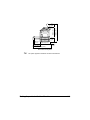


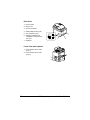

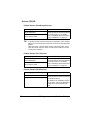

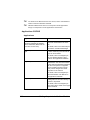

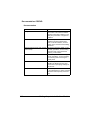
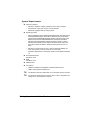


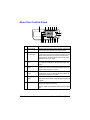

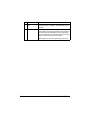
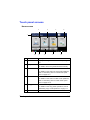
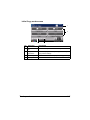
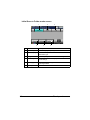


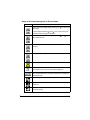




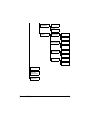


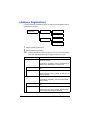
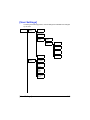


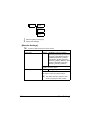
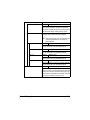
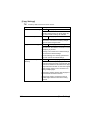


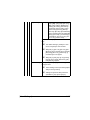
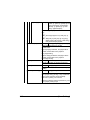

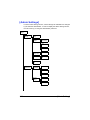
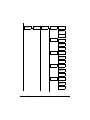
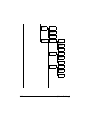

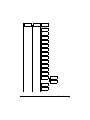


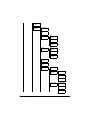
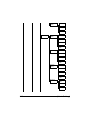
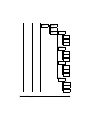

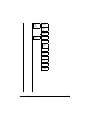
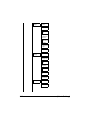
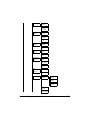
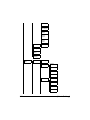
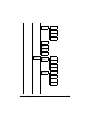


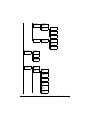


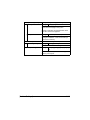
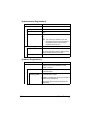
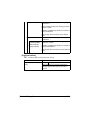
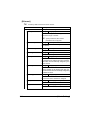

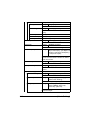
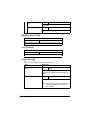
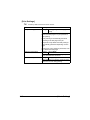
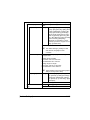

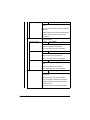
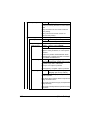

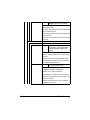

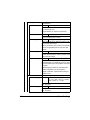
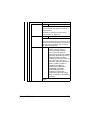
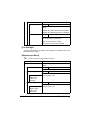
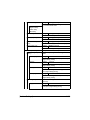
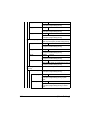

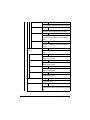
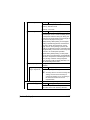


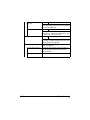





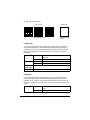
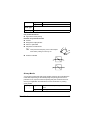

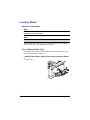
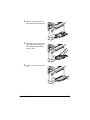
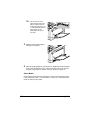
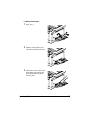

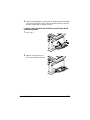


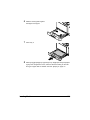

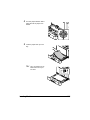

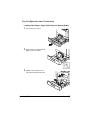
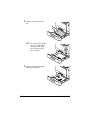
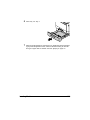
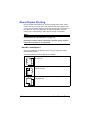
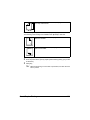


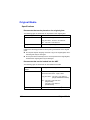

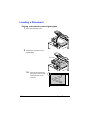



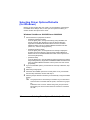






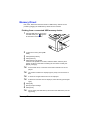




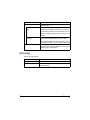
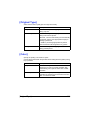
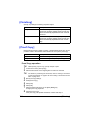

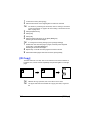




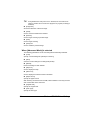


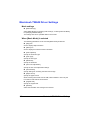
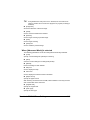






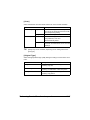
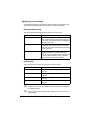
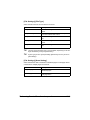
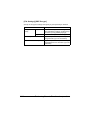
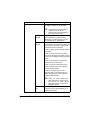

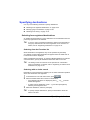

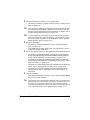

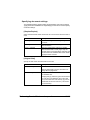
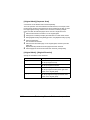
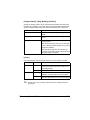
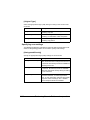
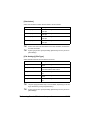

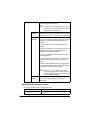
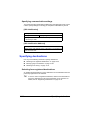






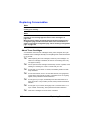
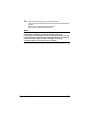
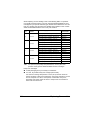
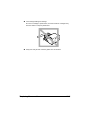
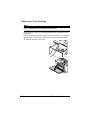
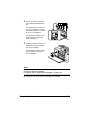
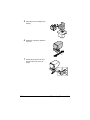

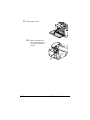
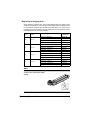
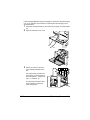
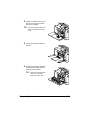

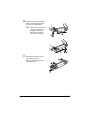
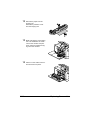
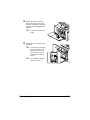
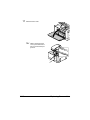


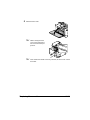


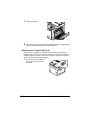
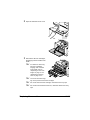
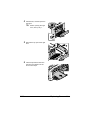

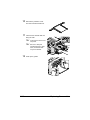
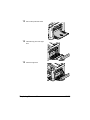
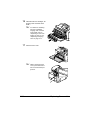
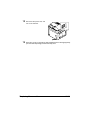


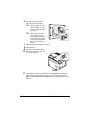

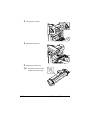

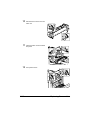
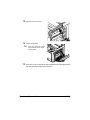

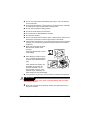


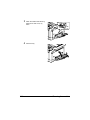


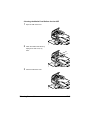
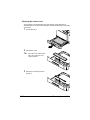
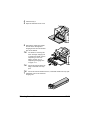

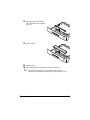






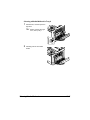
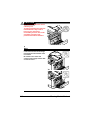
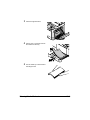

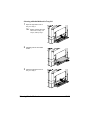
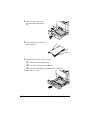


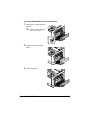
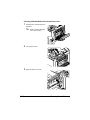

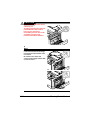
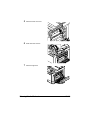
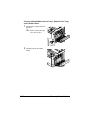

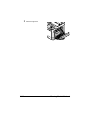

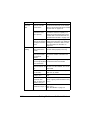

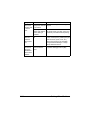
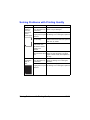
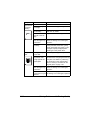

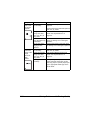
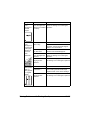
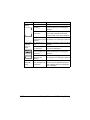
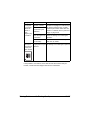
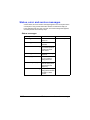





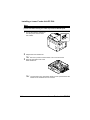
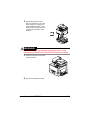
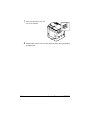


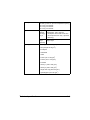


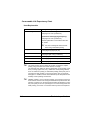






![User`s Guide [Printer/Copier/Scanner]](http://vs1.manualzilla.com/store/data/005987700_1-4ebf6f5f2843ec6fc8ace3e9735a6825-150x150.png)