1
Section 4 • Repair Procedures
July 2005
PLATFORM CONTROLS
REV A
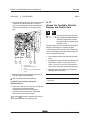
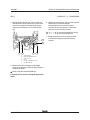
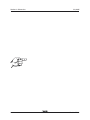
8 Start the engine from the platform controls and
press down the foot switch.
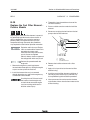
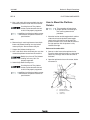
How to Adjust the Joystick
Max-out Setting
The max-out setting of a joystick controls the
maximum speed of a joystick-controlled machine
function. Whenever a hydraulic cylinder, drive
motor or hydraulic pump is replaced, the max-out
setting should be adjusted to maintain optimum
performance. The max-out settings on the joystick
can be changed to compensate for hydraulic pump
wear to maintain peak performance from the
machine.
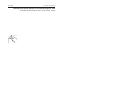
Perform this procedure with the
boom in the stowed position.
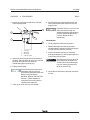
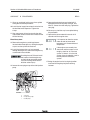
1 Pull out the red Emergency Stop button to the
on position at both the ground and platform
controls.
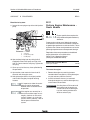
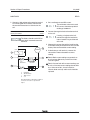
9 Start a timer and activate the machine function
that needs to be adjusted. Record the time it
takes for that function to complete a full cycle
(ie; boom up).
10 Compare the machine function time with the
function times listed in Section 2,
Specifications. Determine whether the function
time needs to increase or decrease.
11 While the joystick is activated, adjust the maxout setting to achieve the proper function cycle
time. Momentarily move the drive enable toggle
switch in the right direction to increase the time
or momentarily move the drive enable toggle
switch in the left direction to decrease the time.
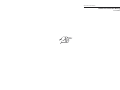
Each time the drive enable toggle
switch is momentarily moved, the
time will change in 2% increments.
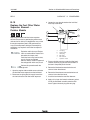
2 Turn the key switch to platform control. Do not
start the engine.
3 Push in the platform controls red Emergency
Stop button to the off position.
12 Repeat steps 9 through 11 for each joystick
controlled machine function.
4 Do not press down the foot switch.
13 Return the joystick to the neutral position and
wait for approximately 10 seconds to allow the
settings to be saved.
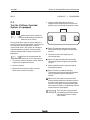
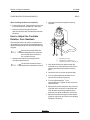
5 Move and hold the drive enable toggle switch in
the right position and pull out the red
Emergency Stop button to the on position.
6 When the alarm sounds, release the drive
enable toggle switch.
Result: The alarm should sound indicating that
the settings have been saved in memory.
Do not operate any machine
function during the 10 second
waiting time.
7 Momentarily activate the drive enable toggle
switch in the right direction 4 times.
Result: There should be a pause and the alarm
should sound 4 times indicating that the
machine is in max-out calibration mode.
4-4
S-60 • S-65
Part No. 77828