1
Troubleshooting
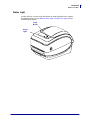
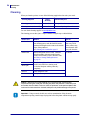
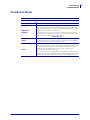
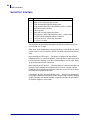
Status Light Error Resolutions
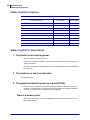
The printhead needs to cool down.
• If this error continues, turn the printer power off for five minutes or more, and then turn
on. If the amber light persists, then the printer requires service.
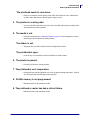
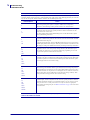
4. The printer is receiving data.
• As soon as all of the data has been received, the status LED will turn green and the printer
will automatically resume operation.
5. The media is out.
• Follow the instructions for Loading Roll Media on page 11 in the Getting Started section,
and then press the Feed button to resume printing.
The ribbon is out.
• The printer has sensed the end of the ribbon roll. Replace the ribbon.
The printhead is open.
• Close the top cover and then press the Feed button to resume printing.
6. The printer is paused.
• Press the Feed button to resume printing.
7. The printhead is over temperature.
• Printing will stop until the printhead cools to an acceptable printing temperature. When it
does, the printer will automatically resume operation.
8. FLASH memory is not programmed.
• Return the printer to an authorized reseller.
9. The printhead or motor has had a critical failure.
• Return the printer to an authorized reseller.
12/14/07
GK420t User Guide
980610-001 Rev. A
69