1
Client Contact User Guide
Approving and Rejecting Timesheets
1.
Approving a Timesheet
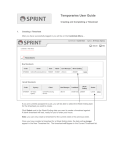
After you have successfully logged in you will be on the Contact Menu. All Timesheets
available for approval will be shown in the Approval table in the Staff Order section.
To access a Timesheet for approval, click the Select link at the end of the relevant row. The
Approval screen will now display.
Check that the hours are correct and click the Approve button.
IMPORTANT NOTE
By approving a timesheet you are accepting liability for full payment for
the hours approved at the agreed charge rate in accordance with the supplying agency's
Terms and Conditions of Business.
2.
Rejecting a Timesheet
If the hours on the timesheet are incorrect, you can reject it. The rejected timesheet will be
returned to the Temporary for correction.
When you click the Reject button, the timesheet rejection screen will load. You will need to
enter a reason for the rejection. This reason is included in the notification email sent to the
Temporary.
Enter a suitable reason and click the Reject Timesheet button. The timesheet will now be
returned to the Temporary for correction.
3.
Managing Timesheets for Other Line Managers
Note: This section is not relevant to all client contacts.
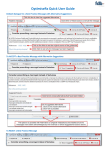
If you have the permissions to manage timesheets for other Line Managers, you can find
the timesheet you need to work on using the search facility shown below –
You need to enter the Temporary’s surname and the week ending date for the timesheet
you want to approve or reject.