1
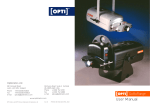
Hfp 4x3 compact
Remove the packaging but leave the machine on
the wooden base.
Warning
Before you push the handle down on the machine turn
the 4 pressure screws on the back of the machine so the
printing head and the printing pattern do not touch.
Check the distance by pushing the handle down slowly being careful not to hit the
printing head and the printing platens together.
The tension spring wing nut will have to be kept under tension at all times.
This is located at the back of the machine between the 4 tension screws
On the temperature controller there are four keys
You only need to push the up and down keys only
Do not push the set key or the side arrow key
As it has been pre programmed!!!!!!!!
Always turn of the machine when not in use
Hfp 4x3 compact operator’s manual
Getting to know the machine parts temperature controller, chase, adjusting the machine
Mains 220v ac 3 amps fitted fuse (fitted at rear of the control box)
Temperature controller model xmt-7100 Trilite Equipment
Connection 1 live
Connection 2 neutral
Connection 3 earth
Connection 4 feed
Connection 5 output to heater
Connection 6 blue temp sensors
Connection 7 yellow temp sensors
Cartridge heater 22.5 w 230vac 6.5x100mm
Max print sizes 100 mm x 75mm
Setting the Temperature controller
When you first switch on the machine the temperature will start at about 15/25 degrees c
and after about 2 minutes the temperature will start to rise to the set temperature setting.
Reset the temperature to (100 degrees c)
Set the temperature by pressing the up or down arrow key on the controller to set the
temperature. and wait for the machine to reach the set temperature
Please ignore the 2 other keys on the Controller
Attach the magnesium printing plate to the chase
Put the 2 dog clips on the chase and Attach the magnesium printing plate into the centre
of the chase buy locking with the 4 grub screw on the dog clips in the vertical position
with the Allen key provided.
Attaching the numbering block to the chase
Attach the number block to the chase into the centre of the chase buy locking with the 4
grub screw on the dog clips in the horizontal position with the alen key provided
Slide the chase into position on the heater block
Setting up the printing platen
1. Screw the bottom gauge bar to the bottom of the printing platen making sure that
when you pull the handle down it doesn’t hit the printing plate.
2. Place a peace of press phan onto the printing platen.
Adjusting the 4 pressure screws
1. Adjust the 4 pressure screw until the magnesium plate or numbering block
touches the press phan (but not under tension) by turning the knobs clock wise or
anti clockwise as required.
2. The tension spring wing nut will have to be kept under tension at all times. This is
located at the back of the machine between the 4 tension screws
Do a Test print
1-Photocopy and Print the exact size envelop on your printer and trim to size and fold
2- Place the photocopy print on the presspahn
3- Pull the handle down to the print position and adjust the bottom gauge bar so it is
below the printing plate.
4-Then adjust the 4 pressure screws until it starts to an even embossed onto the paper
5- Now you can re-adjust the bottom gauge bar to where you would like the print to
be on the envelopes.
Feeding the foil into the machine
Put the foil onto the top foil roller place it on top of the machine with the shinny side of
the foil facing downwards and over the top of the top foil bar
And then under the bottom front foil bar and onto the back foil receiver stuck down with
a bit of tape.
Do a test print and then adjust the pressure screws, bottom gauge bar or side stop if
required or until you get the best results.
Once you are happy with the print you can then start printing the envelops
When printing lift up the flap on the envelop so you printing onto one flat surface.
Adjusting the foil advance
The foil advance in the maximum position. The foil advance in the minimum position.